Whether you’re an IT professional or running a Managed Service Provider (MSP), keeping networks and devices running smoothly is a logistical nightmare without the right tools.
That’s where Remote Monitoring and Management (RMM) software becomes essential.
RMM tools represent the backbone of modern IT. They allow you to monitor infrastructure, patch devices, and resolve issues from a centralized dashboard.
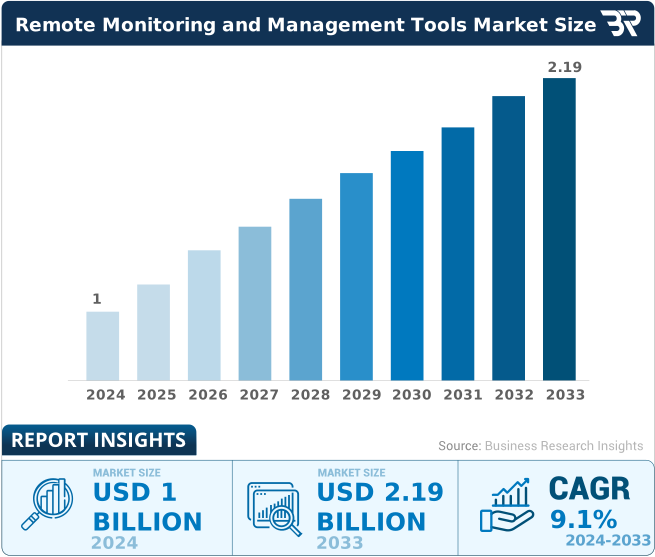
The market clearly reflects this necessity. The RMM tools market size is expected to reach $2.19 billion by 2033.
But with so many options, which one is right for your stack?
Why Trust Our Guide
Here is the ultimate guide to finding the right remote monitoring solution for your infrastructure.
Top RMM Tools Comparison
| RMM Software | Key Features | Integrations | Deployment | Starting Pricing (billed yearly) |
|---|---|---|---|---|
| Atera | AI-driven ticketing, network discovery, and built-in remote access. | Splashtop, Acronis, QuickBooks, AnyDesk | Cloud | $129/mo, Per Technician |
| Syncro | Robust scripting engine, one-click remote access, and automated billing. | Pax8, ITGlue, Domotz, Zapier | Cloud | $129/mo, Per User |
| NinjaOne | Highest-rated patching engine, self-service portal, and endpoint task automation. | CrowdStrike, Slack, Azure, Splashtop | Cloud | $1.50 Per Device, Tiered |
| SuperOps | Unified PSA & RMM, alert management, and intelligent automation. | Bitdefender, Azure, Sophos, Dropsuite | Cloud | $129/mo, Per Technician |
| N-able N-Central | Drag-and-drop automation with zero-touch Apple device management. | SentinelOne, Microsoft 365, Auvik | Cloud/On-Prem | Per Device |
| Datto RMM | Ransomware detection, real-time asset visibility, and automated reporting. | Autotask, IT Glue, Webroot, Microsoft 365 | Cloud | Per Device |
| ManageEngine RMM Central | Deep network device monitoring and USB management. | ServiceDesk Plus, Analytics Plus | On-Prem/Hybrid | Annual Subscription or Perpetual |
| ConnectWise RMM | Dynamic device grouping, SaaS backup, and massive plugin ecosystem. | IT Glue, Acronis, Bitdefender | Cloud | Per Device |
| Pulseway | Mobile-first design allows full IT management from a smartphone app. | IT Glue, Zendesk, Slack, PagerDuty | Cloud | $44/mo |
| LogMeIn Resolve | Conversational ticketing and AI-powered script generation. | Zendesk, MS Teams, ServiceNow | Cloud | $23/mo, Tiered |
| ITarian | Customizable dashboards with a generous free tier for small teams. | Acronis, Service Desk, Xcitium | Cloud | Freemium / Per Device |
Top RMM Tools – Detailed Review
Atera
Best for Scaling MSPs
Atera is an all-in-one RMM that offers full visibility and control to upgrade your IT management proactively.
Atera disrupts the traditional RMM market by combining Remote Monitoring and Management (RMM) with Professional Services Automation (PSA) in a single platform. Unlike many that charge per endpoint, Atera uses a pay-per-technician model. This helps to manage unlimited devices without increasing cost.
Atera’s AI Copilot utilizes AI to automate script generation, summarize tickets, and suggest solutions to problems before you even open a remote session.
Why I picked Atera
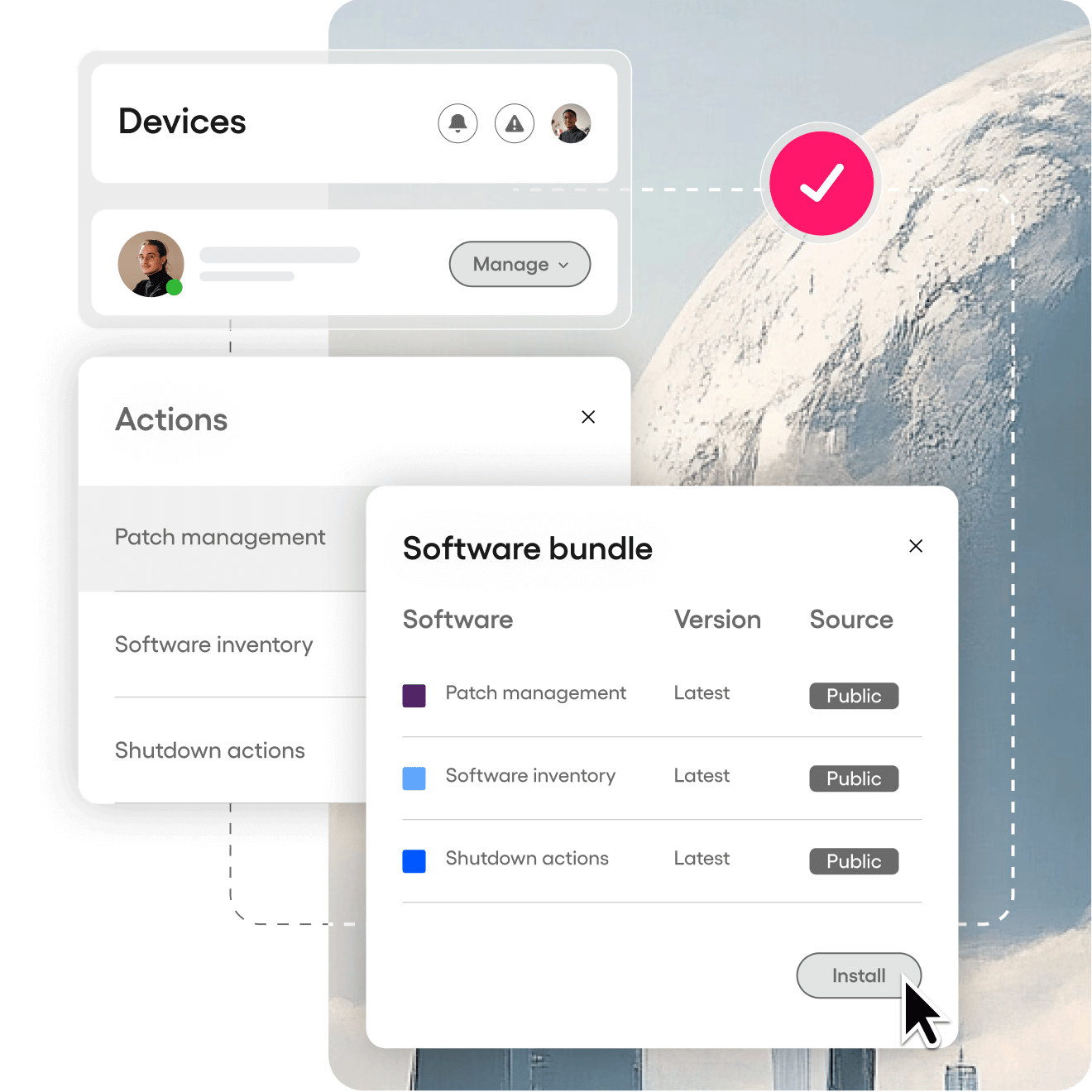
If you are a growing MSP, the cost of adding new devices can kill your margins. Atera removes that barrier. It provides an intuitive interface for patch management, remote access and billing in one place.
Key Features
- Fixed cost per technician, regardless of how many devices you manage.
- Helpdesk, billing, and ticketing are integrated natively.
- Auto-generate scripts and troubleshoot with Atera Copilot.
- Integrated remote access with Splashtop and AnyDesk
- Instantly scan and secure client networks.
Pros & Cons
PROS
CONS
Atera Pricing
Atera’s pricing starts at $129/month for MSPs. You can also take free 30-days trial.
Syncro
Syncro (formerly SyncroMSP) is built for modern Managed Service Providers who want to cut the fluff. It combines RMM, PSA, and Remote Access into a single platform.
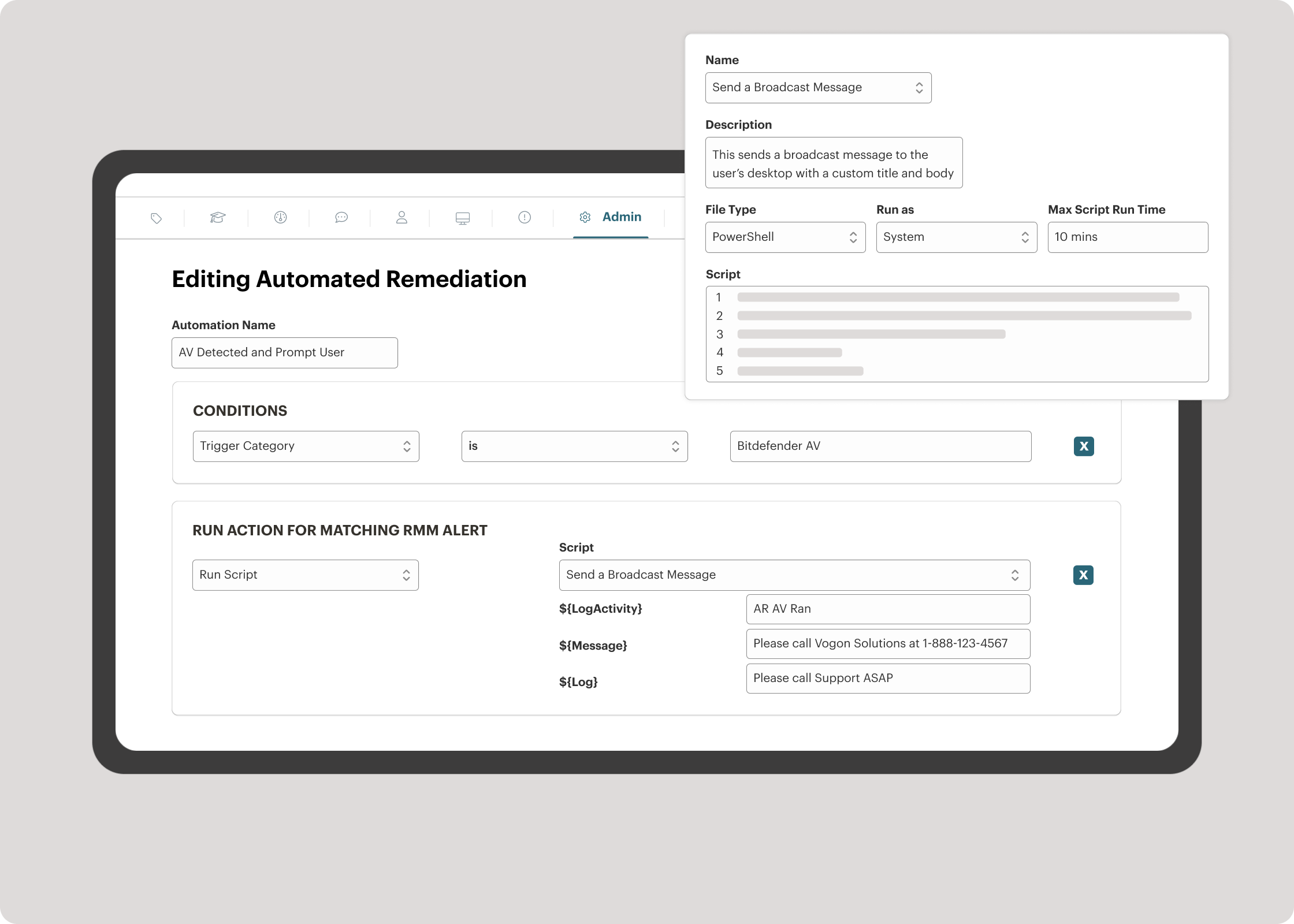
What sets Syncro apart is its focus on efficiency and profitability. Because it integrates billing directly with your technical workflow, you can go from resolving a ticket to invoicing the client in just a few clicks. Like Atera, it utilizes a Per-User pricing model, meaning you can onboard as many endpoints as you want without your bill increasing.
Why I picked it
For SMB MSPs, tool fatigue is real. Syncro solves this by unifying the stack. Its embedded scripting engine is robust for automated remediation.
Key Features
- A single platform for endpoints, helpdesk tickets, and invoicing.
- Fixes issues in the background with custom scripts.
- Granular control over Windows and third-party application updates.
- Includes integration with Splashtop, Teamviewer, Connectwise Control for real-time remote troubleshooting.
- Connects with over 50+ integrations, including Pax8, Bitdefender, and Acronis.
- Cost-effective way to manage a large number of endpoints.
Syncro Cons
- The reporting features are less detailed than enterprise tools like ConnectWise or Datto.
- Heavily Windows-focused; Mac/Linux management still lags behind.
Syncro Pricing
Syncro pricing starts at $129/user/month. You can avail free trial to test the platform.
NinjaOne
Best for Patch Management
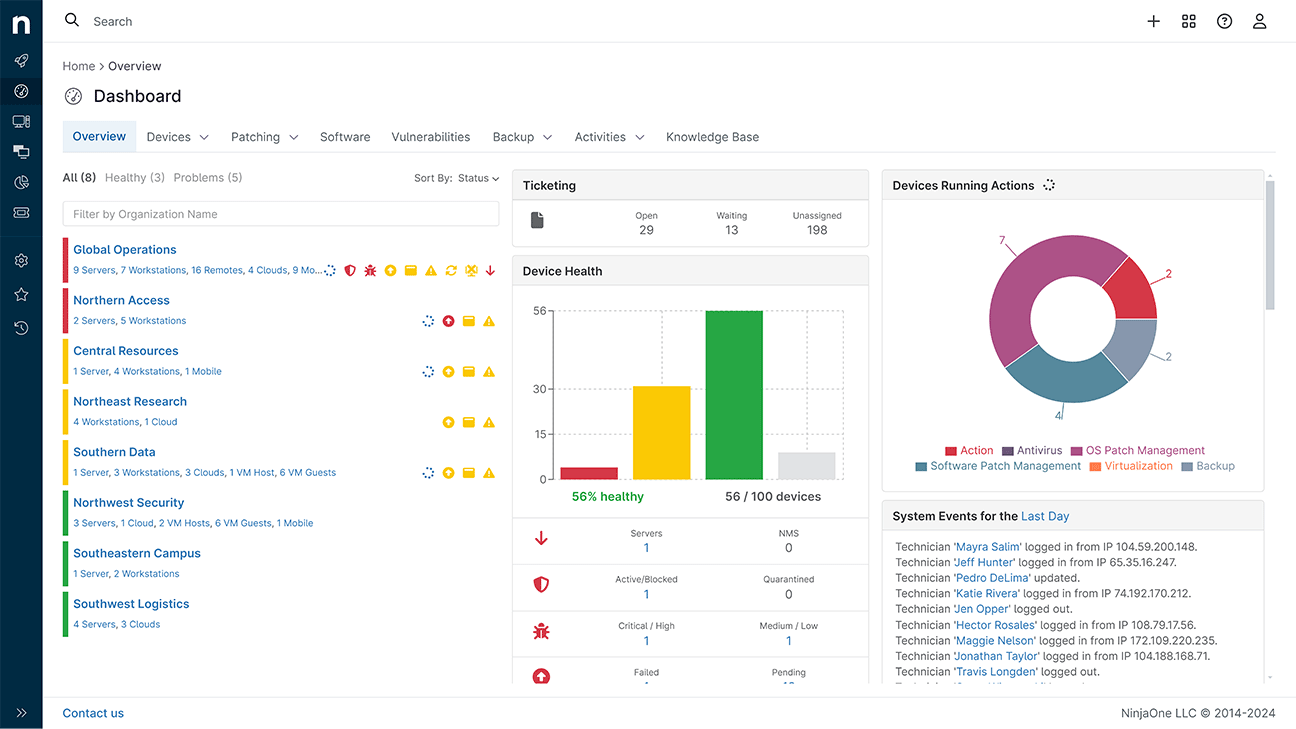
NinjaOne consistently ranks higher on review sites like G2, and for good reason. While other tools try to do everything, NinjaOne focuses on being the absolute best at endpoint management.
It is widely recognized for its modern interface. If you are tired of legacy software that takes months to learn, NinjaOne is your next choice.
The standout feature is the patch management. In many RMM tools, patching can be hit-or-miss, which can lead to security vulnerabilities. NinjaOne’s patching is reliable and covers OS and hundreds of third-party applications (like Adobe, Chrome, and Zoom) out of the box.
Key Features
- Manage Windows, Mac, and Linux endpoints.
- Supports multi-steps workflows using PowerShell, Bash, and Shell scripts.
- Detects high resource usage or hardware failures and triggers self-healing scripts automatically.
- Integrated backup solutions.
NinjaOne Cons
- Unlike Atera or Syncro, NinjaOne charges Per Device.
- While it has ticketing, it is not a full-blown PSA. You’ll need to integrate it with a separate tool like HaloPSA or ConnectWise Manage.
NinjaOne Pricing
NinjaOne operates on a quote-based, per-device model. It starts at $1.50 per device, per month.
SuperOps
Best Unified PSA-RMM (AI-Driven)
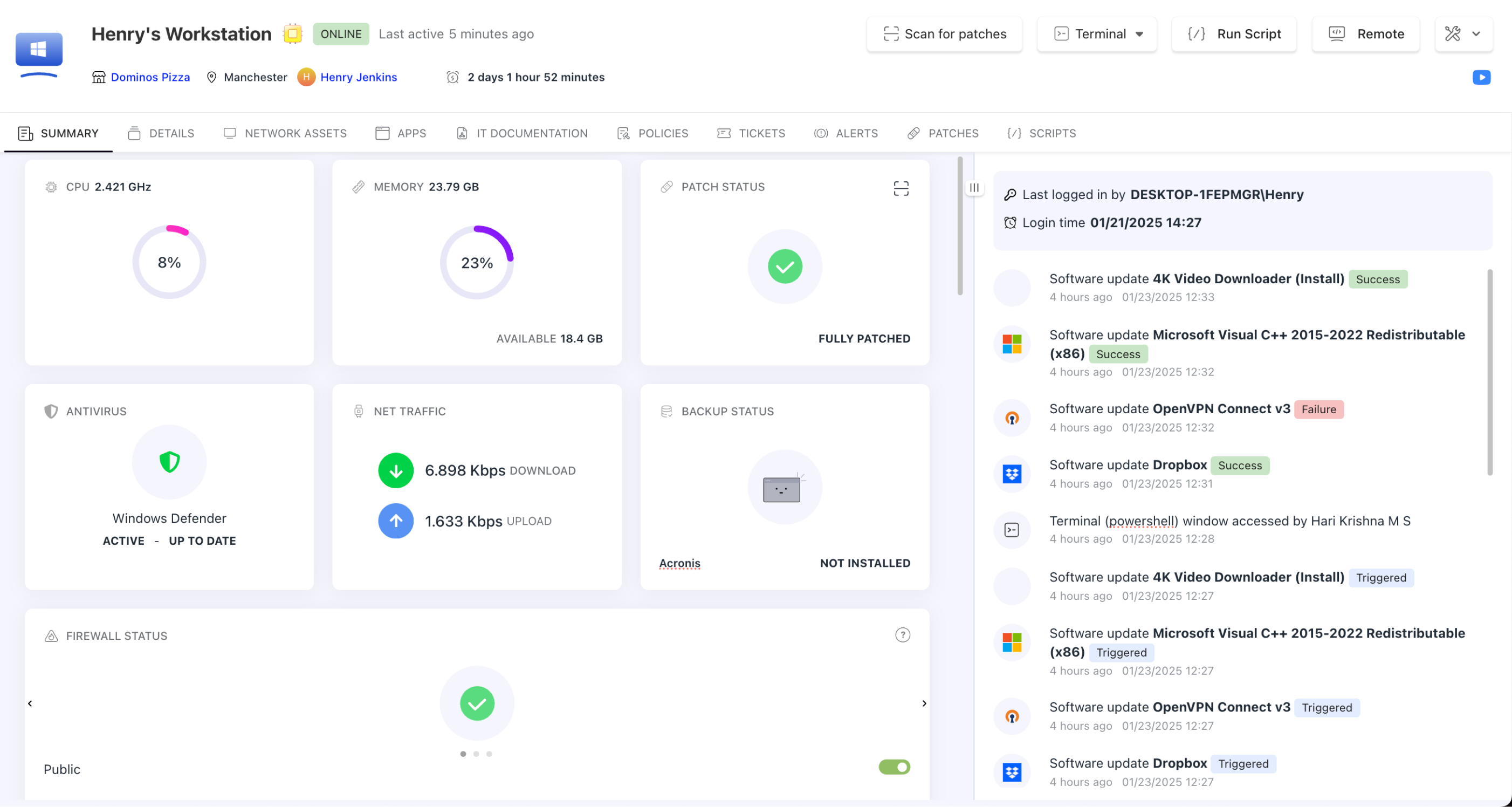
SuperOps is relatively new in the market that is shaking up the legacy market. It was built from the ground up to be a Unified PSA-RMM platform, meaning your ticketing, project management, and network monitoring live in one ecosystem.
I like their Intelligent Alerting. Traditional RMMs spam you with thousands of notifications. SuperOps uses AI to filter out the noise, so your technicians only see actionable issues.
Key Features
- Side Conversations helps technicians draft replies and summarize tickets.
- Reduces alert fatigue by correlating related issues into a single incident.
- Manage IT projects directly within the dashboard.
- Integrations with security tools like SentinelOne, Bitdefender, and Acronis.
Pros & Cons
PROS
CONS
SuperOps Pricing
SuperOps pricing start at $129/technician/month. They also offer 14-days free trial.
N-able
Best for Apple Device Management
N-able offers two main platforms:
- N-central RMM – best for larger MSPs and IT departments.
- N-sight RMM – best for SMBs MSPs.
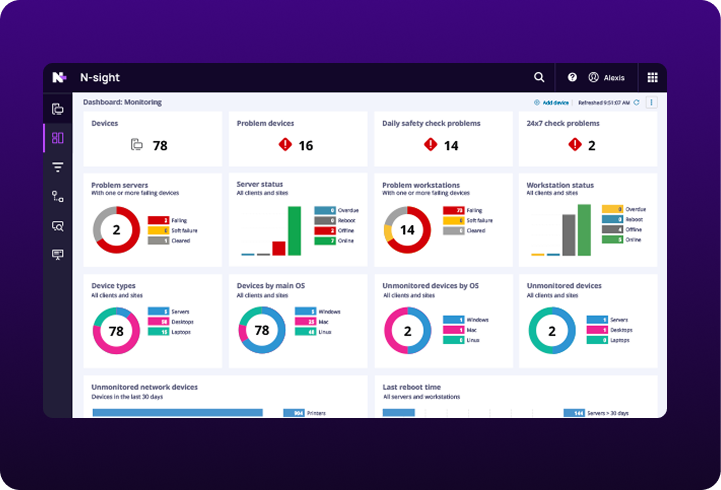
N-sight RMM is the cloud solution for growing MSPs who need power without the headache of on-premise servers. It is a mature platform for cross-platform management.
Where N-sight truly shines is its handling of Apple devices. While many RMMs treat macOS as an afterthought, N-sight offers zero-touch Apple device management.
Pros & Cons
PROS
CONS
Datto RMM
RMM with Native Ransomware Defense
Datto RMM by Kaseya is a heavyweight in the MSP world. It is a cloud-based platform and widely used by mature MSPs. Its integration capabilities are unmatched if you are already using Autotask PSA or IT Glue.
Security is often an add-on in RMMs, but Datto has inbuilt ransomware detection. Datto monitors for behavioral changes and automatically isolate the infected device from the network to prevent the spread.
Key Features
- Behavioral analysis automatically isolates infected endpoints to stop lateral movement.
- A massive library of hundreds of pre-built, community-vetted scripts that you can deploy instantly.
- Automatically maps out the client’s network, showing how devices, routers, and switches are connected.
- Monitor and manage M365 licenses.
Dattoo RMM Cons
- Per device cost, require contract term.
- Overkill for startups and small MSPs.
- TrustRadius users says slow web remote.
Pulseway
Another product by Kaseya is Pulseway which is suitable for smaller MSPs & IT teams. Pulseway pricing starts at $44/mo.
RMM Central
Best for Hybrid Networks & On-Premise
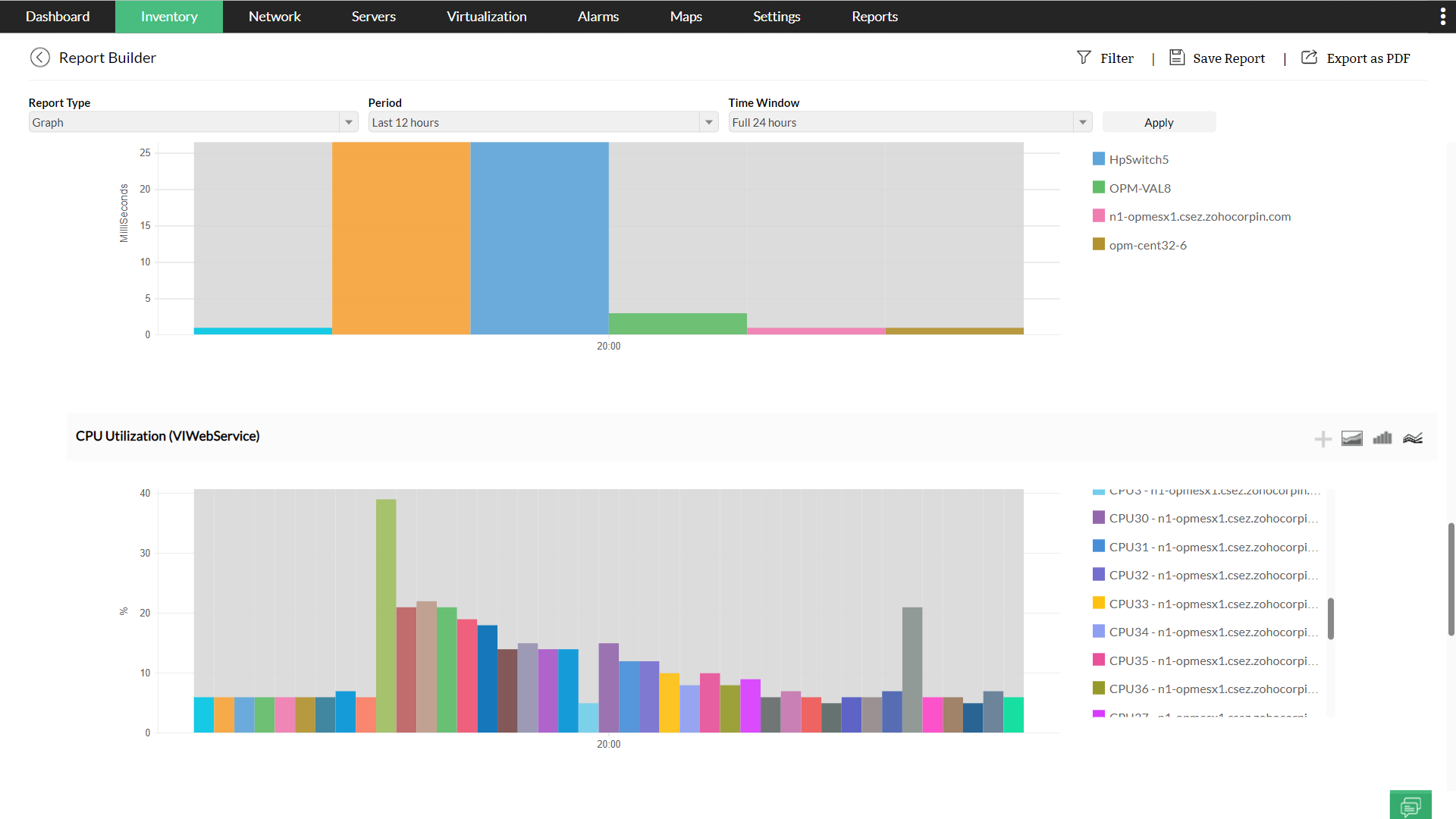
ManageEngine RMM Central is a robust On-Premise deployment option. You can manage devices and the network infrastructure, both. The capabilities of Endpoint Central and OpManager into a single console gives you a level of network visibility that other standard RMMs cannot match.
Most RMM tools just ping a router to see if it’s online. RMM Central goes deeper, uses SNMP monitoring to analyze bandwidth consumption and detect traffic bottlenecks. It offers a perpetual license.
Key Features
- Automatically discovers and maps physical and virtual assets alongside routers and switches.
- Built-in MDM capabilities to manage iOS and Android devices.
- Automated patching for Windows, Mac, Linux, and over 850+ third-party applications.
- Strict security policies to block or monitor USB usage on endpoints.
Pros & Cons
PROS
CONS
I would suggest RMM Central if you are into ManageEngine and Zoho ecosystem or require self-hosted RMM solution.
ConnectWise RMM
Built-in NOC Services
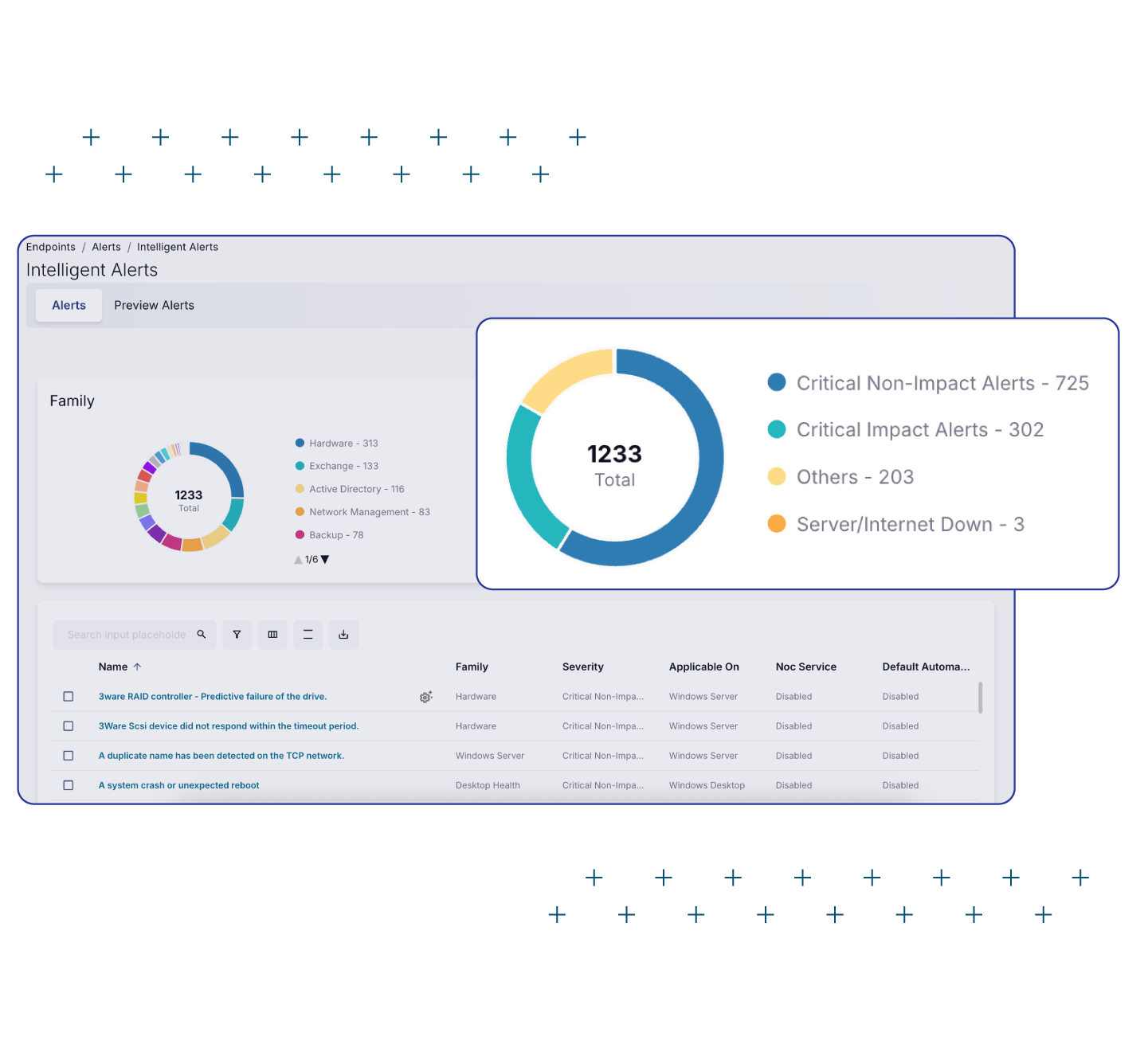
ConnectWise RMM is for mature MSPs for unparalleled automation and centralized management. It offers something unique – Expert Services (NOC). If your MSP is growing fast, you can actually outsource your monitoring to the ConnectWise Network Operations Center (NOC). Their team acts as an extension of your team. This is a beneficial for growing MSPs.
Key Features
- Option to offload routine monitoring and remediation to ConnectWise’s experts.
- Pre-built policies that reduce noise and automate fix actions.
- Integration with ConnectWise Control.
- Dynamic groups allow you to apply policies to thousands of devices instantly based on criteria.
LogMeIn Resolve
Best for SMB IT Support
LogMeIn Resolve is a IT management suite for SMBs and internal IT departments. It is built for providing remote support. It stands out in the market by Zero Trust Architecture. This means that you can setup strict verification for sensitive tasks and scripts.
The platform is the combination of a Helpdesk and an RMM. I was impressed by the remote support capabilities. Because it is built by the same team behind LogMeIn/GoToMyPC, the remote access is faster than almost any other tool on this list. It handles multi-session handling and fast file transfers.
Key Features
- Users can submit tickets through apps they already use, like Microsoft Teams or Slack.
- Automate repetitive tasks using a visual builder.
- Manages Windows, Mac, Android, and macOS.
Resolve Cons
- Not suitable for large MSPs, it lacks billing and PSA like ConnectWise.
- Reddit users reported RDP issue.
- Basic reporting.
Resolve Pricing
LogMeIn Resolve paid plans start at $23/mo which includes 25 endpoints.
Other RMM Tools

Ivanti Neurons

MSP360

TeamViewer

ITarian
Conclusion
Choosing the right RMM platform is important decision an MSP or IT department will make. It is about business continuity and how fast you can scale.
Whether you need a cloud solution like NinjaOne, a security-first platform like Datto, or a hybrid/on-premise powerhouse like ManageEngine RMM Central, the tools listed above cover every possible use case.
Most of the above listed vendors, including Atera, SuperOps, and N-able, offer free trials. I strongly recommend testing at least two platforms side-by-side. Run their automation scripts, test their remote access speed, and generate a report to see which one fits your IT requirement.
FAQs about RMM and PSA
RMM is used to monitor machines, patch software, and access devices remotely. PSA is used to manage tickets, billing, contracts, and technician time. While they are different, most MSPs integrate them so that an RMM alert automatically creates a ticket in the PSA.
Yes. Almost all RMM tools support cross-platform. Top-tier platforms like N-able, Datto, and NinjaOne offer agents for macOS and Linux distributions. However, feature parity varies; some tools offer deep patching for Windows but only basic monitoring for Mac, so always check the specific supported OS list.
SuperOps and Atera has perdictable pricing and budget-friendly.