

ReadPartner

ReadPartner is a media intelligence platform that tracks news, analyzes trends, and delivers AI-powered insights from news outlets and social media sources in real time. Its news automation features are aimed at helping businesses stay informed and stay competitive in the fast-paced environment of the modern world.
Features
-
 News collections allow you to follow news by source or by keywords
-
Trend analysis provides historical keyword popularity data
-
Email alerts notify team members of the latest developments
-
Connecting social media allows you to analyze and filter posts
-
AI tools can summarize collections and generate reports.

Pros
-
Wide range of reliable news sources
-
All news is automatically analyzed for sentiment and popularity
-
Email alerts come with AI-powered summaries to quickly gasp the picture
-
Built-in support for team accounts
-
No-commitment free trial with full feature access

Cons
-
No free plan after the free trial ends
-
Heavily focused on news sources in English

ReadPartner Review Methodology
Geekflare tested ReadPartner by summarizing news articles, documents, and videos, evaluating AI accuracy, customization, and digest automation. We assessed ease of use, speed, Chrome extension, and privacy, combining hands-on testing with user feedback for an unbiased review.
What is ReadPartner?
ReadPartner is a news monitoring platform that collects news from across the web and processes it into clear, digestible previews, allowing companies to follow the developments that are relevant to them.
ReadPartner processes keyword mentions across news outlets to compile that into historical trend data, showing users how keyword popularity changes over time.
Its AI model analyzes sentiment for every news post and tags every news preview as having positive, neutral, or negative sentiment, providing useful context for every development.
Any business that requires industry or competition intelligence can use ReadPartner to cut time and costs spent analyzing news and creating briefs for executives or team members.
Founded in February 2024 by Grigory Silanyan as a summarization tool, ReadPartner has evolved into a full-scale media monitoring platform for businesses in June 2025, making it a relatively new company with headquarters in Dover, United States.
Testing Methodology
ReadPartner offers four main features:
- News Monitoring
- Trend Analysis
- Email Alerts
- Social Media Monitoring
I’ll test the platform by creating news collections to follow different topics, then check what trend analysis and email alerts can surface from the created collections. I will focus only on the main features provided by the platform and review them thoroughly, since B2B news monitoring platforms are complex and covering everything in one article is simply impossible.
ReadPartner News Monitoring
News Monitoring is done by creating collections. Collections can be personal, which means only you will see this collection, and shared, which means all your team members will be able to see this collection. There are different types of collections that you can create, namely:
- Source Finder
- Google News
- Newsletters
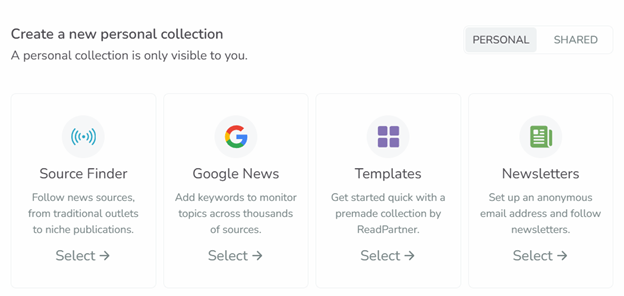
ReadPartner also offers templates. Templates are pre-existing collections curated by ReadPartner. You can add popular monitoring setups with a single click to your account.
I’ll go over each type of collection to see how they work.
Source Finder collection
Source Finder collections allow you to select specific sources you want to follow, such as Wall Street Journal, BBC, Japan Times and others. ReadPartner’s sources offer news from the US, the UK, EU, Japan, and other countries.
Sources are categorized by topic for easier navigation, and there is a search bar if you are looking for something specific
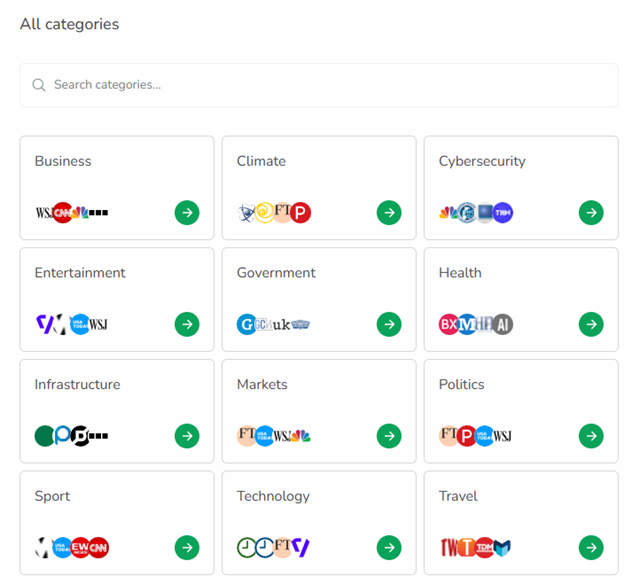
Let’s say I need to get a general picture of what is going on in the IT industry in the US. I can navigate to technology and cybersecurity categories and select the sources I am interested in. Once I select the sources and click “Create Collection”, it appears in my sidebar.
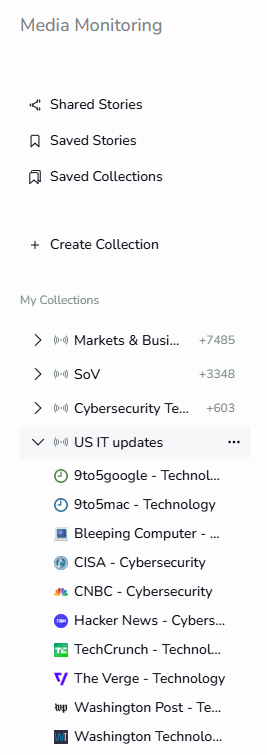
ReadPartner collects news very fast: once I created the collection, it took less than a minute for the news feed to appear there. Let’s take a look at what ReadPartner provides inside the collection.
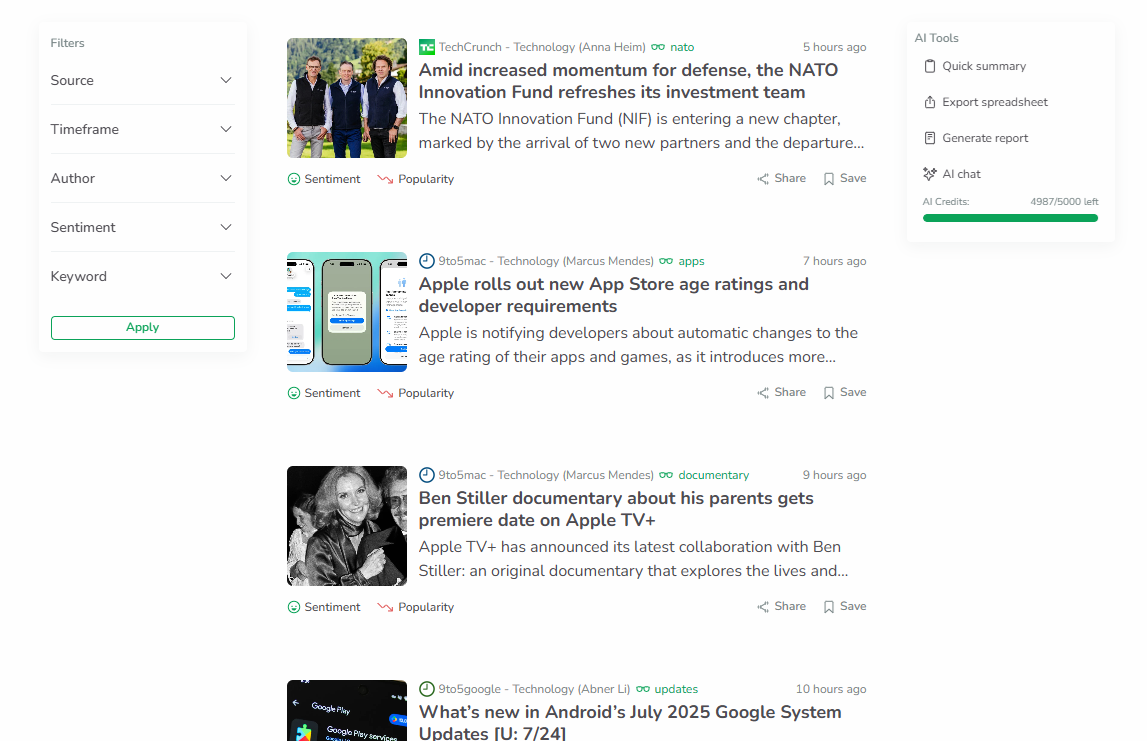
ReadPartner collects news posts from the sources I selected into a single news feed. The news are presented as short previews, and they automatically include additional analysis: sentiment and popularity.
Sentiment is an industry-standard metric that lets you quickly grasp what light the news is presented in without having to read the entire news post. Popularity is an interesting tag. ReadPartner uses proprietary algorithms to estimate if the trend of reporting on this topic is rising or falling across outlets, which can be very useful, allowing you to see the trend right away.
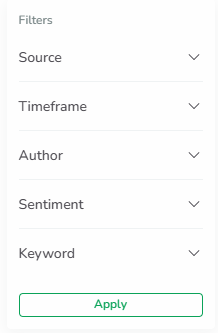
Since ReadPartner collects all news from the sources you select into one feed, it can get very long very quickly, especially if you wish to monitor many sources at once. This is where filters come in.
Google News collection
Google News allows you to receive news not by following publications, but by entering keywords. ReadPartner will then collect all news that mentions your keywords from across all the available sources. This is an extremely useful feature, allowing you to monitor exactly what you need instead of following specific publications, many of which report on more than one topic.
Let’s say I, as a business, want to monitor my competition to see what they are doing and how the media and the public reacts to their actions.
First, I need to compile a list of keywords to do that. Let’s say I have a health-tech business, so first I will simply make a list of my competitors’ brand names and enter it into the system.
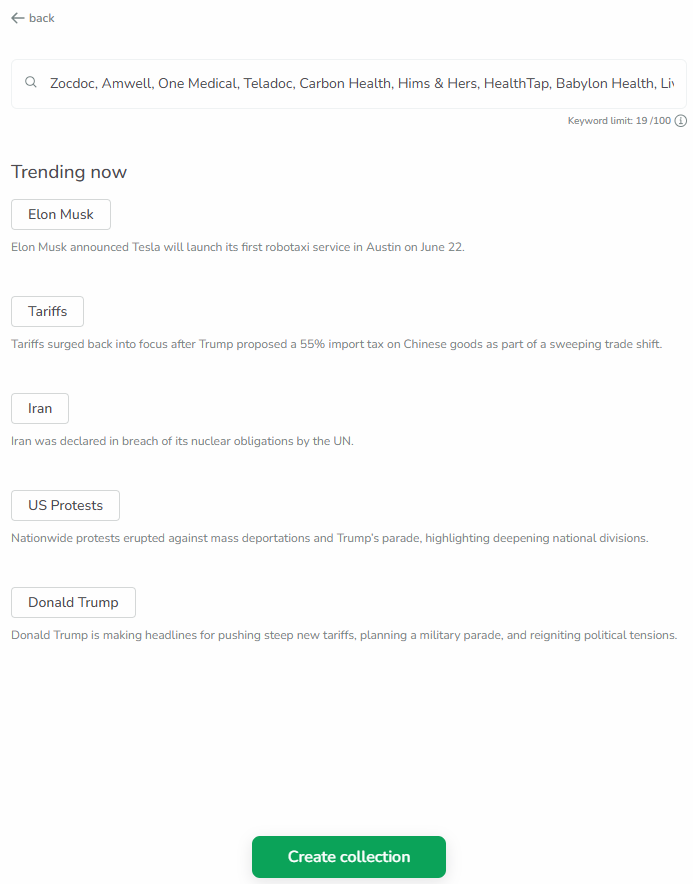
Once created, news is collected into a single feed similar to the Source Finder collection, and this collection allows further refinement via filters as well. Google News collections also add sentiment tags to all the news snippets.
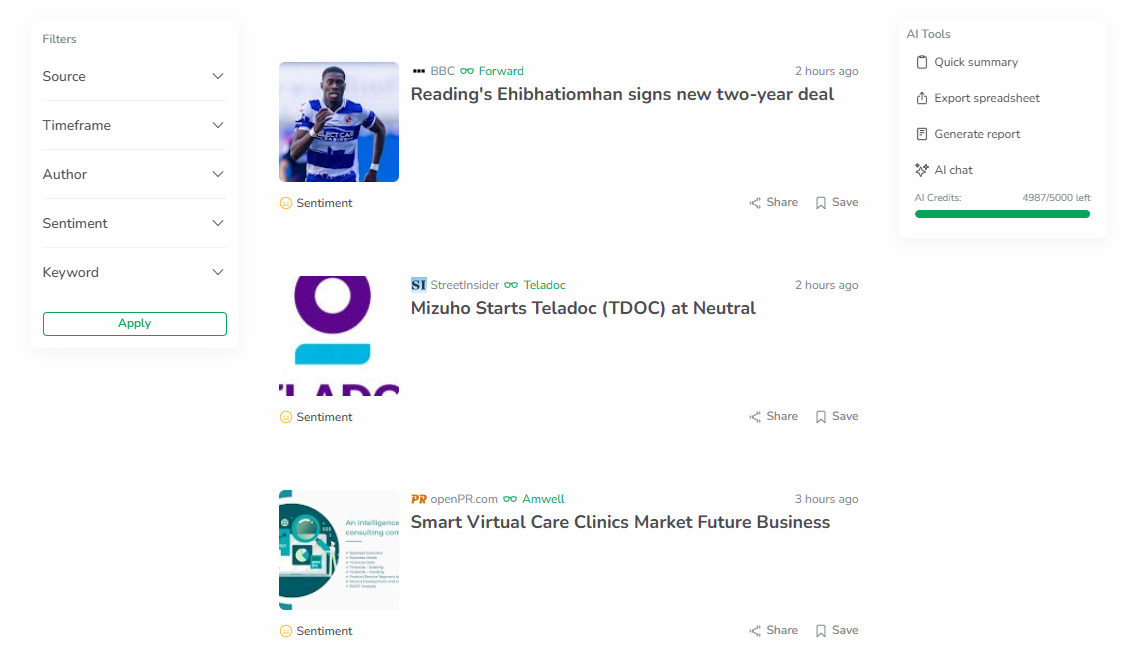
Google News collections are very helpful if you wish to receive news on specific topics. They are not source dependent, so they will gather all the mentions across all outlets, allowing you not to miss news on the topic you need because you did not follow that one outlet that reported on it.
Newsletters collection
Another interesting feature ReadPartner offers is subscribing to newsletters. To create a newsletter collection, an email is generated for you that you can use to subscribe to different newsletters. Then, all the newsletters this email receives will be displayed inside this email-bound collection in a similar fashion to other collection types.
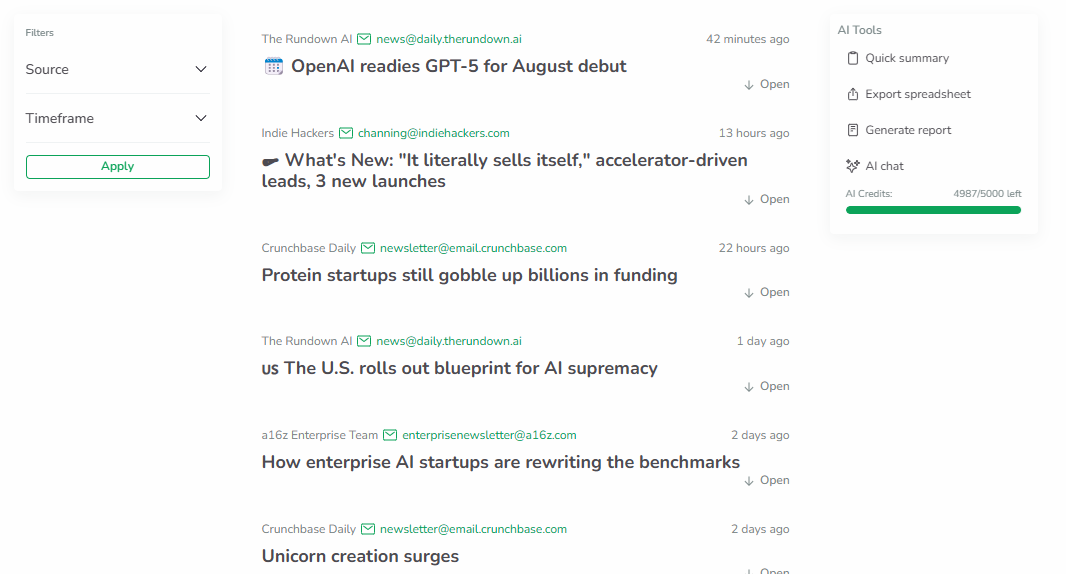
I have found the fact that they provide you with an email to use a very nice touch. It spares the headache of using my own email that will get cluttered with all the updates companies send out.
The filters are also present for newsletters collection, although in a much more limited number.
AI tools
All collections offer AI tools. Let’s test them to see how they work, starting with quick summary.
Quick Summary
Let’s try summarizing the US IT collection we created.
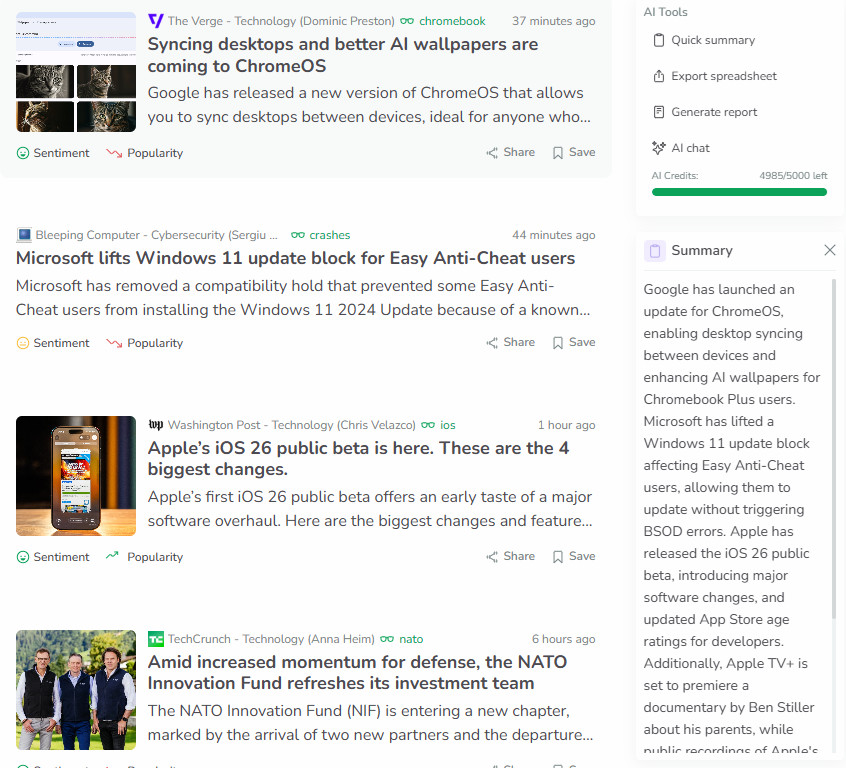
The summary appears on the side. It is relatively short and focuses on providing concise, to-the-point sentences that cover the main developments. I have checked the actual news snippets to see if this summary is accurate, and it appears to be so.
Export spreadsheet
Export spreadsheet creates an Excel file that contains all the news published for the last two days. It includes the title, the link to the source, the source name, and time published.
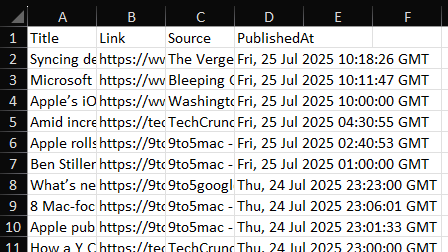
I was hoping there would be more information included in the spreadsheet that can be used in direct data analysis, such as sentiment, topics, and keywords. The way it is right now, it is not really analysis-ready and will require additional data extraction by your data scientists in order to draw conclusions from this data.
Generate report
This feature generates a PDF file that provides a concise and presentation-ready overview of the collection you use it for. It includes the following elements:
1. Top five stories from the collection
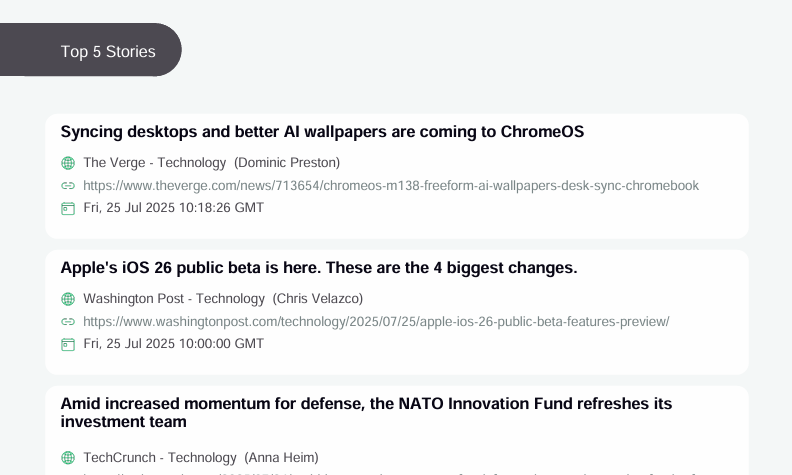
2. AI-generated summary
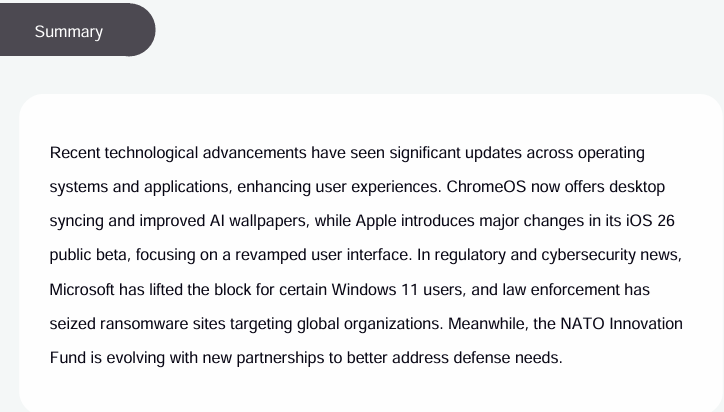
3. Vizualized Trend Analysis
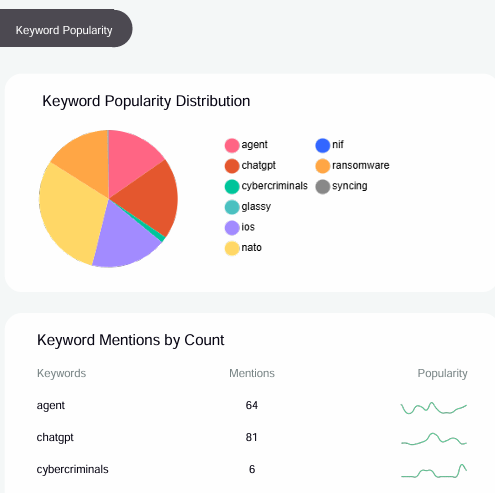
4. Strategic advice
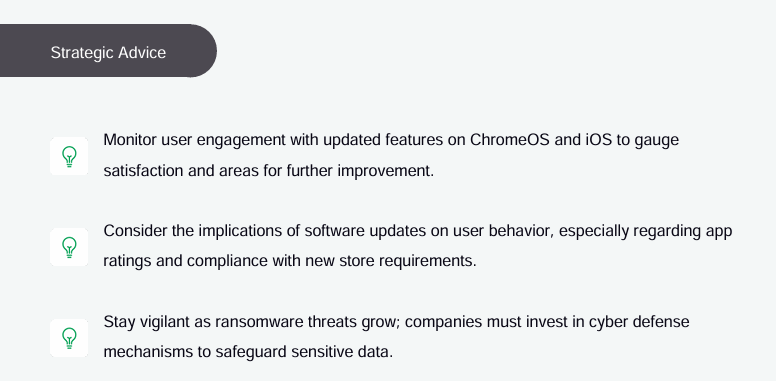
Strategic advice includes insights extracted from the most impactful news and the trend data. I have found these insights to be on-point advice that suggests specific actions to improve one’s market standing.
News monitoring review summary
ReadPartner offers fast news gathering that can be very well structured by splitting the information into different collections and utilizing filters. It is strong in terms of speed, sentiment and trend tagging, and flexible filters.
AI tools increase news monitoring efficiency by providing quick summaries and presentation-ready reports. However, the spreadsheet export lacks analysis-ready information and could use some extra work.
Overall, ReadPartner is a powerful tool for gaining a wide, organized perspective of the media activity, especially if paired with smart summary and reporting features.
Trend Analysis
Trend analysis allows you to dive deeper into what is getting media attention and how that attention shifts over time, which can indicate opportunities and risks for businesses.
Trend analysis is directly tied to Source Finder collections, and it can be utilized only for this type of collection. This provides direct control over the trends you can analyze, as keywords are collected from inside the news outlets you choose yourself.
Let’s see what trend analysis can do for our “US IT” collection we created in News Monitoring.
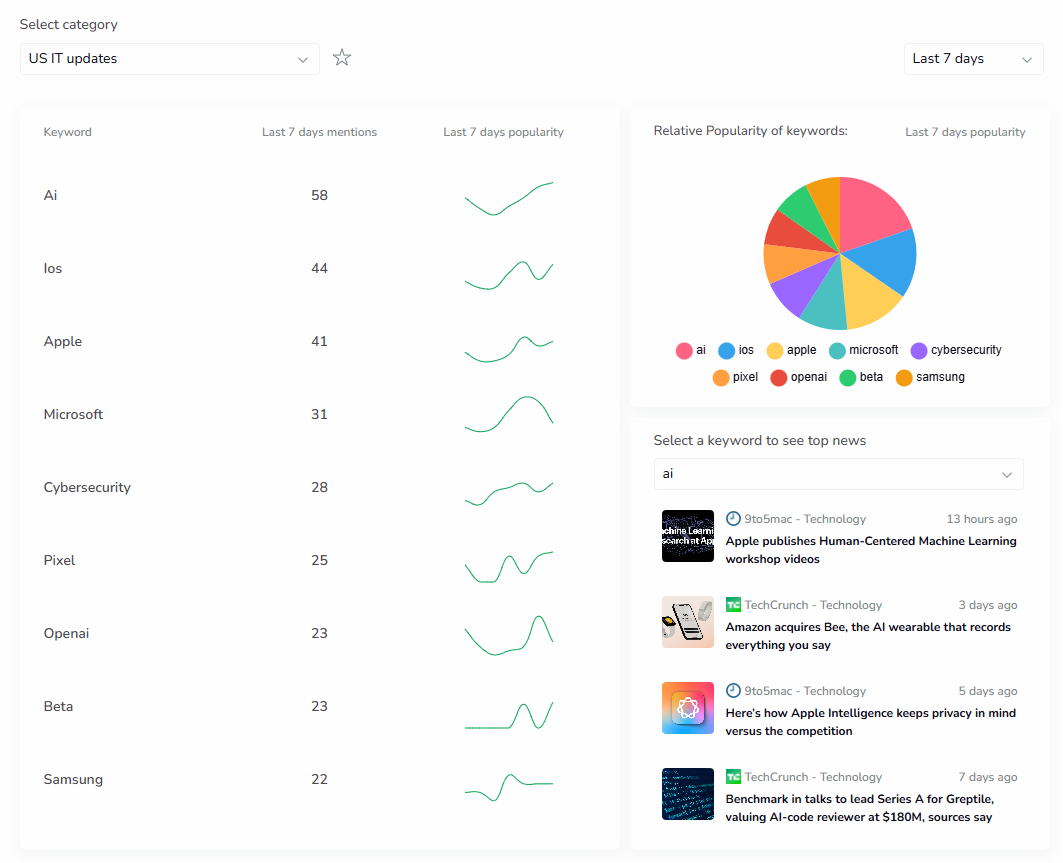
The main block of trend analysis shows the top keywords and how many times they were mentioned over a selected period of time. On the right, there is a small plot for every keyword, showing how the popularity changed over that same time period.
The pie chart shows the relative popularity of keywords, allowing me to quickly see what the most reported topics are over this period.
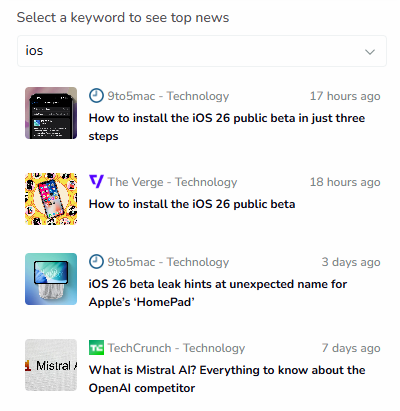
On the bottom right, I can select each keyword listed here to see the top news mentioning that.
But what can you do with all this information? In our simple example, I can see that AI, iOS, and Apple captured half of all the media attention over the week. If I look at the trend plots, I can see clear spikes for these keywords that happened at the same time. This means that something big is going on. To understand the context of these spikes, I can select the keywords on the bottom right to see what news has been reported on them.
Checking iOS and Apple keywords, I can see that Apple has released iOS 26 public beta, which expectedly generated a huge buzz in the media landscape.
Looking at this further, I can see that Microsoft and Samsung – Apple’s prime competition also spiked in mentions around the same time as Apple did, though the amount of attention they generated is considerably less: 85 mentions for iOS and Apple over the week compared to Microsoft’s 31 and Samsung’s 22.
Checking the top news for these keywords, I can see that both Microsoft and Samsung are trying not to let Apple hog all the media attention by releasing announcements on Windows 11 updates and Galaxy Fold and Flip pre-order deals around the same time.


Trend Analysis review summary
ReadPartner’s Trend Analysis provides valuable insight into what is happening in the media space. It creates visual keyword popularity data that, integrated with Source Finder collections, enables users to quickly see media spikes and shifts as well as understand the context behind them. This feature is highly effective at spotting opportunities, competition activity, and industry shifts.
Email Alerts
Email Alerts allows you to set up regular news updates for yourself and your team members. Let’s check what you can configure there and what the end result looks like.
Email Alerts settings
First is the sources for this alert. Email Alerts uses Source Finder collections you create as sources for its digest. Unfortunately, Google News collections are not available here.
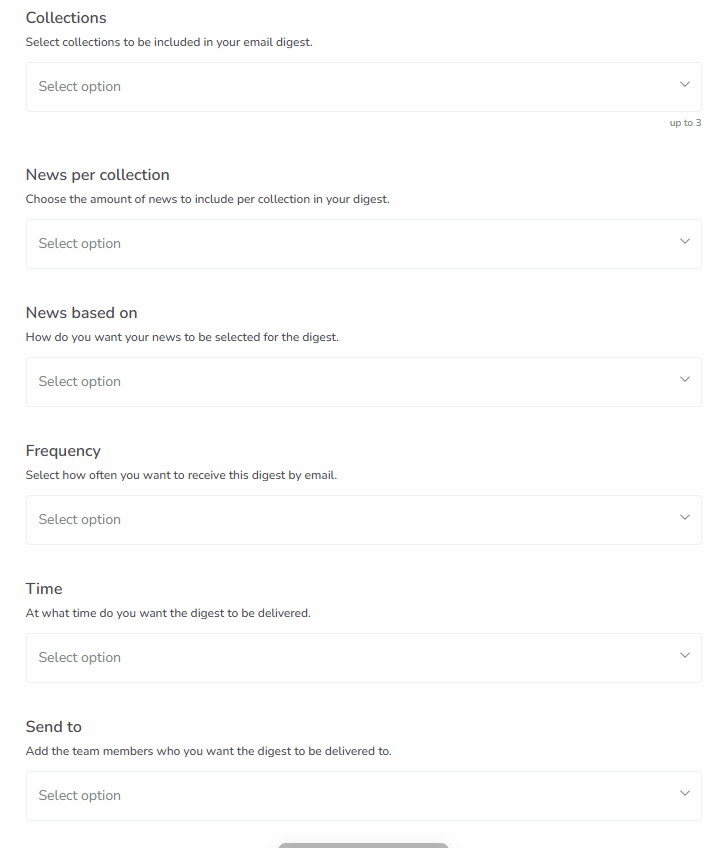
The configuration window also allows you to select how many news posts to include, when and how often you wish this digest to be generated, and who the recipients should be.
The most interesting setting here is “News based on”. It allows you to control the criteria by which the news is selected: latest, random, or popularity. I have found the popularity criterion to be very useful. With it, you can make sure that the news included in your digest are the most impactful ones.
The Generated Digest
The email digest is short and simple. It does not dive into the details, but rather it is focused on giving you a quick overview of the collection.
The overview only has two parts, and here is what it generated.
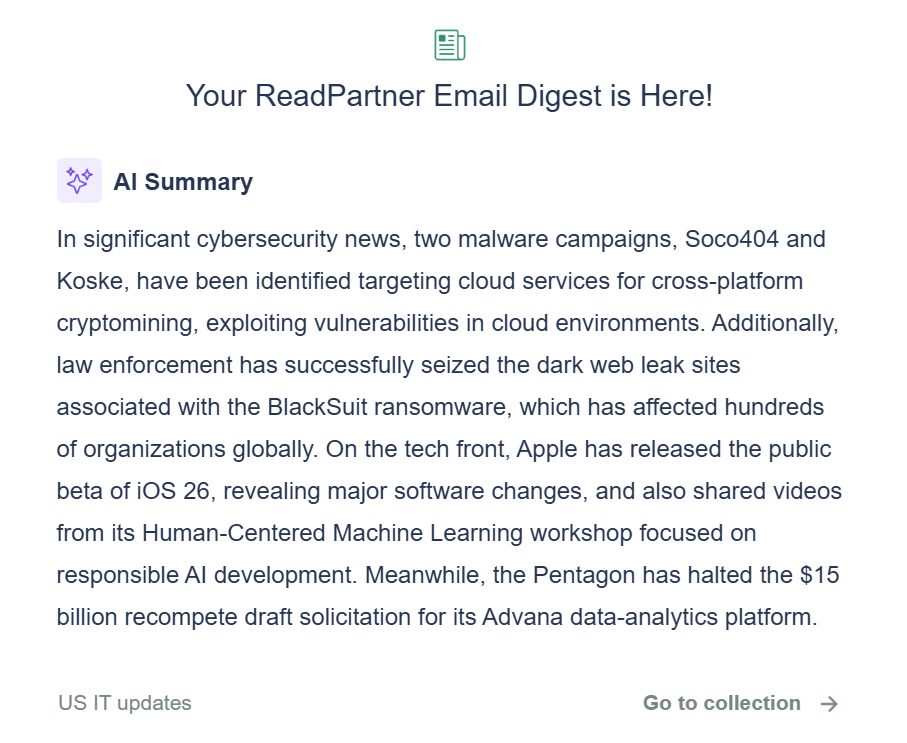
First is an AI summary of the latest developments. Similar to what we have seen in the News Monitoring, it is concise and clear. I compared this generated summary to the actual latest news inside this collection with high popularity, and it does not seem to have missed anything important.
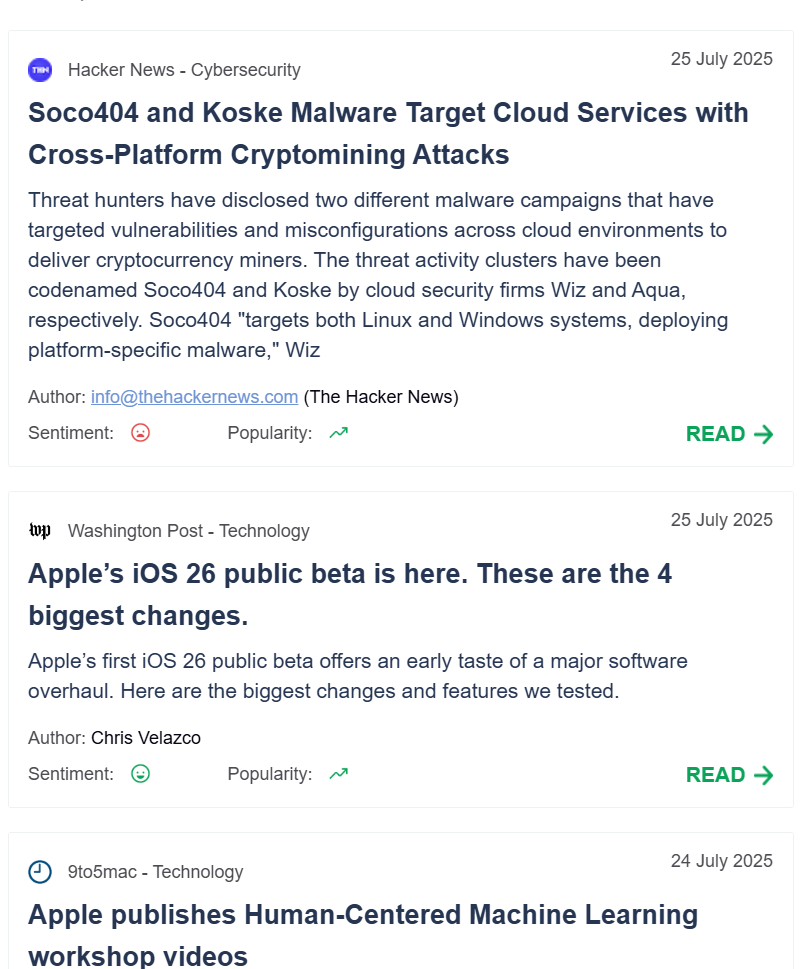
The second part lists the top 5 most impactful news, just as I have specified in the settings for this digest. The previews include sentiment, popularity, and a link to the original publication if you wish to explore that further.
Email Alerts overview summary
Email Alerts can be a real find to teams and people that need to be kept in the loop about the recent developments. The included AI summary is concise and clear, and source links allow to explore topics further if needed. The ability to include the most impactful news in the digests with their popularity filter is definitely one of the best features in Email Alerts.
However, Email Alerts does not support Google News collections, which I think would be a useful feature.
Making sense of the platform and getting assistance
News monitoring platforms are very complex, with large amounts of features included in each section, which can be a headache to make sense of and learn to use.
However, I did not encounter a terribly steep learning curve. ReadPartner has a very clean UI that does not flash you with millions of buttons and a myriad of plots and charts. For the most part, even though I am not a media monitoring professional, it was clear to me how to set monitoring up and what I can do with the data presented to me.
In cases where things got a little confusing, I was able to quickly make sense of them by using their documentation, which is built in and accessible right on the platform.
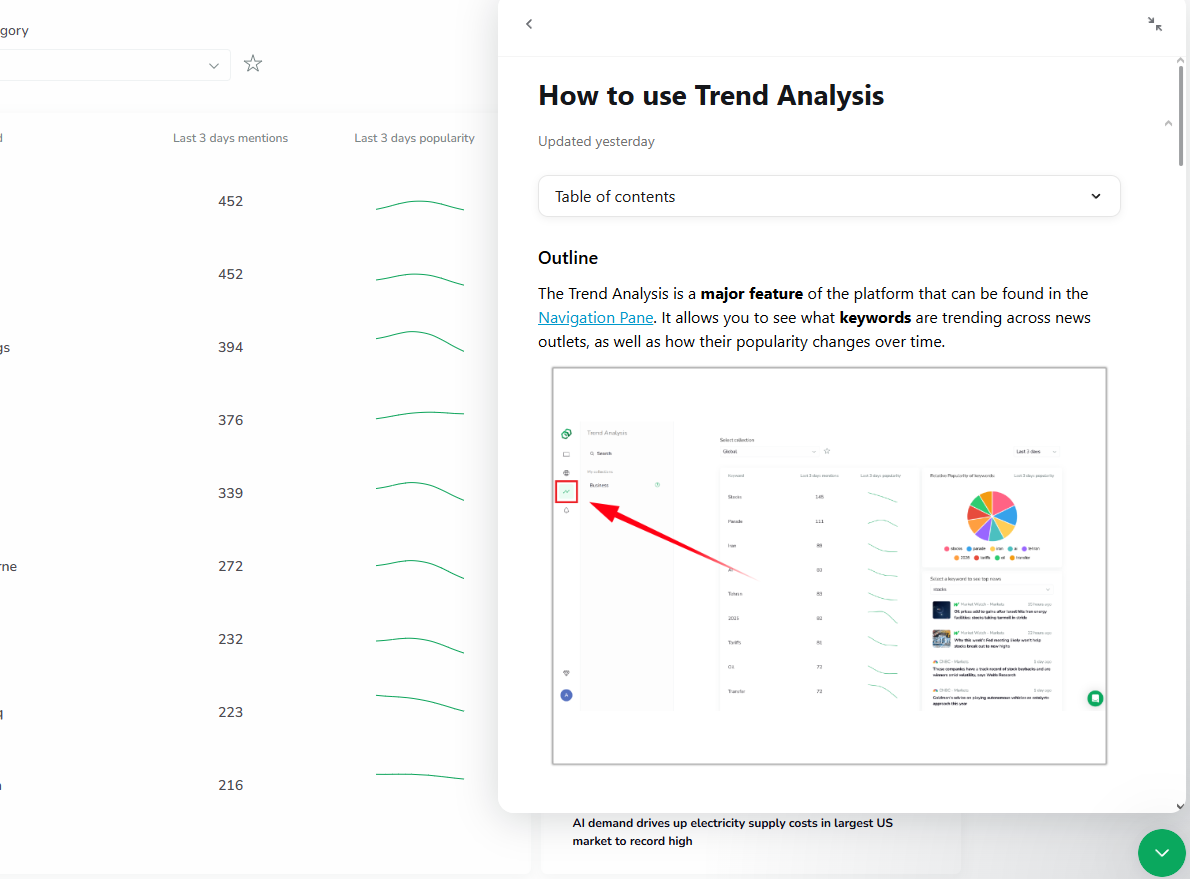
This built-in window also allows you to contact support directly. I sent them a question to see if they are willing to explain features as well as how fast they respond.
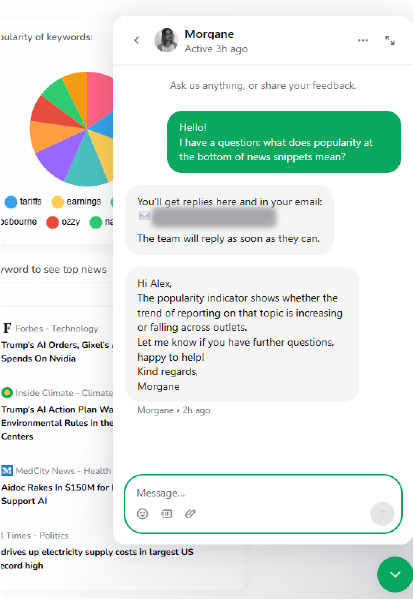
The explanation I got was clear, and they responded within 10 minutes of me texting them.
ReadPartner pricing
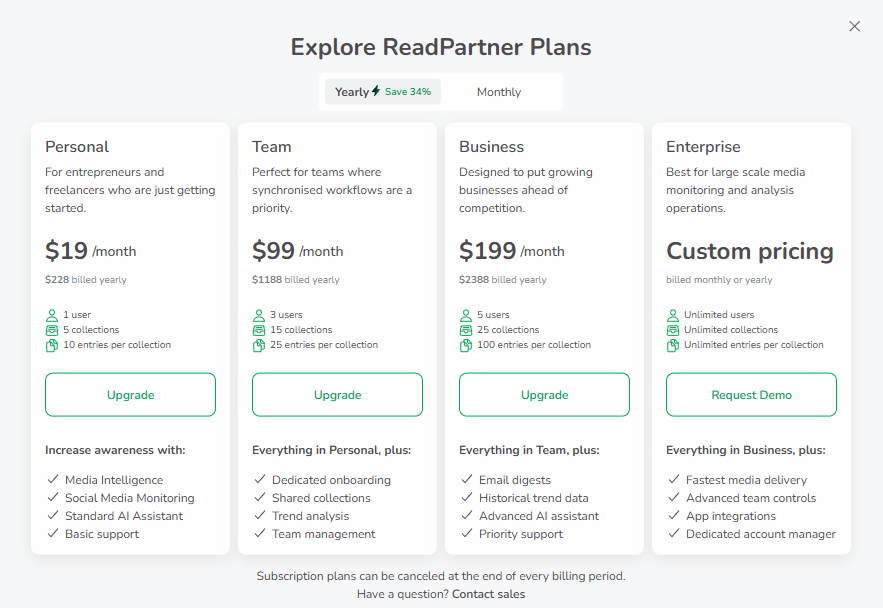
ReadPartner offers a free trial that starts once you create an account. This free trial gives access to all the functionality, and I did not encounter any functionality limitations while I was testing the platform. To start the free trial, I did not have to provide any payment details, so it does not require any prior commitment to test the platform and see if it suits you. Once the free trial ends, there are no free plans available.
Interestingly enough, ReadPartner offers transparent pricing which is not the industry standard. Most of the alternatives I have explored do not publish their pricings, and you have to schedule a demo to learn how much it is going to cost. You can find the plans and the features they offer below.
ReadPartner Alternatives
ReadPartner competes with alternatives like SummarizeBot, TLDRThis, Semantria (from Lexalytics), and Genei. In the table below, I’ve compared ReadPartner with its alternatives based on document and video summarization, news digest, free plan, and starting price. This will give you an idea about which tool might work better for your specific use case.
ReadPartner | Meltwater | Cision | Signal AI | Mention | |
✅ (Google News Collections) | ✅ | ✅ | ✅ | ✅ | |
✅ (Source Finder Collections) | ✅ (Media database) | ✅ (Extensive media list) | ✅ (AI-curated sources) | ⚠️ (Limited to common sources) | |
✅ (Custom email for subscriptions) | ❌ | ❌ | ❌ | ❌ | |
✅ (With Source Finder only) | ✅ (Detailed dashboards) | ✅ | ✅(Context-aware trend detection) | ⚠️(Basic keyword trends) | |
✅(Auto-tagged in all feeds) | ✅ | ✅ | ✅ | ✅ | |
✅(Summary, report generation) | ⚠️(Limited manual report tools) | ⚠️(Manual report writing tools) | ✅(AI-generated insights & briefings) | ⚠️(Basic summarization only) | |
✅ (With limitations) | ✅ | ✅ | ✅ | ✅ | |
✅ (Team accounts & shared collections) | ✅ | ✅ | ✅ | ✅ | |
✅ (Via collections or digest emails) | ✅ | ✅ | ✅ | ✅ | |
✅(14 days) | ❌(Sales contact only) | ❌(Sales contact only) | ❌(Sales contact only) | ✅ (14 days) | |
Starts at $19/mo | Not public | Not public | Not public | Starts at $49/mo solo; not public for teams | |
Is ReadPartner Worth it?
Yes, ReadPartner is worth it. It is a highly versatile platform that turns tons of news publications into a clear picture of what is going on, and provides insights based on this information.
That’s why I recommend Readparnter to the following professionals and companies.
- Small to medium businesses that need clear and fast news monitoring without enterprise-level pricing
- Comms and marketing teams that need to track competitors, trends, or industry sentiment
- Strategists and executives who need to quickly gasp developments and trends without deep manual analysis
ReadPartner Verdict
ReadPartner is a fast, clear, and feature-rich media monitoring solution that offers a lot of value to businesses and professional teams. It complements real-time news collection with AI-powered tools such as summaries, sentiment analysis, and presentation-ready reports.
One of the things that stood out to me was the clean, user-friendly interface that did not introduce a lot of confusion. Coupled with their built-in documentation and fast support response time, it made doing and finding what I needed relatively easy.
Based on my evaluation during testing, ReadPartner receives the Geekflare Innovation Award. Its ability to create digestible and clear news insights can be invaluable for reducing time spent on reading and researching, enabling businesses and professionals to focus on taking action instead of being buried under thousands of news articles.