
Business is all about managing your customers correctly and promptly.
You start small, but soon find out that there are too many social media platforms. This leads to customers with diverse service requests and priorities.
It can start overwhelming customer support, or worse, impact your lead-capturing pipeline.
That’s why you need a robust and centralized platform to manage all the conversations.
Meet Respond.io, an AI-powered centralized platform that offers all the tools and functionalities to manage your customers’ interactions in one single place.
However, Respond.io is not your traditional CRM solution, but focuses on clean, organized, and fast responses to customer queries, resulting in better leads and sales.
It’s a customer conversation management platform that focuses on interactions — which is the fuel to grow any business. This means that it works great with dedicated CRM platforms such as HubSpot and Salesforce.
All these make Respond.io perfect for medium size scaling businesses that want to streamline customer and lead interaction. Startups can also benefit from using Respond.io.
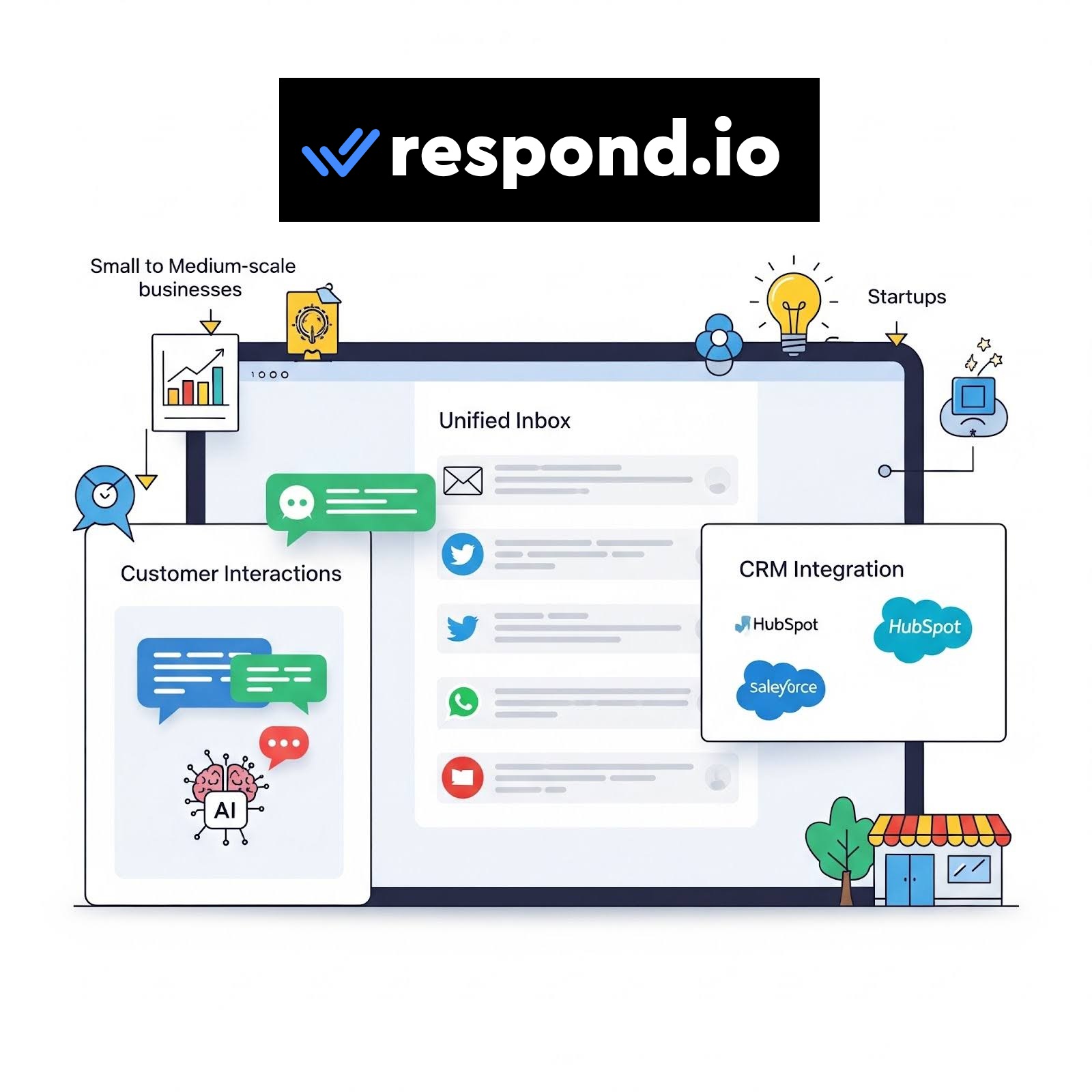
In this Respond.io review, I’ll help you determine if it is a wise financial investment for your business. I’ll cover its core features, its impact on business functionality, ease of use, pricing & value proposition, pros & cons, and alternatives.
Let’s get started.
What is Respond.io?
Respond.io is an AI-powered customer conversion management software. That’s a lot of words. In simple terms, it unifies every business communication from social media and CRMs and gives you the tools to manage them.
This ensures that communications don’t break. It’s all about managing the entire customer journey in a single place.
By using Respond.io, you don’t have to worry about:
- Switching between different social media apps to read or respond to customers.
- No need to respond to all messages yourself, especially for common queries and questions.
- No need to call via a different app or solution
In short, Respond.io focuses on no-context switching for increased efficiency.
But, how does it do it?
To achieve it, Respond.io utilizes multiple mini-tools, including:
- AI agents: Use a more intelligent AI automation tool to handle customer queries and convert leads.
- Broadcasting: Send messages to all your subscribers with a single click.
- Workflow automation: Automation completes the end-to-end customer journey, such as updating the lifecycle, adding a Google Sheets row, etc.
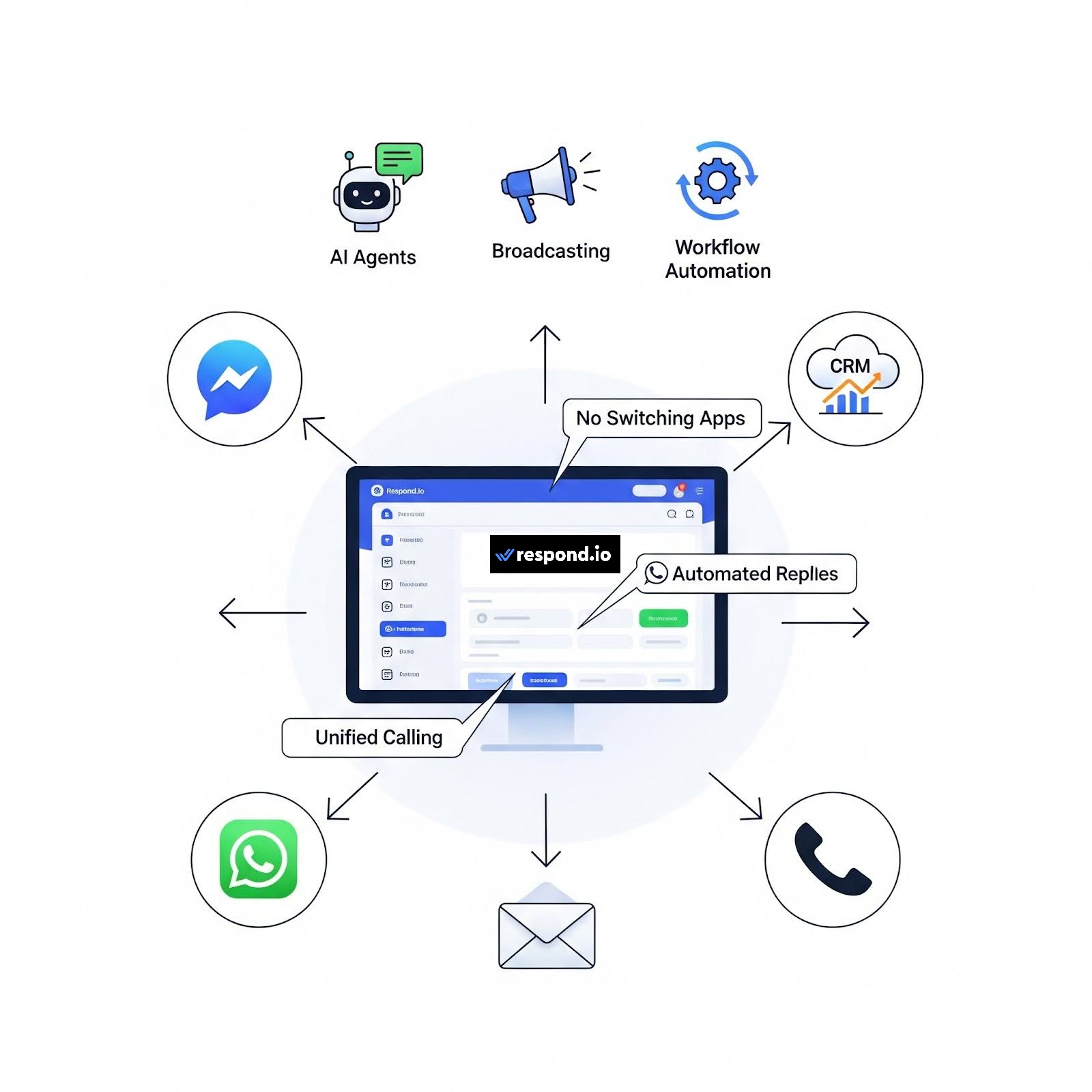
As a business, all you have to do is connect all your social media and CRM solutions. Once done, every conversation from the connected platform will show up in the Unified Inbox (more on it in the Core Features section). From here, you get full visibility. You can decide to manually reply or use an AI teammate, such as AI agents, to carry out basic interactions, book appointments, or assign to the right team (endless possibilities).
Once set up, you can see the AI agent handle each conversation. You can see it live.
And, the best part is that you can jump in anytime you want by either responding or directly making a call from the app — all without context switching.
Connecting Social Media Platforms
As Respond.io is as good as how it connects to social media platforms, I decided to test it.
For this purpose, I chose Facebook Messenger, as I recently ran an Ad campaign on Facebook for my diecast business.
I found the connecting platforms are easy and intuitive. They are created with respective platform APIs for easy integration.
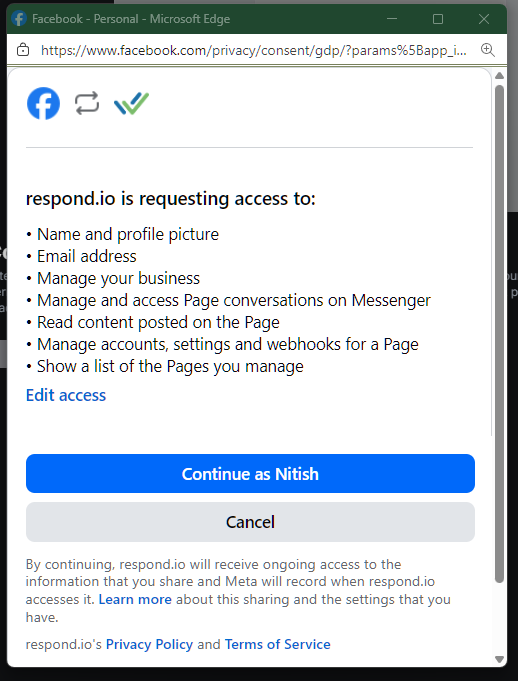
Before you connect, it’ll ask you to give it permission, which is fine as it is needed for it to function.
It correctly listed my business webpages, and I was able to connect without any problems.
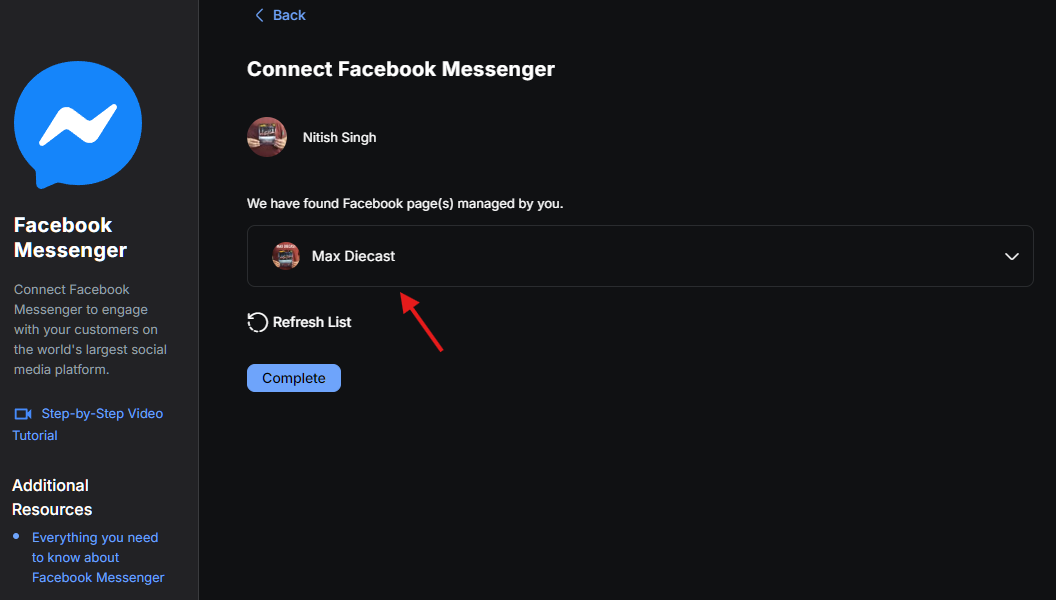
I was able to connect! However, during the process, I discovered one major drawback.
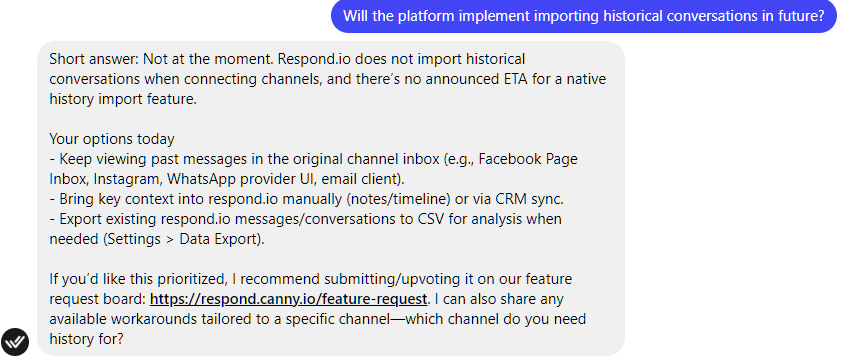
Respond.io doesn’t import older messages from your social media channels to its Unified Inbox. Only new messages that show up after connecting to the channel.
That’s a bummer for an established business with plenty of already-existing messages. The only way to circumvent this is to keep tabs on your original channel inbox and import essential messages or use CRM sync as new messages roll in.
I went ahead and asked Respond.io if they will implement auto-import of previous messages later on. Their answer was “not at the moment.”
The Core Features
Respond.io offers plenty of features. It not only lets you unify all the conversations in one place, but also uses autonomous AI agents to carry out various tasks, including product recommendation, handling customer queries, and managing bookings.
Furthermore, it also offers lead gen capabilities, customer retention features, workflow automation, broadcasts & marketing, and reporting & analytics dashboard.
I’ll go through the following features briefly:
- AI Agents
- Lead Generation
- Unified Inbox
- Customer Retention
- Workflows & Automation
- Broadcats & Marketing
- Reporting & Analytics Dashboard
1. AI Agents
Respond.io comes with full support for AI agents.
If you have never worked with AI agents, they are the smart (and better??) siblings of AI automation. They can take decisions and act on your behalf. It is a step forward and provides more flexibility, improved efficiency, and better outcomes.
AI agents are capable of learning and adapting based on the environment, making them perfect for handling customers’ journeys — as they can simulate human-like behaviour and reasoning.
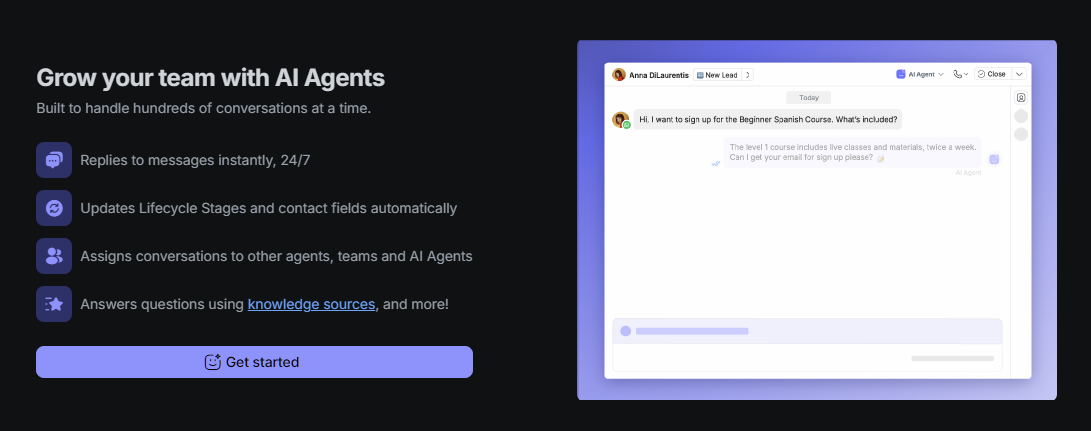
But how do Respond.io’s AI agents’ capabilities fare?
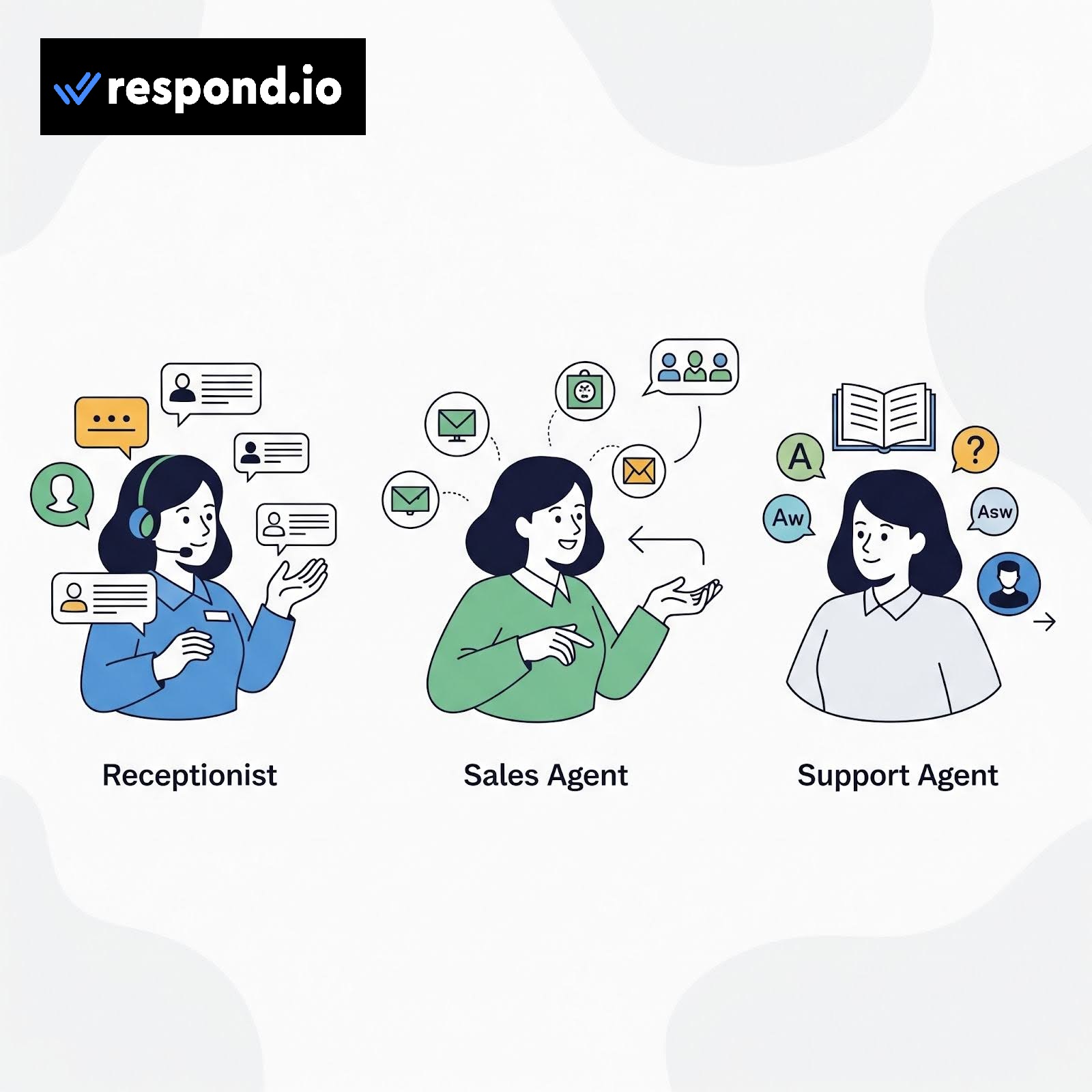
For starters, Respond.io offers templates. Here, you get:
- Receptionist → capable of identifying needs, capturing essential details, and assigning conversations to the right team/person.
- Sales agent → handles customers like a salesperson by suggesting suitable products to them and connecting them with the right team when ready.
- Support agent → uses a knowledge base to answer questions and help escalate to human support when needed.
Each of these templates is editable, where you can change:
- Emoji and name
- Instructions
- Actions
- Assign to an agent or team instructions
- Ability to turn ON/Off the AI agent’s ability to contact the lifecycle stage and contact fields
- Add knowledge source
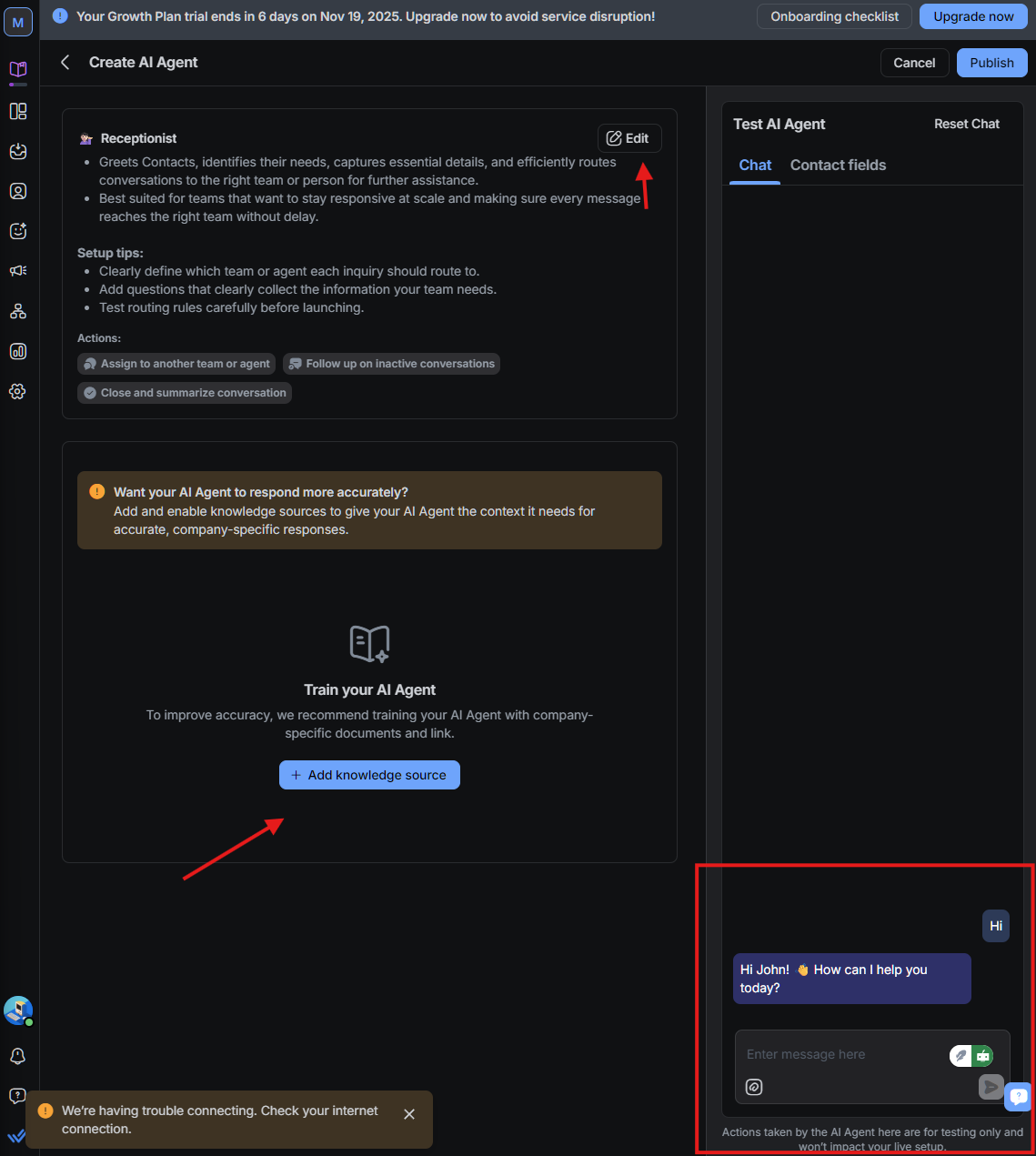
Most businesses will find these templates useful and can alter them according to their specific needs. If, for some reason, these are no-go for your business, you also get the ability to create a custom AI agent.
However, before you opt to use any of the AI agents, you must add a knowledge source. AI agents are great, but require good training data to work effectively. So, if you’re a new business, you may want to delay the use of AI agents until later on, when you have a proper knowledge base or training data to help fine-tune AI agents’ responses.
In my test, I found them very effective. I set up the agents to do the following:
- Instantly reply to messages 24/7
- Help redirect customers to my diecast site
- Assign conversations to team members
The best thing about AI agents is that they offer unlimited potential. So, you can use it based on your requirement.
This is how the custom AI agent creation process looks. You can test your AI agent before finalizing it.
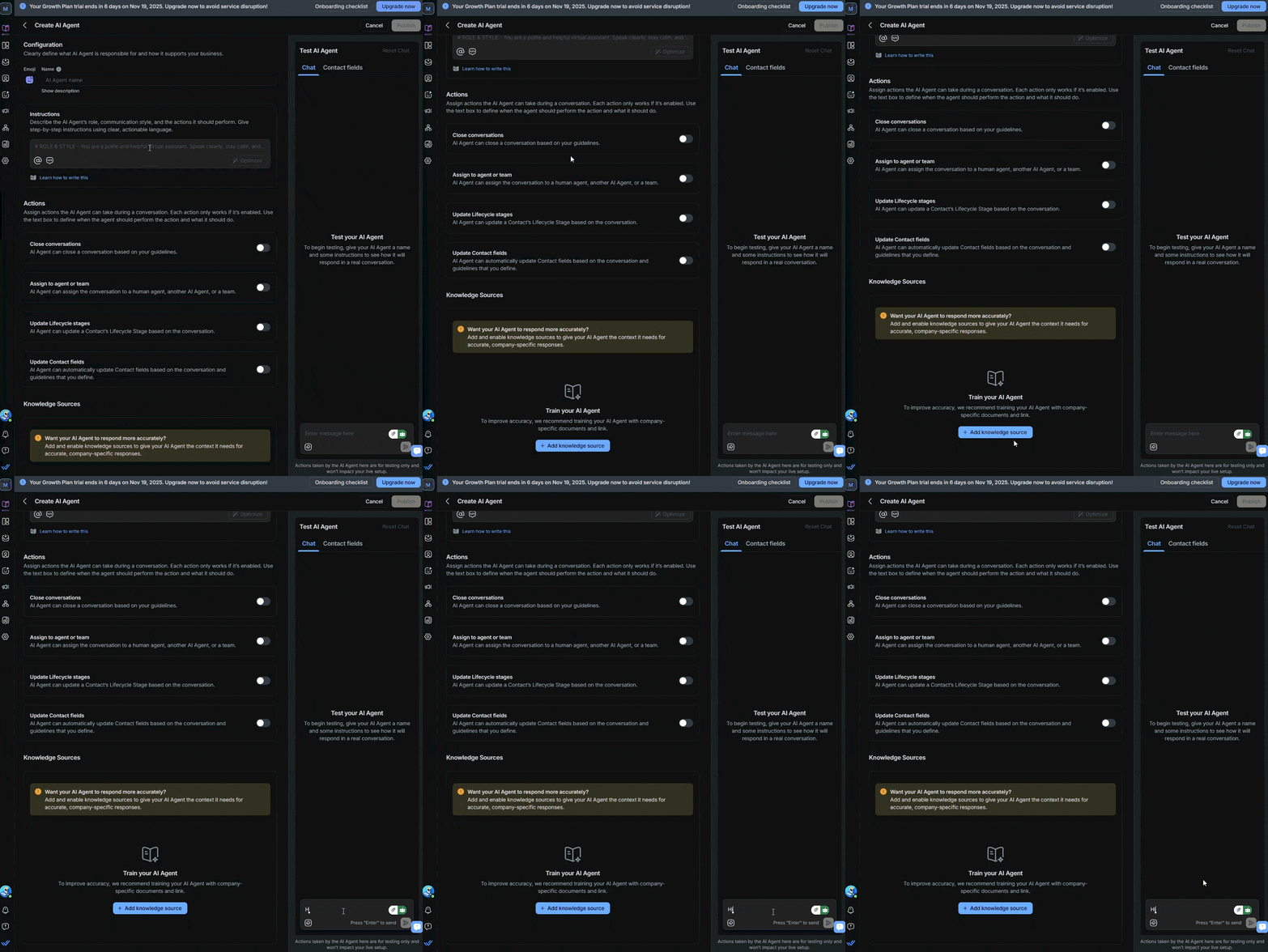
AI agents change how you manage your inbound customer’s conversations and I found Respond.io implementation good enough for most businesses.
2. Lead Generation
Respond.io also helps you to do lead generation in multiple ways, including:
- Offering an omnichannel team inbox that doesn’t require switching between your social media apps. These include conversations and voice calls, giving teams a holistic overview.
- Ability to automate and integrate with popular tools and services, including HubSpot, Google Sheets, Salesforce, Make, Zapier, and n8n.
- Guide customers through its lifecycle with the option to prioritize high-intent leads.
- Get leads directly to the Inbox when you run ads on other social media platforms, such as Meta ads. Here, you can automate appointment bookings.
- Ensures stability of up to 99.99% even under high volumes, especially during festive seasons.
- Ability to use AI agents to carry out customer replies and other tasks, such as updating customer data or lifestyle stages.
- Offers broadcasts to your customers for renewals, promotions, or CSAT surveys.
Clearly, Respond.io’s features ensure lead generation and capture with a focus on improving how you deal with customers across different social media platforms. Here, it automatically tags new leads and tracks lead lifecycles. You can change a lead tag from New Lead to Hot Lead or Cold Lead (suggesting it’s lost).
Furthermore, you can also set up lifecycle stages as per your requirement. Check the image shown below to get an idea. It’s completely customizable!
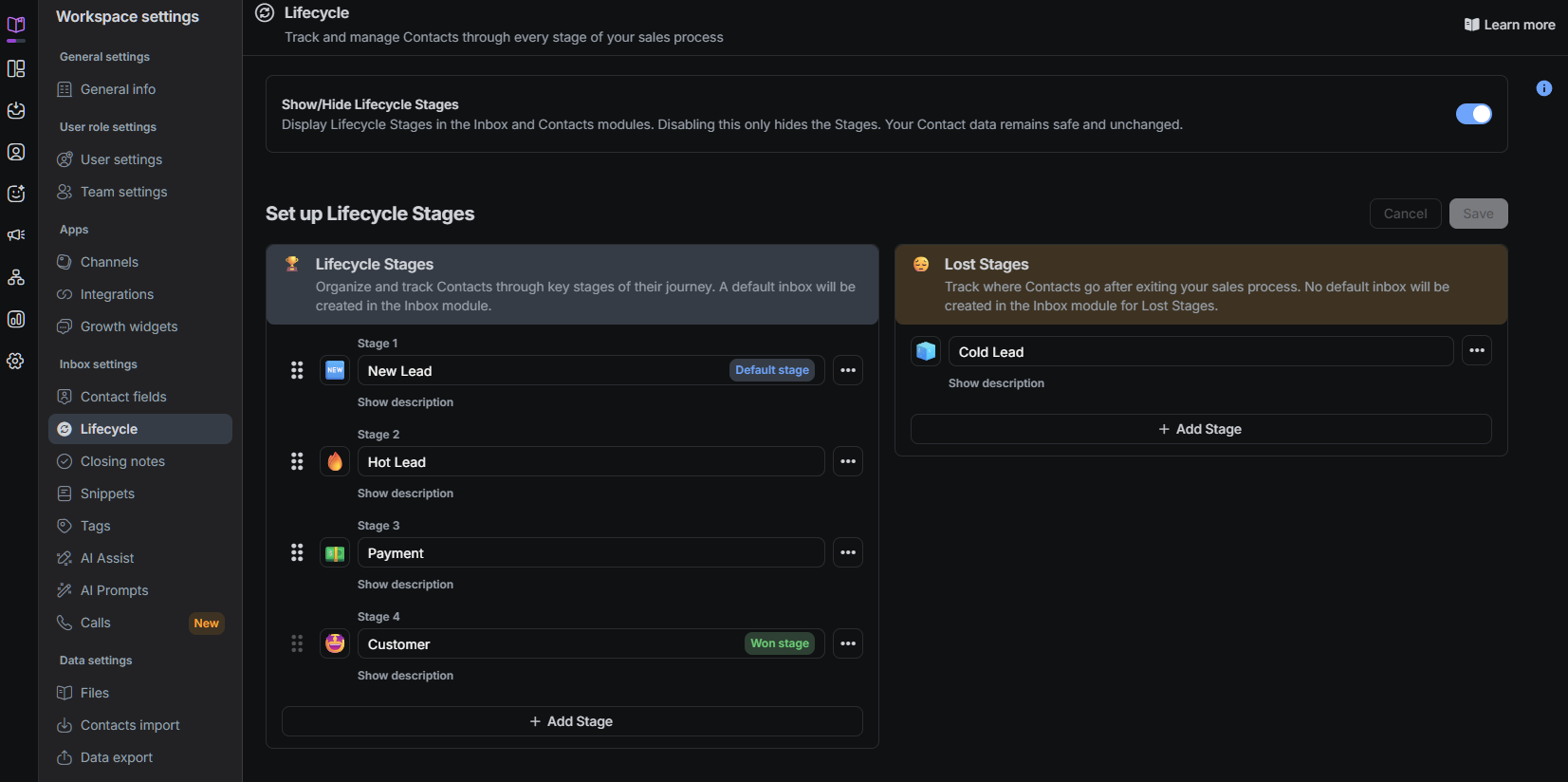
You can also add or edit leads’ information directly from the Inbox (which we discuss in detail in the next section).
I went ahead and checked some of their case studies on their site, and found some interesting ones:
- Color My Plate managed to improve conversions by 45% by providing 91% faster resolutions and 40% faster first response times. Respond.io helped them manage the increasing inbound chat volumes.
- Lamarsa Coffee improved its quarter-on-quarter sales by 50%. They help manage their after-sales inquiries through WhatsApp and reach other messaging channels.
To confirm, I checked Respond.io’s G2 reviews. Most businesses praised Respond.io’s ability to manage leads and improve sales. Another key point included its ease of use, clean interface, and omnichannel support. Its AI agent also got a good amount of praise from its actual users.
3. Unified Inbox
I found Respond.io’s unified Inbox to be an excellent way to manage customers’ conversations and leads. It is well-designed with a focus on visibility and ease of use. Check it out yourself.
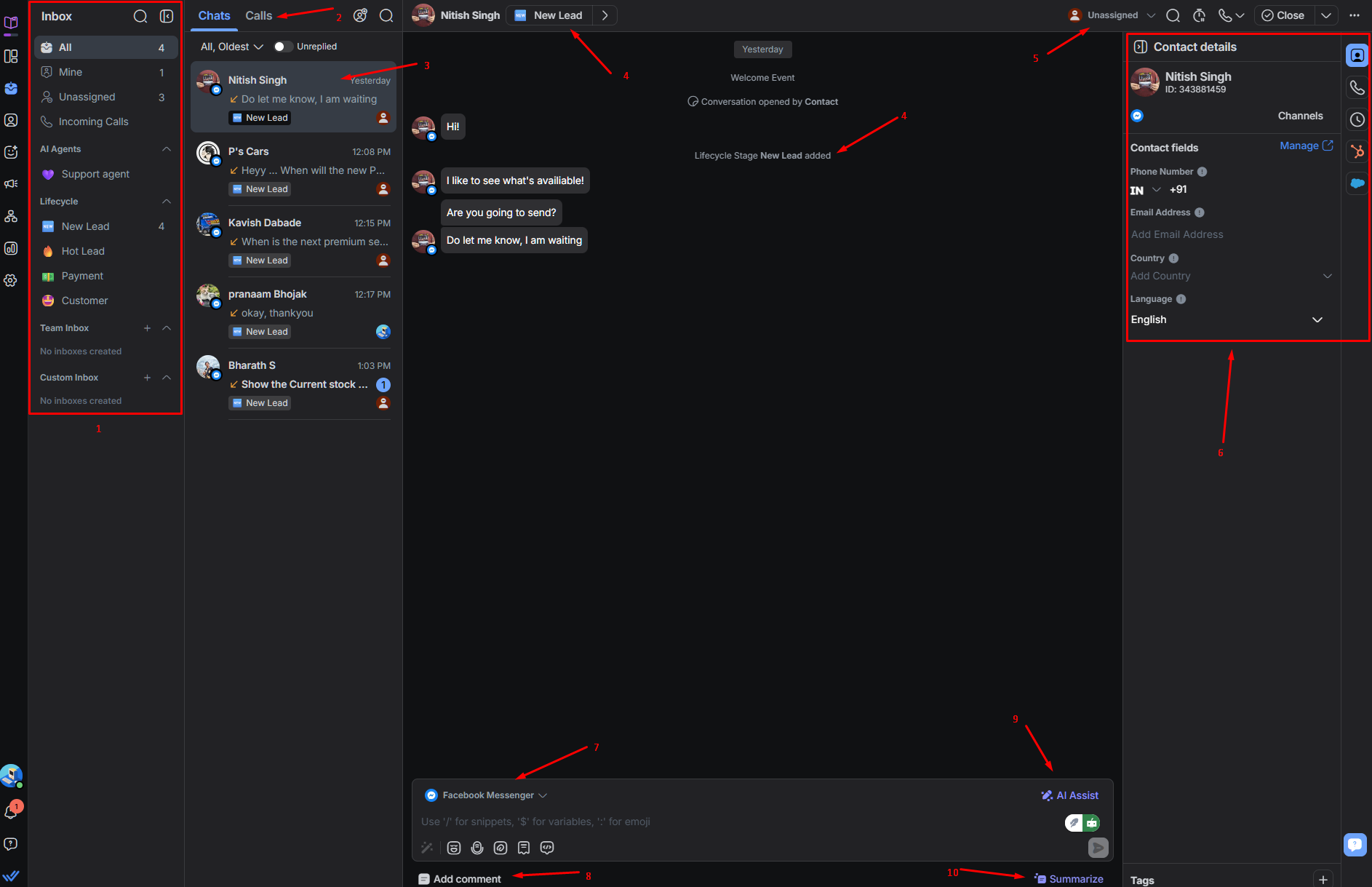
- Well-designed sidebar → I like how everything is accessible from the sidebar. It lists all messages under meaningful categories, while listing AI agents and Lifecycle. You also get access to Team Inbox and Custom Inbox (if you create one).
- Chats, Calls → everything is listed for ease of access.
- Customer messages → Clearly separated messages with lifecycle tag.
- Lifecycle change → Easily change lead lifecycle status from a drop-down menu. This is shown in the messages as well.
- Assign team member → Assign team member to the lead from a simple drop-down menu.
- Update customer info → Manually update customer info or let an AI agent do it for you.
- Source → Shows the source of the communication, such as WhatsApp, Facebook Messenger, Telegram, etc.
- Add comment → Add comment for self or team’s reference (not shown to the customer).
- AI assist → Use AI assist to answer the queries. You can individually select a message and also use AI assist to answer them.
- Summarize → Summarize the whole conversation.
Every option is strategically placed to ensure a smooth workflow. I really liked the AI assist and summarize options, as it helps in quick responses. The summary is very useful. However, the AI assist functionality depends on the added knowledge base, as it heavily depends on it to return correct replies.
Respond.io also enables multi-agent access to a single number. This means that the whole team can access one WhatsApp number.
4. Customer Retention
Respond.io helps your business retain customers. It does so by providing omnichannel support where you can access and reply to customers’ messages. Its AI agents are good enough to engage and resolve customers’ queries without human interference, and smart enough to assign to a human when needed.
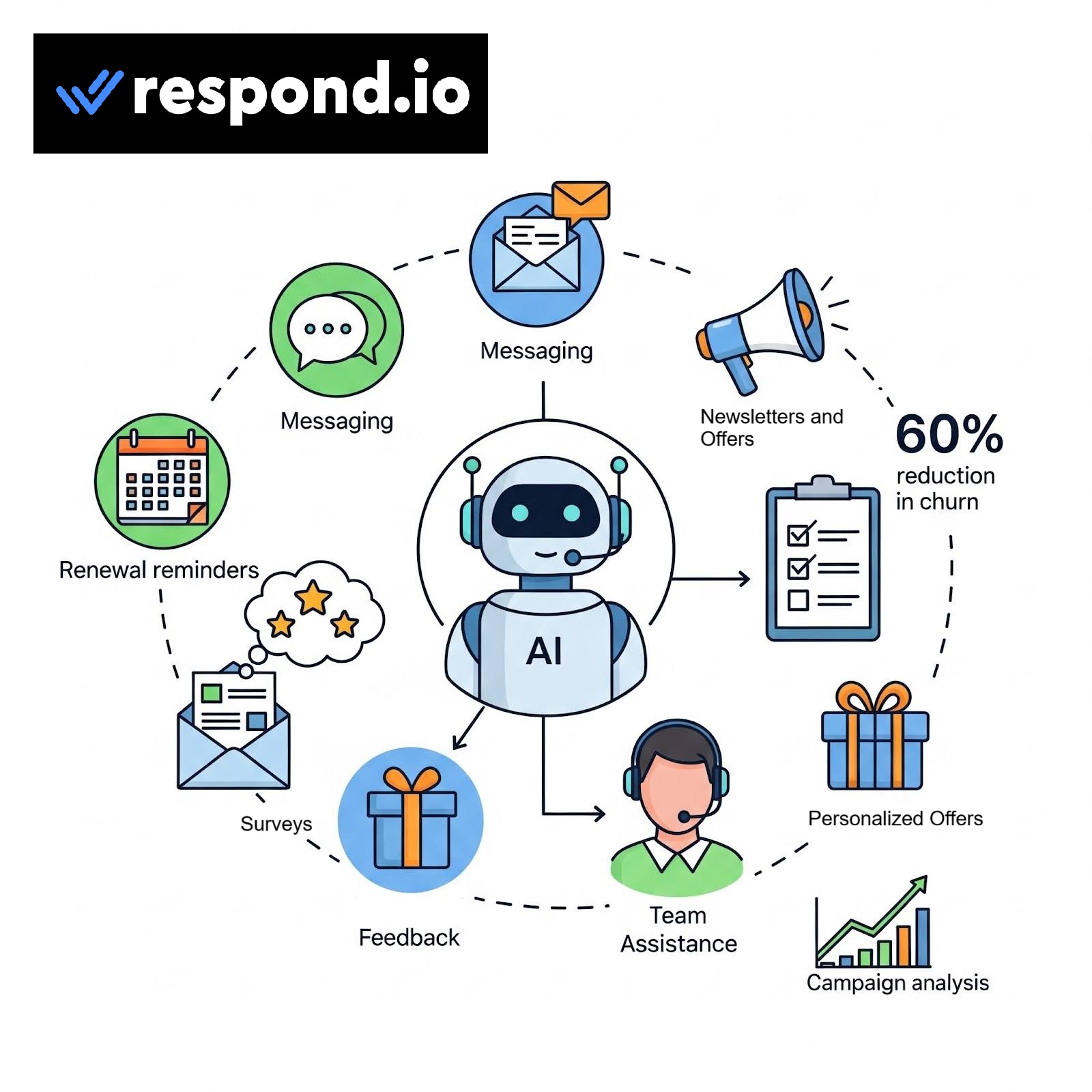
Apart from that, you can use Respond.io to set up renewal reminders (via broadcasts), get feedback via surveys, and engage your audience via newsletters. Businesses can also set up Respond.io to send personalized offers, which they claim, reduces churn rates by up to 60%.
Teams can also use Respond.io’s ability to analyze campaigns with relevant metrics, unlocking ways to boost retention rates.
5. Workflows & Automation
Like AI agents, you can use workflow automation to automate sales, marketing, support, notifications, and much more!
Here, you can choose templates such as Least Open Contacts, Round Robin, Unassign After Conversation Closes, etc., to automate. These are very handy for large teams handling hundreds of messages on a daily basis.
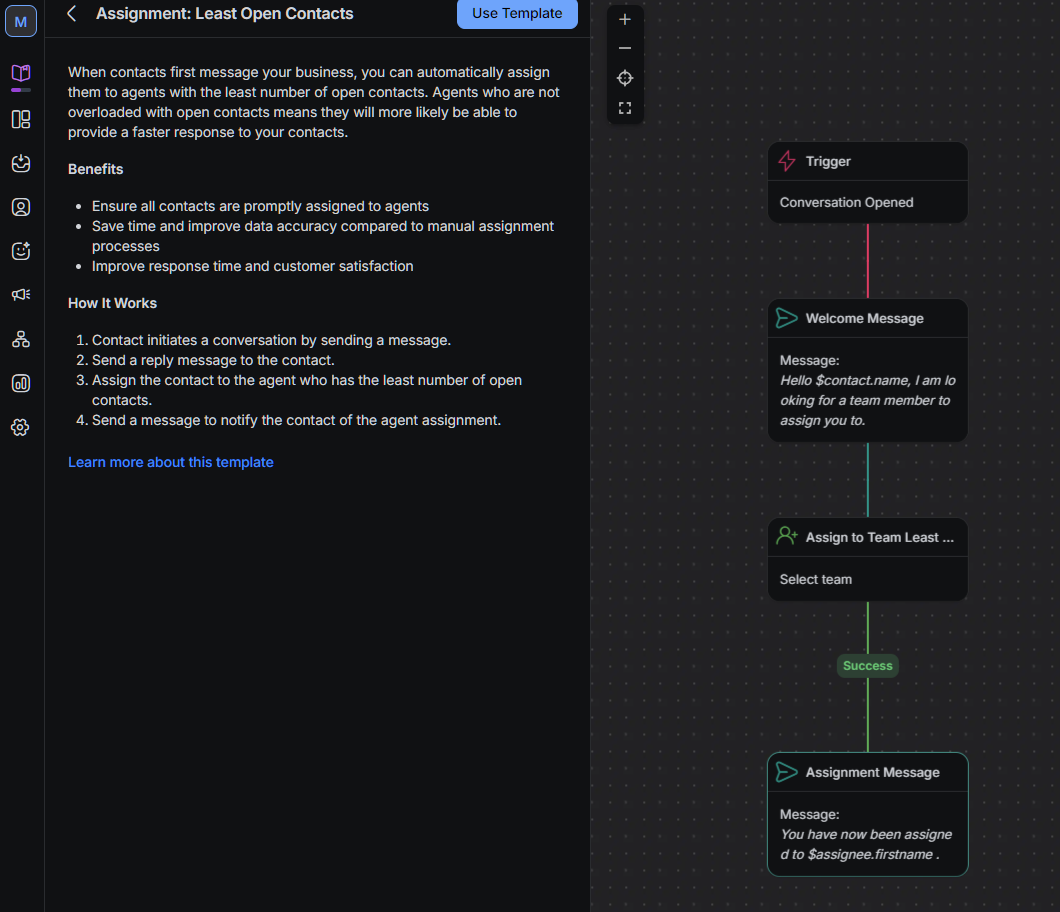
I found Respond.io to offer template categories to help you easily find and use them. These include:
- Auto-responders
- Routing & Assignment
- Business Process
- Supervision & Reporting
- Meta Click To Chat Ads
- TikTok Messaging Ads
The templates are completely customizable before you make them live.
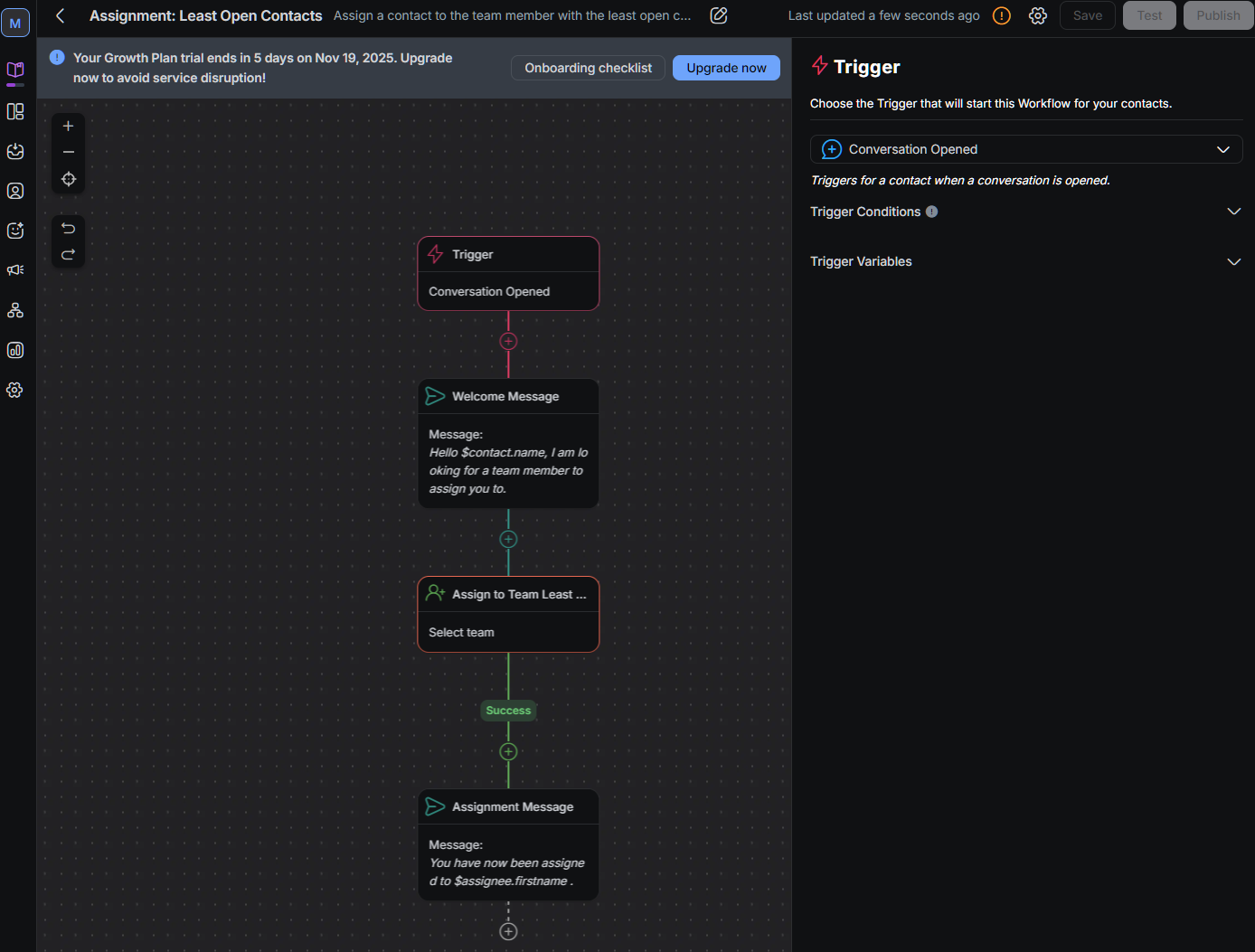
You can also start from scratch if you want to handle workflows not available in the workflow template library.
6. Broadcasts & Marketing
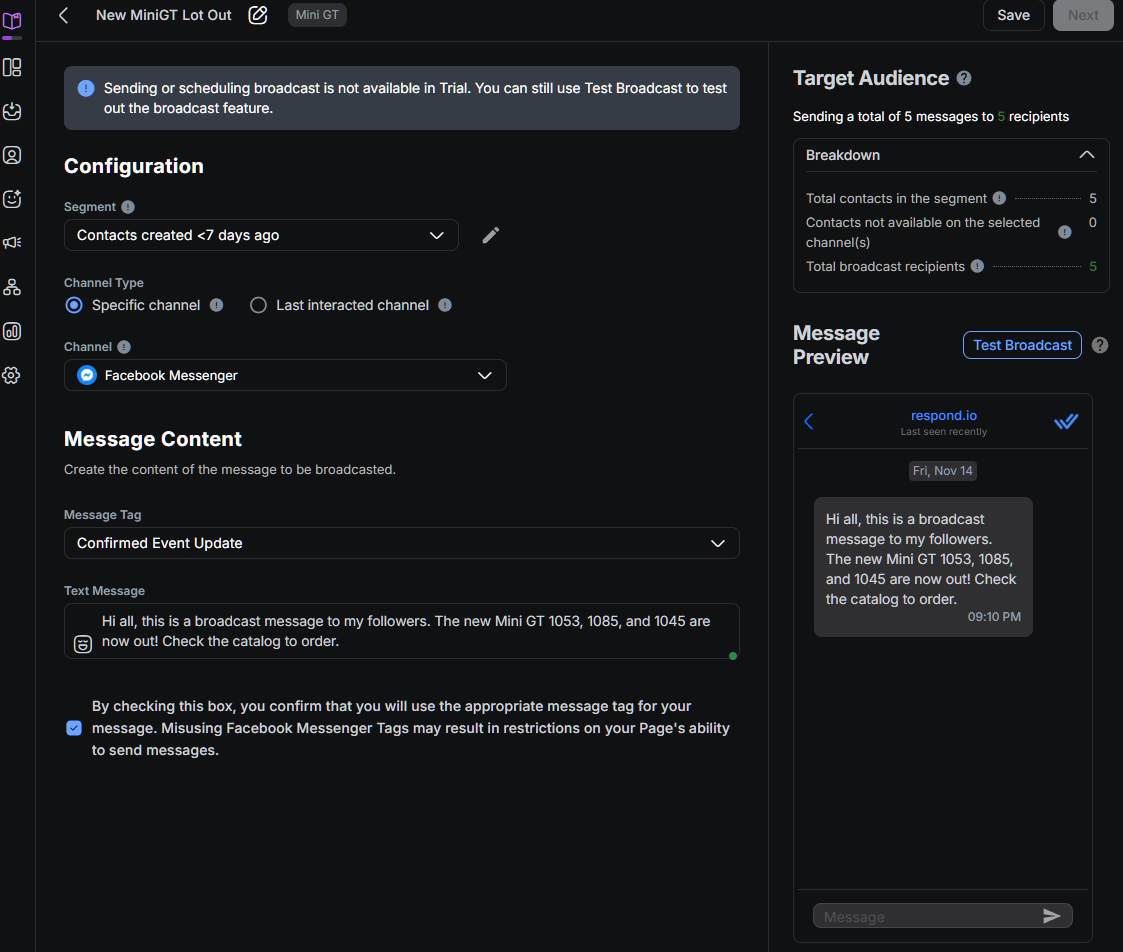
With broadcasts, you can send personalized messages to your target audience in bulk to connected social media channels such as WhatsApp or SMS. You can opt to choose a segment (such as contact with tags) or send broadcasts to all your audience at once! These can be used effectively for announcements, promotions, or re-engagements.
I was able to set up a broadcast easily. It required only a few steps, and a new broadcast can also be tested before being sent out.
7. Reporting & Analytics Dashboard
I found Respond.io’s reporting to be good enough not to rely on 3rd third-party reporting or analytics solutions. You can track and analyze different aspects of customers’ relationship journey, including lifecycle, calls, conversations, responses, resolutions, contacts, assignments, broadcasts, and so on.
For example, in Lifecycle, you can track all your contacts’ journeys and give deep insights, including drop-offs, time spent in each stage, and so on. You can add a filter to the data to refine it as per your needs.
Is Respond.io Easy to Use?
Yes, it is! Respond.io is beginner-friendly and easy to use. It invites people to explore the platform with a guided tour on its home page.
Furthermore, you can sign up for its 7-day free trial that gives you access to its Growth plan. I like the approach, and as a reviewer, I find that any B2B solutions offering a free trial (without a credit card requirement) means a strong belief in what their product offers. This free trial will help you try out some of Respond.io’s core features, including AI agents, Broadcasts, Integrations, Workflows, Team Inbox, and Reports — without the need to commit. You can then decide whether Respond.io is the right fit for your business or not.
- Onboarding: Once you sign up, they gather basic information about your business, including industry, number of employees, main customers, source of new customers, the reasons behind chatting with customers (like assisting with online checkout, quotations, customer support), and where you store your customer data (such as HubSpot, Salesforce). These questions help shape how Respond.io creates your dashboard. So, make sure you fill them correctly.
- Interface: The interface is one of the strongest suits of Respond.io. It is super intuitive, and beginners will find no problem using it. The dashboard is where you get information about lifecycle stages, contacts (open, assigned, unassigned), team members, conversations, merge suggestions, and upcoming broadcasts. However, the Inbox interface wins hands down as it offers excellent visibility and accessibility. As for settings, you get plenty of options, where you can change settings for workspace, channels, user, and check billing & usage statistics.
- Mobile App: Respond.io is also available on mobile via Android and iOS. I tested the Android app and found that it offers full web features. That’s a big plus if your team relies on working when on the move. The iOS version also has all the features.

In short, Respond.io offers ease of use. It cares for its users, and it shows in their design philosophy, which is also carried to its mobile apps. I found no issues in its user interface and user experience.
Pricing Analysis: Is It Worth It?
Respond.io only offers paid plans, but it does offer a 7-day trial for its Starter and Growth plans. Currently, they have three to four plans as follows:
- Starter: starts at $79 per month, 5 users, with no limits on monthly active contacts, but lacks advanced features such as AI agents, broadcast, and workflows.
- Growth: starts at $159 per month, 10 users, 1000 monthly active contacts, offers everything except a few integrations and webhooks support.
- Advanced: starts at $279 per month, 10 users, 1000 monthly active contacts, offers all features, including enterprise features such as Single Sign-On (SSO) and multiple workspaces.
They also offer an enterprise plan that offers custom pricing.
But which one should you choose? Let’s find out.
- Choose the Starter plan (lowest tier) if you only want a unified inbox; best for small businesses.
- Choose Growth plan (mid-tier) if you want all the automation and AI features, best for scaling teams.
- Choose the Advanced plan if you want to handle high message volume or complex settings, suited for large companies.
Overall, the starter plan is a good start for smaller businesses, but its price is slightly on the higher side, considering it offers no AI or automation features.
The value of other plans, such as Growth and Advanced, depends on the number of contacts you talk to each month.
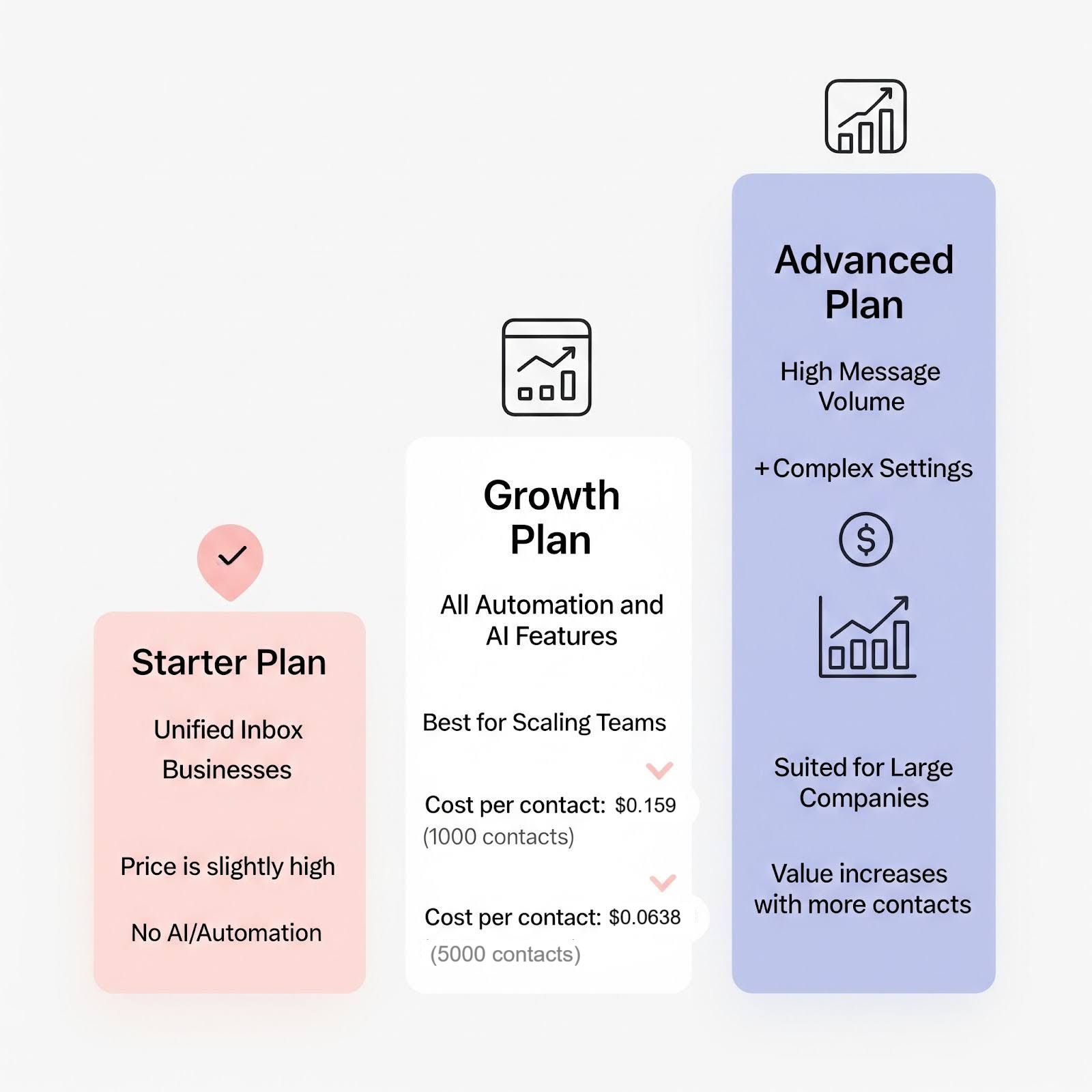
In conclusion, the value increases if you’re a mid-tier business serving more contacts per month. For someone starting with a basic Growth plan, the cost is higher. But note that you’re not just paying for software; you’re paying for saved time, fewer missed leads, and potentially higher sales.
Pros & Cons of Respond.io
Though Respond.io is a top choice for conversation management, make sure to go through its pros and cons before picking it up.
Pros
- Beginner-friendly and intuitive UI
- Well-designed Unified Inbox
- Powerful integrations with major CRM and automation platforms
- Advanced AI with AI agents & workflow automation
- Easily scalable
Cons
- Small businesses can find it expensive
- Lacks “Free Forever” plan
- Some users may find the solution complex, especially when dealing with AI automations.
Respond.io Alternatives
There are many Respond.io alternatives that you can look into. Some of my favorites include Zendesk, Intercom, Bird, and Trengo.
| Solution/Features | Starting Price per month | AI Agents | Unified Inbox | Calls channel | CLM |
|---|---|---|---|---|---|
| Respond.io | $79 | ✅(Growth plan and above) | ✅ | ✅ | ✅ |
| Zendesk | $19 | ✅ (Suite Team plan and above) | ✅ | ✅ | ✅ (but not natively) |
| Intercom | $29 | ✅ | ✅ | ❌ | ❌ |
| Trengo | € 299 | ✅ | ✅ | ❌ | ❌ |
Respond.io Review Verdict
Respond.io is worth your money if you’re scaling a business and rely on multiple messaging channels. This will help you see a clear ROI from automating conversations and improving agent efficiency.
However, if you’re a very small business with low message volume, then it is not worth it. It applies to businesses that only have a single communication channel, such as email or Facebook Messenger. I also don’t recommend Respond.io to businesses with a tight budget.
In short, I recommend Respond.io to businesses that want a scalable, AI-powered platform that can help them streamline conversational chaos and improve revenue. If this is what you want, then Respond.io is a top-tier contender in 2026.
If you think Respond.io can change how you manage your customers’ conversations, check out its free trial and see it for yourself!