
After testing SurveyMonkey for a month, I can confidently say that it is a powerful survey maker platform. It is AI-powered, gives you all the tools to create surveys that you need, and brings insights that directly impact growth.
However, it is not for everyone. Its cost can deter micro businesses with a low budget from looking for simpler solutions. In fact, SurveyMonkey might be overkill for smaller businesses that are looking for just simple forms and quizzes.
That’s why we think it’s best suited for small to medium-scale businesses that have the budget and want the best survey maker platform without any compromises. We do recommend SurveyMonkey for:
- Marketers → to deeply understand the markets with real-time data
- Researchers → to collect feedback for their studies
- HR professionals → to establish a regular feedback schedule and gain insights
- Product managers → identify market opportunity, learn about customers’ satisfaction, and maximize revenue

Despite who you are and what your needs are, SurveyMonkey can be used by anyone who wants to make data-driven decisions, especially in positions where decision-making depends on data.
In this review, I’ll review SurveyMonkey in-depth. I’ll create a few projects to showcase its capabilities. These include advanced logic, question types, customization, user experience, scoring, grading, and engagement features. In addition, I’ll also look into its “Genius” AI assistant and how well it analyzes data.
Technicalities aside, we’ll also discuss its value for money. Let’s get started.
How We Reviewed SurveyMonkey
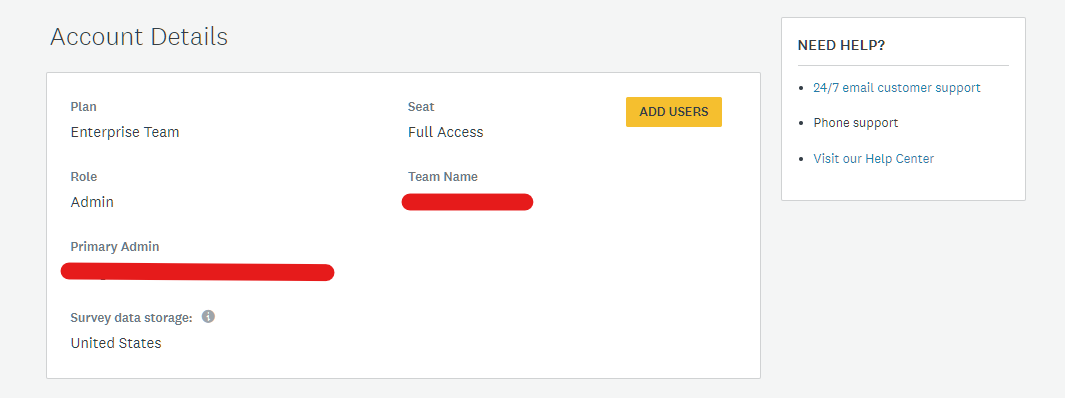
To review SurveyMonkey, I subscribed to its Enterprise plan.
I chose the plan as it offers access to all SurveyMonkey features, including custom response limits. However, most businesses can work just fine with their other team plans, including Advantage and Premier. (more on it in the Pricing vs Value section).
To cover every aspect of SurveyMonkey, I’ll create three projects.
- A Customer Feedback Survey. let’s name it Project A, which will test SurveyMonkey’s advanced logic, question types, and reporting.
- An Event registration form (yes, it’s Project B) that tests data collection, customization, and user experience.
- A Marketing Knowledge Quiz (Project C) to test scoring, grading, and engagement features.
Surveys are a critical part of any business operations. They offer insight into customer and employee satisfaction, markets, and help improve products through surveys aimed at gathering feedback.
If you’re a business, you can use surveys to gain knowledge that is mostly out of reach via traditional methods.
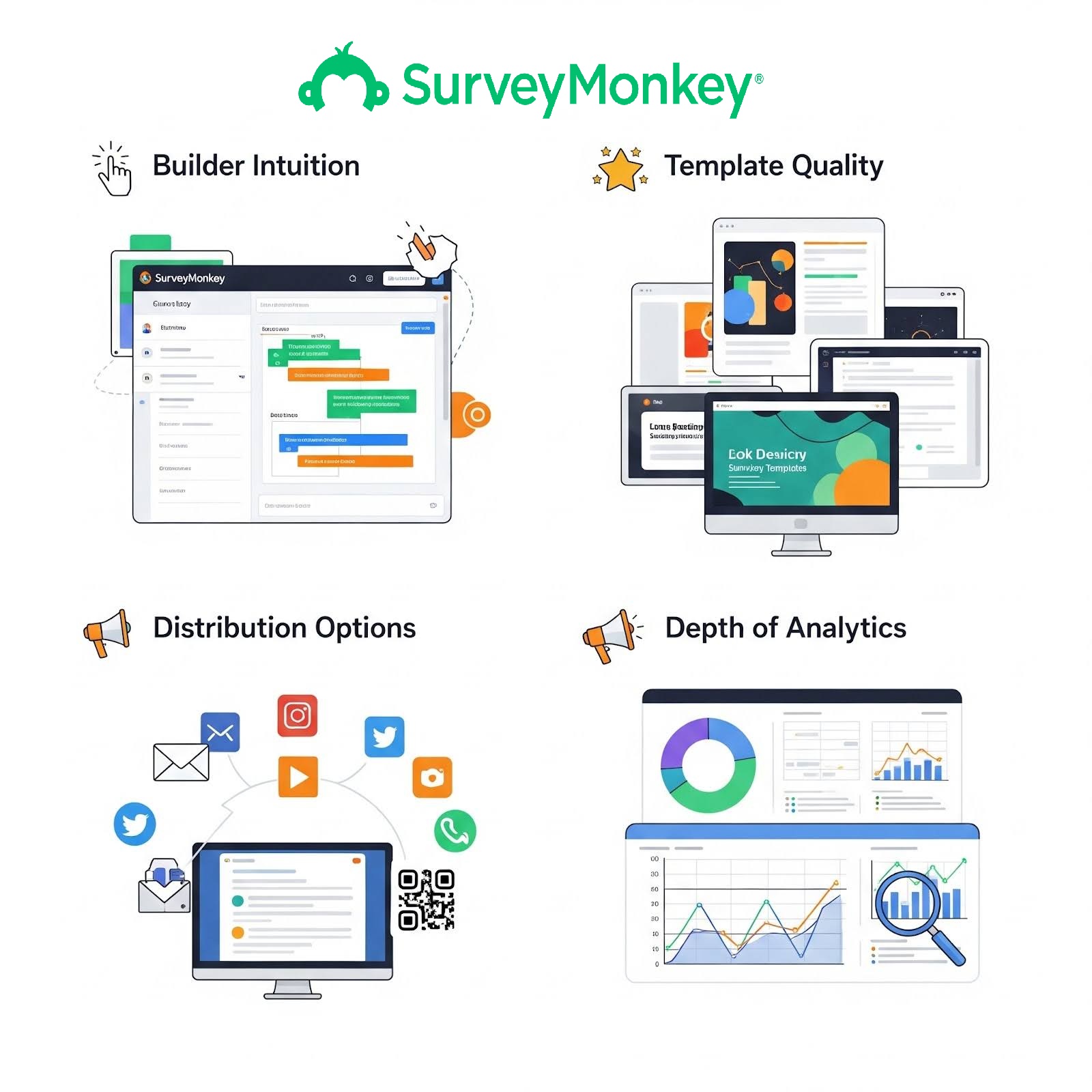
For this review, I have set these key criteria for evaluating SurveyMonkey:
- Builder Intuition → How easy is it to create or manage surveys?
- Template quality → Do the available templates give you a good head start?
- Distribution option → Are the surveys easy to distribute and reach the target audience?
- Depth of analytics → Can you rely on SurveyMonkey’s internal analytics capabilities to gain insight, or need 3rd third-party analytics tool?
Answering these questions will help you decide if SurveyMonkey fits your needs. It’ll help you decide in multiple scenarios, such as:
- You have a separate analytics tool and want integration support.
- You need to reach your target audience via a specific medium
- You want to spend minimal time creating and managing survey campaigns.
- You want to get your surveys running quickly with a pre-made template
Testing Surveys
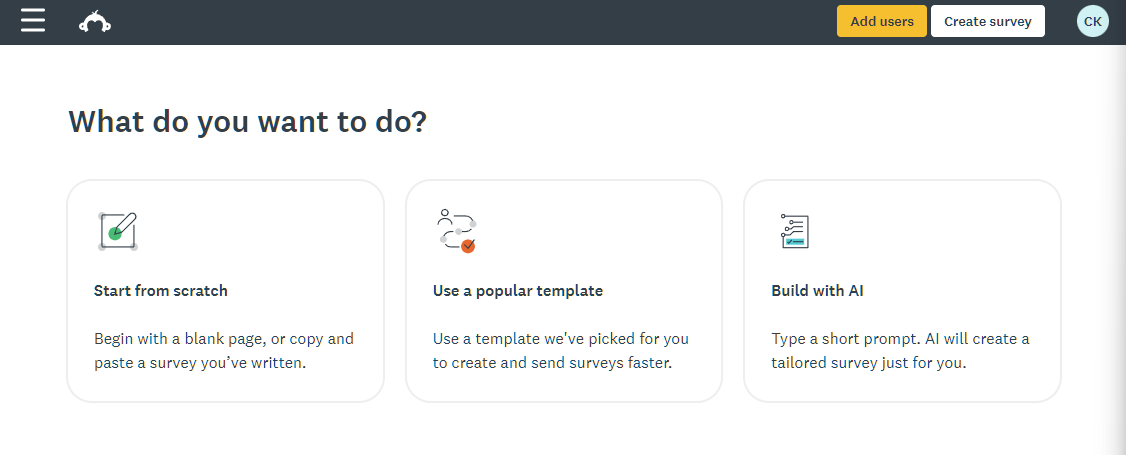
Here, you get three options:
- Start from scratch → choose this if you want to create a custom survey. It also allows copying and pasting already-created surveys.
- Use a popular template → Use an available template to create and send surveys faster. Very useful for busy professionals.
- Build with AI → Create full-fledged functional surveys (with minimal tweaks required) using a short prompt.
For testing purposes, let’s create a customer feedback survey using a template. I chose this option, as most businesses use templates to kick-start their survey campaign. For more advanced control, starting from scratch is recommended. If you’re comfortable with AI, then Build with AI is a good place to start.
The Surveys Test
Project A: A Customer Feedback Survey
Once you click on “Use a popular template,” you land on the recommended templates page. Here, the wizard recommends templates for different needs, be it employee engagement, customer feedback, quizzes, and so on.
As we’re creating a customer feedback survey, we’ll choose the “customer feedback” option.
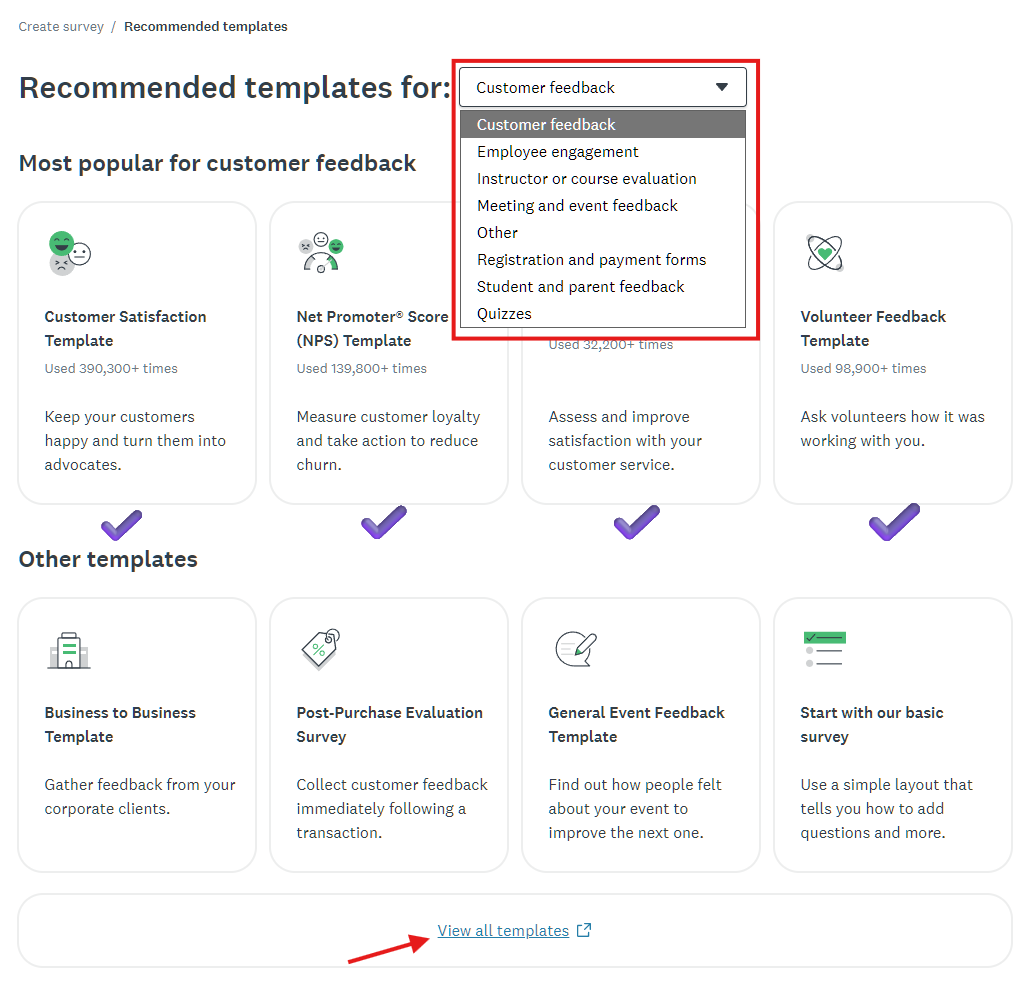
It’ll showcase the most popular customer feedback templates, as shown with the ☑️symbol. If you need more options, you can click on the “view all templates” option at the bottom of the page.
Templates are a huge part of SurveyMonkey’s capabilities. I calculated that the total number of available templates stands at 555! It’s spread across multiple categories, with the Forms category offering 127 templates to choose from.
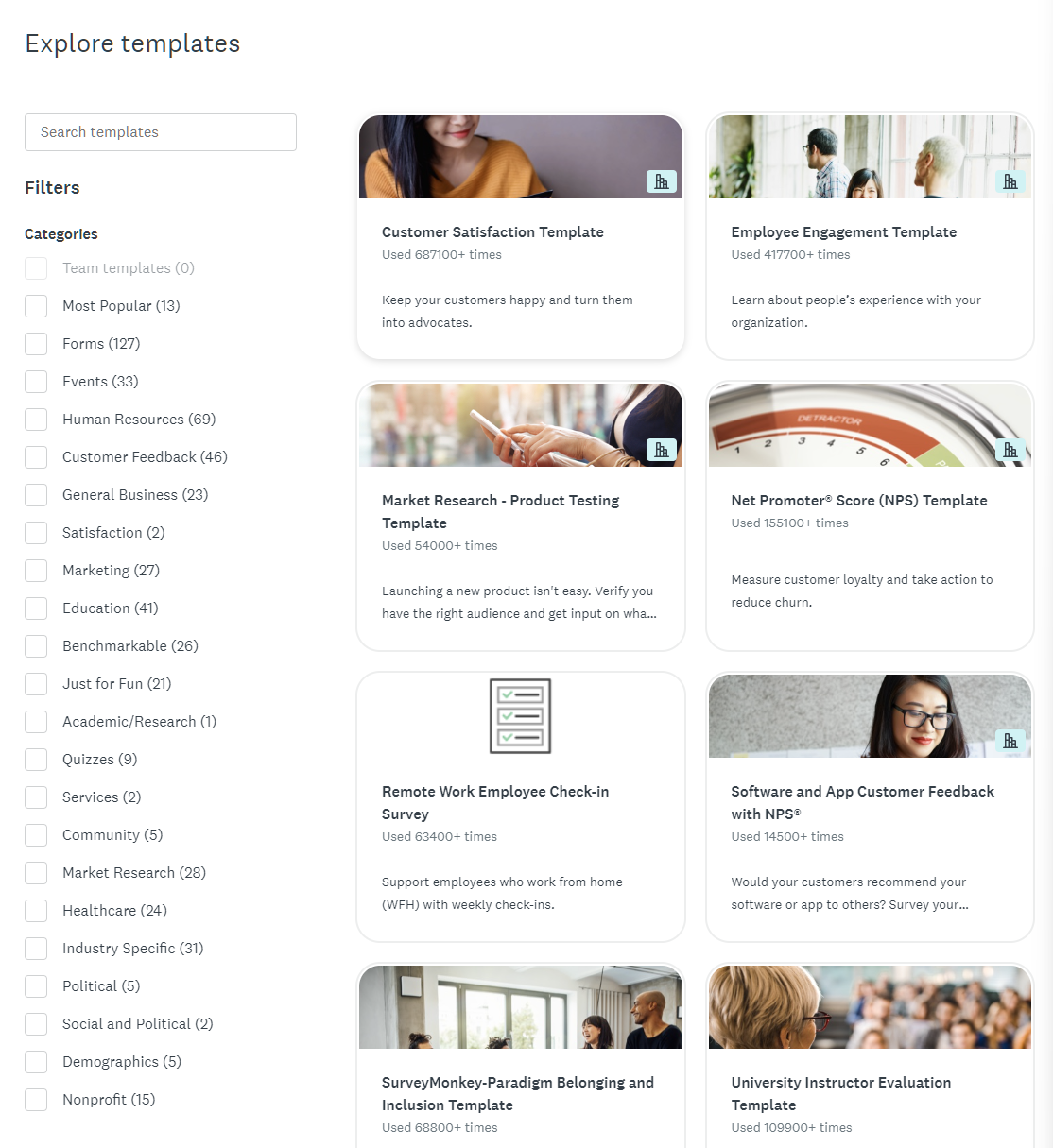
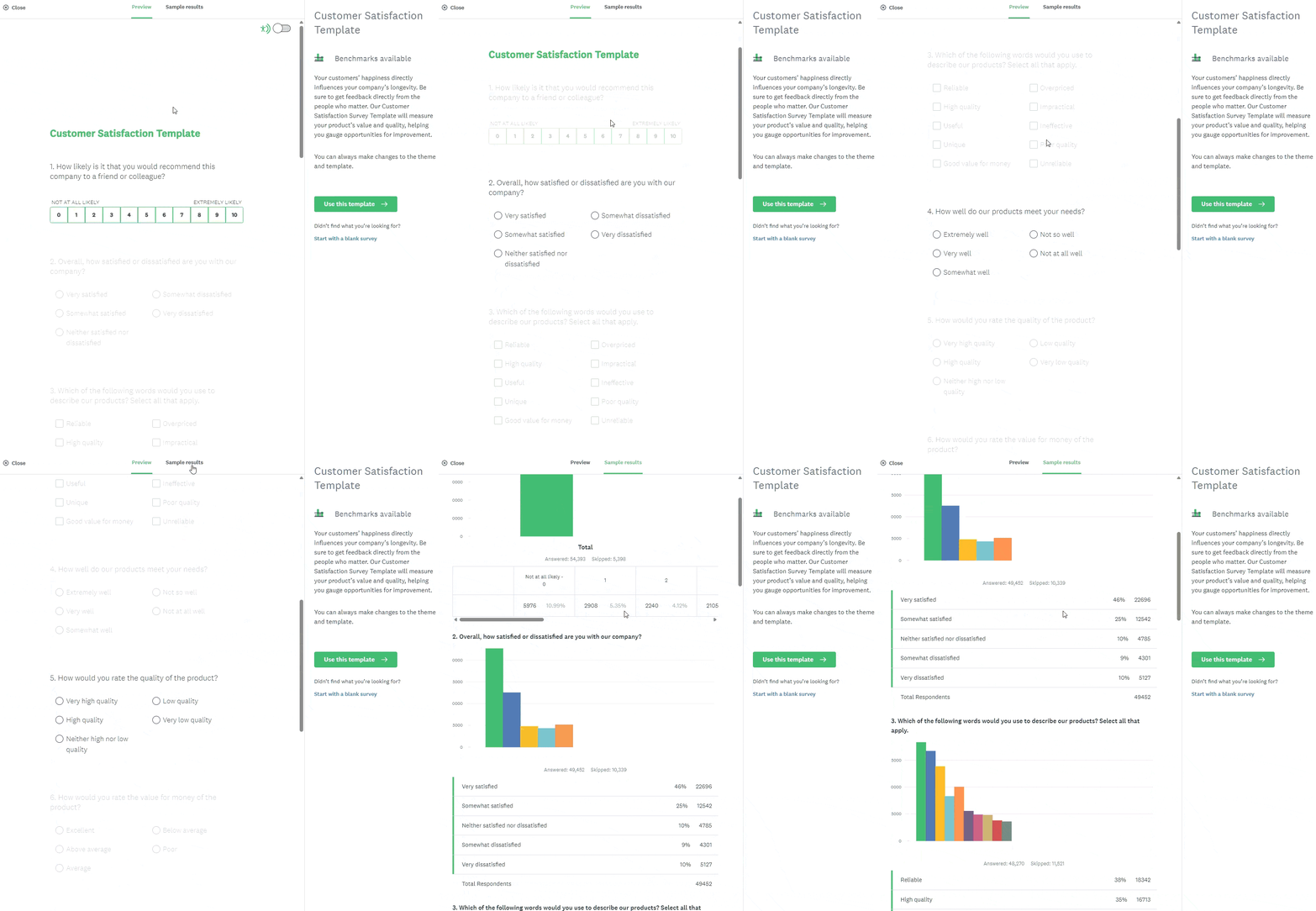
However, our focus is on the Customer Feedback category, which currently has 46 available templates. We picked the customer satisfaction template. The best part about picking a template is that it gives you a clear preview and sample results before you choose it. This gives you a complete overview of what to expect.
Customizability
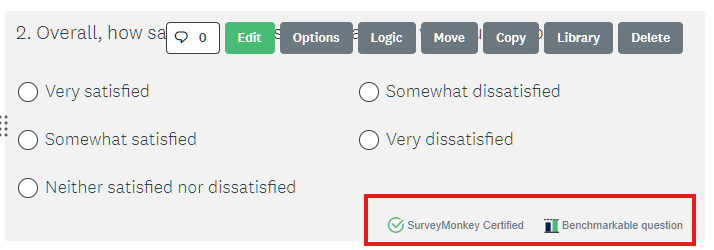
The templates are crafted with care. The questions are certified, whereas questions with benchmark capabilities are marked as “Benchmarkable questions.” It also supports all types of questions, including NPS, Matrix, and Sliders.
Once you click on “Use this template,” it’ll redirect you to its Builder. This is where SurveyMonkey shines – the builder. I found the builder to offer everything that you need to build a customized survey. It offers features like:
- Adding a logo
- Editing the questions, the options, and the logic.
- Choose a standard theme (21+ standard plus premium themes) or create a custom theme based on your brand guidelines.
- Generate a theme based on the uploaded logo or image.
- Change settings such as layout, fonts, background, or preset colors.
You can add a new question or text easily by pressing the ➕sign on the builder.

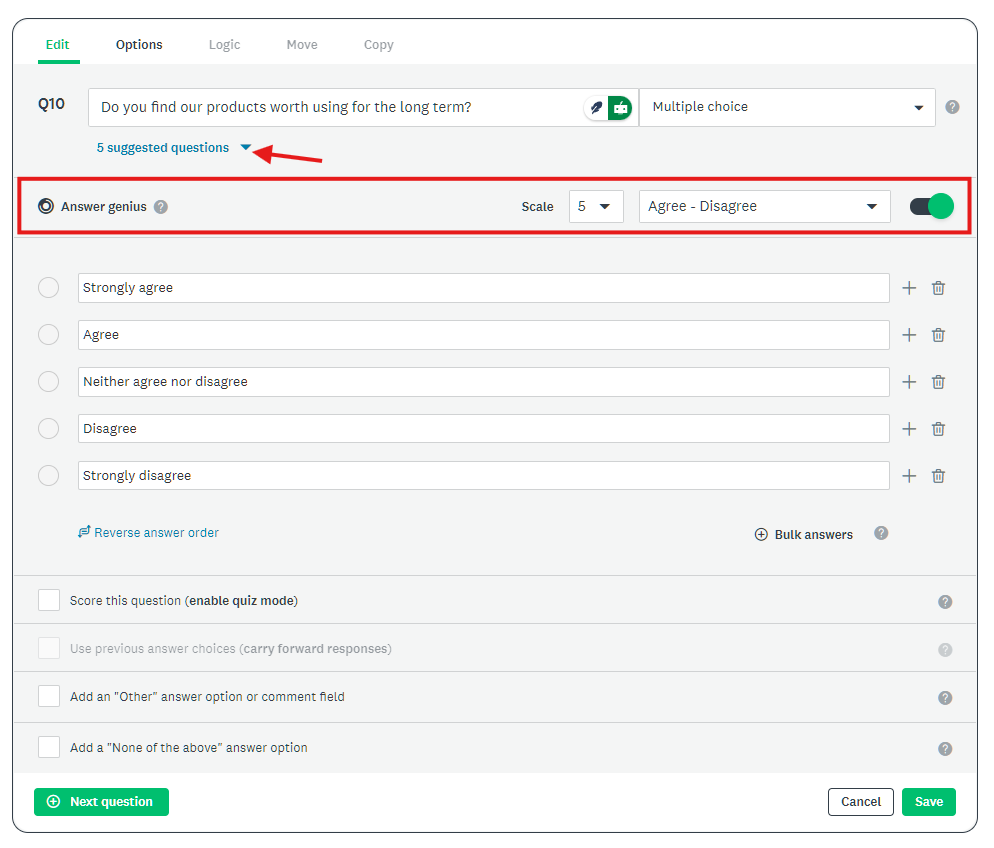
Once you add a question, it will automatically detect the type. But, you’re also free to choose from the available. It also gives question suggestions on questions and provides suggested answers with the help of Genius AI.
After you make any changes, you can preview directly from the browser and test it out before making it live.
I found the builder to be intuitive and easy to use. It doesn’t feel confusing, and everything feels self-explanatory.
Collaboration and Integration
And, the best part is that you can invite your teammates to help you achieve the goal, be it survey building or analyzing capture data. I found that SurveyMonkey lets you invite team members with the right permissions. As an admin, you can enable resharing on surveys with your team, making the whole process seamless.

Additionally, you can also automate the process of transferring the captured data to your preferred app via native integration support. For example, if a team would like to send the data to Google Sheets, they can do it easily with SurveyMonkey’s Google Sheets integration app. Similarly, you can connect to Excel, Microsoft Teams, Slack, Zapier, Google Forms, HubSpot, and others.
Publishing
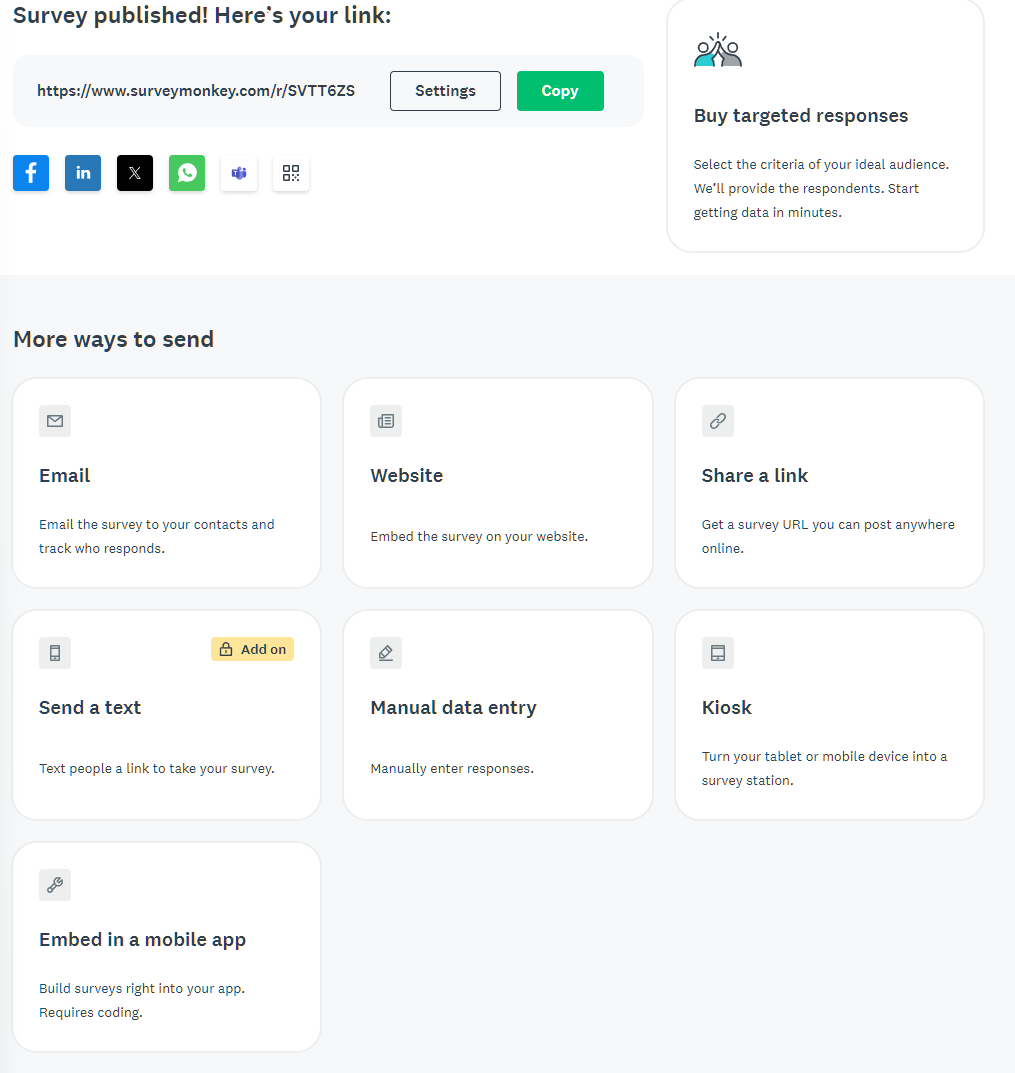
Next, you collect responses by publishing your survey and sharing the direct survey link or using any of the available methods to send it to your target audience.
Comparing it to Surveysparrow and Hotjar
SurveySparrow is a good alternative to SurveyMonkey if you want to create surveys. It is easy to use, offers an appealing dashboard with an auto refresh option, and access to more than 1000+ survey templates.
As per G2, SurveySparrow offers better custom reports and a dashboard, whereas SurveyMonkey excels at interoperability. If you’re looking for gamification, then SurveySparrow is the right pick. Overall, there are slight differences here and there, making both platforms equally good choices. Our recommendation goes to SurveyMonkey due to its overall better user experience and decent survey capabilities.
As for Hotjar, it is a completely different product line. I discussed Hotjar in full detail in my Hotjar review, where I found it to be an effective web-based insight platform.
Verdict
SurveyMonkey is my first pick when it comes to creating surveys. It’s huge template library offers excellent options to get started. You can also customize forms as per your needs and take the help of Genius AI to draft and analyze forms, making it a complete platform. However, there are alternative options like SurveySparrow that you can choose for better gamification features.
The Forms Test
Project B – An Event Registration Form (Building from scratch)
This time, I created an event registration form from scratch to test SurveyMonkey’s data collection and customization capabilities.
There is not much of a difference between using a template and starting from scratch. Here, you get a blank canvas where you can add questions and text. I like how you can use Genius AI to help create the form. Also, each question has its own set of options, which you can set during creation.
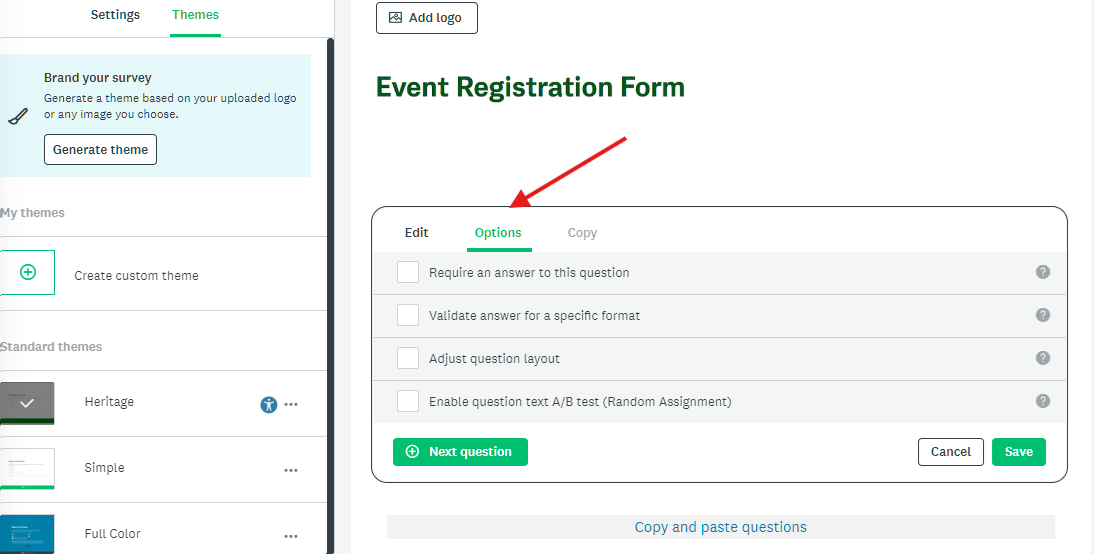
This is great for custom form creation. As everything is customizable, including build, style, and logic, you can come up with the survey form that you want – with no limitations whatsoever.
The ability to create forms in SurveyMonkey makes it an all-in-one tool. Its ease of use shines here, too. With smooth data capture and the ability to analyze data with graphs and AI, it makes it a great option.
There are no cons when it comes to Forms creation and management. However, SurveyMonkey can surely improve on design customization, such as font choice, color choice, or layout.
Comparison to Microsoft Forms and Google Forms
Choosing between Microsoft Forms, Google Forms, and SurveyMonkey is not tricky. Google Forms and Microsoft Forms offer a cheap alternative with minimal customization. In comparison, SurveyMonkey offers a complete package, but may require a subscription.
If I had to make a choice, I’d pick Google/Microsoft Forms for forms, whereas SurveyMonkey for surveys, especially if you need to create simple and functional forms. That’s also because you need to pay for SurveyMonkey if you opt to use its advanced features (the free version is very limited).
Fun or Functional? The “Quizzes” Test
Project C – Marketing Knowledge Quiz (Building with AI)
Businesses need to constantly engage with their audience. It helps them stay loyal and improve their ROI.
SurveyMonkey can help you do that with its ability to create Quizzes.
Additionally, Quizzes are also an optimal pick for assessment, especially when it comes to evaluating candidates.
My experience with SurveyMonkey AI to create surveys was good. It lets you choose any of its sample prompts or lets you type your own prompt (with a 1000-character limit).
I went ahead and plugged in the following prompt.
“I want you to create a marketing knowledge quiz that tests SurveyMonkey’s test scoring, grading, and engagement features.”
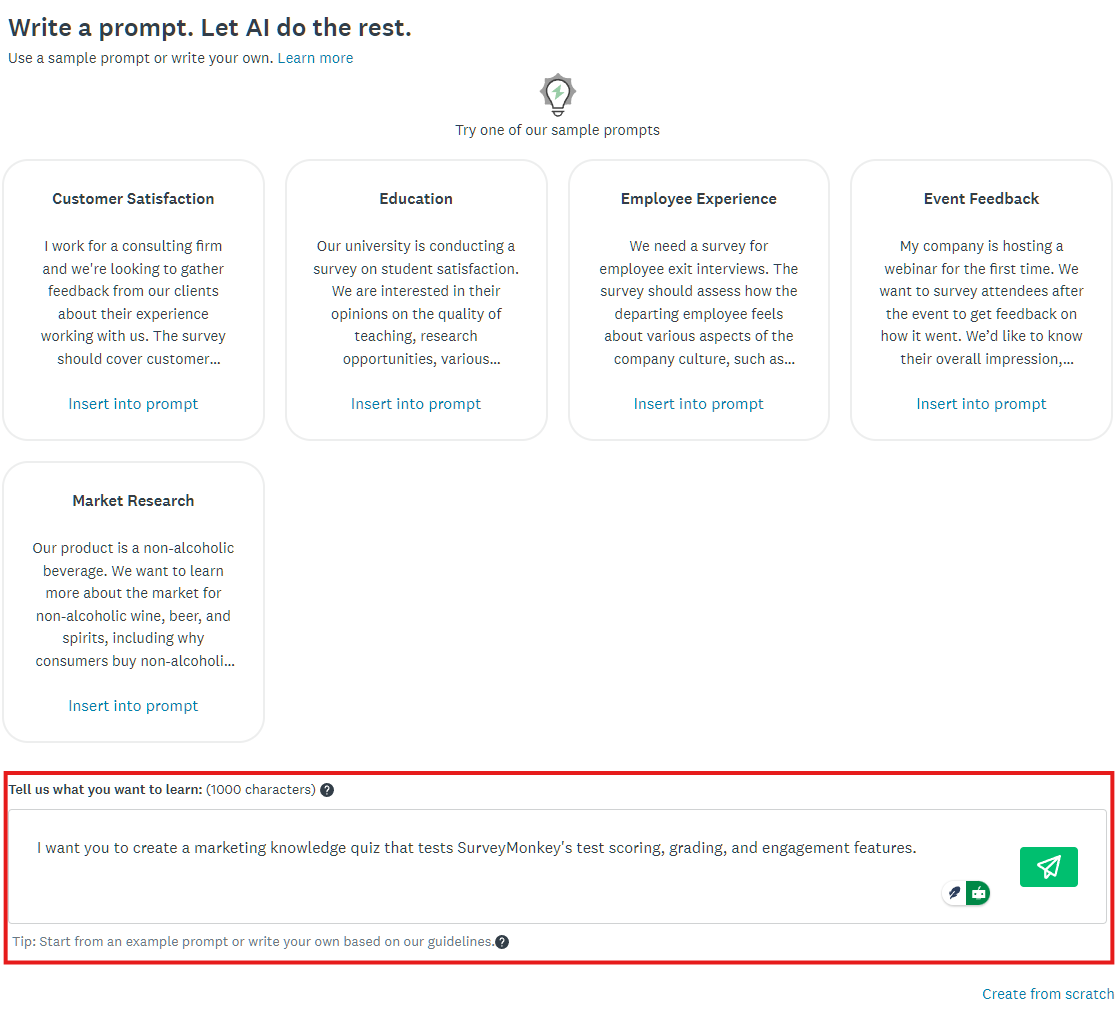
The Genius AI took only a few seconds before coming up with a passable marketing knowledge quiz. It presented 5 questions. However, you can modify the prompt to change the number of questions to generate, the focus of the quiz (like students or working professionals), or the expertise level.
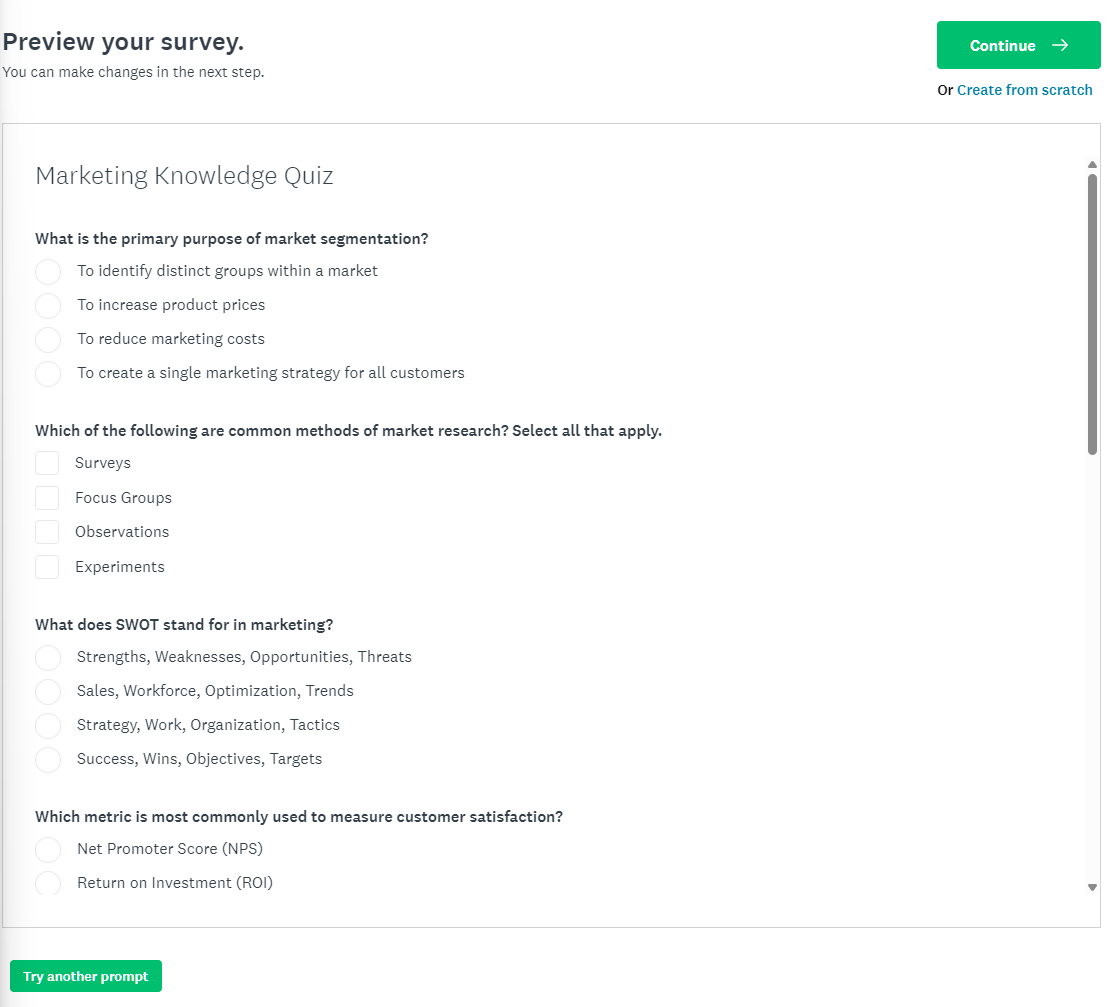
If you’re fine with the initial output, you can then continue to edit it via the SurveyMonkey builder; else, you can again try another prompt until you get a satisfactory output.
From my assessment, SurveyMonkey is best suited for fun social media quizzes. It helps in engagement and helps improve social presence. For serious knowledge assessment, I recommend dedicated online assessment tools such as Edpuzzle, ClassMaker, and others.
Top Features
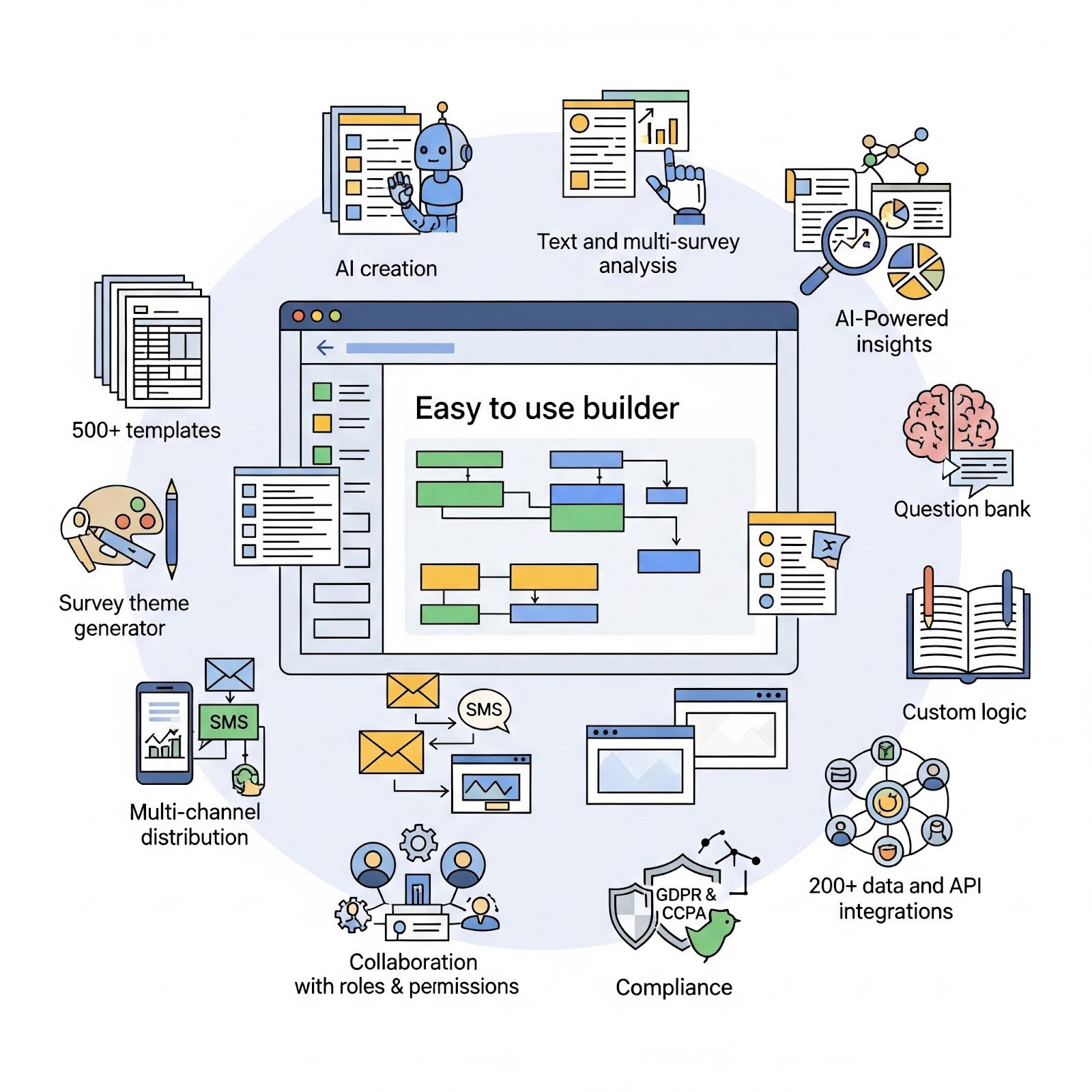
SurveyMonkey is a feature-rich survey platform with features like:
- Easy-to-use builder
- 500+ templates
- Ability to create surveys, forms, and quizzes with AI
- Text and multi-survey analysis
- AI-powered insights with support for custom reports and charts
- Offers a survey theme generator
- Ability to add a question bank for fast survey creation
- Offers custom logic to ensure smooth surveys
- Multi-channel survey distribution, including email, SMS, and web link
- Embed surveys on sites and mobile apps
- Supports collaboration with roles & permissions
- GDPR and CCPA compliance
- 200+ data and API integrations
Pricing vs Value
SurveyMonkey is a freemium platform that offers a free plan. However, its free plan is limited and only lets you do the following:
- Supports up to 10 questions on surveys or forms
- Only common question types such as dropbox, text box, checkboxes, and multiple choices are supported
- Surveys and forms can only record up to 25 responses.
These limitations hinder the use of SurveyMonkey for any practical use. That’s why, if you’re on a low budget, opt for Google Forms or Microsoft Forms. They don’t offer any free trial.
As for paid plans, you can choose from Individual Teams, Teams Plans, and Enterprise. The paid plans start at $39 per month for an individual plan and $30 per user per month for a team plan.
Let’s see what options you have for paid plans.
Table 1: SurveyMonkey Team Plans
| Plan Name | Ideal for | Key features | Pricing per user per month |
|---|---|---|---|
| Team Advantage | Small to medium scale business with basic survey or forms needs | 50,000 responses per yearAI featuresPayments supportMarket research solutions | $30 |
| Team Premier | Medium to large scale businesses with advanced and custom needs | 100K responses per yearWhite label brandingAdvanced branching and pipingFlag poor-quality responses | $92 |
| Enterprises | For large to enterprise businesses | Workgroups for teamsCustom question bankCustom subdomainOffline modeSMS supportIntegration with top analytics and data toolsEnterprise level features such as SSO, HIPPA-compliance | Custom |
Businesses can opt for either the Team Advantage or the Team Premier plan. I suggest starting with the Team Advantage plan to see if it fits your requirements. If it doesn’t, you can easily upgrade. For example, you can upgrade to Premier if you need advanced survey logic like randomization or branching. It also supports white label branding and sentiment analysis.
I recommend enterprises only for the top businesses that think they need the best solution and enterprise-ready surveys and forms with proper integration support.
For Individual plans, you get to choose from three plans — Premier Annual, Advantage Annual, and Standard Monthly. These plans are similar to the team’s plans, with Premier offering more features compared to the Annual plan. Here, the sweet spot is the Advantage Annual plan, whereas I would not recommend Standard Monthly as it starts at $99 per plan. Only pick Standard Monthly if you’re working on a small project with a time period of less than a month.

Who Should Choose SurveyMonkey (And Who Should Avoid It)
Let’s be honest, SurveyMonkey is costly, and making a hasty buying decision can waste resources.
That’s why, use SurveyMonkey if…
- You need to carry out robust, statistically significant data analysis directly within the platform
- You rely on expert-designed templates and question banks (I love it!)
- You are a medium-to-large organization that needs collaboration features.
And avoid SurveyMonkey if:
- You need to create simple forms for data collection (use Google Forms).
- Your priority is a beautiful, conversational user experience (use Typeform)
- You are on a tight budget
SurveyMonkey Review Verdict
SurveyMonkey is a top survey platform that I would recommend to medium to large-scale businesses. It offers the right set of tools to create and manage surveys and forms. Genius AI is super impressive and helps in key survey building moments, like auto-detecting question type. Its AI-generated surveys, forms, and quizzes are good enough to start projects, and with the help of the builder, you can customize the survey as per your requirement (design and functionality-wise).
However, the pricing is what keeps SurveyMonkey away from small businesses with limited budgets. That’s why we recommend it to medium to large-scale businesses, including Enterprise businesses.
Our SurveyMonkey score stands at a solid 4.6 out of 5, with the following breakdown:
- Ease of Use: 4.5/5
- Survey Features: 5/5
- Form & Quiz Features: 4.3/5
- Analytics & Reporting: 4.5/5
- Value for Money: 4/5
In conclusion, if you have the budget, pick SurveyMonkey as it enables you to connect to your audience through professional surveys that can be managed and analyzed via a proper and streamlined platform.