Active Directory (AD) is a crucial part of any Windows-based enterprise IT infrastructure, providing centralized authentication, authorization, along with management of users, computers, and other resources.
AD monitoring is essential as it enhances security, optimizes performance, and ensures compliance with regulatory standards.
While Microsoft provides native monitoring capabilities through System Center Operations Manager (SCOM), these tools often fall short when organizations need comprehensive security monitoring, detailed compliance reporting, and proactive threat detection across complex environments. This can lead to unauthorized access, replication failures, and system downtime, which can disrupt business operations and damage an organization’s reputation.
In this guide, we explore the best Active Directory monitoring tools, both free and paid.
AD Monitoring Tools Comparison
| Tool | Real-time Monitoring | Auditing | Reporting | Compliance Readiness | Alerting | Pricing |
|---|---|---|---|---|---|---|
| ManageEngine ADAudit Plus | Yes | Yes | Yes | GDPR, SOX, HIPAA, PCI DSS, FISMA, GLBA, ISO 27001 | Email, SMS, SIEM | Subscription, Free Tools |
| SolarWinds | Yes | Yes | Yes | Limited | Email, SMS, Slack | Subscription, Free Tools |
| Quest | Yes | Yes | Yes | Limited | Email, SMS | Quote-based |
| Netwrix | Yes | Yes | Yes | PCI DSS, HIPAA, SOX, GDPR, GLBA, FISMA/NIST, CJIS | Email, SMS, Slack, SIEM | Quote-based, Free Community Edition |
| Lepide | Yes | Yes | Yes | PCI DSS, GDPR, CCPA, SOX, GLBA, HIPAA, FISMA, CMMC, CJIS, ISO | Email, SMS, SIEM | Quote-based |
| Paessler PRTG | Yes | Yes | Yes | No | Email, SMS, Slack | Subscription, Freeware Edition |
| Opsview | Yes | Yes | Yes | Limited | Email, SMS, Slack | Subscription |
| eG Innovations | Yes | Yes | Yes | Limited | Email, SMS, Slack | Subscription |
| Netdata | Yes | Yes | Yes | Limited | Email, SMS, Slack | Subscription, Community Edition |
AD Monitoring Tools Review
ManageEngine ADAudit Plus
Best for Real-Time AD Auditing & Compliance Reporting
ManageEngine ADAudit Plus is a unified observability platform that proactively monitors any critical changes and identifies security gaps across on-premises and multi-cloud environments.
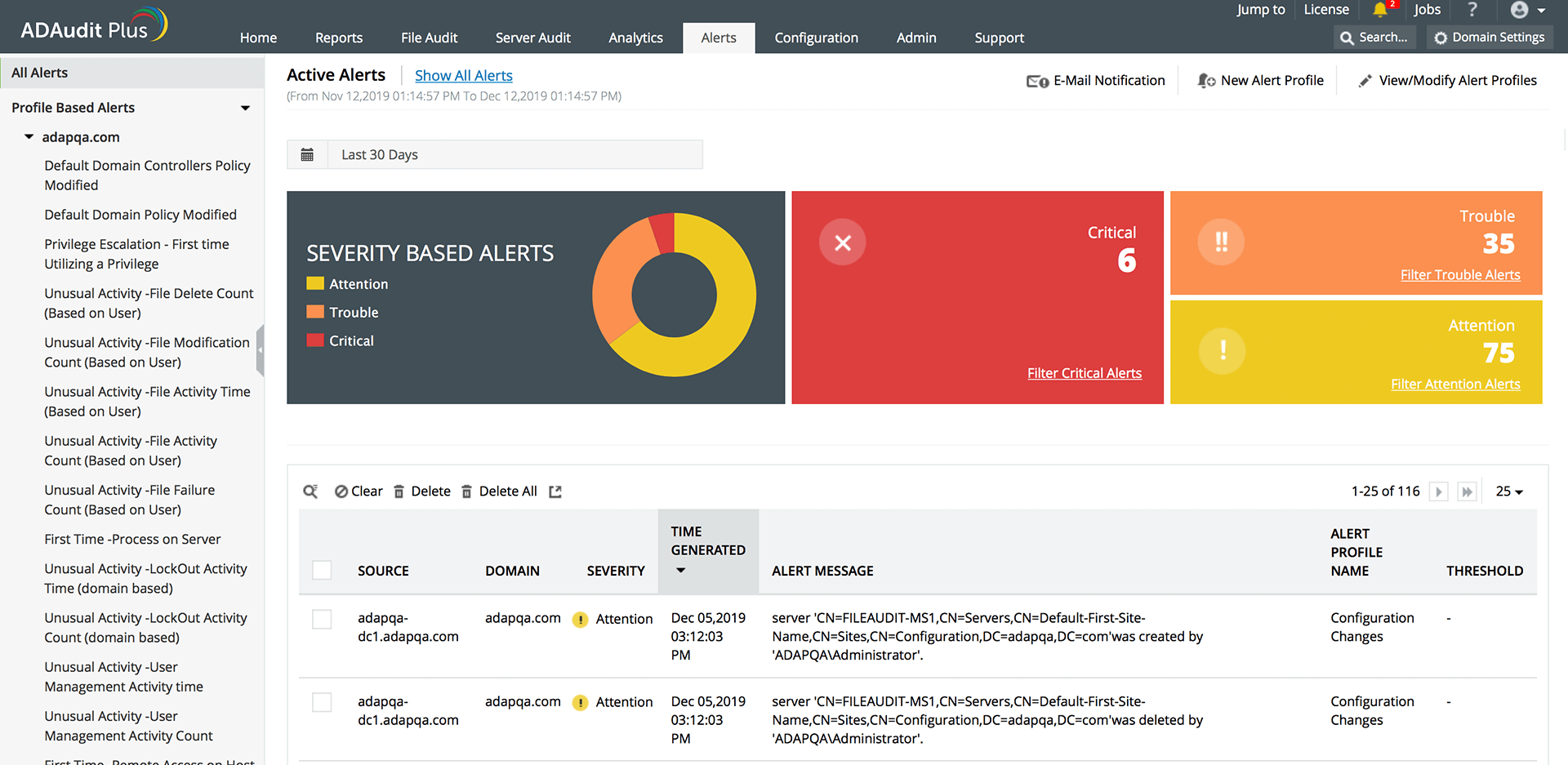
Why Use ManageEngine ADAudit Plus?
- Track and alert about changes within your Active Directory environment and Microsoft Entra ID
- Detects threat exposure across cloud vendors like AWS, Azure, and GCP
- Secures files and folders on servers and NAS devices
- Monitors logons, mitigate risks, and measure productivity
- Provides audit-ready reports for SOX, PCI DSS, HIPAA, the GDPR, FISMA, GLBA, ISO 27001 etc.
ManageEngine ADAudit Plus Limitation
- SIEM Integration – Avoid if you need advanced SIEM integration capabilities.
- Limited Monitoring Need – Skip when operating in very small environments where its feature set and cost exceed your monitoring requirements.
ManageEngine ADAudit Plus Pricing
ManageEngine ADAudit Plus pricing starts at $595 annually while also providing a never expiring Free edition that offers:
- Auditing and collecting data across 25 workstations
- Generating reports using log data collected during evaluation
Besides, they provide a suite of completely FREE Active Directory tools for administrators and users including AD Query Tool, CSV Generator, AD Replication Manager, SharePoint Manager, PST Migration Tool etc. that you can download and use at absolutely NO COST!
SolarWinds
Advanced AD Health, Replication & Event Monitoring
SolarWinds Server & Application Monitor (SAM) can help you with analyzing AD health, diagnosing replication issues, troubleshooting AD problems, providing deeper diagnostics and optimizing AD monitoring.
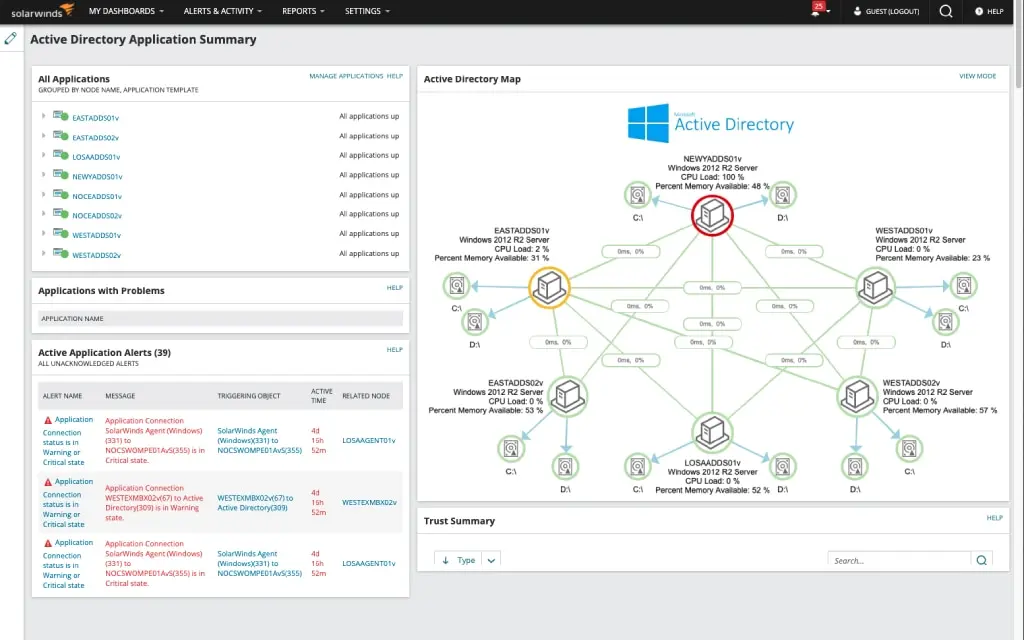
Why Use SolarWinds?
- Provides Active Directory health check tools to monitor logins and Windows Events
- Helps you to diagnose Active Directory replication issues easily
- Proactively identifies Active Directory issues before they affect your entire network
- Provides valuable insight into remote sites with the Site Details resource
- Collects key performance data on a server level using the AppInsight feature
SolarWinds Limitation
- Large-scale Environments – Avoid for large-scale AD environments requiring real-time event correlation and forensic analysis.
SolarWinds Pricing
SolarWinds SAM subscription price starts at $2,075, or you can request a custom quote by contacting their sales team.
Besides, SolarWinds provides a free Admin Bundle for Active Directory management including features like multivendor monitoring, dynamic network maps, and packet capture and analysis.
Use SolarWinds when you need basic health checks, performance metrics, and availability monitoring of domain controllers in small to medium-sized environment.
Quest
Best for Small Business
Quest’s Active Administrator is a comprehensive Microsoft AD management solution providing you with a single consolidated view into the management of your AD, supporting your auditing requirements and security needs.
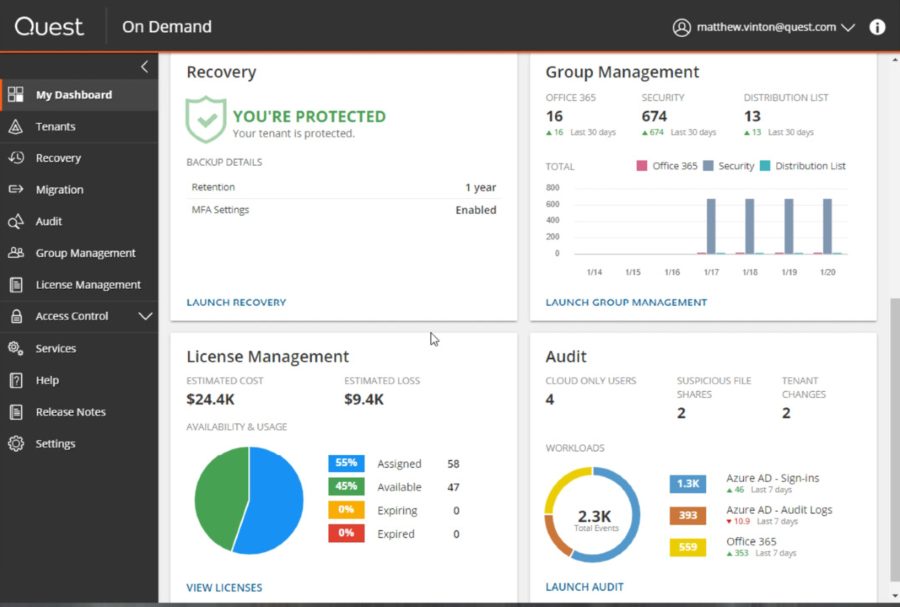
Why Use Quest?
- Proactively manages AD to better meet auditing requirements and tighten security
- Eliminates over-privileged users by assessing and standardizing security policies and permissions
- Supports automated checks for GPO changes and easy roll back when needed
- Monitors health and performance with assessment reports and dashboard views of your AD environment
- Comes with built-in automated backup and recovery
Quest Limitation
- Large-scale Log Analysis – Avoid if you require real-time, large-scale log analysis, as it may have performance limitations.
Quest Pricing
Quest offers custom pricing for Active Administrator which you can request by contacting their sales team. You can download and try their 30-day free trial to get better idea of the product.
Netwrix
Pre-Built Compliance Reports for GDPR, SOX & HIPAA
Netwrix Auditor for Active Directory offers security intelligence about your Active Directory and Group Policy and helps you audit AD changes and logons for IT compliance.
Why Use Netwrix?
- Detects all changes in your Active Directory and Group Policy
- Facilitates access control by reporting on both failed and successful attempts to log on to critical systems
- Shows the current state of your users and groups with their permissions in Active Directory
- Provides out-of-the-box reports for wide range of standards, including PCI DSS, HIPAA, SOX, GDPR, GLBA, FISMA/NIST, CJIS etc.
- Reports about changes to audit policy settings and other Group Policy modifications
Note
Netwrix customers include Allianz, King’s Hawaiian, Crimson Wine Group, Landspitali, Denso etc.
Netwrix Limitation
- Real-time Alerting – Avoid if you need real-time alerting with immediate response actions, as it primarily provides after-the-fact auditing.
Netwrix Pricing
Netwrix offers custom pricing for which you can contact their sales team. It also offers a free Community Edition whose features include:
- Reports on logon activity and configuration changes in AD and Group Policies
- Before and after values for all modifications
- Automatic daily activity summary report for a single recipient
- “What,” “when” and “where” details for each reported event
Use Netwrix when you need detailed audit trails, compliance reporting, and historical change tracking.
Lepide
Best for AD Auditing and Security
Lepide Auditor provides you with complete visibility into your Active Directory’s changes, states, and user behavior.
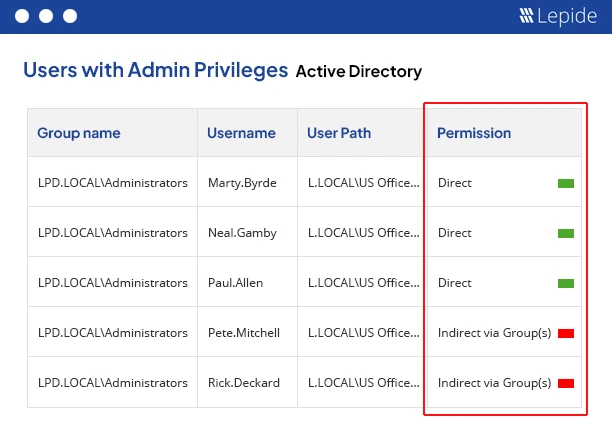
Why Use Lepide?
- Supports complete audit trail for all events/changes in your AD environment
- Helps you track account lockouts source and provides option to unlock them
- Tracks and reports failed logon events, concurrent logon sessions, users’ login history
- Analyzes the effective permissions of your users and spot permission changes
- Rollbacks any unwanted or unplanned change to its original value
- Tracks modifications made to Group Policy objects and proactively thwart any alterations
Lepide Limitation
- Free or Open-Source Solution – Skip if you need a completely free or open-source solution, as it is a paid tool.
Lepide Pricing
Lepide Auditor has custom pricing. You can request a quote by contacting their sales department. It also offers a 20-day free trial for evaluation.
Use Lepide when you need detailed change tracking, compliance reporting, and user activity auditing in a centralized dashboard.
Paessler PRTG
Inbuilt Network Monitoring
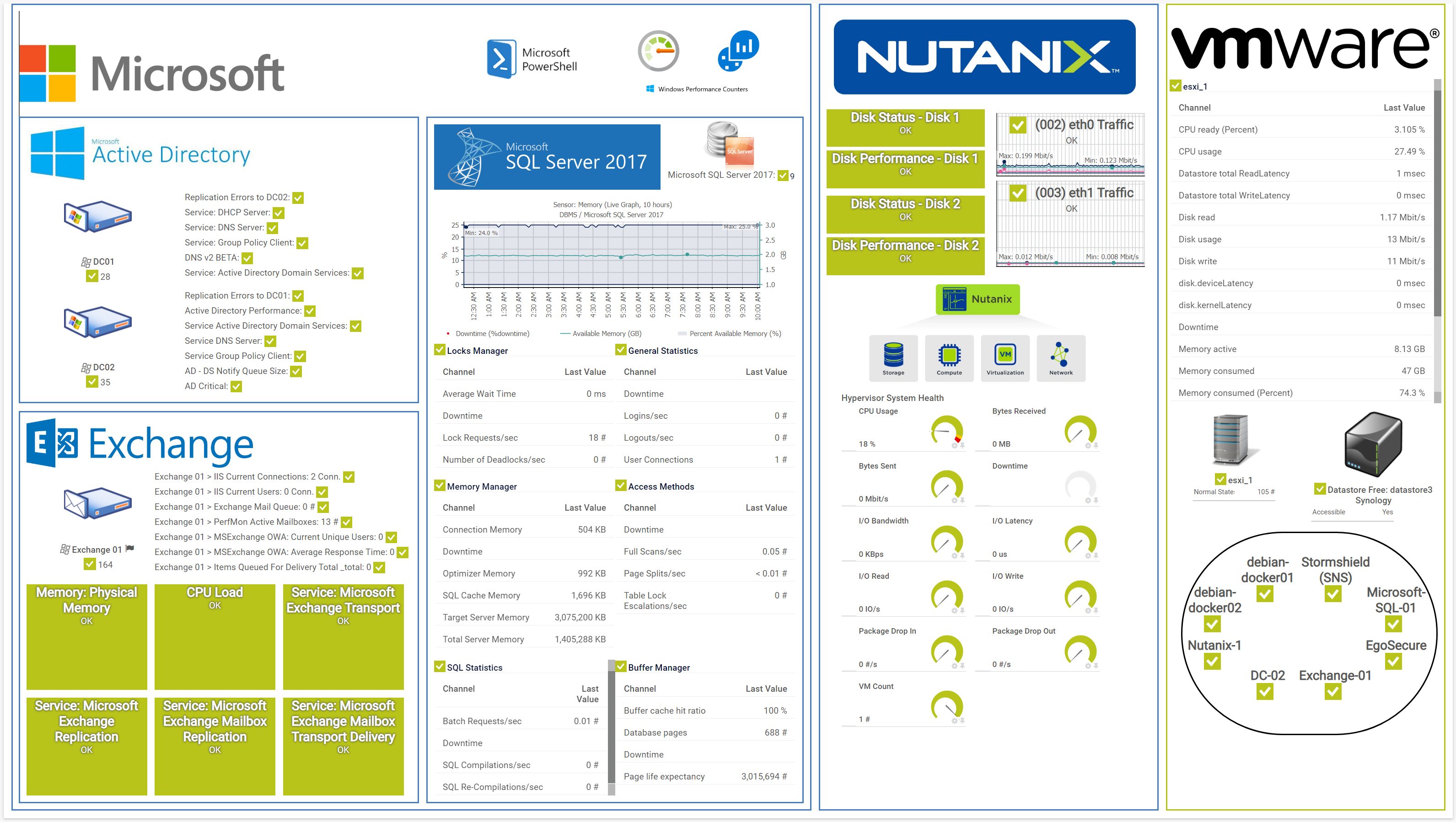
Paessler PRTG is a comprehensive solution that helps you discover and monitor your entire Active Directory domain forest with easy setup and real-time automatic alerts.
Why Use Paessler PRTG?
- Supports quick and easy plug-and-play setup
- Collects every AD stat including device status, login activity, replication and synchronization
- Provides customizable notification templates with real-time alerts
- Includes support for monitoring of Microsoft Entra ID (formerly Azure AD)
- It is a comprehensive monitoring tool and is compatible with all major vendors, products, and systems
Note
Paessler PRTG is trusted by brands like Pepe Jeans, 7-Eleven, Virginia Tech, Bosch, Siemens, Skyscanner etc.
Paessler PRTG Limitation
- Granular Tracking and Auditing – Avoid if you need deep log analysis, security auditing, or granular user activity tracking, as it primarily focuses on performance metrics.
- Large-scale Environments – Not ideal for large-scale AD environments requiring extensive automation and SIEM integration.
Paessler PRTG Pricing
Paessler PRTG paid license is based on number of devices and pricing starts with $179/mo for 50 devices. It also has a Freeware version whose features include:
- Auto-discovery function to automatically incorporate devices into monitoring
- Alerting, reporting, ticketing, and network mapping features
- Monitoring of hardware, software, network performance, data traffic
Paessler PRTG is ideal for small to mid-sized environments that require easy setup, customizable alerts, and visualization of AD-related performance data.
eG Innovations
Best for AD Performance Monitoring
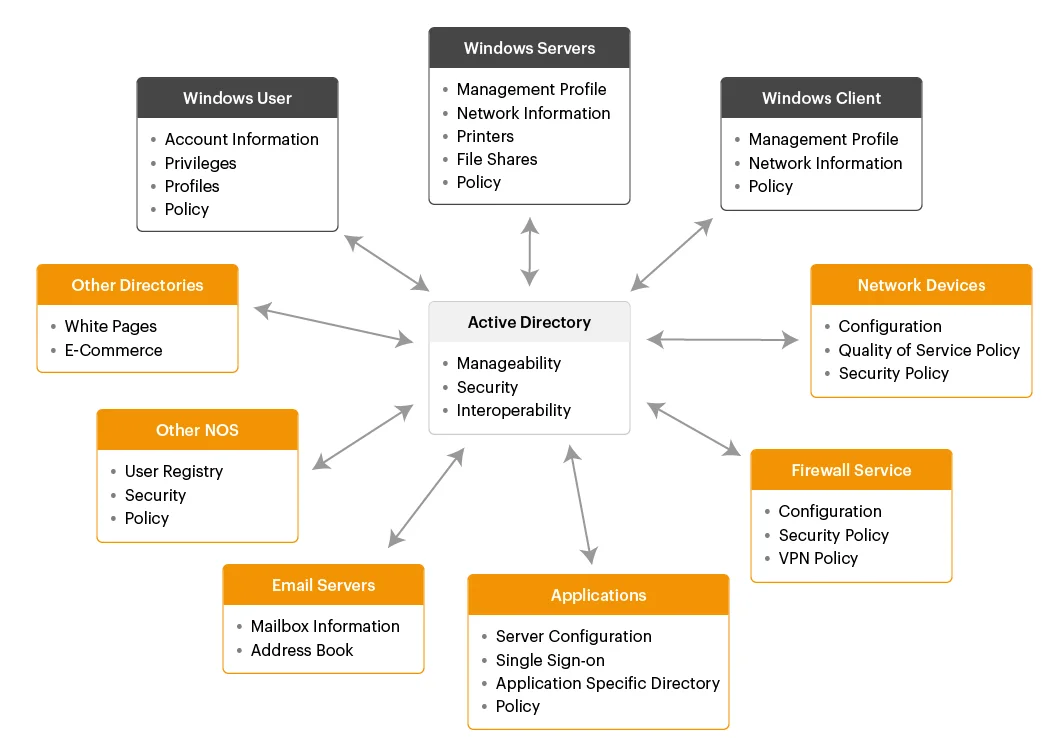
eG Innovations helps you track the availability, performance and activity of your Active Directory servers with logon times, logon failures, inactive users etc.
Why Use eG Innovations?
- Helps you proactively find and fix AD replication and time sync issues
- Detects slow logons, account lockouts and authentication issues in your AD
- Includes built-in script-based Remote-Control Actions to remotely troubleshoot AD issues
- Can help you proactively detect DNS issues affecting AD performance
- Eases triaging AD problems by continuously tracking AD availability and response time
eG Innovations Limitation
- Customized AD Environments – It may also not be ideal for highly customized AD environments needing extensive script-based automation.
eG Innovations Pricing
eG Innovations pricing is based on deployment model, starting at $100/month for Subscription model.
Use eG Innovations when you need proactive performance monitoring, automated root cause diagnosis, and end-to-end visibility across your IT infrastructure.
Netdata
All-in-one Windows Server Monitoring
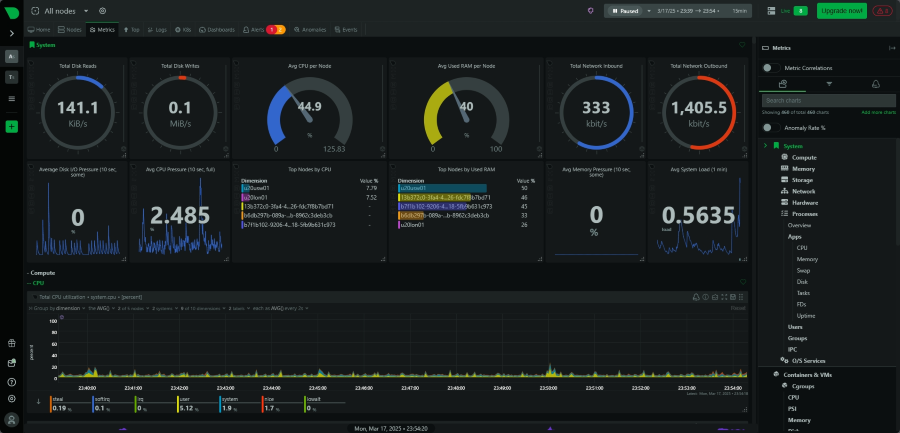
Netdata lets you monitor your Active Directory service in real time while automatically collecting and visualizing AD metrics across 60+ charts.
Why Use Netdata?
- Supports troubleshooting issues in real-time with 1-second latency, 1-second granularity data
- Alerts you when something goes wrong or when there is an anomaly in your AD environment
- Agent is easy and quick to setup and includes auto-updates while supporting hundreds of integrations
- Has an active and vibrant open-source community and is one of the top starred projects on the CNCF landscape
- Can also troubleshoot IT infrastructure like servers and network along with applications such as databases, web servers etc.
Note
Netdata is chosen as their monitoring tool by companies like Intel, SAP, Unity, Nvidia, AMD, Samsung, Qualcomm, GE, PWC, NetApp, Berkley University etc.
Netdata Limitation
- Limited AD Monitoring – It’s useful for detecting performance bottlenecks but not for detailed AD-specific event tracking.
Netdata Pricing
Netdata Community is an open-source monitoring platform that you can use for free for max 5 active connected nodes, max 1 active custom dashboard (per Room) which can be securely accessed from anywhere. Its paid plans include Homelab, Business and Enterprise On-Premise with price starting from $4.50 per node/month for Business edition.
Use Netdata when you need real-time performance metrics on system resources like CPU, memory, disk, and network usage on AD domain controllers.
Other Useful AD Tools
I would also suggest checking out the following AD tools to complement the monitoring.
- Active Directory Explorer – free AD explorer to view object properties and attributes.
- Active Directory Pro – multiple tools to clean, unlock, bulk updates.
- Cayosoft Guardian Protector – provide real-time monitoring.
- ENOW – all-in-one reporting, monitoring and auditing software.
Conclusion
Regardless of which solution you pick, implementing a dedicated AD monitoring tool is essential for maintaining security, performance, and compliance in today’s threat landscape.
By continuously monitoring Active Directory, organizations can protect against evolving threats including phishing attacks that target credentials, malware that attempts to elevate privileges, and insider threats that abuse legitimate access.