


As AI applications scale, managing LLM traffic quickly becomes messy and expensive. I’ve seen teams struggle with rate limits, unpredictable bills, and fragmented observability. That’s where an AI gateway becomes critical.
Modern AI gateways sit at the center of your LLM Ops stack, bringing structured API management, cost controls, and features like prompt caching to reduce repeated token spend. Without one, your teams might overspend on inference and lack visibility into model performance.
In this guide, I’ll walk you through the top AI gateways you can use to manage LLM traffic, optimize costs, and strengthen security, whether you’re running a startup or an enterprise-scale AI platform.
What is an AI Gateway?
An AI gateway is a middleware layer that sits between your application and large language model (LLM) providers such as OpenAI, Anthropic, or Google. It standardizes requests, routes traffic intelligently, and adds controls for cost, security, and observability.
Instead of calling multiple model APIs directly, it routes everything through an AI gateway to gain centralized visibility and control.
AI Gateway Architecture (Conceptual Diagram)
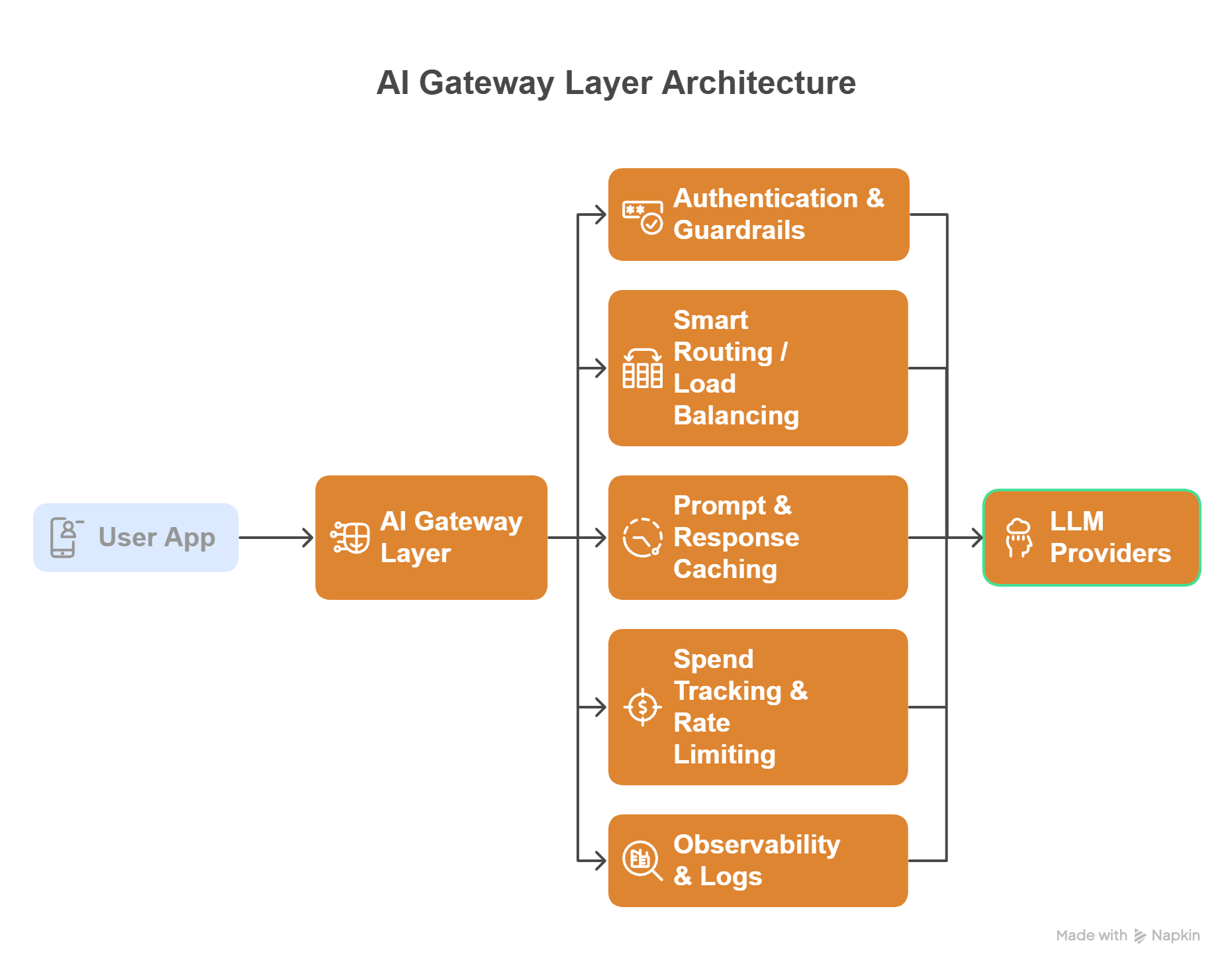
User App
   │
   ▼
AI Gateway Layer
   ├── Authentication & Guardrails
   ├── Smart Routing / Load Balancing
   ├── Prompt & Response Caching
   ├── Spend Tracking & Rate Limiting
   └── Observability & Logs
   │
   ▼
LLM Providers (OpenAI, Anthropic, Azure, etc.)
Core Benefits
Here’s why I consider an AI gateway important for production AI systems. They offer:
- Centralized LLM management across multiple providers
- Lower inference costs via semantic and response caching
- Improved reliability with automatic fallbacks
- Security guardrails for PII filtering and prompt validation
- Better observability into token usage and latency
- Vendor flexibility without changing application code
AI Gateway Comparison
Below is a quick snapshot to help you shortlist the right tool.
| AI Gateway | Open Source | Caching | Spend Tracking |
|---|---|---|---|
| Kong AI Gateway | ❌ | ✔ | ✔ |
| Portkey | Partial | ✔ | ✔ |
| LiteLLM | ✔ | ✔ | ✔ |
| Cloudflare AI Gateway | ❌ | ✔ | ✔ |
| Envoy AI Gateway | ✔ | ✔ | ❌ |
| Helicone | Partial | ✔ | ✔ |
| Vercel AI Gateway | ❌ | ✔ | ✔ |
| Higress | ✔ | ✔ | ❌ |
Best AI Gateways Reviewed
I’ve reviewed the leading AI gateways to help you find the right fit for your scale, budget, and infrastructure. Many of these platforms build on concepts that traditional API gateway options already solve: traffic control, authentication, routing, and observability, but extend them specifically for AI and LLM workloads.
Kong AI Gateway
Best for Existing Kong Users & Enterprise
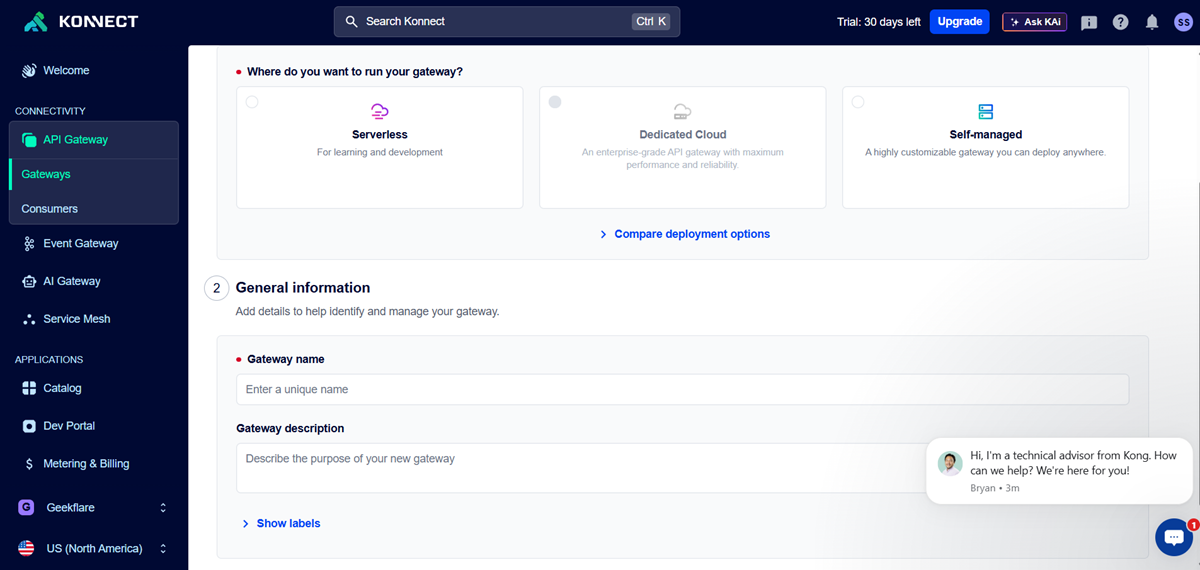
Kong AI Gateway is a strong enterprise tool for managing and securing AI/LLM traffic. Its biggest advantage is how easily it fits into the existing Kong ecosystem. If your team already uses Kong, getting started will feel smooth and familiar.
I like its built-in security controls and rate limiting, which are important for running AI apps in production. It also offers good flexibility through plugins.
However, the setup can be complex for beginners, and smaller teams may find it more than they need.
Key Features
Pros & Cons
PROS
CONS
Verdict
A reliable and powerful AI gateway for enterprises and current Kong users, but not the simplest choice for small or early-stage teams.
Portkey
Full-Stack LLMOps (Routing + Prompts + Agents)
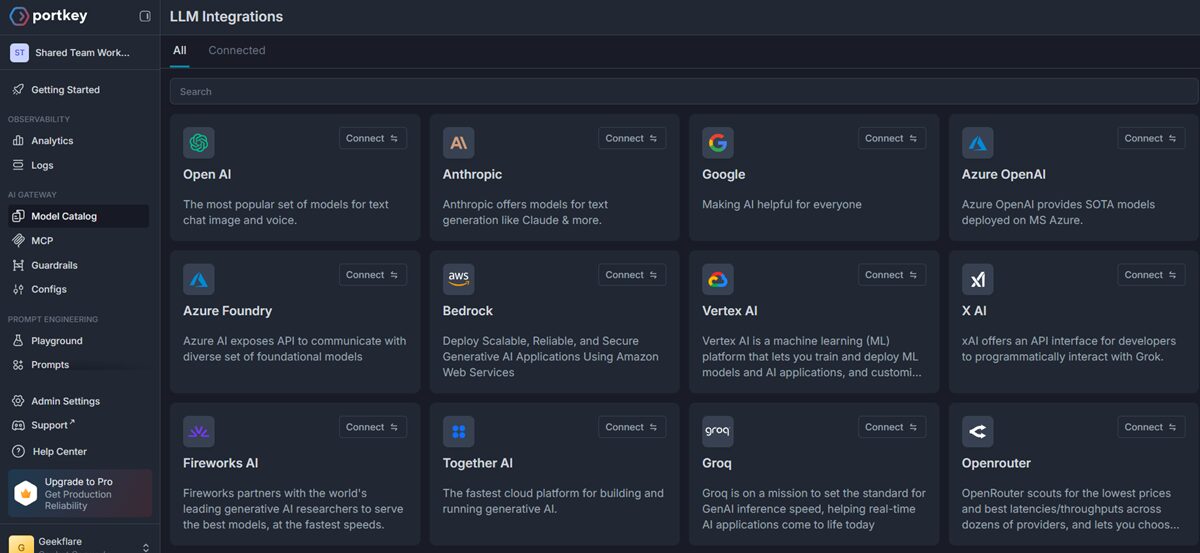
Portkey is more than a basic AI gateway; it works like a full control center for your AI apps. Its biggest strength is that it handles routing, prompt management, and monitoring all in one place.
I like how easy it is to connect multiple AI models using a single API. Features like automatic retries, fallbacks, and built-in analytics help reduce a lot of manual work for developers.
However, if you only need a simple proxy, Portkey might feel a bit heavy because it comes with many advanced features.
Key Features
Pros & Cons
PROS
CONS
Verdict
A powerful all-in-one LLMOps platform that is great for serious AI teams but possibly overkill for simple use cases.
LiteLLM
Best for Spend Tracking and LLM Fallback
LiteLLM is a lightweight, open-source AI gateway that makes it easy to connect and manage multiple LLM providers from one place. Its biggest strength is simplicity with powerful cost control.
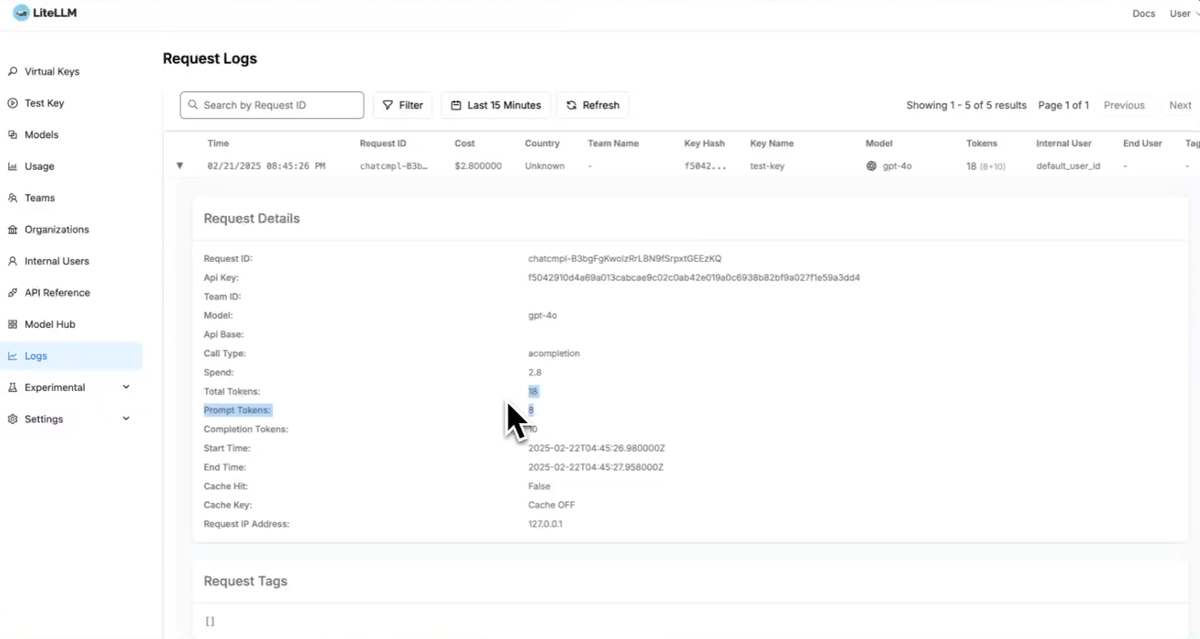
LiteLLM gives you an OpenAI-compatible API and supports 100+ models, so switching providers requires minimal code changes. It also shines in spend tracking and automatic fallback, helping teams control costs and maintain reliability.
Because it’s open source, developers get full flexibility and can self-host the proxy. However, running it at a large scale requires DevOps effort, and some enterprise features (like SSO) are behind the paid tier.
Key Features
Pros & Cons
PROS
CONS
Verdict
A developer-friendly and cost-focused AI gateway that is excellent for startups, but larger enterprises may need additional tooling for full production governance.
Cloudflare AI Gateway
Best for Edge Performance and Global Caching
Cloudflare AI Gateway is a developer-friendly tool that sits between your app and AI providers to monitor, cache, and control AI traffic. Its global edge network helps deliver faster responses worldwide.
It’s easy to use, and you can start with just one line of code. The built-in caching is a standout feature because it can serve repeated AI responses directly from Cloudflare’s cache, reducing both latency and costs.
The platform also provides detailed logs of prompts, token usage, errors, and costs through its analytics dashboard, which is very helpful for production monitoring.
However, you’ll get the most value if you are already using the Cloudflare ecosystem. Teams that need custom routing or full self-hosting may find it somewhat limiting.
Key Features
- Global edge deployment
- Built-in prompt caching
- Request analytics
- Rate limiting
- Works with Cloudflare Workers
Pros & Cons
PROS
CONS
Verdict
An excellent choice for globally distributed AI apps and edge performance, especially if you already run on Cloudflare.
Envoy AI Gateway
Best for Platform Teams
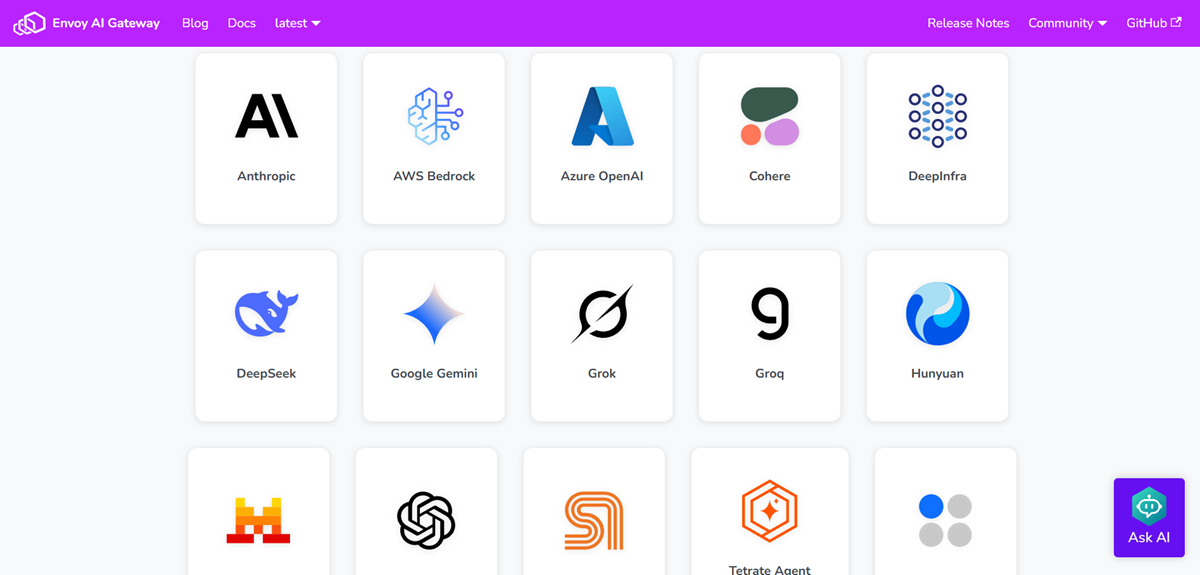
Envoy AI Gateway is an open-source, cloud-native gateway built specifically to manage GenAI traffic using the Envoy ecosystem. It’s a great fit for platform teams that want deep control and flexibility over their AI infrastructure.
It has a strong cloud-native design and provides a unified proxy layer and OpenAI-compatible endpoint, so apps can talk to different model providers through one interface.
Because it’s fully open source and Envoy-based, it integrates naturally with Kubernetes and modern service meshes.
However, it’s clearly built for infrastructure teams (not beginners). You’ll need solid Kubernetes and networking knowledge to run it smoothly.
Key Features
Pros & Cons
PROS
CONS
Verdict
A powerful and flexible open-source AI gateway for platform and DevOps teams, but too complex for teams wanting a plug-and-play solution.
Helicone
Best for Analytics and Observability
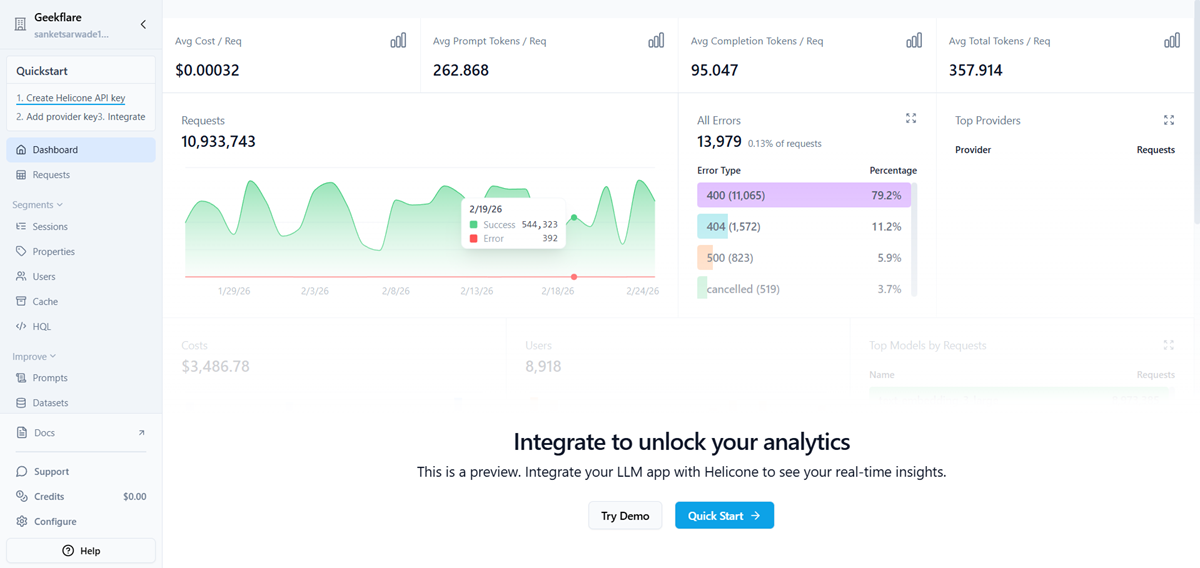
Helicone is an AI gateway that focuses on monitoring and visibility. In my opinion, it’s most useful for teams that want deep insight into how their AI apps are performing in production.
I like how Helicone automatically logs every request and shows metrics like cost, latency, and errors in one dashboard. This makes it much easier to debug issues and optimize spending.
It also provides a unified OpenAI-compatible API with intelligent routing and fallbacks across 100+ models, which simplifies multi-provider setups.
Another plus is the quick integration (you can often start tracking requests by just changing your API endpoint), which is very developer-friendly. However, Helicone is more observability-focused than full API management, so large enterprises may still need additional gateway controls.
Key Features
Pros & Cons
PROS
CONS
Verdict
An excellent choice if your top priority is AI analytics and cost visibility, but not a complete replacement for heavy enterprise API gateways.
Vercel AI Gateway
Best for Next.js Developers
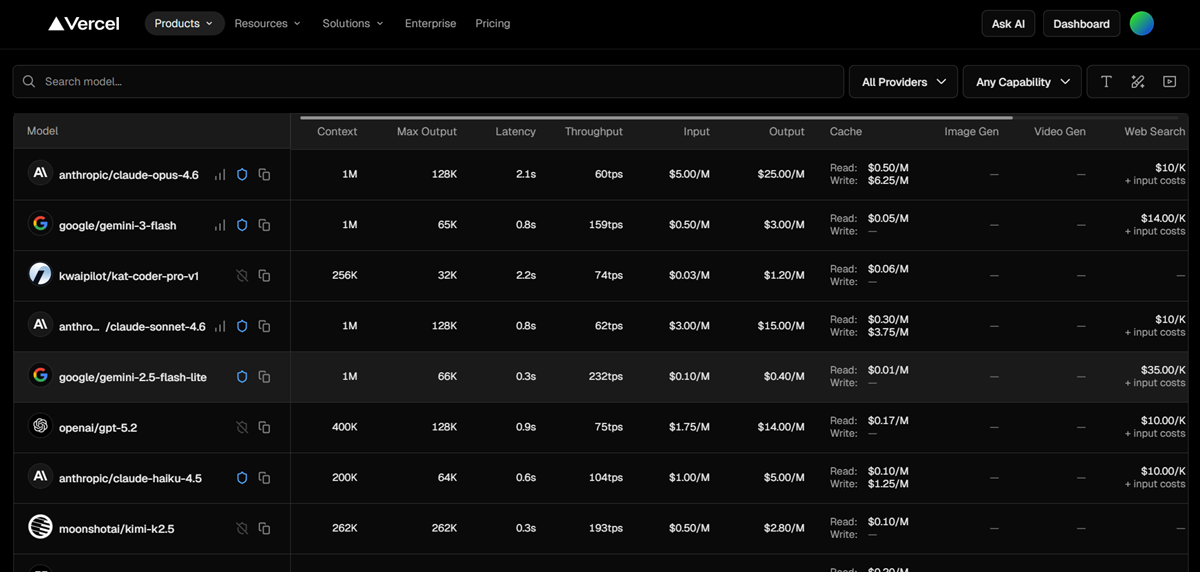
Vercel AI Gateway is a developer-focused gateway that connects your app to multiple AI models through a single API. Its strength is the smooth developer experience, especially for teams building with Next.js.
It makes multi-model access very simple. You can route requests to many providers using one endpoint and switch models without changing SDKs or juggling API keys.
It also includes automatic failover, so if one provider goes down, requests can be redirected to another model to keep your app running.
The built-in observability and usage tracking are helpful for monitoring costs and performance from the Vercel dashboard.
But the gateway is clearly optimized for the Vercel ecosystem. Teams that need deep infrastructure control or full self-hosting may find it limiting.
Key Features
Pros & Cons
PROS
CONS
Verdict
A fast and developer-friendly AI gateway that is perfect for Next.js and Vercel users but less ideal for teams wanting maximum infrastructure flexibility.
Higress
Multimodel Proxy
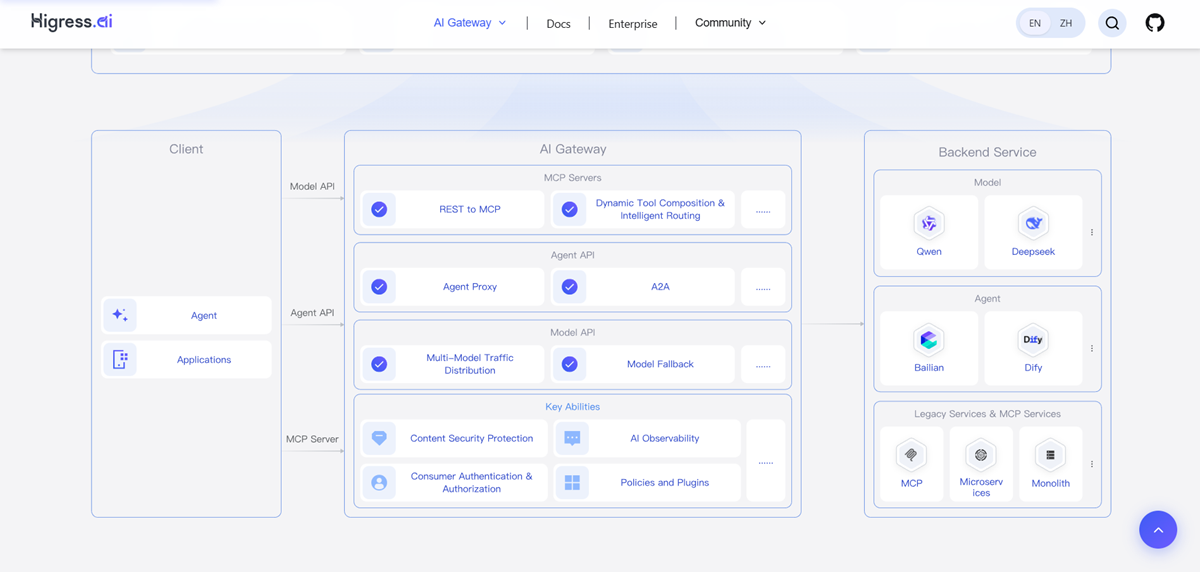
Higress is an open-source, cloud-native AI gateway designed for teams that want a high-performance multimodel proxy. Its biggest strength is flexibility; it lets you route traffic across many AI models through one unified interface.
I like its strong cloud-native foundation. Higress is built on Istio and Envoy, which makes it a good fit for Kubernetes environments and modern microservices setups.
It also supports unified protocol conversion and model-level fallback across 100+ models, making multi-provider setups much easier to manage.
Another plus is its traffic governance features like token rate limiting, caching, and observability, which help improve reliability and cost control in production AI systems. But Higress is clearly aimed at platform and infrastructure teams. Beginners or small teams may find the setup and operations somewhat complex.
Key Features
Pros & Cons
PROS
CONS
Best For
A powerful open-source multimodel proxy with strong cloud-native roots, great for Kubernetes-heavy teams, but not the simplest plug-and-play option.
Other AI Gateways
Below are some more AI gateways that deserve honorable mentions.

Traefik

Azure AI Gateway

Google Apigee AI

Solo.io Gloo AI

API7 AI Gateway

F5
Key Components of an AI Gateway
When I evaluate an AI gateway, I look for a few non-negotiable technical capabilities. Missing any of these can create scaling or cost problems later.
1. Universal API
A good gateway should normalize requests into a standard OpenAI-compatible format. This allows you to switch providers without rewriting application code.
Why it matters: prevents vendor lock-in.
2. Smart Routing
This includes:
- Automatic fallbacks (e.g., OpenAI → Azure)
- Load balancing across models
- Latency-aware routing
LiteLLM and Portkey both implement strong fallback logic that I’ve found useful in production.
3. Caching
Caching is one of the biggest cost savers.
Look for:
- Semantic caching
- Response caching
- Edge caching
Cloudflare AI Gateway excels at global caching, while LiteLLM provides simple local caching.
4. Guardrails
Security is becoming critical in LLM apps. Must-have controls include:
- PII redaction
- Prompt injection protection
- Content filtering
- Rate limiting
Enterprise teams using Kong AI Gateway or Portkey typically prioritize this layer.
5. Spend Tracking
Without cost visibility, LLM bills can spiral quickly.
Key capabilities:
- Token usage tracking
- Per-user cost attribution
- Budget alerts
- Provider cost comparison
For startups, I’ve found LiteLLM and Helicone particularly effective here.
Final Verdict
AI gateways are quickly becoming essential infrastructure for any serious LLM application. As usage grows, direct model calls simply don’t scale, costs become unpredictable, reliability suffers, and observability gaps appear.
From my experience reviewing these tools, there is no single “best” AI gateway for everyone. The right choice depends heavily on your team size, infrastructure maturity, and how complex your AI stack is.
Which one is good for you?
👉 My practical recommendation:
- Start lightweight with LiteLLM or Cloudflare’s AI Gateway if you’re building prototypes or early-stage products.
- Move to Portkey or Kong when governance, observability, scale, and compliance become critical.
- Choose Envoy or Higress if your platform team wants full open-source control.
Please note that tools like Portkey and Helicone have open-source versions, but they are primarily SaaS businesses. LiteLLM is a heavily community-driven OSS project, which may not offer dedicated SLAs required by enterprises.
If you’re running production AI without an AI gateway, you’re likely leaving money, reliability, and visibility on the table. The earlier you introduce one into your LLM stack, the smoother your scaling journey will be.