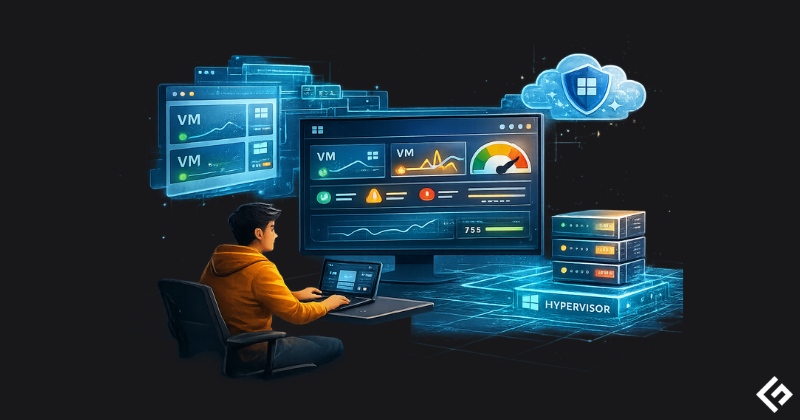
Azure monitoring tools are essential for assessing and optimizing your cloud infrastructure. These solutions provide real-time visibility, allowing you to identify bottlenecks and ensure operational efficiency.
Beyond basic oversight, consistent monitoring ensures security compliance and peak system performance. It empowers businesses to respond to incidents proactively, enhancing the user experience while safeguarding sensitive data.
However, relying solely on native Azure monitoring tools often leads to blind spots. This is where third-party Azure monitoring tools shine, providing the end-to-end visibility for complex hybrid and multi-cloud environments.
Why Trust Our Guide
Top Azure Monitoring Tools Comparison
| Tool | Monitoring Types | Integration | AI & Automation | Pricing |
|---|---|---|---|---|
| Azure Monitor | Full-stack, Infra, Apps, Logs | Azure-native, Limited 3rd party | Basic anomaly detection and machine learning capabilities | Pay-As-You-Go |
| Turbo360 | Cost, Infra | Azure-native | AI-powered cost anomaly detection | Custom pricing |
| Dynatrace | Full-stack, Apps, Logs | Azure-native, third-party | AI-powered root cause analysis | Usage-based |
| Datadog | Full-stack, Infra, Apps, Logs | Azure-native, third-party | AI-driven insights | Free Tier, Host/Usage-based |
| New Relic | Full-stack, Infra, Apps, Logs | Azure-native, third-party | AI-driven insights | Free Tier, Pay-As-You-Go |
| Paessler PRTG | Infra, Hybrid | Azure-native, Limited third-party | Basic automation | Freeware Edition, Pricing based on Tiers |
| Splunk | Full-stack, Infra, Apps, Logs | OpenTelemetry, Third-party | AI-driven insights, Incident Intelligence | Flexible pricing |
| ManageEngine Applications Manager | Full-stack, Infra, Apps, Logs | Azure-native, DevOps | Basic automation | Free, Paid license based on Edition |
| Zabbix | Infra, Apps, Logs, Hybrid | Azure by HTTP, Open-source plugins | Basic automation | Free (self-hosted), Paid SaaS |
Best Azure Monitoring Tools Review
In this section, we analyze the top picks in detail. For each tool, we break down its key features, benefits, limitations, and pricing plans, along with a verdict on who should use it.
Azure Monitor
Best Native Tool for Azure Observability
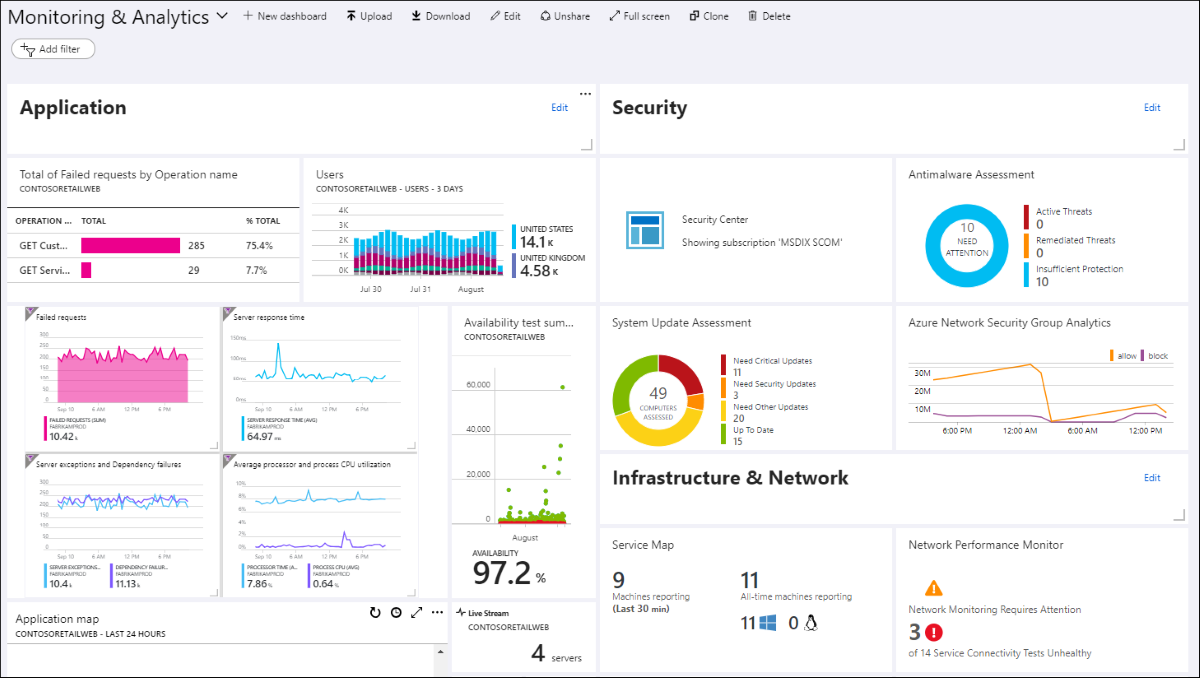
Azure Monitor provides end-to-end observability for your applications, infrastructure, and network. In my opinion, features including diagnostics with curated visualizations, distributed tracing, and a powerful centralized logs platform are some of its highlights.
Why Use Azure Monitor?
- Provides customized monitoring with minimal configuration.
- Consolidates ingested data from your distributed environment into a single view.
- Supports advanced troubleshooting, diagnosis, and analysis of telemetry data.
- Generates near-real-time alerts and enables auto-scaling of resources when loads increase.
- Backed by Azure’s industry-leading compliance certification portfolio.
Who uses Azure?
Azure is trusted by names like University of Toronto, Microsoft, NTT, FirstGroup, Transport for Greater Manchester etc.
Azure Monitor Cons
- Avoid using it for high-volume, low-value data logging, as data ingestion and retention fees can accumulate quickly.
- It is often overkill for simple monitoring tasks and may not be suitable for ultra-low latency requirements or specific strict data residency edge cases.
Azure Monitor Pricing
Azure Monitor offers a Free tier. The billing is primarily consumption-based (Pay-As-You-Go), charged by the volume of data ingested and retained. Additional charges apply for specific functionalities like alerts, notifications, web tests, and data export.
Dynatrace
Offer Intelligent Anomaly Detection & Issue Resolution
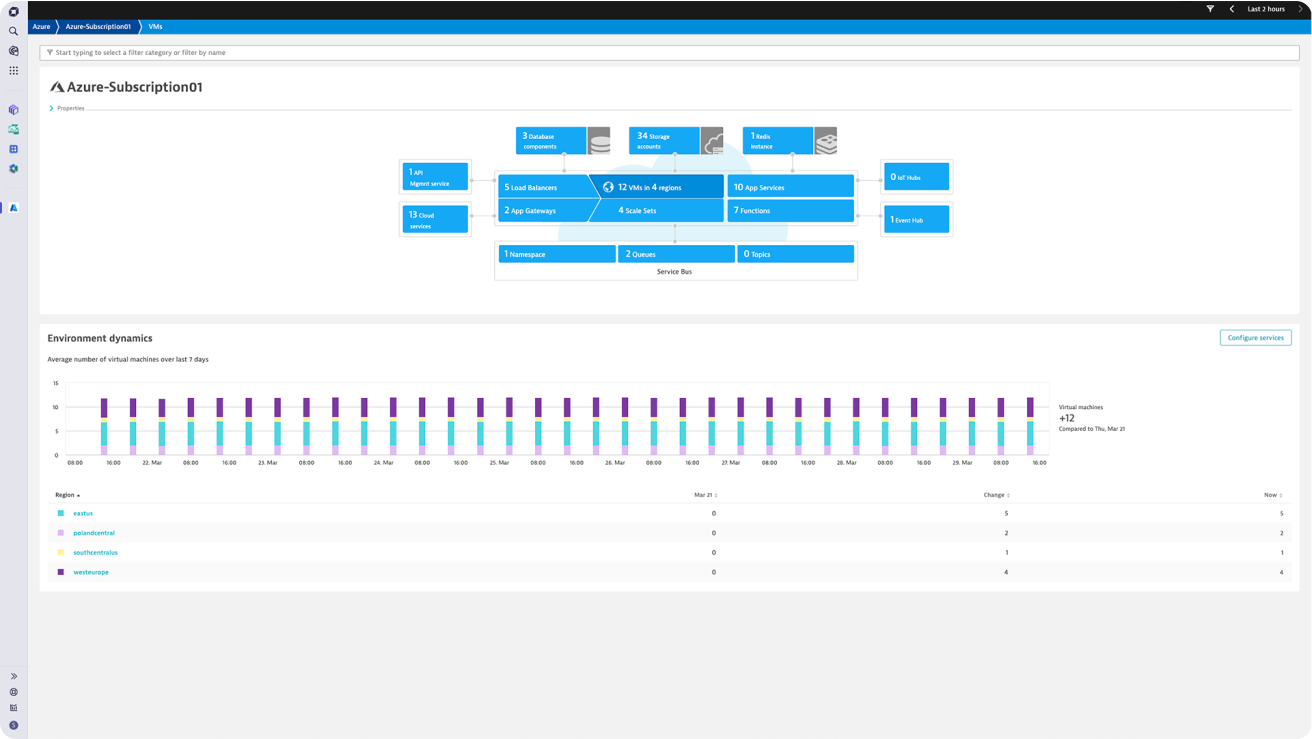
Dynatrace offers Azure Native Dynatrace Service to provide deeper insights, streamlined deployment, automated integration, and my most liked one, out-of-the-box support for Azure services.
Why Use Dynatrace?
- Provides deeper business insights including recommendations and intelligent automation
- Automates Azure metrics and log collection while maintaining your data in Azure
- Can be deployed in minutes ensuring Azure visibility at scale
- Helps consolidate billing within the Azure portal
- Good support for Containers and Kubernetes monitoring
Who uses Dynatrace?
Dynatrace is trusted by thousands of top global brands including Air Cananda, BT, Virgin Money, TD Bank, Telus, KBC Bank etc.
Dynatrace Limitations
- Simplicity or Cost Matters – Avoid it if you have simple workloads that Azure’s native tools (like Azure Monitor) can handle or if budget constraints make its premium pricing unsustainable.
Dynatrace Pricing
Dynatrace offers usage-based hourly pricing starting at $0.04/hour/host, which you can refer from their rate card. They also offer a free 15-day trial which can get you started with your environment.
Datadog
Best for Small to Medium Cloud Infrastructure Size
Datadog collects and unifies all of the data streaming from your Azure environments supporting for more than 40 Azure services through easy-to-install integrations.
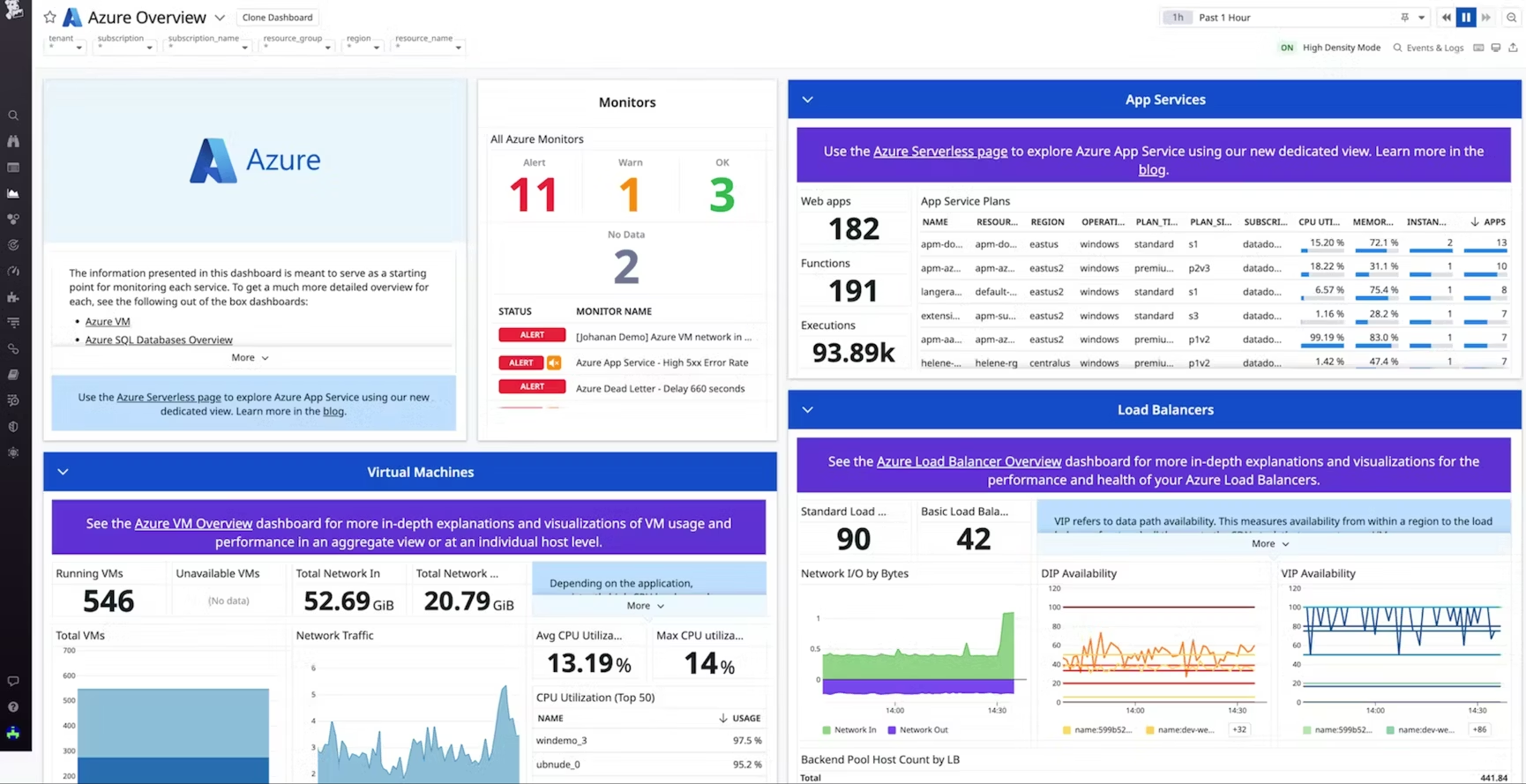
Why Use Datadog?
- Integrates into your environment for full-stack threat detection, posture management, workload security, and application security
- Can automatically scale with the infrastructure by monitoring resources as soon as they spin up
- Unifies observability data from any service and provides comprehensive, cross-platform visibility into critical applications
- Assist migrations by enabling teams to seamlessly track the performance of their services
Datadog customers include Maersk, Hearst, Nasdaq, Nielsen etc.
Datadog Limitations
- Cost Efficiency – Skip if cost-efficiency is critical, as its pricing can escalate with high data volumes.
- Deep Native Azure Integrations – Azure Monitor offers tighter coupling for such cases.
Datadog Pricing
You can start free with Datadog infrastructure monitoring for core collection and visualization features (1-day metric retention for up to 5 hosts). Its pricing otherwise starts at $15/host/month and depends on type of monitoring and usage involved.
New Relic
Automated Resource Optimization & Cost Control
New Relic provides Azure-native Intelligent Observability, AI-powered insights while supporting 100+ Azure integrations allowing you complete visibility into your Azure environment.
Why Use New Relic?
- Allows viewing all your Azure entities on a single page
- Supports automatic relationship discovery and mapping with instant anomaly detection
- Provides pre-built integrations, dashboards, and alerts for quick setup across Azure services
- Optimizes resources by analyzing CPU capacity, memory usage, error rates, and latency
- Good support for Synthetic and User Experience monitoring
New Relic Limitations
- Cost Considerations – Avoid if you want to minimize costs by using tools like Azure Monitor.
New Relic Pricing
New Relic offers a perpetual free version with 100 GB data ingest and automatic logs obfuscation. Its pricing starts at $0.35/GB beyond the free 100 GB limit for its paid tier.
Turbo360
AI-Powered Cost Anomaly Detection & Insights
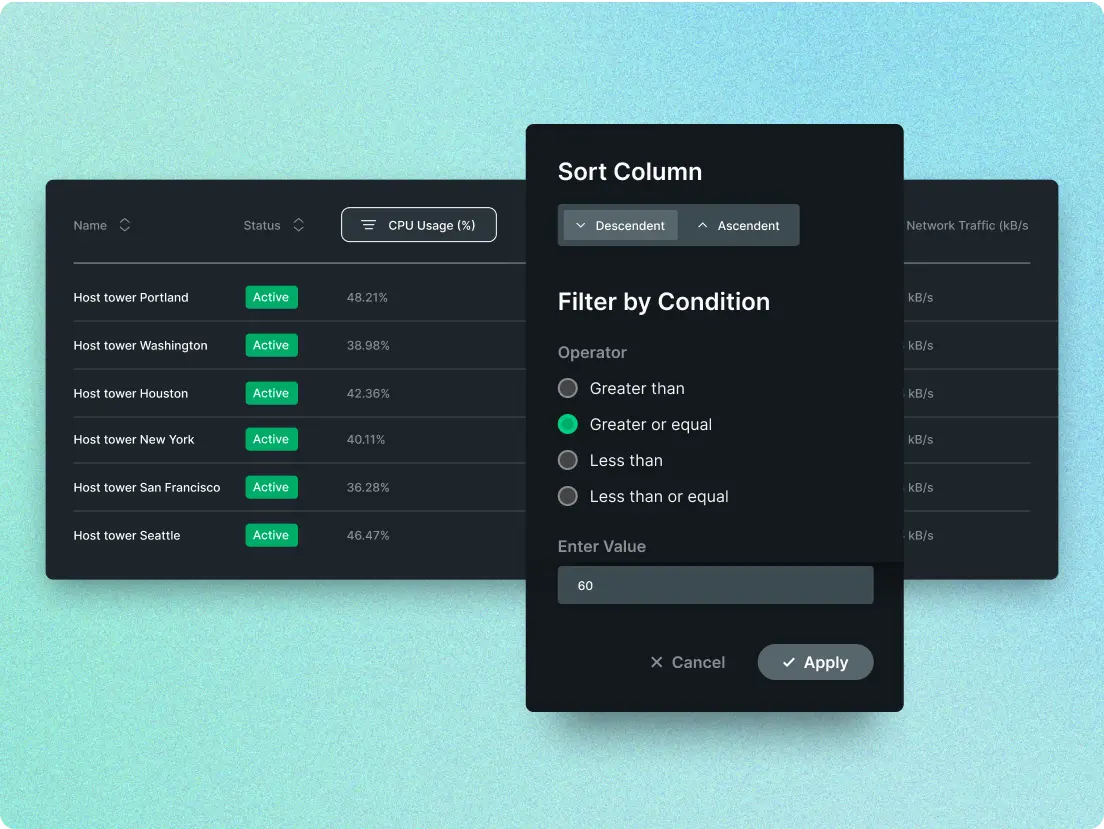
Turbo360 is an Azure cost intelligence and monitoring platform that helps you to optimize costs, monitor resources, and generate technical documentation from a single platform.
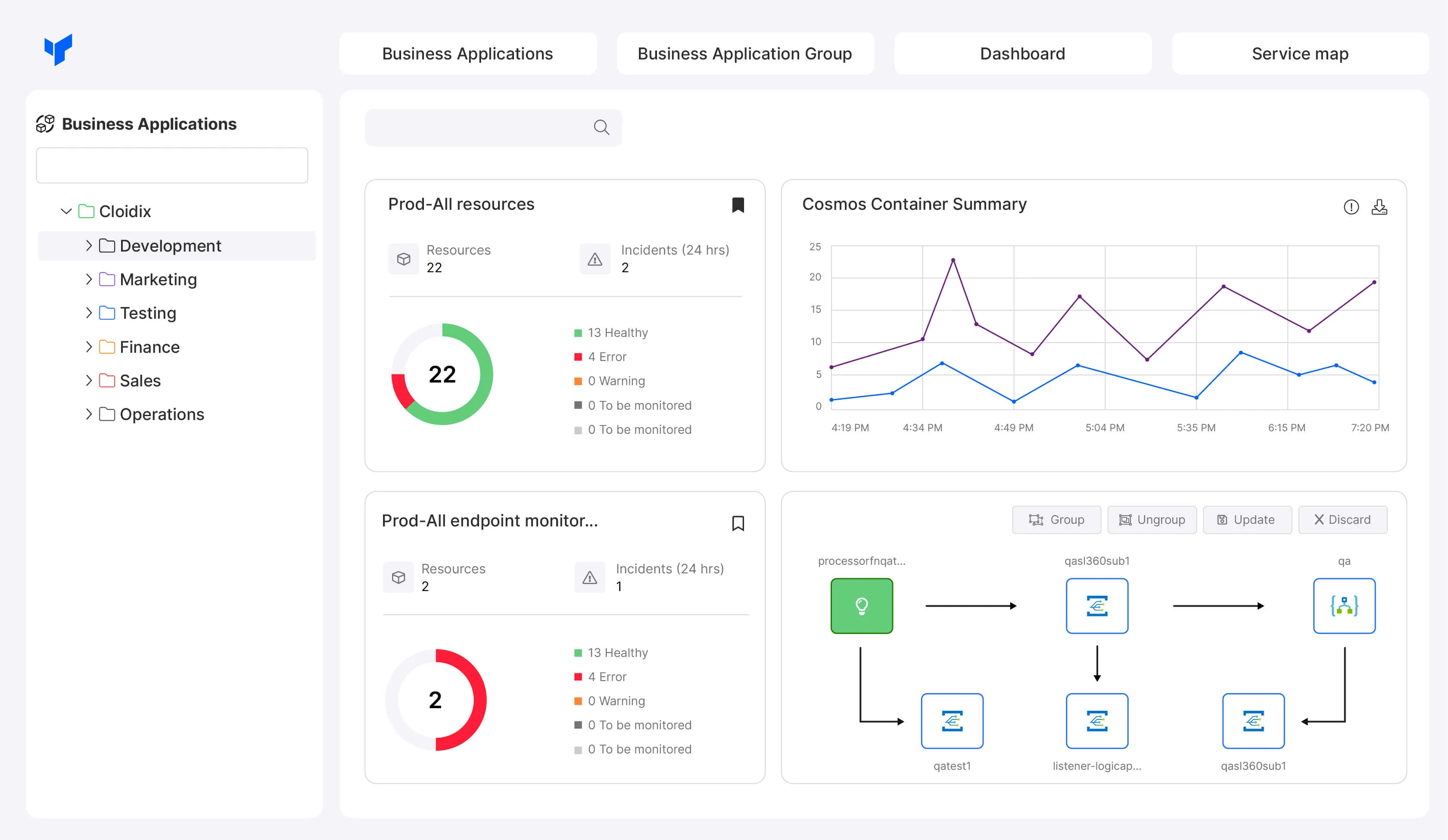
Why Use Turbo360?
- Provides detailed cost visibility by mapping expenses hierarchically across business dimensions
- Supports forecasting potential savings from acquiring Reserved Instances
- Provides holistic monitoring for your environment to remediate issues faster
- Can easily generate architecture diagrams and documentation for your environment
Turbo360 is trusted by global brands like ASDA, BBC, Columbia, DocuWare, King County etc.
Turbo360 Limitations
- Limited Platform-Native Insights – Avoid if you require deep, platform-native insights or need complex, custom monitoring beyond Turbo360’s integration capabilities.
Turbo360 Pricing
Turbo360 offers a customized pricing model to align with your Azure adoption and spending for which you have to contact their sales team. It also offers a 15-day free trial.
Paessler PRTG
Best for Hybrid Cloud Monitoring
Paessler PRTG benefit your business by providing you with all-in-one IT infrastructure & Azure monitoring services that helps you with the total & budget-specific Azure subscription costs and customizable alerts & notifications.
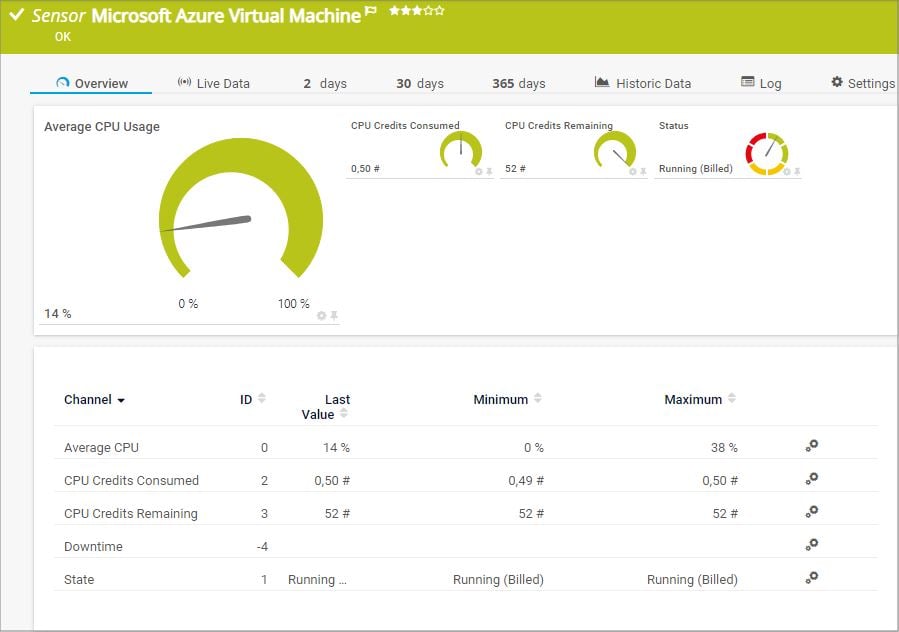
Why Use Paessler PRTG?
- Supports monitoring the health of your Azure VMs
- Monitors the cost of your Azure subscription
- Shows the performance of your Azure storage account
- Monitors the metrics of an Azure SQL Database, either a single database or an elastic pool
- Monitors your complete IT infrastructure – on-premises, hybrid, or cloud environment
Paessler PRTG Limitations
- Limited Azure-native Support – Avoid if you need deep integration with Azure-native features or real-time scaling support.
- Large-Scale Dynamic Environments – It is not so suitable for very large-scale, dynamic cloud environments compared to more specialized solutions like Azure Monitor.
PRTG Pricing
Free – 100 free sensors
Paid – starts $2149/year for up to 500 sensors
I would recommend Paessler PRTG when you need a comprehensive, on-premises solution to monitor both cloud and local infrastructure.
Splunk
OpenTelemetry-Based Monitoring With No Vendor Lock-In
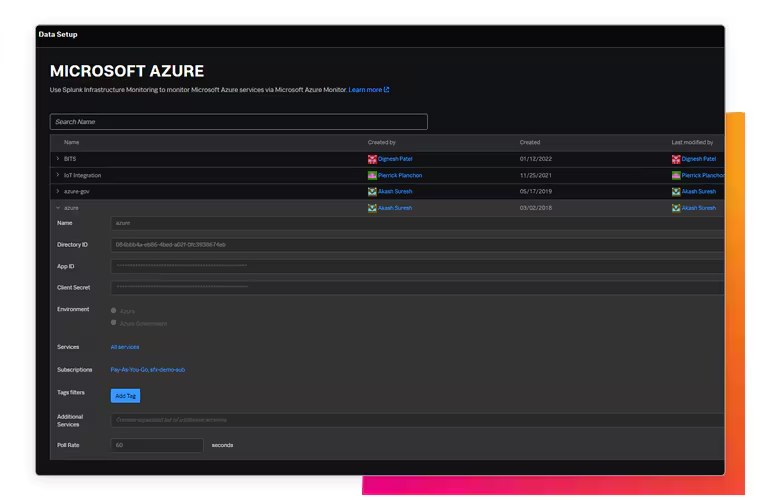
Splunk for Azure provides you with complete, instant visibility and contextual insights across your infrastructure, applications, and customer experience. In my opinion, Splunk’s strength lies with its full-stack, real-time, analytics-driven monitoring.
Why Use Splunk?
- Provides end-to-end visibility to help correlate issues impacting multiple parts of the stack
- Helps to proactively find and fix complex issues across the Azure hybrid cloud infrastructure
- Helps you to analyze performance across all your Azure components and deployment environments
- Supports open-based standards like OpenTelemetry to auto-instrument all your data types
- Helps scale modern, serverless deployments with AI-powered, contextual insights
Splunk is used by companies like Bosch, Airbus, Zeppelin, BNP Paribas, Cal Poly, Singapore Airlines, Slack etc.
Splunk Limitations
- Not Suitable for Basic Monitoring – Avoid if you only need basic monitoring capabilities or monitoring for simpler use cases, where native Azure tools like Azure Monitor may be sufficient.
Splunk Pricing
Splunk offers 14-days free trial for its product with paid pricing being ingestion-based. There is also an installable, paid Splunk Enterprise version available for you to download and host in your environment.
Use Splunk when you need advanced data analytics, centralized logging, and real-time insights across Azure resources.
ManageEngine Applications Manager
Full-Stack Azure Infrastructure & Application Monitoring
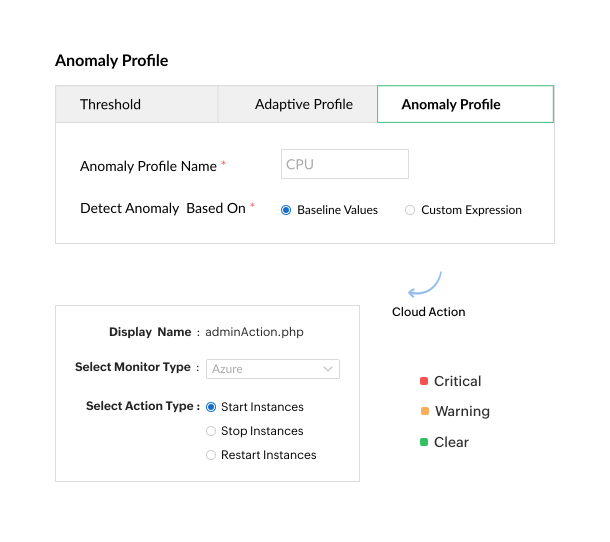
ManageEngine Applications Manager for Azure helps you gain real-time insights, ensure availability, optimize Microsoft Azure performance, and streamline costs from a single console.
Why Use ManageEngine Applications Manager?
- Monitors the performance, availability, and health of your Azure resources from a single, centralized platform
- Can effortlessly track performance across a diverse range of Microsoft Azure services
- Provides actionable insights into your infrastructure, application dependencies, and performance metrics
- Supports proactively diagnosing and fixing issues across your Azure cloud infrastructure
- Helps tracks and assess your current Azure expenses and predict for the month ahead
ManageEngine Applications Manager is trusted customers like L`Oreal, Siemens, Honeywell, CNPC, Thomson Reuters, Wipro etc.
ManageEngine Applications Manager Limitations
- Support for Dynamic Environments – Not so suitable for highly dynamic environments where changes in infrastructure is frequent.
ManageEngine Application Management Pricing
Free – up to 5 monitors.
Professional – $395/year
Enterprise – $3995/year
Zabbix
Open-Source Monitoring Solution
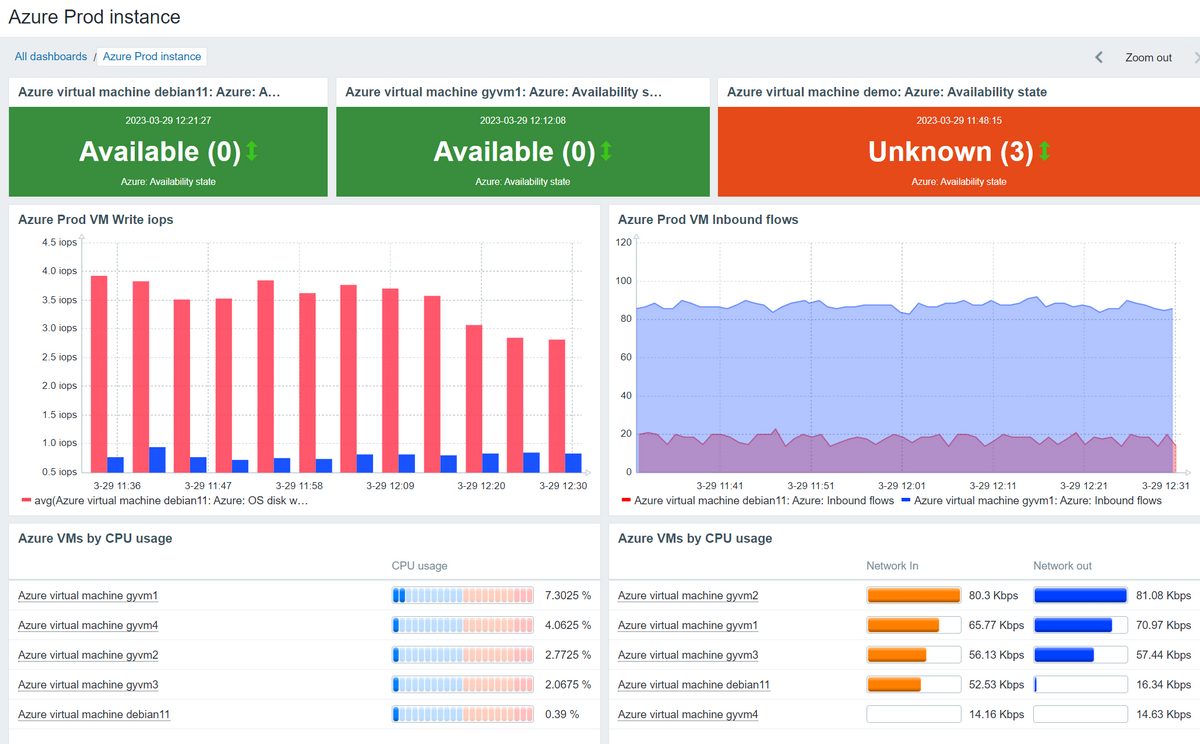
Zabbix is a popular, open-source monitoring platform that can monitor your networks, cloud, websites, IoT, and more.
Why Use Zabbix?
- Can automatically discover and monitor your Microsoft Azure components
- Provides a variety of official and ready-to-use templates
- Zabbix is highly scalable to any infrastructure
- Integrates easily with alerting, ticketing, IoT, and ITSM systems
- Backed by 250+ global partners and multiple external vendors
Zabbix Limitations
- Limited Native Integration – Avoid if you need seamless, native integration with Azure services.
- Setup Complexity – Skip if you want a solution that requires minimal setup and maintenance for dynamic cloud environments.
Zabbix is a good choice when you need a customizable, open-source solution that integrates with multiple platforms and can handle hybrid environments.
Other Notable Azure Monitoring Tools

Zenoss

SolarWinds Observability

Site24x7

ITRS

LogicMonitor
Conclusion
Choosing the best Azure monitoring solution depends on your specific requirements and infrastructure size. As cloud environments become more complex, combining native Azure monitoring with third-party offerings is often the best strategy to ensure efficient troubleshooting and a high-performing infrastructure.
Ultimately, you must evaluate your specific priorities and select the tool from the above list that best aligns with your business’s operational and financial goals.