Web scraping is essential for businesses collecting data at scale to monitor competitor pricing, aggregate news feeds, or build datasets for machine learning. Choosing the right framework can make the difference between a smooth implementation and a maintenance nightmare.
I’ve been scraping the web professionally for years, and I’ve tested most frameworks out there. In this guide, I’ll walk you through the best web scraping frameworks available with working code examples you can actually use.
Before we dive in, if you’re looking to skip the infrastructure headaches, consider checking out our Web Scraping API. It’s a cloud-based managed scraping service that handles scaling and JavaScript rendering for you. Good thing, you can start with 500 free credits.
Why Framework Choice Matters
Picking the wrong framework wastes time. You might end up fighting with:
- Slow for your data volume
- Lacking JavaScript support
- Difficult to maintain across your team
- Prone to blocking and IP bans
The right framework handles these concerns so you focus on extracting the data you need.
Scrapy – Enterprise-ready scraping framework.
Scrapy is built for production environments where you need to scrape millions of pages weekly. It is fully asynchronous and can accept requests and process them faster.
Why use Scrapy?
- Built-in middleware for handling retries, redirects, and delays
- Automatic throttling to avoid overwhelming servers
- Spider contracts for testing
- Excellent documentation and community support
Below is a Python code example to scrape quotes using Scrapy.
import scrapy
from scrapy.crawler import CrawlerProcess

class QuotesSpider(scrapy.Spider):
    name = "quotes"
    allowed_domains = ["quotes.toscrape.com"]
    start_urls = ["https://quotes.toscrape.com/"]

    def parse(self, response):
        for quote in response.css('div.quote'):
            yield {
                'text': quote.css('span.text::text').get(),
                'author': quote.css('small.author::text').get(),
                'tags': quote.css('a.tag::text').getall(),
            }

        next_page = response.css('li.next a::attr(href)').get()
        if next_page:
            yield scrapy.Request(
                response.urljoin(next_page),
                callback=self.parse
            )

process = CrawlerProcess({
    'ROBOTSTXT_OBEY': True,
    'CONCURRENT_REQUESTS': 4,
    'DOWNLOAD_DELAY': 2,
})
process.crawl(QuotesSpider)
process.start()
You can chain custom middlewares to handle authentication, proxy rotation, and error handling across all requests.
I would suggest Scrapy for large projects having teams with Python expertise. It will be overkill for simple scraping or one-off scraping tasks.
Beautiful Soup – Best for parsing content.
Beautiful Soup isn’t a full framework but a parsing library. But it’s so fundamental to scraping that this list is incomplete without it.
Why use Beautiful Soup?
- Good API support
- Works with multiple parsers like lxml, html5lib
- Lightweight code
Here is the code example you can try.
import requests
from bs4 import BeautifulSoup

response = requests.get('https://quotes.toscrape.com/')
soup = BeautifulSoup(response.content, 'html.parser')

quotes = []
for quote_div in soup.find_all('div', class_='quote'):
    text = quote_div.find('span', class_='text').text
    author = quote_div.find('small', class_='author').text
    tags = [tag.text for tag in quote_div.find_all('a', class_='tag')]

    quotes.append({
        'text': text,
        'author': author,
        'tags': tags
    })

for quote in quotes:
    print(f"{quote['text']} - {quote['author']}")
Beautiful Soup is outstanding at CSS and XPath selectors. You can use .select() for CSS or integrate with lxml for XPath queries.
It is good for small scraping projects or parsing HTML you already have. Beautiful Soup doesn’t handle JavaScript rendering, so if you need that, you’ll need additional tools like Puppeteer or Playwright for that.
Playwright – Best for browser automation.
Playwright is faster and reliable than Selenium for most browser automation use cases. You can use Playwright to render JS sites, take screenshots, test login workflows, and pretty much do everything you do in your browser.
Why use Playwright?
- Supports Chromium, Firefox, and WebKit
- Excellent for JavaScript-heavy sites
- Built-in mobile device emulation
- Fast execution and low memory usage
- Better debugging tools
Learn Playwright
Microsoft has amazing material to learn Playwright. Highly recommended for absolute beginners, it is free.
Not just Chrome, but you can automate Firefox, Edge, and Safari too. You can use headless or headed, and it got native mobile emulation for Chrome on Android.
The async API is what you should be using for large volume. You can scrape multiple pages in parallel without blocking. Playwright also has excellent error handling and automatic waiting for elements.
The only thing is, it consumes high memory, so you have to ensure your scraping setup is optimized. If you are not ready to manage infrastructure, you should look for these web scraping APIs.
Selenium
Selenium has been around for a while. It just works. It’s used by QA teams worldwide and handles browser interactions. You can get started using WebDriver, IDE, or Grid.
Why use Selenium?
- Works with Chrome, Firefox, Safari, Edge, and Opera.
- Handles complex user interactions like clicks, scrolling, form fills, etc.
- Mature ecosystem with tons of tutorials and support.
- Excellent for testing-based scraping workflows.
A sample Selenium code to use Chrome WebDriver and scrape a product data.
from selenium import webdriver
from selenium.webdriver.common.by import By
from selenium.webdriver.support.ui import WebDriverWait
from selenium.webdriver.support import expected_conditions as EC
import time

driver = webdriver.Chrome()

try:
    driver.get('https://example.com/products')
    wait = WebDriverWait(driver, 10)
    wait.until(EC.presence_of_all_elements_located((By.CLASS_NAME, 'product-item')))

    for _ in range(5):
        driver.execute_script('window.scrollTo(0, document.body.scrollHeight);')
        time.sleep(2)

    products = []
    for element in driver.find_elements(By.CLASS_NAME, 'product-item'):
        products.append({
            'name': element.find_element(By.CLASS_NAME, 'name').text,
            'price': element.find_element(By.CLASS_NAME, 'price').text,
            'link': element.find_element(By.TAG_NAME, 'a').get_attribute('href')
        })

    print(f"Found {len(products)} products")
    for product in products[:5]:
        print(product)

finally:
    driver.quit()
Selenium is a little slower than Playwright, and it requires browser drivers to work. I would suggest this for cross-browser and automated testing.
Requests + LXML – Good for simple scraping.
For speed and simplicity, combining Requests with LXML is hard to beat. This is my go-to for simple HTTP-based scraping.
Why use this combo?
- Blazing fast performance
- Minimal dependencies
- LXML is C-based, super quick XPath queries
I would recommend this for static content only and sites with not much sophisticated security systems. Perhaps, for internal projects.
Here’s a quick code example you can try.
import requests
from lxml import html

urls = [
    'https://example.com/page1',
    'https://example.com/page2',
    'https://example.com/page3',
]

session = requests.Session()
session.headers.update({
    'User-Agent': 'ALWAYS USE LATEST VERSION'
})

all_items = []

for url in urls:
    response = session.get(url, timeout=10)
    response.raise_for_status()

    tree = html.fromstring(response.content)

    items = tree.xpath('//div[@class="item"]')

    for item in items:
        all_items.append({
            'title': ''.join(item.xpath('.//h2/text()')).strip(),
            'description': ''.join(item.xpath('.//p/text()')).strip(),
            'link': item.xpath('.//a/@href')[0](#citation-0) if item.xpath('.//a/@href') else None,
        })

print(f"Scraped {len(all_items)} items")
for item in all_items[:3]:
    print(item)
It is faster than Beautiful Soup, but the drawback is no JavaScript support, and you need to handle retries and throttling manually.
Puppeteer – Best for headless Chrome interactions.
Puppeteer is Chrome/Chromium automation through the DevTools Protocol. If you’re building JavaScript applications and need browser automation, Puppeteer is native to your ecosystem.
Why use Puppeteer?
Puppeteer isn’t a general-purpose scraping framework. It’s a direct line to the Chrome and Firefox browsers. You get access to the same APIs that Chrome DevTools uses. This matters because you can do things like:
- Capture network timing data
- Access the JavaScript console
- Modify cookies and local storage before page load
- Intercept and modify network requests at the protocol level
- Generate PDFs and screenshots
Puppeteer as API
Geekflare API has a screenshot and PDF generator API that leverages Puppeteer with headless Chrome. You can start for free.
If your team is in the JavaScript ecosystem, Puppeteer makes sense to use. You’re not learning Python syntax or dealing with async/await translation issues. Your scrapers live in the same codebase as your Node.js backend.
You can block unnecessary resources like images and stylesheets. This can cut page load times by 60-70% when you only require HTML data.
The only time Puppeteer is not recommended is when you need Safari browser testing.
Cheerio
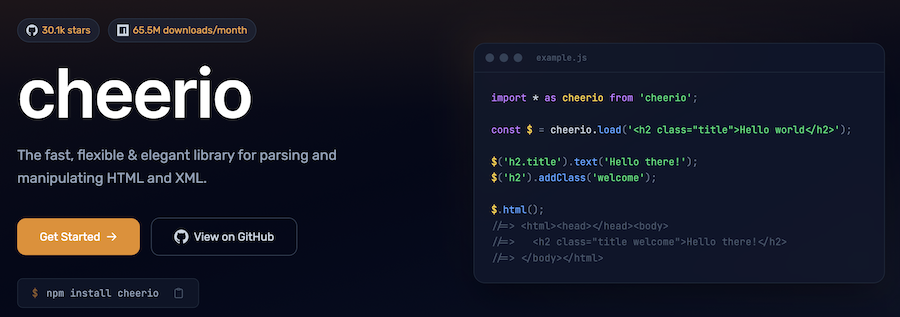
If you’ve used jQuery, you already know Cheerio’s API. It parses HTML and lets you query it with familiar selectors.
Why use Cheerio?
Cheerio is for parsing. It doesn’t have a browser, no JavaScript execution, and no network requests. It’s a lightweight wrapper around the parse5 HTML parser that gives you jQuery-like syntax.
Think of it as the Node.js equivalent of Beautiful Soup, but with jQuery familiarity. Because there’s no browser involved, Cheerio is fast. We’re talking milliseconds to parse and extract from HTML.
A good pipeline for static content scraping would be fetch with axios, parse with Cheerio, transform with lodash, and push to your database.
MechanicalSoup
MechanicalSoup combines Requests for HTTP with BeautifulSoup for parsing and adds automatic form handling.
Why use MechanicalSoup?
Most scraping frameworks make you manually handle form submission. You inspect the HTML, find the form fields, construct the POST request, handle hidden tokens… it’s tedious.
MechanicalSoup automates this. This is huge if you need to scrape login flows or search forms. It maintains session state and handles cookies.
A use case for MechanicalSoup is scraping job boards and real estate sites or others that require form handling.
Please note, if forms are dynamically generated or client-side validation happens, then you need Selenium or Playwright.
StormCrawler
StormCrawler is built on Apache Storm, a distributed stream processing framework. It’s for organizations crawling millions of pages across clusters.

Why use StormCrawler?
StormCrawler is an architecture. You define crawling topologies, and Storm handles distributing work across servers. This is for large-scale operations. Think news aggregators, search engines, or massive market research projects.
- Crawl billions of pages across multiple machines
- Handle failures and retries automatically
- Scale horizontally by adding more nodes
- Monitor crawling metrics in real-time
You can integrate StormCrawler with Elasticsearch, HBase, and Kafka and run it as a Docker container.
It is not recommended for small projects, as operational overhead is substantial. You need to have Docker knowledge.
Colly
Colly is written in Go. If your expertise is the Go language, Colly is worth consideration.
Why use Colly?
Go’s concurrency model is different from Python’s. Goroutines are lightweight threads managed by the Go runtime. Colly leverages this to achieve incredible concurrency. You can spawn thousands of concurrent requests with minimal overhead. A single VM can handle millions of scraping workloads.
Colly is fast. Benchmarks show it outperforming Python frameworks by up to 10x for CPU-bound parsing tasks. If you’re scraping 10 million pages, you’ll save many days.
A sample code to scrape using Colly.
domains := []string{
	"https://example.com",
	"https://example2.com",
	"https://example3.com",
}

var wg sync.WaitGroup
results := make(chan map[string]interface{}, 100)

for _, domain := range domains {
	wg.Add(1)
	go func(url string) {
		defer wg.Done()
		scrapeProducts(url, results)
	}(domain)
}

go func() {
	wg.Wait()
	close(results)
}()

for result := range results {
	fmt.Println(result)
}
Crawl4AI – Best for Markdown scraping.
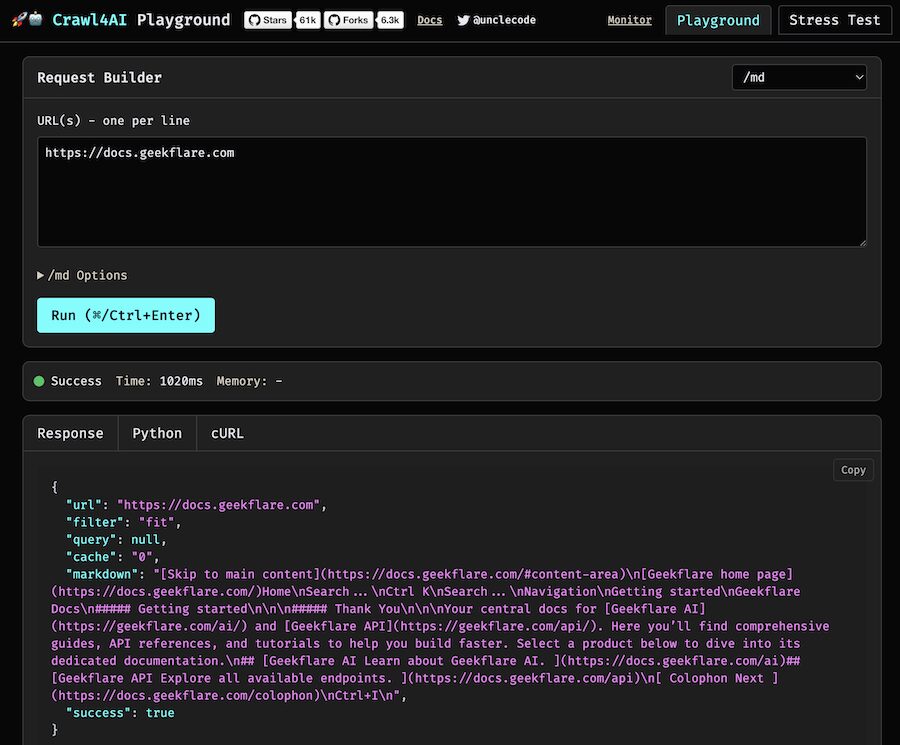
Crawl4AI is a newer framework that combines web crawling with LLM-based content extraction. Instead of writing selectors, you describe what you want in natural language.
Why use Crawl4AI?
Imagine getting product pricing without inspecting HTML, selecting CSS selectors, or XPath queries. All you have to do is ask what data you want, and it uses LLMs to extract it. You can use the OpenAI or Gemini model.
I would recommend Crawl4AI for AI-powered data extraction from sites that constantly redesign or need to scrape to Markdown and JSON output.
You must consider cost; each extraction call hits an LLM API. Depending on volume, this could be expensive and slow. For low-volume scraping, it’s fine. For millions of pages, you might not want AI extraction.
More Web Scraper
If you need more options, here are some more you can try.
Choosing Your Framework
| Framework | Speed | JS Support | Best For |
|---|---|---|---|
| Scrapy | Fast | No | Large-scale projects |
| Beautiful Soup | Fast | No | Quick scripts |
| Playwright | Medium | Yes | JS-heavy sites |
| Selenium | Slow | Yes | Complex interactions |
| Requests + LXML | Very Fast | No | Pure speed |
| Puppeteer | Medium | Native | JS-heavy sites, Node.js teams |
| Cheerio | Very Fast | No | jQuery-familiar API |
| MechanicalSoup | Medium | No | Form handling |
| StormCrawler | Very Fast | No | Distributed scraping |
| Colly | Very Fast | No | High concurrency |
| Crawl4AI | slow | Yes | AI-powered extraction |
When to Use Managed Services
Building and maintaining scrapers is one thing. Scaling them is another. If you’re dealing with:
- High-volume scraping
- JavaScript rendering at scale
- IP blocking and proxy management
- Need for 99.9% uptime
- Offload headache
…a managed service like Geekflare Web Scraping API handles the infrastructure so you focus on data.
Conclusion
There’s no universally best framework. Your choice depends on:
- Millions of pages? Scrapy or StormCrawler.
- Static HTML? Requests + LXML.
- JavaScript rendering? Playwright or Puppeteer.
- HTML parsing? Cheerio.
- Form handling? MechanicalSoup.
Start simple. Most projects don’t need Scrapy at the beginning. Build with Beautiful Soup or Requests first, then upgrade if you hit performance walls.
The frameworks I’ve covered here are used in production by thousands of developers. Pick one, build something, and iterate based on what you learn.