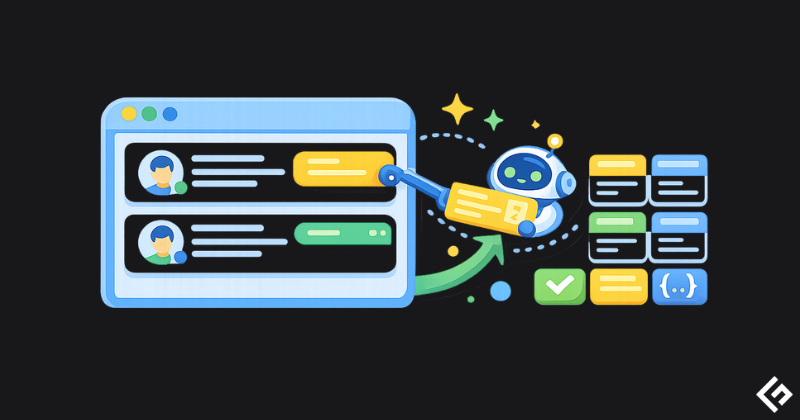
Scraping webpages into Markdown is essential for AI projects if you’re building RAG systems or knowledge bases. In this guide, I’ll show you practical approaches, APIs, and share best practices to keep your scraper reliable.
Why Markdown? Why AI?
Markdown is the sweet spot for AI consumption. It is needed for two main reasons.
- Clean and structured data, easy for LLMs to parse.
- Lightweight, reduces token usage in API calls.
Method 1: Using Playwright + Turndown
Let’s start with an open-source approach using Playwright and Turndown.
Install using npm.
npm install playwright turndownAnd here is the sample code to scrape.
const { chromium } = require('playwright');
const TurndownService = require('turndown');

async function scrapeToMarkdown(url) {
  const browser = await chromium.launch();
  const context = await browser.newContext({
    userAgent: 'Mozilla/5.0 (Windows NT 10.0; Win64; x64) AppleWebKit/537.36 (KHTML, like Gecko) Chrome/144.0.0.0 Safari/537.36'
  });

  const page = await context.newPage();

  try {
    await page.goto(url, { waitUntil: 'networkidle' });

    await page.waitForSelector('main, article, .content, body', { timeout: 5000 }).catch(() => {
    });

    const html = await page.content();

    const turndownService = new TurndownService({
      headingStyle: 'atx',
      codeBlockStyle: 'fenced'
    });

    const markdown = turndownService.turndown(html);

    return markdown;
  } catch (error) {
    console.error(`Failed to scrape ${url}:`, error);
    throw error;
  } finally {
    await context.close();
    await browser.close();
  }
}

scrapeToMarkdown('https://example.com')
  .then(md => console.log(md))
  .catch(err => console.error(err));
Two things to note in the above code.
- setUserAgent – always use the latest user agent to avoid getting blocked by website security. You can refer to this to get the latest user-agent string.
- Update the real URL you want to scrape in
scrapeToMarkdown.
Playwright with turndown gives you full control over the scraping process, and it is free. However, it is resource-intensive and can get blocked by sophisticated site security systems.
Method 2: Using Cheerio + html-to-md
This is a lightweight alternative to Playwright and good for static sites.
Install the axios, cheerio, and html-to-me libraries.
npm install axios cheerio html-to-mdand, here is the sample code.
const axios = require('axios');
const cheerio = require('cheerio');
const { convert } = require('html-to-md');

async function scrapeLightweight(url) {
  try {
    const response = await axios.get(url, {
      headers: {
        'User-Agent': 'Mozilla/5.0 (Windows NT 10.0; Win64; x64) AppleWebKit/537.36 (KHTML, like Gecko) Chrome/144.0.0.0 Safari/537.36'
      },
      timeout: 10000
    });

    const $ = cheerio.load(response.data);

    $('script, style, nav, footer').remove();

    const html = $('main, article, .content').html() || $('body').html();

    const htmlToMd = require('html-to-md');
    const markdown = htmlToMd(html);

    const result = `# Source\n\n[1](${url})\n\n---\n\n${markdown}`;

    return result;
  } catch (error) {
    console.error(`Failed to scrape ${url}:`, error.message);
    throw error;
  }
}

scrapeLightweight('https://example.com')
  .then(md => console.log(md))
  .catch(err => console.error(err));
Cheerio is lightning fast, as you could see the execution time against Playwright. The only thing is it may not work well on dynamic sites with heavy JavaScript rendering.
Top 3 APIs to avoid getting blocked
Lightweight solutions like Cheerio work well with static sites, and Playwright can work on dynamic sites, but when you scrape at scale, most likely you’ll hit the blocker.
In that case, leveraging APIs is great, as they handle rotating proxies, headless browsers, and anti-bot bypass mechanisms to scrape any sites.
Geekflare API
Geekflare Web Scraping API is solid for production workloads. You can integrate with your favorite languages.
Here is a code example. You can register for a free account to get an API key.
const options = {
  method: 'POST',
  headers: {'x-api-key': 'api-key', 'Content-Type': 'application/json'},
  body: JSON.stringify({url: 'https://toscrape.com', format: 'markdown'})
};

fetch('https://api.geekflare.com/webscraping', options)
  .then(res => res.json())
  .then(res => console.log(res))
  .catch(err => console.error(err));
Geekflare API is good for high-volume scraping and cheaper than Firecrawl.
Firecrawl
Firecrawl is another popular scraper. It returns markdown, and they also offer a free plan.
First, install the lib.
npm install @mendable/firecrawl-jsThe code example:
const Firecrawl = require('@mendable/firecrawl-js').default;

const app = new Firecrawl({ apiKey: process.env.FIRECRAWL_API_KEY });

app.scrapeUrl('https://example.com')
  .then(result => {
    console.log(result.markdown);
  })
  .catch(err => console.error(err));
Firecrawl has good documentation.
ScrapingBee
ScrapingBee originally used to scrape into HTML, but recently they have introduced Markdown scraping. It has good reliability with detailed documentation. You can test with a free account.
You can use axios to make a request with the below sample code.
const axios = require('axios');
axios.get('https://app.scrapingbee.com/api/v1/', {
    params: {
        "api_key": "YOUR-API-KEY",
        "url": "https://example.com",
        "return_page_markdown": "True"
    }
}).then(function (response) {
    console.log(response);
});
It works on JS sites as well but is expensive.
Best practices for ethical scraping
- Always check
robots.xtand respect that. You can use robot-parser to make things easier. - Maintain the rate limits. Don’t send more than the allowed limits in APIs. As a best practice, don’t send more than 5 concurrent requests.
- Set the latest user agents, as many WAFs will block older user agents.
- Don’t scrape personal data or sites that are not allowed.
Choosing your scraping option
| Method | Speed | Cost | JS Support | Best For |
|---|---|---|---|---|
| Cheerio | ⚡⚡⚡ | Free | ❌ | Static sites |
| Playwright | ⚡⚡ | Free | ✅ | Dynamic sites, docs |
| Firecrawl | ⚡⚡ | Freemium | ✅ | AI/LLM projects |
| ScrapingBee | ⚡⚡ | Freemium | ✅ | General purpose |
| Geekflare | ⚡⚡ | Freemium | ✅ | RAG/LLM, AI agents |
Happy scraping!
Start with Cheerio for simple cases, try Playwright when you need JavaScript rendering, and use Geekflare or Firecrawl when you’re hitting anti-bot measures or scaling up.
Remember: With great scraping power comes great responsibility. Always respect robots.txt, rate limits, and terms of service.