If you spend time building web scrapers, running automated QA tests, or troubleshooting bug reports, you already know the pain of a stale User-Agent (UA) string.
You set up Puppeteer or Playwright, write a script, and immediately get slammed with a 403 Forbidden or a Cloudflare challenge page.
Why?
Because your script is exposing that it’s running an older version of the browser, or sites with bot-protection systems/WAFs are blocking it.
To keep your scraping running smoothly and to help IT support teams accurately replicate user environments, you need to use the most current browser fingerprints.
Below, we’ve put together an updated list of the latest user agents for the most popular browsers.
The Latest User Agent Strings
Bookmark this page. We regularly update these strings as new browser versions are pushed.
Chrome User Agent
Chrome has the browser market share. If you are only going to use one user agent for your scraping tasks, use the latest Windows or Mac Chrome string.
Windows 11 desktop Chrome user agent
Mozilla/5.0 (Windows NT 10.0; Win64; x64) AppleWebKit/537.36 (KHTML, like Gecko) Chrome/145.0.0.0 Safari/537.36macOS desktop Chrome user agent
Mozilla/5.0 (Macintosh; Intel Mac OS X 10_15_7) AppleWebKit/537.36 (KHTML, like Gecko) Chrome/146.0.0.0 Safari/537.36Android mobile Chrome user agent
Mozilla/5.0 (Linux; Android 10; K) AppleWebKit/537.36 (KHTML, like Gecko) Chrome/145.0.7632.161 Mobile Safari/537.36iOS mobile Chrome user agent
Mozilla/5.0 (iPhone; CPU iPhone OS 18_7 like Mac OS X) AppleWebKit/605.1.15 (KHTML, like Gecko) CriOS/146.0.7680.40 Mobile/15E148 Safari/604.1Safari User Agent
Safari user agents are important for mobile testing, as iOS handles rendering via WebKit differently than Chromium-based browsers.
macOS Safari desktop
Mozilla/5.0 (Macintosh; Intel Mac OS X 10_15_7) AppleWebKit/605.1.15 (KHTML, like Gecko) Version/26.3.1 Safari/605.1.15iOS iPhone
Mozilla/5.0 (iPhone; CPU iPhone OS 18_7_6 like Mac OS X) AppleWebKit/605.1.15 (KHTML, like Gecko) Version/26.0 Mobile/15E148 Safari/604.1iPadOS iPad
Mozilla/5.0 (iPad; CPU OS 18_7_6 like Mac OS X) AppleWebKit/605.1.15 (KHTML, like Gecko) Version/26.0 Mobile/15E148 Safari/604.1Firefox User Agent
Firefox relies on the Gecko engine. It’s highly used by technical users and is great to include in your rotation pool to diversify your scraping traffic.
Firefox on Windows 11/10
Mozilla/5.0 (Windows NT 10.0; Win64; x64; rv:148.0) Gecko/20100101 Firefox/148.0Firefox on macOS
Mozilla/5.0 (Macintosh; Intel Mac OS X 15.7; rv:148.0) Gecko/20100101 Firefox/148.0Edge User Agent
Since Edge transitioned to Chromium, its user agent looks very similar to Chrome’s, but with an added Edg/ version at the end. It’s heavily used in enterprise environments and a great choice for B2B scraping.
Edge on Windows 11/10
Mozilla/5.0 (Windows NT 10.0; Win64; x64) AppleWebKit/537.36 (KHTML, like Gecko) Chrome/145.0.0.0 Safari/537.36 Edg/145.0.3800.97Search Engine Crawlers
If you are troubleshooting logs for SEO, you’ll need the exact strings used by Google and Bing.
Googlebot smartphone
Mozilla/5.0 (Linux; Android 6.0.1; Nexus 5X Build/MMB29P) AppleWebKit/537.36 (KHTML, like Gecko) Chrome/146.0.7680.71 Mobile Safari/537.36 (compatible; Googlebot/2.1; +http://www.google.com/bot.html)Googlebot desktop
Mozilla/5.0 AppleWebKit/537.36 (KHTML, like Gecko; compatible; Googlebot/2.1; +http://www.google.com/bot.html) Chrome/146.0.7680.71 Safari/537.36Bingbot
Mozilla/5.0 AppleWebKit/537.36 (KHTML, like Gecko; compatible; bingbot/2.0; +http://www.bing.com/bingbot.htm) Chrome/146.0.0.0 Safari/537.36Why You Can’t Ignore User Agent
A few years ago, you could use a random user agent in your scraping framework or libs, and it would work.
But now?
Very likely, it will get your IP blocked. Here is why using the latest user agents is critical:
- Security platforms like Datadome, Cloudflare, and Akamai cross-reference your UA string with their WAF signature, and if it is older, your request gets blocked.
- Standard user agent strings are actively being reduced by browsers like Chrome to protect user privacy. To scrape successfully, your UA string must match your
Sec-CH-UAHTTP headers. - Websites serve optimized code based on the device requesting it. An outdated mobile UA might trigger a legacy fallback site and break your automated screenshots or data extraction.
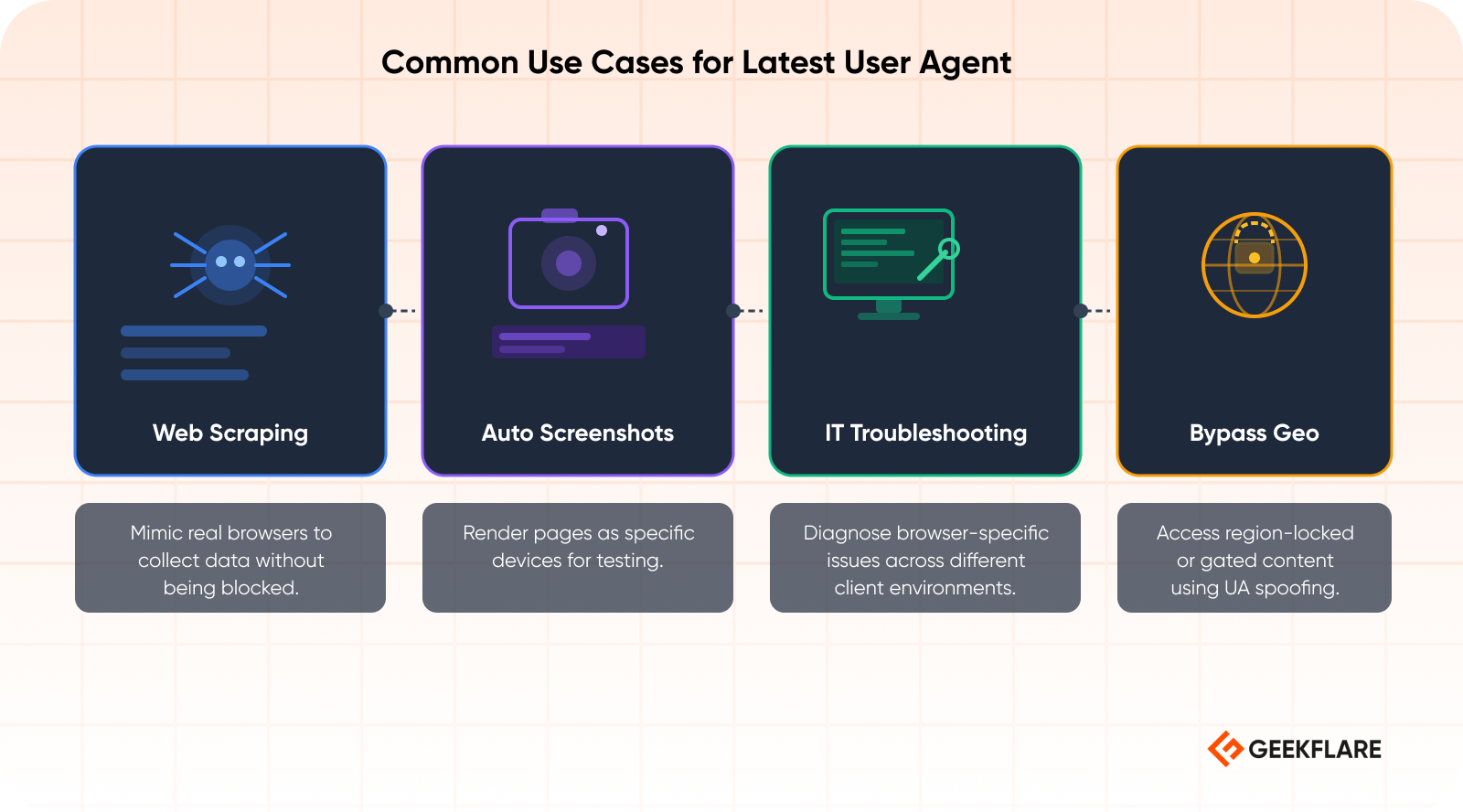
Common Use Cases for the Latest User Agents
1. Web Scraping
When building a scraper, blending in with normal human traffic is essential. Rotating through a list of the latest desktop and mobile user agents prevents rate-limiting and helps you bypass basic WAF rules.
2. Automated Screenshots
If you are generating UI screenshots across different viewports, setting the right UA ensures the target server actually delivers the mobile, tablet, or desktop DOM. This is crucial for UI regression testing.
3. IT Support Troubleshooting
Support analysts routinely use UA switchers to replicate the exact environment of a customer reporting a bug. If a user on the latest iOS Safari is experiencing a broken button, spoofing their exact UA is step one in the debugging process.
4. Bypassing Geo
Combined with a proxy, researchers and QA engineers use up-to-date user agents to verify how content, ads, and pricing models display to users in different regions and on different devices.
How to find your browser’s user agent?
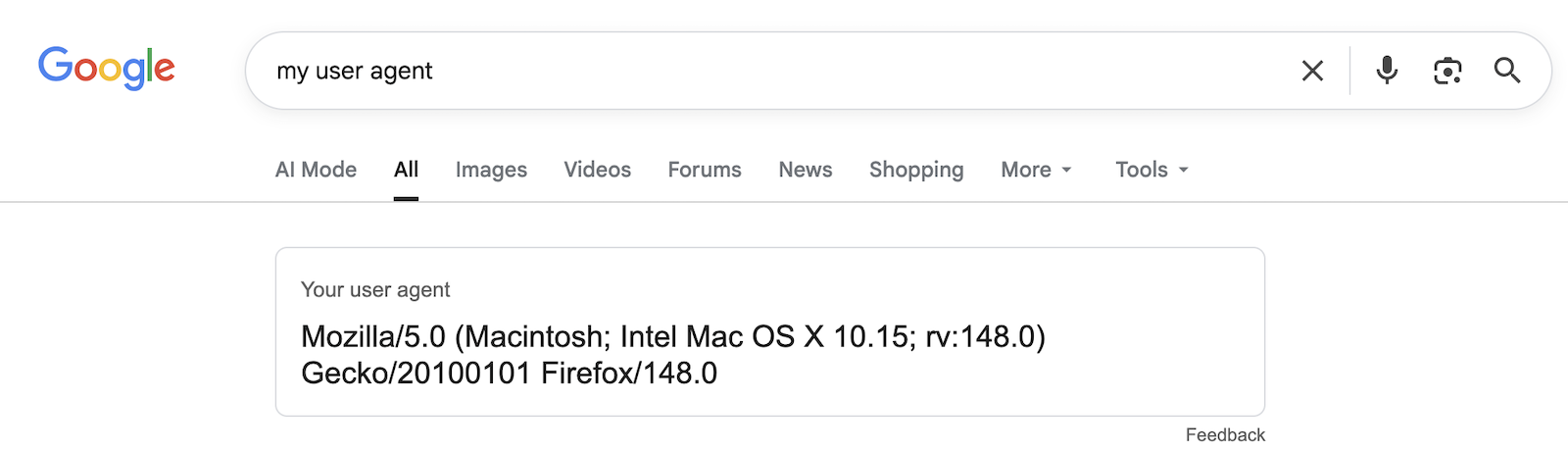
One of the easiest ways to find your browser’s user agent is by typing my user agent on google.com. It will print your user agent.
Conclusion
If you are using headless browsers like Puppeteer, Playwright, or Selenium, make sure you are also overriding the navigator.webdriver flag.
If a website detects that webdriver = true, it won’t matter how up-to-date your user agent is. You will still get blocked. Pair the above updated user agents with a good stealth plugin, and your automation will be practically unstoppable.