Interactive Voice Response (IVR) works, but they’re not perfect. Legacy IVR systems improve efficiency and customer experience, but they bring new issues, including confusing menus, poor voice recognition, limited self-service options, and long wait times.
The problem? They’re rigid.
I vividly remember going through my bank’s IVR to reset my credit card PIN, spending more than 20 minutes to get it done. It’s not fun!
With attention spans lowering each passing day, the IVR approach is no longer the best. That’s where conversational GenAI comes in, as it can improve overall user interactivity.
IVR Market Size
With the IVR market doubling from 5.3 billion USD in 2024 to 11.5 billion USD by 2037, it’s clear it’s not going away.
This means the IVR market needs to evolve, and new AI tech can directly impact the IVR market positively. By opting for AI-powered IVR, businesses benefit from:
- Automating more customer service processes, improving cost efficiency.
- Improved IVR systems with NLP, helping in more intuitive customer interaction.
- Reduced customer frustration with a system that understands them.
- Better scalability.
However, should you opt to build Voice AI from scratch? It’s doable, but brings more challenges, including:
- Latency issues → needs sub-second round-trip for speech-to-text → LLM → text-to-speech.
- Hallucinations → needs proper guardrails, policies, and compliance.
- Infrastructure costs → huge upfront investment in data centers, analytics, and other infrastructure.
All of these lead us to Voximplant AI, a voice AI solution. It is an orchestration platform that helps you take full advantage of existing solutions, rather than the need to create one from the ground up.

Why Trust Our Guide
What is Voximplant AI?
Voximplant AI is a serverless platform that offers services for voice, video and messaging solutions. It is platform-as-a-service (PaaS) rather than a software-as-a-service (SaaS).
With the Voximplant Voice AI platform, teams can orchestrate LLMs, transcribers, and synthesizers into a single real-time voice interface. It supports a wide range of platforms, including iOS, Android, React Native, and Flutter.
Voximplant supports leading LLMs like Gemini and OpenAI. Their near-zero latency, multi-language support, and ability to adapt to accent and tone control make them easy to integrate. Check out Gemini Audio and OpenAI’s next-generation audio models.
You can also use popular transcribers and synthesizers with Voximplant AI:
- Deepgram, an AI-enterprise Voice AI transcriber.
- ElevenLabs, for advanced text-to-speech synthesis.
It’s clear by now that it acts as an “orchestration” layer, giving businesses the means to connect modern tools such as AI, transcriber, and synthesizer to the telephone network (PSTN/SIP).
However, what makes Voximplant AI more impressive is its no-code/low-code flow builder.
Voximplant AI’s key features and technical capabilities include:
- Model Agnosticism → ability to choose or swap AI models
- Ultra-low latency handling → even as an intermediary, Voximplant acts fast, ensuring low-latency handling with no interruptions.
- STT and TTS integrations → offers deep integration with AI models and voice synthesis platforms.
- Telephony & SIP Trunking → get access to full telephony capabilities and 190+ countries via SIP trunking.
Continue reading as we discuss all of these in the “Key features and Technical capabilities” section.
How Voximplant AI Works
Voximplant AI is a voice AI orchestration platform that acts as a bridge between:
- The telephone network (PSTN/SIP).
- AI models.
It acts as an orchestration layer, allowing proper coordination between large language models (LLMs), speech engines, and other tools. It handles things such as:
- Routing audio between LLMs via speech-to-text and text-to-speech engines.
- Ability to decode proper PSTN and SIP details for easy telephonic connectivity.
- Connect with multiple AI components, including real-time LLMs
I found its serverless infrastructure beneficial for businesses avoiding custom Voice AI solution. With Voximplant AI, they get access to APIs and SDKs for seamless app building.
Additionally, it brings multiple benefits, including no need for manual server management or worry about scalability, as the platform uses the 15 worldwide data centers to automatically scale when needed, hence giving businesses the ability to focus on call quality. It also ensures low-latency communication.
Voximplant AI welcomes both tech and non-tech audiences. New users can build chatbots or voice AI via its no-code visual builder.
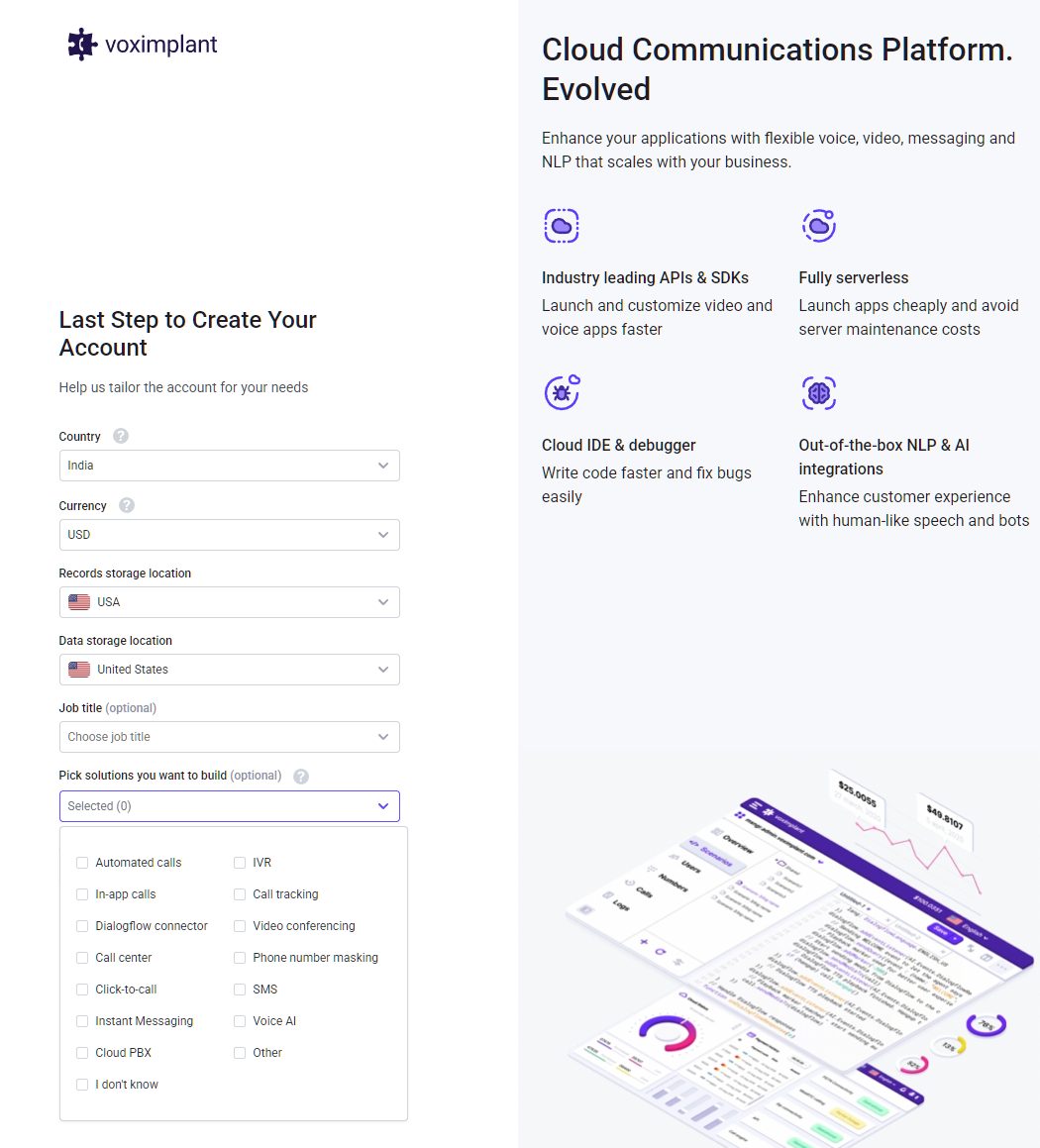
To test what Voximplant AI has to offer, I went ahead and registered on its Cloud Communications platform. It was easy and hassle-free, but for some reason, I was forced to create two accounts (the first one failed to work).
Once logged in, it asks for basic questions, and you can choose what solution you want to build, so that it can guide you via appropriate tutorials.
Once in, you’ll be greeted with a clean dashboard, full of helpful pointers to get you started. For example, you can opt to watch a product overview, do a step-by-step tour, where you create an app, test out scenarios/rules, and create a product. For developers, it lets them create an app right away, either from scratch or via templates.
I tried the solution for a week and can confidently say that Voximplant makes it easy to get started. Its interactive guide section lets you take full advantage of its AI-bot. I managed to create a few test applications, configure them, and deploy them with ease.
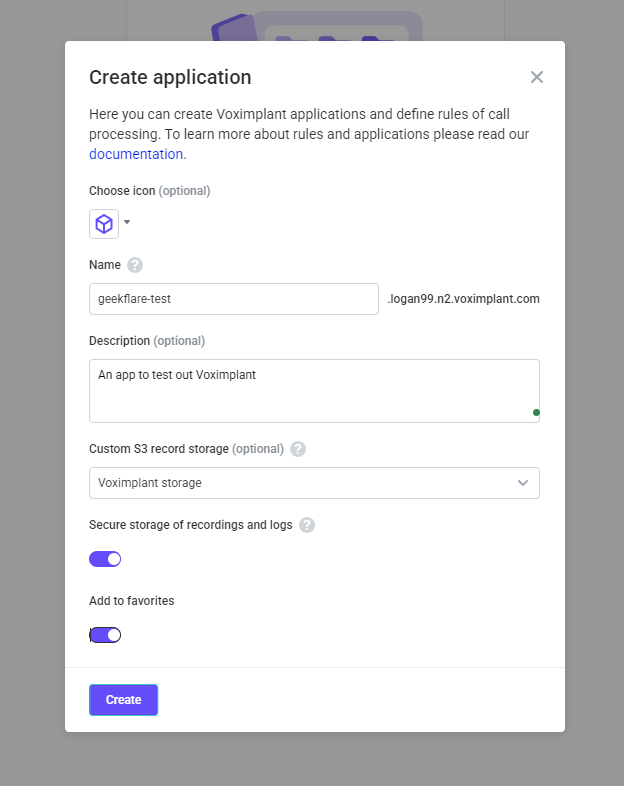
However, for customization purposes, you need to know some sort of coding (especially JavaScript) to create, connect, and manage the platform.
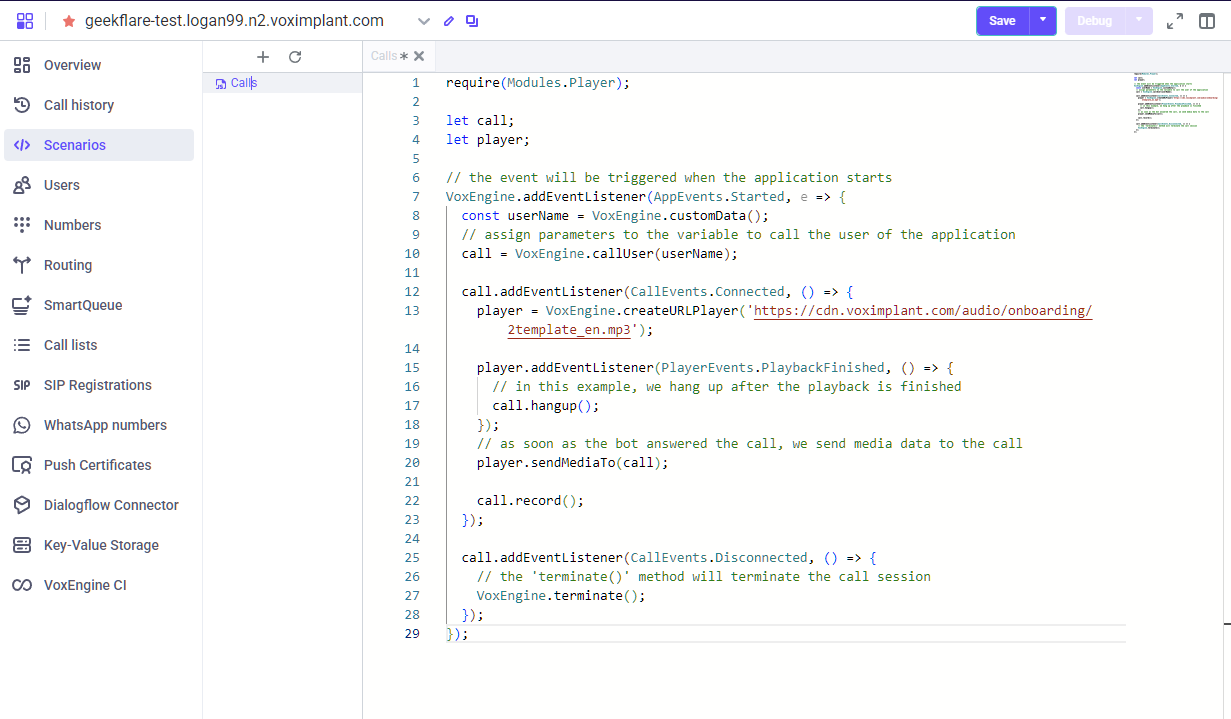
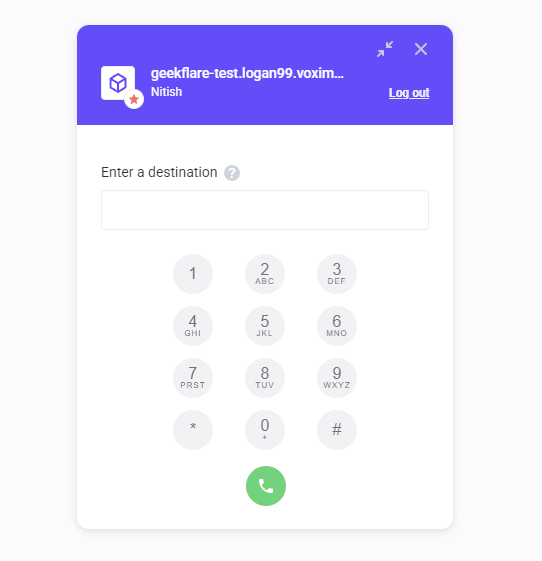
Additionally, I found its test tools excellent, including Softphone. It lets you test out calls.
Note:
Free accounts include $0.01 trial credit for test calls
But, how does its ML-powered bot perform? I tested it out to see how well it handles natural conversations with users. It comes with a no-code editor (in beta when writing), where you can add, remove, and modify bot actions and corresponding responses. This is what the no-code editor looks like:
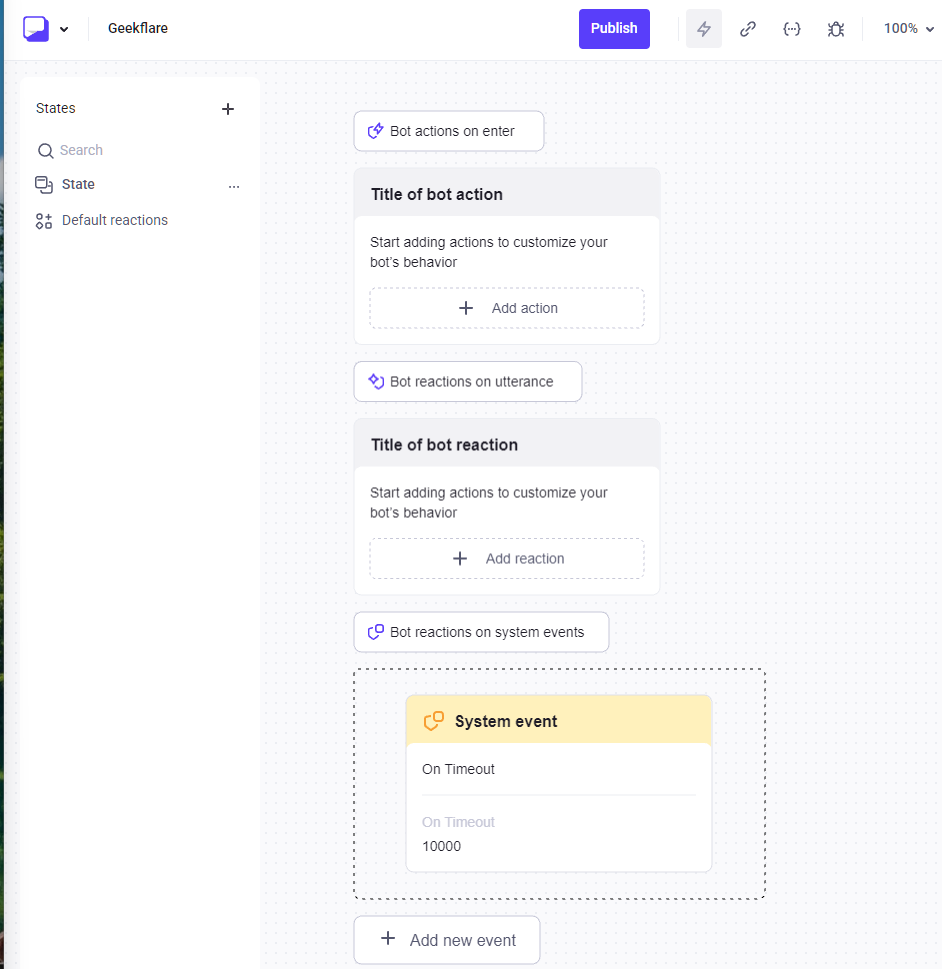
You can add more states or choose to modify default reactions, such as “Bot reactions to utterance.”
If you’re a developer with good technical knowledge, you can use its JS SDK for creating, managing, and maintaining the systems. I found the SDK to be detailed and to cover every aspect that a developer would need to get started. You can also check out Voximplant SDK examples to get a more hands-on experience.
Key Features & Technical Capabilities
1. Model Agnosticism (LLM Flexibility)
Voximplant AI is model-agnostic. This means you can choose transcribers, synthesizers, and most importantly, LLMs. So, you can go with any of the popular LLMs, including Anthropic’s Claude, OpenAI, and Google Gemini.
This is important as LLM models evolve all the time. New versions come out that are better than before, and it is common to see LLMs’ crowns changing from time to time. The ability to swap models gives you the freedom to improve your communications, be it voice, messages, or IVR.
However, these models require a knowledge base to perform well.
And that’s where Voximplant AI’s orchestration comes into play. It supports Retrieval-Augmented Generation (RAG), enabling LLMs to improve using a knowledge base as factual external knowledge.
Voximplant AI offers RAG integration via routing. Here, LLM prompts access external knowledge via HTTP requests, WebSocket APIs, and tool calls.
2. Ultra-low Latency Handling
I found Voximplant AI to offer ultra-low latency to ensure smooth communication with no awkward pauses or interruptions. This improves call success rates and customer experience. Under the hood, Voximplant uses barge-in detection, turn-taking, and media buffer controls. The orchestration layer, on the other hand, uses real-time voice activity detection (VAD), allowing for responses to be under 300ms! Impressive, indeed.
However, to reach low-latency, you need to use supported platform such as Deepgram. It plays a vital role in keeping low-latency via its Voice Agent API.
3. STT and TSS Integrations
Voximplant offers complete Speech-to-Text (STT) and Text-to-Speech (TTS) integrations with popular solutions, including:
- Deepgram: STT + TTS voice agent with native integration via API
- Google Cloud: offers excellent choice of languages and voices
- Azure Cognitive Services: for recognition and multi-language support
- ElevenLabs: for neural voice choice with support for OpenAI Realtime and other AI models
- OpenAI Realtime API: that opens up customization and the ability to create proper STT pipelines.
This flexibility gives businesses the ability to customize the voice as per their liking. They can use default voices or create custom ones. Additionally, they can also adjust pitch, volume, rate, and other settings. However, it is up to you to decide which platform to pick as each platform offers unique benefits and customization options.
4. Telephony & SIP Trunking
Voximplant offers complete telephony services, enabling you to purchase numbers. You can also bring your own number and use SIP trunking to gain access to new markets, spread across 190+ countries.
SIP Trunking helps connect to telecoms carriers and infrastructure. It creates a bridge between telephony components like a PBX and Voximplant’s cloud.
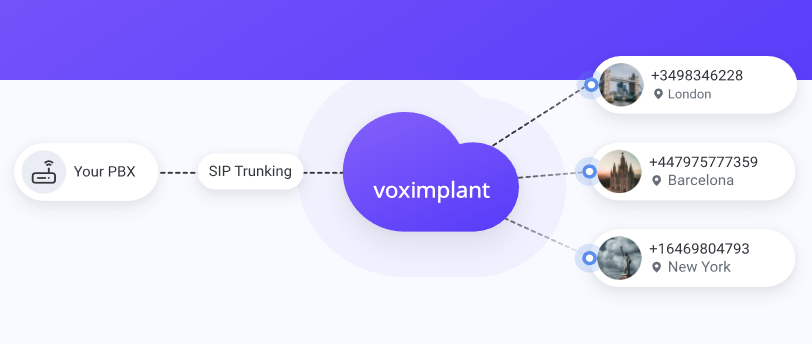
The benefits of telephony and SIP trunking features by Voximplant include:
- Buy or test real phone numbers directly via the control panel
- In most cases, buying numbers doesn’t require KYC as Voximplant handles compliance
- Global coverage with 190+ countries covered
- Cheaper international calling at local rates
Building an AI agent
In my experience with Voximplant, I found it extremely easy to get started with building an AI agent. I tried multiple tutorials and created agents that responded to user inputs depending on set rules.
Thanks to its no-code approach and availability of ample tutorials and guidance, anyone can open their account and create a “Hello World” call within 10-15 minutes. However, it does require some sort of experience working with a cloud orchestration platform.
Developers can take full advantage of Voximplant’s VoxEngine. It is a JavaScript-based core that lets you code in JavaScript and offers ready-to-use code snippets. As for testing, you get your own testing tool, known as Softphone. Developers can also use logs for a better debugging experience.
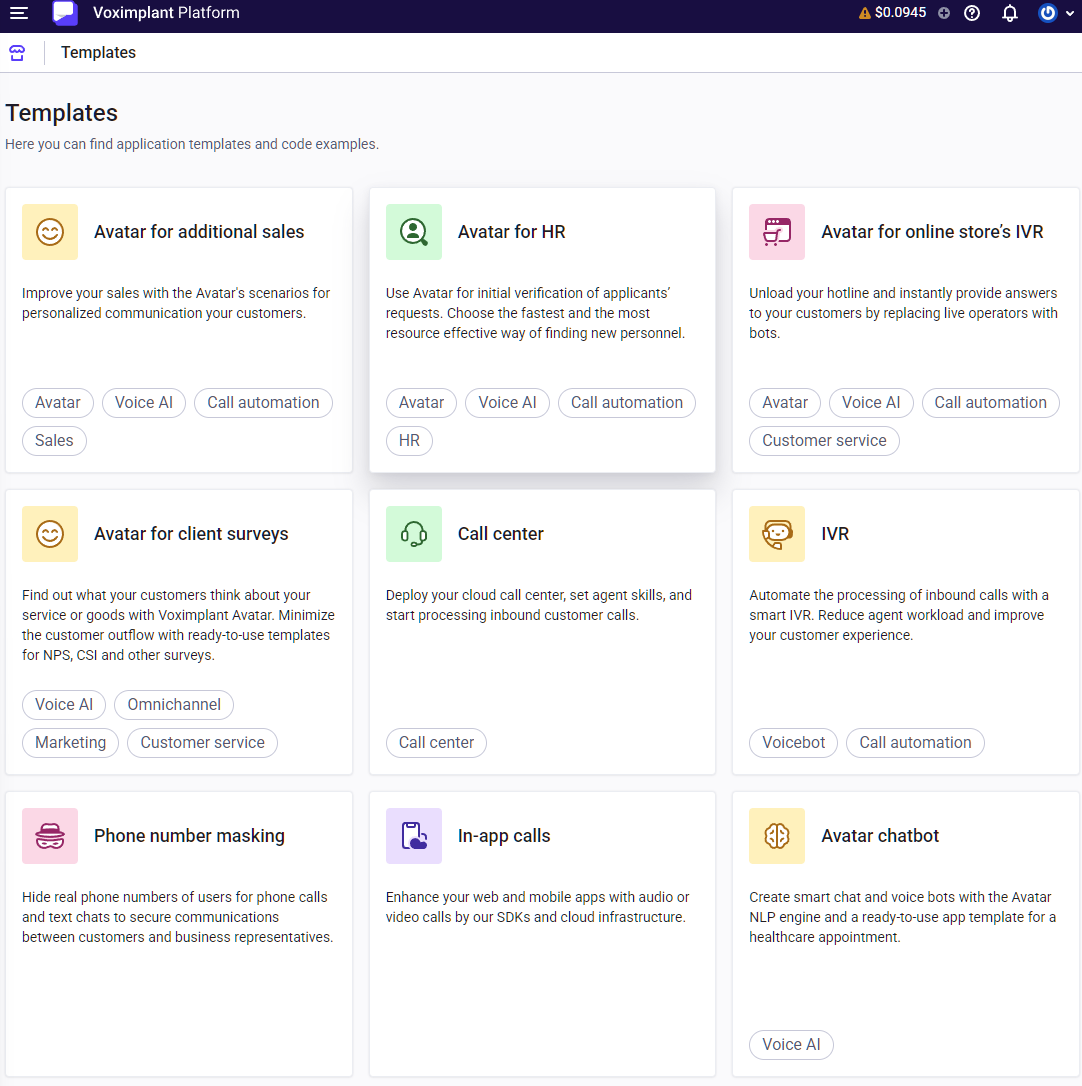
If you want to fast-track development, you can use templates offered by Voximplant via its marketplace. Currently, it offers 15 templates, including automated surveys, In-app calls, Avatar chatbots, and many more.
In our tests, we found Voximplant AI to perform fast. It averaged 600ms. That’s fast and enough for a human-like response with no noticeable delays.
Voximplant AI Pricing Review
Voximplant AI uses a pay-as-you-go model with prices starting as low as $0.004 per minute. I found this excellent choice as it enables businesses to know how much they need to spend or when to cut costs if they go over budget.
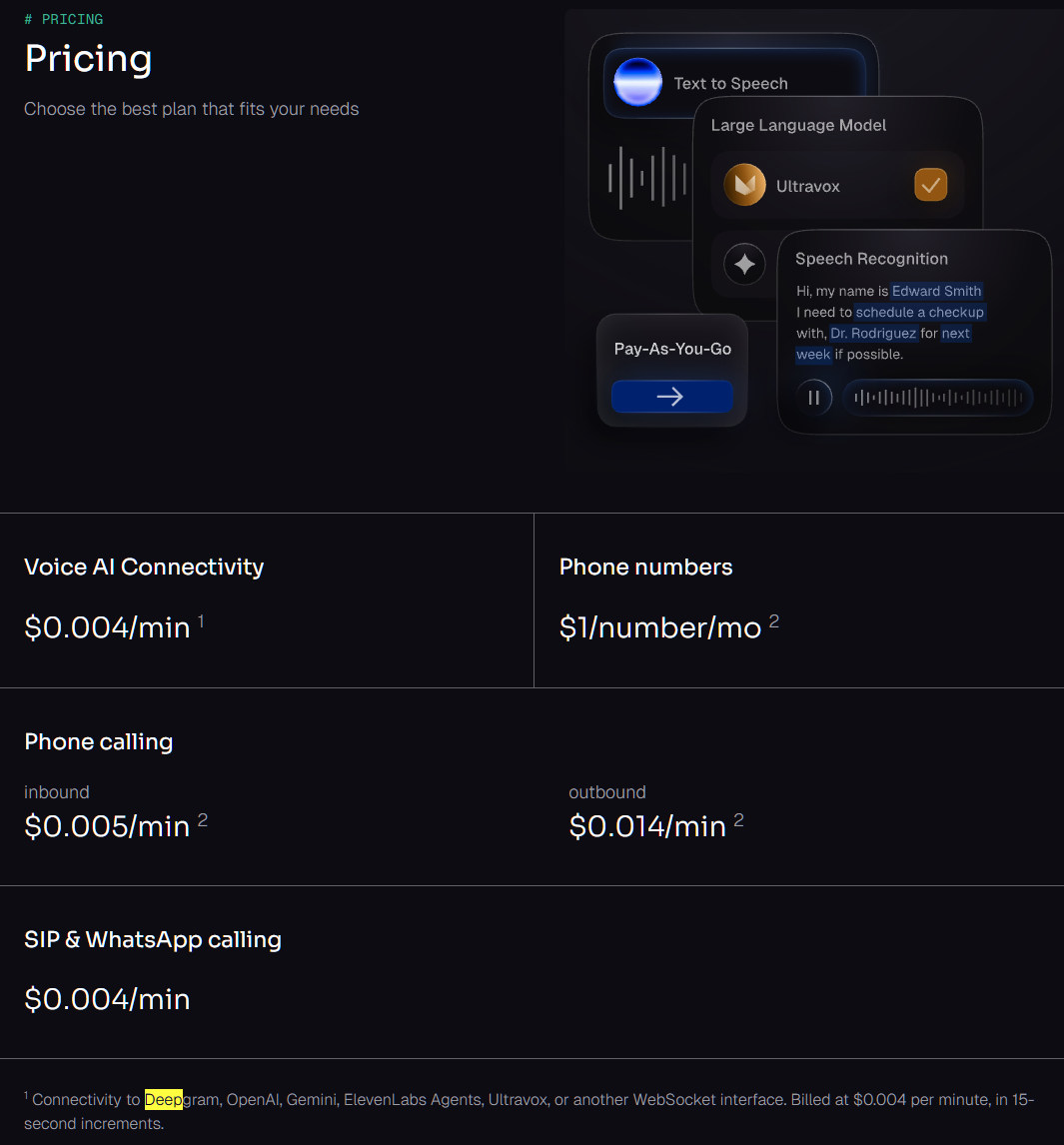
The prices differ widely depending on your use case. The best way to learn about it is to check their pricing page, and select an appropriate channel (voice, video, or messaging) or choose a solution (audio conferencing, contact center, call tracking, etc.).
To give you an idea, I have created the following table covering its vital services.
| Component | Cost Details | Verdict |
|---|---|---|
| Platform/Orchestration | AI services starting at $0.002 per call (Answering Machine Detection) and $ 0.0015 (Avatar), voice AI connectors such as Open AI realtime API client start at $0.001 per 15-sec audio streaming | Decent prices, especially when connecting AI models. |
| Telephony (SIP/PSTN) | Calling to phone numbers starts at $0.014, with SIP calling starting at $.00005 video/MB. | Good pricing as it enables businesses to scale without overpaying |
| Pass-through (AI) | Direct pricing from providers such as OpenAI/Deepgram with no added markup by Voximplant. | Enables businesses to make a choice of their preferred AI model. |
Voximplant vs. Building from Scratch
Overall, Voximplant is cheaper and can save a business a huge chunk of money compared to building a voice AI platform from scratch. Cloud services like Voximplant are generally cheaper compared to on-premise/self-building solutions.
Voximplant AI gives businesses an easy way to set up and scale their voice AI needs without a huge initial investment and waiting time.
However, I strongly suggest doing proper cost analysis before opting for Voximplant, as businesses with higher volumes may find building their own voice AI platform cheaper in the long run.
Voximplant AI alternatives
As a business, you can opt for Voximplant AI alternatives, including Vapi, Bland AI, and Retell AI, compared below in the table.
| Voximplant | Vapi | Bland AI | Retell AI | |
|---|---|---|---|---|
| Pricing | Starts from $0.004 voice per minute | $0.05 per m for call | $0.11 per minute but needs higher priced base plan | Starts at 0.07+ per minute for AI voice agents |
| Orchestration capabilities | Full layer orchestration | Developer SDK as it works well with Twilio | LLM-agent focused with basic tool calling | Voice agent runtime with SIP support |
| No code/low code | Visual builder + JS SDK | SDK focused, does offer templates | Programmable agents | Functions + simulation |
Voximplant differs mainly in its serverless approach, offering a true orchestration platform. This also makes it highly scalable compared to its peers.
Voximplant vs. Twilio
Twilio handles the connectivity. It’s the carrier that makes calls and messages work. Voximplant on the other hand, is the application layer that controls how those calls behave and flow.
Twilio is starting to move in that direction with newer AI features, but at its core, the difference is simple: Twilio makes communication work, while Voximplant helps you decide what that communication should do.
Final Verdict
Perfect for:
Developers building voice agents with OpenAI and Gemini LLM.
Businesses upgrading legacy IVR systems to AI-powered voice support.
SMEs looking for serverless voice platform with customization options.
Not ideal for:
Non-technical users looking for 1-click solution with zero config.
Hobbyists or startups with zero budget should avoid Voximplant.
Users expecting a zero-configuration voice AI SaaS.
FAQs
Yes, you can use your own Twilio numbers with Voximplant. However, there is no native integration support for integrating Twilio to Voximplant. That means you need to treat Twilio as a carrier/SIP provider.
Yes, Voximplant is HIPAA compliant. This makes it ready for health-related businesses, ensuring complete compliance with the stringent health industry.
As Voximplant is a voice AI orchestration platform, it doesn’t directly handle AI hallucinations. You need to use third-party AI providers to set up and execute hallucination prevention by clearly defining guidelines and rules. The best way to handle it is to ensure proper guardrails and offer human intervention when needed.