Scaling operations is challenging, as it requires a carefully planned workflow-based system.
However, most businesses opt for the “shared” route, where they’re happy to use support@, info@, or sales@ emails. It works, but not for teams that are looking for ownership, status tracking, SLA management, performance visibility, and assignment.
If your business is using a shared inbox approach, you might have noticed how quickly it becomes messy with forwarding chains, sharing passwords, and CCs. It’s great when starting, especially for small teams (2-3 people), managing low volume.
But the challenge starts as soon as your business grows. Your customer queries increase, which in turn requires a bigger support team to work together. If you don’t move to a more workflow-based support system, you will soon find yourself asking questions such as:
- Who’s handling this?
- Why are two people replying at once?
- Why are important emails missed by the team?
- Why can’t we improve our response time?
And, the biggest challenge is that no one is ready to take accountability if something goes wrong.
So, what’s the solution? Meet Shared Inbox and Team management solutions, such as Hiver, Sanebox, Freshdesk, to name a few.
These tools are workflow-based, which means everything can be tracked, assigned, solved, and prioritized based on business needs.
In this guide, we’ll explore the best shared inbox software for busy teams. We’ll compare the likes of Hiver, Drag, SaneBox, and others to give you a clear perspective of what suits your business best.
What is Shared Inbox Software?
Shared inbox software provides a workflow-driven environment that offers centralized email communication and better team collaboration. It offers workflow features such as assignment, tracking, and visibility that a normal support@ email lacks.
You can think of it as a collaborative layer built on top of email. It enables multiple team members to access email and work simultaneously without feeling lost. For better management, each team member gets their own personal account while sharing a shared space with other team members.
How does a shared inbox differ from a distribution list?
Shared inbox solutions differ from distribution lists and traditional helpdesk tools in the way teams manage, assign, and track conversations. They create a central workspace where every conversation becomes visible to the team, but each conversation can be assigned to a specific owner.
For example, distribution lists such as Google Groups do offer the ability to forward email to multiple people, but lack centralized visibility and assignment. This results in no accountability and no shared history view.
How does a shared inbox differ from a traditional helpdesk?
Shared inbox solutions also differ from traditional helpdesks such as Zendesk or Freshdesk. These traditional helpdesks are ticket-based and work via a web portal (mostly). Furthermore, they can be complex to set up and rely on heavy workflow and automation.
These are best for customer support teams who want to streamline their ticket management. In comparison, a Shared Inbox software offers an email-first interface and doesn’t require much time to set up. It is also lightweight and can serve cross-functional teams such as sales and operations.
Below are the differences summarized.
| Shared Inbox | Helpdesk |
| Email-native | Ticket-native |
| Lightweight | Feature-heavy |
| Quick deployment | Structured configuration |
| Suited for growing teams | Suited for large support orgs |
Top Shared Inbox & Email Management Software for Teams

Ratings Breakdown
Overview
Hiver is one of the best email management tools for teams, which works directly from the browser. It’s business-focused and centralized (brings together shared inboxes such as support@, billing@), and its approach ensures that high-volume shared inboxes are focused on success with task ownership. Hiver’s built-in AI ensures quick response with quick draft replies and automation.

For seamless operations, Hiver works with internal Slack threads and easy linking of customer requests to ticket management apps such as Asana and Jira. Collaboration becomes easier with @mentions and the ability to carry out shared drafts and collaborations.
AI-enabled automations help in tagging, prioritizing, and assigning emails based on rules such as account, priority, or CRM ownership. You also customize AI agents to use the business’s SOPs and knowledge base, instantly answering customers’ common questions. Furthermore, you also get AI Copilot (to answer your queries faster) and AI QA (to evaluate replies).
Overall, Hiver is a top pick if you’re looking to work via your browser via a dedicated Chrome extension.
Key Features
- Shared inboxes across shared inboxes (like support@ and success@)
- Seamless collaboration via internal notes and @mentions
- Collision detection to prevent duplicate replies
- Rule-based workflows and support for AI agents, AI Copilot, and AI QA
- Email assignments and clear ownership tracking
- Mobile access
Pros & Cons
PROS
CONS
Pricing
Hiver offers a free forever plan for teams just getting started. It offers basic features and Slack integrations. To access the full feature set, you need to get a paid plan, which starts at $25/user/month, that offers AI features, workflows, and basic integrations.

Ratings Breakdown
Overview
SaneBox is an AI-powered email management service. While not being a traditional “shared inbox,” it still makes it onto the list of best shared inbox and team management software because it helps filter out noise, enabling teams to focus on email communication.
In my SaneBox review, I loved how it helped filter my inbox with features like:
- SaneLater: Uses AI sorting to keep unimportant emails out of the primary inbox
- SaneNoReplies: Track un-replied emails so that you can reply to them without further delay.
- Do Not Disturb: So that teams can focus on what’s important.

These features help teams and individuals to answer properly without feeling overwhelmed. However, I suggest SaneBox as a complementary tool in addition to using any of the other shared inbox solutions listed here. It works well in various use-case settings, including improving focus, managing high email volumes, and enhancing follow-up management (SaneReminders for setting up reminders for important emails and SaneNoReplies for blocking unwanted replies).
SaneBox works with popular email providers, including Gmail, Outlook, Apple Mail, and Yahoo. I recommend Sanebox to professionals, entrepreneurs, and organizations.
Key Features
- Help categorize emails based on priorities and deadlines
- Customizable smart filtering gives you full control of your inbox
- Offers integrations with major email service providers, including Gmail, Microsoft 365, and others.
- Ability to create custom folders to improve workflow
Pros & Cons
PROS
CONS
Pricing
Sanebox offers a 14-day free trial, but no free forever plan. Once the trial expires, you can get any of its 3 paid plans, which start at $4.92 per month (paid annually), called the Snack plan. It offers basic control. However, for businesses, I recommend checking out its most expensive plan, Dinner, at $24.92 per month (paid annually).

Ratings Breakdown
Overview
Freshdesk is an AI-powered customer-centric inbox solution. It offers deep ticket management, which is supported by Freddy AI, Freshdesk’s built-in AI model, offering AI agents, AI insights, and AI Copilot.
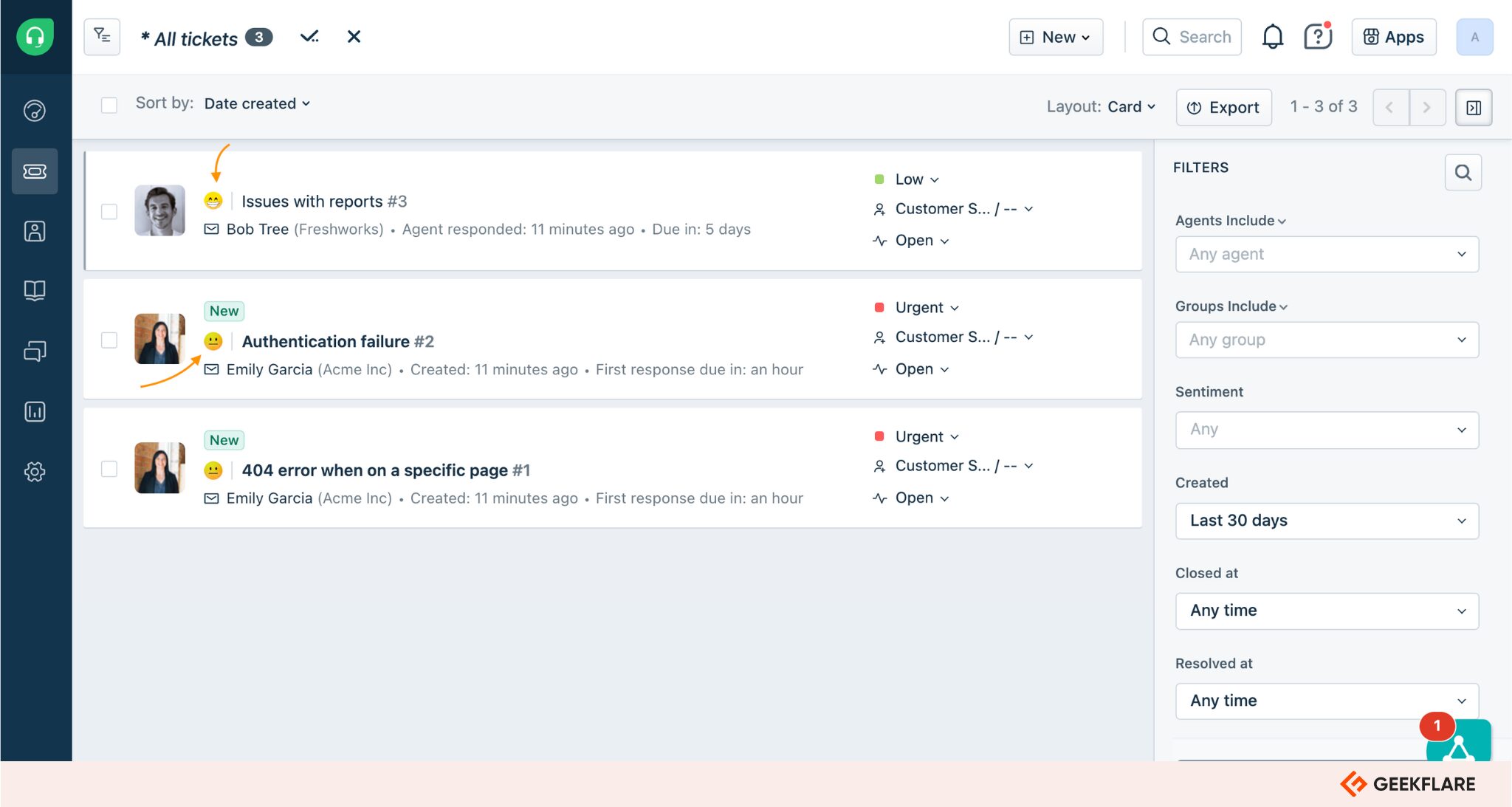
With Freshdesk, businesses can resolve issues faster as they get access to ready-to-launch vertical AI agents. The 50+ prebuilt agentic workflows ensure faster deployment.
Furthermore, Freshdesk offers a centralized approach via a single workspace.
However, before you pick Freshdesk, you must know that it is ticket-native and not email-native, unlike Hiver. That’s why, pick Freshdesk if you need to support your in-house dedicated support team.
In our Freshdesk review, we explore how it fits your customer support needs.
Key Features
- Email-to-ticket conversion
- SLA management and automation rules
- Offers collision detection
- Multi-channel support with chat, phone, and email
- Offers workflow automation and routing
- AI-powered assistance via Freddy AI
- Offers vertical AI agents with 50+ prebuilt agentic workflows
Pros & Cons
PROS
CONS
Pricing
Freshdesk comes with a 14-day free trial, with its paid plan starting at $15 per month. You can take a trial for any of its paid plans: Growth, Pro, and Enterprise.
For smaller teams, it offers a 6-month free plan where you can use 1-2 agents for free.

Ratings Breakdown
Overview
Drag App can transform Gmail into an interactive workspace where you can collaborate with your teams. The experience it offers is similar to Trello boards. You can organize all your emails, assign members to handle specific emails, and more.

This visual interface works well as it is easy to understand and use. Your team members get a clear overview of how to handle their tasks without relying on external project management tools.
You can keep your Gmail interface while also getting access to all of Drag App’s advanced features. It is a simple add-on for Gmail that makes communicating much easier for any business.
Key Features
- Shared inboxes
- Kanban-style drag-and-drop interface
- Shared drafts
- Email assignments
- Automation features
- CRM integration
Pros & Cons
PROS
CONS
Pricing
Drag App lets you start a free trial at just $12 per user/month. You get access to the inbox boards and collaboration tools even with the most affordable plans.
If you want advanced automation tools, you have to opt for the Pro plans, which start at $24 per user/month.

Ratings Breakdown
Overview
Front is one of the best inbox platforms if you want access to advanced features. If you handle high volumes of customer communication, it might be your go-to pick. It combines messaging platforms, emails, and other collaboration tools all in one place.
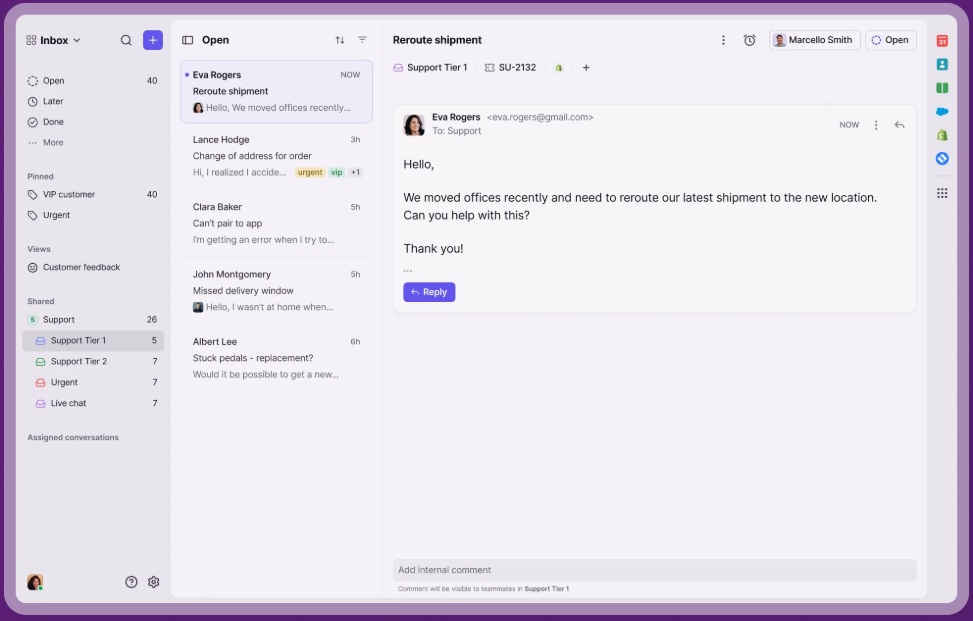
Unlike tools that use Gmail, Front acts as a standalone app. While it has a learning curve, it is worth using thanks to the advanced features. It is perfect for B2B support teams that talk to their customers frequently.
On top of managing emails, it integrates with SMS, chat apps, social media, and more. You can track conversations from multiple platforms all in one place.
Key Features
- Shared inboxes
- Live comments between teams
- Prevents duplicate replies
- Automation features
- Chat, SMS, social media support
- Advanced analytics tools
Pros & Cons
PROS
CONS
Pricing
Starts at $25 per user/month for up to 10 users. If you have a large organization and want all the advanced features, the enterprise plan costs $105 per user/month. All plans offer free demos and trials.

Ratings Breakdown
Overview
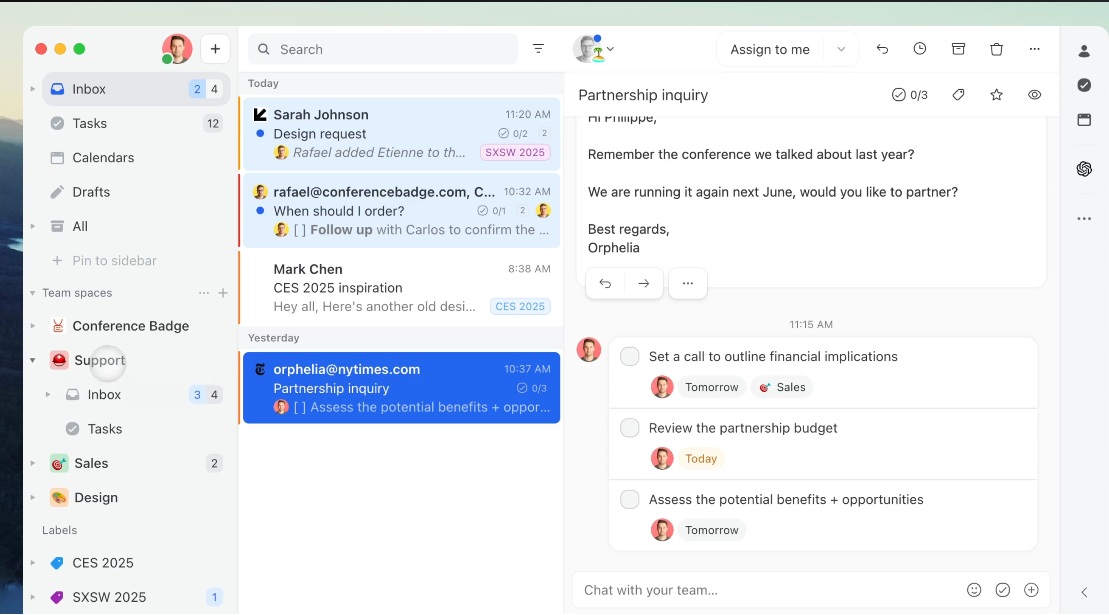
Missive is all about real-time collaboration. The tool helps you discuss emails internally before replying. Missive combines tasks, emails, and texts all in one interface.
The app works with Outlook, Gmail, and IMAP. If your team members use different email service providers, you can connect them all under one roof using Missive. They will not have to leave their respective platforms to use Missive, which makes adopting the tool easy.
It has a very simple user interface, and you don’t have to spend resources training your team members to use it. It has both desktop and mobile apps.
Key Features
- Internal chat features
- Shared drafts for multi-user replies
- Outlook and Gmail support
- Cross-platform apps
- Email automation features
Pros & Cons
PROS
CONS
Pricing
Missive starts at $14 per user/month for its Starter plan. The business plans with advanced analytics start at $36 per user/month.

Ratings Breakdown
Overview
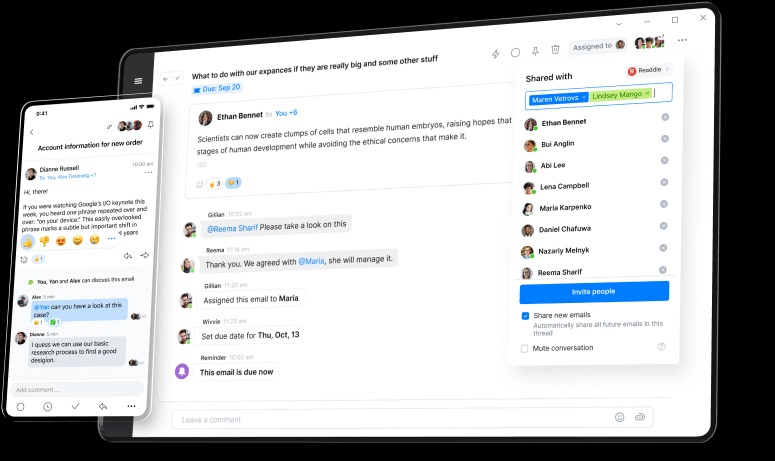
Spark for Teams is ideal for smaller teams that want a simple way to collaborate. It was developed by the same developers as the Spark email client. The tool focuses on simplicity, and it is very easy to adopt.
You can share inboxes, assign tasks, and collaborate on email replies all in one place. It does not have advanced automation features and AI tools.
Spark for Teams is perfect for growing businesses. You get access to all collaborative features without having to switch to a full helpdesk system.
Key features
- Shared inboxes
- Email assignment
- Internal comments and messaging
- Shared drafts
- Priority inbox
- Cross-platform apps
Pros & Cons
PROS
CONS
Pricing
Spark has a per-user pricing model. It costs $8.25 per user/month if you go for the basic plan. Spark offers customized plans if you want advanced features and automation, depending on the size of your business. It does come with a free plan with limited features.

Ratings Breakdown
Overview
Help Scout is an email management tool aimed at customer support platforms. It has helpdesk-style support tools without making the experience too technical.
You can talk to your customers, assign emails, track your team members’ metrics, and more, all in one place. Help Scout offers an extensive knowledge base to help your team use the tool better when replying to customers.
The tool is perfect for SaaS companies and e-commerce brands that want the best features of a helpdesk without the steep learning curve.

Key features
- Shared inbox with assignments
- Customer profiles and conversation history
- Extensive knowledge base
- Reporting and analytics tools
- Prevents duplicate replies
Pros & Cons
PROS
CONS
Pricing
Help Scout offers a free plan with one shared email inbox. If you want the premium features, plans start at $25 per user/month.

Ratings Breakdown
Overview
Helpwise is perfect for you if you want to manage customer conversations from multiple channels in one place. You can manage SMS, WhatsApp, and social media platforms using a single interface.
Your team members can assign conversations, add internal notes, and check your customer’s conversation history. The tool also offers automation features to handle basic tasks.
The user interface is simple, and any team can pick it up without much effort. If you are a growing business, Helpwise offers the right mix of affordability and features to help you manage your customer interactions.

Key features
- Shared inbox for collaborations
- Email assignments
- Simple automation features
- Performance analysis tools
- Integrates with other CRM and business tools
Pros & Cons
PROS
CONS
Pricing
Plans start at $12 per user/month for up to 10 users. If you have a large team, you can go for the Advanced plan, which starts at $39 per user/month. The basic plan does not include advanced assignments and automation tools that you might need. It offers 7-day free trial.
Honorable Mentions
Below are some more tools that offer shared inbox features.

ProProfs

SharedInbox

HubSpot Service Hub

Shared-Inbox.ai

Superhuman

Mozilla Thunderbird

Gmelius
Email Management Tools Comparison
| Software | Starting Price | Compatibility | Interface | Desktop App |
|---|---|---|---|---|
| Hiver | $25/month | Gmail/Google Workspace | Inside Gmail | ❌ |
| SaneBox | $4.92/month | Universal | Inside Gmail | ❌ |
| Freshdesk | $15/month | Universal | Standalone App | ✅ |
| Drag App | $12/month | Gmail/Google Workspace | Inside Gmail | ❌ |
| Front | $25/month | Universal | Standalone App | ✅ |
| Missive | $14/month | Universal | Standalone App | ✅ |
| Spark for Teams | $8.25 / month | Universal | Standalone App | ✅ |
| Help Scout | $25 / month | Universal | Standalone App | ✅ |
| Helpwise | $12 / month | Universal | Standalone App | ✅ |
Key Benefits of Using Team Email Management Tools
Using a team email management tool can help you communicate effectively. Here are some of the best benefits of using a tool:
Easier Email Management
If you use an email management tool, you never have to forward or CC emails to your team again. Manually sending emails to the right team members can get messy and buried in long threads. A shared inbox tool lets you eliminate confusion and collaborate directly with minimal fuss.
Team Accountability
If you are using traditional email systems, it is hard to maintain accountability. It becomes difficult to track who’s responsible for which email in a shared environment.
With shared inbox, you can assign your conversations to specific team members and speed up the process. Your managers can also see which team member is responsible for handling specific emails if they want to follow up. The tools help you manage customer interactions with fewer barriers.
Avoids Duplicate Replies
A big problem with traditional email systems is duplicate replies. If you have multiple people monitoring the same inbox, multiple team members might reply to the same email. Email management tools avoid such problems using collision detection features. Collision detection helps everyone see if someone is already viewing or replying to an email, which helps avoid duplicate replies.
Analytics and Reports
You can track your email analytics in one place using email management tools. They give you insights into how your team handles communication. You can get important metrics from the reports, like response time, resolutions, and email volume.
You can use these reports to measure your team’s performance and make sure your customers get the best possible experience. Managers can also use the data to improve communication and identify potential bottlenecks that may be holding their customer experience back.
How to Choose the Right Shared Inbox Tool for Your Team
Picking the right email management tool depends on your business goals. Here are some of the most important things you should consider before selecting a tool:
Use Case
The first thing you should consider is your use case. Some businesses need email management tools to manage their internal communication, while others may need them for customer service. You should identify your use case and then look for a tools that offer what you are looking for.
Learning Experience
Some email management systems can take some time to master. Some tools, like Front or Missive, have advanced features, but you have to switch away from your normal inbox environment. Meanwhile, tools like Hiver and Drag are easier to use and work within platforms like Gmail. You have to pick the right balance of simplicity and features depending on your requirements.
Current Email Systems
Your current email ecosystem should also play a role in selecting an email management tool. If you are using something like Google Workspace, tools like Drag App and Hiver are easy to implement. You won’t have to change your workflows to get them to work.
Look for solutions that work seamlessly with your current email systems. Some tools, like Front and Missive, can integrate multiple email ecosystems at once if you need to. Try to look for solutions that work best with your current email provider.
Budget
You should have a budget in mind when purchasing an email tool. You don’t have to spend extra on advanced features that you might not use at all. If you don’t need advanced automation and analytics, you can opt for something that you can adopt easily.
Frequently Asked Questions (FAQs)
No, it’s not. Many businesses use Google Groups to communicate or distribute emails. However, it is not the same as using a proper shared inbox tool. It lacks many important features and can lead to duplicate or missed messages.
A shared inbox is just like a traditional email system. All your conversations happen in email threads. Helpdesk systems use tickets. Normally, shared inboxes might be better for you if you have a small team or require less communication. A helpdesk is much better if you have a large customer base and need to manage complex email chains.
Many of the tools we mentioned offer free trials to help you get started. Hiver has a free plan with limited features that is perfect for a small team. However, if you want advanced features, you will get them only in paid plans.
Conclusion
You should opt for an email management tool if you are having a hard time managing your support, sales, or internal communication. Traditional systems can lead to missed messages and a lot of chaos in communication.
If you use a shared inbox software, you can get your team members to collaborate and work on assignments more easily. The tools also give you important analytics that you can use to improve your team’s communication.
All the tools we mentioned have something to offer for any type of business. Choose a platform that works best with your current email ecosystem and budget from our list, and you will not be disappointed.