Live chat software can be the deciding factor between closing a sale quickly and losing the customer to a competitor’s AI bot.
In 2026, customers don’t just want to chat—they want instant, accurate answers. Modern live chat has evolved far beyond a support widget; it’s an AI-driven revenue engine that qualifies leads, resolves tickets, and books meetings autonomously.
The problem is picking the wrong AI live chat software and trapping your customers in bot loops while your agents drown in tickets they could have avoided.
We tested the top platforms, including Intercom, Zendesk, Hiver, and LiveChat, to find which ones offer the best balance of AI automation, smooth human handoff, and integrations that fit how real teams work.
Customers who engage via live chat spend up to 60% more per purchase; the right platform captures that revenue; the wrong one doesn’t.
Top Live Chat Software at a Glance
| Tool | Starting Price (Annual Plans) | Best For |
|---|---|---|
| Intercom | $29/seat/mo + $0.99/Fin AI resolution | AI-first customer service |
| Hiver | Free; paid from $25/user/mo | Google Workspace teams |
| Zendesk | $19/agent/mo | Enterprise omnichannel support |
| LiveChat | $19/user/mo | SMB live chat |
| HubSpot Service Hub | Free; Starter from $9/seat/mo | B2B Sales-marketing-support alignment |
| Tidio | Free; Starter from $24.17/mo | E-commerce chatbots & automation |
| Drift | Contact Sales | B2B sales & pipeline generation |
| Crisp | Free; Mini from $45/mo/workspace | Budget-friendly startup inbox |
| Freshchat | Free (up to 10 agents); Growth from $19/agent/mo | IT & SaaS omnichannel support |
| Tawk.to | 100% Free Forever | Bootstrapped businesses |
How We Evaluated and Tested These Tools
I spent time inside each of these live chat software platforms—setting up chat widgets, building bot flows, and handling live test conversations—to give you an honest, first-hand assessment.
Every tool was put through the same four-point framework:
- Implementation Speed & Complexity: How quickly could I get the widget live without touching a developer?
- AI Co-pilot Capabilities: Does the AI actually resolve issues accurately, or does it just deflect? I tested response quality, hallucination rate, and knowledge base integration.
- Bot-to-Human Handoff: How seamlessly does the conversation transfer to a live agent? I flagged any tool that left customers in a dead-end loop.
- Pricing Transparency: Are costs clearly listed, or do hidden per-resolution fees and mandatory onboarding charges inflate the real bill?
The 10 Best Live Chat Software Apps
Not every live chat tool is built the same. Some excel at AI automation, others at deep CRM integrations, and a few simply win on price-to-value.
Below, I’ve broken down the top live chat apps for websites based on hands-on testing so you can match the right tool to your specific use case.
Intercom
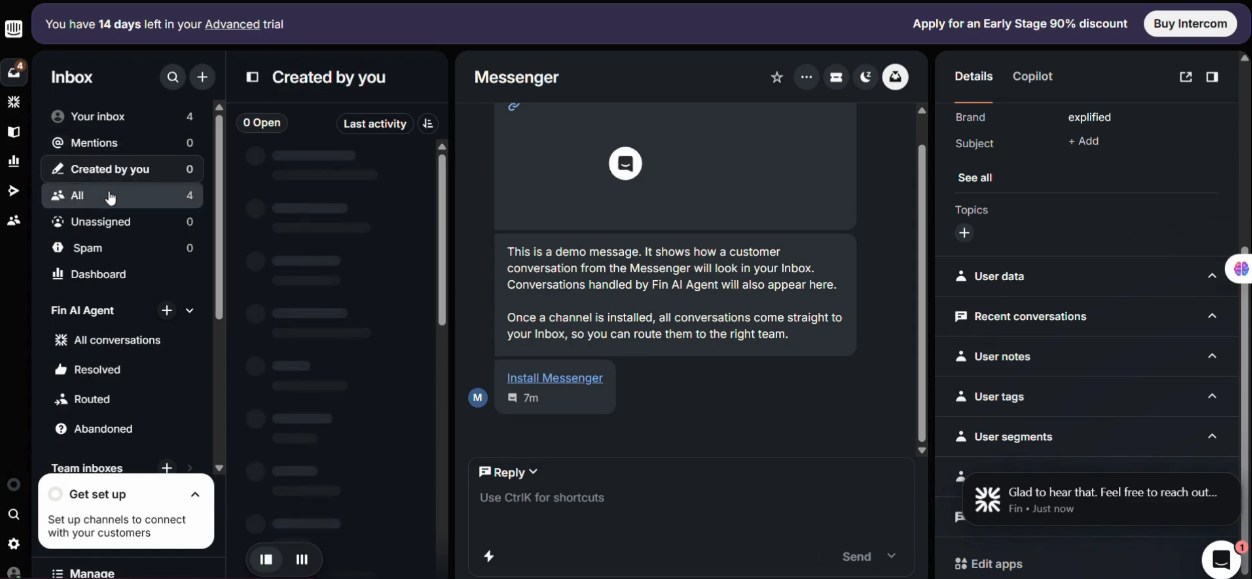
Intercom has earned its place as one of the best live chat software platforms available today. What impressed me most was Fin, their AI agent. It doesn’t guess or hallucinate answers. Instead, it pulls directly from your connected knowledge base and only responds with what’s actually there.
Getting set up took me under 20 minutes, and Fin was handling test queries accurately almost immediately. The bot-to-human handoff is equally clean. Agents receive full conversation context with zero repetition required from the customer.
Key Features
- Fin AI Agent resolves queries autonomously using your knowledge base
- Omnichannel inbox covering email, chat, WhatsApp, and social
- AI Copilot that suggests replies and summarizes tickets for agents
- Workflow automation builder for routing, tagging, and escalation
- Reporting dashboard with resolution rate and CSAT tracking
Pros & Cons
PROS
CONS
Pricing
Intercom offers 3 pricing plans.
– Essential: $29/seat/mo
– Advanced: $85/seat/mo
– Expert: $132/seat/mo.
Fin AI Agent is available at $0.99 per successful resolution.
Hiver
If your team runs on Google Workspace or Outlook, Hiver is one of the best live chat options for startups and mid-market teams.
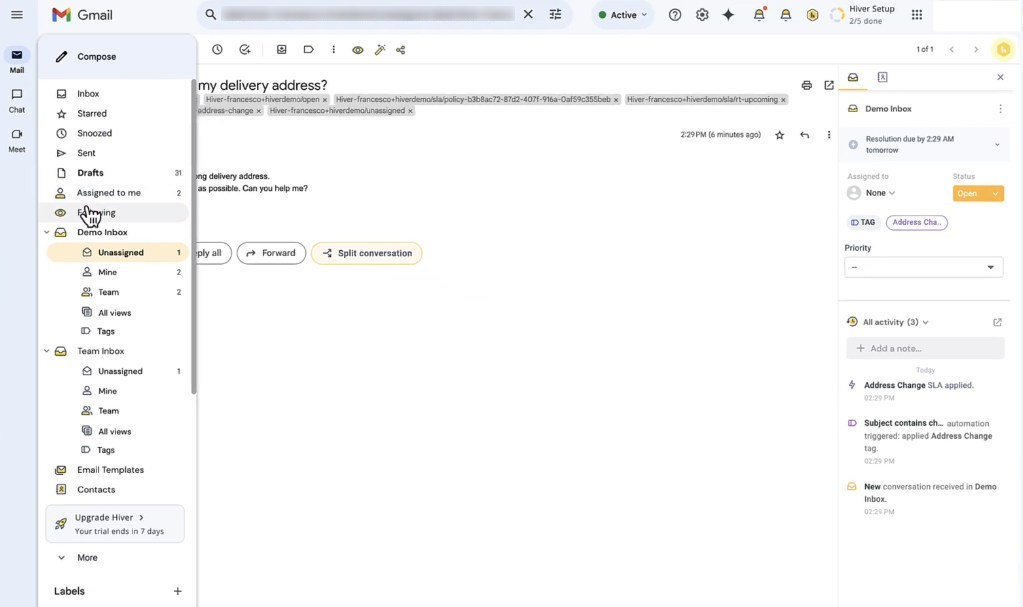
What I liked most is how everything (live chat, shared inbox, and knowledge base) lives inside Gmail. There’s no new tool to learn. Setting it up took minutes, and I had a live chat widget embedded on a test site almost immediately.
The bot-to-human handoff is smooth because agents already have full email and chat context in one view. The AI layer handles tagging, summarization, and sentiment detection.
Key Features
- Live chat managed directly from Gmail/Outlook shared inbox
- Embeddable knowledge base articles within the chat widget
- AI-powered tagging, summarization, and sentiment analysis
- Omnichannel support: email, chat, WhatsApp, and voice
- Collision detection to prevent duplicate agent responses
Pros & Cons
PROS
CONS
Pricing
Hiver offers a free plan with limited features for unlimited users. Paid plans are:
– Growth: $25/seat/mo
– Pro: $65/seat/mo
– Elite: $105/seat/mo.
Zendesk
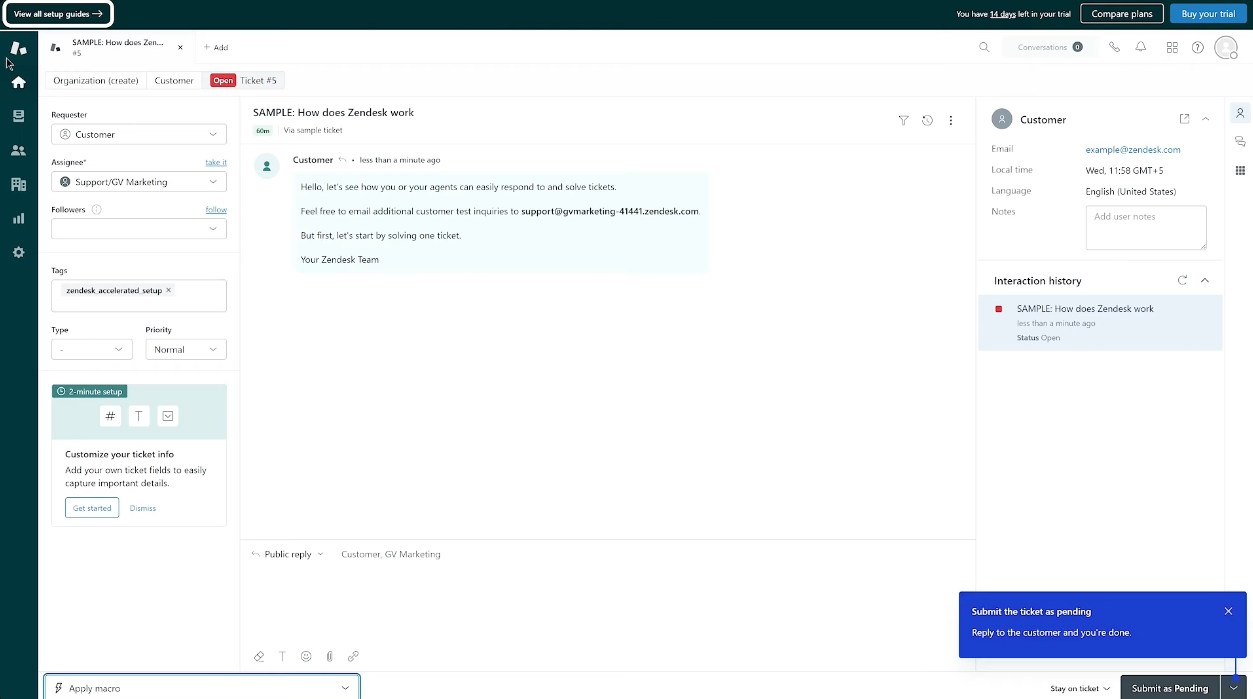
Zendesk isn’t just a live chat tool; it’s the closest thing to a full customer service operating system I’ve tested. Its live chat widget isn’t a standalone feature; every conversation automatically becomes a tracked ticket within the same CRM and ticketing ecosystem.
I found it took slightly longer to configure than lighter tools because there are a lot of settings, but that complexity is justified. The AI Copilot suggests next steps and auto-resolves repetitive queries across chat, email, WhatsApp, Instagram, and Telegram simultaneously.
For enterprise teams managing hundreds of agents and complex escalation workflows, nothing else comes close.
Key Features
- Live chat is natively embedded in the full ticketing and CRM suite
- AI Agents capable of resolving 80%+ of complex queries autonomously
- Omnichannel inbox: email, chat, voice, WhatsApp, Instagram, Telegram
- Workforce management with AI-powered forecasting and scheduling
- 1,000+ marketplace integrations, including Salesforce, Slack, and Shopify
Pros & Cons
PROS
CONS
Pricing
Zendesk has 4 pricing plans.
– Support Team: $19/agent/month
– Suite Team: $55/agent/month (includes AI agents)
– Suite Professional: $115/agent/month (HIPAA-compliant)
– Suite Enterprise: $169/agent/month
LiveChat
LiveChat does one thing and does it exceptionally well: live chat. It’s best suited for SMBs, especially if your team doesn’t need a bloated CRM bundled in.
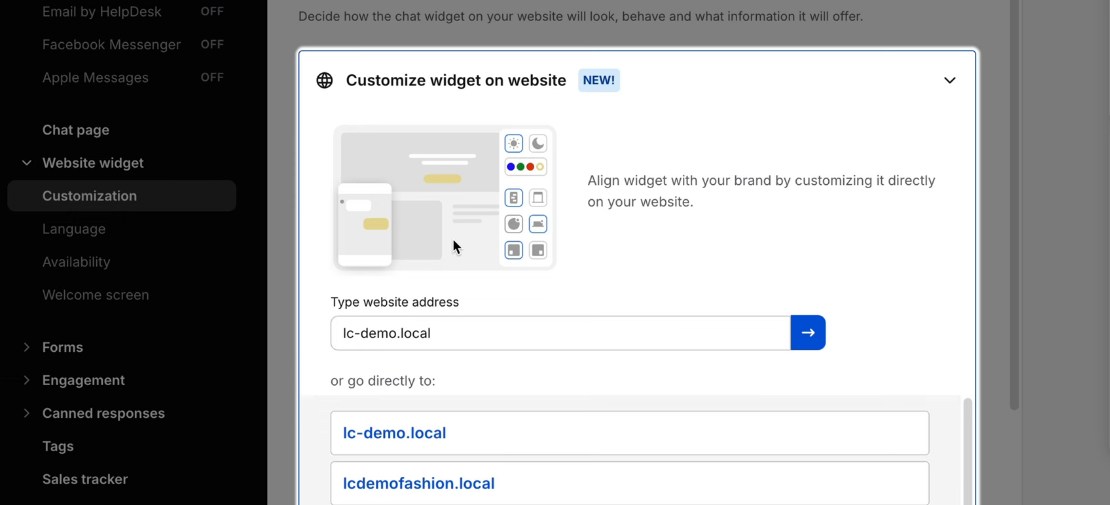
Getting the widget live took under 10 minutes. What I found genuinely useful is the asynchronous messaging feature, which lets conversations continue over time without needing both parties to be online simultaneously.
For ecommerce teams, the Shopify and WooCommerce integrations are impressive. Agents can see a customer’s cart contents, order history, and browsing behavior in real time, right inside the chat panel, without switching tabs.
Key Features
- Asynchronous messaging across all plans
- Real-time cart and order data for Shopify, WooCommerce, and BigCommerce
- The AI Copilot assistant is available on all plans
- Proactive chat triggers based on visitor behavior
- Support for multiple websites under a single account at no extra cost
Pros & Cons
PROS
CONS
Pricing
LiveChat offers 4 plans.
– Starter: $19/agent/mo
– Team: $49/agent/mo
– Business: $79/agent/mo
– Enterprise: Custom pricing
HubSpot Service Hub
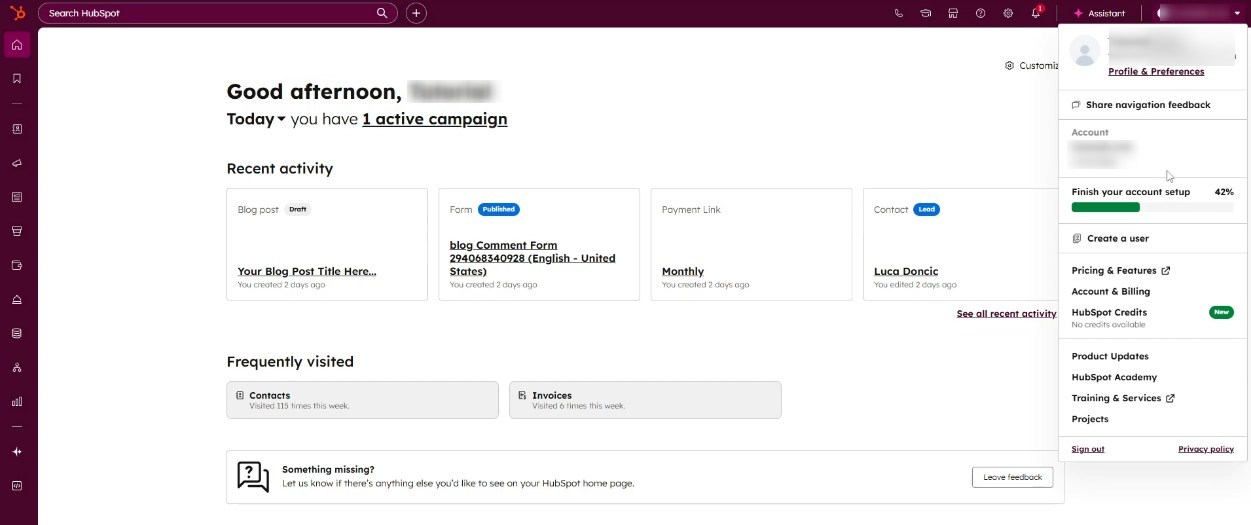
HubSpot Service Hub is the strongest choice for teams where marketing, sales, and support need to operate from the same playbook. HubSpot’s live chat widget also functions as a data capture tool.
Every conversation a customer has pulls their responses directly into the HubSpot CRM as zero-party data, updating contact records in real time. So by the time a support agent joins the chat, they already know the customer’s purchase history, recent marketing emails, and open deals.
Setup was straightforward, and the free plan includes a fully functional chat widget that works very well on websites at no initial cost.
Key Features
- Live chat widget connected natively to HubSpot CRM
- AI Customer Agent for automated ticket resolution (Enterprise)
- Omnichannel inbox covering chat, email, WhatsApp, and calling
- Customer feedback surveys (NPS, CSAT) tied to chat interactions
- Knowledge base builder accessible directly within the chat widget
Pros & Cons
PROS
CONS
HubSpot Service Hub Pricing
Pricing
HubSpot offers a free forever plan with limited features. Paid plans are as follows.
– Starter: $9/seat/mo
– Professional: $90/seat/mo
– Enterprise: $150/seat/mo
Tidio
Tidio is a practical live chat option for SMBs using Shopify or WooCommerce. The cart abandonment triggers are where it genuinely shines.
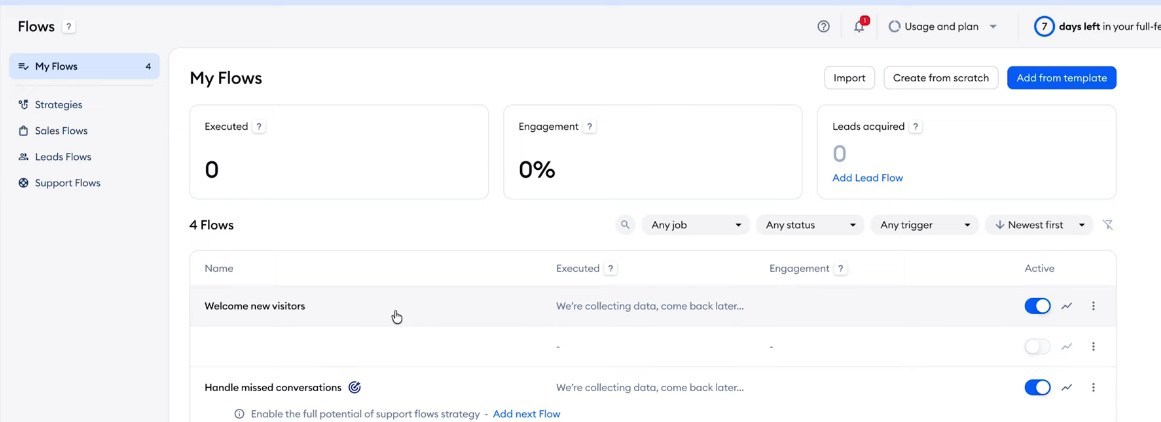
I was able to configure a flow that automatically initiated a chat when a visitor spent over 60 seconds on the checkout page with items in their cart, without writing a single line of code. The visual chatbot builder is drag-and-drop, and I had a working abandoned cart recovery flow live in under 15 minutes.
The Lyro AI Agent adds another layer, resolving up to 67% of customer questions automatically using your store’s support content.
Key Features
- Visual no-code flow builder with 40+ pre-built automation templates
- Cart abandonment triggers that fire proactive chat messages at checkout
- Lyro AI Agent resolves complex queries using your own support content
- Native Shopify integration with real-time cart preview and order management
- Omnichannel inbox covering live chat, Instagram, WhatsApp, and Messenger
Pros & Cons
PROS
CONS
Pricing
Tidio offers the following plans:
– Starter: $24.17/mo
– Growth: $49.17/mo
– Plus: $749/mo
– Premium: Custom pricing.
The Lyro AI Agent is offered as an add-on at a price starting $32.50/month.
Drift
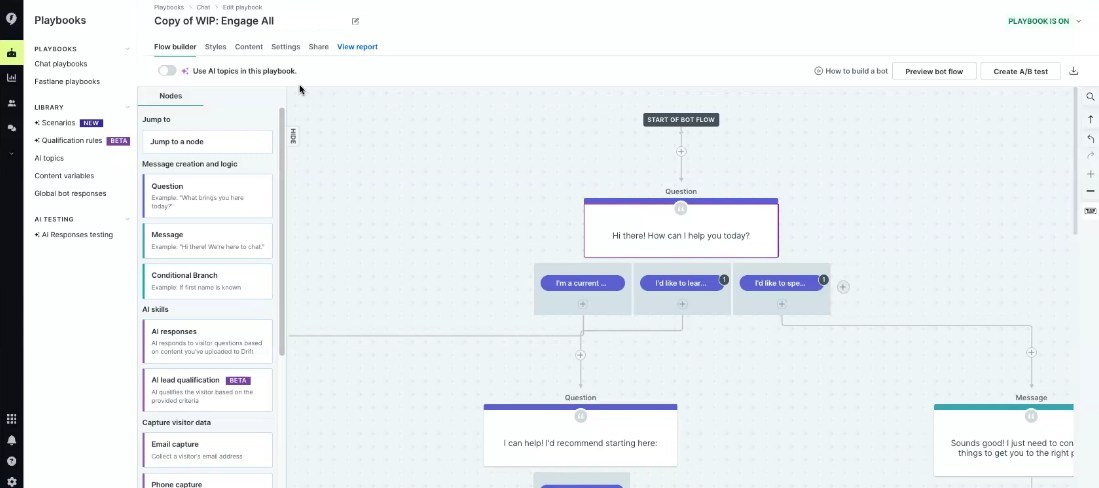
Drift operates in a different league from most live chat tools. It is built specifically for B2B revenue teams, not general customer support. What sets it apart is how it handles high-value accounts.
When a visitor from a target company lands on your site, Drift identifies them using firmographic data, scores their intent in real time, and routes them directly to the right sales rep, bypassing any generic bot queue entirely. I found the meeting booking feature particularly effective.
Qualified buyers can schedule a demo without ever leaving the chat window, cutting the typical back-and-forth email cycle out completely. Since its acquisition by Salesloft, Drift now feeds conversations directly into the Salesloft revenue workflow.
Key Features
- Fastlane lead qualification routes high-value accounts to reps in real time
- AI Chat Agent deanonymizes visitors using firmographic and account history data
- In-chat meeting booking is integrated directly with rep calendars
- ROI reporting that attributes chat conversations to the pipeline and closed revenue
- Native integration with Salesforce, HubSpot, Marketo, and Salesloft Rhythm
Pros & Cons
PROS
CONS
Pricing
Drift no longer displays pricing publicly on its website and requires a demo request. Please confirm current pricing directly with Drift/Salesloft sales if you’re interested.
Crisp
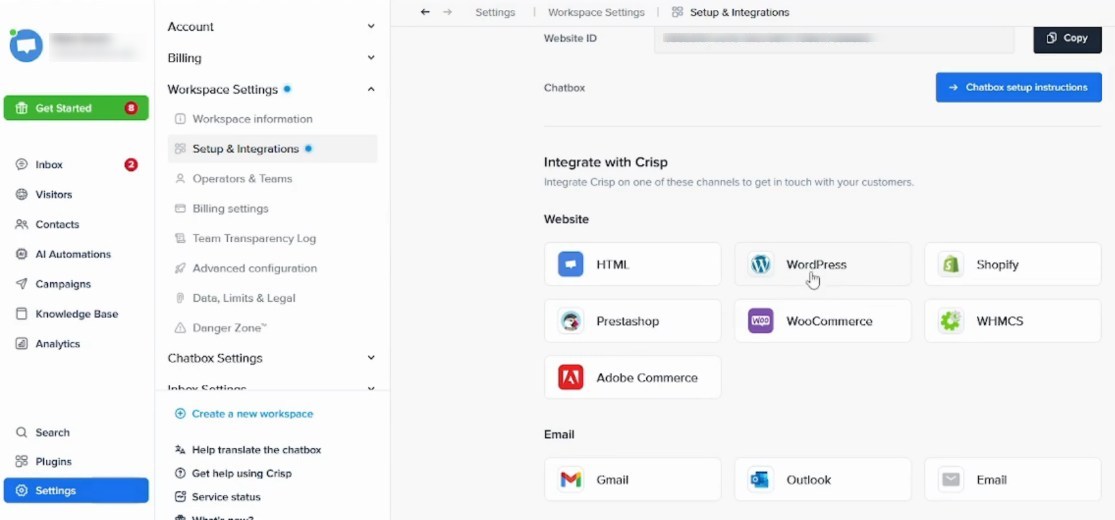
Crisp is best suited for startups that want a full multi-channel support inbox without paying per seat. The workspace-based pricing model is what makes it stand out. Whether you have 4 agents or 20, you pay a flat monthly rate for the entire workspace, not per agent.
The setup is refreshingly simple, and the omnichannel inbox connected email, live chat, Instagram, and WhatsApp in one view within minutes. The AI chatbot, knowledge base, and workflow automation builder are all included from the Essentials plan, which is genuinely rare at this price point.
For bootstrapped startups managing support across multiple channels, Crisp removes the need to stitch together three separate tools.
Key Features
- Flat per-workspace pricing covering unlimited conversations
- Omnichannel inbox covering live chat, email, WhatsApp, Instagram, and Messenger
- AI Chatbot and knowledge base included on the Essentials plan
- Workflow automation builder with task automations
- In-browser audio and video calling directly from the chat widget
Pros & Cons
PROS
CONS
Pricing
Crisp offers a free plan which offers 2 seats. Paid plans are:
– Mini: $45/mo per workspace (up to 4 seats)
– Essential: $95/mo per workspace (up to 10 seats)
– Plus: $295/mo per workspace (20+ seats)
Freshchat
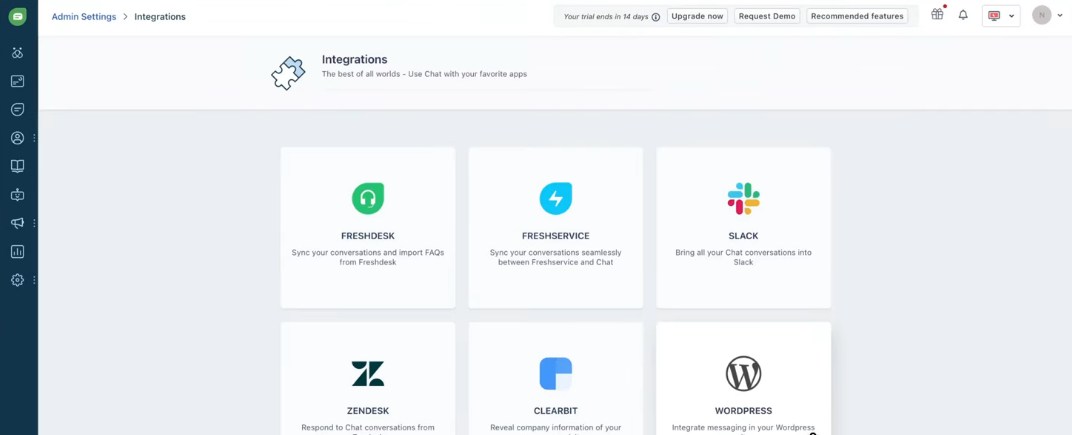
Freshchat is a strong contender for IT and SaaS teams looking for omnichannel helpdesk support that goes beyond a basic chat widget. The unified agent workspace brings together live chat, WhatsApp, Instagram, email, and SMS into a single inbox, so agents can avoid juggling multiple tabs.
The Freddy AI Agent handles first-line queries autonomously, and the first 500 sessions are included free on all paid plans, so you can test AI deflection before committing. For IT teams already using Freshdesk or Freshservice, the integration is seamless.
Upgrading to Freshdesk Omni unlocks advanced ticketing and knowledge base features within the same ecosystem.
Key Features
- Unified agent workspace covering chat, WhatsApp, email, SMS, Instagram, and Facebook
- Freddy AI Agent for autonomous first-line query resolution
- Freddy AI Copilot that assists agents with response suggestions in real time
- Real-time dashboards and custom analytics from the Pro plan onward
- Native upgrade path to Freshdesk Omni for full helpdesk capabilities
Pros & Cons
PROS
CONS
Pricing
Freshchat has a free plan that allows 10 agents. Paid plans are as follows:
– Growth: $19/agent/mo
– Pro: $49/agent/mo
– Enterprise: $79/agent/mo
Tawk.to
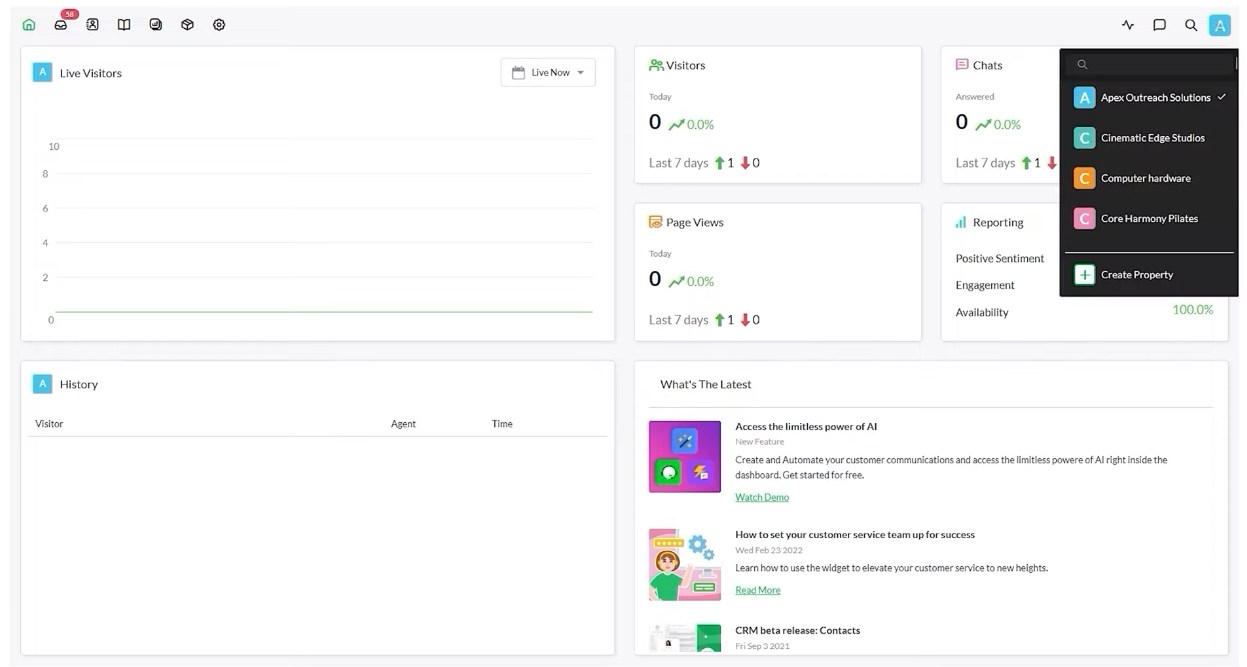
Tawk.to has a straightforward value proposition: it is 100% free, forever, with no agent limits, no chat volume caps, and no feature paywalls. For bootstrapped businesses and early-stage startups testing live chat for the first time, it remains the most practical starting point I’ve seen.
Setup takes under two minutes with a single JavaScript snippet. It does include a knowledge base, ticketing, and basic CRM, which is more than most people expect from a free tool.
That said, if you need advanced AI-driven automation, advanced bot flows, or deep ecommerce integrations in 2026, Tawk.to will eventually feel limiting. It is best used as a launchpad, not a long-term enterprise solution.
Key Features
- 100% free with unlimited agents, chats, and websites
- Built-in knowledge base, ticketing, and basic CRM at no cost
- Real-time visitor monitoring with full session history
- Mobile apps for iOS and Android
- Optional hired agent service at $1/hour for outsourced chat coverage
Pros & Cons
PROS
CONS
Tawk.to Pricing
Pricing
The live chat software has a free forever plan. If you wish to remove the branding, it costs $29/mo and hired agents are offered at $1/agent/hour.
More Live Chat Tools
The below live chat tools deserve honorable mentions.

JivoChat

Zoho SalesIQ

Olark

LiveAgent
How to Choose the Right Live Chat Software
Picking the best live chat software comes down to four decisions:
- AI vs. Human Support: Estimate what percentage of your tickets are repetitive. If it is above 40%, prioritize tools with strong AI automation like Intercom or Freshchat. If your queries need human judgment, focus on handoff quality instead.
- Integration with Your Tech Stack: Check native compatibility with your existing tools. Shopify and WooCommerce stores need Tidio or LiveChat. Salesforce and HubSpot-heavy teams need Drift or Zendesk. Slack-based teams benefit from Hiver.
- Omnichannel vs. Standalone: If customers reach you via WhatsApp, Instagram, and SMS, you need a unified inbox. A standalone chat widget will create blind spots.
- Security and Compliance: SaaS and healthcare teams must verify GDPR, SOC2, and HIPAA compliance before signing any contract. Not every tool on this list covers all three.
The Future of Live Chat: 3 Trends Defining 2026 and Beyond
Trend 1: Hyper-Personalization via LLMs
LLMs can now analyze CRM data, browsing behavior, and sentiment signals before a customer types a single word. By 2027, 75% of customer interactions are projected to be personalized in real time using AI. Top AI live chat software in 2026 don’t just respond, they predict.
Trend 2: Video-Chat Integration Within the Text Widget
Support teams are embedding audio and video calling directly inside the live chat widget, with no app download required. Platforms like Crisp already offer one-click in-browser video calling. Expect this to become a standard feature across most live chat apps for websites within the next 12 months.
Trend 3: Proactive Support Before the Customer Asks
Modern AI chatbots don’t wait for complaints. They monitor behavioral signals (time on page, cart inactivity, error triggers) and initiate conversations before the customer realizes there’s a problem. AI chatbots already deflect 40 to 70% of inbound support inquiries. Proactive deployment pushes that number higher still.
Frequently Asked Questions (FAQs)
Live chat connects customers to a human agent in real time. A chatbot is automated software that handles queries without human involvement.
Yes. Most modern live chat apps for websites, including Zendesk, Freshchat, Hiver, and Tidio, support native WhatsApp and Instagram integration.
Yes. Businesses using live chat report up to a 40% increase in conversion rates, as instant responses reduce purchase hesitation significantly.
Tawk.to is the best free live chat software, offering unlimited agents, chats, and websites at zero cost, forever.