


We are excited to announce AI Extraction, a new feature in the Geekflare Web Scraping API.
Scraping a webpage is only the first step. Many applications still need to extract structured information, summarize content, or answer questions before the data becomes useful. AI Extraction brings these capabilities directly into Geekflare’s Web Scraping API.
Let’s explore how it works and what you can build with it.
How AI Extraction Works
AI Extraction extends the Geekflare Web Scraping API with AI-powered data extraction. Simply provide a webpage URL and select the type of information you want to extract. The API handles the processing and returns the extracted result along with the scraped webpage content.
Behind the scenes, your request looks like this:
{
  "url": "https://example.com/products/wireless-headphones",
  "aiPrompt": {
    "type": "prompt | schema | product | listing | summary | contact | sentiment | keywords",
    "...": "mode-specific fields"
  }
}
Here is a simplified view of how the extraction works

After the request is processed, the extracted information is available in the aiResult field. The response also includes the scraped webpage content in the data field and additional request details in the meta field.
Supported Extraction Types
AI Extraction offers eight extraction types for common data extraction tasks. Choose an extraction type based on the information you want to extract.
| Extraction Type | Description |
|---|---|
Prompt | Ask questions about a webpage and receive answers based on its content. |
Schema | Extract custom structured data using your own JSON schema. |
Product | Extract product information from ecommerce pages. |
Listing | Extract multiple items from category or listing pages. |
Summary | Generate concise summaries of webpage content. |
Contact | Extract contact details such as email addresses, phone numbers, and social links. |
Sentiment | Analyze the sentiment of reviews and opinion based content. |
Keywords | Extract keywords, named entities, and content tags from a webpage. |
See AI Extraction Types in Action
All examples use the same Web Scraping API endpoint. Simply change the extraction type based on your use case. You can test them in the Playground or use them through the REST API, SDKs, or MCP.
Open-ended Question (Prompt)
The Prompt extraction type lets you ask questions about a webpage using natural language. Simply enter your question, and AI Extraction analyzes the page and returns an answer based on its content.
For this example, we will use this webpage and ask a simple question.
URL
https://www.anthropic.com/claude/fableQuestion
What are the key features of Claude Fable?You can make this request using the following cURL command. Replace Your apikey with your Geekflare API key before running the command.
curl --location --request POST 'https://api.geekflare.com/webscraping' \
  -H "x-api-key: Your apikey" \
  -H "Content-Type: application/json" \
  --data-raw '{
    "device":"desktop",
    "format":["markdown"],
    "renderJS":true,
    "blockAds":true,
    "stealth":false,
    "aiPrompt":{
      "type":"prompt",
      "query":"What are the key features of Claude Fable?"
    },
    "url":"https://www.anthropic.com/claude/fable"
  }'
The API returns the extracted answer in a structured JSON response.
API Response
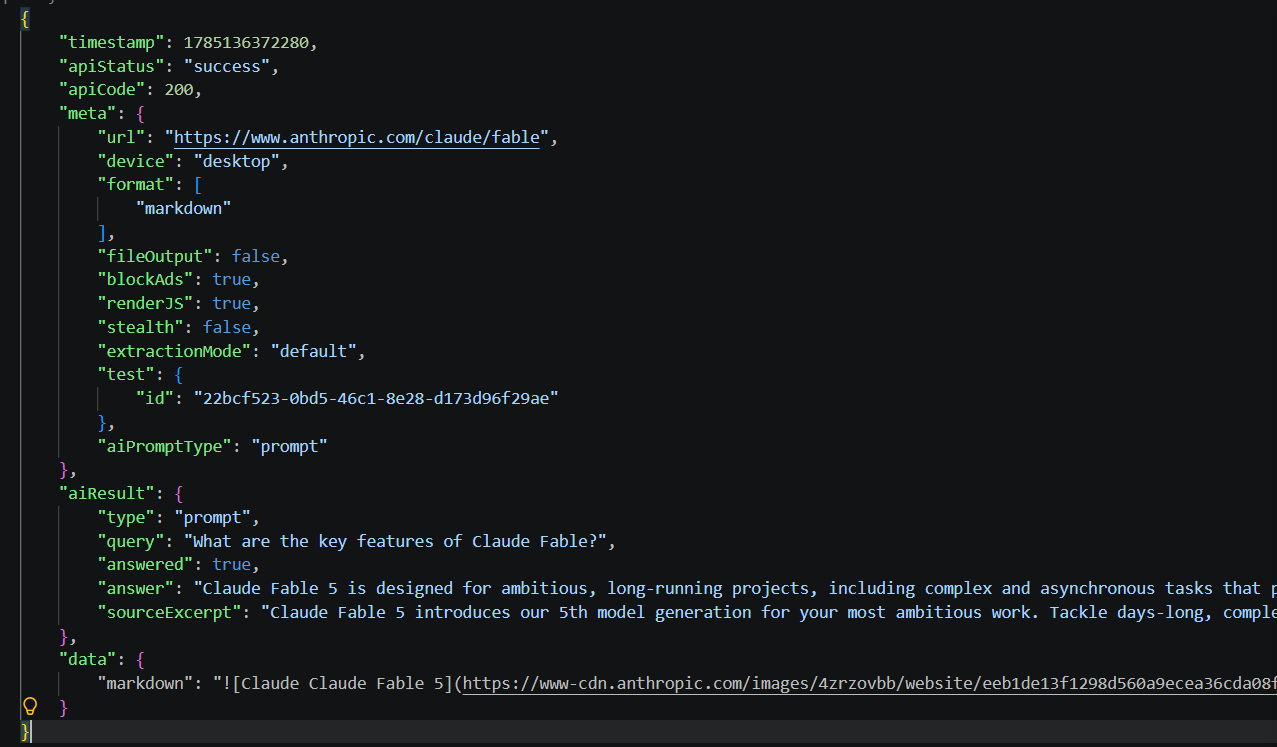
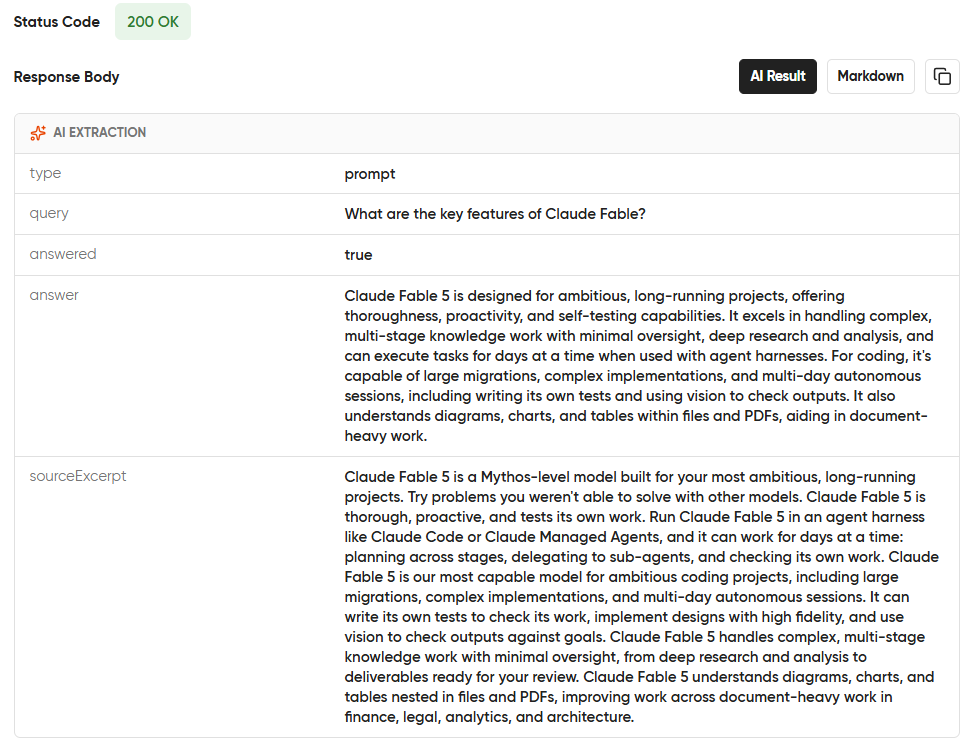
If you prefer a visual interface, you can perform the same extraction using the Geekflare Playground. Enter the URL, select Open-ended Question as the extraction type, enter the question, and run the request to view the extracted result.
Here is the response:
Custom JSON Schema (Schema)
The Schema extraction type lets you define the exact information you want to extract from a webpage. Provide a JSON schema, and AI Extraction returns the data in the same structure.
For this example, we’ll extract information from a GitHub repository page into a structured schema.
URL
https://github.com/openai/openai-pythonSchema
{
  "name": "string",
  "description": "string",
  "language": "string",
  "stars": "number",
  "license": "string"
}
Run the following cURL command after replacing Your apikey with your Geekflare API key.
curl --location --request POST 'https://api.geekflare.com/webscraping' \
  -H "x-api-key: Your apikey" \
  -H "Content-Type: application/json" \
  --data-raw '{"device":"desktop","format":["markdown"],"renderJS":true,"blockAds":true,"stealth":false,"aiPrompt":{"type":"schema","schema":{"name":"string","description":"string","language":"string","stars":"number","license":"string"}},"url":"https://github.com/openai/openai-python"}'
The API returns the extracted data matching the schema you defined.
API Response
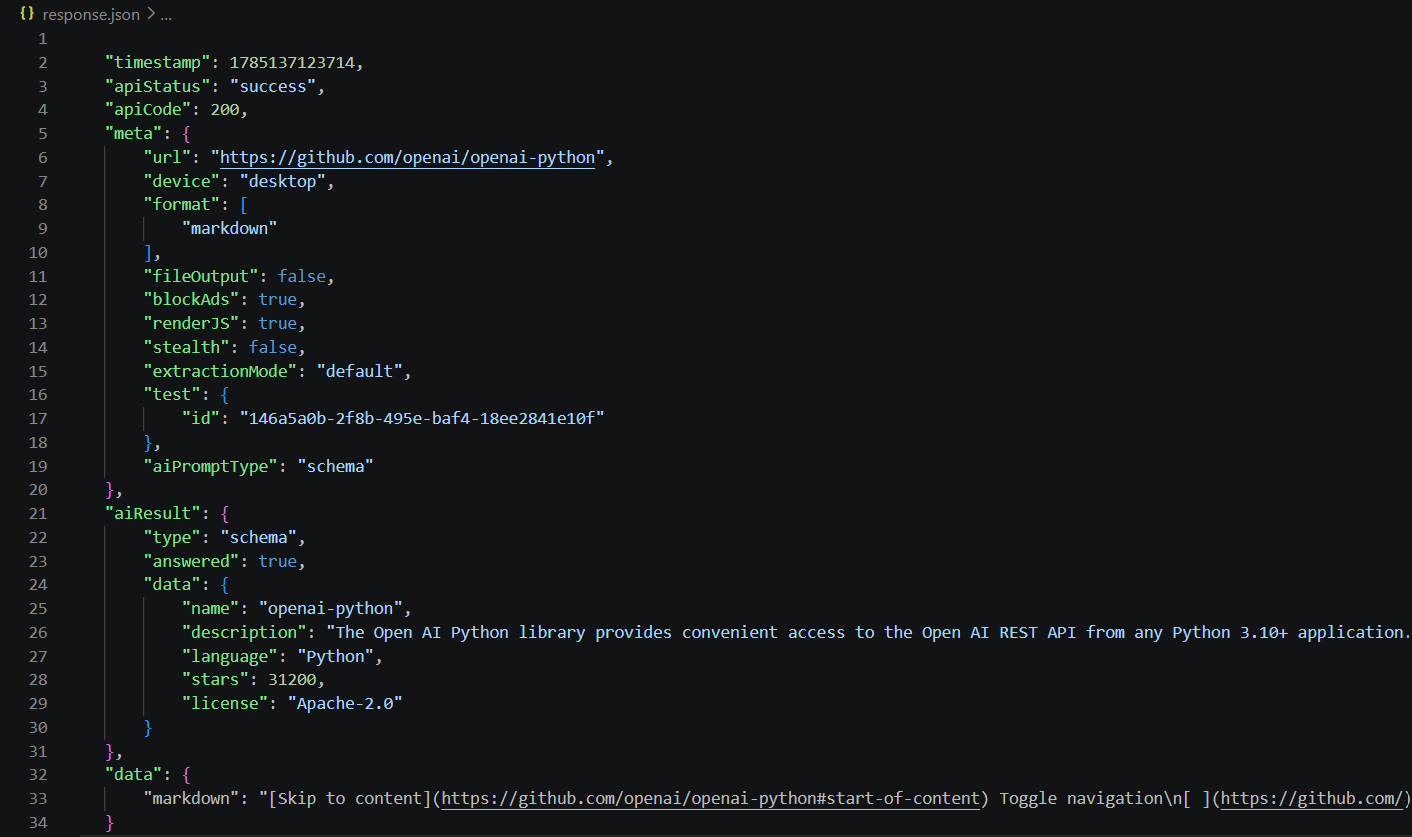
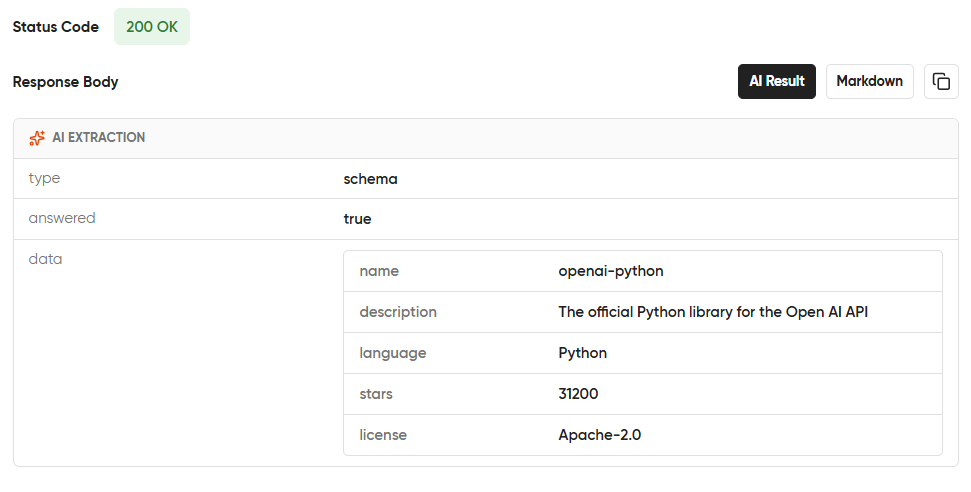
You can verify the same extraction in the Geekflare Playground using the schema above. The result is shown below.
Product Extraction (Product)
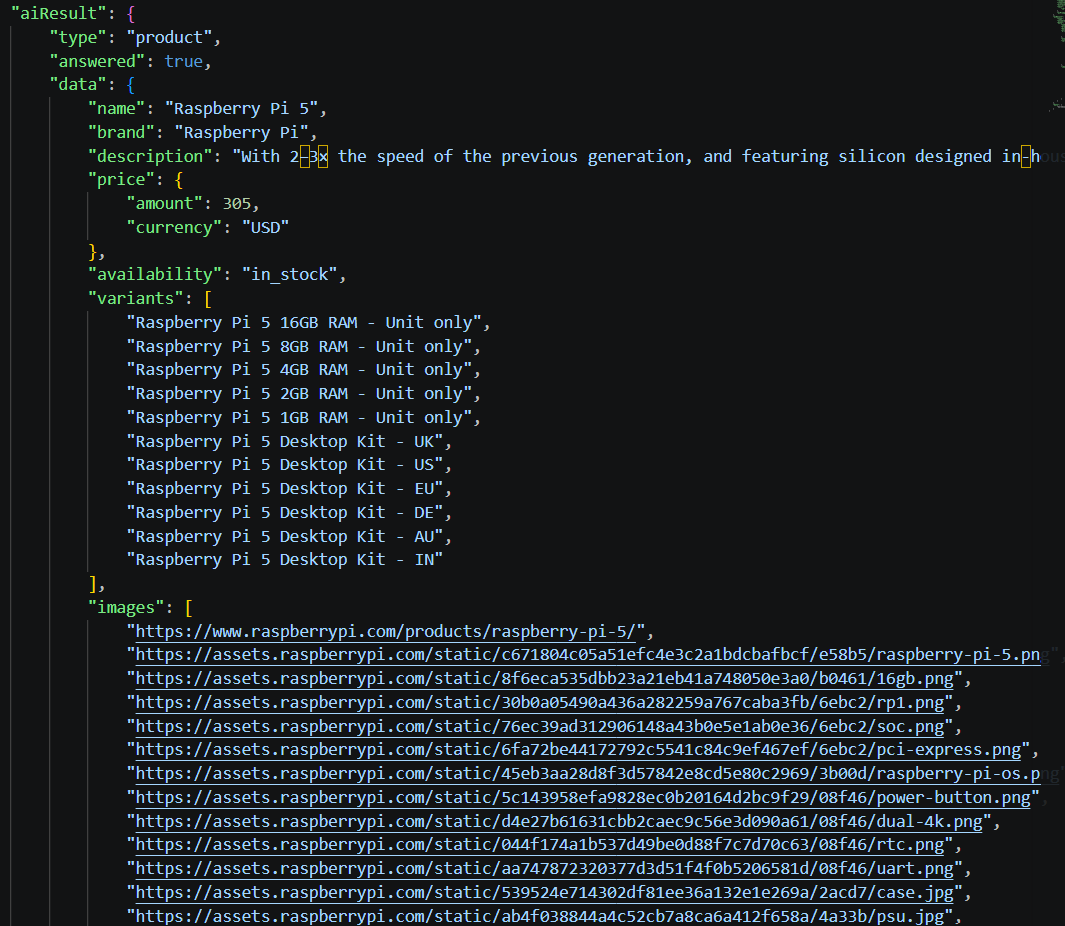
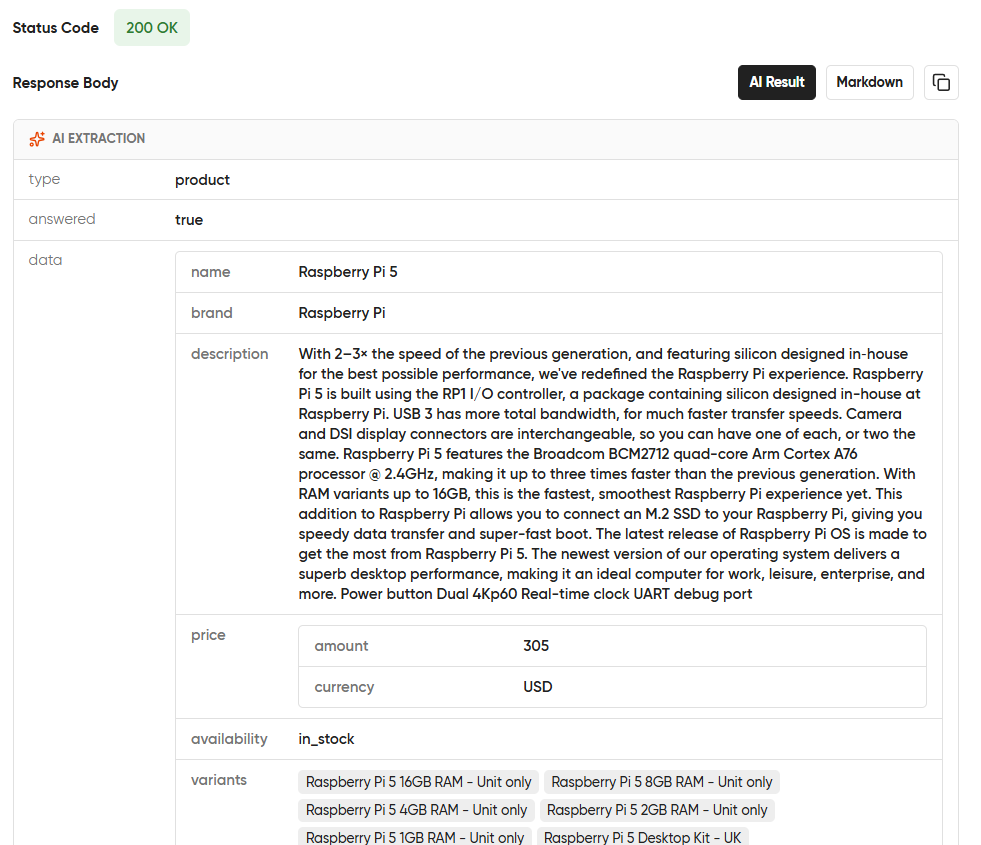
The Product extraction type extracts product information from ecommerce pages. It identifies details such as the product name, description, price, availability, images, specifications, and more.
For this example, we’ll extract product details from an ecommerce product page.
URL
https://www.raspberrypi.com/products/raspberry-pi-5/Run the following cURL command after replacing Your apikey with your Geekflare API key.
curl --location --request POST 'https://api.geekflare.com/webscraping' \
  -H "x-api-key: Your apikey" \
  -H "Content-Type: application/json" \
  --data-raw '{"device":"desktop","format":["markdown"],"renderJS":true,"blockAds":true,"stealth":false,"aiPrompt":{"type":"product"},"url":"https://www.raspberrypi.com/products/raspberry-pi-5/"}'
The API analyzes the product page and returns the extracted product information as structured JSON.
API Response
You can also run this request in the Geekflare Playground to view the extracted product details in a visual interface.
Response
Listing Extraction (Listing)
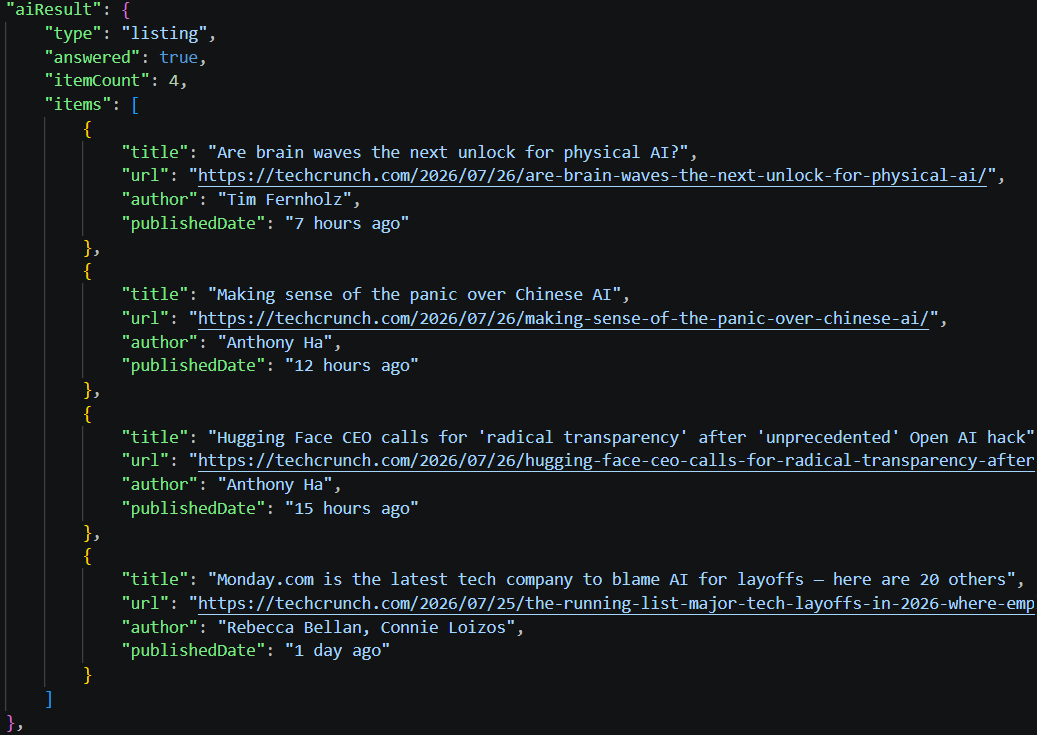
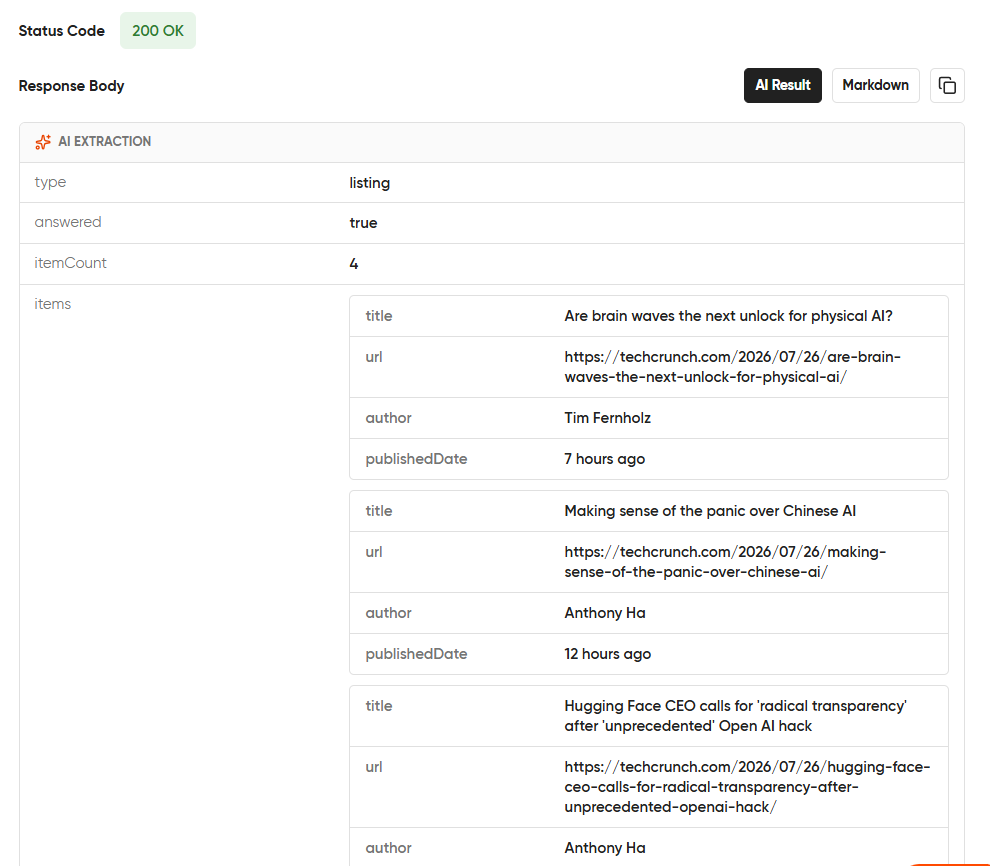
The Listing extraction type extracts multiple items from a webpage, such as products, articles, job postings, or search results. It returns the extracted items as a structured list. This is useful for category pages, directories, and search results.
For this example, we’ll extract articles from the TechCrunch Artificial Intelligence category page.
URL
https://techcrunch.com/category/artificial-intelligence/Schema:
{
  "title": "string",
  "url": "string",
  "author": "string",
  "publishedDate": "string",
  "summary": "string"
}
Run the following cURL command after replacing Your apikey with your Geekflare API key.
curl --location --request POST 'https://api.geekflare.com/webscraping' \
  -H "x-api-key: Your apikey" \
  -H "Content-Type: application/json" \
  --data-raw '{"device":"desktop","format":["markdown"],"renderJS":true,"blockAds":true,"stealth":false,"aiPrompt":{"type":"listing","maxItems":20,"itemSchema":{"title":"string","url":"string","author":"string","publishedDate":"string","summary":"string"}},"url":"https://techcrunch.com/category/artificial-intelligence/"}'
The API extracts the articles from the page and returns each one as an object matching the schema you defined.
API Response
Run the same request in the Geekflare Playground to compare the extracted list with the API response.
Contact Info (Contact)
The Contact extraction type extracts contact information from a webpage. It identifies details such as names, email addresses, phone numbers, physical addresses, social media links, and other contact details.
For this example, we’ll extract contact information from a company’s contact page.
URL
https://automattic.com/contact/Run the following cURL command after replacing Your apikey with your Geekflare API key.
curl --location --request POST 'https://api.geekflare.com/webscraping' \
  -H "x-api-key: Your apikey" \
  -H "Content-Type: application/json" \
  --data-raw '{"device":"desktop","format":["markdown"],"renderJS":true,"blockAds":true,"stealth":false,"aiPrompt":{"type":"contact"},"url":"https://automattic.com/contact/"}'
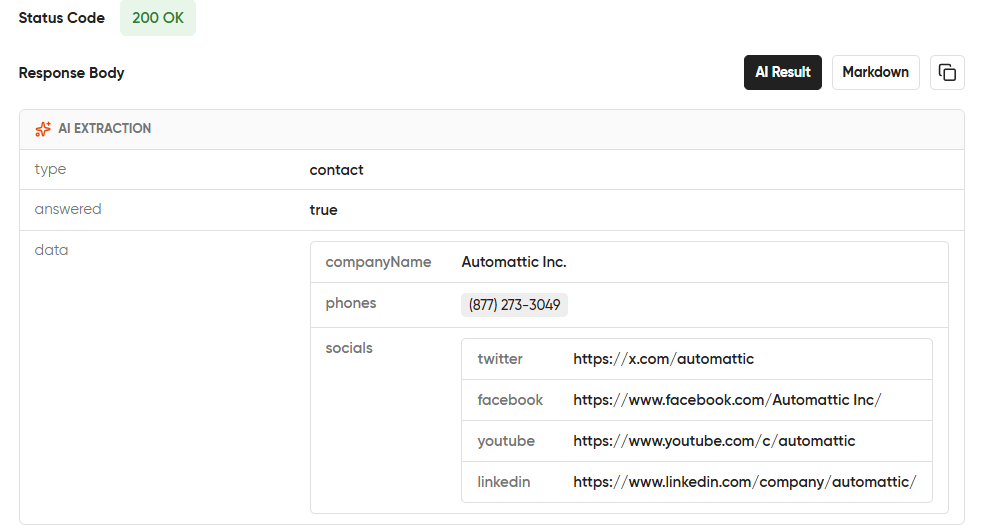
The API scans the webpage and extracts the available contact information into a structured JSON response.
API Response
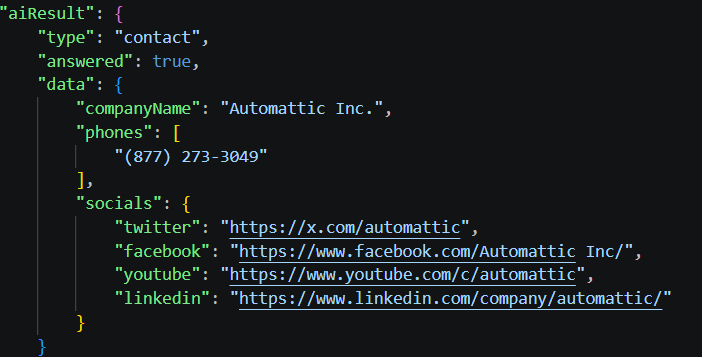
The same extraction can be viewed in the Geekflare Playground, where the extracted contact details are displayed in an easy-to-read format.
Summary (Article)
The Article extraction type extracts information from news articles, blogs, documentation, and other content pages. It identifies details such as the title, author, publication date, summary, tags, and the main content.
It also supports three summary styles, such as paragraph, TL;DR, and bullet points. You can also specify a Focus Area to generate a summary around a particular topic and set a Max Length to control the summary size.
For this example, we’ll extract information from a blog article.
URL
https://geekflare.com/guides/geekflare-api-credit-pack/Run the following cURL command after replacing Your apikey with your Geekflare API key.
curl --location --request POST 'https://api.geekflare.com/webscraping' \
  -H "x-api-key: Your Apikey" \
  -H "Content-Type: application/json" \
  --data-raw '{"device":"desktop","format":["markdown"],"renderJS":true,"blockAds":true,"stealth":false,"aiPrompt":{"type":"summary","style":"bullets","maxLength":5},"url":"https://geekflare.com/guides/geekflare-api-credit-pack/"}'
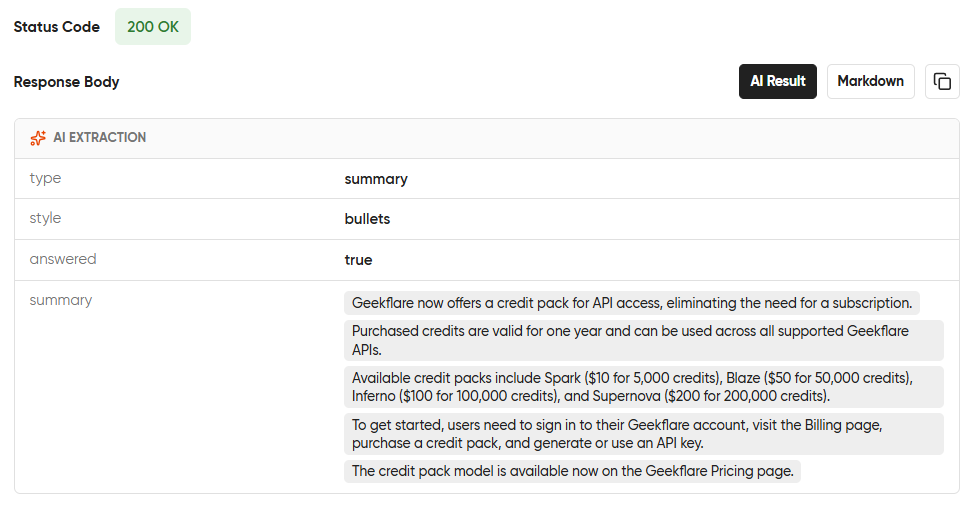
The API extracts the article details and generates the summary based on the options you specify.
API Response
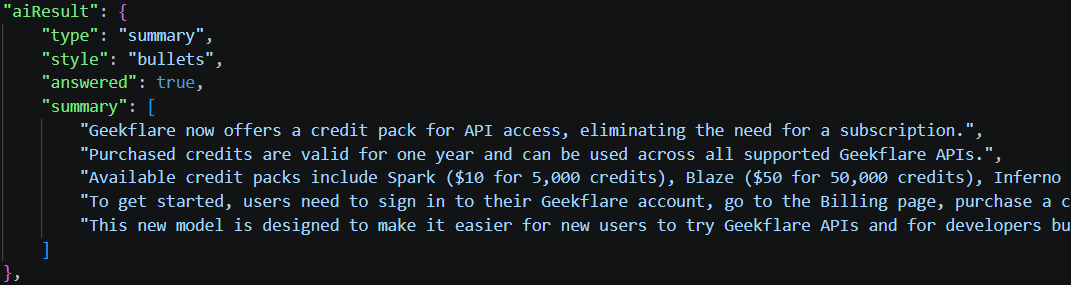
You can also run the same request in the Playground to explore the extracted article details and generated summary.
Sentiment Analysis (Sentiment)
The Sentiment extraction type analyzes the overall sentiment of a webpage. It classifies the content as positive, negative, or neutral and provides a confidence score for the detected sentiment. You can also specify Aspects to analyze sentiment for the topics that matter to your use case.
For example, if you’re analyzing reviews from the URL below, you can specify aspects such as:
- Story
- Acting
- Visual effects
- Direction
- Cinematography
- Soundtrack
- Pacing
- Ending
URL
https://www.rottentomatoes.com/m/inception/reviewsRun the following cURL command after replacing Your apikey with your Geekflare API key.
curl --location --request POST 'https://api.geekflare.com/webscraping' \
  -H "x-api-key: Your apikey" \
  -H "Content-Type: application/json" \
  --data-raw '{"device":"desktop","format":["markdown"],"renderJS":true,"blockAds":true,"stealth":false,"aiPrompt":{"type":"sentiment"},"url":"https://www.rottentomatoes.com/m/inception/reviews"}'
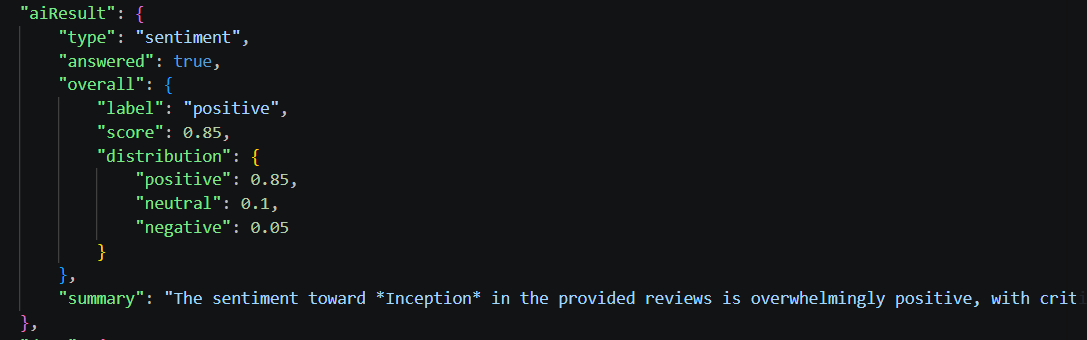
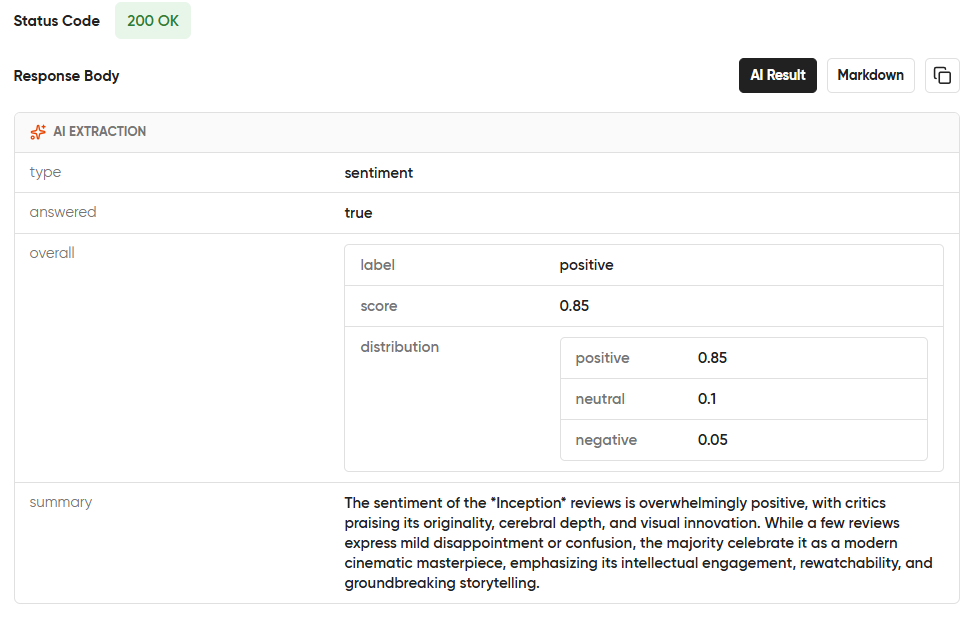
The API analyzes the reviews and returns the overall sentiment along with aspect-based sentiment scores and their confidence levels.
API Response
Here is the same analysis from the Geekflare playground.
Keywords & Entities (Keyword)
The Keyword extraction type identifies the most relevant keywords and key phrases from a webpage. It helps you understand the main topics of the content. This is useful for SEO analysis, content categorization, topic discovery, and search applications.
You can also specify the maximum keyword count to control how many keywords are returned.
URL
https://en.wikipedia.org/wiki/Artificial_intelligenceMax Keyword Count
10Run the following cURL command after replacing Your apikey with your Geekflare API key.
curl --location --request POST 'https://api.geekflare.com/webscraping' \
  -H "x-api-key: Your apikey" \
  -H "Content-Type: application/json" \
  --data-raw '{"device":"desktop","format":["markdown"],"renderJS":true,"blockAds":true,"stealth":false,"aiPrompt":{"type":"keywords","maxKeywords":10,"includeEntities":false},"url":"https://www.nasa.gov/humans-in-space/artemis/"}'
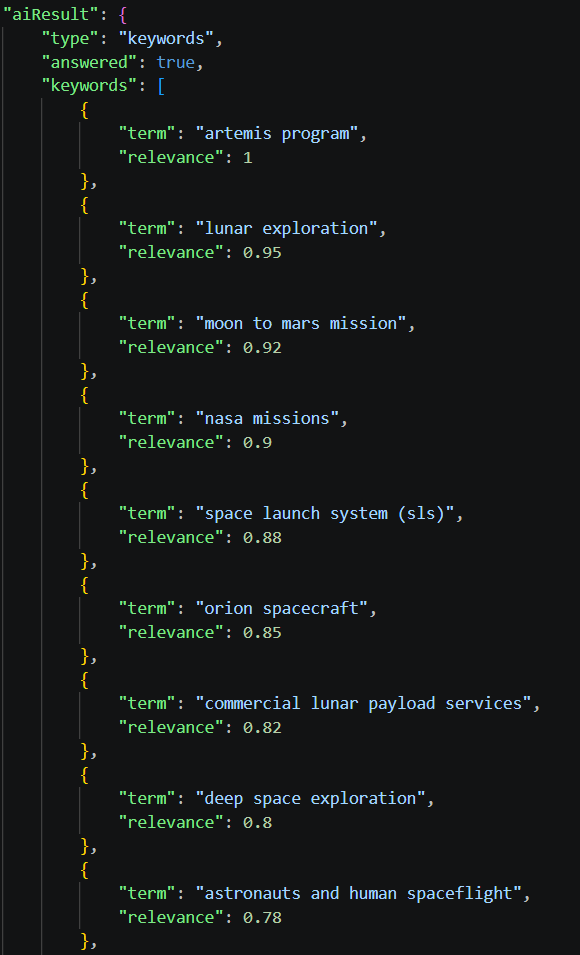
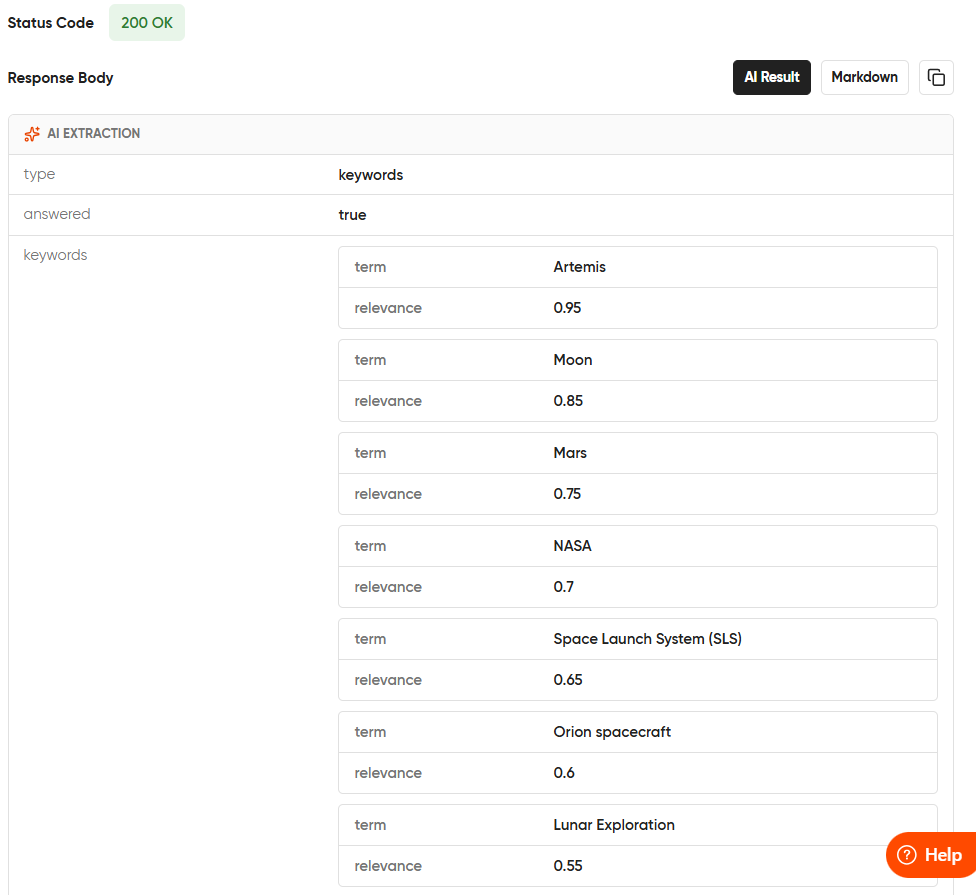
The API analyzes the webpage and returns the most relevant keywords and entities based on the specified keyword limit.
API Response
Run the same request in the Geekflare Playground to view the extracted keywords and entities in a visual interface.
Use AI Extraction in Your Applications
AI Extraction helps you retrieve useful information from webpages in a single API request. It simplifies common data extraction tasks and reduces the amount of post-processing in your application.
Here are a few examples:
- Ecommerce: Extract product details, pricing, availability, and ratings from online stores.
- Market Research: Generate summaries and compare information across multiple webpages.
- Lead Generation: Collect contact details from company websites.
- Content Analysis: Extract keywords and analyze sentiment from articles, blogs, and reviews.
- AI Applications: Retrieve structured information from webpages for AI agents and RAG applications.
Get Started with AI Extraction
Ready to try AI extraction? Visit the Geekflare Playground to explore the feature and test different extraction types using your own webpages.
When you’re ready to integrate AI Extraction into your application, refer to the AI Extraction documentation for implementation guides, API references, and SDK examples.





