



Nobody actually enjoys navigating five different tabs to find a piece of data, summarize a webpage, and share it with their team. It’s frustrating, and it completely breaks your focus. AI is supposed to simplify your workflow, not add more items to your to-do list.
We’ll now show you how to use Smart Intent Detection in Sparkian.
By automatically understanding the intent behind your queries, our system will seamlessly trigger live web searches or crawl specific web pages to deliver targeted, accurate, and up-to-date information directly into your conversation.
Here is everything you need to know about how this update enhances your productivity.
How It Works: Let the AI Do the Heavy Lifting
1. Automatic Intent Detection: You no longer need to explicitly tell the AI to “search the web” or click a toggle before asking a question. Just ask your question naturally. If your prompt requires current, real-time facts like stock prices, recent news, or sports scores, Sparkian will automatically browse the web to fetch the latest data. Similarly, if you include a URL in your prompt and ask questions about its content, the system will automatically crawl the page to extract the necessary insights.
2. Manual Control at Your Fingertips We know that power users sometimes prefer to take the wheel. If you want to explicitly force a web search or a page crawl without relying on automatic detection, you can now type @ directly into your chat input. This will open a quick-select menu where you can instantly trigger the specific tool you want to use.
Put It to the Test: Expanded Prompt Examples
Ready to see Smart Intent Detection in action? Drop these prompts into your Sparkian workspace to experience the upgrade firsthand.
🌐 Web Search Examples
I will now share some examples of prompts that trigger web searches to bring you the latest information from the internet.
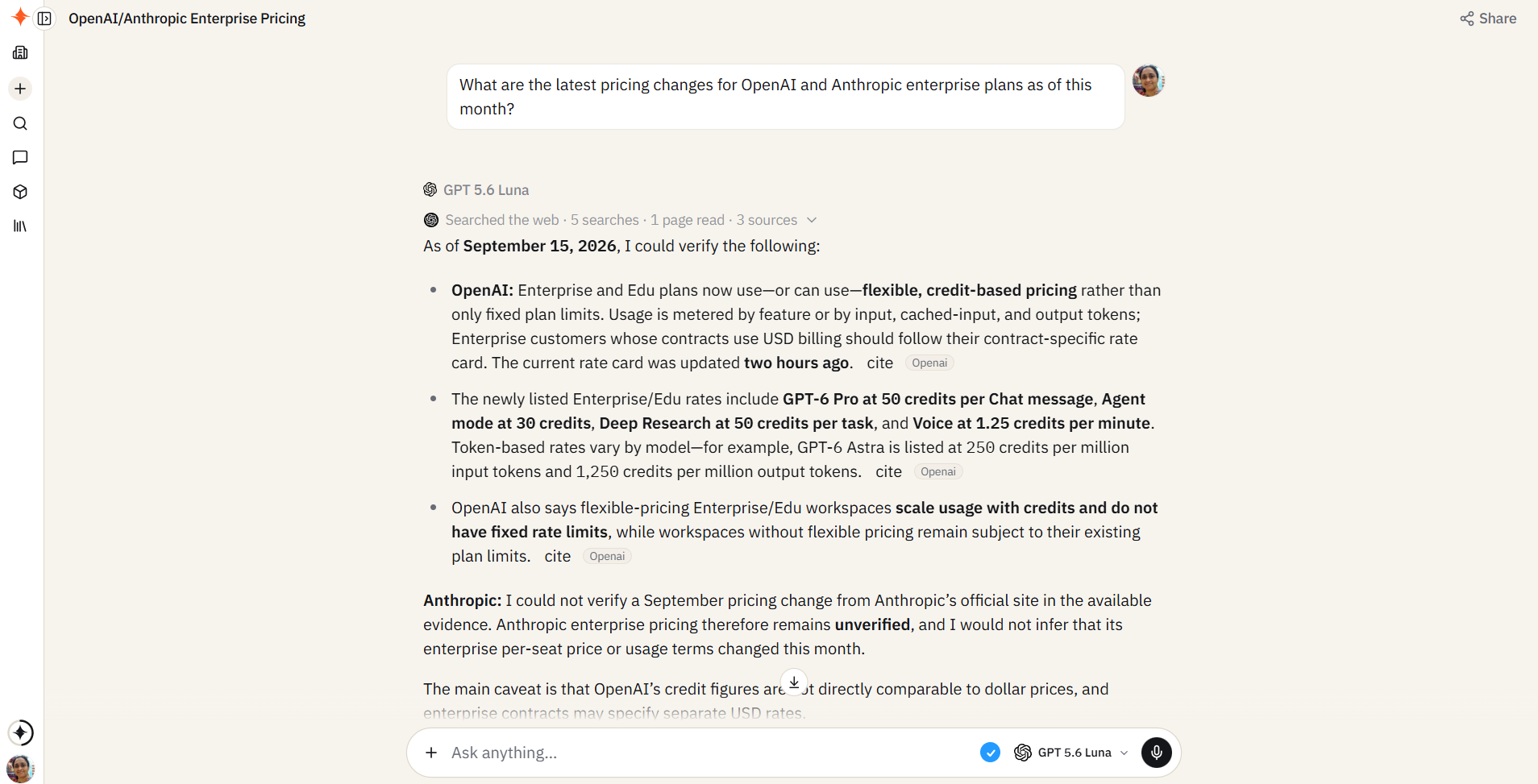
Market Research: “What are the latest pricing changes for OpenAI and Anthropic enterprise plans as of this month?“
Below is the response. Sparkian has detected that this prompt requires a web search and accordingly cited web search results along with the response.
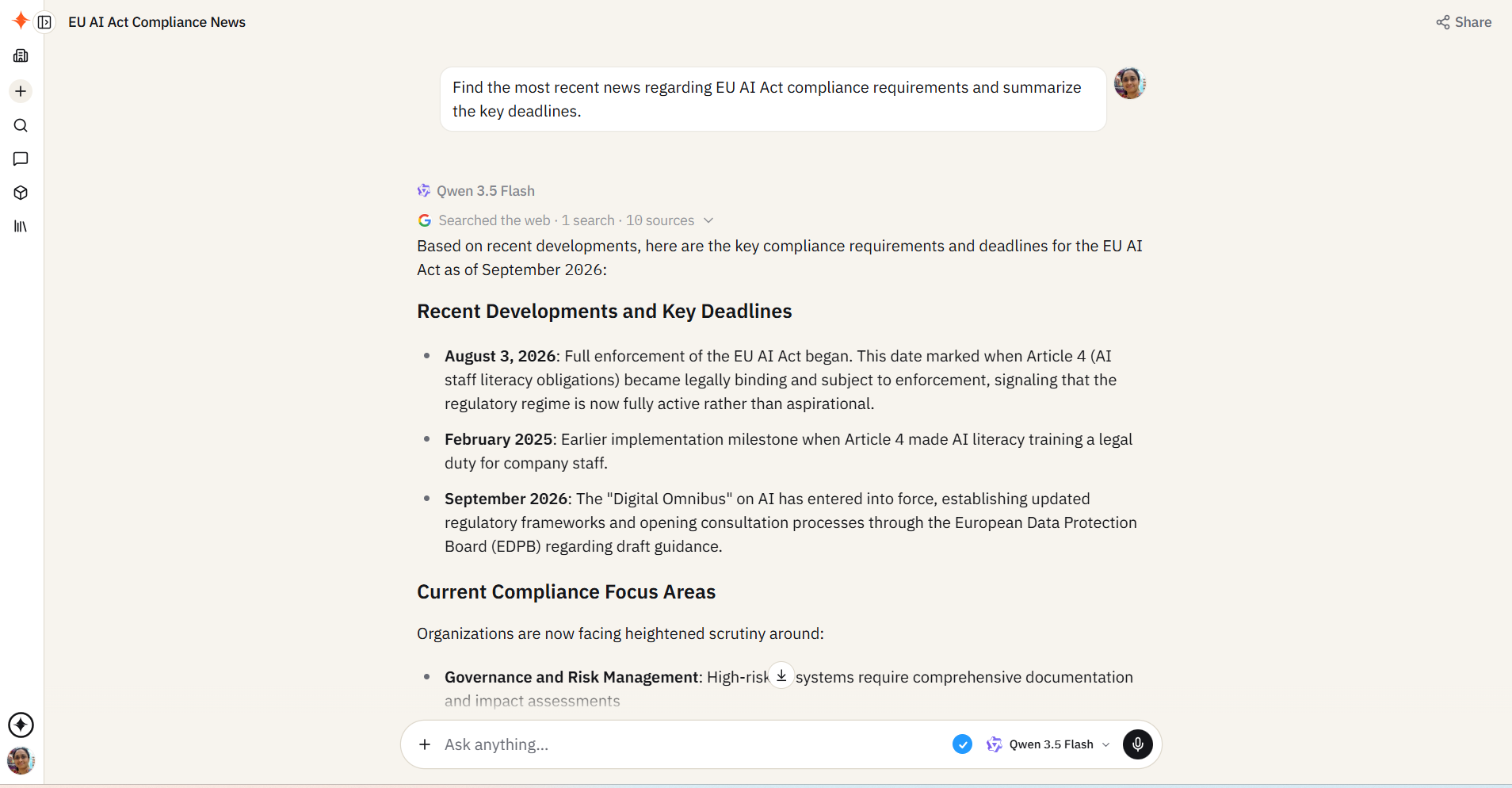
Industry News: “Find the most recent news regarding EU AI Act compliance requirements and summarize the key deadlines.“
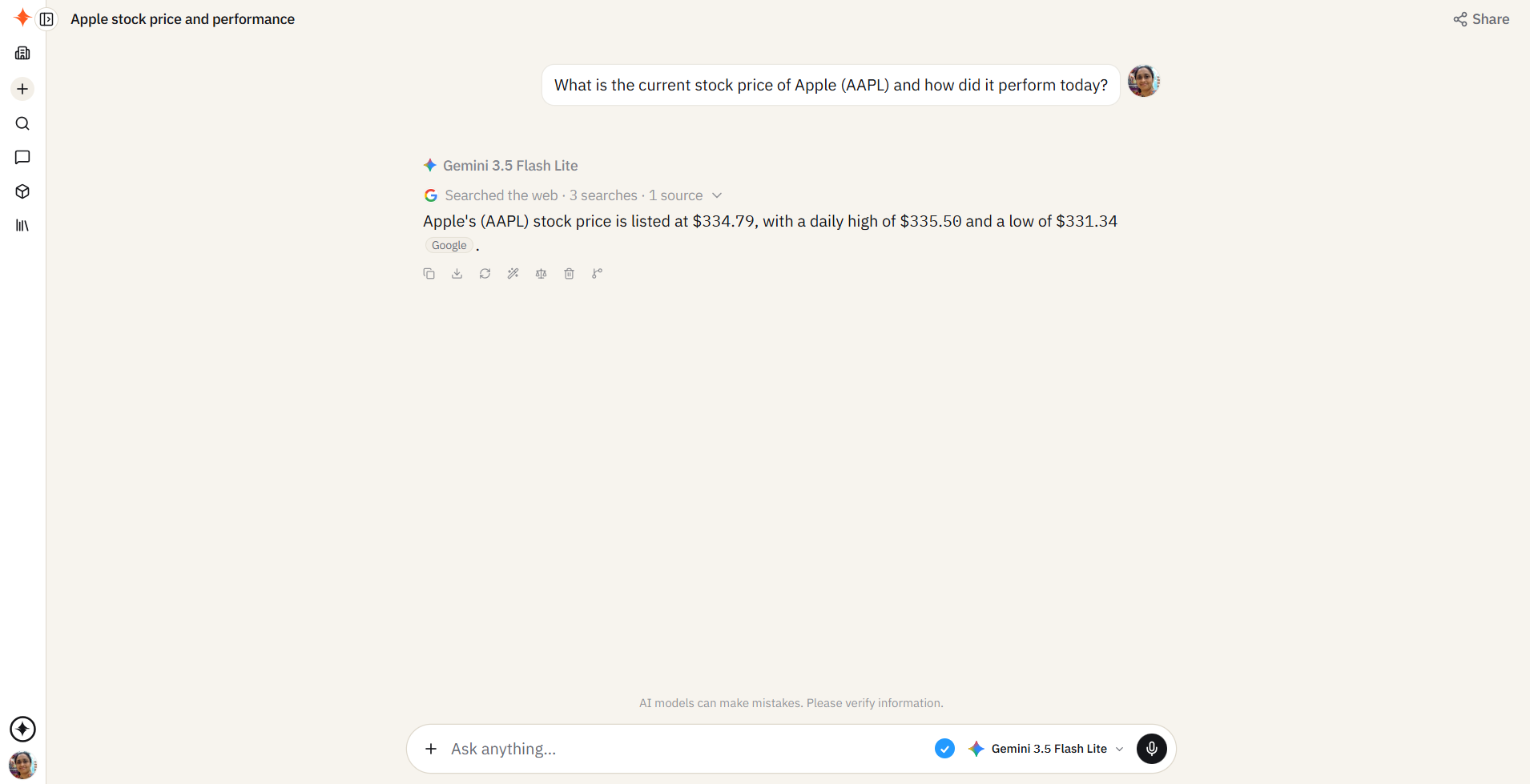
Live Data: “What is the current stock price of Apple (AAPL) and how did it perform today?“
As seen below, Sparkian automatically does a web search and returns the price of Apple stock as of the date of publishing this article.
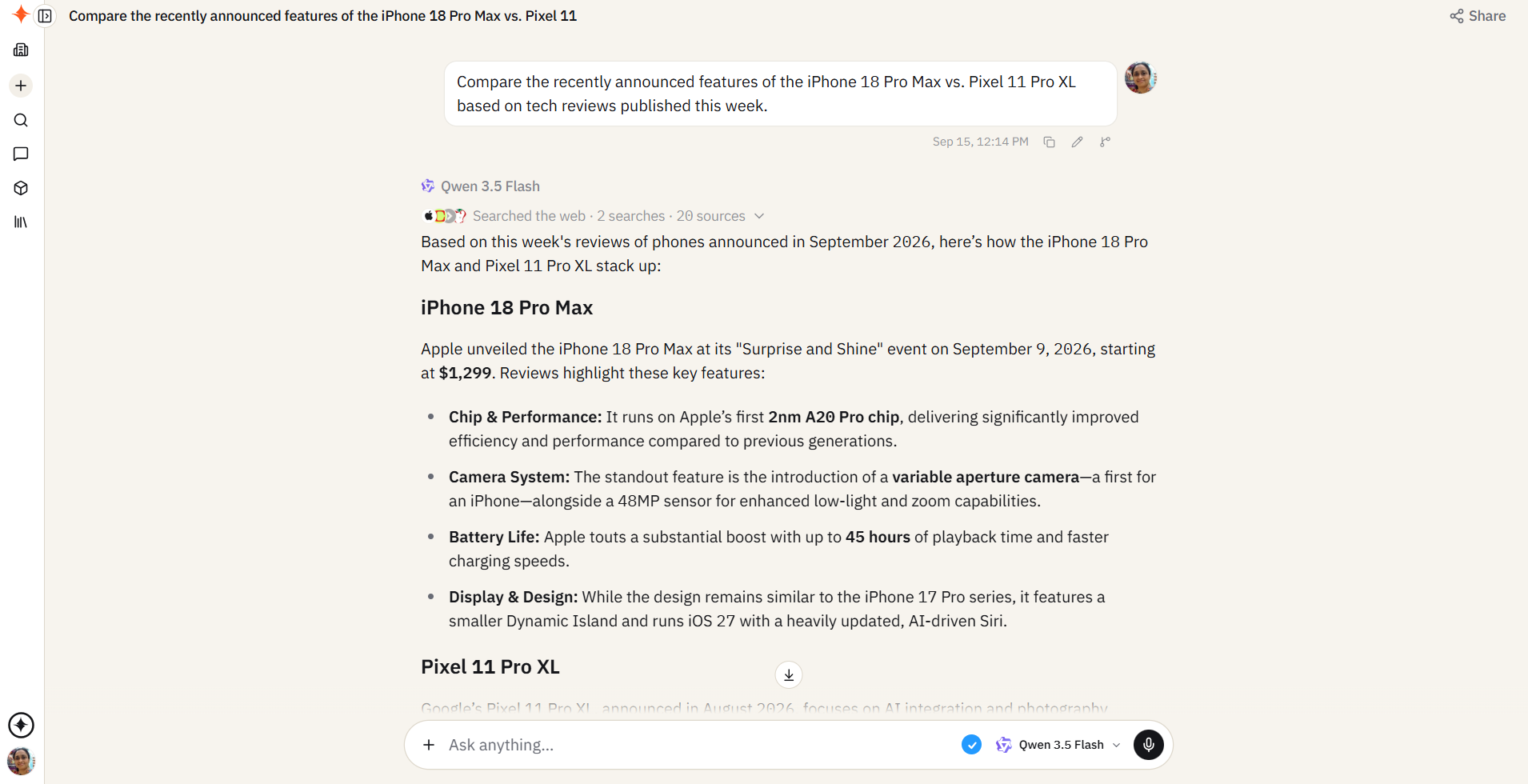
Comparisons: “Compare the recently announced features of the iPhone 18 Pro Max vs. Pixel 11 Pro XL based on tech reviews published this week.”
Again, the response contains the latest information as of Sep 2026 (when this article is published).
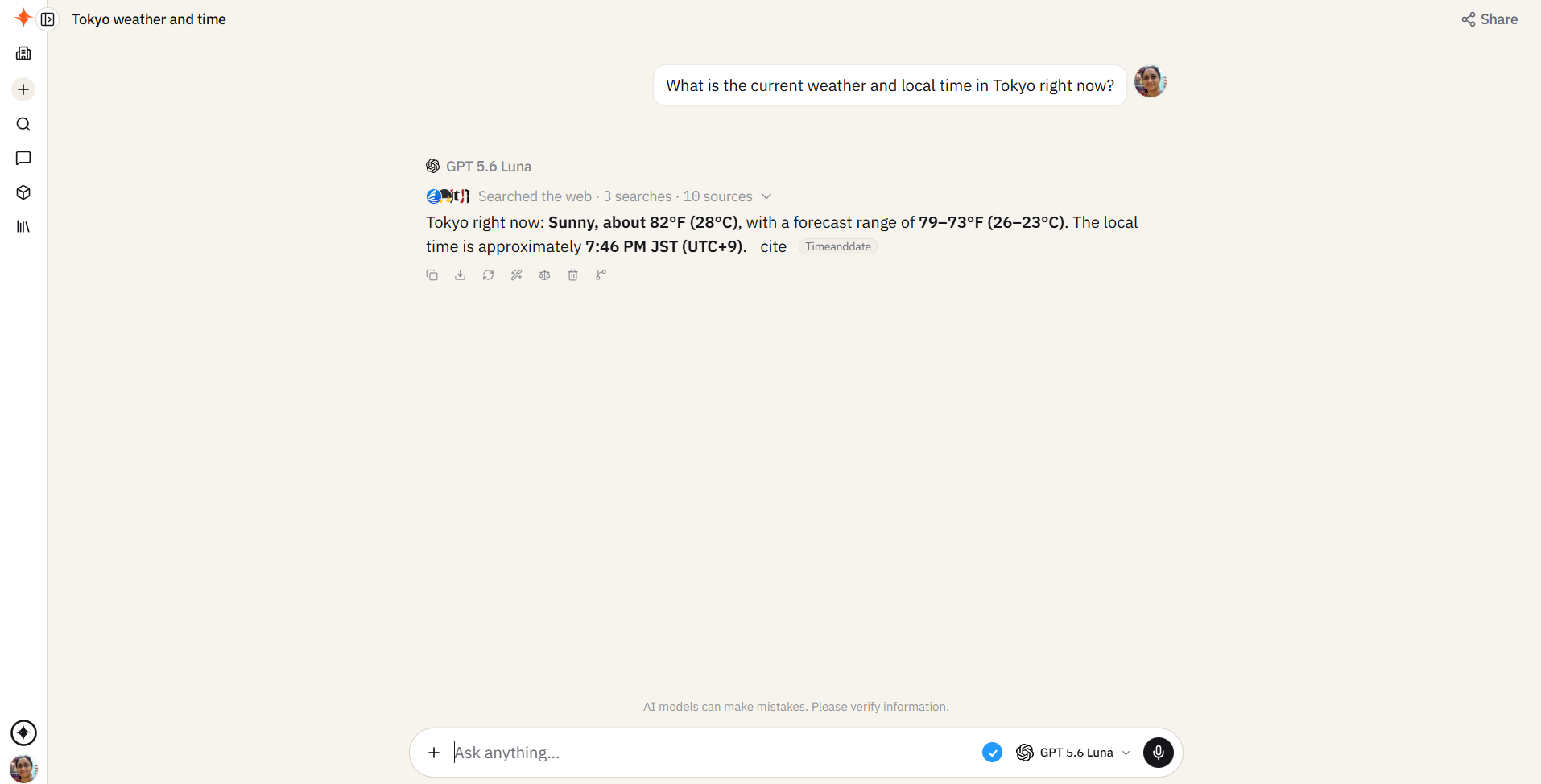
General Queries: “What is the current weather and local time in Tokyo right now?”
📄 Page Crawl Examples
Stop wasting time reading lengthy articles or endless documentation. Let Sparkian read the links for you.
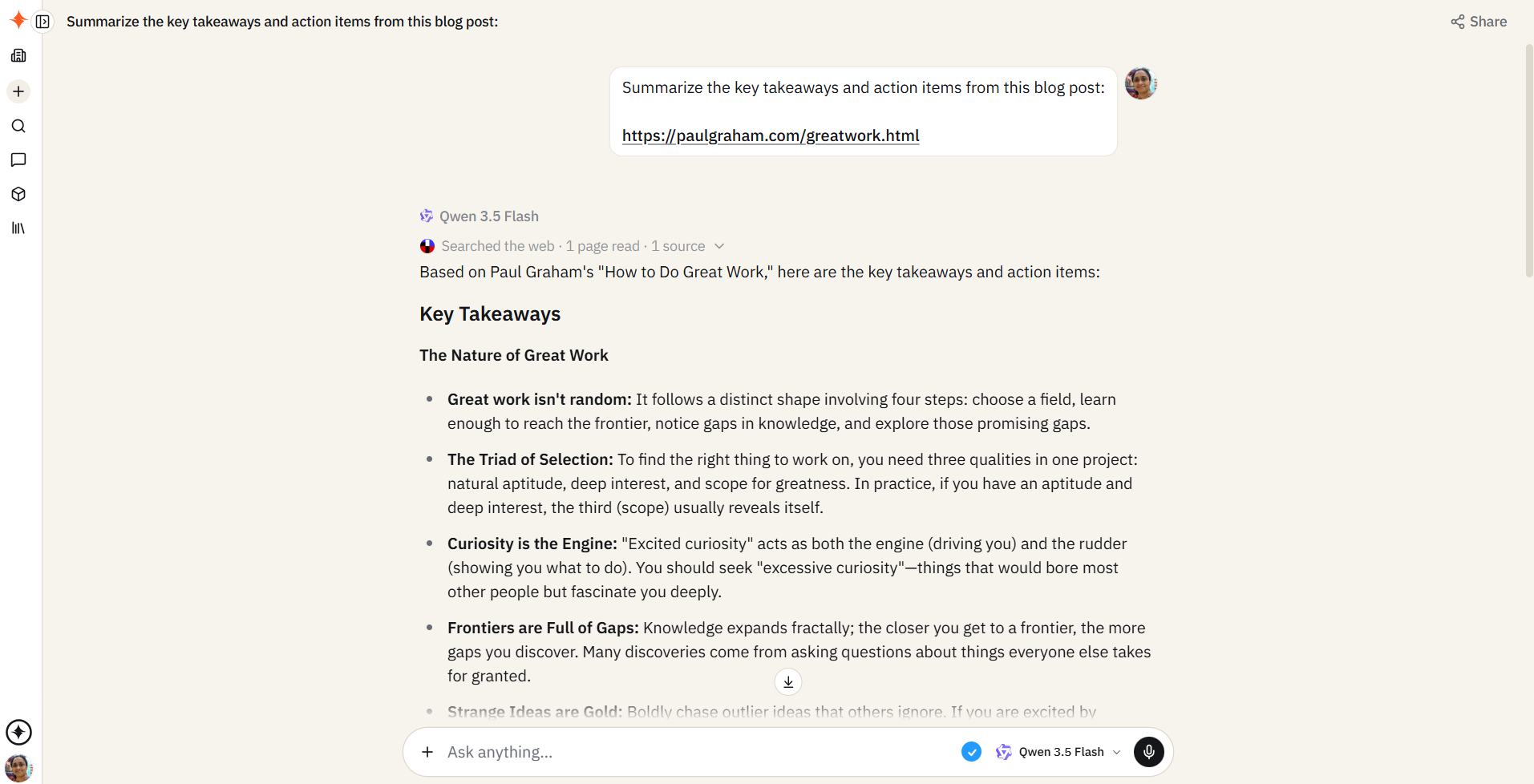
Content Summarization: “Summarize the key takeaways and action items from this blog post: [How To Do Great Work]“
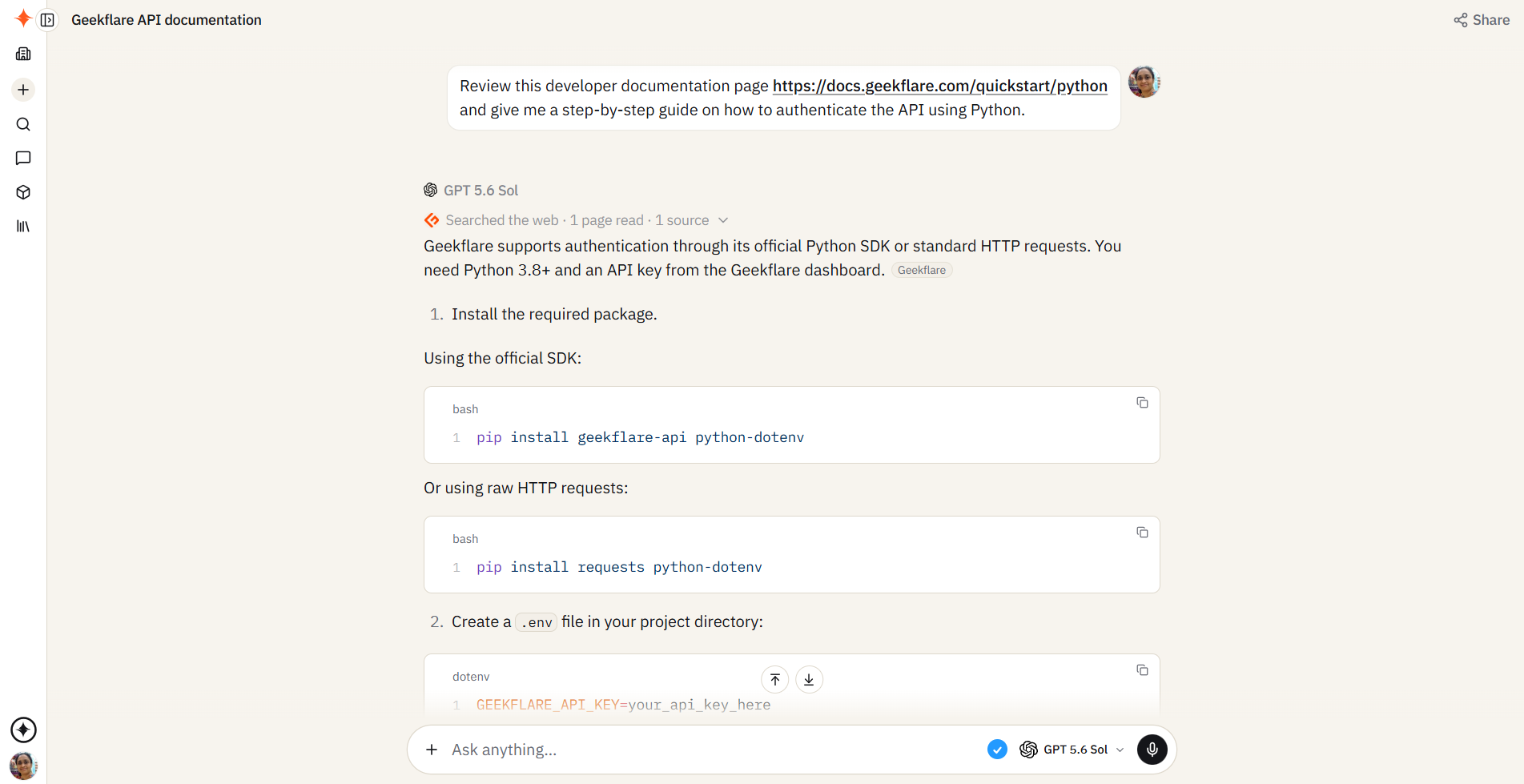
Technical Assistance: “Review this developer documentation page [Geekflare API Docs page] and give me a step-by-step guide on how to authenticate the API using Python.“
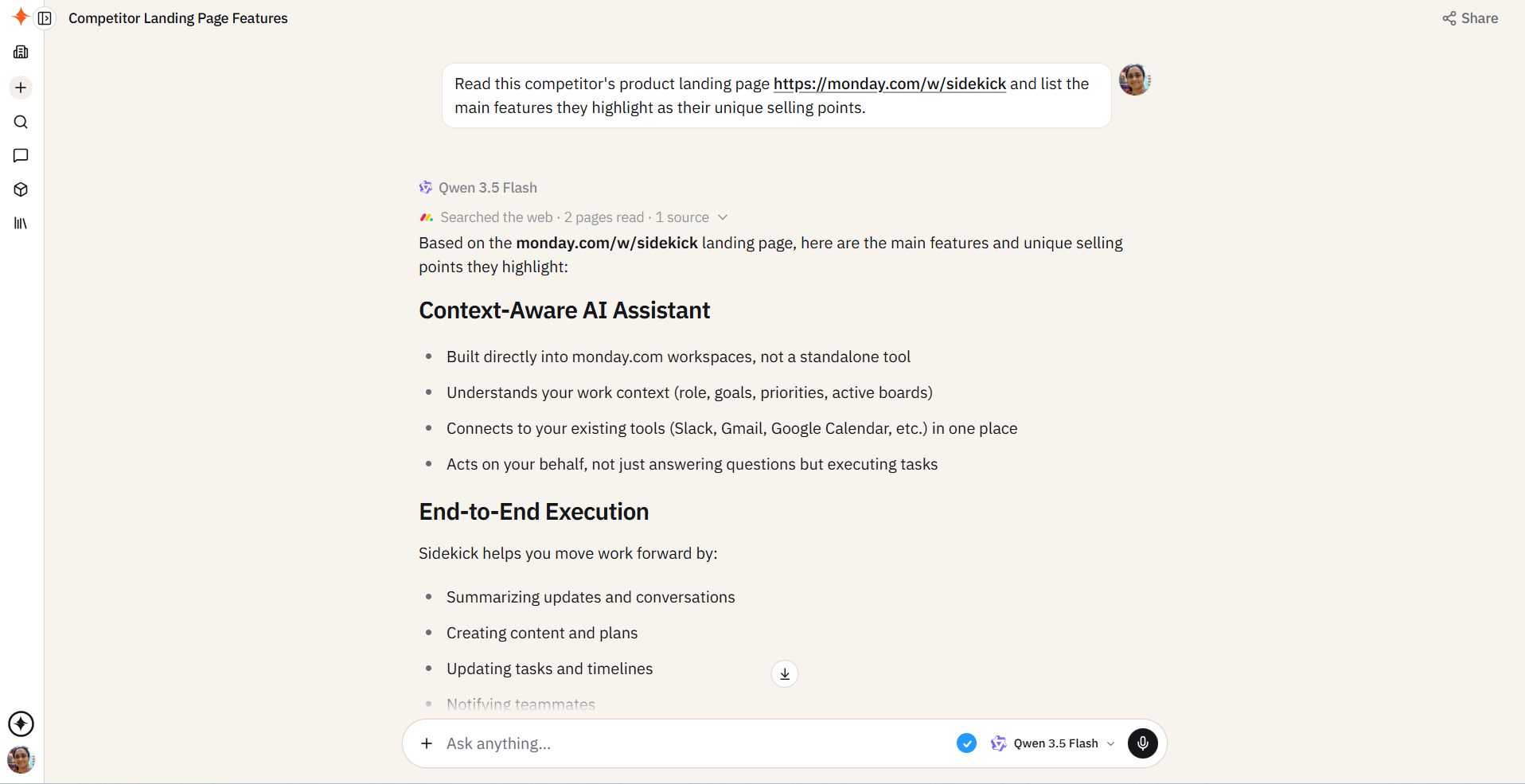
Competitor Analysis: “Read this competitor’s product landing page [monday.com Sidekick] and list the main features they highlight as their unique selling points.“
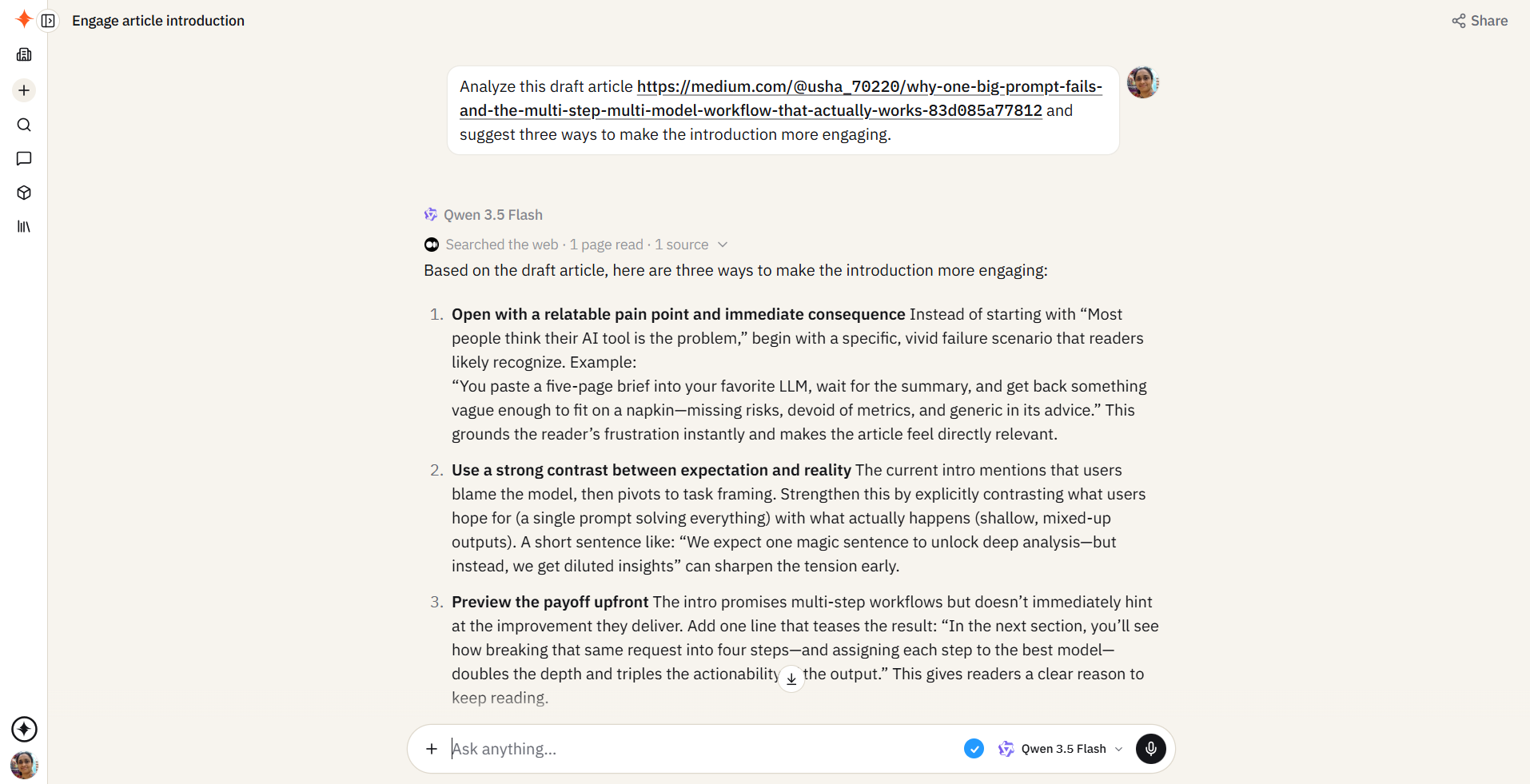
Proofreading & Critique: “Analyze this draft article [Medium Article] and suggest three ways to make the introduction more engaging.“
Experience a Faster Way to Collaborate
Smart Intent Detection is live for all Sparkian users. By blending real-time web access with intelligent page crawling, we are cutting down the time you spend researching so you can spend more time collaborating and creating value with your team.
Log in to your Sparkian workspace today, type @, and take the new tools for a spin! As always, we would love to hear your feedback on how we can continue to improve your experience.






