



If you’ve ever needed to answer “what does this company actually do?” for a list of domains, whether for sales research, competitive analysis, or building a product that touches other people’s brands, you know the challenges.
Open the site, skim the homepage, dig through the About page, maybe check LinkedIn, and stitch it all together. Multiply that by a few hundred leads or competitors, and it stops being feasible.
We just shipped the Brand API to fix that. Enter a domain, get back structured brand and company data in a single request.
What It Returns
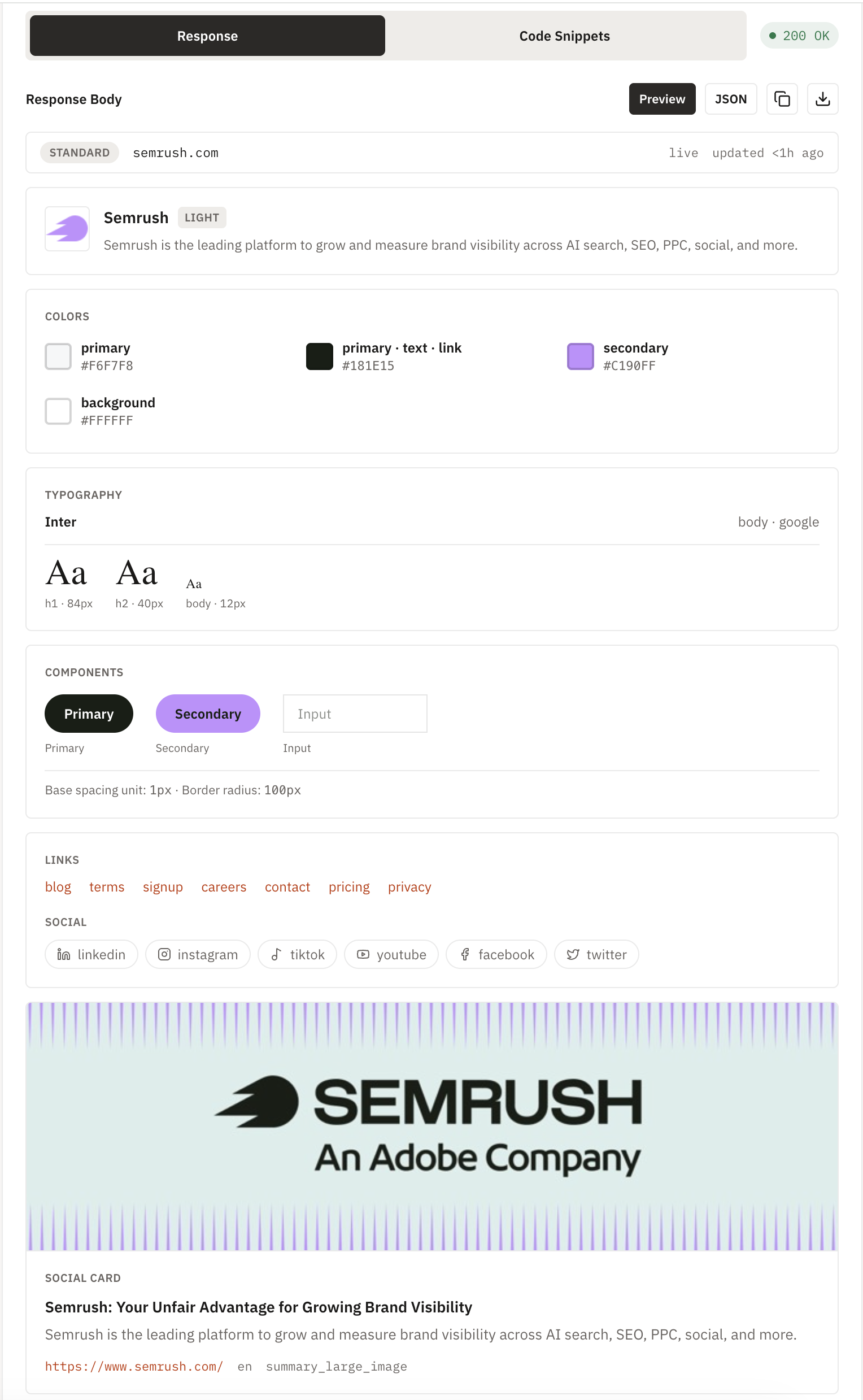
Every Brand request gives you the visual and identity layer of a site:
- Name, favicon, and banner image
- Color palette
- Fonts in use
- Key links: blog, pricing, signup, careers, privacy, terms
- Social profiles across LinkedIn, X, Instagram, YouTube, Facebook, and more
- Page metadata
{
  "url": "https://example.com"
}
That’s the whole request. One credit, one call, structured JSON back.
Two Modes: Standard and Enriched
Standard mode (the default) covers the brand identity and design tokens. It’s what you reach for when you need logos, colors.
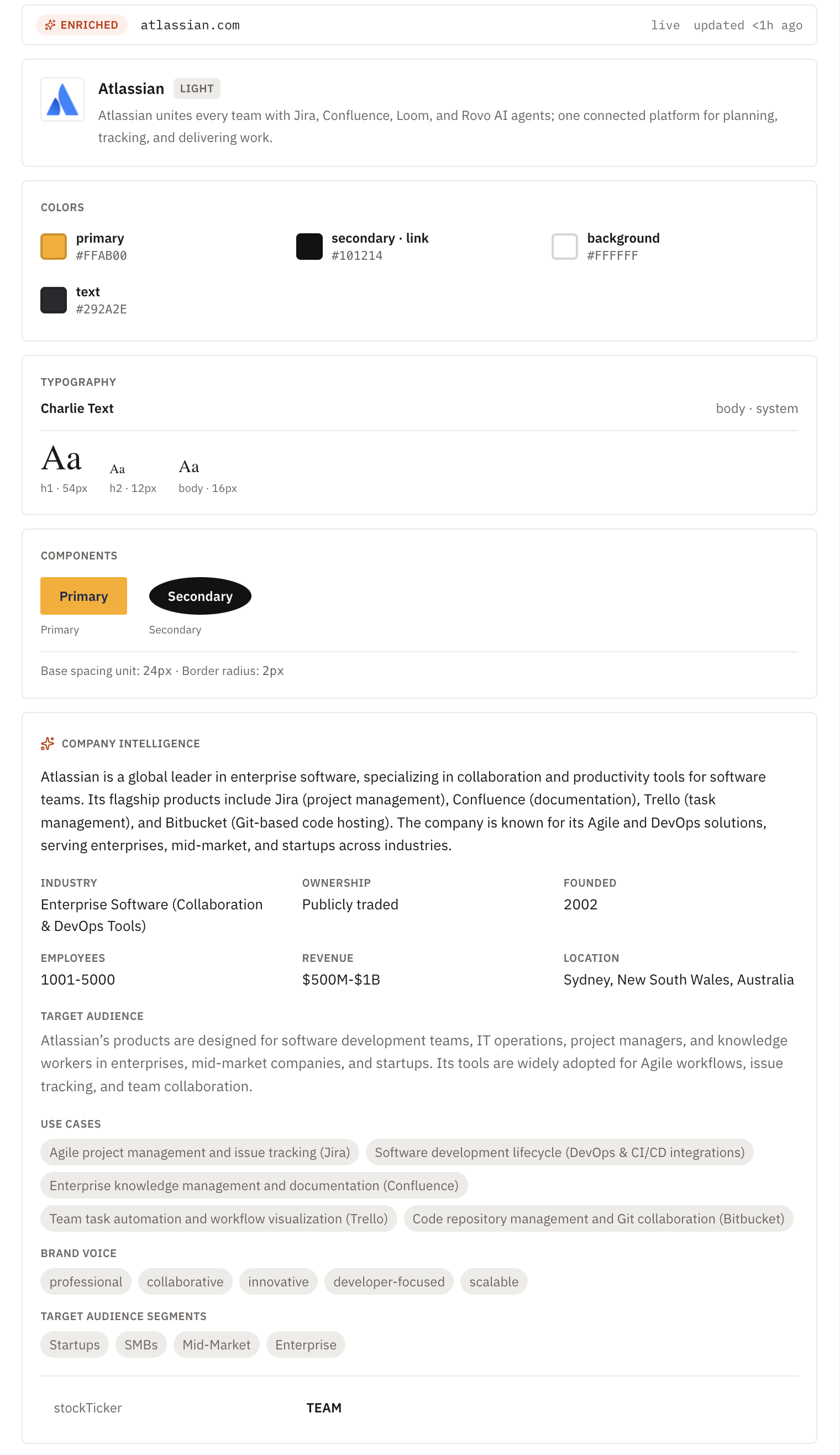
Enriched mode goes further. Set mode: "enriched" and Brand adds LLM-synthesized company intelligence on top of everything in standard:
{
  "url": "https://example.com",
  "mode": "enriched"
}"company": {
"industry": "Business/Productivity Software",
"foundedYear": 2012,
"employeesRange": "1-10",
"revenueRange": "<$1M",
"targetAudience": "...",
"targetAudienceSegments": ["Startups", "SMBs", "Mid-Market", "Enterprise"],
"brandVoice": ["data-driven", "collaborative", "innovative"],
"useCases": ["...", "...", "..."]
}Industry, founding year, headcount and revenue ranges, target audience, brand voice, and concrete use cases. That’s the kind of context that used to mean ten minutes of manual research per company.
Where This Fits
A few ways teams are already putting it to use:
- Sales and prospecting: enrich a lead list with company size, industry, and positioning the moment a domain comes in, without leaving your CRM workflow.
- Competitive research: pull a structured snapshot of a competitor’s brand identity and market positioning instead of manually cataloging it.
- Design systems and theming: programmatically extract a site’s actual color palette, font stack, and logo assets when building integrations or partner-facing pages.
- Lead enrichment pipelines: feed Enriched mode’s company object straight into outreach tooling or a data warehouse.
Notes
Coverage depends on what a site actually publishes. Not every domain has a public LinkedIn, a founding year listed anywhere, or five social profiles. When data isn’t available, the field comes back null rather than guessed or fabricated, so you can trust what you get back.
Brand data is also cached and refreshed periodically rather than re-scraped on every call, which means most requests come back fast. If you need the absolute latest snapshot, refresh: true forces an on-demand fetch.
Try It Now
Brand is live today on all plans. Head to the Brand guide for full examples in Node.js, Python, and cURL, or the API reference for the complete parameter list. If you don’t have a Geekflare API key yet, grab one free and you can be making your first Brand request in under a minute.
You can try Brand endpoint in our Playground.






