When modern teams start spreading across time zones, managing expense reports becomes a bottleneck. Employees now want something quick on mobile, and finance teams want fewer spreadsheet headaches.
Because of entering data and tracking expenses manually, teams lose time that they could have spent on productive tasks. Employees and finance teams struggle to handle spreadsheet errors, missing receipts, and delayed approvals. Once they hit more departments and approvers, the process breaks down and reports take several days.
Expense management software can help you automate receipt tracking, reimbursements, approvals, and accounting workflows from a single place.
In this guide, I focused on the areas that usually make or break expense workflows, such as receipt capture, approvals, and whether the accounting sync is actually reliable.
Expense Management Comparison
Below is a comparison table that differentiates the providers by their integrations, starting price, and free plan.
| Platform | Best For | Integrations | Starting Price | Free Plan? |
|---|---|---|---|---|
| Ramp | US startups and finance teams | NetSuite, Sage Intacct, QuickBooks, Xero | $15/user/month | ✅ |
| Expensify | Small business receipt tracking | Microsoft Dynamics, Campfire, Grab | $5/user/month | ✅ |
| Airwallex | Global business payments | NetSuite, HubSpot, Zapier, Odoo | $12/user/month | ✅ |
| Zoho Expense | SMB expense automation | Zoho Books, Zoho Invoice, Zoho Practice, QuickBooks | $3/user/month | ✅ |
| SAP Concur | Enterprise expense workflows | SAP, Oracle, QuickBooks | Request a quote | ❌ |
| BILL | AP and expense management | Rillet, Microsoft, NetSuite, Acumatica | Offers credit lines from $1000 to $5M | ✅ |
| Navan | Travel and expense management | Datev, QuickBooks Online, Sage | Request a Quote | ✅ |
| Emburse | Mid-size and enterprise teams | Amazon Business, Amtrav, Altour, Emburse Book | Request a demo | ❌ |
| Payhawk | Multi-entity global businesses | Gusto, NetSuite, Xero, Exact | Request a demo | ❌ |
| Spendesk | European SMB finance teams | Spendesk API, Lucca, Travelperk, Slack, Datev | Request a quote | ❌ |
| Brex | Startups and scaling companies | Campfire, Coupa, Everest, Hanover Park | $12/user/month | ✅ |
| Pleo | European SMB expense tracking | FreeAgent, XLedger, Twinfield, NetSuite | $11.05/month for 3 users | ❌ |
Note: Pricing and free-plan details change often. These are the figures I saw at the time of writing and they may vary by plan.
How We Evaluated the Expense Management Software
Here’s what we looked at while testing or shortlisting these tools.
- Evaluating mobile app UX: We tracked how long it took in the real workflow—from snapping the receipt to getting to the approval queue.
- OCR receipt scanning accuracy: For OCR, we checked a batch of receipts for each tool, which is enough to spot obvious issues like missing totals or merchant names. We paid attention to whether the app actually let you fix mistakes quickly or required support or extra steps.
- Integration depth: We looked at how integration typically works and whether it’s described as two-way sync, one-way sync, or three-way sync
- Customer support responsiveness: We contacted the platform’s support team to evaluate the effectiveness of their real-time support and how they help in troubleshooting issues.
Best Expense Management Software Reviews
Ramp
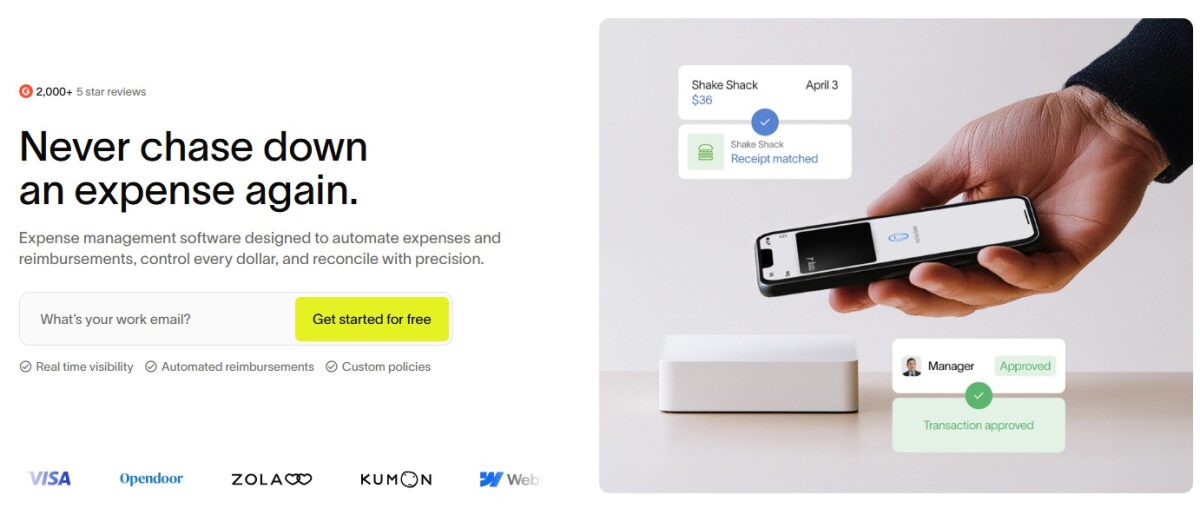
Ramp is built to reduce back-and-forth, such as receipt capture, memos, and approvals, which flow into one place. In my experience, once the policies were set, employees didn’t have to keep asking finance what to do next. It organizes everything in one place, so you can review transactions, approve reports, and handle reimbursements with less back-and-forth.
Features of Ramp
- Multiple Currency Support: Ramp can reimburse in multiple local currencies after receiving your receipts via text or uploaded data.
- Automate travel and expenses: It allows you to arrange travel and manage expenses in a single place with its built-in policy guardrails.
- Finance assistant: When I tried the chat assistant, I could quickly get answers about policy and card issues. You can request funds, resolve card issues, and ask what’s in policy via the assistant.
- Enforce policies: Ramp can handle reminders, request missing details, and lock a card.
Pros & Cons
PROS
CONS
Pricing
Offers free pricing for smaller teams with a lot of useful features to simplify finances. The Plus plan starts at $15/month/user for teams that can benefit from AI-driven automation.
Expensify
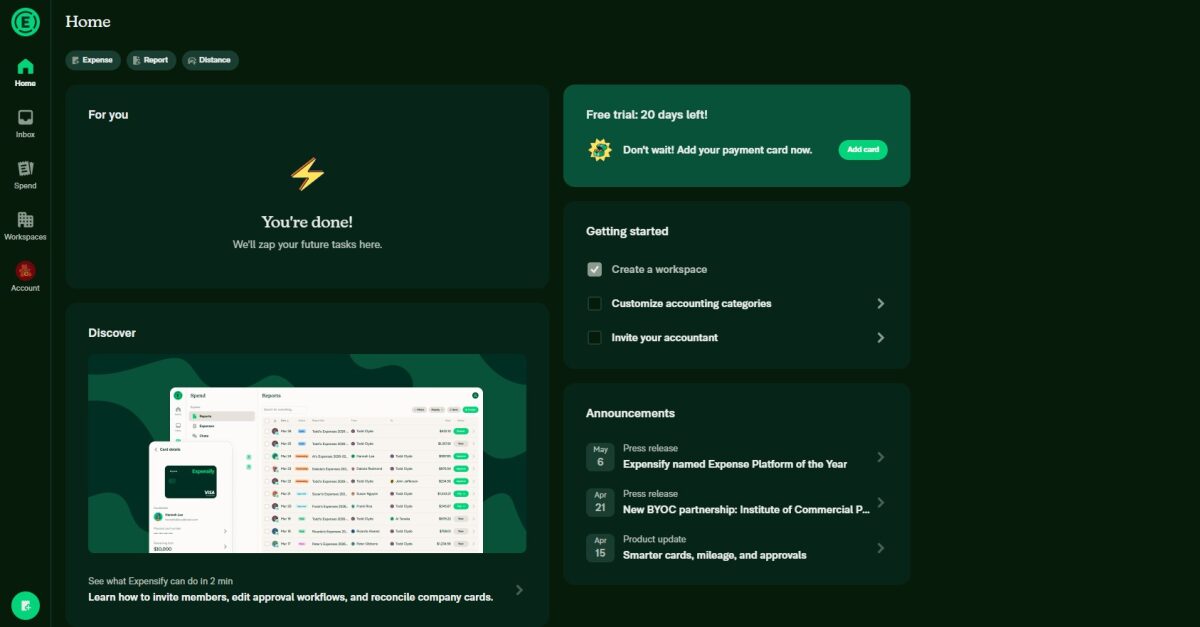
If you are looking for a single platform to track, submit, approve, and reimburse expenses, Expensify is a good option. Individuals and businesses use this AI-based expense management system to scan receipts and turn them into expense reports. It can be a strong fit for smaller teams where receipt scanning and expense report submission are the main pain points.
Features of Expensify
- Automate receipt scanning: Expensify’s SmartScan documents all the details of the receipts, such as merchant, amount, date, and currency.
- Faster expense reports: Creating and submitting reports felt quick, but the approvals/setup details depended on the plan.
- Designated access: The software allows your office colleagues to create, submit, and approve reports in your place and gives review-only access to auditors to view expense data.
- Build custom reports: The tool can build any type of custom report that tells your organization’s financial story.
- Security: Expensify states it complies with GDPR and Privacy Shield and follows security standards based on their documentation.
Pros & Cons
PROS
CONS
Pricing
The pricing starts at $5/member/month. Individual users can use Expensify for free with unlimited SmartScans.
Airwallex
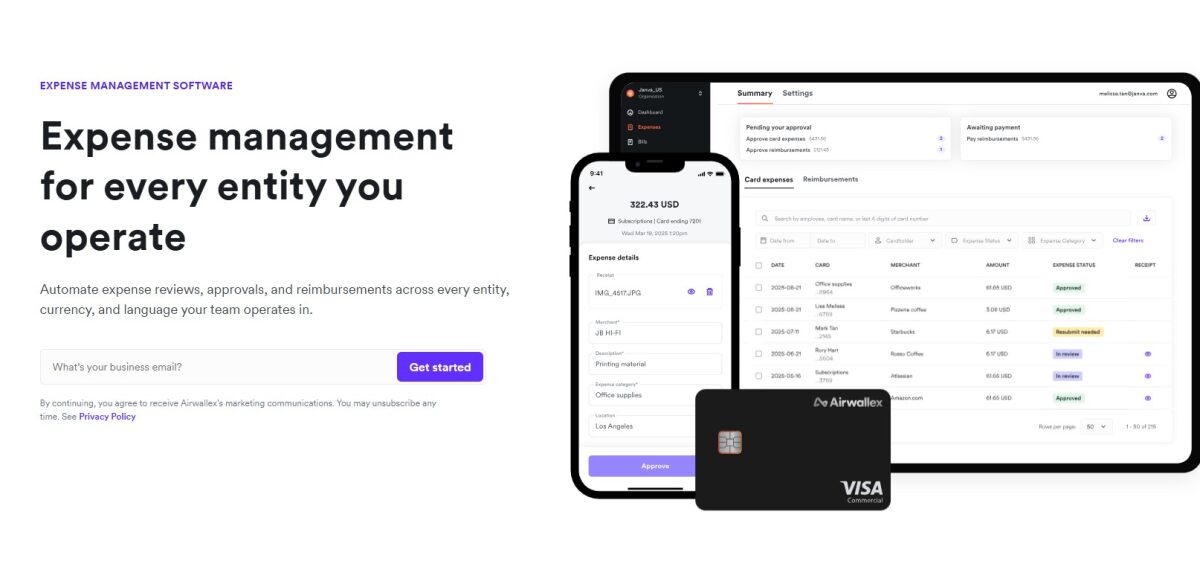
Airwallex is a payments and financial platform that helps your team automate expense reviews, approvals, and reimbursements. You’ll get a single system for all your expenses across every entity, language, and currency you operate in.
Features of Airwallex
- Track entry-level expenses: The tool creates individual accounts for each entity. It automatically maps card expenses, receipts, and reimbursements to the right affiliate.
- Local transfer infrastructure: Pay your employees on local rails by approving reimbursements in local currency accounts.
- Apply policies everywhere: Once you upload your recent policy, the software applies it across every entity and gives the flexibility of adapting to every region and currency.
- Corporate cards: Issue cards to your employees and teams with built-in rules and limits so they can spend in any currency without any international transaction fee.
- Centralized platform: The software offers a single platform to manage cards, expenses, bills, and POs across entity teams in more than 60 countries.
Pros & Cons
PROS
CONS
Pricing
The price of Airwallex expense management software starts at $12/user/month. You can also use it for free with limited features.
Zoho Expense
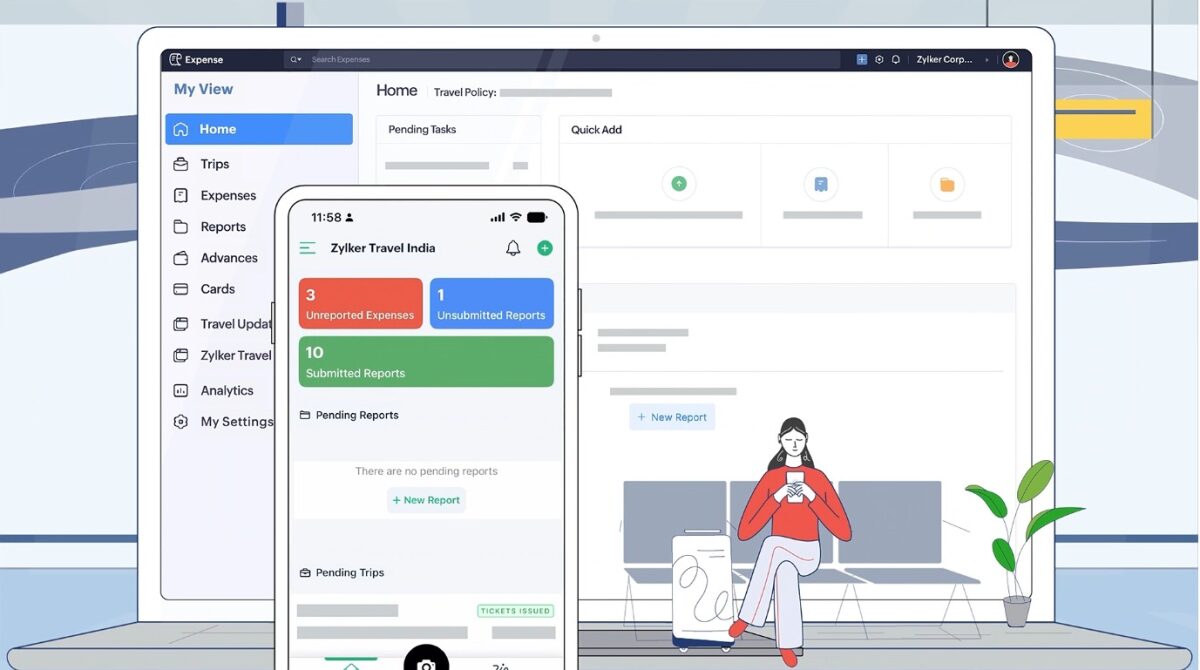
Zoho Expense suits small businesses with a lower budget. When I used this software, I found that it keeps the process simple for both employees and financial teams when handling travel expenses, receipts, and approvals.
Features of Zoho Expense
- Autoscan your expenses: Zoho Expense’s Autoscan uses an autopilot mode to capture receipts, extract details, and categorize expenses.
- Track every expense: The tool allows you to automate card expense management in real-time, swipe your card to record mileage in seconds, automate regional per diem rules easily, and track your petty cash expenses.
- Dynamic approval workflows: Control your approval flows, whether simple, complex, multi-level, or ad hoc. You can also assign your colleagues on your behalf to approve when you are away.
- Complex policies in action: The tool lets you create several policies for various cost centers, employees, branches, or departments. It gives you enough control to set category limits and different approval paths.
Pros & Cons
PROS
CONS
Pricing
The price of Zoho Expense starts at $3/user/month when billed annually. Small businesses can avail a free plan to start their expense management journey.
SAP Concur
If you want to handle complex expense and travel processes at scale, try SAP Concur. Instead of relying on manual expense reports or email-based approvals, you can automate the submission process, attach receipts, and request reimbursements. It tends to fit larger organizations best, especially when you need heavy policy controls, audit trails, and ERP-style integration.

Features of SAP Concur
- OCR-based receipt capture: Employees can scan or upload receipts using the mobile app. SAP Concur Expense extracts details automatically, such as merchant name, date, and amount, to create expense entries.
- Automated expense report generation: The tool reduces manual data entry by converting card transactions and uploaded receipts into expense reports.
- Travel and expense management: The platform connects travel bookings with expense reporting, so employees can manage flights, hotels, transportation, and related expenses in a single system.
- Concur requests: The platform simplifies and speeds up requests and approvals, takes complete control of company spend, and drives policy compliance.
- Joule AI: It helps you improve smart match capabilities, create and map expenses, extract values, and scan expense reports.
Pros & Cons
PROS
CONS
Pricing
Fill in the details to get a quote according to your business needs.
BILL
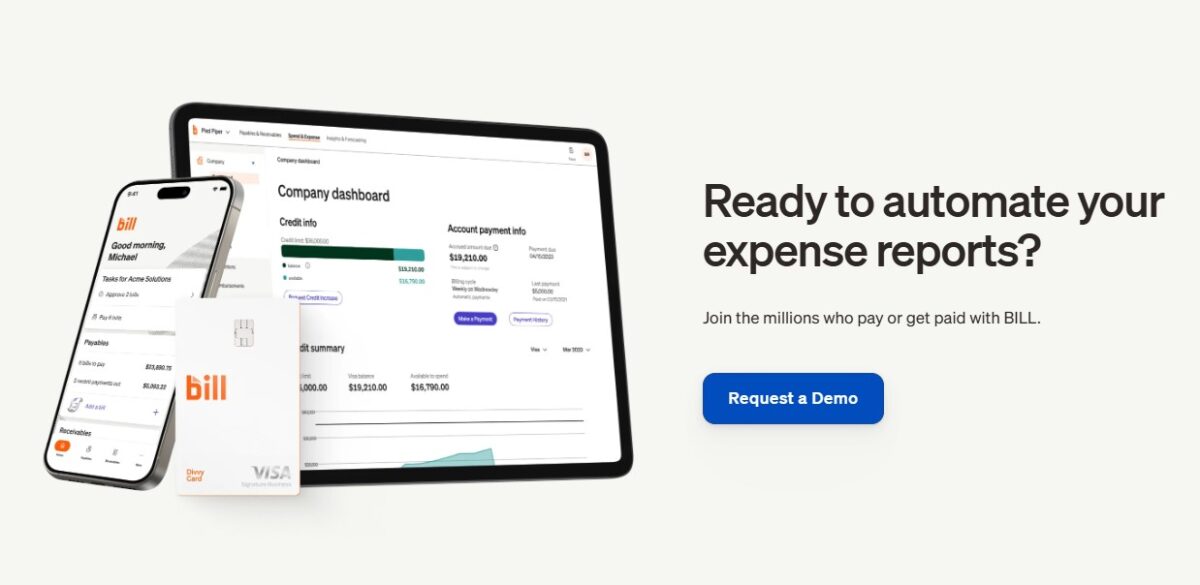
BILL Spend and Expense automates expense reporting. It tracks transaction details, reviews, approves, and syncs them in seconds. Instead of switching platforms, you can track, manage, and control all your business expenses in a single place. Therefore, SMBs can easily manage AP and bills.
Features of BILL
- Instant insight: The tool’s instant insight feature lets you see all the transactions in real-time in your dashboard.
- Automate transaction categorization: It allows you to set merchant, card, user, and budget rules so the agent can categorize each transaction as soon as they happen.
- Prevent fraud: The software executes virtual cards for employees, dispute resolution, and budgets, so you can prevent fraud.
- Fast review: The platform can validate transactions using AI to flag issues. This allows you to review and approve or deny any transaction.
- Integration: It integrates with multiple platforms, such as QuickBooks, Xero, Slack, Oracle NetSuite, HRIS, and more, to reduce manual bookkeeping work.
Pros & Cons
PROS
CONS
Pricing
BILL Spend and Expense plan gives FREE access for managing corporate cards and budgets. It offers credit lines from $1000 to $5M.
Navan
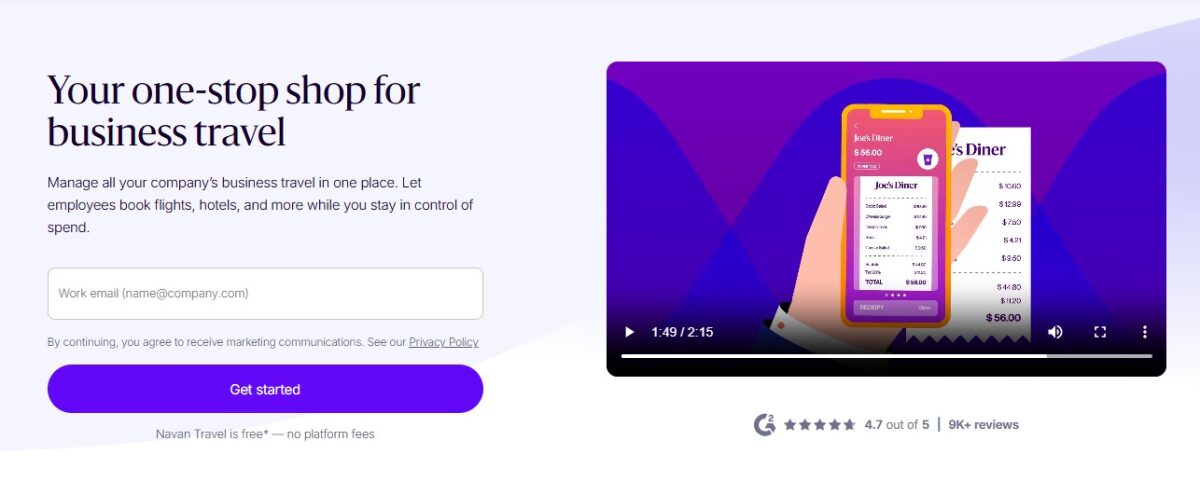
Employee travel bookings, expense tracking and reporting, corporate cards, approvals and policy compliance, and reimbursements are becoming easier with the Navan expense management solution. It immediately flags out-of-policy transactions for review.
Features of Navan
- Visibility in real-time: The platform identifies insights, discovers ways to save, and keeps finance reporting up-to-date.
- Spend control with corporate cards: The Navan corporate cards include built-in expense management and may offer cashback up to 1.5%, depending on the program. Navan Connects allows you to link existing corporate cards.
- Fast reimbursements: Employees upload a photo of their expense receipt to Navan’s application. If the financial team approves the transactions, employees will get reimbursed through payroll or directly to their accounts.
- Categorized data: Navan gathers expense data in real-time and automatically categorizes it based on employee role, merchant type, and additional categories.
Pros & Cons
PROS
CONS
Pricing
Navan Expense is free for the first 5 users. You can choose the enterprise plan, which includes unlimited travelers and expensing users.
Emburse
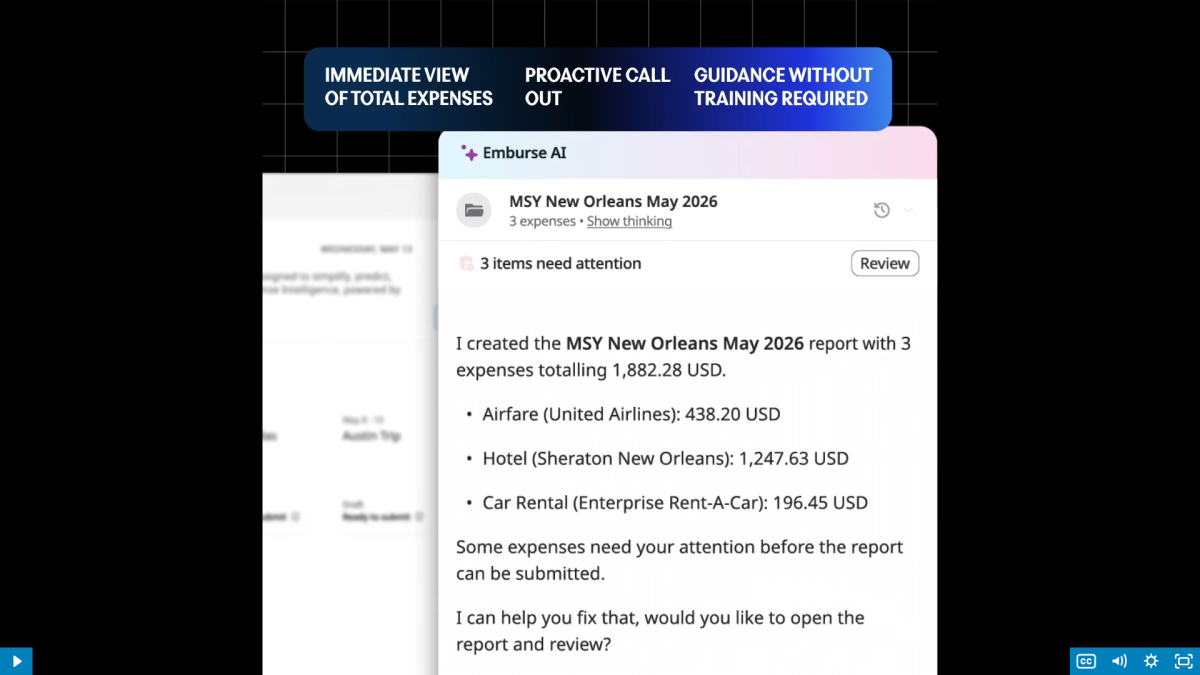
Emburse is a flexible platform that automates expense reporting, reimbursements, and policy enforcement. Its purpose-built AI helps you get visibility to all your expenses in a single place so you can manage them from anywhere, anytime.
Features of Emburse
- Emburse AI: It allows you to report expenses, reimbursements, and enforce policies by capturing receipts, segmenting spend, and confirming compliance.
- Scanning expense receipts: The platform extracts details from a paper or digital receipt with accuracy using Optical Character Recognition (OCR) technology.
- Analytics and reporting: This feature helps you spot trends, improve decision-making, and discover opportunities for negotiation or savings.
- Virtual and physical cards: You can track employees’ expenses with a virtual or physical card for every expense or bill they pay.
Pros & Cons
PROS
CONS
Pricing
There is no transparent pricing available. You can fill in your details to take a demo of the application.
Payhawk
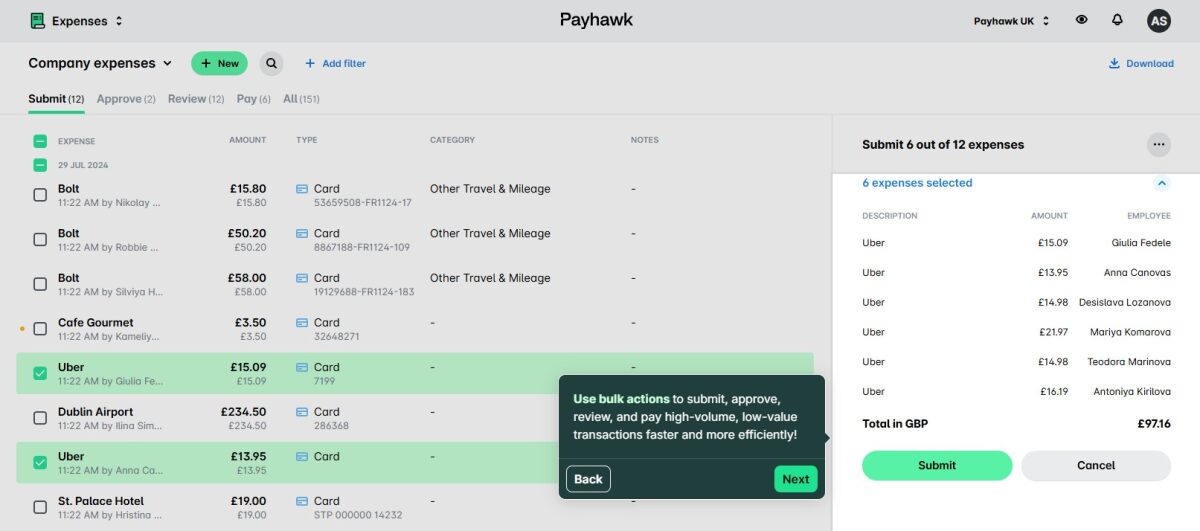
Payhawk helps teams approve, categorize, and reconcile expenses in real-time across all cards and entities. It gives businesses full visibility, better control, faster financial closing, and lower audit risk.
Features of Payhawk
- Employee expenses management: Its Financial Controller Agent captures expenses and can auto-capture receipts using AI-based classification.
- Mobile app: Payhawk supports a mobile application with a smart camera so employees can submit their expenses easily.
- AI-driven OCR: This feature reads receipts using a machine learning algorithm and fills up expense fields automatically in multiple languages.
- Automated extraction of VAT: The platform captures VAT rates automatically from every receipt to claim accurate and reliable tax across all entities.
Pros & Cons
PROS
CONS
Pricing
Payhawk offers two pricing options: Custom Stack and Complete. You can take the demo and choose from the suitable options.
Spendesk
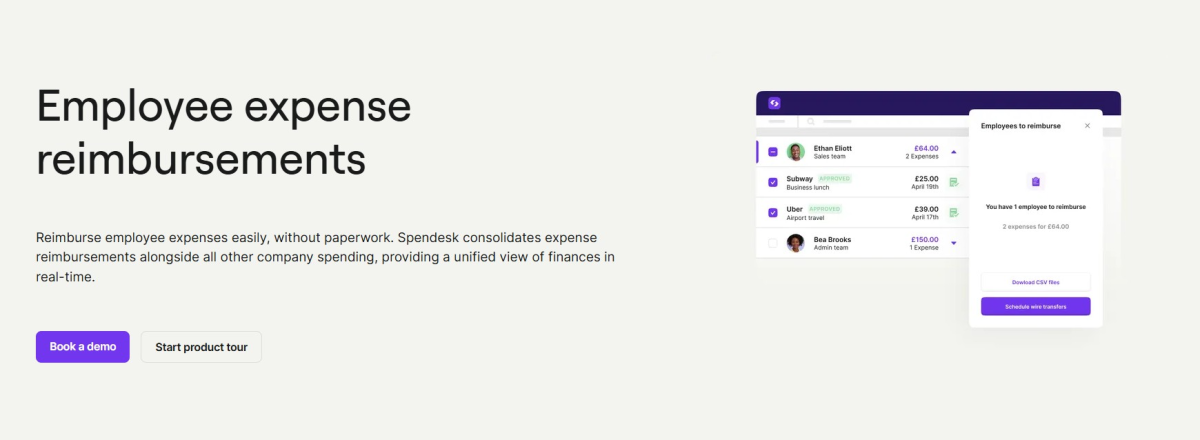
If you are an SMB in Europe looking for an expense management platform, try Spendesk. It simplifies employee reimbursements without paperwork and combines them with all company spending to provide a real-time view of finances. Your employees can create fully digital expense reports, and managers approve them even faster.
Features of Spendesk
- Automate using mobile: Spendesk mobile app helps employees claim reimbursements immediately after business-related expenses.
- Reimbursement policy: The tool lets you set rules and spending limits, so there is no room left for errors.
- Compliance-ready: Spendesk can help flag duplicates, missing receipts, and common errors. It also helps you stay compliant with precise VAT calculations and receipt collection.
- Spendesk wallet: It helps you process expense reimbursements directly from the Spendesk wallet.
Pros & Cons
PROS
CONS
Pricing
Share your details to request a free quote tailored to your business requirements.
Brex
Brex is popular among startups and tech companies for managing corporate cards, reimbursements, and financial operations in a single system. It can speed up review because transaction tracking and receipt submission are tied together in the same workflow.
Features of Brex
- Built-in Policies: You can customize policies by level, department, use case, or non-US entity. It also allows you to create understandable expense rules for employees.
- Automate expense reviews: Brex AI assists you in automating expense reviews to avoid missing any expenses.
- Mobile expense management: Employees can use both Android and iOS apps to submit receipts, track expenses, book travel, and manage corporate cards on the go.
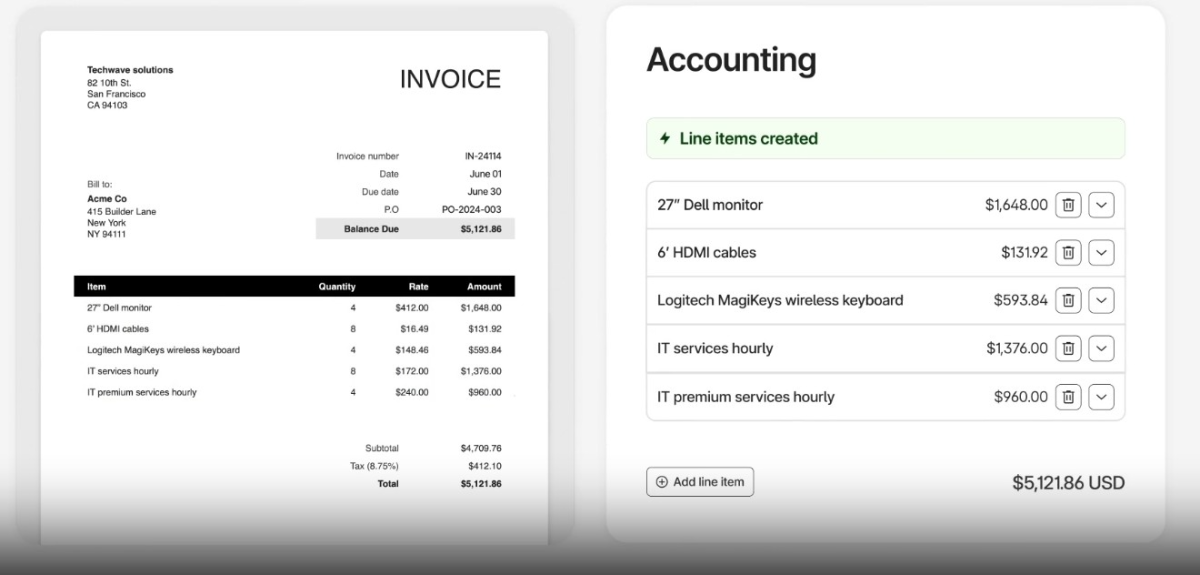
- Expense reports: Get the reports on time by automating document collection, generating memos, and filling in the fields intelligently.
Pros & Cons
PROS
CONS
Pricing
The price of Brex Expense Management Software starts at $12/user/month. For smaller companies and startups, it offers a free version with limited functionality.
Pleo
Pleo, popular in Europe for company cards, helps businesses onboard teams quickly, control spending before it happens, and sync financial records across currencies and entities. It gives employees a simpler way to pay for work expenses while helping finance teams maintain visibility and control.

Features of Pleo
- Smart receipt capture: Employees can upload receipts from the mobile app, and the tool matches them with transactions automatically.
- Company card management: Businesses can issue physical and virtual cards with limits.
- Multi-currency support: The platform supports expenses and company spending across multiple currencies.
- Automate expense reports: Pleo automatically organizes transactions and receipts into expense reports.
- Full control: You can take full control of your company’s finances by setting individual card limits and assigning managers as reviewers.
Pros & Cons
PROS
CONS
Pricing
You can choose any plan with yearly billing for a discount. Try the basic versions for free or book a demo to see what benefits you get in higher plans.
More Expense Management Software
Apart from the above platforms, the following expense management solutions are worth mentioning for their specialized features and business use cases.

Fyle

Rydoo

Procurify

Rippling
Traditional Expense Trackers vs. Spend Management Platforms
In the old flow: Receipts landed in email or Slack, someone updated a spreadsheet, approvals went back and forth, and reimbursement lagged.
In the newer flow: Receipt capture triggers categorization, then approvals queue automatically, and payout timing is tied to the workflow.”
The old expense trackers, like the early Expensify, were all about reimbursement and expense recording after employees had already spent money. Employees upload receipts, file reports, and wait for approvals and reimbursement. The process is thus essentially reactive.
Modern spend management is proactive, with platforms like Ramp and Brex. They combine corporate cards, expense management, approvals, bill pay, and real-time spending controls in one system. Rather than tracking expenses after a transaction is made, they help businesses manage spending before it happens with automated policies, card limits, and live visibility into company spending.
I think the shift is because teams want fewer manual steps and clearer controls, especially as companies go global.
Core Features Every Expense Tool Must Have in 2026
The following are some of the key features an expense platform should have:
- Automated Receipt Scanning (OCR): OCR scanning should reduce manual typing. Just check whether the app can handle messy receipts and missing totals.
- Approval Workflows: Create custom approval workflows to allow managers to review expenses quickly and simplify reimbursement processes.
- Direct Accounting Integrations (Two-way sync): Two-way sync can matter a lot, so you’ll need to confirm what fields sync and how often, especially around approvals and reimbursements.
- Real-time Controls and Virtual Cards: Real-time controls and virtual cards give finance teams more visibility into employee spending and budget usage.
- Mobile application: Employees can upload receipts, submit expenses, and view approvals from anywhere using the mobile app.
- Multi-currency and global support: Multi-currency support helps businesses manage international expenses, reimbursements, and cross-border transactions more easily.
Mistakes to Avoid When Choosing Expense Management Software
Common errors companies make when choosing expense management software are as follows:
- Picking a tool without accounting integrations because we end up with spreadsheets that don’t match the GL once approvals or reimbursements hit.
- Paying too much for features your team won’t use because we ended up not using advanced budgeting or analytics.
- Skipping multi-currency support for international teams because that is where reimbursement rules started failing for our international trips.
- Using software that doesn’t grow with your team because more approvers cause more complexity.
- Not checking security and compliance features because if security doesn’t check out, nothing else matters.
- Choosing software with the fewest approval controls because too few controls means policy exceptions slip through.
FAQs
What is the difference between expense management and accounting software?
Expense management software helps businesses keep track of employee expenses, reimbursements, receipts, and approvals. Accounting software is for more generic financial functions like bookkeeping, payroll, taxes, invoices, and financial reporting.
How much does expense management software typically cost?
Expense management software costs anywhere between $5 and $30 per user per month, depending on the features, integrations, and company size. A few offer custom pricing, and a few have free plans with limited functionality.
Are virtual corporate cards safer than physical cards?
Yes, virtual cards can reduce certain fraud risks by enabling controls, but exact risk outcomes depend on implementation.
What is the best expense management software for small businesses?
Zoho Expense is a good fit for businesses that want strong automation and accounting integrations. If you want a simple expense submission process and easy receipt scanning, Expensify is right for your business. Both platforms make it easy to track receipts, expense reports, and reimbursements.
What is the best free expense management software?
Zoho Expense is the best free expense management software, offering features like receipt scanning, basic approvals, and expense tracking. Other tools, such as Ramp, Airwallex, Expensify, Navan, and Brex, also offer limited free options for individuals and small businesses to process basic expense reports.