



Rust punishes hesitation. A single lag spike during a firefight can cost you your loot, your base, and sometimes your whole clan’s wipe. A game server crash while you sleep can undo hours of offline raid defense before you even wake up. That is the reality of running a Rust server, and it is why the hosting provider behind it matters almost as much as your own aim.
Renting a dedicated Rust server solves the two problems that self-hosting cannot. There is a consistent low latency for every player who connects and 24/7 uptime. Your base keeps decaying, growing, and getting raided on schedule, not whenever your home PC happens to be switched on.
A good host also gives you the hardware muscle to handle massive zerg bases, dozens or hundreds of concurrent players, and the tens of thousands of entities a busy wipe generates by day three.
Rust hit an all-time peak of 262,284 concurrent Steam players in January 2025. It’s still very active today, so hosting demand isn’t slowing down.
This ranking evaluates eleven Rust server hosting providers on the features that actually matter for Rust specifically, not generic game hosting checkboxes. That means 1-click Oxide and uMod installation, automated wipe scheduling with seed changes, and DDoS mitigation built for a game that gets attacked more than almost any other survival title. It also means hardware tuned for Rust’s brutally single-threaded server tick.
Quick Comparison Table
The table below gives you a fast side-by-side view of starting price, minimum RAM or slots, and the single feature each provider does best. Pine Hosting, Host Havoc, and GTX Gaming stand out for different reasons. Pine Hosting wins on Rust-specific tooling, Host Havoc wins on competitive PvP performance, and GTX Gaming wins on sheer hardware muscle.
| Provider | Starting Price | Minimum RAM | Best Feature |
|---|---|---|---|
| Host Havoc | $16.00/month | 10GB | Tick-rate tuning, entry limits, competitive PvP performance |
| Pine Hosting | $14.99/month | 8GB | Wipe scheduler, RAM calculator, Rust-specific tooling |
| ScalaCube | $19.20/month | 32GB | Full FTP, unlimited slots, instant setup |
| Survival Servers | $15.00/month | Not specified | Custom launch parameters, staging branch, pass-locking |
| G-Portal | $24.95/month | Not specified | Bulwark DDoS, MySQL access, Gamecloud |
| Shockbyte | $11.24/month | 8GB | 24/7 support, high-volume host |
| GameServerKings | $12/month | 10GB | Dedicated option, root access |
| Apex Hosting | $11.24/month | 4GB | Instant activation, always-online |
| GTX Gaming | Custom/Tiered | 10GB | Extreme hardware, Web RCON, RustIO map |
| Sparked Host | $15/month | 10GB | Server splitter, importer tool |
| Nodecraft | $16.69/month | 10GB | DNS hostname, cloud backups, save and swap |
Best Rust Server Hosting
Host Havoc
Host Havoc runs its own hardware rather than reselling capacity from a third-party data center, which shows in how consistent its Rust servers feel during peak-hour raids. The company builds its Rust hosting around a modified TCAdmin v2 panel and backs every plan with a 72-hour satisfaction guarantee.

Features
- One-click uMod and Oxide plugin manager built into the control panel
- Multi-tiered DDoS mitigation designed to catch attacks that exploit game-specific vulnerabilities
- Full FTP access and a file manager for owners who prefer to self-manage configs
- Xeon and Ryzen CPUs paired with DDR4 or DDR5 memory and NVMe SSD storage
Pros & Cons
PROS
CONS
Best For
Competitive PvP communities that need extreme single-core CPU speed and premium DDoS protection to survive toxic server environments.
Pricing
Plans start at $16.00 a month for 30 slots on monthly billing. Pricing scales at roughly $0.53 per slot as you add capacity.
Pine Hosting
Pine Hosting‘s Rust servers come with a powerful in-browser console, a one-click plugin installer for Oxide and Carbon, and a built-in file manager. This gives you hands-on control over your server without needing external tools.

Features
- Custom wipe scheduler with a dedicated wipe panel tab
- One-click dropdown selector for switching between Oxide and Carbon
- Anycast DDoS protection that also helps with server list ranking
- Active Discord community backing fast, human support
Pros & Cons
PROS
CONS
Best For
Communities that want deep Rust-specific tooling, especially a wipe scheduler and community integration, without wrestling with a generic panel built for a dozen other titles.
Pricing
- Essential starts at $14.99/month for 50 slots, 8 GB RAM, and 150% CPU priority
- Performance tier runs $29.99/month for 75 slots, 12 GB RAM, and 200% CPU priority
- Extreme tops out at $38.99/month for 100 slots, 16 GB RAM, and 300% CPU priority
ScalaCube
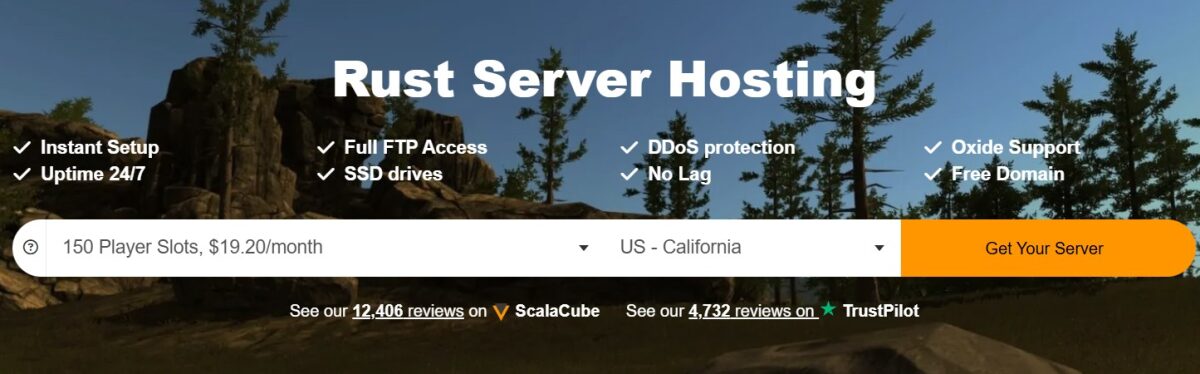
ScalaCube keeps its Rust panel simple to help first-time server owners avoid confusing settings or making mistakes. Instant setup, full FTP access, and one-click Oxide support let you focus on configuring your server instead of fighting the interface. Even experienced admins can appreciate how little friction this adds to routine server management.
Features
- Built-in Oxide support with straightforward installation
- Full FTP access for manual configuration
- One-click settings editor for gathering rates, loot tables, and difficulty
Pros & Cons
PROS
CONS
Best For
First-time server owners who want the simplest possible path from signup to a live Rust server, and who value hand-holding over advanced configuration options.
Pricing
- Rust 150 slots at $19.20/month
- Rust 200 slots at $25.60/month
- Rust 250 slots at $32/month
Survival Servers
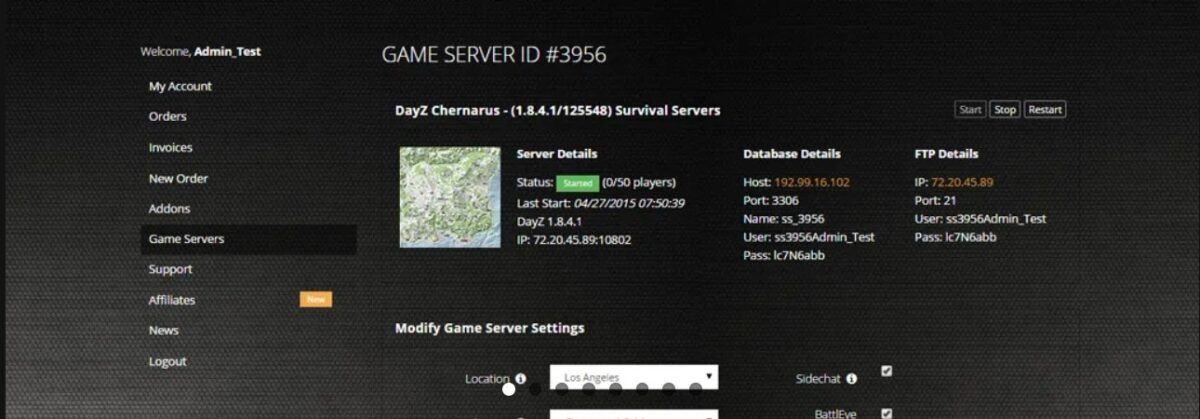
Survival Servers has specialized in survival game hosting for years, and its in-house control panel reflects that focus. It is one of the few hosts on this list that lets you switch a live server’s location on the fly, which matters if your player base shifts between regions mid-wipe.
Features
- Custom control panel purpose-built for installing Oxide, uMod, and Rust Essentials
- Instant location switching without rebuilding the server
- Highest single-thread benchmark CPUs, which matter more than core count for Rust
- NVMe SSD storage for fast world loading and reduced entity lag
- One-click install for mods, plugins, and third-party tools
- Custom launch parameters for advanced server configuration
- Easy map and seed changing for wipe scheduling
- Built-in DDoS protection to keep the server online during attacks
- Simple start, stop, and restart controls from the panel
Pros & Cons
PROS
CONS
Best For
Server owners who specifically want an effortless uMod and Oxide install experience along with the flexibility to relocate a server without losing configuration.
Pricing
- 3-day trial starts at $4.50
- The standard 50-slot starts at $15.00 for the first month with an active promo code, renewing at $20.00
- The high 500 slots plan costs $60.94 for the first month, renewing at $81.25
G-Portal
G-Portal is a European hosting company with a global footprint, and its Rust hosting plays to that scale. Its Gamecloud feature lets you shift slots between supported games on the fly. This gives communities the flexibility to move on from Rust or try a new title alongside it, without having to cancel and set up a separate server. It is a strong pick for clans whose members are scattered across continents.

Features
- Bulwark and Corero DDoS mitigation, layered for multi-vector attacks
- Free FTP and MySQL database access
- 50GB of backup storage included with every plan
- Servers are ready to play in as little as 3 minutes after setup
- Low-latency network built for smooth, high-performance gameplay across regions
Pros & Cons
PROS
CONS
Best For
Global communities and clans with players spread across multiple continents who want one central server with broad worldwide coverage.
Pricing
- Entry plans start at $9.17 for 3 days
- A 20-slot plan costs you $24.95 for 30 days
- A 50-slot plan costs $49.85 for 30 days
Shockbyte
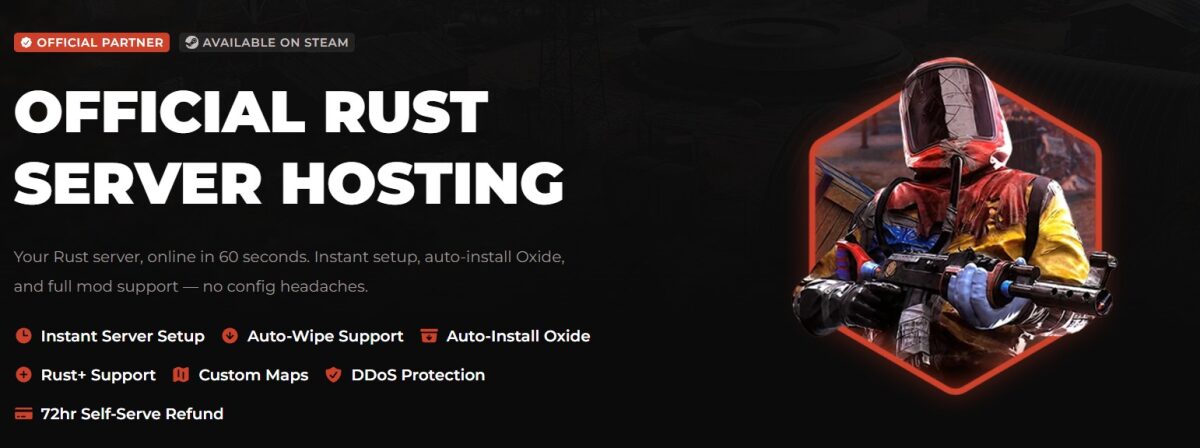
Shockbyte is the official partnered host for Rust, a partnership confirmed by the developers themselves, not just marketing language. Beyond that badge, I’d point out that it runs as a high-volume, mainstream host, with over 100,000 servers hosted on its platform.
Features
- Auto-wipe support with a live wipe countdown timer on the order page
- Auto-install for Oxide alongside full uMod compatibility
- Rust + companion app support
- Staging branch access for testing updates before they go live
- Servers stay current with the latest Rust patches
- Automatic backups are scheduled to protect against data loss
- Built-in DDoS protection to keep servers online during attacks
- Custom map uploads, including procedurally generated and community-made maps
Pros & Cons
PROS
CONS
Best For
Server owners who want the reassurance of an official Facepunch partnership and a beginner-friendly setup process backed by a no-questions refund window.
Pricing
- Wood plan starts at $11.24/month for 40 players and 8GB RAM
- Fuel runs $18.74/month for 75 players and 10GB RAM
- Metal runs $30.00/month for 125+ players and 12GB+ RAM.
GameServerKings
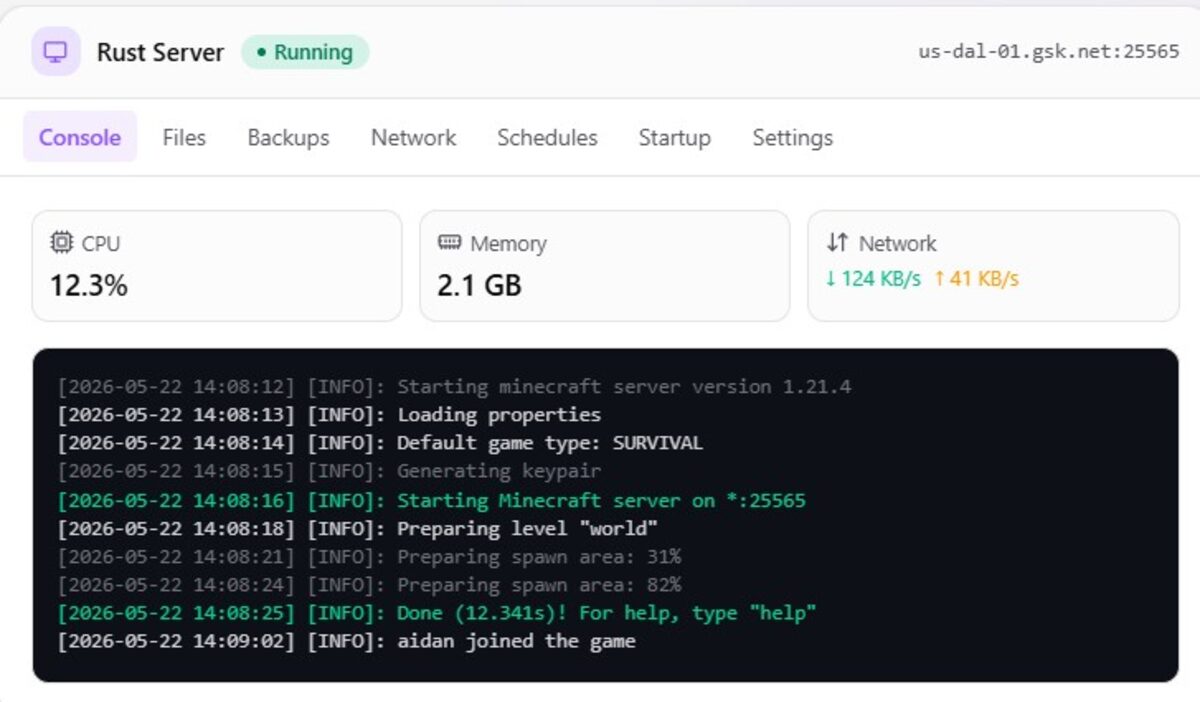
GameServerKings runs Rust hosting on a slider-based configuration system instead of fixed preset tiers. Admins drag sliders for RAM, NVMe storage, and CPU priority, building a server spec that actually matches what their community needs. This beats settling for whatever a plan name bundles together.
For communities that outgrow a shared server entirely, GameServerKings also offers dedicated machines. Admins can choose between running it on their managed panel or taking root access and handling it themselves.
Features
- 24/7 uptime backed by a stability-focused hosting infrastructure
- One-click Oxide plugin installer through a TCAdmin-based panel
- Enterprise-grade DDoS mitigation
- Full mod support beyond just Oxide, including community and custom mods
- High-performance hardware built for Rust’s demanding tick rate
- SFTP access for direct file management
- Automatic visibility on the in-game Rust server list once launched
- Easy, scheduled backups to protect against data loss
- Free location transfers if your player base shifts regions
Pros & Cons
PROS
CONS
Best For
Budget-conscious server owners who want Rust-specialized hardware and are comfortable configuring exact specs instead of picking from preset tiers.
Pricing
Configurations start at 10GB RAM, 20GB NVMe storage, and 1.5 vCores, with real-world entry pricing starting at $12 a month, depending on the exact slider configuration chosen.
Apex Hosting
Apex Hosting is best known for Minecraft, but it carries the same polished onboarding experience over to Rust. The standout here is the optional EX-Series tier, which hands you four dedicated vCores instead of the shared CPU allocation most budget hosts use.
Features
- Automatic backups and automatic updates on every plan
- Advanced DDoS mitigation rated up to 300Gbps
- Free subdomain for sharing your server without a dedicated IP
- Premium hardware paired with low-latency network routing
Pros & Cons
PROS
CONS
Best For
Owners who want a polished, easy-to-navigate panel and are willing to pay for the EX-Series tier’s dedicated CPU cores once player counts climb.
Pricing
- 4GB plan at $11.24/month
- 5GB plan at $14.06/month
- 10GB plan at $26.25/month
- EX-Series 16GB tier with dedicated vCores at $53.99/month
GTX Gaming
GTX Gaming has hosted Rust since 2014, and its current lineup runs on some of the most aggressive hardware on this list, including 5.7GHz Intel Core i9-13900K processors and DDR5-5600 ECC memory. Raw hardware headroom is the clear selling point here.
Features
- One-click installation for Oxide, uMod, and Carbon, with the ability to switch frameworks anytime
- Automated wipe scheduling with simultaneous seed randomization
- RustIO live map plugin, installable in one click
- Web-based RCON console plus one-click MySQL and phpMyAdmin
Pros & Cons
PROS
CONS
Best For
Communities that want extreme hardware headroom for heavy plugin packs, large maps, and wipe-day traffic spikes without dropping frames during 100-plus player raids.
Pricing
You can choose from any three tiers or get custom pricing as per your requirements.
Sparked Host
Sparked Host leans on AMD Ryzen 9 hardware and undercuts most competitors on price for comparable specs. Its Apollo Panel is a modern, purpose-built control interface rather than a reskinned legacy panel.
Features
- Modern file manager, no clunky FTP client required for basic edits
- One-click modpack and plugin installer for fast setup without manual configuration
- Secure reverse proxy that masks server ports behind a custom domain
- Server importer tool for migrating from another host via SFTP, no long download and re-upload cycle
- Server splitter tool that divides one server’s resources into multiple smaller instances, useful for large networks
- 8+ global locations across North America, Europe, Asia, and Oceania
Pros & Cons
PROS
CONS
Best For
Small-to-medium Rust communities that want the best value-to-performance ratio without paying a premium for features they will not use.
Pricing
- Cloth tier costs you $15/month with 10GB RAM, 100GB NVMe storage, and 2.5 Core/s
- Leather tier costs $24/month with 16GB RAM and 3 Core/s
- Fuel tier costs $36/month with 24 GB RAM and 3.5 Core/s
You can take the 1-day free trial or avail yourself of the 2-day refund policy.
Nodecraft
Nodecraft takes a genuinely different approach by selling RAM and CPU allocation rather than fixed player slots. This means every plan supports unlimited concurrent players up to what the hardware can handle. It also limits how many customers share a single physical machine to keep performance predictable during peak hours.
Features
- Truly unlimited player slots on every plan
- Game Swapping, which saves a server to the cloud and instantly spins up a different supported title
- Automated tasks for backups, RCON commands, and Discord notifications without plugins
- Wake & Play Share Link, a password-protected link that wakes a hibernating server
- Free DNS hostname to prevent IP changes from breaking your connection
Pros & Cons
PROS
CONS
Best For
Large, high-population public servers that need genuinely unlimited slots and premium, uncontended hardware, where budget is a secondary concern to raw headroom.
Pricing
- Lite plan starts at $16.69/month (Shuts down when unused)
- Pro plan starts at $27.99/month for 10GB RAM (always online)
- Best for Vanilla: $33.59/month for 12GB RAM (always online)
- Best for Large Player Counts: $44.79/month for 16GB RAM (always online)
You can build your own server and test it for 24 hours for free. You can also take a 7-day free trial by giving your payment details.
Entity Limit and Server Degradation
Rust doesn’t slow down because of how many players are on it. It slows down because of how many entities are on it. Every wall, dropped rock, furnace, corpse, and item on the ground counts as an entity that the server has to track and save.
A quiet 50-player vanilla server might stay under 100,000 entities. A busy 150-player server on 5x or 10x rates can blow past a million before the first week is over.
Higher gather rates don’t just mean more loot, they mean more building. Players farm faster and build bigger than they would on vanilla, and it doesn’t scale in a straight line. A base that takes three days to build on vanilla goes up in three hours on a 5x server, and every wall still counts against the entity total.
This is why gather rates matter when picking a hosting plan. A vanilla or low-rate server runs fine on minimum specs. A 5x or 10x server needs real CPU headroom and RAM.
So if frame times creep up and rubber-banding starts around day three of a wipe, that’s usually an entity problem, not a network one. The fix is more CPU and RAM, not faster internet.
How to Calculate Rust Server Requirements
Most hosting providers list a minimum RAM figure for their smallest plan, but that number rarely accounts for your specific map size or player count. A more reliable way to size your server is to calculate it yourself using map size and max players as inputs.
Use this baseline formula to estimate the minimum RAM your server needs by the end of a wipe:
Required RAM (GB) = 4.5 + (Map Size / 1000) + (Max Players × 0.05)
The 4.5GB baseline covers the Rust server process itself, operating system overhead, and headroom for Oxide or Carbon if you plan to run plugins. Map size is measured in the same units Rust itself uses for the world.size parameter, typically somewhere between 3,000 and 4,500 for a mid-sized community server. Each additional player slot adds roughly 0.05GB to account for player data, inventory tracking, and connection overhead.
Here is that formula applied to a realistic example. A standard 3,500 map with 50 player slots works out to 4.5 plus 3.5 plus 2.5, for a total of 10.5GB. That’s where RAM usage tends to land by the end of a wipe, once bases are built and the map fills with entities, not where it starts on day one. Buying exactly 10.5GB leaves no headroom for a busy raid weekend or an unexpected plugin update. Hence, a 12GB plan is the safer practical minimum for that configuration.
If you plan to run a high gather-rate server, add another 20 to 30 percent on top of the formula’s output to account for the extra entity load described above. A 5x or 10x server running the same 3,500 map and 50 slots is more realistically sized at 13 to 14GB rather than the vanilla 10.5GB baseline.
Vanilla vs. Modded
Every hosting provider’s server browser splits Rust servers into two tabs, Community, which most players still call vanilla, and Modded. Understanding which tab your server lands in matters more than it sounds, because the Modded tab is more competitive and harder to get noticed in.
A community or vanilla server runs the base Facepunch ruleset with no admin plugins and no gather-rate changes. It shows up in the Community tab, which tends to have fewer listings and a player base looking for a closer-to-default experience.
A modded server is any server running Oxide, uMod, or Carbon plugins, or any server with adjusted gather, loot, or decay rates. The moment you install a single admin tool, a kit plugin, or bump your gather multiplier above 1x, your server automatically moves into the Modded tab. That tab is where most public Rust servers live, and it’s far more crowded. Server list ranking, DDoS resilience, and consistent uptime matter more if you want new players to find and stay on your server.
Neither tab is objectively better. A vanilla server appeals to purists and tends to have lower entity counts and lower hardware requirements, which makes it cheaper to run well. A modded server offers more customization and can build a stickier community through kits, events, and economy plugins. But it demands more from your hosting plan and more admin attention to keep plugins updated after every patch.
Conclusion
For large public communities, GTX Gaming and Host Havoc give you the hardware and DDoS resilience to handle wipe-day traffic. For Rust-specific tooling, Pine Hosting is tough to beat. And for a small private server with friends, Sparked Host, GameServerKings, or ScalaCube get you online in minutes without overpaying.
Do the RAM math before you buy, decide upfront whether you want a vanilla or modded server, and never treat DDoS protection as optional. Pick a map seed, set your wipe day, and get your base up before the first raid party comes knocking.






