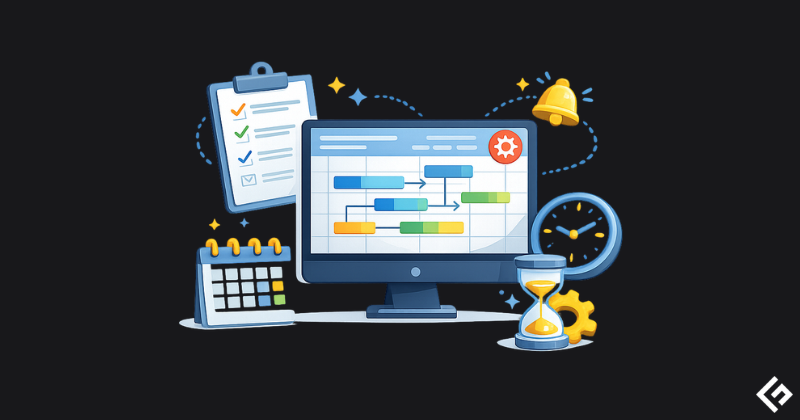
SaaS workloads are evolving, and so should your workload automation software.
It all started with batch job schedulers. They were traditional and worked best with tasks to be executed at pre-defined times.
But those simpler times are now gone. It’s now becoming increasingly difficult to manage the complexity of hybrid cloud environments such as AWS/Azure + Mainframe + Kubernetes via script-based automation. This is because businesses depend heavily on real-time workflows, hybrid environments, and large-scale systems.
That’s where workload automation (WLA) comes in, capable of handling coordinated workflows via:
- Right resource use.
- Proper dependencies.
- Ability to manage cross-system tasks.
Most modern WLA platforms are evolving towards broader orchestration capabilities. Service orchestration is an evolution of WLA, which helps organizations orchestrate end-to-end services and automate the entire technology stack.
The industry shift is already underway; according to Gartner, 90% of organizations will transition to SOAPs, while the WLA market is projected to grow at a CAGR of 7.4% by 2031.
We reviewed 30+ tools and have reviewed in detail 9 of the best workload automation software that can handle most modern event-driven architectures, beyond basic scheduling and cron jobs.
Top WLA Tools at a Glance
| Tool | Best Use Cases | Deployment | Mainframe Support | Interface | Pricing Model | G2 Score |
|---|---|---|---|---|---|---|
| Redwood (RunMyJobs) | Cloud-First Enterprise (SAP/Oracle) | SaaS | Yes | Low-Code + API | Pay for usage | 4.7/5 |
| BMC Control-M | Legacy modernization | On-Prem & SaaS | Yes | Drag-and-Drop GUI | Per-Endpoint / Task, service starts at $2,400 per month | 4.4/5 |
| Stonebranch | Real-time orchestration | On-prem & SaaS | Yes | Intuitive drag-and-drop interface | Subscription (agent-based/enterprise licensing) | 4.5 |
| Beta Systems ANOW! Automate | Batch workloads, SAP job automation | On-prem & hybrid | Yes | Web UI and workflow designer | Enterprise licensing (custom quote) | N/A |
| IBM Workload Automation | Hybrid IBM Z, cloud environments, large enterprises | On-prem, Cloud, hybrid | Yes | Web UI, APIs, job streams | Subscription/capacity-based | 4.3 |
| Schedulix | Budget teams, open-source job scheduling | Self-hosted | No | Command line, basic UI | Open Source | N/A |
| Apache Airflow | Data pipelines (ELT/DataOps), ML workflows | Self-hosted, managed via Astronomer | No | Python DAGs + Web UI | Open source (free to use) | 4.4 |
| AutoSys Workload Automation | Financial services, enterprise batch processing | On-prem & Hybrid | Yes | GUI plus command line | Enterprise licensing (agent-based) | 4.5 |
| ActiveBatch Workload Automation | Low-code automation, cross-platform scripting | On-prem, Cloud, Hybrid | Yes | Low-code drag-and-drop GUI | Per-agent/enterprise licensing | 4.6 |
What is workload automation? How does it differ from SOAPs?
Workload Automation (WLA) enables teams to schedule, manage, and orchestrate IT and business workflows. It works across applications, systems, and environments, ensuring complete workflow coverage. WLA takes care of complex workflows, such as a file drop in S3 triggering a Lambda function, which triggers an SAP update.
With workflow automation, teams can do the following:
- Configure event-based triggers
- Schedule workflows and jobs
- Monitor alerts, manage SLA
- Cross-platform orchestration
However, WLA shouldn’t be confused with traditional job scheduling or Service Orchestration and Automation Platforms (SOAPs).
In traditional job scheduling, scripts are run at predefined intervals. These are limited to single systems and use time-based triggers. It has limitations, especially in a cross-system, distributed, and hybrid environment, but is powerful for tasks such as generating reports, running nightly backups, or executing maintenance scripts.
SOAPs, on the other hand, extend WLA capabilities with end-to-end workflow orchestration, ensuring smooth workflow automation between hybrid/cloud systems.
Detailed Reviews of the Workload Automation Software

When it comes to SaaS workload automation, Redwood is the leader. With RunMyJobs, businesses can achieve end-to-end automation. It is SaaS-native and offers prebuilt integration and API-driven orchestration, ensuring predictive SLAs for teams looking for the best efficiency out of the box.
I found RunMyJobs to have a clean interface and can be picked up by both tech and non-tech users.
Industry-wise, Redwood is placed at the top as the leader in Service Orchestration and Automation Platforms (SOAPs) in 2024 and 2025, as per Gartner.
Along with RunMyJobs, Redwood also offers Tidal, an enterprise workload automation product. It is a hybrid-ecosystem-ready offering, offering teams the ability to manage complex automation environments with confidence.
Key Features
- Cloud-native true SaaS platform requiring no infrastructure management
- Event-driven automation with triggers support
- Role-based access control (RBAC)
- Enterprise integrations with platforms such as SAP, Oracle, and others.
- Predictive SLAs with real-time updates on potential breaches
- Auto-scaling execution engine
Pros & Cons
PROS
CONS
Pricing
Redwood follows a pay-per-use pricing model, which gives teams predictability and transparency. You can contact them for a more accurate quote.
Migration Difficulty: Moderate to High
The difficulty depends on project complexity, with key challenges including custom scripts and non-standard workflows requiring manual migration. However, Redwood provides dedicated migration experts and proprietary migration tooling for multi-phase migration.
Verdict
Redwood is a clear winner when it comes to workload automation software. It is enterprise-ready, easy to use and self-service. However, teams might require specialized expertise for advanced configuration. Overall, a great pick for businesses looking for a SaaS solution that offers easy integration and scalability. Redwood is not ideal for small teams.

BMC Control-M is suitable for large enterprises that work with mission-critical data flows, including data pipelines (ETL, analytics workflows). I found BMC Control-M to offer fast automation via a centralized platform. It also allows the creation of complex workflows across data pipelines, applications, and infrastructure.
BMC Control-M also excels at automating legacy systems. As for choices, an enterprise can choose its traditional on-premise solution or SaaS offering, which includes Helix Control-M.
Key Features
- Enterprise workflow orchestration with hybrid and multi-cloud automation
- Works well with CI/CD pipelines and DevOps operations
- Visual workflow designer for easy implementation
- Application and data workflow orchestration
Pros & Cons
PROS
CONS
Pricing
BMC Control-M end-to-end operational service starts at $2,400 per month. Their pricing model is per-endpoint/task.
Migration Difficulty: High
Migration requires handling multiple components, especially for legacy systems.
Verdict
BMC Control-M is Geekflare’s recommendation for mission-critical data flows in enterprise settings. It is a mature platform that helps orchestrate complex workflows in a hybrid/multi-cloud environment.

Stonebranch is one of the top WLA tools that offers SaaS-based workload automation. Teams can create workflows across multiple platforms and applications without losing control, covering end-to-end IT automation.
Its Universal Automation Center (UAC) provides tools to orchestrate workflows across cloud platforms, on-prem systems, and containerized environments.
Its adaptive orchestration engine is its standout feature, which helps proactively optimize workflows. It does so by predicting bottlenecks and reallocating resources in real time.
We recommend Stonebranch for cloud-native architecture, DataOps, and DevOps, as these match Stonebranch’s event-driven automation capabilities.
Key Features
- Real-time event-driven automation
- SaaS and flexible deployments
- Centralized command center-style platform
- Supports end-to-end data workflows
- API-first automation (REST APIs)
- Self-service automation
- Drag-and-drop interface for easy workflow creation
Pros & Cons
PROS
CONS
Pricing
Stonebranch offers a subscription pricing model, which includes software usage, upgrades, support, and maintenance. For enterprises, it offers per-server/agent licensing with a final cost depending on other factors such as the scale of automation and deployment time. For a proper quotation, contact their sales team.
Migration Difficulty: Moderate to High
Migration to Stonebranch is slightly difficult because it requires mapping legacy job schedulers to event-driven workflows. Migration teams also need to shift from time-based scheduling to event-driven orchestration models. However, Stonebranch provides migration and integration services, making migration more manageable.
Verdict
Stonebranch is a modern, SaaS-capable workload automation platform. It helps create a real-time orchestration that supports event-driven architecture with multi-cloud and hybrid environment support.

ANOW! Automate by Beta Systems is an enterprise-ready automation and orchestration platform, ideal for batch workloads. It offers a single control point across hybrid environments, including on-prem, cloud, applications, and data pipelines.
The platform offers ease of use via its web-based interface, ideal for both IT and non-IT users. Additionally, ANOW! Automate is comparatively easy to install and deploy, leading to faster deployment time compared to traditional WLA tools.
Key features
- Supports batch and workflow orchestration
- Hybrid and cloud automation support
- Data pipeline orchestration
- 450+ prebuilt integrations and support for custom connectors
- Web-based UI
Pros & Cons
PROS
CONS
Pricing
No public pricing listed. You need to contact their sales team to get a quote.
Migration Difficulty: Moderate
Offers migration services and access to automated migration tools such as AutoSys, Apache Airflow, and others, but might require workflow mapping, and dependency rebuilding.
Verdict
Geekflare recommends ANOW! Automate for enterprises with batch-heavy workloads that want to create an end-to-end workflow covering hybrid systems, SAP, and mainframes.

IBM Workload Automation is an enterprise-ready workload orchestration platform. It is best suited for hybrid IBM Z and cloud environments. Like other WLA tools, it offers a single point of control where teams can manage, monitor, and optimize workloads. As for workloads, teams can run batch jobs, business workflows, and event-driven processes.
Furthermore, IBM Workload Automation works great for legacy-modern hybrid setups. Some of the IBM workload use cases include:
- Anomaly analysis
- AI Data Advisor
- Workload designer
- Define jobs
- What-if analysis
Key Features
- Flexible deployment via SaaS, on-prem, or hybrid.
- Self-service automation
- Intuitive, modernized interface for data-driven decisions
- Anomaly detection in workloads
- Enterprise observability with easy integration of monitoring tools
Pros & Cons
PROS
CONS
Pricing
IBM Workload Automation offers a 30-day free trial. However, there is no public information about their pricing, which means a quotation is provided against your requirement.
Migration Difficulty: Moderate to High
Legacy systems can have a tough time migrating. Additionally, licensing and architectural redesign may add friction. However, it’s moderate to easy if your other systems are already using the IBM ecosystem.
Verdict
We recommend IBM Workload Automation to businesses already invested in the IBM ecosystem or running IBM Z/mainframe + hybrid cloud environments. It works well with hybrid setups, which include orchestration for mainframe and cloud orchestration.

Schedulix is open-source workload automation software available under the GNU AGPL license. It is derived from the commercial BICsuite BASIC edition, offering enterprise-grade capabilities in a free package.
As it is open-source, Schedulix is best for budget teams. They can self-manage the platform or take paid services to handle the project.
Key Features
- Supports advanced workflow orchestration
- Dynamic scheduling and execution
- Event-driven automation with trigger-based execution
- Web-based interface
Pros & Cons
PROS
CONS
Pricing
Schedulix is open-source and hence available free of cost under the AGPL license.
.
Migration Difficulty: Moderate to High
No access to the standard migration tool, and may require workflow reconstruction and mapping.
Verdict: Schedulix is a good fit for automating data pipelines and batch-heavy environments. Its open-source tag means no licensing cost, but migration can be tough considering the absence of migration tools from major WLA platforms. We recommend Schedulix for a budget-conscious team that needs enterprise-level automation.
Verdict
Schedulix is a good fit for automating data pipelines and batch-heavy environments. Its open-source tag means no licensing cost, but migration can be tough considering the absence of migration tools from major WLA platforms. We recommend Schedulix for a budget-conscious team that needs enterprise-level automation.

Apache Airflow is an open-source WLA alternative for teams, especially developers and data engineers, as it works best for data pipelines, ETL/ELT workflows, and modern data stack orchestration.
Apache Airflow is developed by the Apache Software Foundation and uses Python (DAGs – Directed Acyclic Graphs) to define workflows.
Enterprises can use Astronomer, a fully managed Airflow platform that comes with operational support, scalability, and enterprise-level security.
Key Features
- Web UI for easy tracking and management
- Offers workflows as code via Python DAGs
- Extensive library of 1000+ plugins/operators, including AWS, GCP, etc.
- Scalable architecture as it works with Kubernetes, Celery, etc.
- Cloud-native compatibility
Pros & Cons
PROS
CONS
Pricing
Apache Airflow is free and open source with no licensing cost. However, a managed option, such as Astronomer, is paid.
Migration Difficulty: Moderate
Might require rewriting workflows as DAGs. Easier for teams moving from cron-based or script-based workflows or teams that are already using Python and modern data stacks.
Verdict
Apache Airflow is a strong workload automation software, especially for businesses looking for open-source options. It is best suited for data engineering teams, developers managing ETL/ELT pipelines, and cloud-native integrations.

AutoSys Workload Automation is the leading enterprise workload automation tool. It is ideal for legacy systems, especially in the financial sector, as it offers features for mission-critical batch processing. The tool is reliable, offers deep control, and is highly scalable.
Key Features
- Enterprise-grade access control, auditing, and compliance features
- Excels at complex batch workload processing across distributed systems
- Cross-platform support, including Linux, Windows, and cloud environments
- Supports SLA tracking
- Provides forecasting and simulations
Pros & Cons
PROS
CONS
Pricing
AutoSys Workload Automation follows quote-based licensing, which revolves around licensing, agent-based, and module/feature-based pricing.
Migration Difficulty: High
It can be fairly difficult to migrate, as it requires rewriting job definitions and reconfiguring workflows and definitions
Verdict
Geekflare recommends AutoSys Workload Automation for financial institutions with mission-critical batch workload needs. The tool is reliable and provides complete control.

ActiveBatch Workload Automation by Redwood is a low-code platform for cross-platform scripting. It helps businesses procure IT and business processes across hybrid environments. The tool supports on-prem and hybrid infrastructure and offers a centralized platform for building, managing, and monitoring workflows.
Key Features
- Real-time monitoring and SLA tracking
- Pre-built job steps library to easily spin up automation
- Event-driven & time-based scheduling
- Automates infrastructure provisioning and resource allocation
Pros & Cons
PROS
CONS
Pricing
ActiveBatch workload automation follows quote-based enterprise models.
Migration Difficulty: Moderate
Easier migration due to low-code design support and access to prebuilt job templates. However, migration teams might find it challenging to map existing workflows to the new structure.
Verdict
ActiveBatch Workload Automation is a great pick for enterprises looking for low-code workload automation. It helps reduce custom scripting complexity while working well with cross-platform orchestration.
Other Workload Automation Solutions

Rundeck

SMA Technologies OpCon

HCL Workload Automation
Azure Data Factory

Dagster

JAMS Scheduler
Key Features to Look for in WLA Solutions in 2026
In this section, we’ll take a look at the key features you must consider before choosing the WLA solution for your business.
1. Hybrid Cloud Orchestration
The WLA must provide the ability to handle hybrid-cloud orchestration. This enables enterprises to run workloads across:
- Legacy systems such as ERP and mainframes
- Public clouds such as Azure, GCP, and AWS
- Container platforms such as Kubernetes
With WLA tools, these environments are bridged seamlessly. However, you must look for native support for cross-platforms for seamless integration and easy workflow orchestration.
2. DataOps & Big Data Support
DataOps and Big Data are core to any enterprise operation. That’s why the workload automation platform that you pick must have proper data pipeline orchestration.
This enables enterprises and businesses to use data pipelines seamlessly for:
- Analytics
- Real-time dashboards
- Machine learning
For seamless integration, look for native support for popular data solutions such as Snowflake, Databricks, and Hadoop ecosystems. In terms of features, support for ETL/ELT workflows and data warehouse automation goes a long way.
3. Everything-as-Code
To ensure proper control, teams must look for WLA platforms that offer automation-as-code. DevOps teams have no time to manually scale, especially in a modern environment, and that’s why the WLA tool must support:
- Version control
- CI/CD integration
- repeatability
This means looking out for the ability to version control workflows, including:
- Ability to define workflows via JSON/YAML/code-based definitions
- Integration via CI/CD pipelines and Git repositories
In short, “everything-as-code” will ensure a developer-friendly approach and give full control over workflow automation.
4. Self-Service Portals
Automation should not be limited just to IT teams. Non-IT staff should also be able to create workflows independently, reducing dependency on IT teams and speeding up business processes.
It’ll help businesses in many use cases, including:
- Financial teams running monthly reports
- HR triggering payroll workflows
- Analysts launching data pipelines
To identify a WLA tool with self-service capabilities, look for:
- Drag-and-drop workflow builder
- User-friendly interface for non-tech users
- Self-service dashboards for monitoring, report generation, and job execution
- Access to the pre-defined workflows library
By choosing a WLA tool that offers self-service, you open your business to scale automation beyond IT teams.
5. Predictive SLAs
Modern WLA tools must have proper SLA prediction to predict failures with the use of AI/ML. It helps teams to react before failure occurs and ensure risk mitigation with proper root cause analysis.
Teams must look for the following in WLA tools:
- Predictive analysis
- Automated alerts before failures
- SLA forecasting
- Root cause analysis and anomaly detection
- Auto-remediation capabilities
Workload Automation Pricing Models
Before you pick the best workflow automation software, you must familiarize yourself with different workflow automation pricing models. These include:
- Per-Job/Task: Good for small-scale, risky for scaling.
- Per-Server/Agent: Traditional, can get expensive in microservices environments.
- Consumption-Based: The modern standard (pay for duration/execution).
1. Per-Job/Task
Per-Job/Task pricing is excellent for teams with smaller deployments. It is simple to understand and predictive for low-volume environments.
However, it can also lead to rapid cost increases as automation scales or an inability to forecast, especially in event-driven environments. That’s why this pricing model is best suited for:
- Small teams
- Early-stage WLA adoption
- Limited automation use cases
2. Per-Server/Agent
In a per-server/agent pricing model, the total cost depends on the number of nodes, servers, or agents utilized to run the automation.
This pricing model works for enterprises with stable infrastructure that run automation on mainframe-heavy environments or on-prem. It aligns well with infrastructure budgets and is predictable, especially in stable environments with known workloads.
However, teams must know that this model can become costly in the following use cases:
- Dynamic scaling
- Ephemeral workloads
Hence, a per-server/agent pricing model is an ideal pick for on-premise projects and not in cloud-native environments that introduce scaling and dynamic environments.
3. Consumption-based pricing
In consumption-based pricing, businesses only need to pay for:
- Execution time
- Consumed compute resources
- Number of workflow runs
Due to its flexible approach, the model works well with modern infrastructure, where scalability is a key component. It also brings cost-effectiveness and works well with:
- Cloud-native applications
- Data pipelines
- Event-driven automation
Overall, pick consumption-based pricing if your development environment is modern.
FAQs about Workload Automation
RPA mimics humans, while WLA orchestrates backend systems and workflows. Hence, RPA is ideal for automating repetitive human tasks (such as clicks, typing, and screen scraping) and ideal for tasks such as data entry, invoice processing, and customer support workflows. WLA, on the other hand, can help automate system-level processes and is ideal for orchestrating data pipelines, batch processing, and enterprise application workflows.
No, it is CI/CD, often misused for WLA. Jenkins is primarily a CI/CD automation tool that helps automate software build, test, and deploy pipelines
There are two best open-source WLA tools, Apache Airflow or Schedulix.
Apache Airflow is a Python-based DAGs with a workflow orchestration platform that offers strong data pipeline automation. It is flexible and developer-friendly.
Schedulix, on the other hand, focuses more on general-purpose workload automation, which supports job dependencies, workflow orchestration, and multi-system scheduling. It’s a great alternative to enterprise WLA tools such as Redwood or BMC Control-M.
Zapier is for task automation and a lightweight solution for non-IT teams. It helps connect SaaS applications such as Google Sheets, Slack, or Gmail.