You’ve probably come across X-VPN if you’ve searched for a free VPN recently, as it is one of the most downloaded VPN apps on mobile devices and desktops. One thing that immediately caught my attention when I accessed it was that you don’t need to sign up to use the free version.
Just install, open the app, and connect with one click. That’s very different from most VPN services that require account creation before you can even start.
However, while the free version sounds very convenient, the big question is whether it actually delivers good speed, streaming access, and privacy. We also need to check whether its most useful features are locked behind the Premium plan.
I tested both the free and premium versions to see how they perform in real-world use, such as browsing, streaming, and downloads. Read on to see my findings.
Free vs. Premium
When I started testing X-VPN, I first used the free version for a few days before upgrading to Premium. The difference between the two is quite noticeable, depending on how you use this VPN.
The free version of X-VPN is surprisingly easy to use. I didn’t need to create an account or enter an email address. I just installed the app, clicked Connect, and it automatically connected me to the fastest server available. This makes it very useful for public Wi-Fi protection, basic browsing, and quick privacy when traveling.
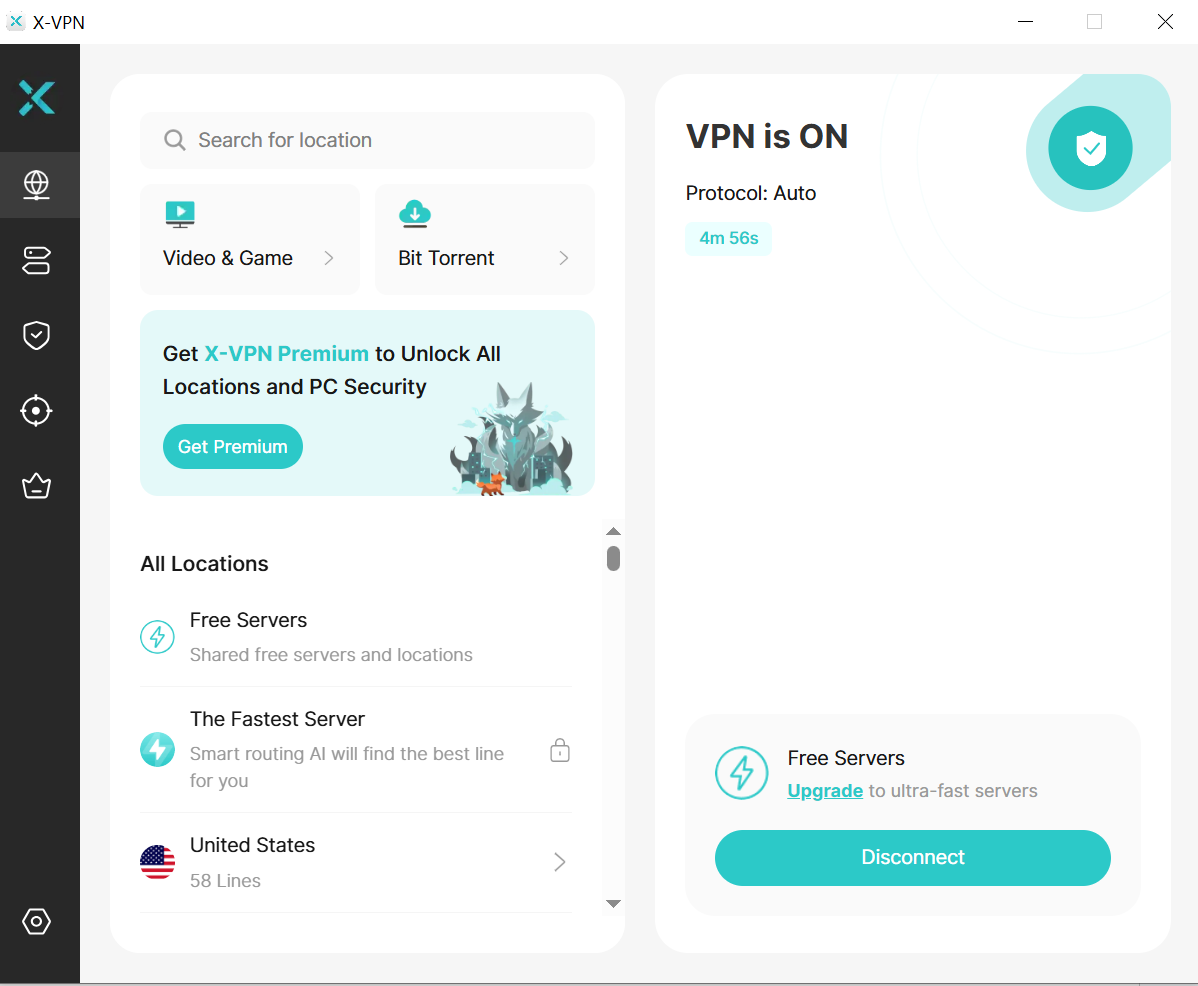
The free server can work well for normal browsing, emails, and accessing websites that are restricted in some regions. However, the biggest limitation is that free users access only a few server locations, so you can’t reliably use it for streaming or accessing content from specific countries.
When I upgraded to Premium, a lot more features became available immediately. I could select a server location and connect to specific countries like the US, the UK, and Australia instead of being assigned a random server.
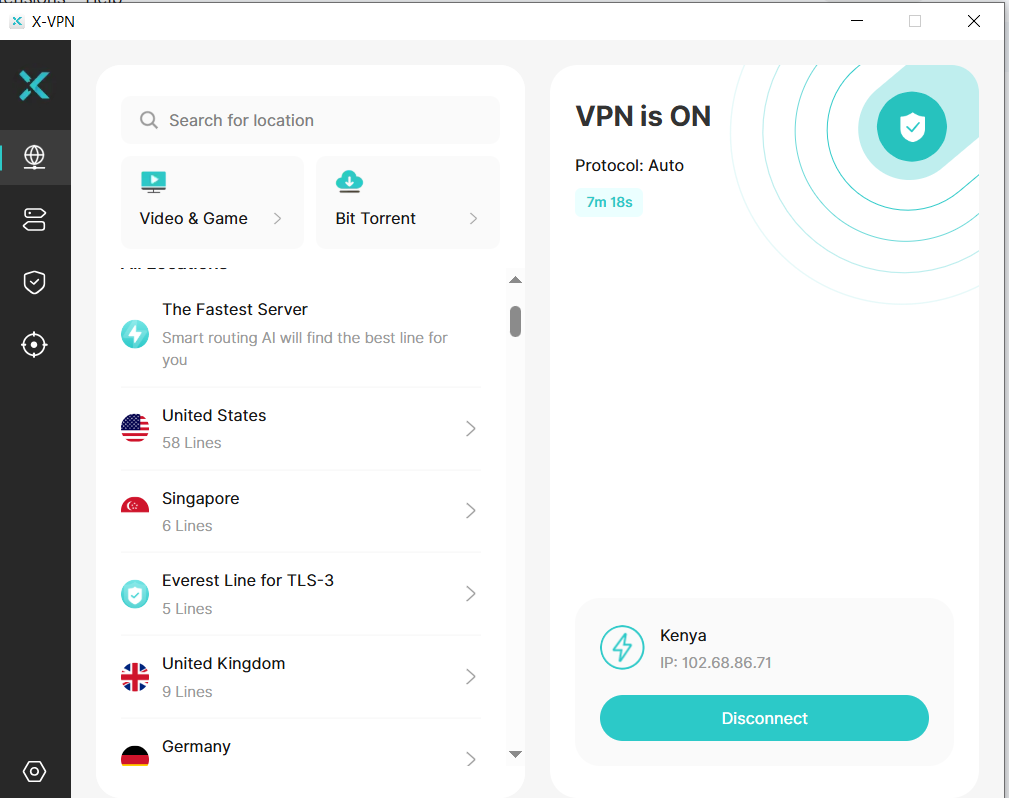
The premium version also unlocks several security and performance features, such as:
- Kill Switch
- Split Tunneling
- Double VPN
- Private DNS
- Obfuscated Servers (helps bypass VPN blocks)
- Streaming and gaming-optimized servers
- Up to 5 simultaneous device connections
These features make a big difference if you plan to use the VPN for streaming, gaming, torrenting, or privacy-focused browsing, rather than just occasional public Wi-Fi protection.
Free vs. Premium: What should you use and when?
In my experience, the free version of X-VPN is good for casual use, especially if you just want quick protection without signing up. But if you want faster speeds, streaming access, gaming stability, and advanced privacy features, you will need the premium version.
Speed Test Results
I conducted speed tests for 4 scenarios: without a VPN (baseline), with X-VPN Free (automatic free server), with X-VPN Premium connected to a local server (Nairobi), and with X-VPN Premium connected to a distant server (US server in Los Angeles)
| Connection | Latency | Download Speed | Upload Speed | Server Location |
|---|---|---|---|---|
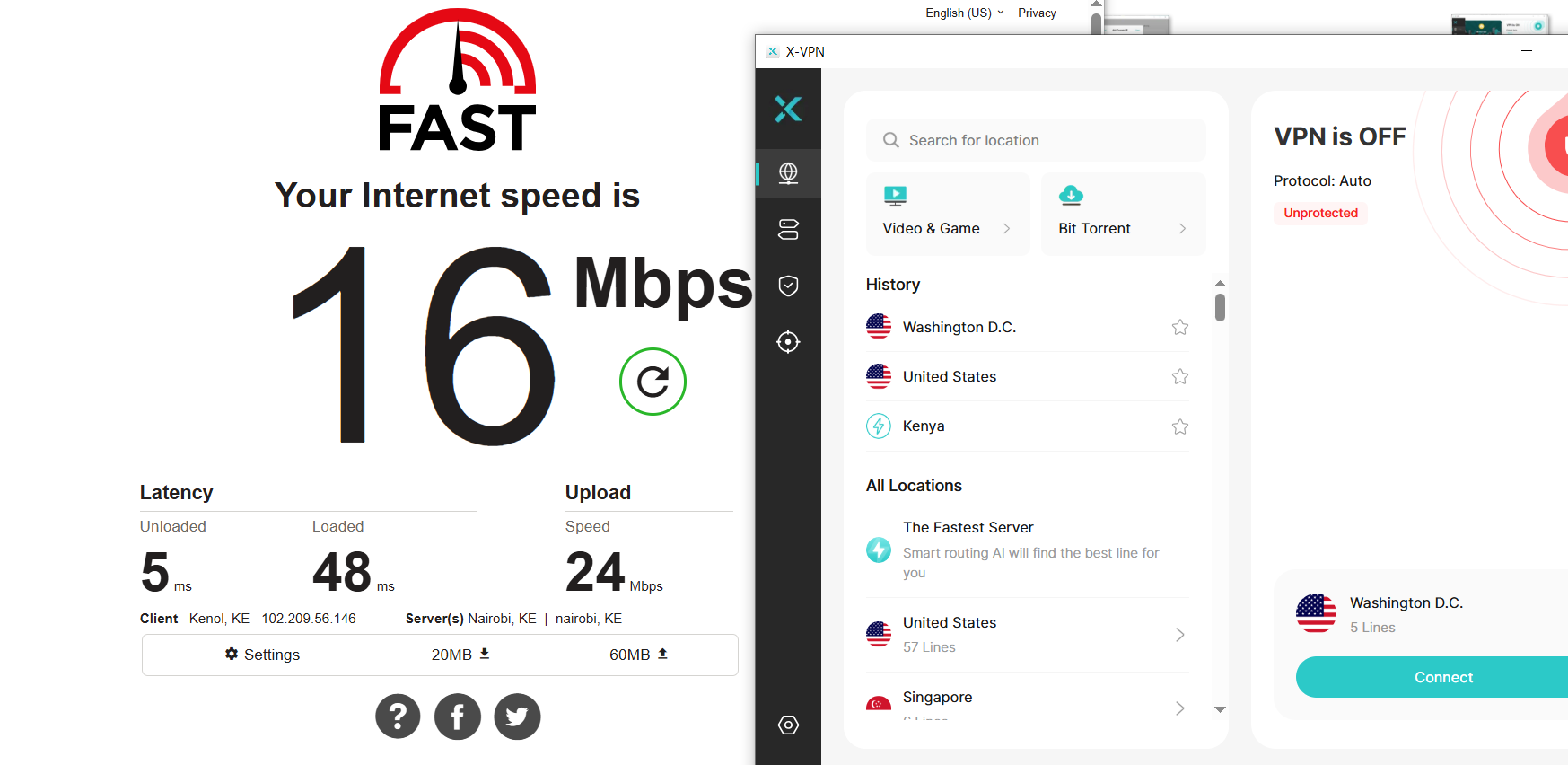
| No VPN | 5ms | 16 Mbps | 24 Mbps | N/A |
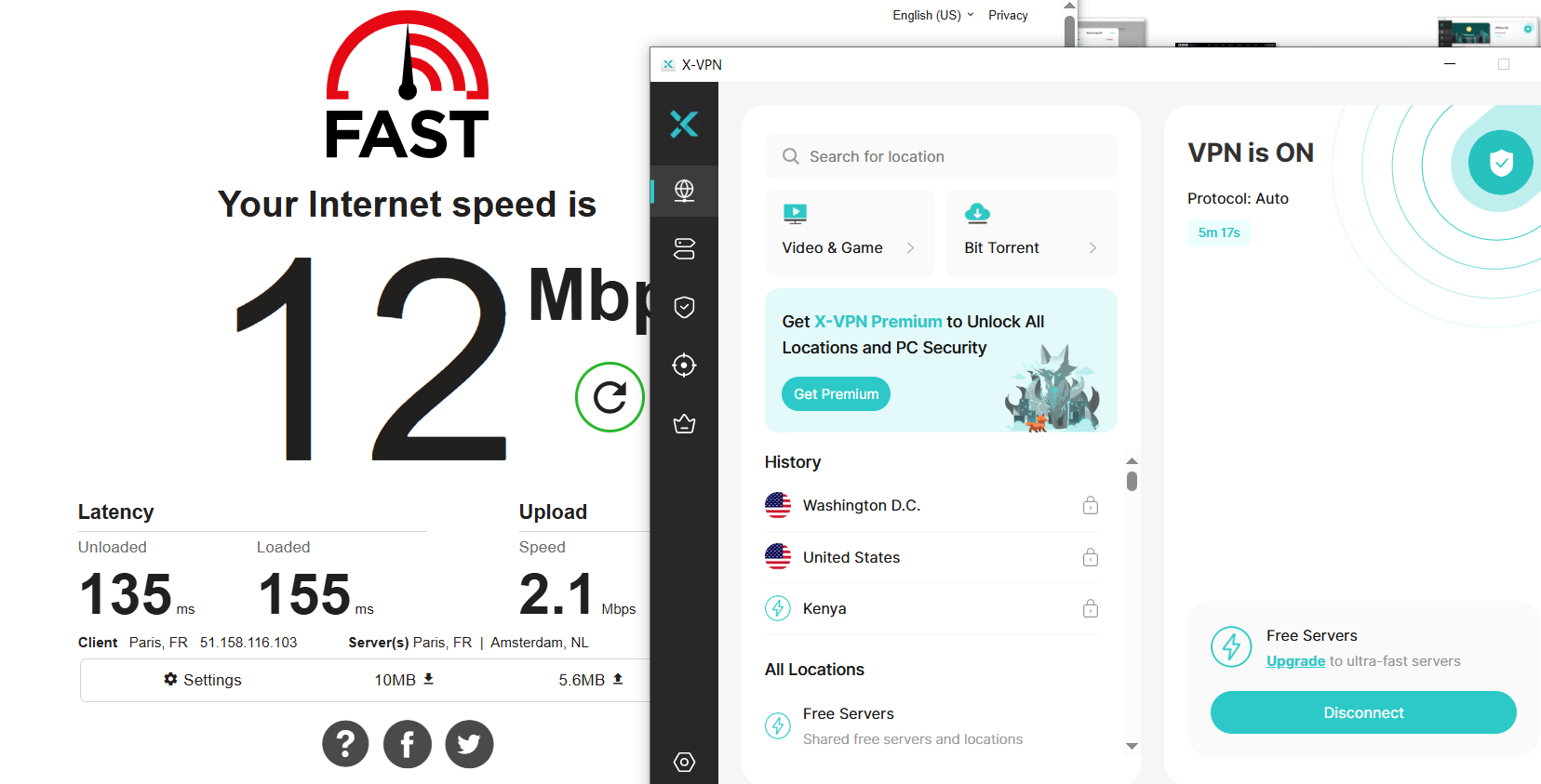
| Free VPN | 127ms | 12 Mbps | 2.1 Mbps | Auto (free) |
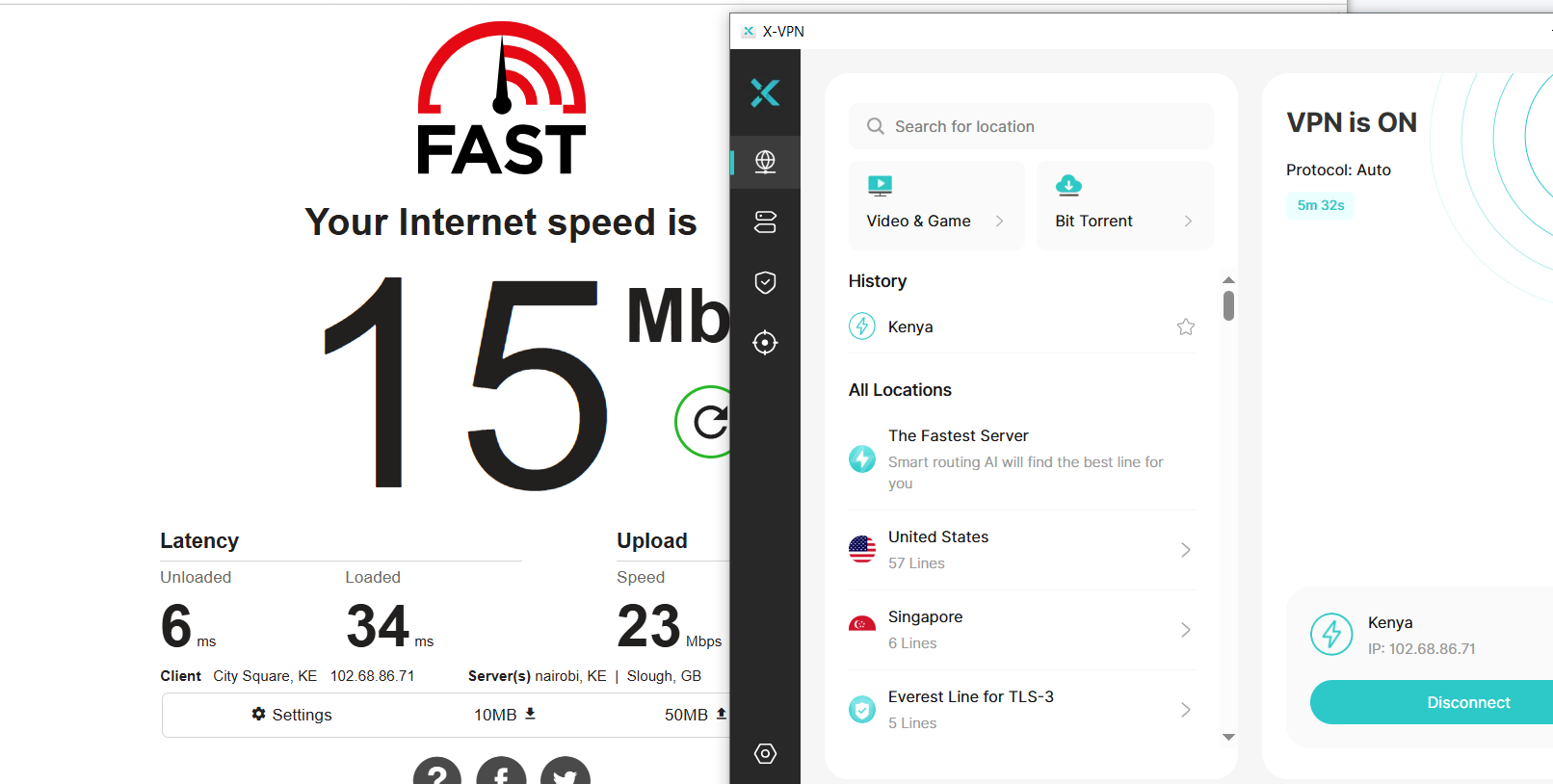
| Premium VPN (Local Server) | 6ms | 15 Mbps | 23 Mbps | Nairobi |
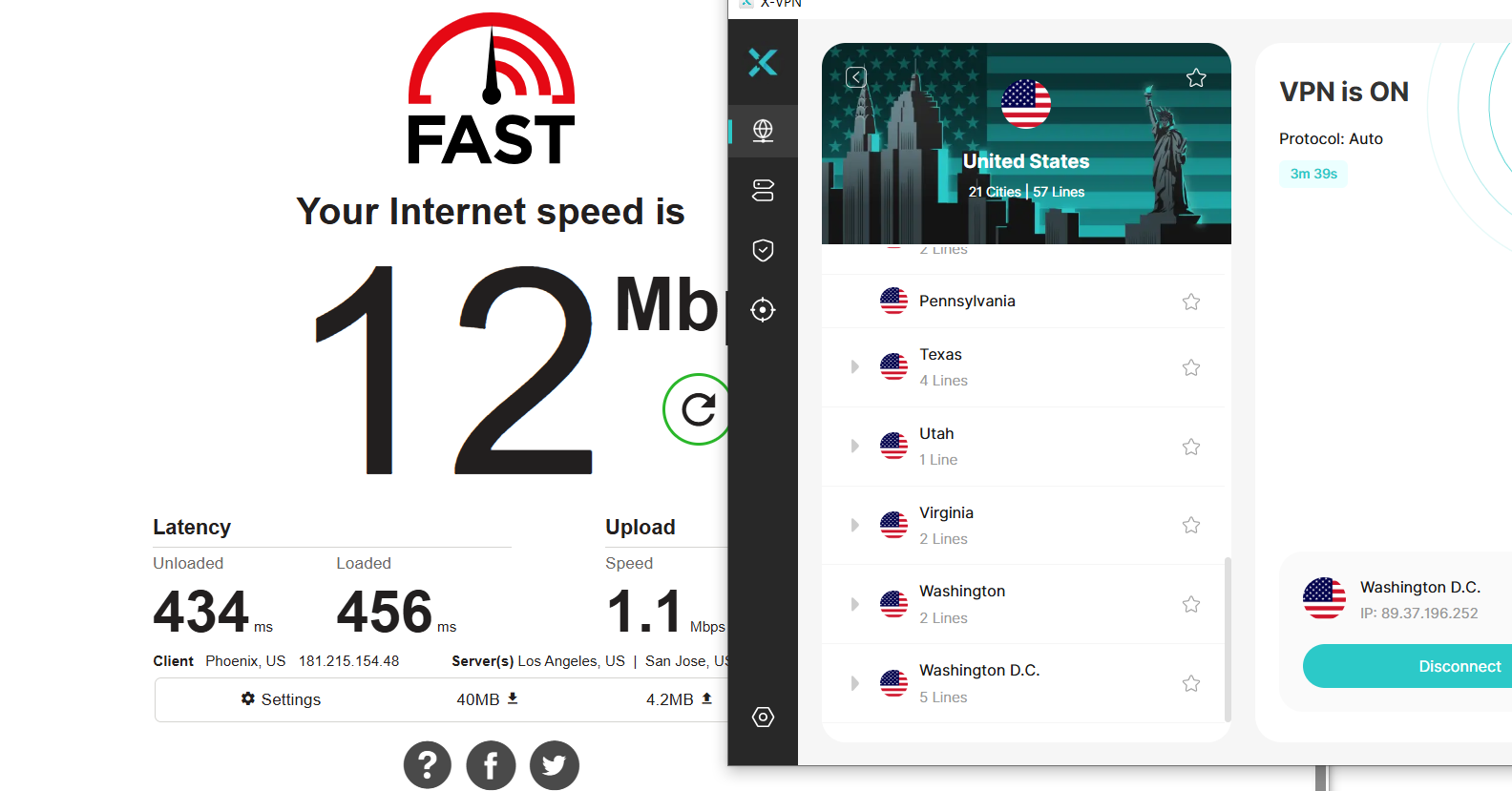
| Premium VPN (Distant server) | 434ms | 12 Mbps | 1.1 Mbps | USA (Los Angeles) |
My download speeds were highest without a VPN. The latency was also pretty low at just 5 ms when browsing without a VPN:
My download and upload speeds decreased to 12 Mbps and 2.1 Mbps, respectively, when I connected to the X-VPN free tool. The latency also shot up to 127 ms.
X-VPN Premium allows users to select a server location or even search for one from the list. I first connected to a local server in Nairobi for my test. These were my results:
I then connected to a US server in Los Angeles, United States. These were my results:
Verdict on Speed: Is it good enough for daily use and downloads?
Based on my test, X-VPN Free and Premium are ideal for daily use and downloads. The download speeds were 14 Mbps, compared to 16 Mbps without a VPN. The free plan allows users to browse anonymously, while the premium plan lets users select a server from a big pool in different countries and unlock geo-locked content.
Performance was good when I connected to a server near my location. But when I connected to a distant server in the US, speed was very low and latency was high, even with the premium plan.
For Mac users, X-VPN has recently optimized V2Ray, an open-source proxy tool, for improved speed.
Streaming and Gaming
YouTube
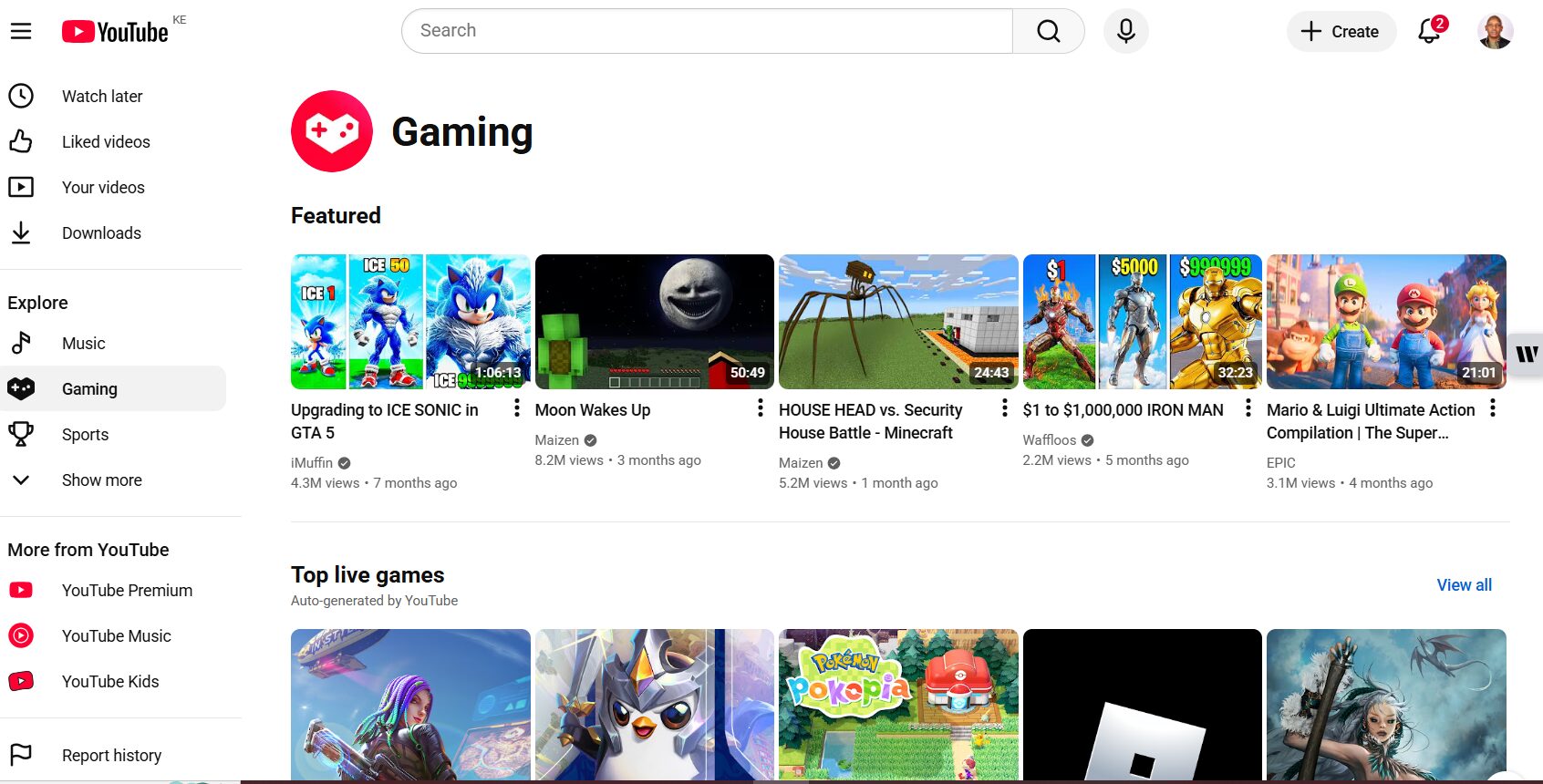
X-VPN claims that it can unlock US Netflix, Hulu, Disney+, BBC iPlayer, and CBC Gem even for users who can’t access them due to their location. My first test was on YouTube, and I particularly wanted to know what my local YouTube (Kenya) had to offer and compare it with US YouTube. This is my Kenyan YouTube menu:
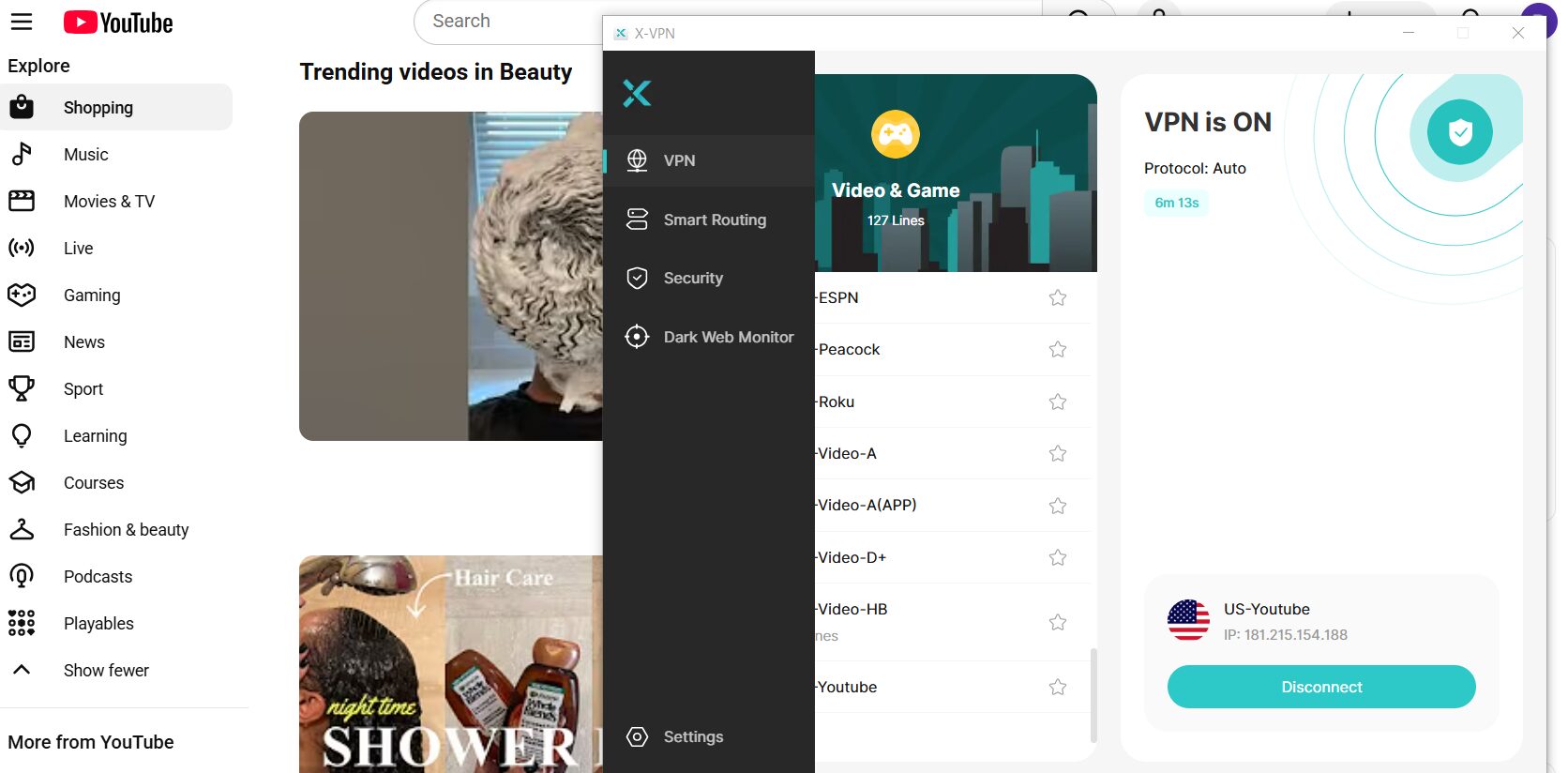
After that, I selected “US-YouTube” under “Video & Game”. I noticed an expanded menu on the left when accessing US YouTube. For instance, US YouTube has categories like “Shopping, Movies & TV, Playables, Courses, and Learning” that were unavailable on Kenyan YouTube.
BBC iPlayer
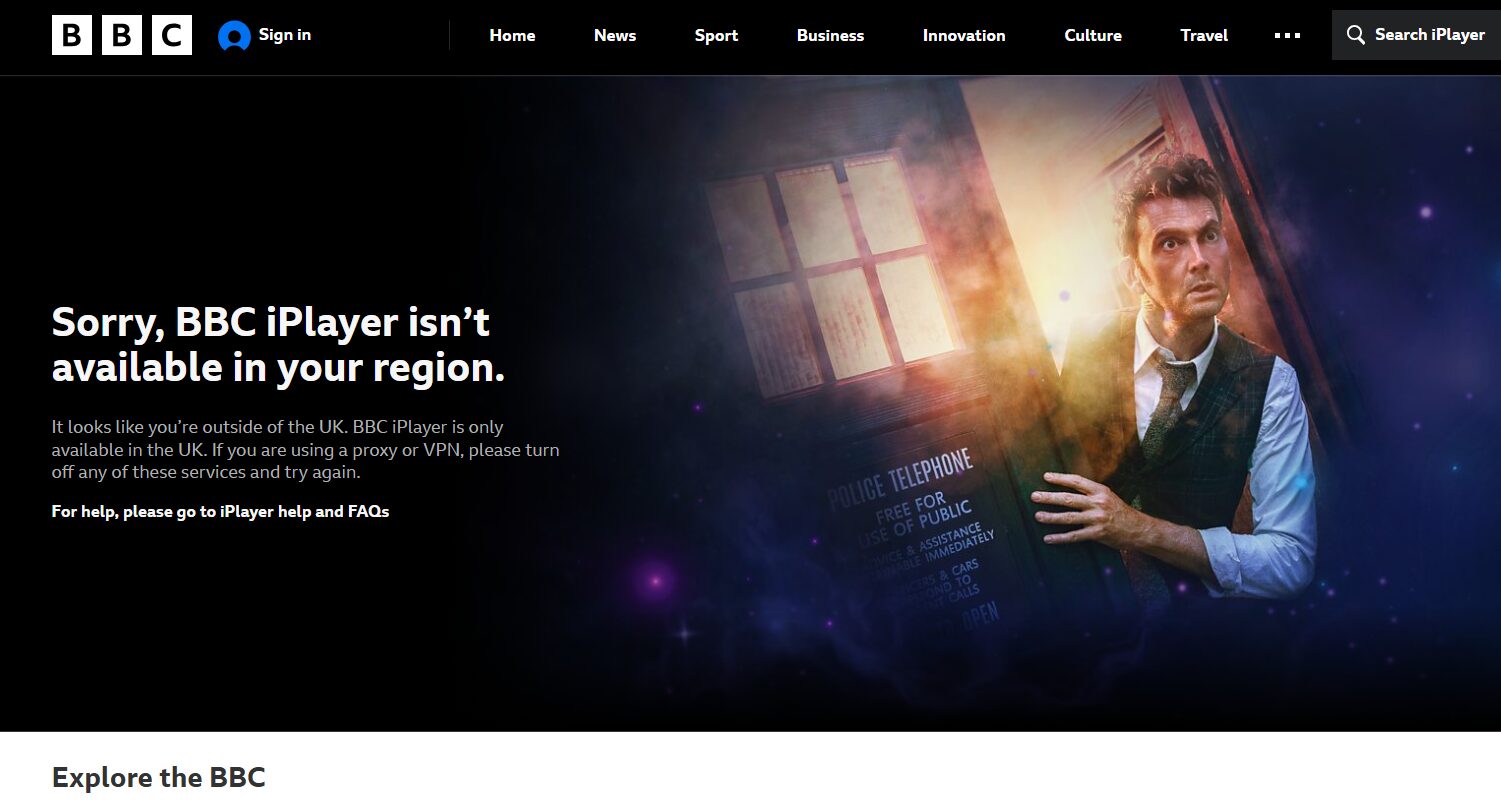
I then tested the BBC iPlayer without a VPN. I got a “Sorry, BBC iPlayer isn’t available in your region…” notice.
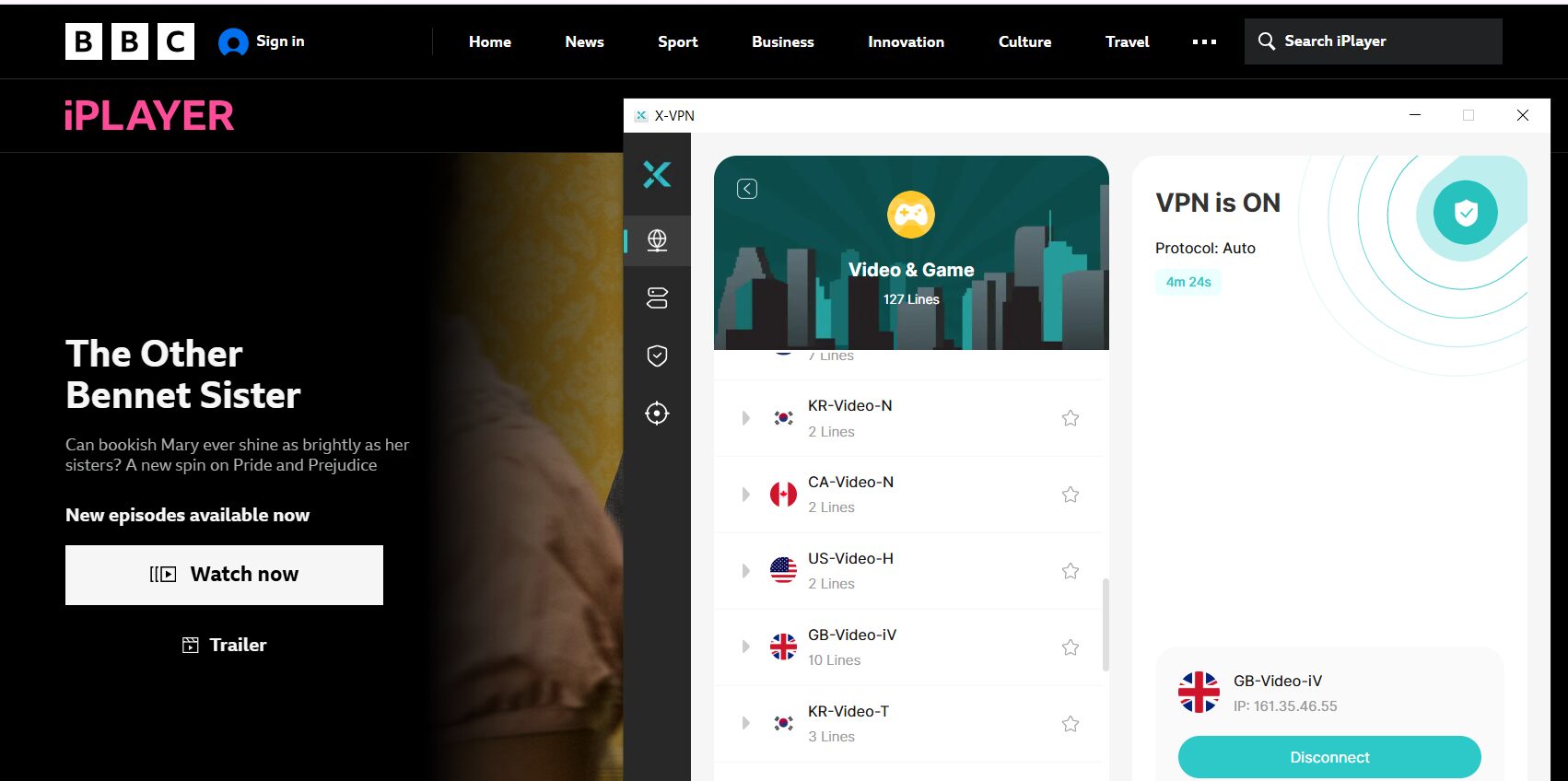
I changed my X-VPN location to a UK server and tested BBC iPlayer again, and this time, I was able to unlock this streaming service.
Lastly, X-VPN has partnered with platforms such as GCP, AWS, and Oracle to build a network of 10,000+ servers globally, providing gamers with a reliable, fast VPN service with low ping. Gamers are also assured of their security, as X-VPN masks their location and IP address while they play online.
Privacy and Security
X-VPN has several tools and measures in place to ensure that you are safe while browsing online. First, it uses AES-256 encryption, the industry standard used by banks, security companies, and even government organizations. This encryption standard makes your internet traffic extremely difficult to intercept.
I verified the connection using IP and DNS leak tests before connecting to a VPN and got these results.
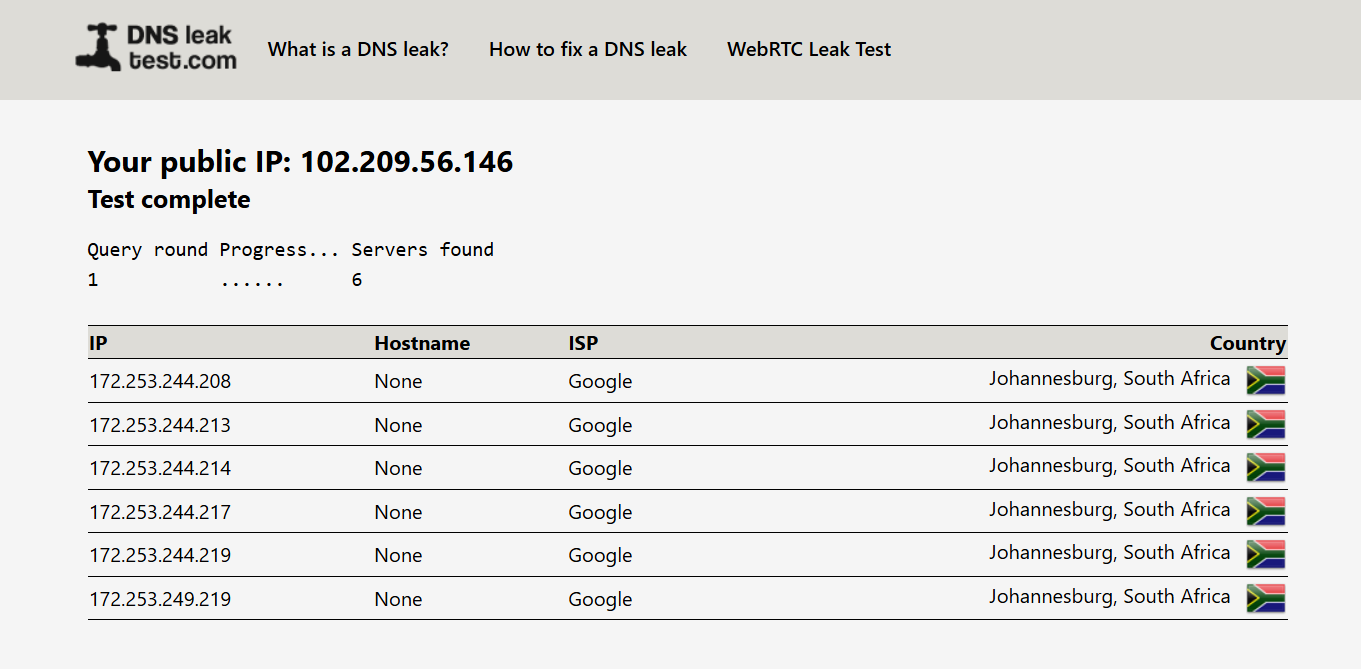
When I connected to X-VPN on Wi-Fi, my IP address changed to the VPN server location, and DNS requests were routed through VPN servers instead of my ISP, confirming that my traffic was encrypted and tunneled through the VPN network.
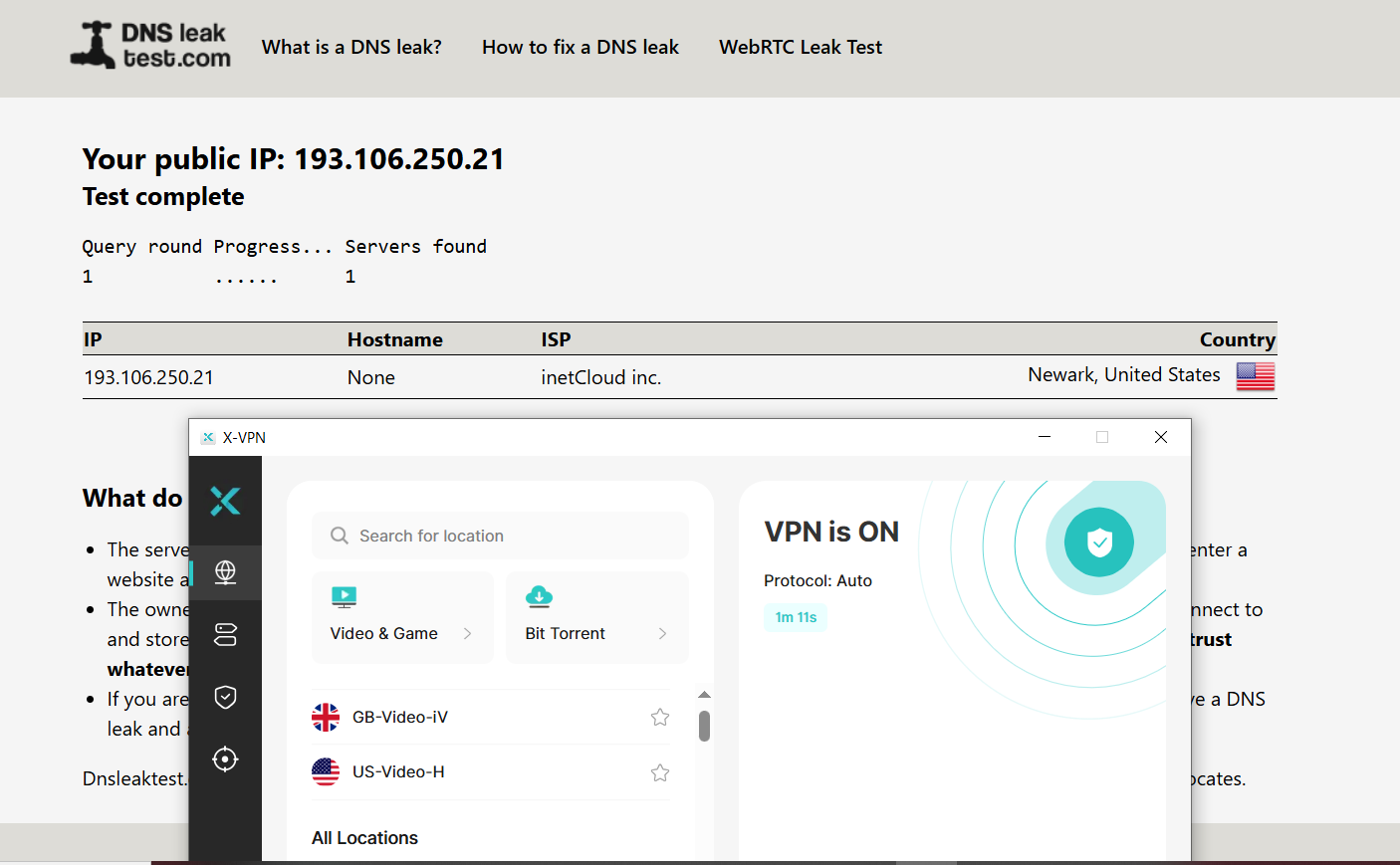
This means browsing activity, passwords, and downloads are protected when using public Wi-Fi in places like airports and hotels.
X-VPN Premium offers several security features that are important for privacy and connection safety:
- Kill Switch: The Kill Switch automatically disconnects your internet if the VPN connection drops. This prevents your real IP address from being exposed accidentally. This is important if you are downloading files, accessing restricted content, or using public networks.
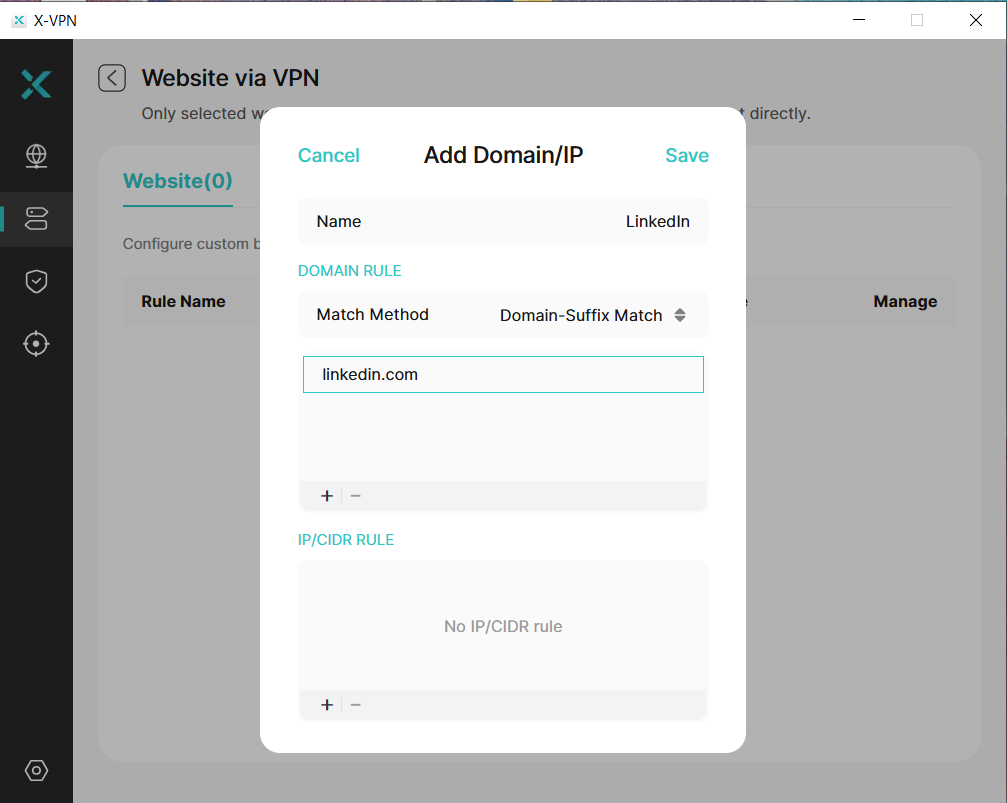
- Split Tunneling: Split tunneling lets you choose which apps use the VPN and which use your regular internet connection. For example, you can route your browser through the VPN while keeping streaming apps or banking apps on your normal connection. This can also improve speed because not all traffic goes through the VPN.
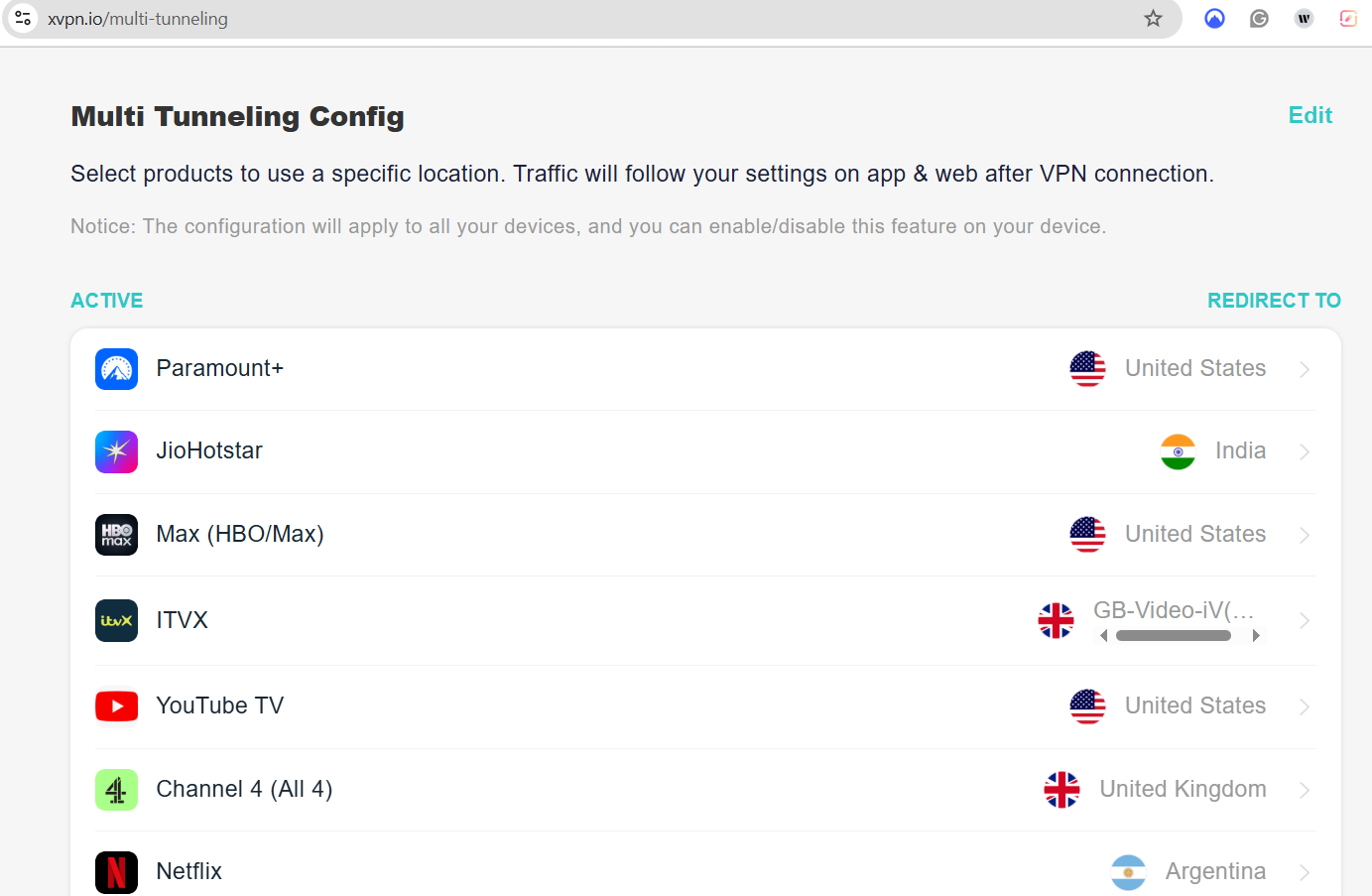
- Multi-Tunneling: Some websites/apps will always use a fixed location, regardless of where you are connected. This ensures you get consistent content, especially on websites that serve different content based on location.
Lastly, X-VPN states that it follows a strict no-log policy, meaning it does not store your browsing history, connection timestamps, or traffic data. This is important because some VPN providers log user activity and can share that information with third parties.
However, like most VPN providers, they may still collect basic app diagnostics and connection data to improve performance and prevent abuse. This is standard practice across the VPN industry.
Server and Global Access
The number of servers directly affects streaming access, speed, and the ability to bypass regional restrictions. X-VPN claims to offer 10,000+ VPN servers across more than 80 countries. Simply use the search button to land at your ideal location. During my test, the United States had the most servers, with users able to choose from 58 different lines.
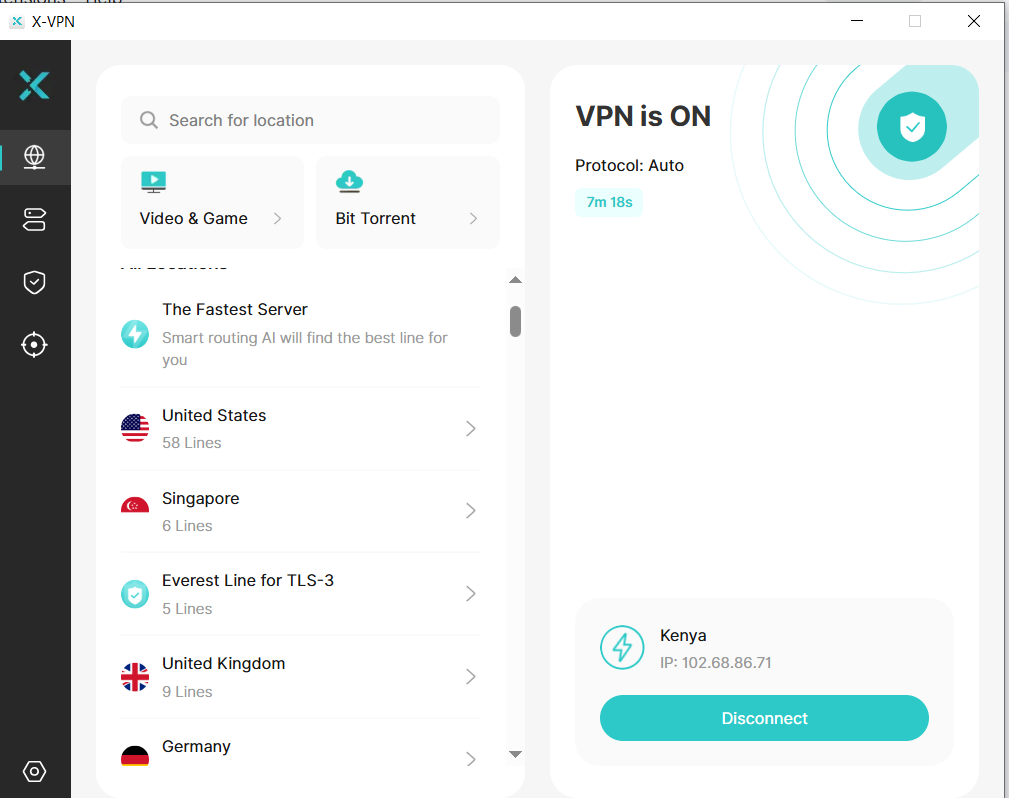
A large server network gives you more location options when trying to access region-locked content, websites, or services that are only available in specific countries. For example, if you are an expat or traveler, you may want to connect to a server in your home country to access local content, banking apps, or sports streaming services.
Another advantage of having many server locations is the ability to access content from countries with restricted internet access. For instance, you can access Saudi Arabian servers or Australian sports with X-VPN.
Ease of Use
X-VPN presents itself as a one-click VPN even for non-tech-savvy users. Furthermore, it’s available on macOS, iOS, Android, Chrome, Chromebook, and Windows. I managed to install the desktop app on my Windows computer and on my Android phone.
True to the statement, the “one-click” setup is a reality. After installation, I was able to connect to various servers even without signing up. I could search for different locations on the free plan.
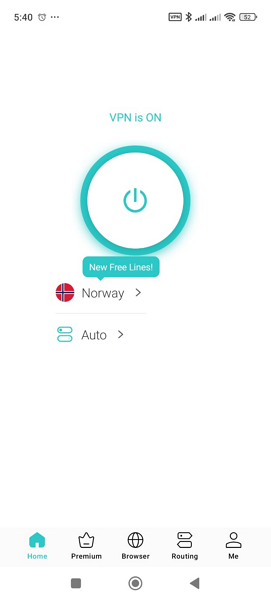
I tried the same on X-VPN Premium, which unlocked premium servers and other features. After signing in, I could access thousands of servers, even specialized ones such as for browsing and torrenting, with a few clicks.
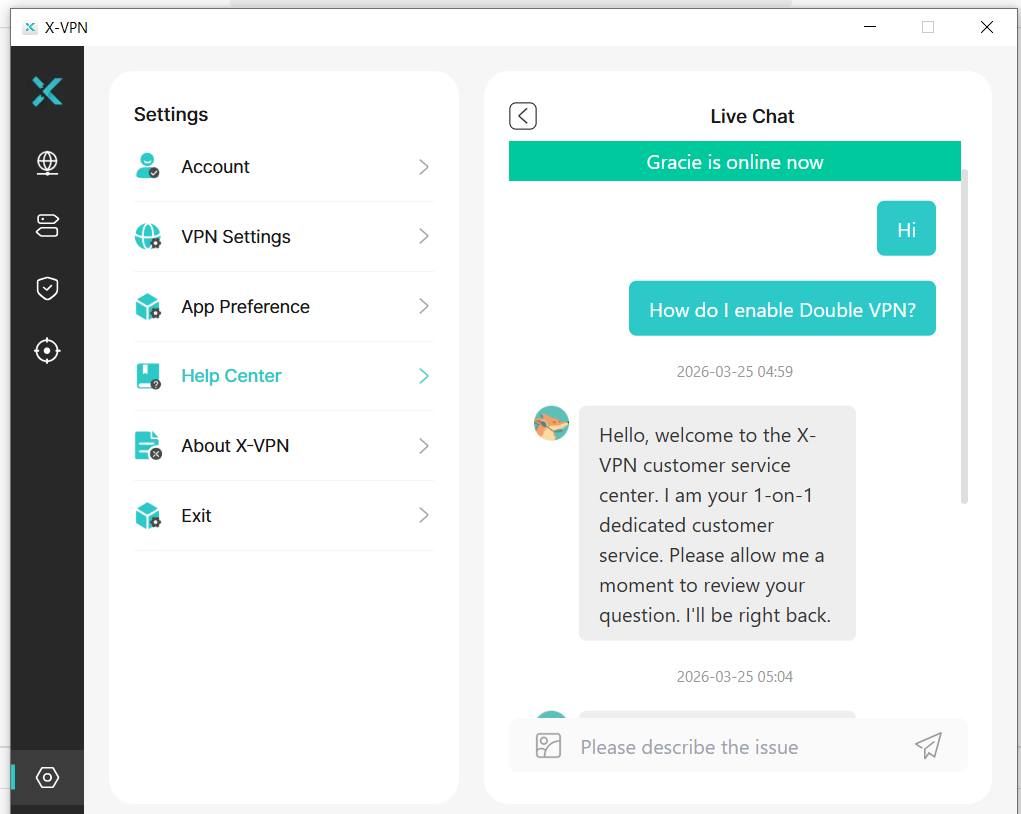
X-VPN also claims to offer 24/7 live support. I tested them on the same and got a response in under 5 minutes.
What Users Say About X-VPN
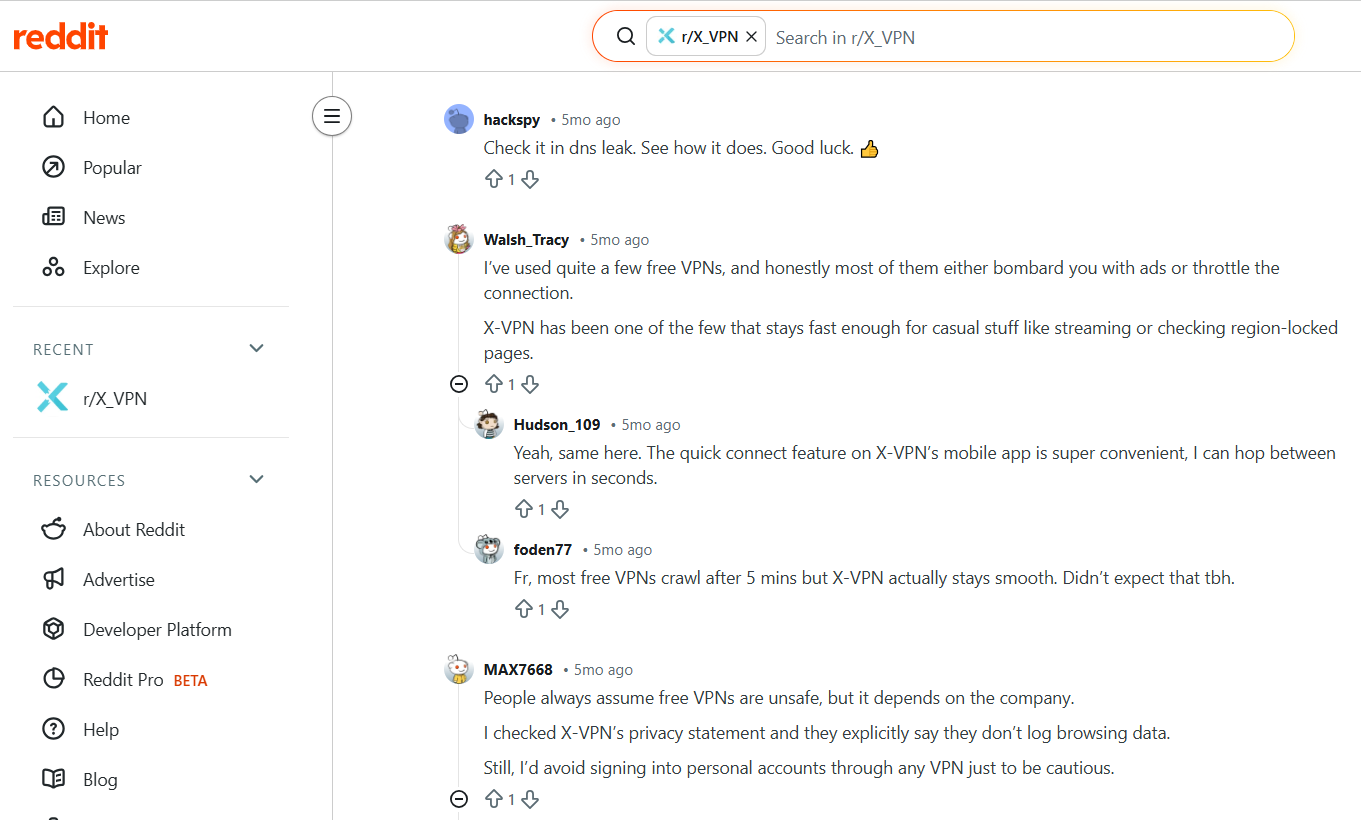
X-VPN is quite loved based on various testimonials I found online. Most Reddit users are happy with both its free and paid versions.
I also checked its rating on the Google Play Store, where it has a 4.8/5, which is a pretty decent score for such a tool.
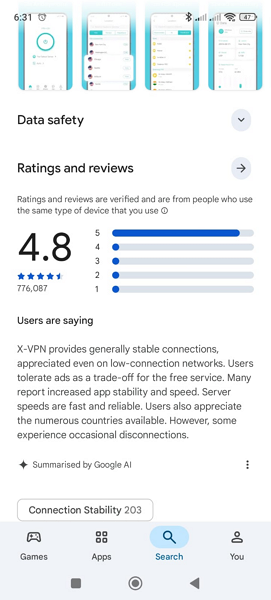
The same tool has a 3.6/5 score on Trustpilot.
Pricing and Refund Policy
X-VPN has transparent pricing with only 2 plans: free and premium. The free-forever plan offers several free locations. X-VPN Premium pricing depends on the plan you choose. For instance, you can get it for as little as $2.99/month or $69.99 for the first 24 months. This plan unlocks premium features such as ad tracker, split tunneling, and multi-tunneling.
You can subscribe to X-VPN Premium using PayPal, a credit card, or coin payments. The platform offers a 30-day money-back guarantee.
X-VPN Verdict
Free version: X-VPN is a very practical VPN for everyday users, especially if you want quick privacy protection without a complicated setup. The fact that you can start using the free version without creating an account sets it apart from many other VPN services.
For basic browsing, public Wi-Fi protection, and occasional location changes, the free version works surprisingly well. In my testing, latency increased from 5 ms without a VPN to around 127 ms with a free VPN. This may impact your online gaming or video calls.
Premium Version: The premium version makes X-VPN much more powerful. It unlocks server selection, streaming and gaming servers, faster speeds, and advanced privacy features like Kill Switch, Everest Protocol, Split Tunneling, and Double VPN. The premium local server performed very close to my baseline speeds, while distant servers showed higher latency and lower speeds, which is expected when connecting to servers far away.
If you plan to use a VPN regularly, the premium version is the better option. It is also ideal for expats who need dedicated streaming servers and strict privacy.
Overall, X-VPN is one of the easiest VPNs to start using. The free version is great for basic privacy and public Wi-Fi protection, while the premium version is better for streaming, gaming, downloads, and advanced security. If you need a simple, beginner-friendly VPN with the option to upgrade for more features, X-VPN is definitely worth considering.