I used to think a well-written resume was enough. Then I realized an algorithm reviews it before a recruiter ever does.
That’s the reality of job hunting in 2026. According to Jobscan’s Fortune 500 ATS Report, 99% of Fortune 500 companies use applicant tracking systems.
And with AI-generated resumes flooding every inbox, even the ones that do pass ATS get maybe six seconds of human attention.
So the question isn’t just “How do I write a good resume?” It’s “How do I write one that survives the machines first?”
That’s why I spent the past few weeks actually testing the top resume builders: logged in, built real resumes, hit their paywalls, read their fine print, and checked what thousands of users say about them on Trustpilot and G2.
Some are free (genuinely free, not “free until you want to download it” free). Some are pricey but actually earn it. A few I’d steer you away from entirely.
Here’s what I found.
What is a Resume Builder?
A resume builder is an online tool that helps you create a professional, formatted resume without starting from a blank page. Most give you a template, walk you through sections like work experience, education, and skills, and then export the result as a PDF or Word document.
The good ones do more than that in 2026. The best resume builders now include AI writing assistants that suggest bullet points, ATS checkers that score your resume against a specific job description, keyword matching tools, and cover letter generators. Some even track your job applications alongside your resume.
The bad ones let you build a beautiful resume for free and then charge you to download it. Watch for that.
Top Resume Builders of 2026
VisualCV
Trustpilot: 4.5/5
VisualCV does something no other major resume builder offers: it tells you when someone actually opens your resume. You share a link, and the analytics dashboard shows who viewed it, for how long, and when.
If you’re applying to 30+ jobs and want to know which companies are reading your materials, that data is genuinely useful.
I liked the interface. Real-time editing, drag-and-drop section reordering, 30+ ATS-optimized templates, LinkedIn import, and a portfolio embedding feature that’s rare at this price point.
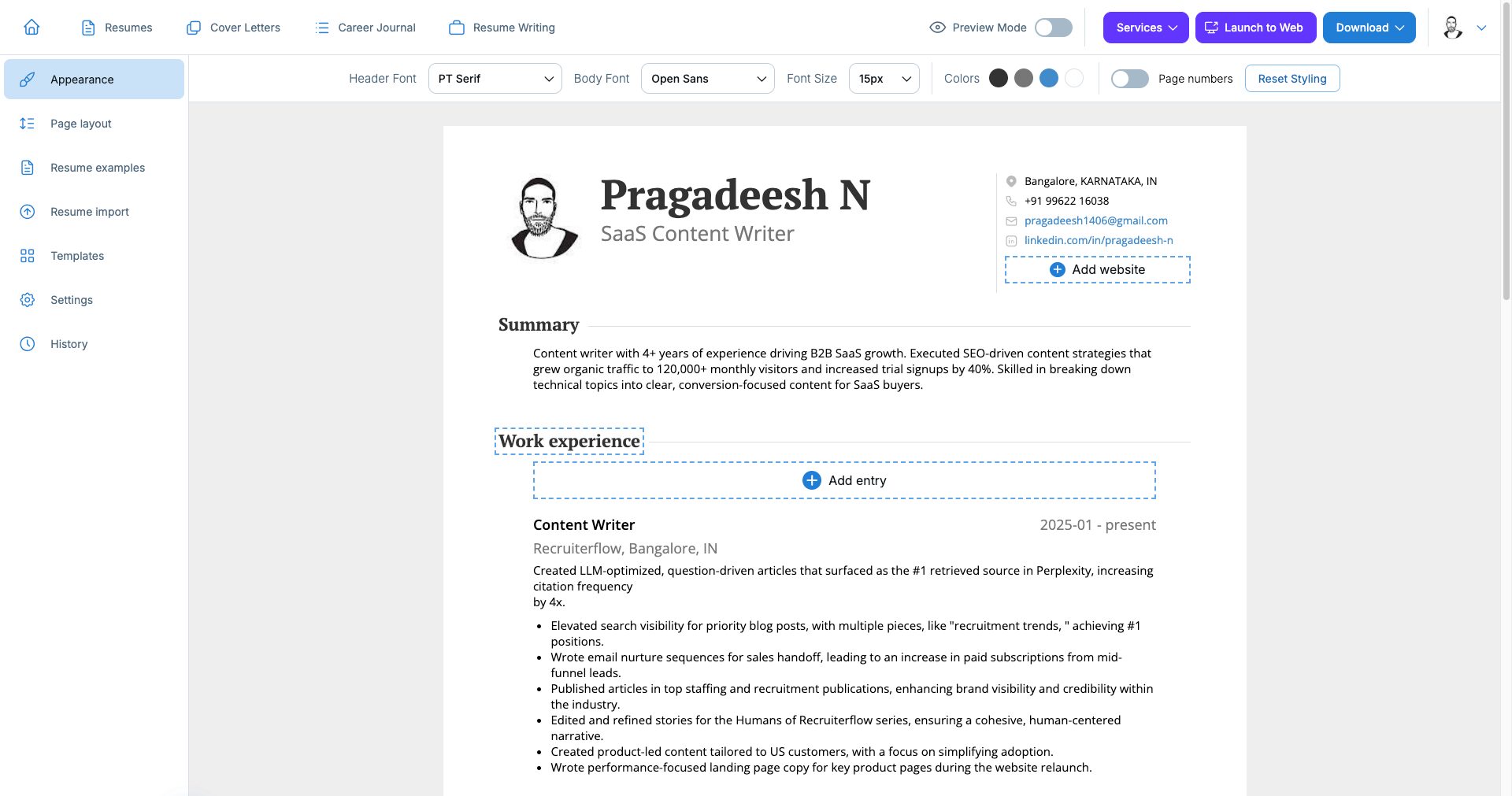
It also integrates with OpenAI for writing assistance, which produces better results than most built-in AI tools I’ve tested.
What’s free: You can build and edit resumes. Sharing via link is free. But downloading a watermark-free PDF requires a paid plan, and the free tier makes that pretty obvious upfront, which I’ll give them credit for.
Pricing: $24/month on the monthly plan, $16/month quarterly, or about $9/month on the annual plan ($109/year). There’s a 30-day money-back guarantee.
The catch: Some users on review sites have flagged pricing jumps. One day you’re on a discounted plan, and the next you’re looking at the full rate. The annual plan is where the value actually lands; the monthly price is hard to justify.
Best for: Active job seekers who want to know if their resume is being read or professionals who want to show portfolio work alongside a traditional CV.
Kickresume
Trustpilot: 4.6/5
Kickresume earned its 4.6 Trustpilot rating from over 3,585 reviews, and most of that goodwill comes from its templates. The platform also covers more than just resumes: you get cover letter tools, a personal website builder, and an ATS checker.
The AI writing features run on GPT-4.1 and GPT-5. In my testing, the generated content was reasonable (better than most), though experienced recruiters will spot the patterns.
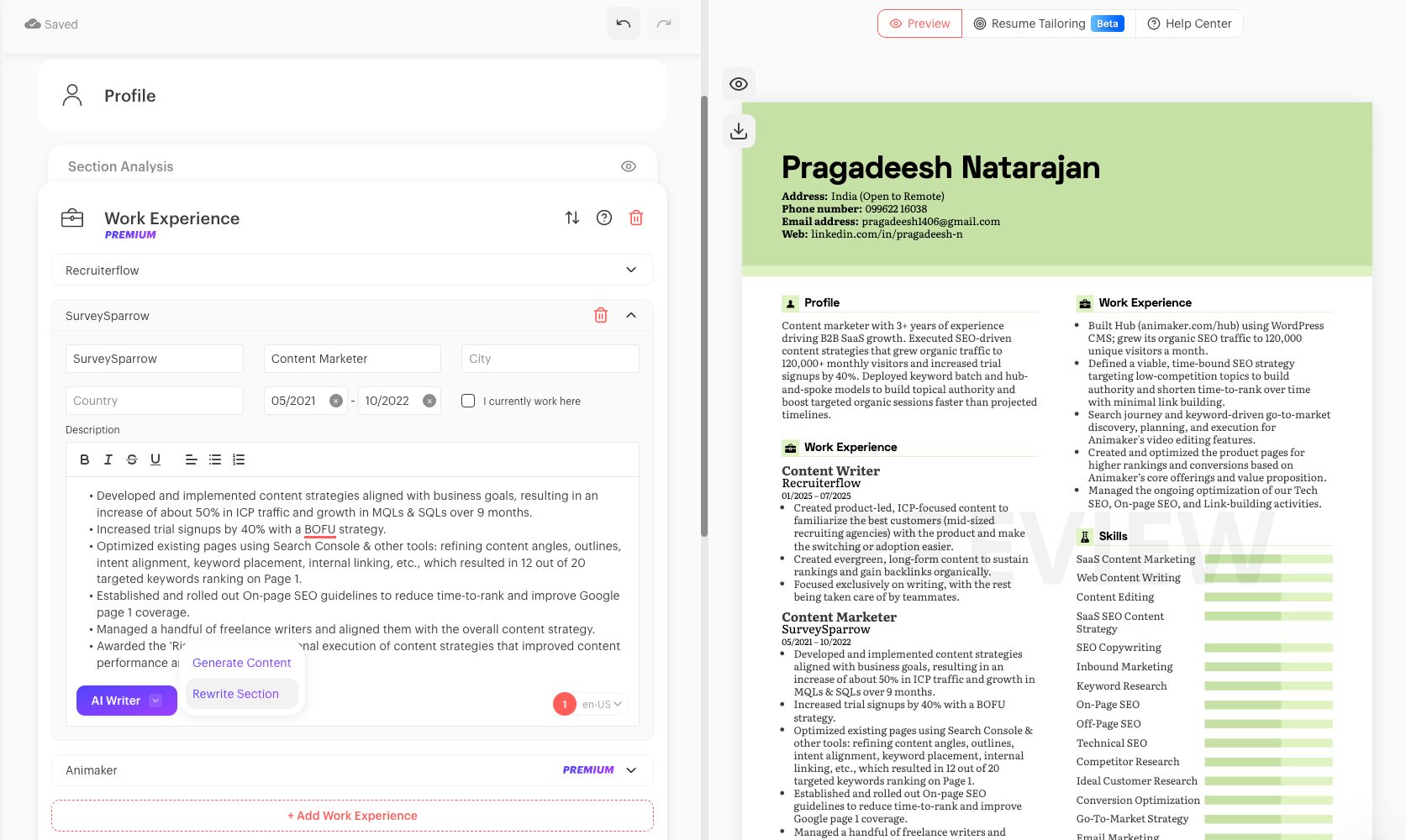
The bigger frustration is usage limits: on the free plan, you hit a wall fast (you can only list two skills before the paywall kicks in, which is not a resume you can actually send).
Even on the $24/month paid plan, some users report hitting AI generation limits mid-cycle.
What’s free: Basic access, a few templates, and limited AI. Not enough to build a complete, submittable resume without hitting a wall.
Pricing: Free plan at $0. Monthly at $19–24/month. Yearly at $7–8/month (billed annually). There’s also a $30 add-on for human grammar correction, which is not included in any plan.
The catch: A notable chunk of 1- and 2-star reviews on Trustpilot are about billing: charges after free trials and difficulty canceling. The 14-day refund policy exists but requires emailing support.
Best for: Job seekers who want a visually strong resume and personal website combo and are applying to companies where design polish matters.
Toptal Resume
Toptal rating: 4.9/5
Toptal Resume comes from Toptal, the freelance talent network. Toptal team has analyzed more than 3.7 million resumes, conducted over 470,000 interviews, and placed 85,000+ people in jobs, and that hiring experience shapes its templates and AI suggestions.
You can upload an existing resume or start from scratch, pick a recruiter-approved template style like modern, creative, minimalist, chronological, ATS-friendly, or two-column, and let the AI write or rewrite each section.
The same subscription includes a resume checker that scores your resume by category with ATS-friendly fixes, and a cover letter builder that tailors each letter to the job.
Everything is available under one Unlimited Subscription, so you can create a resume and cover letter for every application without counting AI credits.
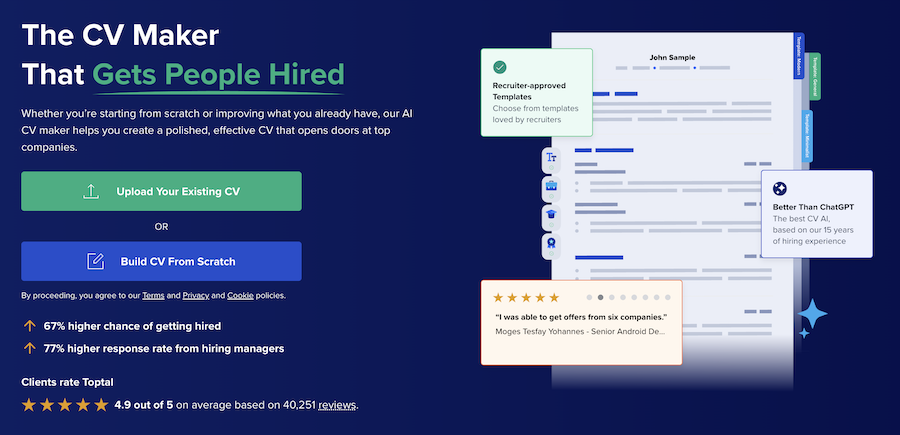
What’s free: You can start building and preview your resume before paying. Getting the final version requires signing up, and the AI writer, resume checker, and cover letter builder are part of the paid subscription.
Pricing: One Unlimited Subscription with a $0.99 trial. After the trial, it auto-renews at the billing cadence you choose, and the renewal price is shown at checkout rather than on the pricing page.
The catch: Like several builders here, a low-cost trial turns into a recurring subscription, and the ongoing price isn’t listed upfront. If you only need one resume, note the renewal date and cancel from your account.
Best for: Job seekers, especially in tech, who want recruiter-informed templates, unlimited tailored resumes and cover letters, and an ATS checker in a single subscription.
Resume.io
Trustpilot: 4.3/5
Resume.io has over 55,000 Trustpilot reviews, one of the largest review pools of any resume builder. The interface is clean. Building a resume takes under 15 minutes. The step-by-step flow works well for people who find blank pages intimidating, and the output looks professional.
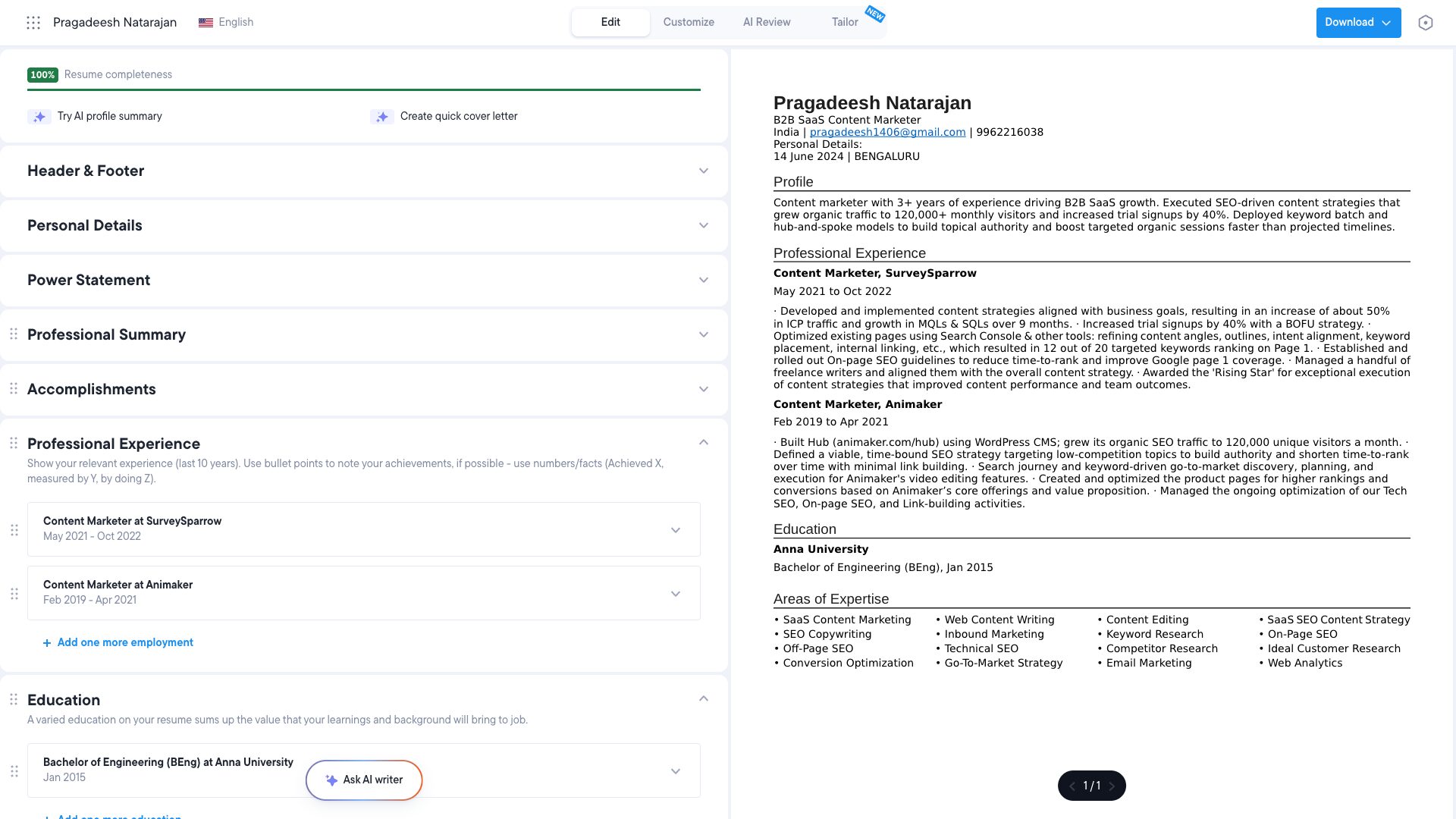
That’s the good part. Now the honest part. The free plan lets you build a resume but only download it as a plain text file. No formatting. No PDF. The moment you want something useful, you hit the paywall.
The trial costs $2.95 for seven days and then automatically renews at around $29.95 every four weeks, and Trustpilot is full of users who didn’t notice until they saw the charge. Cancellation has multiple friction points designed to make you give up.
The resume quality itself is fine. The billing practices are the problem.
What’s free: Building the resume only. No usable download without paying.
Pricing: $2.95 for a 7-day trial (auto-renews at ~$29.95/month), or $49.95 quarterly. 7-day money-back guarantee on new subscriptions.
The catch: The cancellation flow is deliberately confusing, per multiple Trustpilot and Product Hunt reviews. One reviewer described the process as “multiple points where it looks like you’re finished” — but you’re not.
Best for: Someone who just needs a polished PDF quickly and will remember to cancel before the trial converts.
Huntr
Chrome Extension: 4.9/5 (1,100+ reviews)
Huntr is less a pure resume builder and more a job search command center. The core idea: instead of juggling a spreadsheet, a resume document, and ten browser tabs, you manage everything in one place: saved jobs, contacts, application stages, resume versions, and AI-generated cover letters.
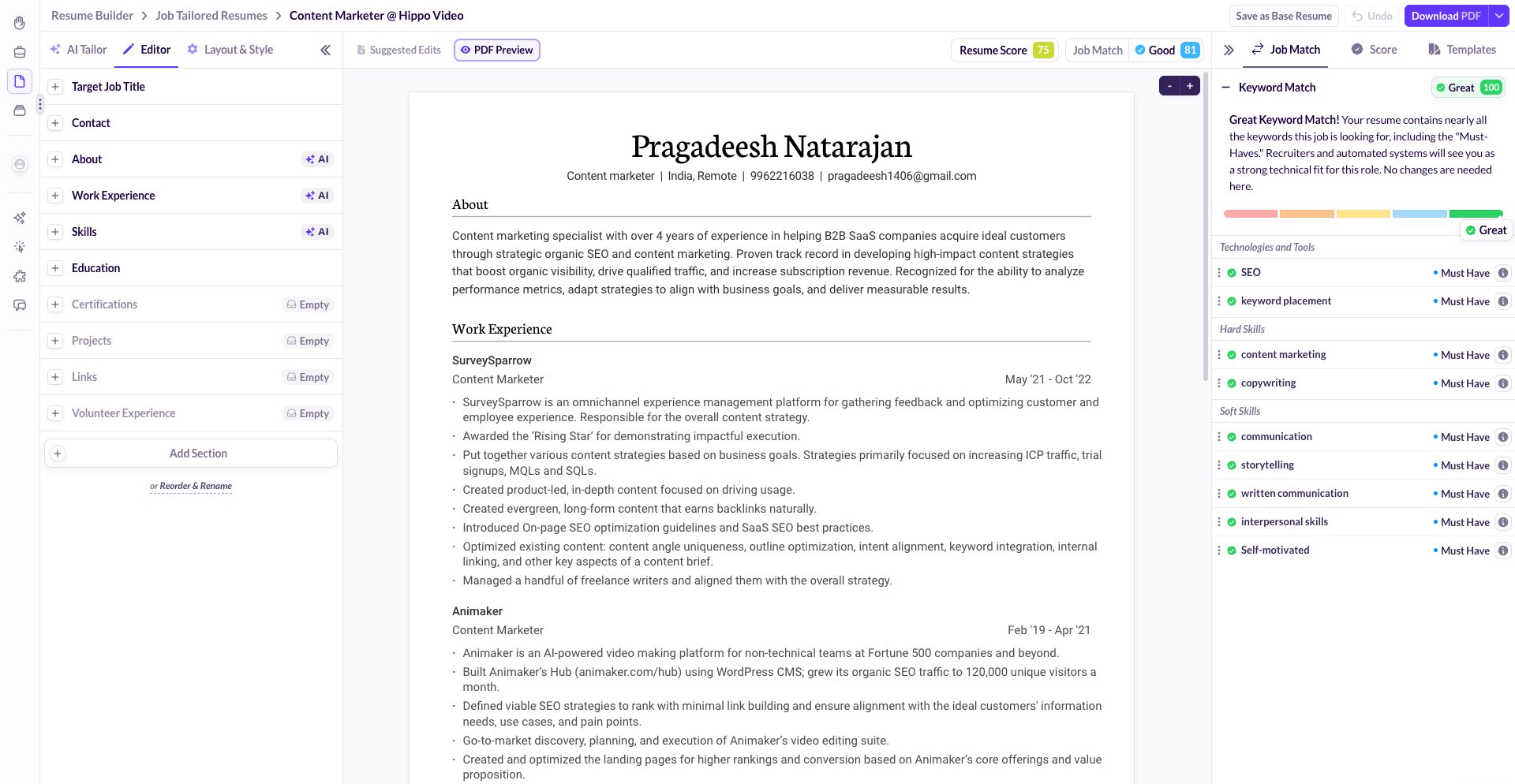
The Chrome extension is excellent. It clips job listings from any site into your tracker and autofills application forms on Greenhouse, Lever, and Workday.
The resume builder pulls keywords from job descriptions and gives you a match score. It also offers AI and human resume reviews; the combination of both is something only Huntr and Kickresume offer.
What’s free: Unlimited resume creation, job tracking for up to 100 jobs, and free downloads without watermarks. Genuinely usable without paying.
Pricing: Free plan available. Pro at $40/month, $30/month quarterly, or about $20/month annually.
The catch: At $40/month for Pro, it’s one of the more expensive options. And compared to dedicated ATS tools like Jobscan, the resume optimization is surface-level: it catches keyword gaps but doesn’t give deep formatting guidance. The autofill extension also struggles on custom forms at smaller companies.
Best for: People running a high-volume job search who want everything in one dashboard: tracking, applying, and resume building combined.
Canva
Free plan available
Canva Resume Builder is genuinely free: no paywall, no watermark, and download your PDF without entering a credit card.
And the templates are beautiful. If you work in a creative field where design is part of the job signal, a Canva resume can stand out in a good way.
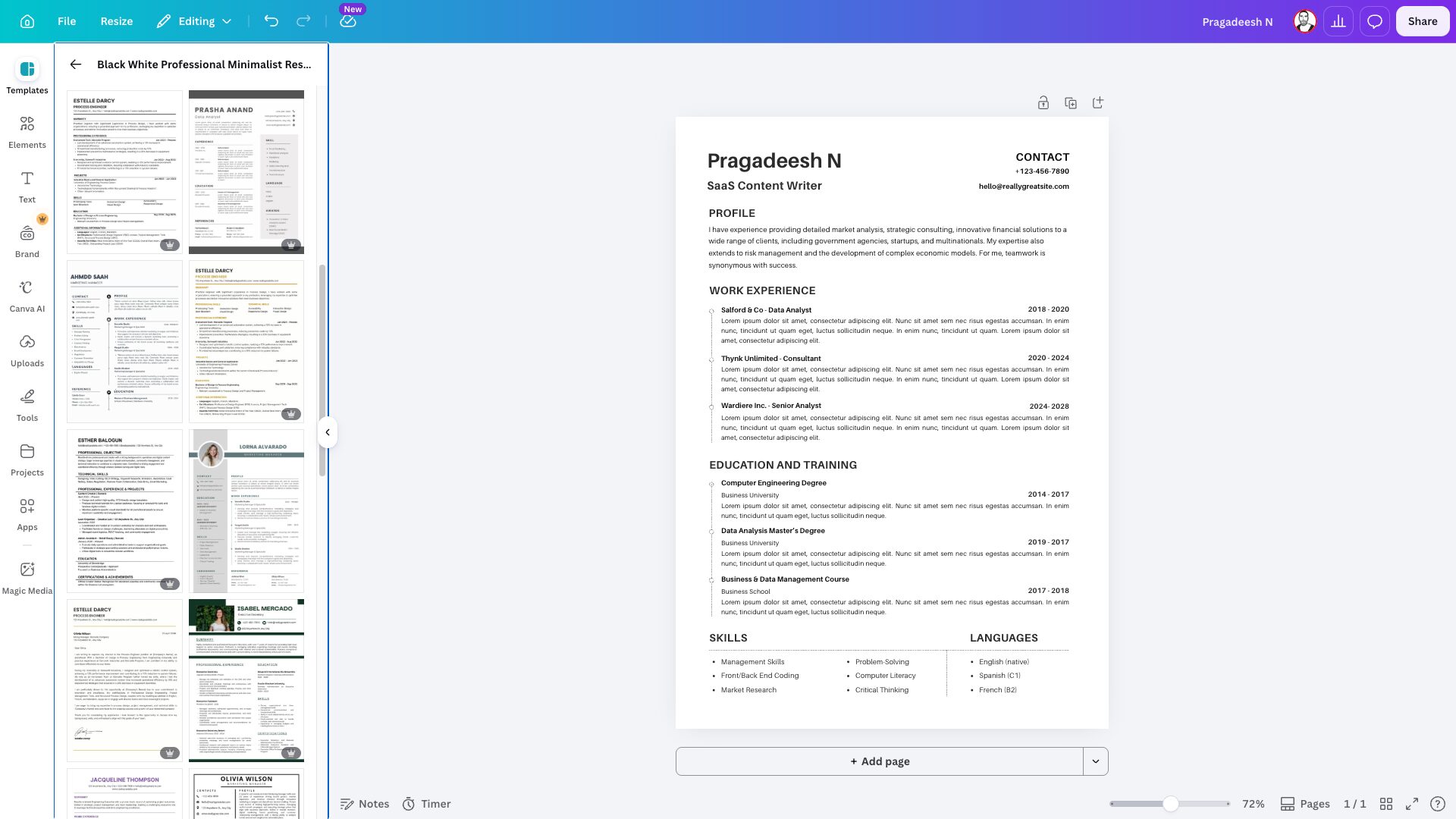
The problem is with ATS. Many of Canva’s 14,000+ templates use multi-column layouts, text boxes, and embedded graphics that ATS systems can’t parse correctly.
You can design a stunning resume that a recruiter never sees because the ATS extracted a jumble of text and rejected it. Canva also has no AI keyword matching, no ATS checker, and no built-in tools for tailoring your resume to a specific job description.
Use Canva if you’re handing your resume directly to someone: at a networking event, in an email to a contact, or for a design role where the document itself is a portfolio piece. Don’t use it if you’re applying through online portals at companies with 100+ employees.
What’s free: Everything on the free plan, including PDF downloads. Canva Pro ($13–15/month) unlocks premium templates.
The catch: Not ATS-compatible. For most corporate job applications in 2026, this is a real risk.
Best for: Designers, marketers, and creative professionals applying to roles where visual presentation is a differentiator.
Novoresume
Trustpilot: 4.5/5 (1,400+ reviews)
Novoresume‘s templates are some of the cleanest I’ve seen at any price point. The builder is fast, the interface doesn’t clutter itself with unnecessary prompts, and the ATS checker provides useful feedback. It also includes AI-assisted writing and a solid career blog if you need guidance on the content side.
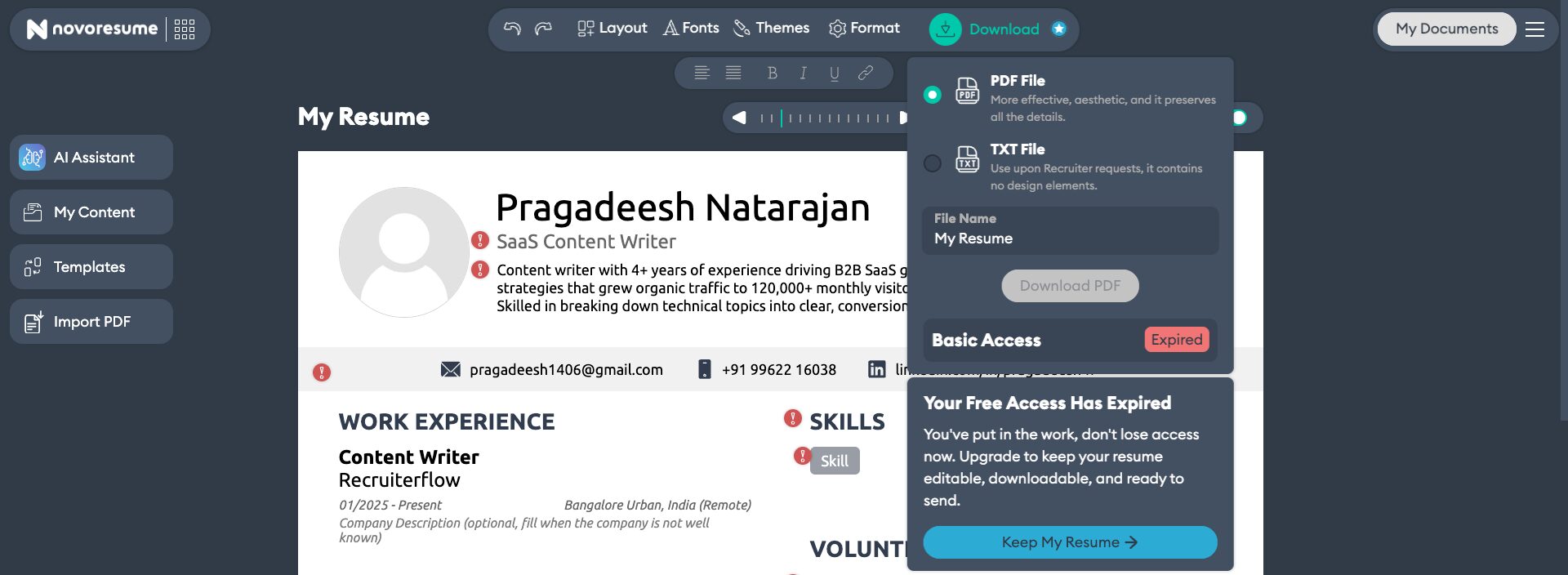
One limitation I ran into personally: there’s no Word (.docx) export. It only offers PDFs. It sounds minor until a recruiter emails asking for your resume in Word format and you have to rebuild it somewhere else. That’s a real-world friction point that Novoresume hasn’t addressed.
What’s free: One resume, single-page limit, PDF download. Enough to test the experience properly.
Pricing: Free for one resume. Paid plans start around $19.99/month. No subscription auto-traps; they’re upfront about pricing.
The catch: No Word export. Free plan is limited to one page, which doesn’t work for senior professionals with extensive histories.
Best for: Early-to-mid-career professionals who want a clean, well-designed resume and don’t need Word format.
Enhancv
Trustpilot: 4.6/5
Enhancv leans into design and storytelling. The templates have personality: they won’t blend into the sea of identical black-and-white resumes.
The platform includes a 19-point resume analysis that runs inside the editor against your pasted job description, which is more integrated than most competitors. Cover letter tools, AI suggestions, and multi-language support round out the feature set.
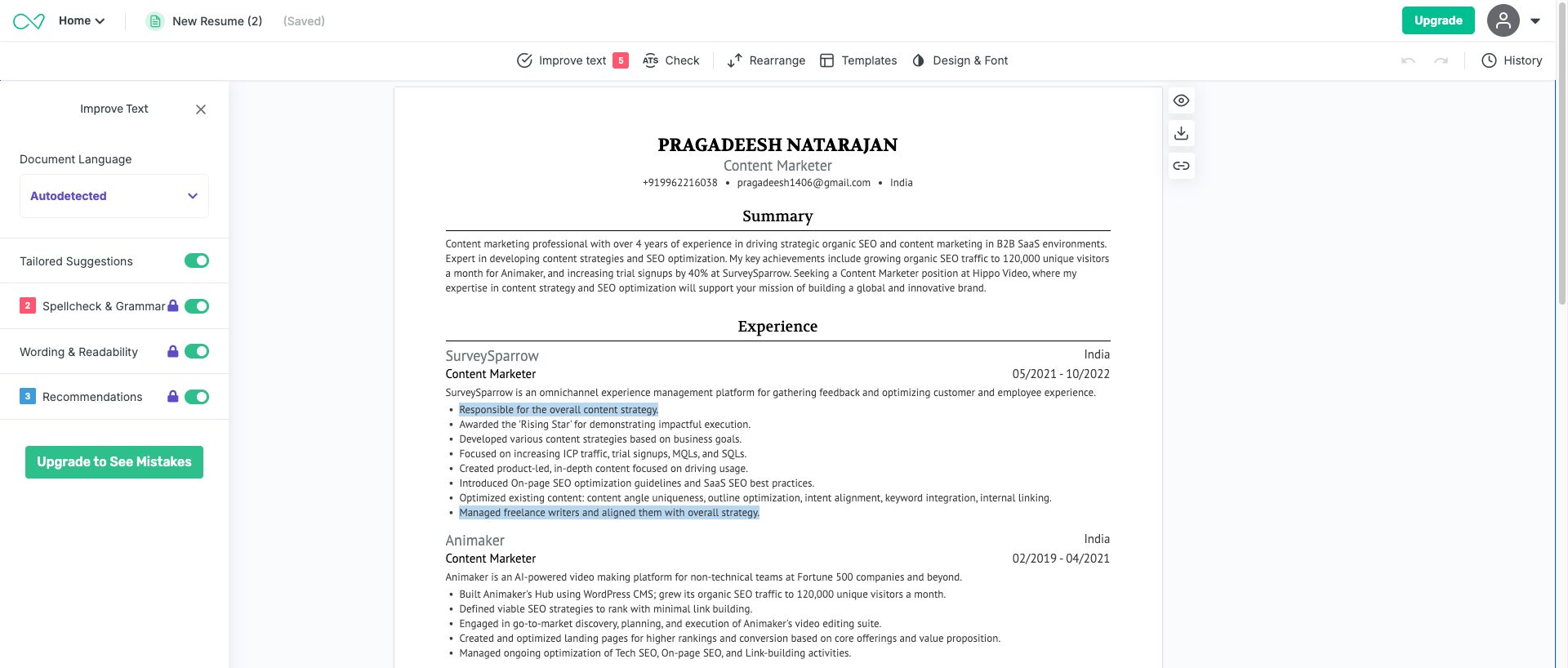
The tricky part: some of those visually distinctive templates (the ones with charts, progress bars, and icons) can confuse ATS parsers. Enhancv includes an ATS checker, but you have to use it carefully to make sure you’re picking a template that will actually parse correctly.
What’s free: 7-day free trial, after which downloading without Enhancv branding requires a paid plan.
Pricing: $24.99/week trial (auto-renews), $19.99/month, or $39.99 quarterly (~$13.33/month).
The catch: The weekly trial pricing is confusing. Some users report being charged after the trial ended earlier than expected. Pricing is on the higher end for what you get.
Best for: Mid-to-senior professionals applying to roles where the resume’s visual presentation matters, like UX, marketing, brand, and creative direction.
Teal HQ
Trustpilot: 4.3/5
Teal is the most honest “job search platform” on this list; it doesn’t oversell what it is.
The free plan is genuinely generous: unlimited job tracking, resume downloads without watermarks, and some AI credits to try the keyword matching.
The Chrome extension scans over 40 job boards and saves postings directly to your tracker with one click.
The AI features, such as bullet generator, summary writer, resume rewriter, and match scoring, work well when you’re on the paid plan. The keyword matching pulls directly from job descriptions, so you’re tailoring each resume version, not just sending the same document everywhere.
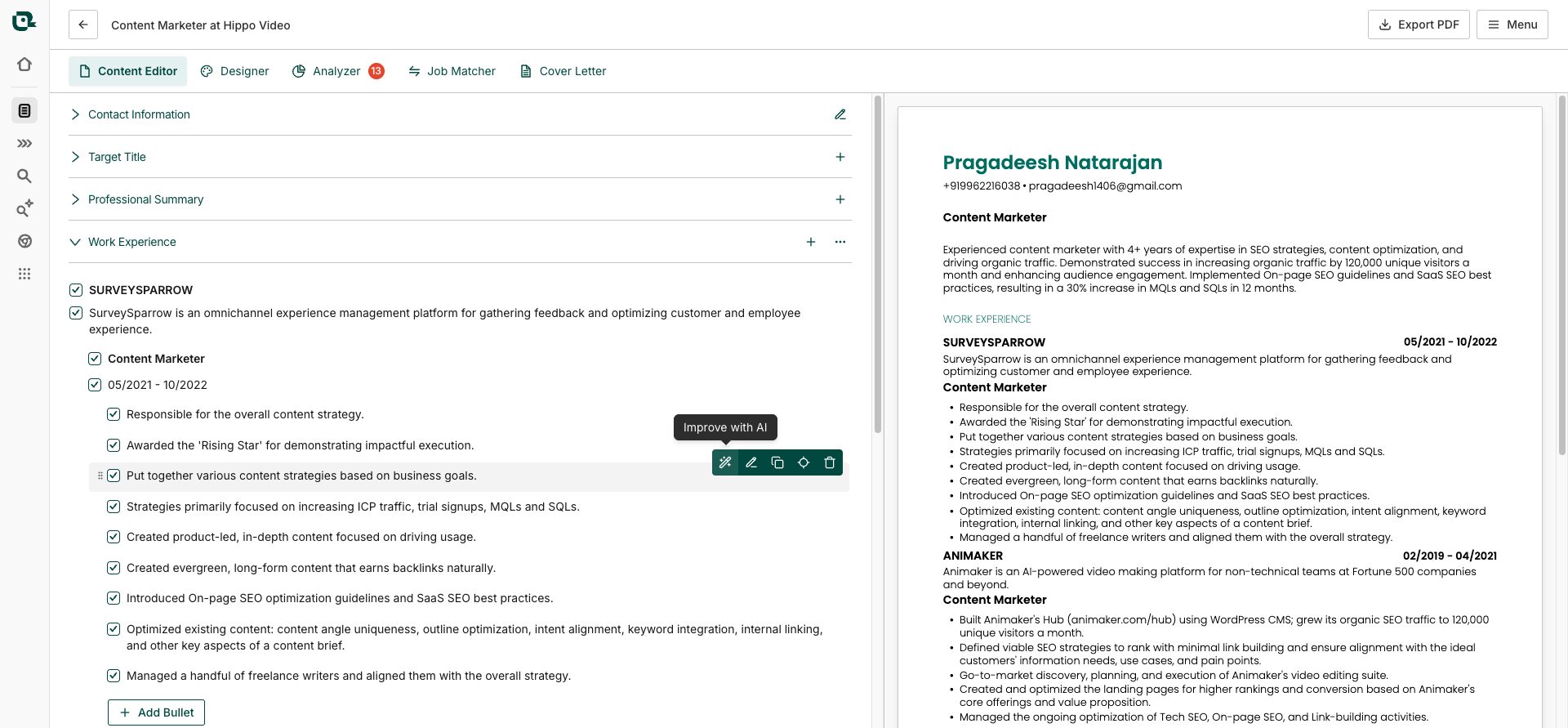
Where Teal falls short: It submits zero applications. It helps you prepare and organize, then hands the baton back to you. That’s fine, but at $29/month for Teal+, you’re paying for organization and AI assistance, not automation.
What’s free: Unlimited job tracking, resume downloads, and limited AI credits (about 10 generations, enough to test, not enough to rely on).
Pricing: Free tier available. Teal+ at $29/month or $179/year (~$14.90/month).
The catch: The best AI features are paywalled. The free tier gives you a taste but cuts off before you can really use it for a serious search.
Best for: Organized job seekers running multiple applications who want everything: tracking, tailoring, and building, all in one place.
Jobscan
Trustpilot: 4.5/5 | G2: 4.1/5
Jobscan is the most ATS-focused tool on this list. It’s not a resume builder in the traditional sense; it’s a resume optimizer. You paste your resume and a job description, and Jobscan gives you a match score plus specific, actionable recommendations: add this keyword here, fix this formatting issue, and use this phrase from the job posting.
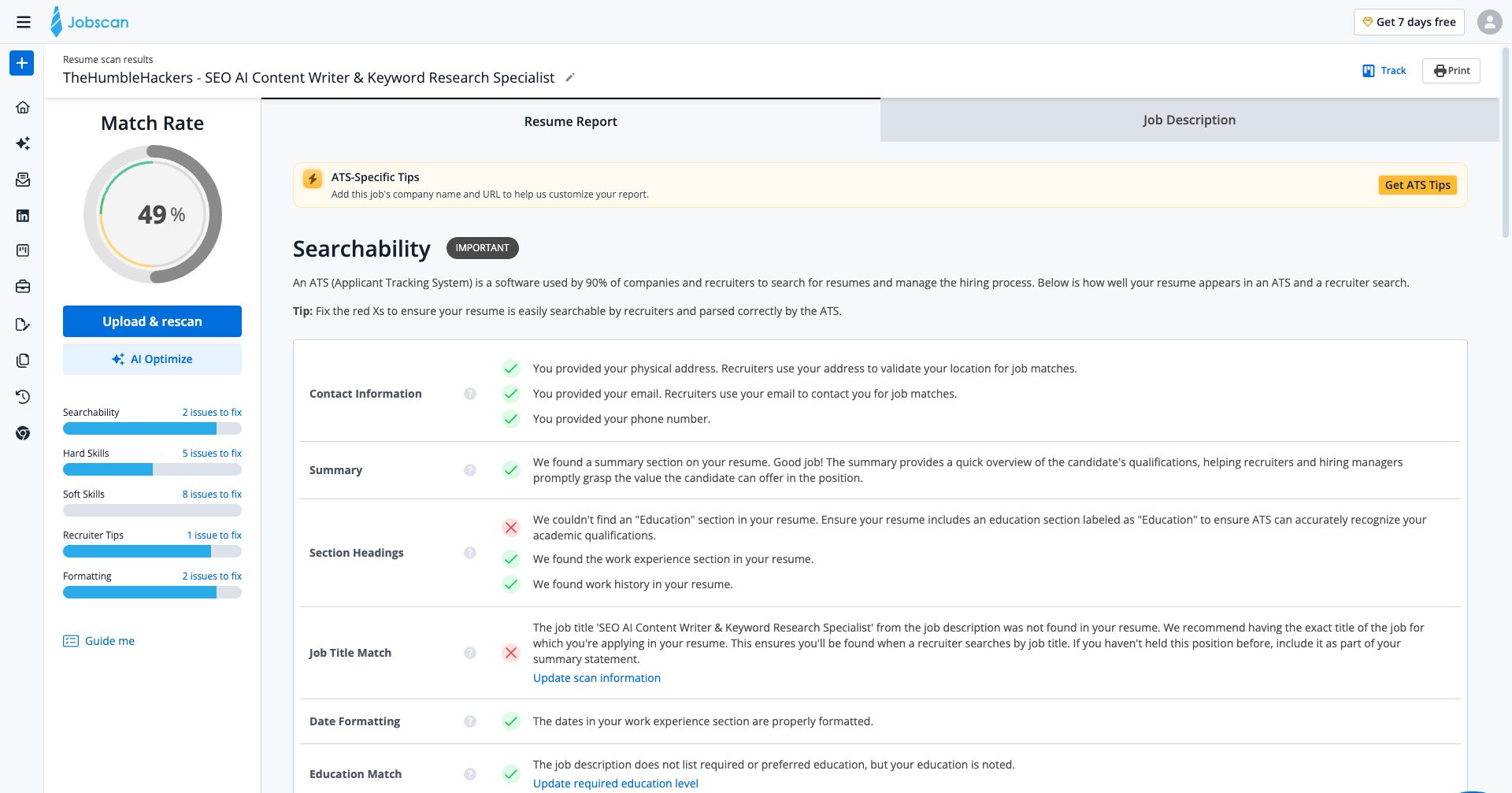
The approach works. Independent testing shows resumes optimized with Jobscan get higher callback rates. More importantly, it teaches you to think like an ATS, which is useful knowledge that sticks around even after you stop paying for the tool.
But there are real limitations. Some users report hitting 80%+ match scores and still getting no callbacks because ATS optimization is one layer, not the whole picture. The AI auto-rewrite feature can also produce generic language that sounds like every other AI-assisted applicant.
What’s free: Limited monthly scans on the free plan.
Pricing: $49.95/month or $89.95 quarterly. Among the pricier options on this list.
The catch: Expensive for what it does. Also, some users in G2 and SiteJabber reviews note data privacy concerns about uploading personal information.
Best for: Job seekers who’ve been applying extensively with no callbacks and suspect their resume isn’t passing ATS filters.
ResumeGenius
Trustpilot: 4.5/5 (43K+ reviews)
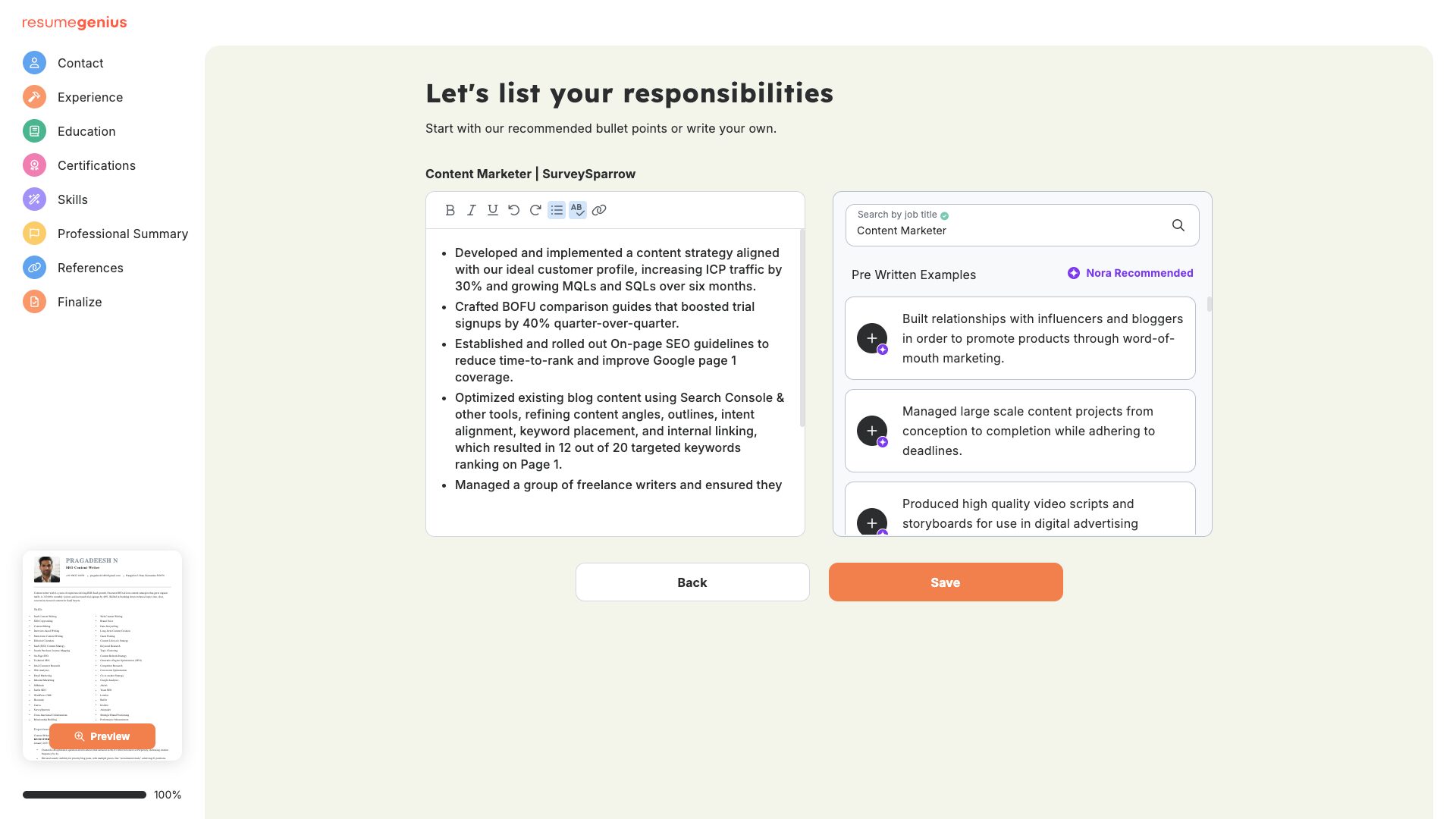
ResumeGenius is a solid, guided resume builder powered by OpenAI GPT. Over 35 templates, an AI summary generator, an ATS resume checker, and a resume parser that extracts content from your existing resume.
The walkthrough approach works well for first-time resume builders. It prompts you through each section with examples and doesn’t leave you staring at a blank field.
The volume of Trustpilot reviews (43K+) gives you a reliable signal: people consistently praise ease of use and template quality. Customer support gets positive mentions too, which is rarer than it should be in this category.
What’s free: Free plan with limited text-only downloads. Full access requires payment.
Pricing: $2.95 for a 14-day trial, which auto-renews at $23.95 every four weeks. Read the fine print before signing up.
The catch: The trial-to-subscription model catches people off guard. Several reviews describe unexpected charges after the trial period.
Best for: First-time resume builders who want guided prompts and pre-written content examples.
Resume.com (by Indeed)
Free Tool
Resume.com is owned by Indeed and is completely free. You can build a resume, download it as a PDF, and never see a paywall. No $2.95 trial, no watermark, no credit card required.
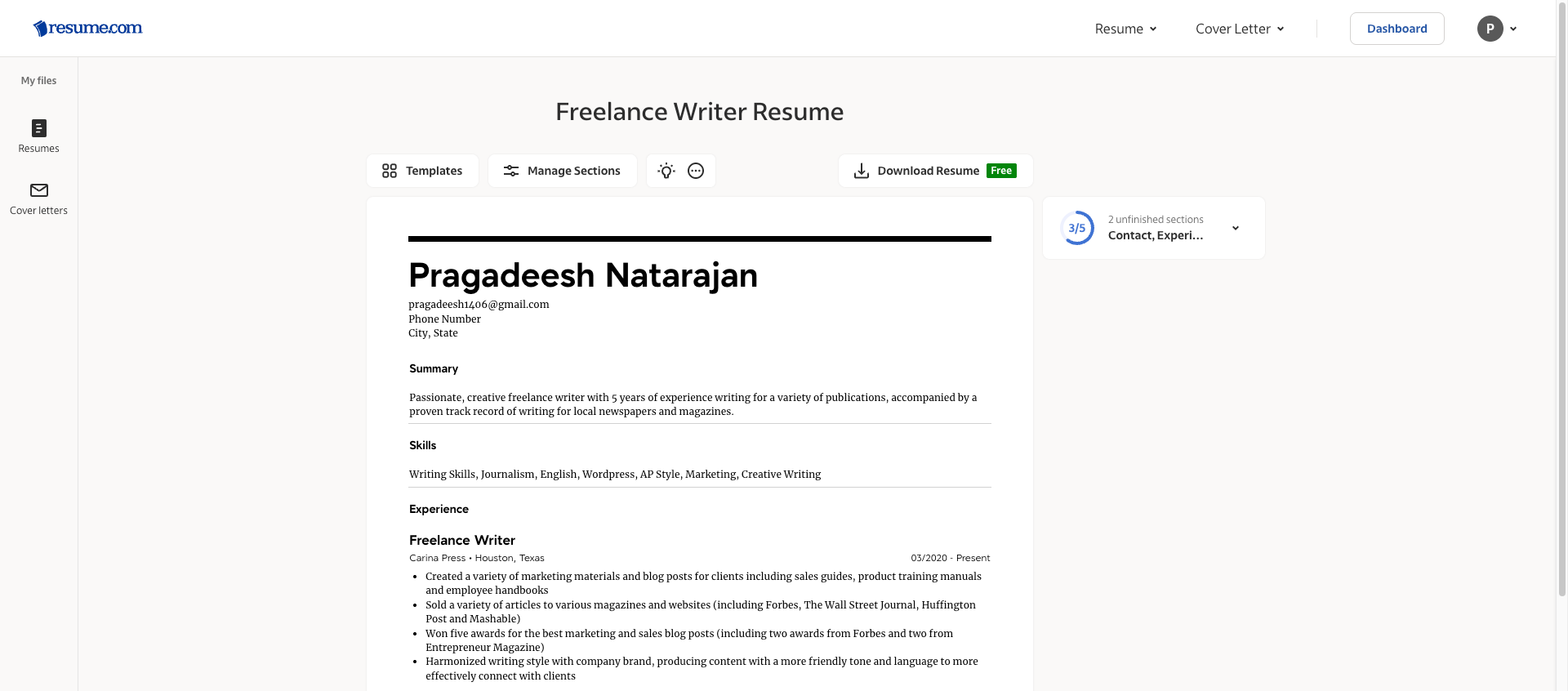
The tradeoff: it’s basic. No AI writing tools, no per-job tailoring, no ATS optimization against specific job descriptions. The template selection is limited, and the formatting can break slightly on download.
If you’ve been applying consistently and getting silence, this tool won’t tell you why. But if you need a functional resume and have zero budget, Resume.com delivers without games.
What’s free: Everything. Completely free, no catch.
Pricing: Free.
The catch: No AI features, no keyword optimization, no ATS scoring. It’s a document tool, not a career platform.
Best for: Anyone who needs a clean, functional resume with no budget and no tolerance for subscription traps.
Can I create a resume with ChatGPT?
Yes, and it works better than most people expect. ChatGPT won’t give you a formatted, downloadable resume on its own, but it can write strong, tailored content that you then paste into a builder or a Word document.
Here are two prompts that actually work:
Prompt 1 — Build from scratch:
Act as a professional resume writer. I’m applying for a [job title] role at [type of company]. Here’s my background: [paste your experience, education, and skills]. Write a complete, ATS-friendly resume with a professional summary, work experience bullet points using strong action verbs and quantified achievements where possible, and a skills section. Format it clearly.
Prompt 2 — Tailor an existing resume:
Here’s my current resume: [paste resume]. Here’s the job description I’m applying for: [paste JD]. Rewrite my resume to match this role more closely. Incorporate the key terms from the job description, reorder accomplishments to highlight the most relevant experience first, and improve any weak bullet points. Keep it factual and avoid generic filler.
The limitation: ChatGPT gives you text with very basic formatting. You’ll still need a builder or Word to make it look presentable.
That said, the content quality from a good prompt is often better than what AI-powered resume builders generate automatically, because you’re giving it real context about your actual background.
Resume Building with Sparkian
I tested both prompts inSparkian, which lets you run them through GPT-5.5 (and other models) without a ChatGPT subscription.
Here’s how it works in practice:
Open Sparkian, select the models, such as GPT 5.5, Claude, or Gemini, from the model dropdown, and paste your prompt with your actual details filled in. The output comes back as a fully structured resume: summary, experience bullets, skills section, all in one shot.
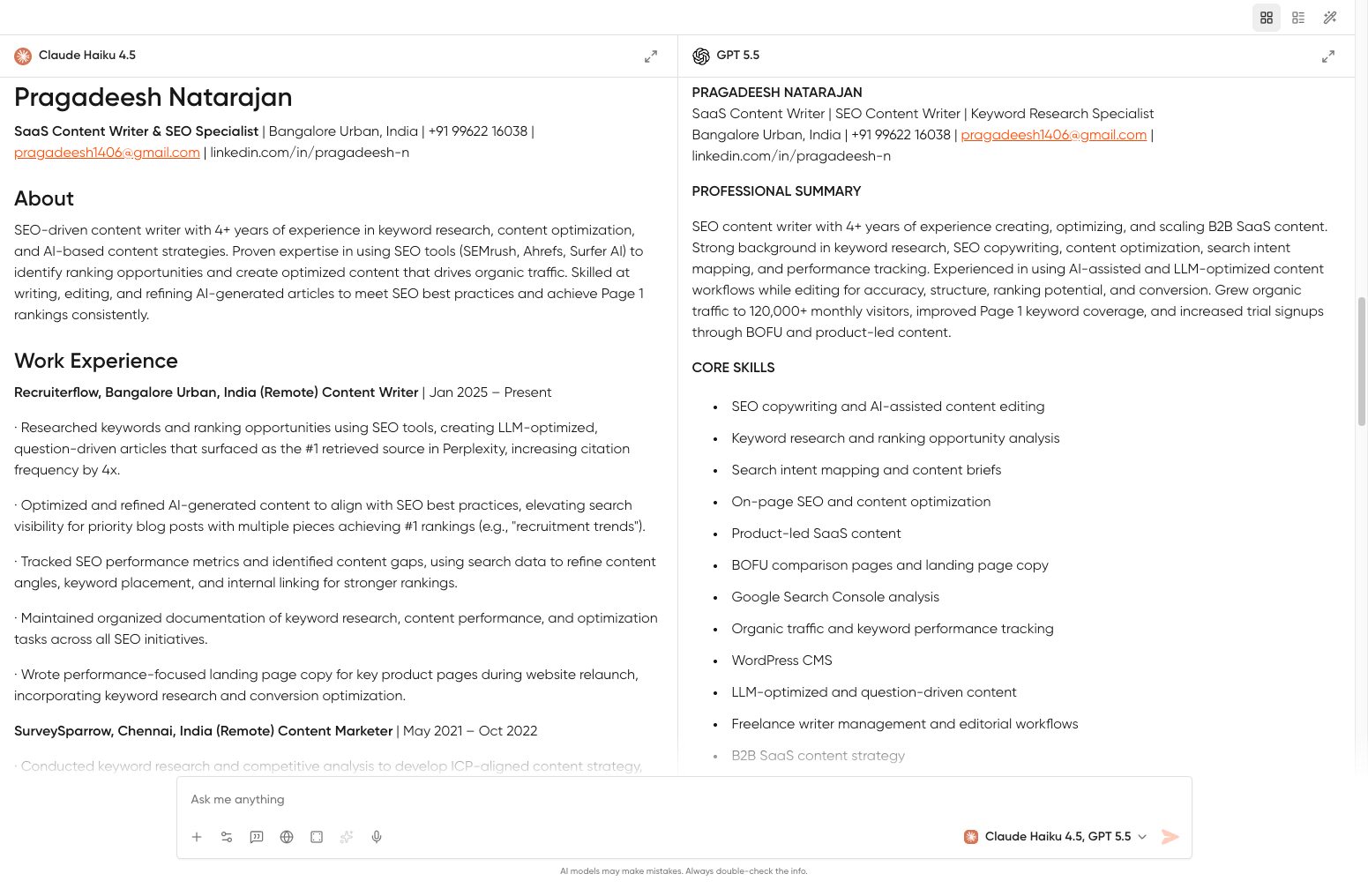
The response formats cleanly in the chat window. Once you have output you’re happy with, click the Download button at the top right of the response. You get a choice between PDF and Word (.docx), both ready to send to employers without any additional formatting work.
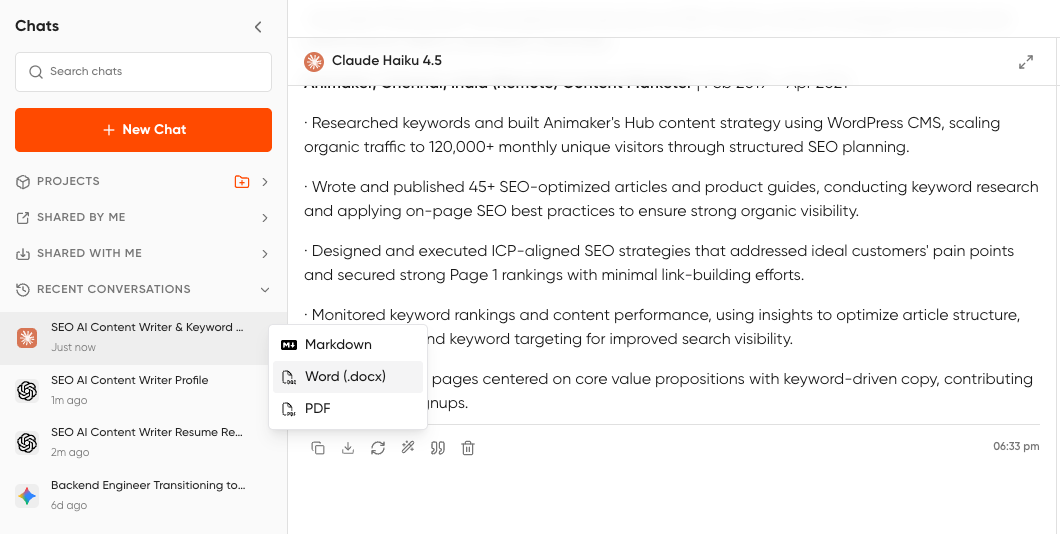
The Word option is especially useful if a recruiter asks for an editable version or if you want to paste the content into a dedicated resume builder (like Teal or Kickresume) to apply a proper template on top.
Quick Comparison of Resume Builders
| Tool | Free Plan Available? | Trustpilot | Best for |
|---|---|---|---|
| VisualCV | Limited (no PDF download) | 4.5/5 | Resume analytics, portfolio |
| Kickresume | Very limited | 4.6/5 | Visual templates |
| Toptal Resume | $0.99 trial, no free plan | N/A | Recruiter-backed AI + ATS checker |
| Resume.io | Build only, no download | 4.3/5 | Fast PDF creation |
| Huntr | Yes (with download) | 4.9 Chrome Ext | Job tracking + resume |
| Canva | Yes, full PDF | N/A | Creative roles |
| Novoresume | One resume, one page | 4.5/5 | Clean design |
| Enhancv | 7-day trial | 4.6/5 | Design-forward resumes |
| Teal HQ | Yes (limited AI) | 4.3/5 | ATS tailoring + tracking |
| Jobscan | Limited scans | 4.5/5 | ATS optimization |
| ResumeGenius | Text only | 4.5/5 | First-time builders |
| Resume.com | Yes, everything | N/A | Zero-budget job seekers |
If I had to pick one for most people, it would be Teal HQ for its free plan generosity and ATS tailoring, or Kickresume if design matters more than budget. For pure ATS optimization, nothing beats Jobscan; just know you’re paying for one specific thing.
And whatever you build, run it through an ATS checker before you hit submit. The algorithm sees your resume before any human does.