If you are a developer, capturing screenshots is important, especially when you want to check whether the web pages you’ve developed load in a way that was intended. You will also need screenshots as part of competitor analysis or to generate reports.
You may be tempted to build your own screenshot microservice using Puppeteer or Selenium. There is a problem, though: it is easy to start, but it is a nightmare to scale as you have to deal with lazy loading, fonts, and anti-bot measures.
Luckily you don’t have to create everything from scratch, as you can use website screenshot APIs. Such APIs are not only cheap to run but also optimized to ensure they capture all the screenshots you need, and you don’t need to worry about configurations.
Below are some of the best screenshot APIs based on speed, rendering quality, and pricing.
Top Screenshot APIs at a Glance
Below is a quick comparison table of the automated screenshot tools I will be discussing in the sections that follow.
| Tool | Free Forever Plan Availability | Starting Price | Proxy Support |
|---|---|---|---|
| Geekflare API | Yes. 500 credits/month | $9/month | Yes |
| ScreenshotOne | No. Just a free trial with a 100-screenshot limit. | $17 per month | Yes |
| APIFlash | Yes. 100 screenshots | $7/user/month | Yes |
| ScreenshotLayer | Yes. 100 screenshots | $19.99 / month | Yes |
| Urlbox | No. 7-days trial | $49/month | Yes |
| Abstract API | Yes. 100 requests | $8/month | Yes |
| Restpack | No. 7-days trial | $9.95/month | Yes |
| Browserless | Yes. 1K units/month | $25/user/month | Yes |
| Microlink | Yes. Up to 50 requests per day | €39/month | Yes |
Best Website Screenshot APIs Reviews
To help you choose the right website screenshot API, I evaluated the top platforms based on rendering accuracy, speed, scalability, and pricing transparency. I also looked at how well they handle real-world edge cases like lazy loading, cookie banners, and proxy routing. Below are the best options for developers, QA engineers, marketers, and product managers.
Geekflare API
Geekflare API is the best overall on our list due to its rendering speed and pricing. This API offers full-page capture, meaning it automatically scrolls down the target page to capture the entire content. Geekflare API uses fingerprinting protection and rotating proxies to help you screenshot pages and websites protected by anti-bot security measures.
I loved the ease of customization on the Geekflare API, where I could highlight specific elements, remove backgrounds, or even configure page heights when taking screenshots. These customization features make it easy to capture only the details you need and make your reports more comprehensive.
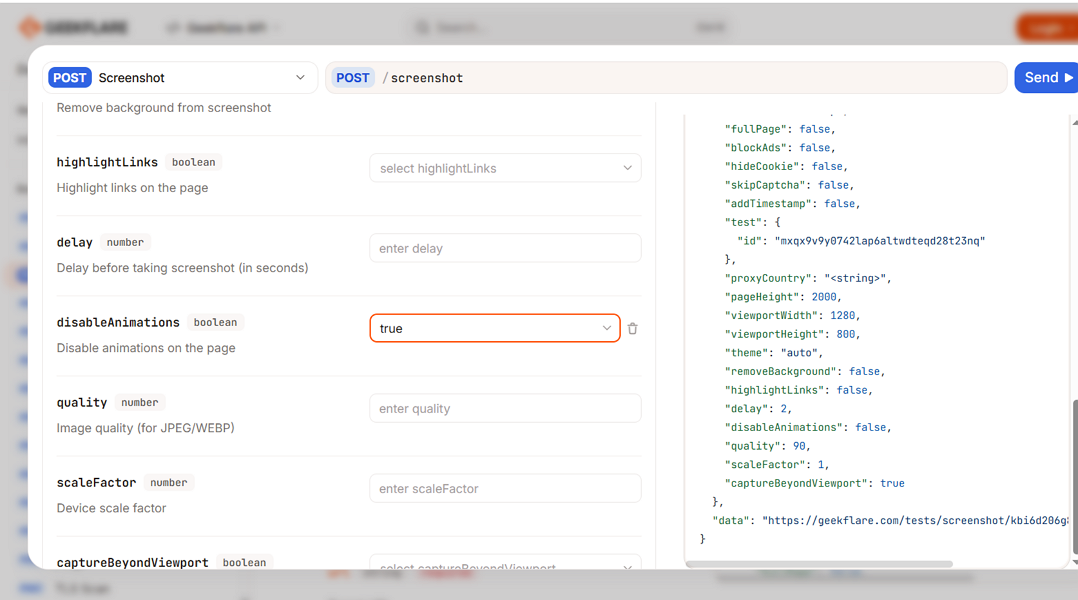
Lastly, the Geekflare API understands different user needs; thus, you can configure this tool to capture custom viewports, mobile, or desktop screenshots. Also, the automatic timestamp feature makes it easy to provide evidence for compliance, legal cases, or even archiving.
Pros & Cons
PROS
CONS
Pricing
This API offers a free tier with 5K credits/month, meaning you can screenshot up to 500 pages per month, while paid plans start at $9/month.
ScreenshotOne
ScreenshotOne suits a team that wants to block complex GDPR and cookie consent forms. This API allows users to take clean screenshots by removing ads, blocking persistent cookie banners, and even chat widgets, pop-ups, and social media and support chats.
ScreenshotOne also works on different screen sizes. For instance, you can reduce animations on Apple’s Retina display. Secondly, this API scrolls and triggers lazy-loaded images to ensure you get clean, full-page images, even on websites with a lot of content.
ScreenshotOne allows you to render screenshots as you see fit, as you can enable dark mode, add custom CSS and JavaScript, or even hide selectors and click on elements. This API tool has developers in mind, as you can use it with multiple languages like Ruby, Java, PHP, Python, Node.js, and Go.
const params = new URLSearchParams({
  access_key: 'YOUR KEY HERE',
  url: 'https://geekflare.com/',
  format: 'jpg',
  block_ads: 'true',
  block_cookie_banners: 'true',
  block_banners_by_heuristics: 'false',
  block_trackers: 'true',
  delay: '0',
  timeout: '60',
  response_type: 'by_format',
  image_quality: '80'
});

const requestOptions = {
  method: 'GET',
};

const response = await fetch('https://api.screenshotone.com/take' + '?' + params.toString(), requestOptions);
Lastly, you can use ScreenshotOne with low-code platforms like Zapier, Airtable, and Make to take screenshots without writing code.
Pros & Cons
PROS
CONS
Pricing
ScreenshotOne doesn’t offer a free plan, but it does have a free trial that lets users take 100 screenshots. Paid plans start at $17 per month when paid monthly or $170 per year for an annual subscription.
APIFlash
APIFlash is a screenshot API based on Google Chrome and AWS Lambda. It supports Chrome rendering through its up-to-date Chrome instances to ensure users take clear screenshots. APIFlash is built on AWS Lambda, one of the most scalable infrastructures, ensuring stability even under heavy workloads. Security and privacy are guaranteed as all its plans use full HTTPS endpoints.
I found APIFlash quite straightforward and easy to use, as all its API endpoints are well documented. Capturing screenshots was also a breeze, as I could adjust the viewport size and capture full-page and mobile screenshots. The automatic capture timing also makes it easy to detect fully loaded pages automatically before taking a screenshot.
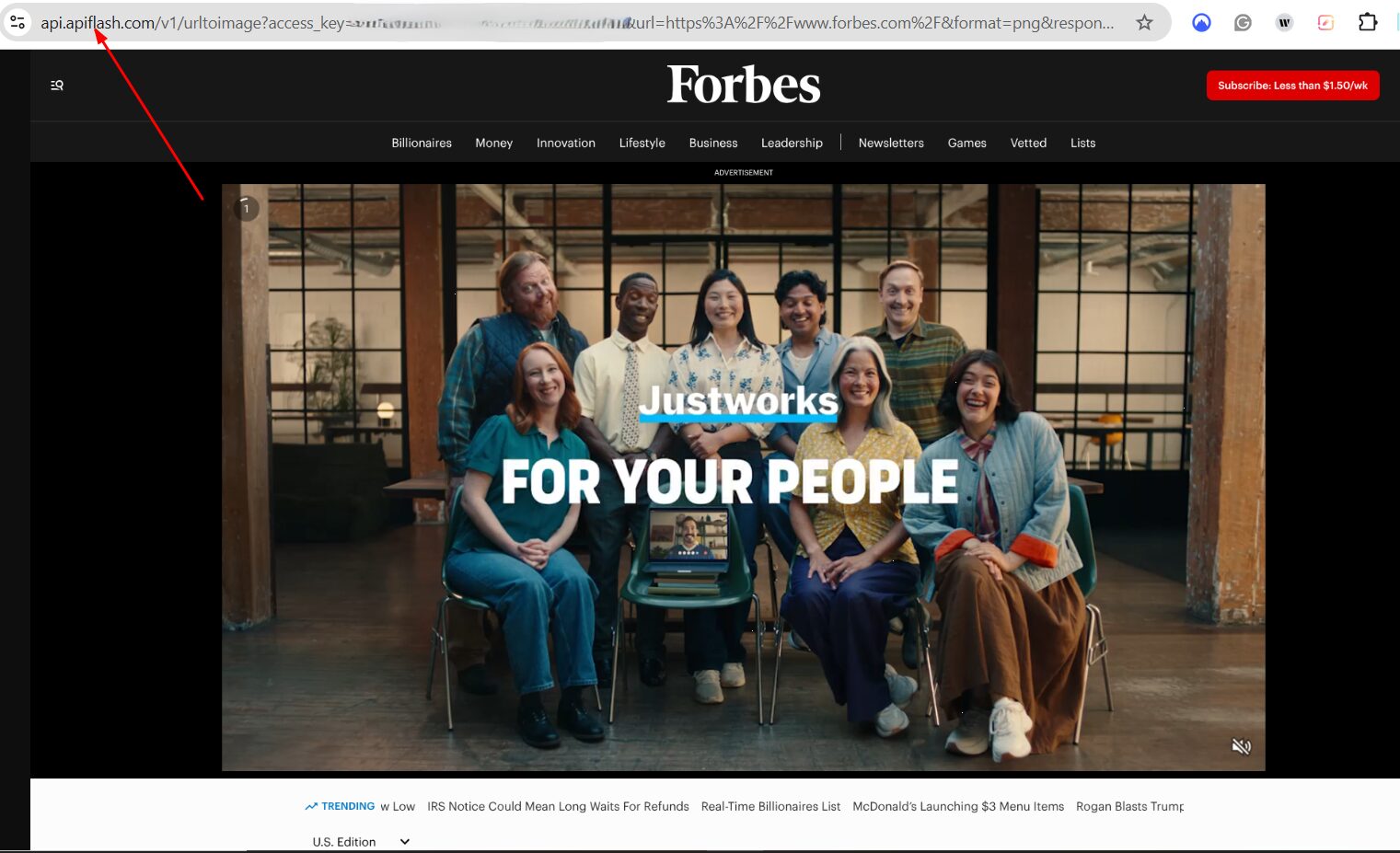
You can use APIFlash with programming languages such as C#, Python, Ruby, PHP, Node.js, Java, Go, and cURL.
Pros & Cons
PROS
CONS
Price
This automated screenshot tool has a free plan that allows users to take 100 screenshots. Paid plans that unlock bigger limits start from $7/user/month.
ScreenshotLayer
ScreenshotLayer is a lightweight REST-style tool for taking screenshots of web pages. With it, you can take full-page screenshots, snapshots, or even thumbnails. By default, ScreenshotLayer captures screenshots based on the height of the selected (or default) viewport. Simply set the API’s fullpage parameter to 1 to capture the entire page.
ScreenshotLayer allows users to export screenshots in 3 formats: PNG, JPG, or GIF. PNG is the default export style, but you can always change to suit your needs. For instance, you can use this code to export screenshots as GIFs.
http://api.screenshotlayer.com/api/capture

    ? access_key = YOUR_ACCESS_KEY

    & url = http://www.cnn.com

    & format = GIF
ScreenshotLayer also allows users to set up a delay of up to 20 seconds to capture delayed/animated content. This feature is particularly useful for CSS animations and JavaScript effects that sometimes appear only after the initial page loads. For instance, you can set a 7-second delay to capture animated content on the target website as follows:
http://api.screenshotlayer.com/api/capture

    ? access_key = YOUR_ACCESS_KEY

    & url = http://www.targetwebsite.com

    & delay = 7
Pros & Cons
PROS
CONS
Pricing
ScreenshotLayer offers a free plan that allows users to capture 100 screenshots. Paid plans start at $19.99/month.
Urlbox
Urlbox is created for developers who want to take screenshots at scale. You can take full-page, element, or viewport screenshots using this tool. The full-page mode allows you to take screenshots even on pages with lazy-loading images and export them as PDFs.
The element feature allows you to use a CSS selector to take a screenshot of a certain element on a web page, for instance, a login form. The viewport mode, on the other hand, allows users to capture screenshots of websites on different screens and orientations. Viewport screenshots are mostly used to test how a webpage will appear on different screen sizes.
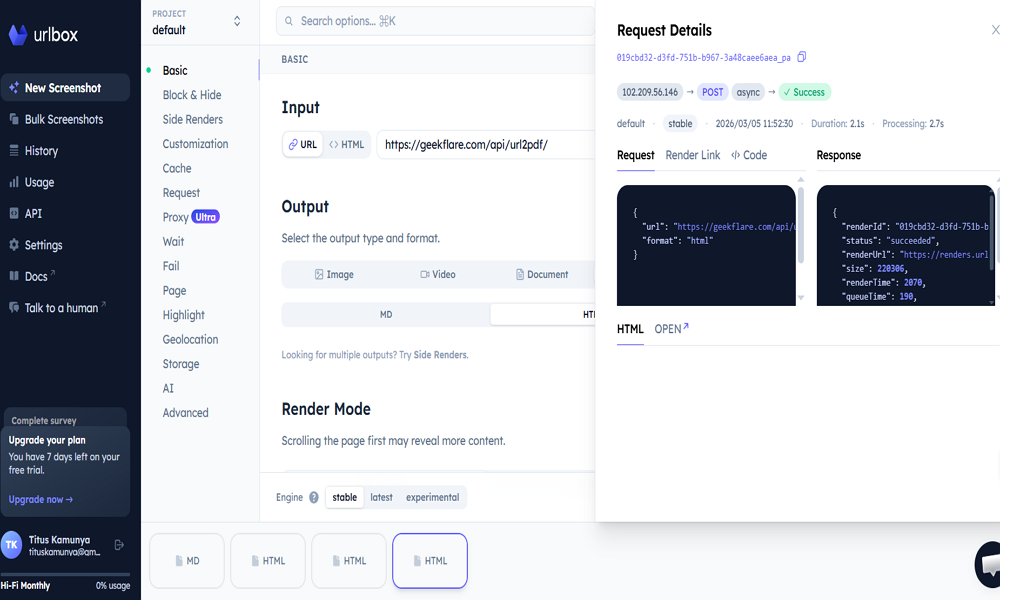
I had an easy time testing the different output formats on Urlbox. You can export screenshots as images (PNG, WEBP, AVIF, JPEG), Video (WEBM, MP4), Document (SVG, PDF) or as Data (JSON, HTML, MD). I tested Urlbox on our PDF Generator API page, chose my output type as “Data”, and format as “HTML”. This is what I got:
Pros & Cons
PROS
CONS
Pricing
Urlbox doesn’t have a free plan, but allows users to test its features for 7 days before committing. Paid plans start at 49/month for up to 5,000 renders.
Abstract API
Abstract’s Website Screenshot API integrates with low-code tools, CRMs, ERPs, cloud platforms, and analytics platforms, so you can still use your familiar tech stack. It also has a global, reliable, and fast architecture and adheres to industry-standard data sovereignty and privacy standards.
Abstract API is highly flexible and customizable. Simply specify the screenshot’s viewport and dimensions to capture screenshots from mobile, tablet, and desktop screens, and export them in various formats like PNG and JPEG. You can also inject custom CSS if you feel that the endpoints available don’t produce the exact screenshots that you need.
You can further add a delay in captures to ensure that you get the ideal screenshots. Furthermore, Abstract uses 256-bit SSL encryption (HTTPS) to ensure that all your data is secure.
Pros & Cons
PROS
CONS
Pricing
Abstract API has a free plan offering 100 requests. Paid plans start at $8/month (paid annually) for 36,000 requests/year.
Restpack
The Restpack Screenshot API is a browser-based tool that supports SVG, CSS3, ES6, and WebFonts. This GDPR-compliant tool captures both full-page and element screenshots. The full-page mode is the default screenshot setting, but you can adjust the viewports to capture other types of screenshots.
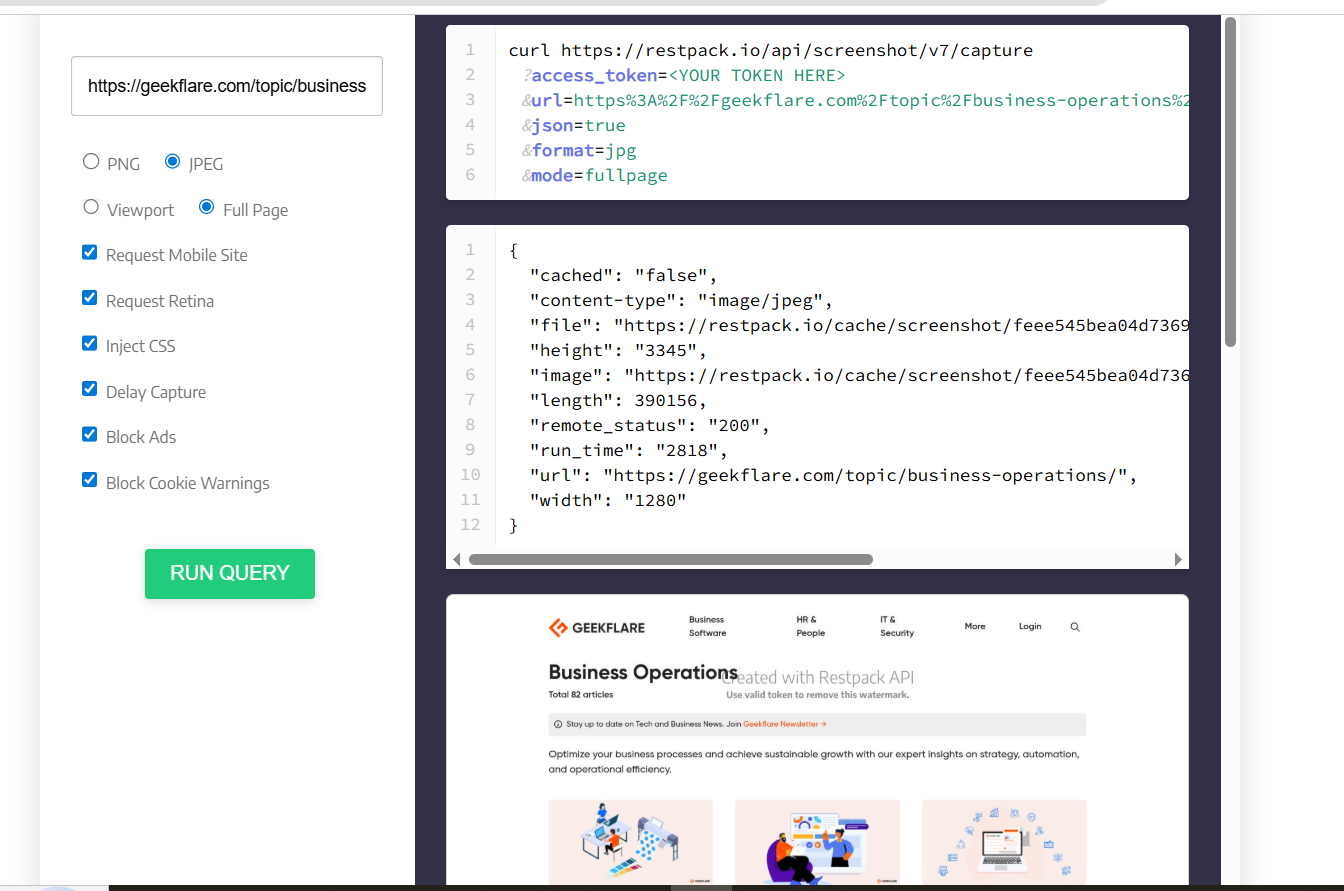
I tested the Restpack Screenshot API on our Business Operations page: I was able to set the screenshot type to full-page or retina, delay capture, inject CSS, block ads, and cookie warnings when capturing my screenshot. This is the code I used is given below.
curl https://restpack.io/api/screenshot/v7/capture

?access_token=<YOUR TOKEN HERE>

&url=https%3A%2F%2Fgeekflare.com%2Ftopic%2Fbusiness-operations%2F

&json=true

&format=jpg

&mode=fullpage
These were my results:
Pros & Cons
PROS
CONS
Pricing
Restpack API doesn’t offer a free plan. However, it has a 7-day trial across all its paid plans. Paid tiers start at $9.95 for 1000 screenshots per month.
Browserless
Browserless is a tool that helps users generate PDFs, screenshots, and screencasts with CSS injections and custom formatting. It is built as a flexible API that you can use with Puppeteer or Playwright. You can also make simple HTTP requests or write scripts in your favorite language.
Browserless also supports predictable rendering with simple adjustments. First, you can render pages like a normal browser by simply enabling headless=false function. Secondly, you can edit pages to change width, hide panels, or even inject HTML and CSS to get the exact output you desire.
Browserless can stream browser interactions seamlessly and load animations instantly due to its lightning-fast rendering. It is also built for scale, where it can generate thousands of documents daily. You are also assured that there will be no memory leaks as it features automatic session management.
This is sample code to generate a screenshot using Puppeteer:
import puppeteer from 'puppeteer';

const browser = await puppeteer.connect({
  browserWSEndpoint: 'wss://production-sfo.browserless.io?token=YOUR_API_TOKEN'
});

const page = await browser.newPage();
await page.goto('https://example.com/');
await page.screenshot({ path: 'screenshot.png' });
browser.close();
Pros & Cons
PROS
CONS
Pricing
Browserless has a free plan supporting 1k units/month. Paid plans start at $25/user/month.
Microlink
Microlink is an open-source and developer-first API for capturing screenshots at scale. This tool supports full device emulation, where you can capture screenshots exactly as users see them across any interaction, browser, or device. Browserless is powered by a global CDN spread across 240+ edge locations, ensuring you can capture screenshots from anywhere globally.
Microlink supports multiple output formats, and you can also do full-page captures and custom viewports. You can choose from PNG, JPEG, or even WebP outputs. The tool is also well documented with live code examples with embed-ready code and integration snippets that you can just copy and paste.
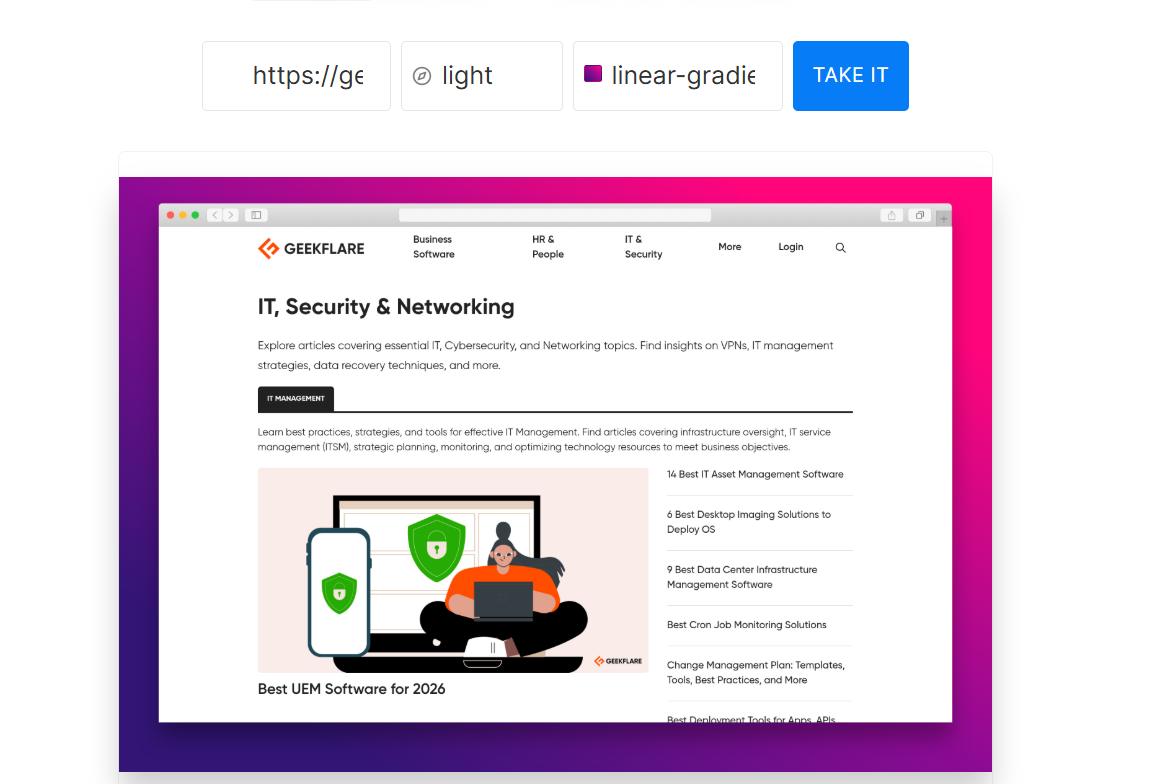
Microlink is a highly customizable tool, giving you complete control over screenshots, allowing you to adjust JavaScript execution, inject custom CSS, and target precise elements to get the perfect captures. This tool produces professional visual output where you get screenshots with custom backgrounds and overlay effects.
This is an example of a screenshot I took for our IT, Security & Networking page. I specified the overlay as “light” and the background as “linear-gradient(225deg, #FF057C 0%, #8D0B93 50%, #321575 100%).”
Pros & Cons
PROS
CONS
Pricing
Microlink has a free plan that supports up to 50 requests per day. Paid plans start at €39/month for 46k requests.
Other Screenshot APIs
Here are other screenshot APIs that you can consider.

CaptureKit

JsonLink Screenshot API

ScreenshotAPI

Browshot

Screenshotmachine

Screenshotbase
Why Use a Screenshot API Instead of Building Your Own?
Below are some reasons why using a readily available screenshot API makes sense.
- Reliability: Maintaining your own screenshot service means constantly patching headless browsers, fixing crashes, and managing infrastructure. A Screenshot API handles these updates automatically, so your application remains stable.
- Rendering: Modern websites use complex front-end technologies such as dynamic CSS, JavaScript frameworks, and custom fonts, which can break basic screenshot scripts. Dedicated APIs are optimized to render these elements accurately.
- Edge Cases: Many websites include overlays, cookie consent banners, and lazy-loaded images that appear only after scrolling. Screenshot APIs include features like ad blocking, script execution, and delay options to capture complete pages.
- Scalability: If your application needs hundreds or thousands of screenshots, scaling a self-built solution can become expensive and complex. Screenshot APIs are designed to process large volumes of requests without affecting your app’s performance.
Common Use Cases for Screenshot APIs
- Social Media Previews: Developers can automatically generate social preview images for blog posts, dashboards, or reports that appear when links are shared on platforms like X or LinkedIn.
- Proof of Compliance: Organizations can capture and store screenshots of webpages as evidence for audits, legal compliance, or regulatory reporting.
- Competitor Monitoring: Businesses can automate the capture of screenshots of competitor websites to track pricing updates, UI changes, and marketing campaigns over time.
- QA Testing: Development teams use screenshot APIs to compare interface screenshots across releases and quickly detect unintended layout changes.
Yes. Several screenshot APIs provide free tiers with limited usage. For instance, Geekflare Screenshot API offers a free tier with 500 monthly credits.
Pricing varies depending on usage and features attached. However, APIFlash is the cheapest screenshot API, with paid plans starting at $7/user/month.
Many screenshot APIs provide built-in features like ad blocking, script execution, or custom CSS rules to hide cookie banners before capturing the screenshot. Tools such as Geekflare API and ScreenshotOne support these capabilities.
Yes. Some APIs let you add timestamps or metadata to screenshots. This is useful for compliance purposes; for example, Geekflare API supports timestamp options.
Final Verdict
Our recommendation for
Overall in rendering speed and pricing: Geekflare Screenshot API
Developer-first with built-in GDPR compliance: ScreenshotOne
Open-source API: Microlink