Already own a WordPress site or looking to create a new one? If so, then you should know that cookie consent is a legal requirement in many places, including the EU and the UK.
With privacy laws evolving at a rapid pace, a notice bar alone won’t cut it.
Be it the General Data Protection Regulation (GDPR) or the California Consumer Privacy Act (CCPA), your site should adhere to each privacy law. For GDPR, you must inform users and collect valid consent, whereas CCPA enforces an opt-out requirement. And there are many other privacy laws and guidelines out there, based on states or regions you’re targeting.
CIPA adds a different layer of urgency, plaintiff attorneys are actively scanning websites for tracking technologies that fire before consent is given, and settlements typically range from $10,000 to $25,000 per claim. And there are many other privacy laws and guidelines out there, based on the states or regions you’re targeting.
Not adhering to these guidelines or privacy laws can lead to fines. As of January 2026, regulators have issued €7.1 billion in GDPR fines, since May 2018.
On top of that, a WordPress site uses themes, plugins, and WooCommerce, all using their own way to set cookies.
That’s not ideal.
To resolve this, you need a cookie consent WordPress plugin to make your site follow global or local privacy laws and guidelines.
This improves user trust and also matches Google’s guidelines for running Google Ads or Analytics in the EEA (European Economic Area).
In this guide, I’ll go through the best Cookie Consent plugins for WordPress.
If you are looking for a consent management platform (CMP) for multi-site and enterprise? Check out our best CMP solutions guide.
Cookie Consent Plugins Compared
| Plugin | Type | Best for | Consent data stored | Free plan | Paid plans from | IAB TCF |
|---|---|---|---|---|---|---|
| 01 Cookiebot | Cloud CMP, Google and IAB certified | Small sites with few pages that run ads | Cookiebot cloud | Yes, 1 domain, 50 subpages | $8/month | Paid plans |
| 02 CookieYes | Cloud-connected consent plugin | Sites that want a quick setup and a free plan to start | CookieYes cloud | Yes, 5,000 pageviews/month | $10/month per domain | Pro plan and above |
| 03 Complianz | Self-hosted cookie consent plugin | Businesses that want consent data on their own server | Your WordPress database | Yes, 1 site | $59/year | Paid plans |
| 04 Cookie Compliance | Cloud-connected consent plugin | Small sites that want all privacy laws on the free plan | Hu-manity.co cloud (connected mode) | Yes, 1,000 visits/month | $14.95/month | No |
| 05 CookieAdmin | Self-hosted consent plugin | Beginners, and anyone running many sites on a budget | Your WordPress database | Yes, unlimited sites | $39/year | No |
| 06 Moove | Self-hosted consent plugin | Sites that want Google Consent Mode v2 for free | Your WordPress database | Yes, no traffic limits | £59/year | No |
| 07 WPConsent | Self-hosted consent plugin | Ad-supported sites that need IAB TCF and Consent Mode | Your WordPress database | Yes | $49.50/year (first year) | Pro plan |
| 08 iubenda | All-in-one compliance suite | Businesses that want legal policies and a banner in one plan | iubenda cloud | Yes, up to 5,000 pageviews | $5.99/month (billed yearly) | Yes (TCF 2.3) |
| 09 Real Cookie Banner | Self-hosted consent plugin | EU-focused sites that want self-hosted consent records | Your WordPress database | Yes | €59/year | Pro version |
| 10 Termly | Cloud-connected consent banner | Businesses already using Termly's policy tools | Termly cloud | Yes, 10,000 banner views/month | $10/month (billed yearly) | Paid plans |
Best Cookie Consent Plugins for WordPress
01. Cookiebot
Cloud CMP, Google and IAB certifiedSmall sites with few pages that run ads
Cookiebot by Usercentrics offers a well-made cookie consent plugin for WordPress. It has over 100K+ active installs. It is a cloud-connected plugin and requires a Cookiebot account.
You can use pre-built banners or create a new banner from scratch.
They offer a 14-day free trial, so it’s easy to try it out. I went ahead and signed up for an account.
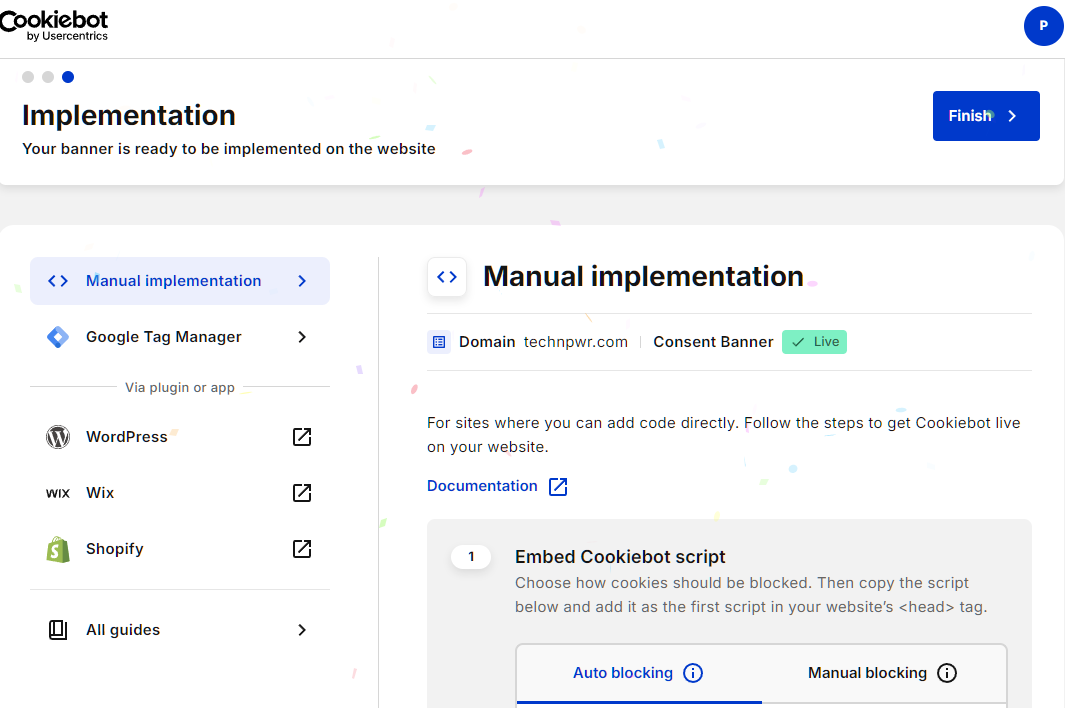
Once logged in, it offers a wizard where you can configure and make the consent banner live. You can do manual implementation or use Google Tag Manager. But I suggest using the plugin method to quickly make the Cookiebot banner live on your site.
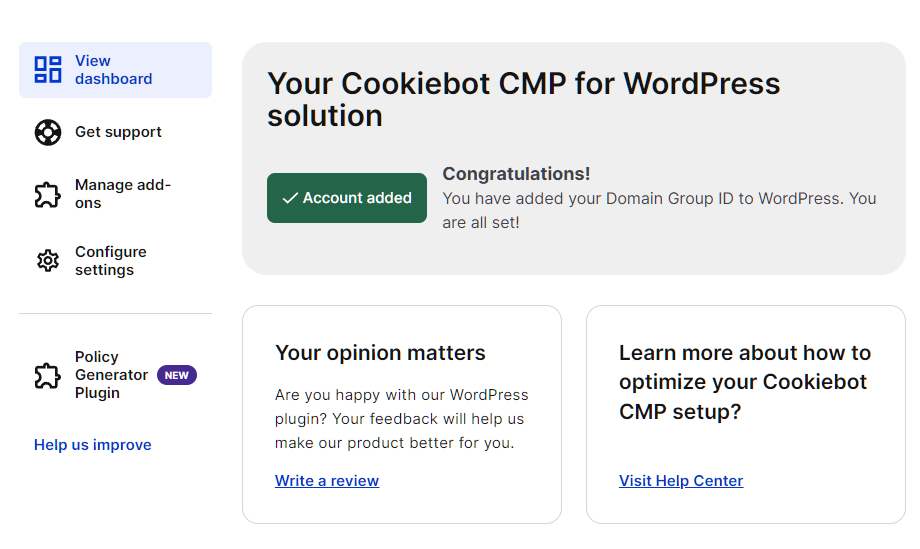
To connect, you need to add a Settings ID or domain ID.
This is how the Cookiebot banner shows on the live site.
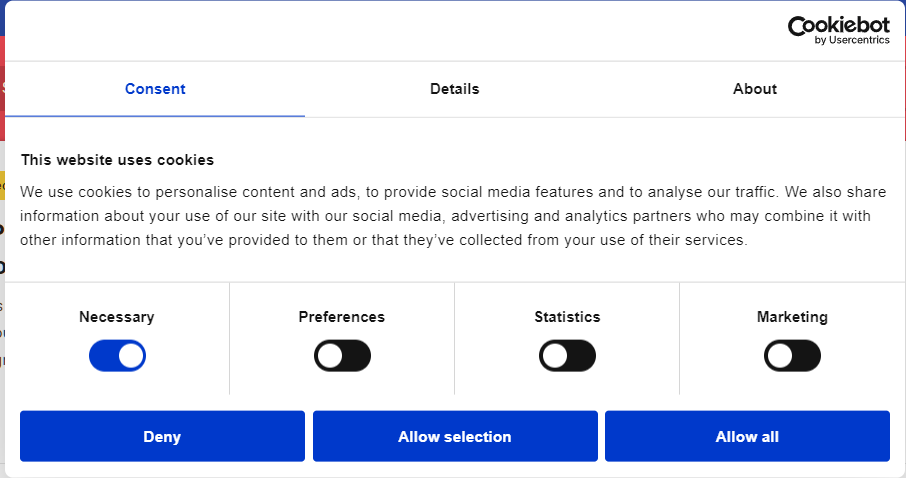
It offers multiple options to choose from, including necessary, preferences, statistics, and marketing.
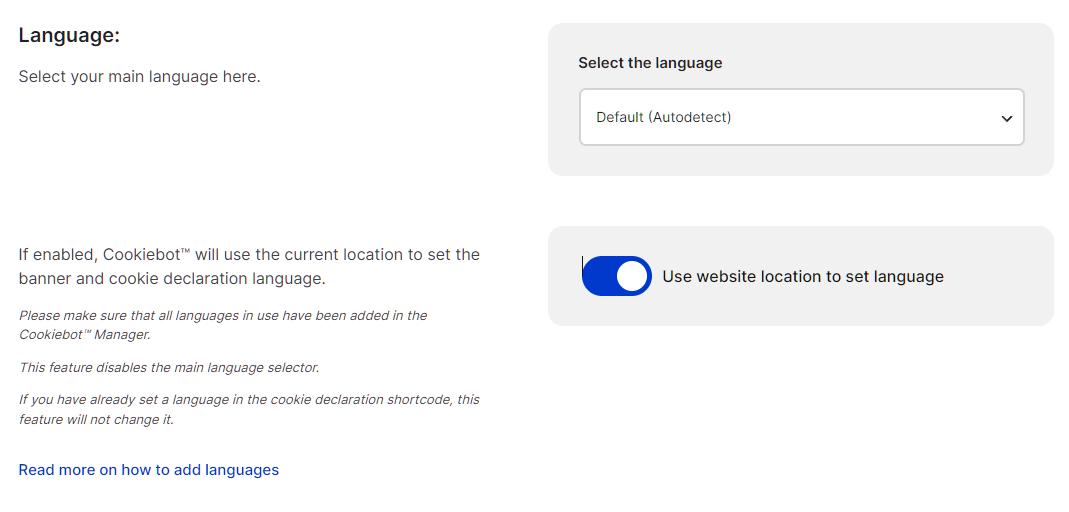
Cookiebot supports auto-detect language, which you need to turn on in the plugin’s settings. It does this by identifying the visitor’s current location and setting up the banner and cookie declaration language accordingly.
Cookiebot support IAB TCF. It lets you set data use purpose, set special purpose of data use, features and special features required for data processing. Additionally, it supports selecting TCF listed vendors and Google Ads certified external vendors.
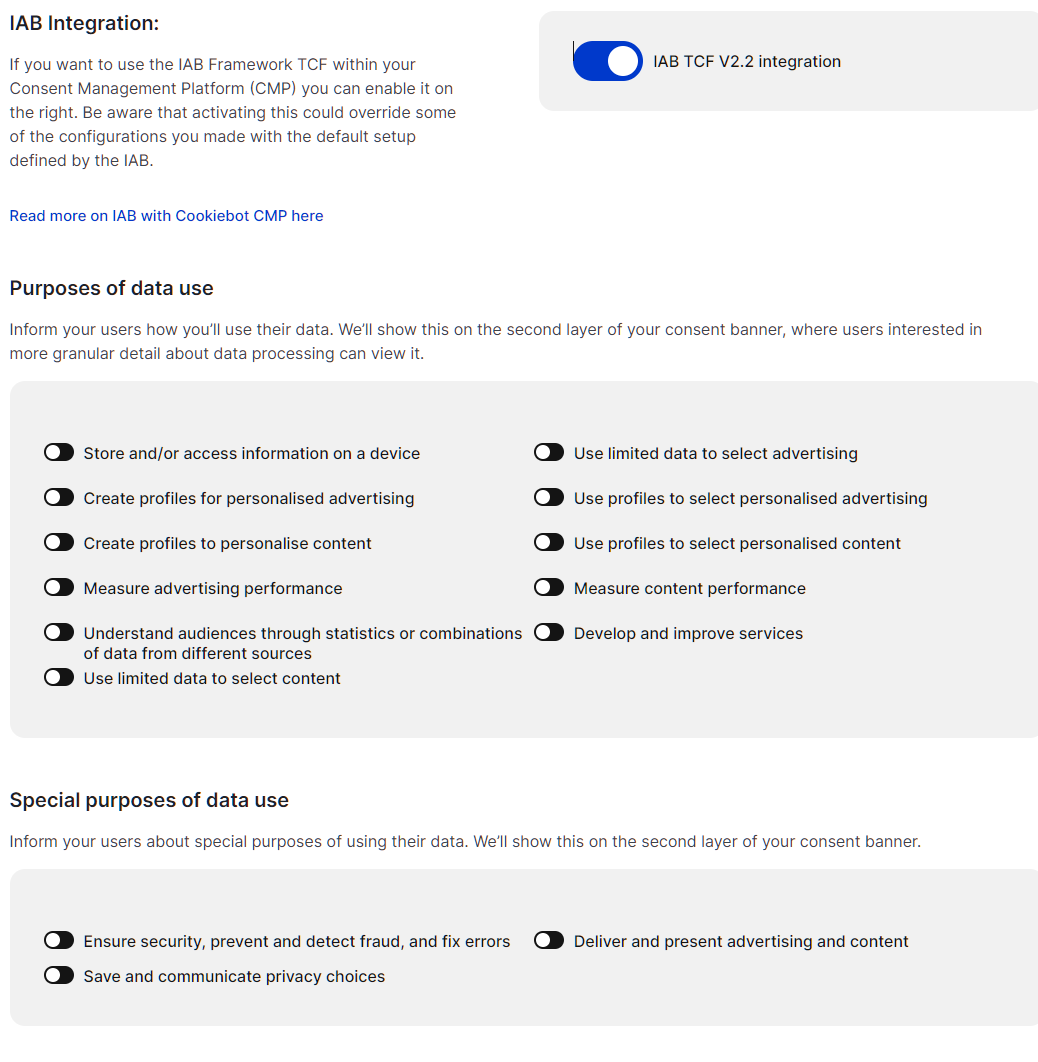
The free plan is good enough for 1 domain with 50 subpages. It only allows 1 language and needs manual blocking. I found that despite being free, they offer a consent log for a 1-month period. The paid plans are advanced features such as 47+ language choices, geolocation support, and TCF2.3 support.
Cookiebot offers built-in caching add-ons, including WP Rocket, LiteSpeed Cache, and SG Optimizer. Other popular plugins are also supported, including WooCommerce, Jetpack, and 30+ others.
I recommend Cookiebot for small businesses with few pages that run ads.
Pros & Cons
PROS
CONS
PRICING
Cookiebot paid plans start at $8 per month (1 domain, up to 50 subpages) with no traffic limitations.
They offer a 14-day free trial for paid plans.
02. CookieYes
Cloud-connected consent pluginSites that want a quick setup and a free plan to start
CookieYes is a popular cookie consent plugin for WordPress with 1+ million active installs. It is a Google-certified CMP and covers a wide range of privacy laws, including GDPR (EU & UK), CCPA/CPRA, PDPA, DPA, and others. It auto-blocks non-essential cookies until consent.
CookieYes comes with a 14-day free trial for its paid plan (credit card required). To test it out, I went ahead and signed up for the trial.
Initial setup requires answering basic questions, including language and layout.
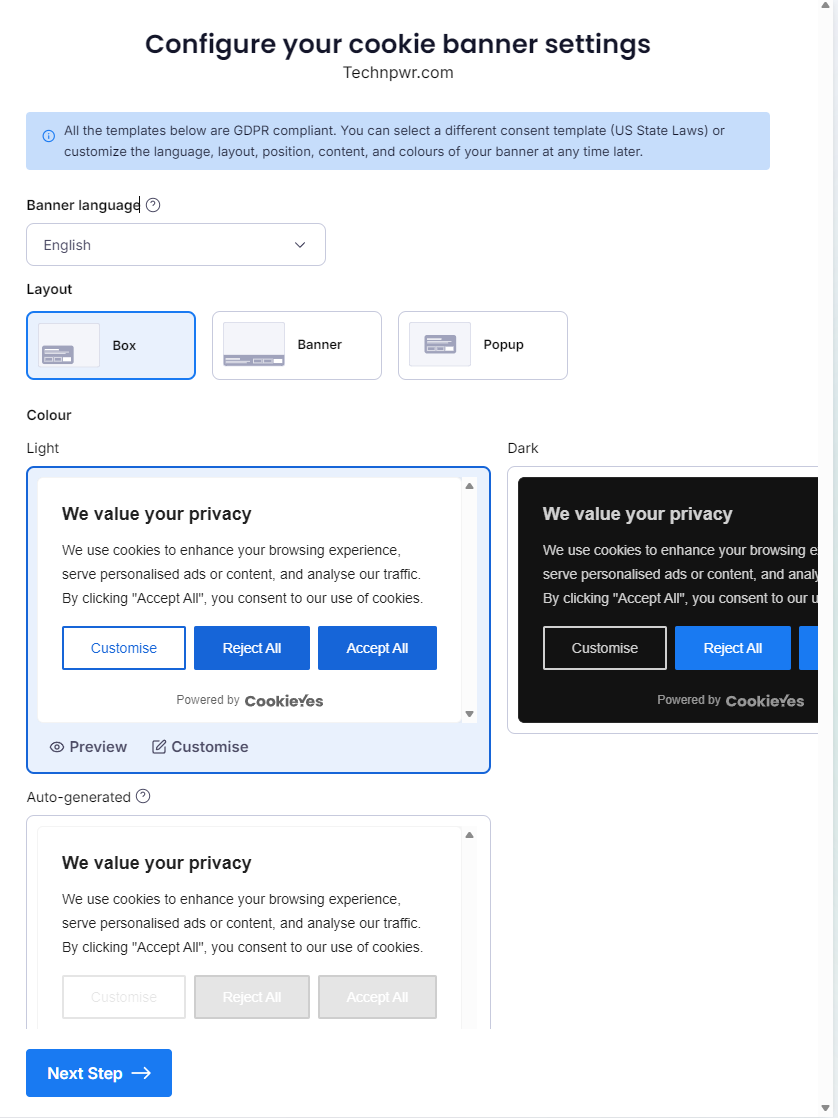
In layouts, you can choose from three options: box, banner, and popup. You can choose from light, dark, or auto-generated (generated via your site’s theme).
Next, CookieYes gives you the option to activate it on the site, which you can do manually, via a plugin, or via Google Tag Manager.
I chose the plugin option as it is more intuitive and beginner-friendly.
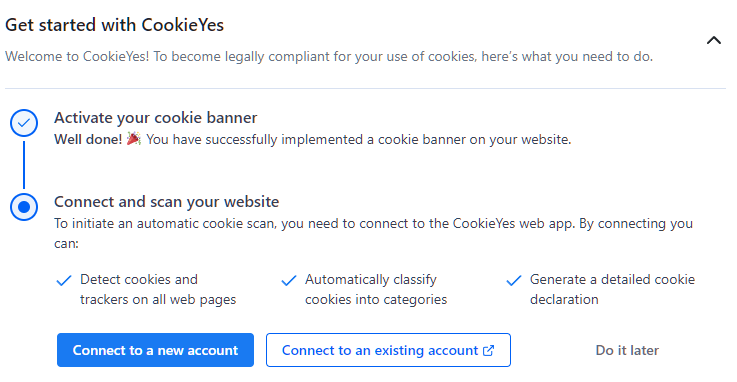
As I already have an account with a trial running, I chose “Connect to an existing account.” And within a few clicks, the banner was active on the site. Overall, setting up CookieYes was easy and took only two minutes.
Installation aside, I wanted to know more about customization and supported data protection regulations.
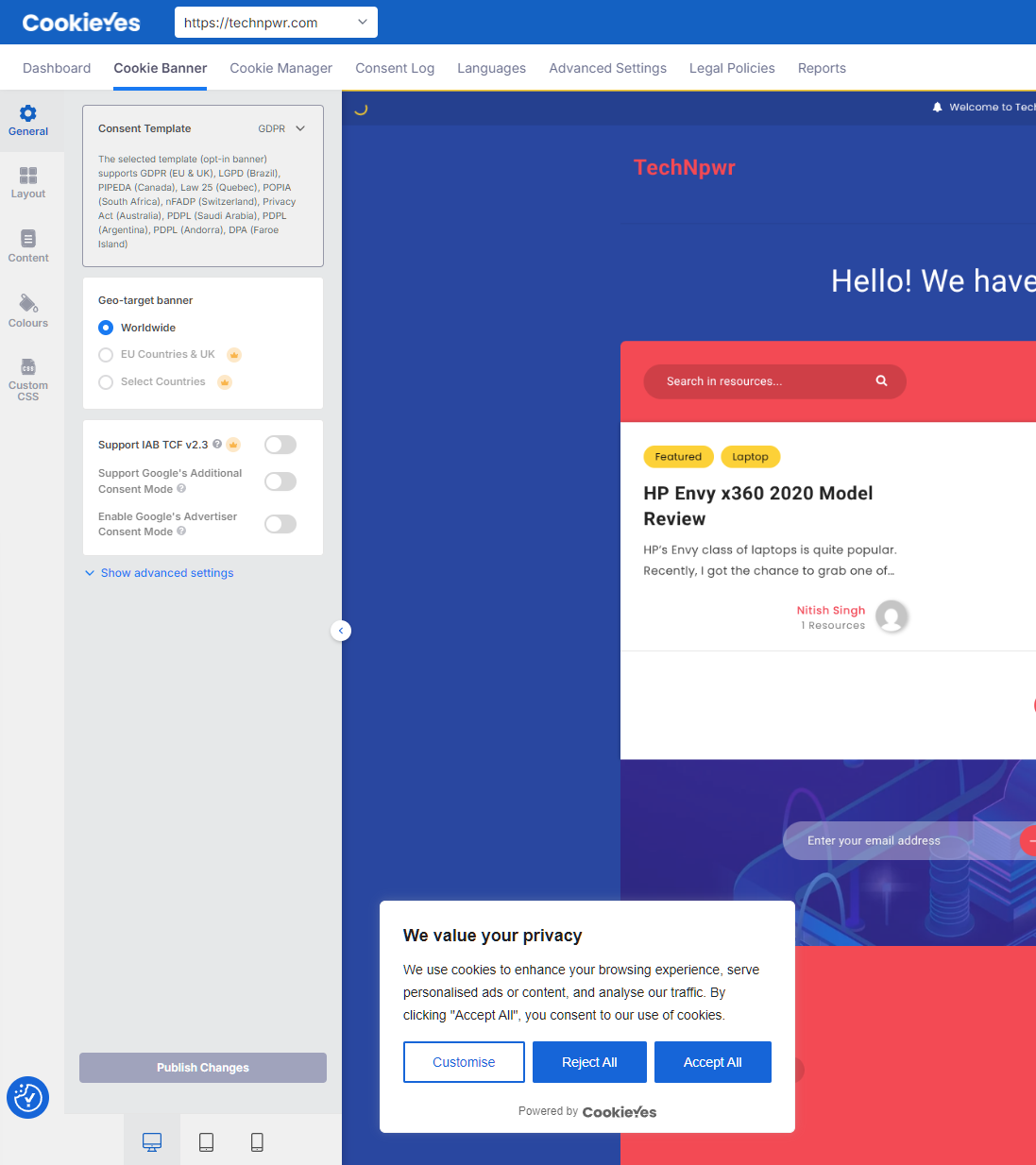
Here, you can choose between geo-targeted banner locations, layouts and their position, content and colors, and further customize via custom CSS.
In geo-targeted banner location, you can choose between Worldwide, EU countries & UK, or select a specific country. Additionally, you also get the option to turn on IAB TCF v2.3, along with Google Additional Consent Mode and Google Advertising Consent Mode.
You can customize the cookie list by adding or removing cookies, adding languages, adding subdomain consent sharing, and more. For example, I went ahead and added a Google Analytics cookie.
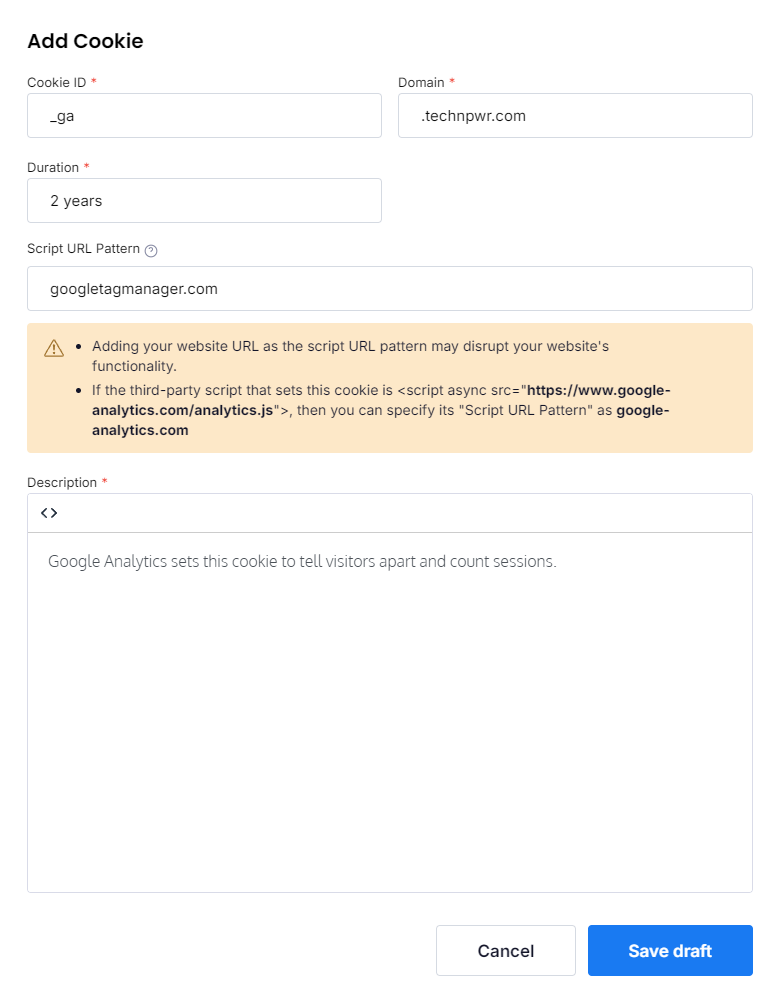
Its free version is handy for smaller sites with 5000 pageviews per month. If you’re using standalone (i.e., without a CookieYes account and all data on your WordPress site), you don’t get access to cookie scanning and consent log features. In standalone mode, you can only use one extra language.
As for consent logs, they’re saved only on the vendor’s cloud, but can be exported via CSV.
If you’re using a cache plugin like WP Rocket or LiteSpeed, then you need to manually add exclusions. If not done, the banner can load empty.
I recommend CookieYes to sites that want intuitive installation and customization. New sites can take advantage of its free plan and move to a paid plan if it fits their requirement and budget.
Pros & Cons
PROS
CONS
PRICING
CookieYes free plan has 5 scans per month, a 100-page-per-scan limit, 5000 pageviews per month, and text & layout only.
The paid pricing starts at $10 per month per domain, which offers unlimited scans/month.
03. Complianz
Self-hosted cookie consent pluginBusinesses that want consent data on their own server
If your business doesn’t want to store users’ data on an external server, then Complianz is for you.
Complianz is a native self-hosted cookie consent plugin for WordPress, which means the consent data is stored in your WordPress database.
Complianz’s team is the same team that created WP Consent API, a shared WordPress standard for passing consent between plugins. Under the hood, it uses comprehensive cookie descriptions from the open-source database cookiedatabase.org via an API.
Complianz offers both a free and a paid version, with the paid version offering advanced features such as A/B testing, records of consent, TCF, and geo-IP.
The free version offers a wizard that lets you set it up for your site. However, I found that it pushes other plugins during installation.
Once installed, it’ll need a few steps to get working.
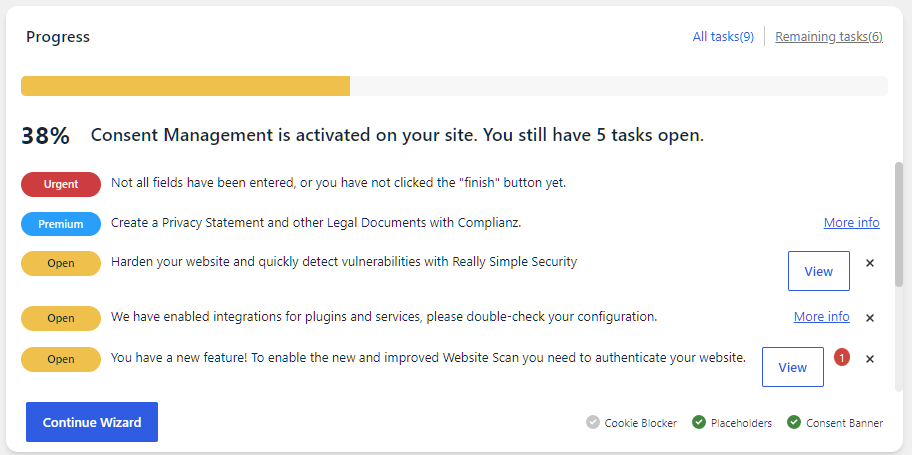
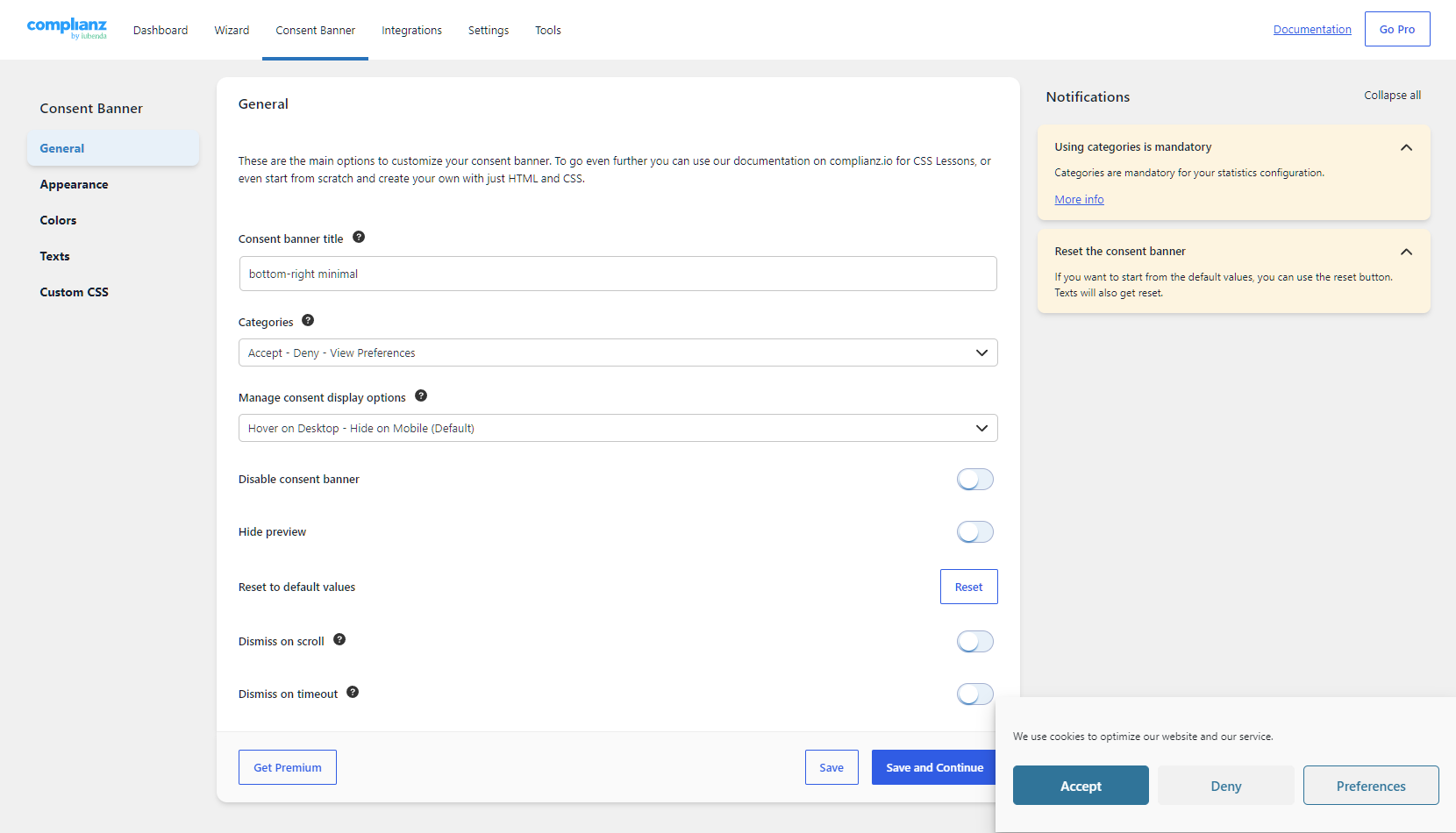
Clicking on “Continue Wizard” will open up the wizard that’ll guide you through the whole process.
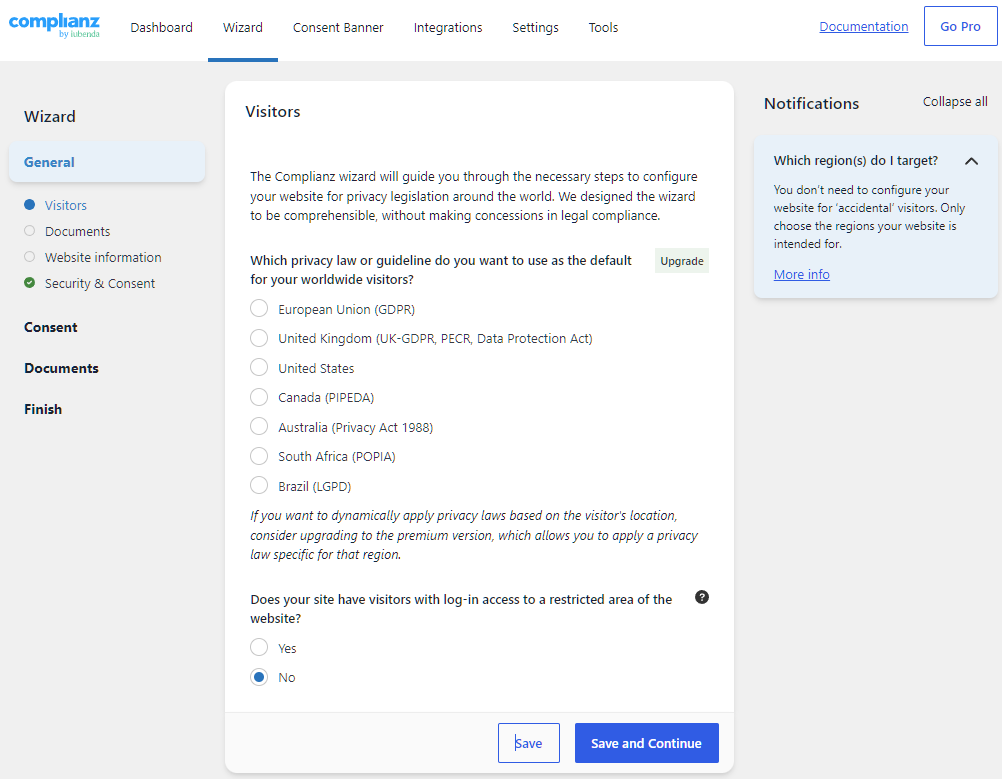
During the setup, I found that the free version only supports one privacy law or guideline selection. There are other features that are paid only, including records of consent, data request forms, and the ability to automatically apply the right privacy laws depending on the visitor’s location.
Note: You need to enable website scan to use the plugin.
Overall, I found the wizard very comprehensive. It helps customize the plugin based on your requirements and visitors’ location, where you configure consent for statistics, services, and plugins.
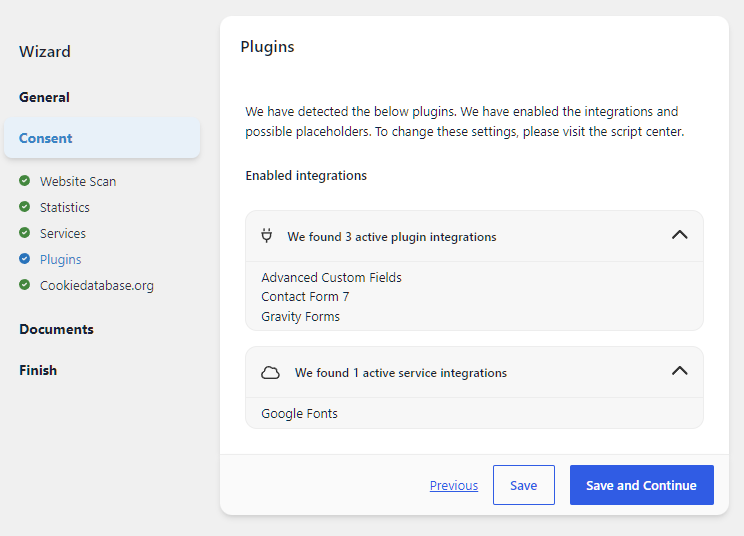
Complianz also lets you fully customize the appearance of the consent banner, including colors, text, and custom CSS.
Below is how Complianz looks live on the site. It is free from any sort of branding.
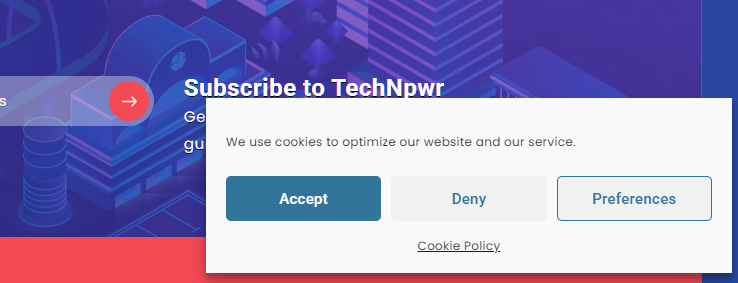
I recommend Complianz to any business that wants the consent data on its own server. The free version is useful for smaller sites.
Pros & Cons
PROS
CONS
Pricing
Complianz free plan allows 1 site, offers a cookie banner, script and iframe blocking, and an auto-generated cookie policy.
The paid plans include Personal (1 site) for $59 yearly, Professional (5 websites) for $179 yearly, and Agency (25 websites) for $399.
04. Cookie Compliance
Cloud-connected consent pluginSmall sites that want all privacy laws on the free plan
Cookie Compliance for WordPress is a cookie consent plugin for WordPress by Hu-manity.co (previously known as Cookie Notice). It is a popular plugin with over 800K+ active installations.
Cookie Compliance can be run in two modes: Banner Only and Connected Mode (free or paid). The banner-only mode requires no account and only shows you a notice with no compliance features. But it does let you customize the notice message and set cookie expiry options.
Note: Banner only doesn’t meet GDPR requirements as it blocks no scripts before consent.
The connected mode connects to Hu-manity.co servers and unlocks most features:
- Banner features: intentional consent, consent duration selector, consent metrics, and others.
- Dashboard features: Analytics, automatic script blocking, Google Consent Mode v2, and more.
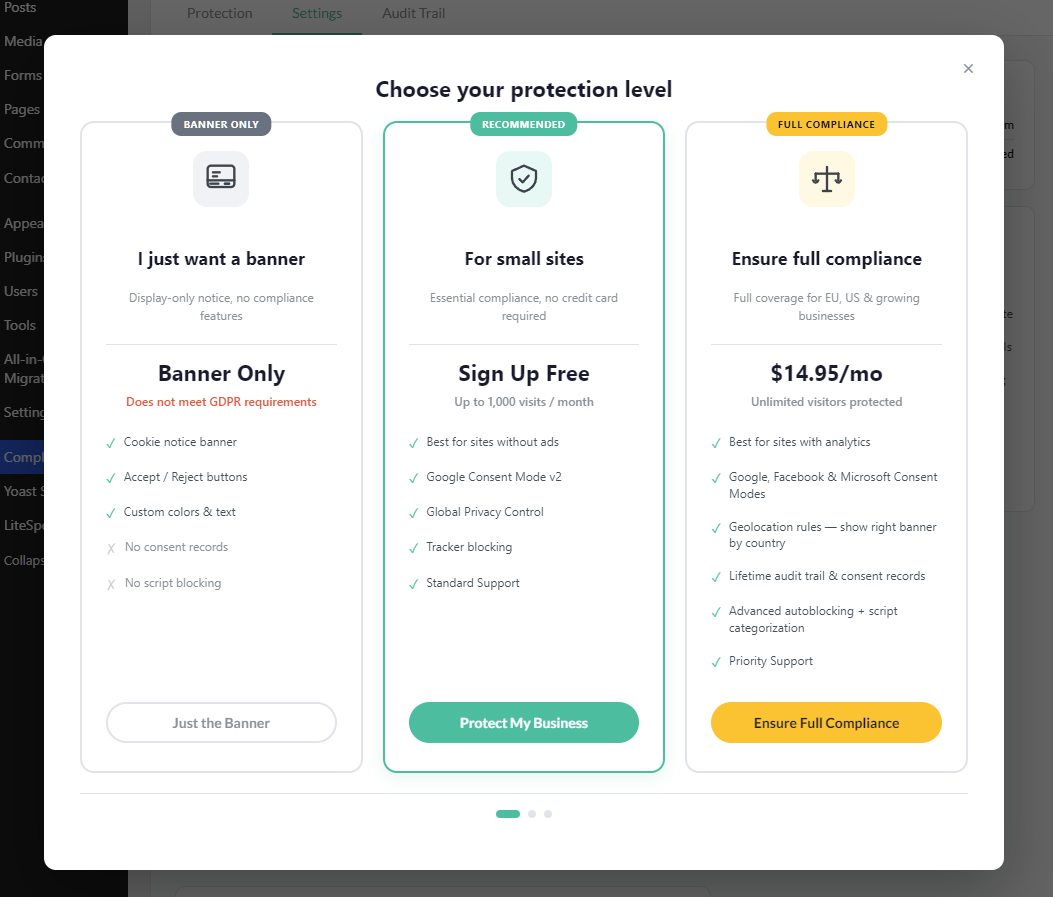
Like Complianz, Cookie Compliance also uses the WP Consent API, making it compatible with popular WordPress plugins such as WooCommerce, WP Statistics, and others.
To try out the plugin, I opted for connected mode.
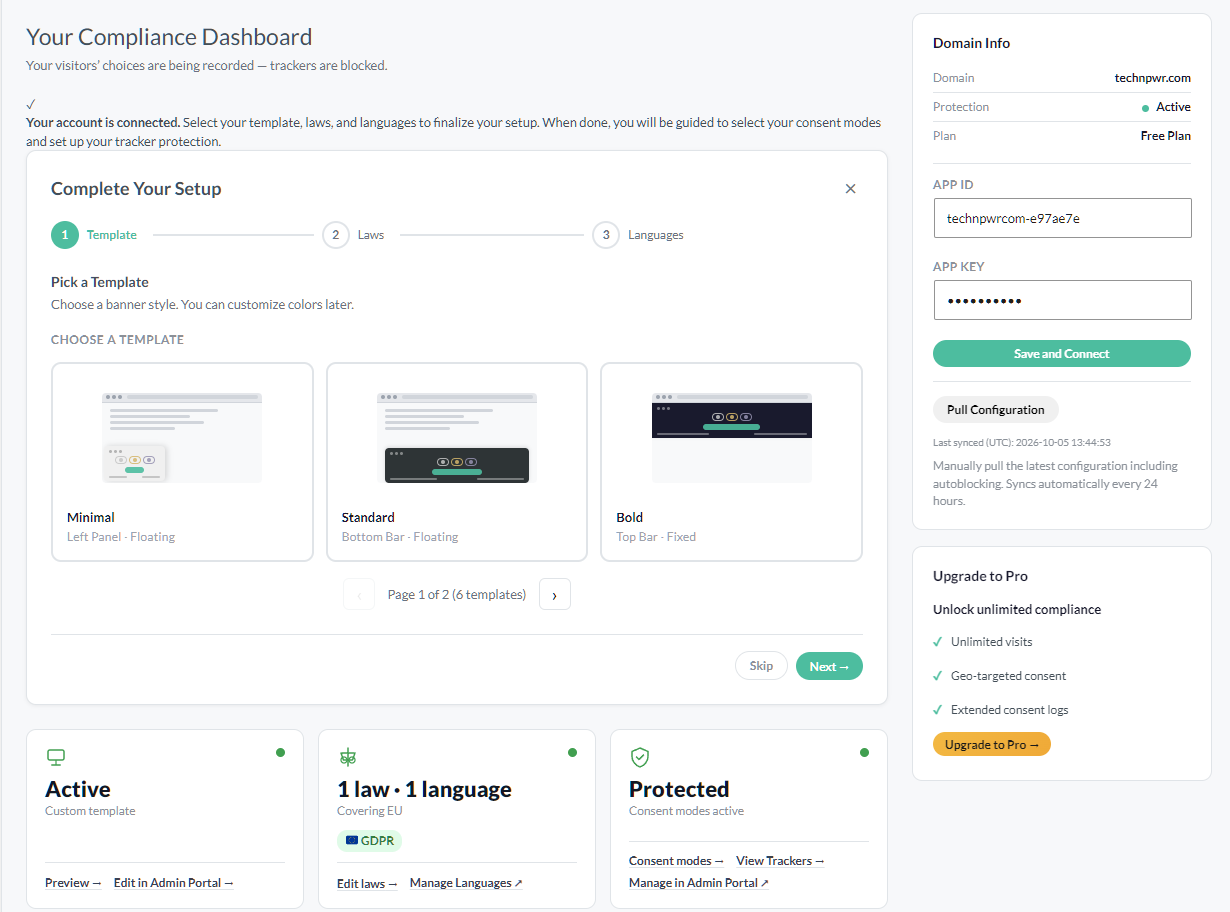
Setting up the plugin was easy. What surprised me is that its free version has no limit on the selected laws. You can choose as many as you want, a completely different approach from Complianz’s free version. However, you can select only 1 language in the free version, while the paid Pro version supports nine languages, including German, French, and others.
This is what the Cookie Compliance banner looks like when made live.
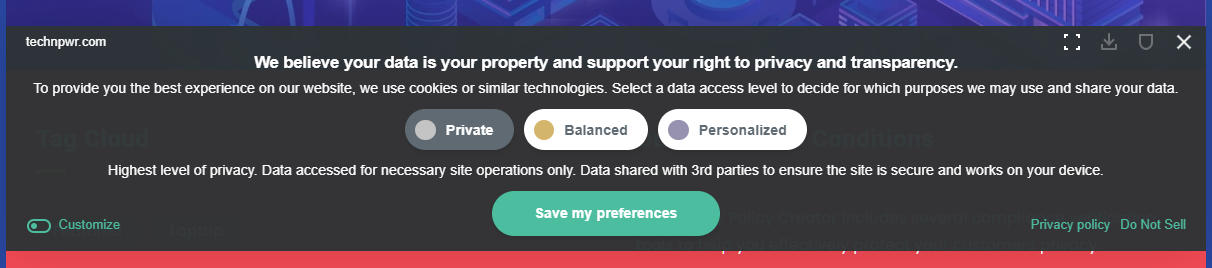
I recommend Cookie Compliance for small sites with 1000 visits a month. If your site grows, you can switch to its paid plan. No cap on paid plans means that mid-sized businesses can use the plugin without any traffic limits.
Pros & Cons
PROS
CONS
PRICING
Cookie Compliance’s paid plan starts at $14.95 per month (1 domain), $29.95 per month (5 domains), $49.95 per month (10 domains), and $69.95 per month (20 domains).
The free plan has 1000 visits per month limit.
05. CookieAdmin
Self-hosted consent pluginBeginners, and anyone running many sites on a budget
CookieAdmin is a lightweight cookie consent plugin from the team behind Softaculous (a one-click software installer at web hosts). Currently, it has 400K+ active installations.
Its free plan supports GDPR & US state laws and offers compliance support for ADA, EAA, and WCAG to meet accessibility standards. However, Google Consent v2 and Microsoft Clarity Consent Mode v2 support are locked behind the paid plan.
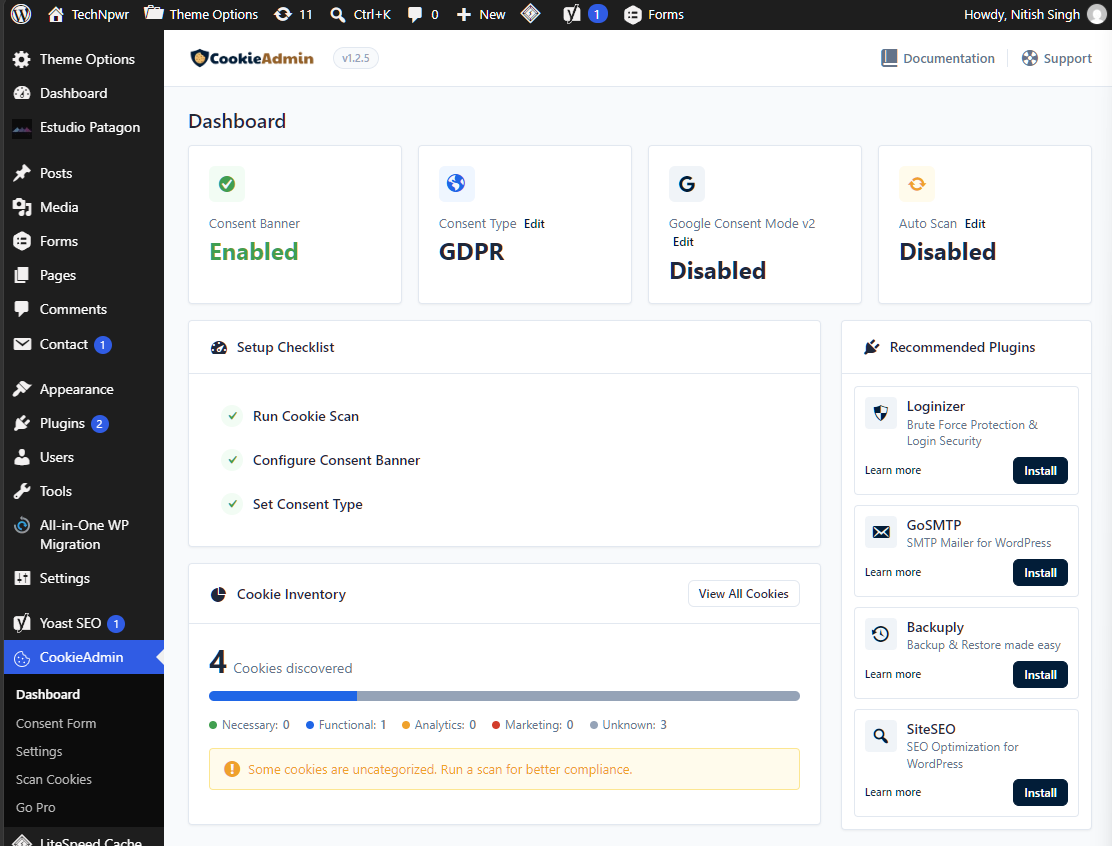
Installing and setting up CookieAdmin took only a few minutes. You need to run the cookie scanner, configure the consent banner, and set the consent type via its dashboard. It supports self-hosting of consent data.
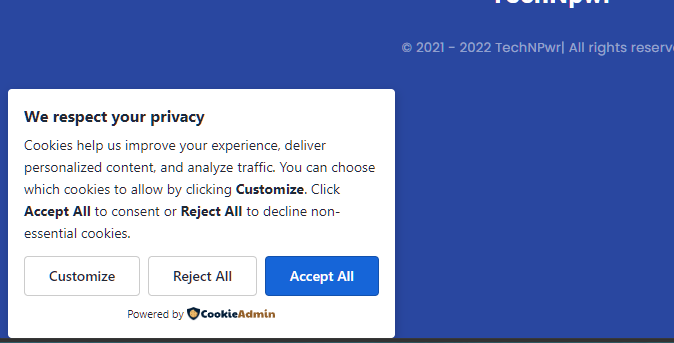
This is how the CookieAdmin consent banner looks on the site.
I recommend CookieAdmin to novice WordPress users. It requires minimal changes and works like a plug-and-play option. If you want more global privacy options, including support for Google Consent Mode v2, go for its paid version.
Pros & Cons
PROS
CONS
PRICING
CookieAdmin paid plan starts at $39 per year for 1 site. If you run multiple sites, then choose any of its higher plans: Professional ($69 per year for 5 sites) and Business ($199 per year for 100 sites).
06. Moove
Self-hosted consent pluginSites that want Google Consent Mode v2 for free
GDPR Cookie Compliance by Moove is a freemium plugin. It is one of the plugins that offers Google Consent Mode V2 in its free plan. It is self-hosted and stores consent data in your own database.
Installing its free version activates the site’s banner automatically with no additional setup, but requires adding scripts manually to be fully functional. If you don’t like its default banner, you can customize it as per your needs.
I found that the plugin offers customization options including branding, cookie banner, cookie screen, and floating button.
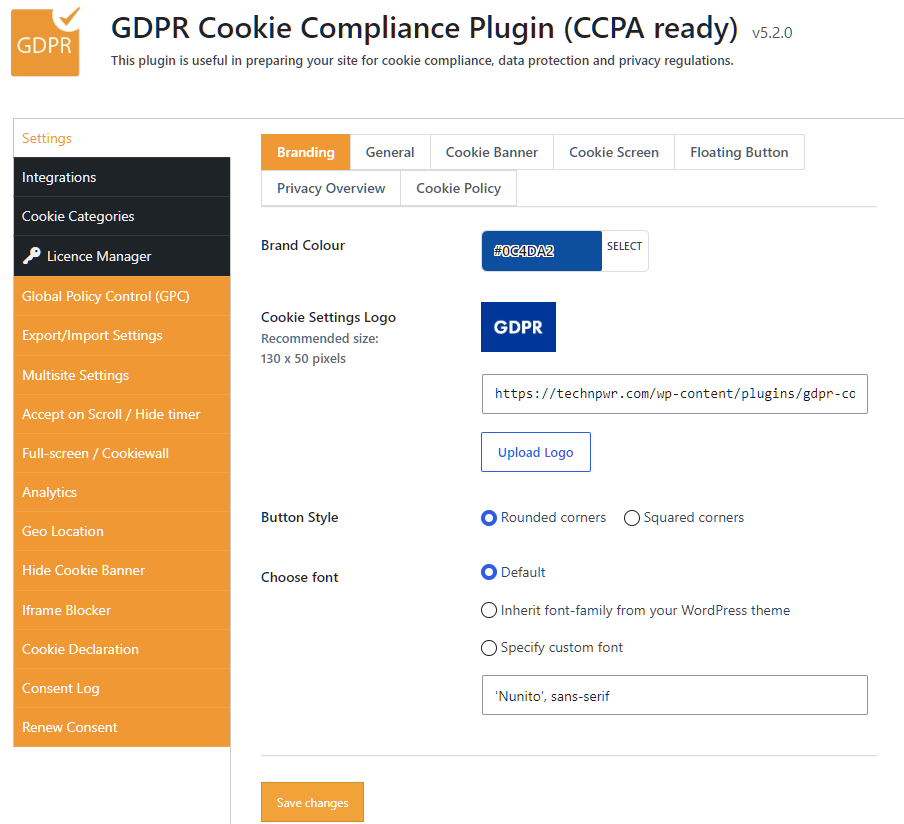
This is how the GDPR Cookie Compliance default banner looks like:

The free version offers local data storage, Google Consent v2, and customization. But it has no consent log, no cookie scanner (you need to manually add each script), and no iframe blocker. These features are locked behind the paid version. The paid version is feature-rich and gives you access to Global Privacy Control (GPC), export/import settings, multisite settings, analytics, geolocation, and so on.
Based on their documentation, it is compatible with all major caching servers and plugins. It also supports WP Consent API and other translation plugins, including WPML, TranslatePress, and Polylang (important to serve consent banner to local audiences).
I recommend GDPR Cookie Compliance to businesses that want Google Consent V2 support in the free version. It’s equally useful for developers who want full control over how scripts load on their site.
Pros & Cons
PROS
CONS
PRICING
GDPR Cookie Compliance plugin is free to use. Its paid version starts at £59 a year for 1 site. The price increases for multiple sites, where you need to pay £159 a year for 5 sites, £299 a year for 25 sites, and £499 a year for unlimited sites.
07. WPConsent
Self-hosted consent pluginAd-supported sites that need IAB TCF and Consent Mode
If you’re running a site that uses ads, then choose WPConsent as it supports IAB TCF (ad-industry consent standard) and Google Consent v2.
WPConsent is a relatively new plugin with 200K+ active installations. It is built by the team behind the development of WPBeginner, WPForms, and MonsterInsights.
Out of the box, WPConsent supports all major global privacy regulations and guidelines, including GDPR, UK GDPR, Australia’s Privacy Principles (APA), and others. It offers self-hosted consent log database.
Installing and activating its free plugin redirected me to its wizard that helps set up website privacy compliance.
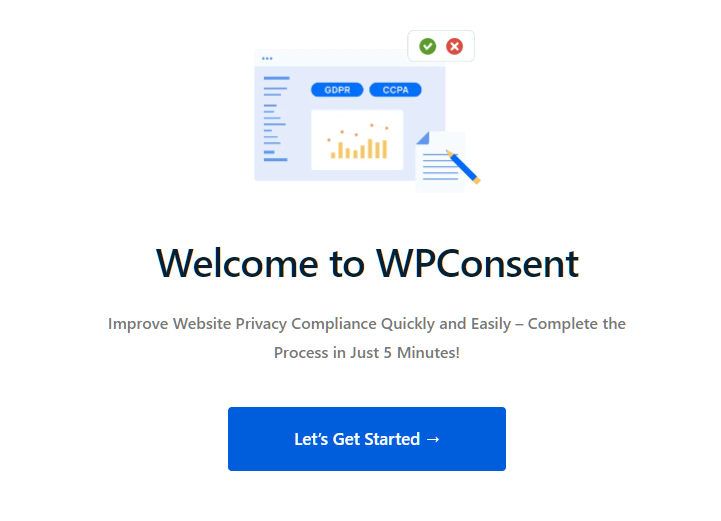
The free scanner scans your site and auto-configures the basic cookies it finds. However, it doesn’t offer auto-configuration of cookie data for plugins like WPForms, WooCommerce, etc. Only the Pro version offers the full auto-configuration option.
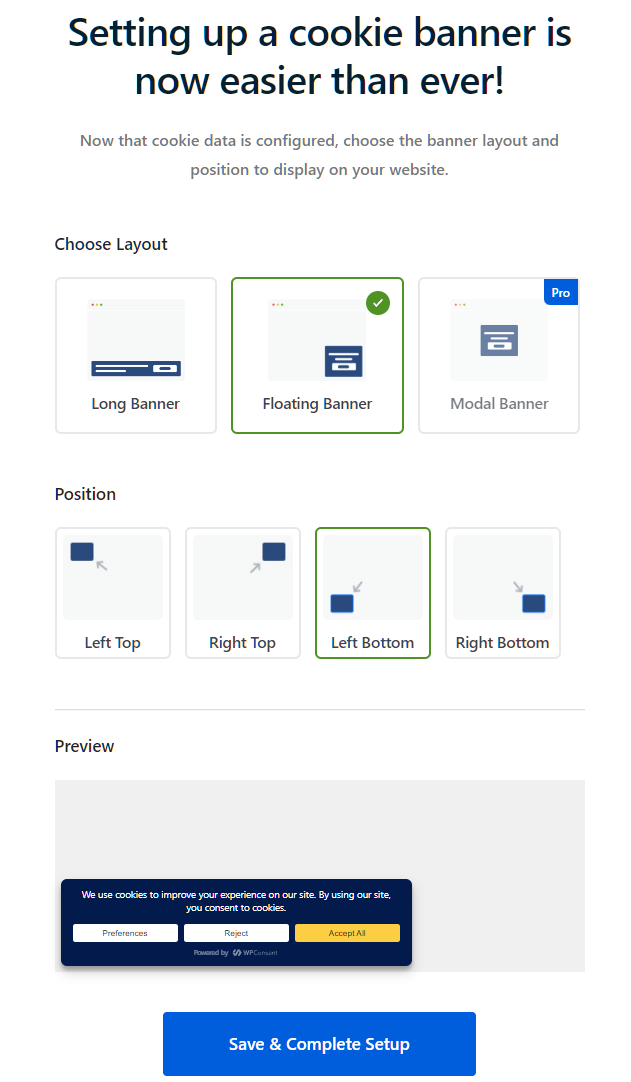
You can choose a layout (long banner, floating banner, and modal banner) and a position (top or bottom).
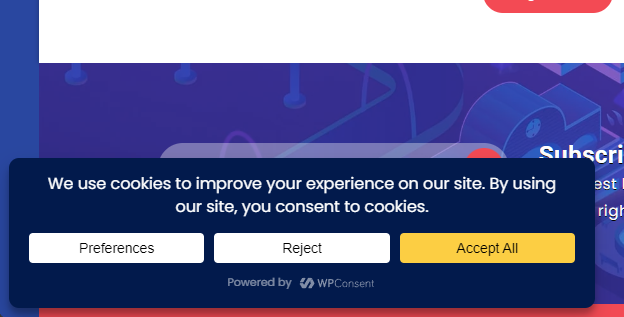
This is how the WPConsent cookie banner looks on the live site.
The Pro version offers plenty of features, including analytics, IAB TCF, custom scripts/iFrames, multilingual support with auto-translation, consent logs, and geolocation.
I recommend WPConsent for businesses that want a complete package, especially if you’re running ads on your site. Its free version offers Google Consent V2.
Pros & Cons
PROS
CONS
PRICING
WPConsent paid pricing plan starts at $49.50 per year for one site. Its highest plan goes up to $299.50 per year, which is aimed at agencies and supports up to 100 sites.
They offer a 14-day, no-questions-asked money-back guarantee.
08. iubenda
All-in-one compliance suiteBusinesses that want legal policies and a banner in one plan
iubenda is an all-in-one plugin that offers auto-configured cookie consent setup for your site. It has been on WordPress.org since 2015 and has 200K+ active installs.
As it is a 360-degree solution, it offers a privacy & cookie policy generator, consent database, and terms & conditions generator, in addition to the privacy controls & cookie solution.
Setting up iubenda can be done via a plugin or their official site. However, an account is a must, as it uses iubenda’s cloud CMP.
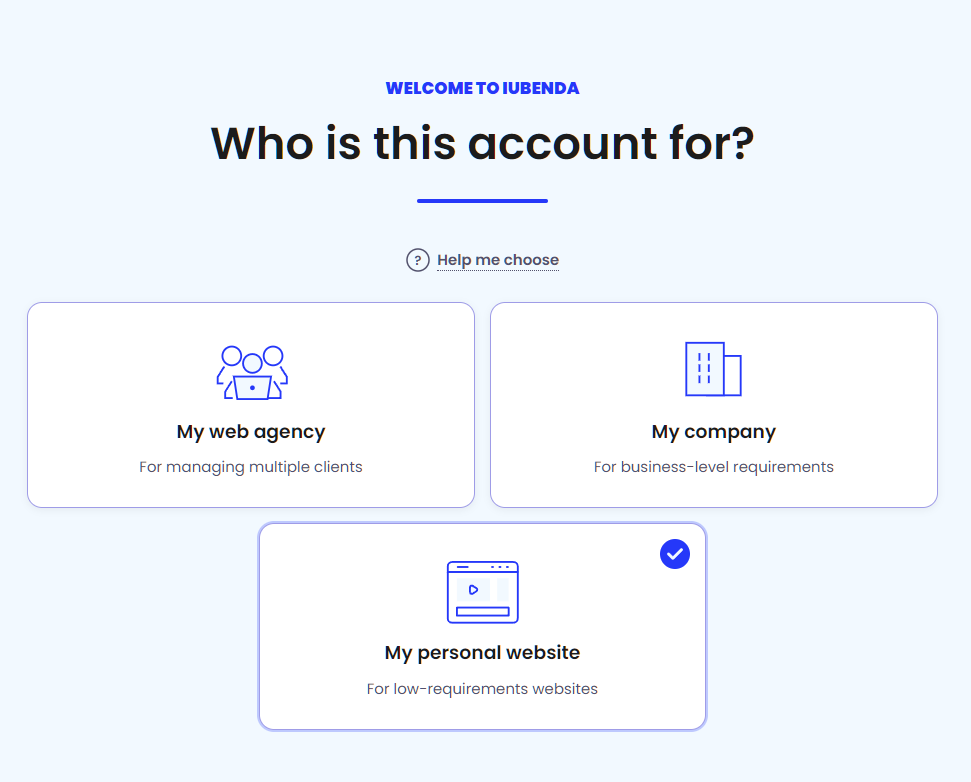
Depending on your choices and plan during the setup, it can suggest changes to your site, as shown below.
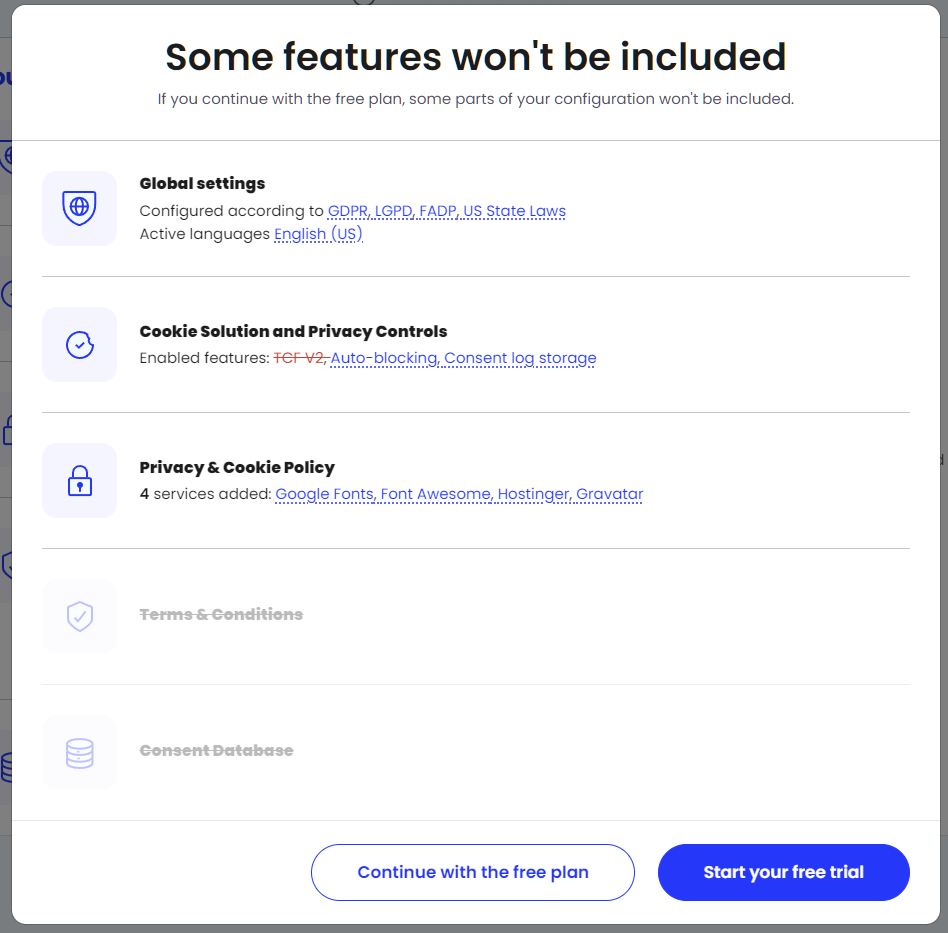
Overall, the wizard guides the user, but connecting the plugin to the site-generated workflow can confuse users, as it requires copy-pasting code. It’s best to stick to plugin workflow setup as it bypasses that need.
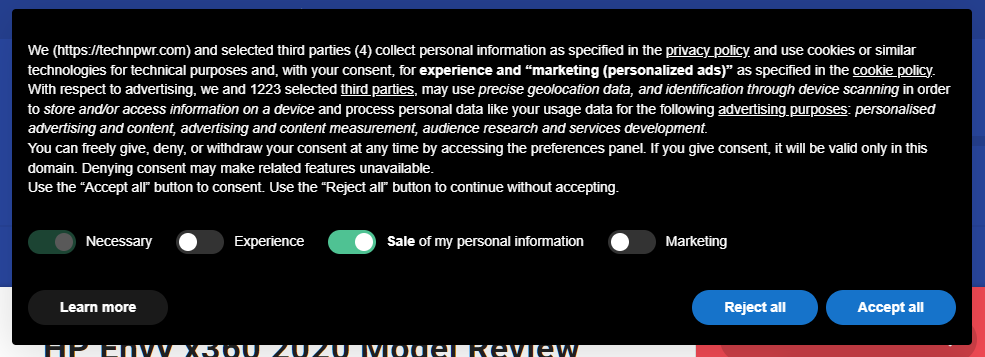
The iubenda banner is text-heavy, considering it is legal-focused. It gets the job done. This is what the iubenda cookie banner looks like:
I recommend iubenda to businesses that want legal documents and a banner in one subscription.
PRICING
iubenda paid pricing starts at $5.99 per month per site (billed yearly), offering up to 25K pageviews and one language.
I recommend getting their advanced plan at $24.99 per site per month, which offers up to 50K pageviews and geo-targeting.
Pros & Cons
PROS
CONS
09. Real Cookie Banner
Self-hosted consent pluginEU-focused sites that want self-hosted consent records
Real Cookie Banner by devowl.io is a self-hosted and one of the highest-rated cookie consent plugins for WordPress. It is GDPR-ready and also supports TCF with Google certification in the paid Pro version, along with support for other privacy laws and guidelines. It has the highest rating on our list: 4.9 from 490+ reviews, with 100,000+ installs.
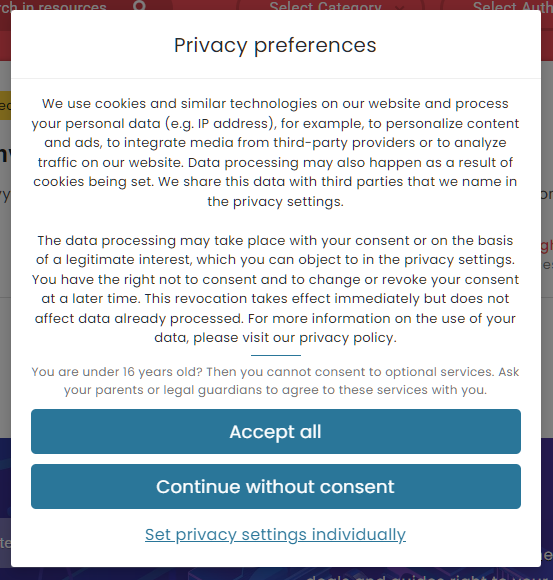
I tried its free version and found it fairly easy to set up. This is how Real Cookie Banner looks live on the site.
They also offer a free sandbox to try out their plugin without installation.
Coming to features, it offers a content blocker, 20+ design templates for customization, and is native to WordPress, which means less performance impacts if you opt to use the plugin. The plugin also doesn’t require any manual exclusion to work with caching plugins.
I recommend Real Cookie Banner for EU-focused sites that want self-hosted consent records.
Pros & Cons
PROS
CONS
PRICING
Real Cookie Banner pricing starts at €59 per year for 1 site.
10. Termly
Cloud-connected consent bannerBusinesses already using Termly's policy tools
Termly Cookie Consent (formerly UK Cookie Consent) is one of the older plugins here, first listed on WordPress.org in 2012. However, before you do, you must know that it has the lowest rating of all our entries, standing at 3.6 out of 5.
To use it, you need to create an account and get an API key. Once signed up, you need to enable the consent banner from the Termly settings, and you’re done.
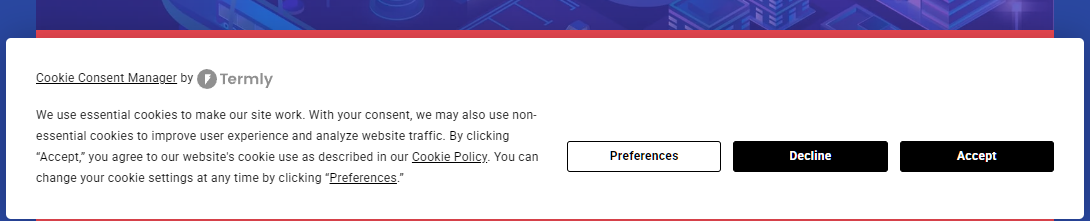
The free version adds auto-blocker. Additionally, it also offers 10,000 banner views a month. It also offers an auto-blocker and quarterly scans. Most features, including consent logs, TCF 2.3, multi-language support, and others, are locked behind a paid plan.
I recommend Termly to small businesses that already use Termly’s other services. Its banner loads from Termly’s servers, so check your page speed after installing it.
Pros & Cons
PROS
CONS
Pricing
Termly paid pricing starts at $10 per website per month. It offers 50K banner views with 5 user permissions.
The higher tier Pro+ has no limits on banner views but will cost you $15 per website per month.
Honorable Mentions
A freemium cookie consent plugin for WordPress with 40K+ active installs. It is self-hosted and offers deep customization with native support for the WP Consent API. You also get Google Consent Mode v2 (paid add-on).
An open-source, free-to-use cookie consent plugin. It supports EU GDPR cookie law, CCPA, and other similar regulations. You also get Google Consent Mode v2 and easy translate out of the box.
WPLP Cookie Consent is a freemium plugin with most features available in the free version, including a built-in cookie scanner, Google Consent Mode V2, WP Consent API support, multilingual support, and the ability to store consent logs in a local database.
A freemium plugin that offers Google Consent Mode V2 with proof of consent. Its free version is limited to just 50 pages scanned, with the paid version offering higher limits. The paid version offers IAB Transparency & Consent Framework 2.3.
Axeptio offers a deeply customizable consent banner. It covers most privacy laws and guidelines, including GDPR, ePrivacy, TCF v2.3, and Google Consent Mode v2. It’s free to use for up to 200 visitors/month.
What is WP Consent API
WP Consent API is a free plugin with over 200K+ active installs. It reads and registers current consent categories, allowing plugins and consent management plugins to work together, improving compliance. It doesn’t show any banner itself and needs a consent plugin alongside.
It works by covering five consent categories, including functional, statistics-anonymous, statistics, preferences, and marketing. The banner plugin records the visitor’s choice, and plugins like WooCommerce and Site Kit read it before setting cookies. To read more about it, check their official page.
In our list, the plugins that support the WP Consent API include:
- CookieYes
- Complianz
- Cookie Compliance
- GDPR Cookie Compliance
- WPConsent
- Cookiebot
- iubenda
How to Choose a WP Cookie Consent Plugin
Choosing a WP cookie consent plugin depends on multiple factors, including:
- Budget: Always pick a cookie consent plugin if it is within your budget. Almost all cookie consent plugins offer a free plan. Try them out and then only move to its paid plan. In free plugins, I recommend WPConsent and Complianz as they offer automatic script blocking and a scanner in their free version.
- EU vs US visitors: If you’re a global website, you need a plugin that supports geolocation. Each location (EU and US) has its own regulations to follow. Most paid plugins offer the option to cater to a specific audience.
- Ad revenue: If your WordPress site is dependent on ad revenue/ads, then you need a plugin that offers a Google-certified CMP. It helps serve personalized ads in the UK, Switzerland, and the EEA. There are other guidelines that you must follow, including TCF 2.3, which was made mandatory on 28 Feb, 2026.
- Site count: For a single site, you can choose any plugin of your choice. However, for multisites, it’s best to pick the best value-for-money deal. Check out CookieAdmin (5 sites for $69) and Real Cookie Banner (5 sites for €129).
- Agency licensing: For agencies, it’s best to choose value at scale. The cheapest you can get is CookieAdmin (100 sites for $199). Other options you can check include Termly, iubenda, and others.
Do I need a plugin if I only use Google Analytics?
Yes, if your visitor is from the EU or the UK as Google Analytics sets the _ga cookie, which lasts two years and isn’t strictly necessary.
Does a cookie plugin slow down WordPress?
No, not really. Most plugins are optimized to add very little to the overall load times. However, it depends on plugin loads and how they impact website load times. Cloud-based banners that load scripts from the vendor’s servers can add a little more, so check your page speed after installing one.