



DNS issues are quiet until they are loud. A misconfigured MX record sits unnoticed for weeks until email stops delivering. A propagation delay causes half your users to hit a stale IP while the other half reach the new server. A misconfigured DNSSEC chain breaks resolution entirely, and nothing in your application logs tells you why.
That is the nature of DNS problems: they look like application problems, network problems, or server problems until you actually look at the DNS layer. The good news is that the tooling to do that quickly is freely available and, in many cases, surprisingly capable.
dig and nslookup are the workhorses for local troubleshooting, but they only show you what one resolver sees, from your machine, right now. For a live domain, you need to know what the whole internet sees, such as a validated DNSSEC chain, propagation across global resolvers, and real resolver performance. That is where purpose-built tools come in.
This article covers 18 of the best DNS lookup tools available for checking DNS records, domain health, and security posture.
Geekflare DNS Lookup API
Most DNS lookup tools force you into their UI. Geekflare’s DNS Lookup API takes a different approach. It is built for teams that need to retrieve DNS records as part of a workflow, not just for a one-off check. It retrieves A, AAAA, MX, TXT, CNAME, NS, and other record types with 99.9% uptime and real-time resolution.
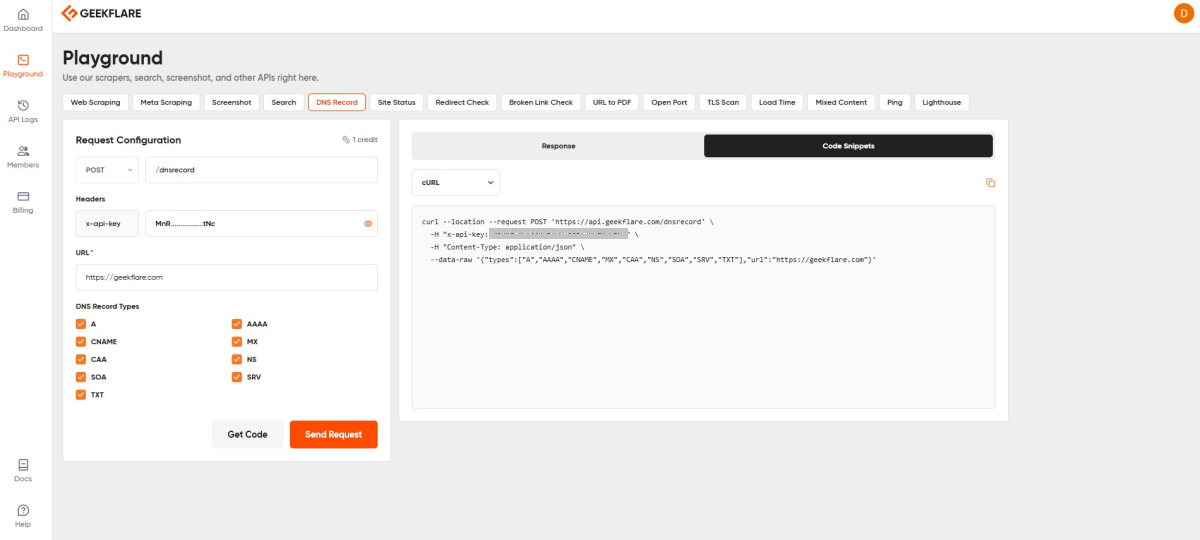
What makes it practical is the three ways you can use it:
- Playground: An interactive UI at dash.geekflare.com/playground for manual lookups without writing code, useful when you just need a quick answer
- REST API: Integrate DNS record lookups programmatically into monitoring scripts, deployment pipelines, or security automation. Trusted by 10,000+ developers with SDKs available for Python, Node.js, Go, PHP, and more.
- No-Code: Native integrations with Zapier and Make let non-technical teams trigger DNS lookups as part of automated workflows without touching code.
For teams that need DNS checks embedded in monitoring or CI pipelines, this is the cleanest way to do it without setting up your own resolver infrastructure.
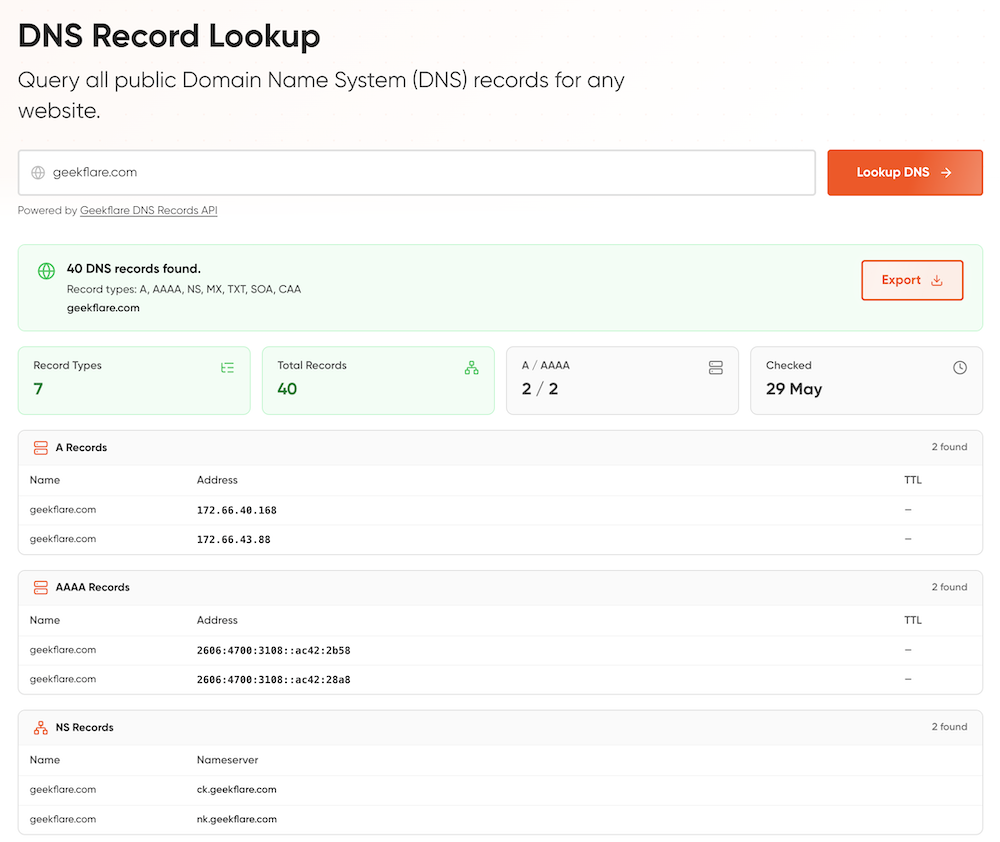
But if you require one-off or to run on-demand, you can use our DNS lookup tool.
ViewDNS
ViewDNS covers over 20 free tools, including reverse IP lookup, reverse Whois, DNS report, subdomain finder, port scanner, propagation checker, IP location, spam database lookup, and more.
Two tools stand out for practitioners. The Reverse IP Lookup surfaces every domain hosted on a given IP address, valuable when investigating shared hosting environments or tracking down related infrastructure during incident response.
The DNS Propagation Checker shows how a record looks from resolvers across different regions, which is where most DNS deployment headaches actually live.
ViewDNS also now offers an API and, notably, an MCP server, a sign of where DNS tooling is heading for AI-assisted workflows.
MxToolbox SuperTool
MxToolbox SuperTool runs DNS lookups, blacklist checks, SMTP tests, DKIM validation, DMARC inspection, and more from a single interface.
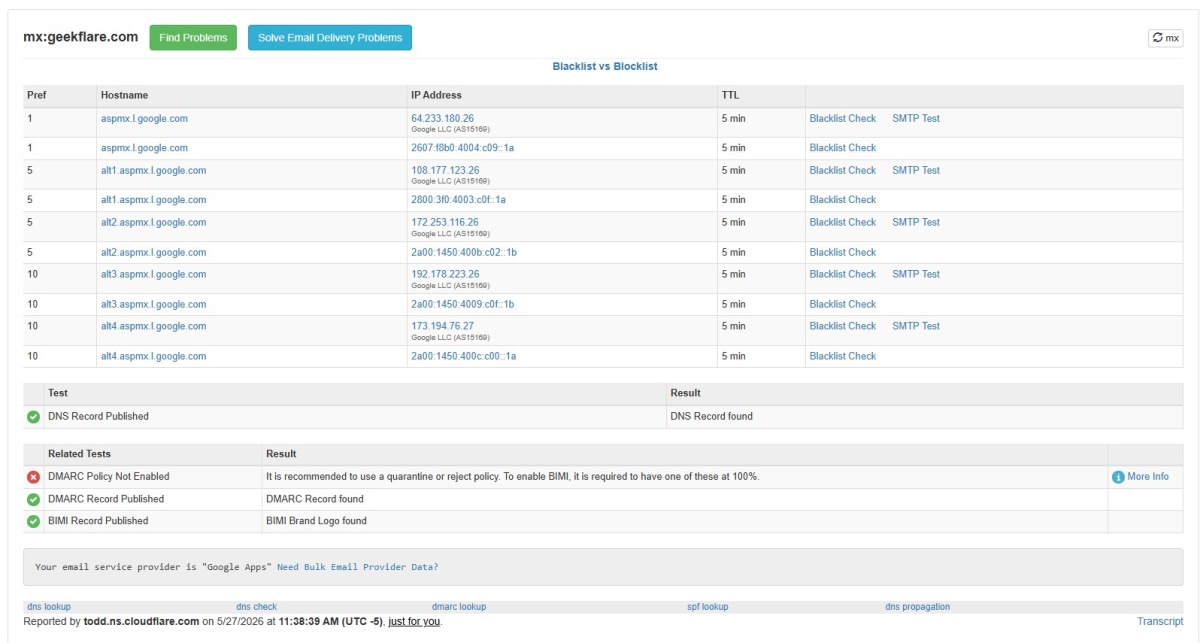
The command prefix system is worth learning:
mx: for MX recordsdmarc: for DMARCdkim: for DKIMblacklist: for reputation checksmta-sts: for MTA-STS policy
For email infrastructure where DNS, authentication, and blacklist status intersect, SuperTool covers more ground than most purpose-built tools.
Reverse IP Lookup
Enter an IP address or domain, and Reverse IP Lookup by DomainTools returns every other domain sharing that server, which is pulled from a dataset built over decades of passive DNS collection.
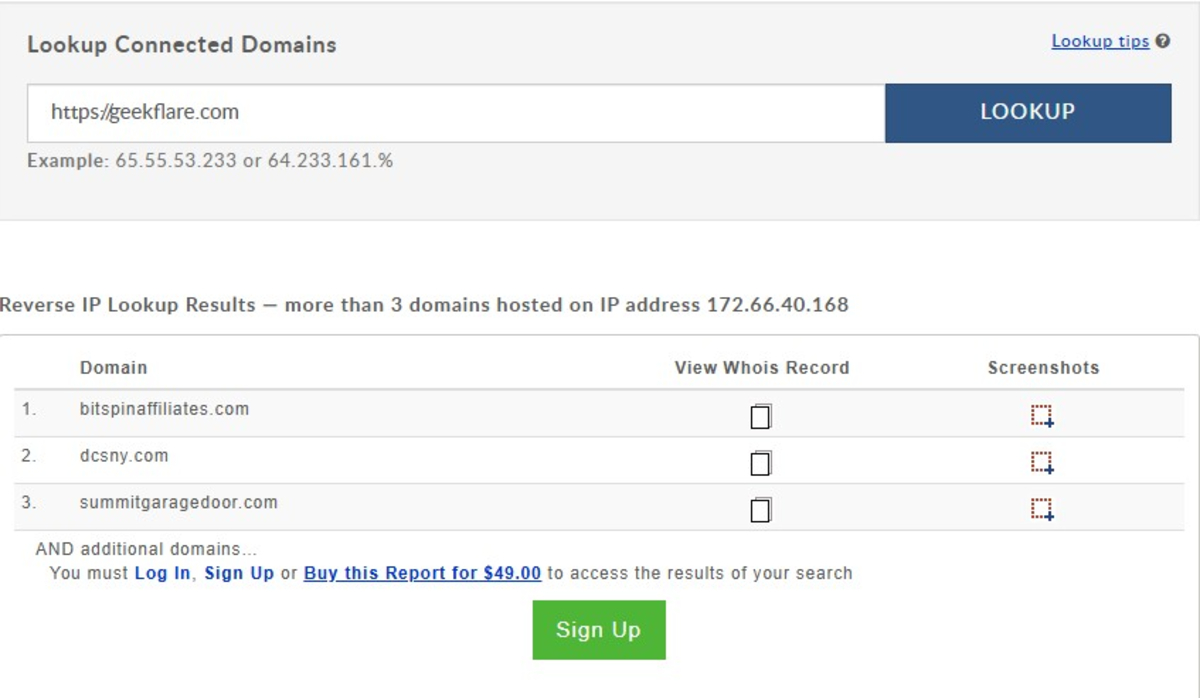
Security teams use it to map attacker infrastructure. During incident response, knowing a suspicious domain shares an IP with 200 others tells you something a dedicated IP result does not.
IntoDNS
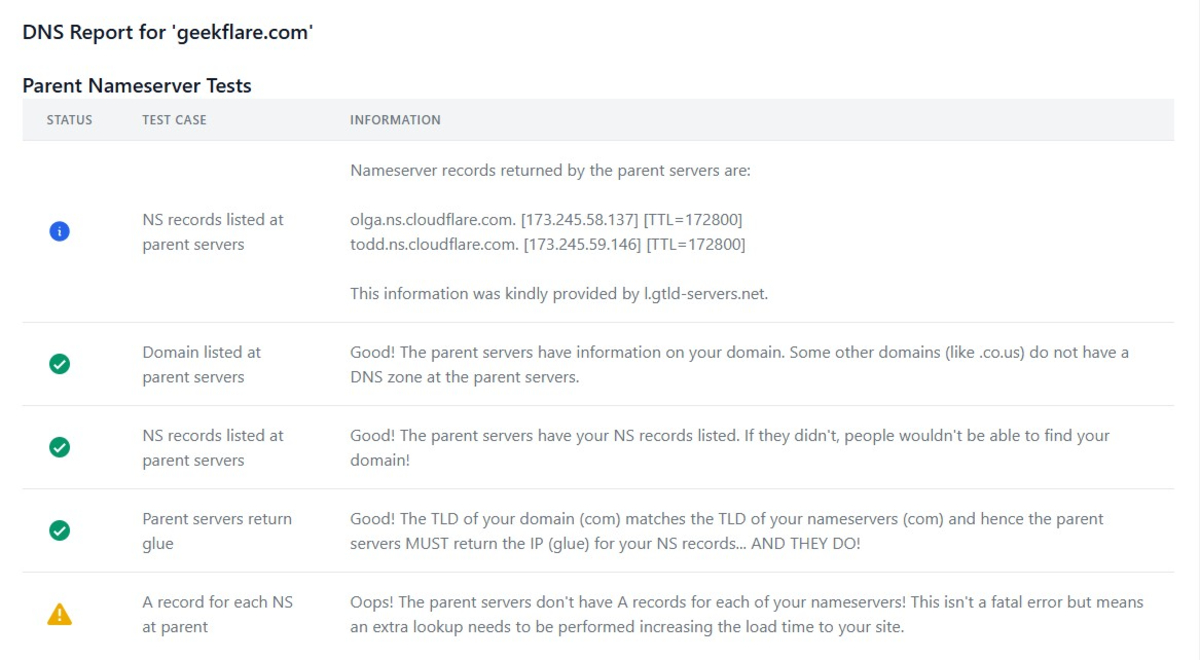
Enter a domain, and IntoDNS runs a comprehensive health check across nameserver configuration, SOA records, MX records, and mail server reachability. It flags errors and warnings with references back to the relevant protocol documentation, which turns it into a learning tool as much as a diagnostic one.
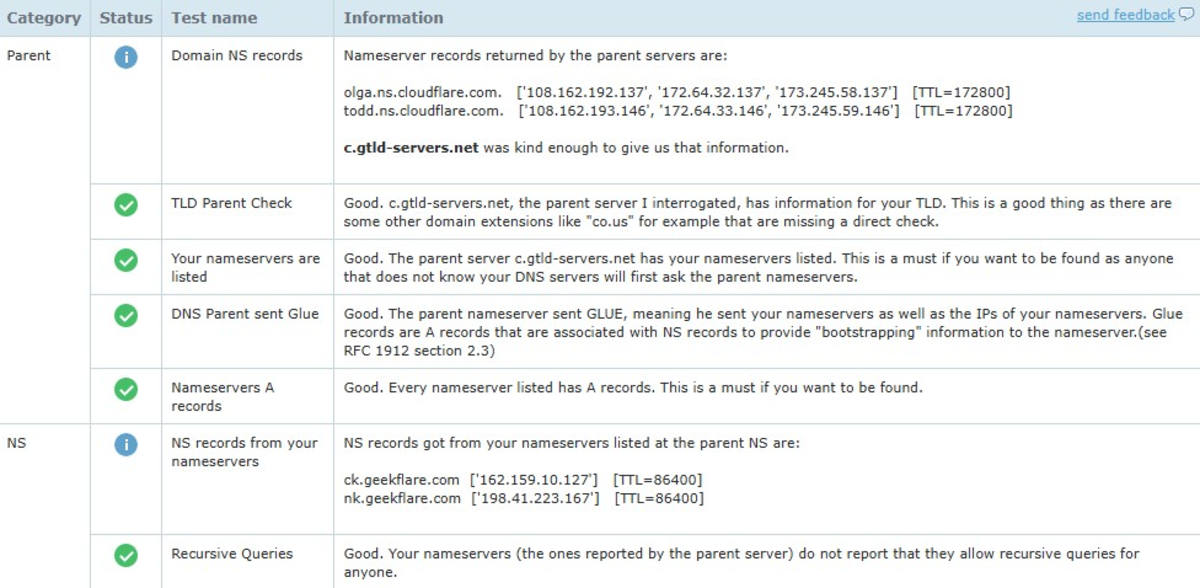
The DNS report is useful when you inherit a domain you did not set up. It surfaces legacy misconfigurations and half-finished migrations that might cause intermittent issues. It is straightforward, no-frills, and accurate.
DNSChecker
DNSChecker is best known for its propagation checker. Its Domain Health Checker tool validates nameserver configuration, checks for DNS record consistency across authoritative servers, verifies SPF, DKIM, and DMARC, and tests MX reachability in a single report.
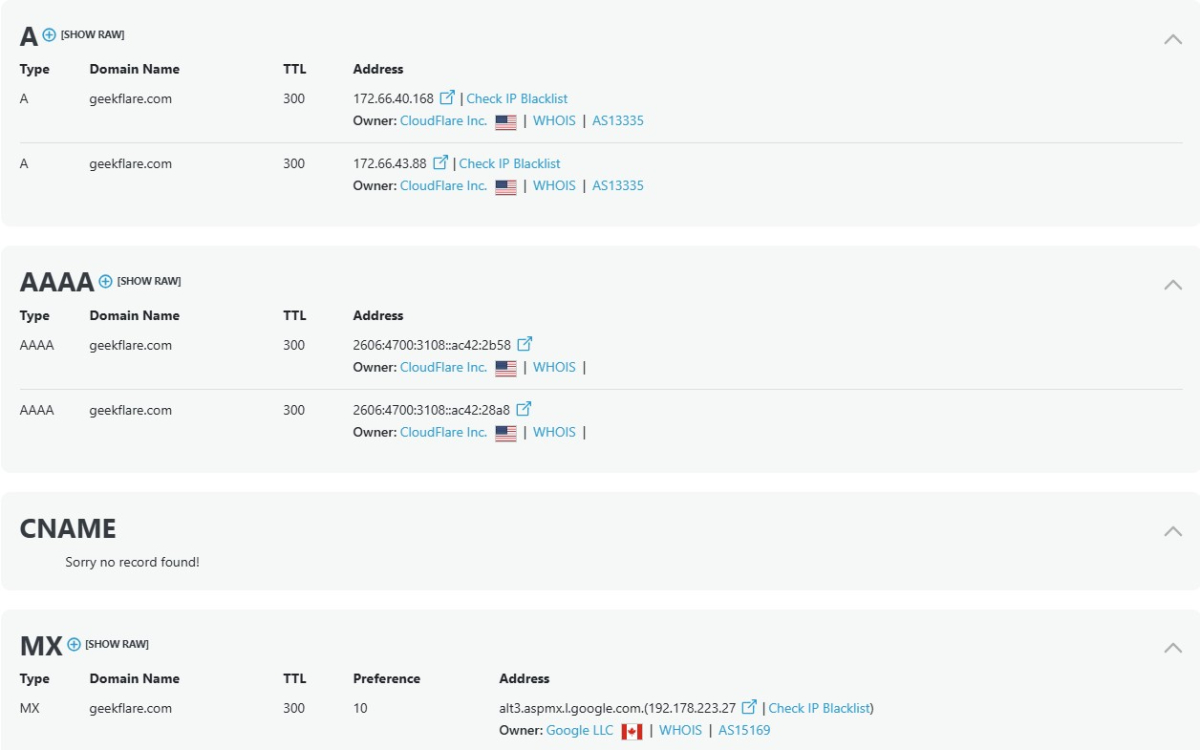
The visual output is clean enough that non-specialists can interpret it. Warnings and errors are color-coded with brief explanations, so a developer who is not a DNS expert can still identify what needs attention without needing to interpret raw DNS output. That accessibility is the tool’s real value; most DNS health checks return raw data that requires domain knowledge to parse.
WhoisXML API
WhoisXML API approaches DNS lookup as a data product rather than a UI tool. The DNS Lookup API returns structured JSON for any record type, making it straightforward to integrate into scripts, monitoring pipelines, or security tools. It covers A, AAAA, MX, TXT, CNAME, NS, SOA, PTR, SRV, and more.
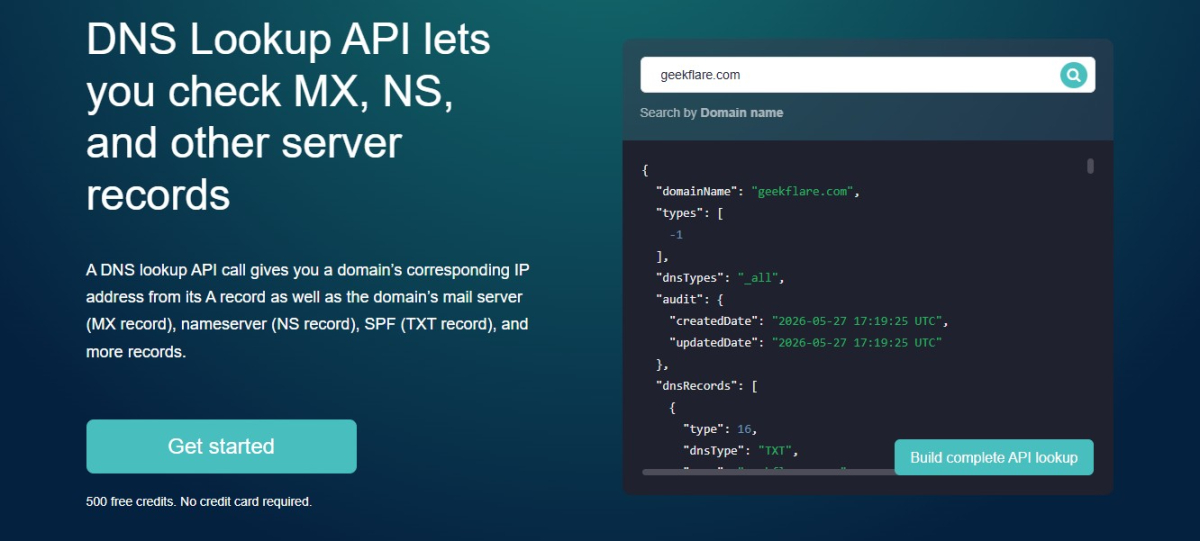
The underlying infrastructure resolves from multiple vantage points, which gives more reliable results than single-resolver lookups for diagnosing propagation issues. For teams automating domain audits across large portfolios, the programmatic interface is cleaner than scraping web UI tools.
DNSInspect
DNSInspect runs a full DNS and mail server audit in one shot. Point it at a domain, and it checks nameserver connectivity, SOA validity, glue records, MX priorities, mail server responsiveness, and DNS propagation consistency. The results come back in a structured report with pass, warning, and fail indicators.
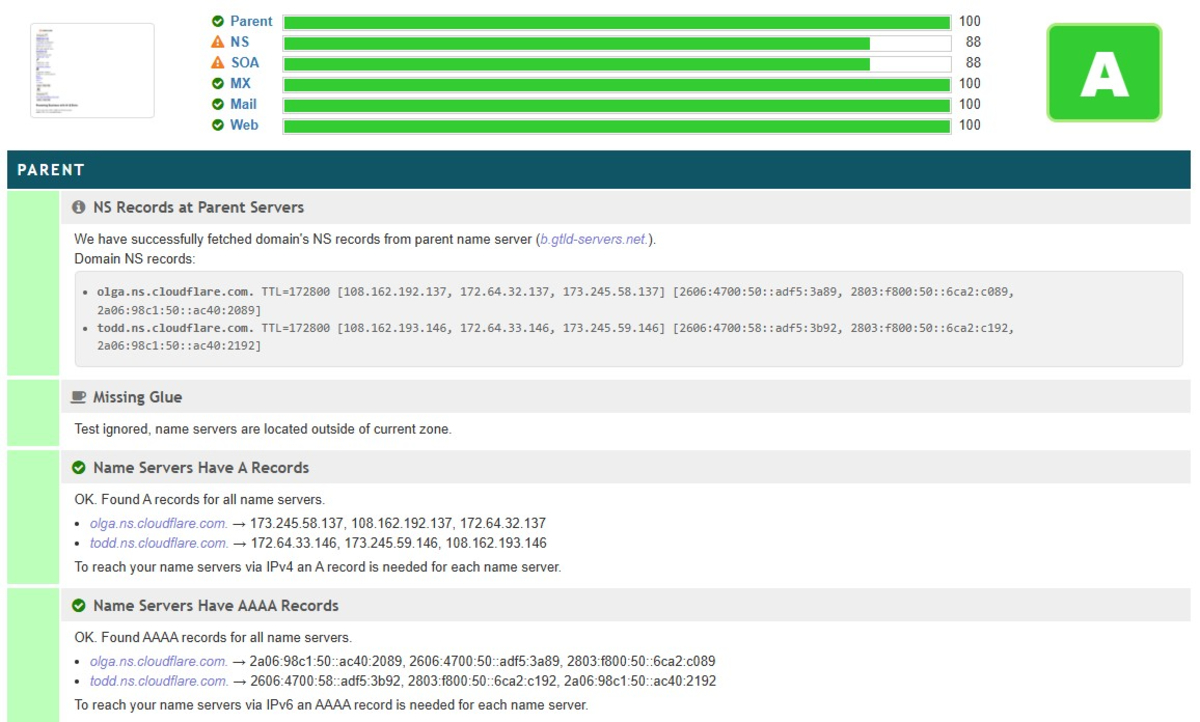
Most tools only check whether your MX records exist and are properly formatted. DNSInspect goes further and actually connects to those mail servers and verifies they respond correctly. For diagnosing email delivery issues where the DNS looks correct but mail is still failing, this distinction matters.
NSLookup.io
NSLookup.io presents DNS records in a way that is genuinely readable, with explanations and context, not just raw output. The tool queries multiple authoritative nameservers and shows the results side by side, which helps catch inconsistencies between nameservers that a single-resolver lookup would miss.
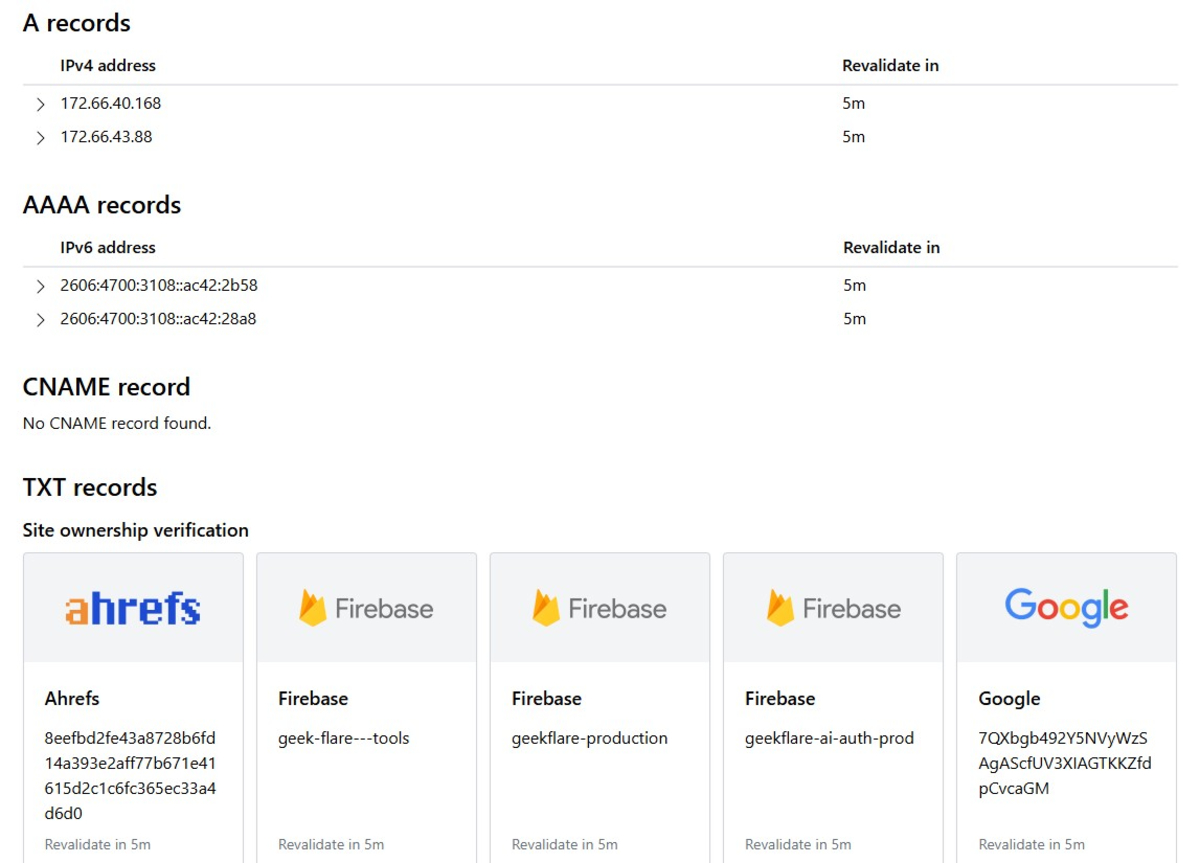
Beyond basic lookups, the platform offers uptime monitoring, SSL certificate monitoring, and VMC monitoring with a free account. For a developer who wants one place to check DNS records, verify propagation, and monitor domain health passively, NSLookup.io is a solid daily-use tool.
DNSWatch
DNSWatch is a no-frills DNS lookup tool that queries from multiple geographic locations and displays the results in a clean, side-by-side format. There is no account required, no rate limits on the basic UI, and no clutter. You get the record, the TTL, the resolver that returned it, and the response time.
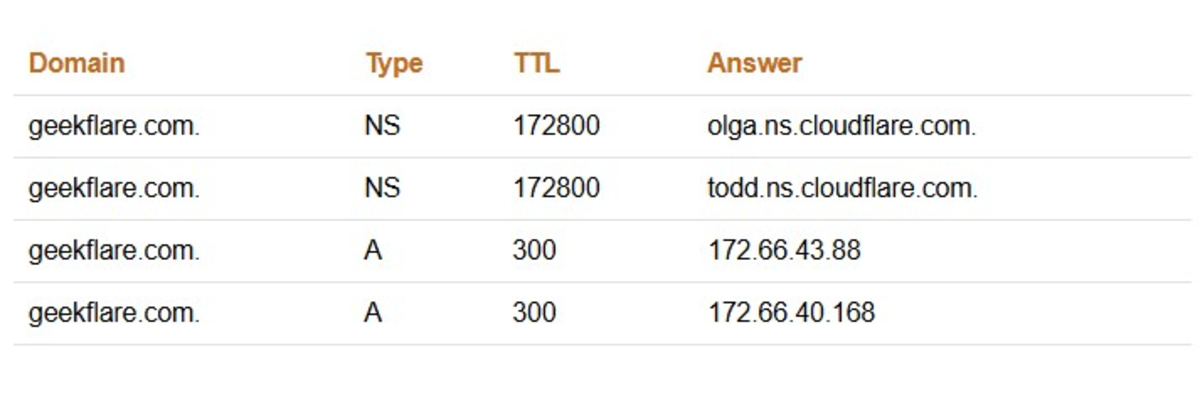
Rather than showing what your local resolver sees, it shows what resolvers in different regions see simultaneously. That is where propagation problems become visible.
whatsmydns.net
whatsmydns.net queries DNS resolvers across dozens of global locations and renders results on a world map with color-coded indicators. Green means the record matches; red means it does not.
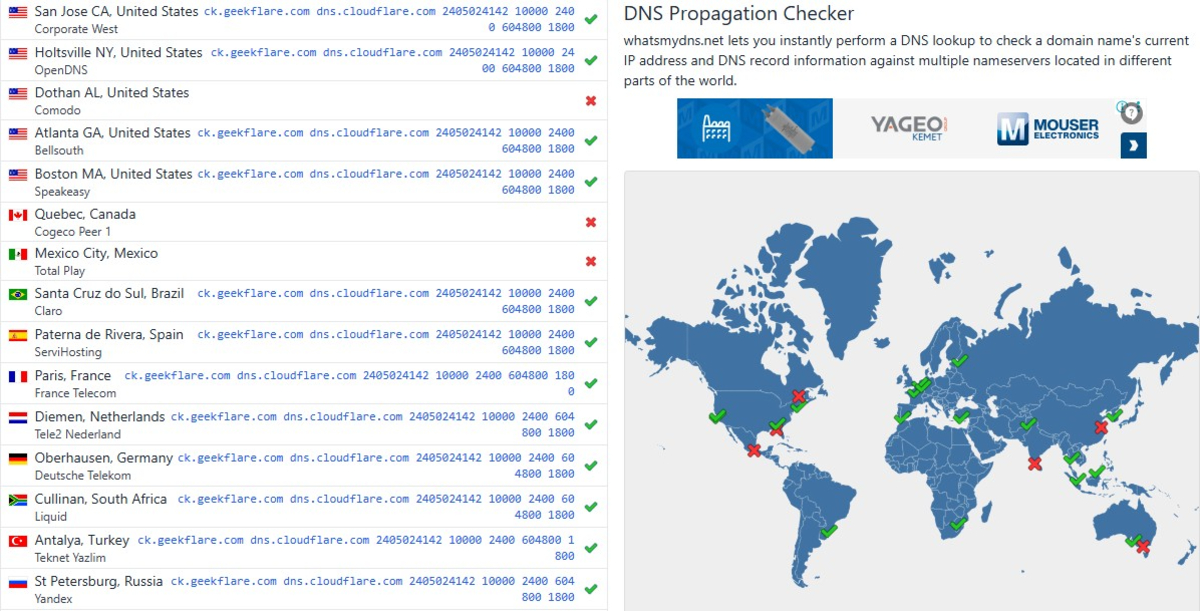
There is no ambiguity about what the tool does or how to interpret the output. That clarity is its strength. During a DNS cutover, teams at all technical levels can watch propagation happen in real time without needing to explain what they are looking at.
whatsmydns.net also lets you check specific record types (A, AAAA, MX, CNAME, NS, TXT) against all resolvers simultaneously, which is faster than running individual queries.
DNS Spy
DNS Spy monitors DNS records, DNSSEC validity, nameserver health, and email authentication setup (SPF, DKIM, DMARC), alerting you when records change.
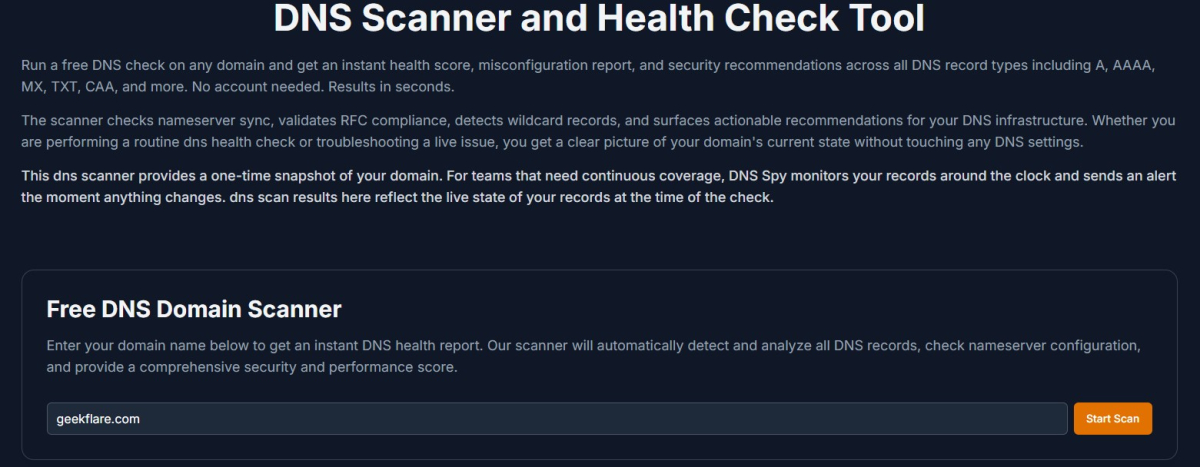
Unexpected DNS changes are a security signal, not just an operational one. DNS hijacking, account takeovers at the registrar level, and unauthorized record modifications can all happen without application-layer changes. DNS Spy, watching for unauthorized record changes, fills a gap that most infrastructure monitoring tools do not cover.
DNSPerf Speed Benchmark
DNSPerf tests a DNS provider’s response time from locations worldwide and compares it against competitors. The broader platform from ProspectOne tracks authoritative and public resolvers continuously. When evaluating which provider to use or diagnosing regional slowness, it gives real-world resolver data rather than synthetic benchmarks.

HackerTarget
A DNS zone transfer (AXFR) lets secondary nameservers replicate zone data. When improperly secured, it exposes every record in your zone to anyone who asks. HackerTarget‘s zone transfer test attempts an AXFR request and reports whether it succeeds. This should be tested during any security audit and after name server changes.
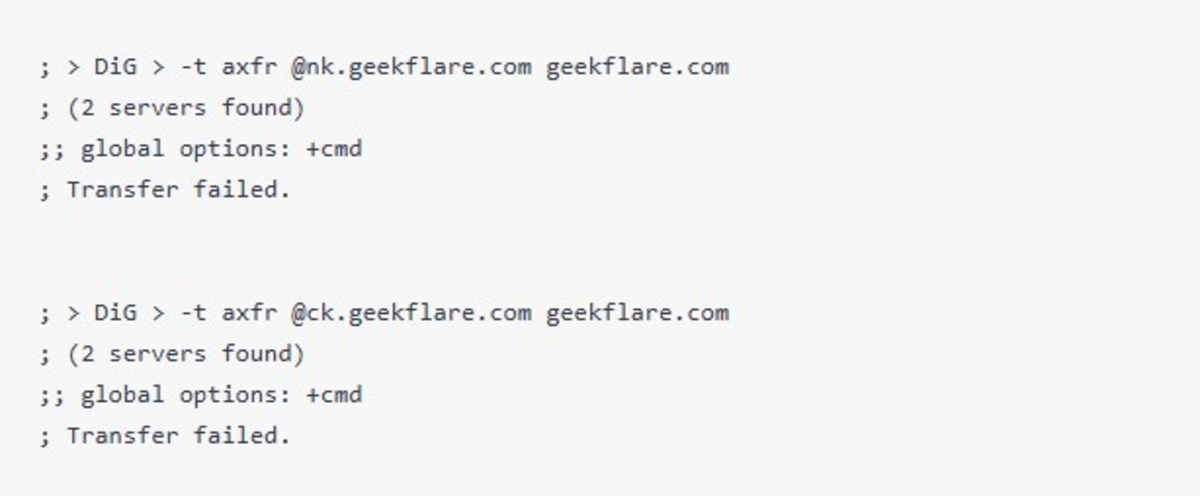
HackerTarget also includes reverse DNS, IP information, and port scanning for broader recon work. Its free tier allows up to 100 queries per day, which is enough for most on-off audits and spot checks.
DNSViz
DNSSEC is difficult to deploy correctly and almost impossible to debug without visualization. DNSViz remains the definitive tool for visualizing the DNSSEC authentication chain for a domain.
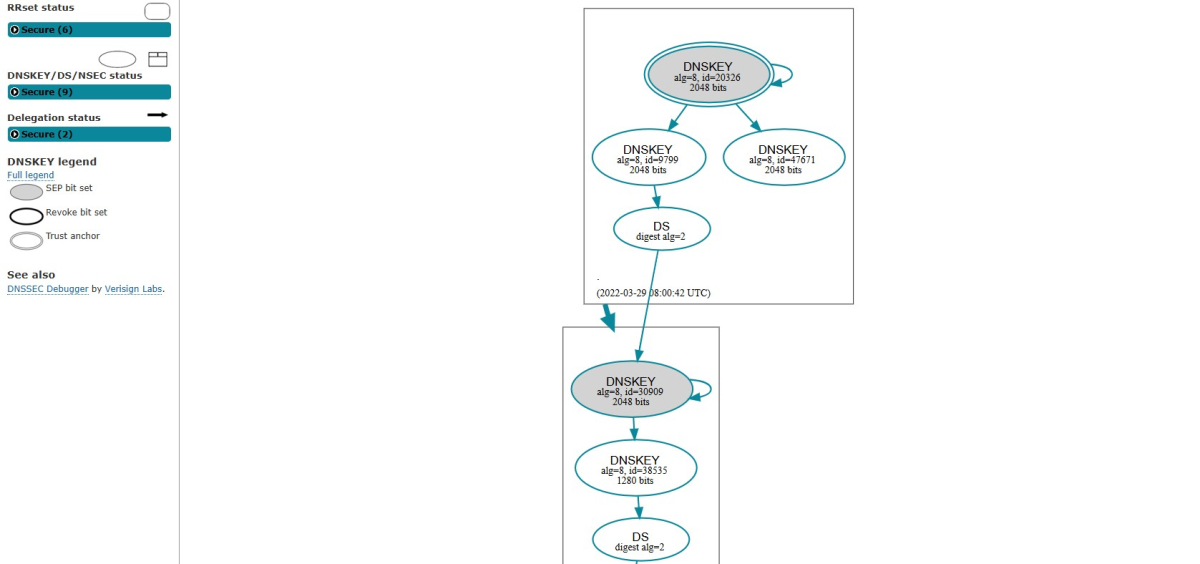
Feed it a domain, and it renders a graph of the entire DNSSEC delegation chain from root to the target zone. It includes trust anchors, KSK and ZSK key relationships, DS records linking parent and child zones, and RRSIG signatures covering individual record sets.
Configuration errors, broken chains, missing DS records, and expired signatures appear in the graph with clear annotations. For anyone deploying or debugging DNSSEC, DNSViz changes troubleshooting from guesswork to a readable visual diagnosis.
GRC DNS Benchmark
GRC’s DNS Benchmark is a downloadable Windows utility (also runs under WINE on Linux or Mac). It measures the performance of every DNS resolver your system can reach. It does not just use popular public resolvers, but the resolver your ISP provides and any others you specify. It runs a controlled series of lookups and produces a ranked list of resolvers by response time, with statistical analysis showing variability and cache performance.
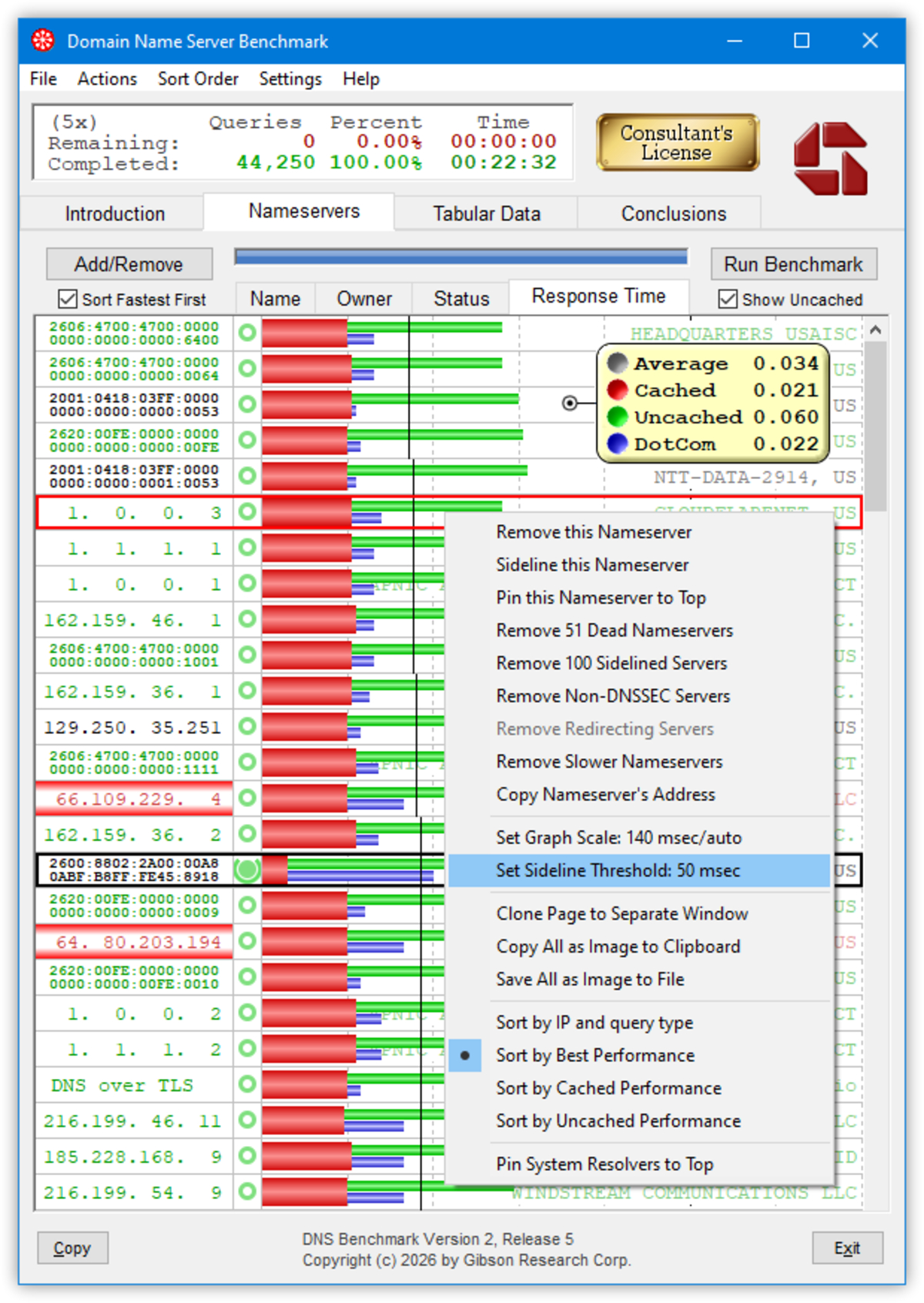
The distinction from web-based benchmarks is that DNS Benchmark tests from your network location, with your actual routing, over your own connection. For VPN users, corporate network users, or anyone trying to find the genuinely fastest resolver for their specific setup, it delivers results that web-based tools simply cannot replicate.
addr.tools
addr.tools is an open-source collection of DNS and network utilities. The hosted version provides DNS lookup, IP checking, DNSSEC validation, and other diagnostics without tracking or advertising.
The full source is on GitHub. You can audit what queries it makes, inspect data handling, or self-host it. For teams with strict data requirements, it is an option worth knowing about.
DNSLeakTest
DNS leaks occur when a VPN-configured system accidentally routes queries through the default system resolver, exposing browsing activity. DNSLeakTest runs queries through your current connection and reports which resolvers actually answered. Standard and extended test modes give increasingly thorough checks. Essential for validating VPN setups, privacy configurations, or corporate DNS policy.






