Building an app no longer requires months of development or a full engineering team. With AI-powered text-to-app builders, you can describe your idea in plain English and generate a working application in minutes. This makes it easier for startup founders, product managers, and small businesses to turn ideas into functional software much faster.
Emergent.sh is one of the newest platforms in this space. Unlike many AI app builders that only generate UI mockups, it can build full-stack web and mobile applications with authentication, databases, APIs, payment integrations, and deployment from a single prompt.
What I did:
To see how well it works, I built a real estate application called DC Nest from scratch using Emergent.sh. Throughout this review, I’ll walk you through my experience, its core features, pricing, strengths, limitations, and how it compares to alternatives like Lovable and Bolt.new.

How I Tested Emergent.sh
To see how Emergent.sh performs beyond its marketing claims, I built DC Nest (a real estate web app).
The app includes features like:
- Property search and filters
- Neighborhood, price, and property type filters
- Saved favorites
- Mortgage calculator
- Contact form for property inquiries
While building the app, I tested several key parts of the platform:
- Generated the app from a single detailed prompt
- Reviewed the AI-generated frontend, backend, and database code
- Tested the deployment process
- Connected the project to GitHub
- Explored Universal LLM integration
- Monitored credit usage during app generation, debugging, and deployment
This hands-on testing gave me a clear understanding of how Emergent.sh performs in real-world development, which forms the basis of this review.
The sections below show what I found, not just what’s advertised.
What is Emergent.sh?
Emergent.sh is an AI-powered app builder that helps you create full-stack web and mobile applications using natural language. Instead of writing code from scratch, you tell it what you want to build, and the platform generates the frontend, backend, database, authentication, APIs, and deployment setup.
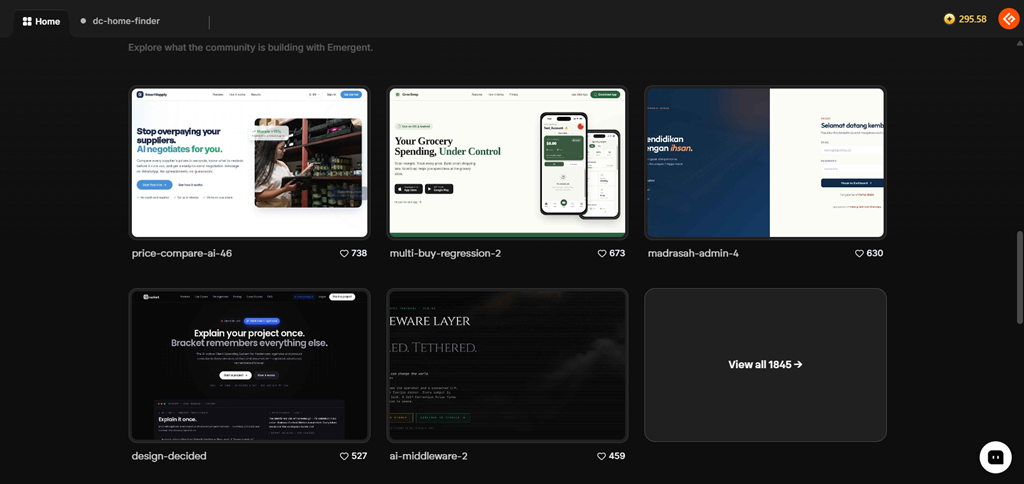
Unlike traditional no-code platforms that depend on drag-and-drop editors, Emergent.sh uses a conversational approach. You can build and improve your app by chatting with AI, making it easy to add new features or fix issues without manually editing every line of code.
The platform uses multiple AI agents that work together to plan the project, generate code, test the application, fix bugs, and prepare it for deployment. It also includes a Universal LLM Key, allowing you to integrate AI models like Claude, GPT, and Gemini without managing separate API keys.
I included features like user authentication, a MongoDB database, property search, saved favorites, a mortgage calculator, and one-click deployment within DC Nest. The result was a fully functional application rather than just a UI mockup, which is what sets Emergent.sh apart from many AI app builders.

Worth Knowing
Emergent.sh was founded in 2024 by twin brothers Mukund and Madhav Jha. The startup was part of Y Combinator’s Summer 2024 batch and has raised around $100 million from investors including Lightspeed, Khosla Ventures, SoftBank, and Google’s AI Futures Fund.
According to Emergent.sh, the platform has over 6 million users. While this figure comes from the company and hasn’t been independently verified, it highlights the platform’s rapid growth in the AI app-building space.
Core Features
What impressed me most about Emergent.sh wasn’t just its ability to generate code; it was how it handled the entire app development process.
Instead of acting like a chatbot that simply writes code snippets, it felt more like an AI development team that plans, builds, tests, and deploys your application.
1. Conversational App Generation
One of the features I liked most was the conversational app-building experience. I didn’t have to choose from standard templates or configure settings; I simply described the app I wanted to build in plain English.
I asked Emergent.sh to include property listings, neighborhood and price filters, saved favorites, a mortgage calculator, and a contact form within DC Nest. I also specified the design style and overall user experience in a single prompt.
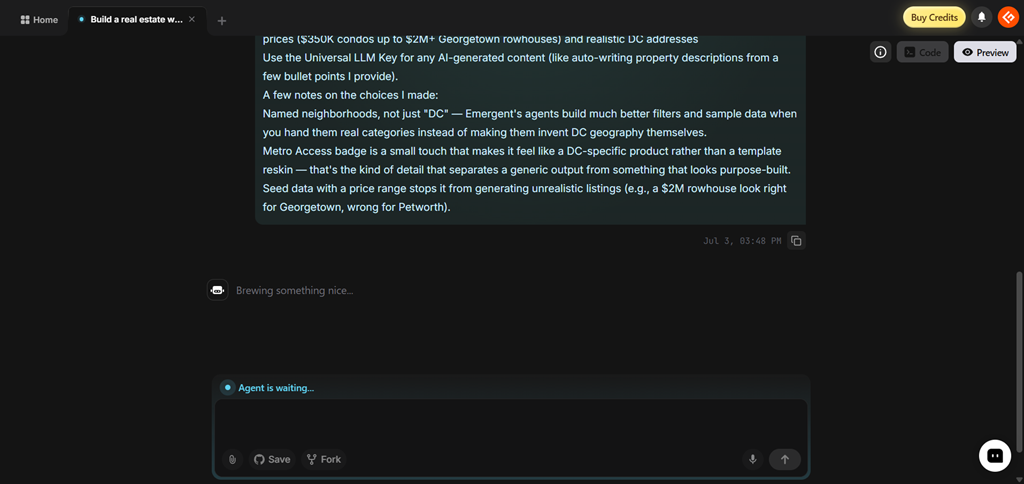
The platform broke the request into smaller development tasks and started building the app automatically. I could watch different AI agents work on planning, coding, testing, and deployment in real time, making the process feel more like working with a development team than using a code generator.
After the first version was ready, making changes was just as easy. I just asked the AI to:
- Add highlighted features to property listings
- Improve the color scheme
- Fix a filter that wasn’t working correctly
- Update parts of the UI
- Improve the overall layout
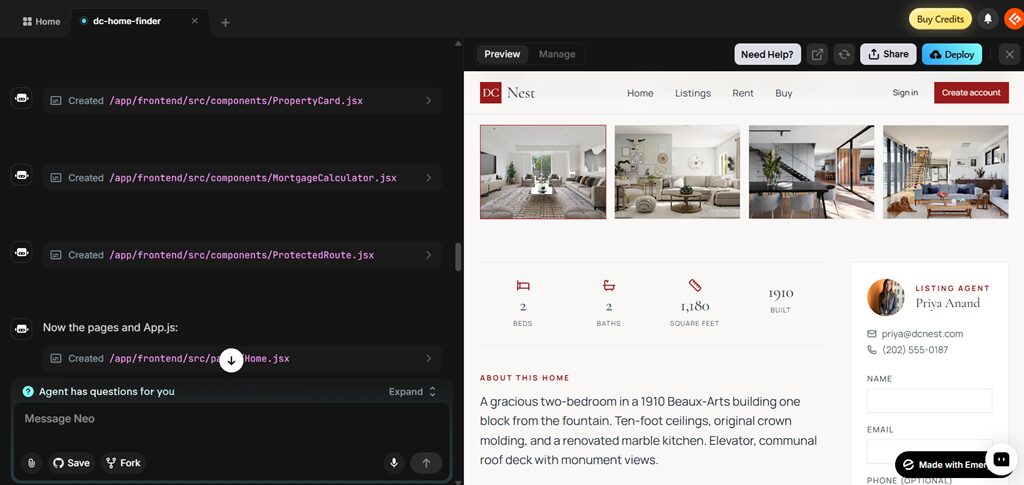
The AI updated only the relevant parts of the application while keeping everything else intact, making iterations quick and hassle-free.
Key Highlights
- Generate apps using simple text prompts
- Build and improve apps through conversation
- AI-assisted debugging and code improvements
- Automatic project planning before development starts
- Quick updates without manually editing code
2. Full-Stack Web & Mobile Development
Many AI app builders mainly generate attractive user interfaces. Emergent.sh goes a step further by creating complete, full-stack applications.
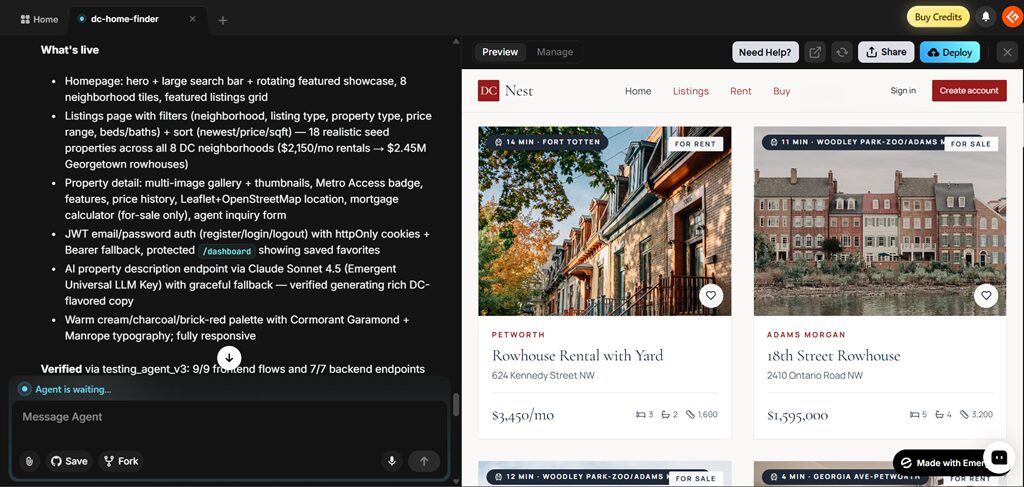
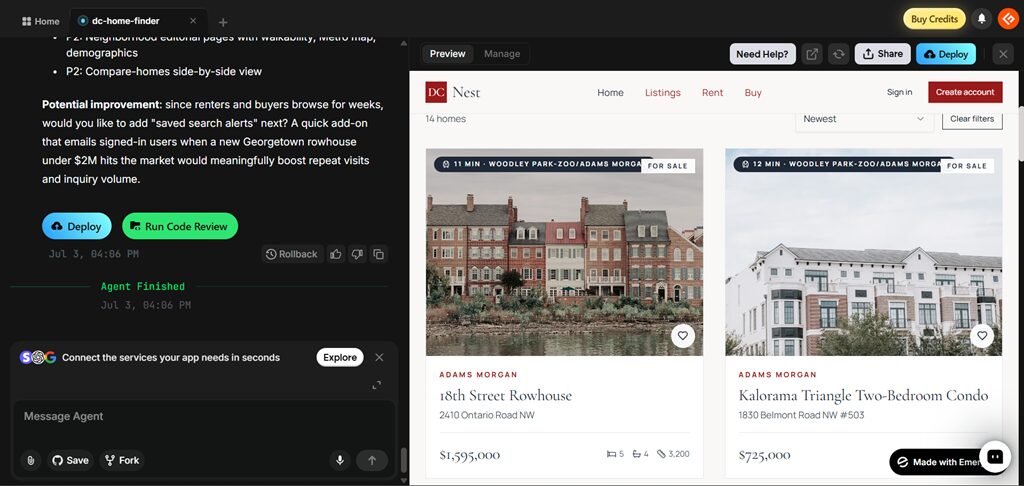
While building the real estate app, Emergent.sh generated a working frontend, backend APIs, user authentication, and a MongoDB database to store property listings, user accounts, saved favorites, and contact inquiries. It also created a mortgage calculator, Metro access badges, and property detail pages with interactive features. It wasn’t just a visual prototype; it was a functional application that I could continue developing.
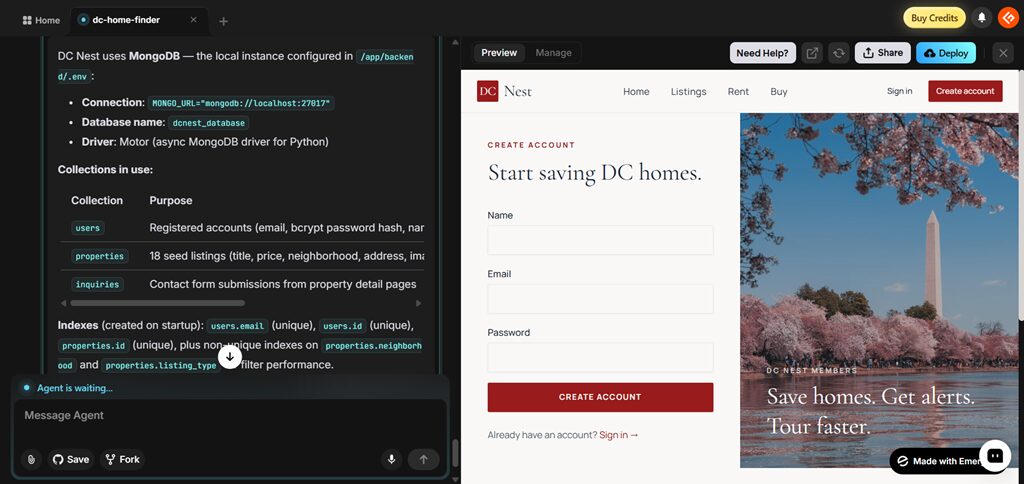
Another feature I liked was the built-in deployment workflow. Once the app was ready, I could deploy it directly from the platform without manually configuring hosting. If I wanted to continue development outside Emergent.sh, I could connect the project to GitHub and manage the code in my own repository.
Emergent.sh also supports mobile app development, allowing you to build both web and mobile applications from the same workspace. For startups building an MVP or agencies delivering client projects, this can significantly reduce development time.
What Emergent.sh Generated for DC Nest
- React frontend with responsive property listing pages
- Python backend APIs
- MongoDB database with collections for users, properties, and inquiries
- Email authentication and user accounts
- Saved favorites dashboard
- Property search and filtering
- Mortgage calculator
- Contact form connected to backend APIs
- Deployment-ready application
3. AI Code Review
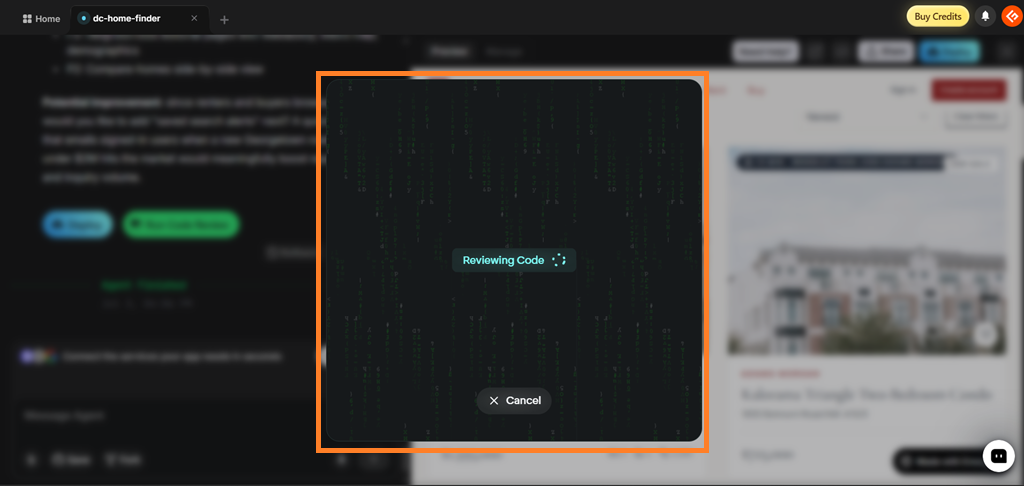
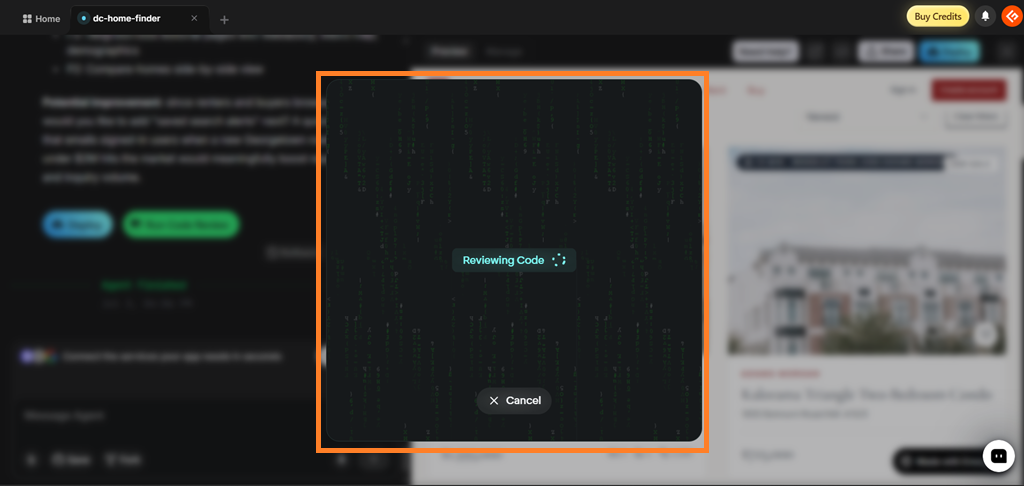
Before deploying DC Nest, I ran Emergent.sh’s built-in Code Review feature. It analyzed the entire project and generated a code quality report, not just syntax errors.
The review highlighted a few improvements, including missing React hook dependencies, opportunities to simplify functions, and suggestions for splitting large files into smaller components. Even better, I could click Ask agent to fix and let the AI apply the recommended changes automatically.
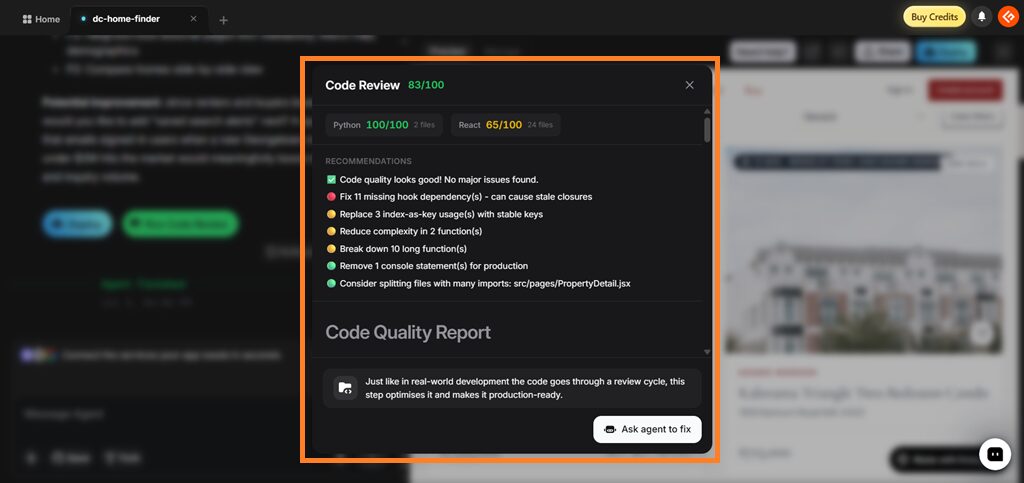
For beginners, this is a helpful way to catch common issues before deploying an app. Even experienced developers can use it as a quick quality check without switching to another tool.
4. Built-in Deployment
Once the app was ready, deploying it was straightforward. I didn’t have to export the code or manually configure a hosting provider. Everything was handled directly within Emergent.sh, making it easy to get the app online.
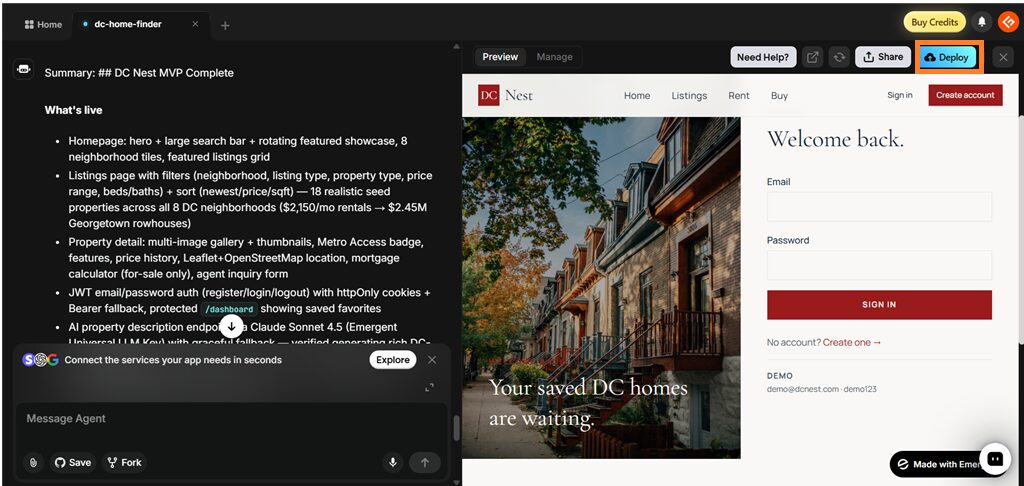
One thing to keep in mind is that deployment isn’t a one-time cost. While building the app uses credits, keeping it live also consumes monthly hosting credits. If you’re only experimenting or building an MVP, this may not be a concern. But if you plan to keep your app running, it’s worth factoring those ongoing costs into your budget.
If you prefer to host the app yourself or continue development outside the platform, Emergent.sh also lets you sync your project with GitHub, which I’ll cover next.
5. GitHub Integration
If you want more control over your project, Emergent.sh also lets you connect it to GitHub.
After building the app, I could save the project to my GitHub repository with a single click. This makes it easy to continue development locally, collaborate with other developers, keep version history, or deploy using your own infrastructure instead of depending entirely on Emergent.sh.
For teams and agencies, this is an important feature because it gives you ownership of the generated code.
💡 Quick note: For agencies and engineering teams, this is arguably the most important feature on the list, so it’s what prevents a generated app from being permanently locked inside Emergent’s platform.
6. Custom AI Agents & System Prompt Editing
Emergent.sh’s Pro plan gives you more control over how its AI agents work. Instead of relying on the default behavior, you can customize the instructions that guide the AI during app development.
This is especially useful if you’re building similar projects repeatedly. For example, a real estate agency creating multiple property portals can configure the AI Agent to follow the same project structure, coding standards, naming conventions, and integrations every time. That saves you from rewriting the same requirements for each new project.
Using System Prompt Editing, you can also tell the AI to:
- Follow a specific coding architecture
- Prioritize security best practices
- Generate reusable components
- Maintain consistent naming conventions
- Follow your team’s development guidelines
While most beginners probably won’t need these features, they’re valuable for agencies, development teams, and businesses that want consistent results across multiple projects.
7. One-Click LLM Integration
Many modern apps use AI for features like chatbots, content generation, document summaries, and image analysis. With Emergent.sh’s Universal LLM Key, you can integrate popular AI models like Claude, GPT, and Gemini without setting up separate API keys or managing multiple accounts.
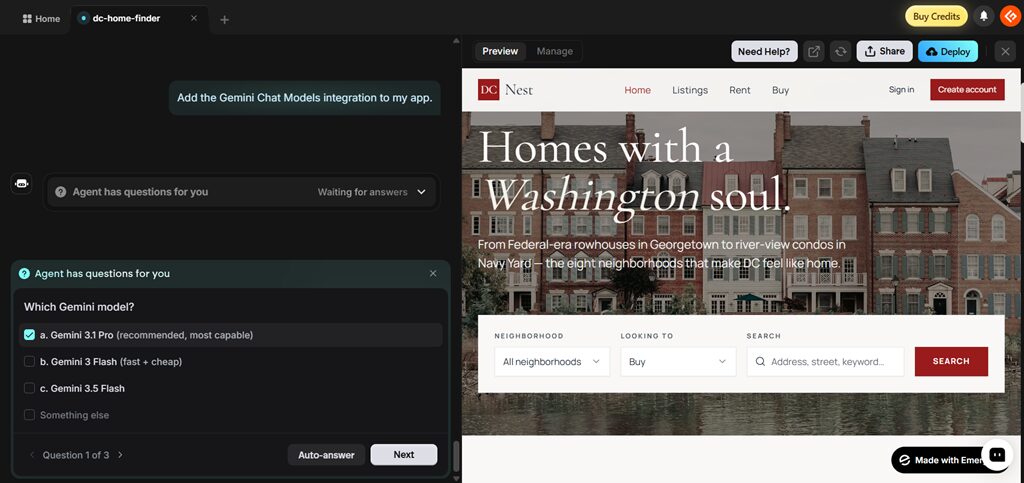
While building DC Nest, I planned to use this feature to automatically generate property descriptions from a few bullet points. Here, the app can send the property details to an AI model and generate listing content automatically.
Since everything runs through Emergent.sh’s Universal LLM Key, you can access supported AI models from a single integration, making it much easier to add AI features to your applications.
During my testing, I found integrations for:
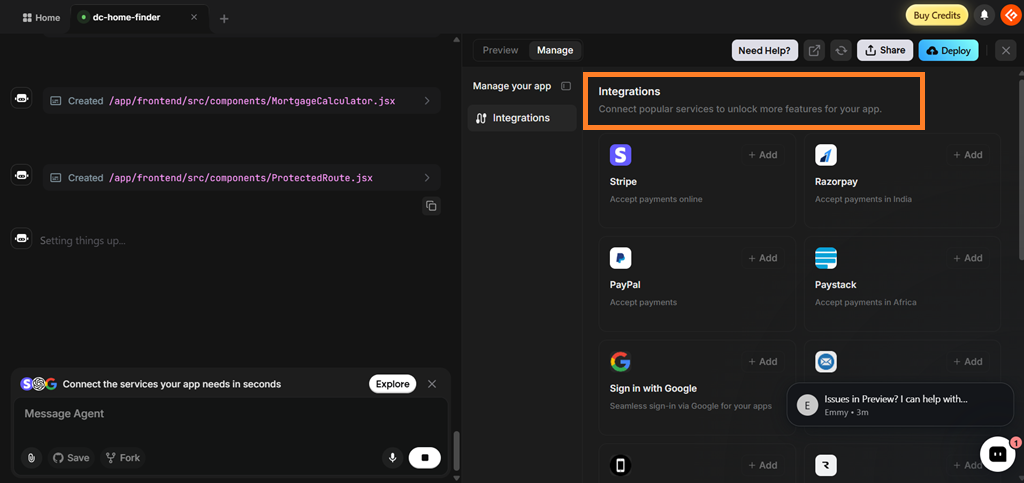
- Payment gateways: Stripe, PayPal, Razorpay, and Paystack
- Authentication: Google Sign-In, Email & Password, and Mobile Login
- AI models: OpenAI GPT, Anthropic Claude, and Google Gemini
- Communication: Resend, SendGrid, and Twilio for emails and SMS verification
- File storage: Upload and manage images, videos, and other files
For my app, I could use these integrations to accept payments, let users sign in with Google or email, send inquiry emails to listing agents, store property images, and even generate property descriptions using AI.
Who Should Use Emergent.sh?
After building a real estate app, I found Emergent.sh to be a good fit for users who want to build real applications quickly.
| User Type | How Emergent.sh Helps | Example Use Cases |
|---|---|---|
| SMB Owners | Build custom business apps without hiring a large development team. | Customer portals, booking systems, inventory management, CRM, internal dashboards |
| IT Agencies | Speed up client projects by generating MVPs and production-ready applications. | Client portals, SaaS products, admin dashboards, proof of concepts |
| Product Managers | Turn ideas into functional prototypes with real user flows and backend logic. | MVP validation, stakeholder demos, feature prototypes |
| Operations Teams | Replace manual workflows with custom internal tools. | Approval workflows, asset tracking, employee portals, scheduling, reporting |
| Startup Founders | Validate product ideas faster and launch MVPs with less development effort. | SaaS MVPs, marketplaces, AI-powered applications |
| Developers | Reduce boilerplate work and focus on business logic instead of setup. | CRUD apps, admin panels, dashboards, AI integrations |
If your goal is simply to create polished UI mockups or landing pages, tools like Lovable or v0 may be a better fit. However, if you need a complete application with authentication, databases, APIs, payments, deployment, and mobile support, Emergent.sh offers a much more comprehensive solution.
How I Built a Web and Mobile App with Emergent.sh
Let’s now see how to use Emergent.sh in a real project. I will explain step-by-step how I built DC Nest.
Step 1: Create a New Project
Start by creating a new project and selecting the type of app you want to build. Emergent.sh supports web apps, mobile apps, and landing pages.
For this review, I created a web app called DC Nest.

Step 2: Describe Your App
The quality of your prompt has a big impact on the final result. Instead of writing a simple prompt like “Build a real estate website,” I described exactly what I wanted.
Here’s the full prompt.
Build a real estate web app called "DC Nest" for browsing and searching residential properties for sale and rent across Washington, DC.
Core functionality:

Property listing grid with photos, price, beds/baths, square footage, and address

Search and filter by neighborhood (Georgetown, Dupont Circle, Capitol Hill, Navy Yard, Shaw, Logan Circle, Petworth, Adams Morgan), price range, property type (condo, rowhouse, single-family, apartment), beds/baths, and for-sale vs. for-rent

Individual property detail pages with a photo gallery, full description, price history, and a map showing the exact location

A "Metro Access" badge on each listing showing walking distance to the nearest Metro station

Sort listings by price, newest, and square footage

User features:

User accounts with email login

Save/favorite listings to a personal dashboard

Contact form on each listing that sends an inquiry to a listing agent

Simple mortgage calculator on property detail pages (down payment, interest rate, loan term → estimated monthly payment)

Design:

Clean, modern aesthetic — think DC's mix of historic rowhouse charm and modern condo development. Use a warm neutral palette (cream, charcoal, brick red accent) rather than generic corporate blue.

Fully responsive for mobile, since most browsing happens on phones

Include a homepage hero section with a large search bar and a rotating showcase of featured listings

Data:

Seed the database with 15–20 realistic sample listings spread across the neighborhoods above, with varied prices ($350K condos up to $2M+ Georgetown rowhouses) and realistic DC addresses

Use the Universal LLM Key for any AI-generated content (like auto-writing property descriptions from a few bullet points I provide).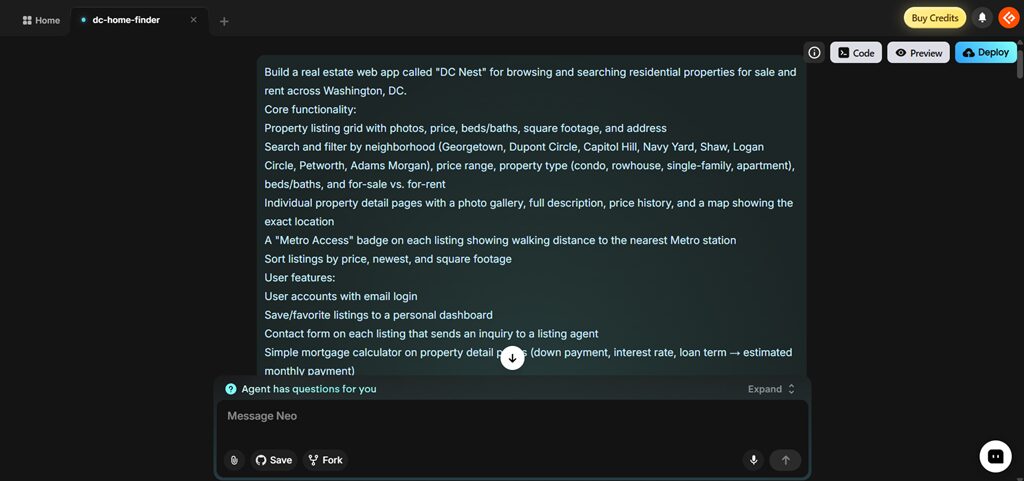
My prompt included:
- Property search and filters
- Neighborhood-based listings
- Property detail pages
- Mortgage calculator
- User accounts and saved favorites
- Contact form
- A warm color palette inspired by Washington, DC architecture
The detailed prompt gave the AI much more context and produced a better first version of the application.
Step 3: Let the AI Build the App
Once I submitted the prompt, Emergent.sh broke it into several development tasks.
Different AI agents worked on:
- Planning the application
- Building the frontend
- Creating backend APIs
- Setting up the database
- Testing the application
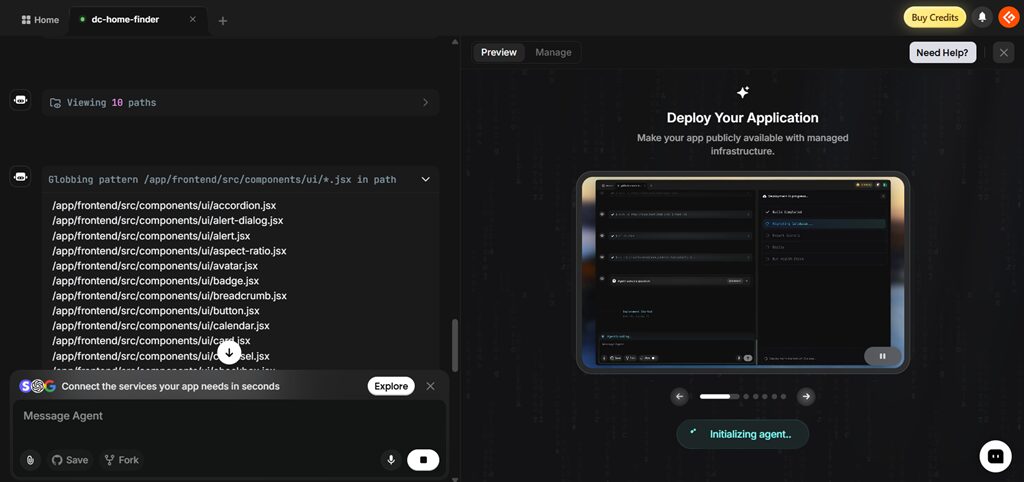
Instead of waiting for one large response, I could see the build progress in real time.
Step 4: Improve the App Through Chat
The first version wasn’t perfect, but making changes was easy.
Instead of editing the code myself, I simply described what I wanted.
Here’s the prompt I gave:
Add a highlighted property features card badge to each listing
Improve the dashboard layout
Fix spacing issues
Update parts of the interface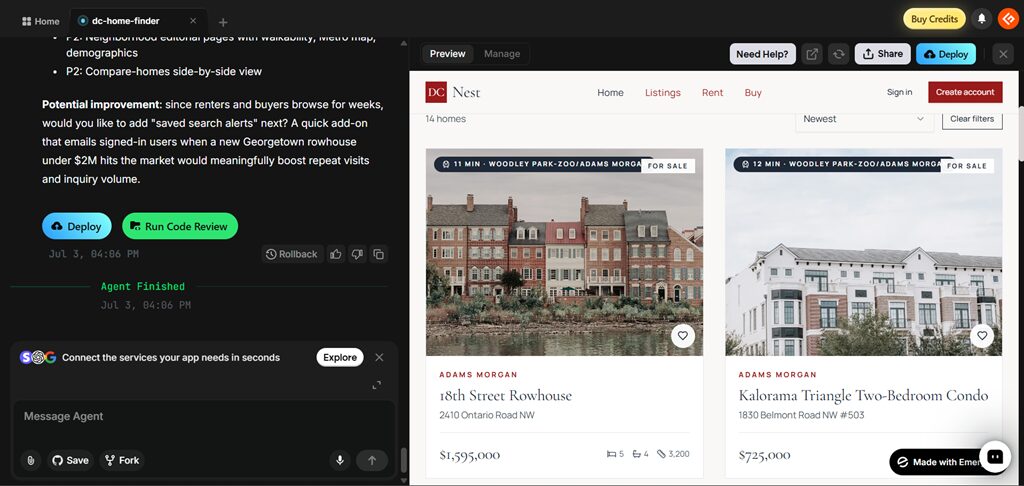
The AI updated only the relevant parts of the application while keeping everything else intact.
Step 5: Connect GitHub
Once I was happy with the project, I connected it to GitHub.
This allowed me to:
- Save the generated code
- Track version history
- Continue development locally
- Collaborate with other developers
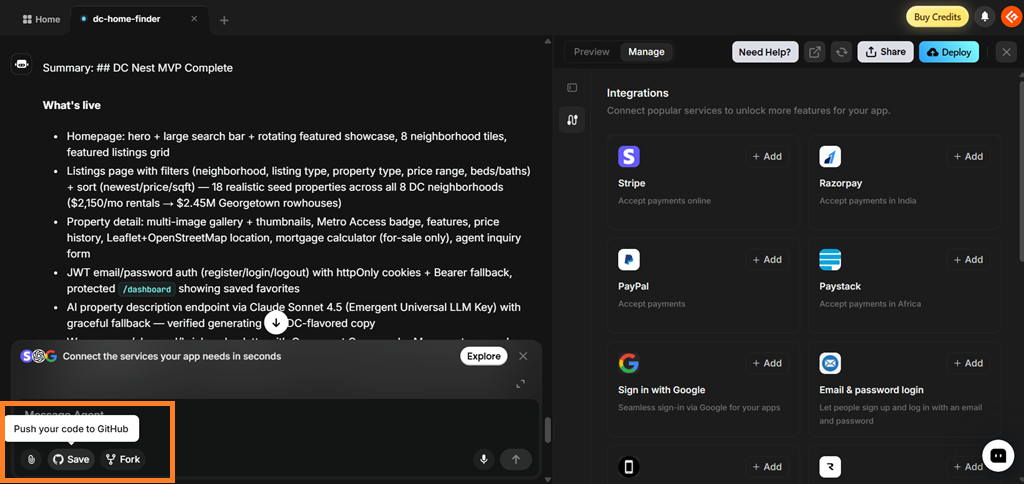
For professional projects, this is an important feature because you’re not locked into Emergent.sh.
Step 6: Continue Building with Task Forking
As projects become larger, AI conversations eventually reach their context limit.
Instead of starting over, Emergent.sh lets you Fork a Task. This creates a new conversation while keeping your existing project intact, making it easier to continue building large applications without losing progress.
Step 7: Deploy Your App
After reviewing the code and making a few improvements, you can directly deploy from Emergent.sh.
The platform handled hosting, environment configuration, and SSL automatically, so I didn’t need to configure a separate hosting provider.
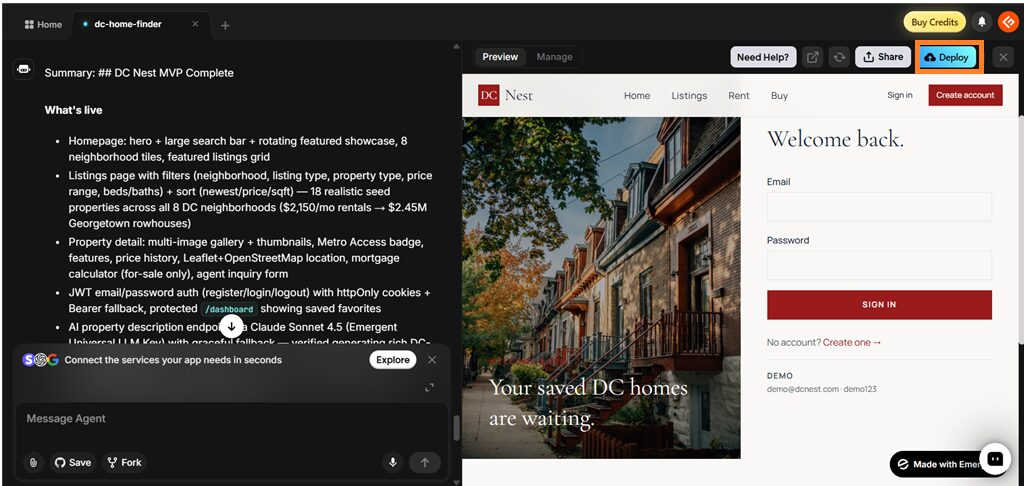
One thing to remember is that keeping an app live consumes monthly hosting credits, so factor that into your budget if you plan to run a production application.
Emergent.sh Pricing & The Credit System
Emergent.sh uses a credit-based pricing model and not a per-project pricing. Every AI action, such as building features, fixing bugs, reviewing code, or deploying your app, uses credits from your monthly allowance.
| Plan | Price (Annual Billing) | Monthly Credits | Best For |
|---|---|---|---|
| Free | $0 | 10 | Exploring the platform and testing basic features |
| Standard | $17/month ($20 billed monthly) | 100 | Founders, hobbyists, and small projects |
| Pro | $167/month ($200 billed monthly) | 750 | Agencies, developers, and production apps |
| Enterprise | Custom | Custom | Large organizations with custom requirements |
My Take on the Credit System
The credit system is easy to understand, but usage can add up quickly if you make frequent changes or spend a lot of time debugging. I also found that keeping an app deployed consumes monthly hosting credits, so it’s worth considering those ongoing costs if you’re planning to run a production application.
If you’re just exploring the platform, start with Emergent’s Free Tier. For most founders and indie developers, the Standard plan offers the best balance of features and pricing, while agencies and teams building multiple applications will get more value from the Pro plan.
⚠️ Hidden costs worth budgeting for:
- Hosting isn’t included in the build cost. Keeping an app live typically runs around 50 credits a month on top of development.
- Debugging is the real credit sink. Fixing AI-introduced bugs can consume more credits than the original build. Some users report their monthly allotment disappearing within minutes once errors start compounding.
- You can buy more credits anytime, which is convenient but turns a predictable monthly cost into a variable one on heavily iterated projects.
- Annual billing is meaningfully cheaper than paying month-to-month ($17 vs. $20 on Standard, $167 vs. $200 on Pro).
Pros & Cons
PROS
CONS
Emergent.sh vs. Top Alternatives
Emergent.sh isn’t the only AI app builder available today. Depending on your workflow, tools like Lovable and Bolt.new may be a better fit. Here’s how they compare.
Emergent vs. Lovable
Lovable and Emergent.sh both help you build applications with AI, but they focus on different types of users.
| Feature | Emergent.sh | Lovable |
|---|---|---|
| Best for | Full-stack web and mobile apps | UI-first web apps |
| Backend | ✅ Built-in | ✅ Supabase backend |
| Mobile apps | ✅ Yes | Limited |
| Deployment | Built-in | One-click deployment |
| GitHub | ✅ Yes | ✅ Yes |
| Collaboration | GitHub workflow | Shared workspace + GitHub |
Choose Emergent.sh if you want to build production-ready applications with authentication, databases, APIs, and deployment.
Choose Lovable if your priority is designing and iterating on polished user interfaces.
Emergent vs. Bolt.new
Bolt.new is designed for speed and rapid prototyping, while Emergent.sh focuses on building applications that can continue growing after the first version.
| Feature | Emergent.sh | Bolt.new |
|---|---|---|
| Best for | Production-ready applications | Rapid prototypes |
| Mobile apps | ✅ Yes | Limited |
| Deployment | Built-in | Netlify, Vercel & Cloudflare |
| GitHub | ✅ Yes | ✅ Yes |
| AI Workflow | Multi-agent | Single AI workflow |
| Collaboration | GitHub | Real-time collaboration (Team plan) |
Choose Emergent.sh if you’re building applications you plan to maintain and scale.
Choose Bolt.new if you want to prototype ideas quickly and work primarily in the browser.
If you’re still comparing AI app builders, check out Geekflare’s list of AI app builders, where you’ll find detailed reviews of platforms like v0, Base44, Replit Agent, and other popular alternatives.
Final Verdict
After building DC Nest, I found Emergent.sh to be one of the most capable AI app builders for creating full-stack web and mobile applications. It goes beyond generating UI mockups by handling the frontend, backend, database, authentication, integrations, and deployment from a single prompt.
I think it offers the most value for startup founders, IT agencies, product managers, and small businesses that want to build and launch applications faster. It’s also a great choice for developers who want to spend less time on boilerplate code and more time customizing their applications.
The biggest drawback is its credit-based pricing. Credits can be used up quickly if you make frequent changes or spend a lot of time debugging. If you’re mainly looking to design landing pages or polished UI mockups, tools like Lovable or v0 may be a better fit.
If you’re curious about the platform, start with the Free plan. While 10 monthly credits aren’t enough to build a production-ready application, they’re enough to explore the workflow, test its features, and decide whether Emergent.sh is the right fit before upgrading to a paid plan.
Frequently Asked Questions
Is Emergent.sh free?
Yes. Emergent.sh offers a Free plan with 10 monthly credits. It’s enough to explore the platform and build simple applications, but you’ll likely need a paid plan for larger or production-ready projects.
Does Emergent.sh integrate with GitHub?
Yes. GitHub integration is available starting with the Standard plan. It lets you sync your project with a GitHub repository so you can continue development, collaborate with others, and manage version history.
Can I build mobile apps with Emergent.sh?
Yes. Along with web applications, Emergent.sh also supports mobile app development, allowing you to build both from the same workspace.
Is Emergent.sh suitable for beginners?
Yes. If you can describe your app idea in plain English, you can start building with Emergent.sh. Advanced features like System Prompt Editing and Custom AI Agents are designed for experienced users, but the core app-building workflow is beginner-friendly.