
Claude Skills are reusable instruction packages that customize how Claude performs specific tasks. Think of them as combinations of system prompts, workflows, custom rules, and personas that teach Claude how to approach a particular job.
Unlike MCP servers, which connect AI models to external tools and services, skills focus on improving the model’s behavior. For example, a skill can help Claude review code, create marketing plans, analyze PDFs, or challenge your assumptions during brainstorming sessions.
Anthropic recently introduced an official Skills feature for Claude, making it easier to package and reuse expertise across projects. As more developers and AI power users create their own skills, finding high-quality ones has become a challenge.
In this guide, I’ll share the best places to discover Claude Skills and some of the Skills I, personally, find useful for coding, research, productivity, and content creation.
Top Platforms for Claude Skills
The Claude Skills ecosystem is growing quickly, with new marketplaces, directories, and community repositories appearing every month. I’ve found that using a mix of curated directories, GitHub repositories, and community forums is the easiest way to discover high-quality skills.
| Platform | Description |
|---|---|
| Skills.sh | One of the largest Claude Skills directories with a growing collection of community-created skills. |
| Claude Marketplaces | Dedicated marketplace for discovering and sharing Claude Skills across different categories. |
| SkillsMP | Community-driven platform for browsing productivity, coding, and business-focused skills. |
| Smithery Skills | Skills directory from the Smithery ecosystem featuring curated AI workflows and capabilities. |
| Awesome Skills | Curated collection of reusable AI skills, prompts, and workflows. |
| Awesome Claude Skills | Open-source directory of Claude Skills organized by use case and category. |
| Composio Awesome Claude Skills | GitHub repository showcasing community-created Claude Skills and practical examples. |
| r/ClaudeSkills | Reddit community where users share new skills, recommendations, and usage tips. |
| AgentSkill Club | Collection of agent-focused skills for productivity, automation, and development workflows. |
| MCPServers Agent Skills | Directory of reusable agent skills and AI workflows contributed by the community. |
| Anthropic Skills Repository | Official examples and reference skills maintained by Anthropic. |
| ClaudeSkills.info | Searchable directory that makes it easy to discover skills by category and purpose. |
| AI Skill Market | Marketplace for browsing AI skills across coding, marketing, research, and other domains. |
Each platform serves a slightly different purpose. If you’re looking for ready-to-use skills, I recommend starting with Skills.sh, Anthropic’s official repository, and Awesome Claude Skills.
If you want to discover newer or experimental skills, Reddit communities and GitHub repositories tend to surface them before they appear in larger directories.
Where to Find Skills for AI IDEs (Cursor, Windsurf, and More)
Claude Skills aren’t the only way to customize AI behavior. Many AI-powered IDEs and coding assistants support their own rule systems that help generate code consistent with your team’s standards, frameworks, and workflows.
Cursor Directory
If you use Cursor, Cursor Directory is one of the best places to find pre-built .cursorrules files. These rules act like specialized coding skills and can significantly improve the quality of code generation.
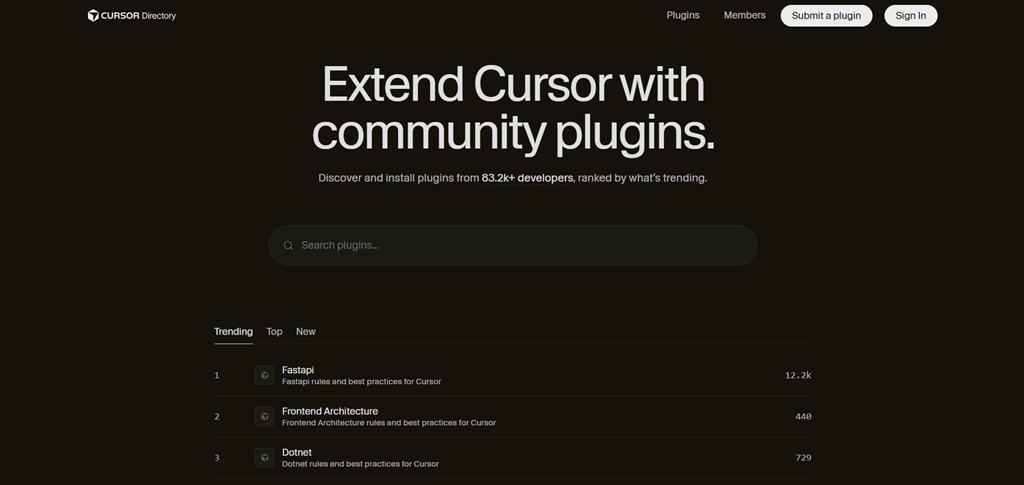
The directory includes rules tailored for popular languages and frameworks such as React, Next.js, TypeScript, Python, Laravel, and more. Instead of creating coding instructions from scratch, you can start with community-tested rules and customize them for your project.
Windsurf
Windsurf takes a slightly different approach. Rather than depending on a central marketplace, many modern AI development tools now publish recommended AI rules directly in their documentation.
When working with Windsurf or similar AI IDEs, it’s worth checking the official docs of your framework, library, or tooling stack.
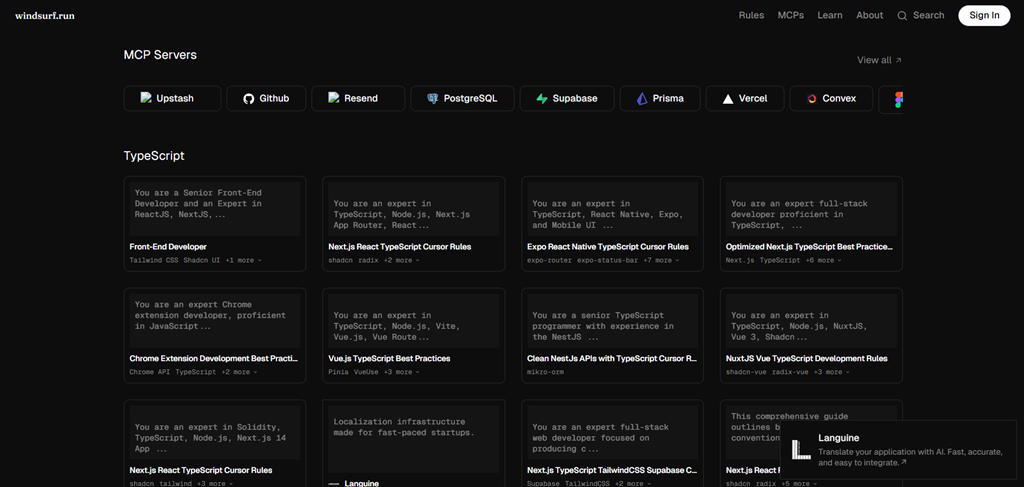
Many projects now include dedicated AI Rules sections that can be copied directly into your workspace to improve code quality and consistency.
GPT Store
The GPT Store serves a similar purpose for ChatGPT users. It is the official directory for discovering Custom GPTs built around specific tasks, industries, and workflows.
While Custom GPTs aren’t identical to Claude Skills or .cursorrules, they solve a similar problem: helping users start with pre-configured expertise instead of building prompts and instructions from scratch.
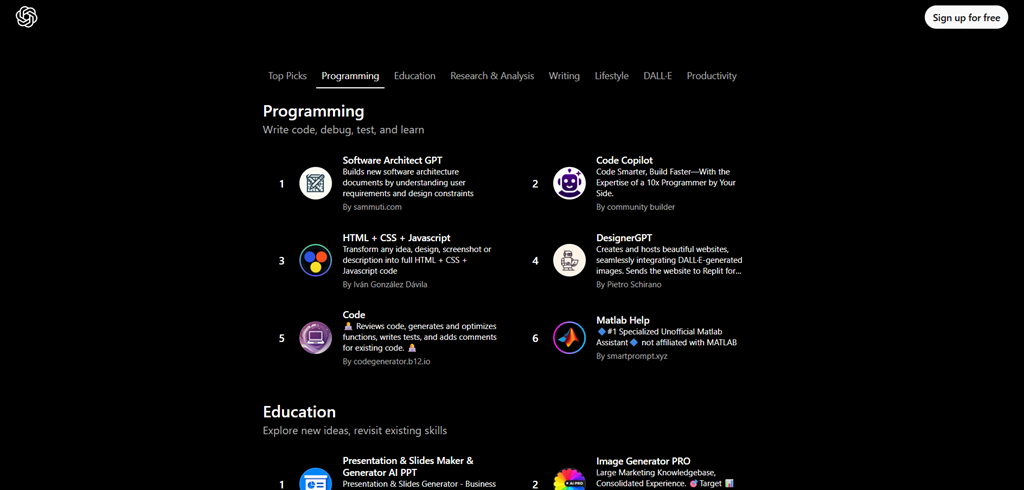
Whether you need help with coding, content creation, research, marketing, or education, the GPT Store is often a good place to look before creating your own assistant.
My Favorite Claude Code Skills
There are hundreds of Claude Skills available today, but a few stand out because they solve real problems I encounter while coding, researching, and managing projects.
1. Matt Pocock’s Skills
Matt Pocock has created several useful skills for developers. Two of my favorites are:
- Handoff – Creates structured summaries of work completed, decisions made, and next steps. This is particularly useful when switching between Claude sessions or collaborating with teammates.
- Grill Me – Challenges your ideas, architecture decisions, and implementation plans by identifying weaknesses and blind spots before you start building.
Best combo: Use Grill Me before implementation and Handoff after implementation to create a complete planning-to-execution workflow.
2. Frontend Design
Frontend Design helps Claude review UI layouts, component structures, and user experience decisions.
Benefits:
- Improves landing page and dashboard designs.
- Suggests accessibility improvements.
- Produces more polished UI implementations.
Best combo: Pair with Agent Browser to analyze existing websites and gather design inspiration.
3. Marketing Skills
Marketing Skills helps with positioning, messaging, content ideas, and launch planning.
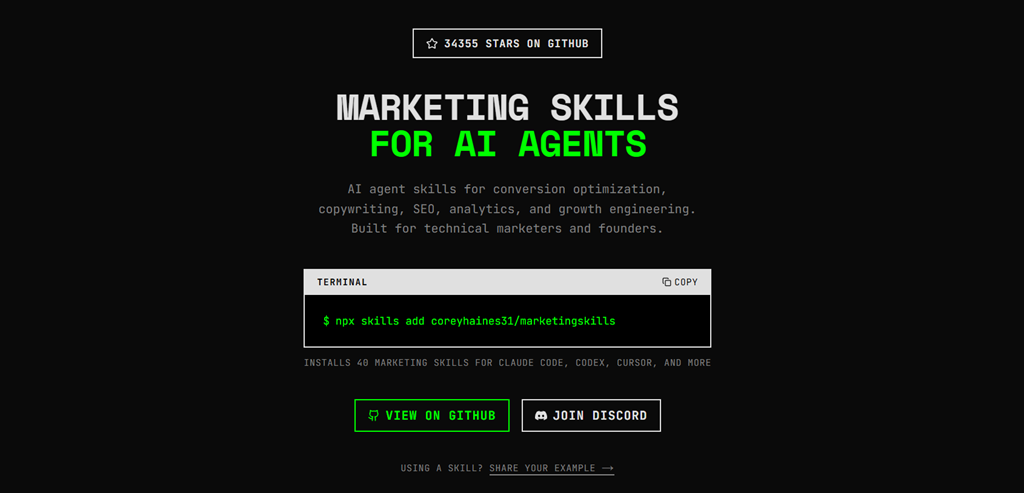
Benefits:
- Create product positioning.
- Generate content strategies.
- Improve landing page copy.
Best combo: Use with Grill Me to stress-test your messaging before publishing.
4. Superpowers
Superpowers enhances Claude’s reasoning and execution capabilities across a wide range of tasks.
Benefits:
- Better planning and problem solving.
- Improved task execution.
- Useful across coding, writing, and research.
Best combo: Works well alongside almost any other skill.
5. PDF
PDF improves Claude’s ability to work with large documents and technical reports.
Benefits:
- Summarize research papers faster.
- Extract key insights from documentation.
- Analyze lengthy PDFs with less effort.
Best combo: Pair with Context Mode when working through large technical specifications.
6. Get Shit Done
Get Shit Done is a productivity-focused skill that turns goals into actionable plans.
Benefits:
- Breaks projects into tasks.
- Creates implementation roadmaps.
- Helps maintain momentum on larger initiatives.
7. Context Mode
Context mode is one of the most useful skills for long-running projects.
Benefits:
- Organizes project knowledge.
- Reduces repetitive explanations.
- Helps Claude maintain context across sessions.
Best combo: Use with Handoff for multi-week software projects.
8. Agent Browser
Agent Browser extends Claude’s research and browsing workflows.
Benefits:
- Research competitors and products.
- Analyze documentation.
- Gather information from multiple sources.
Best combo: Pair with Marketing Skills for market research and content planning.
9. Supermemory
Supermemory adds a memory layer to your workflow.
Benefits:
- Store and retrieve important information.
- Build reusable knowledge bases.
- Reduce repeated research.
Best combo: Use with Context Mode for knowledge-heavy projects.
10. Andrej Karpathy Skills
This collection applies problem-solving techniques inspired by Andrej Karpathy.
Benefits:
- Improve technical reasoning.
- Learn complex topics faster.
- Break down difficult engineering concepts.
Best combo: Pair with Grill Me when evaluating technical approaches and trade-offs.
11. Skill Creator
Once you’ve found a workflow that works, Skill Creator helps you turn it into a reusable skill.
Benefits:
- Create custom skills for your team.
- Standardize repetitive workflows.
- Save time on recurring tasks.
Best use case: Install this after you’ve experimented with several community skills and want to build your own.
Conclusion
Community-created Claude Skills let you build on workflows that others have already refined, helping you spend less time crafting prompts and more time getting useful work done.