Finance teams at growing companies tend to hit the same wall. The credit card bill arrives, the invoices pile up, and someone realizes two different departments have been paying for the same SaaS tool for a certain period. The problem is that the spending happened without anyone being in a position to stop it.
That is what spend management software is designed to do. This is different from expense management, which handles employee reimbursements and receipt tracking after spend has occurred. Spend management covers the proactive side, such as procurement workflows, AP automation, vendor onboarding, purchase order management, and corporate card issuance with pre-set controls.
If your goal is to control cash flow before money leaves the business, you need a spend management platform, not an expense tool.
This guide covers the best spend management tools for SMBs in 2026 and breaks down the core features that separate capable platforms from basic card programs.
Top Spend Management Platforms Comparison
| Platform | AP Automation | Key Integrations | Global Payments | Cashback | Starting Price | Free Plan |
|---|---|---|---|---|---|---|
| Ramp | Yes | QuickBooks, Xero, NetSuite, Sage Intacct | Yes | Yes | $15/user/month | Yes |
| Airwallex | Yes | Xero, Asperato, Odoo, QuickBooks | Yes | No | $12/user/month | Yes |
| Spendesk | Yes | LicenseOne, Slack, TravelPerk, DATEV | Yes | No | Request a free quote | No |
| Airbase by Paylocity | Yes | NetSuite, Sage Intacct, Rapid!, QuickBooks | Yes | Yes | Get price quote | No |
| Mesh Payments | Yes | Priority, Oracle Cloud, Workday Financial Management | Yes | Yes | $13/user/month | Yes |
| Coupa | Yes | QuickBooks, Sage Intacct, Beroe, SpendHQ | Yes | No | Get a quote | No |
| BILL Spend & Expense | Yes | Microsoft, Rillet, NetSuite, Acumatica | Yes | Yes | Free | Yes |
| Brex | Yes | Campfire, NetSuite, Slack, Rillet | Yes | Yes | $12/user/month | Yes |
| Moss | Yes | DATEV, Xero, Exact Online, Business Central | Yes | Yes | Get a quote | Yes |
| Payhawk | Yes | QuickBooks, Odoo, Cegid, Embat | Yes | Yes | Get a quote | No |
| Rho | Yes | Puzzle, Campfire, Sage, Netsuite | Yes | Yes | Free | Yes |
Spend Management vs. Expense Management
Vendors in both categories tend to use similar language, so the lines get blurry. The functional difference comes down to timing.
Expense tools work after the fact. An employee puts something on a personal card, submits the receipt, and waits for reimbursement. The finance team sees the spend once it has already happened. Tools, such as Concur, Expensify, and Zoho Expense, handle this well.
Spend management works upstream. A purchase request enters an approval workflow. A purchase order gets generated. When an invoice arrives, it gets matched against the PO before payment is released. Corporate cards issued through these platforms carry limits tied to specific vendors or categories and decline transactions that fall outside policy. The spend is shaped before it happens, not reported on afterward.
Vendor onboarding, PO matching, and AP automation all sit in spend management territory. Expense management tools generally stop at receipt capture and reimbursement workflows.
How We Chose the Spend Management Software
We weren’t looking for better reporting. We wanted proactive controls, where software prevents problems before they happen, not after. So, we focused on four criteria that drove every decision:
- Virtual card issuance speed: Off-platform spending happens when the approval process is too slow. Platforms that issue scoped virtual cards in under two minutes remove that excuse entirely.
- Invoice parsing accuracy: Duplicate payments are a real and recurring cost. We tested platforms with duplicate submissions and mismatched POs to see what the matching logic actually caught.
- Vendor onboarding ease: Vendors should onboard themselves through a verified portal, with screening running automatically before anyone reaches approved status. No manual entry. No shortcuts.
- Multi-entity support: Each legal entity needs its own workflows, card policies, and vendor lists and not shared infrastructure with labels on top.
The platforms that made our list were the ones where the right thing was easy, and the wrong thing was structurally hard.
Best Spend Management Software Reviews
Ramp
Best for Cards & Cutting Software Costs
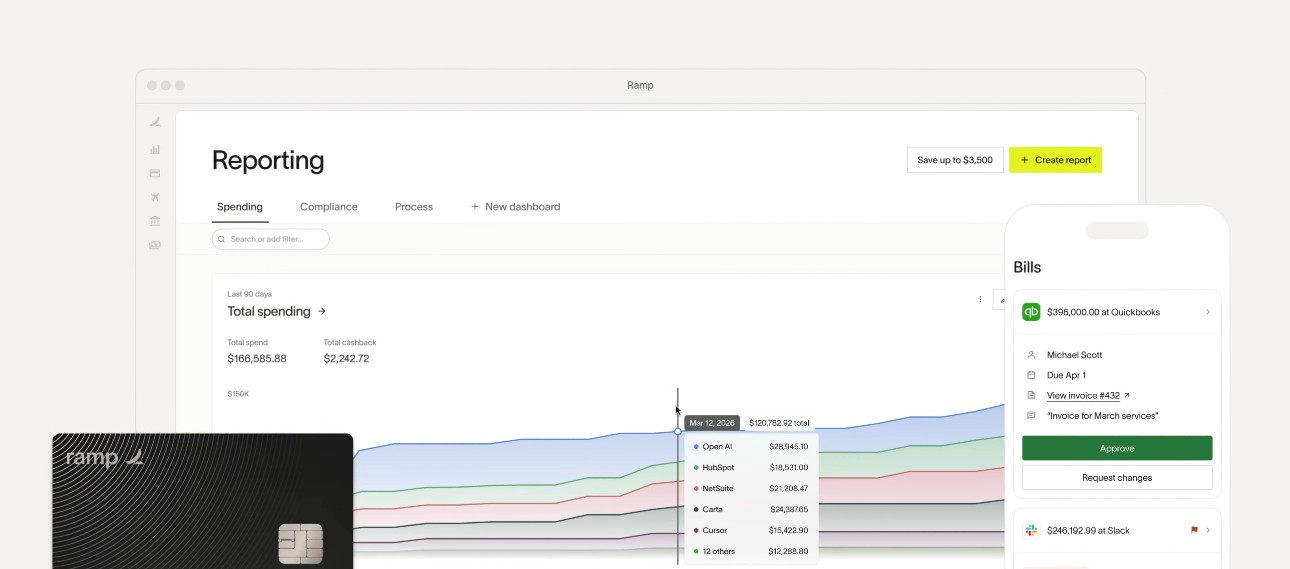
Ramp helps businesses control, automate, and optimize company spending. It is ideal for using corporate cards and reducing unnecessary spending on tools. The AI saves time and money by managing cards, expenses, bill payments, and banking.
Ramp Features
- Corporate cards: Ramp provides preset controls on corporate cards for specific vendors and categories to prevent out-of-policy spend.
- Automated OCR: Ramp’s OCR tech captures every item’s details and lines them up with 99% accuracy, based on the quality of receipts, using two- and three-way matching.
- End-to-end automation: Ramp’s AI discovers which spend to review, auto-codes spend, and syncs to your ERP tool.
- Ramp Treasury: It sends notifications if your funds are low or if you have funds to invest. You’ll get same-day ACH to keep your cash earnings until the bills are due.
- Global spend management: Ramp is a unified platform available in more than 190 countries, so cards, payments, and reimbursements are easy to process. It operates in local currencies, allows you to send payments anywhere, and tracks spending across different markets.
Pros & Cons
Pros
Cons
Pricing
The price of Ramp spend management software starts at $15/user/month. It also provides a free version for smaller teams with limited features.
Airwallex
Best for Multi-Currency Spend and Cross-Border Payments
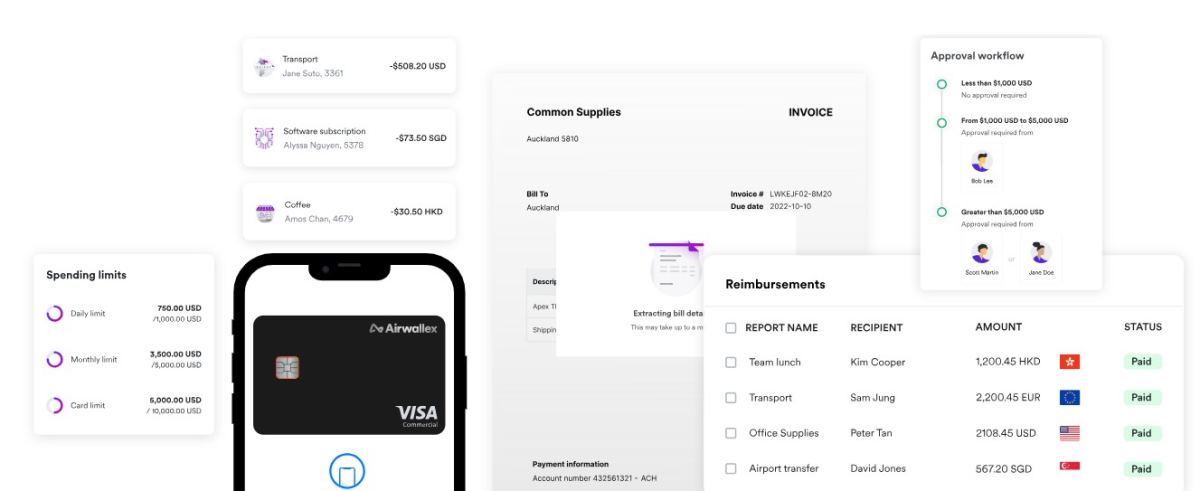
Airwallex is an AI-powered spend management software used for multi-currency spend and cross-border payments. It enforces spend controls, automates your busywork, and reconciles across currencies. You can build card limits, policy rules, and approval workflows in minutes and apply them through the entity from a single place.
Airwallex Features
- Bill pay: Automate your online bill-paying processes in a single place. You can upload, approve, pay, and settle your bills from your Airwallex account.
- Approval workflows customization: You’ll get more control to streamline company spending. You can create multi-layer approval workflows to keep spending within company policies.
- Corporate cards: It provides VISA corporate cards with multi-currency support and built-in controls.
- Spend control: Airwallex automates submissions and controls spend to minimize manual work and maximize governance.
Pros & Cons
Pros
Cons
Pricing
The price of Airwallex spend management starts at $12/user/month. It also offers a free version for businesses to manage finances and funds globally. With its custom pricing option, you can customize the approval workflows and support based on your needs.
Spendesk
Best for European Mid-Market Companies
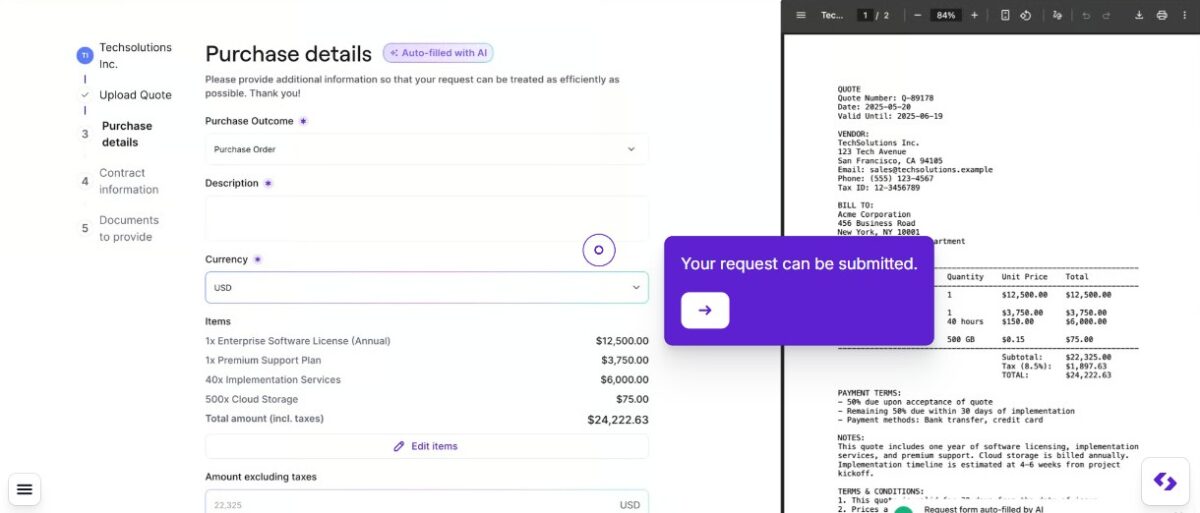
Spendesk is an end-to-end spend management and procurement platform that provides 100% control and visibility on company spend. It is popular among European mid-market companies because of its strong support for European finance workflows, multi-entity operations, and VAT handling.
Spendesk Features
- Accounts payable: Spendesk allows you to use approval flows, three-way matching, automated bookkeeping, and payments to prevent fraud.
- Procure-to-pay: It cuts unnecessary communication by 80%, improves the request-to-approval process by 50%, and provides total visibility of requests.
- Integrated budgeting: It monitors budgets and spending in real-time to make faster decisions and keep your business financially compliant.
- Virtual cards: Issue unique virtual cards instantly for safer online spending, support smarter employee spending decisions, and manage purchases with confidence.
Pros & Cons
Pros
Cons
Pricing
Request a free quote based on your company’s needs by choosing a plan with add-ons.
Airbase
Best to Combine HR, Payroll, and Spend Management
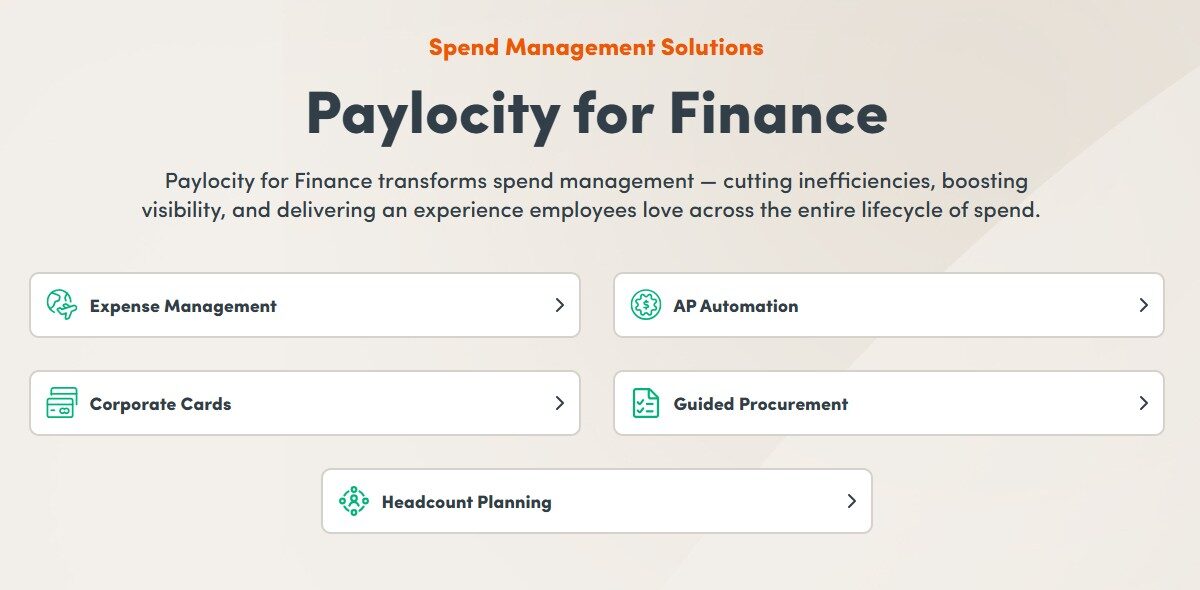
Airbase, now part of Paylocity after the acquisition, combines HR, payroll, and spend management in a single platform. Its mobile app allows employees, leaders, and supervisors to stay connected, get information, and track spending. The custom dashboards and out-of-the-box reporting give you clear insights throughout your business to improve strategic planning.
Airbase Features
- AP automation: Airbase lets accounts payable run itself from onboarding vendors to capturing invoices, coding, approvals, PO matching, payments, and reconciliation.
- No-code workflow setup: The dynamic and easily configured workflows give you the flexibility of using and modifying a template to meet your business policies.
- AI-powered receipt management: Employees can easily take a picture of the receipts and forward an email or upload it to the mobile app to match the details with the accurate card transaction.
- Mobile app: The modern application gives convenient access to Paylocity, where you can manage requests on the go, get onboarding tasks, and drive employee development.
Pros & Cons
Pros
CONS
Pricing
Fill in your details to get price information.
Mesh Payment
Best for SaaS Subscription Control
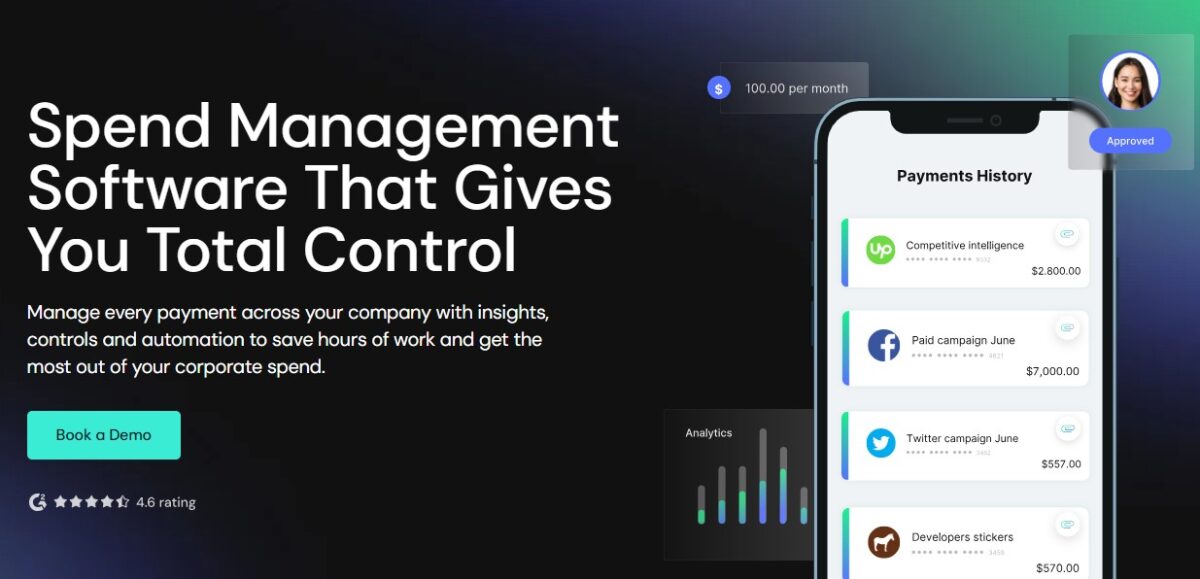
Mesh Payment is popular among finance teams that need SaaS subscription control for more visibility and control over recurring software spending. You can pay using virtual cards, a Plug and Pay physical card, and mobile wallets.
Mesh Payment Features
- Spend controls: You can control your SaaS spend with tools to save yourself from abusing card policy or overpaying.
- Actionable insights: For every payment you make, you’ll get actionable data from cheaper alternatives to forecasting expenses. It will help you continuously optimize your business spend.
- Full visibility: Mesh gives full visibility to employees, finance teams, and budget owners so they can track all the company payments without waiting for month-end.
- Viewing permissions: You can assign specific viewing permissions for every role, such as procurement manager, finance manager, and employee, in your company.
- Spend reports: Mesh’s real-time spend reporting helps you categorize, record, upload, and match receipts to save time.
Pros & Cons
Pros
Cons
Pricing
The plan starts at $13/user/month. Small companies or startups with fewer members can avail themselves of the software for free. Mesh Payment allows only 3 members in the free version.
Coupa
Best for Large Enterprise Procurement
Coupa is a centralized AI platform for finance, supply chain, and procurement that helps you source smarter, simplify intake, and manage spending with accuracy. It is an ideal solution for large enterprise procurement as it can handle complex purchasing operations, supplier management, multi-layer approvals, and global compliance requirements.

Coupa Features
- Spend visibility and analytics: Finance and procurement teams can easily track spending trends, budget usage, supplier performance, savings opportunities, and more.
- Procure-to-pay automation: Coupa helps you manage the full purchasing cycle. Teams can route approvals, create purchase requests, process invoices, manage payments, and generate purchase orders.
- Supplier management: You can manage supplier information, such as onboarding, compliance documentation, vendor records, supplier risk, and performance tracking, in one place.
- Contract management: Coupa allows procurement teams to track supplier contracts, renewal dates, pricing terms, and obligations to improve compliance and reduce missed renewals.
- Global procurement support: It supports multiple currency transactions, global supplier management, regional compliance requirements, and multi-entity operations.
Pros & Cons
Pros
Cons
Pricing
There is no clear pricing on its official website. However, you can take a demo and talk to their team to get the pricing details.
BILL Spend and Expense
Best for SMBs Needing Proactive Budget Limits
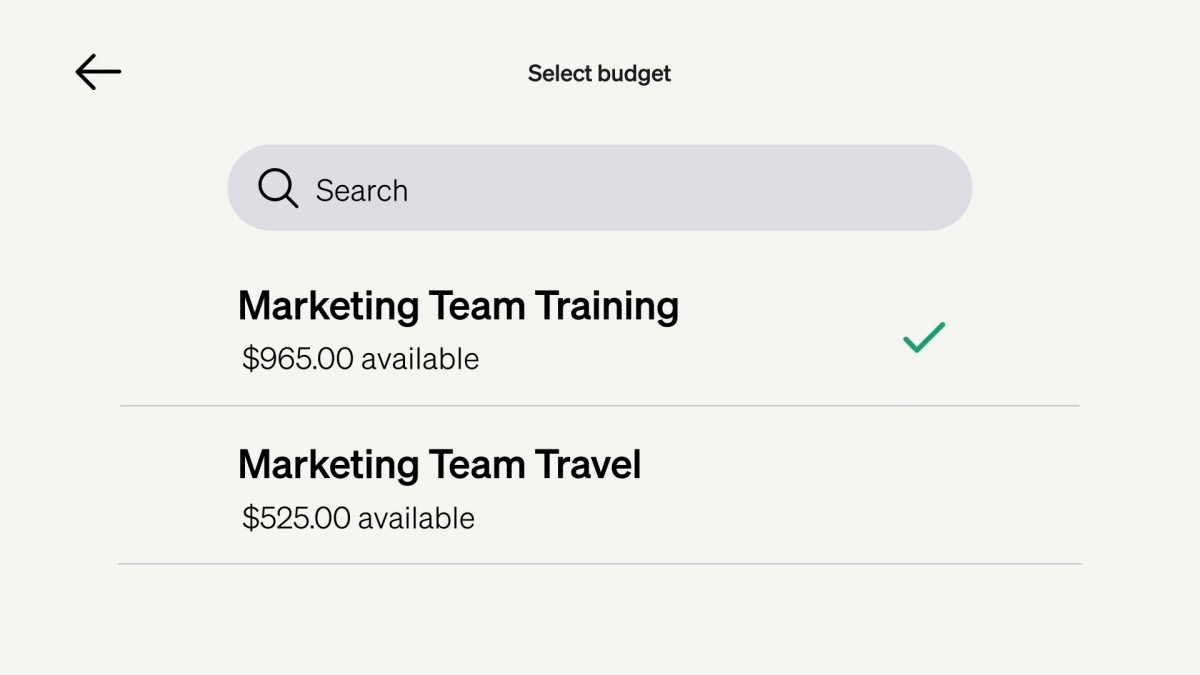
BILL Spend and Expense is a strong fit for SMBs needing proactive budget limits. It combines smart cards with AI-powered expense management to control, categorize, and track spending automatically. You can track vendors’ cards, spending limits, and available budgets in real time.
BILL Spend and Expense Features
- Business credit: You can apply for a credit line from $1000 to $5M with the BILL Divvy Card using a simple online application and start smart spending.
- Expense report: BILL provides expense reporting to automate email chains and reimbursements and get real-time insights and immediate categorization.
- Company cards: You can assign company cards to every team member while you stay in control with flexible limits, visibility, and real-time tracking.
- Mobile app: The employee can spend smarter using the mobile app. It is useful in capturing receipts, managing cards, and completing transactions easily, from anywhere, anytime.
Pros & Cons
Pros
Cons
Pricing
The platform is free forever. It offers free credit lines, which are determined upon application approval.
Brex
Best for Funded Startups
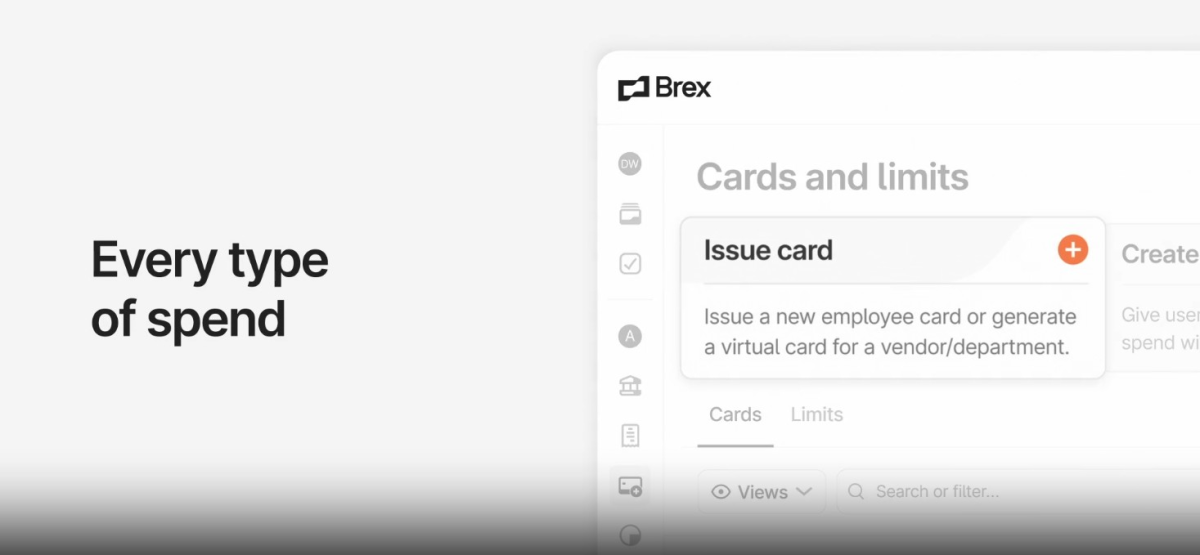
Brex‘s spend management platform combines corporate cards, expense tracking, bill payments, travel booking, approvals, and accounting automation into one system. It is ideal for funded startups because it offers higher spending flexibility based on company funding.
Brex Features
- Global spend: Brex manages global spends across 40+ countries and operates in different currencies virtually.
- Reimbursements: The platform offers unlimited reimbursements with no per-transaction fees. With Brex, reimbursements are possible in three days or less.
- Automate bill pay: Brex onboards vendors easily, captures invoices based on items, routes them to the approvers, and pays in a way you like, such as ACH, checks, and wires.
- Travel management: Brex enables spending anywhere for your employees with local and global reimbursements, multi-currency support, and traveler visibility. It also sets spending limits, adds receipts, and keeps everything compliant.
Pros & Cons
Pros
Cons
Pricing
The price starts at $12/user/month for mid-sized companies. It offers a free version for startups and growing companies with limited features. If you have an Enterprise, you can ask for custom pricing.
Moss
Best for European Startups
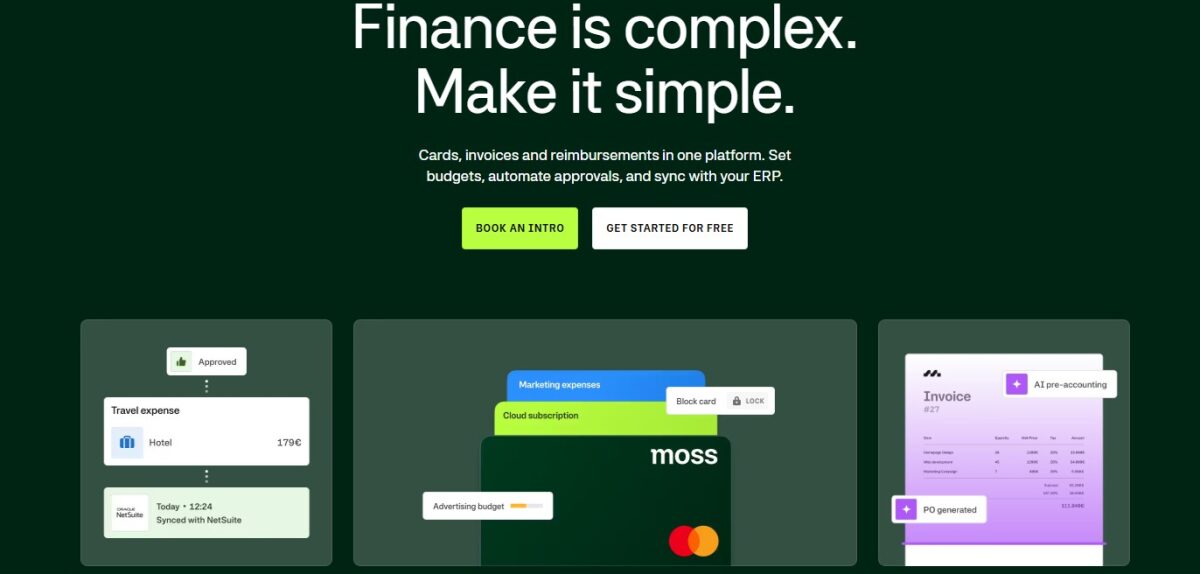
Moss is a popular platform for European startups that want better control over company cards, employee expenses, invoice approvals, and budget tracking in one system. It uses corporate cards to offer auto-receipt capture, built-in controls, and real-time tracking.
Moss Features
- AI-powered accounting: You can automate pre-accounting with Moss’s AI-powered spend categorization. It collects accurate and complete accounting data and categorizes it for supplier invoices, employee reimbursements, and card transactions.
- Purchase controls: You can manage merchant spend, track budgets in real-time, track projected spend, and prevent out-of-budget spend.
- Accounts payable: You’ll get faster approval workflows and control over payment terms to minimize follow-ups and prevent unnecessary spend.
- Integration: You can integrate Moss with more than 40 ERP, HR, accounting, and productivity tools to keep your data consistent and make workflows simpler.
Pros & Cons
PROS
CONS
Pricing
Moss comes with free plans for up to 3 users and paid plans for unlimited users. Book an intro to get the pricing details.
Payhawk
Best for Scaling Enterprises with Multiple Entities
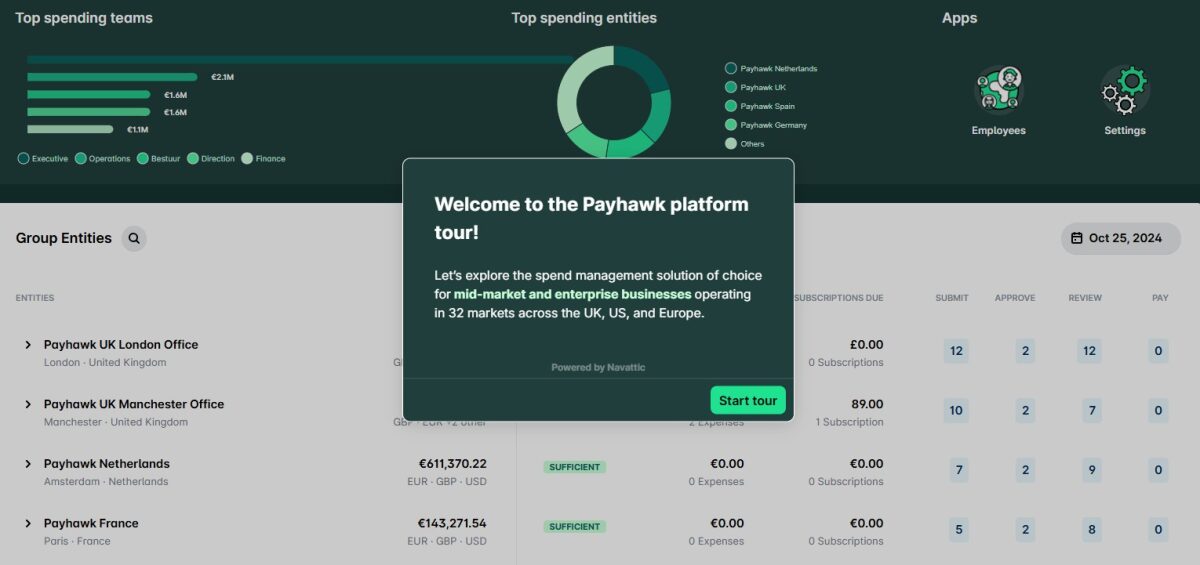
Payhawk is best for scaling enterprises with multiple entities that need centralized control over company spending, corporate cards, approvals, and vendor payments. I found the platform useful for businesses that manage spending across different countries and teams because it combines financial controls and operational visibility in one system.
Payhawk Features
- Full control of card spend: You can issue credit or debit cards from anywhere, set card limits, use risk-free and zero-balance cards, block or freeze cards, delete cards, and implement card controls.
- Spend management: Manage spending completely with transparency, from creating policies against card controls to reconciliation. You can also track your subscriptions using smart recurring spend management capabilities.
- AI payment agent: The payment agent syncs with your spend policies and approval rules to explain failed transactions and answer employee questions on approvals and payments. Employees will get instant, actionable solutions to every problem, such as card limits, fund requests, and failed transactions.
- Intake-to-pay: Payhawk provides all the tools, intelligence, and workflows you need to manage procure-to-pay in a single platform. It offers conversational intake, configurable purchase types, smart routing, spend visibility, automatic PO creation, and configurable workflows.
Pros & Cons
Pros
Cons
Pricing
Request a quote by sharing your needs with the Payhawk sales team.
Rho
Best for Commercial Banking with Spend Management
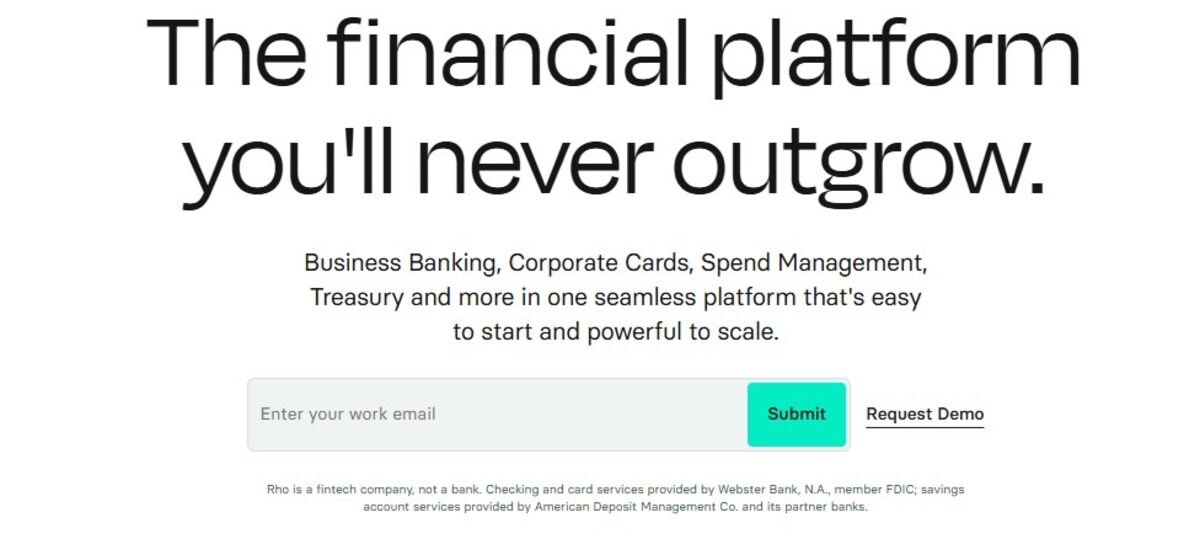
Rho is best for commercial banking with spend management. It brings together company banking, card spending, payments, and cash flow management in a single platform. I found that its treasury visibility and banking operations are very useful, making it unique from card-first spend platforms.
Rho Features
- Unified banking and spend operations: Rho combines treasury management, business banking, vendor payments, spend controls, and corporate cards in a single platform.
- Native payment workflows: It supports wire transfers, bill payments, vendor payments, and ACH payments.
- Treasury-focused financial infrastructure: Rho places greater emphasis on operational banking, fund movement, working capital visibility, and cash positioning.
- Corporate cards: Rho allows businesses to issue physical and virtual cards with configurable controls, such as approval requirements, spending limits, recurring spend rules, and merchant restrictions.
Pros & Cons
Pros
Cons
Pricing
The Rho comes free for unlimited users with no platform usage fees.
Other Spend Management Software
The below spend management tools deserve honorable mentions.

Pleo

Rippling Finance

Zip

SAP Concur

Workday Spend Management

Precoro
Core Features to Evaluate
- AP automation and invoice processing: The real test is not how the system handles a clean, well-formatted PDF from a regular vendor. It is how it handles exceptions: invoices that arrive without a matching PO, documents in unusual formats, and multi-currency billing from international suppliers. Ask vendors what percentage of invoices require manual intervention on average.
- Purchase order workflows: A PO workflow creates a paper trail before any vendor commitment is made. Without it, AP automation is processing invoices for purchases that were already committed outside the system, which limits its usefulness as an actual control.
- Vendor and SaaS subscription management: For software vendors specifically, the common problem is accumulating subscriptions across departments without a central view of what is active, what is duplicated, and when renewals are coming up. Platforms vary significantly in how much dedicated tooling they have here.
- Virtual cards with hard limits: The meaningful question during a demo is whether a card can be configured to decline above a set limit at the point of transaction, or whether the “limit” is actually a soft alert that someone has to follow up on afterward.
- Multi-entity consolidation: Platforms that handle this well have it built into the data model. Platforms that handle it poorly add a filtered report view on top of a single-entity system. The difference becomes obvious at month-end when consolidation still requires manual work.
FAQs
What is the procure-to-pay cycle?
The full sequence from identifying a purchasing need to paying the vendor, including purchase request, approval, PO issuance, goods or service delivery, invoice receipt, three-way matching, payment, and accounting reconciliation.
How does AP automation work?
Invoice data is extracted via OCR, routed through approval steps, matched against any associated PO, and payment is released when conditions are met. The invoice arrives in the system with the purchase context already attached.
Do these platforms replace corporate bank accounts?
Generally no. They sit between existing bank accounts and spending activity. Rho is the exception, providing FDIC-insured commercial banking natively.
Are corporate cards included?
Most platforms include virtual and physical cards as a core feature. Cards are typically issued with per-vendor or per-category limits that are enforced at the transaction, not after it.
Can these tools enforce budget limits?
Spend management platforms enforce limits before transactions complete. A card declines at the point of purchase if the limit is reached. A purchase request can be blocked at the approval stage if a team budget is exhausted before a PO is issued.