


Web scraping has become a key part of modern software development. Developers use website data to build AI agents, Retrieval-Augmented Generation (RAG) applications, price trackers, monitoring tools, and many other applications. Demand for these applications continues to grow, increasing the need for an API for web scraping.
Technavio projects the AI-driven web scraping market will grow by USD 3.16 billion between 2024 and 2029, with a 39.4% CAGR, highlighting how organizations are investing in automated data collection.
Collecting website data is becoming more challenging. Modern websites rely on JavaScript, CAPTCHAs, IP restrictions, and dynamic page structures. These challenges increase the effort needed to build and maintain reliable scrapers.
An API for web scraping handles many of these challenges and gives developers a consistent way to access website data. This article explains how it works, why it matters in the AI era, and how to get started with the Geekflare Web Scraping API.
What Is an API for Web Scraping?
An API for web scraping is a service that extracts data from websites and returns it in a structured format through an API.
Developers send a request with the target website URL and any required parameters. The API retrieves the webpage, processes the content, and returns the extracted data in formats such as JSON, HTML, Markdown, or plain text.
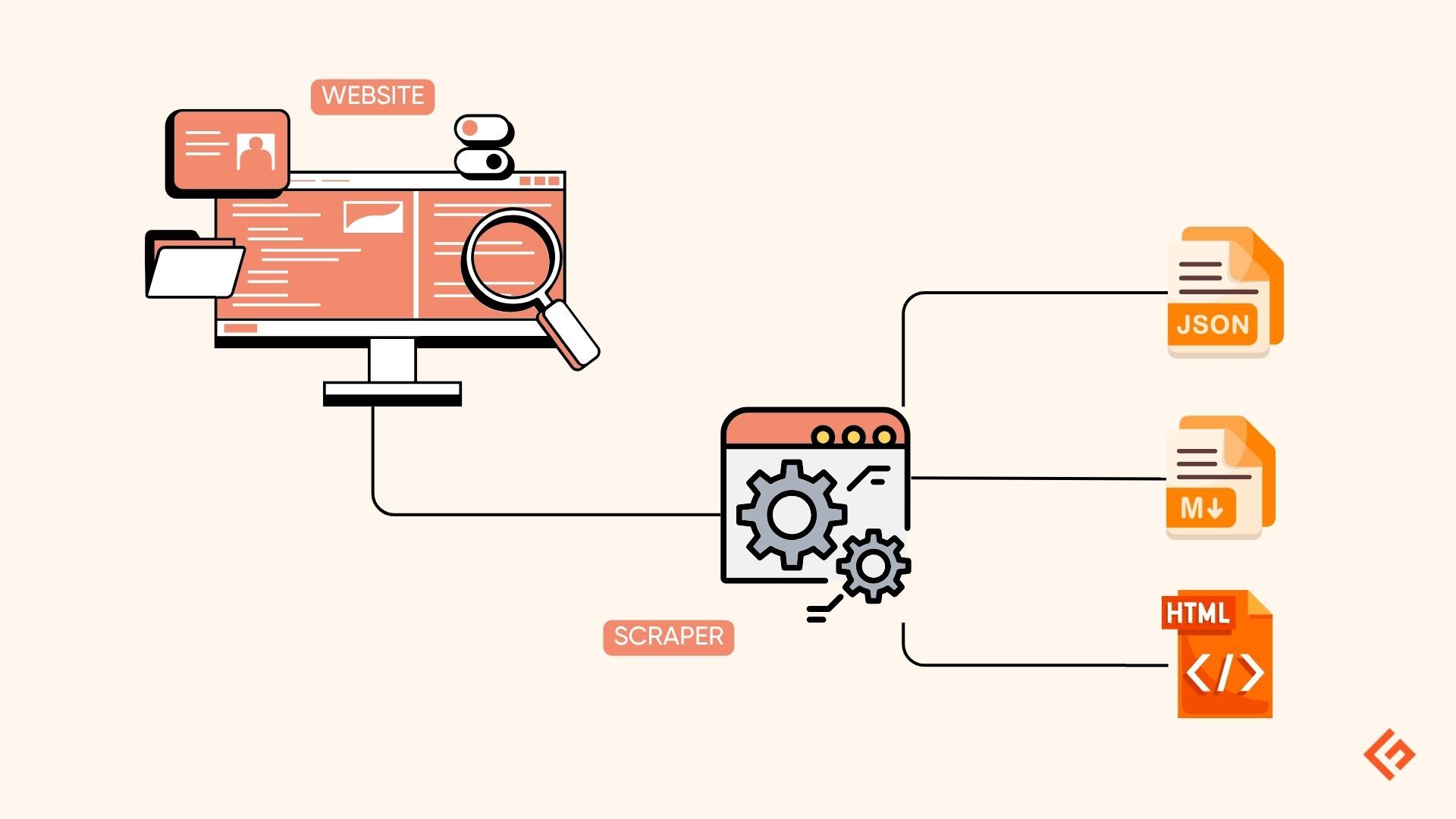
Unlike traditional web scrapers, a web scraping API manages tasks such as browser rendering, proxy rotation, CAPTCHA handling, and request retries. This reduces the effort required to build and maintain scraping infrastructure.
Developers use web scraping APIs for many applications, including price monitoring, market research, lead generation, content aggregation, SEO analysis, AI agents, and RAG systems.
Why Traditional Web Scraping Falls Short in the AI Era
Traditional web scraping worked well for simple websites. Today, websites use JavaScript, security checks, and dynamic content that increase the effort needed for data scraping. AI applications also need fresh website data, creating new requirements for developers.
Here are some common challenges developers face:
- Dynamic Content: Many websites load content with JavaScript, so the required data is not available in the initial page source.
- Security Checks: CAPTCHAs, IP blocking, and rate limits can stop data scraping requests.
- Website Changes: Updates to page layouts or HTML elements can break existing scraping logic and require regular maintenance.
- AI Data Needs: AI agents and LLMs need fresh, structured website data for RAG, automation, and other AI tasks.
- MCP (Model Context Protocol Support): AI applications using the MCP need a reliable way to access live web data.
An API for web scraping addresses these challenges by handling much of the underlying infrastructure and giving developers a consistent way to collect website data.
How Geekflare Web Scraping API Simplifies Data Extraction
Building a reliable web scraper involves more than sending requests and parsing HTML. Developers also need to handle JavaScript rendering, anti-bot protection, proxies, and frequent website updates. Managing these tasks takes time and adds extra complexity to every project.
Geekflare Web Scraping API removes much of this overhead through a single API. It renders JavaScript-powered websites, handles common anti-bot challenges, and returns website content in HTML, JSON, Markdown, or plain text.
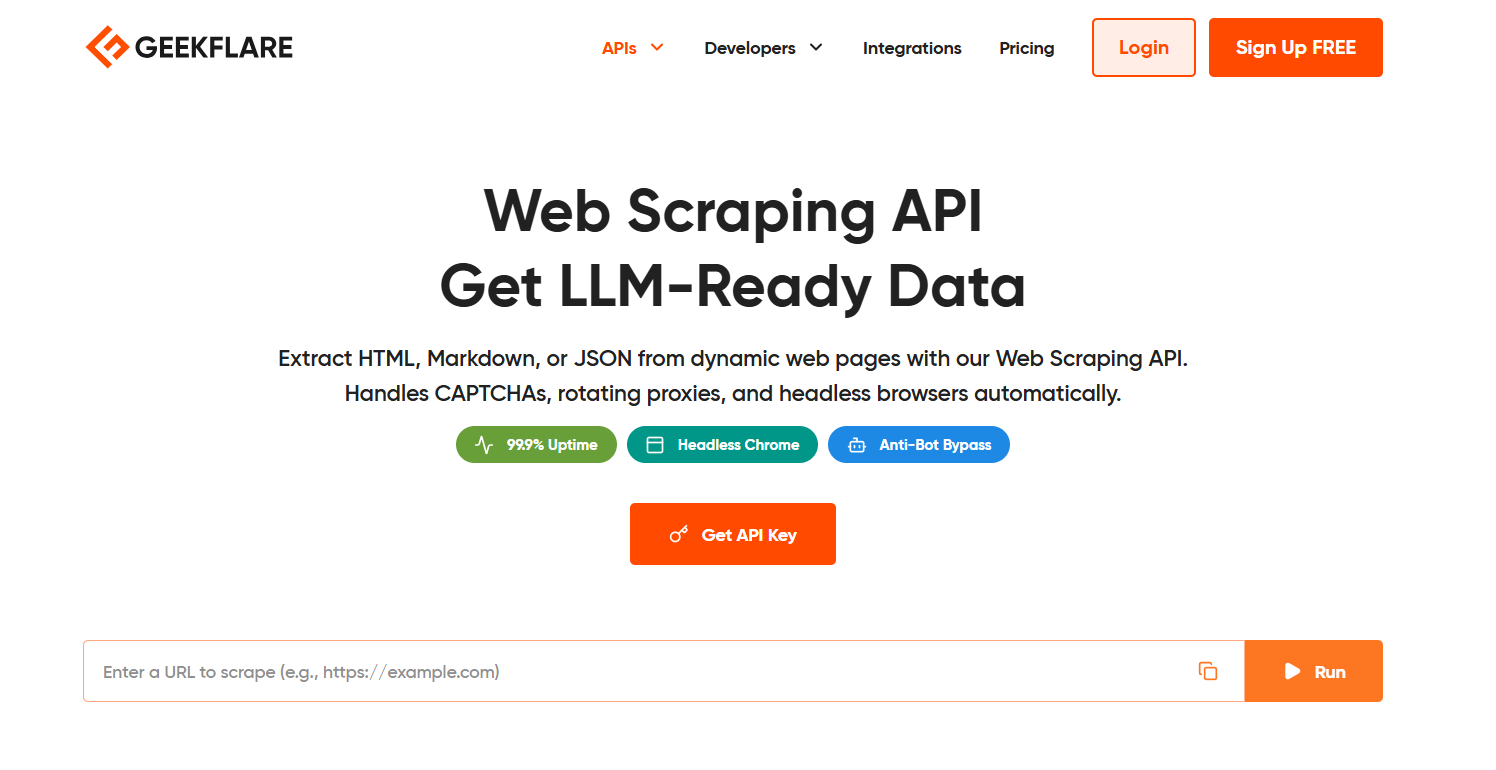
Markdown output is especially useful for AI applications because it provides clean content that language models can process more effectively.
Geekflare also provides an MCP Server that allows AI agents to access live website data through the MCP. Developers can connect AI assistants, RAG applications, and automation workflows to real-time web content using a standard interface.
Set Up an API for Web Scraping with Geekflare
The Geekflare Playground lets you test the Web Scraping API before integrating it into your application. Follow the steps below to configure your first request and verify the response.
Step 1: Create a Geekflare Account
Sign up for a Geekflare account if you don’t already have one. After signing in, open the Playground to test the Web Scraping API. Your API key is automatically generated and added to the request header.
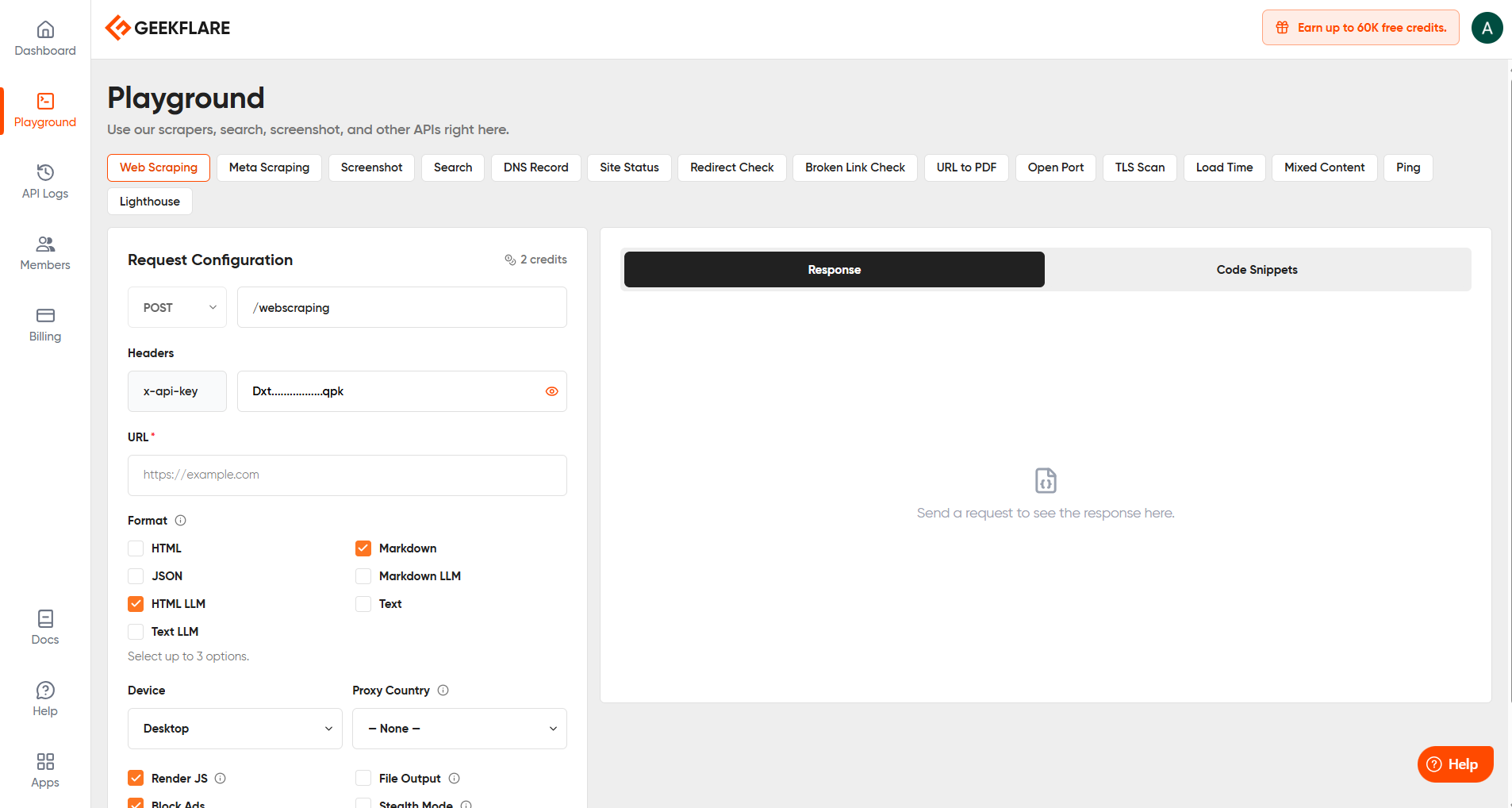
Step 2: Configure Your Request
Choose the /webscraping endpoint and enter the target website URL. For this example, use:
https://geekflare.com/Then configure the request based on your requirements.
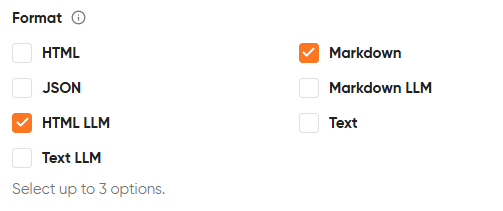
- Response Format: HTML, JSON, Markdown, Markdown LLM, HTML LLM, Text, or Text LLM.
- Device Type: Select Desktop or Mobile.
- Proxy Country: Route requests through a specific country if needed.
- Render JavaScript: Enable JavaScript rendering for dynamic websites.
- Block Ads: Remove ads from the extracted content.
- Stealth Mode: Reduce the chance of bot detection.
- File Output: Save the extracted response as a file.
Step 3: Send the Request
Click Send Request to execute the API call. The extracted content appears in the Response tab. You can also open the Code Snippets tab to generate ready-to-use code for your preferred programming language.
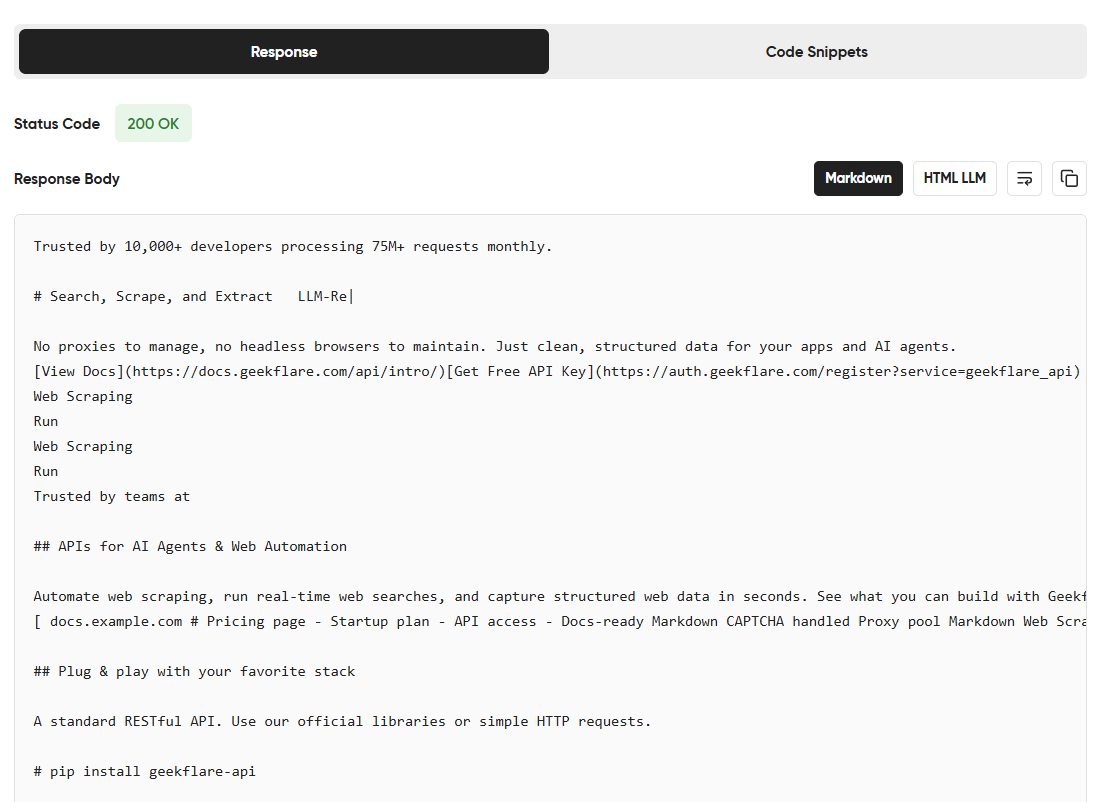
Step 4: Integrate into Your Application
After verifying the response, copy the generated code snippet or use the API key to integrate the Geekflare Web Scraping API into your application using the REST API or the supported SDKs.
Build Your First Web Scraper with the Geekflare API
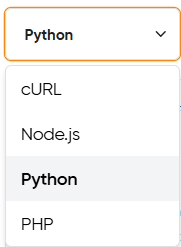
The Geekflare Playground generates code snippets for cURL, Node.js, Python, and PHP. You can use them to integrate the API for web scraping into your application. The same API also supplies fresh website data for an AI scraper, AI agents, and LLM-powered applications.
The example below uses Python.
Python Example
Before running the script, install the Geekflare Python SDK:
pip install geekflare-apiThen create a new file named scraper.py and add the following code. Replace YOUR_API_KEY with your Geekflare API key.
from geekflare_api.client import GeekflareClient
from geekflare_api.models import WebScrapeDto

with GeekflareClient(api_key="YOUR_API_KEY") as client:
    result = client.web_scrape(
        WebScrapeDto(
            device="desktop",
            format=["markdown", "html-llm"],
            render_j_s=True,
            block_ads=True,
            stealth=False,
            url="https://geekflare.com/"
        )
    )
    print(result)
Run the Script
Open a terminal in the project directory and execute:
python scraper.pyUnderstanding the Response
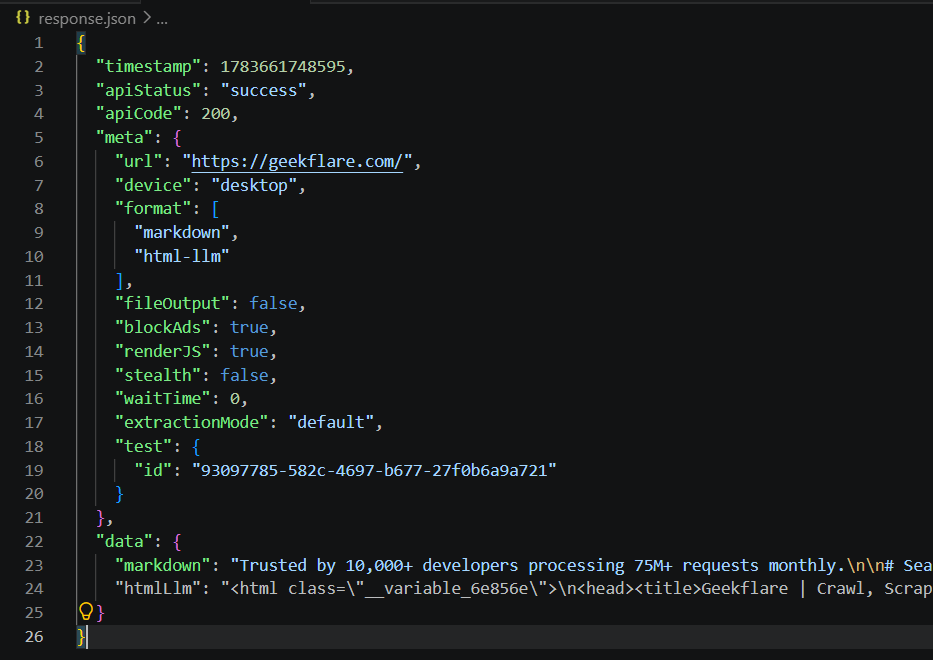
The script sends a request to the Geekflare Web Scraping API and prints the extracted website content in the terminal.

Since this example requests the Markdown and HTML LLM formats, the response contains both outputs.
You can change the format parameter to retrieve HTML, JSON, Text, or other supported formats based on your application requirements.
You can also generate the same request in cURL, Node.js, or PHP directly from the Playground by selecting the language from the Code Snippets menu.
Here is the output of the Python code:
Best Practices for Using the Geekflare Web Scraping API
Here are a few best practices to help you get consistent results from your web scraping projects:
- Respect Rate Limits: Avoid sending too many requests in a short period. Add delays or retries when needed.
- Choose the Right Output Format: Select HTML for custom parsing, JSON for structured data, Markdown for AI applications, or plain text for simple processing.
- Enable JavaScript Only When Needed: Render JavaScript for dynamic websites and disable it for static websites to reduce unnecessary processing.
- Handle Errors Gracefully: Check the response status before processing the data. Handle authentication errors, invalid requests, and rate limits to avoid unexpected failures.
- Keep Your API Key Secure: Store the API key in environment variables or a secret manager. Avoid committing it to source code repositories.
Wrapping Up
Web scraping continues to play an important role in modern applications, especially those powered by AI. Collecting reliable website data has become more challenging as websites use dynamic content, JavaScript, and anti-bot protection.
An API for web scraping helps developers overcome these challenges and focus on building applications instead of maintaining scraping infrastructure.
The Geekflare Web Scraping API combines browser rendering, multiple output formats, anti-bot handling, and MCP support in a single service. It fits a variety of use cases, including AI agents, RAG applications, price monitoring, market research, and content aggregation.
If your application depends on fresh website data, the Geekflare Web Scraping API provides a practical and developer-friendly solution to collect, process, and use that data efficiently.
Frequently Asked Questions
Is there a free API for web scraping?
Yes. Several providers offer a free API for web scraping with monthly request limits or limited features. A free plan is useful for testing, learning, or building small projects before upgrading to a paid plan. Geekflare also offers a free tier to help developers get started.
How to use an API for web scraping?
Using an API for web scraping involves creating an account, generating an API key, and sending a request with the target website URL.
Most APIs also let you configure options such as JavaScript rendering, output format, and proxy settings. The response is returned in formats such as HTML, JSON, Markdown, or plain text.
What is the best API for web scraping?
The best API for web scraping depends on your project requirements. Look for features such as JavaScript rendering, anti-bot support, multiple output formats, SDKs, and clear documentation. Geekflare Web Scraping API includes these capabilities and also provides MCP support for AI agents.
Can I use an API for web scraping with Python?
Yes. Most web scraping APIs provide SDKs or REST APIs that are easy to integrate into applications. Geekflare offers official SDKs for Python, Node.js, and PHP, and also supports cURL for testing and command-line workflows. You can choose the integration method that best fits your development environment.





