Employee monitoring software records how work happens on company devices. That covers active and idle time, the apps and websites people use, attendance, and in some tools, screenshots or screen recordings.
Remote and hybrid work made this category grow fast, and the tools have split into two categories. Some focus on productivity and time data for payroll, billing, and workload planning. Others lean toward security, with keystroke logging, stealth mode, and insider threat detection.
Heavy surveillance can hurt trust and raises legal questions in regions covered by GDPR and similar laws. So the first decision is how much visibility you actually need.
We compared 21 tools and picked the below based on tracking depth, privacy controls, deployment options, and pricing.
Quick Comparison
| Software | Type | Best for | Starting price | Free plan | Free trial | Platforms | Deployment | Link |
|---|---|---|---|---|---|---|---|---|
| 01 Insightful | Productivity analytics | Remote and hybrid teams that need AI productivity insights | $8/seat/month | No | 7 days | Windows, macOS, Linux, Chrome | Cloud, on-premise | Visit |
| 02 Modge | Workforce management | Teams that want monitoring, timesheets, and payroll in one tool | $5/seat/month | No | 14 days | Windows, macOS | Cloud | Visit |
| 03 Hubstaff | Time tracking | Remote and field teams that need GPS and payroll | $4.99/seat/month | Yes (1 seat) | 14 days | Windows, macOS, Linux, ChromeOS, Android, iOS | Cloud | Visit |
| 04 Time Doctor | Workforce analytics | Distributed teams that bill clients by the hour | $6.67/user/month | No | 14 days | Windows, macOS, Linux, ChromeOS, mobile (timer only) | Cloud, private cloud | Visit |
| 05 ActivTrak | Productivity analytics | Teams that want workforce analytics with a free starting point | $10/user/month | Yes (3 users) | 14 days | Windows, macOS, ChromeOS | Cloud | Visit |
| 06 Teramind | Insider threat and DLP | Security and compliance teams in regulated industries | $14/seat/month | No | Yes (up to 5 users) | Windows, macOS, Linux | Cloud, on-premise, private cloud | Visit |
| 07 Monitask | Time tracking | Agencies and consultants that need screenshots as proof of work | $6.49/user/month | No | 10 days | Windows, macOS, Linux, Android, iOS | Cloud | Visit |
| 08 WorkTime | Privacy-first monitoring | Firms that want monitoring without screenshots or keylogging | $5.83/user/month | Yes (3 users) | 14 days | Windows, macOS, Citrix | Cloud, on-premise | Visit |
| 09 Controlio | Screen recording | Compliance teams that need video evidence of activity | $6.67/user/month | No | 14 days | Windows, macOS | Cloud, on-premise, private cloud | Visit |
| 10 Apploye | Time tracking | Small teams on a tight budget | $4.50/user/month | Yes (10 users) | 10 days | Windows, macOS, Linux, Android, iOS | Cloud, on-premise | Visit |
Best Employee Monitoring Software
01. Insightful
Productivity analyticsRemote and hybrid teams that need AI productivity insights
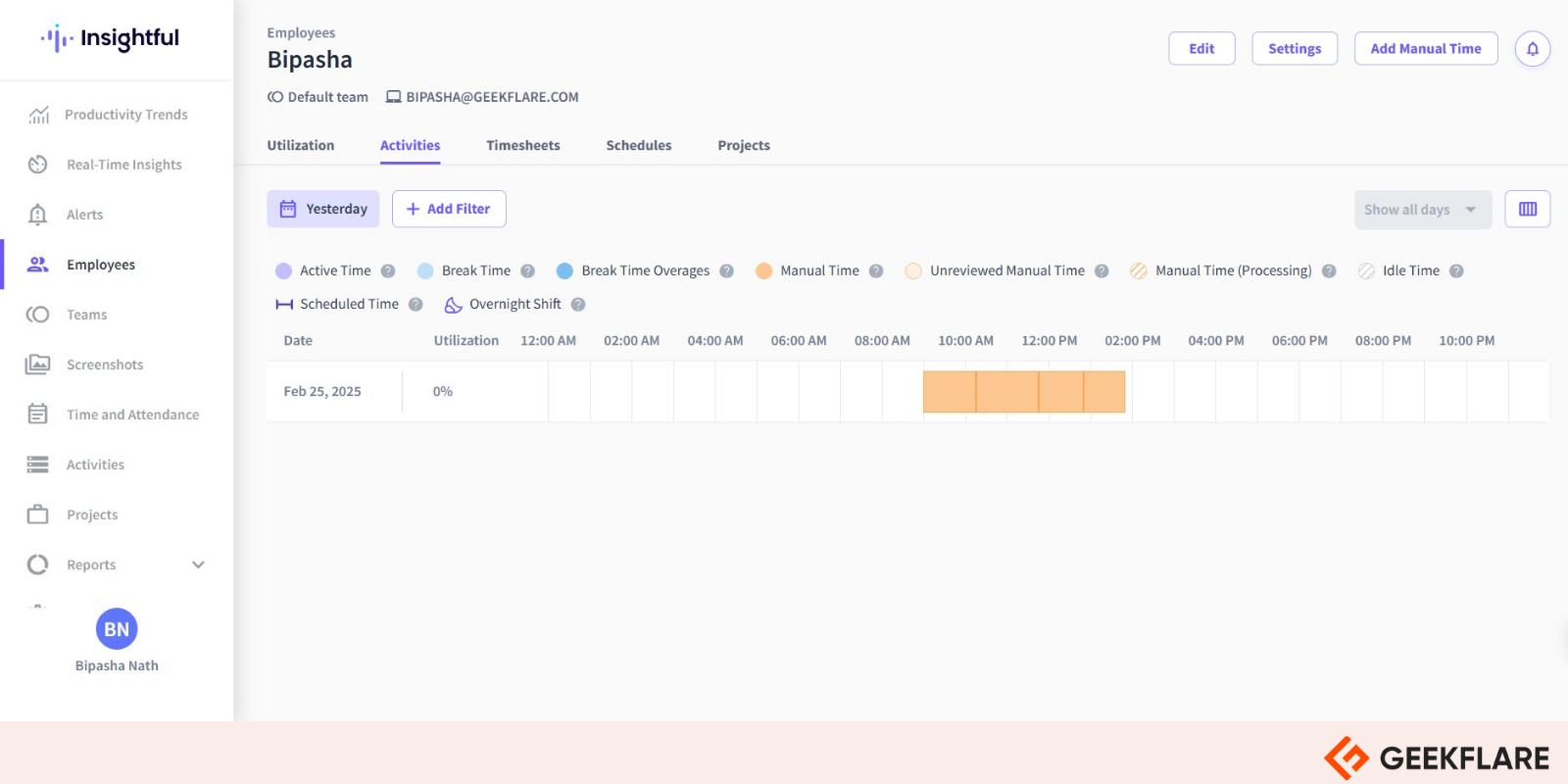
Insightful now calls itself a work intelligence platform. It still covers the usual monitoring basics, but its focus has moved to how work flows across apps and teams, and where time leaks along the way.
The Workforce Analytics plan gives managers a real-time overview, capacity analysis, app and website usage, and scheduled screenshots. A newer Workflow Optimization plan, still in beta, maps business processes and measures how long each step takes.
It holds up at large scale. Mercor, an AI hiring platform, uses Insightful to manage more than 30,000 contractors. The agent runs on Windows, macOS, and Linux, and a Chrome extension covers browser-based work.
Key features
- Real-time view of active, idle, and productive time per person and team
- Capacity analysis to spot overloaded and underused employees
- App and website tracking with productivity labels you can set per team
- Workflow mapping and step-level process measurement (beta)
- Integrations with HRIS, project management, and customer service tools, plus BigQuery and Snowflake exports
Pros & Cons
PROS
CONS
Pricing
| Plan | Price (billed annually) |
|---|---|
| Workforce Analytics | $8/seat/month |
| Workflow Optimization | $12/seat/month |
| Combo | $16/seat/month |
Good to know
- On-premise deployment needs at least 250 licenses.
- Add-ons are priced per seat: screen recording and on-demand screenshots at $4, and the Workspace Security plan with insider threat detection at $4.
02. Modge
Workforce managementTeams that want monitoring, timesheets, and payroll in one tool
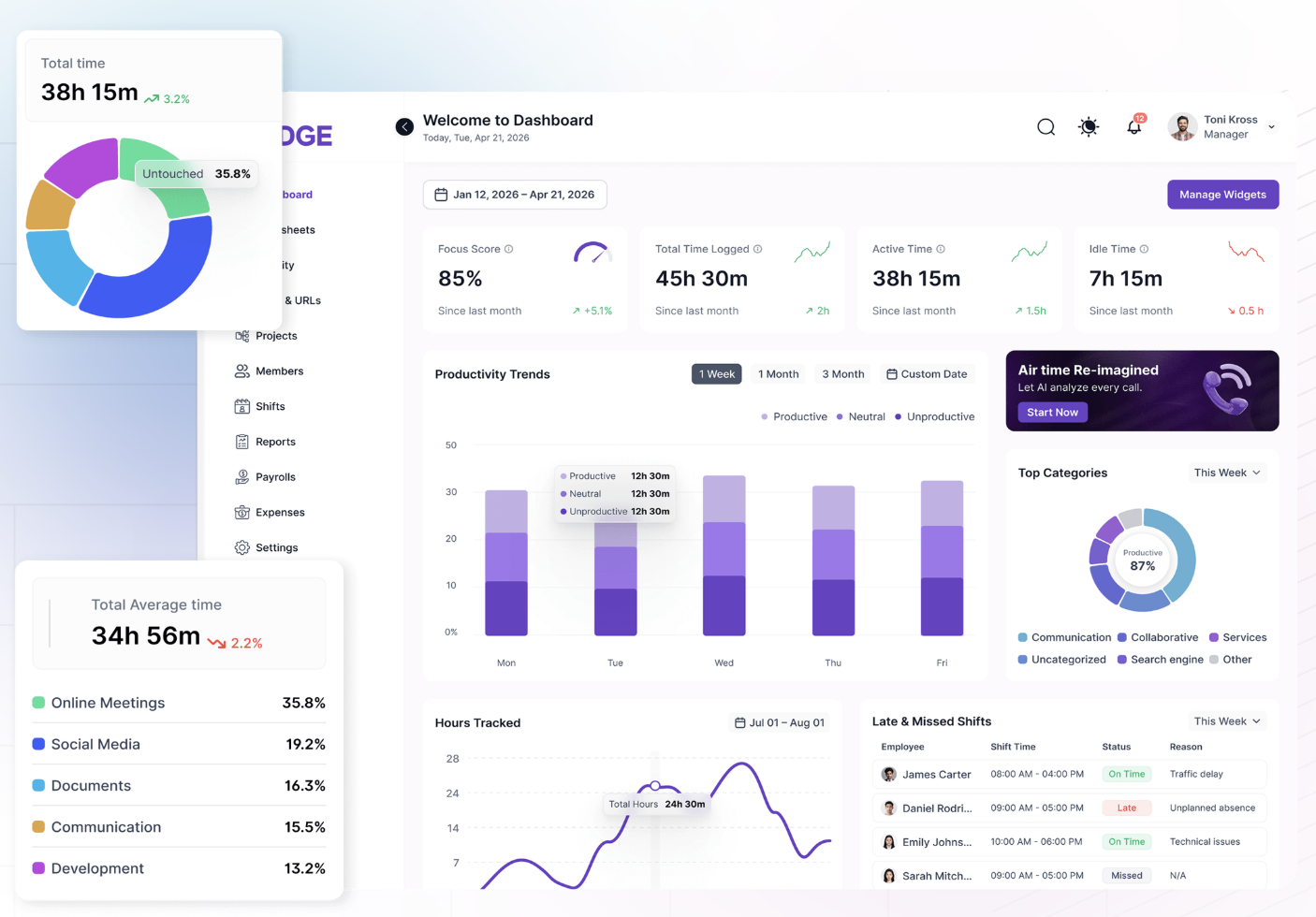
Modge pairs activity monitoring with the admin work that usually lives in separate tools like timesheets, shift scheduling, attendance, leave, payroll exports, and client invoicing.
App and website usage gets classified as productive, neutral, or unproductive on its own. You set one company rule and override it per job title, so Figma counts as productive for designers but neutral for QA.
It also sets clear privacy limits. Modge does not log keystrokes, mouse paths, or location, and it records only during active work sessions. Screenshots are off by default and can be blurred per team or per person.
The Premium plan adds signals most monitoring tools skip: burnout risk, profitability per project and client, and detection of mouse jigglers and scripted activity.
Key features
- Automatic time tracking that rolls into weekly or biweekly timesheets with one-click approval
- Shift scheduling that scores each shift as on time, late, or absent
- App and URL classification with per-role overrides
- Payroll CSV exports (generic, Wise, PayPal) and branded client invoices
- Immutable audit trail for every manual time edit
Pros & Cons
PROS
CONS
Pricing
| Plan | Price (billed monthly) |
|---|---|
| Basic | $5/seat/month |
| Pro | $7/seat/month |
| Premium | $9/seat/month |
Good to know
Yearly billing cuts these prices by 22%. The 14-day trial includes every feature.
03. Hubstaff
Time trackingRemote and field teams that need GPS and payroll
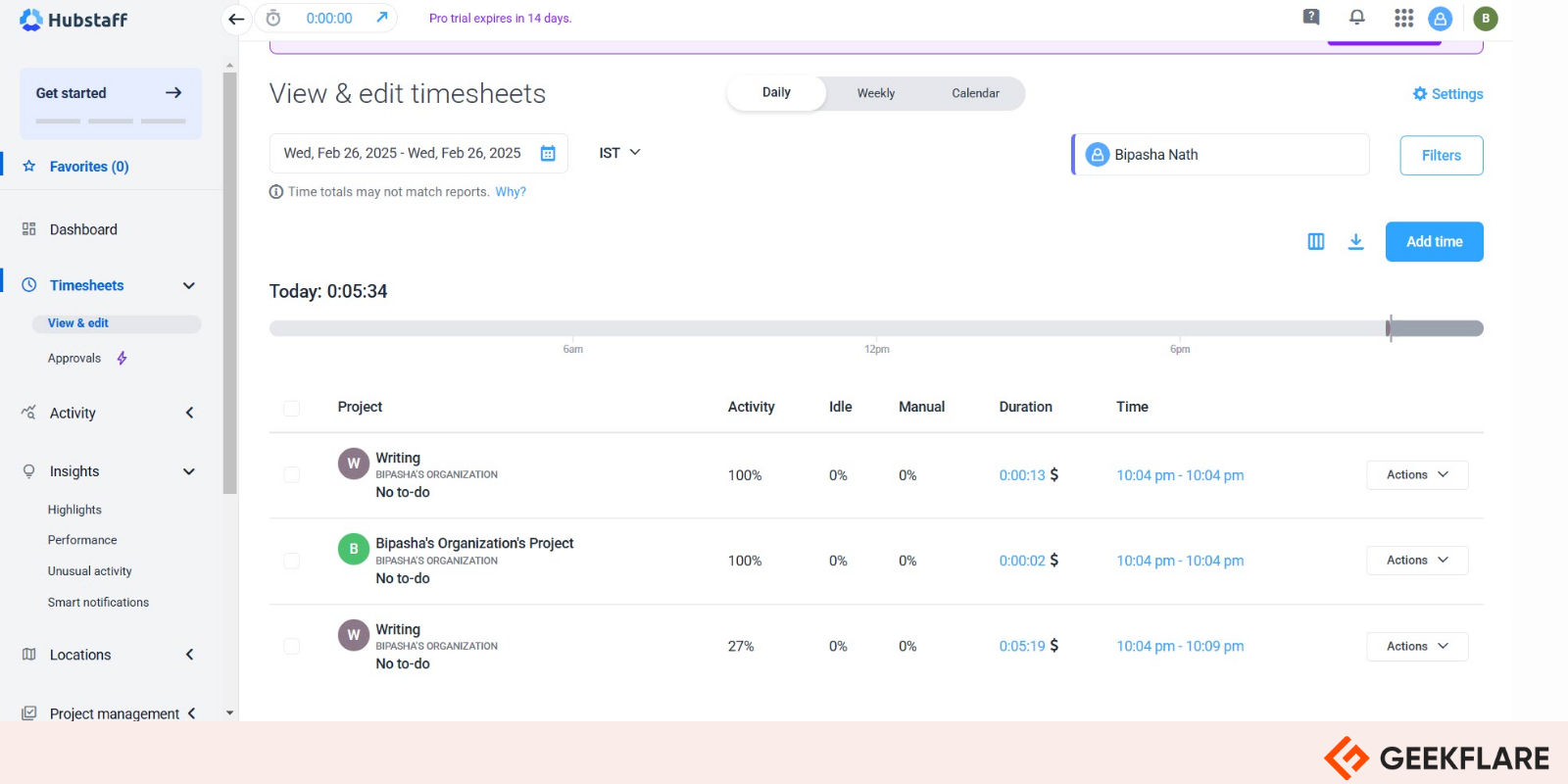
Hubstaff started as a time tracker and still leans that way. Tracked hours turn into timesheets, payroll, and client invoices, and the monitoring layer sits on top: screenshots, activity levels, and app and URL tracking.
It runs on Windows, macOS, Linux, ChromeOS, Android, and iOS. The Locations add-on brings GPS tracking and geofenced job sites, so it works for field crews as well as remote staff.
Screenshots are optional and can be blurred, and Hubstaff does not log keystrokes. For company-owned devices, a Silent app add-on tracks without a visible interface.
Recently, Hubstaff released a command-line tool, API, and MCP server, so AI assistants can query timesheet and activity data directly.
Key features
- Timesheets, payroll, and invoicing built from tracked time
- Screenshots with optional blur, plus keyboard and mouse activity levels
- App and URL tracking
- GPS tracking and geofenced job sites (Locations add-on)
- AI detection of unusual activity
Pros & Cons
PROS
CONS
Pricing
| Plan | Price (billed annually) |
|---|---|
| Starter | $4.99/seat/month |
| Grow | $7.50/seat/month |
| Team | $10/seat/month |
04. Time Doctor
Workforce analyticsDistributed teams that bill clients by the hour
Time Doctor tracks time, apps, and websites, then turns that data into productivity ratings, attendance records, and payroll. It is common in BPOs, agencies, and remote teams that need proof of work for clients.
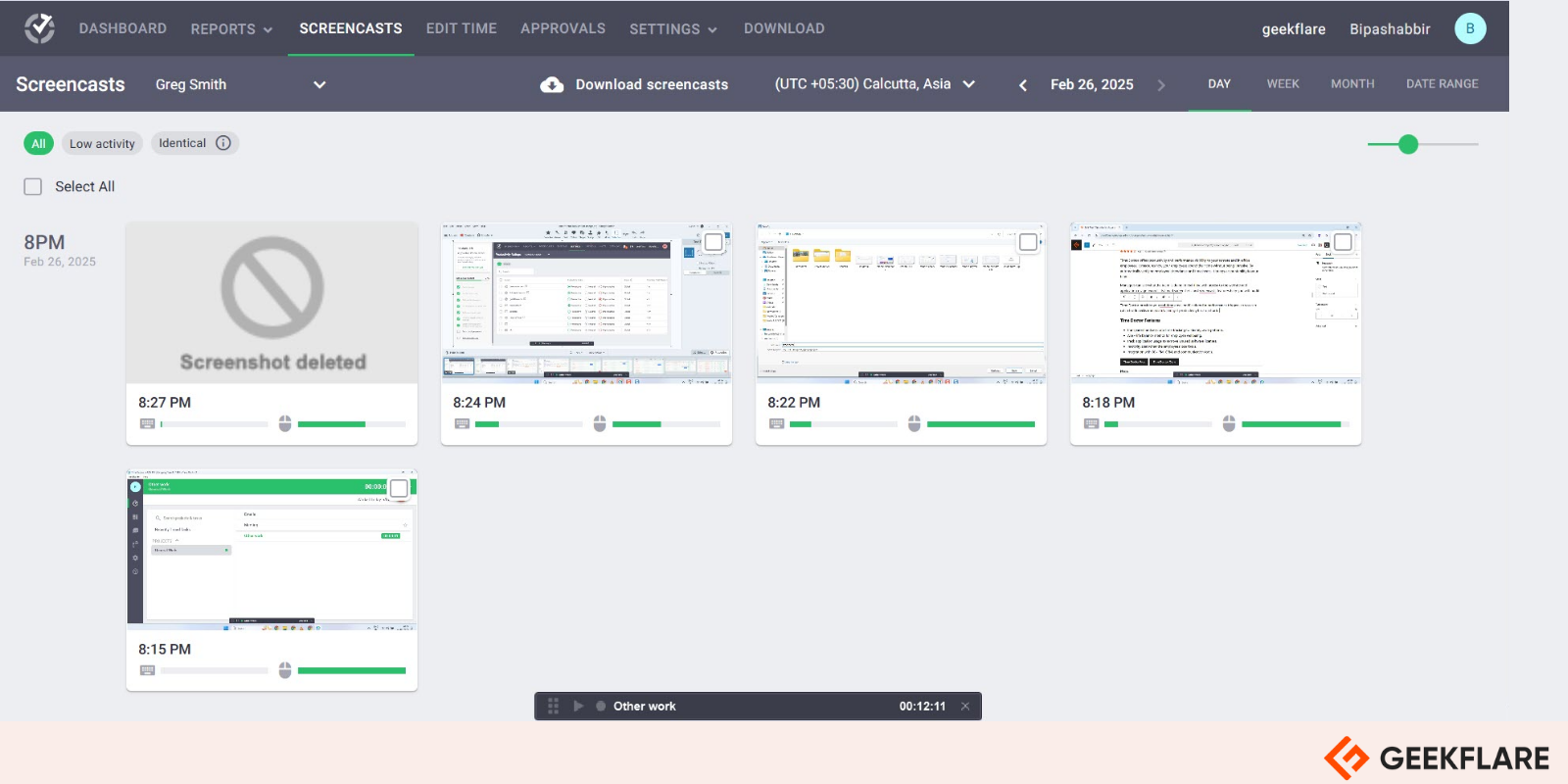
You control how intrusive it gets. Screenshots can be blurred, video screen recording comes with Premium or as an add-on, and keyboard and mouse activity is counted without recording what is typed. An Automatic App option tracks in the background with no interface.
Recently they have added features target fake activity and AI workflows. It flags mouse jigglers and auto-clickers, benchmarks team output with Benchmarks AI, and connects to AI assistants through an MCP connector.
Key features
- Web and app usage with productivity ratings
- Screenshots with blur and optional video recording
- Mouse-jiggler and auto-clicker detection
- Payroll, attendance, and break tracking
- Private cloud deployment on the Enterprise plan
Pros & Cons
PROS
CONS
Pricing
| Plan | Price (billed annually) |
|---|---|
| Basic | $6.67/user/month |
| Standard | $11.67/user/month |
| Premium | $16.70/user/month |
05. ActivTrak
Productivity analyticsTeams that want workforce analytics with a free starting point
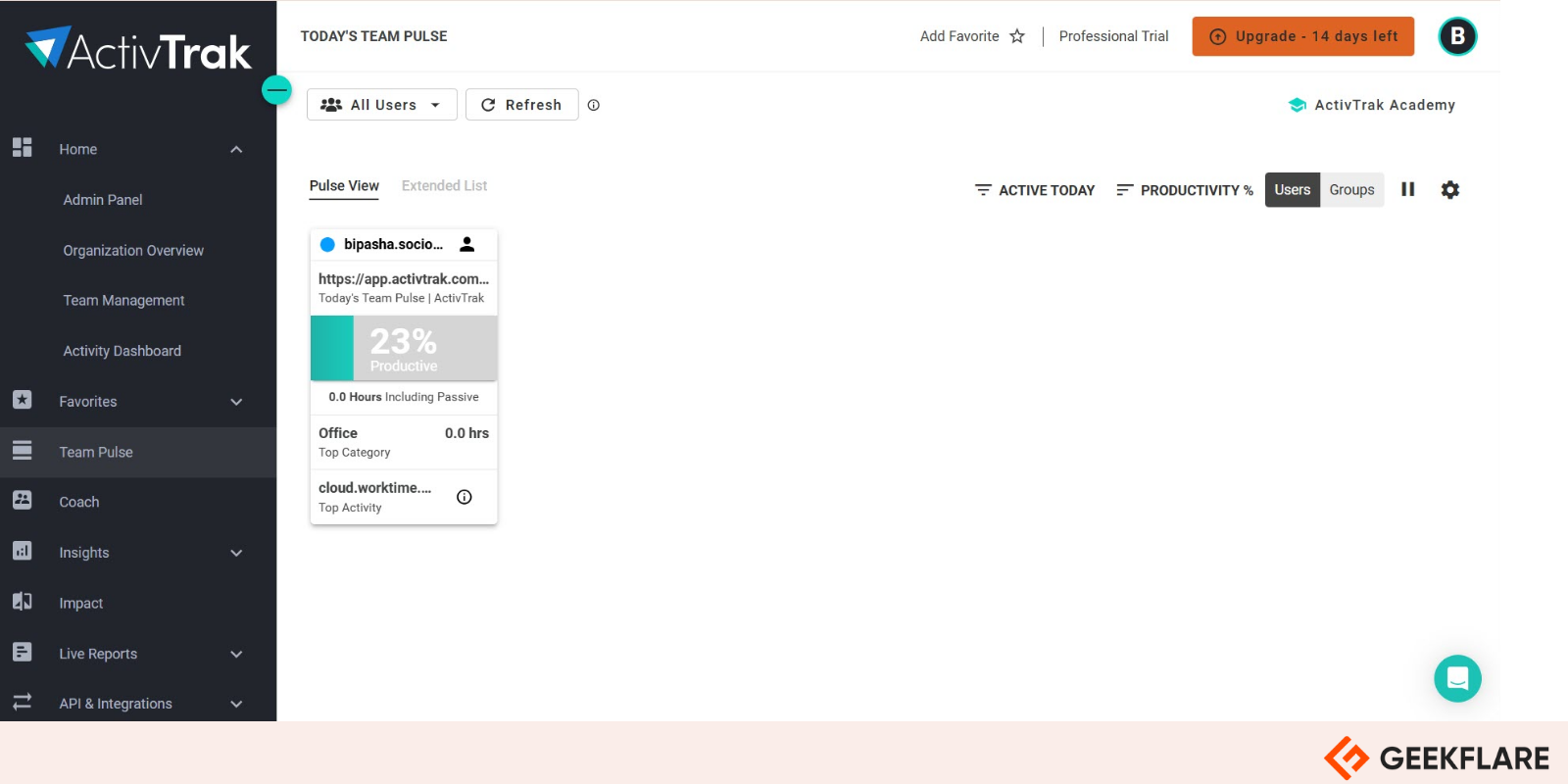
ActivTrak looks at patterns more than individual screens. It measures app and website use, focus time, and workload balance, then flags burnout risk and gaps in schedule adherence.
It does not record keystrokes. Screenshots come through an add-on called Screen Details, and they capture only when an alarm you set is triggered.
ActivTrak has more than one million users. It now tracks AI tool usage as well, so you can see how teams use ChatGPT, Claude, Copilot, and Gemini.
Key features
- App and URL productivity classification
- Workload balance and burnout indicators
- Schedule adherence and return-to-office location checks
- False activity detection
- AI usage measurement and Work Advisor AI recommendations
Pros & Cons
PROS
CONS
Pricing
| Plan | Price (billed annually) |
|---|---|
| Work Activity Tracking | $10/user/month |
| Workforce Management | $15/user/month |
| Productivity Optimization | $17/user/month |
| Workflow | $21/user/month |
06. Teramind
Insider threat and DLPSecurity and compliance teams in regulated industries
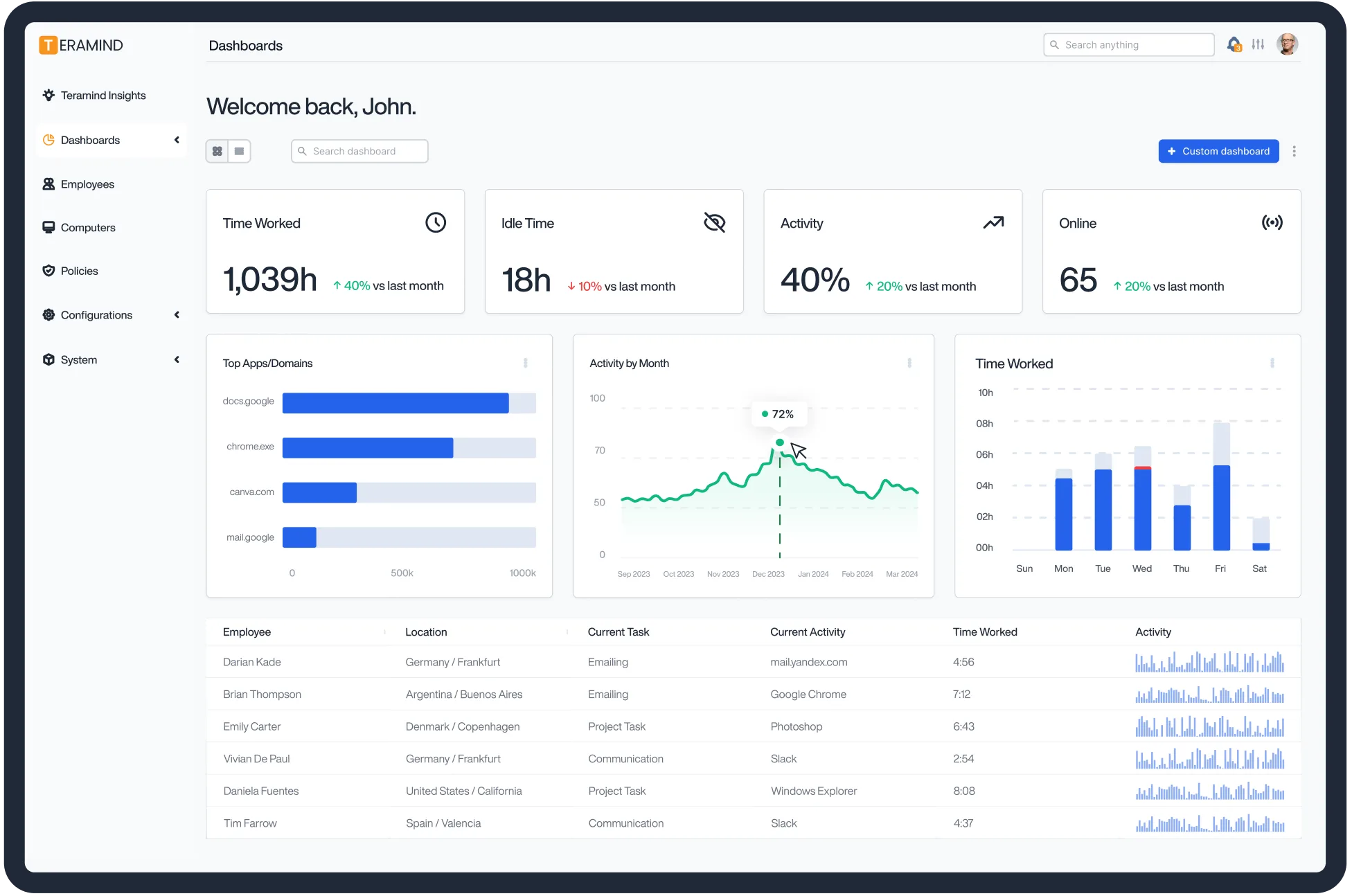
Teramind is more for security end. Along with productivity data, it scores insider risk from user behavior, and its DLP plan finds sensitive content and blocks it from leaving the company.
A rule engine drives most of it. Rules can alert, block, or lock a user when someone copies client files to USB, pastes data into an AI chatbot, or runs a risky console command. Screen recording can run all the time or only when a rule is broken, which gives investigators usable evidence.
Teramind launched AI Governance. It logs what AI tools and agents do inside the company and produces audit trails for SOX, HIPAA, and the EU AI Act.
The trade-off is intrusiveness. Keystroke logging, full screen recording, and a stealth agent make it the deepest monitoring tool here, so it needs a written policy and legal review before rollout.
Key features
- Behavior-based insider risk scoring and anomaly detection
- DLP with content classification, file fingerprinting, and automatic blocking
- Visual rule builder with 200 ready-made DLP rules
- Screen recording with optional audio, continuous or rule-triggered
- Tracking of email, file transfers, clipboard, printing, and chat
- AI chat recording and AI agent governance
Pros & Cons
PROS
CONS
Pricing
| Plan | Price (billed annually) |
|---|---|
| Starter | $14/seat/month |
| UAM | $28/seat/month |
| DLP | $32/seat/month |
Before you deploy
The stealth agent is available only to customers Teramind has vetted. Monitoring at this depth needs a clear written policy.
07. Monitask
Time trackingAgencies and consultants that need screenshots as proof of work
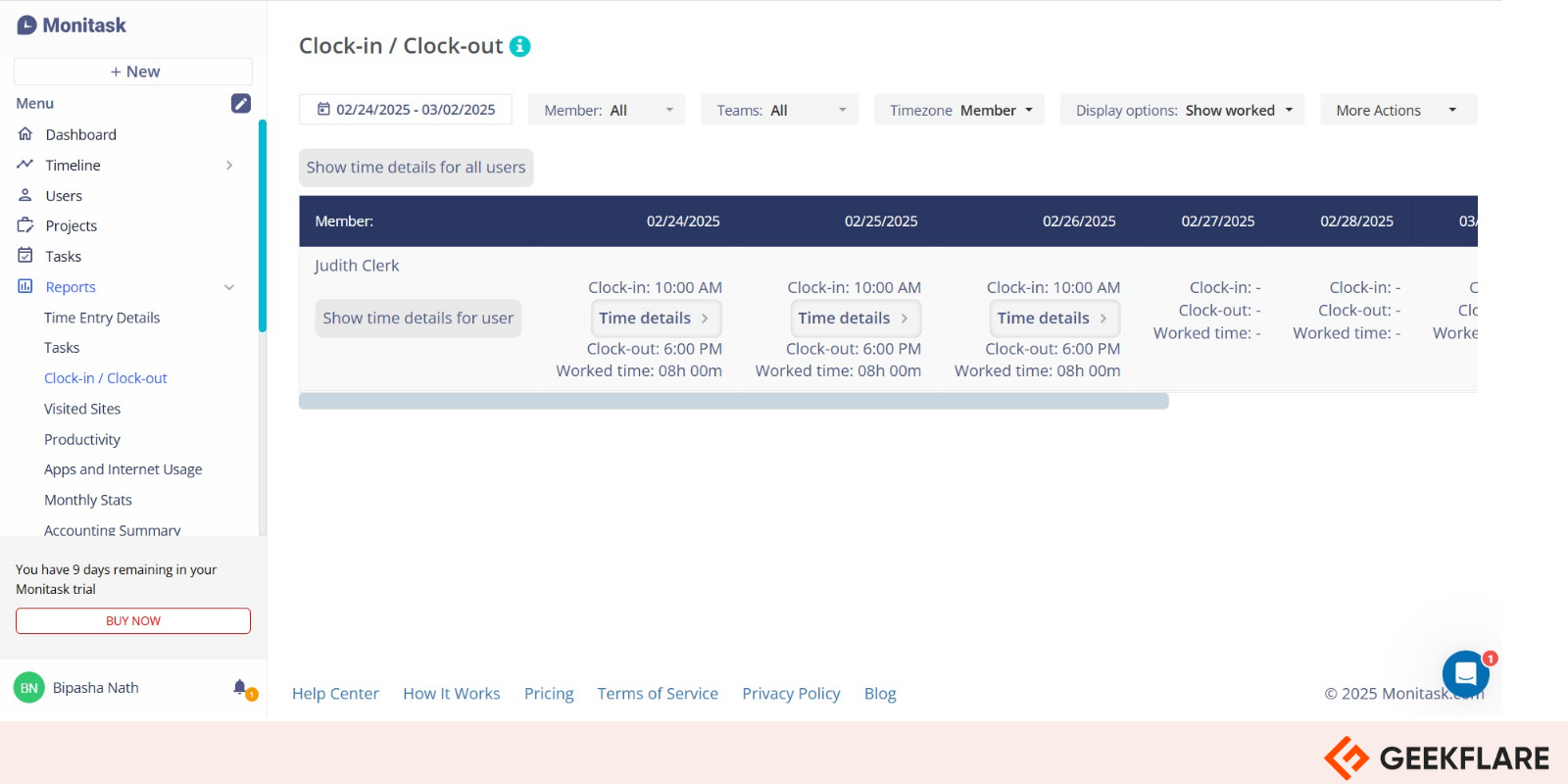
Monitask combines time tracking with screenshots and activity levels. Each 10-minute block gets an activity score from keyboard and mouse use, and screenshots are taken every few minutes, including on multiple monitors.
App and website tracking starts on the Business plan. The newer Business Premium plan adds full URLs, search queries, and document tracking.
It also checks where people work from with IP, VPN, and GPS data, and it flags mouse jigglers. Stealth mode is included on every plan for company-owned computers.
Key features
- Automatic timesheets from tracked time
- Screenshots with multi-monitor support
- Activity scores in 10-minute blocks
- IP, VPN, and GPS location tracking
- Mouse-jiggler detection and employee scorecards
Pros & Cons
PROS
CONS
Pricing
| Plan | Price (billed annually) |
|---|---|
| Pro | $6.49/user/month |
| Business | $8.99/user/month |
| Business Premium | $12.99/user/month |
08. WorkTime
Privacy-first monitoringFirms that want monitoring without screenshots or keylogging
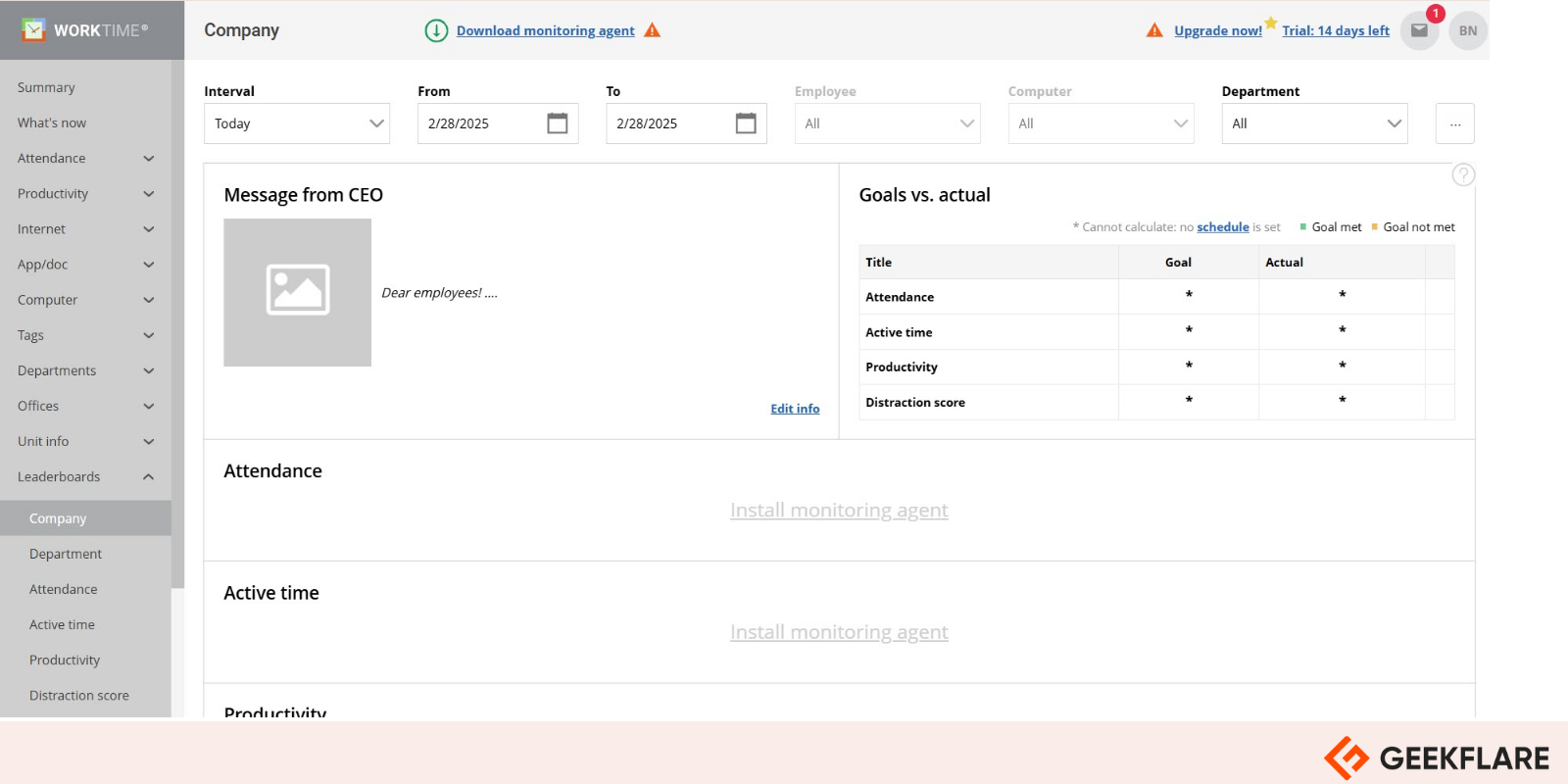
WorkTime takes the opposite approach to Teramind. It collects no screenshots, video, audio, typed content, documents, chats, emails, or passwords.
In place of screenshots, it records how much of the screen each app takes up. An optional counter tallies keystrokes without saving what was typed, and it is off by default.
AI sorts apps and websites into productive and unproductive, and WorkTime turns that into distraction and burnout scores. It also detects online meetings from camera and microphone use, and compares office and remote productivity by IP address.
Recent releases added GDPR, HIPAA, and GLBA safe modes, plus Active Directory integration and an API.
Key features
- Screen productivity measured by each app’s share of the screen
- AI classification of apps and websites
- Distraction and burnout scores
- Online meeting tracking from camera and microphone use
- Office and remote comparison by IP address
Pros & Cons
PROS
CONS
Pricing
| Plan | Price (billed annually) |
|---|---|
| Basic | $5.83/user/month |
| Premium | $7.49/user/month |
Good to know
The GDPR, HIPAA, and GLBA safe modes need the Enterprise plan.
09. Controlio
Screen recordingCompliance teams that need video evidence of activity
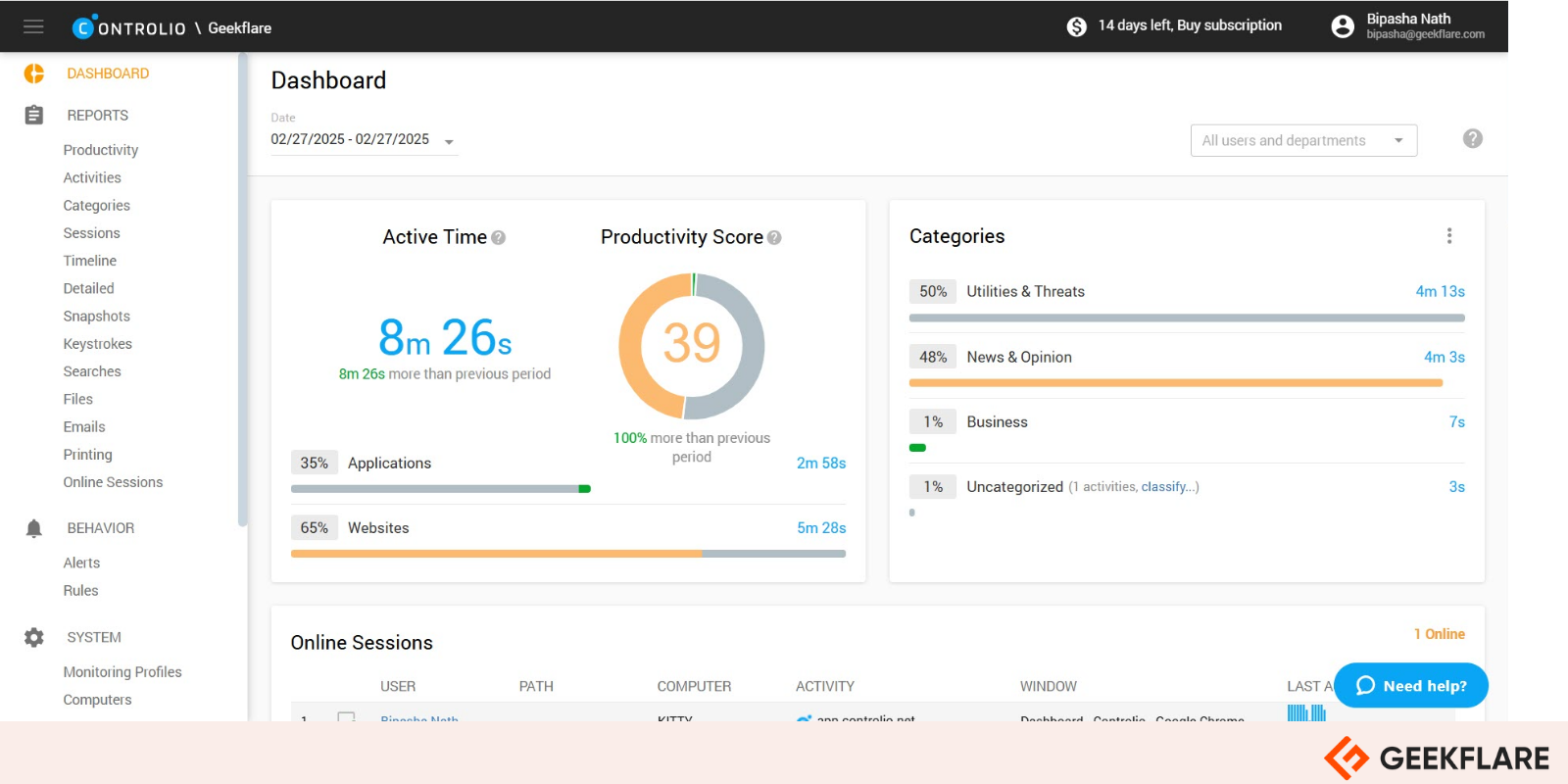
Controlio records screens as continuous video in place of periodic screenshots, and managers can watch screens live. Recording can run all the time or only when a rule is broken.
Behavior rules alert on or block specific apps, websites, USB drives, and keystroke patterns. Keystroke logging is optional, and the agent can run hidden from the taskbar and Task Manager.
For regions with stricter privacy rules, it offers a one-click GDPR mode and an optional tray icon that lets employees pause monitoring. The Advanced plan adds mouse-jiggler blocking, burnout reports, and office or remote detection based on the network a computer joins.
Key features
- Continuous or rule-triggered screen video and live view
- Rules to alert on or block apps, sites, and USB drives
- Optional keystroke logging
- Workload, burnout, and focus reports (Advanced)
- Mouse-jiggler and auto-clicker blocking (Advanced)
Pros & Cons
PROS
CONS
Pricing
| Plan | Price (billed annually) |
|---|---|
| Basic | $6.67/user/month |
| Advanced | $9.99/user/month |
Good to know
Private cloud needs at least 100 users.
10. Apploye
Time trackingSmall teams on a tight budget
Apploye has the lowest paid starting price among these ten picks, and its free plan covers up to 10 users, the most generous free tier here.
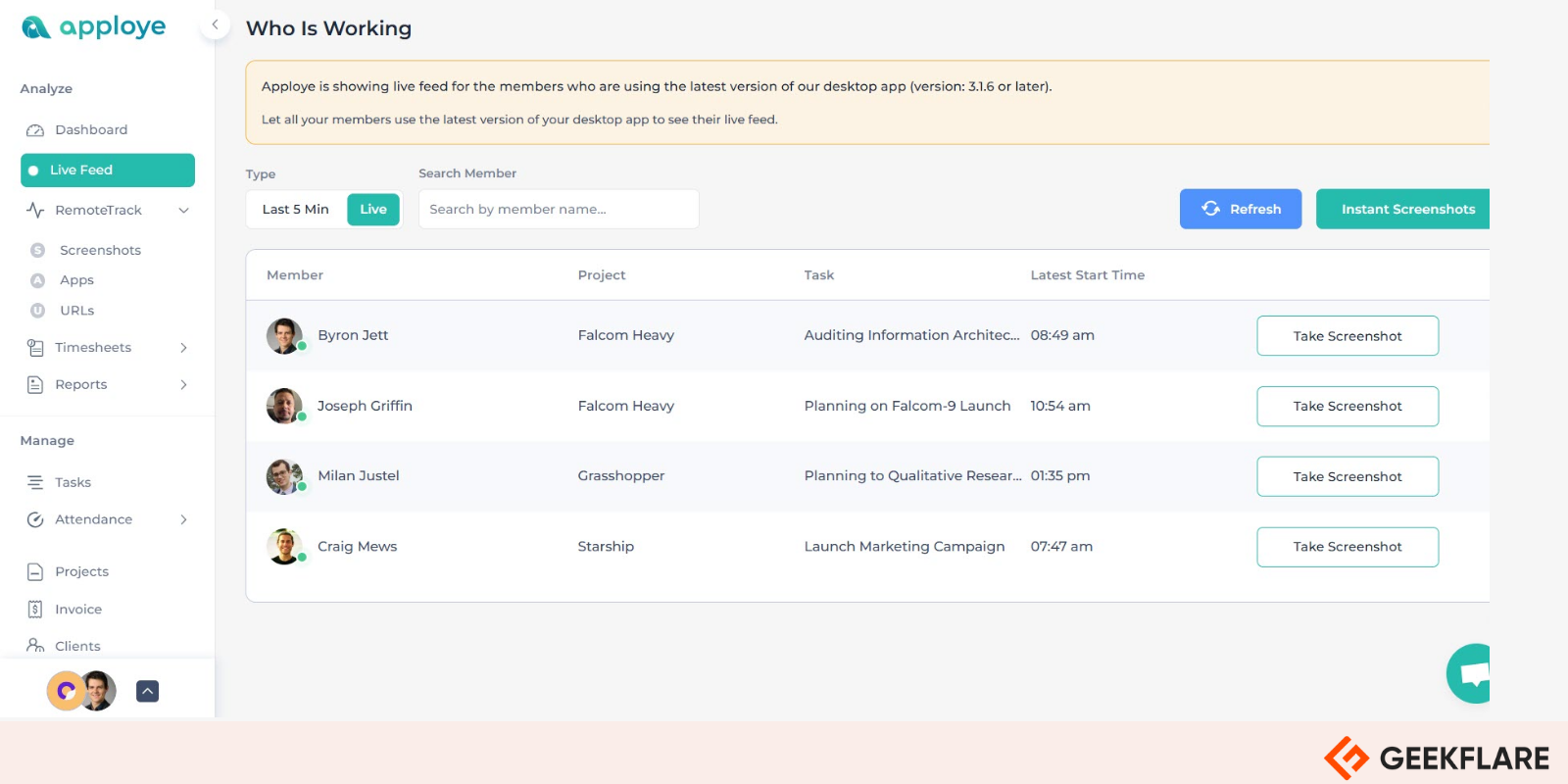
It ships two agents. The interactive app has a start and stop timer. The silent app runs in the background and cannot be closed or uninstalled by the employee.
Timesheets, approvals, projects, invoicing, payroll, leave tracking, and shift scheduling are built in, so a small team can run time and pay from one tool. It counts keyboard and mouse activity but does not log keystrokes, and screenshots are deleted automatically after six months.
Key features
- Interactive timer app and silent background app
- Up to 60 screenshots per hour on Power, plus instant on-demand captures
- Mouse-jiggler and fake-activity detection
- Timesheets, invoicing, and payroll
- Leave tracking and shift scheduling
Pros & Cons
PROS
CONS
Pricing
| Plan | Price (billed annually) |
|---|---|
| Starter | Free |
| Elite | $4.50/user/month |
| Power | $8/user/month |
Honorable Mentions
Cloud and on-premise monitoring of apps, websites, and search activity. Starts around $4.99 per computer per month on a yearly five-computer pack.
Sold as per-computer licenses, including a perpetual option, and runs on your own servers. Time tracking starts at $50 per computer per year and full monitoring at $66.
Priced by team size in place of feature tiers, with stealth mode and self-hosted deployment. Starts at $4.66 per user per month on annual billing for up to 10 users.
Low entry price with per-user add-ons for screen recording with audio, keylogging, and DLP. Starts at $3.90 per user per month on annual billing, plus a one-time setup fee.
How to Choose Employee Monitoring Software
Most tools here track time, apps, and websites. The differences show up in how deep they go and where they run.
- Decide how much you need to see. Time and app data covers payroll, billing, and workload planning. Keystroke logging, screen recording, and stealth mode belong to security and compliance use cases. Collecting more than you need adds legal risk and hurts trust.
- Check where your data lives. Most tools are cloud only. If policy requires data on your own servers, look at Insightful, Teramind, Controlio, or WorkTime, and check the minimum seat count first.
- Match the platforms your team uses. Linux, Chromebook, and mobile support vary a lot. A tool that skips one of your operating systems leaves a gap in the data.
- Price the full setup. Screen recording, extra screenshots, insider threat detection, and SSO are often add-ons or higher tiers. Compare the plan you would actually buy.
- Take a trial. Test with a small team for a full work week. Check agent CPU use, report accuracy, and how employees react to it.
Is Employee Monitoring Legal?
Monitoring company-owned devices is generally legal, but the rules on notice and scope depend on where your employees are.
- EU and UK: GDPR requires a lawful basis, notice, and monitoring that is proportionate to the purpose. Intrusive methods such as keystroke logging or webcam capture are hard to justify, and a data protection impact assessment is usually expected.
- United States: Federal law gives employers wide room on company devices. Some states, including New York, Connecticut, and Delaware, require written notice before electronic monitoring.
- Personal devices: Monitoring employee-owned devices needs much more care and explicit consent in most regions.
Not legal advice
Laws change and vary by country and state. Check with legal counsel before you roll out monitoring, especially stealth mode or keystroke logging.