



Most business problems aren’t really strategy problems. They’re data problems. Sales is chasing a number that Finance hasn’t reconciled yet. Operations is filling orders from a spreadsheet nobody bothered to update. When every department runs on its own tools, decisions slow down, mistakes pile up, and nobody actually knows what’s happening across the business.
ERP software fixes this by pulling finance, operations, inventory, HR, purchasing, and sales into one system everyone trusts. Place an order and update inventory. Pay an invoice, and the ledger reflects it right away. Everyone works off the same numbers, in real time.
The global ERP market hit $92.6 billion in 2025 and is on track to reach $106.22 billion in 2026, growing at a 13% CAGR according to Fortune Business Insights. Cloud deployment already makes up over 54% of all ERP implementations, and Mordor Intelligence points to SMEs as the fastest-growing segment. ERP isn’t just an enterprise tool anymore. Businesses of every size are adopting it to keep up.
Picking the right platform isn’t simple, though. Pricing models vary wildly, implementation can take weeks or drag on for years, and getting the fit wrong costs far more than the software itself. This guide walks through the best ERP systems available today, including what each one does well, where it falls short, and what it actually costs.
The Best ERP Software
Intuit Enterprise Suite
AI-Native ERP for global enterprises
Intuit Enterprise Suite is the AI-native ERP, best suited for multi-entity businesses that are scaling fast. It brings financial management, payroll, HR, marketing, and cash flow tools into one platform built around real-time consolidation across multiple entities.
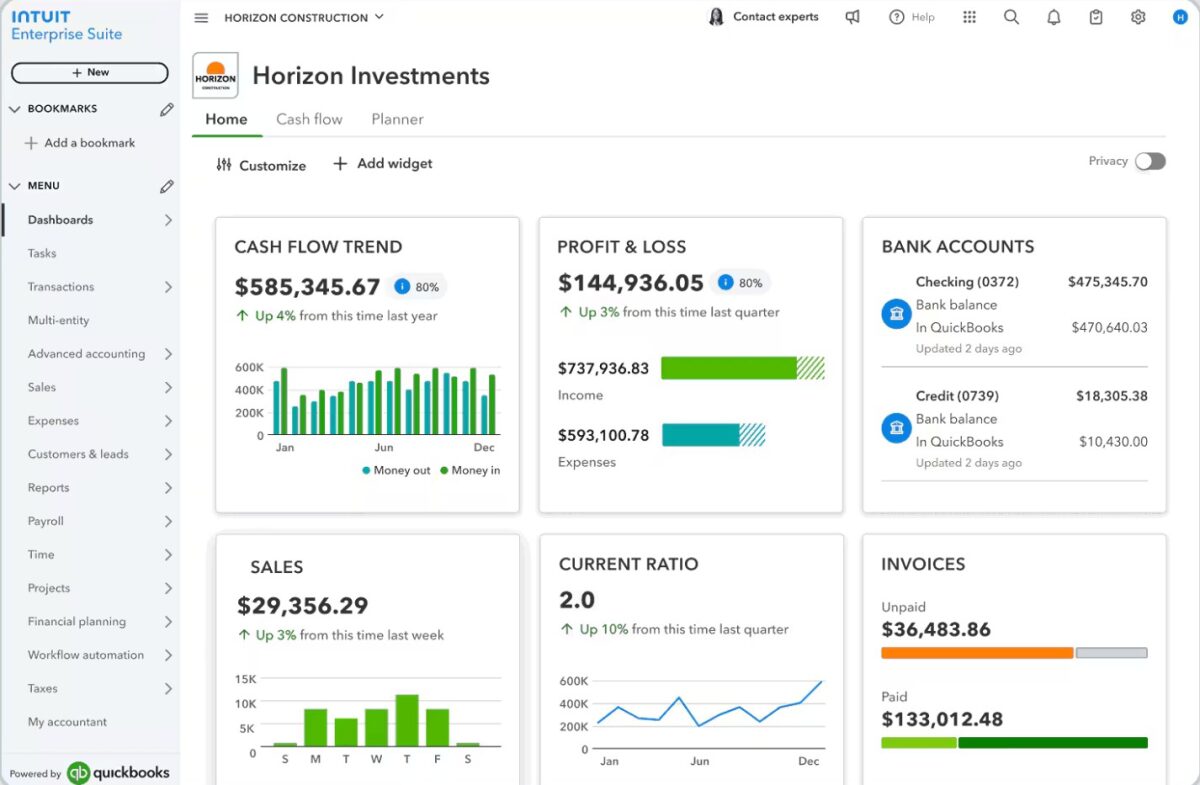
If you are already on QuickBooks, the migration path is smooth and fast, with most customers going live in under 30 days. It is also a strong fit for companies in construction, professional services, and financial services looking for industry-ready workflows without heavy customization.
Features and Benefits
- Multi-entity financial management with automated intercompany eliminations and consolidated reporting across subsidiaries
- Intuit AI agents automate bookkeeping, categorize transactions, and flag anomalies before they reach the books
- Dimensional forecasting lets finance teams model scenarios across business units, locations, and cost centers
- Native payments and bill pay keep cash flow management inside the platform without switching to a separate tool
Pros & Cons
PROS
CONS
Pricing
Intuit Enterprise Suite uses a custom pricing model built around your entity count, user needs, and selected solutions. If you take a 3-month subscription, you’ll get a 50% discount.
Oracle NetSuite
Popular cloud ERP for enterprises
Oracle NetSuite is the cloud ERP for fast-growing mid-market and global companies that have outgrown their accounting software. It covers financials, order management, inventory, procurement, supply chain, warehouse management, CRM, and HR natively in one system.
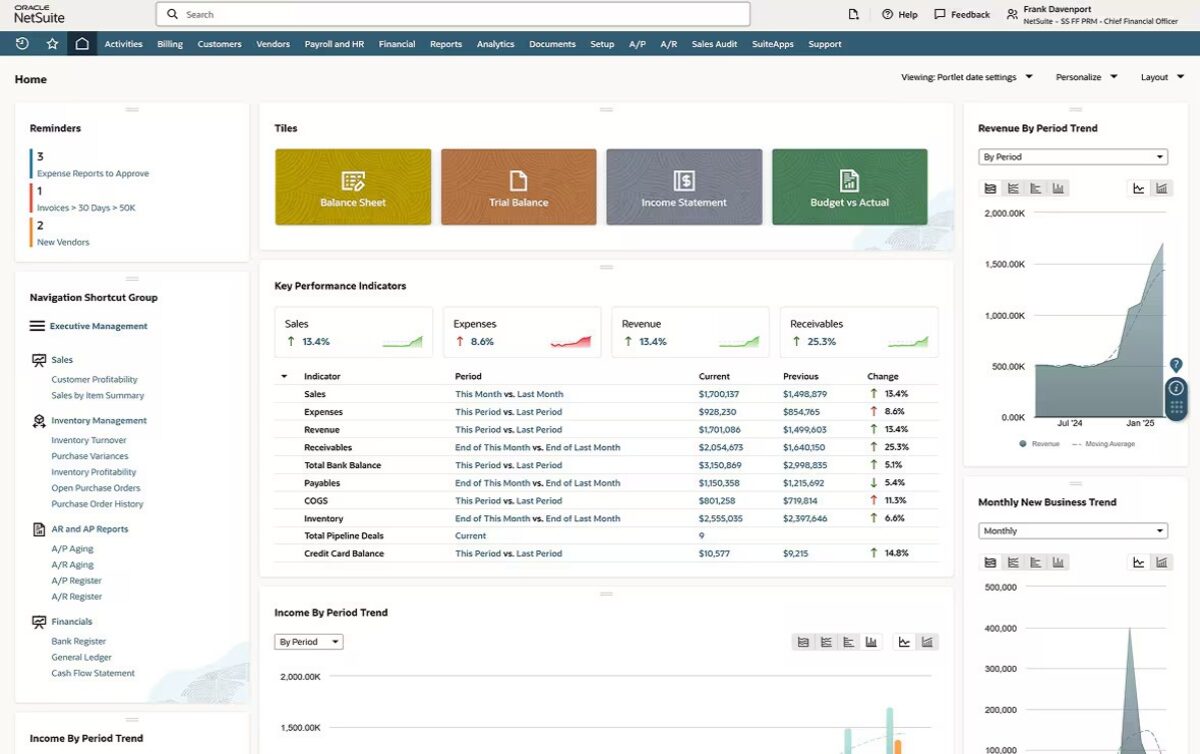
The global reach is genuinely broad, supporting 190+ currencies, 27 languages, and automated tax compliance across 100+ countries. This makes the system a natural fit for businesses expanding internationally.
Features and Benefits
- NetSuite OneWorld manages multiple subsidiaries and legal entities from a single platform with real-time financial consolidation and intercompany transaction management
- SuiteCommerce connects your online storefront to ERP back-office data directly, removing the need for a separate e-commerce integration
- SuiteSuccess implementation methodology uses pre-configured industry templates that compress standard go-live timelines significantly
- NetSuite Next brings conversational intelligence, agentic workflows, and natural-language search natively into the platform
- SuiteCloud developer platform supports custom scripting, workflow automation, and third-party integrations through a governed extensibility layer
Pros & Cons
PROS
CONS
Pricing
NetSuite licenses three components, including the core platform, optional modules, and user count, plus a one-time implementation fee. Contact NetSuite directly for a quote.
Microsoft Dynamics 365
Best for companies already in the Microsoft ecosystem
Microsoft Dynamics 365 is the ERP for companies already running inside the Microsoft ecosystem. Business Central powers it for SMBs, and the Finance module powers it for larger enterprises, connecting finance, purchasing, inventory, projects, and basic CRM in one cloud platform.
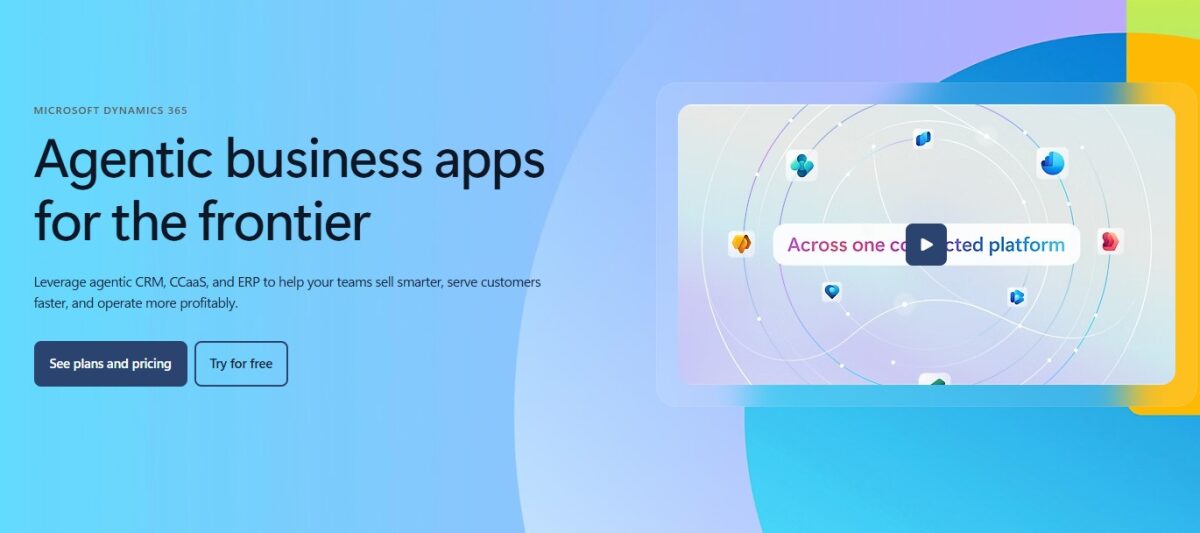
Microsoft Dynamics 365 shares the same identity, security, and collaboration backbone as Microsoft 365, Teams, and Azure. That familiarity helps teams already using Microsoft tools pick it up faster than any other ERP on this list.
Features and Benefits
- Microsoft Copilot is embedded across Dynamics 365 applications at no extra cost, enabling AI-assisted drafting, data summarization, and workflow automation
- Native connectivity with Teams, Outlook, Excel, and Power BI means users access data and collaborate without leaving the tools they already use daily
- Business Central Premium covers general ledger, accounts payable and receivable, fixed assets, purchasing, inventory, project management, manufacturing, and service management
- Power Platform integration lets non-technical teams build custom apps and automations using low-code tools without developer support
- Attach licensing lets organizations add additional Dynamics 365 apps incrementally, which makes it practical to expand functionality as the business grows
Pros & Cons
PROS
CONS
Pricing
Business Central Essentials is $80/user/month, billed annually, covering finance, purchasing, inventory, and project management. The premium tier is $110/user/month and adds manufacturing and service management. Team Members’ licenses for light users are $8/user/month. Enterprise modules like Dynamics 365 Finance start at $210 per user per month. It also offers a free pricing structure with limited functions.
SAP Business One
Best for large enterprises
SAP Business One brings enterprise-grade reliability to small and midsized businesses that have outgrown basic accounting tools. It covers accounting, purchasing, inventory, sales, customer relationships, production, and reporting in a single integrated application.
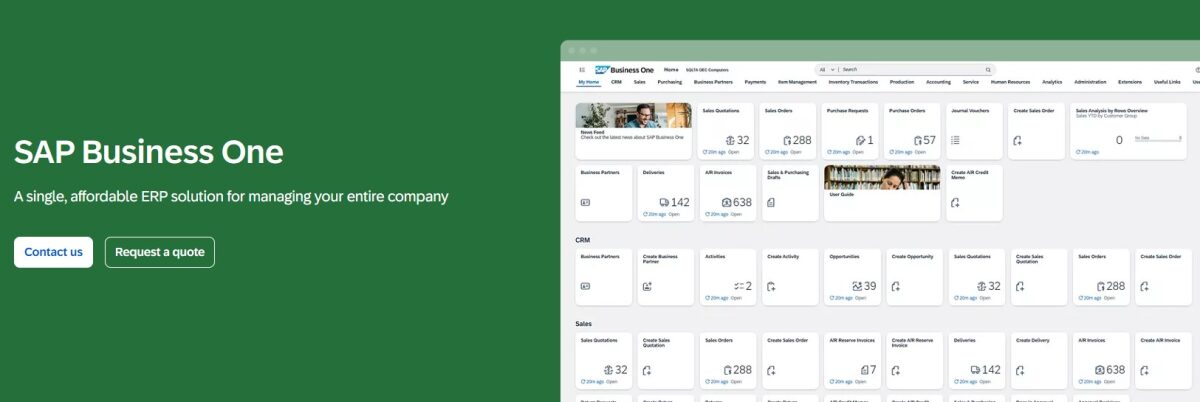
Built on SAP HANA or Microsoft SQL Server, it gives growing companies access to real-time analytics and a clear upgrade path to SAP S/4HANA when the business demands it.
Features and Benefits
- SAP HANA in-memory database enables real-time analytics and fast reporting that SQL Server-based systems at this price tier typically cannot match
- Multi-currency, multi-language, and multi-legislation support covers international operations without requiring custom development for each market
- Open API and SAP Integration Hub connect the platform to e-commerce, CRM, and third-party logistics tools through certified integrations
- Automation for approvals, document generation, and business rule enforcement reduces manual intervention across purchasing, sales, and finance workflows
Pros & Cons
PROS
CONS
Pricing
You can request a quote as per your business size and requirements by filling out the form.
Sage Intacct
Best for all-in-one financial management
Sage Intacct is the go-to financial management platform for finance-led organizations that need multi-entity consolidation, dimensional reporting, and deep accounting controls. It is the only financial management solution endorsed exclusively by the AICPA. Therefore, it is a trusted choice for nonprofits, professional services firms, healthcare organizations, and SaaS businesses where financial precision and auditability matter most.
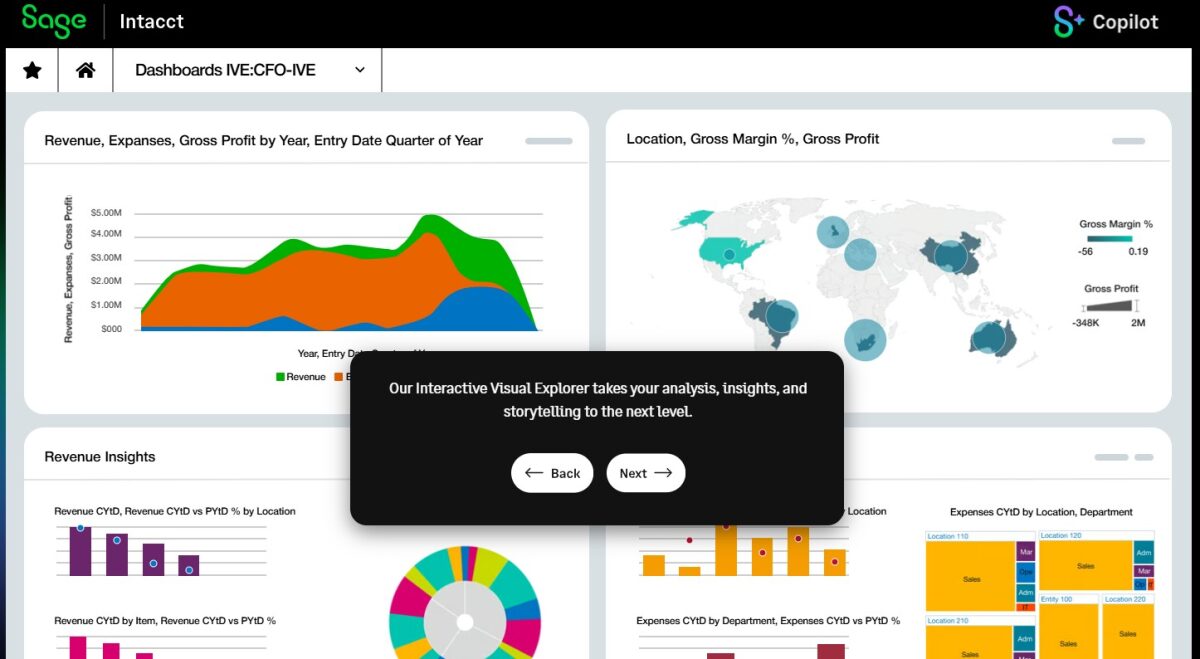
Sage Intacct is a best-in-class finance system, not a full operational ERP, so companies with inventory or manufacturing needs typically pair it with a specialist tool.
Features and Benefits
- Real-time multi-entity consolidation with native intercompany elimination and configurable currency translation across unlimited entities
- Native ASC 606 and IFRS 15 revenue recognition handle subscription billing, milestone-based revenue, and usage-based models without manual journal entries
- Up to 7 configurable accounting dimensions allow reporting by department, project, location, fund, and custom attributes simultaneously
- Sage Intacct Planning integrates budgeting and forecasting directly into the financial data layer, removing the need for a standalone planning tool
- Quarterly product updates add new capabilities automatically, keeping the platform current.
Pros & Cons
PROS
CONS
Pricing
Get a tailored quote for your business. Take a 3-step product tour to see whether Sage Intacct is right for your business.
Acumatica
Best cloud ERP for growing mid-sized businesses
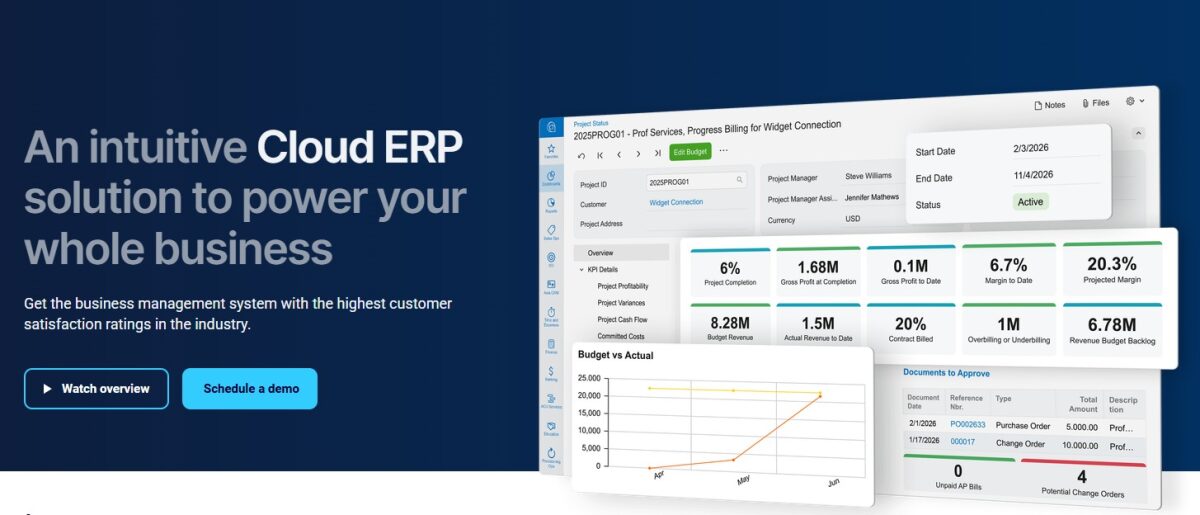
Acumatica positions itself as a cloud ERP system for growing midsized businesses. It focuses on usability and flexibility, rather than locking growing businesses into rigid licensing or infrastructure. The platform combines cloud and mobile technology with a customer-centric licensing model, giving businesses a complete, real-time view of operations from anywhere.
Features and Benefits
- AI-driven automation detects anomalies, handles exceptions, and forecasts demand, turning routine workflows into intelligent processes.
- Low-code or no-code tools let business users build dashboards, customize workflows, and generate reports without writing code, reducing dependence on IT for everyday changes
- Mobile-first architecture with native iOS and Android apps lets field teams, warehouse staff, and service technicians work fully from devices
- Open API and 200+ marketplace extensions support connections to Shopify, Avalara, Pacejet, SPS Commerce, and a wide range of industry-specific tools
- Multi-entity management without per-entity licensing fees makes it structurally more affordable for holding structures than per-entity competitors
Pros & Cons
PROS
CONS
Pricing
Acumatica’s pricing is based on three factors. The applications you implement, your expected transaction volume and resource needs, and your chosen deployment option. There are no per-seat charges. You pay only for what you use.
SYSPRO
Best for manufacturing and distribution
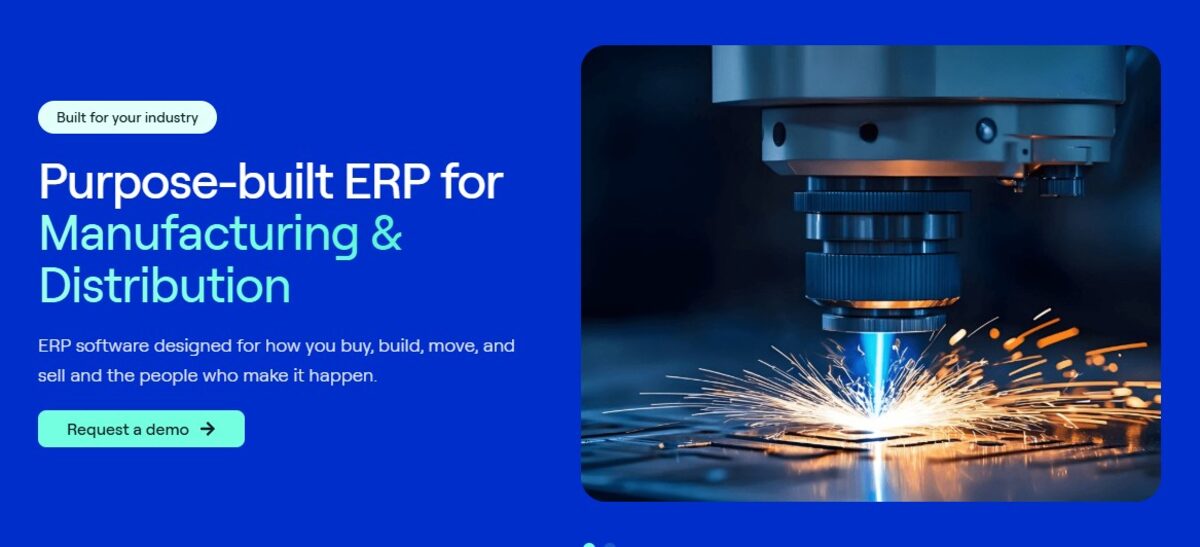
SYSPRO is purpose-built for small to mid-market manufacturers and distributors that need ERP depth in their specific domain. The platform covers financials, inventory, supply chain, manufacturing operations, procurement, and sales in an integrated system designed around how goods are made and moved. Industries like electronics, food and beverage, industrial equipment, and automotive parts have been its core market for over four decades.
Features and Benefits
- Manufacturing Operations Management covers multi-level BOM, MRP, production scheduling, and work order management with real-time work-in-progress visibility
- Lot and serial traceability meets compliance requirements for electronics, food and beverage, pharmaceutical, and automotive supply chain industries
- Concurrent user licensing for on-premise deployments reduces costs for large shift-based workforces, where not everyone is logged in at the same time
- AI, machine learning, and IoT integration capabilities let manufacturers connect machine data, predictive maintenance signals, and demand forecasting directly into ERP workflows
- SYSPRO Reporting Services delivers configurable financial and operational reports without requiring a separate BI tool for most standard use cases
Pros & Cons
PROS
CONS
Pricing
Visit SYSPRO to connect with a partner and get a deployment-specific quote.
Odoo
Best modular ERP for startups/SMBs
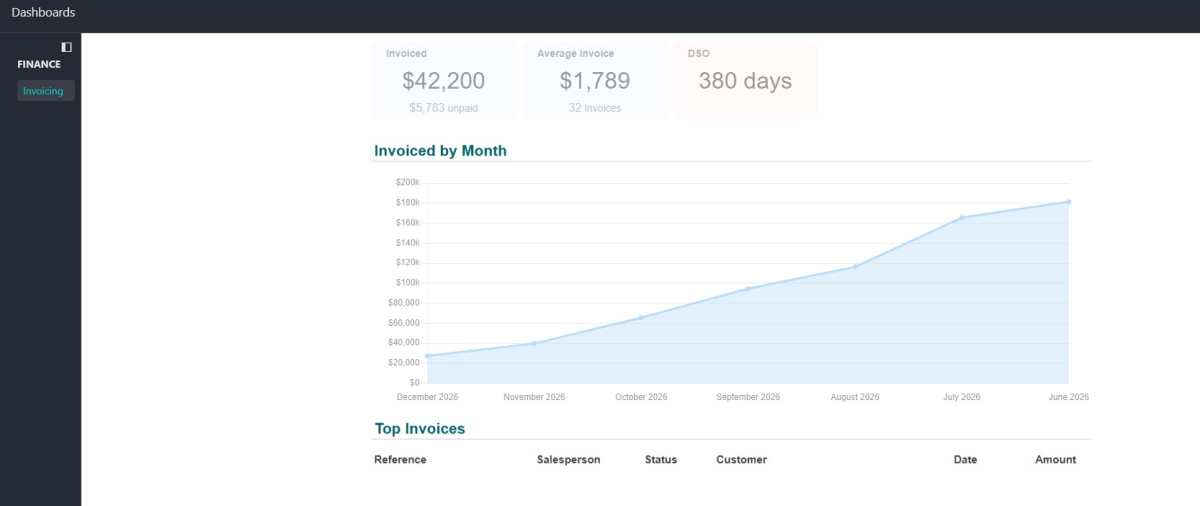
Odoo is the modular ERP for startups and growing SMBs that want to start lean and expand as their businesses scale. The platform covers accounting, CRM, sales, inventory, manufacturing, HR, payroll, project management, e-commerce, and marketing across 80+ official apps.
The Community edition is free and open-source. The Enterprise edition adds advanced modules, managed cloud hosting, and official support. Its biggest strength is flexibility, which allows you to start with what you need and activate more modules without switching platforms.
Features and Benefits
- Modular architecture lets you activate only the apps you need today and add more as operations grow, avoiding the cost of unused functionality
- Odoo Studio allows non-technical users to build custom screens, fields, workflows, and reports using a drag-and-drop interface without developer support
- E-commerce integration connects your online storefront directly to inventory and accounting in the same system without third-party middleware
- Built-in collaboration tools let users chat directly on any screen, tag teammates, and share files, images, and links, keeping communication tied to live business data instead of a separate app
- Odoo.sh supports AI-assisted development, letting technical teams build or extend modules with AI help, since Odoo’s open-source codebase is already part of what LLMs are trained on
Pros & Cons
PROS
CONS
Pricing
Odoo offers a free One App plan for unlimited users on a single application. The Standard plan costs approximately $24.90/user/month, billed annually in the US, giving access to all Odoo apps on cloud hosting. The Custom plan, which adds Odoo Studio, external API access, and multi-company features, costs approximately $49/user/month.
ERPNext
Open-source ERP
ERPNext is a fully open-source ERP for cost-conscious businesses and technical teams that want enterprise functionality without licensing fees. The software is free under the AGPL v3 license with no per-user charges, no feature paywalls, and no modules locked behind paid tiers.
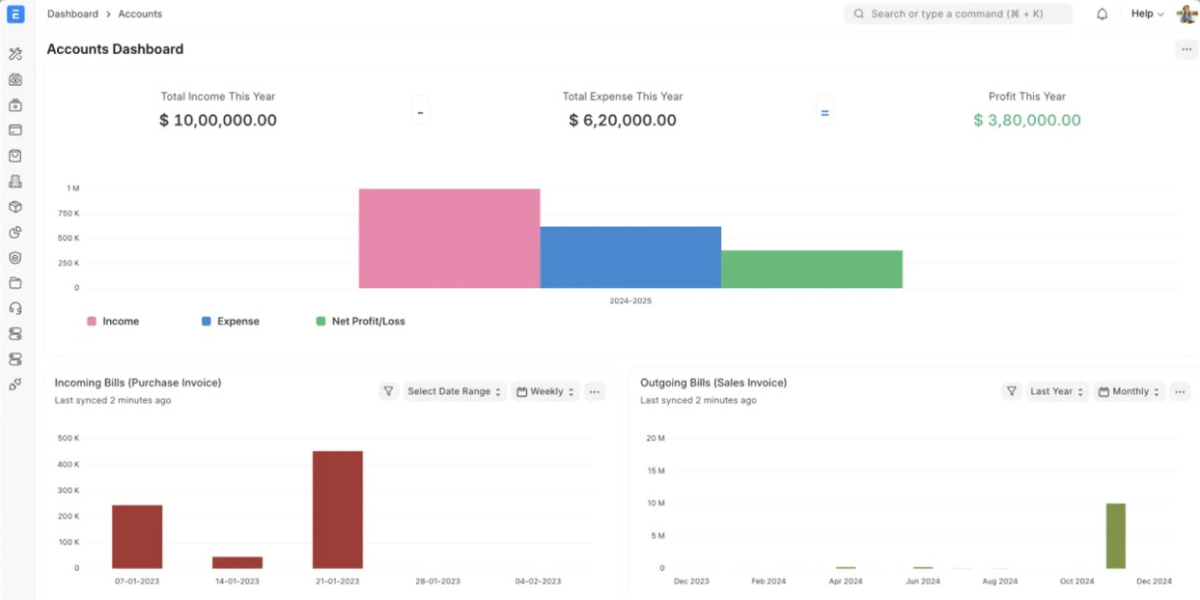
ERPNext v16 delivers a major performance overhaul, a redesigned UI, and new manufacturing capabilities, including Phantom BOMs and custom financial statement templates.
Features and Benefits
- Multi-subsidiary, multi-currency accounting gives businesses a single open-source ERP for general ledger, accounts payable and receivable, financial statements, fixed assets, and global tax and compliance, so finance teams managing multiple entities don’t need separate books per branch
- End-to-end manufacturing management covers multi-level BOMs, production planning, work orders, job cards, subcontracting, and quality checks, providing manufacturers with a complete production cycle rather than basic inventory tracking alone
- No-code and low-code customization let businesses automate tasks with drag-and-drop simplicity and customize forms, reports, print formats, and dashboards.
- Compute-based Frappe Cloud hosting means businesses pay only for hosting instead of software costs that grow linearly with user count, so adding more users doesn’t increase the ERP bill
- API-first integrations connect ERPNext natively to payment gateways like Stripe, PayPal, and RazorPay, ecommerce platforms like Shopify and WooCommerce, and communication tools like Twilio.
Pros & Cons
PROS
CONS
Pricing
ERPNext software is free, but it needs to be hosted on the cloud. Cloud providers charge a hosting fee. After choosing your host, you can start with the default setup or bring in a Frappe partner for implementation.
More ERP Systems

Cetec ERP

Epicor Kinetic

DELMIAworks

Workday

Infor CloudSuite
ERP Software at Glance
The table below gives you a quick side-by-side view of all nine ERP systems covered in this guide.
| ERP System | Best For | Key Features | Deployment | Starting Price |
|---|---|---|---|---|
| Intuit Enterprise Suite | Multi-entity businesses, mid-market to enterprises | AI-native financials, multi-entity consolidation, QuickBooks migration | Cloud | Custom |
| Oracle NetSuite | Mid-market to global enterprises | Multi-subsidiary ERP, SuiteCommerce, 190+ currencies, NetSuite Next AI | Cloud | Custom |
| Microsoft Dynamics 365 | Small businesses to mid-market | Copilot AI, Microsoft 365 integration, modular app licensing | Cloud and On-premise | $80/user/month |
| SAP Business One | Small businesses to mid-market | HANA in-memory analytics, multi-currency, multi-legislation | Cloud and On-premise | Custom |
| Sage Intacct | Mid-market: nonprofits, SaaS, professional services | Multi-entity consolidation, ASC 606, 7 accounting dimensions | Cloud | Custom |
| Acumatica | Mid-market to growing enterprises | Unlimited users, 6 industry editions, consumption-based pricing | Cloud and On-premise | Custom |
| SYSPRO | Small businesses to mid-market manufacturers and distributors | MRP, multi-level BOM, lot traceability, MOM | Cloud and On-premise | Custom |
| Odoo | Small business to mid-market | 80+ modular apps, Odoo Studio, native e-commerce, open-source | Cloud and On-premise | $24.90/user/month |
| ERPNext | Small business to mid-market | Global tax and compliance, general ledger, multi-level approvals | Cloud and On-premise | Free software |
How to Choose the Best ERP System for Your Business
Consider the following factors when you select an ERP system.
Deployment: Cloud, On-Premise, or Hybrid
Cloud ERP is hosted by the vendor, requires no infrastructure management, and gets automatic updates. It suits most businesses today. On-premises gives you full control over data and upgrades but requires your own servers and IT team. Hybrid lets you keep sensitive data on-premises while running other functions in the cloud. Many ERP platforms now support hybrid setups, so check whether your shortlisted options let you split workloads this way rather than forcing an all-or-nothing choice.
Scalability
Check whether the ERP can handle more users, more entities, and more transaction volume without a platform change. If your team will grow significantly, per-user pricing models escalate fast as headcount rises, so calculate what your licensing cost looks like at double or triple your current team size, not just today’s number. Some platforms price by resource consumption or transaction volume instead of by seat, which holds up structurally better for businesses expecting rapid headcount growth. Ask vendors directly how their pricing behaves as you scale, since this detail rarely shows up clearly on a pricing page.
Integration with Existing Tools
Map every tool your business currently uses, including CRM, HR, payroll, and e-commerce, and confirm the ERP supports native or partner-built integrations for each. Some platforms integrate more naturally with tools you already run day to day, so weigh that fit against your current tech stack rather than choosing in isolation. Also check whether integrations are pre-built or require custom development, since custom integration work adds both cost and ongoing maintenance. An ERP with an open API gives you flexibility later, even if a native integration doesn’t exist today.
Implementation and Ease of Use
Implementation cost is separate from the software license, and it’s often the bigger expense. It typically runs one to three times the annual license cost and covers configuration, data migration, training, and go-live support. Go-live timelines vary widely between platforms, and how long yours takes will depend heavily on your data complexity, the number of integrations required, and the quality of the implementation partner you choose. Ask vendors for realistic go-live timelines based on businesses similar to yours, not best-case marketing numbers. Prioritize vendors that include onboarding support by default rather than as a paid add-on. That one detail often decides whether your team actually adopts the system or struggles with it for months after launch.
Conclusion
Each ERP on this list fits a different type of business. Intuit Enterprise Suite and Sage Intacct work best for finance-led teams. NetSuite and Dynamics 365 suit mid-market and enterprise companies scaling fast. SAP Business One and SYSPRO serve manufacturers and distributors that need operational depth. Acumatica is ideal for growing teams that want unlimited users without per-seat costs. Odoo and ERPNext offer the most accessible entry points for startups and budget-conscious organizations.
Before you commit, test a few options hands-on. Intuit Enterprise Suite, NetSuite, Dynamics 365, Odoo, and ERPNext all offer free trials or product tours. SAP Business One, Acumatica, and SYSPRO offer partner-led demos. Pick the platform that fits how your business actually runs.






