



A virtual data room is a secure online repository where companies store and share confidential documents during high-stakes processes like M&A due diligence, fundraising, audits, and litigation. Administrators retain full control over the environment, determining who can access which documents, what they can do with them (view, download, print), and for how long.
Picking the wrong one is costly. Global M&A hit a record $1.6 trillion in deal value in Q1 2026, up 50.6% year over year. PwC projects that the full-year 2026 deal value will reach roughly $4 trillion, marking the strongest year for M&A since 2021.
SRS Acquiom‘s analysis of 3,800+ M&A deals found that actual virtual data room costs often exceed initial quotes by 2 to 10 times, driven largely by hidden setup fees and storage overages.
In this guide, platforms were shortlisted based on real-world M&A and fundraising use cases, then evaluated on the depth of their feature sets and whether their pricing is disclosed upfront or requires a sales call to uncover.
What to Look for in a Virtual Data Room
A few criteria separate a data room that protects your deal from one that slows it down.
- Security and compliance: Look for SOC 2, ISO 27001, and GDPR compliance at a minimum, plus encryption at rest and in transit, dynamic watermarking, and two-factor authentication.
- Ease of use and setup speed: Some platforms are ready in under 10 minutes, others need a training session before your team can navigate them.
- Permission controls and granular access: You want control down to the individual file or folder, not just the top-level room.
- Analytics and activity tracking: The room should tell you which document each viewer opened, for how long, and whether they downloaded it.
- Integrations: CRM syncing, e-signature tools, and Slack or email notifications save your deal team from switching tabs constantly.
- Pricing model: Flat fee, per-page, per-user, or storage-tiered pricing all behave differently as your deal grows in size or duration.
Best VDR Software
DealRoom
DealRoom pairs a virtual data room with M&A project management tools, unifying due diligence, deal tracking, and post-merger integration within a single workspace. This eliminates the need for teams to jump between separate tools throughout the deal lifecycle.
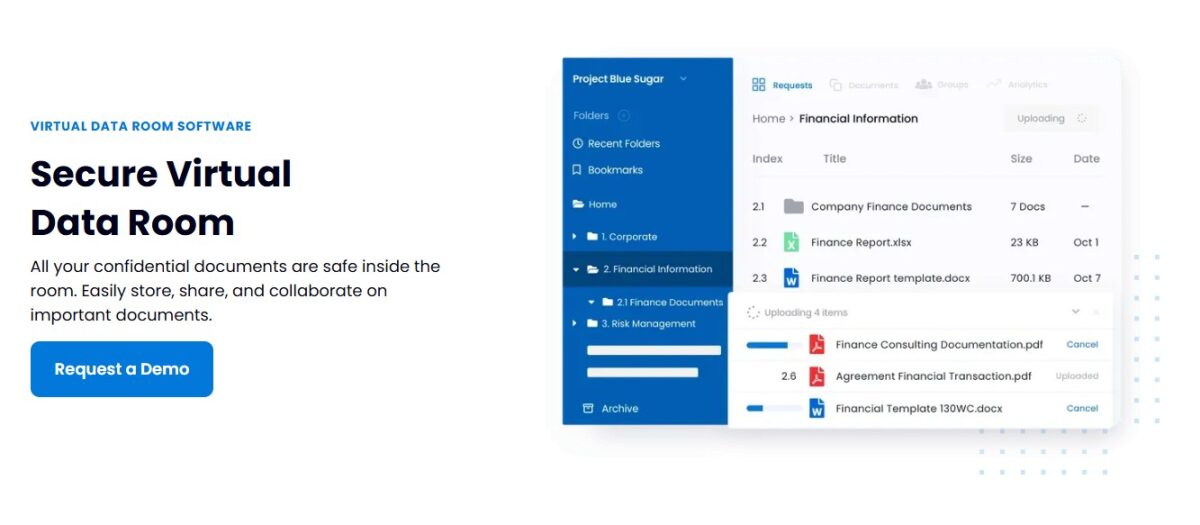
Rather than functioning as a passive document vault, it works more like a live command center for the transaction. The deal team, the seller, and the integration team all pull from a single source of truth throughout the process.
DealRoom Features
- Drag-and-drop uploads tie documents directly to open due diligence requests, so a file lands exactly where the request tracker expects it
- Permissions can be changed at any point in the deal, keeping administrators in control of who can view or access specific files as circumstances shift
- A built-in Excel and document viewer lets teams review files inside the platform, cutting down time lost switching to separate applications
- Buyer engagement analytics show document activity and behavior patterns, giving deal teams a read on who’s actually paying attention
Pros & Cons
PROS
CONS
Pricing
DealRoom uses flat-rate annual pricing tied to the number of deals you run rather than page count or per-user fees.
Rating: DealRoom holds a 4.3 out of 5 rating on G2 from 66 reviews.
Best for: Corporate development teams and serial acquirers who want deal pipeline management bundled with the data room itself.
Papermark
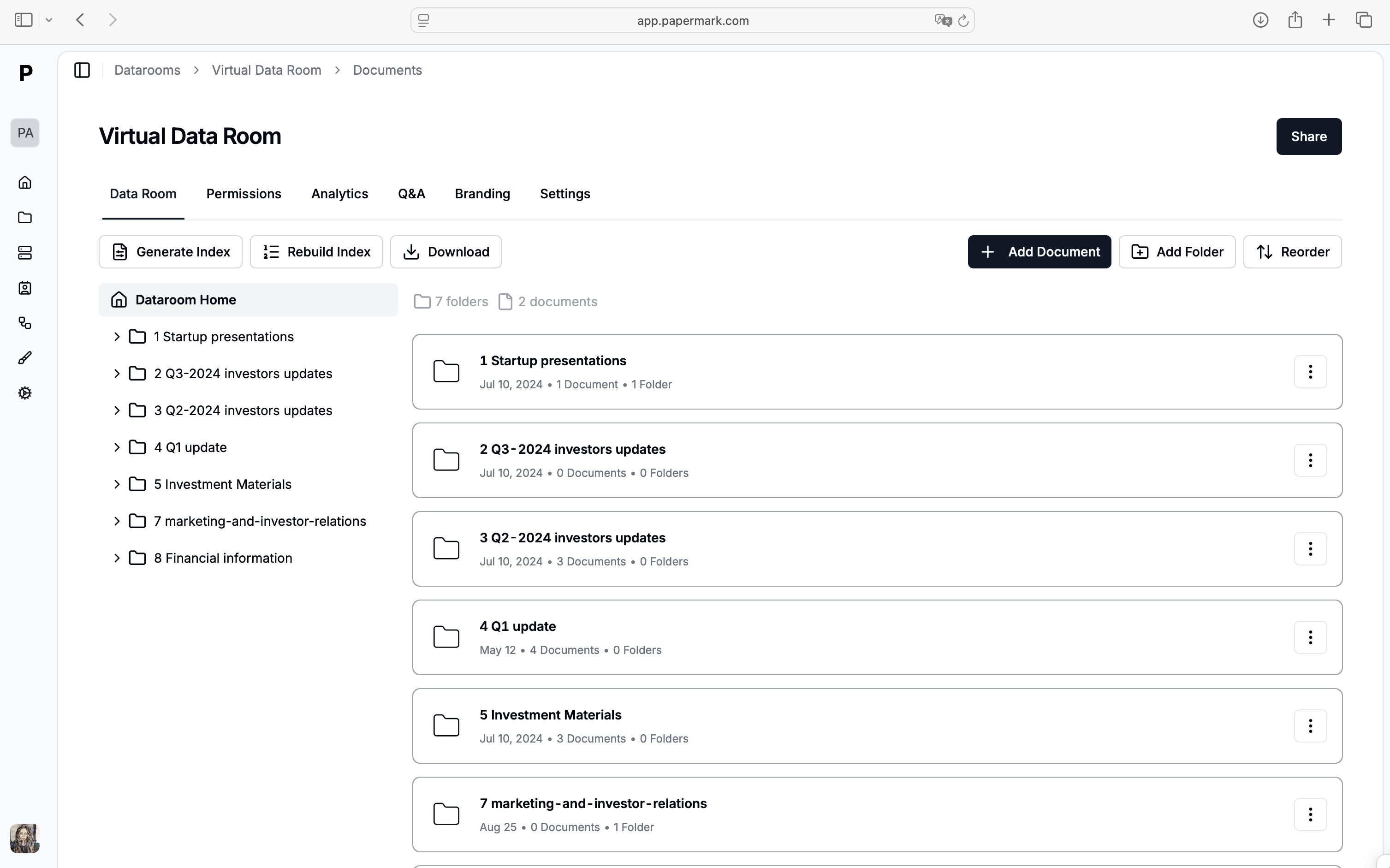
Papermark is a virtual data room built for fundraising, M&A due diligence, and partnerships, with a modern interface and a setup speed legacy VDRs rarely match. Its data room product centers on granular, file-level, and folder-level permissions that let you control exactly what each investor or buyer sees, all from one shared workspace. Teams with strict data residency requirements also have the option to self-host the platform.
Papermark Features
- Granular file and folder-level permissions let you set view, download, and print rights individually, so one investor can be limited to viewing a term sheet while another gets full download access
- Dynamic watermarking stamps every page with the viewer’s email, IP address, and timestamp, which discourages leaks and makes the source traceable if a file surfaces where it shouldn’t.
- Mandatory NDA gating requires a signature before a single document becomes visible, removing the need to chase signatures separately over email
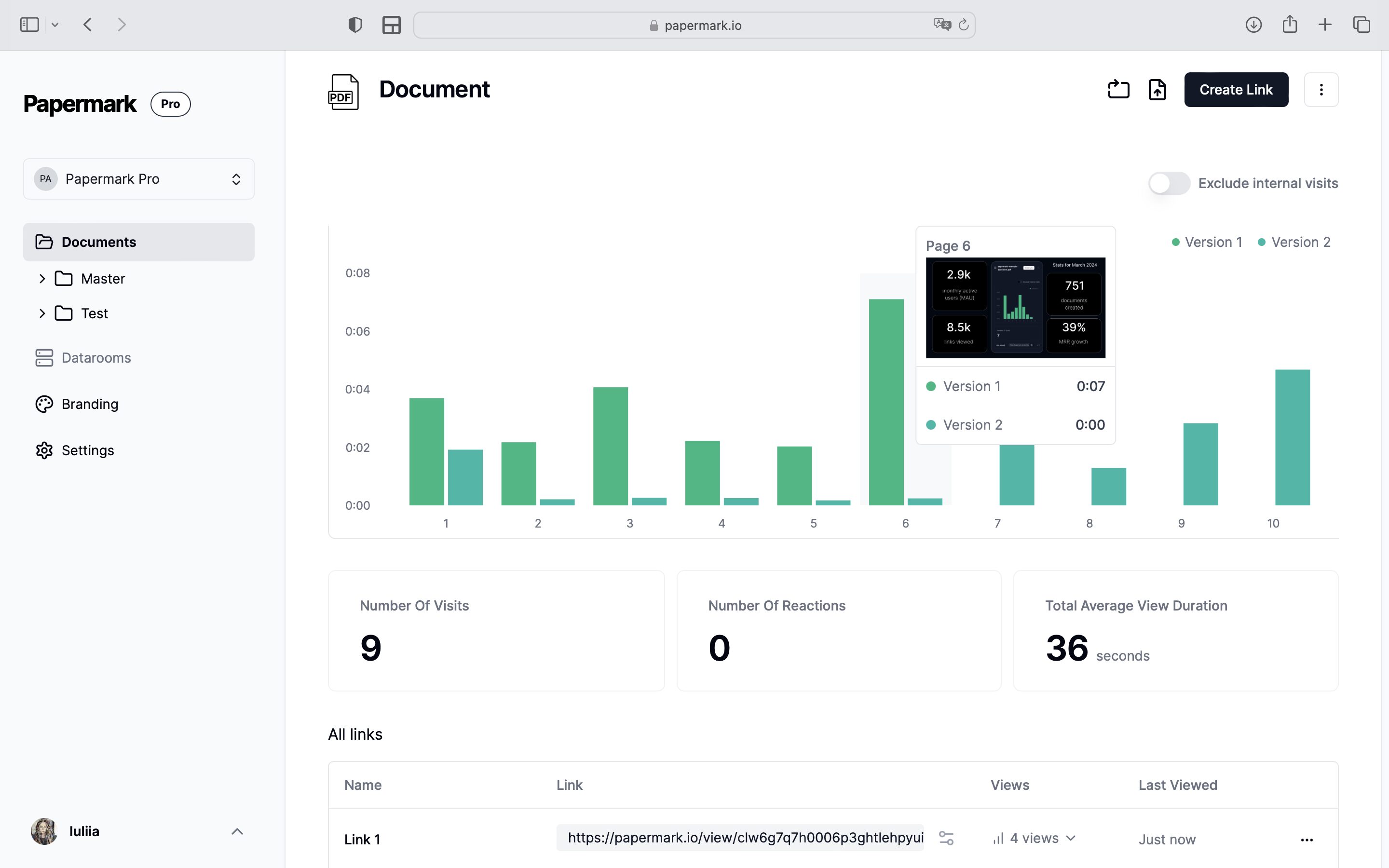
- Page-by-page analytics show exactly which page a viewer lingered on, giving fundraising teams information on which parts of a deck or memo actually held attention.
- Open API and MCP server let teams and AI agents create, populate, and manage data rooms programmatically instead of through manual uploads
Rooms can be fully white-labeled on a custom domain. Because Papermark is open source, it can also be self-hosted for full data control. It’s SOC 2, GDPR, CCPA, and HIPAA compliant.
Papermark also stands out as one of the few VDRs built for AI agents. Through Papermark for Agents, the platform exposes 40+ typed tools over MCP and REST API. Agents in Claude, Cursor, or ChatGPT can create rooms, upload documents, mint watermarked links, and pull analytics. Teams use this to auto-build a fundraising room with a link per VC from a single prompt.
Agents authenticate with scoped pm_live_ tokens and still respect existing permissions and audit logs.
Pros & Cons
PROS
CONS
Pricing
Papermark data room plans start with a 7-day free trial.
Rating: Papermark scores 4.5 out of 5 on G2.
Best for: Startups and fundraising teams that want a fast, transparent setup without a sales call.
Ansarada
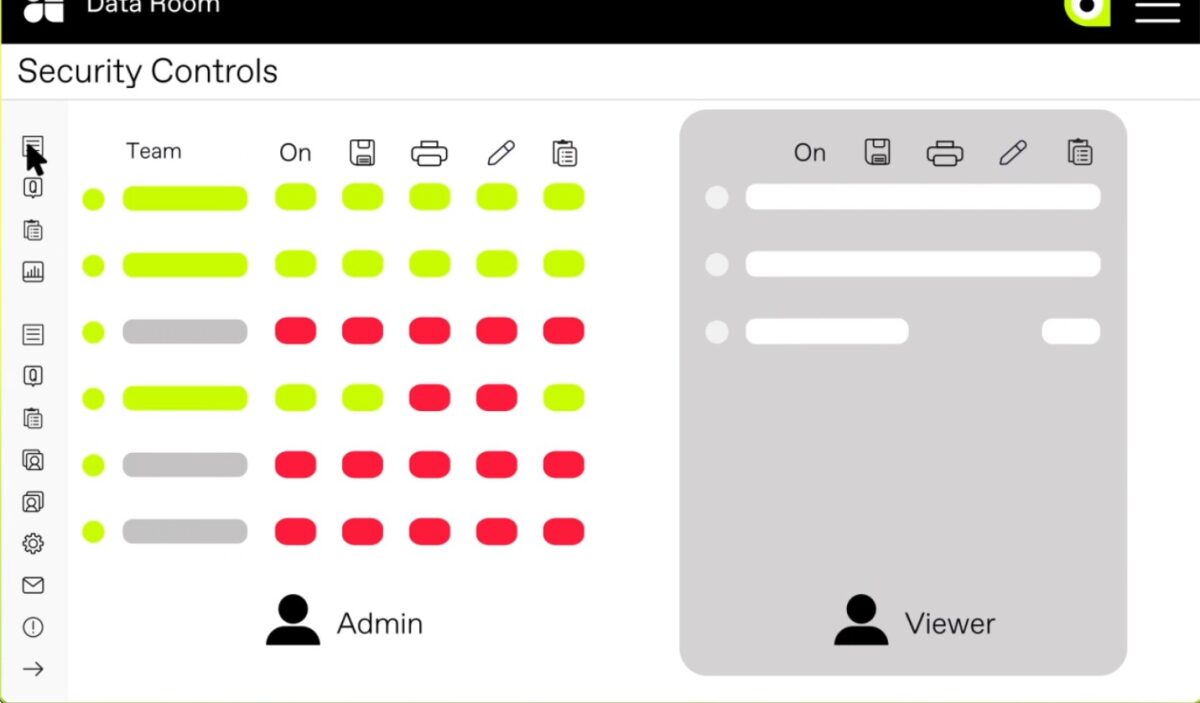
Ansarada leans heavily into AI for deal readiness, going beyond document storage into predictive analytics on which bidders are actually serious. Remote document self-destruct lets administrators revoke access to a file even after it has left the platform. This is a level of control most competitors lose once a document is downloaded.
Ansarada Features
- AiDA, Ansarada’s AI assistant, searches across the entire document set and returns sourced answers instead of making users dig through folders manually
- AI-Predict analyzes bidder behavior to forecast the likely winning buyer, with the company claiming near-accurate predictions by day seven of a deal
- AI-Sort and AI-Redact automate document organization and redaction across large sets, cutting down the manual prep work before a room goes live
- Remote Doc-Destruct revokes access to a file even after it has left the platform, regardless of where it was saved
Pros & Cons
PROS
CONS
Pricing
Ansarada has moved to fully quote-based pricing, with a free-until-go-live trial model instead of published rates.
Rating: Ansarada carries a 4.5 out of 5 rating on G2 from 238 reviews.
Best for: Enterprise M&A teams that want AI-driven bidder insight built into the deal room itself.
SS&C Intralinks
SS&C Intralinks VDRPro is built around information rights management, or IRM. This capability lets deal teams revoke access to a file even after it has already been downloaded to someone’s device.
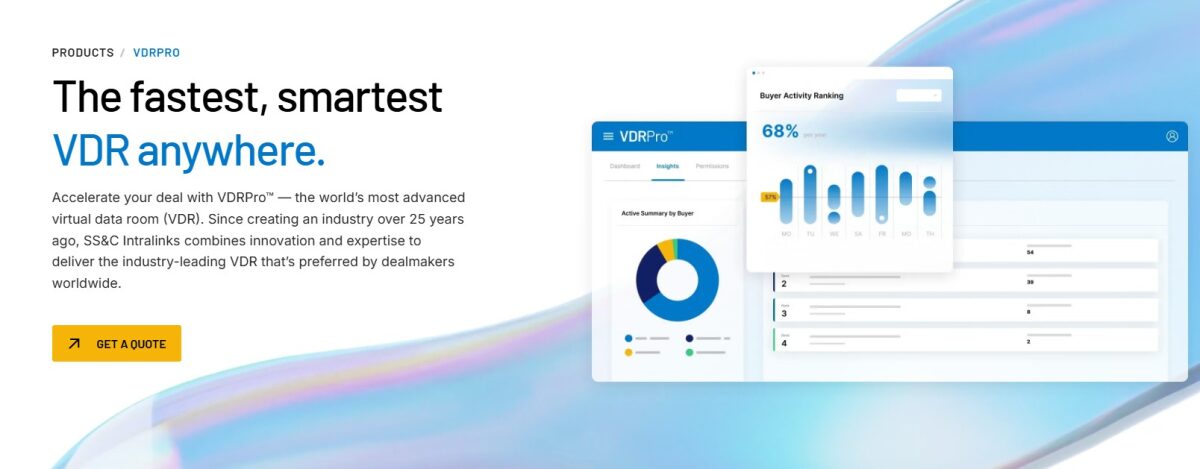
Intralinks VDRPro Features
- Bulk Q&A import lets teams load large volumes of buyer questions at once while still controlling priority and access levels per question
- Integrated AI redaction flags sensitive information, such as PII, across documents before they’re shared
- Information rights management follows a file after download, so access can still be revoked even once it’s sitting on someone else’s device
- A dedicated mobile app lets deal teams securely access the room and monitor activity while away from a desktop
- Support in more than 140 languages, available around the clock, keeps cross-border deal teams covered regardless of time zone
Pros & Cons
PROS
CONS
Pricing
Intralinks does not publish standard pricing and quotes each engagement individually.
Rating: Intralinks VDRPro sits at 3.8 out of 5 on G2 from around 29 reviews.
Best for: Cross-border and regulated transactions that require control over documents even after they have been downloaded.
Datasite
Datasite Diligence helps move a deal from document upload to close as quickly as possible, with AI layered directly into the diligence workflow instead of bolted on as an afterthought. An MCP server connects Claude, ChatGPT, Microsoft Copilot, or Datasite’s own Blueflame AI directly to the deal room. This lets teams set up rooms, draft Q&A, and pull diligence answers without leaving the tools they already use.
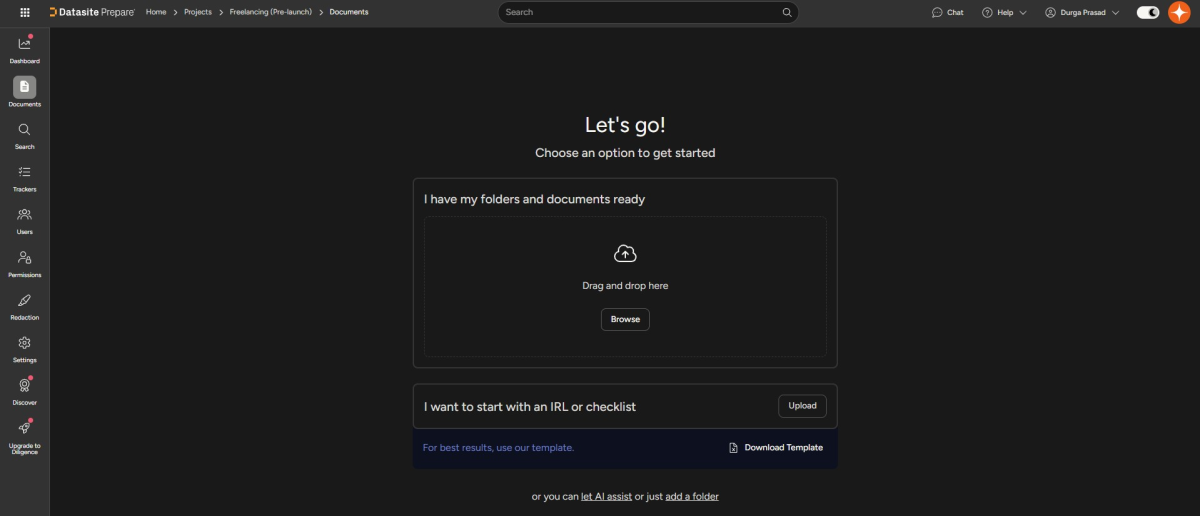
Datasite Features
- AI-powered redaction scans uploaded documents for sensitive information and flags it automatically
- MCP support connects third-party AI assistants directly to deal content, which lets teams build, configure, and populate a room from Claude, ChatGPT, or Copilot
- Bulk Q&A drafting generates responses grounded in the deal’s own documents, with every answer cited back to its source
- Granular, role-based permissions control exactly what each buyer, seller, or advisor can see across a shared, permissioned data room
Pros & Cons
PROS
CONS
Pricing
Datasite uses a legacy, quote-based model tied to page count and special media charges rather than a flat subscription.
Rating: Datasite Diligence holds a 4.5 out of 5 rating on G2 from roughly 416 reviews.
Best for: Large, complex sell-side M&A transactions where deal speed and AI-assisted analysis matter more than budget.
Firmex
Firmex is built around the idea of a clearly time-boxed project, which includes opening a room, running diligence for a defined window, closing, and archiving. It’s used by hundreds of companies for document-heavy processes like M&A due diligence and large audits. The workflow is structured for advisors managing frequent, discrete deals rather than one continuous pipeline.
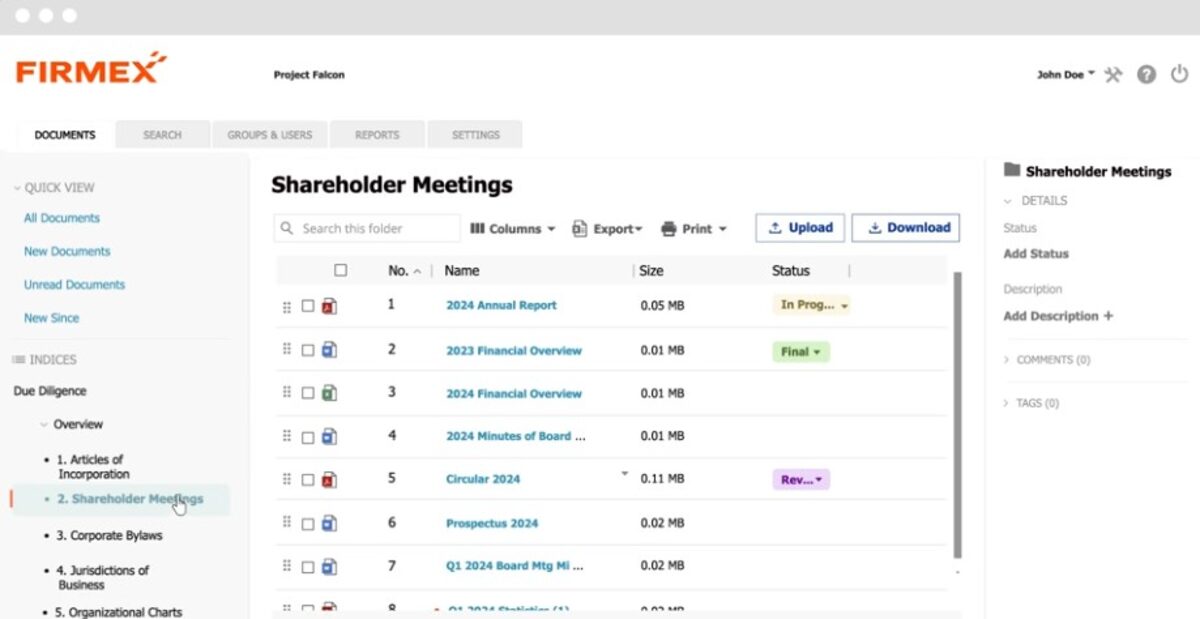
Firmex Features
- Automatic indexing organizes files as they’re uploaded, whether through drag-and-drop or a dedicated “Email In” address that routes files straight into the room
- “View As” lets an administrator instantly toggle into any user’s perspective, confirming exactly what that person can see before a room goes live
- “Copy Project” replicates a prior room’s file index, groups, and permissions, so a new project starts pre-configured instead of built from scratch
- Redaction removes personally identifiable information directly inside the platform, without needing to export documents to a separate tool first
Pros & Cons
PROS
CONS
Pricing
Firmex is quote-based and follows a per-project or subscription-based model.
Rating: Firmex scores 4.6 out of 5 on G2 from around 93 reviews.
Best for: Mid-market M&A boutiques and law firms running clearly time-boxed deals.
Ideals
Ideals offers eight granular permission levels, built-in redaction, and full-text search powered by OCR. These capabilities are wrapped in an interface designed to be usable without a lengthy training period. Where many enterprise-grade platforms trade ease of use for security depth, Ideals positions itself as covering both at once.
Ideals Features
- Eight granular permission levels, from owner down to viewer, let administrators control access down to the individual document rather than the whole room
- Fence View lets a team preview exactly what a viewer will see and blocks screenshots, without granting them actual access to the room
- Ideals MCP connects Claude, Copilot, or ChatGPT directly to the data room, letting deal teams query documents through an AI assistant instead of manual search
- Auto-indexing and smart search cut down the time spent digging through folders for a specific file during a live deal
Pros & Cons
PROS
CONS
Pricing
Ideals runs three tiers: Core, Premier, and Enterprise, all quote-based.
Rating: Ideals holds the highest rating on this list at 4.7 out of 5 on G2 from roughly 854 reviews.
Best for: Mid-market teams that want enterprise-grade security without the learning curve legacy platforms demand.
DocSend
DocSend layers dedicated Advanced Data Room functionality on top of its core document-tracking and link-sharing tools, so teams already using it for sales or investor updates can extend the same workflow to diligence. Team plans allow unlimited data rooms and invited visitors, with no hard cap that would force teams to ration access.
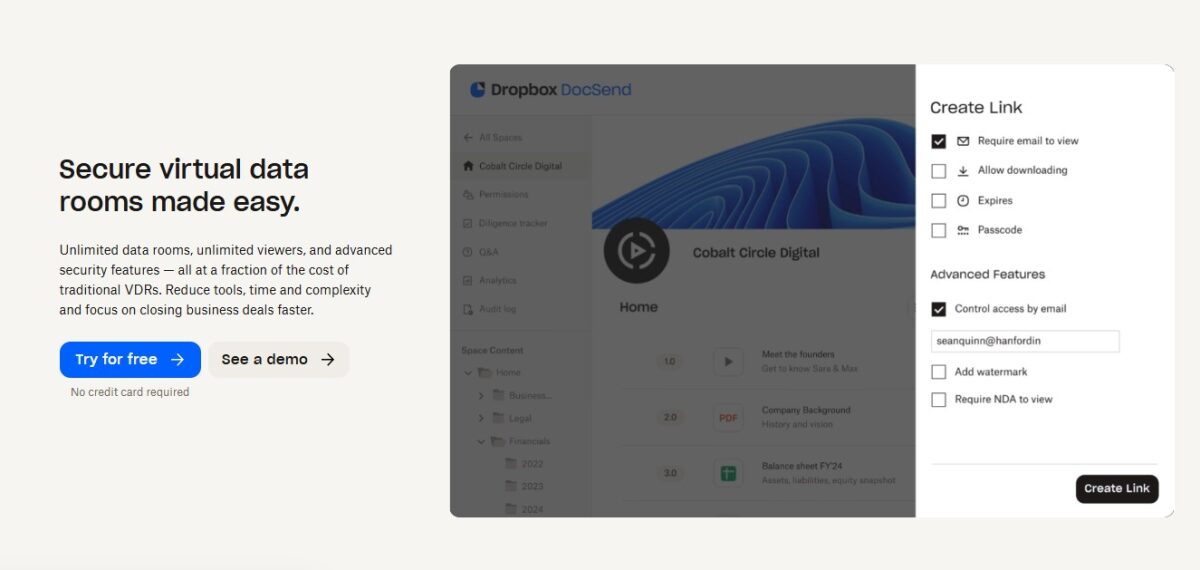
DocSend Features
- Auto-indexing organizes uploaded documents automatically, while built-in eSignature support handles NDAs and closing documents without leaving the platform
- Native integrations with Box, Dropbox, Google Drive, and Microsoft OneDrive mean files don’t need to be re-uploaded from scratch if they already live elsewhere
- Gmail and Outlook browser extensions let teams share tracked links directly from their inbox, without switching to a separate tab
- Industry-backed templates give fundraising and diligence teams a starting structure instead of building a document set from a blank room
Pros & Cons
PROS
CONS
Pricing
DocSend offers several tiers, with dedicated Advanced Data Rooms functionality unlocked on its higher plans.
Rating: DocSend rates 4.6 out of 5 on G2 from 589 reviews.
Best for: Sales and investor relations teams that want lightweight document tracking with data room features layered on top.
Digify
Digify centers on document security that follows the file after it leaves the platform. This includes patent-pending digital rights management that blocks copying, printing, and forwarding even after download. Recipients access rooms directly through a browser, with no plugin required on their end.
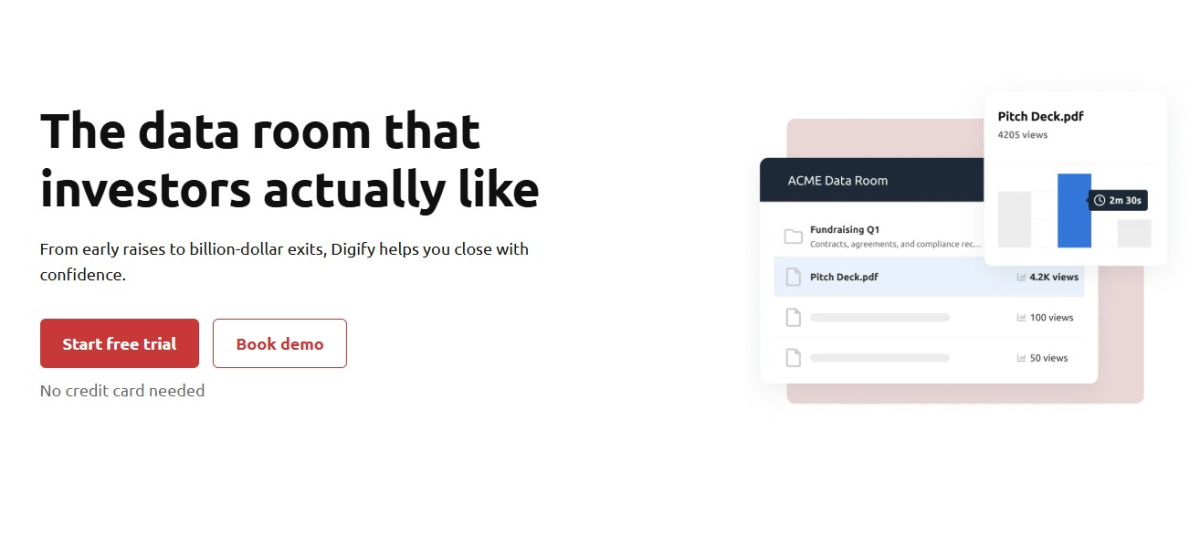
Digify Features
- “Persistent Protection After Download” lets recipients download an entire data room while the sender retains the ability to revoke access, set expiry, or block printing and forwarding after the fact
- Native sync with Google Drive, Box, Dropbox, and OneDrive keeps files current in the data room without manual re-uploading
- Role-based permissions across owner, contributor, and viewer levels keep access tightly scoped to what each person actually needs
- Page-by-page document tracking shows exactly which page a viewer spent time on, not just whether they opened the file
Pros & Cons
PROS
CONS
Pricing
Digify pricing plan starts at $140/month when billed annually for one user and 3 data rooms.
Rating: Digify scores 4.6 out of 5 on G2 from 105 reviews.
Best for: Smaller teams that want strong document control after a file has already left the platform.
FirmRoom
FirmRoom keeps its feature set intentionally lean, prioritizing a clean, fast interface over the dense menus common on legacy VDRs. It’s built for teams that want a room live and documents uploaded within minutes rather than hours.
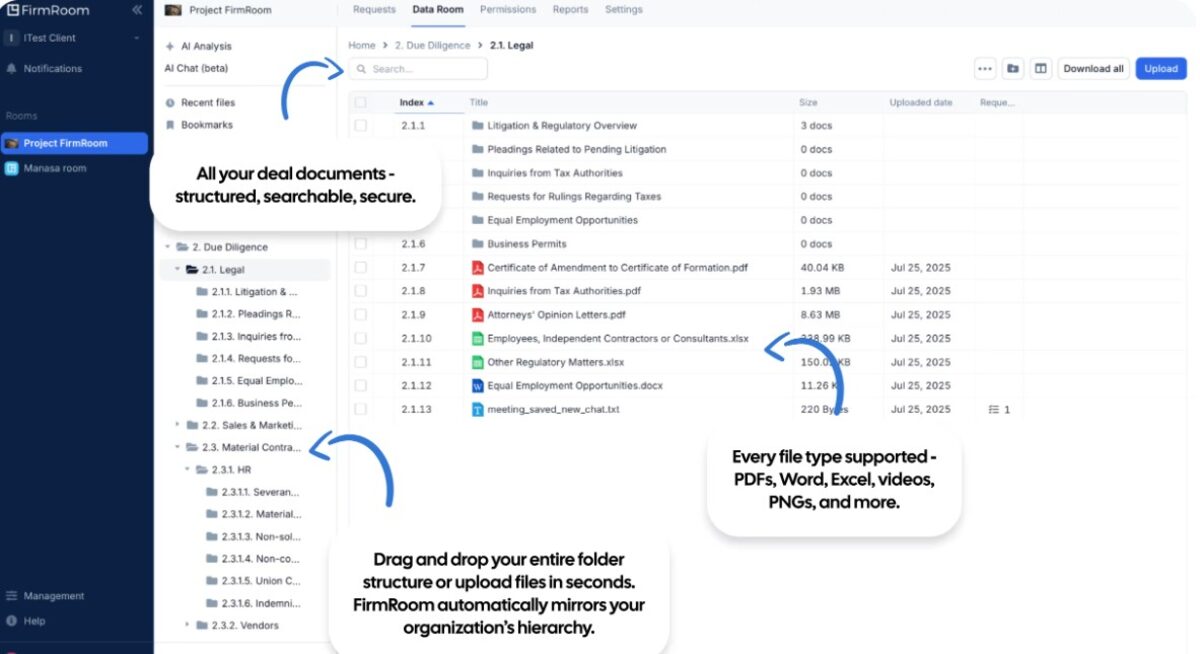
FirmRoom Features
- Smart search indexes inside documents across files, folders, and dates, making it possible to find a specific clause without opening file after file
- A built-in document viewer lets reviewers preview files without downloading them, keeping sensitive documents from leaving the platform
- Custom watermarks add identifiers to PDF views and downloads, and every copy stays traceable back to its viewer
- Activity insights show who accessed what, when, and for how long, across the whole data room
Pros & Cons
PROS
CONS
Pricing
FirmRoom publishes flat, storage-tiered pricing rather than quoting per engagement, starting around $395/month for 2GB and scaling up with storage.
Rating: FirmRoom holds a 4.6 out of 5 rating on G2 from 22 reviews.
Best for: Mid-market dealmakers who want a modern, self-service alternative to legacy per-page VDRs.
Venue by DFIN
Venue is Donnelley Financial Solutions’ virtual data room. It adapts across the corporate lifecycle, supporting board governance, regulatory audits, and multi-division transactions, rather than serving a single deal type. A recent rebuild added a Staging Area that lets teams build and refine a room privately before flipping it live.
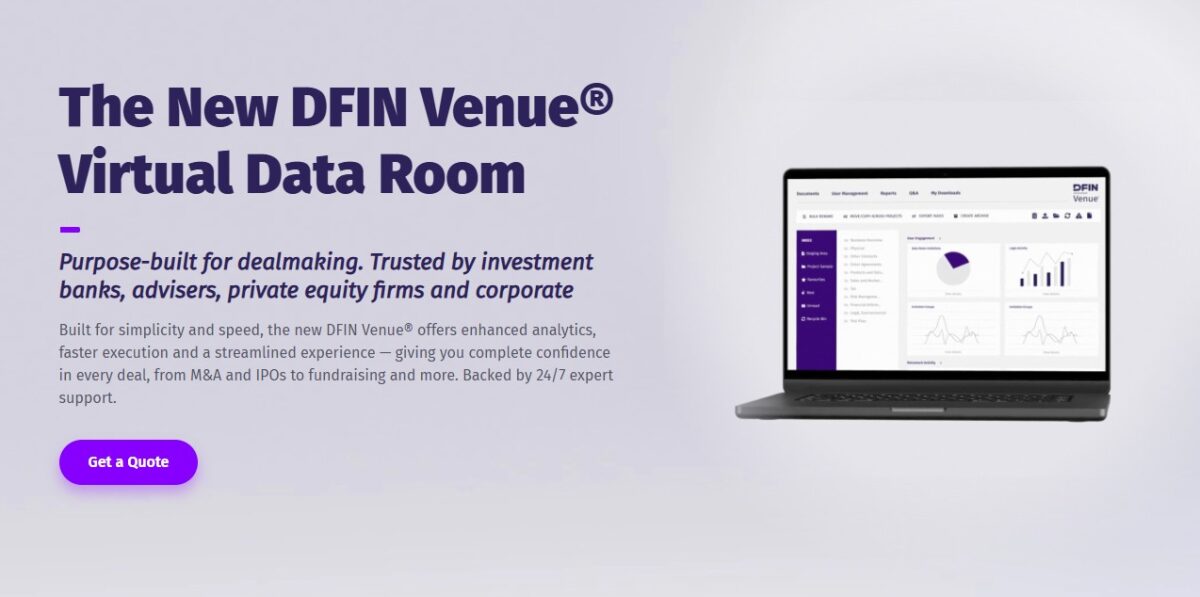
Venue Features
- Smart Redaction auto-detects sensitive data like emails, phone numbers, and credit card numbers and lets teams redact by keyword or pattern without leaving the platform
- Tree View shows the full document index, folders and all, at once, with bulk download and expand/collapse controls for faster navigation
- Granular multi-group permissions let administrators set access at the group association or individual level, built for complex syndicates and multi-party diligence
- Enhanced reporting and scheduled dashboards surface buyer intent signals like login frequency and time spent. It delivers reports automatically by email
Pros & Cons
PROS
CONS
Pricing
Venue is quote-based only, with no public pricing listed.
Rating: Venue by DFIN holds a 4.4 out of 5 rating on G2 from 20 reviews.
Best for: Enterprises already using DFIN’s broader compliance and filing tools that want a data room bundled into that ecosystem.
VDR Software Comparison
| Software | Pricing Model | Free Trial | Security Certifications | Best For |
|---|---|---|---|---|
| DealRoom | Flat annual fee by deal volume | Yes | SOC 2 Type II, Data Processing Agreement | Corporate development teams and serial acquirers |
| Papermark | Flat rate, free plan available | Yes | SOC 2 Type II | Startups and fundraising teams |
| Ansarada | Quote-based, Free until you go live | No | ISO 27001 | Enterprise M&A with AI bidder scoring |
| SS&C Intralinks | Quote-based | Not mentioned | ISO 27701 | Cross-border, regulated deals |
| Datasite | Quote-based | Yes | ISO 27001, 27017, 27018, 27701, and 42001 and SOC 2 Type II | Large, complex sell-side M&A |
| Firmex | By Subscription or Per-Project | No | SOC 2 | Mid-market |
| Ideals | Subscription | Yes | SOC 2 and SOC 3, ISO 27001, 27017, and 27701 | Mid-market teams |
| DocSend | Per user Subscription-based | Yes | SOC 2 Type II | Sales and investor relations teams |
| Digify | Subscription | Yes | ISO 27001 | Smaller teams that want strong document control |
| FirmRoom | Flat rate | Yes | SOC 2 | Mid-market dealmakers |
| Venue by DFIN | Quote-based | Not publicly advertised | SOC 2 Type II, ISO 27001 | DFIN-ecosystem enterprises |
How to Choose the Right VDR for Your Use Case
The right platform depends heavily on what kind of deal you are actually running.
By deal type:
- M&A: Datasite, Intralinks, and Ideals cover the deep permissioning, redaction, and Q&A workflows that complex sell-side processes need
- Fundraising: Papermark and DocSend are built for speed, with page-level analytics that tell you exactly which investor is engaged
- Legal and litigation: Firmex and Ansarada both handle high document volumes with strong audit trails for discovery and compliance
- Real estate: FirmRoom and DealRoom work well when you need predictable, flat-rate costs across multiple simultaneous listings
- Restructuring and audits: Intralinks and Datasite offer the compliance depth that large regulated transactions require
By company size:
- Startups and small teams: Papermark, DocSend, and Digify offer transparent, published pricing without a sales call, which matters when you are running your first raise
- Mid-market: Ideals, Firmex, DealRoom, and FirmRoom balance deal-specific features with costs that do not require board approval
- Enterprise: Datasite, Intralinks, Ansarada, and Venue by DFIN justify their premium pricing with deeper AI tooling, compliance certifications, and dedicated account support
Whichever platform looks like the right fit on paper, take a free trial or a live demo before committing. Pricing pages rarely tell the full story, and the gap between a marketing page and how a tool actually handles a 2,000-document upload only shows up once your team is inside it.
Most of the platforms on this list offer either a self-serve trial or a guided demo, and running your own documents through it for a week is the fastest way to catch friction before it costs you deal momentum.
FAQ
Is a virtual data room different from Google Drive or Dropbox?
Yes. Basic cloud storage isn’t built for due diligence. A VDR adds audit trails, dynamic watermarking, and per-document permissions, and it logs every view, download, and print action so you know exactly who accessed what.
How much does a data room cost?
It depends on the pricing model. Flat-rate platforms run roughly $250 to $1,000 a month. Per-user platforms scale with team size, usually $10 to $250 per user monthly. Legacy per-page platforms are quote-based and can run from $10,000 a year to $200,000 or more for large, document-heavy deals.
Are free VDRs secure enough for due diligence?
Only if the free tier comes from an established provider with real certifications like SOC 2 or ISO 27001, encryption, and audit logging. A general file-sharing free plan without watermarking, granular permissions, or NDA gating is not a substitute for a purpose-built data room, especially for M&A or deals with multiple external bidders.






