



Hyperscalers (AWS, GCP, Azure) are capable and powerful cloud infrastructure hosting platforms. The big three together capture more than 60% of the worldwide cloud infrastructure market share and hence may feel like the first choice to host a Node.js app.
However, using any of them comes with trade-offs, including significant manual setup, which can include provisioning, scaling policies, networking, security groups, and CI/CD wiring.
This can lead to overkill, and that’s why it’s best to look for fast, low-friction Node.js hosting platforms.
Heroku introduced instant deployment for Node.js applications, making the approach famous. It was the go-to option to host Node.js apps.
However, in Feb 2026, Salesforce moved Heroku into sustaining engineering. This means that the platform will not receive any new features, but current users are not affected in any way and will continue receiving stability, security, reliability, and support, making Heroku still viable but no longer the obvious choice.
That’s why it’s best to go through the options and choose what suits your requirements best. In this article, I’ll go through the best Node.js hosting platforms in 2026.
What to Look for in Node.js Hosting
Before picking Node.js hosting, keep the following in mind.
- Ease of deployment: Node.js hosting must offer ease of deployment, which includes support for Git push (for automatic build and deployment), CLI, and Docker support. You can look for a platform that meets specific requirements. For example, if your Node.js app has specific system dependencies, then it’s best to go with Docker support. Additionally, look for other key features related to deployment, including zero-downtime rollbacks.
- Native Node.js version support / auto-detection: With Node.js evolving rapidly, it’s crucial to have native Node.js version support and auto-detection. As different versions support different features and vital security patches, it’s best to stay updated. Auto-detection can match your app version and ensure seamless deployment and operation.
- Pricing model: Choosing a tier based on your needs is vital. That’s why you should look at what tiers the hosting platform offers. You can go with the free tier for small Node.js apps or go for predictable monthly pricing if you have a fixed budget. Pay-as-you-go also fits well if you need to scale up or down your application based on demand.
- Scaling: Auto-scaling is crucial if you’re looking to ramp up your Node.js app when demand arises. Scaling to zero is cheaper as you don’t pay for idle time, but can lead to a delayed first request after inactivity.
- WebSocket / long-running process support: Depending on your Node app criteria, look for hosting that offer websocket/long-running process support. This will help you build a persistent connection for your app (for example, collaborative dashboards, multiplayer, live dashboards).
- Database/add-on ecosystem: It’s best to know what databases or add-on ecosystem the Node.js hosting provides. It can be Postgres, object storage, or just cache.
- Global edge/CDN options: Choosing a hosting provider with global edge/CDN options helps you serve your Node app to a global audience. In addition, it is crucial to learn whether the database is in the same region as the app to ensure low latency.
- Developer experience (logs, monitoring, rollback): A Node.js hosting platform must have proper developer experience, which includes logs, monitoring, and rollback. These help in incident response, and if something goes wrong, developers can do one-click rollbacks to a more stable build.
Top Node.js Hosting Providers
Cloudways
Cloudways Velocity (previously known as Cloudways Node.js) by DigitalOcean is a managed Node.js hosting provider.
Cloudways provides all the infrastructure so that developers can focus on developing and deploying Node apps without worrying about managing servers themselves. It creates a perfect balance between developer control and infrastructure, where developers can deploy apps via GitHub, and Cloudways manages the underlying infrastructure, security, backups, monitoring, and SSL and carries out routine maintenance.
With developers in focus, Velocity offers support for popular modern frameworks, including Next.js, Nest.Js, Nuxt, n8n, Remix, Express, React, Angular, Astro, Fastify, TanStack, Vite, and Svelte, for creating apps from traditional Node.js apps to modern full-stack apps.
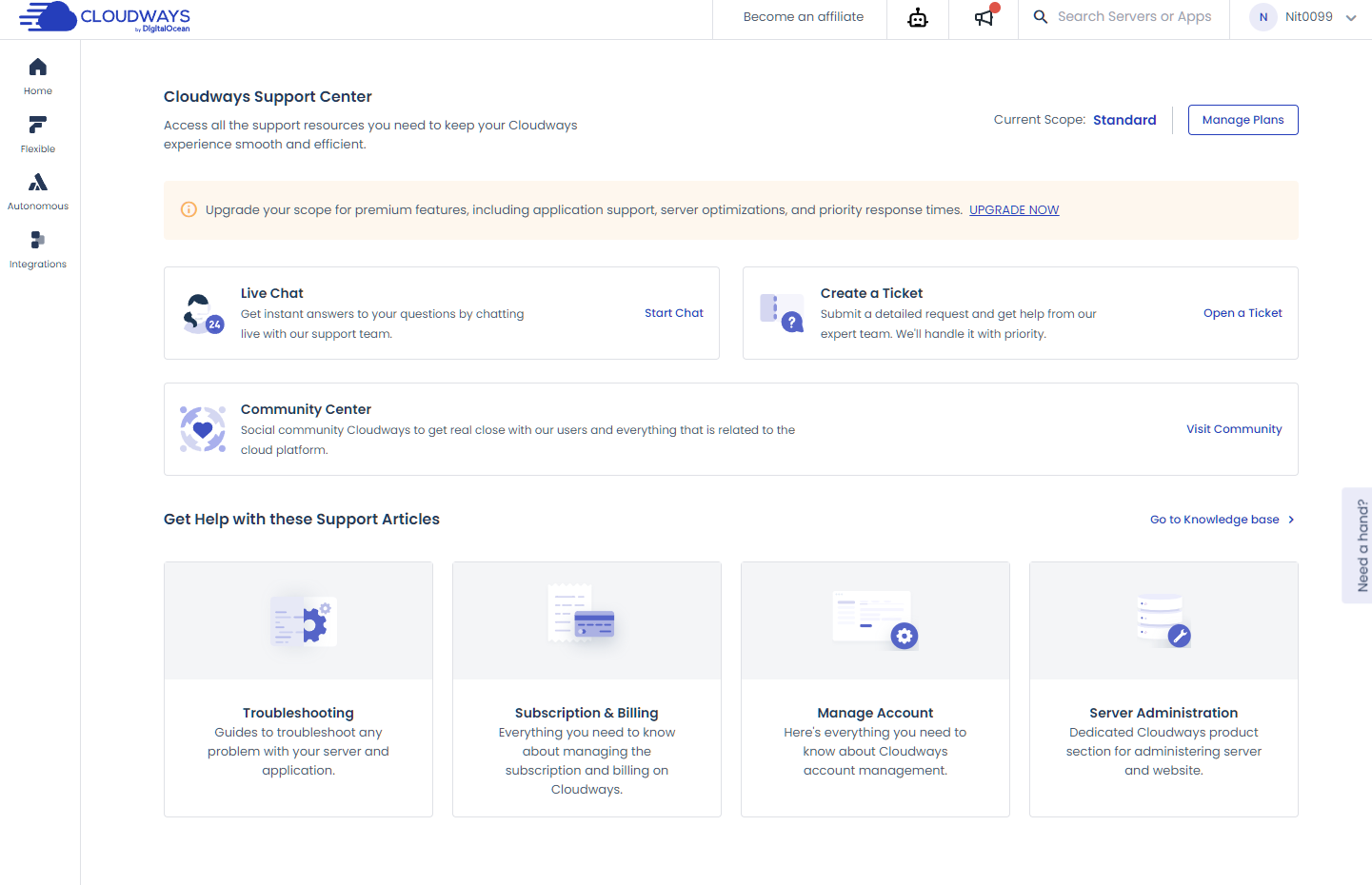
I tried out their Starter plan (3-day free trial) and found it to have a professional dashboard for ease of use.
Features
- Support for 12 frameworks out of the box, including React, Astro, etc.
- GitHub-based framework with built-in CI/CD
- Persistent infrastructure that allows continuous running applications
- Enterprise CDN and security on each plan
- 1-click vertical scaling and auto-healing servers
Pricing
Cloudways Velocity pricing starts at $20 per month, offering 2 GB RAM, 2 vCPU, 100 GB CDN bandwidth, and 10 Gbps network. They offers 6 plans, where the highest plan can cost $150 per month. All plans come with enterprise CDN, DDoS protection, and malware protection.
Best for
Cloudways Velocity is best for teams looking for a flat one-month billing. As it is managed, teams with limited infrastructure management experience benefit the most. Tools are easily accessible with a primary focus on usability, making it suited for agencies, startups, and businesses building modern Node.js applications.
Cloudways Datacenter
Velocity datacenter locations depend on the provider you choose. So, if you choose AWS, you have options including London, Frankfurt, Sydney, etc. For Google Cloud, the options include New York, Sydney, and so on.
Managed database
Support for PostgreSQL, MySQL, and MongoDB, directly provisionable from the dashboard.
Pros & Cons
PROS
CONS
Vercel
If you’re looking for a serverless deployment platform, you can consider Vercel. It works well with a GitHub-based workflow and uses Fluid Compute to execute code on demand.
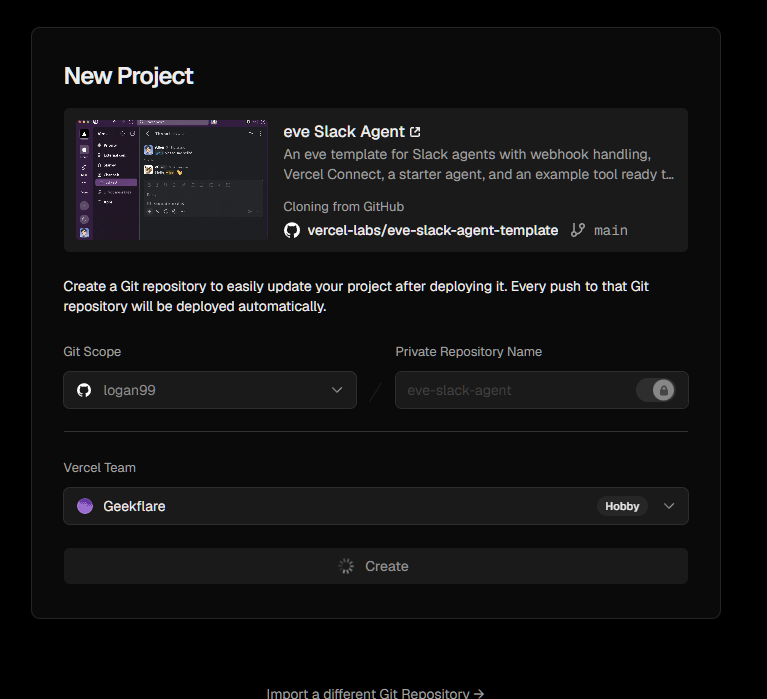
To test out Vercel, I quickly spun up a test project using the available templates. These templates are helpful and help to test out the platform or kick-start your next project.
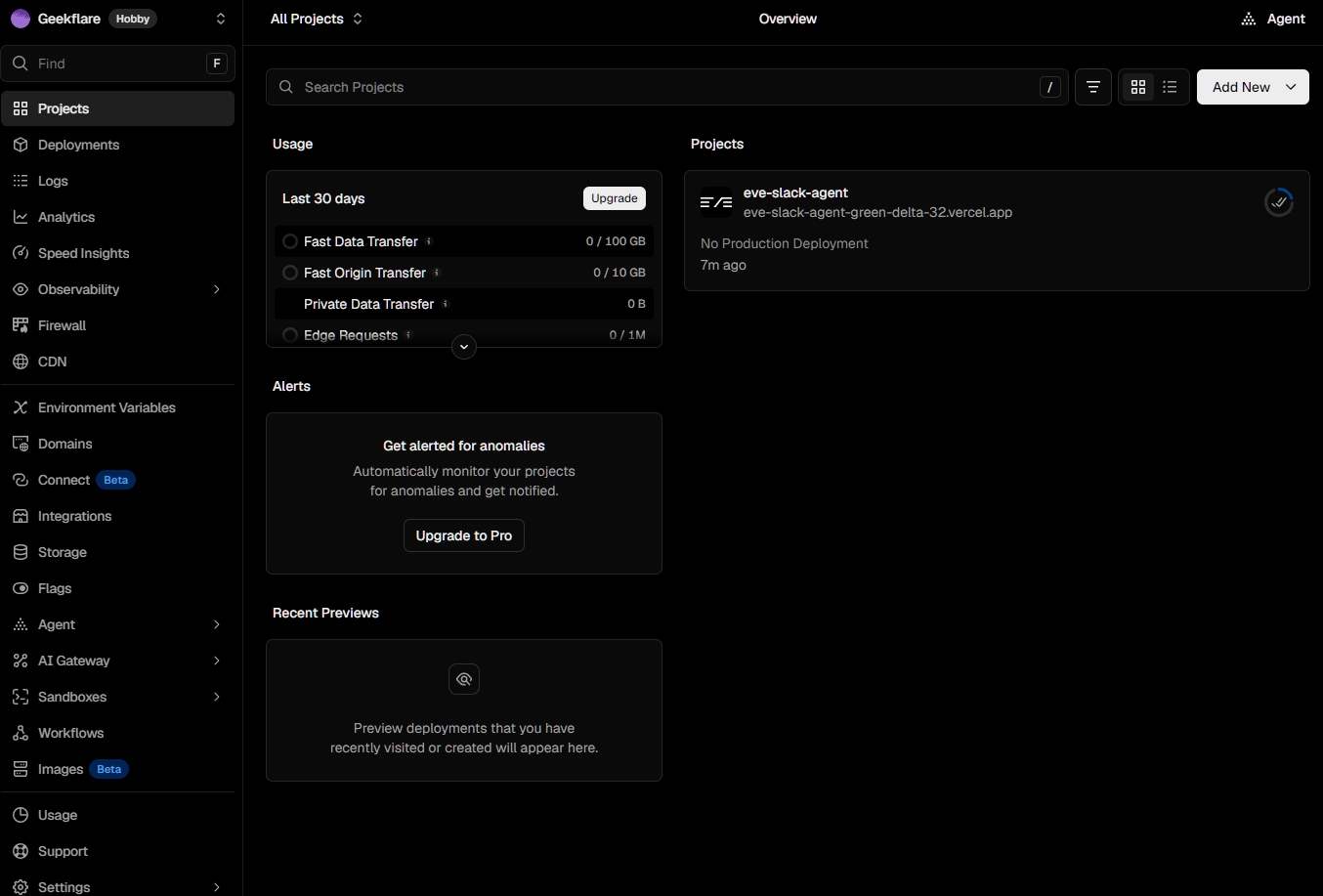
Unlike Cloudways (managed), the Vercel dashboard seems busy, with plenty of options available on the sidebar.
Standout features
- Zero-config Git deploys
- Optimized for Next.js with Fluid Compute and edge delivery
- Pay as you go with Fluid Compute
- Pause deployments when needed to ensure billing never crosses your budget
- Native WebSocket support
Pricing
Vercel offers a free hobby tier (only for non-commercial use) that lets you import your repo and deploy in seconds. It offers automatic CI/CD for easy deployment and management. The free version has a few hard caps, with 100 GB of fast data transfer, 4 hours of active CPU per month, and 1M function invocations.
As for paid plans, Vercel offers a $20 per month plan that includes exactly $20 of usage credits. It offers everything in the free tier plus advanced features, including cold start prevention, a free custom domain, and team collaboration options.
Best for
Vercel is the best pick for front-end-heavy Node.js apps. It works well with Next.js, especially content platforms. I don’t recommend Vercel for compute-heavy backends.
Datacenter
Vercel offers 20 compute-capable regions, including Mumbai, Paris, Dubai, Tokyo, Portland, San Francisco, and others. They also have 126 PoPs distributed globally.
Managed database
Vercel no longer provides a database on its own. It discontinued Vercel Postgres, which leaves users to use database providers from Vercel marketplaces, including the likes of Neon.
Vercel Pros & Cons
PROS
CONS
Kamatera
Kamatera also provides Node.js app hosting, but it is not a dedicated platform like Vercel or Cloudways. It is a cloud VPS/IaaS (Infrastructure as a Service) provider and lacks developer-based tools such as Git push and auto-detecting the Node.js version.
As a developer, you get a Linux server where you need to manage everything yourself. The upside is that you get full root access, which can help you build Node.js apps with full control.
Kamatera offers access to dedicated Xeon CPUs (1 to 32 cores available), NVMe storage, and a proprietary API. It also offers a handy price calculator with options to pay per month or per hour.
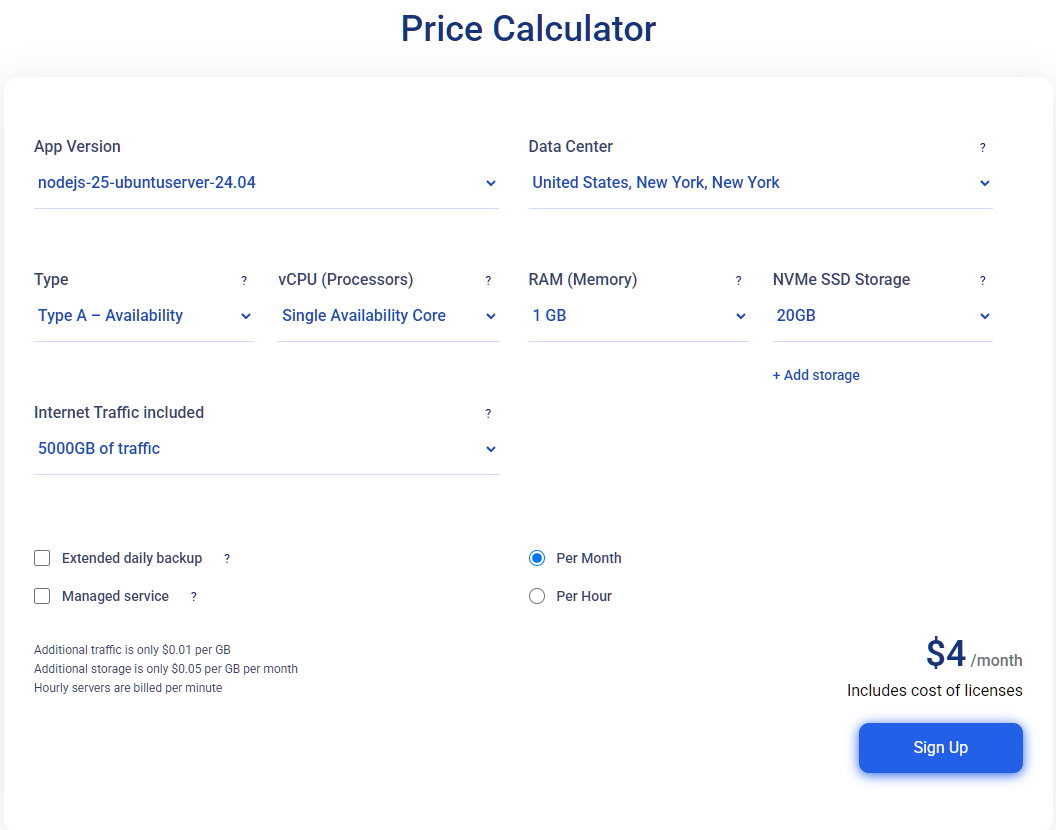
All of these make Kamatera a good option if you want full control. They offer a 30-day free trial with services worth up to $100.
Standout features
- Full root access
- One-click app images for easy installation, such as GitLab, Node.js, etc.
- Fully customizable plan with the ability to choose CPU, RAM, and disk size
- Option to opt for managed services
- Offers per-second billing on hourly servers
Pricing
Pricing-wise, Kamatera’s cheapest plan starts at just $4 per month. It comes with 1 GB RAM, 20 GB NVMe SSD, 5000 GB of traffic, and a single core. Dedicated plans cost more, and the managed service option can jump plans from 4x to 12x their non-managed counterpart.
Kamatera also offers a 30-day free trial that offers services worth $100. It includes 1 TB of outgoing/incoming traffic, 1 TB cloud block storage, and access to all the features.
Best for
I recommend Kamatera for teams that need cheap unmanaged VPS with full control and predictable costs. This makes it ideal for small- to mid-scale projects where teams are comfortable implementing and managing everything themselves.
Datacenter
Kamatera offers 21 data center locations across the globe, including New York, Hong Kong, Tokyo, and Madrid.
Managed database
As Kamatera is self-managed, it doesn’t offer any pre-installed or pre-supported database service or product. Teams are free to install and run their choice of database, including Postgres, MySQL, and MongoDB.
Kamatera Pros & Cons
PROS
CONS
Railway
Railway is a modern Node.js hosting platform with a focus on the “push code and go live” model. It is a great alternative to Heroku that offers enough control to customize builds and environments, while Railway takes care of the core infrastructure services.
Railway offers a container-based service, and hence Node.js apps don’t have to deal with cold starts. Furthermore, developers can spin up unlimited environments with the option to preview every PR and do one-click rollbacks if needed.
Standout features
- Git-push deploys
- Highly scalable with the option to add replicas using load balancing
- Offers a visual canvas for easy building and management
- Provides real-time logs, metrics, and alerts via dashboard
- Container-based deployment
Pricing
Railway follows a usage-based model, with a minimum usage fee. Their cheapest plan is $5 per month (which includes $5 worth of usage credits). This plan offers up to 48 vCPU and 48 GB RAM per service, with the option to create up to 5 replicas.
They offer a free 30-day trial with $5 credits, with 1vCPU and 0.5 GB RAM per service. It is good for testing things or deploying small apps.
Best for
Startups and developers who want to deploy and manage every aspect of the app (app, database, and background jobs) via a single platform.
Datacenter
Railways has data centers in four regions: US West (California), US East (Virginia), Amsterdam (Netherlands), and Singapore.
Managed database
Railways comes with support for managed databases, including Postgres, MongoDB, Redis, and MySQL. This is what differentiates it from the likes of Vercel, which depends on marketplace apps such as Neon to manage databases.
Pros & Cons
PROS
CONS
Heroku
Heroku is one of the earliest Node.js platforms offering git-push deployment. It launched in 2007 and quickly garnered millions of users. Under the hood, it utilizes dynos, which are Linux containers.
At the time of writing, Heroku is no longer in active development but offers a stable and secure platform for those who wish to use it.
Standout features
- Original git-push deployment experience
- Offers automatic scaling
- Mature managed infrastructure layer
- Broad process model covering web dynos, cron jobs, and background workers
- Large third-party add-on marketplace giving access to databases, Redis, monitoring
- Deep Salesforce integration (as acquired by Salesforce in 2010)
Pricing
Heroku pricing starts at $5 per month, which offers 0.5 GB of RAM. With it, you can get approx 1000 compute hours.
Standard Dynos cost $25 per month with access to 0.5 GB of RAM and 1 vCPU.
They don’t offer any free plan.
Best for
We recommend Heroku for teams that don’t want to migrate out of the Salesforce ecosystem or are deeply tied to Salesforce via Heroku Connect. Teams who are also looking for a mature platform can pick Heroku.
Datacenter
Heroku offers datacenter (Dyno runtimes) via AWS regions, which include the US (Virginia) and Europe (Ireland).
As for private spaces, it is available across ten regions, including London, Frankfurt, Montreal, Mumbai, and others.
Managed database
Heroku offers a Postgres database via AWS Aurora, which was initially part of their own infrastructure, but is now available separately via AWS. Heroku offers Redis and Kafka, and managed Postgres is still available, but billed separately.
Pros & Cons
PROS
CONS
Hosting.com
Hosting.com (previously A2 Hosting) is one of the cheapest Node.js hosting providers that offers high performance with a managed environment. It supports React, Vite, Next.js, Vue.js, and others.
Hosting.com is developer-friendly with support for Git and SSH. The infrastructure is fast and powerful, powered by rapid NVMe SSD storage. Furthermore, its fully managed environment means you can focus on building the Node.js app, and it takes care of backups and security.
They offer free migration and 24/7 in-house support. Furthermore, they offer a 99.9% uptime commitment.
Standout features
- Fully managed environment with app-level deployment
- Git-based workflow supported
- DDoS protection
- Free SSL and automated backups
- 30-day money-back guarantee
Pricing
Hosting.com’s Node.js plans start at just $1.99 per month (1-year minimum term). It lets you host 5 web apps with 15 GB disk space.
All plans come with a free domain and a 30-day money-back guarantee.
Best for
Small businesses and developers who want a fully managed Node.js environment.
Datacenter
According to their knowledge base, they offer four servers, including USA – Arizona, USA – Michigan, Amsterdam – Netherlands, and Singapore (Asia).
Managed database
For managed databases, Hosting.com supports both PostgreSQL and MySQL (MariaDB).
Pros & Cons
PROS
CONS
Hostinger Node.js Hosting
Hostinger offers one of the most affordable Node.js hosting options out there. They offer two options: managed Node.js hosting and self-managed Node.js on VPS. Both options are available via a flat fee per month (more on pricing).
The managed option offers a frictionless development experience with support for GitHub, framework auto-detection, and fast deployment with support for AI coding workflows. The VPS, on the other hand, gives you more granular control but requires higher technical expertise to manage.
Standout features
- Developer-friendly with GitHub and AI supported workflow
- Managed SSL, WAF, and in-house CDN
- DDoS protection
- Broad framework support includes Vite, Next.js, React, Express, and so on
- Offers VPS option with full root access
Pricing
Hostinger Node.js managed hosting starts at just $3.99 per month (renews at $16.99 per month). It comes with a free 1-year domain and free 1-year business email. Additionally, you also get free managed SSLs and a free in-house CDN.
The VPS starts at $8.99 per month, where you get full root access. The VPS uses AMD EPYC processors with NVMe SSD storage and 1 Gbps network speed.
Best for
Solo devs looking for budget-oriented Node.js hosting. However, it’s only affordable if you opt to go for a multi-year deal. For a faster server with root access, developers can choose their VPS offering.
Datacenter
Hostinger offers servers in Europe, Asia, North America, and South America, covering 12 locations.
Managed database
The managed Hostinger Node.js plan comes with a managed MySQL database (but the page doesn’t mention Postgres).
Pros & Cons
PROS
CONS
Cloudflare Workers
If you want serverless and pure performance with edge technology (335+ cities), then Cloudflare Workers is for you. It uses lightweight V8 isolates to deploy and run Node.js apps. This means it is not a PaaS and requires deep technical understanding to deploy and manage Node.js apps.
Due to this approach, Cloudflare Workers can scale instantly with infinite concurrency. You also only need to pay for what you use (CPU time), with no idle time spent.
Overall, Cloudflare Workers are made for developers who want the best-in-class Node.js hosting with unlimited scaling and support for local development.
Standout features
- V8 Isolate architecture
- 335+ cities edge servers
- Offers built-in workflows, queues, and cron triggers
- Deeply integrated Cloudflare integration with D1 serverless SQL, KV, R2 egress-free object storage, and others.
Pricing
Cloudflare Workers are cheap, with plans starting at $0.30 per million requests and $0.02/million CPU ms. The free plan is very generous with 100K/day free requests and 10ms/request CPU time.
Best for
Deploying APIs, edge logic, and lightweight full-stack apps.
Datacenter
Offers 335+ cities by default. Businesses can use the Smart Placement feature to run near your data.
Managed database
Cloudflare offers its own data primitives such as D1 (serverless SQL), Workers KV (key-value), etc. If you want traditional Postgres/MySQL support, you need to connect to an external provider such as Supabase.
Pros & Cons
PROS
CONS
Render
Render is a container-based PaaS that offers native support for language runtimes such as Node.js. With it, you can do Git-based deployment and scale traffic via load-based autoscaling.
To test its Git-based workflow, I logged in and tested its free Hobby plan. It offers smooth connectivity and deployment with a focus on usability.
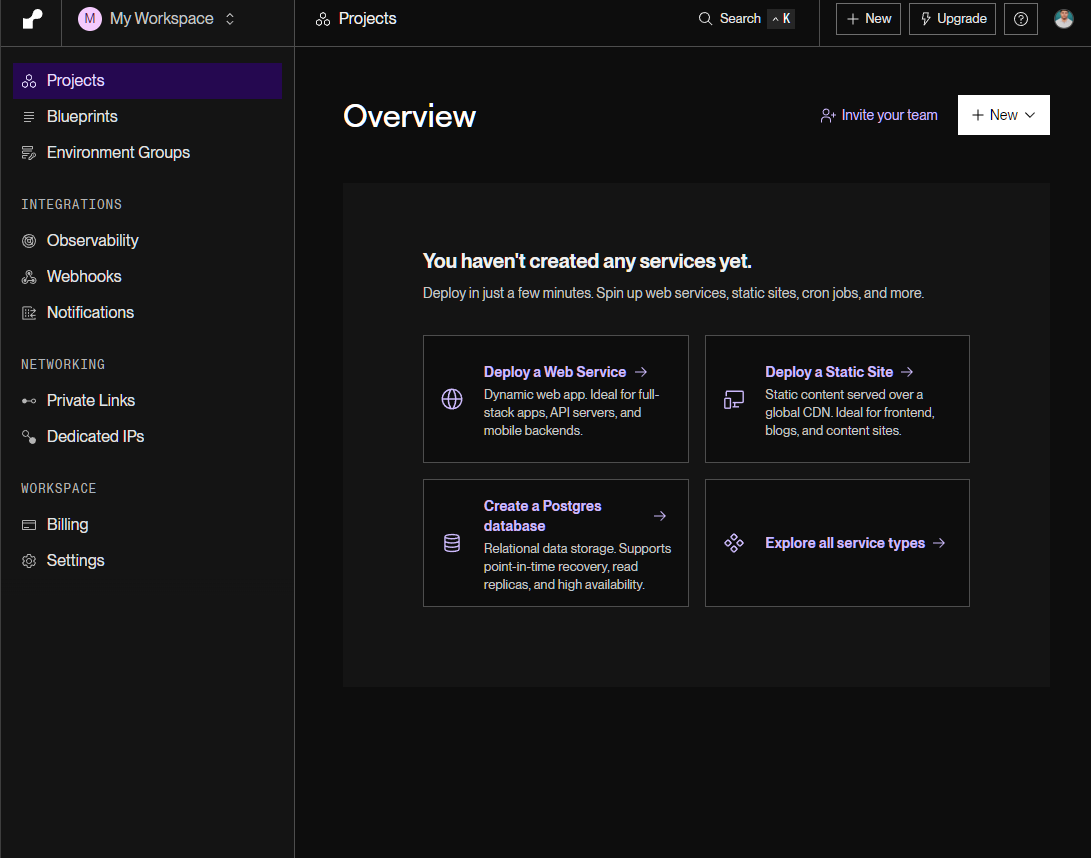
As for WebSockets, it offers native support, which makes it an ideal choice for anyone looking for it.
Standout features
- Full-stack preview environments for every pull request
- Load-based autoscaling
- Native WebSocket support
- First-party managed Postgres
- Managed SOC2 Type 2, HIPAA, GDPR, and ISO 27001 compliance
Pricing
Render paid pricing starts at $25 per month with unlimited seats and 25 GB bandwidth included. It also offers a free plan where you can deploy up to 25 services (5 GB of bandwidth).
Best for
Good pick for teams/individuals looking for push-to-deploy PaaS with WebSockets support.
Datacenter
Currently, Render offers 5 locations, including Oregon (USA), Ohio (USA), Virginia (USA), Frankfurt (Germany), and Singapore.
Managed database
Offers support for managed Postgres that is co-located with your Node.js app.
Pros & Cons
PROS
CONS
Fly.io
Fly.io is a developer platform that lets you host Node.js apps. They offer real hardware-isolated Linux computers. However, if you visit their homepage, their main focus is now AI agents, but that doesn’t mean they lack Node.js app hosting capabilities.
I signed up to check their dashboard and found it modern and functional. When trying to deploy one of my GitHub repositories, it asked for a credit card. So, one thing is clear: they’re not free.
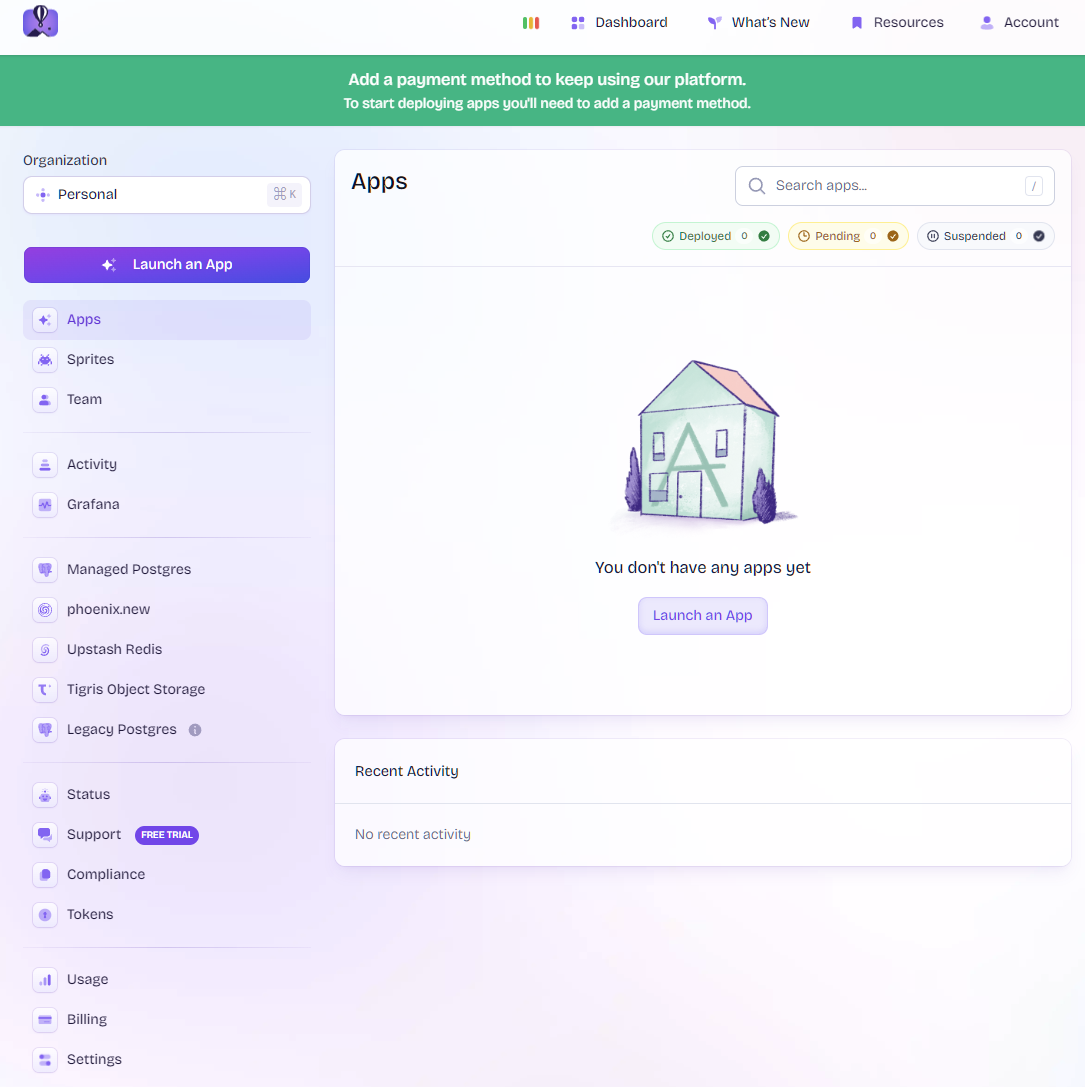
Under the Fly.io infrastructure, you get Firecracker VMs and Anycast networking. These work well with Node.js apps. For deployment, you can use the flyctl deploy workflow.
Overall, even when Fly.io has heavily marketed itself as AI agent hosting, I recommend it for Node.js apps.
Standout features
- Container-based, no serverless cold starts
- Option to scale to zero, where VM cold starts save on fees
- Offers autoscaling
- Zero-downtime deploys
Pricing
Fyi.io doesn’t have a pricing list, but they do offer insights into how much it will cost via a calculator. Based on it, their cheapest plan costs $2.47, which offers 1 machine and 1 core with 256 MB RAM. However, the closest is their “Example APP #1” that offers a single machine with an SQLite database at $3.45 per month.
Best for
We recommend Fly.io to teams that want low-latency servers with a focus on fine-grained control and multi-region deployment.
Datacenter
Fly.io offers 18+ regions worldwide, including Chicago, Dallas, Sao Paulo, and others.
Managed database
Fly.io offers Fly Managed Postgres (MPG), which is included in the ecosystem.
Pros & Cons
PROS
CONS
DigitalOcean
DigitalOcean is one of the best choices when it comes to Node.js hosting. It is a Platform-as-a-Service (PaaS) offering a Git-based workflow and easy scalability, where businesses can deal with predictable monthly pricing.
With DigitalOcean, developers can build with ease and deploy with built-in CI/CD. They also offer native Node.js support, including Express, Next.js, and Nuxt.
They also offer a free tier, which is good only if you’re aiming to run static sites.
Standout features
- Support git-based deployment from GitHub/GitLab/BitBucket
- Offers horizontal and CPU-based autoscaling
- Dedicated egress IPs for IP whitelisting
- Up to 10 revisions for one-click rollback
Pricing
DigitalOcean pricing starts at $5 per month. They also offer a free tier, which covers 3 static sites and a 1 GiB data transfer allowance per site.
Best for
DigitalOcean is a practical alternative if you’re looking for a feature-rich Node.js PaaS solution at a low price point. It is an ideal Heroku alternative.
Datacenter
DigitalOcean offers 16 data centers across 13 regions, including New York City, London, Bangalore, Atlanta, and others.
Managed database
DigitalOcean offers a strong ecosystem where they offer DigitalOcean Managed PostgreSQL and MySQL. For caching, they offer Redis and managed Kafka for events.
Pros & Cons
PROS
CONS
OVHcloud
OVHcloud is a self-managed VPS hosting provider for Node.js hosting. It is a European cloud provider with a strong focus on EU sovereign data and GDPR compliance.
As for Node.js features, it lets you clone Node.js clusters in production so that you can customize them to specific development environments. Furthermore, it also supports 60+ languages, environments, and frameworks.
Standout features
- Easy environmental cloning to create dev environments
- EU data sovereignty
- Anti-DDoS deployed by default
Pricing
OVHcloud Node.js hosting plan starts at $4.54 per month, which gives access to 2 vCores, 4 GB RAM, and 40 GB SSD NVMe.
Best for
Teams that are looking for a cheap, self-managed VPS for Node.js hosting can find OVHcloud their best bet. It follows GDPR and data requirements, making it an obvious choice for businesses aiming to operate there.
Datacenter
OVHcloud operates globally with 46 data centers in Asia Pacific, Europe and North America.
Managed database
OVHcloud’s VPS plan for Node.js has no managed database bundled. However, it does support managed PostgreSQL, MySQL, and MongoDB as separate paid products.
Pros & Cons
PROS
CONS
Comparison of Node.js Hosting Platforms
| Platform | Free tier | Pricing starts | Scaling type | Best for |
|---|---|---|---|---|
| Cloudways (Velocity) | No; free during preview only, until GA 31 Aug 2026 | $20/mo | Always-on container (1-click vertical scaling) | Predictable flat-rate managed Node hosting without server ops |
| Vercel | Yes, Hobby, non-commercial, hard caps (app pauses when hit) | $20/seat/mo (+ usage) | Serverless (Fluid Compute, auto-scaling) | Next.js / frontend-heavy apps wanting zero-config deploys and edge reach |
| Kamatera | Trial only; 30 days, up to $100 credit (card required) | $4/mo (custom build) | Manual (self-managed VPS) | Cheap, customizable VPS with full control over your Node runtime |
| Railway | Minimal free plan ($1/mo credit) after $5 one-time trial; Hobby $5/mo min | $5/mo (usage-based min) | Container-based, no cold starts; scale-to-zero on staging | Heroku-style push-to-deploy with app + DB + workers on one platform |
| Heroku | No; Removed Nov 2022; Eco $5/mo sleeps after 30 min | $5/mo (Eco) / $7 (Basic) | Manual dyno scaling (horizontal needs Standard+) | Existing teams and Salesforce-integrated apps; not new projects |
| hosting.com | No; 30-day money-back only | $1.99/mo (1-yr term; renews ~$7.99) | Managed (shared-style, not PaaS) | Cheapest managed Node hosting with MySQL + PostgreSQL |
| Hostinger | No; 30-day money-back only | $3.99/mo (48-mo prepay; renews $16.99) | Managed (flat-price) or VPS (manual) | Lowest-cost managed push-to-deploy Node hosting for budget-conscious devs |
| Cloudflare Workers | Yes; 100k req/day, commercial use OK, no sleep | $5/mo (Paid) or usage from $0.30/M req | Edge serverless (V8 isolates, no cold starts) | Global low-latency APIs and edge logic; budget-friendly solo/startup |
| Render | Yes; web services free but sleep after 15 min; free DB expires 30 days | $7/mo (Starter always-on; $0 free w/ spin-down) | Managed PaaS, container-based, load-based autoscaling | Flat-rate Heroku alternative with native WebSockets, workers, and cron |
| Fly.io | No; trial credit only (no permanent free tier since 2024) | ~$1.94/mo (256 MB always-on machine) | Container VMs (Firecracker); scale-to-zero, sub-second boot | Multi-region low-latency Node apps with fine-grained control |
| DigitalOcean App Platform | Yes; static sites only (dynamic apps need paid) | $5/mo (paid tier) | Managed PaaS; horizontal + CPU autoscaling, scale-to-zero | True push-to-deploy PaaS at low cost; strong Heroku alternative |
| OVHcloud | No VPS, no free tier. | $4.54/mo (VPS-1, 12-mo term) | Manual (self-managed VPS) | EU-sovereign, self-managed Node hosting with GDPR compliance |
How to Choose a Node.js Hosting Platform?
Not sure which one fits your needs better? Below is what we recommend to our readers to
- Solo dev/side project → If you’re a solo dev working on a side project, then it’s best to stick to free-tier-friendly options like Cloudflare Workers or Vercel. Vercel pauses the plan if it hits a cap. In this regard, Cloudflare Workers provide more freedom.
- Startup scaling → For startups that need scaling, we suggest checking out Cloudflare Workers, DigitalOcean App Platform, and Cloudways. Here, Cloudways is flat-rate, which gives startups predictable monthly billing, with 1-click vertical scaling. If you have unpredictable traffic, then it’s best to go with usage-based auto-scaling, which includes Cloudflare Workers, Vercel, and Render.
- Real-time apps (WebSockets) → For real-time apps, it’s best to choose platforms with strong long-lived connection support. These include always-on container platforms, including Railway, Render, and Cloudways. You can also opt for Vercel, but it only supports WebSockets to one instance.
- Enterprise → If you are still looking for enterprise Node.js hosting, then you can opt for DigitalOcean, AWS, and Google Cloud.






