Project Zomboid is a brutal game to play alone but enjoyable with friends. You loot Knox County together, argue about door open, and watch getting bitten trying to grab one more can of beans.
It is fun!
Hosting that world on your own PC works until the host goes to bed. A rented server keeps the map running 24/7, handles Steam Workshop mods for you, and gives everyone the same low ping.
Build 42 reached the stable branch with multiplayer. That changes what you should look for in a host. Build 41 worlds and older mods don’t carry over, so the ability to choose your build is one of the useful features a host can offer.
Project Zomboid Server Hosting Compared
| Host | Type | Best for | Starting price | Slots or RAM | Build 42 | Locations | Refund window | Link |
|---|---|---|---|---|---|---|---|---|
| 01 Host Havoc | Slot-based plans | Groups that want Build 42 and one-click Workshop collections | $12/month | 8 to 32 slots | Yes | 14 | 72 hours | Visit |
| 02 Survival Servers | Slot-based plans | Groups keeping a Build 41 world or testing cheaply | $9.90/month | 4 to 32 slots | Yes, or stay on B41 | 8 | 72 hours | Visit |
| 03 DatHost | Single all-inclusive plan | Big groups that want plenty of RAM and unlimited slots | $16.77/month | 16 GB RAM, unlimited slots | Not stated | 10 | 14 days | Visit |
| 04 ScalaCube | RAM-based plans | Large groups on a budget who don't run heavy mod lists | $16/month | 3 GB RAM, 40 players | Not stated | 14 | 7 days | Visit |
| 05 GTXGaming | B41 and B42 plans | Servers that need to switch between Build 41 and Build 42 | $12.04/month | 10 slots and up | Yes, plus B41 | 14 | 24 hours | Visit |
| 06 LOW.MS | Per-slot plans | Modded servers that need a specific game branch | $9.95/month | 10 slots, 10 GB RAM | Yes, plus B41 | 13 | 5 days | Visit |
| 07 SparkedHost | RAM-based plans | Groups that want the most RAM for the money | $10/month | 10 GB RAM | Not stated | 9 | 2 days | Visit |
| 08 Shockbyte | Player-based plans | First-time server owners who want simple plans | $11.99/month | 6 players, 4 GB RAM | Yes | 8 | 72 hours | Visit |
| 09 Nodecraft | Budget and Pro plans | Groups that only play a few nights a week | $12.52 first month | 6 GB RAM | Yes, 42.21 | 25 | Money-back guarantee | Visit |
| 10 Nitrado | Subscription or prepaid | Casual groups that rotate between several games | $9.79/30 days | 6 slots | Yes, plus unstable | 8 | None in the US | Visit |
Best Project Zomboid Server Hosting
01. Host Havoc
Slot-based plansGroups that want Build 42 and one-click Workshop collections
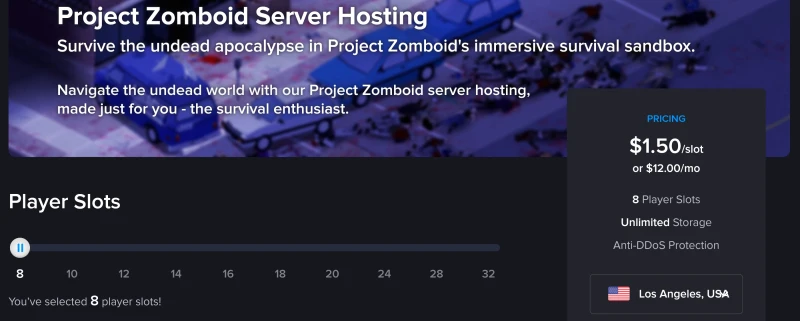
Host Havoc runs its game servers on its own hardware, and that shows in how consistent its Project Zomboid servers are. Its servers run Build 42 with multiplayer, and Steam Workshop mods install in one click from the panel, including whole Workshop collections. It saves a lot of time when your group’s mod list runs to 40 items.
You start at 8 slots for $12 a month ($1.50 per slot) and can slide up to 32. The control panel gives you full FTP access, a file manager, and backups, and every data centre has DDoS protection.
You can pick to host in 14 locations including New York, Montreal, Miami, Atlanta, Chicago, Dallas, Los Angeles, and Seattle, London, Amsterdam, Frankfurt, Nuremberg, Singapore and Sydney.
One thing to know before you add mods, Workshop items need a Build 42 version to load on these servers.
Pros & Cons
PROS
CONS
Pricing
Plans start at $12 a month for 8 slots, or $1.50 per slot, and go up to 32 slots.
02. Survival Servers
Slot-based plansGroups keeping a Build 41 world or testing cheaply
Survival Servers is the host I’d point to if your group isn’t ready to abandon its Build 41 world. You can launch a Build 42 server or stay on Build 41 and keep playing the save you already have.
It’s also the cheapest way to test a server. A 4-slot server costs $2.50 for three days, which is enough for a weekend session with friends before you commit to a monthly plan. The regular 8-slot plan is $9.90 a month.
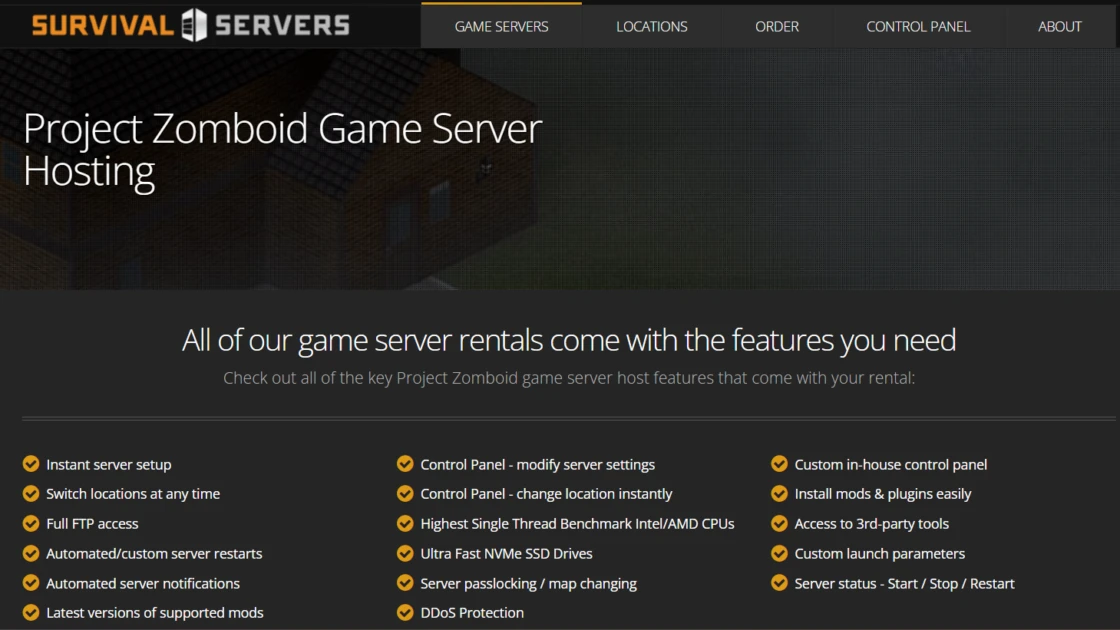
Under the hood you get NVMe SSDs and Intel or AMD CPUs with high single-thread performance. The control panel handles mods and plugins, custom launch parameters, automated restarts and notifications, and FTP access. You can switch locations or games whenever you want.
You can host in 8 locations like Los Angeles, Seattle, Dallas, New York, and Miami in the US, plus Germany, France, and Singapore.
Pros & Cons
PROS
CONS
Pricing
An 8-slot server is $9.90 a month, and a 4-slot server for three days is $2.50.
Code ZOMBOID25 gives you 25% off the first month.
03. DatHost
Single all-inclusive planBig groups that want plenty of RAM and unlimited slots
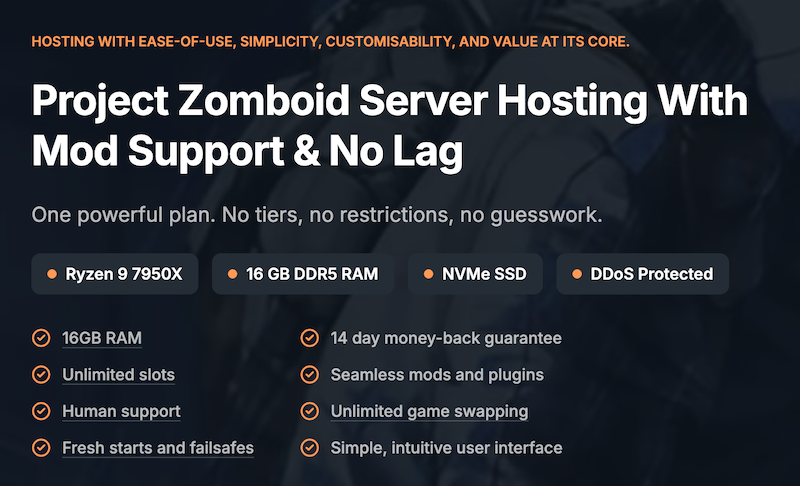
DatHost servers are built on robust hardware including AMD Ryzen 9 7950X, 16 GB of DDR5 RAM, and NVMe storage. Slots are unlimited, so you can invite as many friends as the server can handle, which makes it a good fit for bigger communities and heavily modded worlds.
Two features stand out.
Fresh starts let you wipe the world while keeping your configuration, which is handy after a botched mod update.
Failsafes restore your server from automatic backups if something goes wrong. You can also swap to another game DatHost supports and move your server to a different location.
It has 10 locations across 7 countries, and it shows your ping to each one so you can choose the closest location.
Pros & Cons
PROS
CONS
Pricing
DatHost plan is $16.77 a month, or $10.01 a month billed every six months and $7.76 a month billed yearly.
04. ScalaCube
RAM-based plansLarge groups on a budget who don't run heavy mod lists
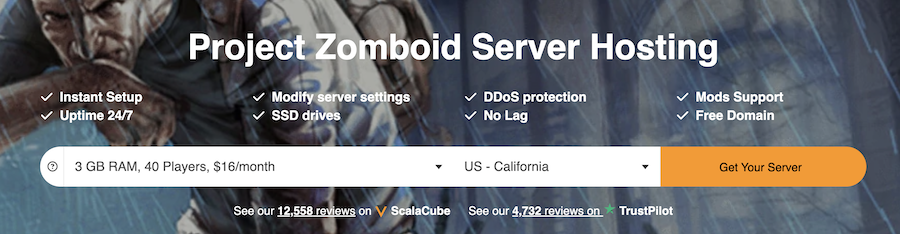
ScalaCube sells plans by RAM and gives you generous player limits on each one. The entry plan has 3 GB of RAM and allows 40 players, and the top plan reaches 32 GB and 600 players. Every plan includes setup, mod support, SSD storage, DDoS protection, full FTP access, and a free domain.
I’d skip the 3 GB plan for Build 42 and start at 6 GB if your group uses mods. Host guidance puts a modded world with 30+ Workshop mods and 16 players at 6 to 10 GB, and 3 GB leaves little room for the map to grow.
Its 14 locations include California, Washington D.C., Texas, Florida, Canada, Australia, the UK, France, Germany, Poland, Finland, Brazil, Singapore, and India.
It’s one of the few hosts here with options in South America and India.
Pros & Cons
PROS
CONS
Pricing
Plans start at $16 a month for 3 GB and 40 players. A 6 GB plan is $28.80 a month and an 8 GB plan is $38.40, going up to $153.60 for 32 GB.
05. GTXGaming
B41 and B42 plansServers that need to switch between Build 41 and Build 42
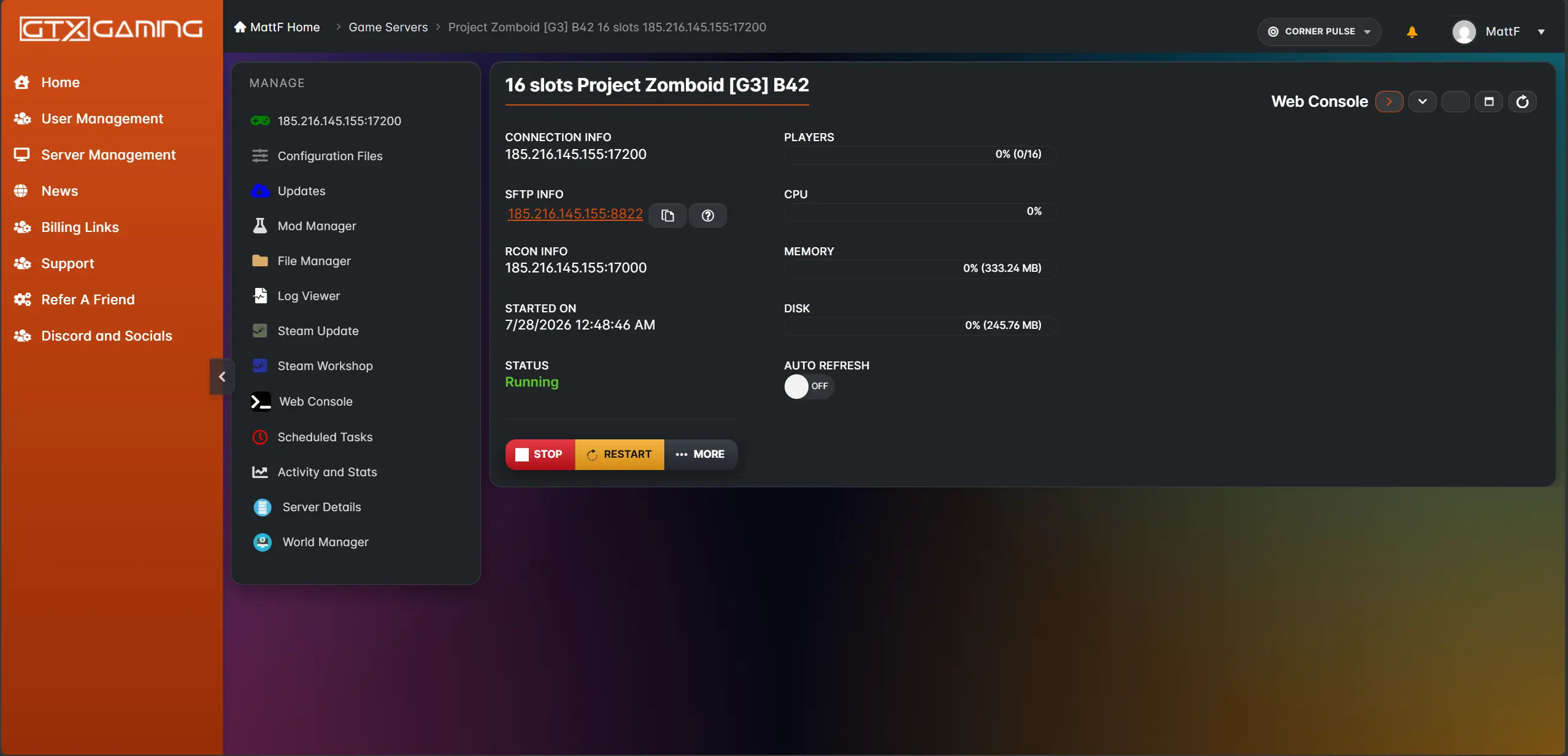
GTXGaming handles the Build 42 transition well. You can create a Build 42 stable server or a Build 41 legacy server from the same page and switch between builds whenever you like. If half your group wants the new crafting and animals while the rest wants to finish an old run, this is the easiest way to keep everyone happy.
GTXGaming hardware is AMD Ryzen 9 7950X3D and 9950X3D CPUs, DDR5 ECC memory, NVMe Gen5 storage, and 10 Gbps uplinks. Workshop mods install in one click, backups are scheduled offsite, and support runs 24/7. Both plans start at 10 slots and can go to 20, 30, 40, or more.
You can get your server in 14 data centers across the US, UK, Europe, and Asia-Pacific, with a ping test on its site, and a 4.7 rating from more than 1,400 Trustpilot reviews.
Pros & Cons
PROS
CONS
Pricing
Both Build 41 and Build 42 plans start at $12.04 a month for 10 slots.
06. LOW.MS
Per-slot plansModded servers that need a specific game branch
LOW.MS gives you the control over which version of Project Zomboid your server runs. Its panel has a branch lookup where you can type Steam branch name and it tells you whether it’s supported.
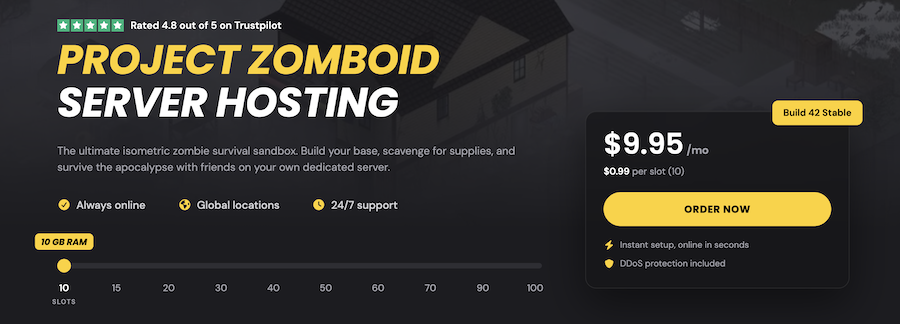
The starting plan includes 10 slots and 10 GB of RAM for $9.95 a month, priced at $0.99 per slot. Workshop mods install in one click from the panel, or you can edit the WorkshopItems line in servertest.ini yourself if you prefer.
Its 13 locations cover Europe, North America, and Asia-Pacific. If the server doesn’t live up to expectations, you get a full refund within the first five days.
Pros & Cons
PROS
CONS
Pricing
Plans start at $9.95 a month for 10 slots and 10 GB of RAM, at $0.99 per slot.
07. SparkedHost
RAM-based plansGroups that want the most RAM for the money
SparkedHost is one of the cheapest options. Its Budget tier runs on Xeon hardware with DDR4 at $1 per GB, so 10 GB costs $10 a month. If you want faster hardware, the Enterprise tier gives you an AMD Ryzen 7950X with DDR5 RAM at $1.50 per GB.
You can try it free for a day before paying, and there’s a two-day refund guarantee. Setup takes about five minutes, and SparkedHost will move your existing world over from another host for free if you ask their support.
Backups cost extra, three days of backups adds $1 a month. For a Project Zomboid world you’ve sunk weeks into, that dollar is worth paying.
Pros & Cons
PROS
CONS
Pricing
The Budget tier starts at $10 a month for 10 GB of RAM ($1 per GB). The Enterprise tier costs $1.50 per GB.
08. Shockbyte
Player-based plansFirst-time server owners who want simple plans
Shockbyte keeps things simple, which is why it works well for a newbie. Its Project Zomboid plans are named after weapons and sized by player count, so you don’t have to guess how much RAM you need, Wood Axe for 6 players, Metal Pipe for 10, and Chainsaw for 16 or more.
Build 42 is available, and Steam Workshop mods are supported with a step-by-step guide. Every plan includes automatic backups, auto-updates, FTP access, and DDoS protection.
If hosting experience is not satisfactory, you can claim a refund within 72 hours.
Pros & Cons
PROS
CONS
Pricing
Wood Axe costs $11.99 a month for 6 players and 4 GB, Metal Pipe $16.99 for 10 players and 6 GB, and Chainsaw $20 for 16+ players and 8 GB or more.
09. Nodecraft
Budget and Pro plansGroups that only play a few nights a week
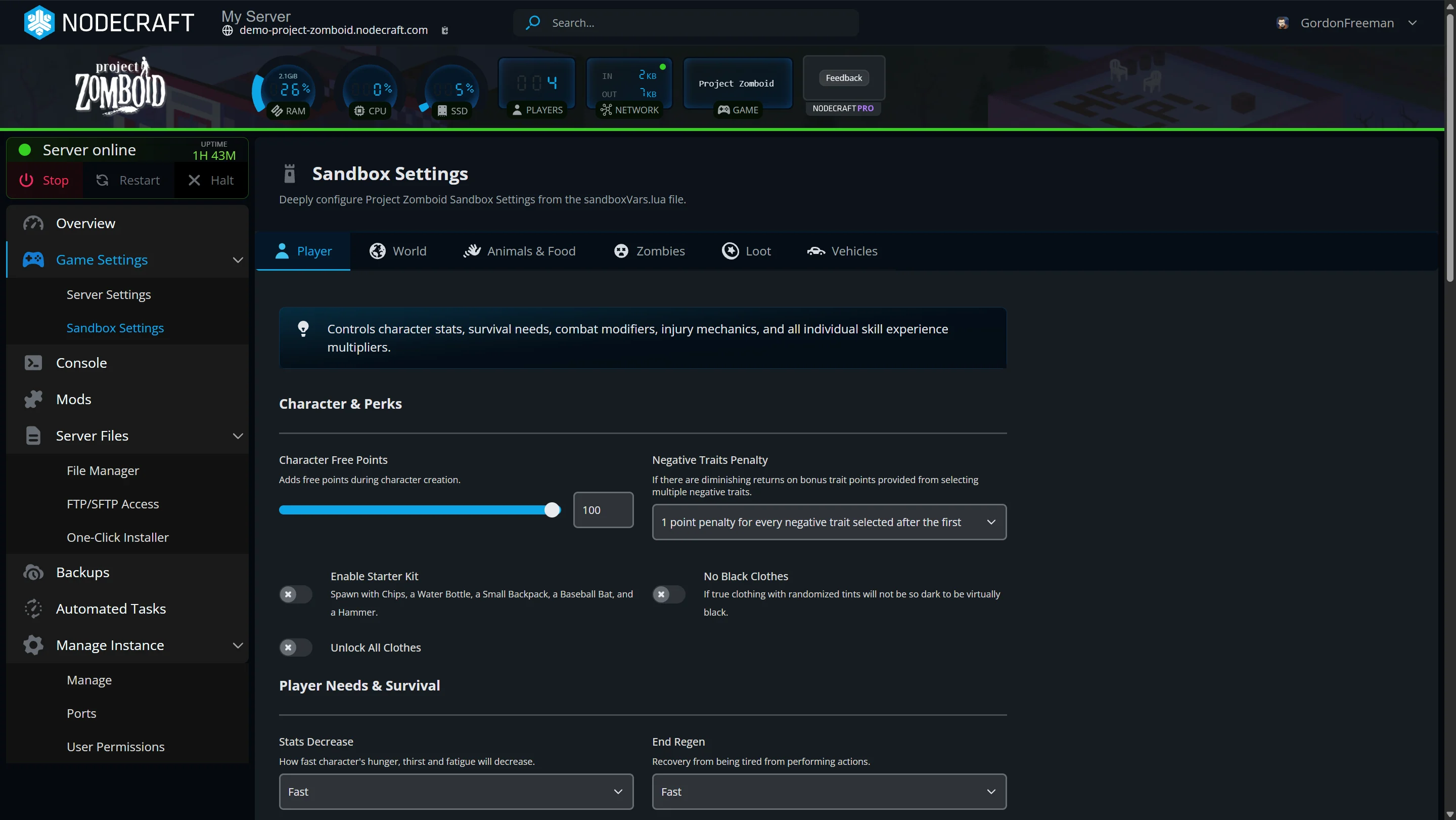
Nodecraft has a good, its Budget servers shut down when nobody is playing and start again when you want them. If your group plays two or three evenings a week, you aren’t paying for a server to sit idle. Its Pro servers stay online 24/7 if you need that.
It runs Build 42, the current stable version, and you can start with a free trial. Backups are stored in the cloud.
With 25 locations, Nodecraft has the widest network on this list, including Mexico, Croatia, Romania, Denmark, Japan, and New Zealand alongside the usual US and European cities.
Pros & Cons
PROS
CONS
Pricing
Budget plans start at $12.52 for the first month, then $17.88 a month for 6 GB.
10. Nitrado
Subscription or prepaidCasual groups that rotate between several games
Nitrado is a good fit if Project Zomboid is one of several games your group plays. You can install up to five games on the same server, choosing from more than 70 titles, and switch between them whenever you like. It supports Build 42 and the latest unstable branch through game switching.
You can pay by subscription or prepay for a fixed period. Server management is easy, and you can share access and permissions with friends so they can help run things. Support is available 24/7 by chat and email in multiple languages.
Its 8 locations are New York, Los Angeles, Miami, London, Frankfurt, Sydney, Singapore, and Tokyo.
Pros & Cons
PROS
CONS
Pricing
A 6-slot server costs $9.79 for 30 days, and 8 slots costs $12.99.
A 90-day term for 6 slots costs $25.89.
Honorable Mentions
Priced per player, from $6.99 a month for 2 players to $12.99 for 6. You get a two-day free trial, a 7-day refund policy, and servers on machines with at least 128 GB of RAM in North America and Europe. Support is on Discord.
Its Bisect One plan runs Project Zomboid and more than 110 other games from $17.99 a month for 6 GB, with 2 GB added free.
A simple plan 10 slots and 5 GB for $11.50 a month, or 20 slots and 8 GB for $20.99.
Unlimited slots on every plan, from $10.10 per 30 days for 3 GB. A three-day server costs $1.84 if you want to test first.
High slot counts for the price, from $15.99 a month for 40 slots and 4 GB, with a free trial and 10 data center locations.
What Build 42 Changed for Server Owners
Build 42 is the biggest Project Zomboid update in years, and it changes how you set up a server.
→ For a long time Build 42 was single-player only, and multiplayer servers had to stay on Build 41.
→ A Build 41 save won’t continue on Build 42, and Workshop mods need a Build 42 version to load. If your group is mid-run on Build 41, pick a host that still offers the legacy branch, such as GTXGaming, LOW.MS, or Survival Servers, and move when you’re ready to start fresh.
→ A small vanilla group can get by on 4 GB, but GTXGaming notes that modded worlds with 30 or more Workshop mods and 16 or more players regularly use 6 to 10 GB.
→ The Indie Stone still ships unstable builds. Hosts like Nitrado and LOW.MS let you switch to the unstable branch to test, but keep your main world on stable so a broken patch doesn’t take it down.
How to Choose a Project Zomboid Server Host
A few questions narrow the list quickly.
- If you want to keep a Build 41 world, you need a host with the legacy branch. For a fresh Build 42 start, any host here works.
- Slot-based hosts like Host Havoc, Survival Servers, and Nitrado price by player. RAM-based hosts like SparkedHost and ScalaCube price by memory.
- Pick the location closest to most players. If you’re spread across continents, Nodecraft’s 25 locations give you the most locations to find a fair middle.
- If it’s a couple of nights a week, Nodecraft’s sleeping Budget servers can save money.
- Nodecraft and SparkedHost offer free trials, and Survival Servers and G-Portal sell three-day servers for a couple of dollars.
If you also play other survival games, our guide to the best Valheim server hosting covers the top hosting providers.
FAQ
How much RAM does a Project Zomboid server need?
A small vanilla group can run on about 4 GB. Modded servers need 6 to 10 GB.
Can I host a Project Zomboid server myself?
Yes. The Project Zomboid Dedicated Server is a free tool on Steam. You’ll need to keep your PC running whenever people play and forward UDP ports 16261 and 16262 on your router.
Can I move my Build 41 world to Build 42?
No. Build 41 saves don’t continue on Build 42. To keep playing an existing world, use a host that still offers the Build 41 legacy branch.
What is the cheapest Project Zomboid server hosting?
For a quick test, Survival Servers charges $2.50 for a three-day, 4-slot server. For a monthly server, LOW.MS and SparkedHost give you the most for the money.