



FTP has been moving files between computers since the 1970s, and it’s still everywhere used for website deployments, data drops, scanner and copier uploads, nightly backups, and the file too large to email.
What has changed is how you should run it.
Plain FTP sends usernames, passwords, and files in plain text, so anyone who can see the traffic can read it. Today, a file transfer server should speak FTPS or SFTP, behind strong authentication because attackers actively go after these systems.
I went through common FTP and SFTP servers people actually deploy on Windows, from free options to enterprise tools with Active Directory, auditing, and high availability. If you need the other end of the connection, see our list of the best FTP and SFTP clients.
FTP vs. FTPS vs. SFTP: Which Should Your Server Use?
The names sound alike, but they’re different protocols, and not every server supports all three.
| Protocol | How it works | Encrypted? | Default port |
|---|---|---|---|
| FTP | The original File Transfer Protocol, with separate control and data connections | No | 21 |
| FTPS | FTP with TLS encryption added (explicit or implicit) | Yes | 21 (explicit) or 990 (implicit) |
| SFTP | A separate protocol that runs over SSH on a single connection | Yes | 22 |
If you manage both ends, SFTP is usually the easiest to run securely because it uses one port and is simpler to get through firewalls. FTPS is common when partners or older devices only speak FTP. Plain FTP should be limited to isolated internal networks, if you use it at all.
| Server | Type | Best for | Price | Protocols | Platforms | Link |
|---|---|---|---|---|---|---|
| 01 FileZilla Server | Free FTP and FTPS server | Free, simple FTP and FTPS hosting on Windows | Free; Pro Enterprise from $199 | FTP, FTPS (SFTP in Pro Enterprise) | Windows, Linux, macOS | Visit |
| 02 Cerberus FTP Server | Enterprise FTP and SFTP server for Windows | Windows businesses that need compliance, SSO, and auditing | From $1,599/year | FTP, FTPS, SFTP, SCP, HTTPS | Windows | Visit |
| 03 SFTPGo | Open-source SFTP and FTPS server | Teams that want modern SFTP with cloud storage backends | Enterprise from $693.87/year | SFTP, FTPS, WebDAV, HTTPS | Windows, Linux, Docker, Kubernetes | Visit |
| 04 Bitvise SSH Server | SSH, SFTP, and SCP server for Windows | Windows admins who want a reliable SFTP server with shell access | $99.95 per installation | SFTP, SCP, FTPS | Windows | Visit |
| 05 Rebex Buru SFTP Server | Lightweight SFTP server for Windows | Small teams that want SFTP running as a Windows service in minutes | Free for personal use; from $399/server | SFTP, SCP, FTP, FTPS | Windows | Visit |
| 06 Syncplify Server! | Security-focused SFTP server | Teams that want hardened SFTP with scripting and high availability | From $799 (perpetual) | SFTP, FTPS, FTP, HTTPS | Windows, Linux, Docker | Visit |
| 07 CompleteFTP | All-in-one FTP, SFTP, and HTTPS server | Windows shops that want one server for every protocol | Free; paid from $369 | FTP, FTPS, SFTP, SCP, HTTPS | Windows (Linux for Enterprise MFT) | Visit |
| 08 Titan SFTP Server | Enterprise SFTP server | Organizations exchanging files with partners under compliance rules | License via checkout; annual maintenance | SFTP, FTPS, HTTPS | Windows, Linux, cloud | Visit |
| 09 Serv-U (SolarWinds) | Managed file transfer server | Organizations already using SolarWinds tools | From $335 | FTP, FTPS, SFTP, HTTPS | Windows, Linux | Visit |
| 10 Wing FTP Server | Cross-platform FTP and SFTP server | Teams that want a web client and Lua automation on any OS | Free (non-commercial); from $199 | FTP, FTPS, SFTP, HTTPS | Windows, Linux, macOS | Visit |
Top FTP and SFTP Server Software for Windows
01. FileZilla Server
Free FTP and FTPS serverFree, simple FTP and FTPS hosting on Windows
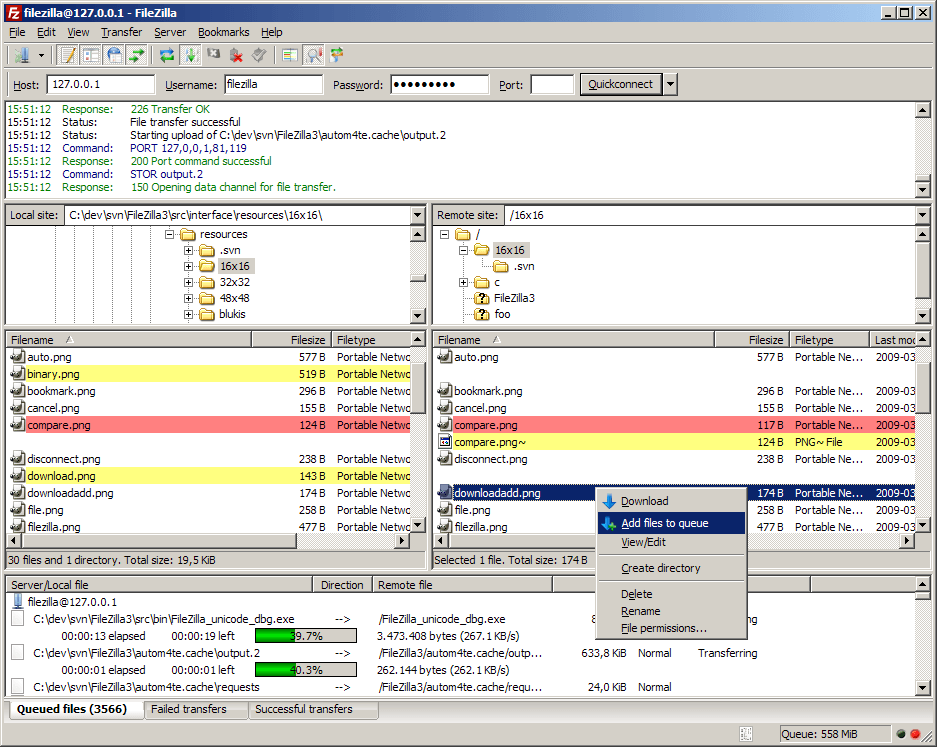
FileZilla Server is the free, open-source FTP and FTPS server most people try first, and it’s well maintained. The latest version supports 64-bit Windows 11. Setup is quick, and built-in Let’s Encrypt integration makes it easy to implement certificate for FTPS.
There’s an important catch for anyone who needs SFTP. The free edition supports FTP and FTP over TLS only. SFTP and TOTP two-factor authentication come with FileZilla paid edition.
Pros & Cons
PROS
CONS
Pricing
FileZilla Server is free.
FileZilla Pro Enterprise Server, which adds SFTP and TOTP two-factor authentication, starts at $199.
02. Cerberus FTP Server
Enterprise FTP and SFTP server for WindowsWindows businesses that need compliance, SSO, and auditing
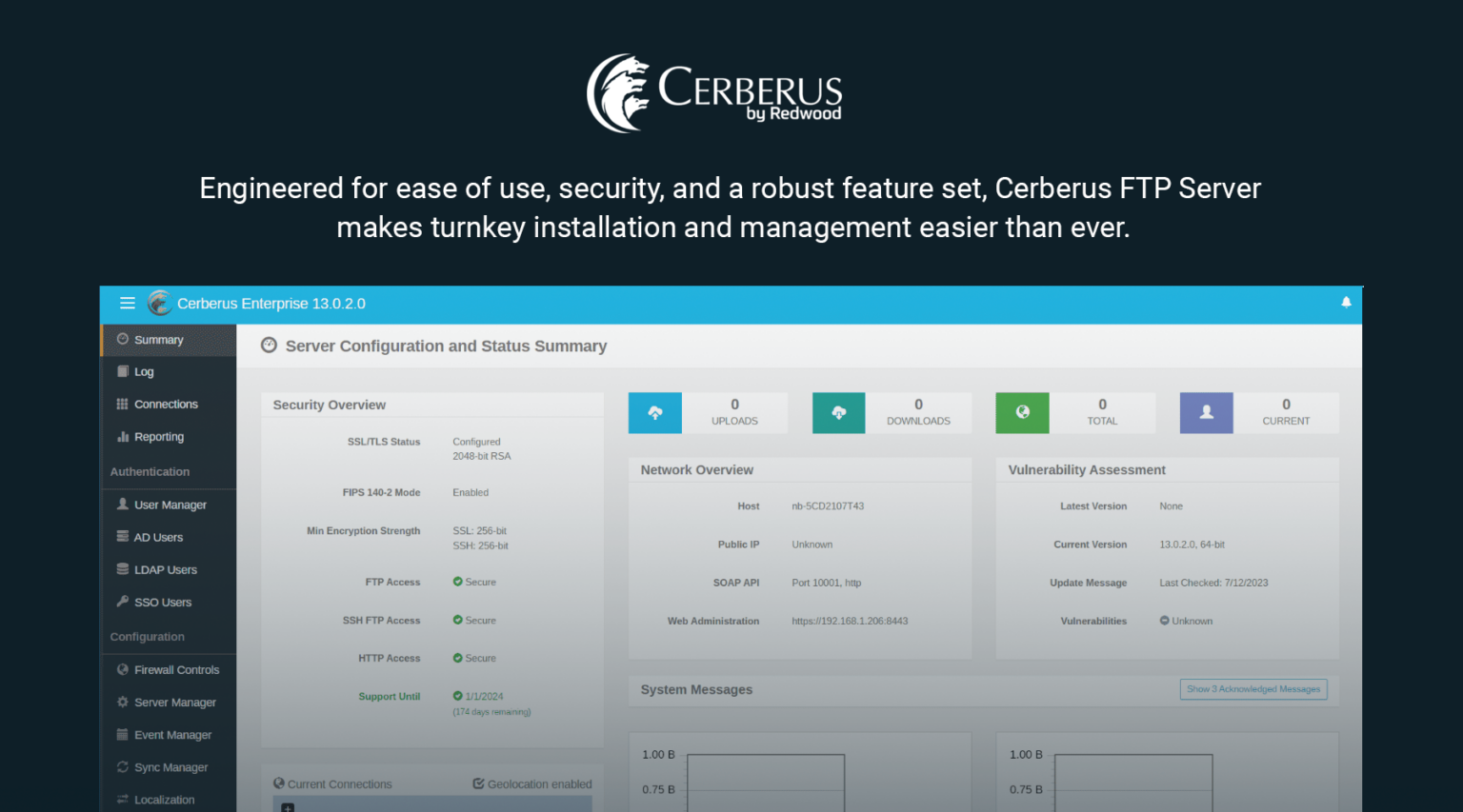
Cerberus FTP Server is a native 64-bit Windows server built for businesses that answer to auditors. It supports FTP, FTPS, SFTP, and SCP with unlimited users and connections on every plan, and it uses FIPS 140-3 validated cryptography.
You can authenticate users against Active Directory or LDAP, sign in through SAML single sign-on with Entra ID, and add two-factor authentication through providers like Okta. Enterprise adds an HTTPS web client, ad hoc file sharing, retention policies, and event automation, and you can map virtual directories to Amazon S3 or Azure Blob storage.
It’s also popular for Cisco Unified Communications Manager backups over SFTP, which Cerberus documents as a dedicated use case.
Pros & Cons
PROS
CONS
Pricing
Cerberus is sold as an annual subscription per server.
Professional costs $1,599 to $1,999 a year and Enterprise $3,499 to $4,374 a year, depending on the subscription term you choose.
The 25-day free trial needs no credit card.
03. SFTPGo
Open-source SFTP and FTPS serverTeams that want modern SFTP with cloud storage backends
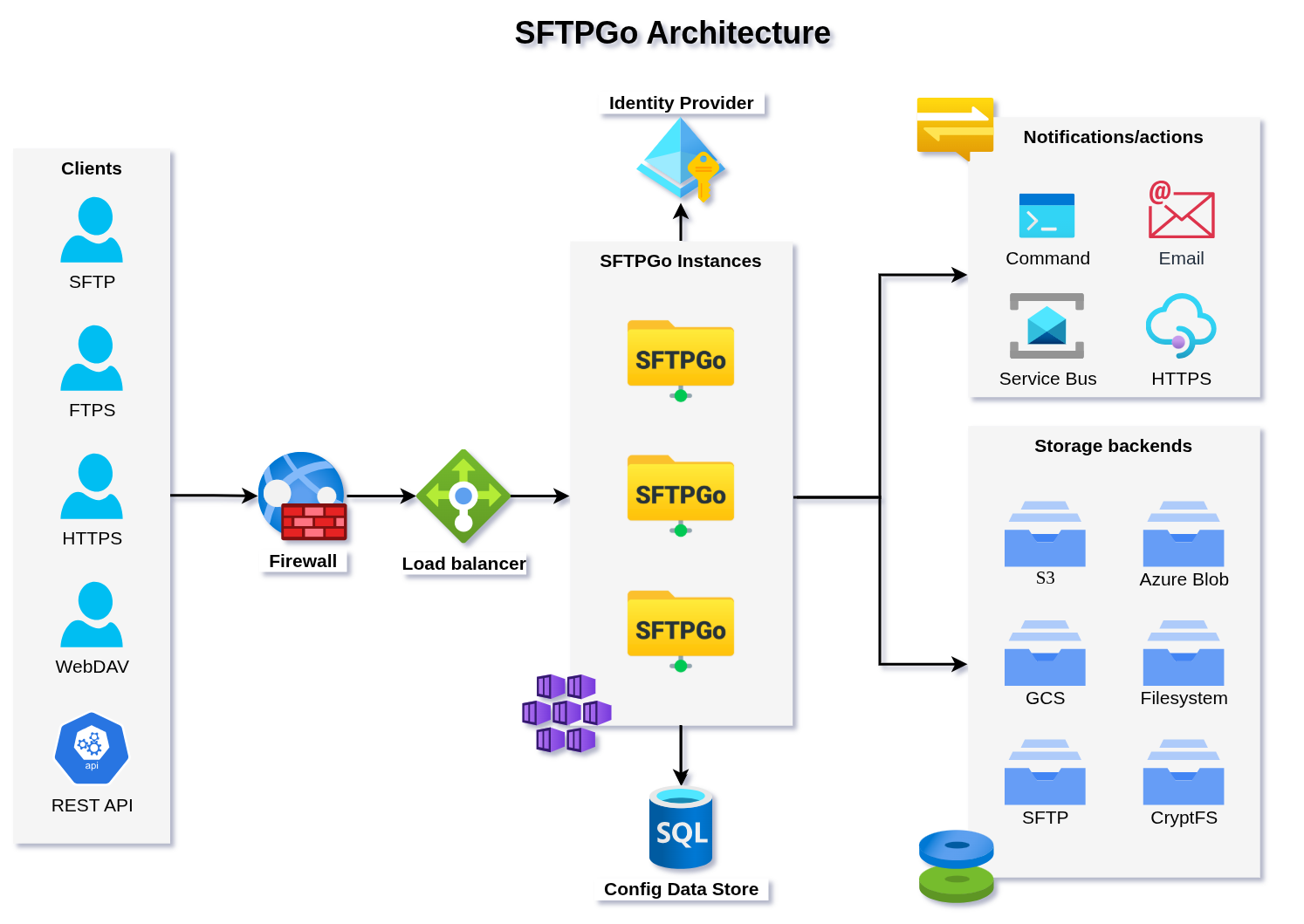
SFTPGo is the modern and open-source server for SFTP, FTPS, and WebDAV with a web client, and it can store each user’s files on local disk, Amazon S3, Azure Blob Storage, or Google Cloud Storage.
It runs on Windows, Linux, Docker, or Kubernetes, which makes it a good fit for teams that want the same server in the data center and the cloud. OpenID Connect single sign-on like Entra ID, Okta, Keycloak, TOTP two-factor authentication, a REST API, event-driven automation, and built-in brute-force protection with Geo-IP filtering are all included.
Pros & Cons
PROS
CONS
Pricing
The open-source edition is free under AGPLv3.
Enterprise Starter costs $693.87 a year.
04. Bitvise SSH Server
SSH, SFTP, and SCP server for WindowsWindows admins who want a reliable SFTP server with shell access
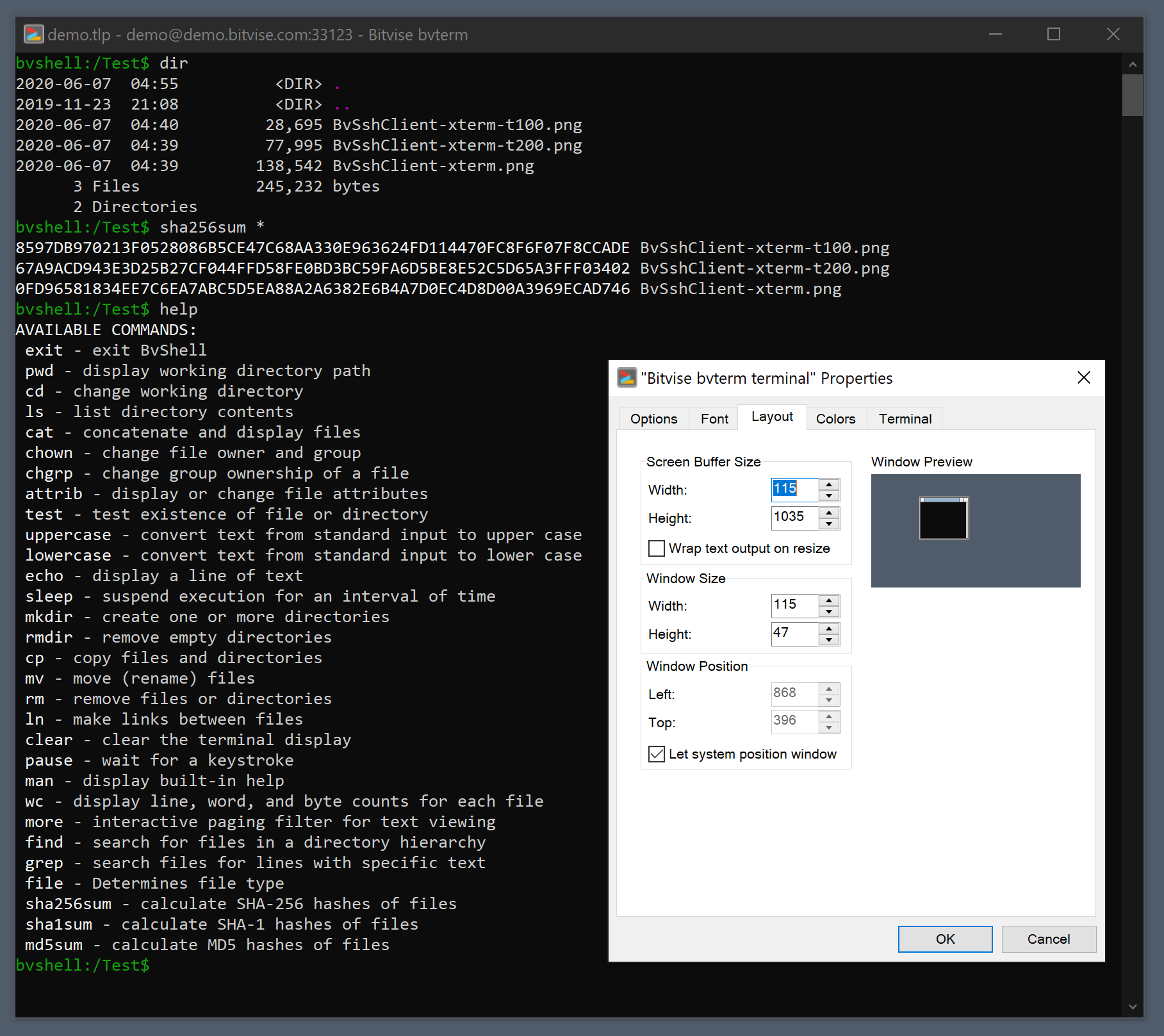
Bitvise SSH Server is a long-running favorite among Windows admins for SFTP and SCP. Besides file transfer, it offers terminal shell access, port forwarding, and an FTPS server, so one product covers both remote administration and file exchange.
Users can be Windows accounts, domain accounts, or virtual accounts that exist only in Bitvise, and it can even act as an SFTP jump server to reach other servers. It’s a common choice for network gear that backs up configurations over SFTP.
Pros & Cons
PROS
CONS
Pricing
Licenses cost $99.95 per installation, with volume options from a 25-installation license ($2,000) to site licenses ($10,000).
The Personal Edition is free for non-commercial personal use.
05. Rebex Buru SFTP Server
Lightweight SFTP server for WindowsSmall teams that want SFTP running as a Windows service in minutes
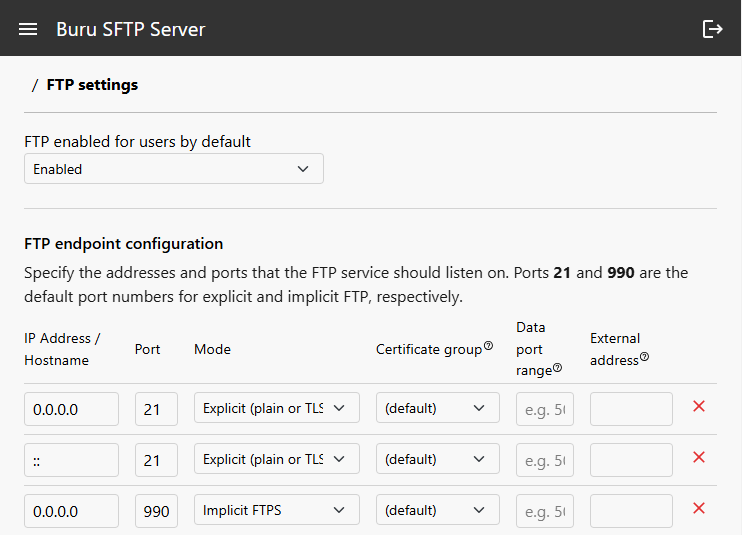
Buru SFTP Server runs as a native Windows service or a portable app on Windows 10, 11, and Windows Server. You can have the setup ready and running in less than 5 minutes.
It handles SFTP, SCP, FTP, and FTPS with unlimited users and connections. Users can be local Windows or Active Directory accounts, and virtual directory permissions combine with Windows ACLs. It also supports post-quantum hybrid ML-KEM key exchange.
Rebex is highly rated, 4.9 on Capterra.
If you need something simple and happy with FTP, you can also try their Tiny FTP server which is free for commercial as well.
Pros & Cons
PROS
CONS
Pricing
The free edition covers personal and academic.
Professional for business use starts at $399 per server and includes a year of updates and next day support.
A fully functional 30-day trial is available.
06. Syncplify Server!
Security-focused SFTP serverTeams that want hardened SFTP with scripting and high availability
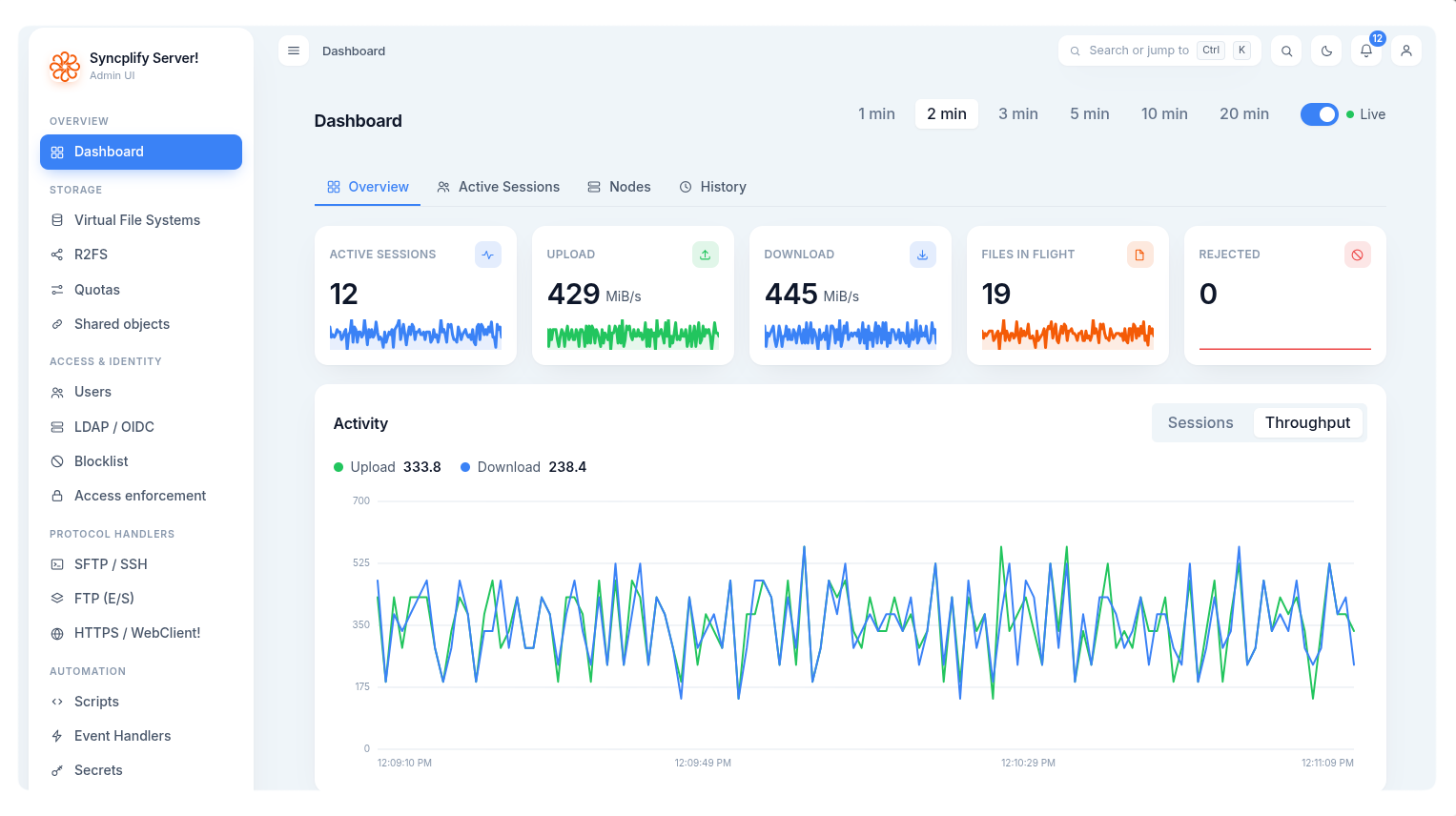
Syncplify Server! version 8 includes cryptographically signed audit logs, post-quantum encryption, and a Protector feature that blocks brute-force and denial-of-service attempts. Syncplify says it has had a single CVE in thirteen years of releases.
That’s an achievement in security.
It’s also highly scriptable, with more than 45 event triggers and a REST API. Higher editions add cloud storage backends, LDAP users, and high availability across multiple nodes.
Don’t ask me why the name ends with !. It is odd but it is what it is 🙂
Pros & Cons
PROS
CONS
Pricing
Licenses are perpetual per node, with the first year of support included.
Basic costs $799, Professional $1,999, and Ultimate $2,699.
The free 15-day trial includes all Ultimate features.
07. CompleteFTP
All-in-one FTP, SFTP, and HTTPS serverWindows shops that want one server for every protocol
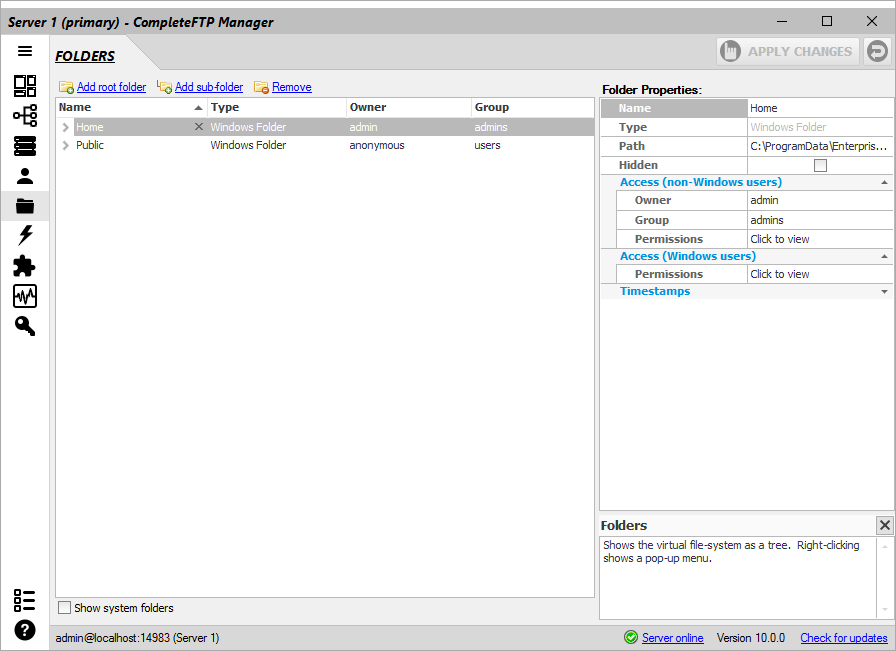
CompleteFTP from EnterpriseDT covers every common protocol in one Windows server, and its free edition is genuinely useful for FTP and FTPS. Paid editions add SFTP, then SCP and HTTPS, Active Directory users, auditing, and server-side JavaScript.
Enterprise MFT turns it into a managed file transfer platform with two-factor authentication, SAML single sign-on, clustering, encryption at rest, PGP, automated transfers, and folders backed by Azure, Amazon S3, Google Cloud, SharePoint, or OneDrive.
You can administer through an AI assistant over MCP.
Pros & Cons
PROS
CONS
Pricing
The Free edition covers FTP and FTPS.
Standard costs $369 and adds SFTP, Professional $749, and Enterprise MFT $1,699.
08. Titan SFTP Server
Enterprise SFTP serverOrganizations exchanging files with partners under compliance rules
Titan SFTP Server from South River Technologies is aimed at secure partner exchange in regulated industries. It supports SFTP, FTPS, and HTTPS, with role-based permissions, folder-level access, virtual directories, password policies, and detailed logs that feed into a Syslog server.
It runs on Windows or Linux, on-premises or from the Azure, AWS, and Google Cloud marketplaces, and optional modules add a browser-based web UI and other capabilities as you need them.
Pros & Cons
PROS
CONS
Pricing
Titan SFTP Server is sold as an on-premises license with annual maintenance and support.
Cloud versions are billed by usage through the Azure, AWS, and Google Cloud marketplaces.
09. Serv-U (SolarWinds)
Managed file transfer serverOrganizations already using SolarWinds tools
Serv-U is one of the longest-running file transfer servers, now sold by SolarWinds as Serv-U FTP Server and Serv-U MFT Server.
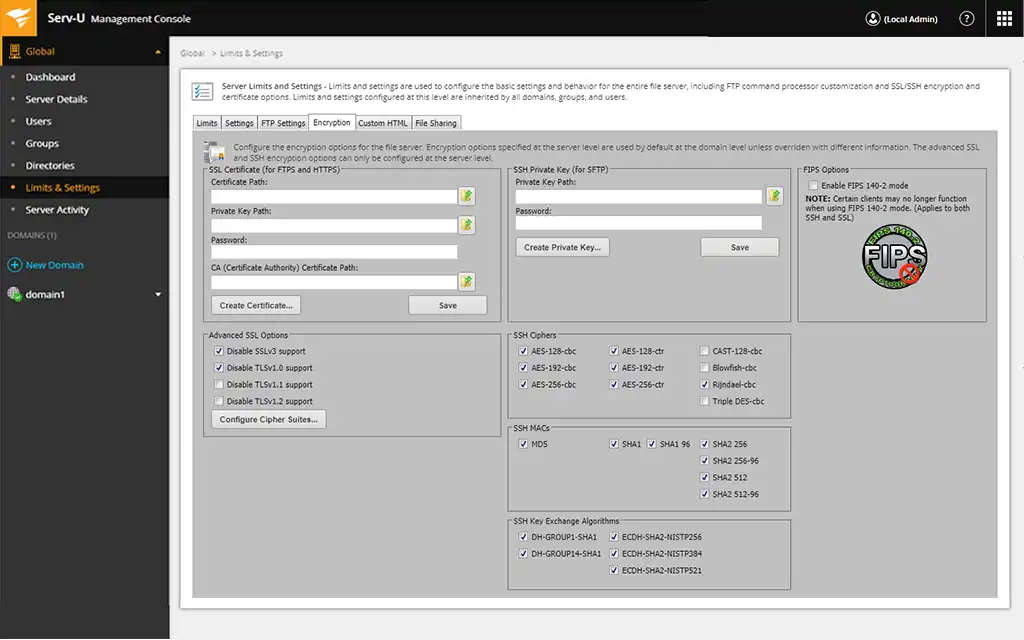
It supports FTP, FTPS, SFTP, and HTTPS with a web client and mobile access, syncs users from Active Directory or LDAP, and uses a FIPS 140-2 validated cryptographic module.
Serv-U is suitable for enterprise.
Pros & Cons
PROS
CONS
Pricing
You can take free trial for 14-days. Serv-U starts at $335 per server.
10. Wing FTP Server
Cross-platform FTP and SFTP serverTeams that want a web client and Lua automation on any OS
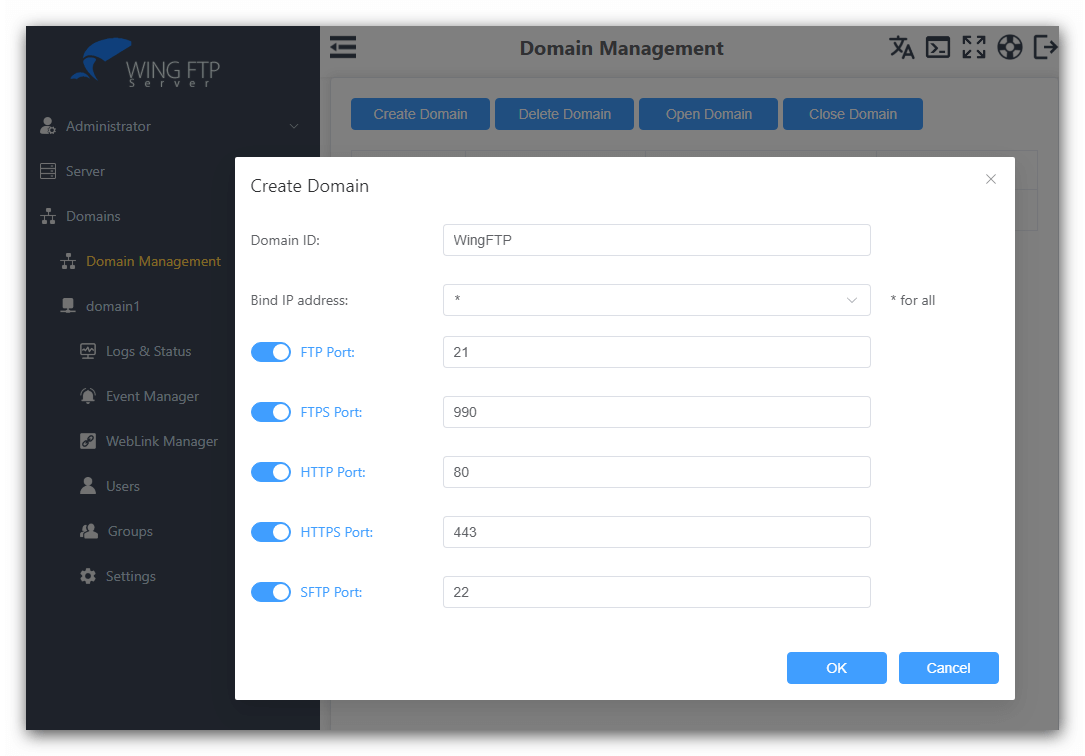
Wing FTP Server runs on Windows, Linux, and macOS and includes FTP, FTPS, SFTP, and a built-in web client. Its Event Manager runs Lua scripts on server events, users can come from Active Directory, LDAP, or a database, and Wing Gateway adds high availability.
Keep an eye on its security vulnerabilities. CVE-2025-47812 was exploited in 2025 and fixed in version 7.4.4, and CISA added a second Wing FTP flaw, CVE-2025-47813, to its exploited list in March 2026. If you run Wing FTP, keep it on the latest version.
Pros & Cons
PROS
CONS
Pricing
Wing FTP Server is free for non-commercial use after a 30-day trial.
For Windows, Standard costs $199, Secure $569, and Corporate $1,299 per license, each with two years of upgrade protection.
Free FTP and SFTP Servers Built into Windows
Before you buy anything, check whether Windows already does what you need.
OpenSSH Server for SFTP
Windows 10 (version 1809 and later), Windows 11, and Windows Server 2019 and later include OpenSSH Server as an optional feature, and Windows Server 2025 installs it by default.
OpenSSH includes an SFTP subsystem, so once the service is running, SFTP clients can connect on port 22 using Windows accounts. Microsoft services it through Windows Update.
You can install it from Settings > Optional features, or with PowerShell as an administrator:
Add-WindowsCapability -Online -Name OpenSSH.Server~~~~0.0.1.0
Start-Service sshd
Set-Service -Name sshd -StartupType 'Automatic'
It’s ideal for internal usage. It has no web admin, virtual users, or reporting, so for partner exchange or many users, one of the servers above is easier to manage.
IIS FTP Server for FTP and FTPS
Windows Server includes an FTP server as part of the Web Server (IIS) role. Add it in Server Manager under Add Roles and Features, then select FTP Server. It supports FTP over TLS (FTPS), user isolation, IP restrictions, request filtering, and detailed logging, and on desktop Windows you can enable it under Turn Windows features on or off.
IIS doesn’t support SFTP, and its many options can make a simple setup feel complicated. For plain or TLS-protected FTP on a server you already run, though, it’s free and dependable.
Other FTP Servers Worth Knowing
A cross-platform Java server with a good web interface and automation, sold as perpetual licenses from $70.
It’s free for personal use with 5 users, and Standard costs $39.95. SFTP is a $60 add-on.
A Windows FTP server with SFTP and FTPS support and a 30-day free trial.
How to Choose an FTP Server
→ Start with the protocol your users need. If you control the clients, choose a server with SFTP. If partners or devices only speak FTP, make sure it supports FTPS and enforce encryption.
→ Match authentication to your directory. Most business servers should authenticate against Active Directory or your identity provider, ideally with two-factor authentication.
→ If you handle health, payment, or government data, look for FIPS-validated cryptography, detailed audit logs, and retention controls. Cerberus, Serv-U, and Syncplify all document these.
→ File transfer servers face the internet and hold valuable data, so attackers target them. Before you choose, check the vendor’s recent advisories and how quickly fixes ship.
Benefits of Running Your Own FTP Server
A file transfer server is still the simplest way to move large files in bulk. You can send hundreds of megabytes or more in one go, move entire folders at once, and resume interrupted transfers instead of starting over.
It also makes transfers easy to automate. Scripts, backup tools, scanners, and partner systems can drop files on a schedule without anyone waiting on them. And because you run the server, you control where the data lives, who can reach it, and what gets logged, which is often a requirement in regulated industries.
Once your server is ready, you’ll need a client to connect to it. See our guide to FTP and SFTP clients for Windows, Mac, and Linux.






