
Software architecture diagrams help development and IT teams document how a system fits together before, during, and after it’s built. A clear diagram turns a mental model into something the whole team can review, argue about, and update, which matters more as systems pick up microservices, cloud dependencies, and cross-team ownership.
The tools below cover general-purpose diagramming apps that developers already use for architecture work, plus a couple of tools built specifically around software architecture models like C4. I looked at supported diagram types, collaboration, templates, and current pricing for each. I’ve picked tools that are either widely used by development teams already or specifically built for software architecture modeling.
LucidChart
Best for Templates and Integrations
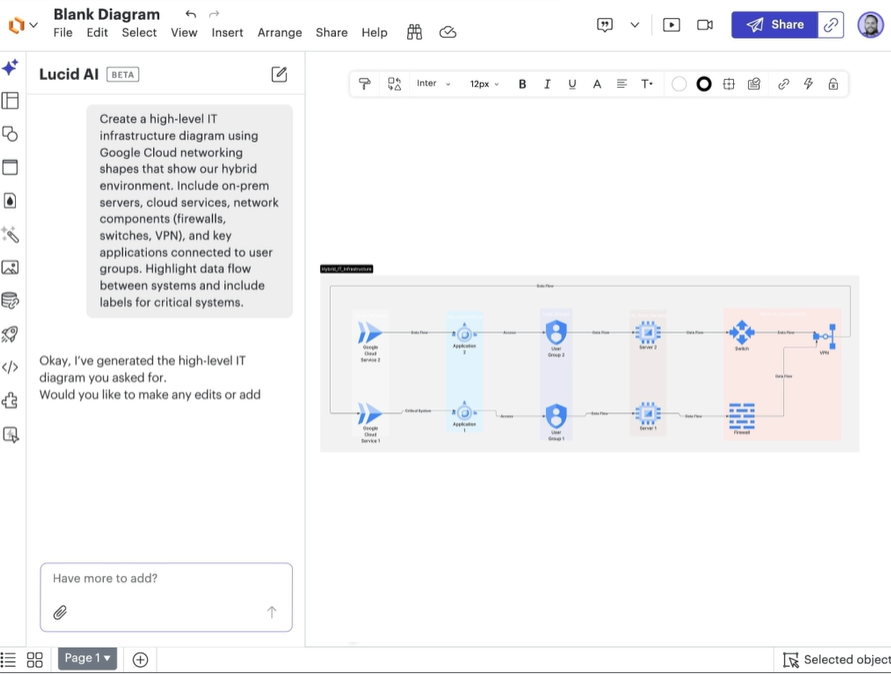
LucidChart is a diagramming platform for architects and engineering teams, covering flowcharts, C4 models, and process maps. It integrates with Slack, Google Workspace, and Salesforce and includes AI Prompt Flow and a ChatGPT plugin for generating a first-draft diagram from a text description.
Key Features
- AI Prompt Flow and a ChatGPT plugin for automatic diagram generation
- 100+ templates covering data flows, network infrastructure, and process mapping
- Team spaces, mentions, and comments for real-time collaboration
- Document permissions, data encryption, and domain/publishing restrictions for enterprise accounts
- Integrations with Slack, Google Workspace, Salesforce, and other common workplace tools
Pros & Cons
PROS
CONS
Pricing
LucidChart’s Free plan covers 3 editable documents with 100 templates. Individual plan costs $9/user/month for unlimited documents and premium shape libraries, while Team costs $10/user/month and adds revision history plus Jira/Confluence integrations. Enterprise pricing is custom and includes Lucidspark and SAML authentication.
IcePanel
Best for C4 Model Architecture Diagrams
IcePanel is a browser-based modeling tool created specifically around the C4 model, rather than general-purpose diagramming. It is very useful to software and solution architects who need one shared model of a system that multiple teams can view at different levels of detail, not just a static picture of it. Customers of IcePanel include Cisco, BMW, and Cambridge University.
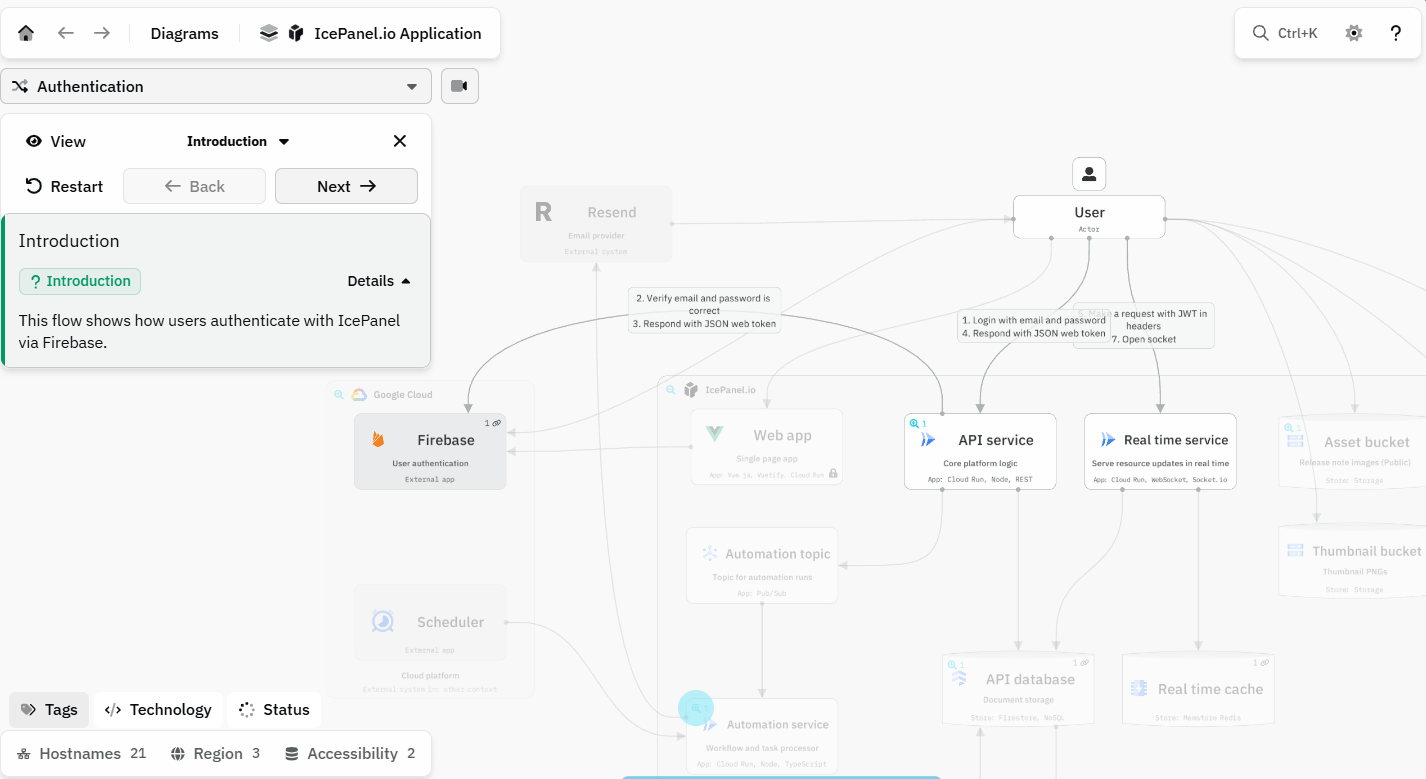
IcePanel treats a system as a single underlying model that you can drill into or zoom out of, which keeps context and system diagrams from drifting apart as a system evolves.
Key Features
- Multi-level abstraction lets you drill down from context to component views of the same model
- Message flows for visualizing how data and requests move between components
- Forking, to draft a future-state architecture without disturbing the current model
- Phased release designs for planning multi-stage migrations or rollouts
- Read-only viewer licenses so stakeholders can review without editing rights
- REST API access for pulling model data into other tools
Pros & Cons
PROS
CONS
Pricing
IcePanel’s Free plan allows up to 5 editors and 100 model objects. Growth plan costs $40/editor/month billed annually for unlimited objects and basic API access, and Scale steps up to $80/editor/month for audit logs, webhooks, and unlimited API usage. Enterprise pricing is custom for larger, security-sensitive deployments.
Miro
Best for Collaborative Diagramming
Miro is a collaborative whiteboard that handles architecture diagrams alongside retrospectives, mind maps, and product planning on the same canvas. Teams that already run workshops and sprint reviews in Miro tend to keep architecture diagrams there too, since non-technical stakeholders can follow along in the same session.

Key Features
- Cisco, Azure, and AWS shape packs for cloud and network diagrams
- Editing tools like zoom, sticky notes, and text alongside diagramming shapes
- Two-way integrations with Jira, Asana, and Linear
- AI-assisted diagram workflows on paid plans
Pros & Cons
PROS
CONS
Pricing
3 editable boards are offered on the free tier, which is fine for a trial run. The starter plan costs $8/member/month billed yearly for unlimited boards. The Business plan costs $20/member/month for 4,700+ diagramming shapes and SSO. Enterprise pricing is custom, with a 30-member minimum.
Creately
Best for Variety of Diagrams
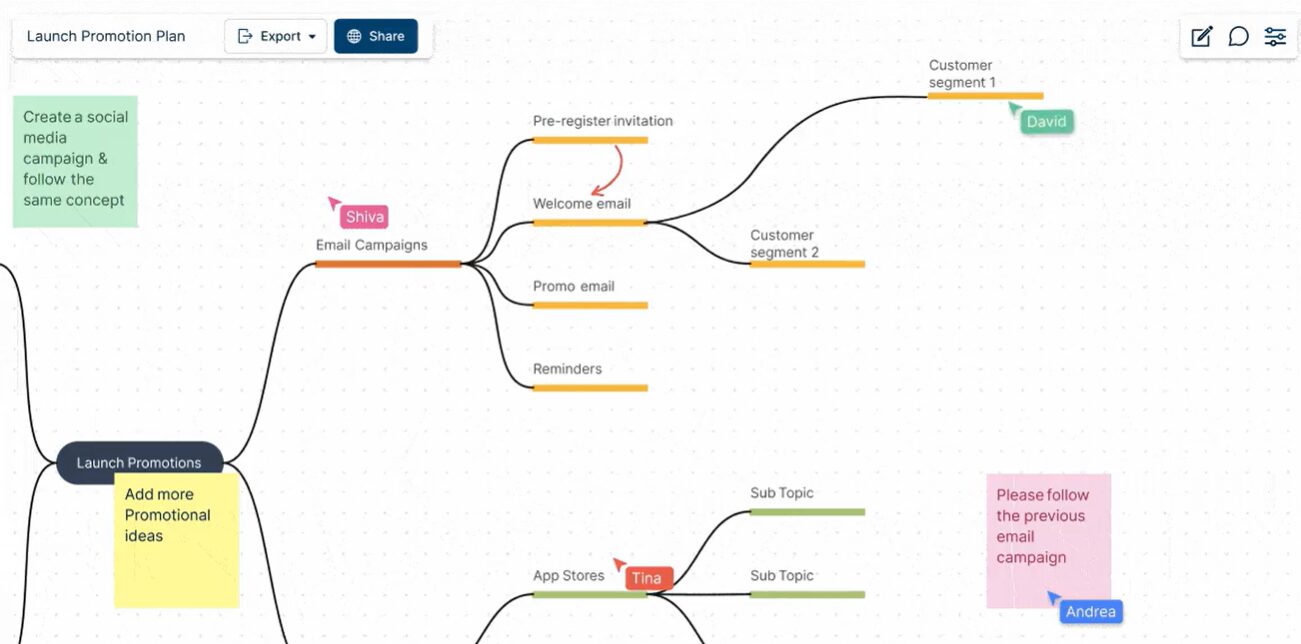
Creately is a diagramming platform covering flowcharts, class diagrams, mind maps, and architectural work on one canvas. It offers AI-assisted diagram generation and project-tracking features built in. It suits teams that want one tool for both brainstorming and formal diagrams.
Key Features
- Support for 70+ diagramming standards and 1,000+ connectors and shapes
- 8,000+ ready-to-use templates and 200,000+ examples across industries
- AI-assisted diagram generation on paid plans
- SOC 2 Type 2 and ISO 27001 certified security
Pros & Cons
PROS
CONS
Pricing
Creately’s free plan covers 45 items per canvas. Paid plans are:
- Starter: $5/month if billed annually ($60/year), for 1,000 items per canvas and AI diagrams;
- Team: $5/month if billed annually ($60/year) with a higher item cap and advanced collaboration.
- Business: $89/month billed annually ($1,068/year), for unlimited users and project management tools.
- Enterprise pricing is custom.
Draw.io
Best Open-Source Solution
Draw.io is a security-first open-source diagramming tool that stays free. It’s popular with developers because it doesn’t store your data on a vendor’s servers by default. Diagrams are saved to your device, browser, or a storage provider of your choice.
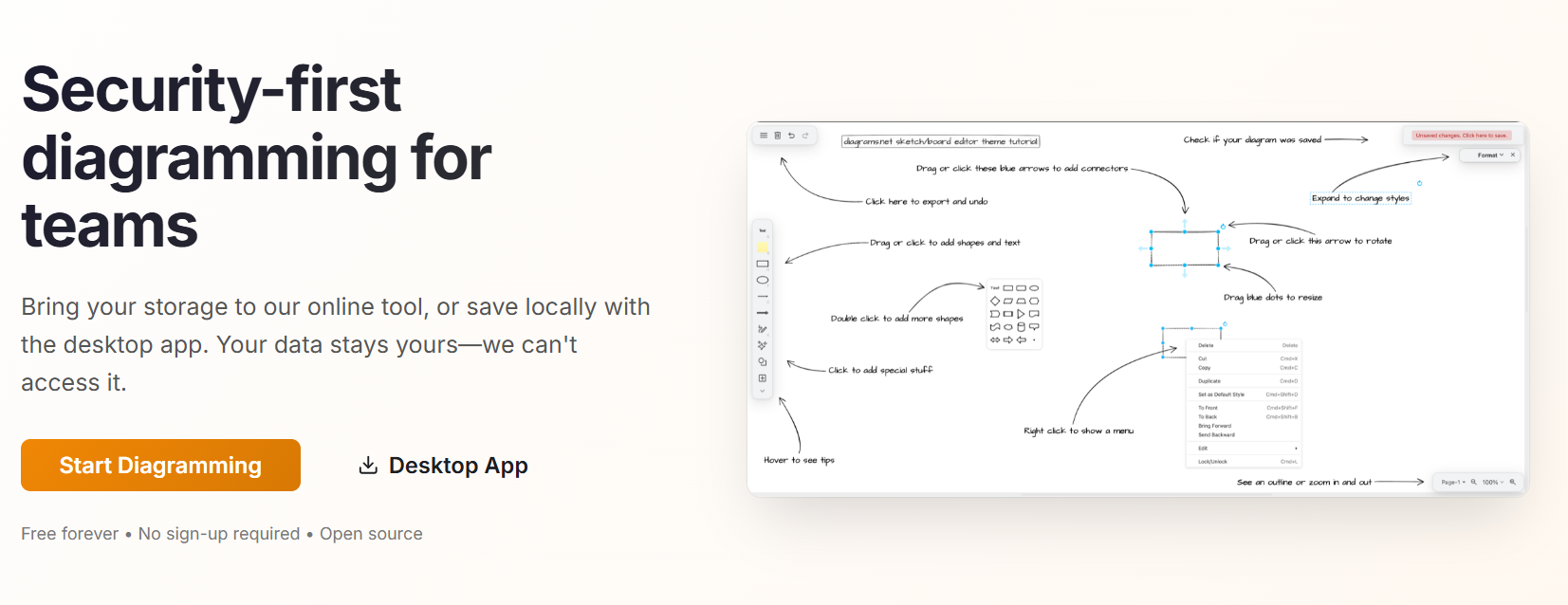
Key Features
- Diagram types include flowcharts, network infrastructure, sequence diagrams, and floor plans
- Storage options: local device, Google Drive, Dropbox, OneDrive, or GitHub/GitLab
- Desktop apps for Windows, macOS, and Linux
- Drag-and-drop editing with automatic connector rerouting and text formatting tools
Pros & Cons
PROS
CONS
Pricing
Draw.io itself is free to use, with no paid tier for the core diagramming app.
A separate paid tier applies only if you install the Draw.io app inside Confluence or Jira, priced through the Atlassian Marketplace based on team size.
Terrastruct
Best for Cloud Architecture Diagrams
Terrastruct treats architecture diagrams as code you write, not shapes you drag around. Its current product, D2 Studio, is built on the open-source D2 scripting language and Terrastruct’s own TALA auto-layout engine: you describe the system in text, and TALA arranges it, which matters when a diagram needs regenerating every time the system changes.
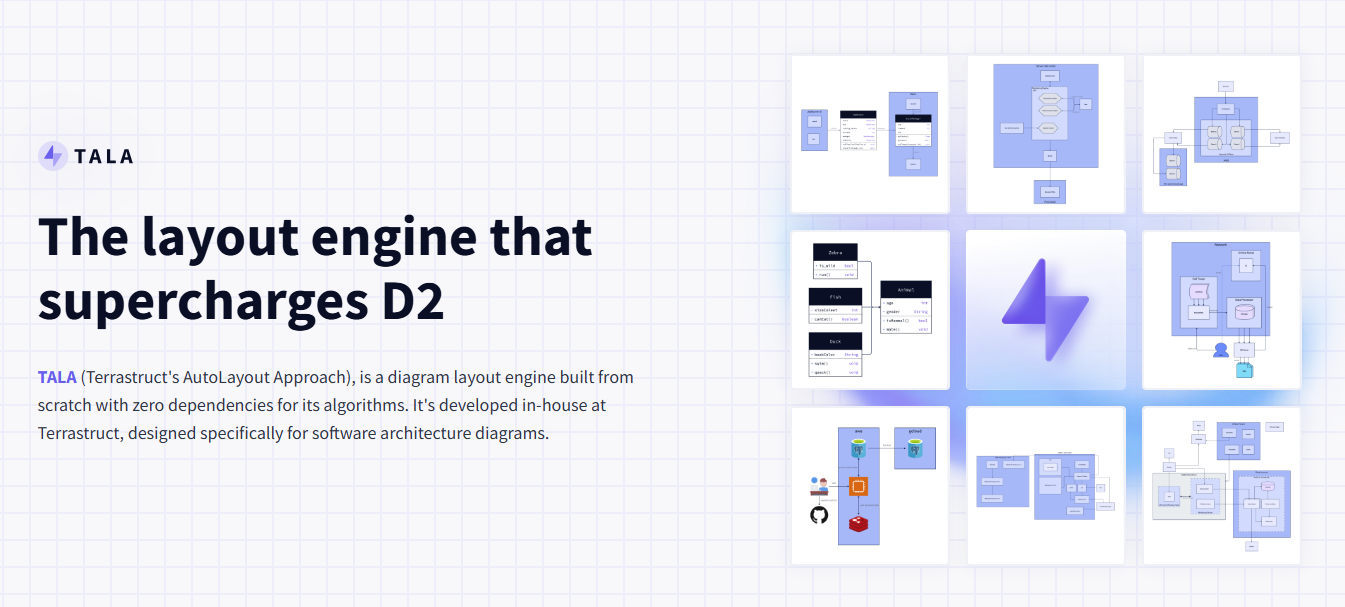
Key Features
- Text-to-diagram workflow using the D2 diagramming language
- TALA auto-layout engine, purpose-built for software architecture diagrams rather than general flowcharts
- Multi-layered, interactive diagrams with zoom between abstraction levels
- Source control-friendly, since diagrams are defined as text
Pros & Cons
PROS
CONS
Pricing
Terrastruct sells two license types: a personal license for individual desktop use, and an Enterprise license for running TALA on servers or in CI/CD pipelines, with IP assigned to the purchasing organization, which is available on request.
Gliffy
Best for Confluence Diagramming
Gliffy is specifically referred to as Gliffy Diagrams for Confluence, sold through the Atlassian Marketplace rather than as a standalone general-purpose app. If your team already documents architecture inside Confluence, Gliffy adds diagramming without leaving that workflow.

Key Features
- Native Confluence integration for both Data Center and Cloud
- Supports network diagrams, flowcharts, UML, BPMN, and wireframes
- Visio and Draw.io file import
- A separate “Zero Egress” edition for government and compliance-restricted environments
Pros & Cons
PROS
CONS
Pricing
Up to 10 users can run Gliffy for Confluence at no cost. Paid plans are:
- Standard: $3.80/user/month billed annually for 11–100 users
- Zero Egress tier for regulated environments starting from $2.80/user/month.
- Enterprise custom pricing for 20,000+ users is available via the sales team.
Cacoo
Best for Real-Time Collaboration
Cacoo is Nulab’s real-time diagramming tool, built for distributed teams that need multiple people editing, chatting, and commenting on the same diagram simultaneously rather than handing it off for review afterward.
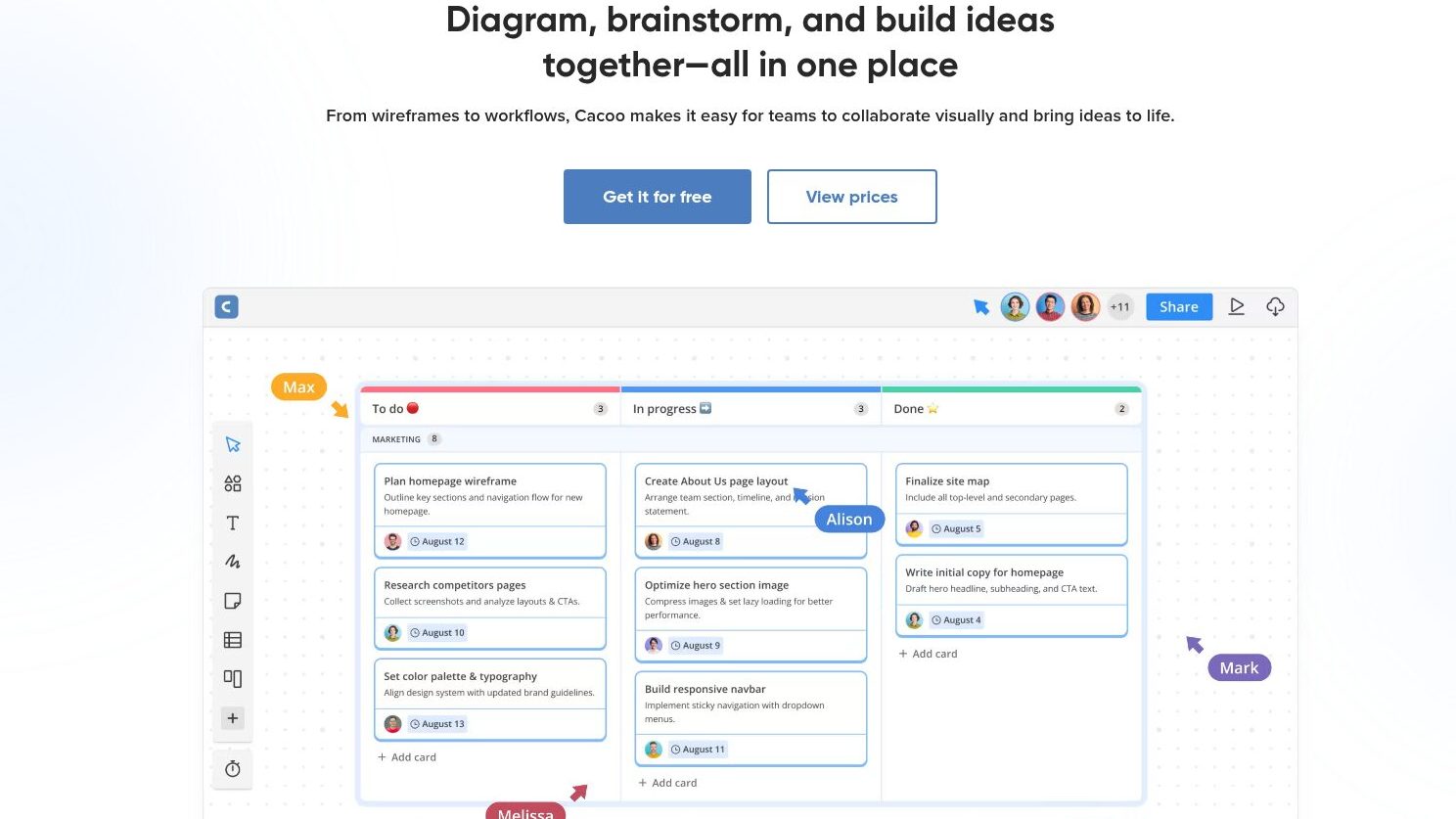
Key Features
- 100+ pre-built templates and shapes
- In-app video chat and revision history during collaborative sessions
- Integrations with Confluence, Adobe Creative Cloud, Google Drive, and AWS
- Import data from spreadsheets to populate charts automatically
Pros & Cons
PROS
CONS
Pricing
The free tier offers 6 sheets, with PNG export only.
Pro and Team both cost a flat $6/user/month for unlimited sheets and revision history.
Enterprise pricing is custom with SAML SSO and audit logs.
Microsoft Visio
Best for Microsoft Office Integration
Microsoft Visio is the diagramming tool for teams standardized on Microsoft 365. It shares the same admin console and sign-in as Word or Excel, and hands off diagrams the same way.
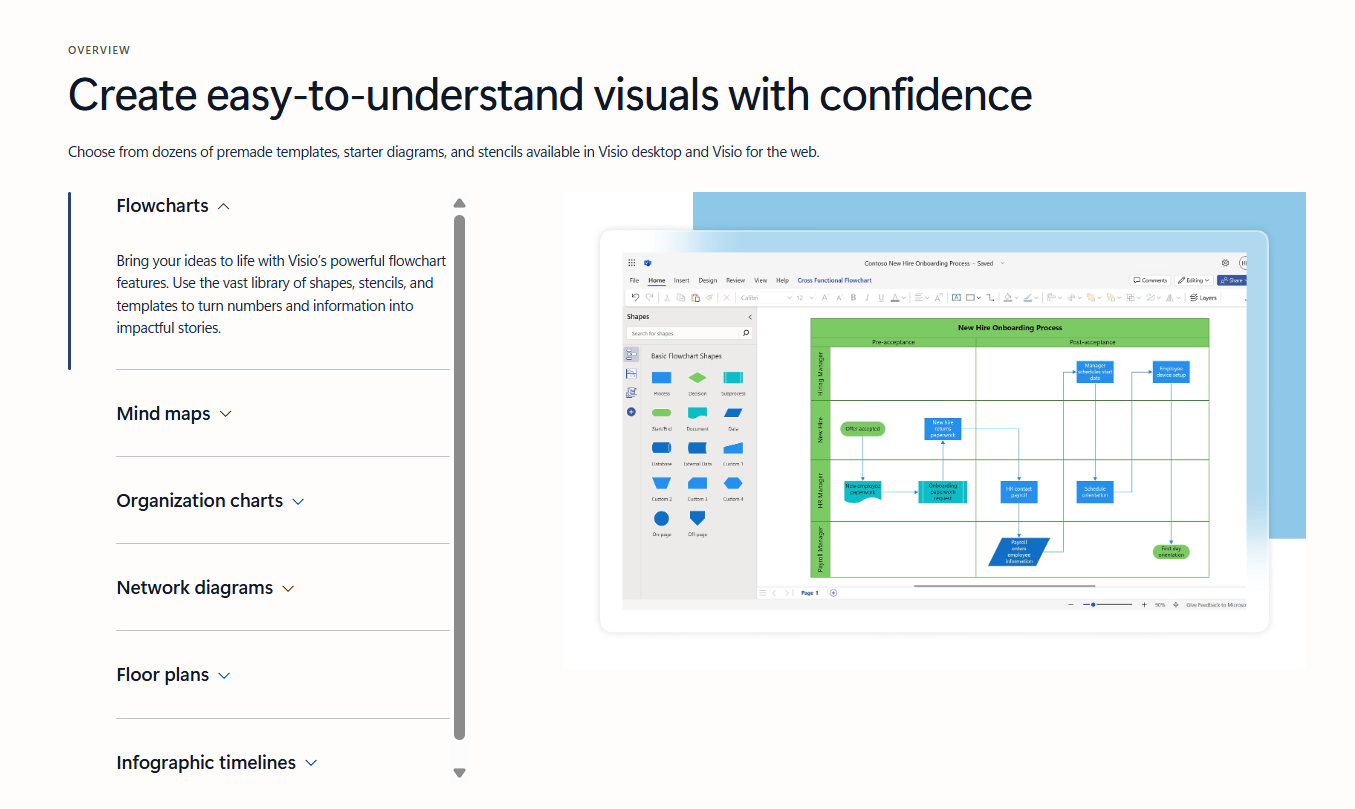
Key Features
- 1,000+ customizable shapes and stencils
- Cross-functional flowcharts, network diagrams, and software/database diagrams
- Co-authoring with Microsoft 365 for commercial subscribers
- Power BI integration on Plan 1
Pros & Cons
PROS
CONS
Pricing
Basic viewing and flowcharting is included free with Microsoft 365.
Visio Plan 1 costs $5/user/month for web-only access with cross-functional flowcharts and Power BI integration, while Plan 2 costs $15/user/month and adds desktop apps plus advanced process and database diagrams.
Excalidraw
Best for Hand-Drawn Style
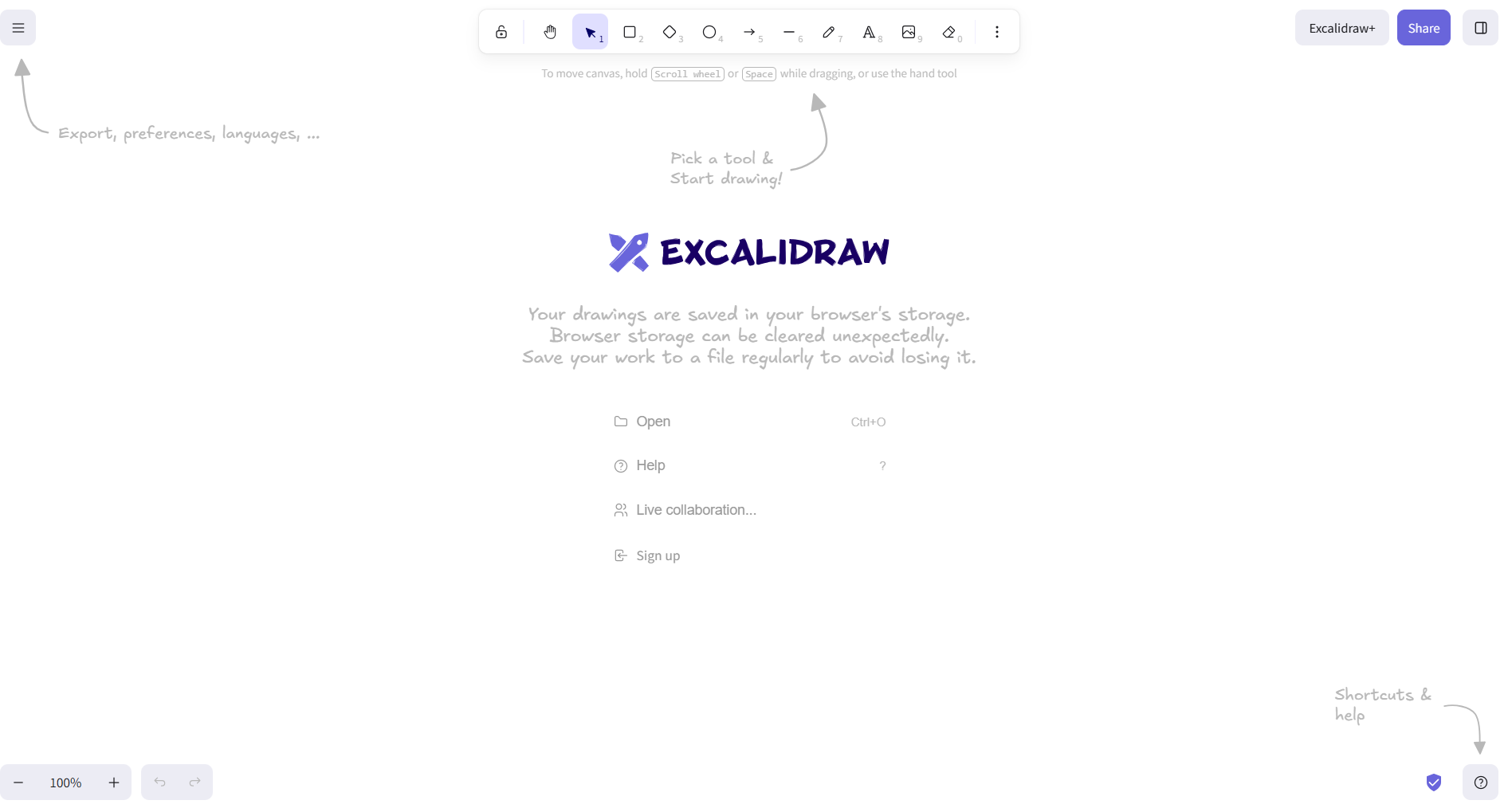
Excalidraw is an open-source whiteboard known for its clean, deliberately hand-drawn visual style. It’s a favorite for quick architecture sketches during design discussions, where a polished diagram would feel premature.
Key Features
- Infinite canvas with dark and light modes
- Image export to PNG, SVG, or clipboard
- Localization (i18n) support
- End-to-end encrypted file sharing
Pros & Cons
PROS
CONS
Pricing
The free version covers a full editor, one scene, and unlimited collaborators with local end-to-end encryption.
Plus plan adds unlimited scenes, cloud save, and extended AI features for $6/user/month, with a 14-day trial to test it first.
Tldraw
Best for Simple Browser Usage
Tldraw gets you drawing in a browser tab in about the time it takes the page to load; nothing to install, no account wall. It offers a separate SDK at tldraw.dev, which lets a product team embed that same canvas inside their own app instead of just using the hosted version.
Key Features
- Wide range of shapes: circles, arrows, triangles, rectangles
- Dark, focus, and debug display modes
- Export to PNG, JSON, and SVG
- An embeddable SDK for developers who want the same canvas inside their own app
Pros & Cons
PROS
CONS
Pricing
The hosted whiteboard at tldraw.com is free to use. The separate tldraw.dev SDK, for embedding the canvas into your own product, is licensed commercially with custom pricing and a 100-day free trial; a free Hobby license covers non-commercial use.
OmniGraffle
Best for Apple Users
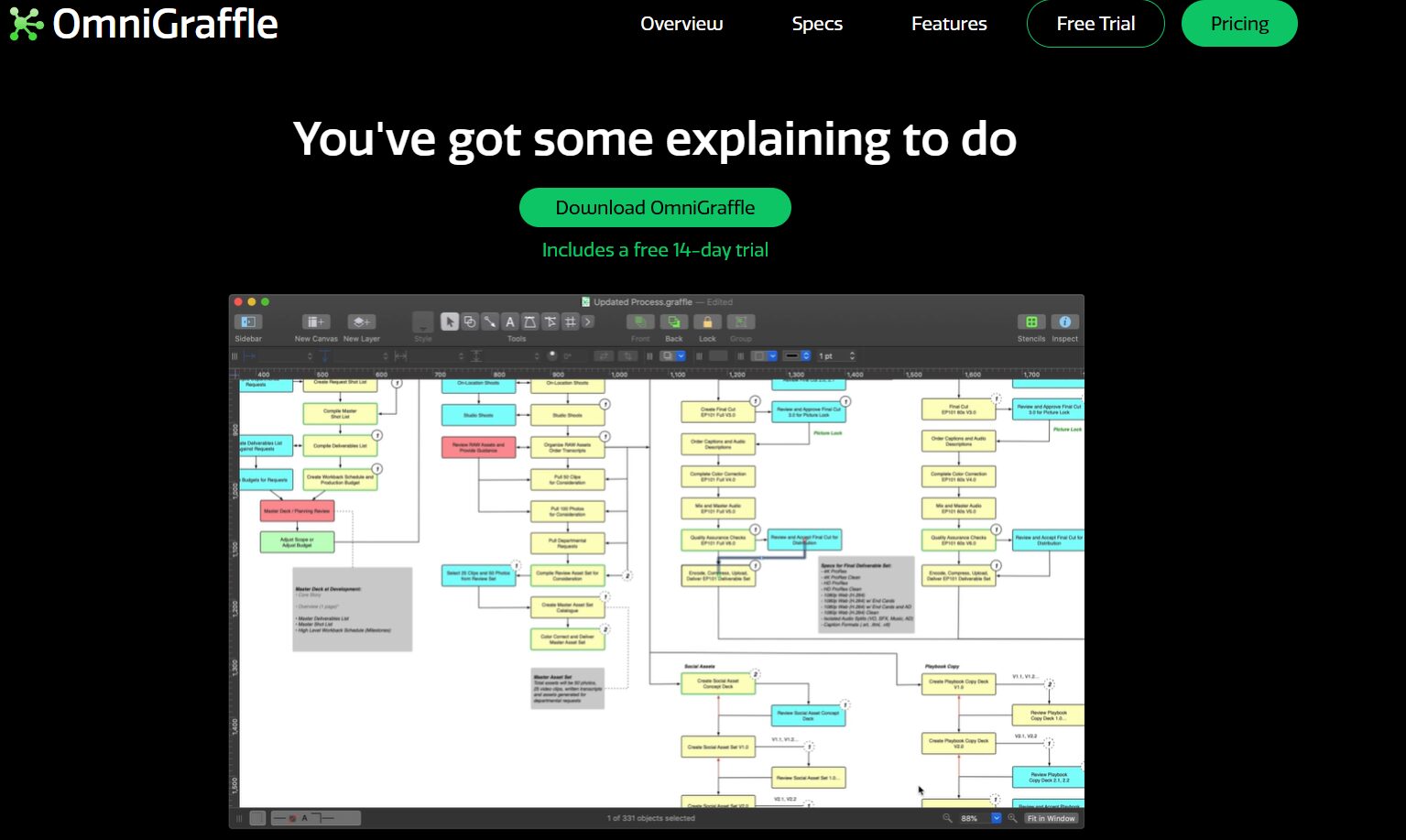
OmniGraffle is a diagramming tool built specifically for Apple’s ecosystem (Mac, iPhone, and iPad) with data syncing across devices so you can sketch a diagram on an iPad on the go and refine it later at a desk.
Key Features
- Professional vector graphics with a Pen tool for custom shapes
- App Lock for securing documents
- SVG import/paste support
- Document Picker for organizing resources on iPad and iPhone
Pros & Cons
PROS
CONS
Pricing
A cross-platform subscription covering Mac, iPhone, and iPad costs $129.99/year. One-time perpetual licenses on Mac run $149.99 for Standard or $249.99 for Pro, while iPhone/iPad licenses run $59.99 for Standard or $119.99 for Pro.
Isoflow
Best for Interactive Isometric Flowcharts
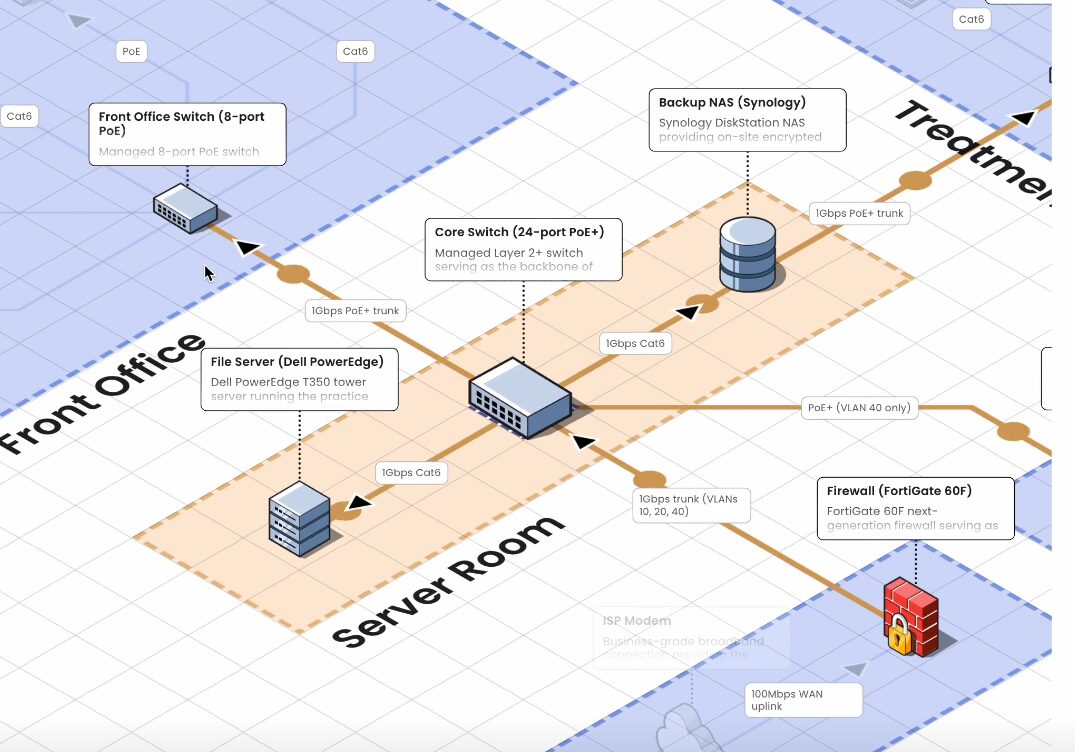
Isoflow is an open-source, React-based tool for drawing isometric network diagrams and flowcharts. The open-source Community Edition remains free under the MIT license, while isoflow.io hosts a paid version with cloud saving and team features.
Key Features
- Drag-and-drop interface for isometric diagrams
- Custom icon uploads alongside built-in connectors and icons
- File sharing and cloud-saved designs on paid plans
- An MCP server and AI icon generator on the Pro plan
Pros & Cons
PROS
CONS
Pricing
The open-source Community Edition is free to self-host under the MIT license.
On isoflow.io, Hobby is free for 1 project with 1 editor and 5 viewers.
Pro costs $15/editor/month for unlimited projects and up to 50 editors.
Enterprise pricing is custom with audit logs and a self-hosted option.
Frequently Asked Questions
Is there an AI tool to draw architecture diagrams?
Yes. Lucidchart, EdrawMax, and Diagramming AI all offer AI-assisted diagram generation from text descriptions, and several C4-focused and general diagramming tools are adding similar features. Treat AI-generated diagrams as a starting draft to review, not a final architecture decision.
What is the best type of diagram for software architecture?
A component diagram is generally the most useful starting point for software architecture, since it shows the individual components that make up a system and how they connect. For team-wide alignment on scope and boundaries, a C4-model context or container diagram is a common complement.
Final Words
If you already have a diagramming tool your team likes for other work, like Miro, LucidChart, Creately, it’s usually worth trying architecture diagrams there first before adopting something new.
If your team specifically needs a shared, drillable C4 model rather than a set of static diagrams, IcePanel or Terrastruct’s text-based approach are worth a closer look.
For teams that just want something free and fast, Draw.io and Excalidraw both cover that without asking you to create an account.