
Microsoft folded several paid Intune add-ons into Microsoft 365 E3 and E5 in July. Kandji became Iru and started managing Windows. Cisco stopped selling Meraki Systems Manager. And nearly every UEM vendor now talks about AI agents that fix devices on their own.
Underneath the noise, the job is the same. A unified endpoint management (UEM) tool lets you enroll, configure, patch, secure, and support laptops, desktops, phones, and tablets from one console, whatever operating system they run.
To come up with this list, I researched each vendor’s product, release notes, Gartner’s report, and went through what admins say in reviews. I’ve focused on where each tool is genuinely strong, where people run into trouble, and what it really costs.
If You Only Have a Minute
- Most IT teams and MSPs: NinjaOne
- Free patching for up to 200 endpoints: Action1
- Android and Windows devices in the field: AirDroid Business
- On-premises or tight budget: ManageEngine Endpoint Central
- Already paying for Microsoft 365: Microsoft Intune
- Large, mixed enterprise estates: Omnissa Workspace ONE or Tanium
- Cloud-first companies without Active Directory: JumpCloud
UEM Tools Side by Side
| Tool | Type | Best for | Starting price | Free plan or trial | OS coverage | Deployment | Link |
|---|---|---|---|---|---|---|---|
| 01 NinjaOne | RMM and endpoint management | Internal IT teams and MSPs that want one console for everything | $3.75/device/month | 14-day trial | Windows, macOS, Linux, iOS, Android | Cloud | Visit |
| 02 Action1 | Patch-first endpoint management | Teams whose biggest job is keeping Windows, Mac, and Linux patched | Free for 200 endpoints | Free plan | Windows, macOS, Linux | Cloud | Visit |
| 03 AirDroid Business | Android and Windows management | Distributed POS, kiosk, signage, and field devices | $1/device/month | 14-day trial | Android, Windows | Cloud, on-premises | Visit |
| 04 ManageEngine Endpoint Central | Full-suite UEM | Mid-size and large teams that want broad coverage, on-premises or cloud | $795/year for 50 endpoints | Free for 25 endpoints | Windows, macOS, Linux, iOS, Android, ChromeOS | Cloud, on-premises | Visit |
| 05 Microsoft Intune | Cloud-native Microsoft UEM | Organizations already on Microsoft 365, especially Windows-heavy ones | $8/user/month | 30-day trial | Windows, macOS, iOS, Android, Linux | Cloud, hybrid with ConfigMgr | Visit |
| 06 Omnissa Workspace ONE | Enterprise multi-OS UEM | Large, mixed-OS and frontline estates that want automation and DEX | $3/device/month | Free trial | Windows, macOS, iOS, Android, Linux, ChromeOS, rugged | Cloud | Visit |
| 07 Tanium | Real-time endpoint platform | Best for large enterprises and government agencies | Custom quote | Demo only | Windows, macOS, Linux, AIX, Solaris; mobile via Intune | Cloud, on-premises | Visit |
| 08 Scalefusion | Mobile-first UEM | Best for mixed with laptops, phones, and kiosk or frontline devices | $2/device/month | 14-day trial | Windows, macOS, Linux, ChromeOS, iOS, Android | Cloud | Visit |
| 09 Hexnode | UEM with agentic AI | Teams that want mobile and Apple management | $2.20/device/month | 14-day trial | Windows, macOS, Linux, iOS, Android, tvOS | Cloud | Visit |
| 10 JumpCloud | Identity and device management | Cloud-first companies without Active Directory | $5/user/month | 30-day trial | Windows, macOS, Linux, iOS, Android | Cloud | Visit |
| 11 Ivanti Neurons for UEM | AI-driven UEM suite | Best for large companies that want UEM and ITSM from one vendor | Custom quote | Demo only | Windows, macOS, Linux, iOS, Android, ChromeOS | Cloud | Visit |
| 12 HCL BigFix | Cross-OS patch and compliance | Regulated or legacy estates with servers, UNIX, and desktops | Custom quote | 30-day trial | 120+ OSes incl. UNIX, iOS, Android | Cloud, on-premises, air-gapped | Visit |
| 13 IBM MaaS360 | Mobile-first UEM | Mobile-heavy fleets that want published, per-device pricing | $1.50/device/month | 30-day trial | iOS, Android, Windows, macOS, ChromeOS | Cloud | Visit |
Best UEM Software
01. NinjaOne
RMM and endpoint managementInternal IT teams and MSPs that want one console for everything
NinjaOne started as remote monitoring and management for Windows, macOS, and Linux, then added mobile device management, backup, remote access, and ticketing. The result is one agent and one console that covers most of a typical IT team’s day.
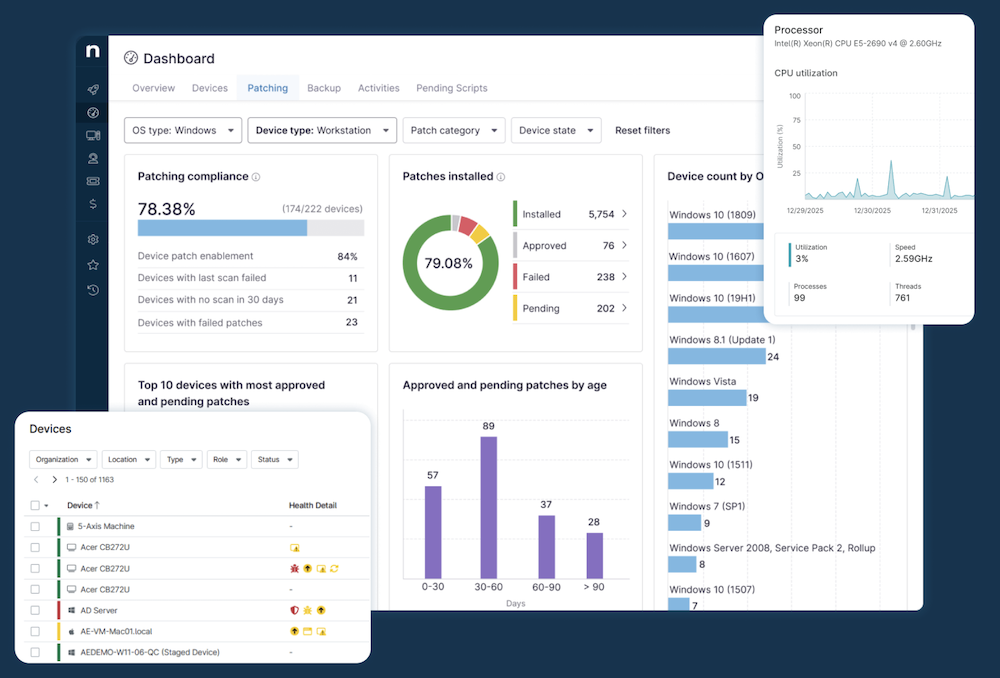
Patching is the reason many teams switch to it. It handles OS and third-party updates across thousands of apps, and Patch Intelligence AI writes plain-language summaries of each patch and flags updates that other admins have had to roll back. In March 2026 NinjaOne added vulnerability management that assesses risk from data it already collects, without running separate scans.
Backup got a big boost when NinjaOne bought Dropsuite, adding Microsoft 365 and Google Workspace backup next to endpoint backup. It also does browser management for Chrome, Edge, and Firefox with no extra agent.
Pros & Cons
PROS
CONS
Pricing
NinjaOne prices per device and says it starts at $3.75 a month for 50 or fewer endpoints, dropping to $1.50 at 10,000 endpoints. A 14-day free trial is available.
02. Action1
Patch-first endpoint managementTeams whose biggest job is keeping Windows, Mac, and Linux patched
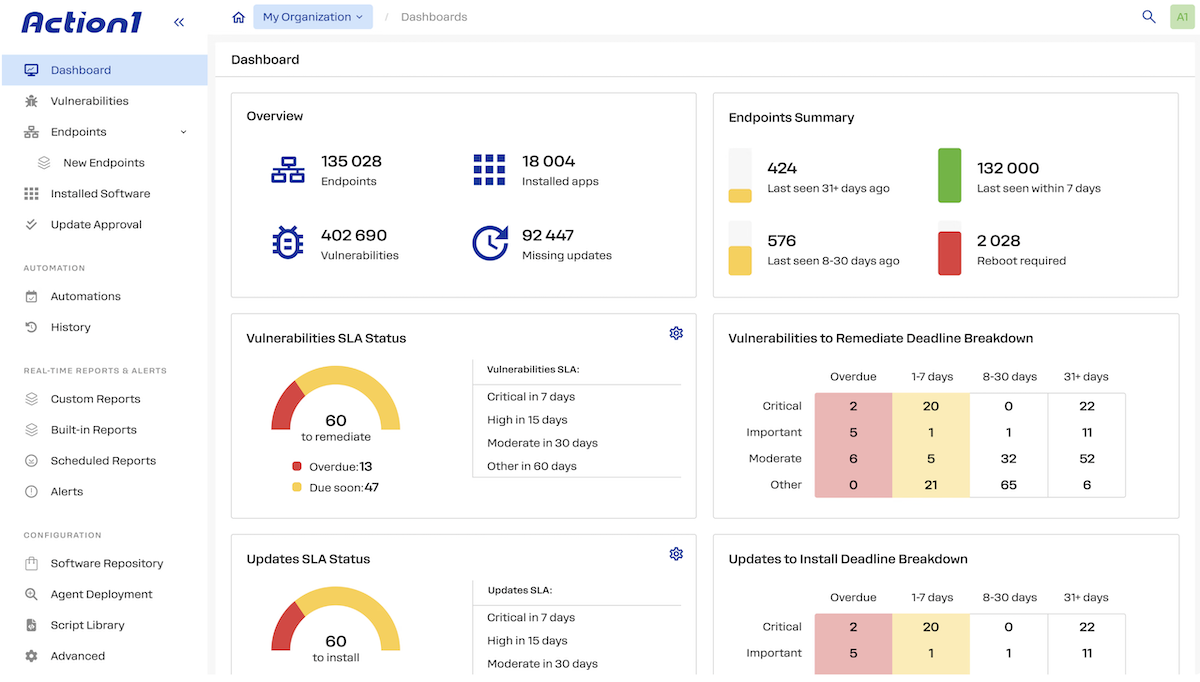
Action1’s offer is hard to ignore. Your first 200 endpoints are free, with every feature and no time limit. For a small company, that can mean automated patching at no cost at all.
It’s built around patching. Action1 patches the OS and third-party apps on Windows, macOS, and Linux, including Ubuntu, Debian, RHEL, Rocky, and SUSE.
Updates travel peer to peer between endpoints, so remote laptops get patched without a VPN or an on-premises server. Real-time vulnerability assessment ties each finding to the fix.
You get software deployment, asset inventory, unattended remote access, and PowerShell and Bash scripting. Action1 added two separately licensed modules:
- Configuration management to detects drift from CIS, STIG, and Microsoft security baselines, and
- Enrollment and provisioning for Windows devices through Intune. It connects to ServiceNow, Jira, and security tools like CrowdStrike, Rapid7, and Tenable.
What it doesn’t do is manage phones. If you need iOS and Android too, pair it with an MDM or pick a broader tool.
Pros & Cons
PROS
CONS
Pricing
Free for your first 200 endpoints with no feature limits.
03. AirDroid Business
Android and Windows managementDistributed POS, kiosk, signage, and field devices
AirDroid Business is an endpoint management platform for Android and Windows. It helps IT teams enroll and organize devices, deploy apps, enforce policies, monitor device health, manage Windows updates, and give remote support from one console.
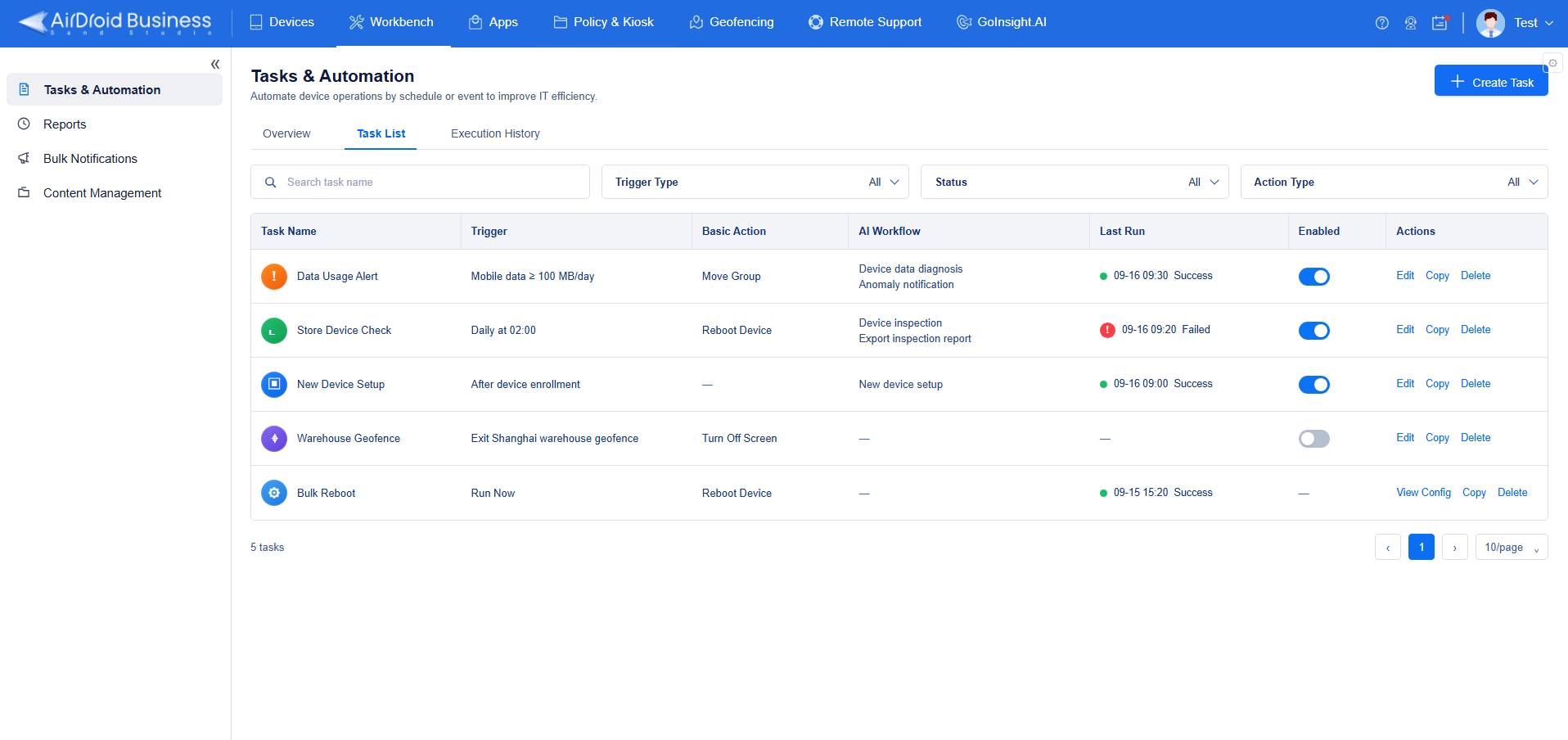
It’s suited to distributed attended and unattended endpoints, such as POS systems, kiosks, digital signage, rugged devices, and field equipment. What sets it apart is how it connects device monitoring with workflow-driven operations, so IT teams can go from spotting a problem to fixing it with less repetitive manual work.
Here’s what stood out to me:
- Enrollment and monitoring: Android and Windows devices are enrolled, grouped, configured, and monitored in real time from the same place.
- Remote support: IT can remotely view, control, reboot, and troubleshoot unattended Android devices, which cuts down on site visits.
- Apps, files, and lockdown: App management, file distribution, security policies, and single-app or multi-app kiosk mode cover a wide range of business use cases.
- Automated and AI-assisted workflows: Automated tasks and AI-assisted workflows handle investigation, approved fixes, checking the outcome, human sign-off where needed, notifications to other systems, and reporting across the device lifecycle.
Pros & Cons
PROS
CONS
Pricing
AirDroid Business starts at $1 per device per month, billed annually, with a minimum of 10 devices. There’s a 14-day free trial, and on-premises deployment is quoted on request.
04. ManageEngine Endpoint Central
Full-suite UEMMid-size and large teams that want broad coverage, on-premises or cloud
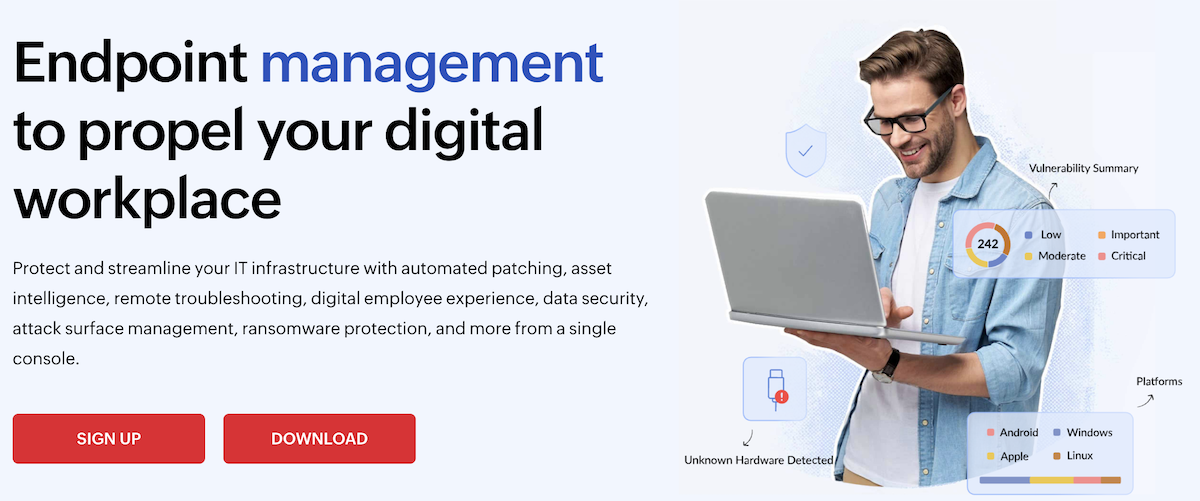
Endpoint Central, formerly Desktop Central, has been around long enough to cover nearly everything: Windows, macOS, Linux, iOS, Android, ChromeOS, and even Apple TV. If you want one tool for the whole estate and you’d like to run it on your own servers, it’s one of the few mainstream options left that still offers that.
Patching covers the three desktop operating systems plus more than 1,000 third-party apps, with test-then-deploy workflows. There’s software deployment with a self-service portal, remote control, asset and license tracking, and OS imaging as an add-on. The Security edition adds vulnerability management with CIS benchmarks, EDR, ransomware protection, data loss prevention, and device control.
ManageEngine rolled out Zia Agents, AI agents that handle patch troubleshooting, device diagnosis, EDR triage, and compliance checks, plus a studio for building your own.
Pros & Cons
PROS
CONS
Pricing
| Edition (50 endpoints) | On-premises, annual | Cloud, annual |
|---|---|---|
| Free (up to 25 endpoints) | $0 | – |
| Professional | $795 | $1,045 |
| Enterprise | $945 | $1,245 |
| UEM | $1,095 | $1,395 |
05. Microsoft Intune
Cloud-native Microsoft UEMOrganizations already on Microsoft 365, especially Windows-heavy ones
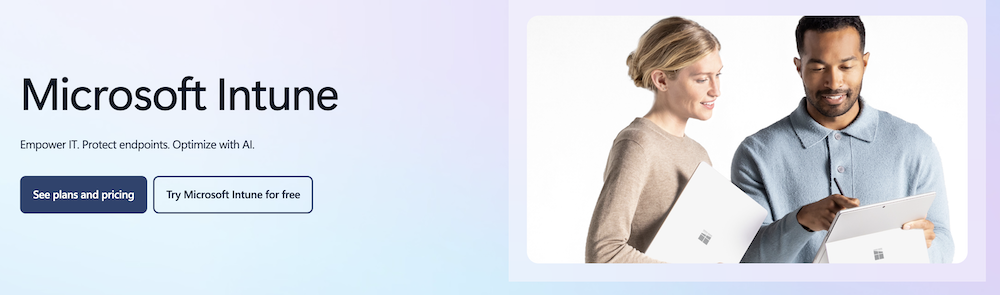
Intune comes with Microsoft 365 E3 and E5 and Business Premium, and it plugs straight into Entra ID and Defender, so device compliance can decide who gets access to email and files without any extra connectors.
Microsoft moved several paid Intune Suite add-ons into its enterprise plans like Remote Help, Advanced Analytics, and Intune Plan 2 into E3, plus Endpoint Privilege Management, Cloud PKI, and Enterprise App Management into E5. The catch is that E3 and E5 list prices went up at the same time.
Autopilot sets up new PCs straight out of the box and can now install up to 25 apps during setup. Windows Autopatch applies hotpatch updates by default on eligible Windows 11 devices, so most monthly security fixes don’t need a restart.
Copilot in Intune answers questions about your devices in natural language and adds agents for policy review and device offboarding.
If you still run Configuration Manager on-premises, co-management lets you move workloads to Intune.
Pros & Cons
PROS
CONS
Pricing
Intune Plan 1 costs $8 per user per month on an annual plan, and the Intune Suite is $10. It’s also included in Microsoft 365 E3 ($39) and E5 ($60) per user per month.
06. Omnissa Workspace ONE
Enterprise multi-OS UEMLarge, mixed-OS and frontline estates that want automation and DEX
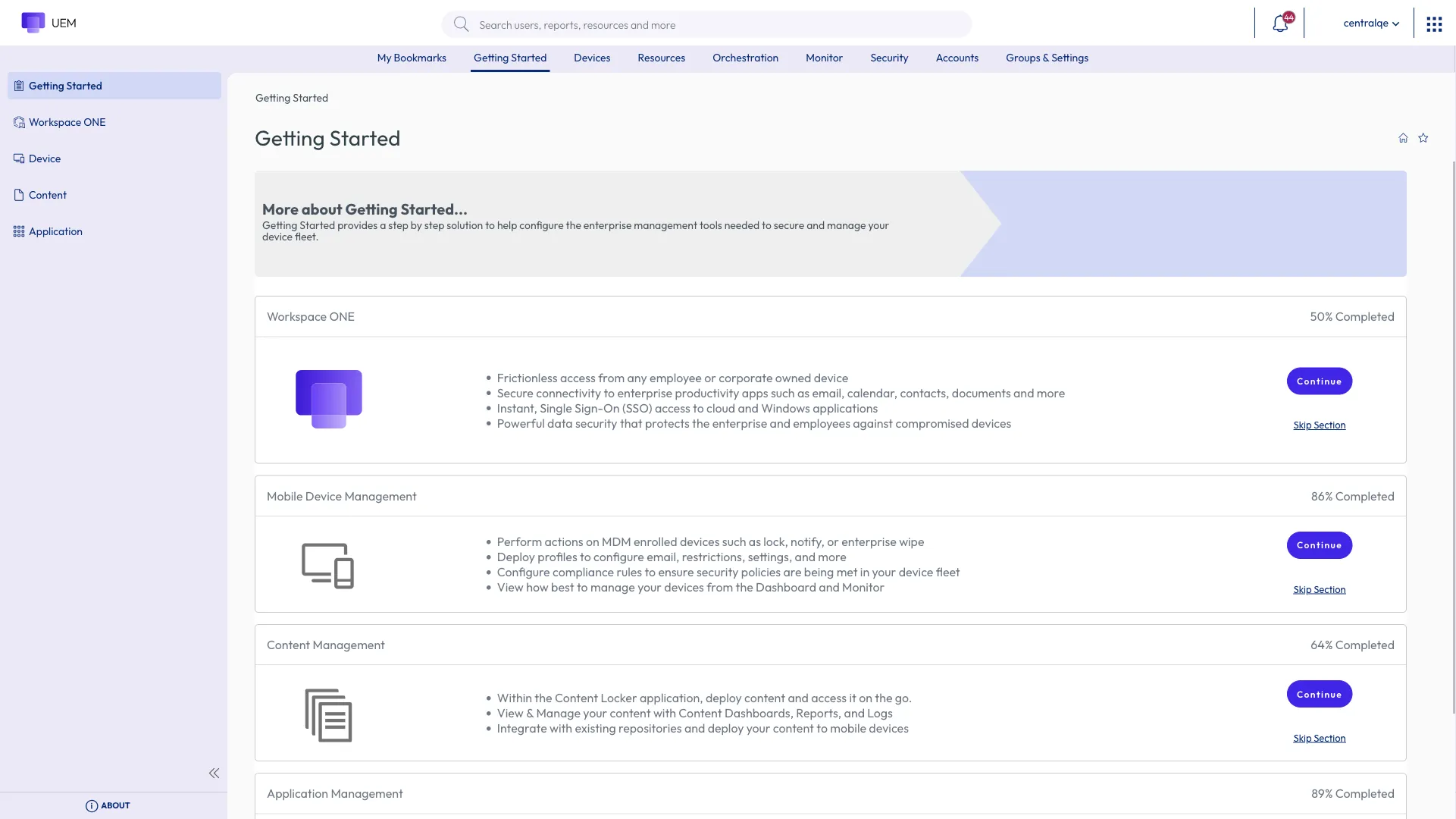
Omnissa manages almost every kind of device from one console, including Windows, macOS, iOS, Android, ChromeOS, Linux, and rugged frontline hardware, with Windows Server in limited availability.
Freestyle Orchestrator is the part I’d spend time on in a demo. It lets you build onboarding flows and one-click fixes without code, and it now works on iOS and Android too.
Omnissa Intelligence adds digital employee experience scoring with AI-recommended fixes, and Omnissa is a Leader in Gartner’s 2026 DEX report as well.
Omnissa announced AI agents for DEX, vulnerability patching with human approval, and Windows app packaging, along with a hosted MCP server. If you also run virtual desktops, Horizon plugs into the same stack.
Pros & Cons
PROS
CONS
Pricing
| Edition | Per device | Per user (up to 5 devices) |
|---|---|---|
| Mobile Essentials | $3.00/month | $5.40/month |
| Desktop Essentials | $4.00/month | $7.20/month |
| UEM Essentials | $5.25/month | $9.45/month |
| Enterprise | $10.00/month | $15.00/month |
Good to know
Prices assume 12 months prepaid with production support. Enterprise adds Omnissa Intelligence and Horizon virtual apps.
07. Tanium
Real-time endpoint platformBest for large enterprises and government agencies
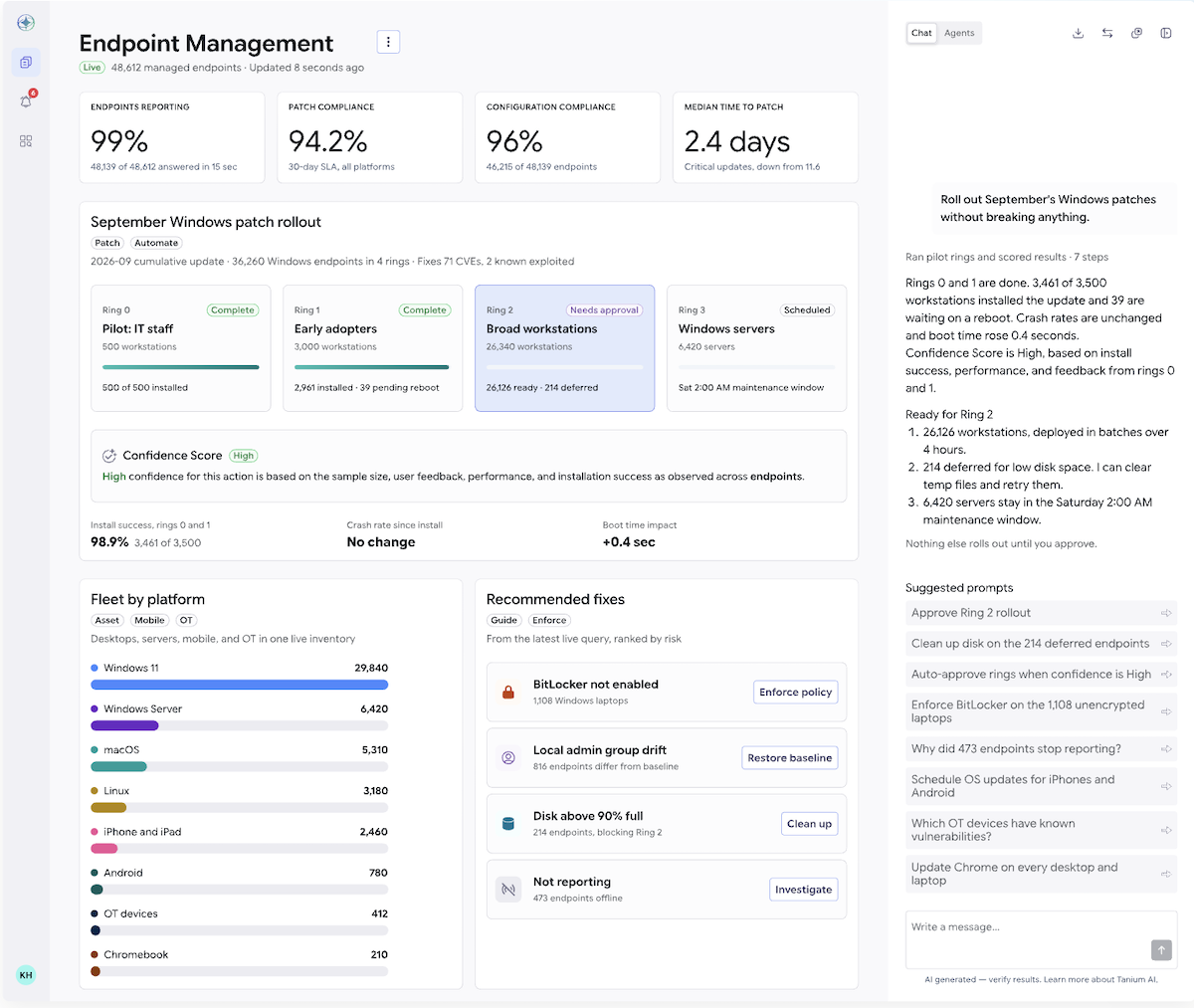
Ask “which laptops still run the vulnerable version of this app?” and Tanium answers from live data across every endpoint. This is why security teams love it.
It gets there with a peer-to-peer design in which endpoints pass data along a chain instead of through relay servers. Tanium says a single instance can patch hundreds of thousands of machines without extra distribution servers. Patch, software deployment, vulnerability assessment, and compliance all run on one lightweight agent, which replaces the handful of agents a typical enterprise stack piles up.
Tanium Atlas generally available, an AI layer that works with models from OpenAI, Anthropic, Google, and others and exposes data through MCP.
Pros & Cons
PROS
CONS
Pricing
Tanium doesn’t publish prices, and there’s no self-serve trial. You’ll need a demo and a quote.
08. Scalefusion
Mobile-first UEMBest for mixed with laptops, phones, and kiosk or frontline devices
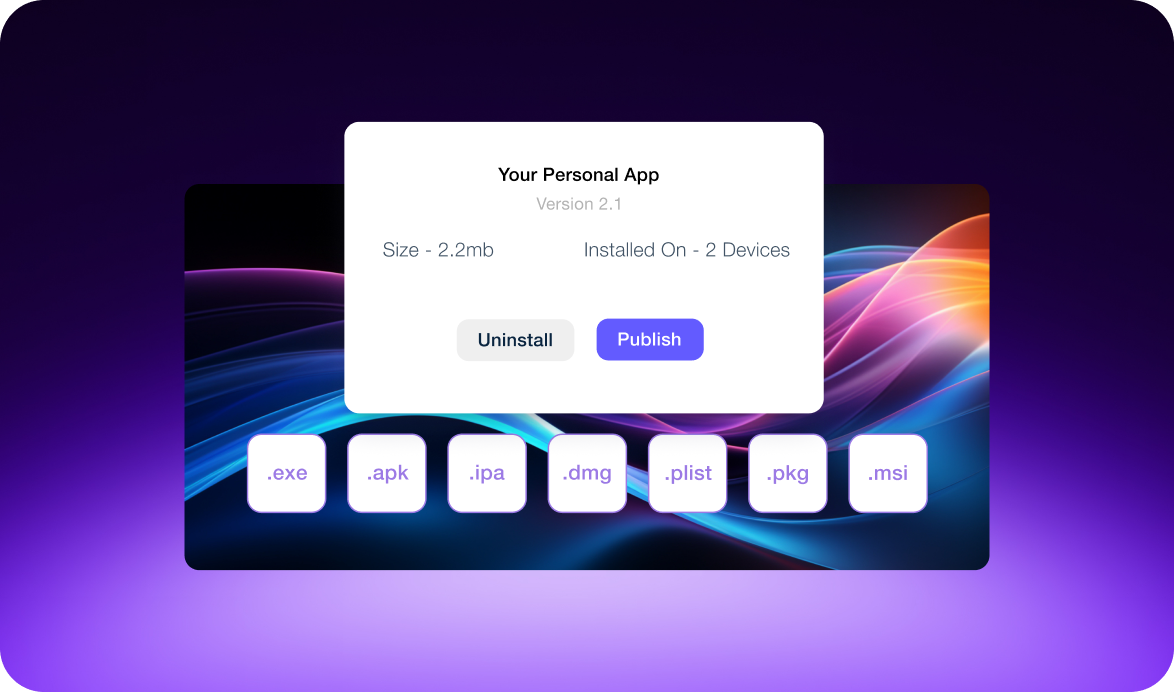
Scalefusion grew up managing Android kiosks and still does that very well, which I covered in our Android kiosk software guide. Over the last few years it has turned into a full UEM that also runs Windows, macOS, Linux, and ChromeOS from the same console.
The desktop side starts at the Business plan. You get OS and third-party patching for Windows, update workflows and an app catalog for macOS, remote troubleshooting, and Windows Autopilot.
On the Enterprise plan, AirThink AI turns plain-language requests into PowerShell, Bash, or Python scripts.
Scalefusion also sells OneIdP for identity and access and Veltar for endpoint security, which added vulnerability management for Windows and macOS.
Pros & Cons
PROS
CONS
Pricing
| Plan | Price | Covers |
|---|---|---|
| Essential | $2/device/month | Android and iOS |
| Growth | $3.50/device/month | Adds Apple TV and signage |
| Business | $5/device/month | Adds Windows, macOS, Linux, ChromeOS, and patching |
| Enterprise | $6/device/month | Adds AirThink AI and advanced scripting |
Good to know
All plans are billed annually with a 10-device minimum. The 14-day trial includes every feature.
09. Hexnode
UEM with agentic AITeams that want mobile and Apple management
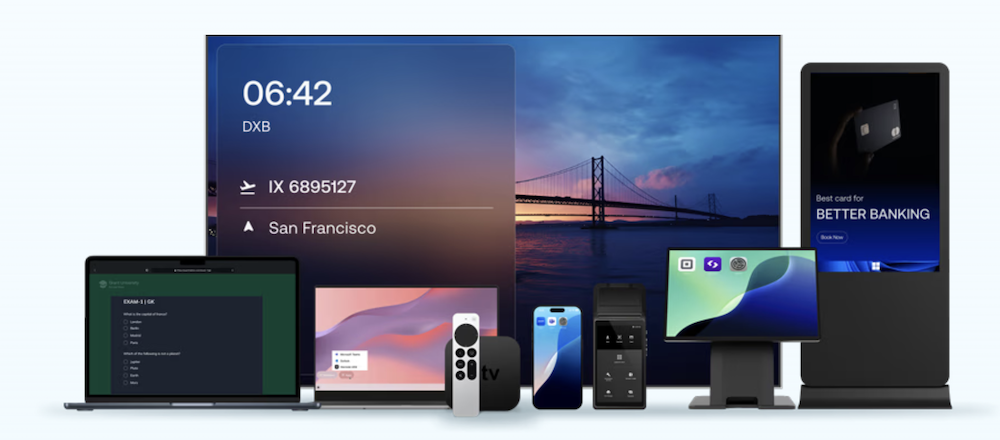
Hexnode is polished on phones, tablets, and Apple devices, and it extends that to Windows, macOS, and Linux. It also manages Apple TV, Android TV, and Fire tablets, so it’s a good fit when your fleet goes beyond laptops and phones.
AI is where Hexnode is pushing hardest. Genie AI answers questions about your live device inventory, takes actions from plain-language requests, finds the root cause of problems, and writes scripts for Windows, macOS, and Linux.
Synapse, a set of AI agents for devices, identity, and threats that work across Hexnode’s UEM, identity, and XDR products with approval gates and an audit trail. Synapse is still invite-only.
Lower plans are mostly about mobile. Scripting, Windows Autopilot, and desktop remote view in Ultimate, while desktop patching, desktop remote control, and every Genie AI feature is in Ultra, which is quoted on request.
Pros & Cons
PROS
CONS
Pricing
| Plan | Billed yearly | Billed monthly |
|---|---|---|
| Pro | $2.20/device/month | $2.40/device/month |
| Enterprise | $3.20/device/month | $3.60/device/month |
| Ultimate | $4.70/device/month | $5.20/device/month |
10. JumpCloud
Identity and device managementCloud-first companies without Active Directory
JumpCloud comes at endpoint management from the identity side, and for a lot of modern companies that’s the right way round. It gives you a cloud directory, single sign-on, MFA, and conditional access, then ties each person’s laptop and phone to their identity. When someone joins or leaves, their accounts and devices change together.
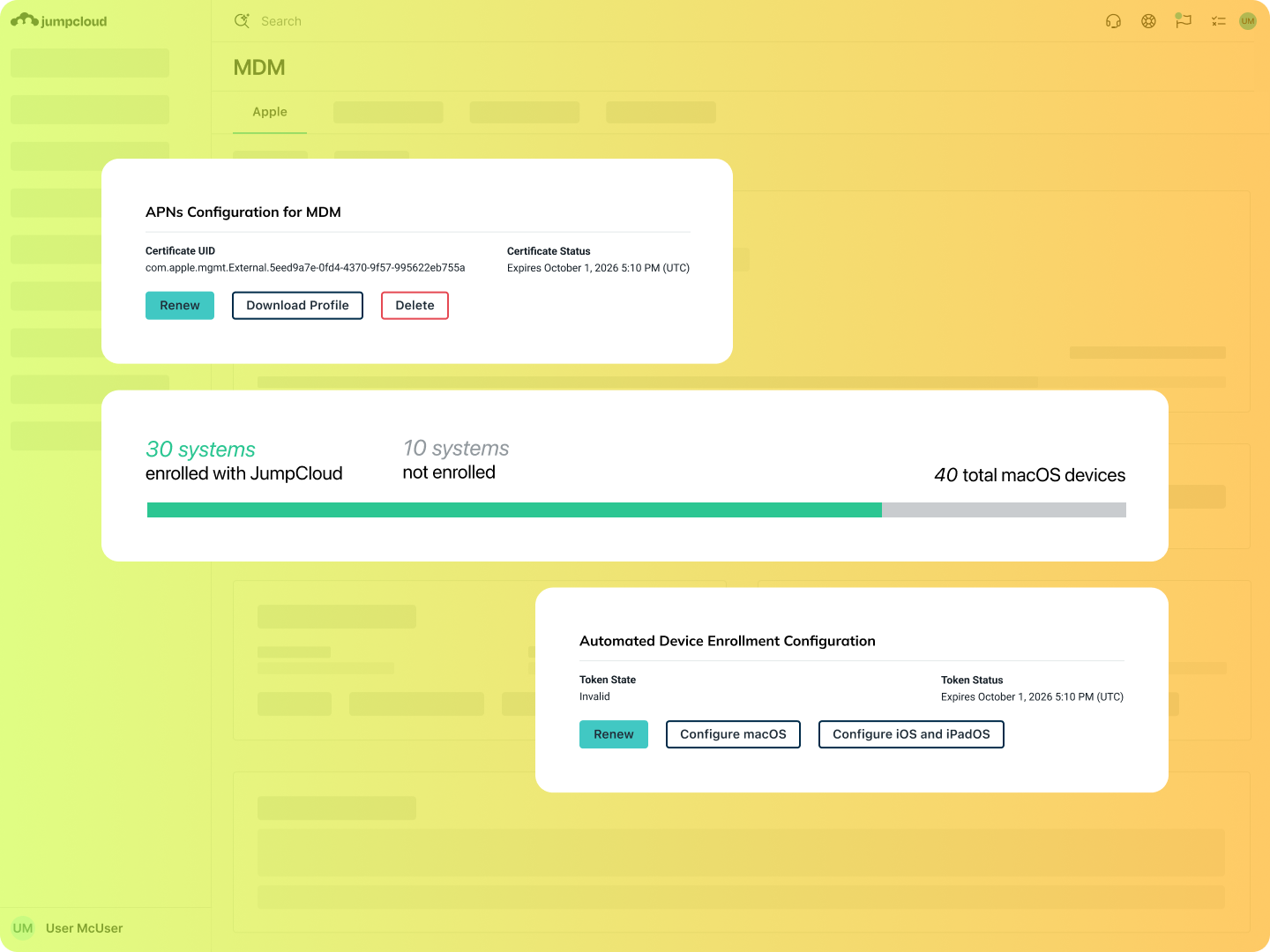
Device management covers Windows, macOS, Linux, iOS, and Android. It patches the OS on Windows, macOS, and Ubuntu, and patches browsers too, with third-party app patching focused on Windows. Remote access, device telemetry, and scripts that run on any OS round it out. Apple devices enroll zero-touch through Apple Business Manager.
You buy it per user, a la carte, so a small team can start with device management and add pieces later.
Pros & Cons
PROS
CONS
Pricing
Device management costs $5 per user per month billed annually, or $6 monthly. Patch management, remote access, and device insights are $3 each per user per month on annual billing. Bundled platform packages are quoted. A 30-day free trial includes the full platform.
11. Ivanti Neurons for UEM
AI-driven UEM suiteBest for large companies that want UEM and ITSM from one vendor
Neurons UEM manages Windows, macOS, Linux, iOS, Android, ChromeOS, and rugged devices. Neurons for Patch Management ranks fixes by real-world risk across more than 800 third-party apps. Digital experience scoring spots slow or failing devices, and Ivanti’s own service desk can pick up the ticket.
Ivanti grouped UEM, DEX, and security into what it calls Autonomous Endpoint Management, with self-healing bots doing the routine fixes.
Continuous Compliance patches non-compliant devices outside normal maintenance windows.
Predictive Remediation warns you before a patch deadline is going to slip.
If you already run Intune, Neurons Patch for Intune pushes third-party updates straight into it. EU buyers in regulated sectors can choose a Sovereign Edition of Neurons for MDM.
Pros & Cons
PROS
CONS
12. HCL BigFix
Cross-OS patch and complianceRegulated or legacy estates with servers, UNIX, and desktops
If your infra includes AIX boxes in a data center, Linux servers, Windows laptops, and a pile of iPads, BigFix is one of very few tools that can handle all of it with one agent. It supports more than 120 operating systems, and HCL says it runs on over 165 million endpoints.
Patching is the heart of it. BigFix SaaS Remediate ships more than 500,000 pre-built fixes across those operating systems and 700+ third-party apps, prioritized using CISA’s known-exploited list. BigFix Compliance keeps enforcing your configuration and corrects drift on its own. It also works in air-gapped networks, which is important for government and defense.
Pros & Cons
PROS
CONS
13. IBM MaaS360
Mobile-first UEMMobile-heavy fleets that want published, per-device pricing
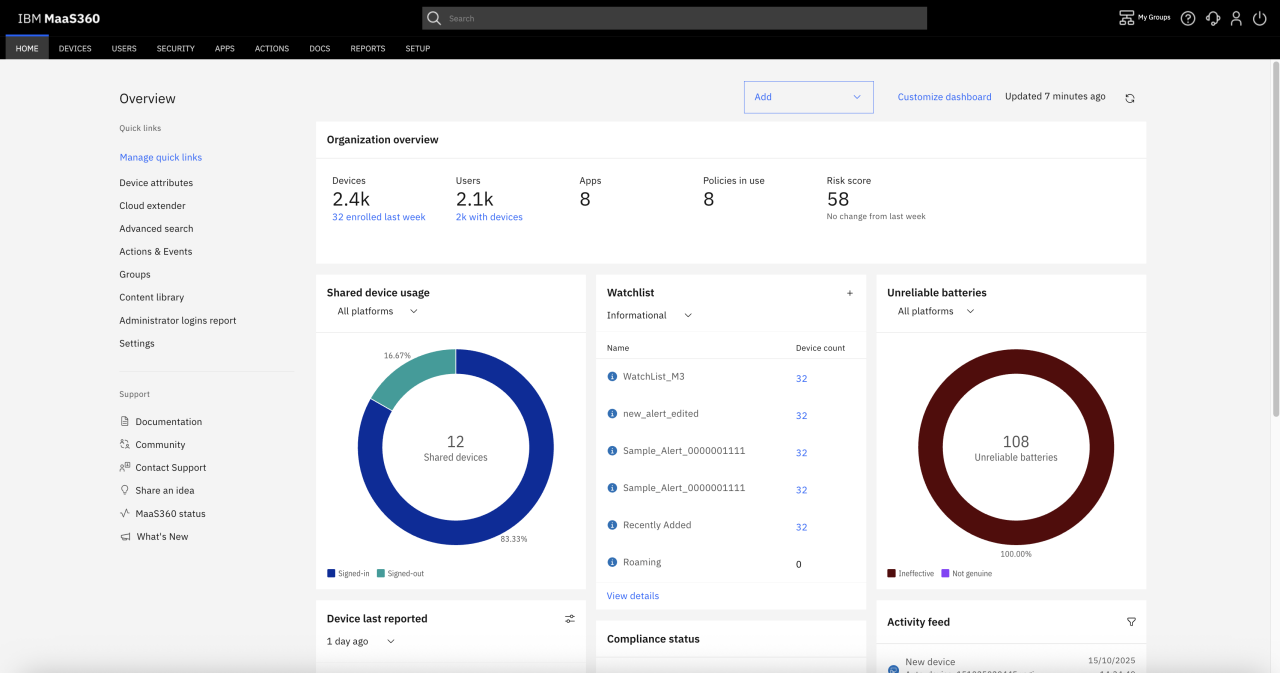
MaaS360 has been around since the early smartphone days, and mobile is still where it’s strongest. It handles device and app management, secure containers for email and chat on personal phones, and built-in mobile threat defense against malware, phishing, and network attacks. Laptops running Windows, macOS, and ChromeOS are covered too, though not Linux.
I like that IBM publishes prices and lets you buy online. Fast Start, a stripped-down tier for iOS and Android with zero-touch enrollment and preset policies, costs $1.50 per device. The full editions add patching for Windows, identity and conditional access, and, higher up, a secure browser and content management.
The Policy Recommendation Engine checks your policies against templates like HIPAA and STIG, and the AI Advisor points out risks across the fleet.
Pros & Cons
PROS
CONS
Pricing
| Edition | List price |
|---|---|
| Fast Start (iOS and Android) | $1.50/device/month |
| Essentials | $4.24/device/month |
| Deluxe | $5.30/device/month |
| Premier | $6.63/device/month |
Honorable Mentions
Cloud UEM that’s especially good with rugged and kiosk devices, covering everything from Android and Windows to Wear OS and IoT.
The Apple specialist, Jamf for Mac starts at $12.50 per device per month and Jamf for Mobile at $5.75, with a 14-day free trial.
Formerly Kandji, it moved beyond Apple to manage Windows and Android and now sells identity, EDR, and vulnerability modules alongside device management.
Autonomous patching and software delivery that works alongside Intune or Configuration Manager in large enterprises, using peer-to-peer distribution.
Mobile and app management with more than 300 policies, in the cloud or on-premises. Best for companies already on Citrix.
Cloud device management with built-in mobile threat defense, run from the same console as Sophos endpoint and firewall products.
A European, GDPR-focused suite that combines desktop lifecycle management with mobile management and can co-manage Intune. Available in the cloud, on-premises, or hybrid, with a 30-day free trial.
Built into Google Workspace. Basic mobile management comes with every plan, and Business Plus adds Android work profiles, zero-touch enrollment, remote wipe, and Windows device management.
UEM, MDM, or RMM? Know What You’re Buying
These three labels get mixed up constantly, and vendors don’t help. Here’s how I’d separate them.
| Type | What it manages | Typical buyer | Examples here |
|---|---|---|---|
| MDM | Phones and tablets: enrollment, policies, apps, wipe | Mobile-heavy teams | IBM MaaS360, AirDroid Business |
| RMM | Desktops and servers: monitoring, patching, scripts, remote access | MSPs and internal IT | NinjaOne, Action1 |
| UEM | Everything above from one console, often with identity and security | Mid-size and large IT teams | Intune, Workspace ONE, Endpoint Central |
NinjaOne added mobile management, AirDroid manages Windows, and JumpCloud leads with identity. If you only manage phones, see our picks for MDM software. If service tickets are the bigger pain, pair your UEM with good helpdesk software.
What I’d Ask in Every Demo
- Which plan includes the features I saw in this demo?
- How do third-party patches work, and how many apps are covered?
- How long does a policy take to reach a device that’s offline or off the VPN?
- What can the AI actually do without a person approving it?
- Is it priced per device or per user?
- How do I get my data out if I leave?
Mistakes to Avoid When Switching UEM
⇒ Re-enrolling everything at once. Moving phones and Macs usually means wiping or re-enrolling them. Run a pilot group first, then move by department.
⇒ Copying old policies one to one. Years of layered settings tend to conflict. Use the switch to rebuild a clean baseline, ideally against CIS or your own security standard.
⇒ Forgetting the Apple and Android plumbing. Apple Business Manager, push certificates, and Android Enterprise bindings need to move to the new tool, and an expired Apple push certificate can strand every Apple device you manage.
⇒ Running two agents longer than needed. Overlapping agents fight over patches and settings. Set a firm date to remove the old one.
Where UEM Is Heading
The big shift in 2026 is from managing devices to letting software fix them. Industry now talks about autonomous endpoint management, and vendors are shipping it like Tanium Atlas, Ivanti’s self-healing bots, Omnissa’s patching agents, NinjaOne’s Katana, Hexnode Synapse. The good ones keep a person in the loop for anything risky and log every action.
Identity and device management are also merging. JumpCloud, Iru, Scalefusion, and Hexnode all now sell identity alongside UEM, and Microsoft ties Intune tightly to Entra. Browser management is creeping in too, since so much work now happens in the browser. If that’s a concern, look at our guide to enterprise browsers.
My advice: pick the tool that fits your fleet and team today, but ask every vendor how its AI is governed. That question will matter more every year.