
Kiosk mode locks an Android device to app or website. Users can’t open settings, install apps, or wander off into the rest of the phone or tablet. The device does one job what you configure to do.
That job can be almost anything. A restaurant uses a tablet for self-ordering, a clinic for patient check-in, a warehouse for inventory scanning, a store for a price checker or a digital sign. Staff devices get locked down too, so drivers, field technicians, and shop-floor workers only see the apps they need.
Android has a basic pinning feature built in, but it’s easy to escape and can’t be managed at scale. Kiosk software fills the gap, and it comes in two flavors:
- Device management platforms such as Scalefusion, Hexnode, or SOTI manage a whole fleet from one console, with kiosk mode as one feature among many.
- Kiosk apps such as SureLock, Fully Kiosk Browser, or KioWare run on the device itself. They’re cheaper and simpler, and some add light cloud management.
Android Kiosk Software Comparison
| Software | Type | Best for | Starting price | Free trial or plan | Kiosk modes | Platforms | Link |
|---|---|---|---|---|---|---|---|
| 01 Scalefusion | Kiosk-first device management | Small and mid-size that start with kiosks and grow into full device management | $2/device/month | 14-day trial | Single-app, multi-app, browser, signage | Android, iOS, Windows, macOS, Linux, ChromeOS | Visit |
| 02 SureLock | Kiosk lockdown app | Rugged, field, and in-vehicle devices that need tight lockdown | $2.99/device/month | 30-day trial with SureMDM | Single-app, multi-app, browser, signage | Android, Windows, Wear OS | Visit |
| 03 AirDroid Business | Remote-first device management | Unattended kiosks, POS, and signage that need fast remote support | $1/device/month | 14-day trial | Single-app, multi-app, browser, signage | Android, Windows | Visit |
| 04 Hexnode | Unified endpoint management | Kiosks spread across Android, iPad, Windows, and TV devices | $2.20/device/month | 14-day trial | Single-app, multi-app, web app, signage | Android, iOS, Windows, macOS, Android TV, Fire OS, Apple TV | Visit |
| 05 Esper | Dedicated device platform | Custom-app fleets like POS, ordering, and signage | $2/device/month | 30-day trial | Single-app, multi-app, browser (add-on) | Android (GMS and AOSP), iOS, Windows, Linux | Visit |
| 06 SOTI MobiControl | Enterprise device management | Large rugged fleets in retail, logistics, and healthcare | Custom quote | 30-day trial, 25 devices | Single-app, multi-app, browser | Android, iOS, macOS, Windows, Linux | Visit |
| 07 ManageEngine MDM Plus | Device management | IT teams on a budget, including on-premises buyers | $495/year for 50 devices | Free for 25 devices, 30-day trial | Single-app, multi-app, web, timed single-app | Android, iOS, macOS, Windows, ChromeOS | Visit |
| 08 Fully Kiosk Browser | Kiosk browser app | Web kiosks, signage, and wall-mounted tablets on a tight budget | $10.99 one-time per device | Unlimited trial with watermark | Browser, single-app, launcher, signage | Android 6+, Android TV, Fire OS | Visit |
| 09 KioWare for Android | Kiosk lockdown app | Public-facing kiosks like check-in, wayfinding, and self-service | $125/device/year | 14-day trial | Browser, single-app, attract screen | Android, Windows, Linux | Visit |
| 10 TinyMDM | Android-only MDM | Small teams, schools, and clinics running Android kiosks on a budget | $2/device/month | 30-day trial, 10 devices | Single-app, multi-app, shared sessions | Android only | Visit |
| 11 Samsung Knox Manage | Samsung device management | Fleets made up mostly of Samsung Galaxy devices | $30/license/year | 90-day trial, 30 devices | Single-app, multi-app, browser | Android (Samsung-optimized), iOS, Windows, macOS, ChromeOS | Visit |
| 12 Microsoft Intune | Enterprise device management | Organizations already on Microsoft 365 | $8/user/month | 30-day trial | Single-app, multi-app, shared sessions | Android, iOS, Windows, macOS, Linux | Visit |
Best Android Kiosk Software
01. Scalefusion
Kiosk-first device managementSmall and mid-size that start with kiosks and grow into full device management
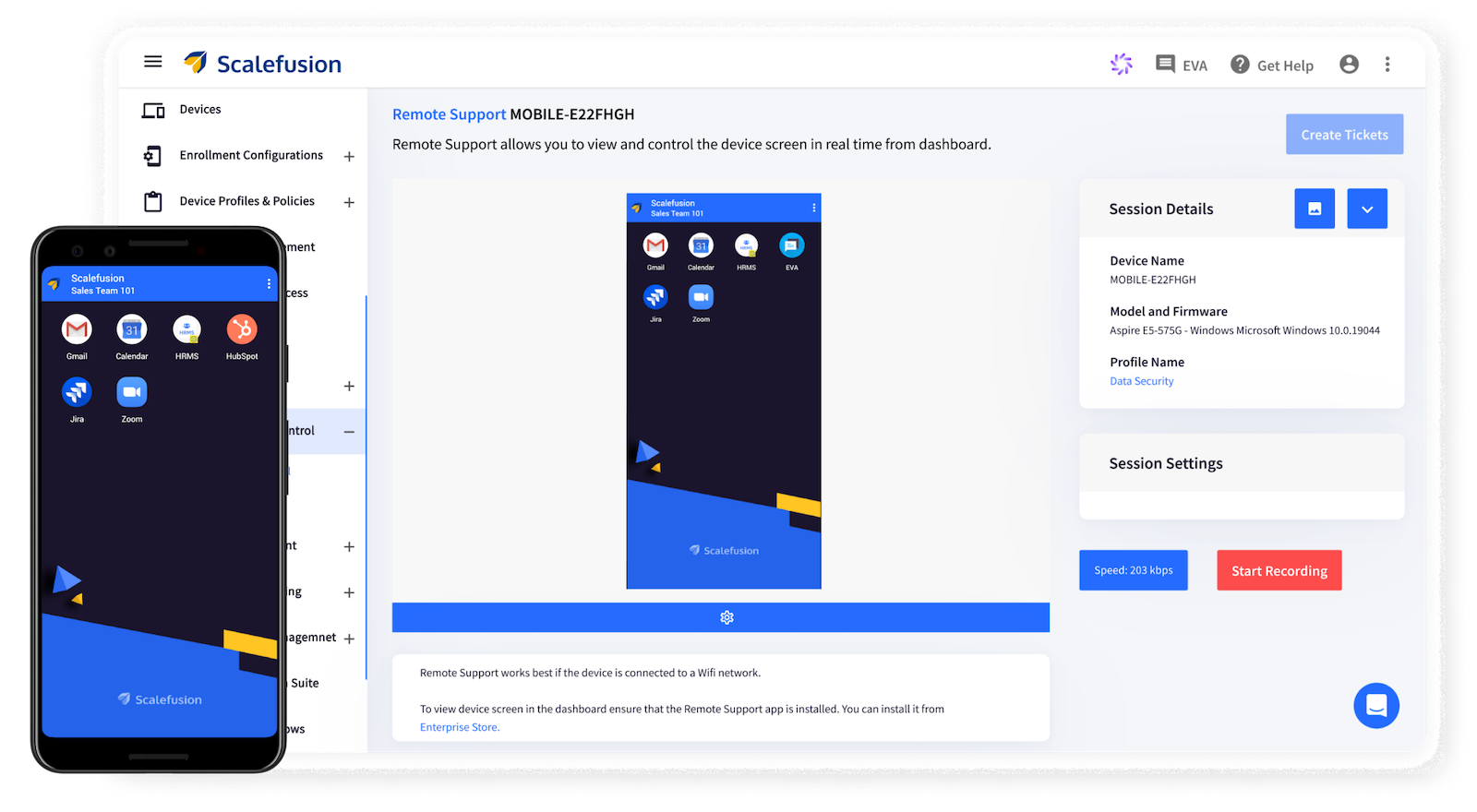
Scalefusion began journey as MobiLock, a kiosk app, and kiosk mode is still where it does a great job. Even the entry plan gives you single-app and multi-app kiosks for Android and iOS, a branded launcher with your logo and status bar colors, and a kiosk browser with website allowlisting.
Single-app mode blocks hardware keys and navigation, and you control peripherals like the camera and USB. From the Growth plan up, Presentation Mode turns a device into a digital sign that loops content or runs a screensaver, pulling files from Google Drive if you like.
Devices enroll by QR code, zero-touch, or Samsung Knox on every plan. Scalefusion is certified by Google as Android Enterprise Recommended. Remote Control 2.0, released lately, lets up to five admins join one session with screen annotations and voice.
The same console manages Windows, macOS, Linux, and ChromeOS on higher plans, so a kiosk pilot can grow into company-wide device management without switching tools.
Pros & Cons
PROS
CONS
Pricing
| Plan | Price | Adds |
|---|---|---|
| Essential | $2/device/month | Kiosk mode, branded launcher, kiosk browser |
| Growth | $3.50/device/month | Digital signage, Apple TV |
| Business | $5/device/month | Remote cast and control, OEMConfig, desktop platforms |
Good to know
All plans are billed annually with a 10-device minimum. The 14-day free trial includes every feature.
02. SureLock
Kiosk lockdown appRugged, field, and in-vehicle devices that need tight lockdown
SureLock from 42Gears is one of the longest-running kiosk apps for Android, and it locks devices down hard. You can disable the status bar, notification panel, and power button, block factory reset, the camera, and screenshots, and control Wi-Fi, Bluetooth, GPS, and screen orientation.
Driver Safety Mode is a standout. It disables the touchscreen and hardware keys once the vehicle passes a speed you set, which trucking and delivery fleets use to keep drivers off their devices on the road.
SureLock also works without a server. You configure one device, export the settings file, and import it on the rest, which helps small or offline deployments. For fleets, you manage it through SureMDM, 42Gears’ device management platform, which is Android Enterprise Recommended and adds remote control, location tracking, and zero-touch or Knox enrollment.
Web kiosks run through SureFox, a separate lockdown browser, and signage through SureVideo. All three apps come at no extra cost with any SureMDM plan, which makes SureMDM the better buy beyond a handful of devices.
Pros & Cons
PROS
CONS
Pricing
| Option | Billed monthly |
|---|---|
| SureLock standalone | $2.99/device/month |
| SureMDM Standard (includes SureLock) | $4.99/device/month |
| SureMDM Premium | $6.99/device/month |
Good to know
SureMDM’s 30-day free trial covers up to 100 devices. The free SureLock app trial is limited to single-app mode or two apps.
03. AirDroid Business
Remote-first device managementUnattended kiosks, POS, and signage that need fast remote support
AirDroid Business is a well-regarded MDM solution for remotely managing and monitoring Android and Windows endpoints from one platform.
Beyond device lockdown, AirDroid Kiosk Mode combines secure access controls with AI-assisted workflows that streamline routine IT tasks, cut manual effort, and speed up issue resolution.
From deployment and configuration to real-time monitoring and remote support, IT teams can manage and automate the entire device lifecycle in AirDroid Business, which keeps business-critical devices available and downtime low.
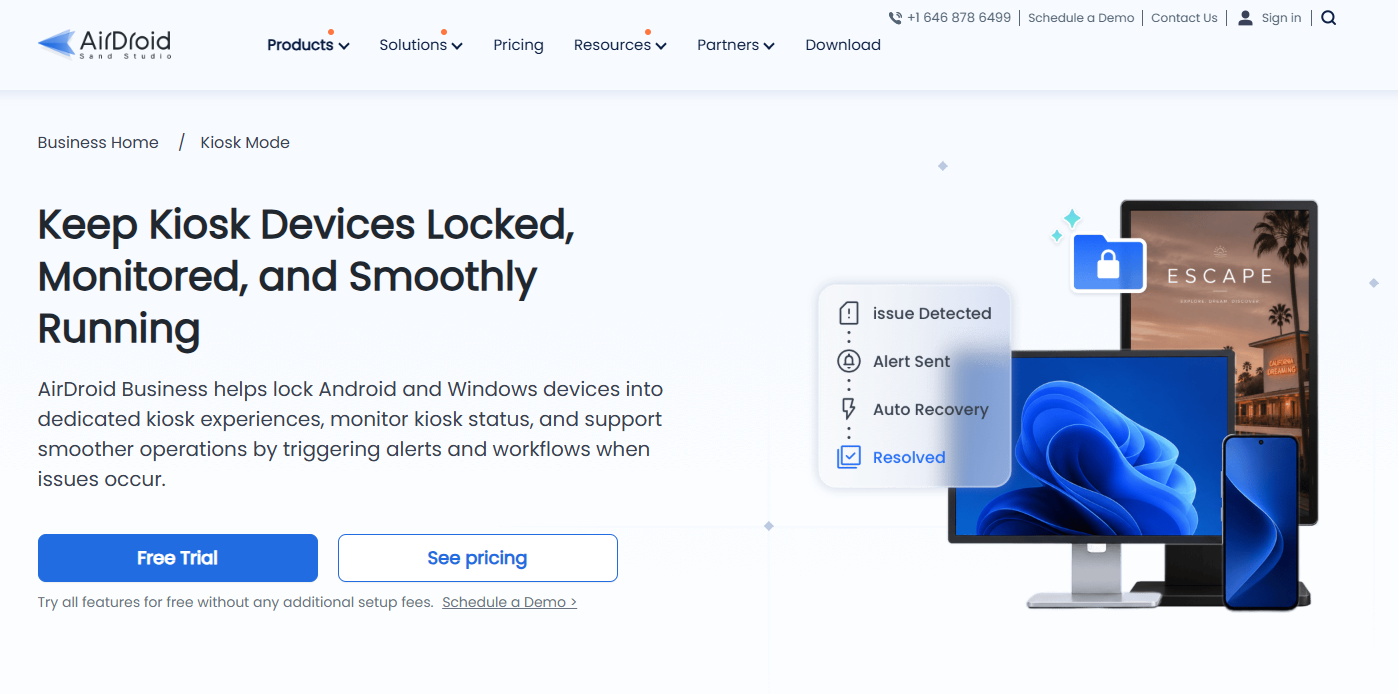
Here are four key features:
- AI-assisted workflows: Monitor Kiosk Mode status with automated tasks to reduce manual work. Tasks connect to AI-assisted workflows that collect device context to analyze detected issues, run and verify approved recovery actions, prioritize unresolved cases, send notifications across systems, and generate incident reports.
- Single and multi-app mode: IT admins can lock Android devices into single-app or multi-app kiosk mode to prevent misuse and excess data usage.
- Custom layout: The kiosk home screen can be customized with your logo, wallpaper, and icon sizes to suit different industries and use cases.
- Website allowlist: Allow only the websites a kiosk needs, which reduces exposure to anything else. You can create allowlists to limit what the kiosk browser can open.
You can choose cloud or on-premises deployment based on your business data security and infrastructure needs. Start with a 14-day free trial.
Pros & Cons
PROS
CONS
Pricing
| Plan | Price | Kiosk mode |
|---|---|---|
| Basic | $1/device/month | Add-on, $5/device/year |
| Standard | $1.75/device/month | Add-on, $8/device/year |
| Enterprise | $2.75/device/month | Included |
Good to know
All plans are billed annually with a 10-device minimum, and remote control is included on every plan. The kiosk browser and Windows kiosk aren’t available on Basic.
04. Hexnode
Unified endpoint managementKiosks spread across Android, iPad, Windows, and TV devices
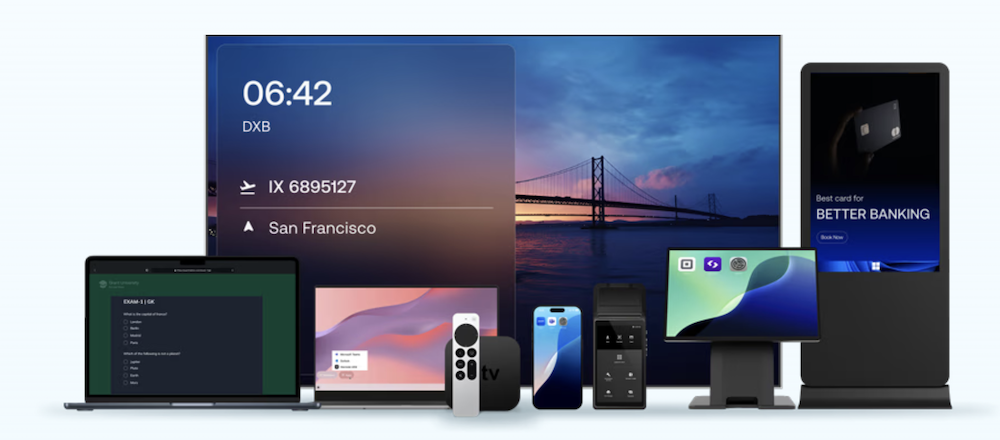
Hexnode’s strength is breadth. One console locks down Android phones and tablets, iPads, Windows PCs, Apple TV, Android TV, and Amazon Fire tablets. If your kiosks and screens are a mix of hardware, that saves running two or three tools.
On Android you get single-app, multi-app, and web app kiosks, where a URL behaves like an app. The Hexnode Kiosk Browser has three modes: a single tab, multiple tabs limited to allowed sites, and a full-screen web view with refresh. That lets web-based kiosks go live without building a native app. Digital signage loops images and video on Android and Android TV.
You can disable hardware and software keys, system bars, and network connections, and brand the Hexnode Kiosk Launcher. Hexnode goes deep with device makers, including Samsung Knox with firmware control, LG, and Kyocera, with silent app installs on those devices.
Its Genie AI assistant got a major upgrade with a conversational console and guided fixes, but it’s only on the quote-based Ultra plan.
Pros & Cons
PROS
CONS
Pricing
| Plan | Billed yearly | Billed monthly |
|---|---|---|
| Pro | $2.20/device/month | $2.40/device/month |
| Enterprise | $3.20/device/month | $3.60/device/month |
| Ultimate | $4.70/device/month | $5.20/device/month |
Good to know
Kiosk management is included from Pro. Remote view starts at Enterprise and remote control at Ultimate. Cloud plans need at least 15 licenses, and the 14-day trial.
05. Esper
Dedicated device platformCustom-app fleets like POS, ordering, and signage
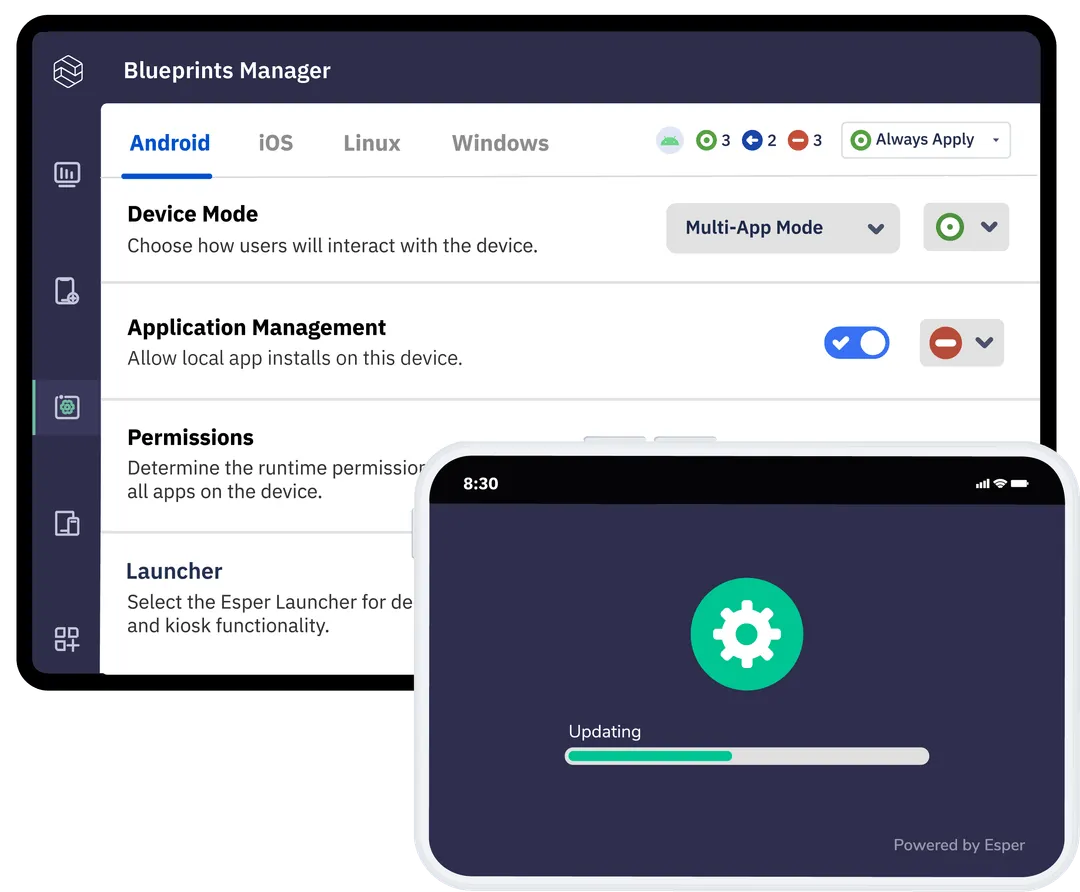
Esper is built for companies whose devices run their own app, such as a restaurant’s ordering tablet, a retailer’s POS, or a check-in screen. It treats the fleet like software. You define how devices, apps, and content should look in a Blueprint, and Esper flags any device that drifts from it.
Kiosk mode pins your app through the Esper agent, and only an admin can exit. Multi-app mode uses Esper’s launcher, and a convertible kiosk setup lets the main app open other approved apps. You can switch the kiosk app remotely.
Esper is unusual in managing both Google-certified devices and AOSP hardware without Google services in the same console. That opens up cheaper or custom hardware. It also sells Esper Foundation, a managed Android build for device makers.
They also released Airwave, a firmware update service with staged rollouts and automatic rollback.
For web kiosks, the Titanium browser blocks every URL unless you allow it and starts each session clean. It’s a $2 per device add-on. Software pipelines on the top plan let you roll app updates out in stages, and Edgebox caches apps and updates locally for stores with slow internet.
Pros & Cons
PROS
CONS
Pricing
| Plan | Price | Adds |
|---|---|---|
| Genesis | $2/device/month | Single-app and multi-app kiosk |
| Bridge | $4/device/month | Remote control, geofencing, alerts, APIs |
| Architect | $6/device/month | Software pipelines, device SDK, advanced reports |
Good to know
Every plan has a 25-device minimum. The 30-day free trial carries your setup over to a paid plan.
06. SOTI MobiControl
Enterprise device managementLarge rugged fleets in retail, logistics, and healthcare
SOTI MobiControl runs some of the largest rugged fleets around warehouse scanners, delivery handhelds, and hospital devices from Zebra, Honeywell, Samsung, Panasonic, and Datalogic. It can configure scanners, buttons, and firmware on those devices from the same console that locks them down, so you don’t need each maker’s own tool.
Lockdown replaces the home screen with only the apps and websites you approve, built from HTML templates or SOTI Snap. You choose whether the Home button, keyguard, and power menu work.
Shared devices got a lot of attention in the last two releases. They added a Lockdown setup wizard and Authenticated Lockdown, which gives each worker a different set of apps when they sign in. Conditional Lockdown turns on by itself if a device leaves a geofence, loses contact, or hits a critical battery.
In May 2026, they added PIN and NFC sign-in and a custom unlock screen that logs out the previous worker, which speeds up shift changes.
SOTI Surf is a lockable, brandable browser for web kiosks such as menus and info screens. You can run MobiControl in the cloud or on your own servers.
Pros & Cons
PROS
CONS
07. ManageEngine MDM Plus
Device managementIT teams on a budget, including on-premises buyers
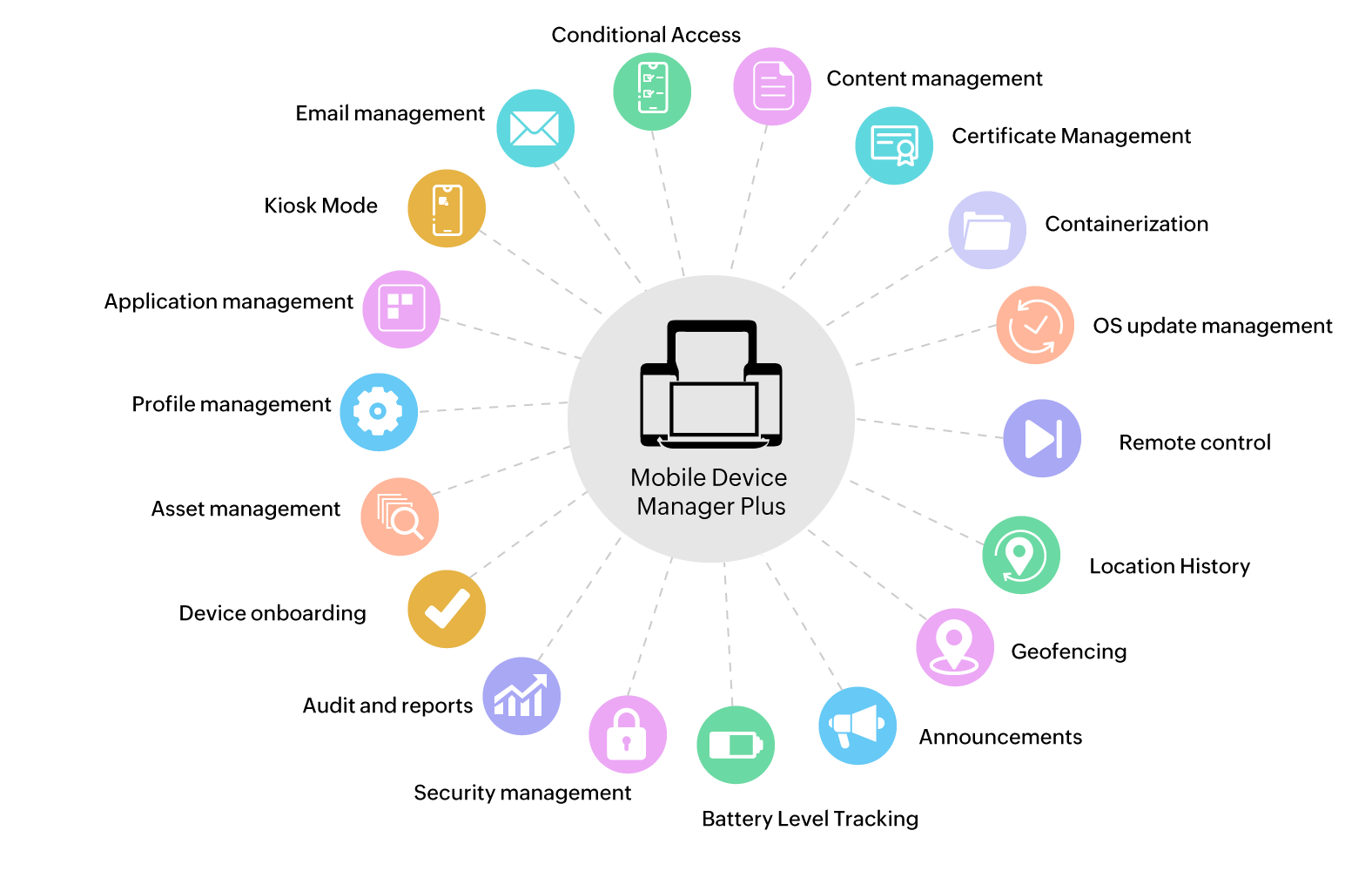
ManageEngine Mobile Device Manager Plus is a general device management tool with robust kiosk features at some of the lowest published prices here. The free edition covers up to 25 devices with every feature, which is enough to run a small kiosk rollout for real.
You get single-app and multi-app kiosks, web kiosks that hide the address bar, and a timed mode that locks a device to one app for a set period and then exits on its own. You can customize the home screen layout and wallpaper and pick which hardware buttons stay active.
The MDM Secure Browser can clear cache and cookies and block copy and paste, admins can stop users from clearing app storage, and Zebra Enterprise Reset. Every edition supports QR, zero-touch, NFC, and Samsung Knox enrollment.
It runs in the cloud or on your own servers, with a perpetual license option, which is rare now.
Pros & Cons
PROS
CONS
Pricing
| Edition (50 devices) | Cloud, annual | On-premises, annual |
|---|---|---|
| Free (up to 25 devices) | $0 | $0 |
| Standard | $645/year | $495/year |
| Professional | $1,195/year | $895/year |
Good to know
Prices include one technician. Cloud Standard is also available at $64 a month for 50 devices, and on-premises comes with a perpetual license option.
08. Fully Kiosk Browser
Kiosk browser appWeb kiosks, signage, and wall-mounted tablets on a tight budget
Fully Kiosk Browser is an Android app that turns almost any tablet into a web kiosk or info screen. There’s no MDM and no subscription needed for local lockdown, just a one-time license per device.
It shows a website full screen with allowlists and blocklists for URLs, or locks the device to one app. A Universal Launcher can mix apps, bookmarks, and files. You can block the Home button, status bar, power and volume keys, and notifications.
Motion detection is the feature people remember. The front camera, microphone, or proximity sensor can wake the screen when someone walks up, and face detection is available too. Screensaver playlists handle signage.
Developers get a JavaScript interface, a REST API, and MQTT, so a web page can control the device, scan barcodes, or speak text. That’s also why it’s a favorite for Home Assistant wall dashboards. Fully Cloud adds fleet management, with basic features free for license holders and remote admin and alerts on a subscription.
Pros & Cons
PROS
CONS
Pricing
A PLUS license costs $10.99 per device, one time, including future updates. You can test every feature free with a watermark.
09. KioWare for Android
Kiosk lockdown appPublic-facing kiosks like check-in, wayfinding, and self-service
KioWare has been building kiosk software for public use for a long time. Its browser kiosk clears cookies and cache between visitors, recovers on its own after a crash, filters the on-screen keyboard, and controls pop-ups.
Attract screens loop content while the kiosk is idle, and an inactivity timer ends each session with an optional warning first. You can add a branded toolbar and custom hotkeys. On Samsung devices, it can hide the navigation bar and control the power, back, and home keys through Knox.
The Enterprise tier supports card readers, barcode scanners, and RFID readers, which self-checkout and payment kiosks need. KioCloud or the self-hosted KioWare Server handles monitoring, alerts, remote configuration, and uptime reports.
One license can run on Android, Windows, or Linux, which helps if your kiosks are mixed.
Pros & Cons
PROS
CONS
Pricing
| Tier | Price | Adds |
|---|---|---|
| Starter | $125/device/year | Browser kiosk with basic web controls |
| Essential | $155/device/year | Single-app mode, attract screens, branding |
| Enterprise | $195/device/year | Peripheral support, remote management |
Good to know
KioCloud and KioWare Server pricing is quoted separately. All tiers come with a 14-day free trial, no card needed.
10. TinyMDM
Android-only MDMSmall teams, schools, and clinics running Android kiosks on a budget
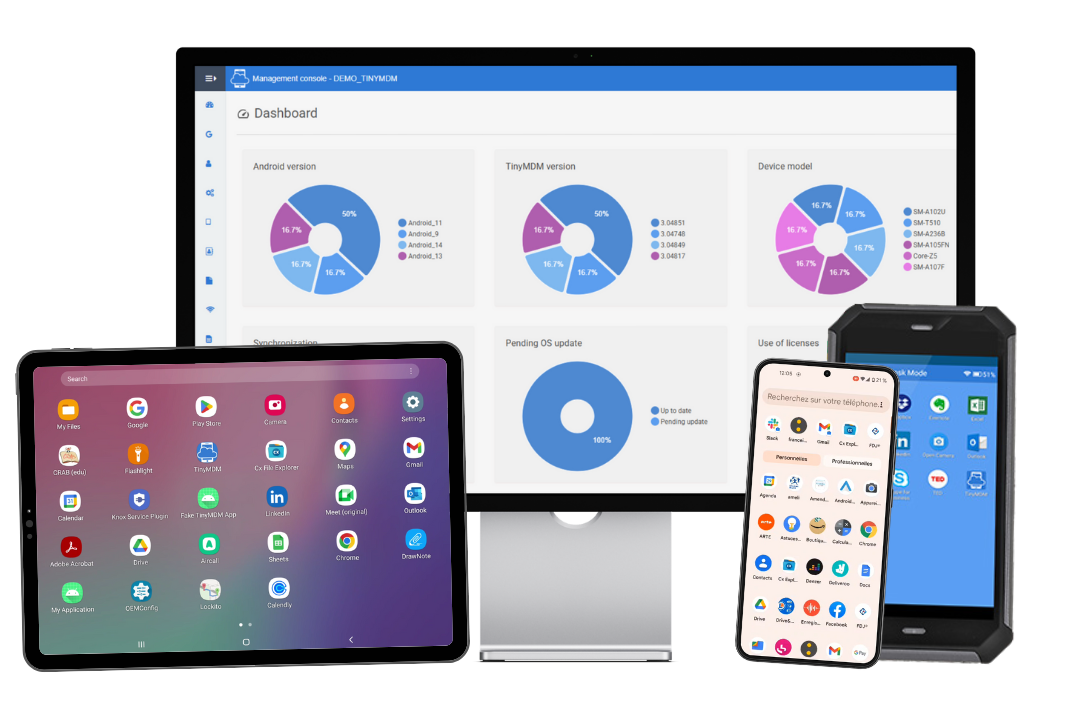
TinyMDM’s every feature comes with every plan, and a device costs about $2 a month. Google has approved it across Android Enterprise management modes, including kiosk.
You pick single-app or multi-app kiosk, then choose how strict it is. Classic mode blocks notifications, shutdown, Recents, and Home. Open mode keeps the status bar but still limits settings. The launcher takes your logo, colors, and wallpaper, and individual apps can be password-protected.
Shared sessions are a strong point. People sign in to a temporary session, and app data is wiped when they sign out, which suits patient tablets, loaner devices, and classroom sets. Built-in internet filtering has four levels plus allow and block lists.
Enrollment works through QR code, zero-touch, or Knox Mobile Enrollment.
Pros & Cons
PROS
CONS
Pricing
| Plan | Price | Billing |
|---|---|---|
| Classic | $24/device/year | Annual |
| Flexible | $2.40/device/month | Monthly |
Good to know
The 30-day free trial covers up to 10 devices with no credit card. There’s no permanent free plan.
11. Samsung Knox Manage
Samsung device managementFleets made up mostly of Samsung Galaxy devices
If your kiosks are Galaxy tablets or phones, Samsung’s own tool reaches deeper into the hardware than anything else. Knox Manage can remap or block hardware keys, block the power-off menu and status bar, and even set custom boot and shutdown animations, all without custom development.
The Kiosk Wizard builds single-app or multi-app kiosks by drag and drop. You set up to five wallpapers, a logo, status bar colors, icon grid, and a screen-lock PIN. Helper apps such as emergency calls can stay available, and a tile lets staff clear app data between users. A kiosk browser covers web use.
Knox Mobile Enrollment sets up devices in bulk, and rules can change policies by time, location, network, or SIM.
Knox Manage is certified as Android Enterprise Recommended and handles other platforms too, but most of its kiosk advantages only apply to Samsung devices.
Pros & Cons
PROS
CONS
12. Microsoft Intune
Enterprise device managementOrganizations already on Microsoft 365
Many companies already pay for Intune through Microsoft 365 E3 or E5. If that’s you, Android kiosks can be used in the same console as your Windows laptops and iPhones, with the same identity and policies.
Intune calls kiosks dedicated devices. Single-app mode locks the device to one app. Multi-app mode runs Managed Home Screen, Microsoft’s launcher, with a custom grid, folders, and wallpaper. You can block the power menu, volume, status bar, and Settings, and set a PIN to exit.
Shared devices get a session PIN and automatic sign-out after inactivity, tied into Microsoft Entra shared device mode. Now you can pause and restore kiosk mode remotely, and later updates added custom top-bar text, a screen timeout setting, stay-awake while charging, and eSIM management.
Enrollment supports tokens, QR codes, NFC, zero-touch, and Knox Mobile Enrollment. Remote Help costs extra unless you have Plan 2 or the Intune Suite.
Pros & Cons
PROS
CONS
Pricing
Intune Plan 1 costs $8 per user per month, paid yearly, and comes with Microsoft 365 E3 and E5.
Honorable Mentions
Two UK-built apps from ProCo IT that lock a device to a website or a set of apps, with barcode and NFC input and idle data reset.
Kiosk and digital signage software for Windows and Android with session wiping and a template editor. SiteKiosk Online Cloud costs $239 per device per year.
Open-source Android device management you can host yourself or run offline. Kiosk mode needs a paid edition, with Cloud at $19 per device per year and a perpetual Premium license available.
Enterprise device management, formerly VMware, whose Android launcher runs single-app, multi-app, or template kiosks.
Simple multi-platform device management now owned by GoTo. Kiosk mode starts on Premium at $2.75 per device per month, billed annually. The free plan is capped at 50 devices and excludes kiosk mode.
A Spanish device management platform with an Android kiosk launcher that also supports devices without Google services.
How to Choose Android Kiosk Software
Start with how many devices you have and who will manage them.
- A few screens without IT team? Fully Kiosk Browser or Kiosk Browser for web content, SureLock for apps.
- Public-facing kiosks? KioWare for clean sessions, attract screens, and payment hardware.
- Small to mid-size fleets? Scalefusion, AirDroid Business, TinyMDM, or ManageEngine, whose free edition covers 25 devices.
- Mixed hardware? Hexnode or Scalefusion if kiosks run on iPads, Windows, or TVs as well.
- Large rugged fleets? SOTI MobiControl, or SureMDM for vehicles.
- Standardized on one vendor? Knox Manage for Samsung fleets, Intune if you already pay for Microsoft 365.
Then check a few things before you commit.
- Device owner setup
- Device support
- Remote support
- Web kiosks
- Real cost
If the kiosk shows a website, look at the browser controls like allowlists, session clearing, and idle reset. For desktops and laptops, see our guide to enterprise browsers.
If you also need to manage employee phones and laptops, compare these with our picks for MDM software.
FAQ
What is kiosk mode on Android?
Kiosk mode locks an Android device to one app, a few apps, or a website, and blocks access to settings, notifications, and the rest of the system.
Can I use Android kiosk mode without an MDM?
Yes. Apps like Fully Kiosk Browser, SureLock, KioWare, and Kiosk Browser lock a device on their own. You’ll need MDM once you have many devices to update and support remotely.
What’s the difference between single-app and multi-app kiosk mode?
Single-app mode runs one app full screen, which suits ordering tablets and signage. Multi-app mode shows a locked launcher with a few approved apps, which suits staff devices.
How much does Android kiosk software cost?
Most options cost between $1 and $6 per device per month. Fully Kiosk Browser uses a one-time license of about $11 per device, and ManageEngine is free for up to 25 devices.
Which Android devices work best in kiosk mode?
Devices on Google’s Android Enterprise Recommended list, rugged devices from makers like Zebra and Samsung, and tablets your kiosk vendor lists as supported.