


Dead links can create problems for both website visitors and site owners. A user may click a link expecting useful information but end up on a missing page, an unavailable website, or a page that returns an error.
Finding these links can become difficult as a website grows. A site may contain hundreds or thousands of internal and external links spread across different pages. Manual checks take time and can miss links that become unavailable after the original content is published.
A Broken Link Checker API can scan a website and check the links it finds for issues. This makes it easier to identify dead links and review the URLs that require attention.
In this article, we’ll look at how a Broken Link Checker API works and use the Geekflare Broken Link Checker API to check a website for dead links.
What Are Dead Links?
Dead links are URLs that do not take users to the intended content. They can point to pages on your own website or pages on external websites.
For example, a page may contain a link like:
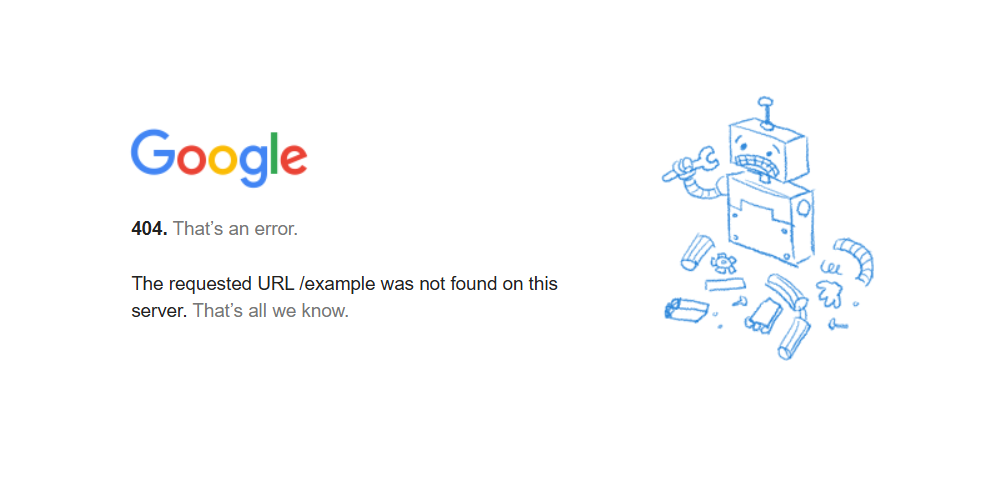
https://google.com/exampleIf a user clicks this URL and the page does not exist, they may see a 404 Not Found error. In this case, the URL is a dead link.
The two common types are:
- Dead internal links: Links that point to pages on your website that have been deleted, moved, or are unavailable.
- Dead external links: Links that point to pages on another website that are unavailable or do not contain the expected content.
Dead links can return errors such as 404 Not Found or 5xx server errors. Some links can also redirect users to another URL before reaching the final destination.
Regular link checks can identify these issues and show which URLs need to be updated, replaced, or removed.
How a Dead Link Checker API Works
A Broken Link Checker API scans a website and checks the links it finds for potential issues. The basic process involves:
- Provide the website URL you want to check.
- The API crawls the website and discovers available links.
- Internal and external links are checked.
- Each link is evaluated based on its response.
- The API returns the results for review.
- You can identify dead links, redirects, and other URLs that require attention.
Several APIs are available for different website-related tasks. Geekflare offers multiple APIs for web analysis and monitoring, and the Broken Link Checker API is one of them.
The API returns details about the links found during the scan. These details can include the link URL, its status, and information about links that return errors or redirects.
Why Geekflare Broken Link API
The Geekflare Broken Link Checker API provides features for checking links across a website:
- Deep Crawling: Recursively crawls the target URL to discover links embedded in the HTML.
- Links Validation: Checks both internal and external navigation links to identify URLs that lead to unavailable pages.
- Error Reporting: Identifies 404, 5xx, and 3xx URLs.
- Exact Identification: Pinpoints the specific link that has an issue instead of only returning a high level count.
- Rotating Proxies: Uses rotating residential proxies to check websites from different locations and reduce the chance of requests being blocked.
- Global Network: Routes requests through a global edge network for reliable link checks.
Geekflare provides SDKs for different programming languages, so you can add the Broken Link Checker API to your applications. It also offers an MCP server that connects its API capabilities with AI agents and supported MCP clients.
Build a Dead Link Checker With Python
The Geekflare Broken Link Checker API can scan a webpage, check the links it finds, and return their HTTP status. In this example, we’ll use the Geekflare Python SDK to create a simple dead link checker for a website.
Prerequisites
Before you begin, make sure you have:
- A Geekflare API key. Create a Geekflare account and get the API key from the dashboard.
- Python installed on your system
Step 1: Install the Geekflare Python SDK
Create a project directory and install the Geekflare Python SDK:
pip install geekflare-apiNext, create a Python file named broken_links.py.
Step 2: Check a Website for Broken Links
Add the following code to broken_links.py:
from geekflare_api.client import GeekflareClient
from geekflare_api.models import BrokenLinkDto

with GeekflareClient(api_key="<api-key>") as client:
    result = client.broken_link(
        BrokenLinkDto(
            url="https://edition.cnn.com/"
        )
    )

    print(result)
Replace <api-key> with your Geekflare API key.
The BrokenLinkDto object accepts the URL you want to scan. Here, we use https://edition.cnn.com/. The API checks the links discovered on the page and returns their status details.
Step 3: Run the File and Review the Output
Save the file and run:
python broken_links.pyThe API returned a successful response for the CNN URL and found 2 broken links.
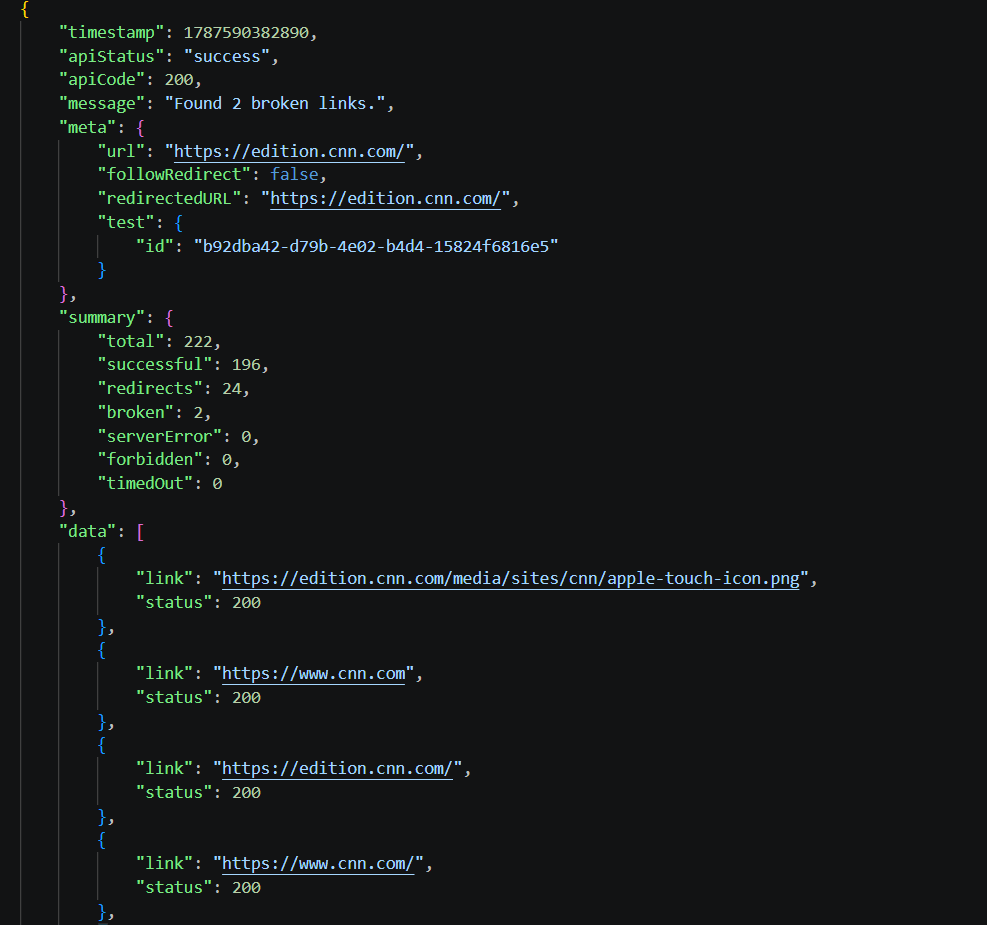
It checked 222 links in total. Out of these, 196 returned a successful response, while 24 were redirects. The response did not report any server errors, forbidden links, or timed-out requests.
| Result | Count |
|---|---|
| Total links checked | 222 |
| Successful links | 196 |
| Redirects | 24 |
| Broken links | 2 |
| Server errors | 0 |
| Forbidden links | 0 |
| Timed out | 0 |
The two broken links returned a 404 Not Found status:
https://edition.cnn.com/$1
https://edition.cnn.com/faq
The API also returns every discovered link along with its HTTP status. For example, a status of 200 indicates a successful response. The output also contains 301 and 302 responses for links that redirect to another URL.
This gives you a clear list of links that need to be reviewed. You can use the same code with any website URL to check its links and identify dead pages, redirects, and other response issues.
Try the Broken Link Checker API in Geekflare Playground
You can also test the Broken Link Checker API without writing code. Geekflare offers a no code option through its Playground, which lets you send and test API requests directly from the Geekflare interface.
- Log in to your Geekflare account.
- Open Playground.
- Select the Broken Link Checker API.
- Enter the website URL you want to check. For this example, use:
https://www.nationalgeographic.com/ - Select the required parameters for your request.
- Click Request to start the link check.
- Review the API response to see the discovered links and their status details.
You can test one request at a time through the Playground. Once you receive the response, you can also copy the code snippet for that specific request in Python, cURL, PHP, or Node.js.
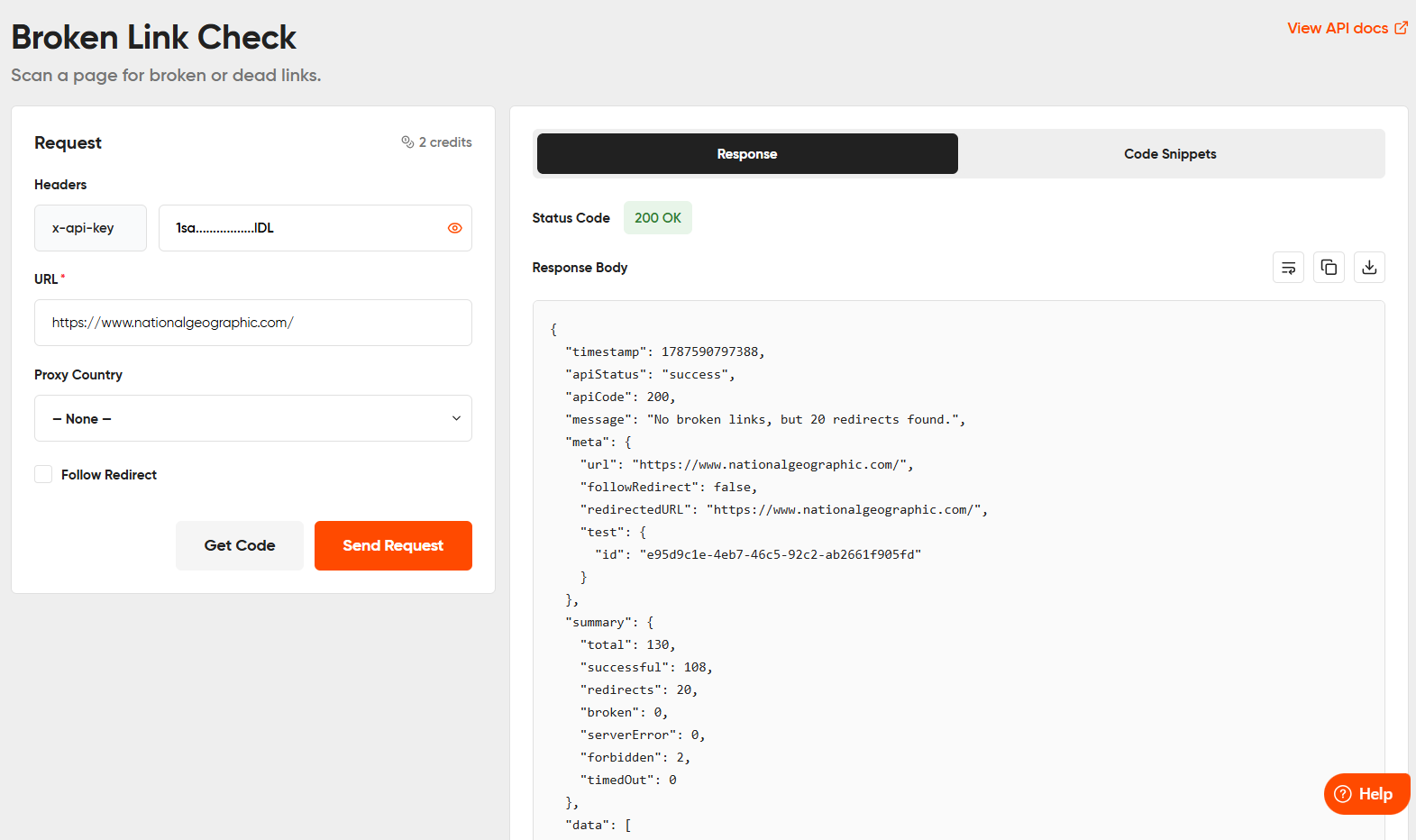
This option is useful for testing the Broken Link Checker API and reviewing its response before adding it to your application.
Conclusion
Broken links can appear as websites grow, pages change, and external content becomes unavailable. Checking every link manually can take time, especially on larger websites.
A Broken Link Checker API provides a programmatic way to scan a website, check internal and external links, and review their response status. The Geekflare Broken Link Checker API also identifies the specific URLs that return errors or redirects, so you can review the links that require attention.
You can use the API through an SDK, test individual requests through the Geekflare Playground, or connect it to supported AI agents through MCP.
Frequently Asked Questions
How to Check Broken Links in a Website?
You can check broken links manually by opening individual links and verifying that they lead to the expected page.
For larger websites, a Broken Link Checker API can automate the process. You provide the website URL, and the API crawls the page, checks the links it finds, and returns their HTTP status codes.
What Is a Dead Link Checker?
A dead link checker scans a website and checks the URLs it finds to identify links that lead to unavailable pages. It can detect issues such as 404 Not Found, 5xx server errors, and redirects, so you can review links that need to be updated, replaced, or removed.
Can a Broken Link Checker API check both internal and external links?
Yes. The Geekflare Broken Link Checker API validates both internal and external links found during the crawl.
What types of link issues can the API identify?
The API can identify broken links that return errors such as 404 and 5xx responses. It can also report 3xx redirects.
Can I use the Broken Link Checker API with an AI agent?
Yes. Geekflare also offers an MCP server that lets you connect its API capabilities to supported AI agents and MCP clients.





