


I always prefer to keep my research resources in one place, especially for projects that take more than one sitting. Research often continues after the first search.
I may need to return to earlier findings, check a source again, or pick up the work after a break. Having everything in one place makes that much easier for me.
That has always been my usual approach. If you work the same way, you might find Sparkian useful too. I wanted to put it to the test and see how well it could work as a research notebook.
For this test, I picked one research topic and decided to keep the whole process inside Sparkian. I wanted to see if it could fit into my usual research routine and actually work as a replacement for my notebook.
Picking the Research Topic
I wanted a research question that could support a proper research workflow, not something I could answer after a few searches. After considering a few options, I settled on one question that felt practical for a business.
What factors should a business consider when deciding whether to build an AI system in house or buy an existing solution?
The question gives us several areas to investigate, from cost and data security to customization, scalability, maintenance, and long term value. It also leaves the conclusion open, so I can use the research findings to reach the answer at the end.
Keeping the Research in One Place
A dedicated workspace felt like the right starting point for this experiment. Sparkian provides one even on the Free plan, so the entire project has a single home for its discussions and research.
The workspace also works well for collaboration. Team members can be invited, assigned roles, and given specific access. Sparkian offers 50+ AI models from leading providers, so a model switch does not break the conversation context.
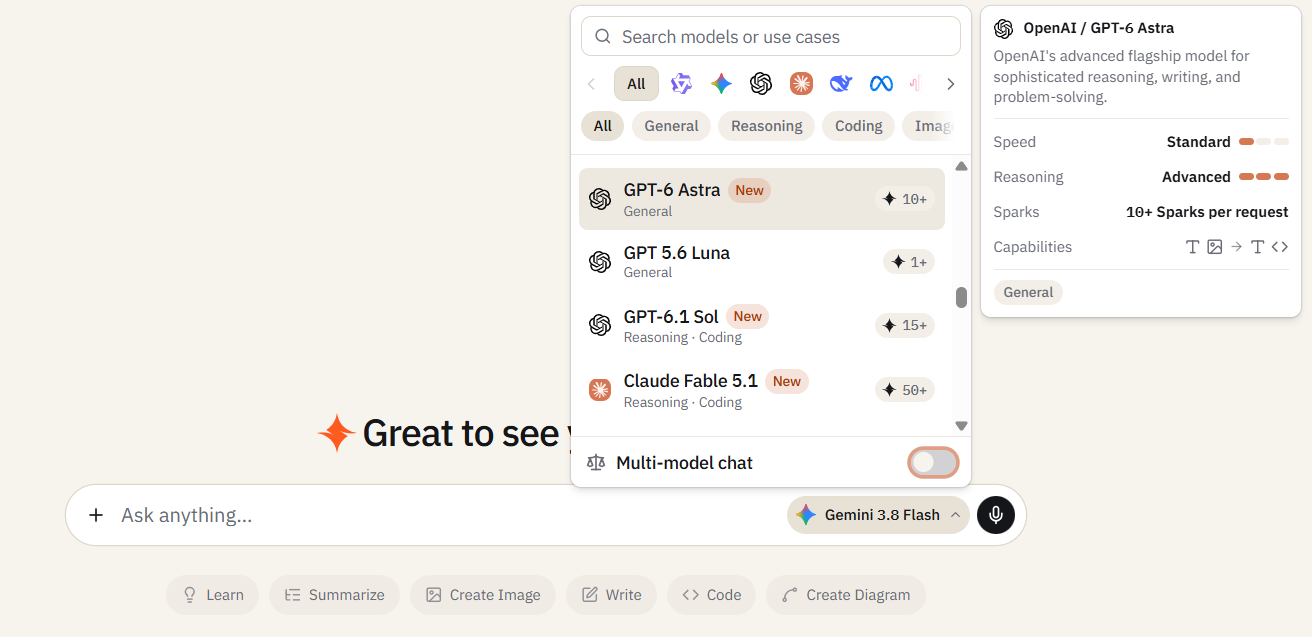
The admin can also control the models available to each member. The long conversation history makes it easy to return to earlier discussions and continue the research from the same point.
Adding Resources to the Knowledge Base
We all know what a Knowledge Base does. Sparkian lets me upload papers, reports, documents, audio, and other useful resources for the research. I can keep these resources attached to the project and reuse them throughout the workspace.
The same Knowledge Base is available to the team, and everyone can access the research material from the workspace.
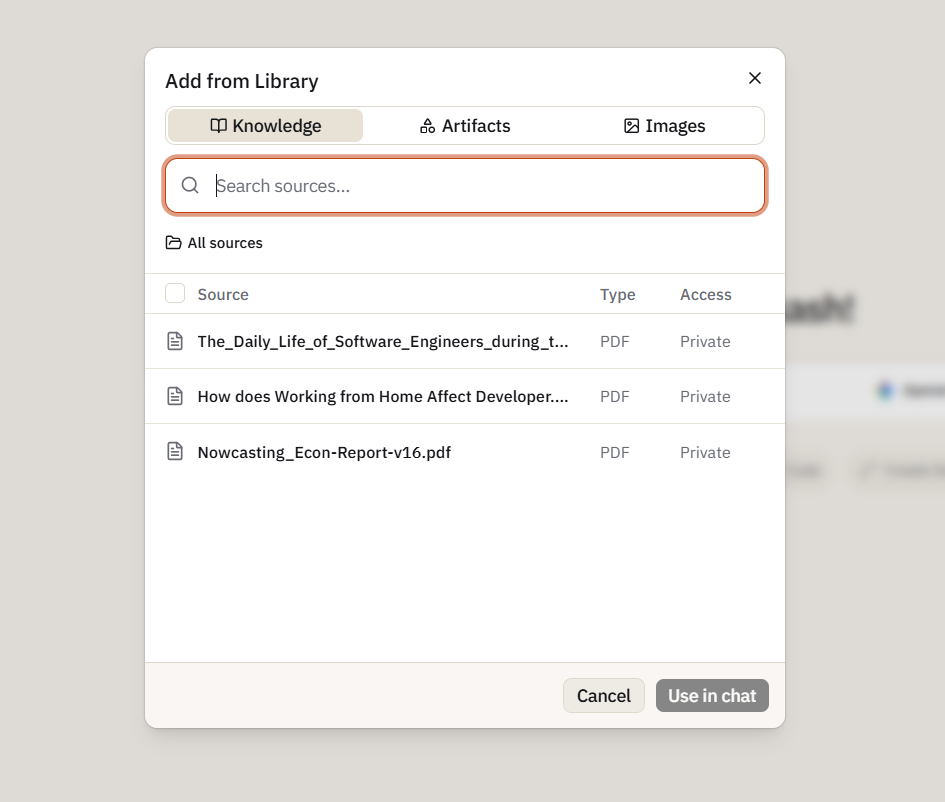
There is no need to upload the same resources again. The Knowledge Base can also be accessed across the different AI models available in Sparkian.
The Free plan offers 10 MB of Knowledge Base storage. If you need more space, the Pro plan offers 100 MB of storage.
Finding Information With Web Search
The Knowledge Base gives us the material we already have, but this research also needs current information. Sparkian’s in chat web search lets me look for details that are not covered in the resources I uploaded.
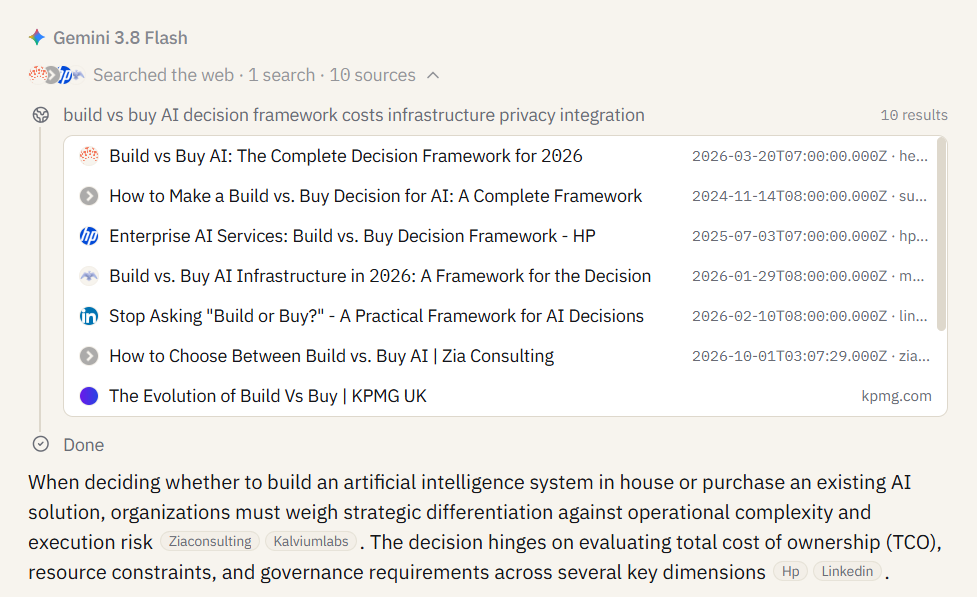
For the build versus buy question, I can use it to research current AI platform pricing, product capabilities, deployment options, and recent developments. The search results stay within the same conversation and can be used by any model I switch to later.
Using the Prompt Library
The Prompt Library gives this research a place to store prompts that are useful throughout the project. I can save prompts for comparing build and buy options, analyzing costs, reviewing sources, or summarizing findings.
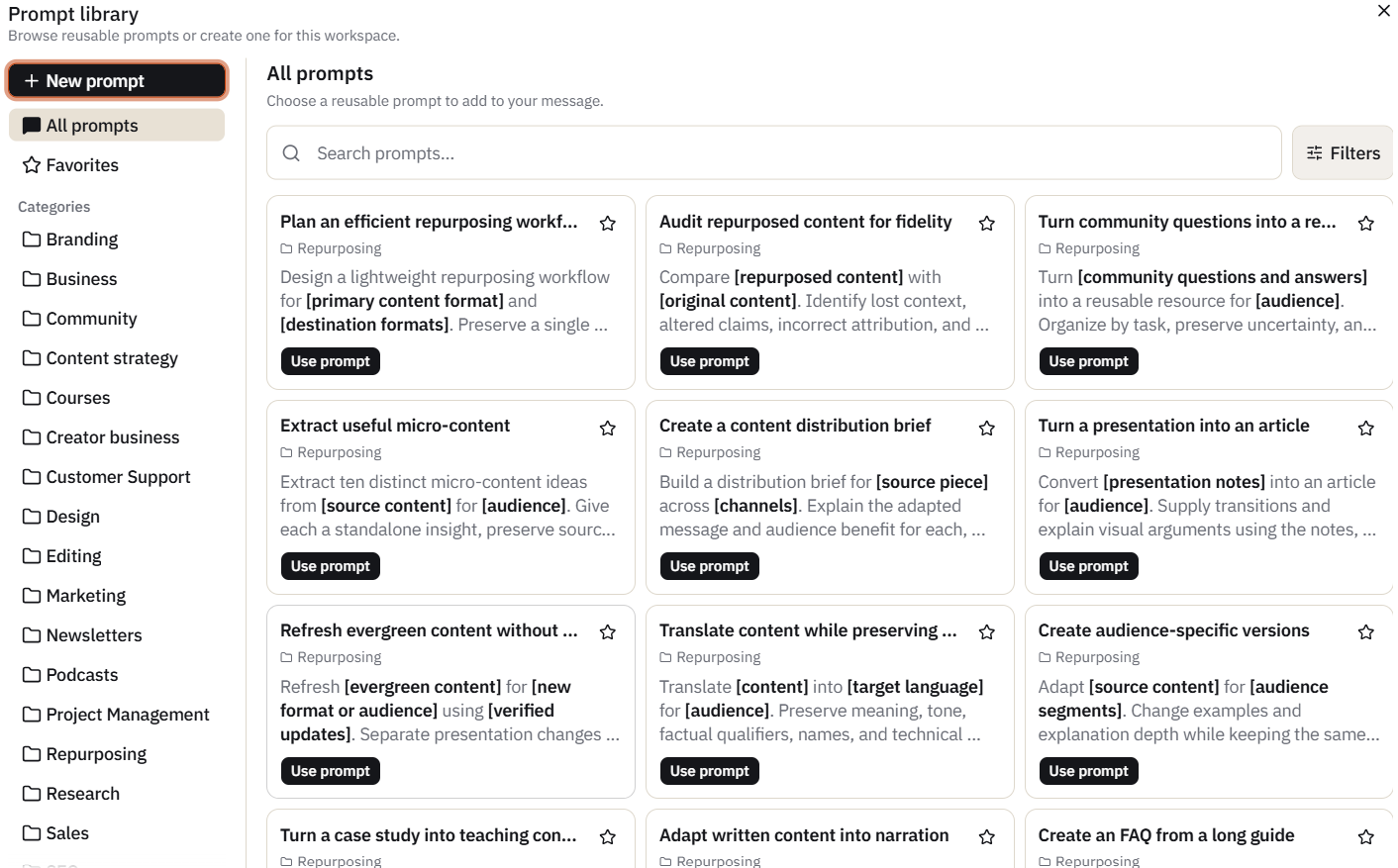
Once saved, these prompts are available for reuse during the research. This is useful for a project that may involve repeated research tasks and follow up questions.
Using the Research Across Different Models
So here comes the main part. This is where the research ideas turn into actual content and visuals.
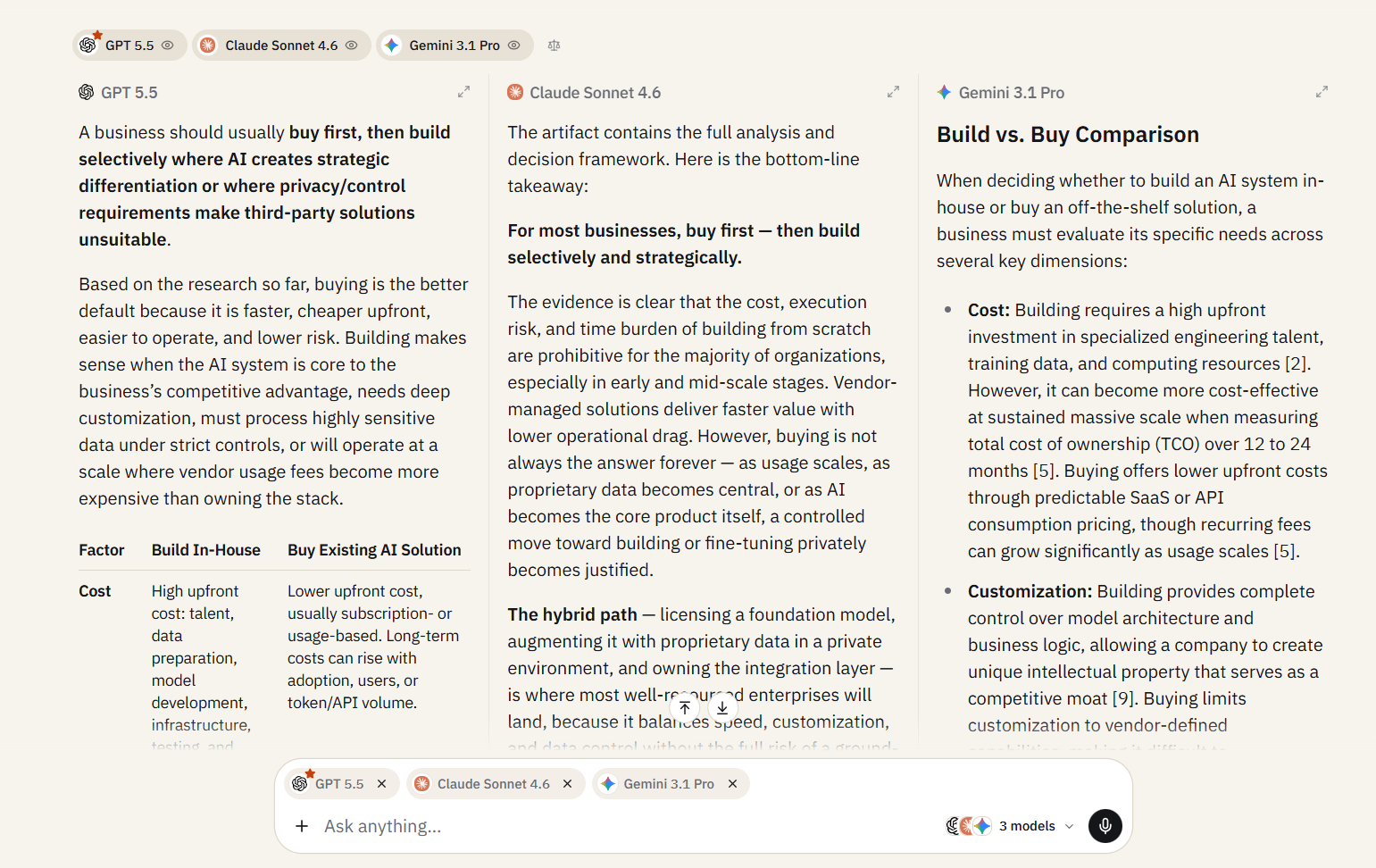
Sparkian’s multimodal chat lets me ask the same question to two or more models in the same window and compare their responses side by side. I can then decide which response fits the research better.
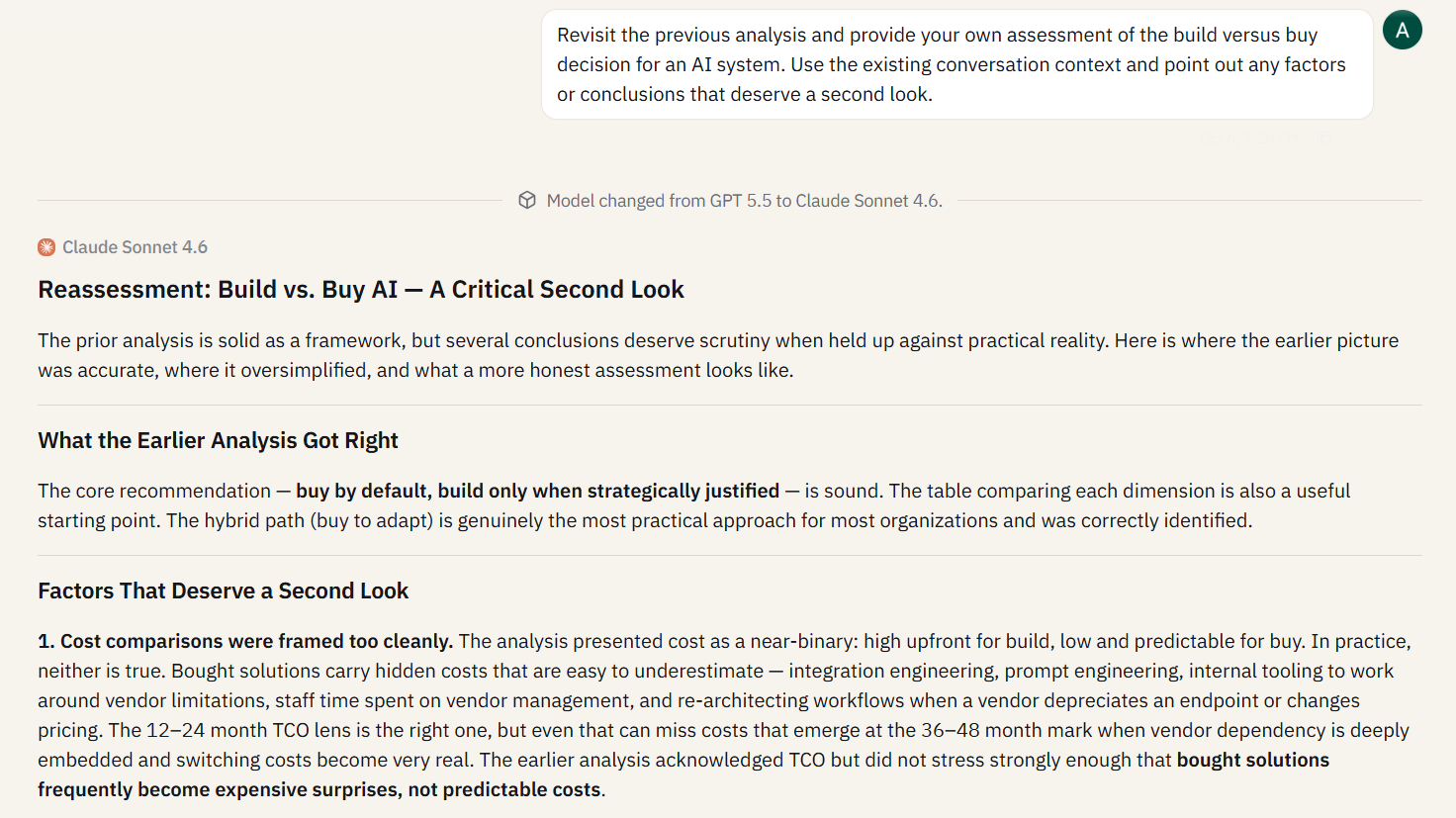
The model can also be switched during the same conversation. If I need a different model for a particular task, I can switch it and continue from the same context. The conversation stays intact, and the research does not need to start again.
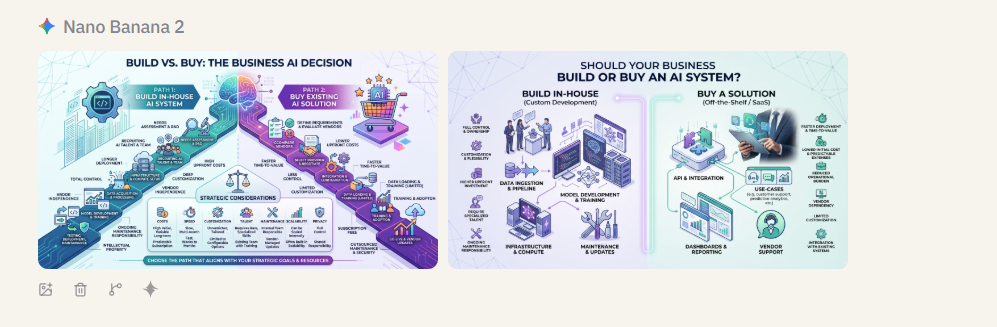
The same context can also be used to create visuals. Sparkian can generate images based on the conversation and the research already available in the workspace. I used Gemini Nano Banana 2 here since it is my preferred model for image generation.
The generated visuals are also saved in the library, so I can access them again later.
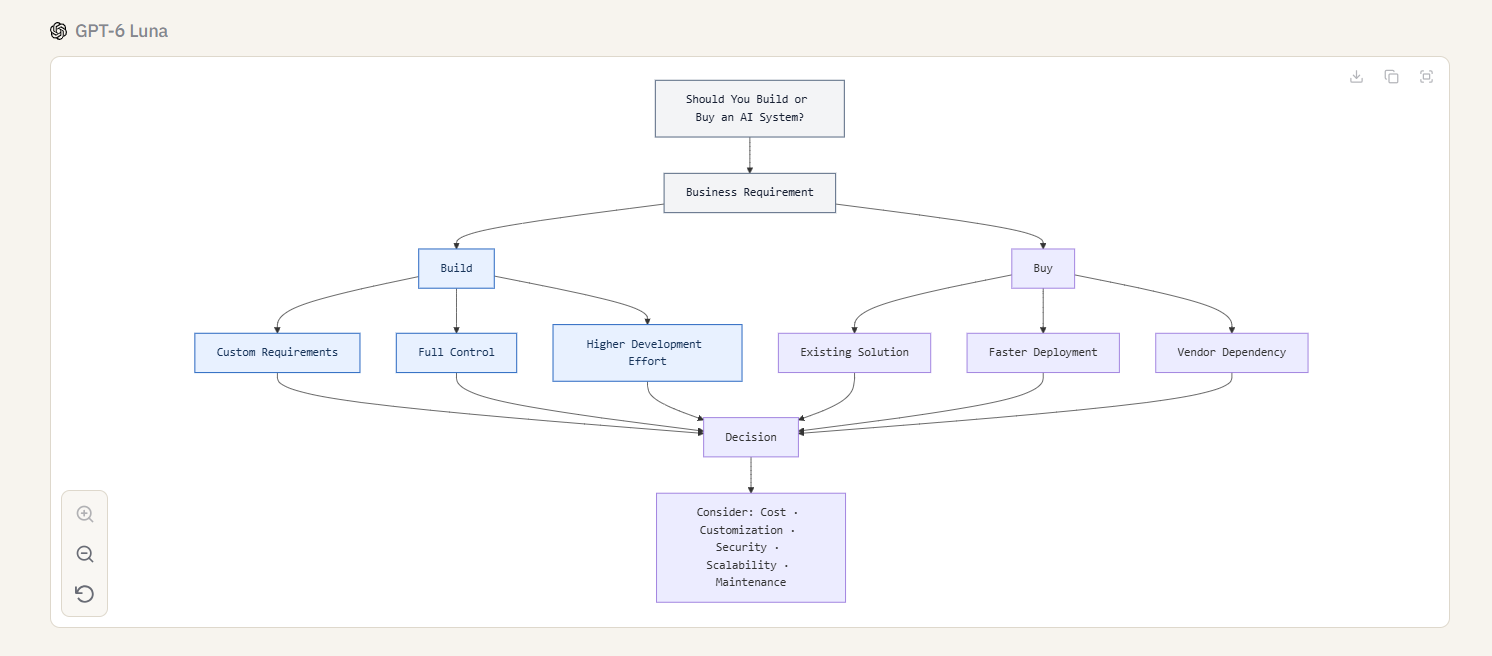
You can also create Mermaid charts from the same research context.
Is the AI Workspace the New Research Notebook?
Yes. At least for the kind of research I usually do, an Sparkian’s AI workspace can take the role of a traditional research notebook. The difference is that it does more than store notes and references.
- Research stays in one place: Conversations, sources, and findings stay connected to the same project.
- Different models can work on the same research: I can compare responses or switch models and continue from the same context.
- Resources remain available: Papers, reports, documents, and other references in the Knowledge Base can be reused throughout the project.
- Prompts can be saved: Useful prompts can go into the Prompt Library for later research.
- Teammates can join the research: The workspace can be shared with team members, so everyone can work from the same project and access the same research context.
- Research can become visuals: The same context can be used to create images and diagrams.
For me, the interesting part is not any single feature. It is having the entire research process inside one workspace and being able to return to the same project as the work develops.
Final Thoughts
After going through the complete workflow, the main takeaway for me is how much of the research process can stay connected inside one workspace. For someone who regularly moves between research, writing, and different AI models, this setup can remove a lot of the back and forth between separate tools.
The Free plan is enough to test the workflow, and the Pro plan at $19/month makes more sense for larger projects that need more workspace capacity, team access, and advanced models.





