


I’m someone who uses various AI tools on a daily basis. Almost my entire workflow depends on them, from researching and writing to coding and creating visuals. If you work like this too, you may have experienced the same problem.
I often switch between models because different models have different strengths. One might work better for research, while another is better at coding or generating visuals. The problem starts when these tasks are part of the same continuous workflow. I need the model I use for the next step to understand everything I have already done.
For example, if I research something with Claude and then use Gemini Flash to create a visual, I need Gemini to understand the research and context I have already built. Usually, that means copying information between tools or starting the next conversation from scratch.
That changed when I found Sparkian. I could switch between models while keeping the same conversation and context. So I decided to put my entire workflow inside Sparkian and see how well it actually worked.
I Tried Keeping the Entire Workflow in Sparkian
Sparkian is an AI workspace platform that gives you access to 50+ AI models from leading providers in one place. What stood out to me was that Sparkian goes beyond simply putting multiple models under one roof.
You can keep different projects organized across workspaces, use web search for deeper research, compare models side by side, and switch between models in the same conversation and keep the context.
These features made Sparkian a good place to test my usual workflow. I picked one project and took it from research to writing and finally to visual creation, switching models along the way.
Starting With the Research
Most of my day to day work starts with research, and Claude is usually my go to model for it. Luckily, Sparkian gives me access to Claude Fable 5.1 from Anthropic, so I decided to see how it performs with Sparkian’s web search.
For this test, I chose a task that leaves room for discovery. I asked Claude to research some of the world’s most unusual abandoned places and find out what happened to them.
Prompt:
Research some of the world's most unusual abandoned places using web search.

Find 5 places that have unusual or surprising stories behind their abandonment. For each place, explain:
- Where it is
- When and why it was abandoned
- What happened to the people who lived or worked there
- What makes the place unusual today
- Any interesting historical facts

Use reliable sources and provide links to the sources you use. At the end, identify the place with the most interesting story and explain why you selected it.
I found the web search part particularly useful here. Sparkian’s web search pulled information from multiple sources.
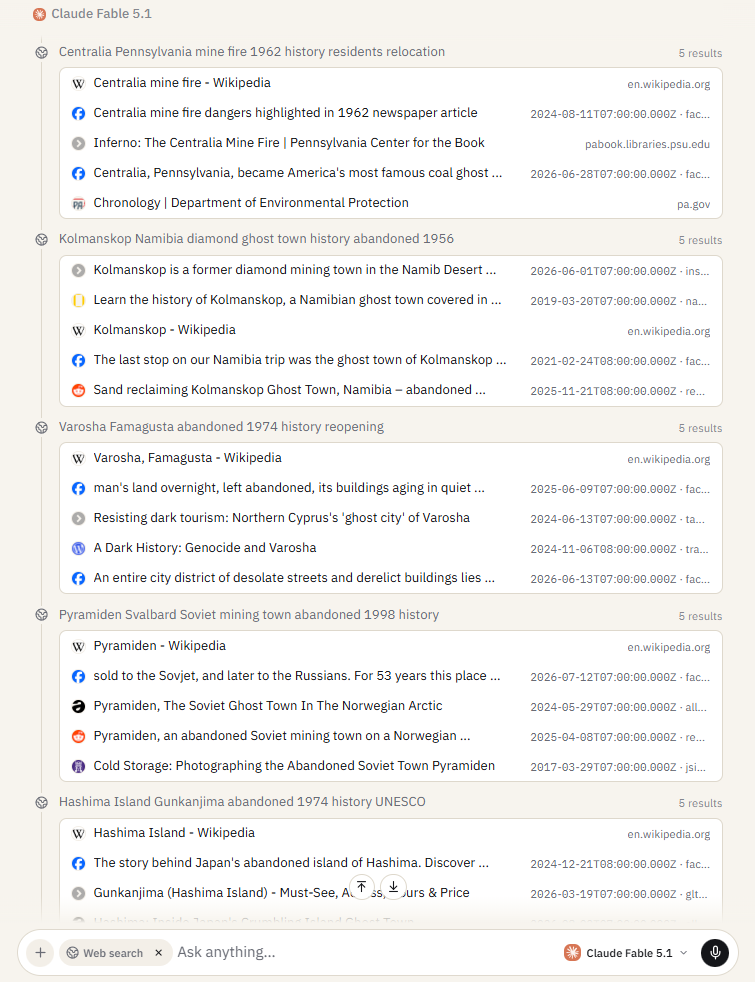
I could see different details about each place coming together during the research.
The original response was quite detailed, so I’m keeping the key findings here. Claude identified five unusual abandoned places:
- Centralia, Pennsylvania: An underground coal mine fire has been burning since 1962.
- Hashima Island, Japan: A former coal mining island abandoned after the mine closed.
- Kolmanskop, Namibia: A former diamond mining town now being reclaimed by the desert.
- Varosha, Cyprus: A resort area abandoned after the 1974 conflict.
- Pyramiden, Svalbard: A Soviet mining settlement abandoned after mining operations ended.
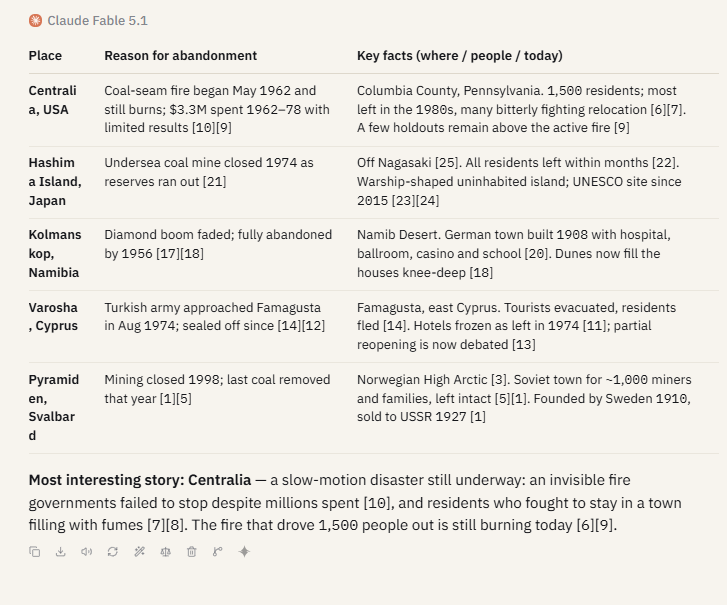
Claude selected Centralia, Pennsylvania, as the most interesting place from the research. I also found its story more interesting compared to the other results, so I decided to use Centralia for the next stage.
Writing With ChatGPT
I moved to ChatGPT 5.6 Luna and wanted to see how much context would remain after switching models.
I kept the prompt deliberately simple and left the model to pick up the relevant details from the conversation.
This is the prompt:
Using the research findings, write a 400-word article about the place selected.

Target audience: General readers.

Use a natural, engaging flow and simple vocabulary.

Keep the writing easy to follow and avoid overly complex sentences.
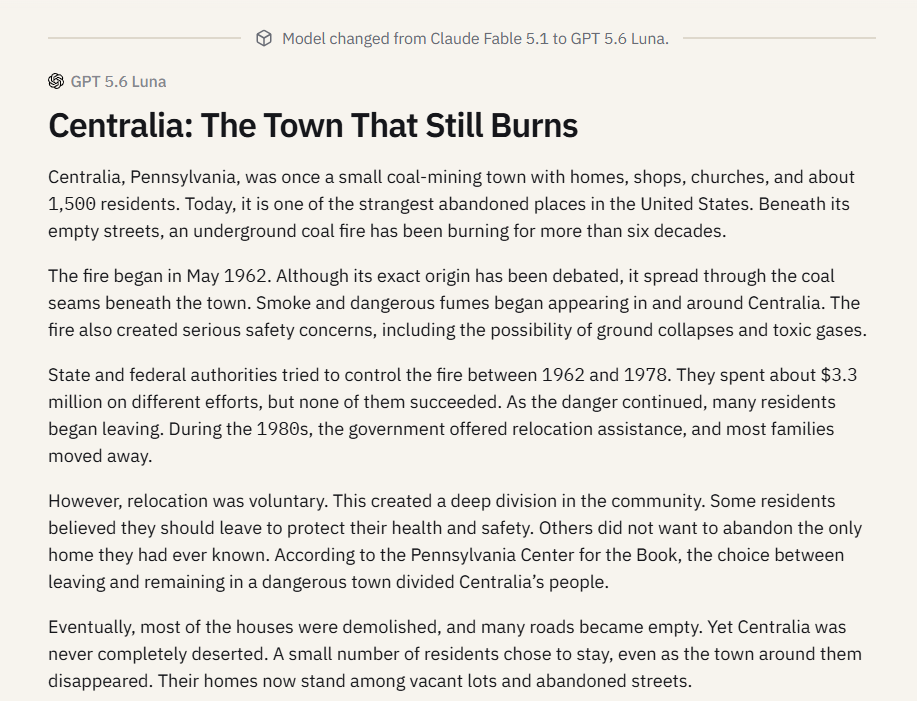
The result was actually pretty impressive. The content clearly carried over to the next model, and ChatGPT picked up the place Claude had selected and produced the article I expected. It was a good sign that the context stayed intact after switching models.
Creating the Visual With Gemini
The final part of the test was creating a visual for the article. Everyone knows Gemini clearly tops the list for image generation, so I used Nano Banana 2 here because it’s my favorite.
I also wanted to see if Nano Banana 2 could pick up the context already established in the conversation and create a visual that fits the article.
I kept the target audience from the previous prompt in mind and asked for a visually appealing image suited to general readers interested in unusual places and their stories.
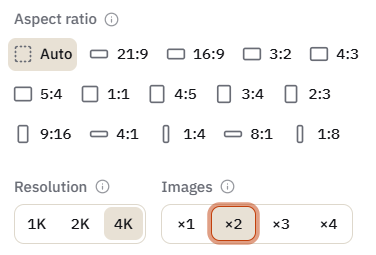
This feature was really cool too. Sparkian lets me choose the aspect ratio, resolution, and number of images for each generation. I chose Auto for the aspect ratio, 4K for the resolution, and 2X images for this test.
Prompt, I used:
Create a visually appealing image for the article based on the context of this conversation.

Keep the target audience in mind and create a visual that would appeal to them.

Use a realistic editorial style suitable for a history or travel article.
The visuals came out really good. I was surprised by how well they matched the article context.
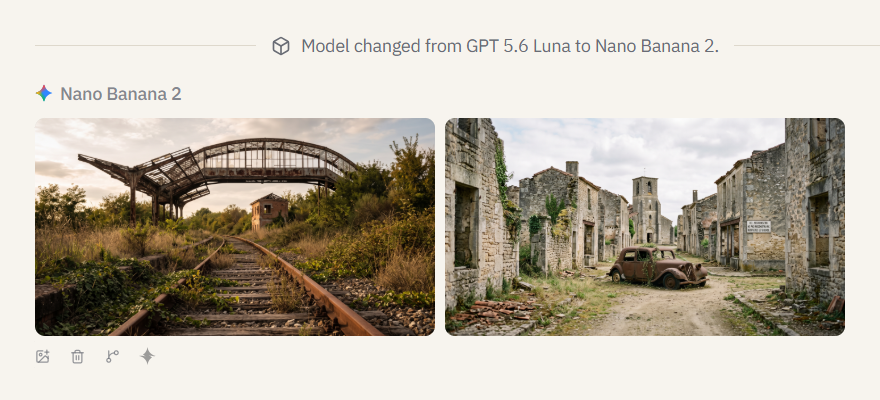
The part I liked most about Sparkian was not having to restart every step of the workflow. I could research something, turn those findings into an article, and create visuals from the same conversation. That made the whole process feel much more connected.
The Cost Made Me Think Twice
There was one thing I couldn’t ignore after testing all of this. If I wanted access to these models individually, I would have to pay for three different subscriptions.
| AI Model | Individual Plan |
|---|---|
| ChatGPT | $20/month + taxes |
| Google AI Pro | $19.99/month + taxes |
| Claude | $20/month + taxes |
| Total | Almost $60/month + taxes |
That puts the total at almost $60 a month before taxes just to keep access to the three models I used in this workflow.
Sparkian Pro costs $19/month and gives access to these models from one workspace. The plan also includes 10,000 Sparks every month, 2 workspaces, a 100 MB knowledge base, unlimited in chat web search, and 1 year of chat history. You can also purchase additional Spark packs based on your usage.
To more about Spark and its usage you can read this guide.
Final Take
After trying the whole workflow, Sparkian worked well for the way I use AI. I could research with Claude, write with ChatGPT, and create visuals with Nano Banana 2, all from the same conversation.
The biggest win for me was the context staying intact across the workflow. Add the cost savings on top of that, and $19 a month feels like a great deal for someone who regularly uses multiple AI models.
Frequently Asked Questions
Can I use different AI models in Sparkian?
Yes. Sparkian lets you switch between multiple AI models in the same workspace and conversation.
Does Sparkian keep the conversation context when I switch models?
Yes. Sparkian keeps the conversation context available when you switch between models.
How much does Sparkian Pro cost?
Sparkian Pro costs $19 per month and includes 10,000 Sparks every month, along with 2 seats, 2 workspaces, unlimited in chat web search, and 1 year of chat history.





