When an enterprise website experiences an issue, the impact can go beyond a page becoming unavailable. Customers may be unable to access services, complete transactions, or find the information they need. Enterprise website monitoring helps businesses detect these issues and understand the overall condition of their websites.
However, detecting an issue is only the first step. Businesses also need to understand what is affecting their website and check its overall health.
This article covers the key areas of website health that enterprises can monitor, explains how these checks help identify potential issues, and shows how to build an enterprise website health monitoring system.
What Happens When an Enterprise Website Goes Down?
When an enterprise website goes down, the impact can extend beyond users seeing an error page. Customers may be unable to access services, complete transactions, log in to their accounts, or find important information. For businesses that depend on their websites for daily operations, even a short outage can interrupt services and affect customer experience.
The problem can also impact different parts of the business. An e-commerce website may lose sales, a SaaS platform customers may be unable to access its application, and an internal business portal can disrupt employee workflows. Longer or repeated outages can also affect customer trust and a company’s reputation.
Finding the cause quickly is important, but the source of the problem is not always obvious. It could involve website availability, DNS configuration, TLS certificates, server issues, or slow performance. Checking these areas together can help narrow down the possible cause and provide a clearer view of the website’s overall health.
Common Causes of Enterprise Website Issues
A website outage can happen for several reasons. Some issues make the website completely unavailable, while others affect only certain users or cause the website to load slowly.
Common causes include:
- Server or application issues: Errors in the server, application, or hosting environment can make the website unavailable.
- DNS problems: Incorrect or unavailable DNS records can prevent users from reaching the website.
- TLS certificate issues: An expired or incorrectly configured certificate can trigger security warnings or block access.
- Network problems: Connectivity issues between servers and users can affect website availability.
- Slow load times: A website may still be online but take so long to load that users consider it unavailable.
Checking these areas together can help narrow down the source of a website issue.
How to Check an Enterprise Website for Issues
When a website has an issue, checking a single factor may not reveal the cause. A broader approach to website health can help identify whether the issue is related to availability, DNS, TLS, or performance.
Geekflare provides several APIs for checking different aspects of a website. The Site Status, DNS, TLS, and Load Time APIs can be used together to check website health from a single workflow.
The four checks include:
- Site Status: Checks whether the website is reachable.
- DNS: Retrieves DNS records and helps identify domain configuration issues.
- TLS: Checks the website’s TLS certificate and related details.
- Load Time: Measures how long the website takes to load.
Geekflare also provides APIs for other web-related tasks, including web scraping, search, screenshots, and website analysis. Developers can access its APIs through SDKs for different programming languages. Geekflare also provides an MCP server that connects its API capabilities with AI agents and supported MCP clients.
Building a Website Health Monitoring System With Geekflare APIs
We will build an enterprise website health monitoring system using Geekflare APIs. The system takes a website URL and checks its site status, DNS records, TLS certificate, and load time to provide a broader view of website health.
The workflow looks like this:

Geekflare provides an API for each of these checks. The Site Status API checks whether the website is reachable, the DNS API retrieves domain records, the TLS API checks certificate details, and the Load Time API measures website performance.
Prerequisites
Before building the system, make sure you have:
- Geekflare API key: Create a Geekflare account if you do not have one, then get your API key from the dashboard.
- Python: Install Python on your system.
- Geekflare Python SDK: Install the package using:
pip install geekflare-apiStep 1: Create the Website Health Monitoring Script
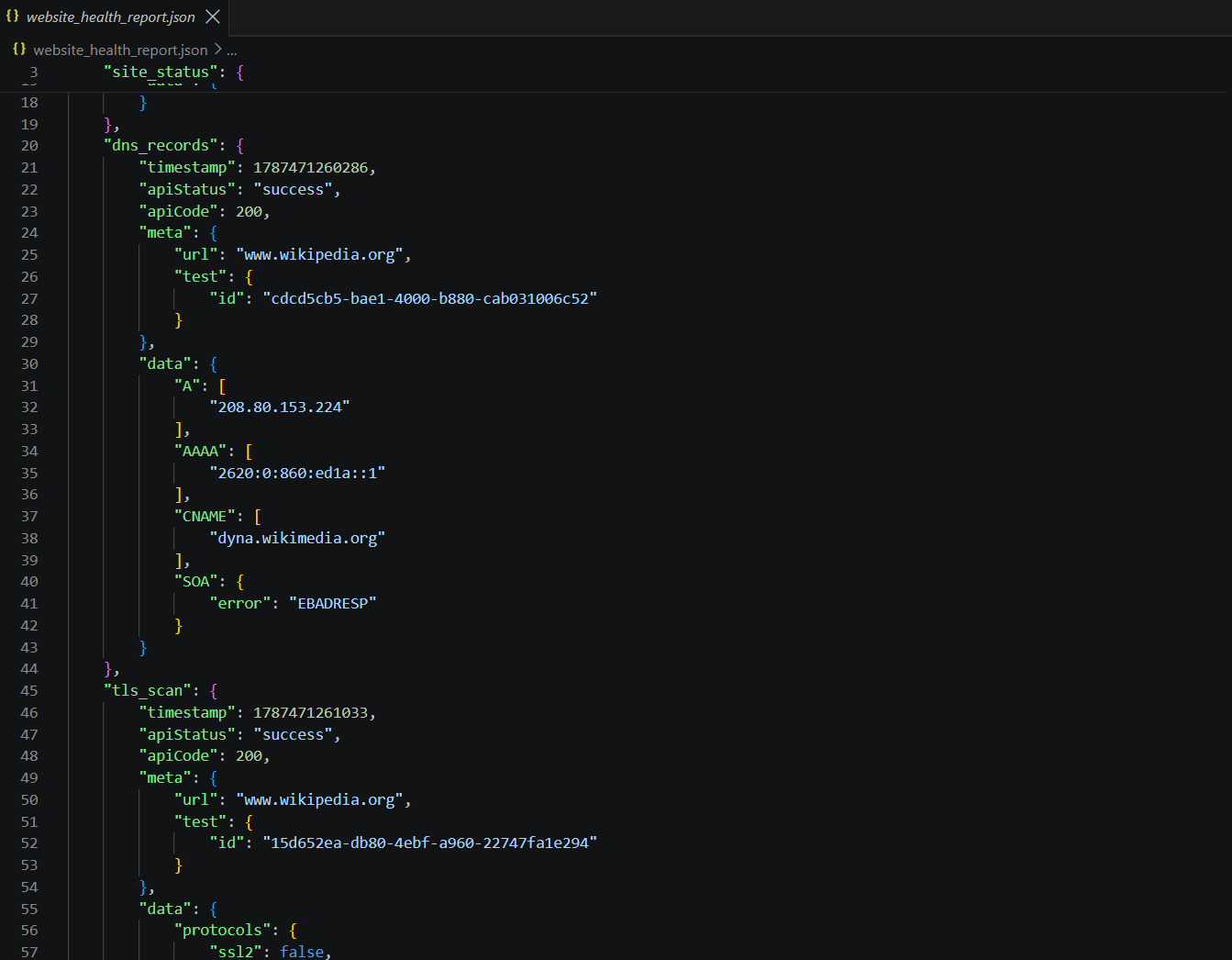
Create a new Python file named website_health.py. This script uses the Geekflare Python SDK to check a website’s status, DNS records, TLS certificate, and load time. It then combines the responses and saves them in a single JSON file.
For this example, we will use https://www.wikipedia.org/. This is a real public website, so you can run the script and view the results.
Add the following code to the file:
import json

from geekflare_api.client import GeekflareClient
from geekflare_api.models import (
    DnsRecordDto,
    LoadTimeDto,
    SiteStatusDto,
    TlsScanDto
)

API_KEY = "YOUR_API_KEY"
URL = "https://www.wikipedia.org/"
DNS_URL = "www.wikipedia.org"

with GeekflareClient(api_key=API_KEY) as client:

    # Check website availability
    site_status = client.site_status(
        SiteStatusDto(
            url=URL
        )
    )

    # Retrieve DNS records
    dns_records = client.dns_record(
        DnsRecordDto(
            url=DNS_URL
        )
    )

    # Check the TLS certificate
    tls_scan = client.tls_scan(
        TlsScanDto(
            url=URL
        )
    )

    # Check load time from three locations
    load_time = client.load_time(
        LoadTimeDto(
            url=URL,
            target_countries=["IN", "US", "GB"]
        )
    )

    # Combine the API responses
    website_health_report = {
        "website": URL,
        "site_status": site_status,
        "dns_records": dns_records,
        "tls_scan": tls_scan,
        "load_time": load_time
    }

    # Save the results to a JSON file
    with open("website_health_report.json", "w") as file:
        json.dump(
            website_health_report,
            file,
            indent=4,
            default=str
        )

print("Website health report saved successfully.")
Replace YOUR_API_KEY with your Geekflare API key. You can also change URL and DNS_URL to monitor another website.
The script saves the combined responses in website_health_report.json. This gives you a single file containing the results of all four website health checks.
Two parameters can help you customize the checks:
typefor DNS records: You can specify a DNS record type such asA,MX, orTXT. If you do not define this parameter, the API returns all available DNS records.target_countriesfor Load Time: You can select up to three locations for the load time check. In this example, we use India, the United States, and the United Kingdom.
The resulting JSON file can be reviewed directly or used in the next step to generate insights from the collected website health data.
Optional Step: Analyze the Website Health Data With Claude
The website_health_report.json file contains the raw responses from all four checks. You can review this data manually or send it to an AI model to turn the technical results into easier to understand insights.
For this example, we will use the Claude API. You can use another LLM if you prefer.
Create a file named analyze_health.py and add your Claude API key:
Install the Anthropic Python SDK before running the script:
pip install anthropicReplace YOUR_CLAUDE_API_KEY with your Claude API key. The script reads the combined Geekflare API response and sends it to Claude for analysis.
import json
import sys
import anthropic

sys.stdout.reconfigure(encoding="utf-8")

CLAUDE_API_KEY = "YOUR_CLAUDE_API_KEY"

# Load the website health report
with open("website_health_report.json", "r") as file:
    website_health_data = json.load(file)

client = anthropic.Anthropic(
    api_key=CLAUDE_API_KEY
)

prompt = f"""
Analyze the following enterprise website monitoring data.

Identify any issues related to:

- Website availability
- DNS configuration
- TLS certificate
- Website load time

Provide:

1. An overall website health summary.
2. Any issues that require attention.
3. Possible reasons for those issues based on the available data.
4. Recommended actions.

Website monitoring data:

{json.dumps(website_health_data, indent=2)}
"""

message = client.messages.create(
    model="claude-opus-5",
    max_tokens=2000,
    thinking={"type": "disabled"},
    messages=[
        {
            "role": "user",
            "content": prompt
        }
    ]
)

for block in message.content:
    if block.type == "text":
        print(block.text)
Claude can then turn the raw monitoring data into a summary that highlights potential issues and recommended actions. This step is optional, and you can use another LLM or AI service based on your requirements.
Step 2: Run the Scripts and Review the Results
Run the website health monitoring script first:
python website_health.pyThe script runs the Site Status, DNS, TLS, and Load Time checks and saves the combined response in website_health_report.json.
If you want to analyze the results with Claude, run:
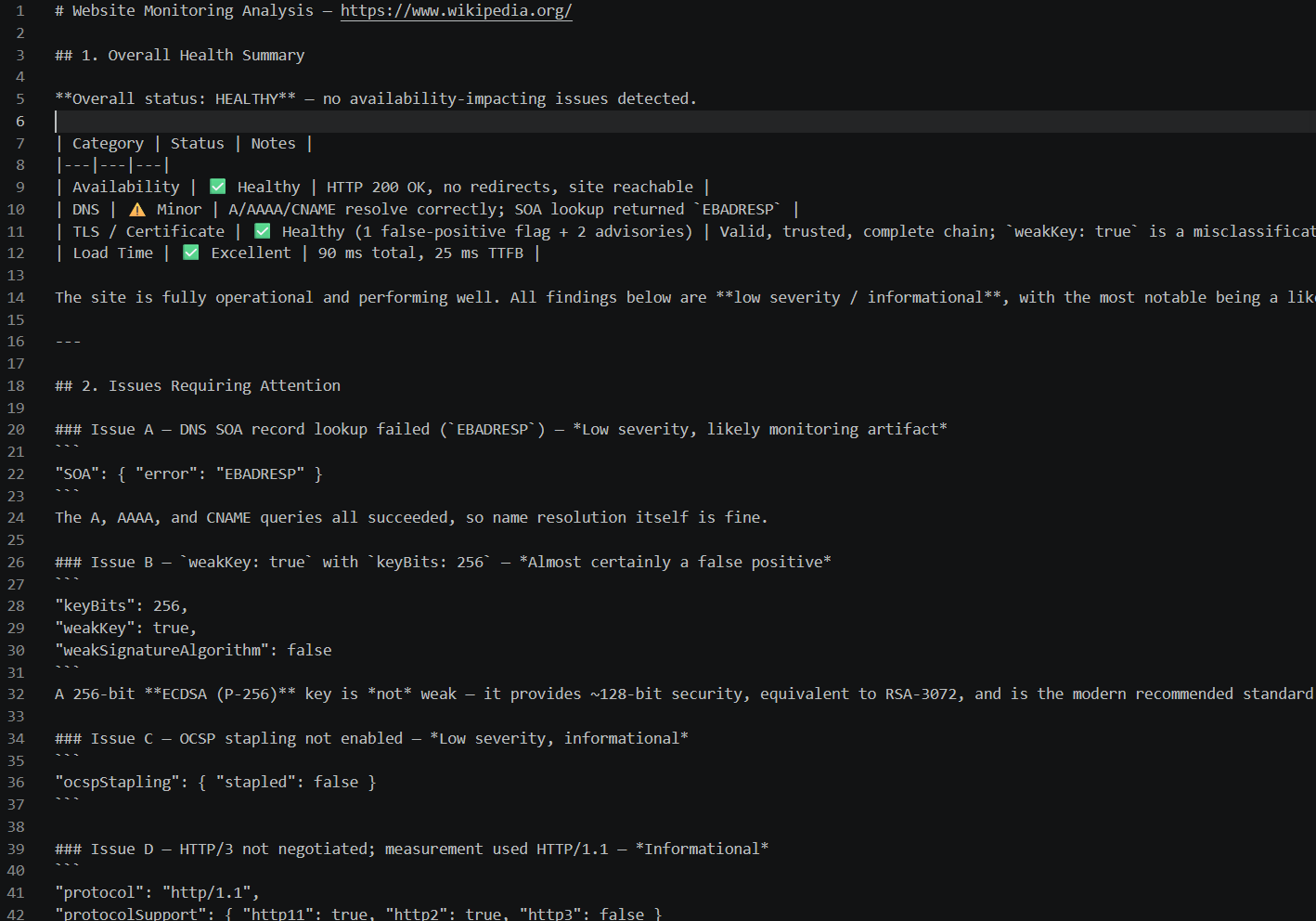
python analyze_health.pyAfter running analyze_health.py, Claude analyzes the data collected from the Site Status, DNS, TLS, and Load Time APIs and turns the raw response into a website health report.
For our Wikipedia example, Claude identified that the website was healthy and reachable, with good load time and a valid TLS certificate. It also highlighted a few low severity findings, such as the DNS SOA lookup error and an apparent false positive related to the TLS key strength.
This step can help turn technical monitoring data into a more readable summary of:
- Overall website health
- Issues that require attention
- Possible causes of the issues
- Recommended actions
The analysis can also help identify cases where an automated check may produce a false positive. You can review the AI-generated findings alongside the original API response before taking action.
Here is the outcome:
Automating Website Monitoring With Claude Code
You can also run these website health checks without building a separate application. Geekflare provides an MCP server that lets supported AI agents access its API capabilities. When connected with Claude Code, you can ask Claude to run the required checks and analyze the results in the same workflow.
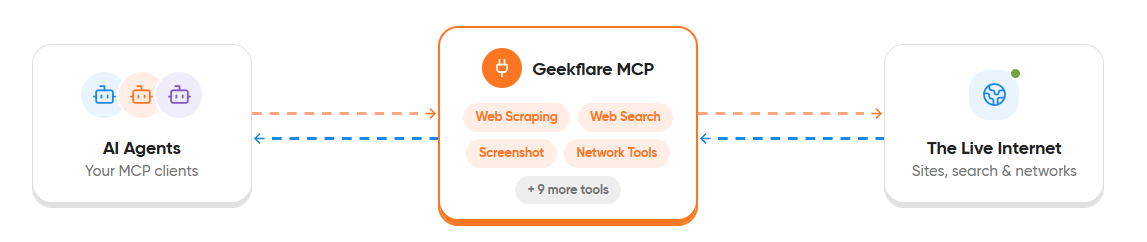
To learn how to connect Claude Code with Geekflare MCP, read our guide on connecting Geekflare MCP with Claude Code. Once the setup is complete, provide Claude Code with a prompt describing the website you want to monitor and the checks you wish to perform.
For example:
Check the health of https://geekflare.com/ using the Geekflare MCP server.

Use the necessary Geekflare tools to check:

- Website status
- DNS records
- TLS certificate details
- Website load time

Analyze the results and provide:

1. An overall website health summary.
2. Any issues that require attention.
3. Possible causes based on the available results.
4. Recommended actions.
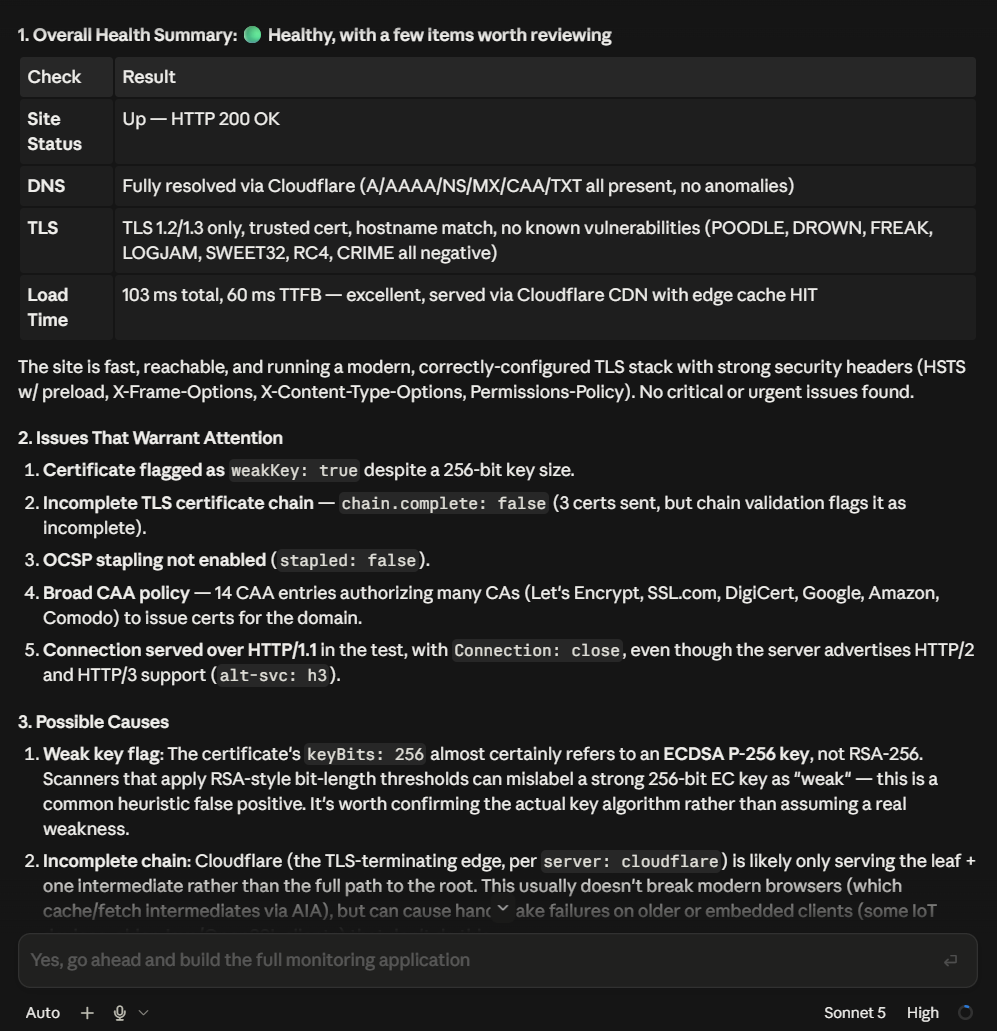
Claude Code can use the required Geekflare MCP tools to perform the checks and then analyze the collected results. You can customize the prompt by changing the website URL or adding other checks based on your requirements.
Here is the response from Claude Code:
Conclusion
Enterprise website monitoring involves more than checking whether a website is online. Monitoring areas such as site status, DNS records, TLS certificates, and load time can provide a clearer view of website health and help identify potential issues.
Geekflare APIs let you combine these checks into a custom monitoring workflow and save the results in a single report. You can also send the collected data to an LLM to generate a summary and recommended actions.
For a simpler approach, Geekflare MCP lets you run the required checks directly through an AI agent such as Claude Code and receive an analysis without building a separate application
Frequently Asked Questions
What is enterprise website monitoring?
Enterprise website monitoring involves checking different aspects of a website to identify issues that may affect its availability, security, reliability, or performance.
What should enterprise website monitoring check?
Businesses can monitor several areas of website health, including website status, DNS records, TLS certificates, and load time. Checking these areas together can help identify potential causes of website issues.
How can I check the health of an enterprise website?
You can use website monitoring tools or APIs to check different aspects of website health. For example, Geekflare provides APIs for checking site status, DNS records, TLS certificates, and website load time.
Can I monitor a website with Geekflare MCP?
Yes. You can connect Geekflare MCP with a supported AI agent and ask it to run the necessary website checks. The AI agent can then analyze the results and provide a summary through a single prompt.