If you’ve spent any time building a web scraper, you already know how hard it is to solve CAPTCHA.
It’s one of the most common challenges in web scraping, and honestly, it’s not going away anytime soon. Website security is getting stronger at detecting bots, and CAPTCHA systems are getting more sophisticated with AI and ML.
But, there are always some practical ways to handle CAPTCHAs in your web scraping. This guide covers everything from automated solving services to browser fingerprinting tricks to minimize getting challenged by CAPTCHAs.
CAPTCHA stands for
Completely Automated Public Turing test to tell Computers and Humans Apart
In plain terms, it’s a challenge-response test that websites use to figure out whether the visitor is a real person or a bot.
What is CAPTCHA and Why Websites Use It
CAPTCHA was originally developed in the early 2000s as a way to stop automated bots from abusing online services. The basic idea is to present a challenge that’s easy for humans but hard for machines.
Early versions were just distorted text that users had to type out. Today, CAPTCHA systems like Cloudflare Turnstile are far more sophisticated.
Why do websites use CAPTCHA?
Websites implement CAPTCHA for several reasons, and most of them are completely legitimate:
- Stopping bots from submitting forms, creating fake accounts, or posting junk content.
- Preventing automated login attempts using stolen username/password combinations.
- Limiting the load that automated scrapers put on their infrastructure.
- Keeping pricing, inventory, or other proprietary information away from competitors.
From a website owner’s perspective, CAPTCHA is a reasonable defensive tool. From a scraper’s perspective, it’s an obstacle that needs to be planned for.
Types of CAPTCHA
Not all CAPTCHAs are equal. Knowing which type you’re dealing with is the first step toward figuring out how to handle it.
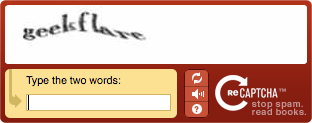
1. Text-based CAPTCHA
The original format. Users are shown distorted or warped text and asked to type what they see. These are legacy and easy to bypass because they’re easy to solve with modern OCR tools.
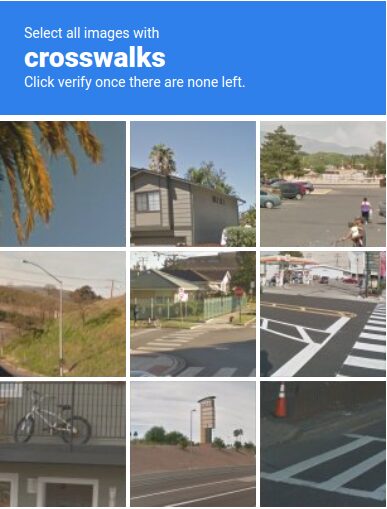
2. Image Recognition CAPTCHA
Google’s reCAPTCHA v2 popularized this format. Users pick images matching a specific category. These are harder for machines because they require actual visual understanding, not just pattern matching.
3. reCAPTCHA v3
This one is invisible. There’s no challenge presented to the user at all. Instead, Google’s system runs in the background and assigns a risk score based on behavior signals, browsing history, time on page, and more. If your score is too low, the site can block you or serve a harder challenge.
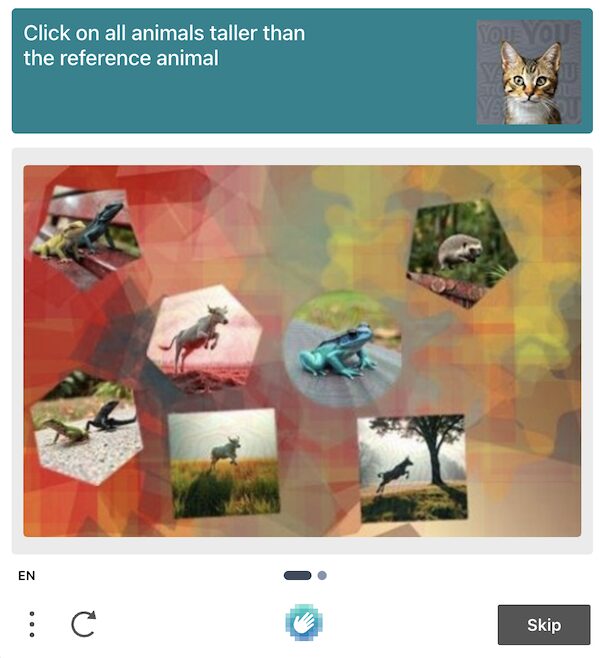
4. hCaptcha
A privacy-focused alternative to reCAPTCHA that’s grown significantly. Works similarly to reCAPTCHA v2 with image selection tasks, but with different underlying models and scoring.
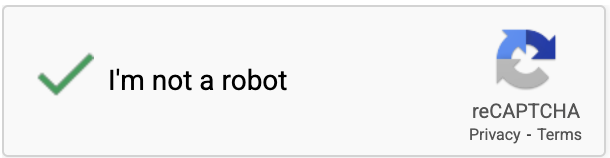
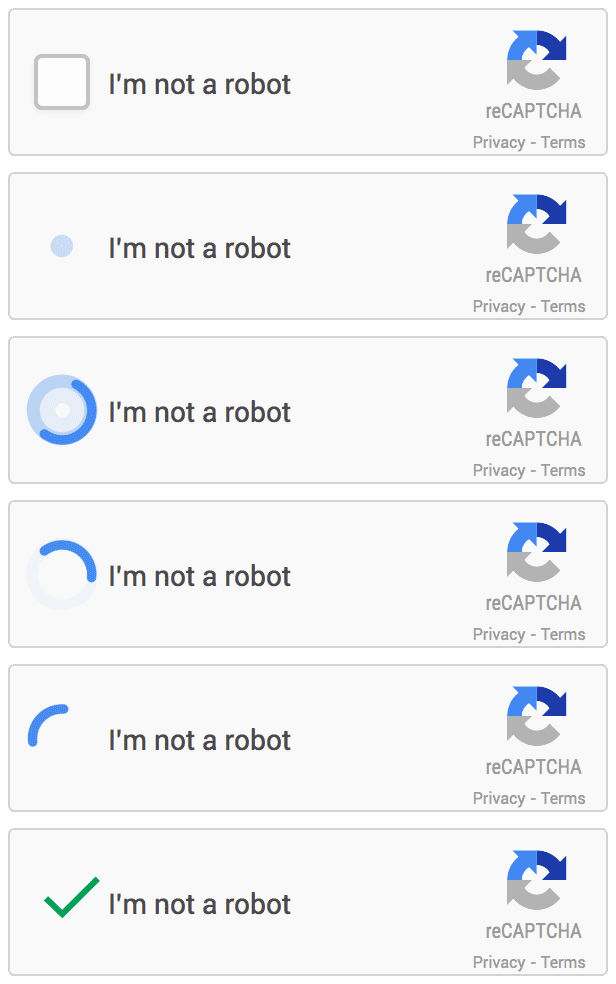
5. Checkbox CAPTCHA
“I’m not a robot” checkbox seems simple, but clicking it triggers behavioral analysis behind the scenes. The real evaluation happens before and after you click.
6. Audio CAPTCHA
An accessibility alternative to visual challenges. Users listen to a distorted audio clip and type what they hear. These were crackable with speech-to-text tools, though modern versions have improved.
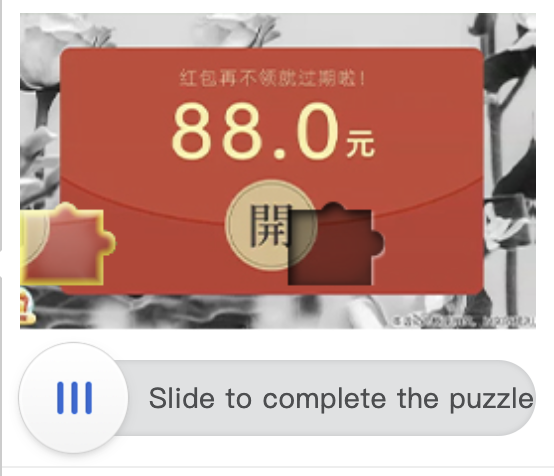
7. Puzzle CAPTCHA
Slide-to-fit or drag-and-drop puzzles where users complete an image by moving a piece into the right position. Common on Chinese platforms like Geetest.
8. Behavioral/Invisible CAPTCHA
Some sites use their own behavioral analysis systems. These track things like scroll patterns, click dynamics, typing rhythm, and navigation paths to build a human score without ever showing a visible challenge. Cloudflare Turnstile is one example.

Challenges of CAPTCHA in Web Scraping
Understanding why CAPTCHAs are hard to deal with helps you approach the problem more strategically.
↳ They break scraping pipelines.
A CAPTCHA appearing mid-scrape means your script either fails silently or throws an error. Without proper detection and handling logic, you won’t even know your scraper stopped working until you check the output and find incomplete data.
↳ They’re getting harder to solve programmatically.
Early text CAPTCHAs could be cracked with simple OCR. Modern systems like reCAPTCHA v3 don’t present a visible challenge at all. There’s no image to decode, no text to recognize. You have to look human from the start.
↳ They can appear dynamically.
Some sites only show CAPTCHAs after you’ve made a certain number of requests, or when your behavior looks suspicious.
↳ IP reputation plays a huge role.
Many CAPTCHA systems are tied to IP reputation scores. If you’re coming from a datacenter IP or a known VPN range, you’re more likely to see CAPTCHAs.
↳ Solving takes time.
Even when you can solve CAPTCHAs, it introduces latency. Human-powered solving services take anywhere from a few seconds to a minute. That adds up fast at scale.
8 Techniques to Bypass CAPTCHA While Web Scraping
There’s no single bullet point here. In practice, most scraping operations combine several of these techniques depending on the target site and the scale of the project.
Use CAPTCHA Solving Services
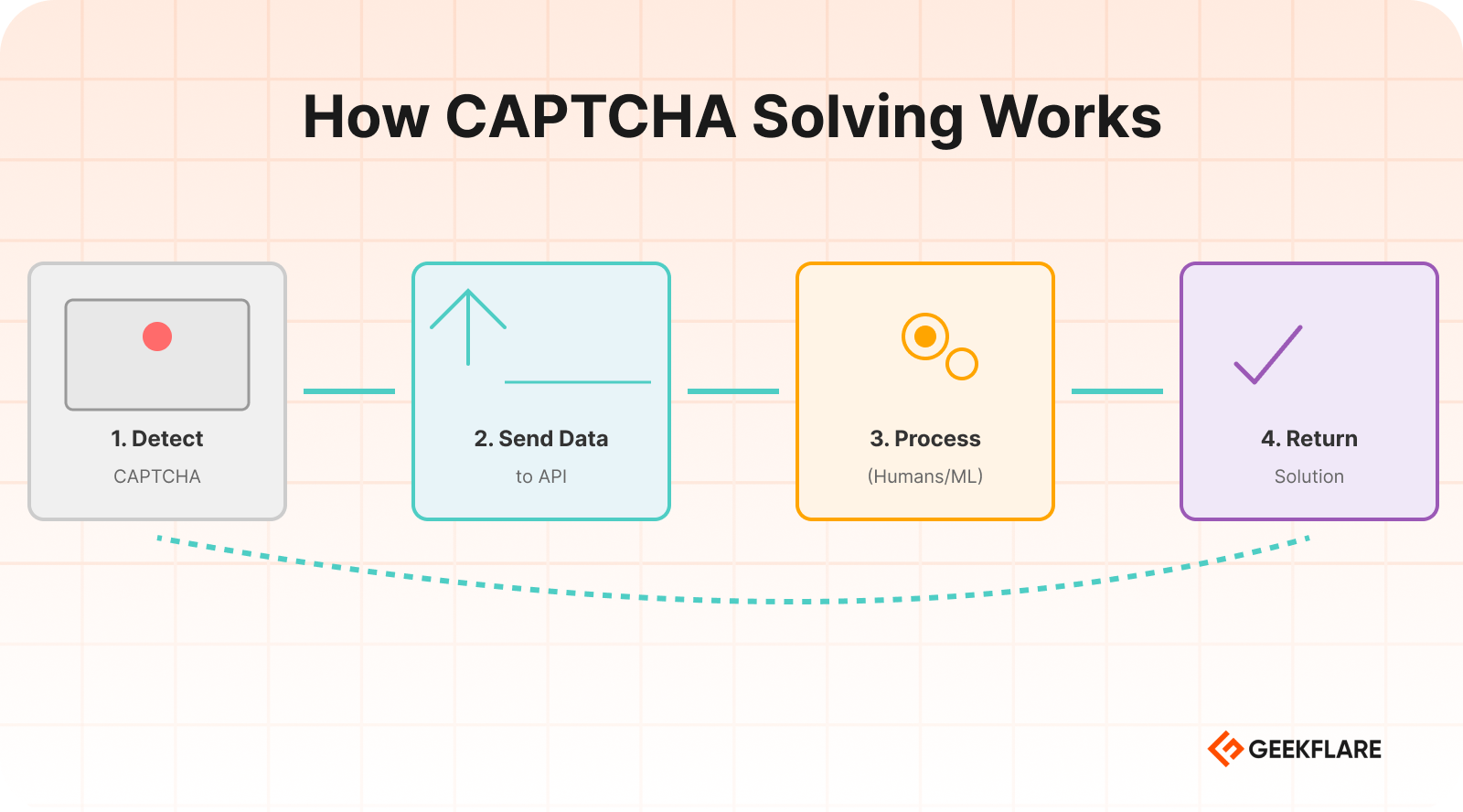
CAPTCHA solving services are probably the most straightforward approach for handling CAPTCHAs. These are third-party APIs that accept a CAPTCHA challenge and return the solution.
How it works
1. Your scraper detects a CAPTCHA on the page.
2. It sends the CAPTCHA data to the solving service’s API.
3. The service processes it using humans, ML models, or a combination.
4. It returns the solution token or text.
5. Your scraper submits the solution and continues.
Popular services include
- 2Captcha is one of the most widely used. Supports reCAPTCHA v2/v3, hCaptcha, image CAPTCHAs, and more.
- Anti-Captcha is similar to 2Captcha with competitive pricing and good API documentation.
- CapSolver is AI-powered service that handles most major CAPTCHA types with fast response times.
When to use it
CAPTCHA solving services make sense when you’re dealing with CAPTCHAs that appear occasionally and you need a reliable solution. The cost per solve is usually between $0.50 and $3 per 1,000 CAPTCHAs.
The downside
At very high volumes, the costs add up. And, it takes a good 3-4 seconds minimum per solve. Some captchas, like Amazon’s, can take up to 25 seconds.
Use Human CAPTCHA Solvers
This is essentially the manual layer of CAPTCHA solving services, but worth understanding because sometimes you might want to build your own small team rather than outsourcing to a service.
Some organizations running large scraping operations maintain a small team of remote workers whose job is to solve CAPTCHAs as they come in through an internal queue. This gives you more control over quality and reduces cost.
Use Machine Learning Models
For teams with the technical minds and the need to solve CAPTCHAs without relying on external services, training your own ML models is an option.
How it works in practice
- Collect a large dataset of CAPTCHA samples from your target site.
- Label them either manually or using a service for the initial batch.
- Train a convolutional neural network (CNN) or use a pre-trained OCR model fine-tuned on your dataset.
- Integrate the model into your scraping pipeline.
What it’s good for
- Text-based CAPTCHAs with consistent styling.
- Proprietary CAPTCHA formats that third-party services don’t support.
- High-volume operations where per-solve API costs become prohibitive.
Where it falls short
Modern CAPTCHAs like reCAPTCHA v3 aren’t solvable with image recognition models because there’s no image to analyze. The challenge is behavioral, not visual. For these, ML alone won’t help it.
Open-source tools like TensorFlow, PyTorch, and libraries like EasyOCR or Tesseract can be starting points for building your own solving models.
Use Browser Automation Tools
Browser automation tools like Playwright simulate real browser interactions. They open a browser, navigate pages, click buttons, fill forms, and so on. Because they use real browser engines, they’re much harder to detect than simple HTTP request scrapers.
Why this helps with CAPTCHA
Many CAPTCHA systems evaluate browser fingerprint signals, like whether JavaScript is enabled, what browser APIs are accessible, and how the mouse moves. A headless Chromium instance controlled by Playwright looks a lot more like a real browser than a Python requests call.
Tools to know
- Selenium — popular browser automation and widely supported.
- Playwright — Faster, more reliable, and has better anti-detection support out of the box.
- Puppeteer — Popular in the JavaScript ecosystem.
Key tip
Use undetected-chromedriver for Selenium or playwright-stealth to patch the browser fingerprint and remove generic bot signals. These patches modify things like navigator.webdriver, canvas fingerprints, and other telltale signs that automated browsers leave behind.
Use Proxies and IP Rotation
A huge percentage of CAPTCHA triggers come down to IP reputation. If you’re making hundreds of requests from a single IP address, you’re going to see CAPTCHAs constantly.
Rotate your IPs
By distributing requests across many IP addresses, you reduce the per-IP request volume and make your traffic look more like it’s coming from different users.
Types of proxies
- Residential proxies — IP addresses assigned to real home internet connections.
- Mobile proxies — IPs from mobile carrier networks. Even better reputation than residential in some cases, but pricier.
- Datacenter proxies — Cheaper and faster, but much easier to detect and block.
IP rotation strategies
- Rotate IPs per request
- Rotate IPs per session
- Rotate based on CAPTCHA triggers
Combining residential proxies with good request behavior dramatically reduces the frequency of CAPTCHA challenges you’ll encounter.
Reduce Request Frequency
This one sounds obvious, but it’s genuinely underused. A lot of CAPTCHA triggers aren’t about what you’re doing but how fast you’re doing it.
Websites monitor request rates. If your scraper hits 50 pages per second from the same IP, that pattern is noticeable. Real users don’t browse that fast.
Practical rate-limiting approaches
- Add random delays between requests. A 2 to 7 seconds delay is industry standard.
- Vary the time between requests rather than using a fixed interval.
- Respect
Crawl-delaydirectives inrobots.txtwhere applicable. - Spread requests across longer time windows if the data doesn’t need to be collected urgently.
The goal is to make your traffic pattern look like human browsing. Humans don’t browse in perfectly metered intervals.
Maintain Sessions and Cookies
Websites track sessions. When a new request comes in without any session history, it looks suspicious.
What to do
- Start each scraping session by loading the homepage first, just like a real user would.
- Accept and store cookies from the initial page load.
- Carry those cookies through subsequent requests.
- Maintain a consistent user agent and other headers throughout the session.
Why this helps
Many CAPTCHA systems look for session continuity as a signal of human behavior. A session that has a natural browsing history, consistent cookies, and realistic header patterns is less likely to trigger challenges.
Tools like Playwright and Selenium handle session management automatically when you use them properly. If you’re using Python’s requests library, use a Session object to maintain cookies across requests.
Use Headless Browsers
A headless browser is a full browser engine running without a visible UI. It renders JavaScript, executes page scripts, and handles all the same browser behaviors as a normal browser.
Why headless browsers help
Sites that use JavaScript-based CAPTCHA detection need a real browser to function. If you’re making plain HTTP requests, JavaScript never runs, and the CAPTCHA token never gets generated. A headless browser solves this by providing a real browser environment.
How to make headless browsers less detectable
- Use puppeteer-extra with the stealth plugin if using Node.js or undetected-chromedriver for Python.
- Set realistic window sizes and viewport dimensions.
- Disable the
webdriverflag. - Add realistic browser plugins to the fingerprint.
- Use the latest user agent string.
- Enable JavaScript and CSS rendering.
Running headless browsers is resource-intensive, so this technique is best for targets where simpler approaches don’t work.
Detect CAPTCHA Automatically
Before you can handle a CAPTCHA, your scraper needs to know one is there. Building CAPTCHA detection into your pipeline is a foundational step that’s easy to overlook.
Detection methods
- Check page title or URL like “Are you a robot?” or redirect to
/captchaor/challengeURLs. - Look for CAPTCHA-specific HTML elements like
g-recaptcha. - A page that’s significantly smaller than expected might be a CAPTCHA interstitial rather than the actual content.
- Look for specific text strings like “unusual traffic,” “verify you’re human,” or “access denied” in the response body.
Once you can reliably detect CAPTCHAs, you can trigger your solving logic automatically.
Retry Requests After CAPTCHA
Even with all the right tools in place, CAPTCHA solving isn’t 100% reliable. Solutions expire, solving services occasionally fail, and sometimes the site just rejects the token. Your scraper needs to handle these failures gracefully.
Building a retry system
- When a CAPTCHA solve fails, wait a short interval and retry.
- Implement exponential backoff, wait longer with each successive failure.
- Set a maximum retry count so your scraper doesn’t get stuck in an infinite loop on a single URL.
- Consider rotating to a fresh IP and session before retrying.
Tools for Solving CAPTCHA in Web Scraping
Here are practical tools you can use in production scraping setups.
| Tool | Type | Use for |
|---|---|---|
| 2Captcha | Human + AI solving service | reCAPTCHA, hCaptcha, image CAPTCHAs |
| Anti-Captcha | Human + AI solving service | reCAPTCHA v2/v3, hCaptcha, image |
| CapSolver | AI-powered service | Fast solving, reCAPTCHA, Cloudflare |
| DeathByCaptcha | Human + AI solving service | General CAPTCHA solving |
| Bright Data | Proxy infrastructure | Residential proxies |
| Oxylabs | Proxy network | Residential and datacenter proxies |
| Playwright | Browser automation | Realistic browser simulation |
| Selenium | Browser automation | Bypassing bot detection in Chrome |
| Puppeteer | Browser automation | Chrome automation with stealth plugins |
| ScraperAPI | Managed scraping service | Handles proxies and CAPTCHAs automatically |
| Geekflare API | Web Scraping API | Headless browser, built-in proxy, and data extraction |
| Apify | Scraping platform | Managed scraping with built-in CAPTCHA handling |
| ZenRows | Managed scraping API | Anti-bot bypass, residential proxies |
Best Practices to Avoid CAPTCHA While Scraping
The best CAPTCHA strategy is triggering fewer of them in the first place. Here’s what we actually use at Geekflare API, and it works.
✔️ Use residential proxies from the start.
✔️ Mimic human browsing patterns.
✔️ Handle cookies properly.
✔️ Respect rate limits.
✔️ Rotate user agents.
✔️ Cache what you can.
✔️ Check robots.txt
Legal and Ethical Considerations
In many jurisdictions, bypassing technical access controls can potentially implicate laws like the Computer Fraud and Abuse Act (CFAA) in the US or similar legislation elsewhere. Courts have interpreted these laws inconsistently when it comes to web scraping.
There’s a practical ethics question: what are you scraping and why?
- Scraping publicly available data for research or price comparison is generally considered more defensible.
- Scraping personal data, login-protected content, or data that the site clearly doesn’t want shared raises more serious concerns.
- Scraping at a volume that meaningfully degrades site performance for other users is hard to justify.
Always read the target site’s terms of service before scraping. And, don’t collect personal data unless you have legal rights.
Conclusion
Websites are investing more in bot detection, and CAPTCHA systems are getting more sophisticated. But so are the tools and techniques available to handle them.
The most effective approach isn’t any single technique but combining several, as stated above.
And always keep the legal and ethical dimensions in mind. The technical ability to bypass a CAPTCHA doesn’t automatically mean you should.
Websites use CAPTCHA to protect their infrastructure and content from automated access. Common reasons include preventing spam form submissions, protecting proprietary data from competitors, and reducing server load caused by aggressive bots.
The most common types are reCAPTCHA v2, reCAPTCHA v3, hCaptcha, text-based CAPTCHAs, checkbox CAPTCHAs, and puzzle CAPTCHAs.
Yes, certain types, like text-based and simple image CAPTCHAs, can be solved with high accuracy using trained models. However, behavioral CAPTCHAs like reCAPTCHA v3 are difficult.
Many CAPTCHA systems evaluate the reputation of the requesting IP address. Residential proxies have better reputation scores and appear as legitimate user traffic. By rotating residential IPs, you distribute requests and reduce the per-IP volume that triggers CAPTCHA challenges.