



A large, unoptimized image is one of the easiest ways to slow down a page. It inflates load time, eats storage and CDN bandwidth, and drags down the Core Web Vitals scores that affect search ranking. It does this quietly: nothing about a slow image looks broken until you check the numbers.
An image processing and optimization API handles this at the point where the image enters your app: you send it a file or a URL, tell it what you want back (a smaller file size, a specific format, a cropped or resized version), and it returns the result, usually in well under a second. That request can happen once, when an image is first uploaded, or on the fly every time a browser asks for it. Most of the APIs below support both patterns.
The field splits into two rough groups. Some tools do one job: shrink a file and leave everything else alone. Others are closer to a full media platform, handling transformation, AI-based editing, video, and delivery all under one account. Pricing follows the same split, billed by credits, by operation, by request, or per compression, which is why a side-by-side comparison matters more here.
Quick Comparison
| API | Core focus | Free tier | Entry paid price |
|---|---|---|---|
| Cloudinary | Full media platform: image/video transform, AI editing, delivery | 25 credits/month | $99/mo |
| imgix | Real-time URL-based image and video transformation | 100 credits, 30-day trial | $25/mo |
| ImageKit.io | Transformation, CDN, and digital asset management | 20GB bandwidth/mo, ongoing | $9/mo |
| Cloudflare Images | Edge-based resize/optimize, usage-priced | 5,000 transformations/mo | Usage-based, no flat plan |
| Uploadcare | Upload widget + transform + CDN | 1,000 operations/mo | $66/mo |
| Kraken.io | Dedicated compression, resize, and crop | 100MB testing quota | $5/mo |
| Tinify (TinyPNG/TinyJPG) | Compression only, minimal by design | 500 compressions/mo, ongoing | From $0.009/compression |
| Abstract API | Compress, crop, resize, convert | 100MB, 1 req/sec | $99/mo (billed annually) |
| ImageOptim API | Server-side optimize and resize | Trial only | $12/mo |
| Imagga | Visual recognition plus light editing | 100 requests/mo | $79/mo |
| FreeConvert | Format conversion and compression | 20 min/day | $12.99/mo |
Cloudinary
Cloudinary splits into two APIs under one account. The upload API is REST-based: authenticate with an API key and secret (or a generated signature), POST the image, and get back JSON with the file’s public ID and delivery URLs.
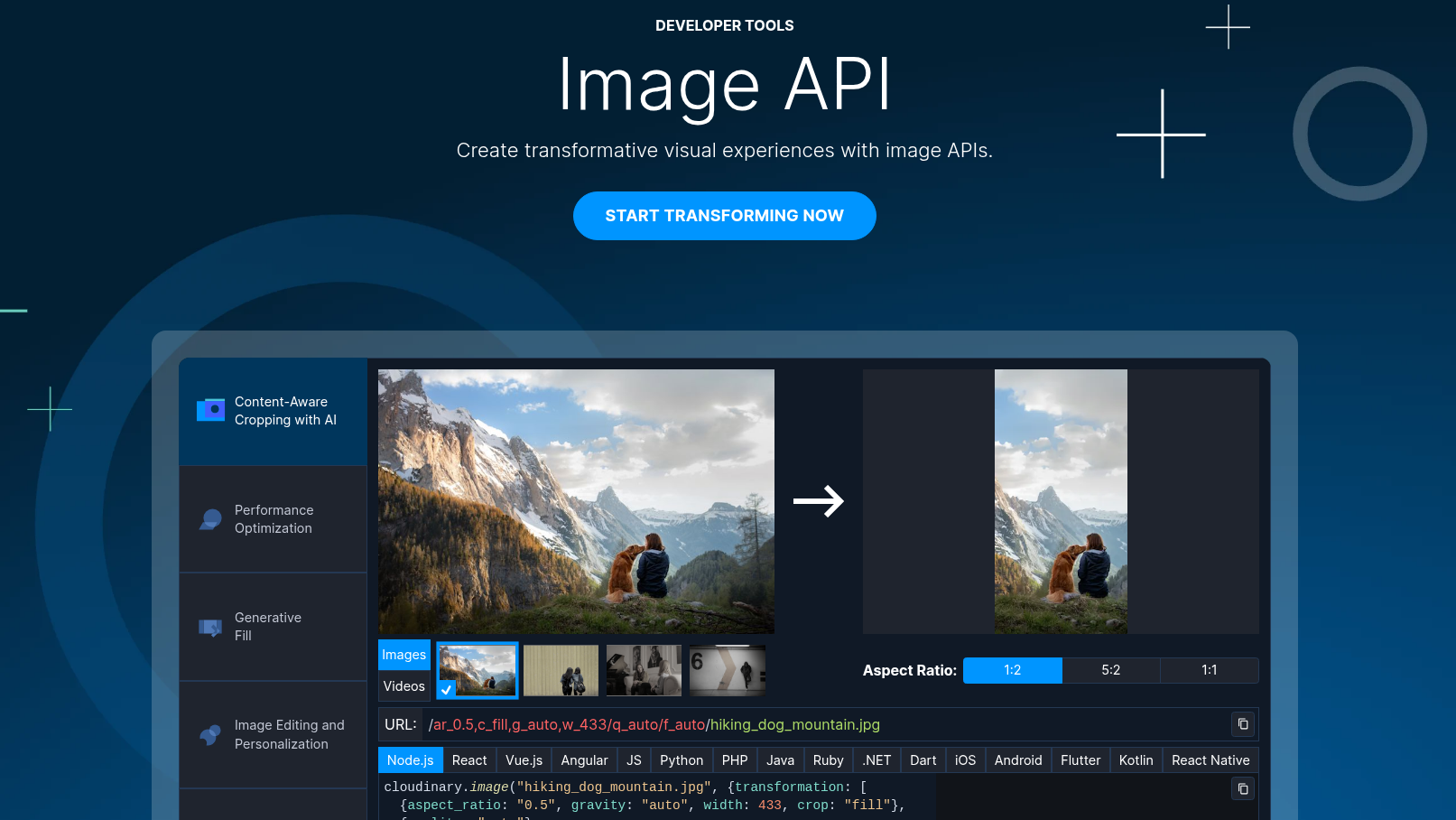
Delivery and transformation then run through those URLs directly, so appending parameters to the URL path does the work, and the response is the image itself, not JSON. Its object-aware cropping can identify the important part of an image across thousands of object types and frame around it automatically, rather than always cropping to center.
Key Features
- Automatic format-and-quality delivery (f_auto/q_auto) selects AVIF, WebP, JPEG XL, or HEIC based on the visitor’s browser
- Content-aware cropping adapts framing to your specified dimensions, plus auto-responsive sizing per device
- Generative fill and object removal/replace for retouching without a design tool
- Super-resolution upscaling
- Video transcoding runs through the same account and API as images
Pros & Cons
PROS
CONS
Pricing
- Free: $0/month, 25 credits, 3 users on 1 account.
- Plus: $99/month ($89/month billed annually), 225 credits, 3 users on 2 accounts, adds S3 backup and access controls.
- Advanced: $249/month ($224/month annually), 600 credits, 5 users on 3 accounts, adds custom domain and SSL.
- Enterprise: custom pricing with SSO and a dedicated success manager.
imgix
Generating and storing every size and format a photo might not need time and storage space before a single visitor arrives. imgix skips that by creating each version the moment it’s actually requested.
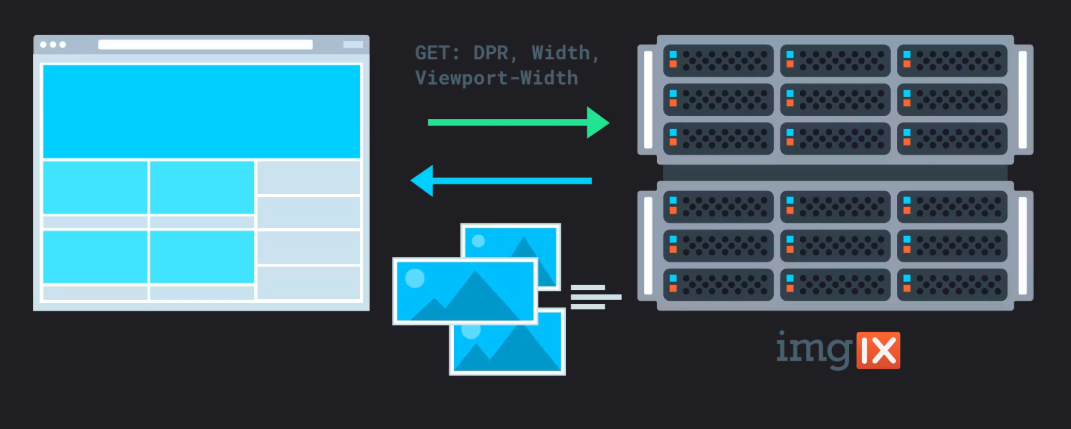
It works off a single GET request: point it at your existing storage by configuring a Source in the dashboard, then append parameters like w= or h= to your imgix subdomain URL, and the response is the transformed image itself.
No API key is required in the request for basic use, though signed URLs add one for security. Imgix is the rendering layer behind popular sites like Unsplash and Porsche, and serves more than 8 billion images a day.
Key Features
- Auto-format selection picks WebP, AVIF, or another format per browser
- Smart and focal-point cropping, background removal, and generative fill
- Video smart cropping and adaptive streaming, not just static images
- Auto-generated captions in 100+ languages
Pros & Cons
PROS
CONS
Pricing
30-day trial: 100 credits, no card required. Paid plans start at $25 per month.
ImageKit.io
ImageKit.io transforms images directly on S3, Google Cloud Storage, or Azure Blob. It’s most useful if your images are on these cloud storages. It runs the same two-track model as Cloudinary: a REST Media API for uploads and file management, authenticated with your private key as the HTTP Basic Auth username and an empty password, returning JSON; and a URL-based transformation layer where parameters in the URL do the resizing and effects, returning the image itself.
Key Features
- 50+ URL-based transforms, including AI and generative-AI operations
- Automatic AVIF or WebP delivery matched to the viewer’s device
- Smart crop, background removal, generative fill, upscaling, and object-aware edits, all via URL parameters or API
- Global CDN with sub-50 ms response times.
Pros & Cons
PROS
CONS
Pricing
- Forever Free: $0/month, 20 GB bandwidth, 3 GB DAM storage, 2 seats.
- Lite: $9/month, 40 GB bandwidth, 10 GB storage, 3 seats.
- Pro: $89/month, 225 GB bandwidth, 225 GB storage, 5,000 video units, 5 seats.
- Enterprise: custom, with SSO and dedicated support.
Cloudflare Images
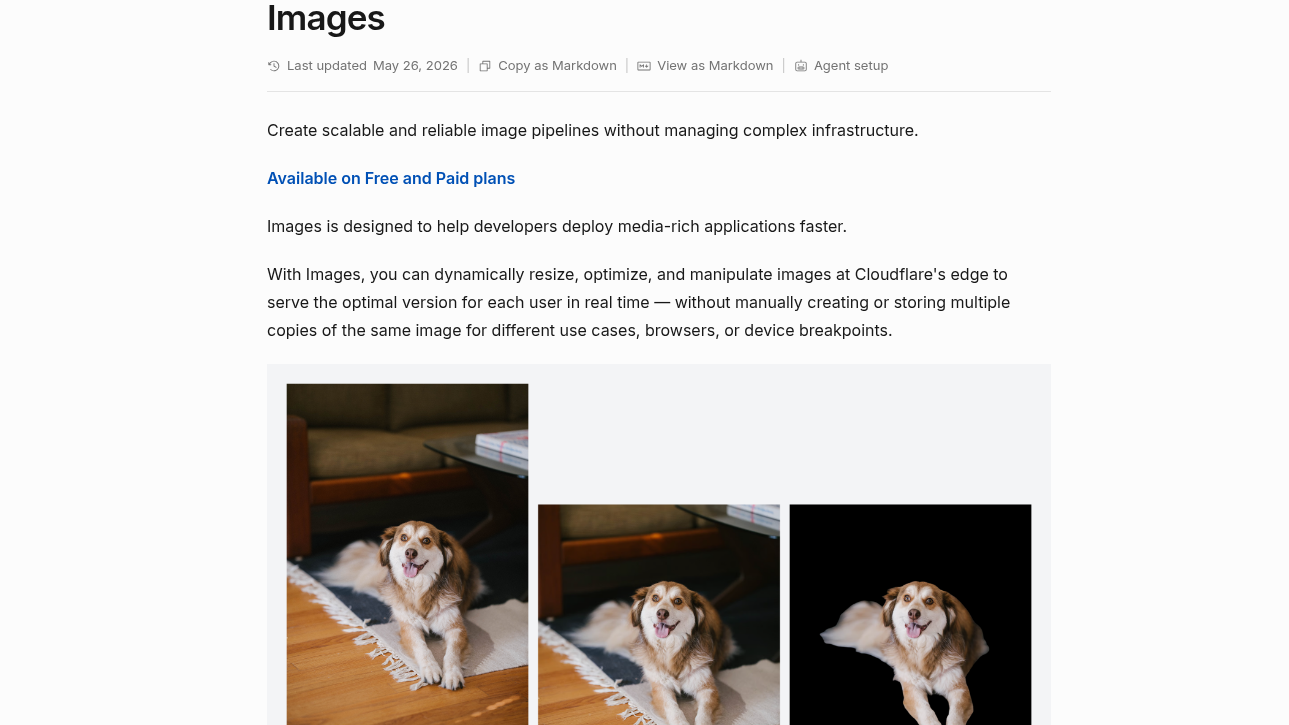
Cloudflare Images works as a plain GET request for the first of its two modes: append options to a URL path like /cdn-cgi/image/width=800,quality=75/ in front of an existing image URL, and Cloudflare returns the transformed image directly, with no API token needed for that request.
For a team that already runs its site through Cloudflare, there’s no need to onboard a new vendor. It’s a feature available with the account you already have. It also works with images in your own storage, including any S3-compatible bucket. The latter mode lets Cloudflare host the image through a separate authenticated upload API and handle storage, optimization, and delivery together.
Key Features
- Variants system lets you predefine named resize configurations for hosted images
- Adding
format=jsonto a transform request returns image metadata instead of the image itself
Pros & Cons
PROS
CONS
Pricing
Free: 5,000 unique transformations/month, no charge.
Paid: $5 per 100,000 images stored/month, $1 per 100,000 images delivered/month, $0.50 per 1,000 unique transformations beyond the free 5,000.
Uploadcare
Building file uploads needs an interface users actually interact with and a resizing service behind it. Uploadcare offers both. Its REST API authenticates with an Authorization header in the format Uploadcare.Simple public_key:secret_key (a signed alternative exists for production, since the simple scheme puts your secret key in every request) and returns JSON. Delivery and transformation then happen through CDN URLs built from path segments, like /uuid/-/resize/300x/, which return the image itself.
Key Features
- Automated image optimization with content-aware crop and resize
- Automatic responsive image generation, serving the right size per device without you building multiple files yourself
- Automated AVIF compression on the Business tier
- Face-detection-based transformations
Pros & Cons
PROS
CONS
Pricing
- Free: $0/month, 1,000 operations.
- Pro: $66/month, 5,000 operations.
- Business: $166/month, 50,000 operations, custom branding, dedicated solution engineer.
- Enterprise: custom, up to 5TB files.
Kraken.io
Not every team needs a full media platform. Sometimes, the only goal is smaller files; paying for editing or delivery features is an unnecessary expense. Kraken.io’s API takes a single JSON POST: your api_key and api_secret go in an auth object in the request body along with the image URL or an uploaded file. The response comes back as JSON containing a link to the optimized result rather than the image itself. It keeps the focus on just compression, resizing, and cropping, reducing storage and CDN bandwidth costs.
Key Features
- Supports JPG, PNG, WebP, GIF, SVG, AVIF, HEIC, and PDF
- Both lossless and lossy optimization, with lossy cutting file weight by up to roughly 90%
- Direct export to S3, Azure, Cloud Files, and SoftLayer
Pros & Cons
PROS
CONS
Pricing
Free: 100 MB testing quota. Paid plans start at $5/month for 500 MB.
Tinify (TinyPNG / TinyJPG) API
Tinify is the API behind the widely used TinyPNG and TinyJPG compression tools. A request is a POST of the raw image binary to api.tinify.com/shrink, authenticated with HTTP Basic Auth using the literal username api and your API key as the password. The response is a 201 Created with a Location header pointing to the compressed file, so retrieving the actual image takes a second request. It does one thing on purpose: shrink image files without visible quality loss.
Key Features
- Compresses AVIF, WebP, JPEG, and PNG
- Resizes with four methods, scale, fit, cover, and thumb, the latter two using an intelligent algorithm to crop toward the most important part of the image
- Converts between AVIF, WebP, JPEG, and PNG as a separate step, with an option to fill the background when converting a transparent image to a format that doesn’t support transparency
- Can preserve copyright, creation-date, or (JPEG only) GPS metadata on request, and doing so doesn’t count as an extra compression
- Can store the result straight to Amazon S3 or Google Cloud Storage instead of returning it in the response
Pros & Cons
PROS
CONS
Pricing
- Free: 500 compressions/month, no card required, does not roll over.
- Pay-per-compression: $0.009 each for compressions 501 to 10,000/month, $0.002 each above 10,000.
- Prepaid bundles from $9 for 1,000 credits, no expiry.
- Enterprise: custom fixed-fee plans.
Abstract API: Image Processing and Optimization API
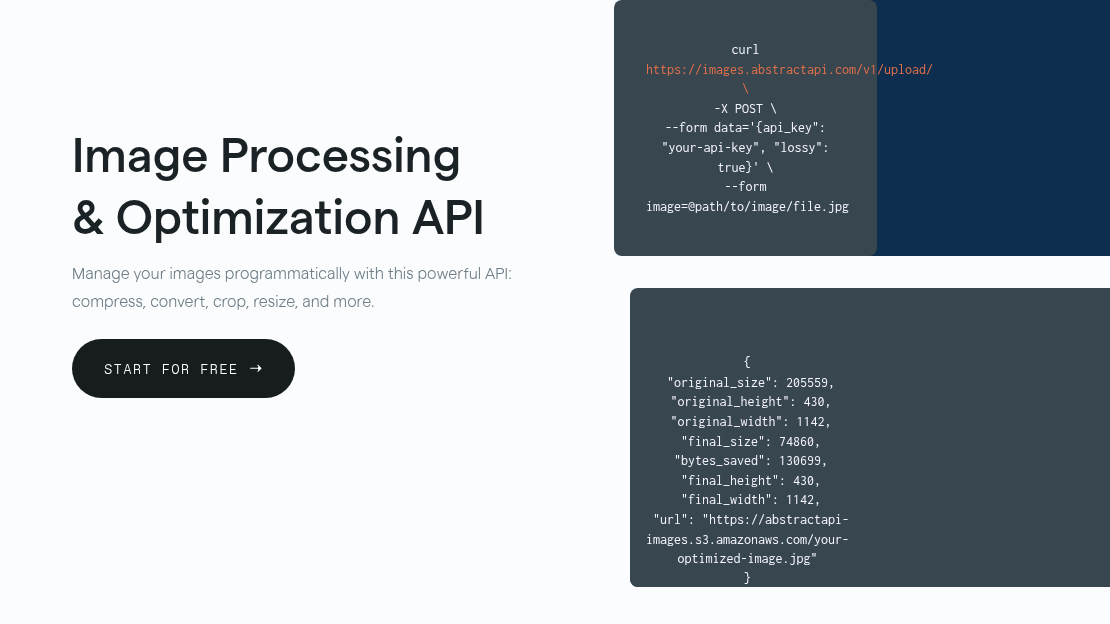
Abstract API’s image processing and optimization endpoint takes a JSON POST to images.abstractapi.com/v1/url/, with your api_key, the source url, and options like quality and resize inside the request body. It’s one product inside Abstract’s broader catalog of developer APIs, so if you’re already using Abstract for something else, like geolocation or email validation, you can keep the billing together.
Key Features
- Compression without significant quality loss
- Crop and resize
- Format conversion
- Cloud export to AWS S3 and Azure
Pros & Cons
PROS
CONS
Pricing
- Free: $0/month, 100MB, 1 request/second.
- Standard: $99/month billed annually, 60,000GB/year, 3 requests/second.
- Enterprise: custom, 99.99% uptime SLA, SSO/SAML.
ImageOptim API
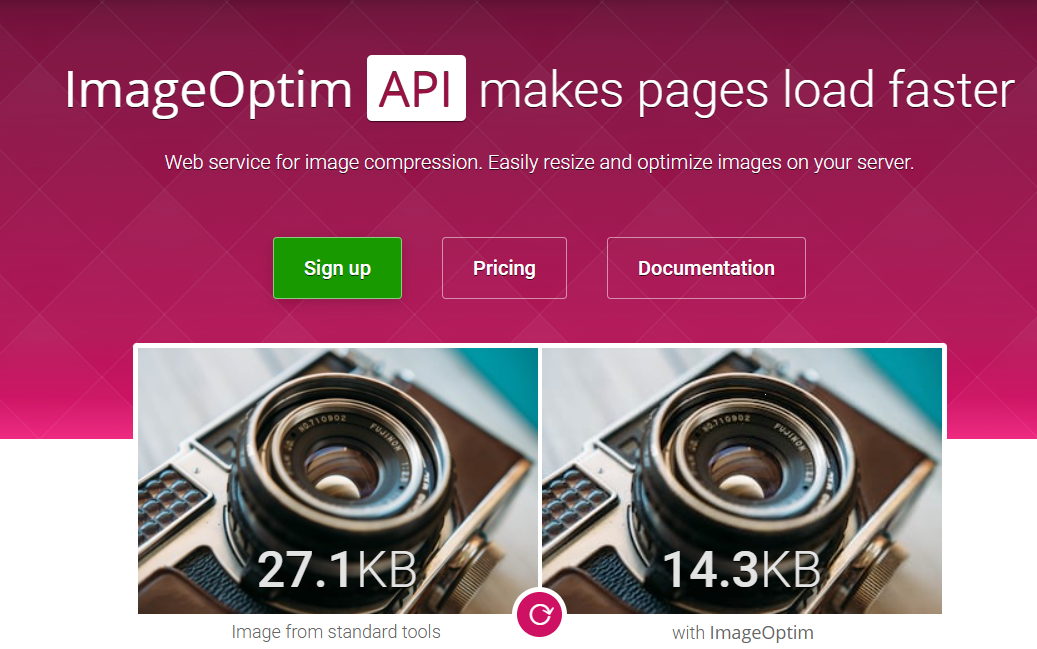
ImageOptim API is the server-side counterpart to the well-known ImageOptim desktop app, which optimizes images before they ever reach a browser.
Your API key is given in the URL path rather than in a header: a GET request like im2.io/YOUR_KEY/w_300/https://example.com/image.jpg pulls from a source URL, or you can POST the file directly. Either way, the response is the optimized image itself, not a JSON wrapper.
Key Features
- Server-side resize alongside optimization and compression
- Responsive image and thumbnail generation, tuned for high-DPI displays
- Strips private metadata before delivery
- Progressive JPEG rendering and format conversion between JPEG, PNG, and PNG8
Pros & Cons
PROS
CONS
Pricing
- Starter: $12/month, 2,000 optimizations.
- Professional: $49/month, 16,000 optimizations.
- Enterprise: $245/month, 100,000 optimizations.
- Custom dedicated plans from $850/month.
Imagga
Tagging, face recognition, or finding the interesting part of a photo normally means reaching for a separate computer-vision service on top of whatever compresses your images. Imagga does both from one account.
It authenticates with HTTP Basic Auth, your API key and secret as username and password, on plain GET or POST requests, and every endpoint returns JSON rather than an image or a link to one. That JSON-first response format helps in understanding an image (what’s in it, who’s in it) more than pure compression.
Key Features
- Structured tagging and auto-categorization via machine learning
- Visual search and barcode recognition (Indie tier and up)
- Background removal and OCR (Indie tier and up)
- Face recognition (Pro tier)
Pros & Cons
PROS
CONS
Pricing
- Free: $0/month, 100 requests.
- Indie: $79/month, 70,000 requests.
- Pro: $349/month, 300,000 requests.
- Enterprise: custom, with on-premise deployment available.
FreeConvert: Image Compression and Conversion APIs
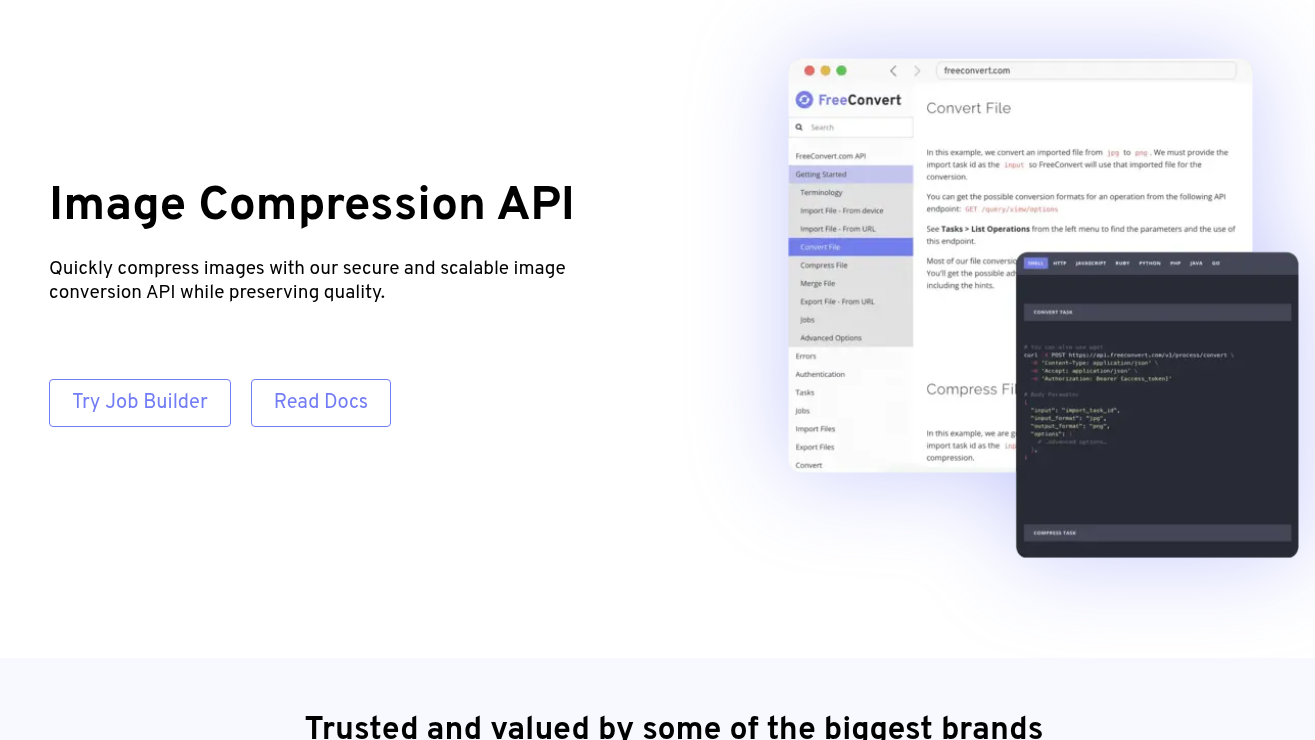
FreeConvert is best known as a consumer file converter, but it now offers purpose-built developer REST APIs for image compression and image conversion, separate from its web tool. A request authenticates with a Bearer token and posts a JSON job to /v1/process/jobs describing a chain of tasks: import the file, convert or compress it, and export the result. It involves a multi-step job workflow, not a single call that returns the image directly.
Key Features
- 1,000+ image format conversions supported
- Resize and compress within the same conversion workflow
- 20+ advanced parameters for fine-tuning output, including transparency handling
- Synchronous and asynchronous calls, with webhook and WebSocket notifications
Pros & Cons
PROS
CONS
Pricing
Free: 20 conversion minutes/day, 5-minute per-file cap. Paid plans start at $12.99/month.
How to Choose
If the only job is shrinking files and nothing else, Tinify or Kraken.io do that with the least setup and the simplest pricing.
Teams building a complete media setup that includes AI editing, video, delivery, and asset management together may choose from Cloudinary or ImageKit.io, since both cover transformation and storage-adjacent features under one account.
Some teams would rather keep images on their own storage than migrate to a vendor’s bucket. They may choose from imgix, ImageKit.io, or Cloudflare Images. These tools can transform against an existing S3-compatible origin.
Cost predictability matters more to some teams than raw feature count. Cloudflare Images’ flat per-unit pricing and Tinify’s per-compression billing are both easier to forecast than a credit system.
Imagga can be used when the task is understanding an image, not just shrinking it: tagging, face recognition, or visual search alongside basic editing. Abstract API and FreeConvert help when broader file-conversion support matters, or when the account already exists for another reason.
FAQs
Do I need a full media platform, or is a compression-only API enough?
That depends on how many jobs the image needs to do. A blog or marketing site usually just needs smaller files, which a compression-only API like Tinify or Kraken.io handles well. An app with user uploads, multiple device sizes, and AI-based editing needs will outgrow a compression-only tool fast, and a platform like Cloudinary or ImageKit.io saves you from wiring several separate services together.
Can these APIs work against images I already store on my own server or S3 bucket?
Yes, some of them can. imgix, ImageKit.io, and Cloudflare Images all transform images from your existing storage with no migration required. Others, including Cloudinary and Uploadcare, are built around uploading to their own storage, though most still support importing from an external URL or bucket as a first step.
How is pricing usually structured for these APIs?
Pricing is based on one of four models: credits (Cloudinary, imgix), a flat per-operation or per-request count (Uploadcare, Abstract API), usage-based per-transformation billing (Cloudflare Images), and per-compression pricing (Tinify). The comparison table above uses “entry paid price” rather than trying to fit all the API providers into a single unit of pricing.
Will image optimization actually improve my Core Web Vitals or SEO?
Smaller, correctly-sized images reduce Largest Contentful Paint, one of the three metrics in Core Web Vitals, and faster-loading pages are a confirmed ranking factor. What none of these APIs can do on their own is fix a slow server, unoptimized JavaScript, or render-blocking CSS. Image size is one input to page speed, not the only one.
Should I prioritize AVIF and WebP over JPEG and PNG?
For new integrations, yes, where the API supports it. AVIF and WebP produce smaller files than JPEG or PNG at comparable visual quality, and every platform-scale option in this list (Cloudinary, imgix, ImageKit.io, Cloudflare Images) delivers the right format automatically per browser. Keep a JPEG or PNG fallback in the request if any part of your audience uses older browsers or tools that don’t render the newer formats.
Conclusion
The APIs discussed here can be categorized mainly on how much of the media workflow they’re meant to own. Tinify, Kraken.io, and ImageOptim API do one job and stay out of the way. Cloudinary, imgix, and ImageKit.io can handle transformation, delivery, and often AI editing at once. Cloudflare Images and Abstract API are midway between these extremes. Imagga and FreeConvert cover more specific needs: visual recognition and broad format conversion, respectively. Decide based on how much you actually want to build yourself versus handing it to the API, and the comparison table should narrow it to two or three worth testing against your own images.






