



Testing APIs has traditionally meant writing code just to see a single response. You needed to spin up a project, install dependencies, handle authentication, and parse the output before you even knew if the API fit your use case.
We wanted to remove that friction for Geekflare API users.
Today, we’re excited to launch the Geekflare API Playground, an interactive environment where you can test our entire suite of APIs directly from your browser.
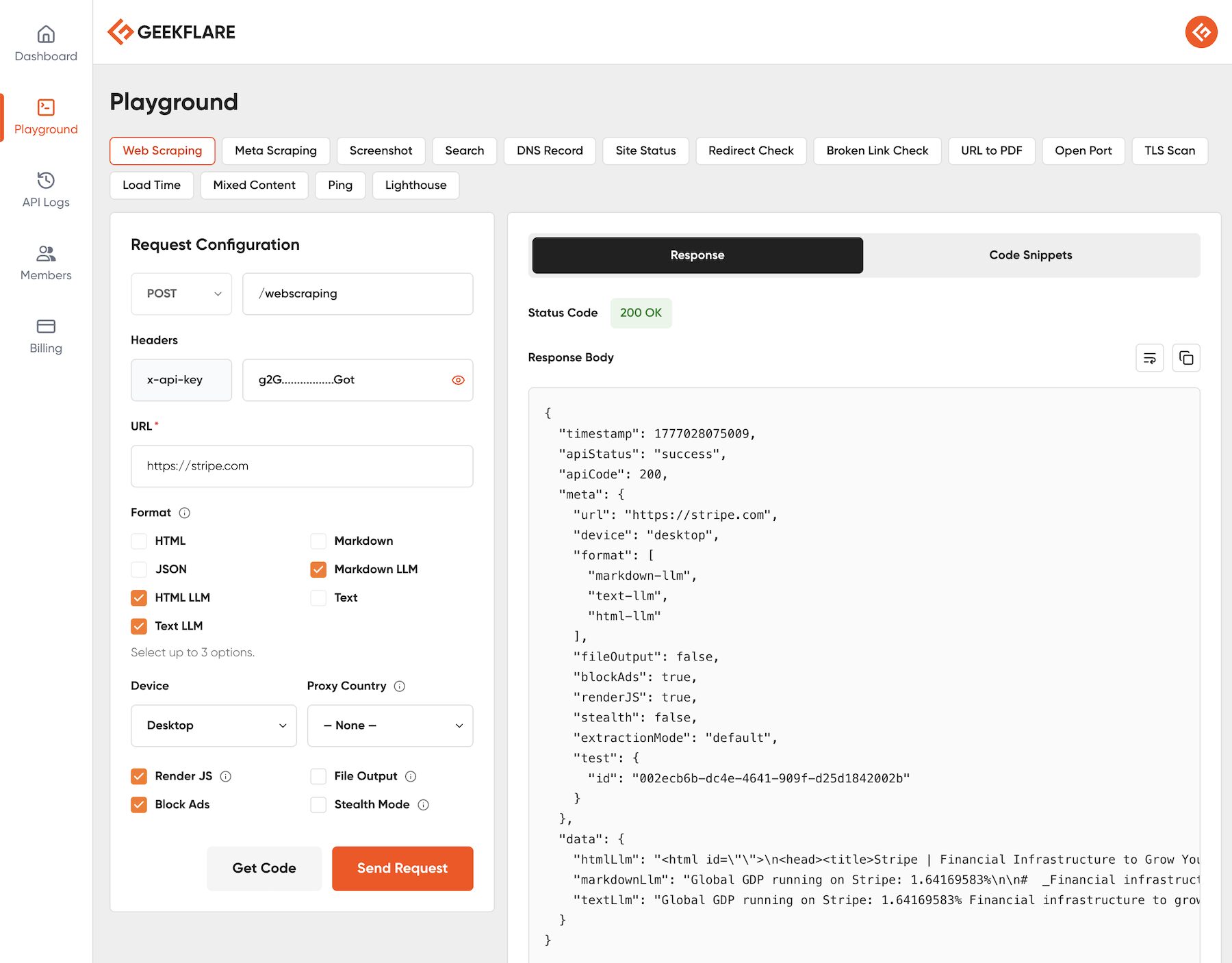
What is the API Playground?
The API Playground is a no-code, visual interface for exploring every API in the Geekflare suite, including Web Scraping, Search, and Screenshot APIs. You can configure requests, send them in real time, inspect the responses, and grab ready-to-use code snippets, all from one screen.
Whether you’re a developer evaluating an integration or a product manager scoping out capabilities, the Playground is the fastest path from curiosity to confidence.
How to Access the Playground
Getting started takes seconds:
- Log in to your Geekflare API dashboard.
- Click API Playground in the left-hand navigation menu.
- Start testing; your API key is automatically authenticated inside the Playground.
No extra configuration, no copy-pasting API key, no Postman collections to import.
Using the Playground
- Pick an API from the top menu (Web Scraping, Search, Screenshot, DNS Lookup, and more).
- Fill in the required fields, such as the target URL.
- Configure optional parameters like proxy location, device type, output format, and others specific to that API.
- Click Send Request. The Playground processes your request in real time using your account quota.
- Inspect the formatted payload and HTTP status code in the response pane.
- Open the Code Snippets tab next to the response, select your preferred language, and copy the generated snippet straight into your project.
Here is a quick walkthrough of using Playground to scrape a webpage.
Why We Built It
APIs are only as valuable as they are approachable. Every extra step between “I wonder what this does” and “here’s the response” is friction that slows down evaluation and decision-making.
The API Playground is our answer to that problem, a way to let you experience the value of our APIs immediately and to shorten the distance between exploring an idea and shipping it in production.
Try It Now
The API Playground is available to every Geekflare API user. Log in to your account, open the Playground, and send your first request in under a minute.
We’d love to hear what you build with it. If you have feedback or feature requests, reach out to our team.






