

Let’s build a web scraping agent with LlamaIndex and Geekflare. We will use Python to connect the scraping tool, extract content from a website and let the AI agent process the retrieved information.
How to Make a LlamaIndex Agent Scrape Websites
LlamaIndex agents can use external tools to retrieve and process information from websites. You can connect Geekflare’s web scraping tool to a LlamaIndex agent and let it extract webpage content in formats such as Markdown, plain text, HTML, and structured JSON.
Geekflare provides an integration for LlamaIndex with tools for webpage scraping, web search, metadata extraction, screenshots, and other website operations. For this tutorial, we’ll focus on its web scraping capability.
Set Up the Python Environment
Before building the agent, let’s install the required package and configure the API key.
Prerequisites
Make sure you have:
- Python 3.10 or later.
llama-index-coreversion 0.12 to 0.14.- A Geekflare account and API key.
- An LLM API key. I will use Claude for this tutorial, but you can choose your preferred provider.
Step 1: Install the Python Package
Open your terminal and run:
pip install llama-index-tools-geekflareThis installs Geekflare’s integration package for LlamaIndex.
Step 2: Configure Your Geekflare API Key
Get your API key from the Geekflare dashboard.
Set it as an environment variable so the integration can authenticate your requests.
For macOS or Linux:
export GEEKFLARE_API_KEY="YOUR_GEEKFLARE_API_KEY"For Windows PowerShell:
$env:GEEKFLARE_API_KEY="YOUR_GEEKFLARE_API_KEY"Replace the placeholder with your actual API key.
Step 3: Scrape Websites Using LlamaIndex and Geekflare
Geekflare provides two ways to use its web scraping capabilities with LlamaIndex:
- Direct tool call: Pass a webpage URL and extraction options directly to Geekflare to retrieve its content.
- AI agent: Connect the scraping tool to a LlamaIndex agent so an LLM can handle scraping requests based on user prompts.
For this example, we’ll use the BBC News website to extract news content and generate a summary.
Method 1: Call the Scraping Tool Directly
You can use GeekflareToolSpec to call the scraping function directly from Python.
Create a file named web_scraping.py and add the following code:
from llama_index.tools.geekflare import GeekflareToolSpec

# Initialize the Geekflare integration
geekflare = GeekflareToolSpec()

# Scrape BBC News and request Markdown output
result = geekflare.scrape(
    "https://www.bbc.com/news",
    formats=["markdown"]
)

# Display the extracted webpage content
print(result)
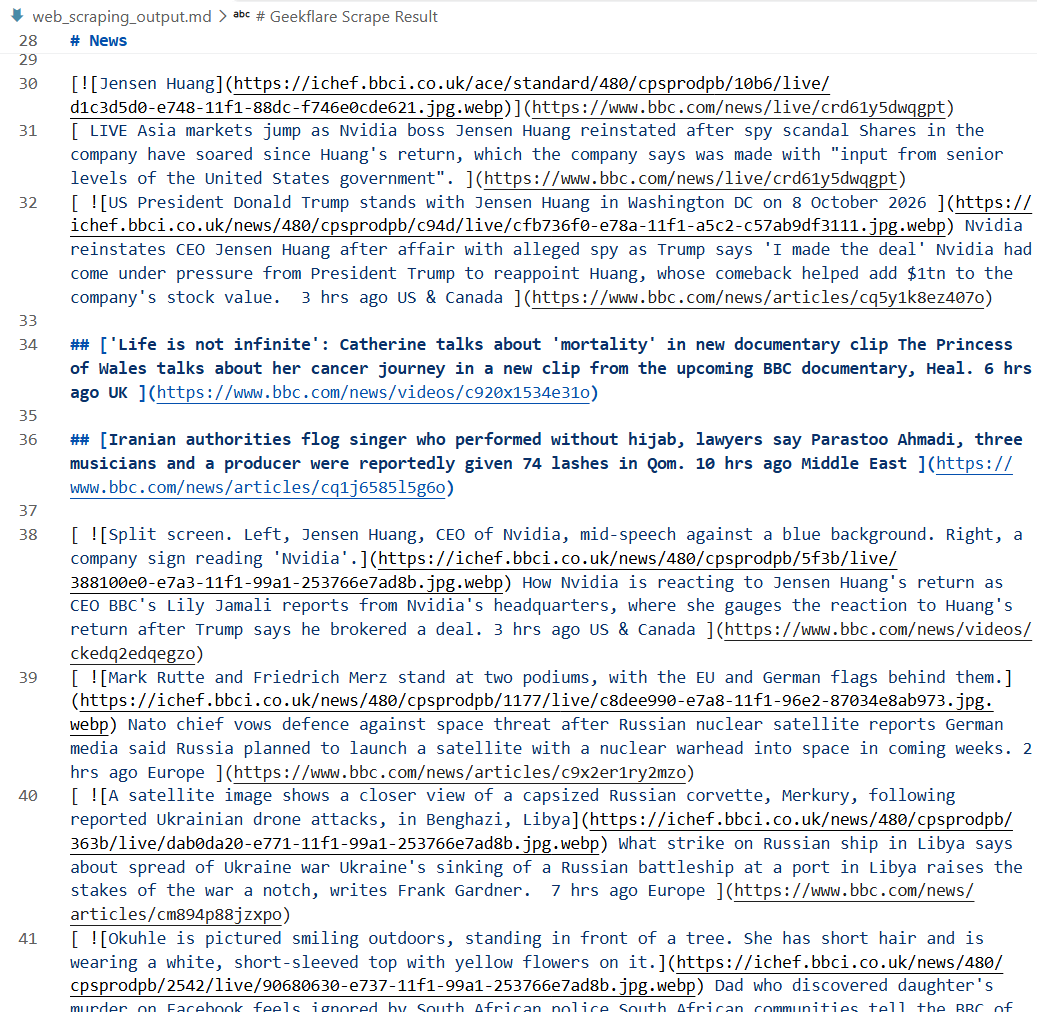
This code extracts content from BBC News and returns it in Markdown format.
Here is the respone:
Method 2: Use the Scraping Tool with an AI Agent
The direct method works well when you already know the webpage URL. You can also connect the scraping tool to a LlamaIndex agent and let an LLM decide when to use it based on the user’s request.
For this example, we’ll use Claude Sonnet 5.5.
Create a file named web_scraping_agent.py and add the following code:
import asyncio

from llama_index.core.agent.workflow import FunctionAgent
from llama_index.llms.anthropic import Anthropic
from llama_index.tools.geekflare import GeekflareToolSpec

# Initialize Geekflare
spec = GeekflareToolSpec()

# Select only the webpage scraping tool
tools = [
    tool for tool in spec.to_tool_list()
    if tool.metadata.name == "scrape"
]

# Create a LlamaIndex agent using Claude
agent = FunctionAgent(
    tools=tools,
    llm=Anthropic(model="claude-sonnet-5-5")
)

async def main():
    # Ask the agent to scrape BBC News and summarize its content
    response = await agent.run(
        "Scrape https://www.bbc.com/news "
        "and summarize the main news stories."
    )

    # Display the agent's response
    print(response)

# Run the asynchronous agent workflow
if __name__ == "__main__":
    asyncio.run(main())
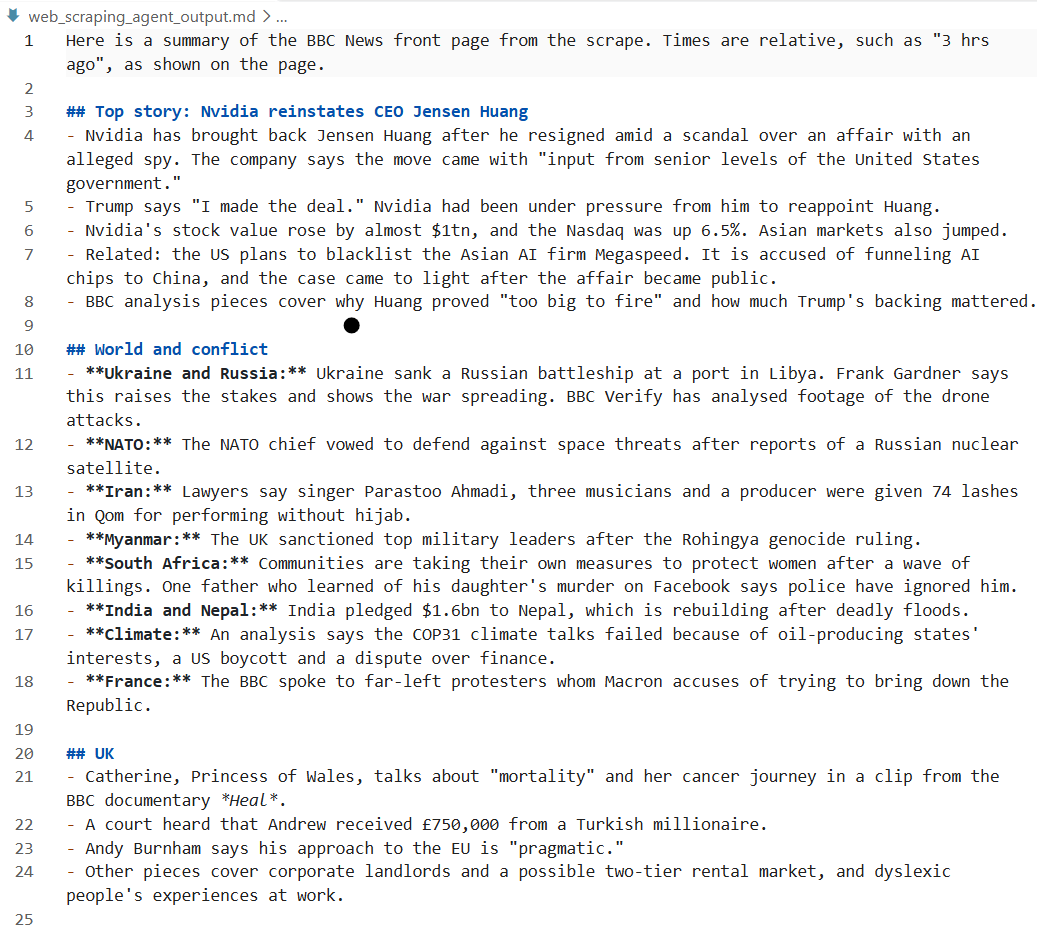
The agent uses Geekflare to retrieve BBC News content and Claude to process the extracted information and generate a summary.
Step 4: Run the Web Scraping Agent
Save your code and run the following command in your terminal:
python web_scraping_agent.pyThe agent sends the BBC News URL to Geekflare, retrieves the webpage content, and passes the extracted information to Claude for processing.
Claude then generates a summary of the retrieved news content based on your prompt.
Here is the response:
Frequently Asked Questions
Can I use LlamaIndex for web scraping?
Yes. You can connect Geekflare’s scraping tools to LlamaIndex and use them directly or through an AI agent.
Which Python package enables web scraping with LlamaIndex?
The llama-index-tools-geekflare package integrates Geekflare’s web scraping tools with LlamaIndex. It allows developers to extract webpage content directly or through AI agents.
Do I need an LLM to scrape webpages using Geekflare?
No. You can call GeekflareToolSpec().scrape() directly to extract webpage content. An LLM is only required when you want an agent to process or summarize the extracted data.
Conclusion
LlamaIndex makes it easier to build AI agents that can retrieve and process website content. Geekflare adds web scraping capabilities to these agents through its Python integration.
You can call the scraping tool directly to extract webpage content or connect it to a LlamaIndex agent to process and summarize retrieved information using an LLM. Try both methods and choose the one that fits your workflow.