


MCP’s 2026 roadmap highlights tool discovery as an important area as servers expose larger tool catalogs. The roadmap notes that tool selection can get harder as the number of available tools grows, and proposes progressive discovery so agents can access more tools as a conversation narrows.
Web scraping is a good example of this challenge. A single task can require several web tools, such as fetching page content, extracting data, checking metadata, or capturing screenshots.
There is no single web scraping MCP server that fits every workflow. I tested 12 options to see what each one offers and where it fits best.
What Is a Web Scraping MCP Server?
Before looking into the options, let’s first understand what a web scraping MCP server actually.
A web scraping MCP server exposes web tools through the MCP. An AI client can discover these tools and use them when a task requires web data.
The capabilities depend entirely on the server. We will look at what each server offers and the capabilities in the sections ahead.
12 Web Scraping MCP Servers to Know
I looked at the 12 servers based on their capabilities, AI client integration, setup, pricing, and the workflows they support. Since these servers are built for different purposes,
I have focused on what each one does best and the situations where it can be useful.
01. Geekflare MCP
Geekflare provides an MCP server that connects its web APIs with AI agents. It currently offers 15 tools through the MCP server.
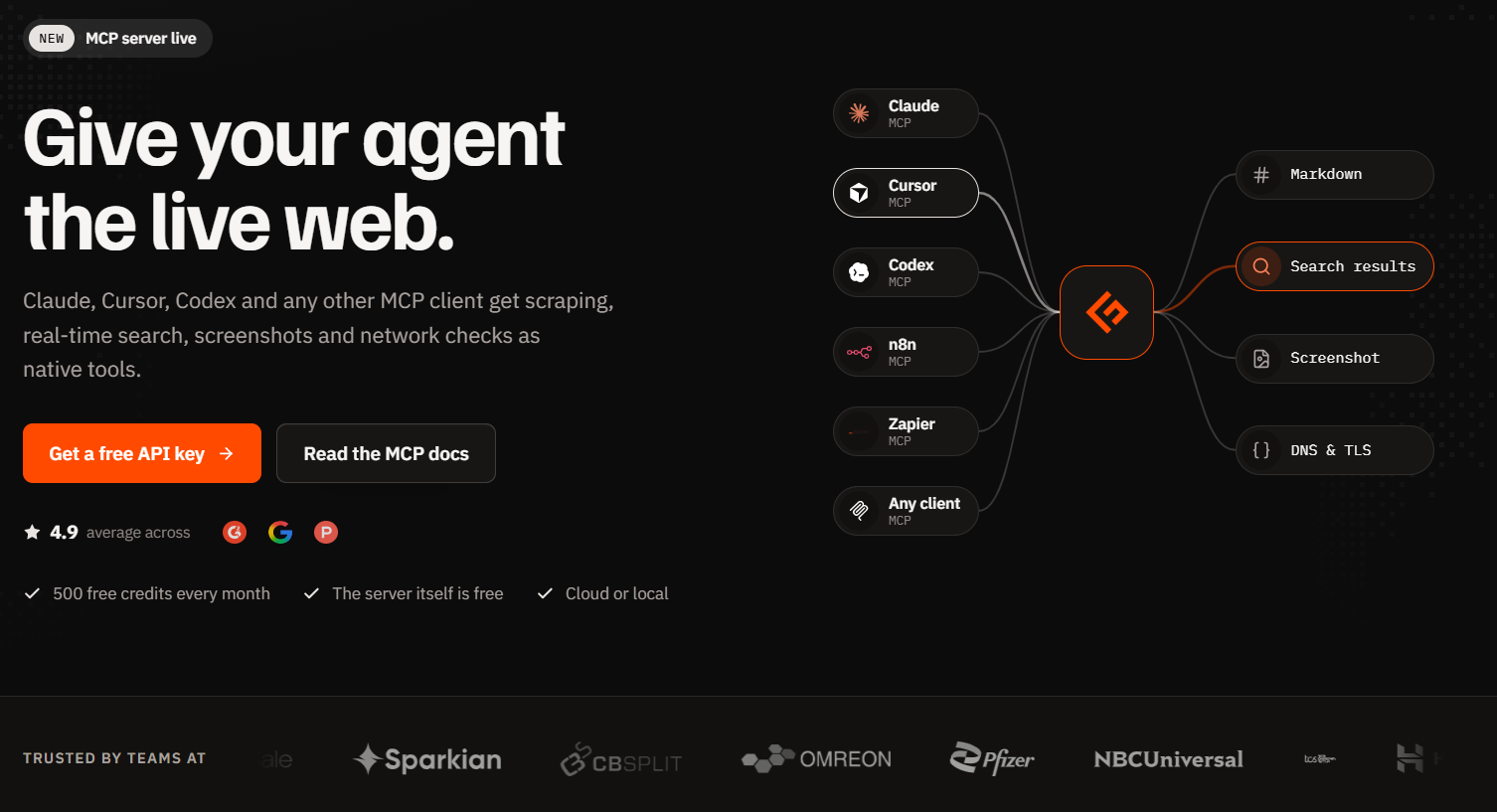
Geekflare offers two ways to connect its MCP server:
Point your MCP client directly to the hosted server:
https://mcp.geekflare.com/{API_KEY}/mcpTo get the API key, log in to your Geekflare account and copy the key from the Dashboard.
Run the MCP server locally with Node.js:
npx -y @geekflare/mcpThe available tools can be grouped into three areas:
| Category | Tools |
|---|---|
| Web and AI | webScrape, search, metaScrape, screenshot, brand, url2Pdf |
| Performance and SEO | siteStatus, redirectCheck, brokenLink, loadTime, ttfb, lighthouse |
| Network and Security | dnsRecord, openPorts, tlsScan, httpHeader, httpProtocol, mixedContent, dnsSec, mtr, ping |
The Web Scraping API extracts webpage content as Markdown, HTML, JSON, or text, with options for JavaScript rendering, stealth mode, proxy routing, and device emulation. The search tool handles web, news, and image searches, while metaScrape extracts metadata and screenshot captures webpages.
Geekflare also provides AI Extraction through the Web Scraping API. The aiPrompt parameter supports text, list, and schema extraction. You can request specific data from a webpage, with the result returned in aiResult.
Geekflare MCP works with clients such as Claude Desktop, Claude Code, Cursor, VS Code, Cline, Roo Code, Zed, n8n, and Amazon Q.
The MCP server is free to use. You need a Geekflare API key, and usage consumes credits based on the tool and request. The free plan includes 500 credits.
Best for
Anyone who needs web scraping alongside search, website analysis, performance, SEO, network, and security tools through a single MCP connection.
02. Firecrawl MCP Server
Firecrawl MCP connects AI clients to Firecrawl’s web data tools. Its MCP server provides tools for Search, Scrape, Parse, Map, Crawl, Monitor, Interact, and Agent. The server also supports structured extraction and screenshots.
Firecrawl supports a hosted MCP connection at https://mcp.firecrawl.dev/v2/mcp and you can also run it locally with npx -y firecrawl-mcp
The local setup uses a FIRECRAWL_API_KEY. Firecrawl also supports authentication through browser sign-in and API keys for its MCP integrations.
The free plan provides 1,000 credits per month without requiring a card. The hosted keyless option has limited access to selected tools.
Best for
Developers building AI agents that need to research websites, crawl multiple pages, and interact with dynamic web applications.
03. Apify MCP Server
Access Apify Actors Through AI AgentsApify’s MCP server connects AI agents and coding assistants to Apify Actors, cloud programs that handle web scraping, browser automation, data processing, and other tasks.
The MCP server lets an agent search the Apify Store, inspect an Actor, run it, and work with its results.
The default toolset includes search-actors, fetch-actor-details, and call-actor, along with documentation tools and web focused Actors. You can also expose specific Actors as MCP tools, giving an agent a focused set of capabilities for a particular workflow.
search-actors finds relevant Actors in the Store, while fetch-actor-details provides information about an Actor’s inputs, outputs, documentation, and pricing. The agent can then use call-actor to run the selected Actor.
Apify provides a hosted MCP server at https://mcp.apify.com. You can also run the server locally with npx -y @apify/actors-mcp-server, using an APIFY_TOKEN for authentication.
Apify’s Free plan includes $5 of monthly usage for Apify Store Actors or your own Actors.
Best for
AI workflows that need specialized scrapers from the Apify Store.
04. Playwright MCP
Playwright MCP gives AI agents browser control through Playwright. It exposes webpages through structured accessibility snapshots, allowing agents to navigate pages, click elements, fill forms, select options, and interact with dynamic websites.
The server provides 70+ tools for browser navigation, forms, screenshots, network mocking, storage, testing, tracing, and more. It supports Chrome, Firefox, WebKit, and Edge.
Playwright MCP can also connect to an existing Chrome or Edge session through its browser extension. This lets an agent reuse existing tabs, cookies, logged in sessions, and installed extensions.
The standard setup uses npx @playwright/mcp@latest and works with clients such as Claude Code, Claude Desktop, Cursor, VS Code, and Windsurf. Node.js 20 or newer is listed in the current installation documentation.
Best for
Browser workflows that require an AI agent to navigate pages, interact with forms, and work with authenticated sessions.
05. Bright Data MCP
Bright Data MCP gives AI agents access to real-time web data through a single MCP server. It currently exposes 69 tools covering web search, webpage scraping, structured data extraction, and browser automation.
The core tools include search_engine for Google, Bing, and Yandex results and scrape_as_markdown for extracting webpages as Markdown.
It also provides batch search and scraping, structured data tools for platforms such as Amazon, LinkedIn, Instagram, TikTok, YouTube, X, Reddit, and Facebook, plus browser automation for navigation, clicking, typing, and screenshots.
Bright Data handles bot detection, CAPTCHA solving, proxy rotation, and geo targeting through its web access infrastructure. This makes the MCP useful for pages that may be difficult to access through basic web fetching.
The hosted MCP endpoint is https://mcp.brightdata.com/mcp?token=YOUR_BRIGHTDATA_API_TOKEN. You can also run it locally with npx @brightdata/mcp and provide the API_TOKEN environment variable.
The free tier provides 5,000 requests per month and does not require a credit card to start. Pay as you go pricing starts at $1.50 per 1,000 requests, while managed browser usage is priced separately.
Best for
AI workflows that need web access to protected pages, search results, structured data, and browser automation.
06. Jina AI MCP
Jina AI’s MCP server connects AI clients to its Reader, Search, Embeddings, and Reranker APIs.
Its current toolset includes read_url for converting webpages and PDFs into Markdown, search_web for web search, capture_screenshot_url for screenshots, and search tools for ArXiv, SSRN, images, and Jina’s own blog.
It also provides sort_by_relevance for reranking results, deduplicate_strings for finding semantically unique results, and extract_pdf for extracting figures, tables, and equations from PDFs. read_url can also accept a question and return the most relevant passages from a page.
A useful feature for AI workflows is server side tool filtering. You can enable only the tools or categories an agent needs through parameters such as include_tools or include_tags, reducing the tool definitions added to the model context.
The hosted MCP endpoint is https://mcp.jina.ai/v1. You can connect it directly with supported MCP clients or use mcp-remote for clients that need a local proxy. A Jina API key is optional for some tools at rate limited levels and required for others.
Jina’s API pricing uses token based billing. Its free API key provides higher rate limits for Reader and access to the other API products under their respective limits.
Best for
Research workflows that need web pages, search results, academic papers, and PDFs converted into AI ready content.
07. Scrapfly MCP
Scrapfly MCP connects AI clients to Scrapfly’s web data services. Its MCP toolset covers page scraping, screenshots, structured extraction, crawling, and browser based workflows.
The server also supports Cloud Browser access, giving agents control over remote browsers through CDP.
The core tools include web_get_page for page retrieval, web_scrape for advanced scraping and browser automation, screenshot for visual captures, and info_account for usage details.
Scrapfly also provides AI powered extraction for generating structured data from webpages and documents.
The hosted MCP endpoint is https://mcp.scrapfly.io/mcp. You can connect through HTTP or use mcp-remote with MCP clients that require a local process. The free tier provides 1,000 credits.
Best for
Workflows that need anti bot aware scraping, structured extraction, and remote browser automation.
08. Crawl4AI MCP
Crawl4AI is an open source web crawler built for LLMs and AI agents. Its MCP support gives compatible clients access to crawling, scraping, search, screenshots, PDF generation, and content extraction.
The project can run locally with your own browser, proxies, cookies, and sessions, giving you control over the crawling environment.
Its current cloud service also provides /scrape, /search, /answer, /extract, batch scraping, and job based scraping. The crawler can return clean Markdown designed for LLM processing and its deep crawling supports page depth, page limits, keyword prioritization, and external link controls.
Crawl4AI supports MCP through its own server. The local server exposes MCP endpoints such as http://localhost:11235/mcp/sse and ws://localhost:11235/mcp/ws. It can also be connected to Claude Code and other MCP clients.
The open source crawler is free to self host. Crawl4AI Cloud uses a pay as you go model with free credits available to start.
Best for
Teams that want to self host an open source crawler and customize the scraping environment.
09. Browserbase MCP
Browserbase MCP gives AI clients access to cloud hosted browsers powered by Browserbase and Stagehand. Agents can navigate webpages, click elements, fill forms, extract information, take screenshots, and run browser tasks through MCP.
The MCP server uses Stagehand for AI powered browser interaction. It supports natural language actions, browser sessions, screenshots, page extraction, and parallel browser sessions. It also supports persistent session state and can connect agents to sites that require authenticated browser sessions.
The hosted MCP endpoint is https://mcp.browserbase.com/mcp?browserbaseApiKey=YOUR_BROWSERBASE_API_KEY.
Browserbase also provides a local MCP package through @browserbasehq/mcp, which can run over STDIO while still controlling a cloud browser.
The free plan includes 1 browser hour, 3 concurrent browsers, 3 Agent runs, 1,000 Search calls, and 1,000 Fetch calls per month. Sessions on the free plan are limited to 15 minutes.
Best for
Unattended browser tasks that need cloud execution, parallel sessions, and interaction with websites that require a real browser.
10. Oxylabs MCP
Oxylabs MCP connects AI clients to its Web Scraper API and AI Studio. The server provides tools for universal web scraping, Google and Amazon data extraction, AI powered scraping, crawling, search, website mapping, and browser automation.
Its Web Scraper API tools include universal_scraper, google_search_scraper, amazon_search_scraper, and amazon_product_scraper. AI Studio adds ai_scraper, ai_crawler, ai_browser_agent, ai_search, ai_map, and generate_schema. The AI tools can return structured data based on natural language requirements.
The hosted MCP server is available at https://mcp.oxylabs.io/mcp. It accepts Web Scraper API credentials through Basic Authentication or separate username and password headers, while AI Studio uses an X-Oxylabs-AI-Studio-Api-Key header. A local setup is also available through uvx oxylabs-mcp.
The AI Studio account includes 1,000 free credits, while the Web Scraper API offers a one-week free trial.
Best FOr
E-commerce research, search data collection, and AI extraction from difficult websites.
11. ScrapingBee MCP
ScrapingBee’s Remote MCP server connects AI clients to its web scraping API through MCP. It provides tools for page scraping, HTML retrieval, structured extraction, screenshots, file downloads, web search, and e-commerce search.
The HTML tools include get_page_text for clean text or Markdown, get_page_html for raw HTML, extract_page_data for CSS or XPath based extraction, get_screenshot for full page or element screenshots, and get_file for PDFs, images, and other files. These tools also support options such as premium proxies, stealth proxies, and country targeting.
For search, fast_search is the primary general web search tool, while get_google_search_results handles specialized Google searches such as news, maps, shopping, images, and Google Lens.
The server also provides dedicated Amazon, Walmart, YouTube, and ChatGPT related tools.
The hosted MCP server is available at https://mcp.scrapingbee.com/mcp. Authentication uses an API key through the Authorization: Bearer header. Clients that do not support remote Streamable HTTP can use the mcp-remote wrapper.
It provides 1,000 free API credits without a credit card. MCP calls use the same credit rates as the underlying API. Basic requests can cost 1 credit, JavaScript rendering 5 credits, premium proxy requests 10 to 25 credits, and stealth proxy requests up to 75 credits.
Best for
Web research that needs page extraction, targeted fields, search results, screenshots, and geo targeted scraping from one MCP connection.
12. ScraperAPI MCP
ScraperAPI MCP gives AI clients a scrape tool for retrieving webpages and images through ScraperAPI. The tool supports JavaScript rendering, geo targeting, premium and ultra premium proxies, mobile or desktop user agents, and automatic parsing into structured data.
Its remote MCP server is available at https://mcp.scraperapi.com/mcp. You can connect it through mcp-remote with an API key, while an open source local server is available through pip install scraperapi-mcp-server or Docker.
ScraperAPI also provides structured results for Google, Amazon, Walmart, eBay, and Redfin, reducing the need for an agent to process large amounts of raw HTML.
Its infrastructure handles rotating proxies, CAPTCHA detection, JavaScript rendering, and anti bot protection.
The free tier provides 5,000 API credits with no credit card. Standard requests start at 1 credit, while harder targets can consume more credits based on the domain and scraping options.
Best for
Scraping protected websites and getting structured results from search engines and major commerce platforms.
Web Scraping MCP Servers Compared
The table below gives a quick view of the main capabilities and free usage available across the 12 MCP servers before we look at their differences in detail.
| MCP Server | Main Strength | Key Capabilities | Free Tier |
|---|---|---|---|
| Geekflare MCP | Web intelligence | Scraping, search, SEO, performance, network, security | 500 credits |
| Firecrawl MCP | Web research | Scraping, crawling, search, parsing, interaction, monitoring | 1,000 credits/month |
| Apify MCP | Specialized scrapers | Actors, scraping, crawling, browser automation | $5/month usage |
| Playwright MCP | Browser automation | Navigation, forms, screenshots, sessions, browser control | Open source |
| Bright Data MCP | Protected web access | Search, scraping, browser automation, structured data | 5,000 requests/month |
| Jina AI MCP | Web and document research | Web reading, search, PDF extraction, reranking | Free API access |
| Scrapfly MCP | Anti bot scraping | Scraping, extraction, screenshots, cloud browser | 1,000 credits |
| Crawl4AI MCP | Self hosted crawling | Crawling, scraping, extraction, search, screenshots | Free/self hosted |
| Browserbase MCP | Cloud browsers | Browser sessions, interaction, screenshots, persistent state | Free tier |
| Oxylabs MCP | Commercial web data | Scraping, search, crawling, AI extraction, browser agent | 1,000 AI Studio credits |
| ScrapingBee MCP | API based scraping | Scraping, search, extraction, screenshots, geo targeting | 1,000 credits |
| ScraperAPI MCP | Anti bot access | Scraping, proxies, JS rendering, structured results | 5,000 credits |
How to Choose a Web Scraping MCP Server
The right choice depends on the type of web task and the capabilities your AI client needs. Consider these points before selecting a server:
- Scraping requirements: Check whether you need basic page extraction, structured data, search, crawling, or AI based extraction.
- Browser interaction: Choose a server with browser automation if the agent needs to click, type, navigate, fill forms, or work with dynamic pages.
- Anti bot handling: Consider proxy rotation, CAPTCHA handling, stealth features, and geo targeting for sites with access restrictions.
- Deployment: Check whether the server offers a hosted MCP endpoint, local setup, or self hosting based on your infrastructure needs.
- Tool coverage: Review the available MCP tools and select a server whose capabilities match the tasks your agent needs to perform.
- Cost: Compare free credits, request limits, and the credit cost of different operations before using a server at scale.
Frequently Asked Questions
What is a web scraping MCP server?
A web scraping MCP server exposes web scraping and related web tools through the Model Context Protocol and allows compatible AI clients to discover and call those tools during a task.
Which web scraping MCP server is best?
There is no single best option for every use case. Geekflare is useful for web scraping alongside SEO, performance, network, and security tools. Firecrawl and Apify suit broader web data tasks, and Playwright and Browserbase are better suited to browser interaction.
Which Web Scraping MCP Server Is Best for AI-Powered Data Extraction?
Geekflare MCP is a strong option for targeted extraction because its Web Scraping API supports the aiPrompt parameter. You can specify the information needed from a webpage and receive the result through aiResult, avoiding the need to process the entire page response.
How Can I Connect to Geekflare MCP?
Geekflare MCP supports two connection methods:
Remote URL: https://mcp.geekflare.com/{API_KEY}/mcp
Local via npx: npx -y @geekflare/mcp





