



An app can pass every test on your own phone and still crash on an old Galaxy, or stall on a weak connection. Mobile testing tools are here to catch those failures before your users do.
Some give you remote access to real phones. Others are frameworks for writing the tests, and a few write the tests for you.
This guide covers such options with pricing, including free open-source frameworks. I also ran a live session on TestMu AI’s free plan.
Mobile Testing Tools Comparison
| Tool | Type | Best for | Starting price | Free plan or trial | Link |
|---|---|---|---|---|---|
| 01 BrowserStack | Real device cloud | Wide real device coverage | $12.50/month | 100 App Automate minutes | Visit |
| 02 TestMu AI | Real device cloud | A free start on real devices | $15/month | Free plan | Visit |
| 03 Sauce Labs | Real and virtual device cloud | Emulators and real devices together | $39/month | Free trial | Visit |
| 04 Appium | Open-source framework | Free cross-platform automation | Free | Open source | Visit |
| 05 Maestro | Open-source framework | Readable tests with little setup | Free | Open source | Visit |
| 06 Katalon | Low-code platform | Low-code tests with a free start | $150/seat/month | Free Studio | Visit |
| 07 Kobiton | Real device cloud | Affordable access to real devices | $83/month | Free trial | Visit |
| 08 AWS Device Farm | Pay-as-you-go device cloud | Paying only for the minutes you use | $0.17/device minute | 1,000 free minutes, once | Visit |
| 09 HeadSpin | Performance testing | Performance on real networks | $39/month | Free trial | Visit |
| 10 TestGrid | AI and codeless testing | AI-assisted, codeless testing | $249/seat/month | Free trial | Visit |
| 11 Perfecto | Enterprise testing | Regulated enterprise teams | Custom | Demo | Visit |
| 12 Testsigma | No-code platform | No-code tests in plain English | Custom | Demo | Visit |
Device Clouds, Frameworks, and No-Code Platforms
Most teams end up with a framework and a place to run it, so it helps to know which kind of tool you’re looking at.
- Device clouds such as BrowserStack, TestMu AI, Sauce Labs, Kobiton, and AWS Device Farm rent you real phones and tablets over the internet.
- Frameworks such as Appium, Maestro, Detox, Espresso, and XCUITest are free ways to write and run tests, but you supply the devices.
- Low-code platforms such as Katalon, TestGrid, and Testsigma let people create tests without much scripting, usually with AI help and devices included or available.
An Appium suite can usually move between device clouds, which makes it a long-term bet than tests tied to one vendor’s editor.
Best Mobile Testing Tools
01. BrowserStack
Real device cloudWide real device coverage
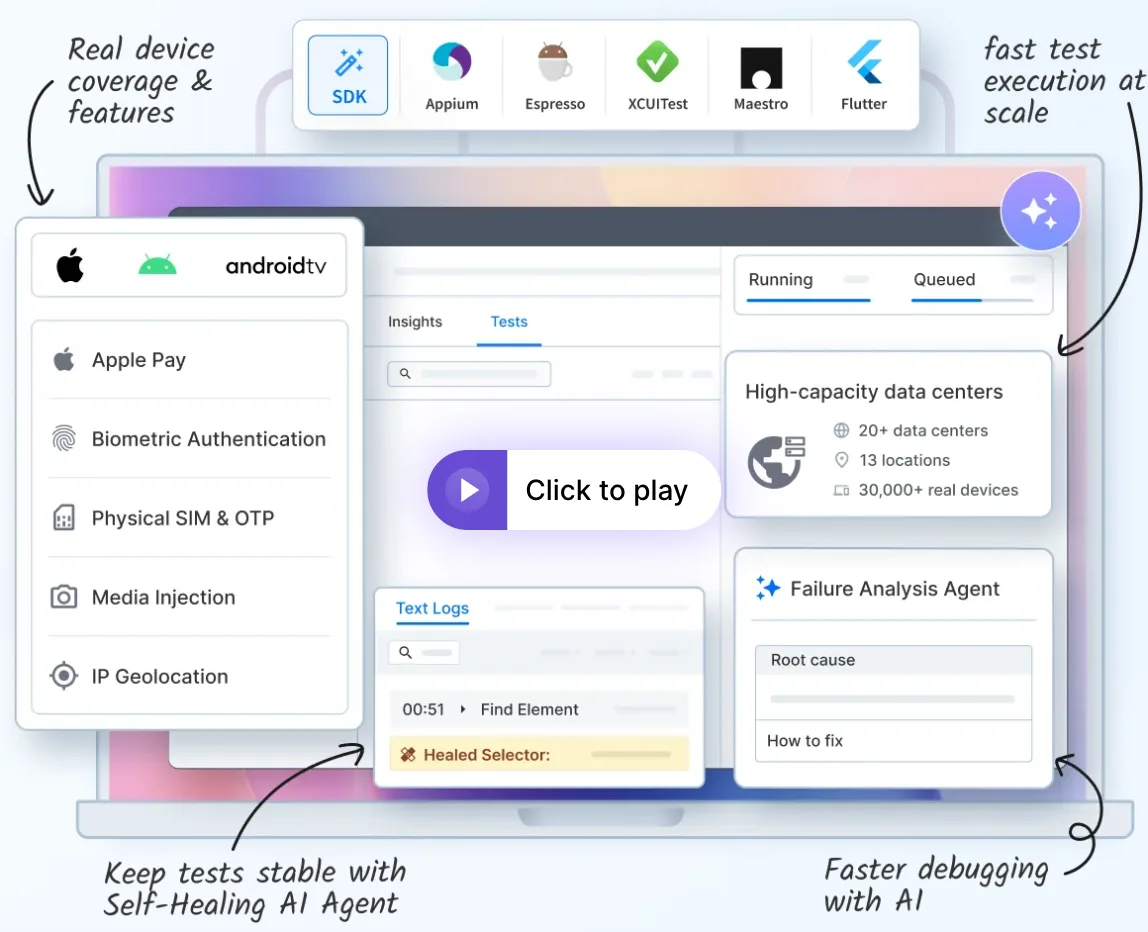
BrowserStack has more than 30,000 real iOS and Android device units in its cloud. App Live covers manual testing, and App Automate runs your scripts, with support for Appium, Espresso, XCUITest, Maestro, Flutter, and Detox.
Plans split device features in a way worth checking before you buy. The cheapest App Live plan doesn’t include network throttling or location testing, which start on Team. For Apple Pay, SMS codes on SIM-enabled phones, and biometric prompts, you need a higher tier.
The free account I tried came with 100 App Automate minutes, though App Live sent me to the plans page instead of opening a device. Automated runs need some setup on your side, such as installing the BrowserStack SDK, before a first test.
Our take: Good for teams that need coverage across many devices and already have tests in a common framework. Solo testers will find it expensive.
Standout features:
- Unlimited users and testing minutes on App Automate plans
- Network throttling and geolocation from 100+ countries
- Self-healing, failure analysis, and test selection agents on Device Cloud Pro
- Integrations with Jira, Slack, GitHub, and CI tools
Pros & Cons
PROS
CONS
Pricing
App Automate Device Cloud costs $199 per month for one parallel test, and Device Cloud Pro costs $249.
App Live starts at $39 per month for one user, and Team starts at $150 per month for five users.
A Freelancer plan offers 100 App Live minutes for $12.50 per month.
02. TestMu AI
Real device cloudA free start on real devices
TestMu AI was LambdaTest until January 2026. It covers web and mobile testing across 3,000+ browsers and, by the company’s count, 50,000+ real devices. It also tests chat and voice AI agents now, but mobile teams will spend most of their time in the Real Device Cloud.
Live and automated sessions both run there, on real iOS and Android phones and tablets. Emulators and simulators are available too, and they cost less for live testing.
The device controls are where it gets useful. You can drop the network to 3G or cut it off to check offline mode, pass or fail a Face ID or fingerprint prompt, and test camera capture and QR code scanning. Setting a device’s location to one of more than 170 countries shows you how localized pricing and content appear.
For existing test suites, TestMu AI supports Appium, Espresso, XCUITest, and Detox, and HyperExecute spreads a run across many devices at once to shorten it. Teams without scripts can describe a test in English and let KaneAI write it. Kane CLI does a similar job from the terminal, for developers and AI coding agents checking a mobile flow.
Trying the Free Plan
The free account gave me 5 sessions and a bundled sample app, so I launched it on a Galaxy S23 with Android 15. The phone was on screen within seconds, with a countdown starting just under two minutes. That’s enough to check that an app opens and a flow works, and not much more.
I added a to-do item and ticked another one off. Filtering the logs down to the app’s package made them readable, and the change showed up there as the item’s done value switching from false to true.
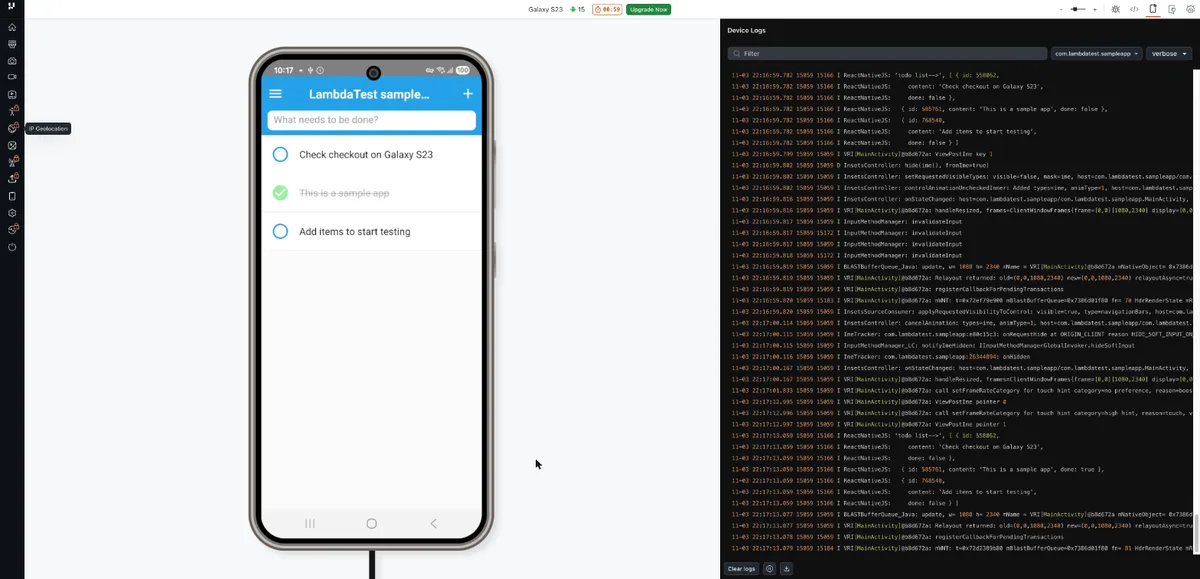
Time zone, language, and GPS location controls were all open on the free plan. Network throttling, IP geolocation, the screen reader, and files and media carried a lock icon, so testing a weak connection means paying.
Our take: The free plan is a quick way to see your app on a real phone, and the $39 plan is a low price for live testing. Short sessions make the free tier a preview, so budget for a paid plan if testing is regular work.
Standout features:
- TestMu AI Tunnel for apps hosted locally or on a private network
- Built-in Appium Inspector and native DevTools
- Bug logging to Jira, Trello, Asana, GitHub, GitLab, or Slack from inside a session
- Shared public devices, dedicated private ones, or an on-premise lab
Pros & Cons
PROS
CONS
Pricing
Live testing on emulators and simulators starts at $15 per month, and on real devices at $39 per month.
Automated testing on real devices costs $199 per month for each parallel test.
03. Sauce Labs
Real and virtual device cloudEmulators and real devices together
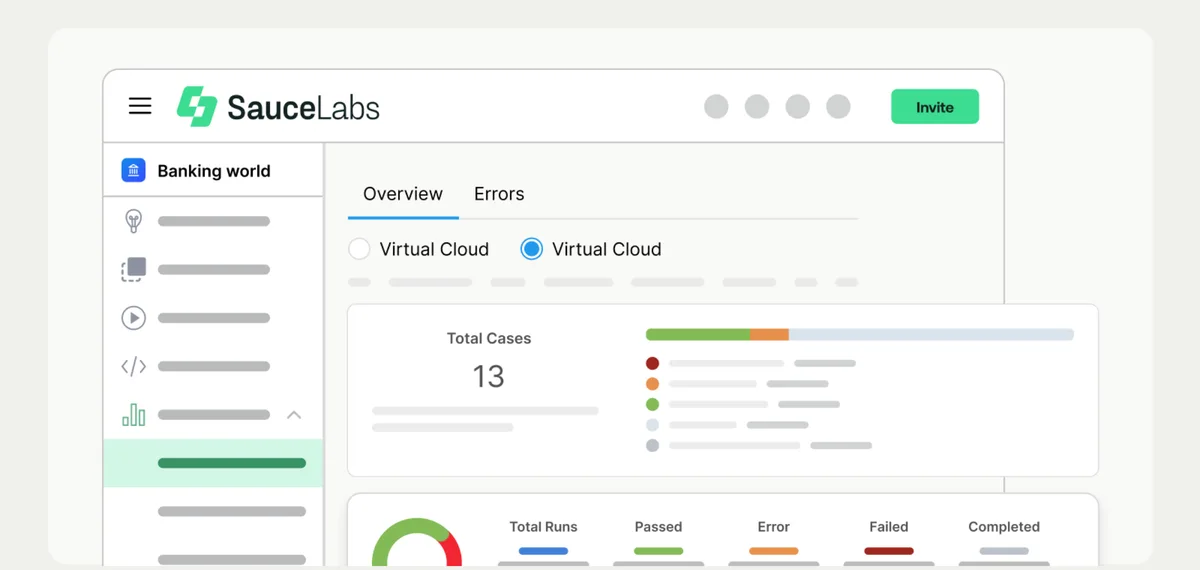
Sauce Labs sells its virtual and real device clouds as separate plans, which suits teams that run most checks on emulators and save real phones for the final pass. Its site lists about 10,000 real Android and iOS devices.
The rest of the product follows an app after testing, too. Sauce Visual catches visual regressions, Mobile App Distribution handles beta builds, and Error Reporting collects crashes from production.
Larger companies will also care that it holds SOC 2 Type II and ISO 27001 certifications.
Our take: Good for enterprise teams that want testing, beta distribution, and crash data from a single vendor. A small team that only needs devices may not use much of the rest.
Standout features:
- Sauce AI for creating tests from plain descriptions
- AI analysis of test failure patterns
- Private devices and an API for controlling real devices
- Network throttling on real devices
Pricing
Live Testing costs $39 per month, or $49 month to month.
Virtual Device Cloud costs $149 per month, or $199 month to month, for one parallel test.
Real Device Cloud costs $199 per month, or $249 month to month, for one parallel test.
04. Appium
Open-source frameworkFree cross-platform automation
Appium is open source framework and many paid platforms here run Appium tests or build on it, so skills and scripts carry over if you change vendors.
You write tests in code, using a client library for your language, and Appium drives the app through a platform driver. Beyond iOS and Android, drivers also reach Tizen, browsers, desktop apps, and TV platforms such as Roku and tvOS.
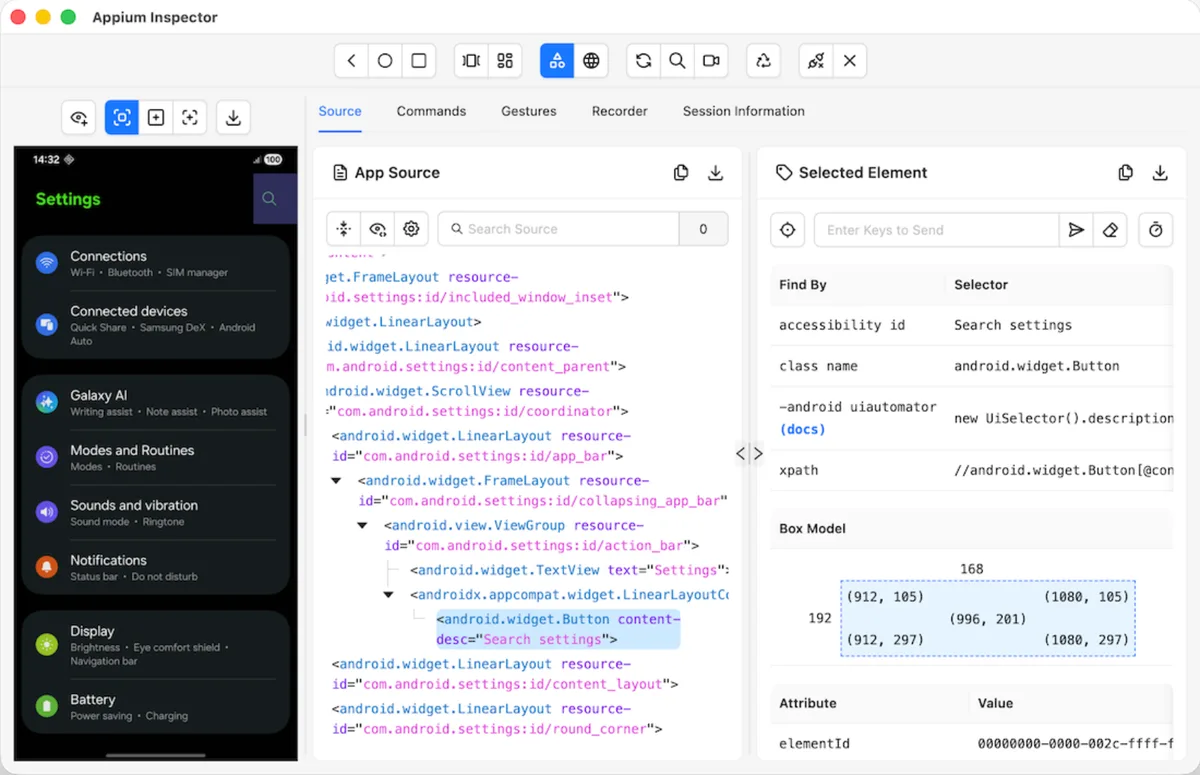
Appium Inspector helps with the slowest part of writing tests. It shows the screen beside its element tree, so you can find a selector for a button without guessing.
Our take: Pick Appium if you have developer and you want to own your tests. Everything around it is your job, including the server, drivers, and devices, so it’s a poor fit for a team hoping to start this week without an engineer.
Standout features:
- Separate drivers for each platform
- Client libraries for several programming languages
- Plugins for extending the server
- Runs on most device clouds in this guide
Pros & Cons
PROS
CONS
05. Maestro
Open-source frameworkReadable tests with little setup
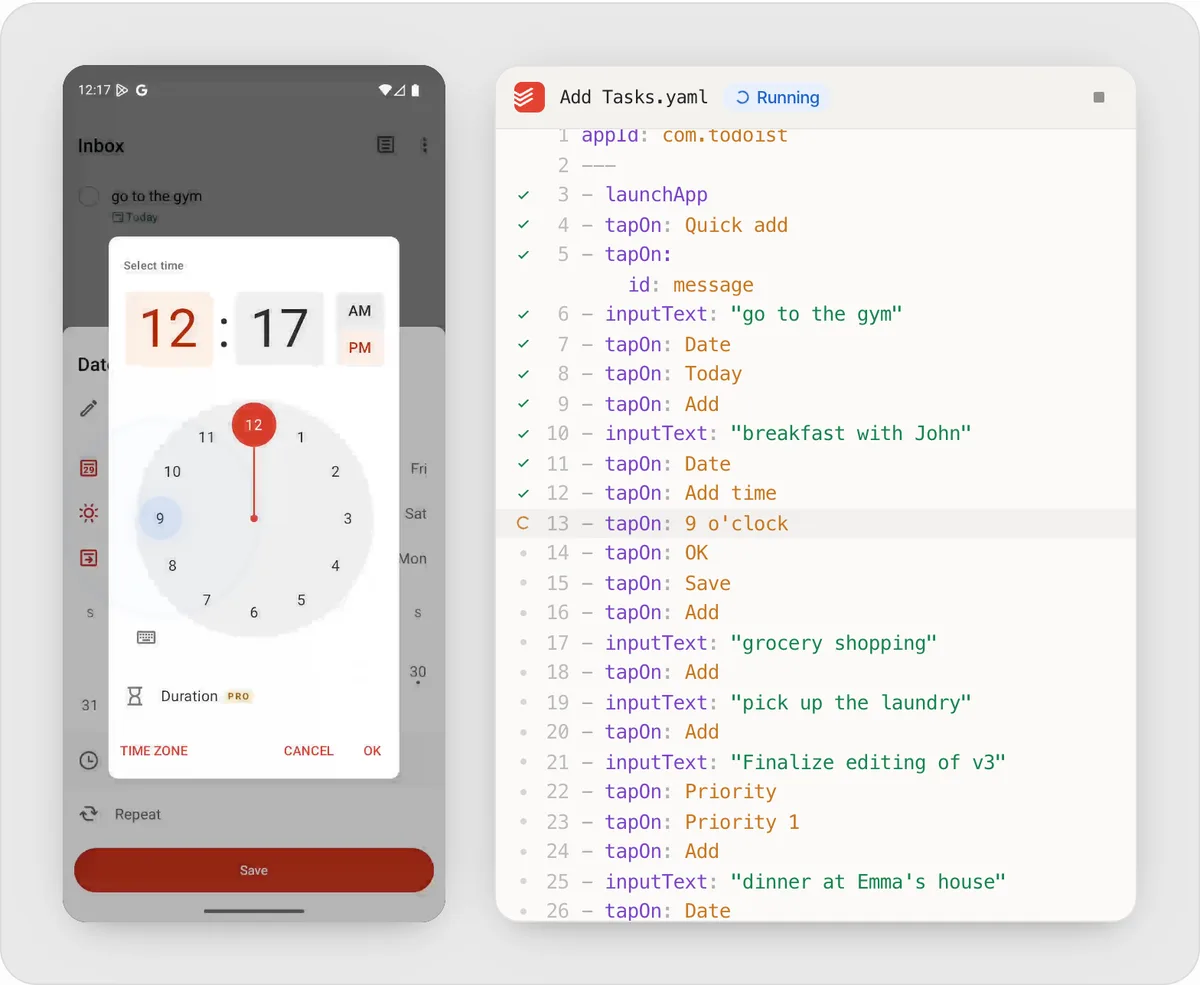
A Maestro test is a YAML file that reads almost like instructions to a person, with lines such as tapOn: Login and assertVisible: Welcome back. Product managers and QA staff can read a flow and spot what’s wrong, which is rarely true of an Appium script.
The free CLI runs flows on a local iOS Simulator or Android emulator, so you still need Xcode or the Android tools on your machine. Maestro Studio adds a visual editor for Mac and Windows, and an MCP server lets AI coding agents write and run tests.
Our take: The one I’d look at first if your team is writing its first automated mobile tests. Very complex logic will be easier in a full programming language, and running flows in parallel means moving to the paid cloud or another provider. BrowserStack also runs Maestro flows on its devices.
Standout features:
- Human-readable YAML flows for iOS, Android, and web
- Maestro Studio visual editor with an embedded emulator
- Maestro MCP for AI coding agents
- Self-healing with local agents
Pros & Cons
PROS
CONS
Pricing
The CLI, Studio, and MCP server are free and open source.
Maestro Cloud costs $250 per device per month, with a free trial.
06. Katalon
Low-code platformLow-code tests with a free start
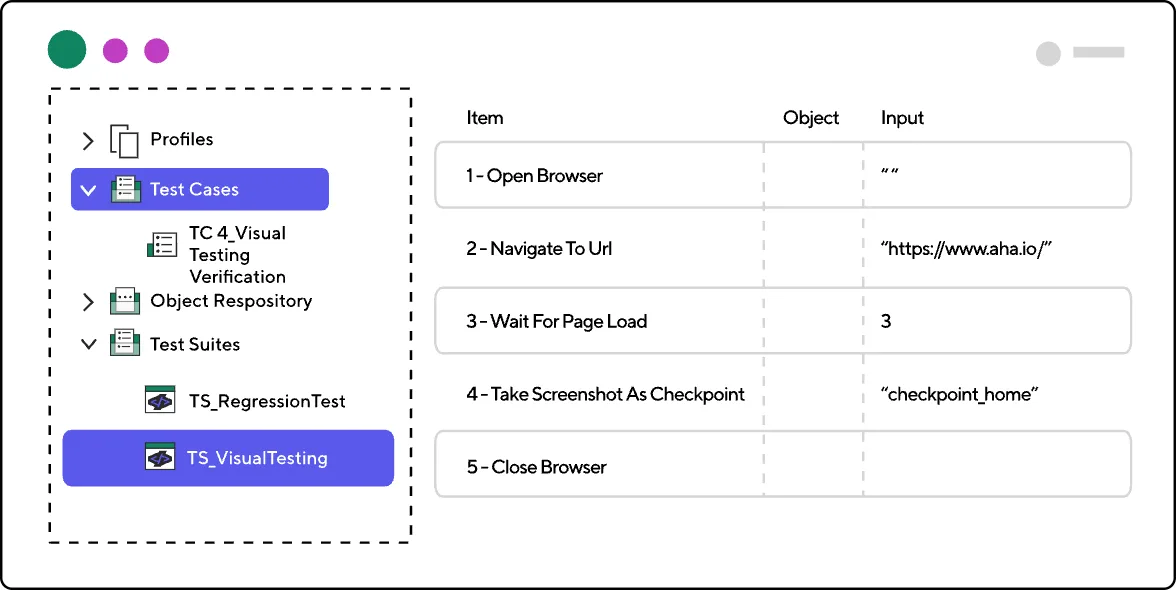
Katalon Studio records what you do in an app and turns it into test steps, and you can switch to a script view when a test needs more control. It’s built on Appium and Selenium, so mobile, web, and API tests can live in one project.
It runs tests locally with record and playback for web and mobile, but it leaves out parallel runs, CI execution, AI agents, and self-healing. For devices, Katalon offers its TestCloud add-on, and it also connects to platforms like TestMu AI and Sauce Labs.
Our take: Well suited to QA teams moving from manual testing into automation. Check the add-ons, cloud runs and CI execution both cost extra on top of a seat.
Standout features:
- Record and playback for mobile tests
- AI agents for writing scripts and fixing failures on paid plans
- Self-healing locators and failure analysis on paid plans
- Integrations with Jira, GitHub, GitLab, Slack, and Azure DevOps
Pros & Cons
PROS
CONS
Pricing
Free Studio covers local authoring and execution.
Professional costs about $150 per seat per month, billed at $1,800 a year, with a 30-day free trial.
07. Kobiton
Real device cloudAffordable access to real devices
Kobiton’s $83 Startup plan covers both manual testing and scripted automation on its public cloud, using Appium, Selenium, Espresso, or XCUITest. BrowserStack, TestMu AI, and Sauce Labs all charge $199 or more for real device automation.
The difference is the meter. Startup includes 500 minutes a month, where BrowserStack’s automation plans don’t cap minutes, and a team running long regression suites every night could pass that quickly.
Bigger teams get more options on Enterprise, including unlimited Appium script generation, no-code testing, and fully on-premise devices. It also lets you test from coding tools such as Claude, Copilot, and Cursor.
Our take: A sensible choice for a small team that tests in occasional bursts. It’s also worth a look if you want to manage your own device lab with Kobiton’s software.
Standout features:
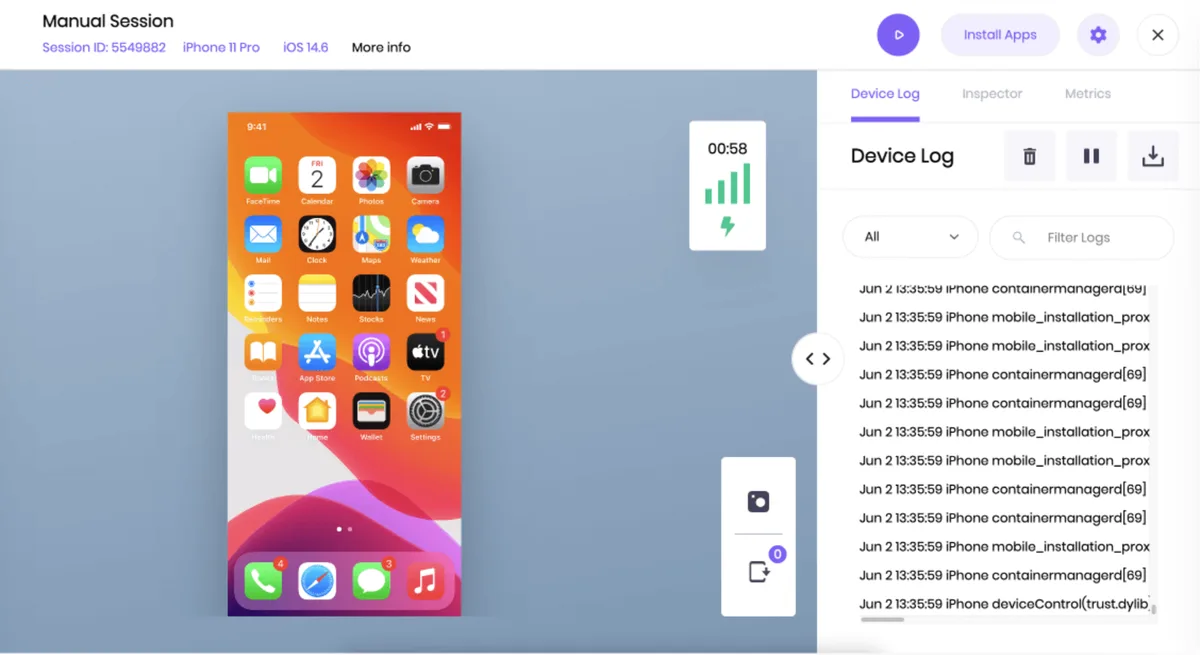
- Real device cloud for manual and scripted testing
- Device lab management for your own hardware
- Network throttling and device logs
- Integrations with Jira, GitHub Actions, Jenkins, and Bitrise
Pros & Cons
PROS
CONS
Pricing
Startup starts at $83 per month for 500 minutes.
Accelerate starts at $399 per month for 3,000 minutes.
Scale starts at $9,000 per year for 7,500 minutes a month.
08. AWS Device Farm
Pay-as-you-go device cloudPaying only for the minutes you use
AWS Device Farm charges by the device minute. Run ten tests across five phones this month and nothing next month, and your bill follows that pattern. If you test heavily, unmetered slots replace the meter with a flat monthly fee.
AWS lists more than 2,500 devices. You can run Appium or Espresso suites, use a built-in test that needs no scripting, or connect to a device by remote access. Each automated run comes back with videos, logs, and performance data.
Our take: The natural pick for teams already on AWS, especially with uneven testing schedules. You bring your own tests, and AWS doesn’t list AI test writing among its features.
Standout features:
- Video, logs, and performance data for each run
- Built-in test suite that needs no scripting
- Location, language, and network settings
- Private devices for exclusive use
Pricing
Real devices cost $0.17 per device minute after a one-time trial of 1,000 minutes.
Unmetered testing costs $250 per device slot per month.
09. HeadSpin
Performance testingPerformance on real networks
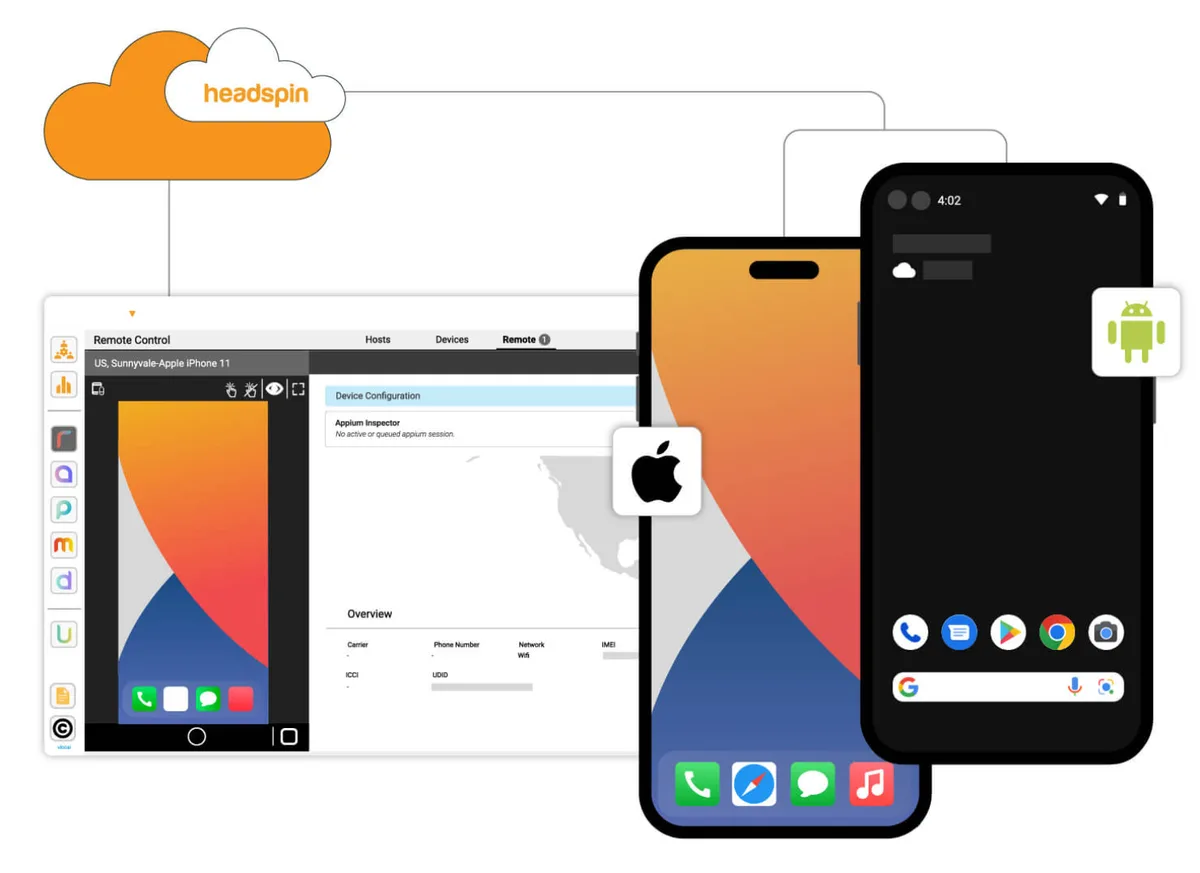
HeadSpin focuses on how an app performs, as well as whether it works. It tracks more than 130 performance measures across the UI, network, and device, and compares them build over build so you can see what a release slowed down.
Its SIM-enabled devices sit in more than 50 countries, which matters if you need to know how your app loads on a local carrier in another market. No SDK or code changes are needed. Streaming and media companies may also like its audio and video quality scoring and its smart TV support.
Our take: Worth the attention if slow load times are costing you users, or you ship in many countries. The low-priced plans are limited, with 17 test locations and automation sold as an add-on, so the features HeadSpin is known for mostly sit on custom-priced Pro.
Standout features:
- 130+ built-in performance measures
- Regression detection across builds
- ACE, an AI feature that runs and validates tests and heals them when they break
- Support for Appium, Selenium, and many other frameworks
Pros & Cons
PROS
CONS
Pricing
CloudTest Lite starts at $39 per month, for one user and 40 hours of manual testing.
CloudTest Go starts at $83 per month, with unlimited users and paid add-ons for automation and performance.
CloudTest Pro is priced per project and adds private or on-premise devices.
10. TestGrid
AI and codeless testingAI-assisted, codeless testing
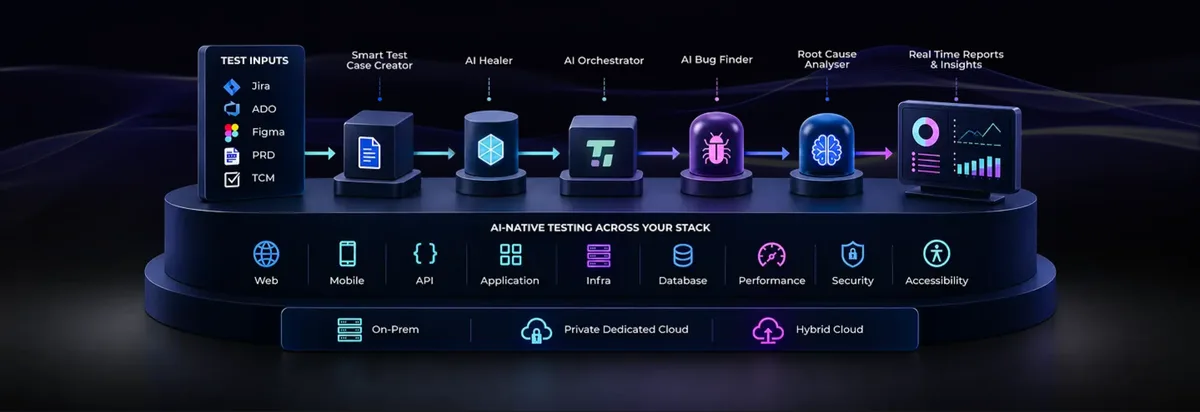
TestGrid combines real devices with CoTester, its AI testing assistant, and a record-and-play tool that turns manual steps into automated tests. Scripted teams aren’t left out, as Appium suites run there too, and you can download generated tests as open-source code.
Device conditions get plenty of attention as well. You can test on 2G, unstable Wi-Fi, or airplane mode, and check behavior under low battery or high CPU use. Regulated companies get MDM support and on-premise labs.
Our take: A good match for teams that want AI to carry the test writing and may later want a private lab. AI test creation draws on tokens, at 10 to 20 for a typical test case, so ask how that fits your volume.
Standout features:
- CoTester AI assistant and self-healing tests
- Codeless record and play on real devices
- Network, battery, and device load simulation
- Device reservation so teams don’t collide
Pricing
The Starter package costs $249 per seat per month, with 4 devices or browsers and 5,000 AI tokens.
Growth and the custom device lab are priced on request.
11. Perfecto
Enterprise testingRegulated enterprise teams
Perfecto is part of Perforce, and its 15 years in testing show in who it serves. Its site is organized around financial services, healthcare, telecom, retail, and automotive, where audits and network conditions carry real weight.
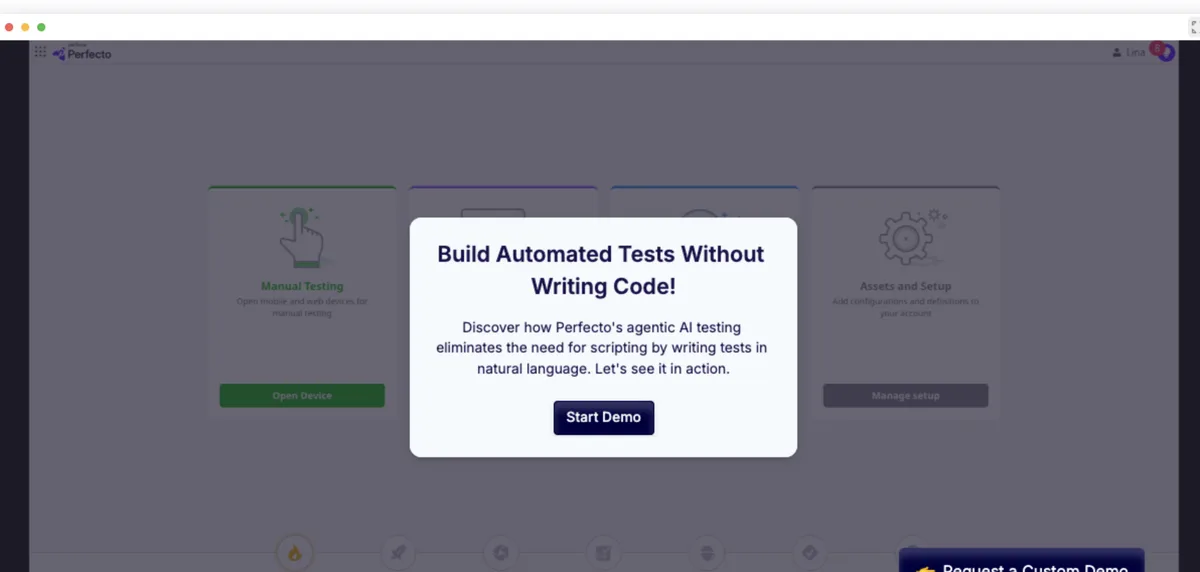
You can describe a test in natural language, and Perfecto AI runs it across iOS, Android, web, and desktop, adjusting when the interface changes. A bank could use the same test on its phone app and website rather than maintaining two.
Our take: Shortlist it if procurement and compliance will drive your decision. Everything goes through a sales demo, so smaller teams will find it faster to start elsewhere.
Standout features:
- AI test creation from natural language
- One test across mobile, web, and desktop
- Testing under real network conditions
- AI-assisted root cause analysis
Pros & Cons
PROS
CONS
12. Testsigma
No-code platformNo-code tests in plain English
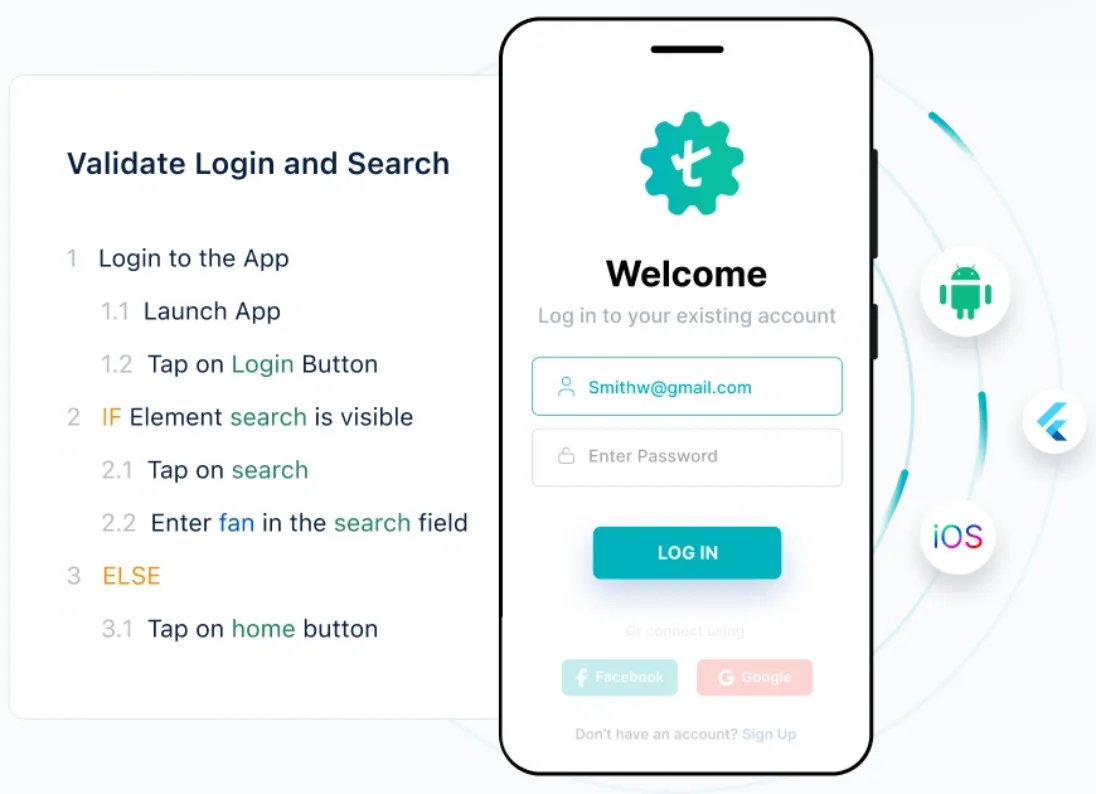
Testsigma tests read as plain English steps, such as tapping a login button or entering text in a search field. People who don’t code can write and review them, and Copilot, its AI companion, helps create them. Auto-healing then adjusts scripts when the app changes.
It’s a cloud platform with web, desktop, and Salesforce testing alongside mobile, and the Pro plan lists 2,000+ real mobile devices and unlimited automated testing minutes.
Our take: Suited to QA teams without much coding experience that test more than mobile.
Standout features:
- Plain English test authoring
- Auto-healing scripts
- 2,000+ real mobile devices on the Pro plan
- Geolocation and on-premise options on Enterprise
Pros & Cons
PROS
CONS
Honorable Mentions
SmartBear’s real device and browser cloud, with unlimited minutes from about 40 euros per license a month and a 14-day trial.
Tricentis tool for recording AI-assisted tests in the cloud, with its grid built on simulators and emulators.
Free end-to-end framework for React Native apps, with access to app internals that helps reduce flaky tests.
Google’s free UI testing framework for Android, written in Kotlin or Java by developers who know the codebase.
Apple’s UI testing framework for iOS, built into Xcode and a natural fit for teams writing in Swift.
Types of Mobile App Testing
A single tool doesn’t covers all of these, so match it to the checks your app needs most.
- Functional testing checks that features do what they should, from signing in to paying.
- Compatibility testing runs the app across device models, screen sizes, and OS versions.
- Performance testing measures load time, memory, battery use, and behavior on weak networks.
- Usability and accessibility testing look at how easily people can use the app, including with a screen reader.
- Regression testing confirms that a new release didn’t break something that used to work.
Security testing usually needs separate tools. Our list of mobile app security scanners is a good place to start.
How to Choose a Mobile Testing Tool
- Start with who writes the tests, because engineers can get a lot from Appium while a manual QA team will move faster with Maestro or a no-code tool.
- List the devices your users actually own, using your analytics, and check that a cloud has them.
- Confirm support for your app’s framework, especially if you build with Flutter or React Native.
- Check which plan includes the device features you need, since network throttling, biometrics, and location testing often cost more.
- Run one real flow from your own app during a trial, on a device you know gives you trouble.
Good to know
Are there free mobile testing tools?
Yes. Appium, Maestro, Detox, Espresso, and XCUITest are free to use on your own devices, and Katalon has a free version of Studio. TestMu AI has a free plan with short sessions on real devices.
Do I need real devices, or are emulators enough?
Emulators and simulators are fine for early, frequent checks because they’re cheap and quick. Real devices are better before a release, since they show how the hardware, manufacturer software, and network really behave.
Can I test an iOS app without a Mac?
You can test an iOS build on real iPhones in a device cloud such as BrowserStack or TestMu AI from any computer. Building the app and writing XCUITest tests still need a Mac with Xcode.
What’s the best tool for beginners?
Maestro is the easiest framework to learn because its tests are short, readable YAML files.
Conclusion
Most teams should start with one framework and one place to run it. Appium with a device cloud such as BrowserStack is a common setup when engineers own the tests, and Maestro is the quicker way in if you’ve never automated mobile testing before.
If budget is tight, try TestMu AI’s free plan to see your app on a real phone, or pay by the minute on AWS Device Farm. For load times and network problems, HeadSpin goes deepest. Katalon, TestGrid, and Testsigma are the ones to compare if nobody on your team wants to write code.