


LinkedIn rewards people who post consistently, comment thoughtfully, and follow up with the right people. That’s a lot of writing, and it’s exactly the kind of work AI tools speed up in drafting posts in your voice, turning a video into a carousel, suggesting comments, or scoring your profile.
AI LinkedIn tools covers very different products, though. Some write content, some schedule it, and some automate connection requests and messages, which is where LinkedIn’s rules come in.
So I grouped the tools and tested the ones I could, including a multiple-model writing test and a look at how LinkedIn actually cuts your post in the feed.
Check how a tool connects to LinkedIn
LinkedIn’s User Agreement prohibits bots or other unauthorized automated methods and browser extensions that scrape, modify the appearance of, or automate activity on its site, and says members who use them risk having their accounts restricted or shut down (LinkedIn Help).
Tools that publish through LinkedIn’s official API, such as Postiv and Supergrow, avoid that problem. Outreach automation tools don’t, so use them carefully, if at all.
| Tool | Type | Best for | Category | Starting price | Free option | Link |
|---|---|---|---|---|---|---|
| 01 Taplio | All-in-one LinkedIn growth tool | Creators who want writing, scheduling, and analytics in one place | Content and growth | $39/mo | 7-day trial; free Chrome extension | Visit |
| 02 Postiv | AI LinkedIn content coach | B2B founders and teams who want a weekly plan and on-brand drafts | Content and planning | $49.50/mo (billed yearly) | 7-day trial | Visit |
| 03 AuthoredUp | LinkedIn writing and analytics tool | Writers who care about formatting, hooks, and detailed post analytics | Writing and analytics | $19.95/mo | Free trial, no card; free formatter | Visit |
| 04 Sparkian | Multi-model AI workspace | Writers who want to compare post drafts from several AI models | AI writing | Free; Pro $19/mo | Free plan, 100 Sparks/month | Visit |
| 05 Supergrow | LinkedIn content platform for teams | Marketing teams and agencies managing several profiles | Content for teams | $39/mo ($31 billed yearly) | 7-day trial | Visit |
| 06 Commenter.ai | AI comment generator | People growing their reach by commenting on others' posts | Engagement | $147/year | 3-day trial, no card | Visit |
| 07 SocialPilot | Social media scheduler with AI | Teams that manage LinkedIn alongside other social networks | Scheduling | $25.50/mo (billed yearly) | 14-day trial, no card | Visit |
| 08 Expandi | Cloud LinkedIn outreach | Sales teams and agencies running multichannel outreach | Outreach | $99/mo ($79 billed yearly) | 7-day trial | Visit |
| 09 Waalaxy | LinkedIn and email prospecting | Beginners starting LinkedIn outreach | Outreach | From $16/user/mo | 14-day trial | Visit |
| 10 Resume Worded | AI LinkedIn profile review | Job seekers who want a scored, specific profile review | Profile optimization | Free review | Free LinkedIn review | Visit |
AI Tools for LinkedIn Content and Personal Branding
01. Taplio
All-in-one LinkedIn growth toolCreators who want writing, scheduling, and analytics in one place
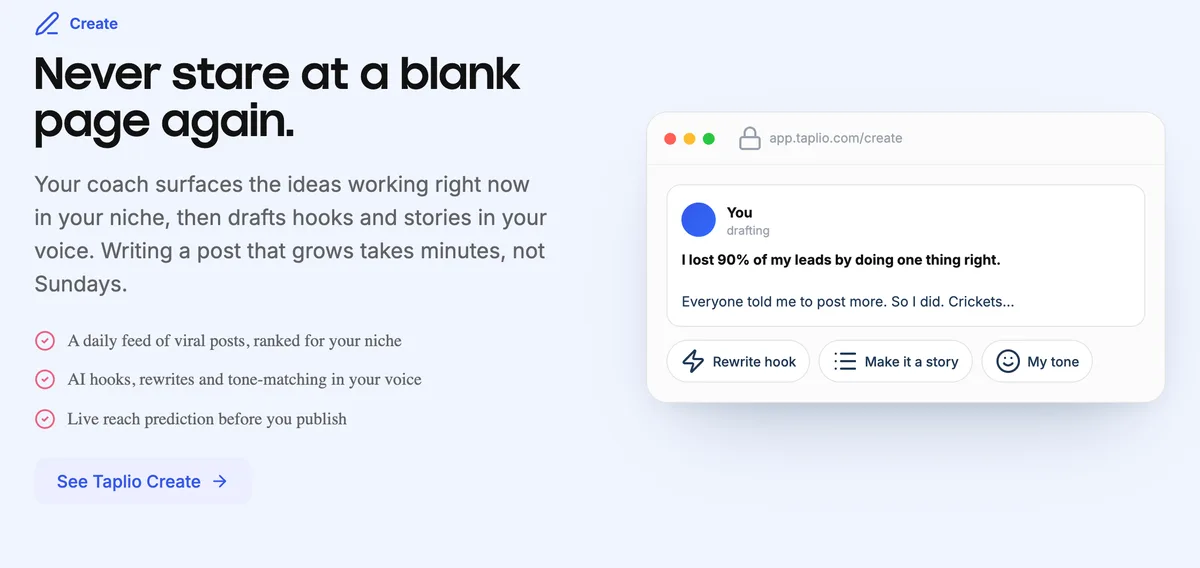
Taplio covers pretty much everything in LinkedIn content. Its AI writes posts and improves your drafts, generates images and carousels, and draws inspiration from a database of more than 5 million viral posts. You schedule everything from a queue, track results in analytics, and get a monthly stats email.
It’s also leaning into AI assistants. Taplio is now an official Claude connector, and its MCP lets an assistant like Claude or ChatGPT find posts worth engaging with and draft comments in your voice, queued in Taplio so nothing posts until you confirm.
Higher plans add outreach features such as auto-DMs and bulk connection requests, which fall into the automation category LinkedIn restricts.
Pros & Cons
PROS
CONS
Pricing
Starter costs $39 a month, Growth $69 a month which adds AI writing and comment tools, and Pro $199 a month including unlimited AI posts and comments.
02. Postiv
AI LinkedIn content coachB2B founders and teams who want a weekly plan and on-brand drafts
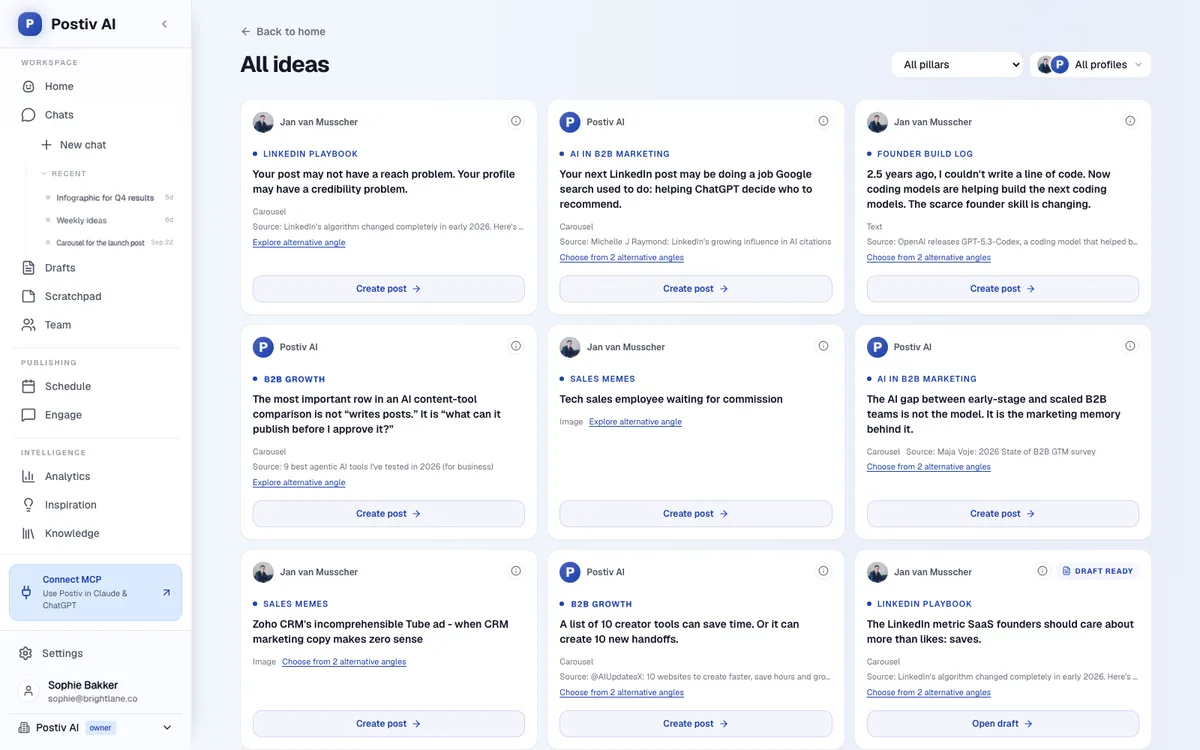
Postiv is built around Bob, an AI planning agent. Bob looks at your content pillars, your niche, and last week’s results, then builds a weekly plan per profile, finds trending angles, drafts posts in your voice, and designs carousels and infographics.
The more you approve or edit, the more it adapts.
Two things set it apart for business use. It publishes through LinkedIn’s official API rather than a browser extension, and it supports team approvals, with Slack notifications when a post goes live.
It schedules to both LinkedIn and X from one calendar, covers personal profiles and company pages, and offers MCP access so you can work from Claude, ChatGPT, or Cursor with your ideas and analytics already loaded.
Pros & Cons
PROS
CONS
Pricing
Creator Pro costs $49.50 a month billed yearly for one LinkedIn seat.
Team costs $159 a month billed yearly with unlimited members and profiles.
03. AuthoredUp
LinkedIn writing and analytics toolWriters who care about formatting, hooks, and detailed post analytics
AuthoredUp is the tool I’d pick if you write your own posts and want them to look right. Its editor formats text, previews posts on mobile and desktop, and offers a library of hooks and endings.
Its analytics go deeper than LinkedIn’s own, showing saves, sends, and reach, with CSV export and an analytics API on every plan. It says it uses no automation and no cookies.
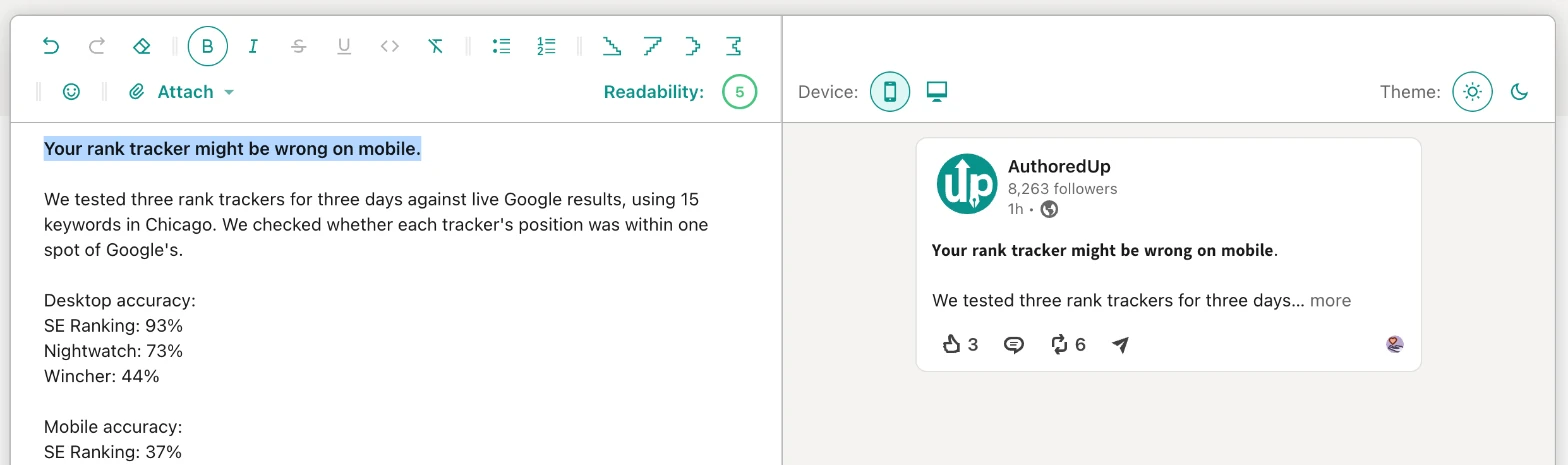
I tested its free LinkedIn text formatter with a post I’d drafted about our rank tracker test. I bolded the hook with one click, and the live preview showed something I hadn’t expected.
On desktop, LinkedIn cut the post after the hook and half of the second line. On mobile, it cut even earlier, at “We tested three rank trackers for three days… more”. None of the numbers, the most interesting part, showed before the fold. The fix was obvious once I saw it, put a number in the first line.
Pros & Cons
PROS
CONS
Pricing
The Individual plan costs $19.95 a month.
Business costs $14.95 per profile a month with a minimum of 3 profiles.
You can try it free without a credit card, and the text formatter is free to use.
04. Sparkian
Multi-model AI workspaceWriters who want to compare post drafts from several AI models
Sparkian is AI workspace with more than 100 models from OpenAI, Anthropic, Google, and others, and its multi-model chat sends one prompt to several models at once so you can compare their responses side by side.
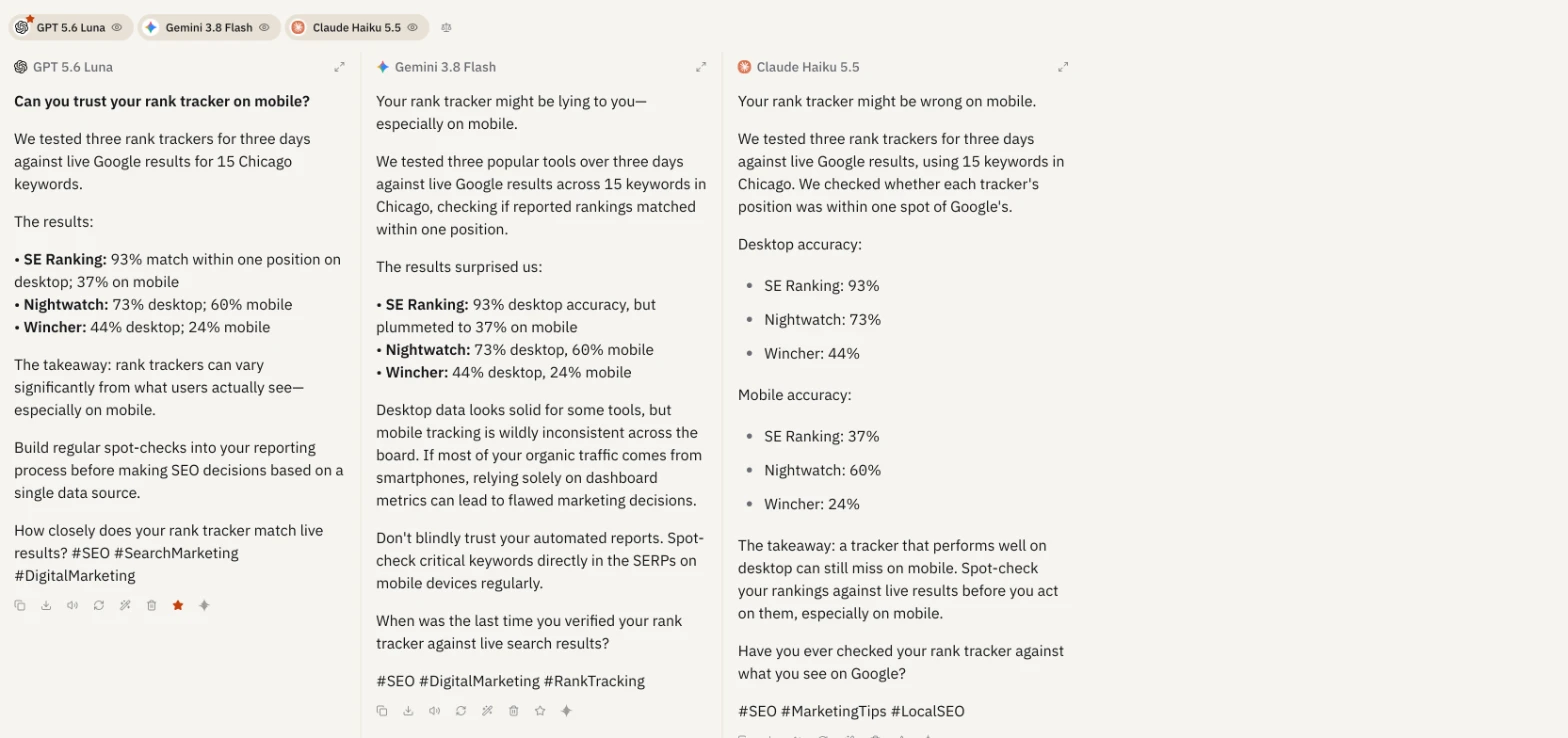
I gave GPT 5.6 Luna, Gemini 3.8 Flash, and Claude Haiku 5.5 the same brief.
A LinkedIn post under 150 words about our rank tracker accuracy test, with a strong first line, at most three hashtags, and a closing question.
All three got the numbers right and followed the format, but their styles differed. GPT wrote the tightest version with a question as the hook.
Gemini went more dramatic (“Your rank tracker might be lying to you”) and longer.
Claude split desktop and mobile results into two clean lists and was the only one to pick #LocalSEO, which fit the Chicago data.
GPT and Gemini both used em dashes, a common giveaway of AI-written posts, so I’d edit those before posting.
Pros & Cons
PROS
CONS
Pricing
- The free plan includes 100 Sparks a month.
- Pro costs $19 a month for 10,000 Sparks and 2 seats.
- Business $49 a month for 25,000 Sparks and 5 seats.
- Scale $149 a month for 75,000 Sparks.
05. Supergrow
LinkedIn content platform for teamsMarketing teams and agencies managing several profiles
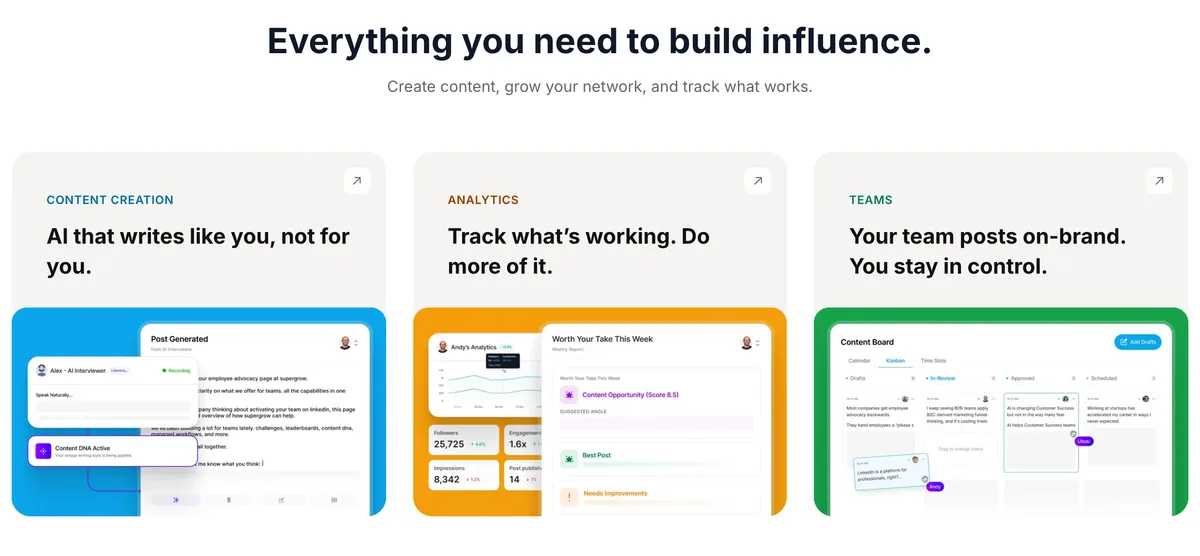
Supergrow helps teams produce LinkedIn content for several people at once. Content DNA learns each person’s voice, and Postcast runs a 10-minute AI interview that turns into three to five posts, which is a clever way to get ideas out of busy executives. You can also repurpose YouTube videos, articles, and PDFs, and build carousels.
Teams get approval workflows, a leaderboard, and Slack notifications. Supergrow connects through LinkedIn’s official API and says it uses no automation hacks or scraping. Every plan includes its MCP server.
Pros & Cons
PROS
CONS
Pricing
Pro costs $39 a month for one account. Teams costs $199 a month for 5 accounts.
AI Tools for LinkedIn Engagement and Scheduling
06. Commenter.ai
AI comment generatorPeople growing their reach by commenting on others' posts
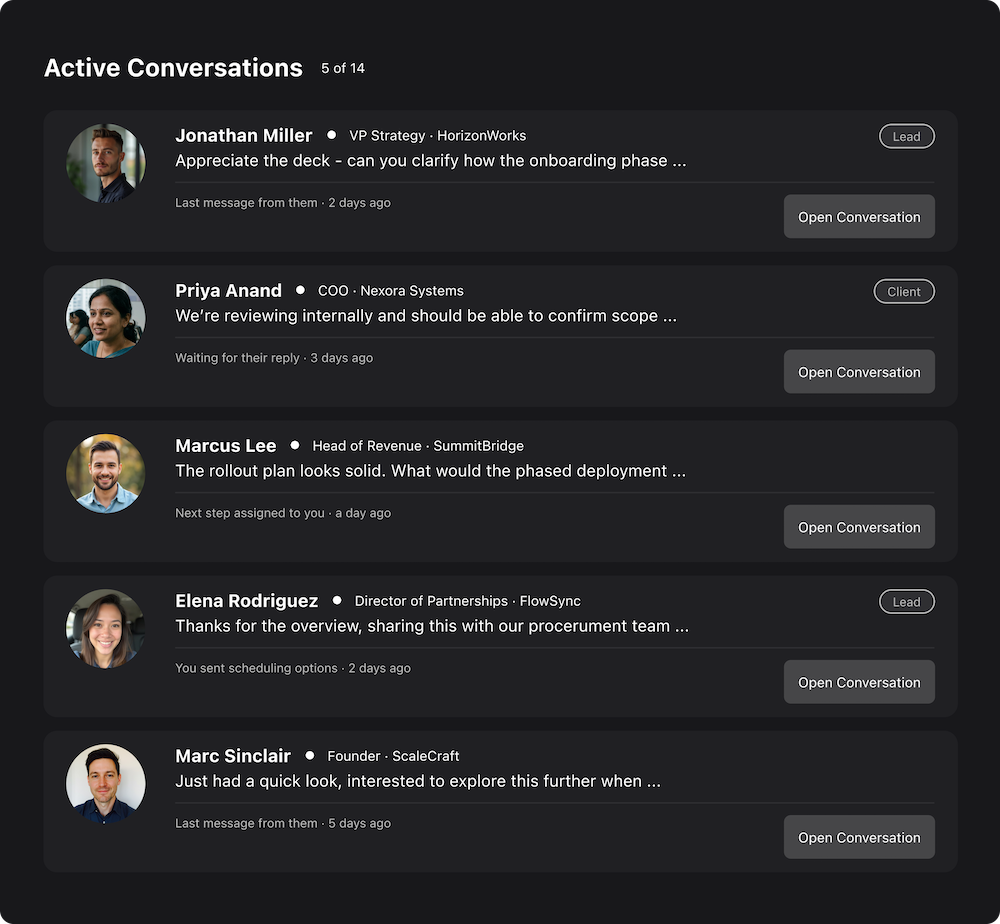
Commenting on the right posts is one of the fastest ways to get noticed on LinkedIn, and Commenter.ai drafts those comments for you. You pick an emotion and a commenting style, and higher plans add custom prompts, your own voice, and a personalized newsfeed of posts worth engaging with.
It works in a web app, with an optional Chrome extension. Use it as a starting point rather than an autopilot. Generic AI comments are easy to spot, and the value comes from adding something specific.
Pros & Cons
PROS
CONS
Pricing
Starter costs $147 a year for 300 comments a month, Creator $197 a year for 900, and Influencer $247 a year for 3,000 with custom voice and an unlimited engagement list.
The 3-day trial includes up to 120 comments with no credit card.
07. SocialPilot
Social media scheduler with AITeams that manage LinkedIn alongside other social networks
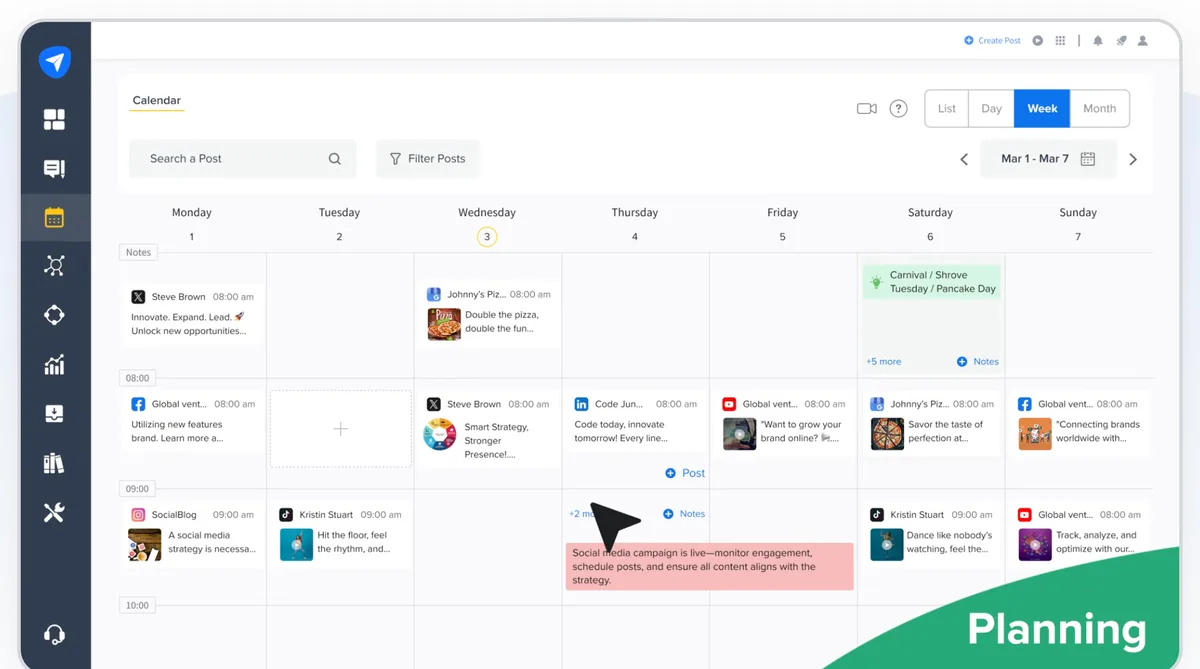
If LinkedIn is one of several networks you manage, SocialPilot schedules it alongside Facebook, Instagram, TikTok, X, Threads, YouTube, Pinterest, Google Business, and Bluesky. Its AI Pilot assistant drafts and rewrites posts, and every plan includes AI credits.
For LinkedIn specifically, it supports document and carousel posts and first-comment scheduling. Higher plans add a social inbox, approvals, white-label reports, and bulk scheduling, and it integrates with Canva, Slack, and Zapier.
Pros & Cons
PROS
CONS
Pricing
Essentials costs $25.50 a month billed yearly for 7 accounts and 500 AI credits. Standard is $42.50, Premium $85, and Ultimate $170.
The 14-day free trial needs no card.
AI Tools for LinkedIn Outreach and Lead Generation
These tools automate connection requests, messages, and follow-ups. They can fill a sales pipeline, but they’re exactly what LinkedIn’s rules prohibit, so accounts that use them risk restrictions. If you use one, keep volumes low, personalize your messages, and never risk an account you can’t afford to lose.
08. Expandi
Cloud LinkedIn outreachSales teams and agencies running multichannel outreach
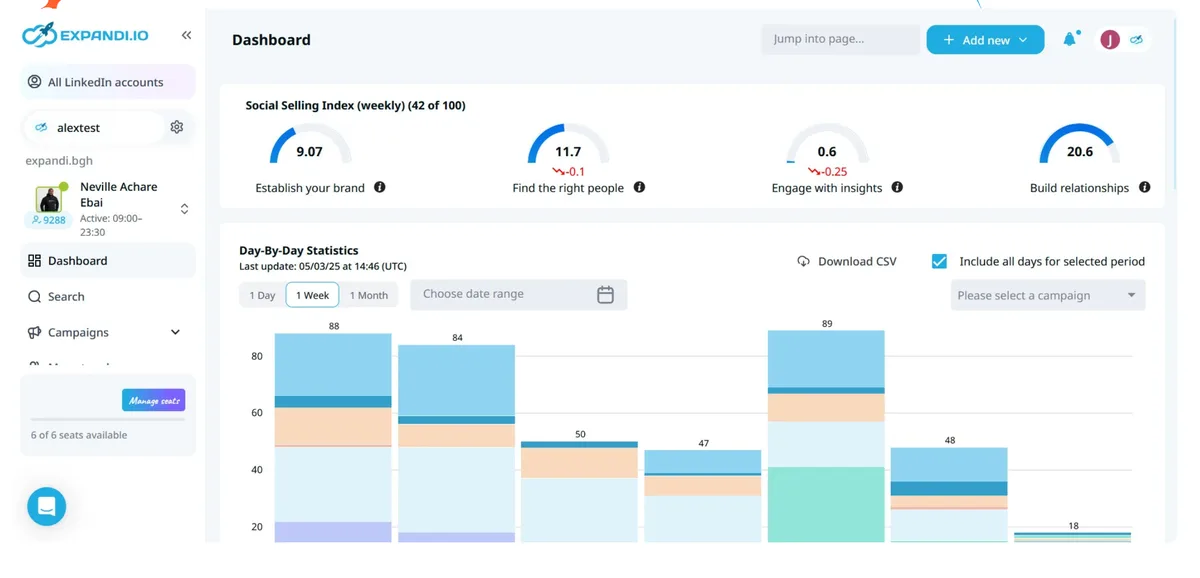
Expandi runs outreach sequences in the cloud, combining connection requests, messages, InMails, event invites, and email follow-ups with if-then logic. Each account gets a dedicated country-based IP address and a gradual warm-up, and Expandi says its algorithms keep you within LinkedIn’s limits.
Its own site also advertises campaign types that let you send more connection requests than LinkedIn’s usual weekly limit, and its footer says use of Expandi is at your own risk. That’s honest, and worth taking seriously.
Pros & Cons
PROS
CONS
Pricing
The Business plan costs $99 a month per seat.
09. Waalaxy
LinkedIn and email prospectingBeginners starting LinkedIn outreach
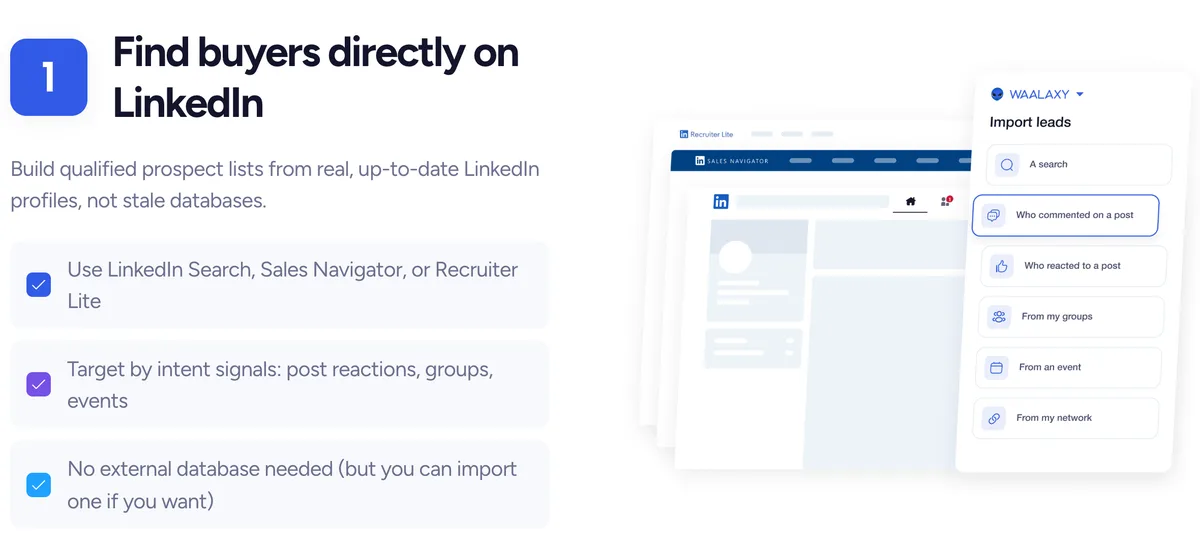
Waalaxy is for people who’ve never done outreach before, and it says 75% of its users fall into that group. It runs as a Chrome extension with pre-built sequences, automated follow-ups, and reply detection, and imports prospects from LinkedIn, Sales Navigator, or Recruiter Lite.
The Business plan combines LinkedIn and cold email in one campaign with 500 email finder credits a month. A LinkedIn Inbox add-on organizes conversations with tags and filters. The same account-risk caution applies as with any automation tool.
Pros & Cons
PROS
CONS
Pricing
Pro starts at $16 per user a month for 300 invitations.
AI Tool for LinkedIn Profile Optimization
10. Resume Worded
AI LinkedIn profile reviewJob seekers who want a scored, specific profile review
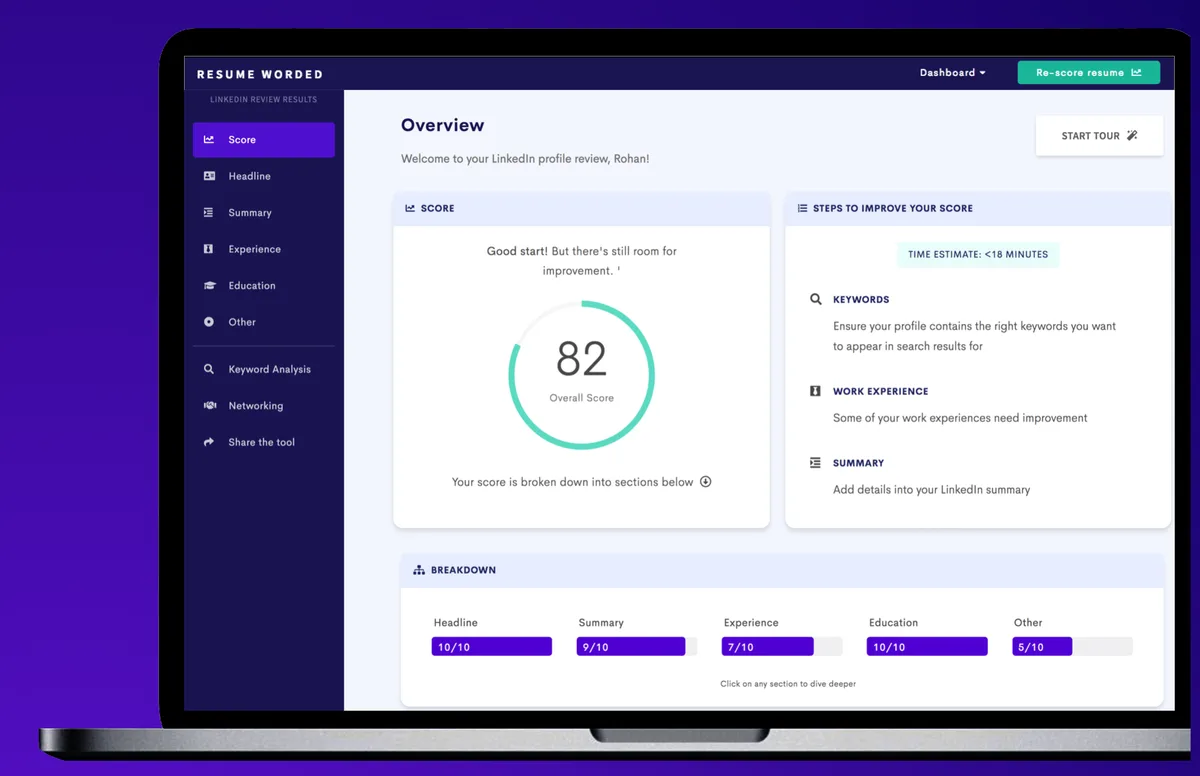
Resume Worded gives your LinkedIn profile a score and specific suggestions for improving it, benchmarked against strong profiles. It says its advice is curated by hiring managers and recruiters, and it explains each suggestion with examples.
It also offers free LinkedIn headline and summary generators and sample headlines for inspiration, plus resume scoring if you’re job hunting. A paid Pro plan unlocks more.
Pros & Cons
PROS
CONS
LinkedIn’s Built-In AI Features
Before paying for a third-party tool, check what LinkedIn already gives you.
Premium includes a profile writing assistant that suggests headlines and About sections and proofreads your Experience highlights, though LinkedIn says it’s available only to a select group of Premium subscribers. Premium plans also include a resume writing assistant and other AI-assisted features, and LinkedIn offers free trials to eligible members.
These built-in tools are the safest option because they come from LinkedIn itself, but they don’t schedule posts or analyze performance in depth, which is where the tools above help.
Other AI LinkedIn Tools Worth a Look
Turns YouTube videos and podcasts into LinkedIn posts. In my test, a free account’s projects stalled at “Fetching video metadata”, so try it before relying on it.
A LinkedIn content system with strategy, writing, visuals, scheduling, and weekly calls, from $99 a month.
Helps job seekers find recruiters and write LinkedIn intros and cold emails, with a free basic plan and a $19.99 a month suite.
LinkedIn outreach for agencies, priced per sender from $79 a month, with a unified inbox and API.
Outbound across LinkedIn and email with AI messaging, from $149 per seat a month.
Outreach automation plus managed appointment setting, from $69 a month, with a $10 10-day trial.
Tips for Using AI on LinkedIn
Write the first line for the fold. As my AuthoredUp test showed, LinkedIn shows only a line or two before “…more”, and even less on mobile. Put your most interesting number or claim there.
Edit every AI draft. In my Sparkian test, the models wrote accurate posts, but two of three reached for em dashes and familiar phrasing. A quick human edit makes the post sound like you.
Prefer tools that use the official API. Content tools that publish through LinkedIn’s API, or don’t automate anything at all, carry no account risk. Outreach automation does.





