


What separates them beyond basics of drag-and-drop editors and campaign scheduling? The answer usually comes down to three things.
- Which channels a platform covers beyond email
- How its automation logic branches
- Where the pricing rises once you outgrow the entry tier
In this guide, I will cover above and more actionable points to make you decide which email marketing tool to pick.
Quick Comparison
| Tool | Type | Best for | Starting price | Free plan or trial | Link |
|---|---|---|---|---|---|
| 01 Omnisend | Ecommerce email and SMS | Ecommerce businesses | $16/mo | 250 contacts, 500 emails | Visit |
| 02 Campaigner | Email and SMS automation | Segmenting by audience data | $14/mo | 30-day free trial | Visit |
| 03 Brevo | Multichannel marketing platform | Small businesses on a budget | $9/mo | 100,000 contacts, 300 emails/day | Visit |
| 04 HubSpot | CRM and marketing suite | Inbound marketing with CRM | $20/seat/mo | 2,000 emails/month | Visit |
| 05 Salesforce | Enterprise marketing cloud | Enterprise | $1,250/mo | None listed | Visit |
| 06 Kit | Creator email platform | Creators and newsletter writers | $33/mo | 10,000 subscribers | Visit |
| 07 Intuit Mailchimp | All-round email marketing | All-round brand recognition | $13/mo | 250 contacts, 500 emails | Visit |
| 08 Mailmodo | Interactive AMP email | Interactive, AMP-powered emails | $149/mo | Free trial | Visit |
| 09 ActiveTrail | Email and multichannel automation | Startups wanting unlimited sending | €8/mo | 30-day demo | Visit |
| 10 GetResponse | Email and funnel builder | Funnel-integrated marketing | $19/mo | 500 contacts, 2,500 emails | Visit |
| 11 ActiveCampaign | Marketing automation platform | Customer experience automation | $15/mo | 14-day trial | Visit |
| 12 Elastic Email | Email marketing and API | Small senders who want API keys | $29/mo | 1,000 contacts, 3,000 emails | Visit |
| 13 MailerLite | Beginner-friendly email marketing | Bloggers and beginners | $12/mo | 250 subscribers, 2,500 emails | Visit |
| 14 AWeber | Autoresponder email marketing | Legacy autoresponder features | $12.50/mo | 500 subscribers, 3,000 emails | Visit |
| 15 EmailOctopus | Simple email marketing | Simple free newsletters | $9/mo | 2,500 contacts, 10,000 emails | Visit |
| 16 Constant Contact | Small business email and social | Small businesses wanting live support | £6.80/mo (UK pricing) | 30-day trial | Visit |
| 17 Zoho Campaigns | Zoho suite email marketing | Teams on the Zoho ecosystem | $4/mo | 2,000 contacts, 6,000 emails | Visit |
| 18 Drip | Ecommerce automation | Ecommerce automation depth | $39/mo | 14-day trial | Visit |
| 19 Sender | Budget email and SMS | Budget-conscious marketers | $9/mo | 2,500 contacts, 15,000 emails | Visit |
What Actually Separates These Platforms
Before the tool-by-tool breakdown, three factors do most of the work in narrowing this list down to a shortlist worth trialing.
Channel coverage
Brevo, ActiveTrail, and Sender all sell SMS alongside email, while Omnisend limits SMS to its Pro plan. If your strategy already includes SMS or WhatsApp, a platform that treats those as a native channel will save time and money.
Automation depth versus simplicity.
ActiveCampaign, Drip, and HubSpot offer sophisticated branching automation, conditional logic, behavioral triggers, multi-path workflows. MailerLite and Sender favor a simpler, faster-to-learn model. Neither approach is objectively better, but picking a platform with more automation depth than you’ll use just adds a learning curve.
Where the pricing jumps.
Several platforms have an entry price that looks reasonable but when they jump to next tier, it is questionable. HubSpot’s Starter-to-Professional jump goes from $20 per seat, or a $7 new-customer offer, to $800 a month. Kit’s free plan covers 10,000 subscribers but leaves out automated sequences, and the first paid plan costs $33 a month at 1,000 subscribers. Plan your actual list size and required features against the tier you’ll need in a year.
Best Email Marketing Software
01. Omnisend
Ecommerce email and SMSEcommerce businesses
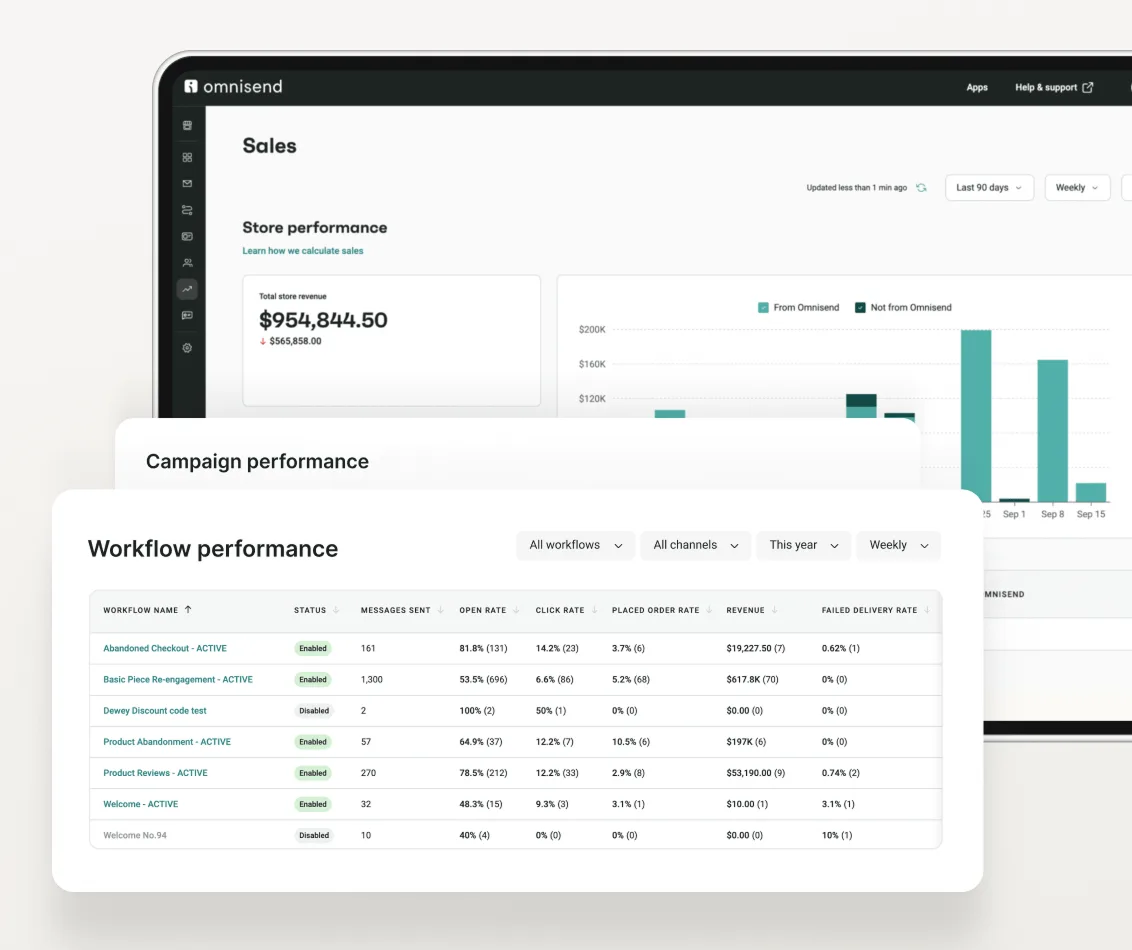
Omnisend centers its entire product around ecommerce data, order history, cart contents, and browsing behavior all feed directly into segmentation and automation without manual setup.
A Shopify store automates a cart abandonment sequence pulling live product and pricing data, without manually updating templates when inventory changes.
Our take: If you’re running an ecommerce store, Omnisend’s native store integration makes its automation meaningfully more useful than a generalist platform’s equivalent feature. Non-ecommerce businesses won’t get the same value.
Standout features:
- Prebuilt automation for welcome series, cart abandonment, and order confirmation
- AI subject line generator and prebuilt campaign messaging
- Drag-and-drop editor covering both email and SMS
- Conditional workflows and automation splits for A/B testing sequences
Pros & Cons
PROS
CONS
Pricing
Free plan covers 250 contacts and 500 emails monthly.
Standard starts at $16 per month for 500 contacts.
Pro starts at $59 per month for 2,500 contacts with unlimited emails, and SMS credits are a separate subscription.
First-time buyers can get 30% off for three months.
02. Campaigner
Email and SMS automationSegmenting by audience data
Campaigner is an email marketing automation platform that offers businesses of all sizes features like social integration, dynamic content, and comprehensive reporting to engage with their audience through targeted email campaigns.
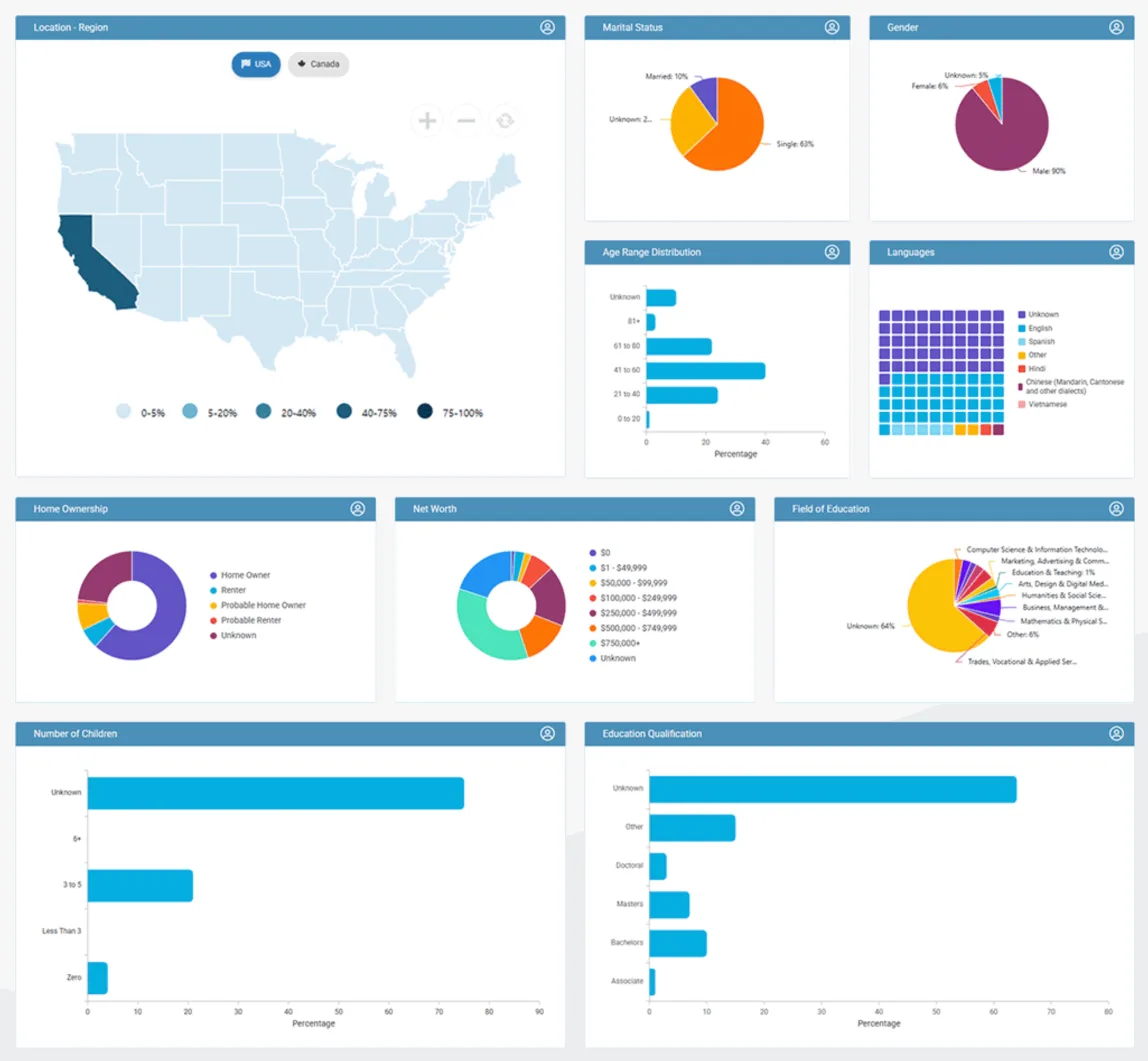
A US retailer spots a large group of homeowners in its list, describes them in plain language in AI Insight Builder, and assigns the result to a new mailing list for a targeted campaign.
Our take: The demographic data is the reason to shortlist Campaigner, especially with a North American list. Budget for Advanced, since Essentials has autoresponders but no automation workflows and keeps Campaigner’s branding on your emails.
Standout features:
- Visual workflow builder with time, rules, and conditional triggers, plus an error check before activation
- Audience Insights dashboard charting age, location, languages, and home ownership across your list
- A/B and multivariate testing on every plan
- Shopify, WooCommerce, and BigCommerce plugins with abandoned cart and back-in-stock emails
Pros & Cons
PROS
CONS
Pricing
There’s no free plan, but a 30-day free trial includes all features.
Essentials is $14 per month for 1,000 contacts and $72 for 10,000.
Advanced is $35 per month for 1,000 contacts and $124 for 10,000.
SMS is pay-as-you-go from $0.009 per message, and AI Insight Builder adds 20% to your plan.
03. Brevo
Multichannel marketing platformSmall businesses on a budget
Brevo’s free plan separates storage from sending: you can store up to 100,000 contacts but send only 300 emails a day. Paid plans tie contacts to your email tier, and Starter’s first tier lists 5,000 emails a month and 500 contacts.
Looking Inside Brevo
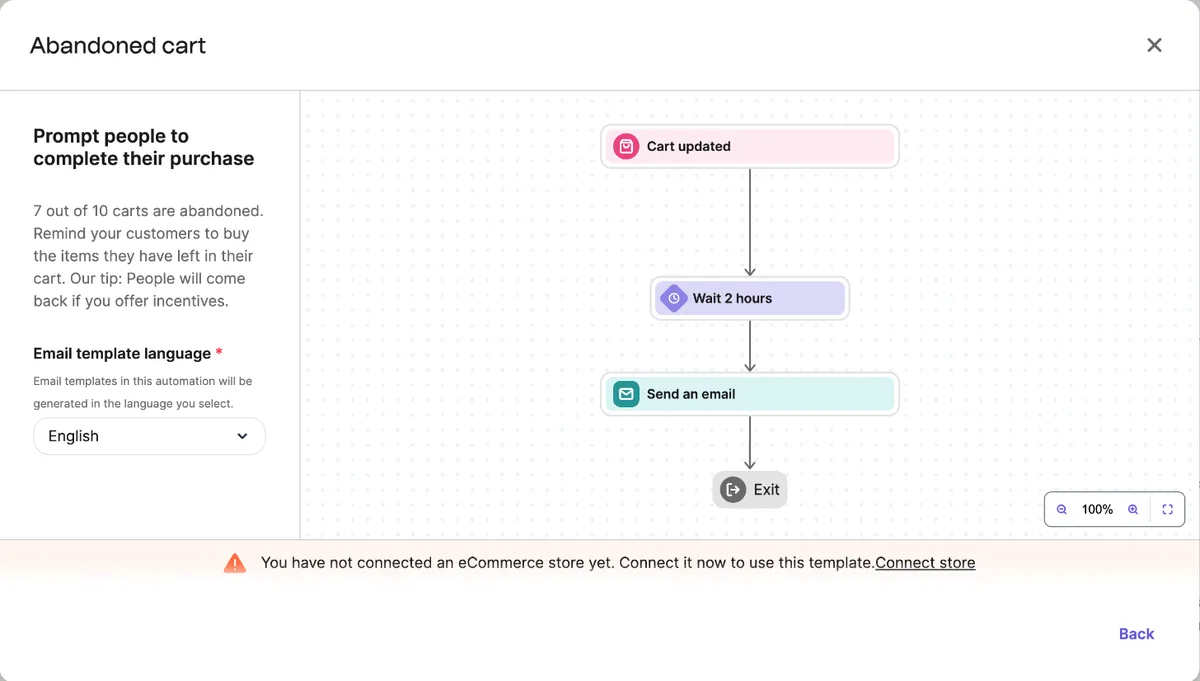
Create an automation offers an empty canvas or pre-made templates from a simple welcome message to loyalty and back-in-stock flows. There’s also a Generate automation with AI button on the main automations page.
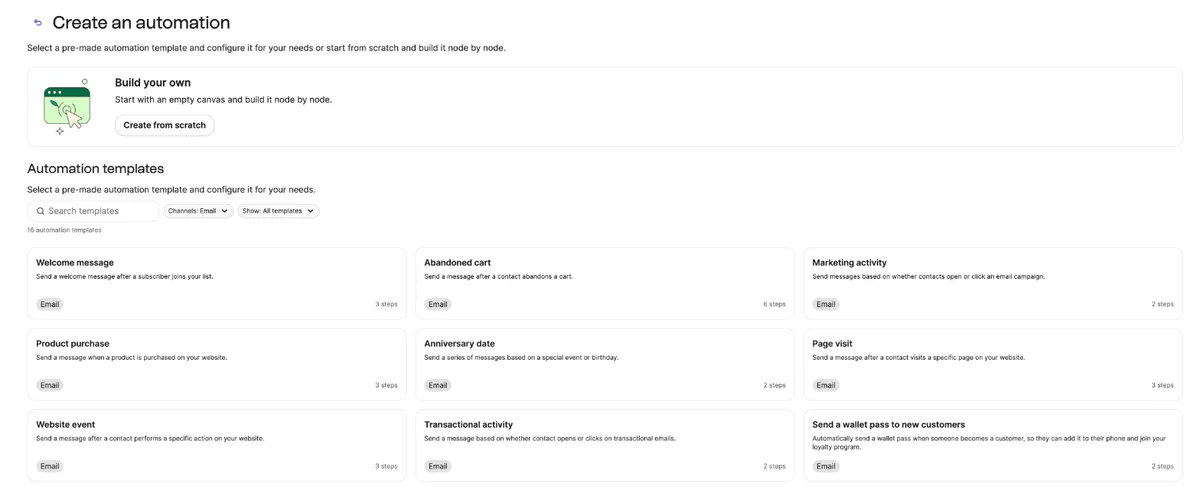
Each template opens a preview of the workflow before anything is created, which makes it easy to compare them. The preview also flags requirements early like Abandoned cart told me to connect an eCommerce store before I could use it.
The home screen tracks your email allowance in a plan usage panel. In this account it read 300 emails, the same as the free plan’s daily limit.
An organization with a large list it rarely emails can keep up to 100,000 contacts on the free plan and send in batches of 300 a day.
Our take: For a large list you rarely email, Brevo’s free plan is hard to beat, as long as 300 emails a day is enough.
Standout features:
- Visual workflow builder with an AI generator and 16 email automation templates
- App store integrations with Shopify, WooCommerce, and CRM tools
- A/B testing across email and landing pages
- Built-in CRM for tracking customer interactions
Pros & Cons
PROS
CONS
Pricing
The free forever plan stores up to 100,000 contacts and sends 300 emails a day.
Starter is $9 per month from 5,000 emails a month.
Standard is $18 per month.
Professional is $499 per month.
04. HubSpot
CRM and marketing suiteInbound marketing with CRM
HubSpot’s marketing, sales, and service data live in one CRM. The affordable Starter tier sharpens the contrast with the steep jump to Professional.
A growing business wants every email open, chatbot conversation, and landing page visit automatically logged against the same CRM contact record their sales team works from.
Our take: The Starter tier is competitive, especially at the $7 offer price. The real planning question is whether you’ll eventually need Professional’s automation depth, since that jump is very high.
Standout features:
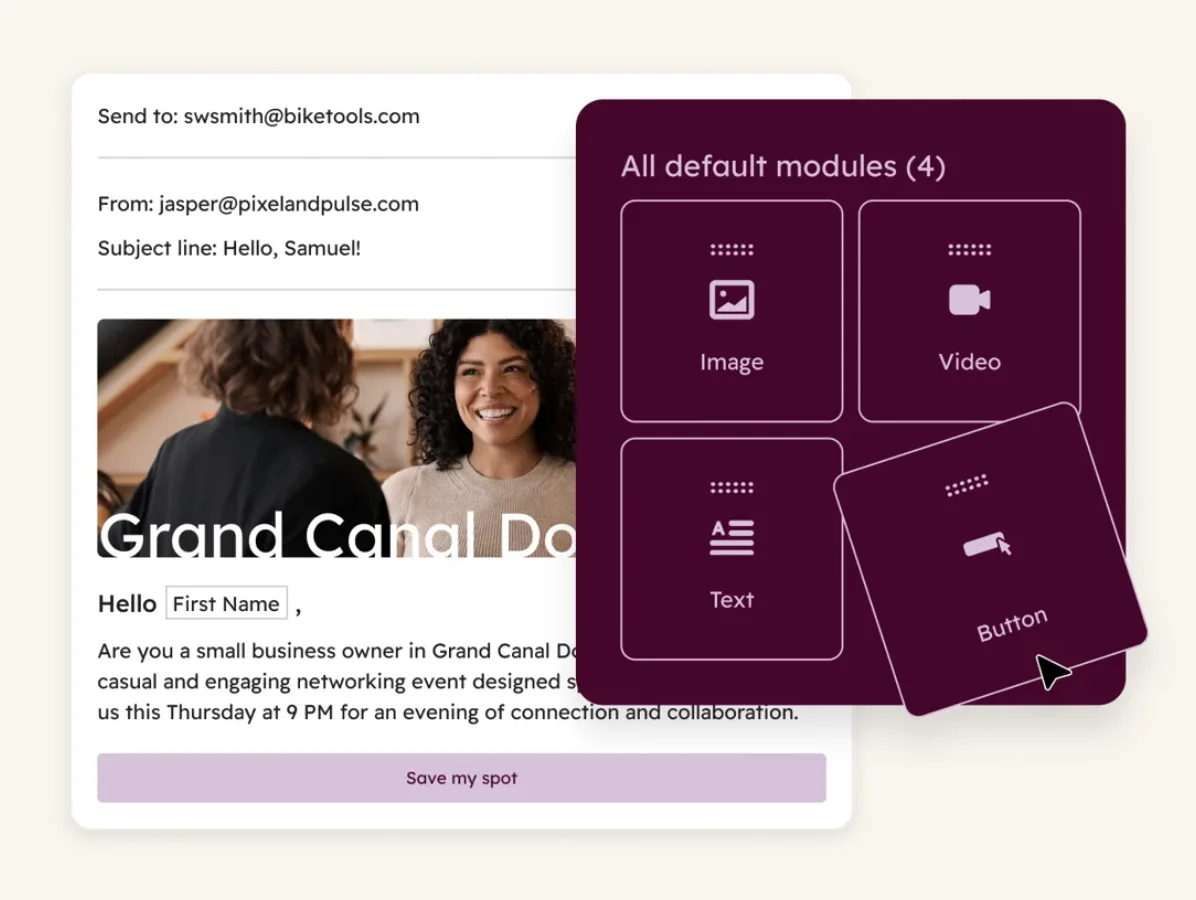
- Chatflows, email workflows, and landing pages in one platform
- Revenue attribution reporting tied to CRM records
- Breeze Assistant for in-app task assistance
- Custom objects and Salesforce integration on higher tiers
Pros & Cons
PROS
CONS
Pricing
Free tier covers 2,000 email sends monthly with HubSpot branding, for up to two users.
Starter is normally $20 per month per seat, with a limited-time $7 offer for new customers paying annually upfront, and includes 1,000 marketing contacts.
Professional starts at $800 per month and a $3,000 one-time onboarding fee.
05. Salesforce
Enterprise marketing cloudEnterprise
Salesforce’s marketing tools span multiple products, Marketing Cloud Account Engagement for B2B lead nurturing, and separate Marketing Cloud Next Growth and Advanced editions for broader customer journeys. That gives a signal that salesforce is not for solo marketer but organisation with marketing operations staff.
A mid-market B2B company scores and nurtures inbound leads before handoff to sales, tracked inside the same Salesforce instance their sales team already uses.
Our take: This is a fit for large organizations already invested in Salesforce, not a comparison point for a small business.
Standout features:
- Generative and predictive AI across the campaign lifecycle
- Journey builder spanning email, landing pages, and major ad platforms
- Intelligent lead scoring tied into the Salesforce CRM
- Real-time big data segmentation

Pros & Cons
PROS
CONS
Pricing
Marketing Cloud Next Growth is $1,500 per org per month and Advanced is $3,250, both billed annually.
Account Engagement for B2B starts at $1,250 per month for 10,000 contacts.
06. Kit
Creator email platformCreators and newsletter writers
Kit is the rebranded ConvertKit. Its free plan covers up to 10,000 subscribers, one of the largest list allowances, but it leaves out automated sequences. Most creators who want a welcome series will end up paying $33 a month or more.
A newsletter creator selling a paid subscription tier uses Kit’s tagging to separate free and paid subscribers into different automated sequences.
Our take: Strong fit for creators. The free plan gives you plenty of room to grow a list, but budget for $33 a month once you need automated sequences.
Standout features:
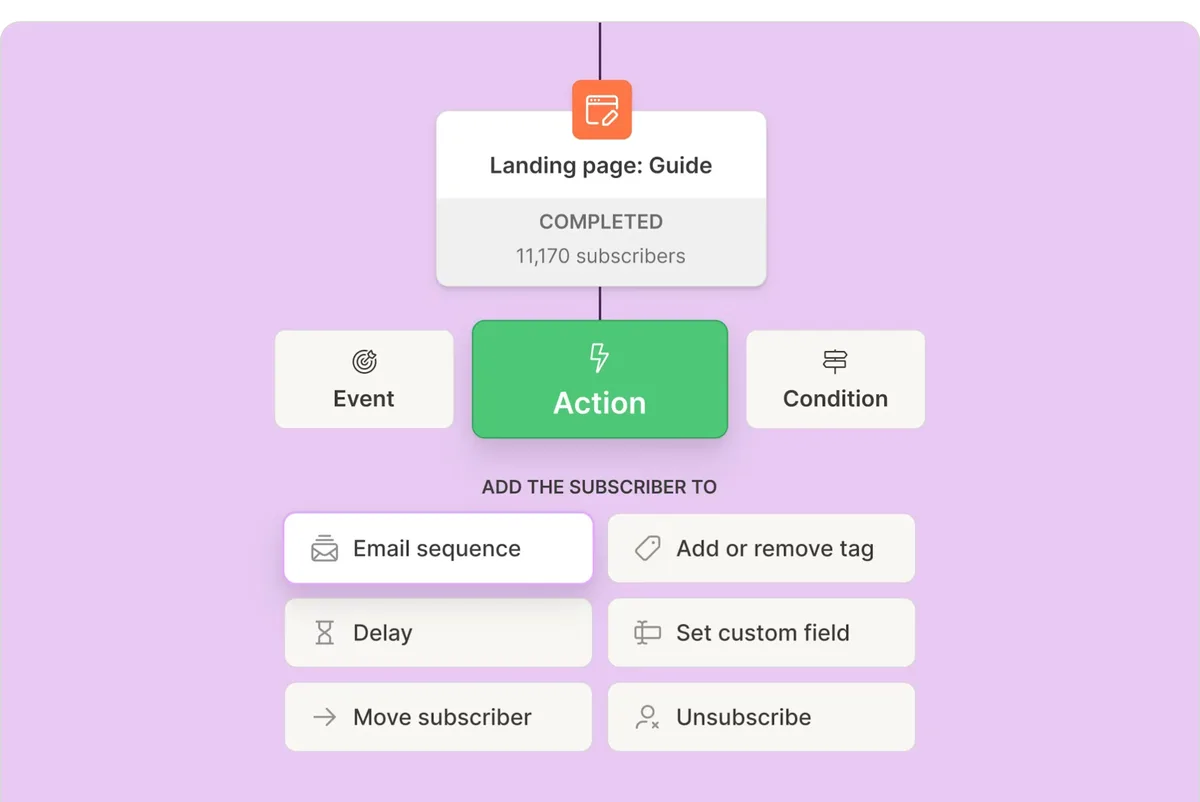
- Visual automation builder with conditional logic
- Tagging and segmentation built around creator use cases (paid content, courses, sponsorships)
- Prebuilt templates and landing pages
- Free Concierge Migration service on paid plans
Pros & Cons
PROS
CONS
Pricing
The free plan covers up to 10,000 subscribers, with no automated sequences.
Creator is $33 per month billed yearly at 1,000 subscribers.
Pro is $66 per month billed yearly, adding advanced analytics and unlimited team seats.
07. Intuit Mailchimp
All-round email marketingAll-round brand recognition
Mailchimp remains the most recognized name for email marketing. Its free-forever plan is one of the smallest at 250 contacts.
An organization with several non-technical staff picks Mailchimp because new hires are likely to already have some familiarity with the interface.
Our take: Brand familiarity remains the real reason to choose Mailchimp. Several platforms I’ve mentioned here offer more in free and entry plans.
Standout features:
- Marketing CRM with contact tagging
- Marketing Automation Flows with up to 200 steps and 3 triggers on Standard and higher
- WordPress plugin and extensive third-party integrations
- Social media campaigns with AI-generated content
Pros & Cons
PROS
CONS
Pricing
The free plan covers 250 contacts and 500 sends a month, with a daily limit of 250.
Essentials starts at $13 per month for up to 500 contacts, removing branding and adding A/B testing.
Standard starts at $20 per month, adding generative AI and social scheduling.
Premium is $350 per month for 10,000 contacts and unlimited audiences.
08. Mailmodo
Interactive AMP emailInteractive, AMP-powered emails
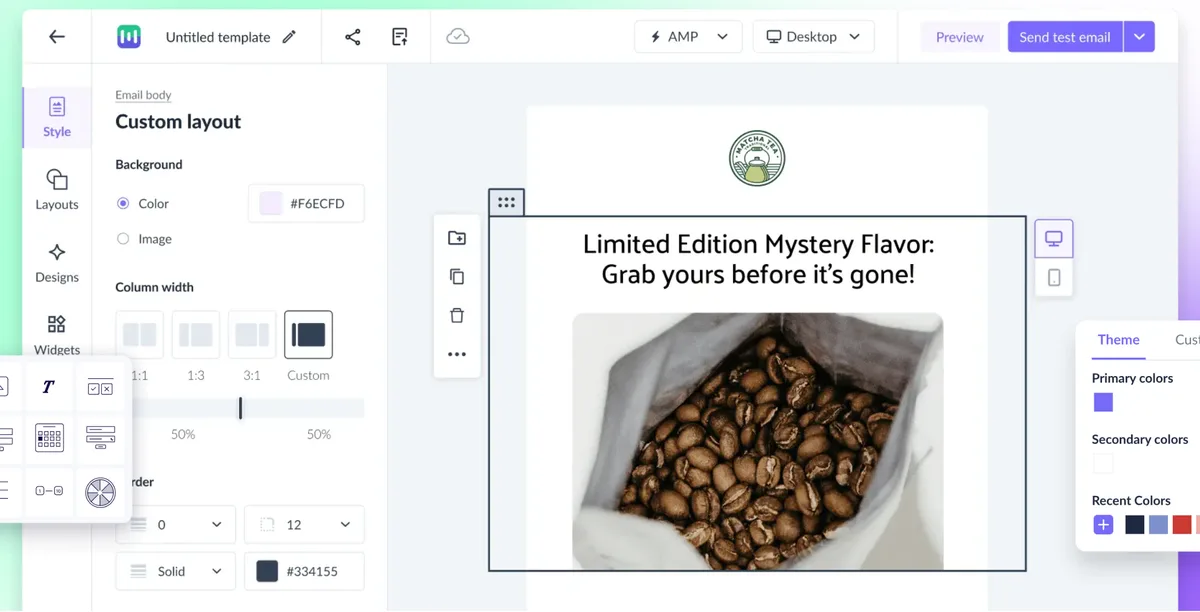
Mailmodo’s differentiator is AMP-powered interactive email, letting recipients fill out forms, browse a product carousel, or complete an action directly inside the email rather than clicking through to a landing page. That’s a different capability from the rest of this list, but it costs far more than most of them.
A SaaS company embeds an in-email NPS survey that recipients complete without leaving their inbox, increasing response rates over a traditional link-out survey.
Our take: The interactive email capability is distinctive, but at current pricing this only makes sense if that specific feature is worth a meaningful premium over conventional platforms for your use case.
Standout features:
- AMP interactive emails supporting in-email forms and carousels
- Visual journey builder with custom event triggers
- Static and dynamic segmentation
- Built-in AI assistance for content and subject lines
Pros & Cons
PROS
CONS
Pricing
Lite starts at $149 per month billed annually for 500 contacts and 2,000 email credits.
Pro is $199 per month billed annually for 500 contacts and 3,000 credits.
09. ActiveTrail
Email and multichannel automationStartups wanting unlimited sending
ActiveTrail’s Basic plan includes unlimited email sending.
A startup with an actively growing list avoids recalculating costs against a sending cap every time the list grows, since Basic-tier sending is unlimited.
Our take: The unlimited-sending structure on the entry tier is worth a look if volume-based pricing on other platforms is your main frustration.
Standout features:
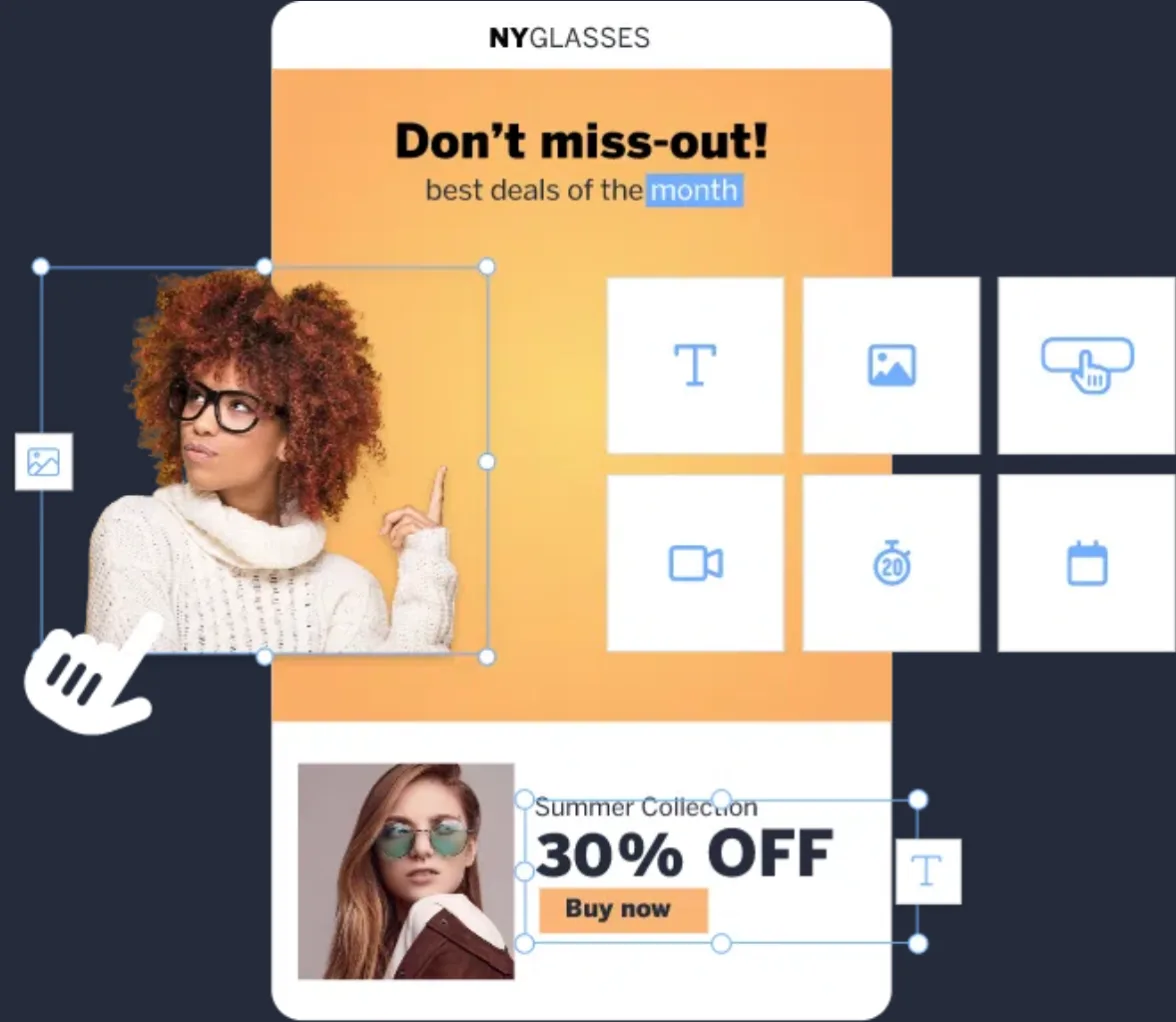
- Visual workflow builder with smart scenario automation
- Landing pages, forms, and popups included on the entry plan
- Survey tools and API access
- AI predictive delivery timing on higher tiers
Pros & Cons
PROS
CONS
Pricing
A 30-day free demo account is available with no credit card required.
Basic is €8 per month billed yearly for up to 500 contacts.
10. GetResponse
Email and funnel builderFunnel-integrated marketing
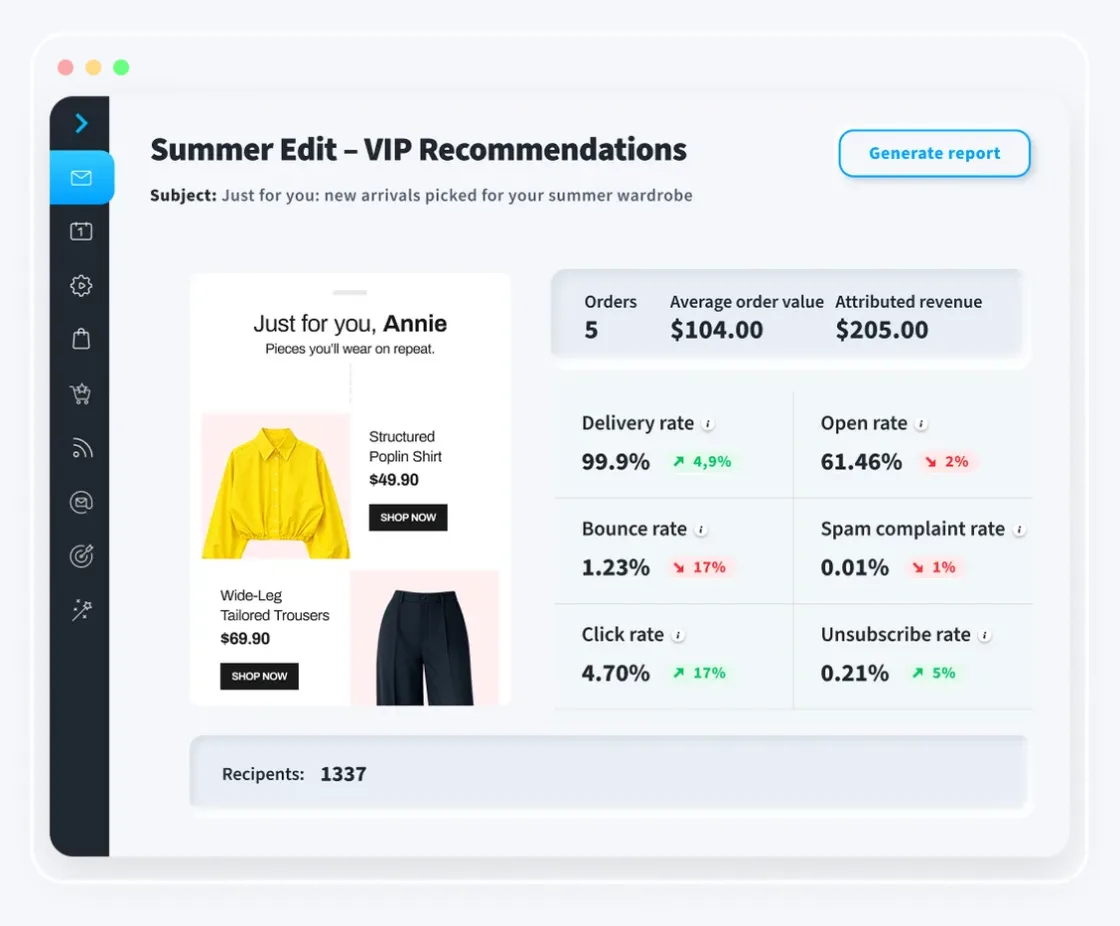
GetResponse is for full conversion funnel including the email send, landing pages, webinars, and a course platform.
A course creator runs email marketing, a sales funnel, and webinar registration entirely inside GetResponse rather than connecting three separate tools.
Our take: The funnel-and-course bundling is the real reason to pick GetResponse over a traditional email marketing tool. If you don’t need those features, you’re likely paying for capability you won’t use.
Standout features:
- Unlimited email sends on the Starter tier
- Sales funnel and landing page builder
- Abandoned cart recovery on the Marketer tier
- Website and course builder on the Creator tier
Pros & Cons
PROS
CONS
Pricing
A free plan covers 500 contacts and 2,500 newsletters a month, with one landing page and a GetResponse badge.
Starter is $19 per month for 1,000 contacts billed monthly.
11. ActiveCampaign
Marketing automation platformCustomer experience automation
ActiveCampaign offers most capable automation builders. Its pricing scales with contact count, so the advertised entry price only reflects the smallest list size.
A business builds a multi-step upsell workflow using predefined delay and conditional logic than building branching rules from scratch.
Our take: Exceptional automation depth for the price at low contact counts. Plan your cost at your actual list size before comparing the entry price against competitors.
Standout features:
- Visual automation builder with if/else branching and predefined workflows
- Cross-channel marketing from Plus and predictive sending from Pro
- Site and event tracking feeding into dynamic segments
- 1,000+ integrations including major CRMs and ecommerce platforms

Pros & Cons
PROS
CONS
Pricing
- Starter is $15/month (1 user, 5 actions per automation).
- Plus is $49/month (unlimited automation actions, cross-channel marketing).
- Pro is $79/month (3 users, predictive sending).
- Enterprise is $145/month (5 users, SSO).
12. Elastic Email
Email marketing and APISmall senders who want API keys
Elastic Email pairs a modest free plan with API keys on each plan, which suits small teams that want to trigger email from their own code. Its $29 entry plan isn’t the cheapest, but it covers 2,500 contacts, while many start at 500.
A developer-driven small business wants API access to trigger campaigns programmatically without paying for a higher-tier plan.
Our take: For small teams that want API access and a free tier to start on, Elastic Email is worth a look.
Standout features:
- Email designer, signup forms, and analytics on the free plan
- 15 API keys on each plan
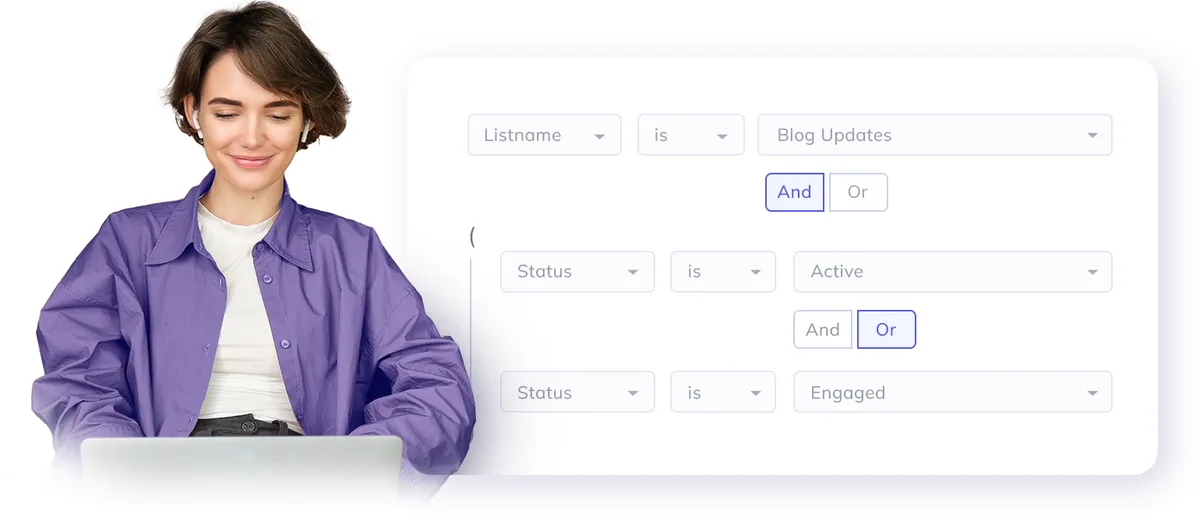
- Landing page editor and segmentation
- Reseller capabilities on the Pro tier
Pros & Cons
PROS
CONS
Pricing
The free plan covers 1,000 contacts and 3,000 emails per month, capped at 100 emails a day. Starter is $29 per month for up to 2,500 contacts and 37,500 emails. Pro is $49 per month, adding automations, paid newsletters, and reseller features.
13. MailerLite
Beginner-friendly email marketingBloggers and beginners
MailerLite’s interface is easy to use and I recommend to beginners.
Looking Inside MailerLite
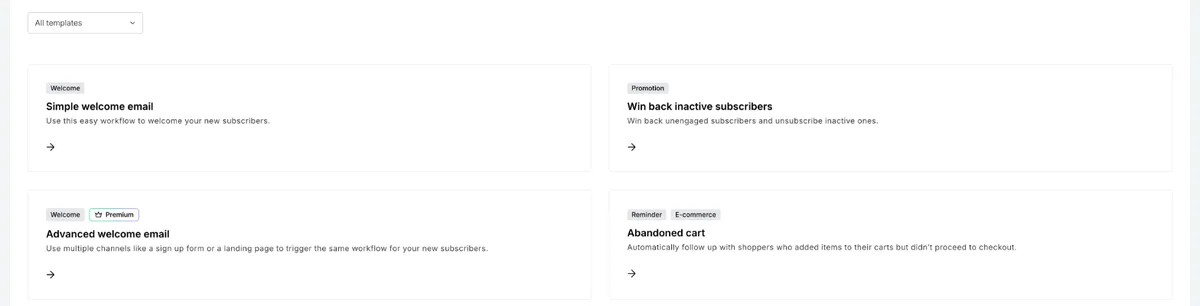
The template screen lists 18 starting points, sorted with labels such as Welcome, Promotion, and E-commerce. Four carry a Premium label, including Advanced welcome email.
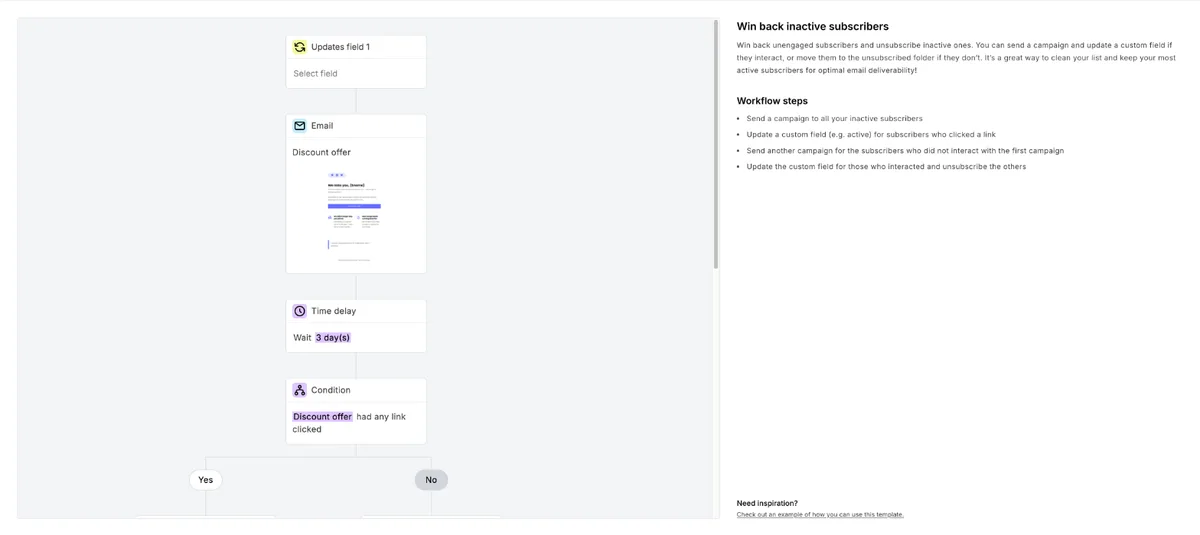
Preview is the useful part. Win back inactive subscribers lays out the full flow, an email, a three-day wait, and a condition on whether a link was clicked, next to a list of the steps. For a first automation, that explains the logic better than a blank screen.
A first-time newsletter writer picks MailerLite for its shallow learning curve relative to more feature-dense competitors.
Our take: Strong pick for beginners on interface alone. The free tier covers a much smaller list than it used to, so budget to upgrade sooner.
Standout features:
- A/B testing and test email previews before sending
- Drag-and-drop template editor
- Popup and embedded form building
- Event and action-based automation triggers
Pros & Cons
PROS
CONS
Pricing
The free plan covers 250 subscribers and 2,500 emails monthly.
Comfort, the entry paid plan, starts at $12 per month billed monthly for up to 500 subscribers.
14. AWeber
Autoresponder email marketingLegacy autoresponder features
AWeber has a free plan, though its pricing page leads with paid plans and a 14-day trial. The free plan covers up to 500 subscribers and 3,000 sends a month, with AWeber branding.
A blogger sets up RSS-triggered emails that automatically notify subscribers whenever a new post is published, without manually creating each campaign.
Our take: AWeber’s feature set is still solid, and the free plan is worth a look for a small list. For more free features, compare it against EmailOctopus or Sender.
Standout features:
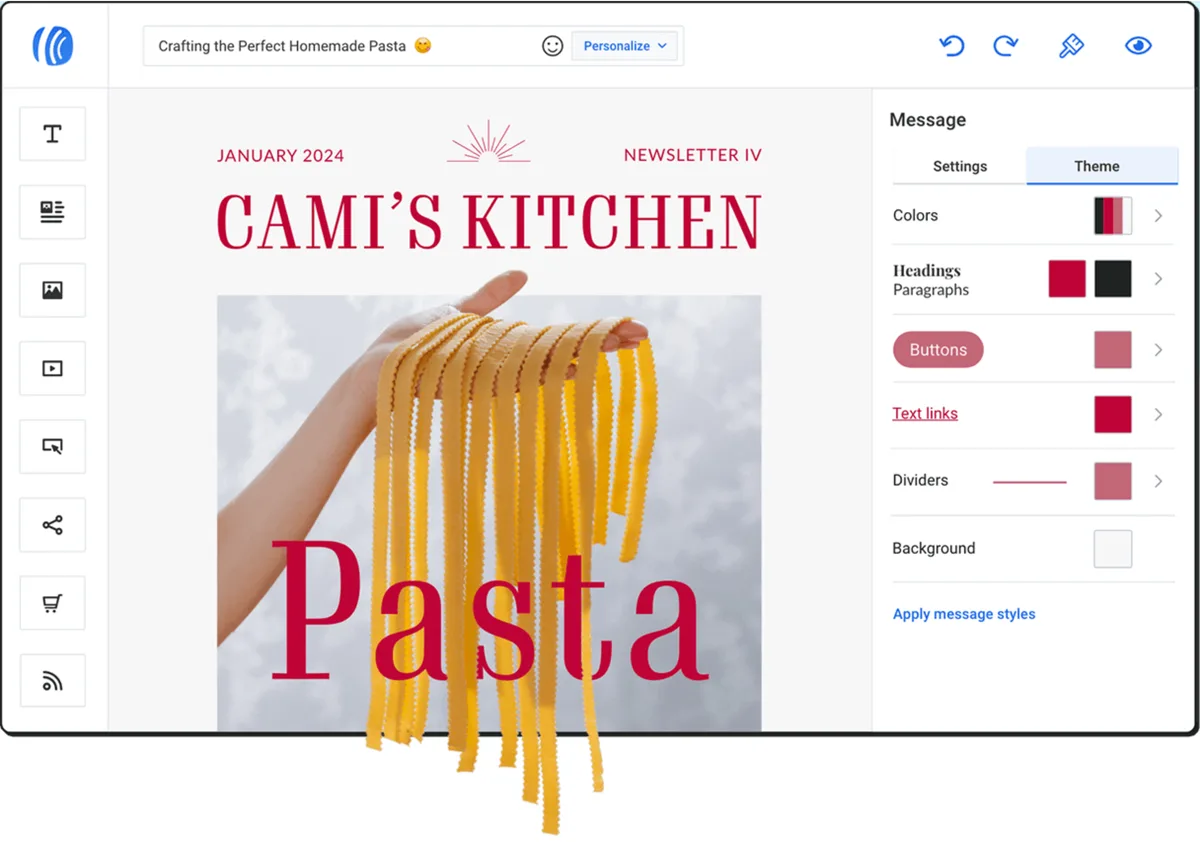
- Drag-and-drop email builder
- RSS-triggered email for automatically distributing blog content
- Behavioral triggers based on subscriber actions
- Custom segments with save-and-send functionality
Pros & Cons
PROS
CONS
Pricing
The free plan covers 500 subscribers and 3,000 sends a month.
Paid plans come with a 14-day trial. Lite is $12.50 per month billed annually for up to 500 subscribers and 5,000 sends.
15. EmailOctopus
Simple email marketingSimple free newsletters
EmailOctopus keeps things simple, with a free plan of 2,500 contacts and 10,000 emails a month. Teams that want to send through their own Amazon SES account can use its separate Connect product.
Testing EmailOctopus
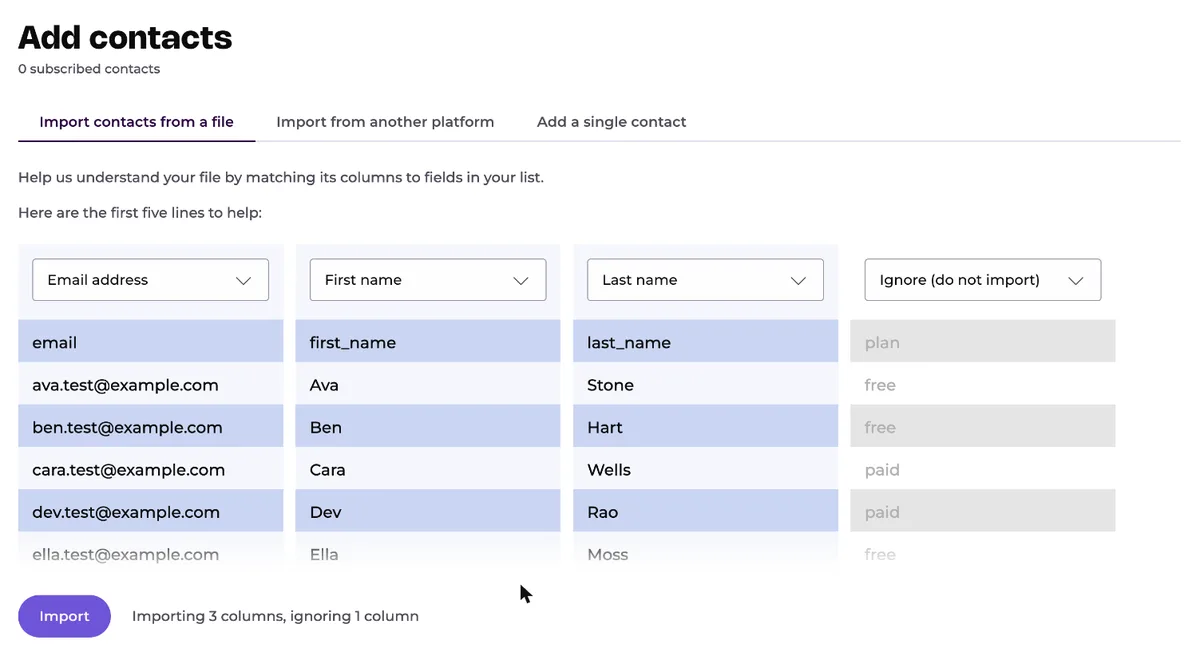
The CSV import matched my email, first name, and last name columns on its own. My fourth column, plan, was set to ignore by default, and I mapped it to tags from the same dropdown. All 10 contacts were in within about 15 seconds.
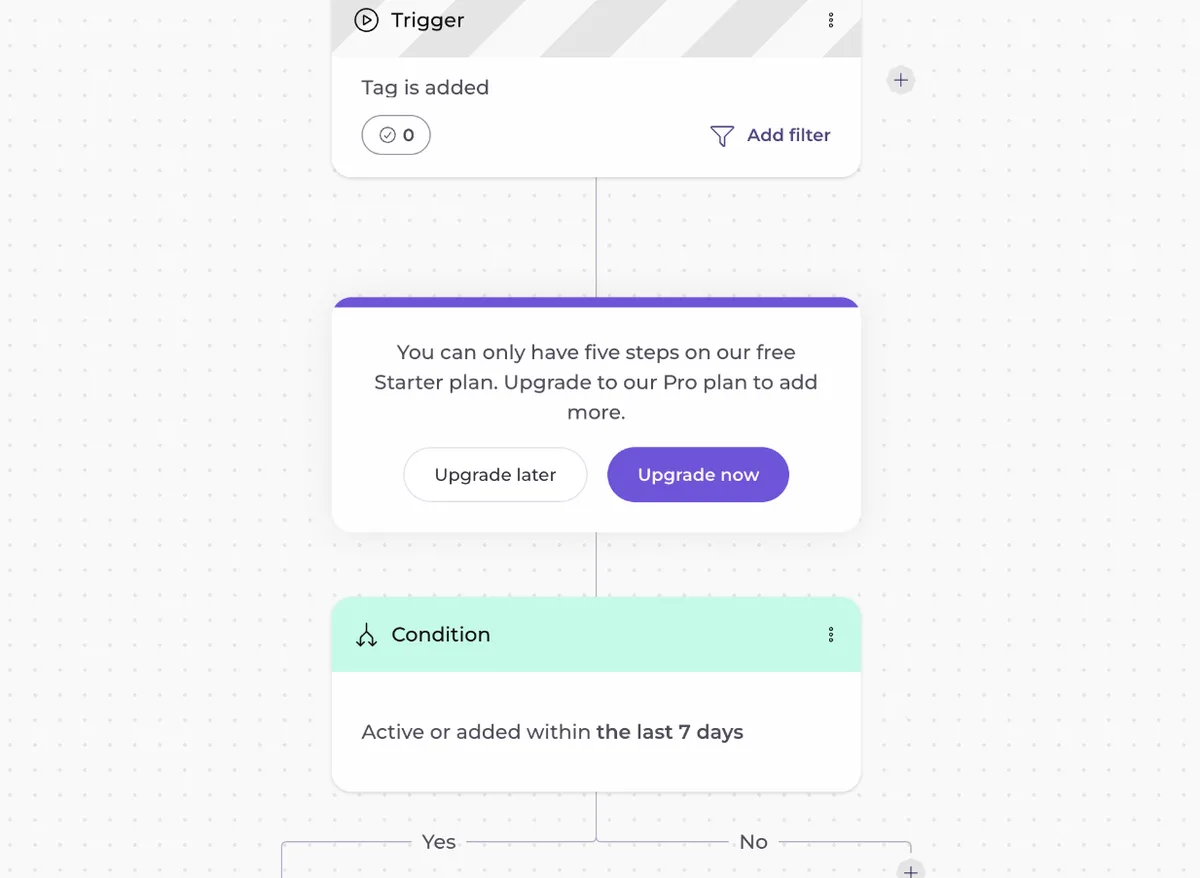
The automation builder offers six starting templates. I picked Re-engagement sequence, which opens as a visual flow with a tag trigger, a condition with Yes and No branches, an email, and a wait.
Conditions work on the free plan, but when I tried to add another step, EmailOctopus stopped me with a message that the free Starter plan allows only five steps. A longer sequence means upgrading to Pro.
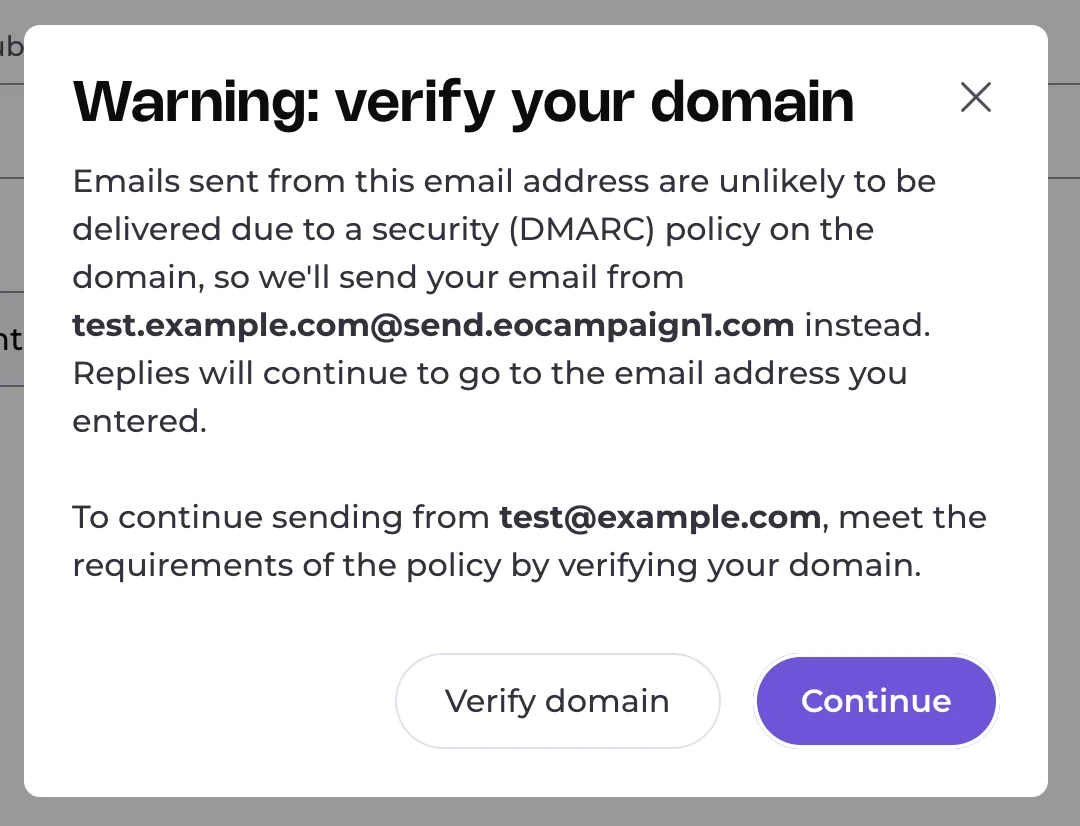
I entered a from address at example.com, and a warning said mail from it was unlikely to be delivered because of the domain’s DMARC policy. EmailOctopus would send from its own send.eocampaign1.com domain until I verified the domain, with replies still going to my address.
The drag-and-drop editor was straightforward, with six branded templates to start from. The footer carries a “Sent with EmailOctopus” badge, and the Send screen marks gradual sending as a Pro feature.
A solo newsletter writer with 2,000 subscribers runs entirely on the free plan, including a signup landing page, without paying anything.
Our take: This remains one of the better free plans on the list. Shortlist it if your automations can stay within five steps.
Standout features:
- Full drag-and-drop campaign editor
- Landing page builder included on the free plan
- List API for programmatic contact management
- Advanced segmentation on list fields and campaign activity
Pros & Cons
PROS
CONS
Pricing
Free for up to 2,500 contacts and 10,000 emails per month.
Pro starts at $9 per month billed annually.
16. Constant Contact
Small business email and socialSmall businesses wanting live support
Constant Contact differentiates less on features and more on support, live phone and chat support with marketing experts is included from the entry tier.
A small business owner without marketing staff relies on live chat support to troubleshoot campaign setup rather than digging through documentation alone.
Our take: The included live support is a differentiator for a non-technical small business owner, less compelling if you’re comfortable self-serving through documentation and prefer a lower price instead.
Standout features:
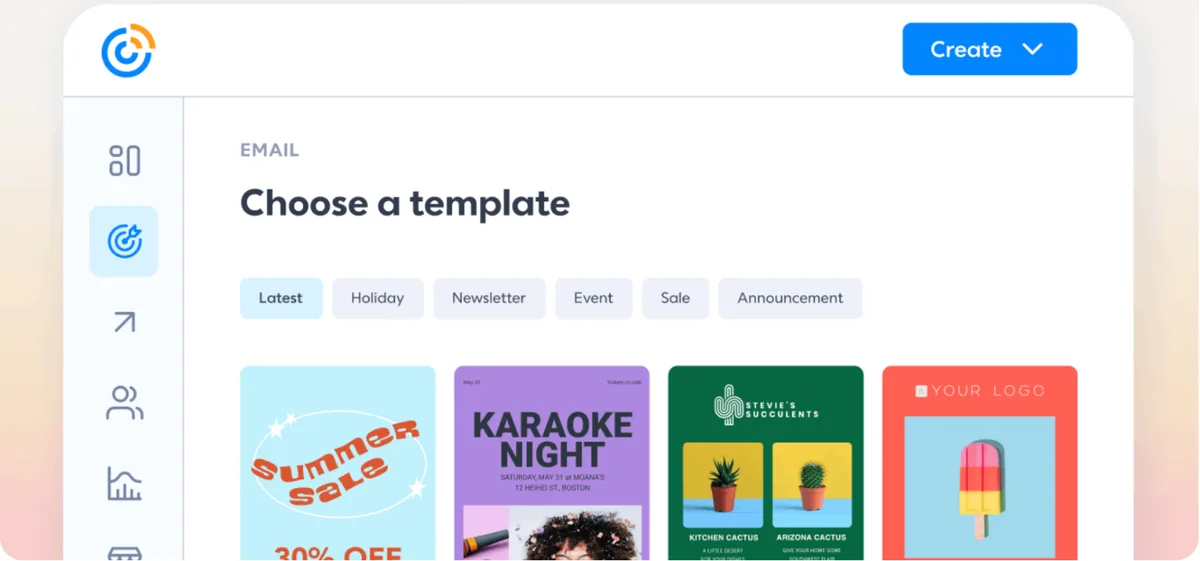
- AI copy generator and drag-and-drop email editor
- Automatic social media posting to Facebook, Instagram, and LinkedIn
- 1:1 live onboarding with experts
- Automation templates with AI campaign building on the Standard tier
Pros & Cons
PROS
CONS
Pricing
There’s no permanent free plan, but a 30-day free trial is available with no credit card required.
17. Zoho Campaigns
Zoho suite email marketingTeams on the Zoho ecosystem
Zoho Campaigns is the email marketing software of Zoho’s much larger business software suite. The value case sharpens considerably if you’re already running Zoho CRM or other Zoho products this connects to natively.
A small business already running Zoho CRM adds Zoho Campaigns to keep contact data and email activity inside the same ecosystem rather than syncing between separate tools.
Our take: Other tools on this list offer more for free. Inside the Zoho ecosystem, the integration value changes the calculation meaningfully.
Standout features:
- Drag-and-drop editor with pre-built newsletter templates
- A/B testing and analytics reporting
- Native Zoho CRM integration
- Contact list management with segmentation
Pros & Cons
PROS
CONS
Pricing
The forever-free plan covers up to 2,000 contacts and 6,000 emails per month.
Paid pricing rises with contact count, and Zoho’s own comparison article lists $4 per month at 500 contacts.
18. Drip
Ecommerce automationEcommerce automation depth
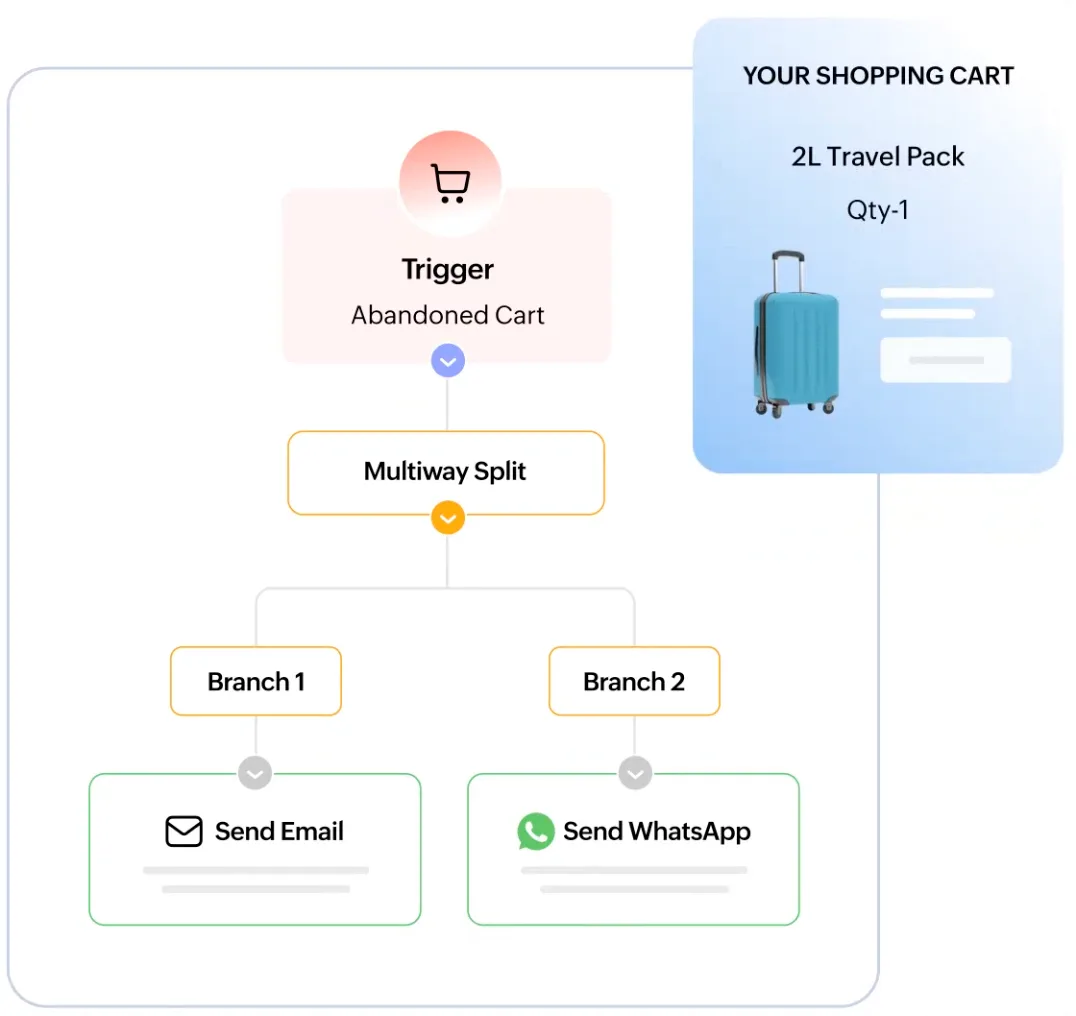
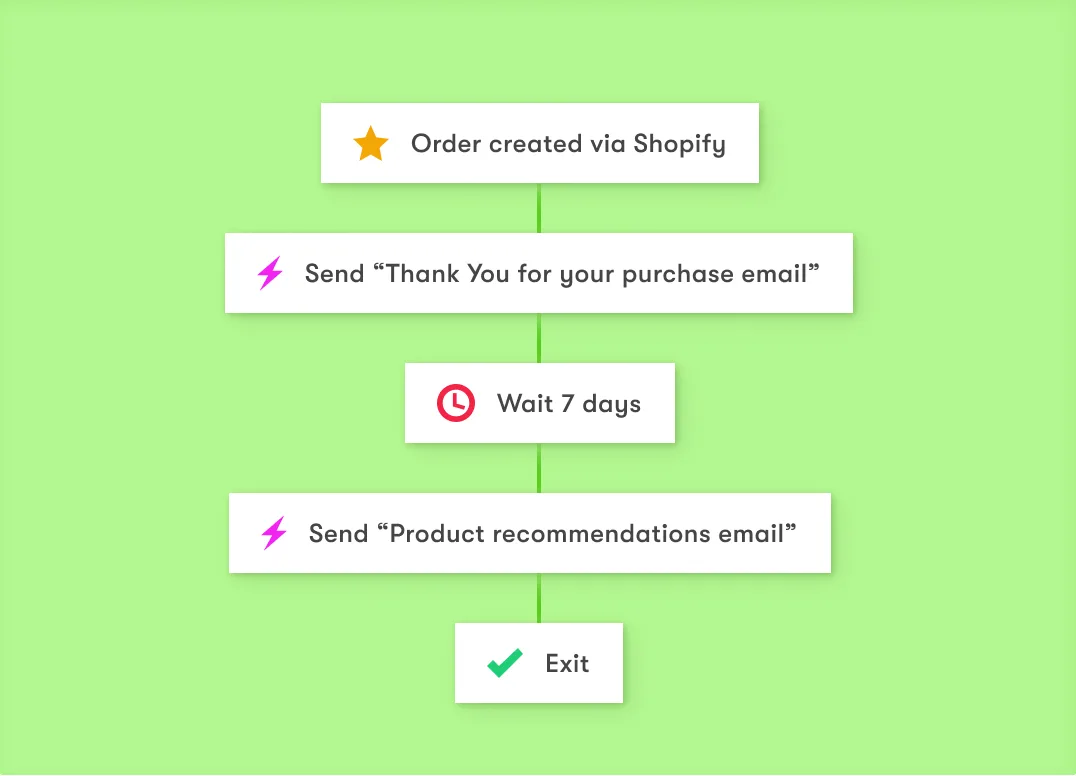
Drip is for ecommerce brands that want automation driven by actual purchase and browsing behavior rather than generic time-based triggers.
An ecommerce brand builds an abandoned cart sequence that adjusts messaging based on the specific product category left in the cart.
Our take: For ecommerce brands, Drip’s behavioral automation depth justifies the price. Non-ecommerce businesses will find less of that value applies to them.
Standout features:
- Visual workflow builder with deep behavior-based triggers
- One-click ecommerce platform integrations
- Multi-channel campaigns across email, social, and onsite popups
- Pre-built playbooks for welcome series and abandoned cart recovery
Pros & Cons
PROS
CONS
Pricing
Pricing starts at $39 per month for 1 to 2,500 contacts, including unlimited email sends and up to 50 workflows, scaling with list size beyond that.
19. Sender
Budget email and SMSBudget-conscious marketers
Sender’s free tier numbers, both contacts and monthly email volume, are among the strongest of any tool on this list, making it a reasonable default for a small business.
A small business with a 2,000-subscriber list sends weekly campaigns comfortably within the free plan’s 15,000-email monthly allowance.
Our take: Sender’s free tier is hard to beat on list and monthly send. Shortlist it before assuming you need to pay.
Standout features:
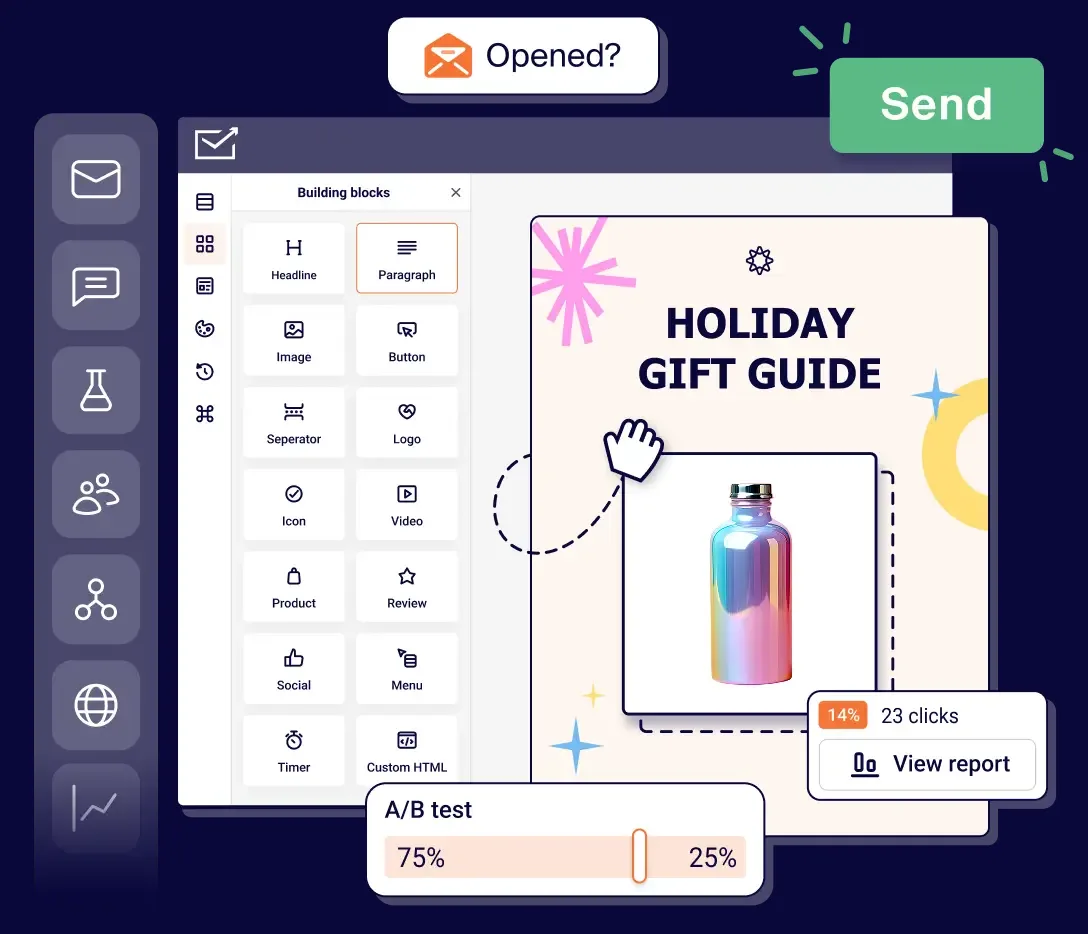
- Built-in spam checking before sending a campaign
- Automation workflows included on the free plan
- Popup, embedded, and GDPR consent forms
- Built-in image library and basic editor
Pros & Cons
PROS
CONS
Pricing
- Free for up to 2,500 contacts and 15,000 emails per month.
- Standard is $9 per month for up to 500 subscribers and 6,000 emails.
- Professional is $15 per month for up to 500 subscribers and 12,000 emails.
Annual billing saves about 30%.
What Is Email Marketing?
Email marketing means sending commercial or relationship-building messages to people who’ve opted in to hear from you, promotions, newsletters, transactional confirmations, or welcome sequences.
Its core advantage over channels like social media is directness: you’re reaching people in a channel they check daily, not hoping an algorithm surfaces your post.
Choosing the Right Platform
For ecommerce, Omnisend and Drip’s native store integrations offer real advantages.
For creators, Kit’s creator-specific tagging and monetization features fit better than a generic business tool.
For teams wanting marketing folded into a broader CRM, HubSpot and Salesforce cover that ground.
Deliverability Basics Worth Knowing
Whichever platform you choose, deliverability depends on more than the software. Configure SPF, DKIM, and ideally DMARC on your sending domain before you send first campaign.
Avoid list purchases, every platform on this list will eventually flag or restrict accounts sending to purchased lists, and it damages your sending reputation. Watch your unsubscribe and complaint rates as leading indicators of list health.
Using AI in Email Marketing
Most platforms on this list now offer AI assistance, typically subject line generation, send-time optimization, or content drafting. Treat AI output as a draft to edit, not a finished asset, and be specific about what you’re asking for than accepting generic suggestions.
On top of provided AI features, leverage multi-AI tool to compare content from different models.
Conclusion
There’s no single best email marketing platform, only a best fit for your channel needs, automation, and budget a year out.
Omnisend and Drip lead for ecommerce.
Brevo and ActiveCampaign offer the general-purpose value at startup-friendly pricing.
HubSpot and Salesforce make sense once you need marketing into a full CRM at scale.
And if a permanent free plan matters most, start with Brevo, Kit, or Sender and EmailOctopus for a balance of contacts and monthly sends.
For a narrower list of the most generous free options specifically, see our free email marketing tools guide.