



Classified ad sites still bring in customers for local businesses. A cleaner, a moving company, a used furniture store, or a tutor can post an ad in minutes and get replies from people nearby who are ready to buy.
Free posting has narrowed, though. Craigslist now charges $5 for every services ad in the US, Facebook Marketplace doesn’t allow services at all, and several sites are closed.
This list covers the classified sites that still work for businesses, with what each one charges a business to post. Where a site let me start an ad without an account, I went through its posting form with a sample ad.
Comparison
| Site | Type | Best for | Market | Business cost | Link |
|---|---|---|---|---|---|
| 01 Craigslist | Best overall reach in the US | The original local classifieds site, with a services section for every trade | US, Canada, and cities worldwide | $5 per services ad in the US | Visit |
| 02 Nextdoor | Best for neighborhood services | Free Business Page and posts that reach nearby households | US, UK, Canada, and more | Free, ads optional | Visit |
| 03 OfferUp | Best for local retailers | Local buying and selling app with business storefronts | US | Free with limits, business plans by quote | Visit |
| 04 Facebook Marketplace | Best for selling products locally | The biggest local marketplace | Global, with business limits in some countries | Free to list products | Visit |
| 05 Kijiji | Best for Canada | Canada's best-known classifieds site, with free Business accounts | Canada | Free Business account, fees in some categories | Visit |
| 06 Gumtree | Best for the UK | UK classifieds with a large services section | UK | First business listing free | Visit |
| 07 OLX | Best for India | One of India's biggest classifieds apps | India, plus OLX sites in other countries | Free within limits, paid packages | Visit |
| 08 ClassifiedAds.com | Best free general site | Free ads with no account and long run times | US, Canada, and worldwide | Free | Visit |
| 09 Geebo | Best for scam-conscious buyers | US classifieds with a focus on safety | US | Free services ads | Visit |
| 10 Adlandpro | Best for multiple countries | Moderated classifieds marketplaces in several countries | US, Canada, UK, India, UAE, Australia, and more | Free, upgrades from $9.95 | Visit |
Best Classified Ad Sites for Businesses
01. Craigslist
Best overall reach in the USThe original local classifieds site, with a services section for every trade
Craigslist is still where many people in US look first for a local mover, cleaner, or handyman. Most of the site is free, but business posts are chargeable.
When I started a post in San Francisco and picked “service offered,” every one of the 21 service categories showed a $5 fee, including a catch-all “small biz ads” category. Job ads cost $10 to $75 depending on the city, and for-sale-by-dealer listings cost $5.
The posting form takes a title, neighborhood, ZIP code, and description, then lets you choose how people reply. The CL mail relay hides your real email address, and you can also accept calls and texts or CL chat.
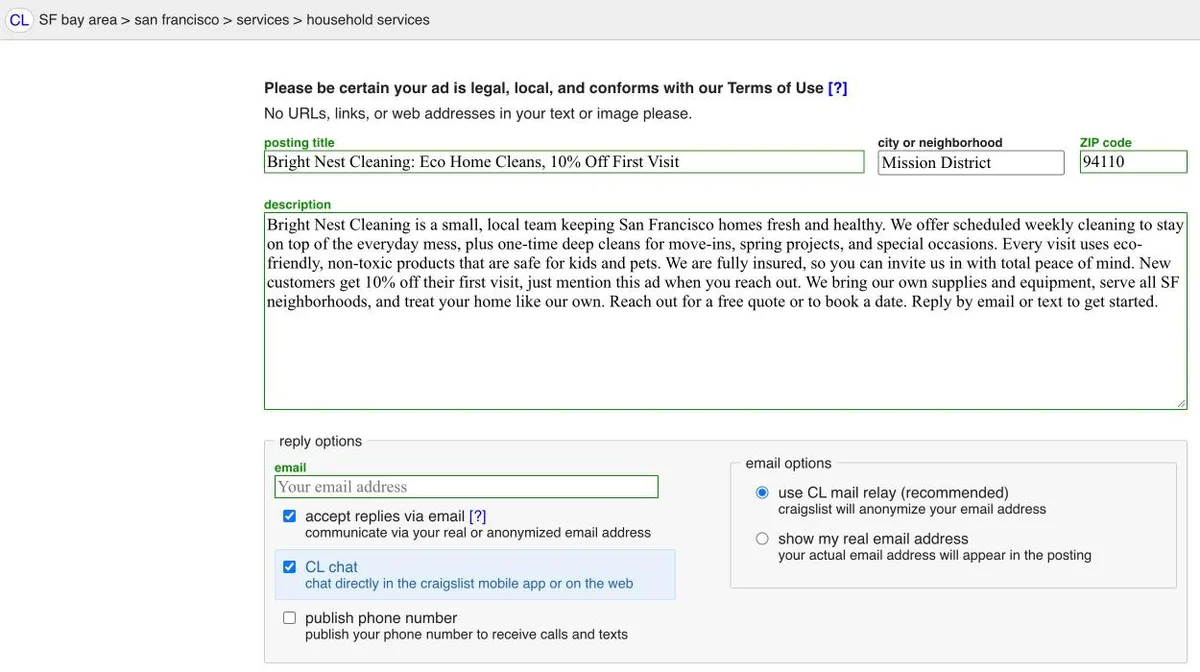
The form also states the rule that trips up businesses most often are like no URLs, links, or web addresses in the text or images. Your ad has to sell on its own, and people contact you through Craigslist.
Our take: Worth $5 for any local service business in a US city. Write the ad to get a reply.
Business features:
- Services, jobs, gigs, housing, and for-sale-by-dealer sections
- Anonymous email relay, CL chat, and optional calls and texts
- Paid posting accounts with multiple users and prepaid blocks of posts
- Invoicing for accounts that spend $2,000 or more in three months
Pros & Cons
PROS
CONS
02. Nextdoor
Best for neighborhood servicesFree Business Page and posts that reach nearby households
Nextdoor isn’t a classifieds site, but for a local service business it often works better. Neighbors ask each other for recommendations every day, and a business with a page on Nextdoor can show up in those threads.
A Business Page is free to create. Once it’s set up, you can publish free Business Posts to the neighborhood feed with offers, updates, events, or polls, and neighbors can recommend you on your page.
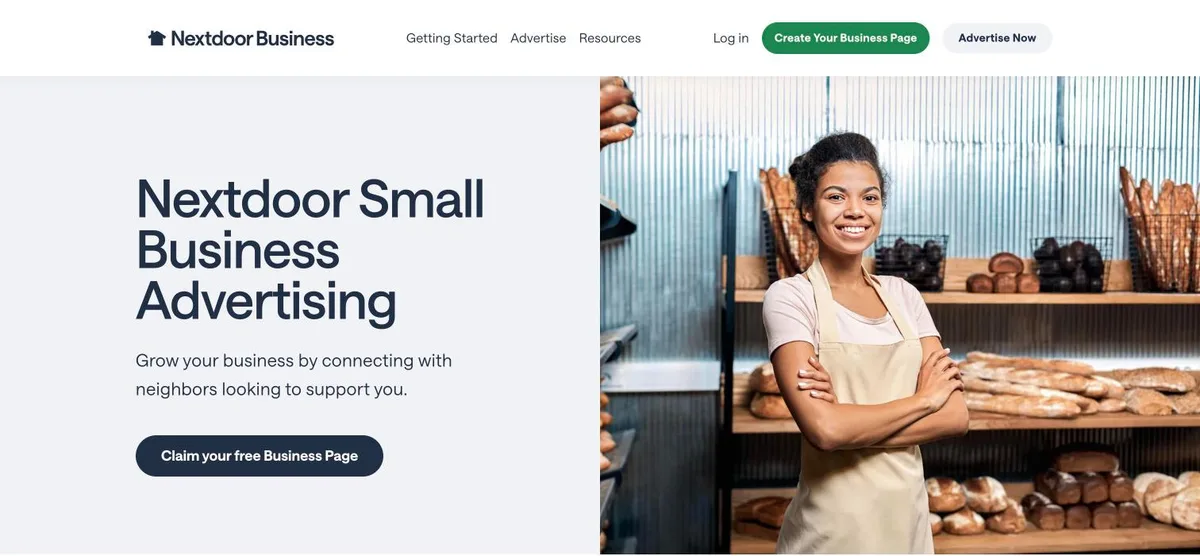
Paid Nextdoor Ads add reach beyond the free posts, with targeting by area. Nextdoor says one in three US households uses it, which is a large audience for a local plumber or bakery.
Our take: The best free option for home services and local shops in the US. Recommendations from neighbors carry more weight than any ad you can write.
Business features:
- Free Business Page with your services, hours, and photos
- Free Business Posts, events, and polls in the neighborhood feed
- Neighbor recommendations shown on your page
- Paid Nextdoor Ads with local targeting
Pros & Cons
PROS
CONS
03. OfferUp
Best for local retailersLocal buying and selling app with business storefronts
OfferUp calls itself one of the largest local shopping apps in the US. Anyone can list items for free, within monthly limits per category, and buyers message or call sellers nearby.
OfferUp for Business is a separate subscription for companies. It adds a branded page with a Verified Local Business or Verified Dealer badge, bulk listing tools, click-to-call, photo sharing in chat, promotions, and an analytics dashboard.
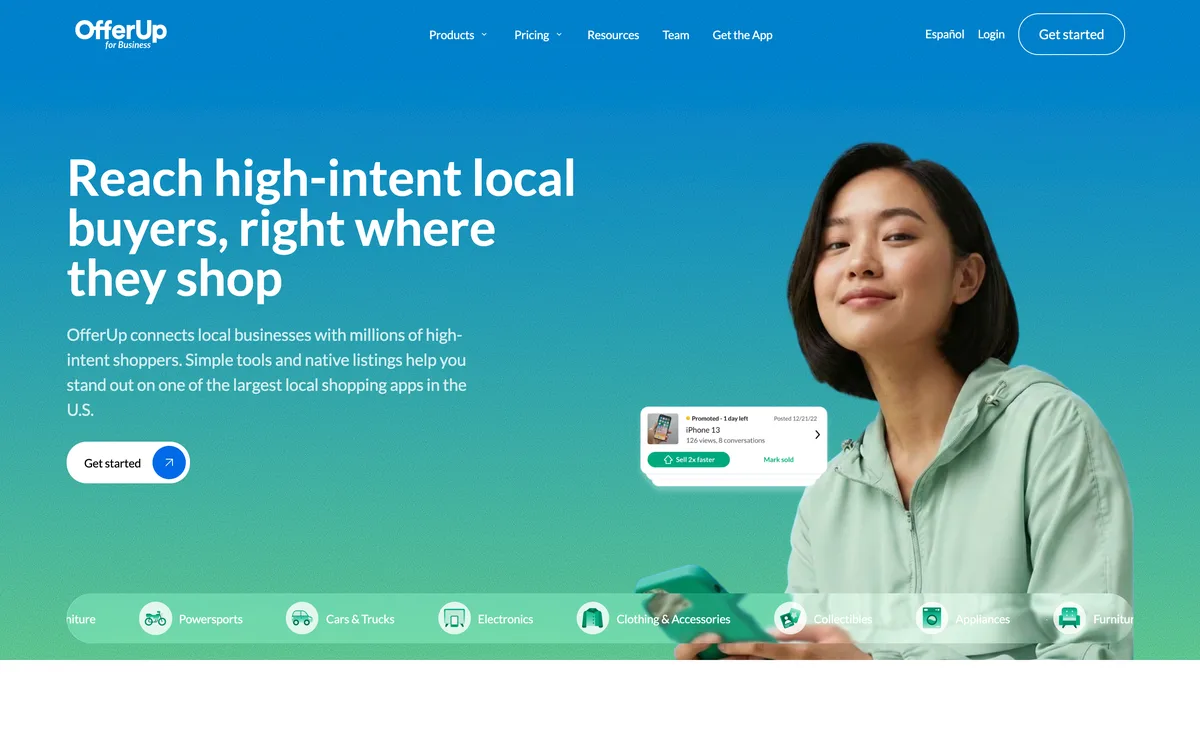
You’ll find three business programs. Storefronts covers retailers selling furniture, electronics, appliances, tools, or apparel, and can sync inventory from Shopify. Motors is for licensed car dealers, and Services gives cleaners, landscapers, and repair pros top placement in a services feed.
Our take: A good fit for shops with a steady stream of physical inventory. Pricing isn’t published, so you’ll need to fill in an interest form to get a quote.
Business features:
- Branded business page with a verified badge
- Bulk listing, Shopify sync for Storefronts, and DMS import for Motors
- Click-to-call, in-app chat with photos, and quick replies
- Bulk promotions and listing analytics
Pros & Cons
PROS
CONS
04. Facebook Marketplace
Best for selling products locallyThe biggest local marketplace
Facebook Marketplace is built into Facebook, so your listings reach people who already use the app every day, and listing an item is free. It’s a natural place for a business with physical products to sell, from furniture and appliances to used equipment.
Meta’s Commerce Policies set two limits that matter. Services can’t be bought or sold on Marketplace, so a cleaner or plumber can’t post there. Meta points service businesses to the WhatsApp Business app or Appointments on Facebook and Instagram instead.
Meta also describes Marketplace as intended for consumer-to-consumer sales. In the European Economic Area, the Philippines, and India, businesses that sell on Marketplace may have their listings removed.
Our take: Use it to move products if you’re a small seller in the US, UK, or Canada. Service businesses should look at Nextdoor or Craigslist instead.
Business features:
- Free product listings with photos and local pickup or shipping
- Messenger chat with buyers
- Paid boosts and ads through Meta Ads Manager
- Shops on Facebook for businesses with a product catalog
Pros & Cons
PROS
CONS
05. Kijiji
Best for CanadaCanada's best-known classifieds site, with free Business accounts
Kijiji is the classifieds site most Canadians turn to first. Businesses post from a Business account, which is free to create and separate from a personal account, since each needs its own email address.
Business listings are free in many categories, but some categories charge a listing fee or cap the number of free ads. Most ads stay up for 60 days, and listings posted with a fee run for 31 days.
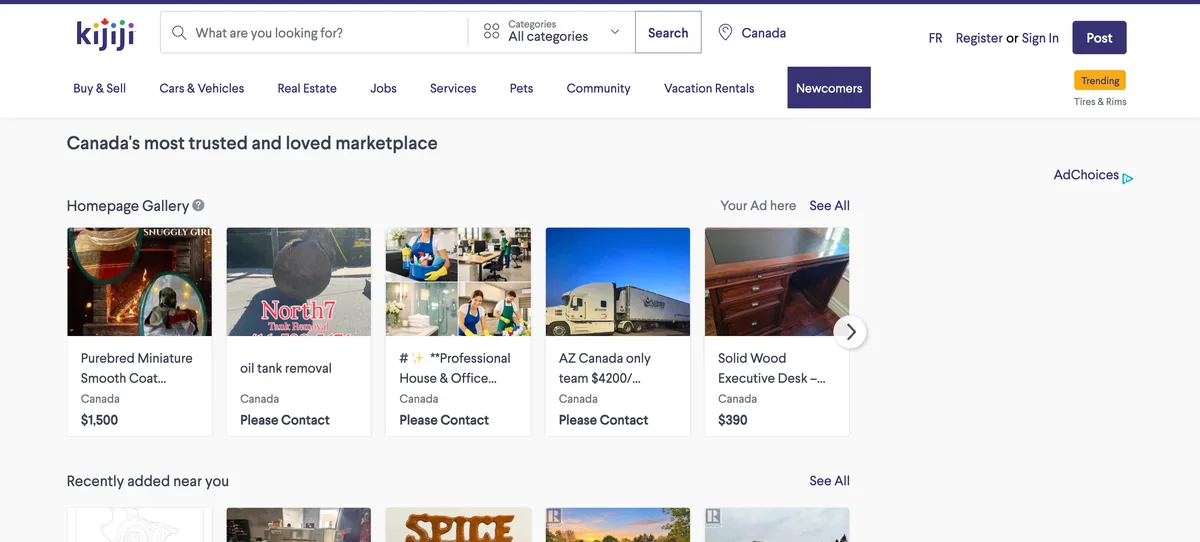
To get noticed, you can pay for Bump Up, Top Ad, Highlight, or a spot in the Homepage Gallery. Kijiji also sells visibility packages and a URL feature for businesses that want to link to their website.
Our take: The first place to post for any Canadian business. Check the fees in your category before you plan a lot of ads.
Business features:
- Free Business account with listing management and profile branding
- Ads run 60 days and can be reposted
- Paid Bump Up, Top Ad, Highlight, and Homepage Gallery
- URL feature and visibility packages for businesses
06. Gumtree
Best for the UKUK classifieds with a large services section
Gumtree is one of the UK’s most visited classifieds sites, and its services section covers trades, cleaning, tutoring, and more. Gumtree says one in five people in the UK use it each month.
Adding your first business listing is free, and you can edit it at any time. To reach more people, Gumtree sells a pay-as-you-go option for occasional ads and a Pro account subscription with an account manager and volume discounts.
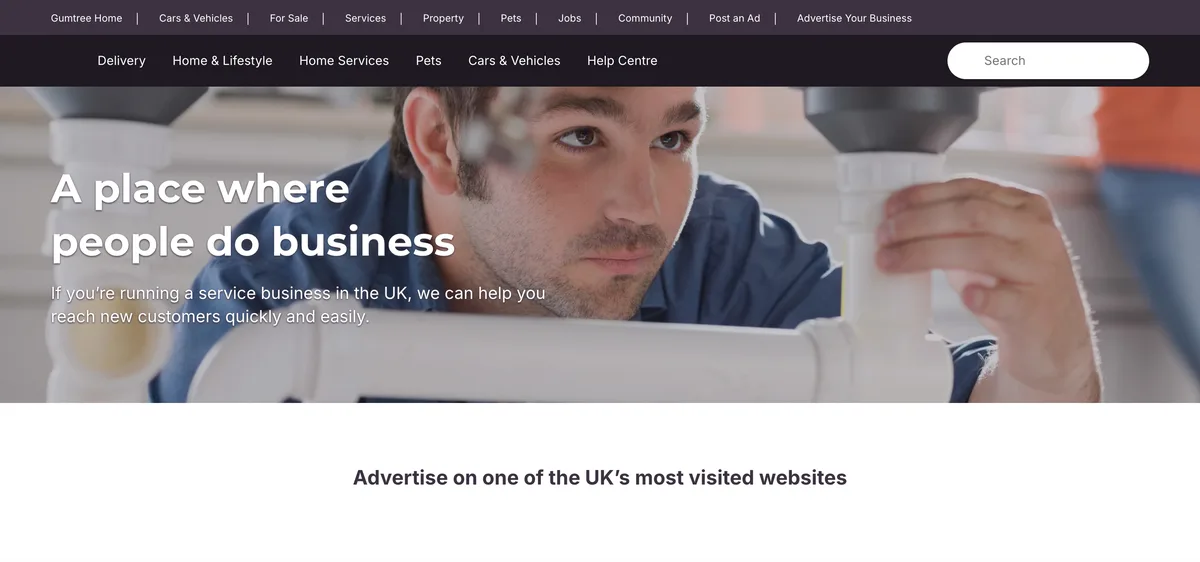
A Homepage Spotlight puts your ad on the UK homepage for seven days. Adding a website link to an ad also carries a small charge.
Our take: Worth listing on for any UK service business. Start with the free listing and pay for promotion only if it brings in enquiries.
Business features:
- Free first business listing that you can update any time
- Pay-as-you-go credits or a Pro account subscription
- Homepage Spotlight for seven days
- Website link and YouTube video on ads
Pricing
The first business listing is free.
Promotions, website links, and Pro subscriptions are paid, with prices shown at checkout or on request.
07. OLX
Best for IndiaOne of India's biggest classifieds apps
OLX services section lists everything from tutors to pest control. Posting needs a login with a phone number, Google, or email.
Each account gets a limited number of free ads per category and location. OLX’s own blog gives examples of one mobile phone ad a month and two furniture ads every 60 days, and a Post More Ads package lifts the limit.
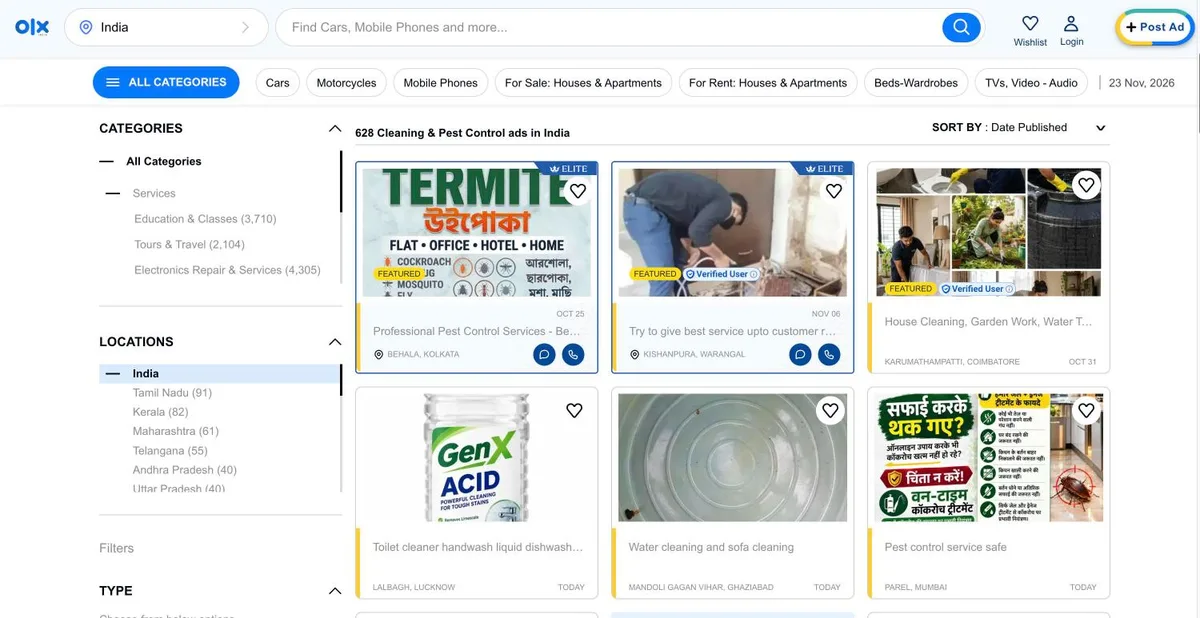
Browsing Cleaning and Pest Control shows how businesses stand out. The top results carry Featured tags and Elite badges from paid packages, and many sellers show a Verified User badge.
Our take: Essential for local businesses in India. Budget for a package if you post often in the same category.
Business features:
- Free ads within category and location limits
- Post More Ads, Featured Ad, Boost to Top, and Auto Boost packages
- Elite seller packages for regular sellers
- Chat and call buttons on each listing
Pros & Cons
PROS
CONS
08. ClassifiedAds.com
Best free general siteFree ads with no account and long run times
ClassifiedAds.com is one of the few general classifieds sites that’s still fully free and lets you post without creating an account. Its Services category has subcategories such as Cleaning, Marketing, Office, and Web Design & Tech.
I picked Services, then Cleaning Services, and entered a San Francisco ZIP code. The full form then opened with a title, optional price, a rich text description editor with a link button, photos, and contact details, where you can keep your email and phone private.
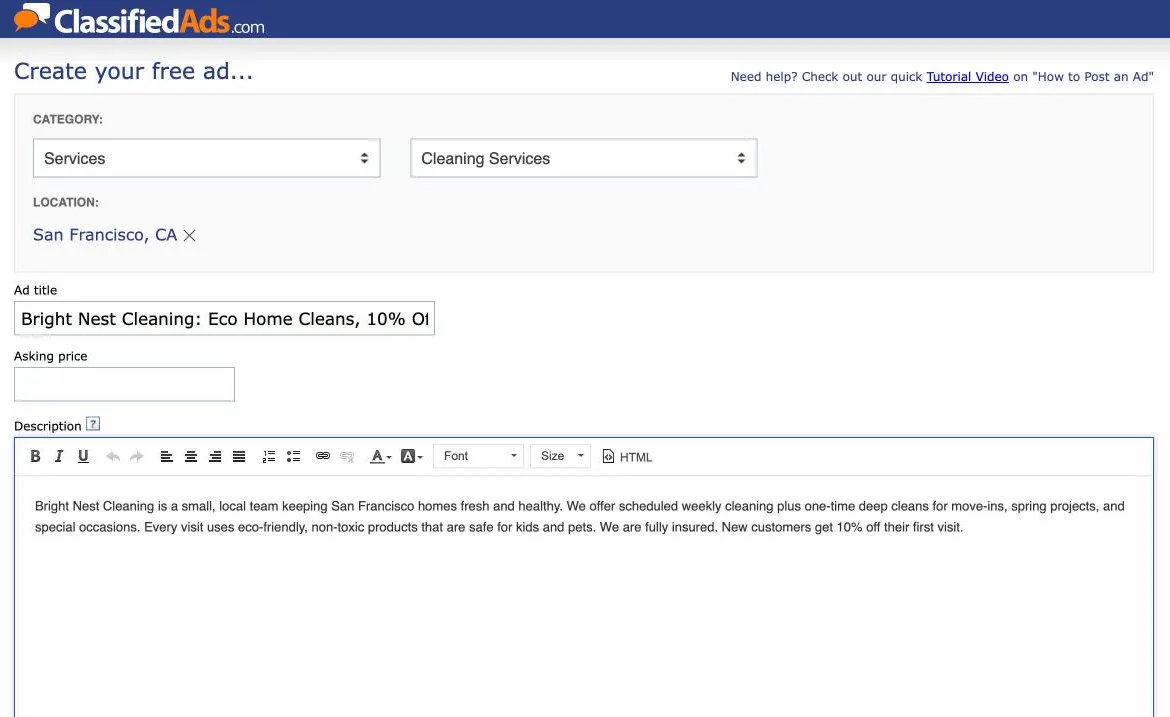
You choose how long the ad runs, from one week to nine months. Ads are moderated, and the form warns that an ad can take up to 36 hours to go live.
Our take: Free and easy, with long-running ads and links allowed. The audience is smaller than Craigslist.
Business features:
- Post without an account
- Ads that run from one week to nine months
- Rich text description with links and photos
- Private email and phone options
09. Geebo
Best for scam-conscious buyersUS classifieds with a focus on safety
Geebo has run US classifieds since 1999 and positions itself as a safe community site. It publishes a regular blog on current scams, which helps legitimate businesses stand apart from fake listings.
Its services section is free. I was able to create Ad without an account and found service types for home services, skilled trades, moving, lessons, and an Other Businesses option, along with a description editor and photo uploads.
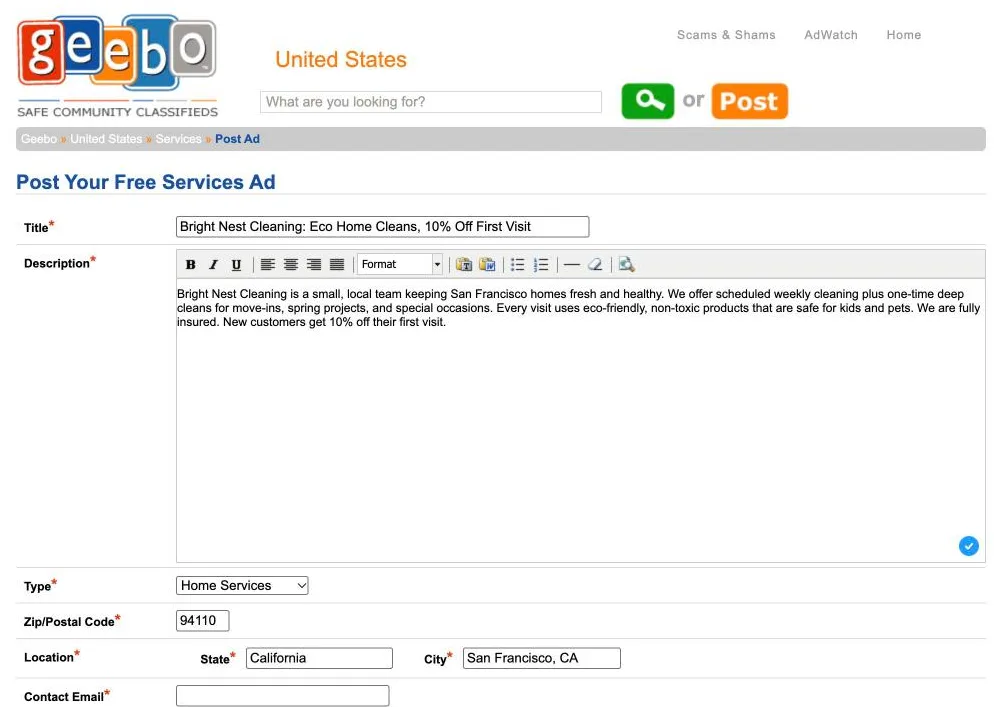
Entering a ZIP code fills in the state and city. You add a contact email and name, confirm a CAPTCHA, and accept the terms before the ad goes up.
Our take: A free extra channel for US service businesses. Its audience is smaller, but its focus on safety suits genuine local companies.
Business features:
- Free services ads with no account
- Service types including Other Businesses
- Photo uploads and a formatted description
- Scam warnings and safety content for buyers
10. Adlandpro
Best for multiple countriesModerated classifieds marketplaces in several countries
Adlandpro has run since 1998 and now operates separate marketplaces for the US, Canada, the UK, India, the UAE, and Australia. Posting needs a free account.
Every new ad is reviewed by a human moderator before it goes live, with AI-assisted checks for duplicates and policy issues. Ads have a dedicated Website field, and the guidelines ask you to put your link there rather than through the description.
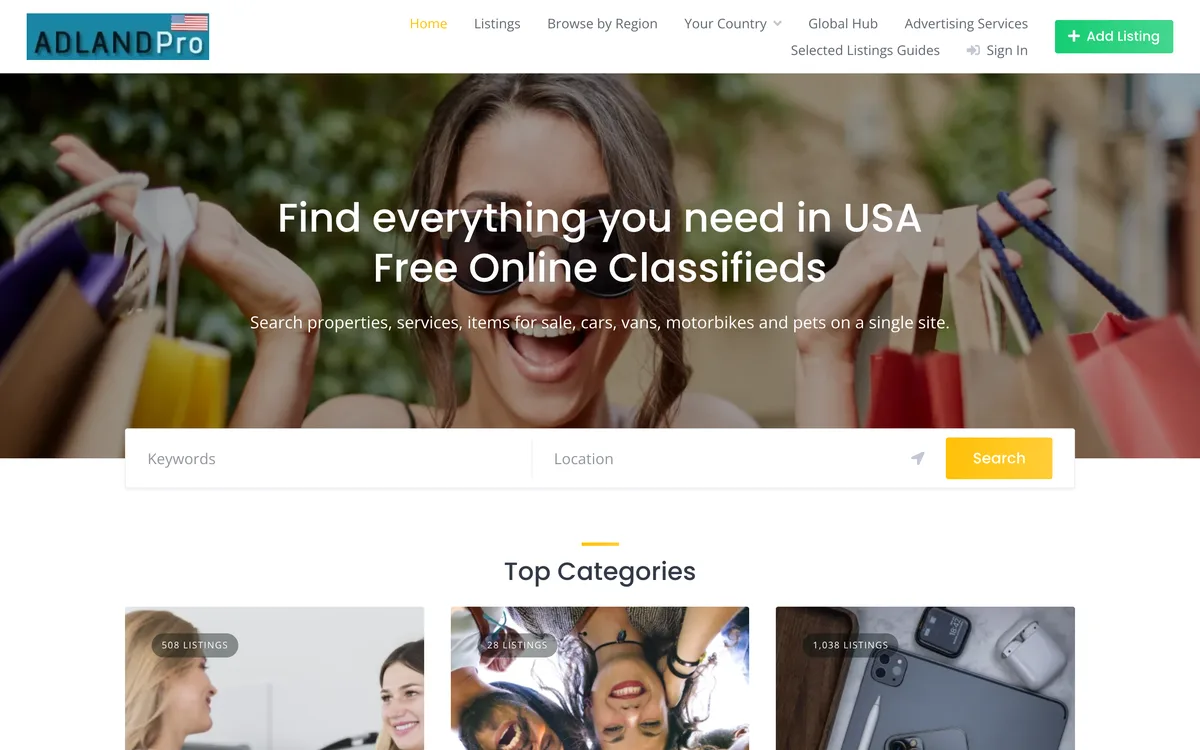
A Featured Ad costs $9.95 on the US site and sits at the top of its category for 30 days. Sponsored placement costs $19.95 for 30 days, and businesses that go over the free ad allowance can buy an Additional Ads package.
Our take: Useful if you sell in several countries and want a link to your site. Moderation keeps spam down, so listings look more credible.
Business features:
- Separate marketplaces for six countries
- Human moderation of every new ad
- Website field for a link to your business
- Featured, Sponsored, and Additional Ads upgrades
Pricing
Posting is free within limits.
On the US site, Featured Ad costs $9.95 and Sponsored $19.95 for 30 days.
Honorable Mentions
Thumbtack is a lead marketplace for US service pros rather than a classifieds site. Joining is free with no membership fees, and you pay for leads from customers who choose you, within a budget you set.
Bark matches service providers with customers who post requests. You buy credits to respond to leads, and the number of credits a lead costs depends on the service and the size of the job.
IndiaMART is a large Indian B2B marketplace. Suppliers get a free catalog page, and paid plans add weekly BuyLeads from businesses looking to buy.
Kleinanzeigen, formerly eBay Kleinanzeigen, is one of Germany’s biggest classifieds sites. Businesses can post as commercial sellers and buy PRO packages for more ads and promotion.
Marktplaats is the best-known classifieds site in the Netherlands. Business ads are free in most categories, with fees in some and paid Pro packages for regular sellers.
Local newspapers still run classifieds too, usually paid and bundled with a listing on the paper’s website. They’re worth a look if your town has an active local paper.
How to Write a Classified Ad That Gets Replies
A classified ad has a few seconds to earn a click. The title decides whether people open it, and the description decides whether they reply. Most ads fail because they’re vague, too long, or missing a reason to act now.
AI chat tools are good at this kind of short copy, and they can make the photo as well. I used Sparkian, which lets you pick from many models and create images in the same chat.
I asked for a Craigslist ad for a San Francisco cleaning company, with a title under 70 characters and a description under 150 words. I listed the services, the eco-friendly products, insurance, and a 10% first-visit discount, and reminded it that Craigslist bans URLs.
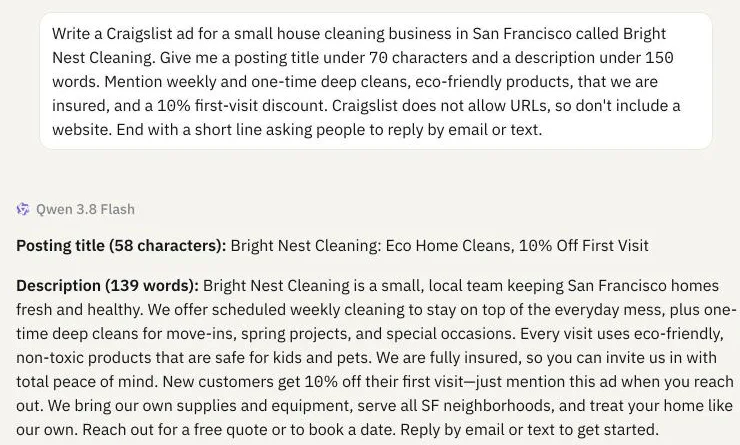
It quickly came back with a 58-character title and a 139-word description that covered every point and ended with a reply line. I pasted it into the Craigslist form above with one small edit to the punctuation.
In the same chat, I switched to image mode and asked for a realistic photo to match the ad with no text or logos. The result fits a cleaning ad well, though for a real business, your own photos of finished jobs build more trust.

Sparkian’s free plan includes 100 Sparks a month, shared across text and images, which covers drafting a few ads.
Whatever tool you use, run through a few checks before you post.
- Put the service and the area in the title, such as “House Cleaning in Mission District, Insured.”
- Lead with what the customer gets, then list services, prices or a starting price, and service area.
- Add one reason to reply now, such as a first-visit discount or open slots this week.
- Use real photos where you can, and leave text off images on sites like Craigslist that ban web addresses in images.
- Tell people exactly how to reply, and answer quickly, since buyers often contact several businesses at once.
If calls from your ads go unanswered while you’re on a job, an answering service can pick them up and book the work for you.
Conclusion
For most US businesses, Craigslist and Nextdoor are the two classified channels worth setting up first, with OfferUp for shops that sell physical stock. Outside the US, Kijiji, Gumtree, and OLX are the sites people in those countries actually use.
Free general sites like ClassifiedAds.com and Geebo are easy extras. Write a specific ad once, adapt it for each site’s rules, and keep the sites that bring in replies.
Classifieds are only one channel. If you’d rather stay in touch with the customers you win, our list of free email marketing tools is a good next step.